

Sorry, there were no results found for “”
Sorry, there were no results found for “”
Sorry, there were no results found for “”
There was a time when getting new software meant buying a license, installing it on a single computer, and hoping it didn’t crash. Now? You sign up online and start using it in minutes.
That’s the power of Software as a Service (SaaS).
But not every tool is worth the hype. This list of 25+ SaaS examples includes the best options for boosting efficiency and getting real results. Let’s find the ones that actually make a difference. 📝
Factor in the PM tool, the docs tool, whiteboards, video conferencing, and the chat tool running alongside it. See exactly how much your team would save by replacing overlapping tools.👇🏼
| Tool name | Best For | Key Features | Pricing* |
| ClickUp | All-in-one AI-powered productivity and task management for teams of all sizes | Unified workspace, customizable views, ClickUp Brain (AI assistant), Docs, Chat, Automations, Templates, Real-time collaboration, Integrations | Free forever; Paid plans available for enterprises |
| HubSpot | Streamlining CRM efforts | Workflow automation, lead scoring, custom dashboards, third-party integrations | Tier-based pricing for each hub (Marketing, Sales, Service, etc.) |
| Zendesk | Responsive customer support operations | AI-powered bots, custom workflows, multilingual knowledge base, real-time reports | Paid plans start at $19/mo/agent |
| Salesforce | CRM for enterprise teams | Predictive sales forecasting, Einstein AI, custom workflows, cloud-based, app marketplace | Tier-based pricing for each product |
| Netflix | Personalized streaming | Personalized recommendations, downloads, parental controls, mobile games | Paid plans start at $7.99/month |
| Shopify | Launching online stores | Shopify Payments, AI tools, abandoned cart recovery, inventory sync, app store | Paid plans start at $39/month |
| Syte | Boosting e-commerce discovery | Visual AI search, AI tagging, product recommendations, A/B testing, auto product descriptions | Custom pricing |
| Mailchimp | Crafting email campaigns | Segmentation, multi-channel campaigns, surveys, templates, social ads | Free; Paid plans start at $13/month |
| Reply.io | Automating sales outreach | Jason AI, meeting scheduler, campaign templates, Reply Data (prospect database) | Paid plans start at $99/month |
| Dropbox | Streamlined cloud storage and sharing | Real-time sync, secure sharing, file recovery, offline access, Dropbox Paper | Free; Paid plans start at $11.99/month |
| Docusign | Paperless contract management anywhere | Multi-party signing, legal compliance, reusable templates, AI agreement management | Paid plans start at $15/month |
| Buffer | Scheduling social posts across platforms | Multi-channel scheduling, AI Assistant, analytics, team collaboration | Free; Paid plans start at $6/month |
| Canva | Design creation by non-designers | Drag-and-drop editor, templates, Brand Kit, AI tools, asset library | Free; Paid plans start at $15/month |
| Descript | Audio-video editing through text | Text-based editing, filler word removal, screen recording, Overdub AI voice | Free; Paid plans start at $24/month |
| Grammarly | Polishing your writing | AI writing assistant, tone detection, plagiarism checker, goal setting | Free; Paid plans start at $30/month |
| Surfer SEO | Data-driven content optimization | Content Editor, SERP Analyzer, content briefs, NLP keyword research | Paid plans start at $99/month |
| Google Workspace | Team collaboration with minimal friction | Real-time collaboration, cloud storage, Calendar, Gmail, Meet, AppScript | Paid plans start at $7/month |
| Microsoft Azure | Enterprise-level cloud infrastructure | Auto-scaling, global deployment, advanced security, AI/ML services | Custom pricing |
| Culture Amp | Tracking employee feedback | Survey templates, analytics, 360 reviews, action plans, longitudinal tracking | Custom pricing |
| TimeJam | Gamifying time tracking | Gamified tracking, leaderboards, booking pages, time analytics | Paid plans start at $5/month |
| Xero | Managing small business finances | Bank feeds, invoicing, expense tracking, dashboards, app integrations | Paid plans start at $29/month |
| Deel | Compliant global team management | EOR services, contract templates, multi-currency payments, benefits admin | Tier-based pricing for each product |
| Ramp | Controlling company spending | Corporate cards, expense automation, AP, accounting integrations, AI insights | Free; Paid plans start at $15/month |
| Drift | Website lead conversion | AI chatbots, lead qualification, meeting booking, routing, dashboard | Custom pricing |
| DeepL | Nuanced language translation | Neural translation, glossaries, document translation, API, Write Pro | Free; Paid plans start at $10.49/month |
| ChatGPT | Generating quick answers from AI | Conversational AI, content generation, coding, reasoning, custom GPTs | Free; Paid plans start at $20/month |
| Perplexity AI | Researching with context | Source citations, follow-up Q&A, real-time info, deep research, Comet browser | Free; Paid plans start at $20/month |
A flashy interface doesn’t mean a tool is worth your time. Some SaaS examples look great but fall short when it comes to functionality, support, or long-term value.
To avoid investing in the wrong software, here’s what to consider:
🔍 Did You Know? The SaaS market is on a steady rise, and the U.S. is leading the charge. Revenue is expected to more than double, jumping from 92 billion euros to 191 billion euros.
SaaS is everywhere, but some products truly stand out. Let’s explore the best examples and what makes them so effective. 👇
Our editorial team follows a transparent, research-backed, and vendor-neutral process, so you can trust that our recommendations are based on real product value.
Here’s a detailed rundown of how we review software at ClickUp.
Let’s say you’re running a big product launch. The marketing team is working on ad creatives, the dev team is finalizing the landing page, and sales needs updates to prepare their pitch.
But instead of a smooth workflow, it’s chaos. Tasks are buried in emails, Slack messages are all over the place, and deadlines? No one’s sure what’s due when.
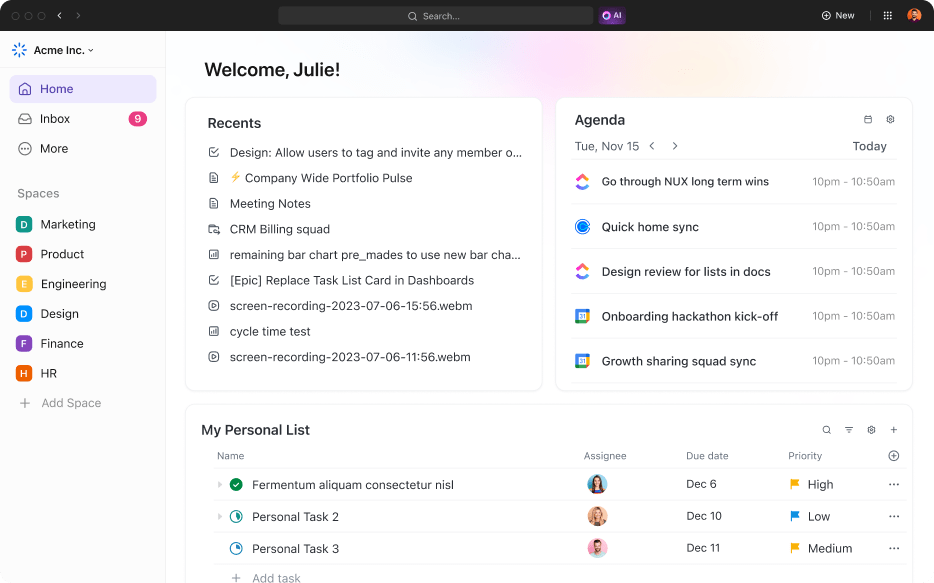
ClickUp is the everything app for work that combines project management, knowledge management, and chat—all powered by AI that helps you work faster and smarter. It keeps everything in one place, so updates don’t get lost, tasks don’t get missed, and no one has to ask, ‘Wait, who’s handling this?’
The ClickUp Project Management Software makes tracking tasks easy with customizable views, priorities, and dependencies.
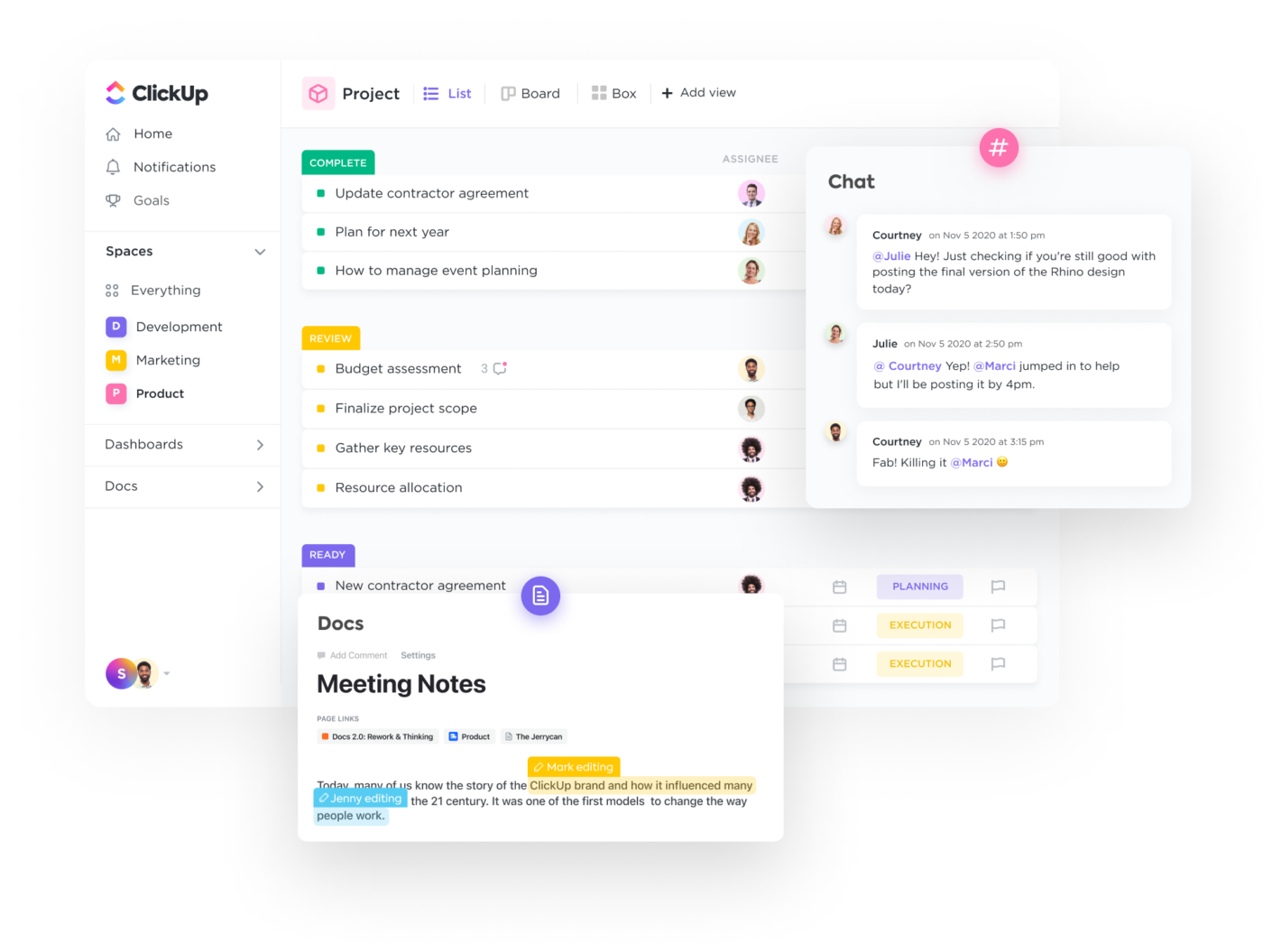
ClickUp Tasks serve as complete work units linked with subtasks, dependencies, and all related documentation. This ensures clarity on who is doing what and what comes next. ClickUp’s Custom Fields capture the exact data you need, and Custom Statuses reflect your team’s real workflow.
Easily assign comments, add priority levels, tag teammates, and add watchers to tasks to guarantee immediate attention and follow-up.
ClickUp also ends context switching by bringing communication and action into one place. ClickUp Chat and ClickUp Docs automatically link tasks, files, and conversations, guaranteeing your team always has the full context of a project without jumping between separate apps.
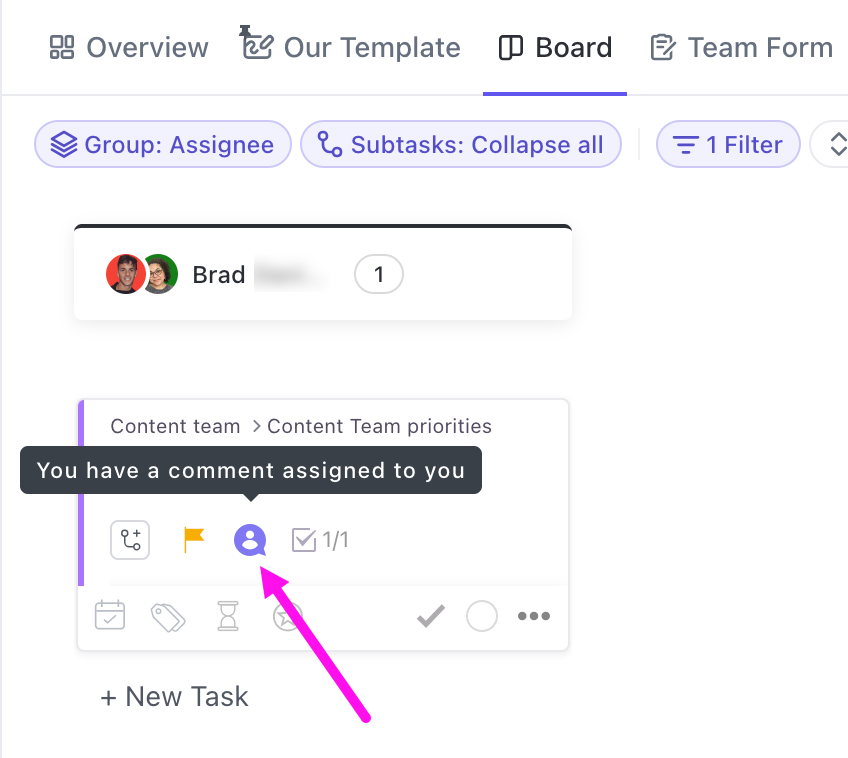
Team collaboration is easier with real-time feedback: use comments and @mentions directly on tasks or documents. For quick alignment, use Chat for updates, instantly converting discussion points into trackable tasks, and replacing quick calls with recorded, summarized video SyncUps.
AI in Chat makes catching up effortless. After time off or a busy day, AI generates a summary of key updates, so there’s no need to scroll through endless messages. Important details stay front and center, keeping everyone informed without the usual catch-up scramble.
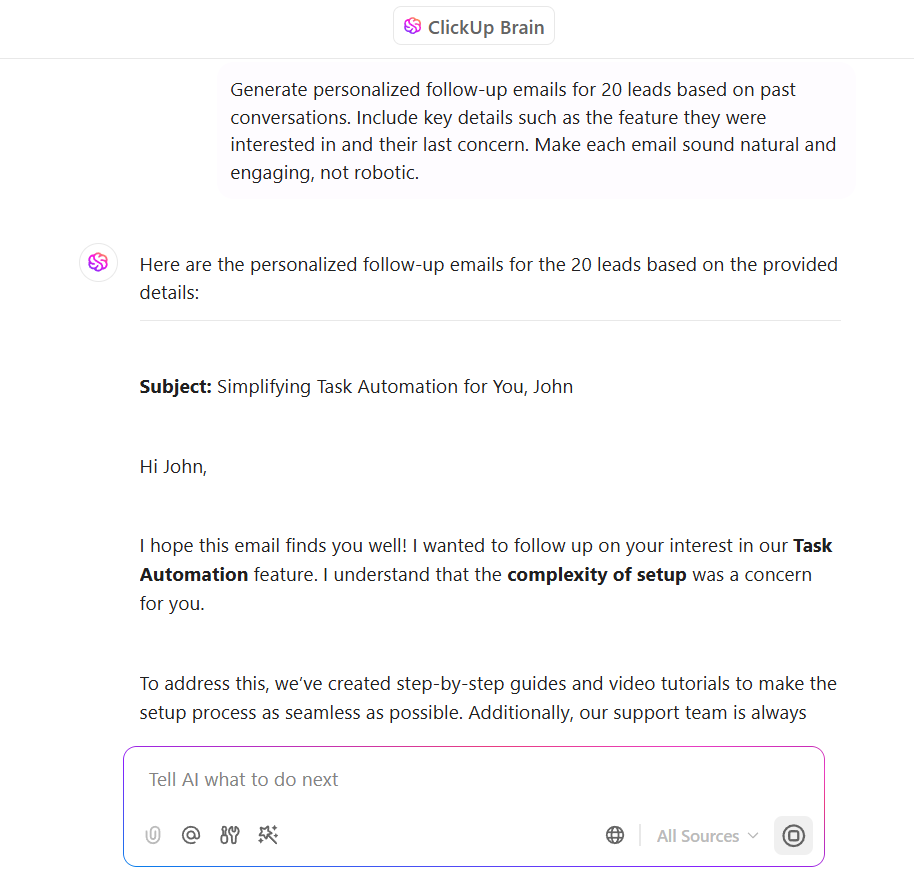
Now, handling tasks is one thing, but what about those repetitive to-dos that eat up time? That’s where ClickUp Brain takes over.
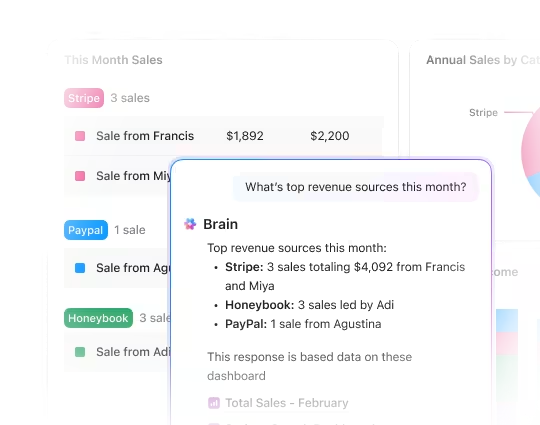
The integrated AI assistant is your all-in-one AI Project Manager, Writer, and Knowledge Manager—designed to connect your team, tasks, docs, and external apps for seamless collaboration and productivity.
With ClickUp Brain, you get:
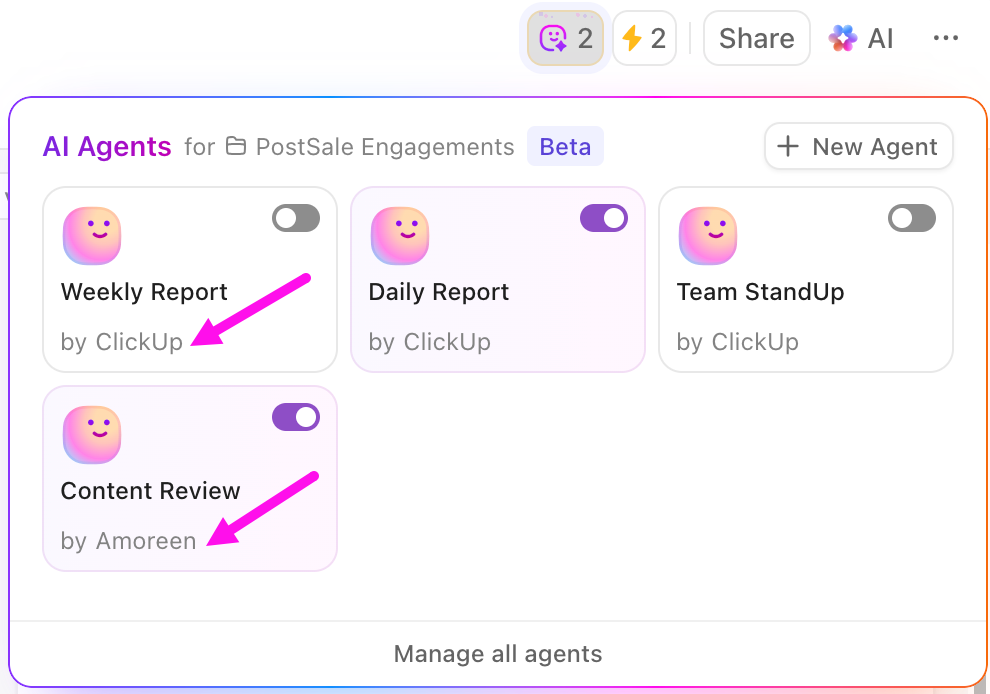
ClickUp Automations and AI Agents can significantly boost team productivity and collaboration by streamlining repetitive work, providing timely updates, and making intelligent decisions.
Automations in ClickUp use triggers, conditions, and actions to handle routine tasks automatically. For example, you can set up automations to assign tasks, update their statuses or due dates, and notify teams about important updates.
Prebuilt and Custom AI Agents in ClickUp can, among other things:
A happy user put it like this:
I love ClickUp! I’ve used many tools to manage my project workflows and whatnot, but nothing has quite covered my needs as well as ClickUp. It has everything you need (with it being the everything app for work) and caters to all your personal and professional needs. My favourites are the templates (what’s not to love!) and Docs. Man oh man, do I enjoy formatting there.
📖 Also Read: Best Free Project Management Software Tools to Try
📮 ClickUp Insight: Mondays aren’t the only struggle—35% of people say it’s their least productive day, but 11% find Tuesdays even harder, and 7% hit a slump by Wednesday. Productivity dips happen, and without the right tools, tasks pile up fast.
ClickUp makes it easier to stay on top of work. As an all-in-one software, it brings task management, collaboration, and automation together in one place. That’s what the best SaaS tools do—they simplify workflows, reduce distractions, and help teams stay productive, no matter what day of the week it is.
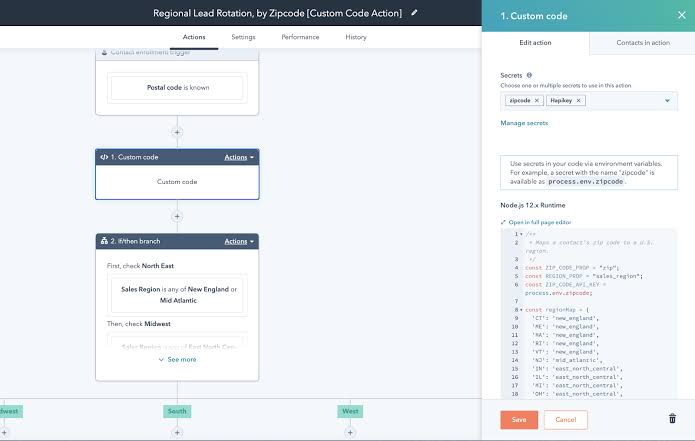
Marketing teams struggle to keep track of customer interactions across different platforms.
HubSpot addresses this challenge head-on, providing a comprehensive solution for businesses looking to improve their customer engagement strategies. The platform helps companies track leads, manage marketing campaigns, and understand customer behaviors effectively.
Essentially, it turns complex customer data into actionable insights that drive business growth.
📖 Also Read: Best Hubspot Alternatives for Marketing Teams
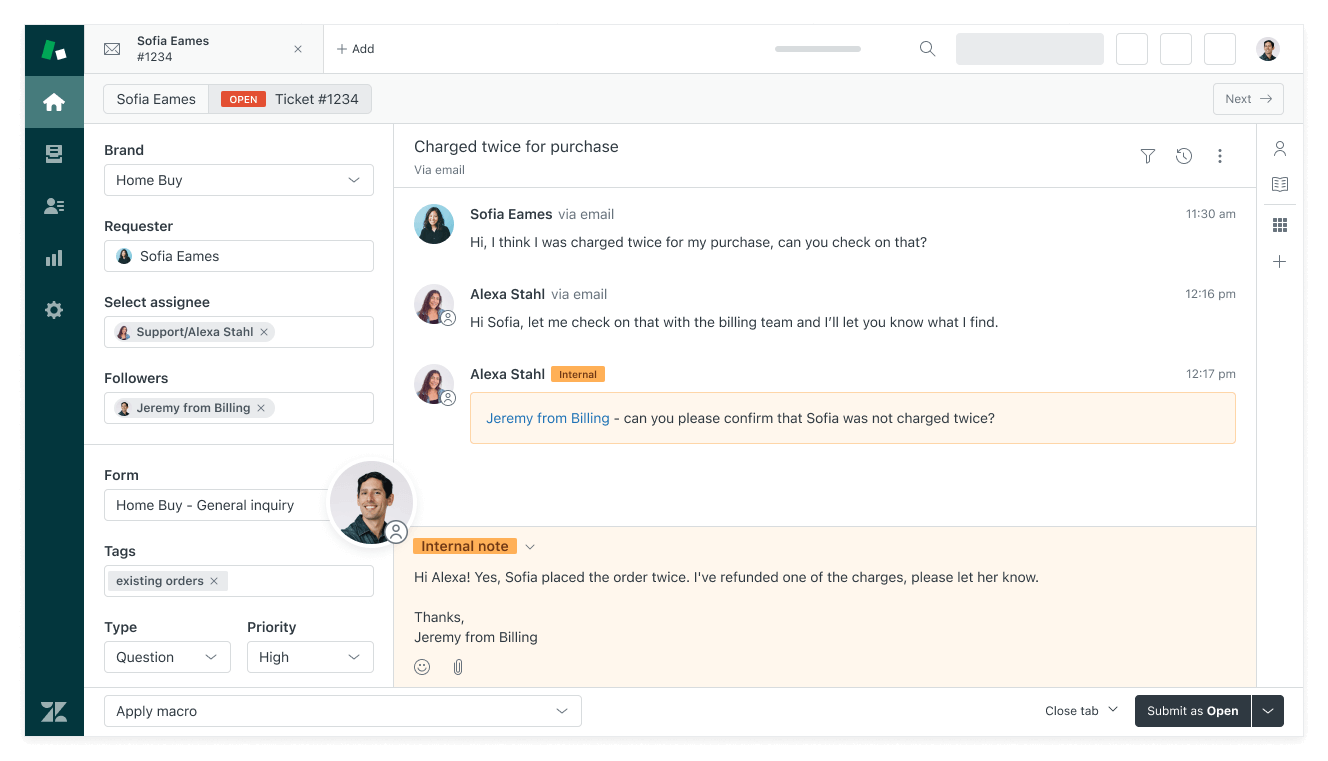
Support teams face constant challenges in managing customer inquiries across multiple channels. Zendesk provides a SaaS solution that helps businesses handle customer support more effectively.
The platform allows companies to manage customer conversations via email, chat, phone, and social media more efficiently. Agents can track issues, prioritize requests, and resolve problems faster. It turns customer support from a pain point into a strategic advantage.
See what this Capterra reviewer had to say:
I liked that ability to see all the inbound communication that my employees were getting. If someone was on vacation I could go respond to someone that he was working with. This really helps with the customer experience.
📖 Also Read: How to Manage Multiple Projects Successfully
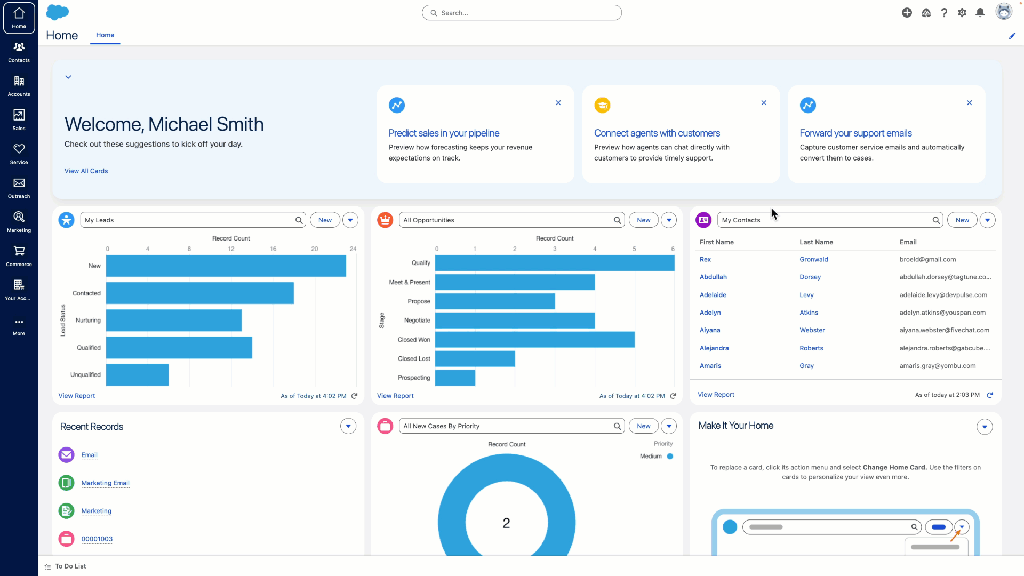
Salesforce suits companies ready to ditch basic spreadsheets for something bigger. It’s a CRM that adjusts to your needs—think dashboards tailored for each department.
With this software, a sales rep logs a call and pulls up a client’s full history in seconds, adding post-call notes to create an ongoing history of interaction.
Running on the cloud, this B2B SaaS enterprise software skips hardware setup entirely. Add an app marketplace, and you’ve got options to expand. For businesses planning long-term growth, Salesforce keeps up as priorities change.
📖 Also Read: Best Salesforce CRM Alternatives & Competitors
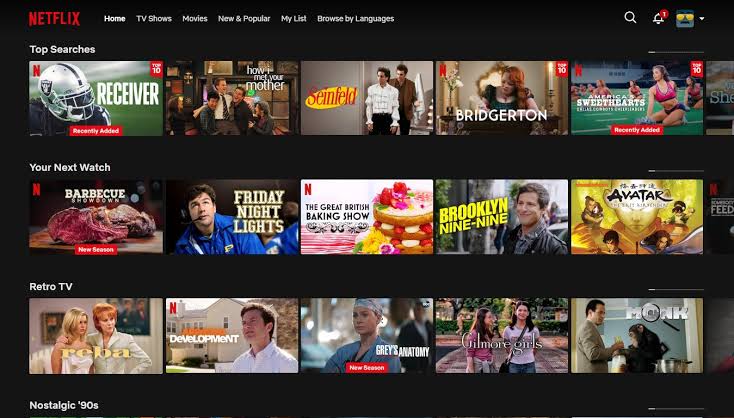
Netflix changes how you watch TV. It offers a huge library of shows and movies, picking out options based on what you’ve watched before, using machine learning to offer recommendations.
Families can split up—parents watching documentaries, kids on cartoons—all on the same account. Heading somewhere without internet? Download episodes ahead of time. It’s built for entertainment on your terms, available whenever you’ve got a screen handy.
🧠 Fun Fact: Before SaaS became the go-to term, people called it ‘software on demand’ or ‘ASP (Application Service Provider).’ Sounds way less cool, right?
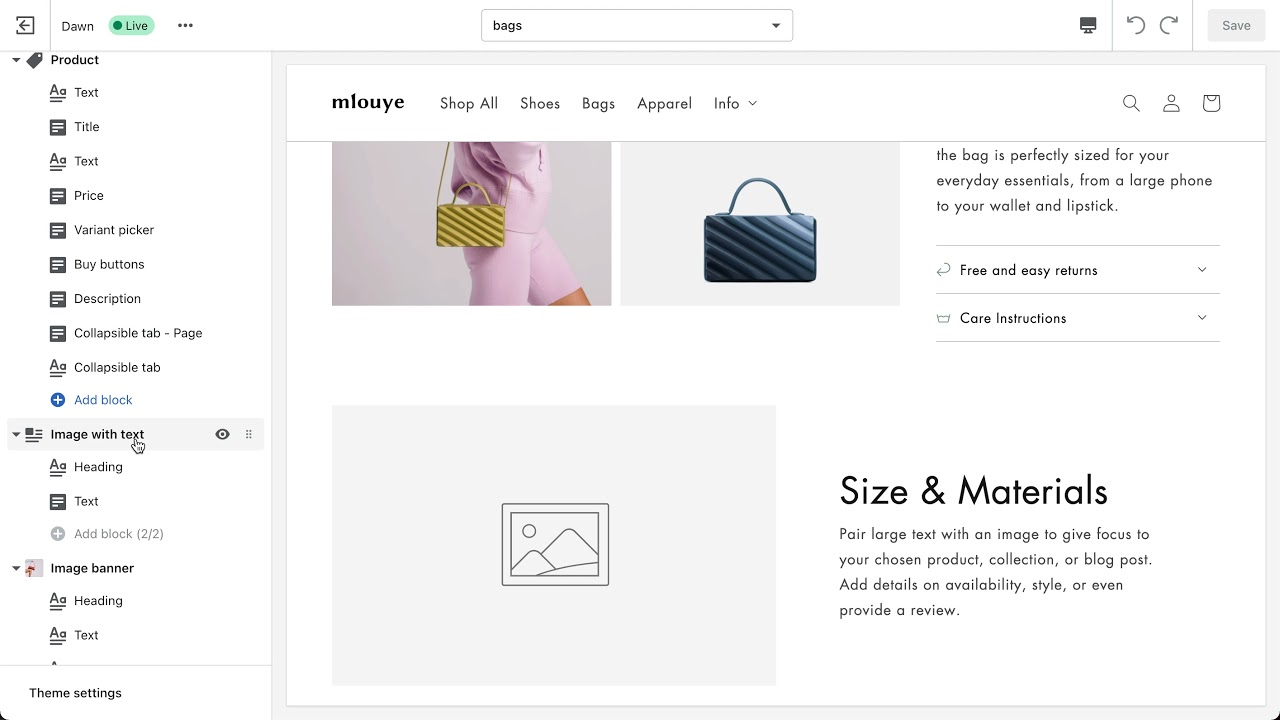
Ever wanted to sell online but dreaded the tech part? Shopify makes it happen, turning ideas into live stores fast.
It hands you clean templates and payment processing right out of the gate. Inventory tracking keeps your stock straight, and an app store adds tools like marketing boosts. With built-in SEO tools, Shopify ensures your store is visible to the right audience.
The platform cuts through the setup noise so you focus on selling.
This Reddit review brings up an interesting angle:
Shopify just simply works. […] Shopify’s API and tools like Replo and Builder(dot)io can make it super easy to customize. Yes, it’s more expensive, but who cares? If you’re worried about out saving a couple hundred bucks a month and sacrificing stability then you’re not ready to be in e-commerce.
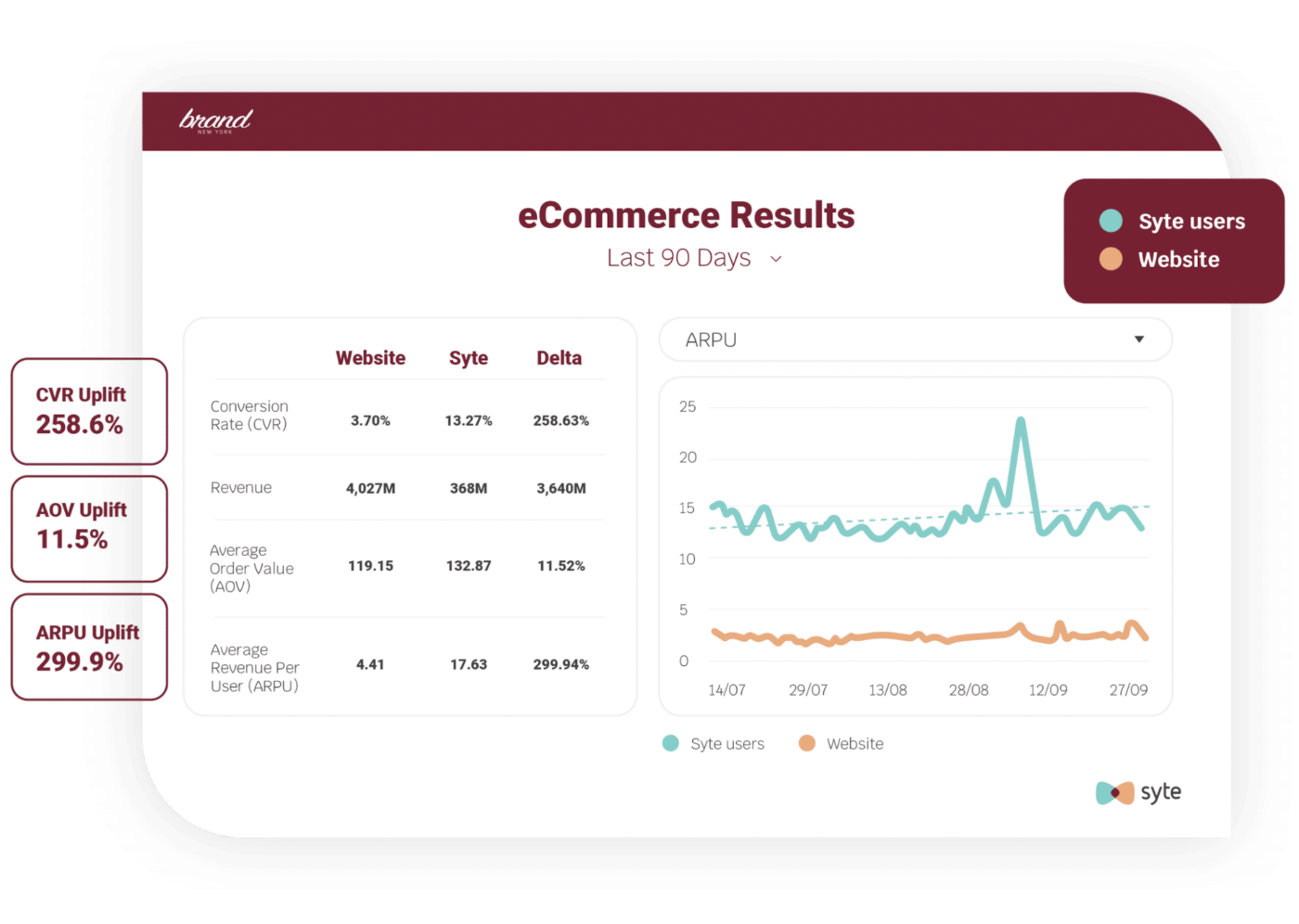
Shopping online can feel like a scavenger hunt.
Syte changes that for retailers, using visual AI to help customers find products fast. You snap a photo of a jacket you like, and Syte matches it to items in stock. Retailers add this to their sites, making searches smoother. It also suggests similar products based on images, not just text.
For e-commerce folks, Syte leans into visuals to cut down on endless scrolling and boost sales.
This video shows you how to use AI to automate your daily tasks:
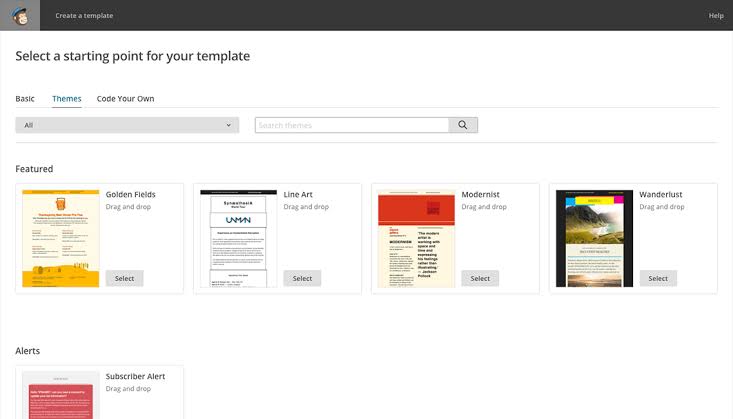
Mailchimp steps up for businesses wanting to send sharp, effective messages. Think of a startup owner designing a newsletter in minutes—drag-and-drop templates make it happen.
It’s been around forever, starting as an email tool, and now offers landing pages too. You can segment your audience easily, targeting the right people. For anyone looking to keep customers engaged, Mailchimp keeps it simple and fun.
Straight from a G2 review:
Mailchimp provides a powerful set of features with their email platform that works seamlessly with their other online marketing products such as websites. Fairly easy to use with great support via email.
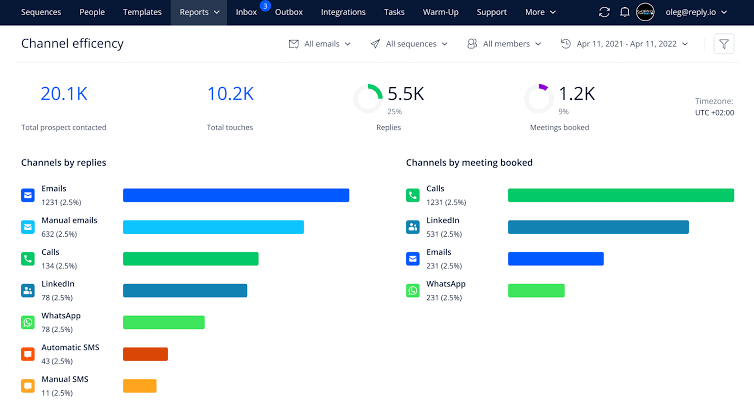
Cold emailing can drain your energy fast. Reply.io jumps in for sales teams needing to reach prospects without the grind.
Picture a rep setting up a sequence—emails go out, and follow-ups happen automatically. It’s built for outbound efforts, letting you personalize at scale. You can also tweak messages based on customer replies.
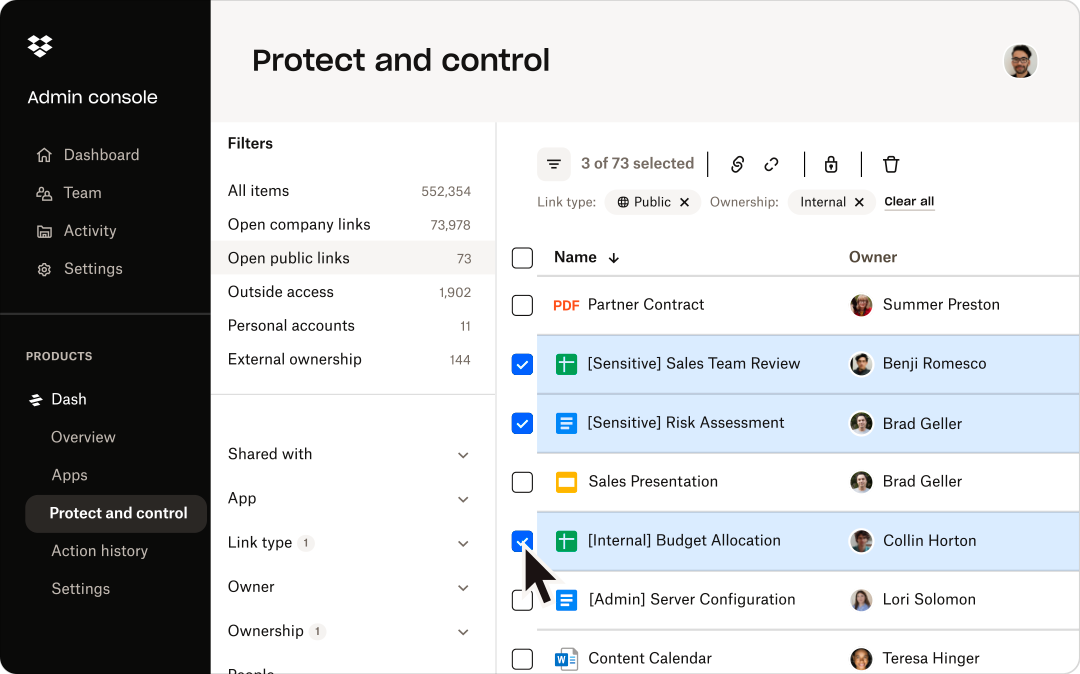
Need a place to store files that doesn’t require an IT degree? Dropbox simplifies file management through intuitive organization and quick sharing options.
Plus, their Smart Sync feature keeps your hard drive free while maintaining access to everything. The automatic camera uploads save your photos instantly, and recovery options ensure nothing disappears forever.
Dropbox Paper adds collaborative document creation to the mix, making this more than just digital storage.
A satisfied user had this to say:
I got Dropbox several years ago as a safe back up method. I love that everything on my computer automatically syncs, so I don’t need to worry about doing anything manually. I also love that I can make files online-only – this saves me so much space on my actual computer.
📖 Also Read: Best Dropbox Paper Alternatives and Competitors
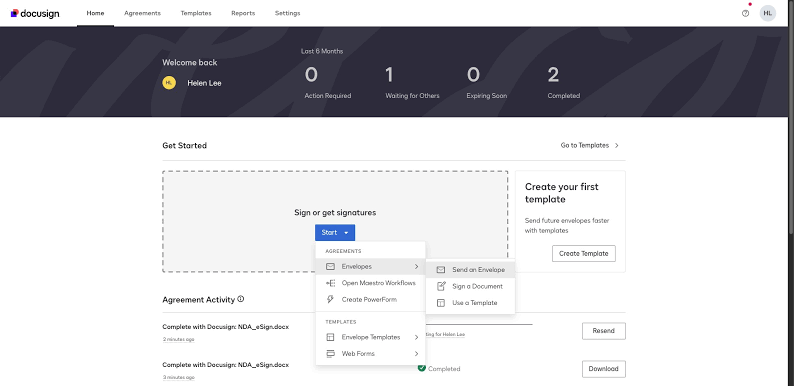
Docusign speeds up paperwork. It’s the fix for anyone tired of printing, signing, and mailing contracts—think real estate agents or HR folks. Unlike traditional document management methods, it lets you sign from your phone in minutes.
Templates save time on repeat docs, and the audit trail proves who signed what. The platform tracks document status in real time, notifying you when recipients view or sign.
You can also opt for a wider scope with the platform’s Intelligent Agreement Management solution that helps create and manage all your contract documentation.
A G2 reviewer shared why they love it:
Docusign is integrated with Salesforce and it is easy for us for send documents for signature process and also capture the signatures in the documents and maintain everything based on the workflow we create in the same record for tracking purposes. We also have track of how many people the signature request has been sent to and also have a log of parties that signed the document.
📖 Also Read: Best Docusign Alternatives & Competitors
🔍 Did You Know? Salesforce, launched in 1999, is often credited with popularizing the Software as a Service model. Their slogan? ‘The End of Software.’ Bold move!
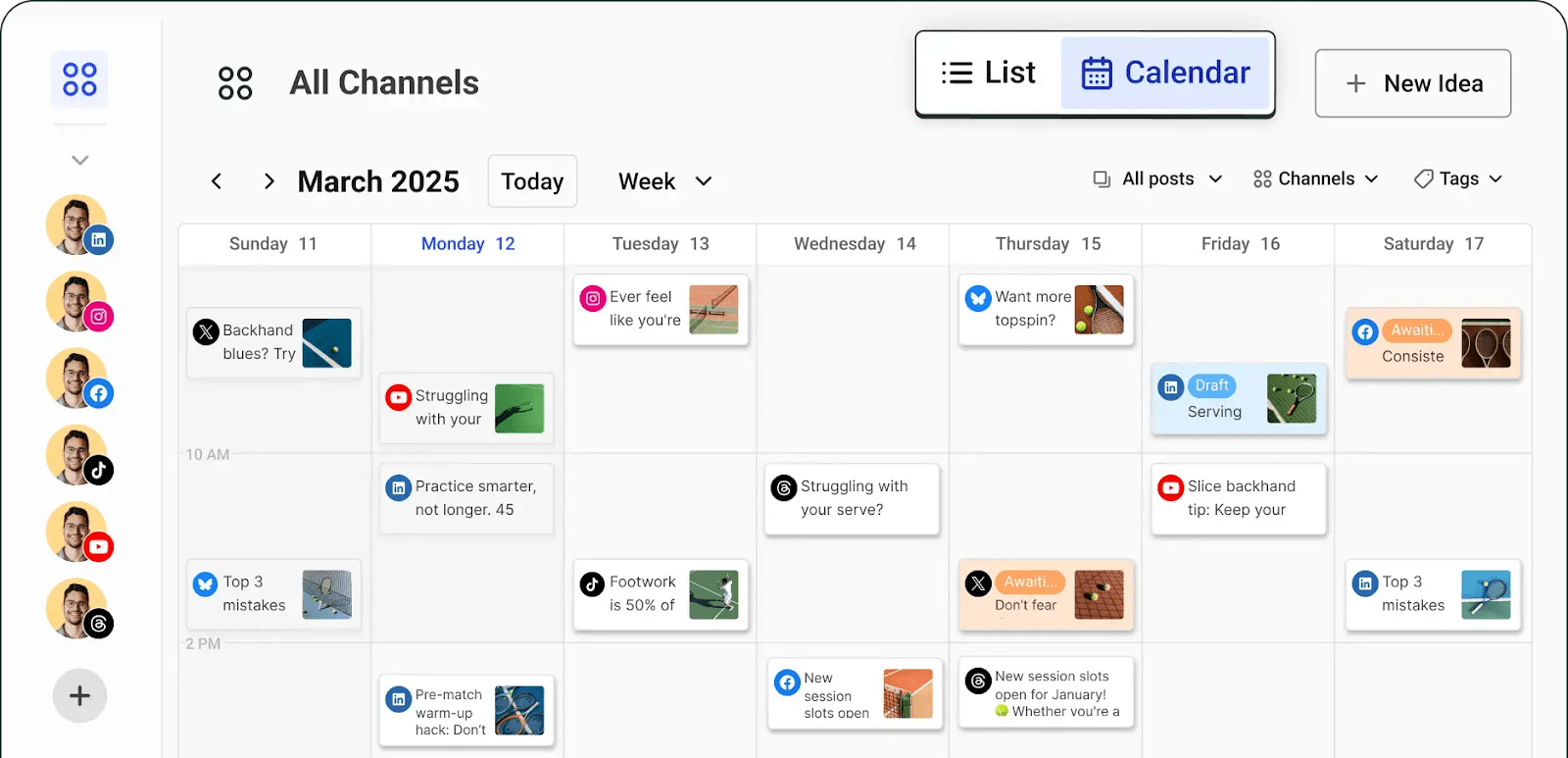
Managing multiple social accounts sounds like a nightmare, right? Buffer turns this chaos into order by letting you plan and schedule content across different platforms from one dashboard.
The analytics tools help understand what resonates with your audience, while the browser extension captures content while you surf. What’s more, Buffer’s customizable posting schedules adapt to when your audience engages most, maximizing social reach.
A Capterra reviewer summed it up like this:
Using Buffer was a positive experience with its user-friendly interface and seamless deployment. The tool’s quality and features met my expectations, and despite some hiccups with customer service, it still provided good value for money. Buffer’s ease of use and functionality make it a reliable social media management option.
🌟 Bonus: End “AI sprawl” by unifying AI, search, and automation across all your work apps, ClickUp data, connected apps, and web search with ClickUp Brain MAX, the desktop AI companion.
It brings together all your work context—chats, knowledge, tasks, priorities, calendar—so AI can access and act on everything in one place. This eliminates the chaos of disconnected AI tools and manual integrations.
Brain MAX provides a single, unified AI-powered workspace where you can search, automate, and create across all your work tools—making work faster, smarter, and more contextual.
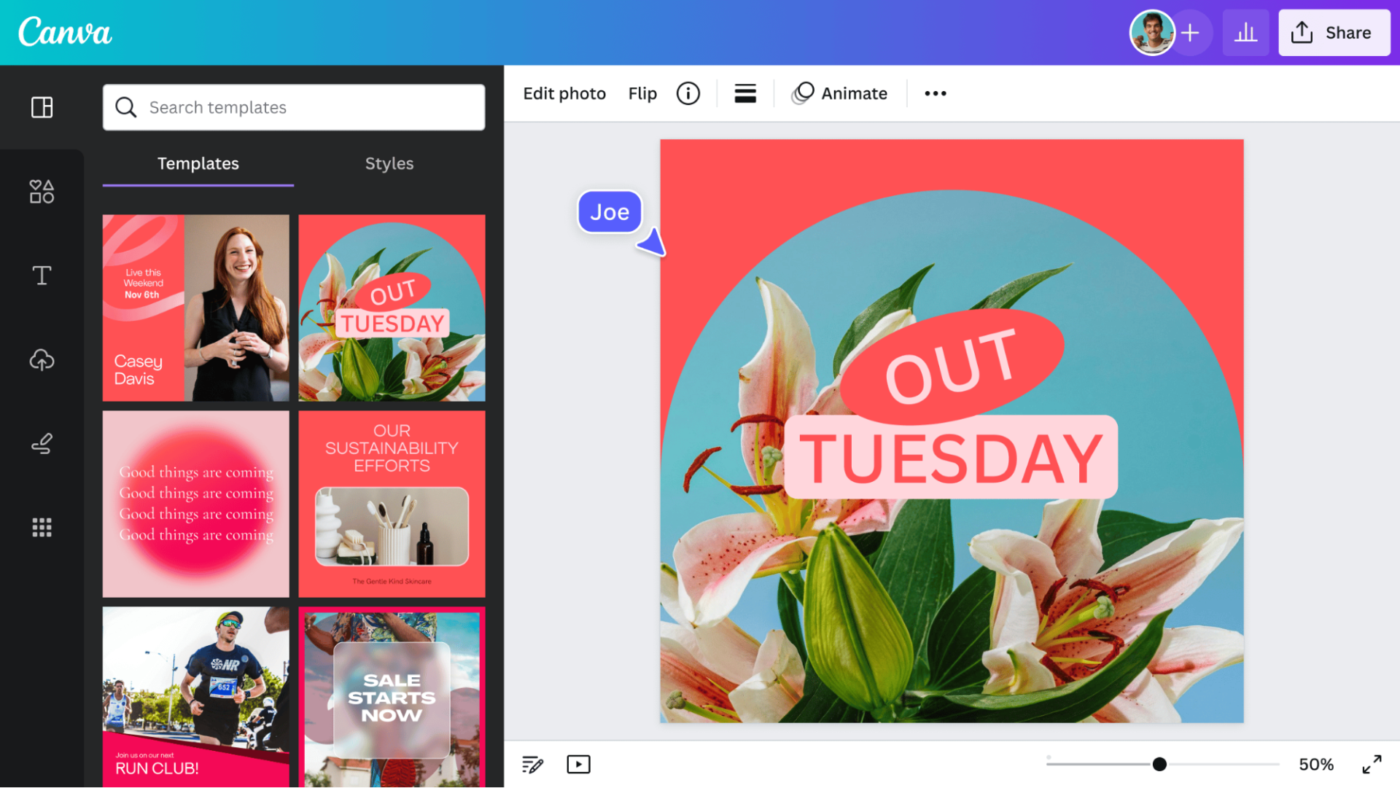
Canva bridges the gap between professional design and accessibility through drag-and-drop functionality that anyone can master.
The platform includes thousands of templates for everything from Instagram posts to presentations. Meanwhile, the Brand Kit stores your colors, fonts, and logos for consistent branding.
The integration of AI tools, such as Magic Studio, makes complex tasks like background removal, content resizing, and basic content generation feel incredibly efficient.
📖 Also Read: Best Canva Alternatives & Competitors
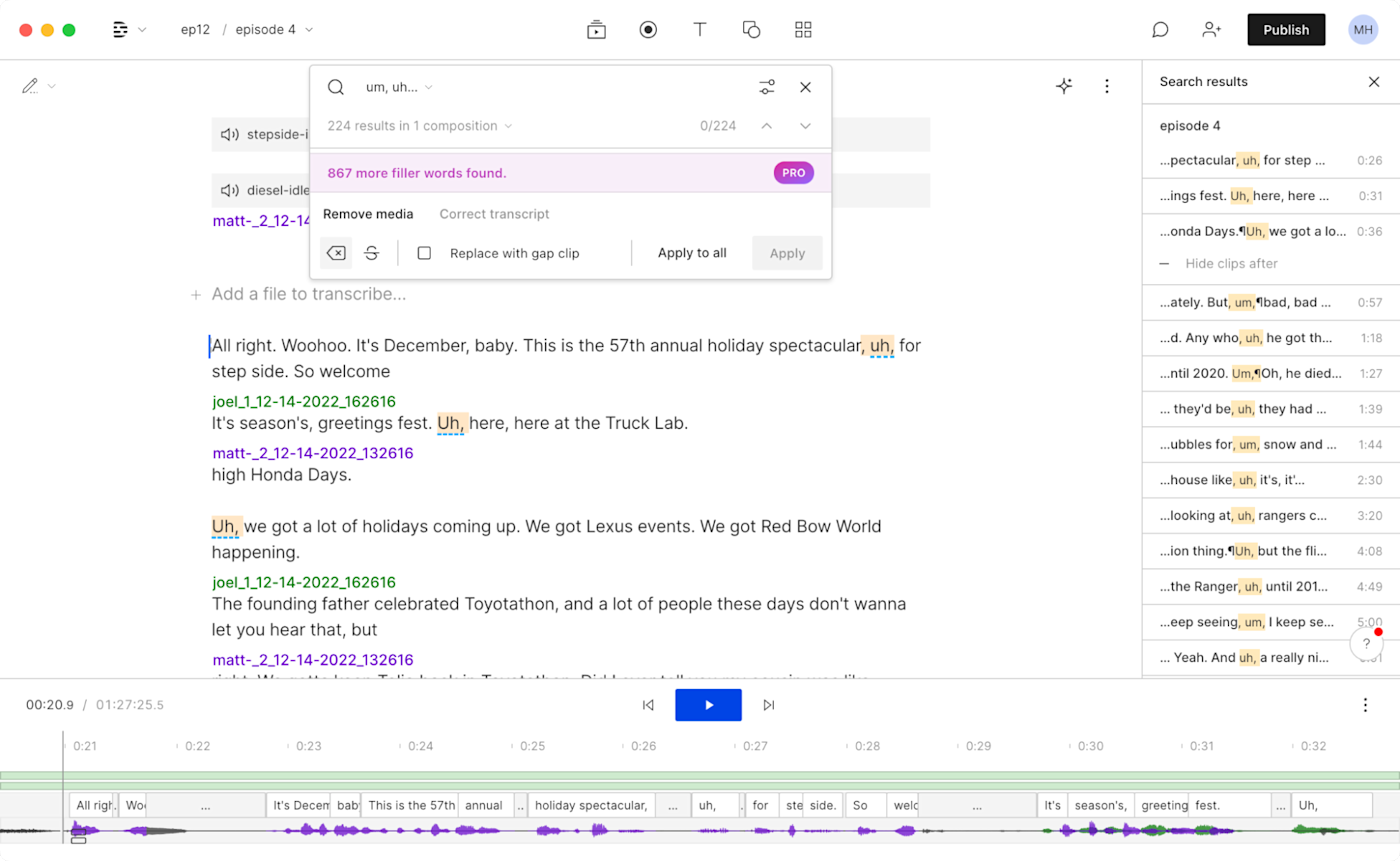
Descript rethinks audio editing for podcasters and video creators. It transcribes your file and lets you edit the text—cut a word and the audio snips, too. Record straight into it or polish old clips; either way, it saves hours.
Beyond its core text-based editing, Descript leverages AI to handle common production headaches. The Overdub feature creates an AI version of your voice for corrections without re-recording. Studio Sound enhances audio quality automatically, while the screen recording tool captures presentations with ease.
📖 Also Read: Best Descript Alternatives & Competitors
Writing emails, reports, or social posts comes with the constant fear of embarrassing mistakes.
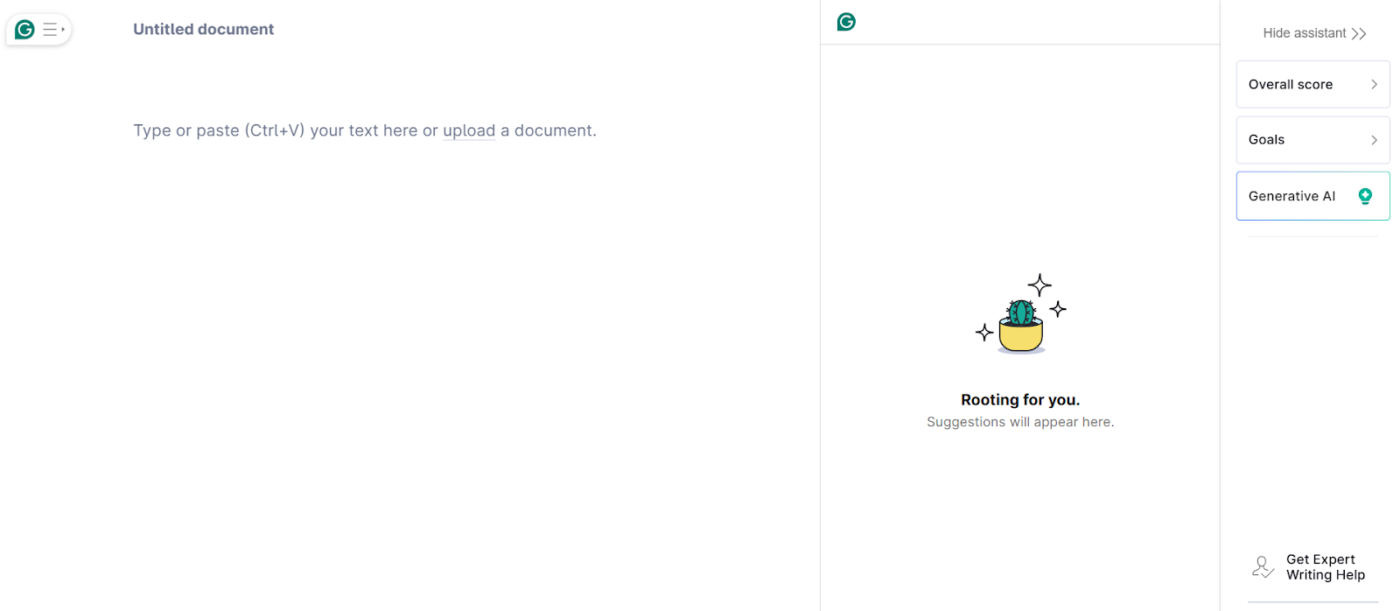
Grammarly acts as your digital editor, highlighting not just spelling errors but also complex grammar issues, tone problems, and plagiarism risks. The browser extension checks everything you type online, while the desktop app handles longer documents.
Tone detection ensures your message comes across as intended, and personalized suggestions help develop your writing skills over time. Set goals within the app for formality, domain (like technical or academic), and intent, and Grammarly will adapt its feedback accordingly.
📖 Also Read: Top Grammarly Alternatives and Competitors
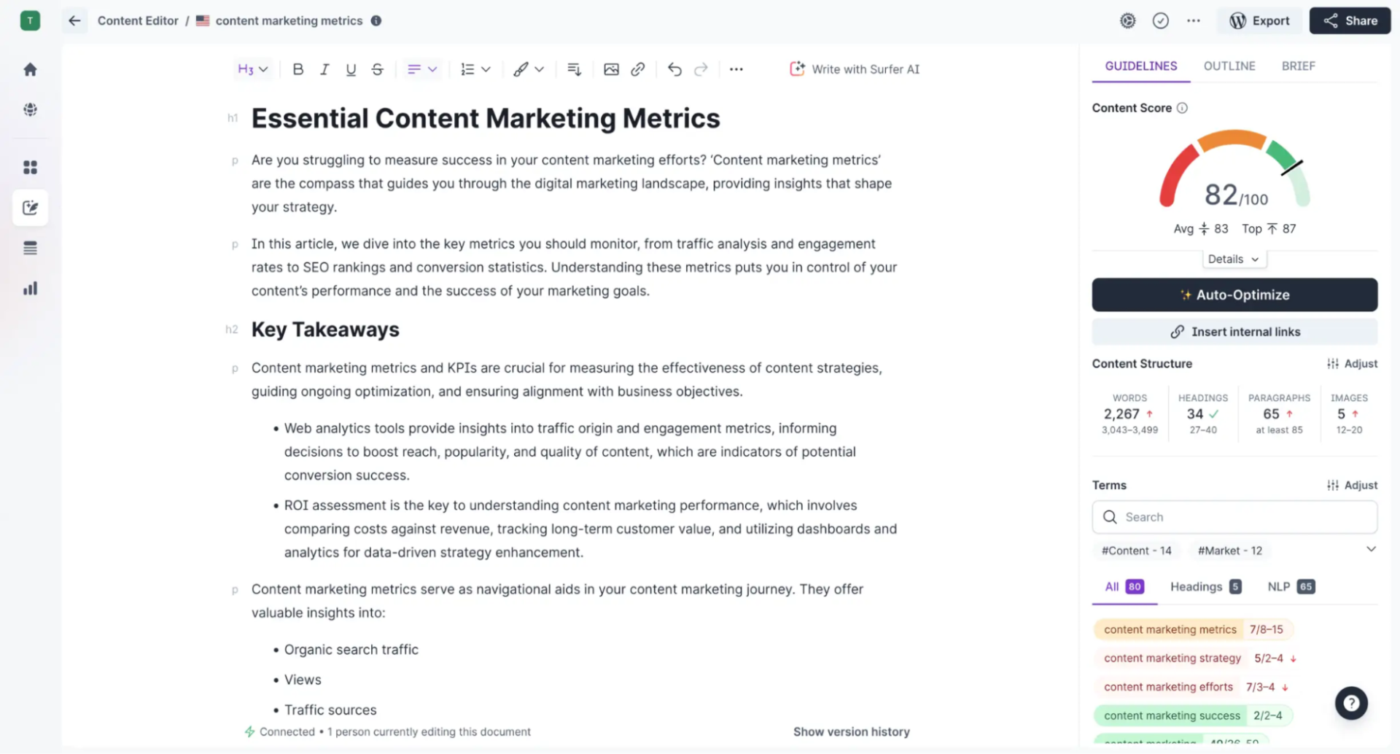
Surfer SEO sharpens your site’s Google game. It’s built for writers and marketers aiming to rank higher without guesswork.
Unlike traditional SEO tools that focus heavily on backlinks and domain authority, Surfer is all about on-page optimization. It analyzes top pages, then tells you exactly what to tweak—keywords, length, structure. Plug in your draft, and it will guide edits in real time.
When you write inside its Content Editor, you get a real-time “Content Score” that acts like a game, guiding you on exactly how to structure your article. The tool turns SEO into a clear checklist, not a mystery.
A quick snippet from a G2 reviewer:
I love the UX and the gamification, it makes the SEO process feel engaging instead of tedious. The interface is intuitive, and the scoring system motivates consistent improvement. It’s one of the few SEO tools that feels genuinely enjoyable to use.
📖 Also Read: Best Website Optimization Software Tools
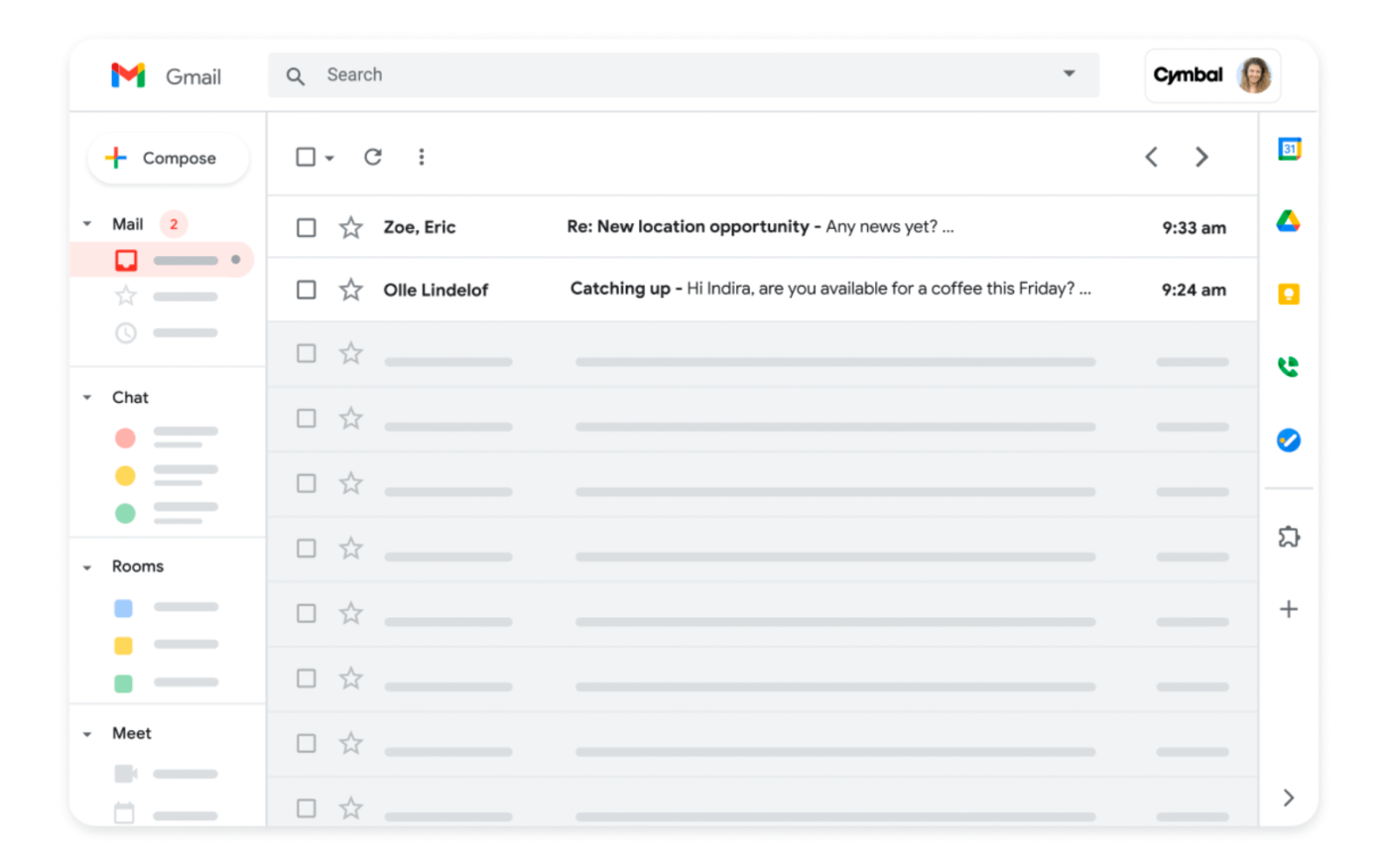
Google Workspace combines essential communication and productivity tools into one seamless cloud-based ecosystem for your crew. It’s the familiar combo—Docs, Sheets, Drive—but synced for real-time teamwork.
Its biggest strength is real-time collaboration: multiple people can jump into a document, spreadsheet, or presentation simultaneously, seeing every change happen instantly without needing to save or send files. A remote team can brainstorm in Docs while chatting in Meet, all under one roof.
If you’re already hooked on Gmail, it’s a natural step up for team communication without reinventing the wheel. Gemini for Workspace helps draft emails, summarize documents, and generate content.
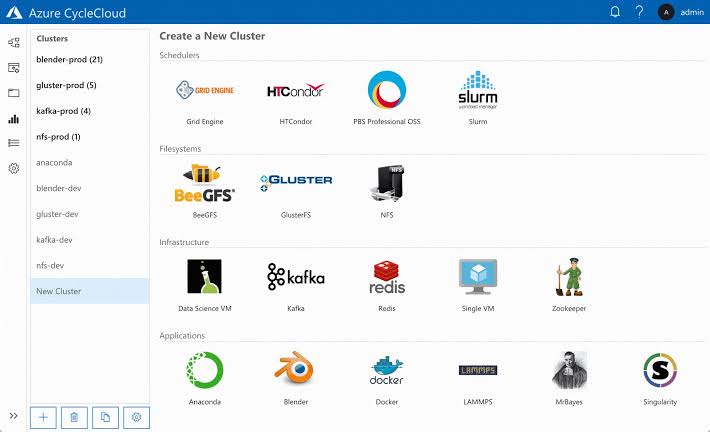
Microsoft Azure is not a typical SaaS tool; it’s a comprehensive cloud computing platform that provides infrastructure, development services, and solutions for nearly every business need.
Azure powers custom tech projects, and is the playground for developers needing scalable cloud muscle—think apps or AI models. It hands you raw tools: servers, storage, and databases.
Spin up a virtual machine or host a site; Azure adapts to your vision. Businesses with IT expertise can focus on customizing solutions rather than relying on plug-and-play features.
Because it comes from Microsoft, Azure offers incredibly tight integration with other Microsoft products, like Windows Server, SQL Server, and Microsoft 365, making it a natural choice for organizations already invested in that ecosystem.
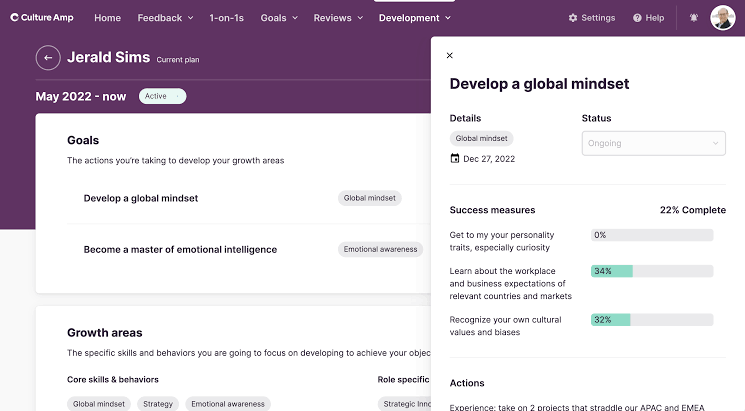
Culture Amp digs into what your team really thinks. It’s built for HR folks or leaders wanting pulse checks—think surveys that don’t suck.
The tool benchmarks responses against industry data, showing where you stand. Run engagement polls or onboarding check-ins; it’s all actionable. Managers aiming to keep people happy can rely on Culture Amp to turn vibes into numbers you can work with.
By connecting employee sentiment data with performance metrics, Culture Amp empowers businesses to make better, more informed decisions about retention, development, and overall workplace culture.
Here’s what one user had to say about this tool:
Culture Amp is excellent to set up your workplace culture rituals through it. It provides structure and accountability. It is less appropriate for starting new rituals for your company. That is, it is important to remember that the tool is not the culture. You place the culture and cultivate it every day, and Culture Amp allows you to funnel that culture through a structure that strengthens it.
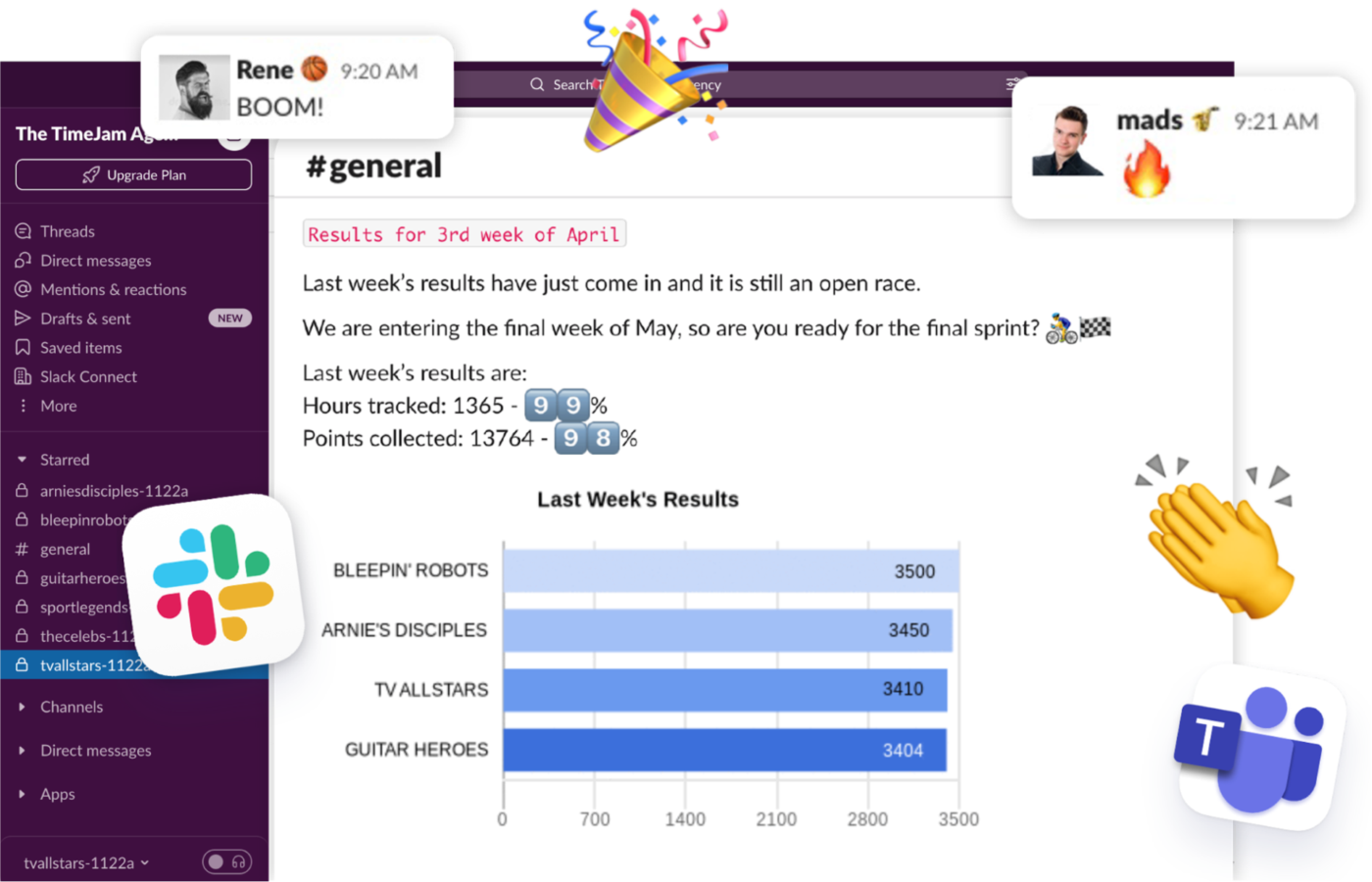
TimeJam is a plugin that makes clocking hours fun, not a chore. It’s aimed at teams who dread timesheets—think consultants or freelancers.
This tracker adds game elements: leaderboards, points, and banter to your existing team communication software, such as Slack or MS Teams. Log your day, and it nudges accuracy without nagging.
It boosts billable hours for bosses, while workers experience it as less like punching a clock and more like a quick game.
🧠 Fun Fact: Some SaaS products started as something completely different. Slack? Originally a messaging tool for a gaming company. Shopify? Built to power an online snowboard shop. Many of today’s biggest SaaS solutions were born out of side projects.
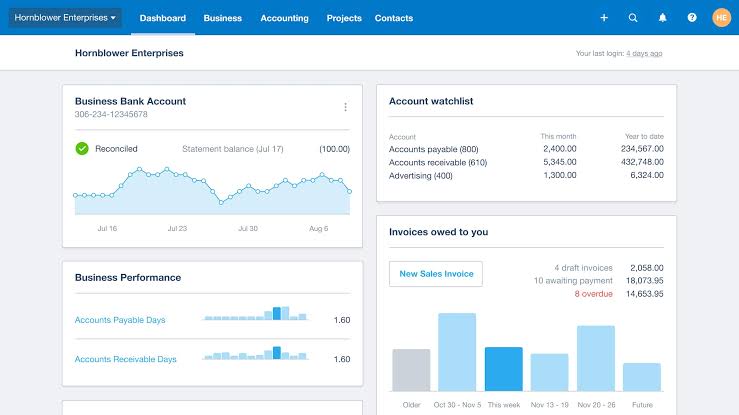
Xero turns project accounting into something approachable.
Picture a small business owner who’d rather focus on clients than ledgers—Xero pulls bank transactions straight in, no manual entry needed.
Beyond bank feeds, Xero is a hub for managing invoicing, paying bills, tracking inventory, and running payroll, all within one secure platform. A clean dashboard ties it all together, showing cash flow at a glance.
It’s built to save time on the boring stuff, letting entrepreneurs keep their eyes on growth.
One G2 review puts it this way:
Xero has been a dependable accounting solution, allowing us to handle all of our financial management needs in one spot. It aids in the management of expenses and the tracking of cash flows into and out of the business. They provide best customer service. Financial reports provide valuable insight into the financial health and performance of businesses.
🔍 Did You Know? According to Gartner, global end-user spending on SaaS is projected to see a 20% year-over-year increase, with worldwide spending expected to reach nearly $300 billion in the near future.
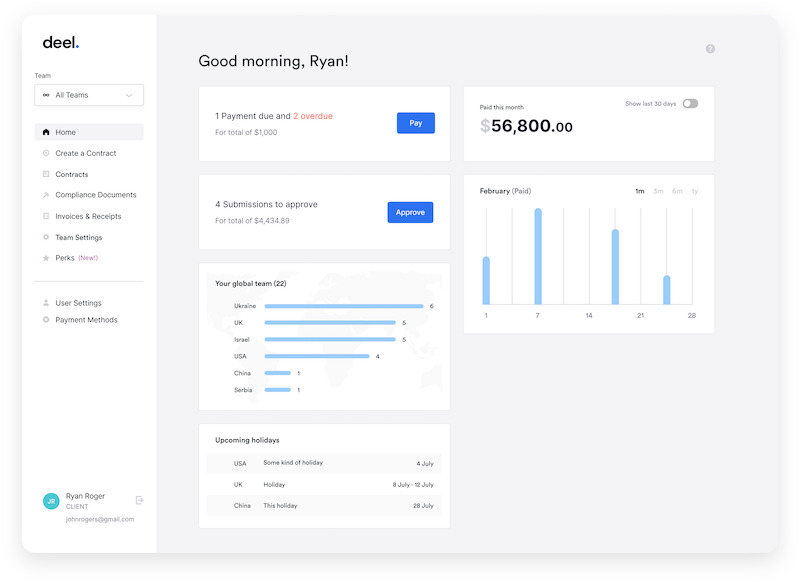
Hiring international talent traditionally involves legal and payroll complications. Deel eliminates these barriers through a consolidated global hiring infrastructure that handles compliance across 150+ countries.
It acts as an Employer of Record (EOR) service, allowing you to hire employees in countries where you don’t have a legal entity, taking on all the local payroll, tax, and compliance responsibilities for you.
Beyond the EOR service, Deel offers comprehensive tools for managing independent contractors worldwide. You pick the talent, and Deel sorts the rest, from local compliance to currency swaps, keeping team expansion and SaaS operations on track.
Deel Payroll
Deel HR
Deel IT
Deel Services
According to one G2 reviewer:
It’s pretty easy and straightforward to use, and its interface is efficient, Additionally, it offers several payment options for withdrawal/transfer, which increases the convenience of using Deel and offers more freedom based on which method is more suitable for each person. The transfer fees are expensive for some withdrawal/transfer methods, such as bank transfers. […] Additionally, it’s US-centered and not customized to different countries/regions,
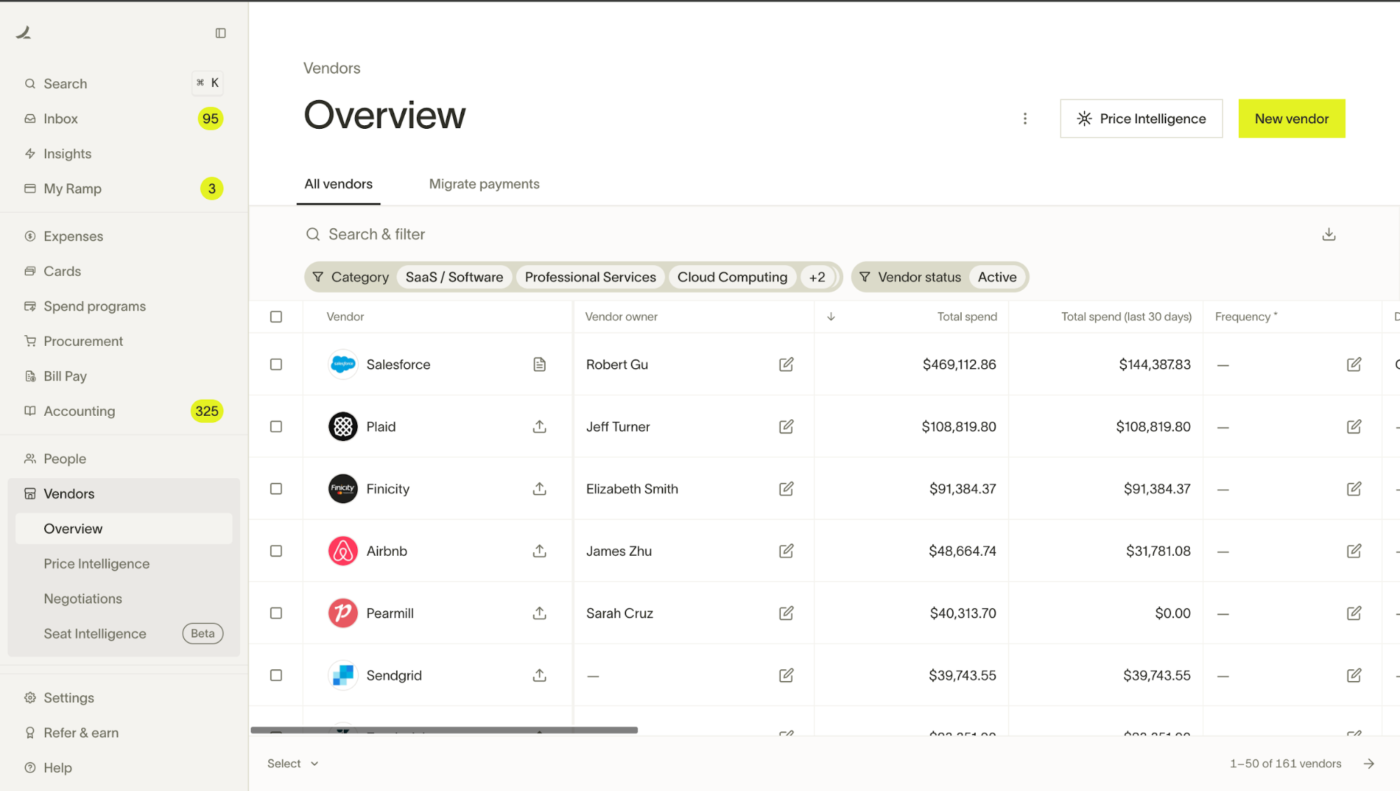
Ramp is a financial automation platform designed to help growing businesses spend less and save time. It combines corporate card management, expense management, and accounts payable (AP) into one unified system.
Ramp gives you control over business expenses. For example, a team lead can issue virtual cards, each tied to a specific budget, ensuring no one overspends on a whim. Receipts upload in seconds, and spending patterns become clear at a glance.
It also offers AI-powered expense management that automates receipt matching, enforces spending policies, and identifies savings opportunities.
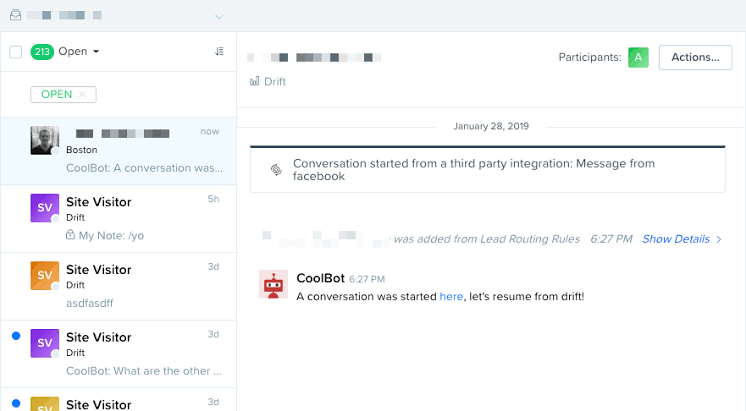
Traditional lead capture forms create friction that drives visitors away. Drift replaces this outdated approach through conversational marketing tools. It brings your website to life with real-time chat.
Think of a visitor browsing your shop—bots say hi, answer basics, then pass the baton to a human when it’s time to close the deal.
You craft playbooks to filter hot leads, turning casual clicks into solid conversations. This way, you catch people in the moment, right on your turf.
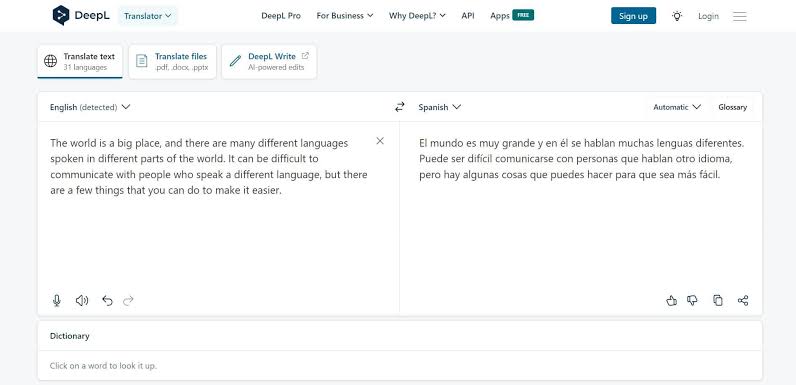
Traditional translation tools like Google Translate often miss contextual meaning and cultural nuances. DeepL addresses these limitations through neural network translation that captures subtle language differences and maintains tone.
The platform supports document translation with preserved formatting, API access for custom applications, and a writing assistant for grammar correction. The result is a translation that often stays true to tone and idiom much better than its competitors.
DeepL Translator
DeepL API
This is how one Reddit user described their experience:
I have found DeepL more reliable on many occasions so it’s the one I use. On top of the normal translation, DeepL also provides some other possible meanings.
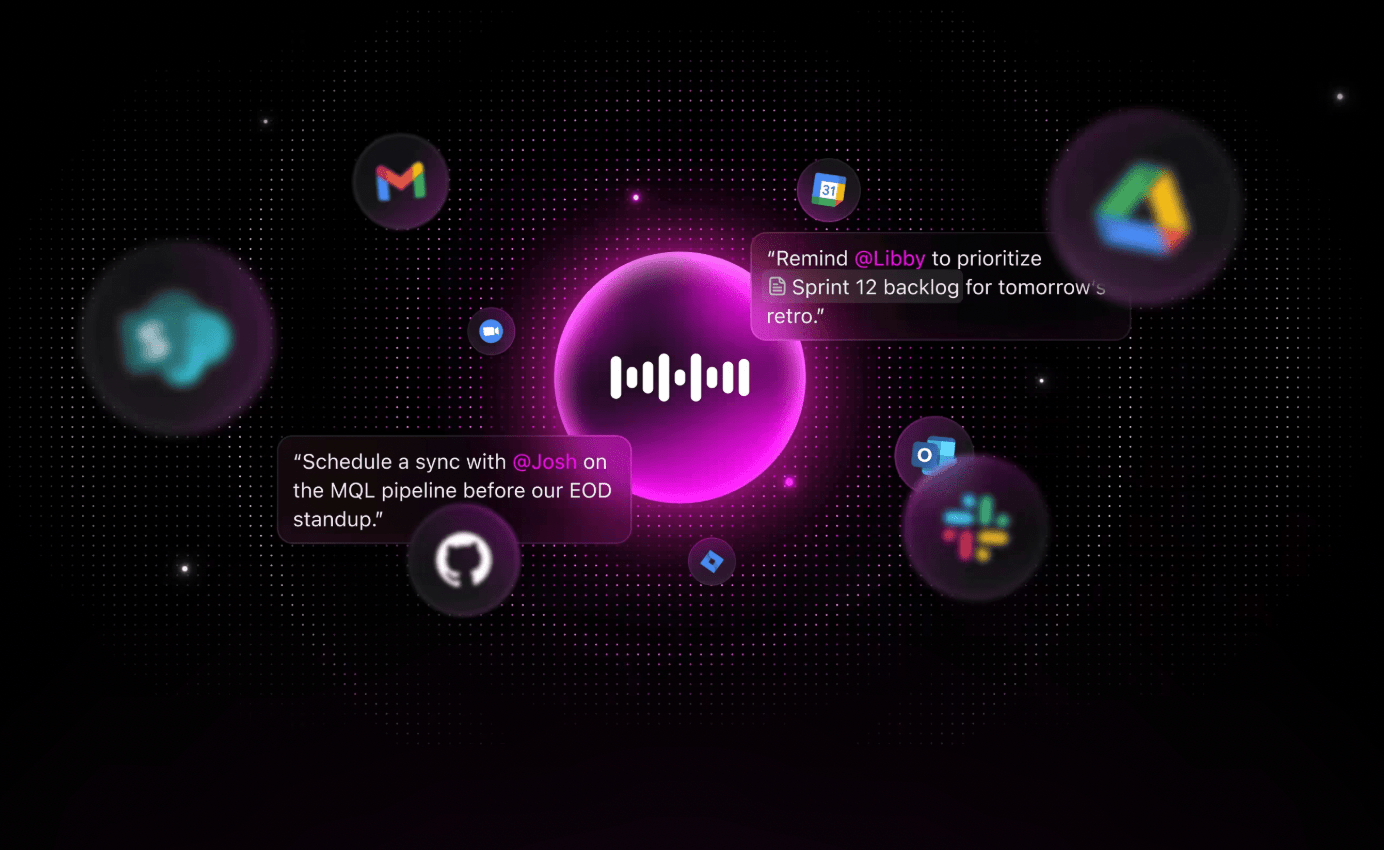
🌟 Bonus: Write 4X faster without typing, with ClickUp’s Talk to Text. This innovative feature lets you turn spoken ideas into polished, actionable text in seconds. With AI-powered auto-editing, your words are transcribed and refined as you speak—no need to pause your workflow.
You can even mention people, tasks, or documents as you dictate, and the AI will automatically link or tag them for seamless collaboration.
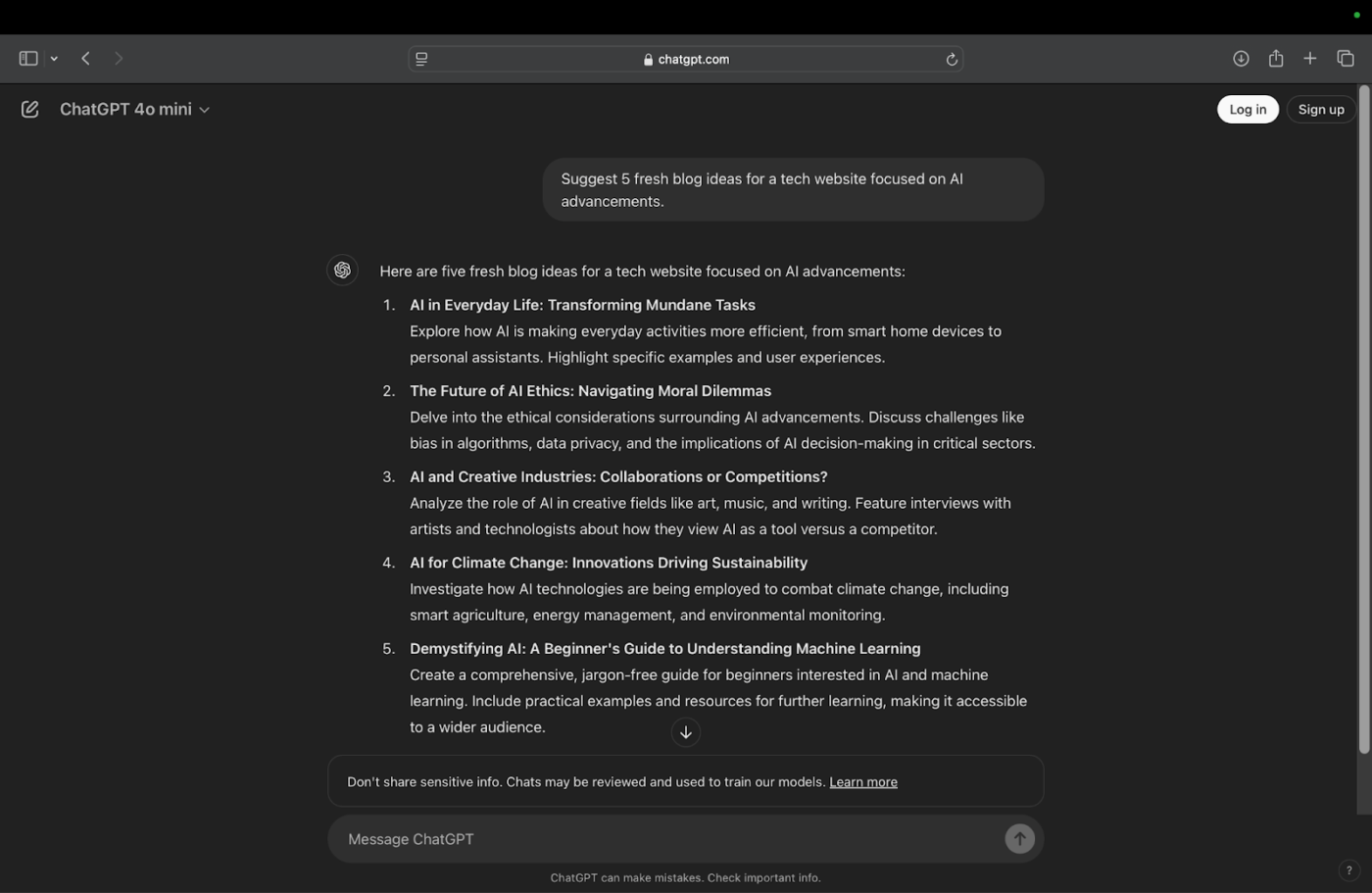
Finding answers or generating content traditionally involves extensive research or specialized skills. ChatGPT streamlines this process through conversational AI that understands complex queries and responds with human-like text.
The model supports using AI for project management, writing, brainstorming, coding, and information retrieval. You steer the conversation, and it rolls with it, making it a go-to when you need words or answers in a pinch.
Paid versions give you access to advanced models (like GPT-4 and GPT-4o), which offer superior reasoning, creativity, and the ability to process multiple input types.
Here’s a firsthand perspective:
ChatGPT makes writing a lot easier, whether for my emails, blogs or social media captions. I like that it gives detailed answers and saves me time. Whenever I have to write on any topic, I just speak to ChatGPT and it writes everything on that topic, which helps me a lot.

Perplexity AI transforms how you hunt down answers. Give it a question, and it delivers a clear breakdown, complete with sources you can trust.
Curious about more? Hit it with follow-ups, and it keeps the thread alive. Designed to slice through online clutter, Perplexity hands you digestible insights fast, making it a gem for anyone who craves depth over surface-level noise.
The Pro version lets you access advanced models (like GPT-4 and Claude), upload documents for analysis, and run deep research reports.
The AI-native browser, Comet, places the AI assistant directly into your workflow, making it “agentic.”
One Reddit user offers a helpful breakdown:
Overall, I think Perplexity AI is a solid tool that’s definitely worth checking out. While it’s not perfect, it’s a great option for anyone looking for a free chatbot that can provide more nuanced answers than some of the other options out there.
📖 Also Read: 50+ Perplexity AI Prompts to Try
🔍 Did You Know? Businesses are using more SaaS tools than ever, with organizations averaging 112 apps. Smaller companies (under 200 employees) typically juggle around 42 SaaS applications, while large enterprises (5,000+ employees) manage a whopping 158 solutions.
These SaaS examples are just some of the software tools that have transformed how businesses operate, making it easier to streamline workflows, improve collaboration, and scale efficiently. From Zendesk refining customer support to Canva unlocking creative design potential, these platforms serve a broad spectrum of needs, supporting business processes of both small and large teams.
If you’re looking for an all-in-one project management software that combines tasks, documents, team collaboration, and AI in one converged workspace, you want ClickUp. Integrate your other SaaS tools with ClickUp and say goodbye to work sprawl!
Sign up for ClickUp today! ✅

Manasi Nair
Max 25min read
Manasi Nair
Max 20min read
Manasi Nair
Max 25min read

© 2026 ClickUp




