







Still downloading templates?
There’s an easier way. Try a free AI Agent in ClickUp that actually does the work for you—set up in minutes, save hours every week.
Sorry, there were no results found for “”
Sorry, there were no results found for “”
Sorry, there were no results found for “”
For a project team to work efficiently, you’ll need tons of snacks, strong coffee, and a good project management tool, like Redmine.
It helps you manage multiple projects, plan out milestones on Gantt charts, track issues, and more.
But is Redmine project management really the best way to go?
Or should you mine for a Redmine alternative instead? ⛏️
Well, gear up because we’re here to help you out.
In this article, we’ll discuss Redmine, its key features, limitations, and suggest the top six Redmine alternatives.
Ready for Redmine? Let’s go. 👷
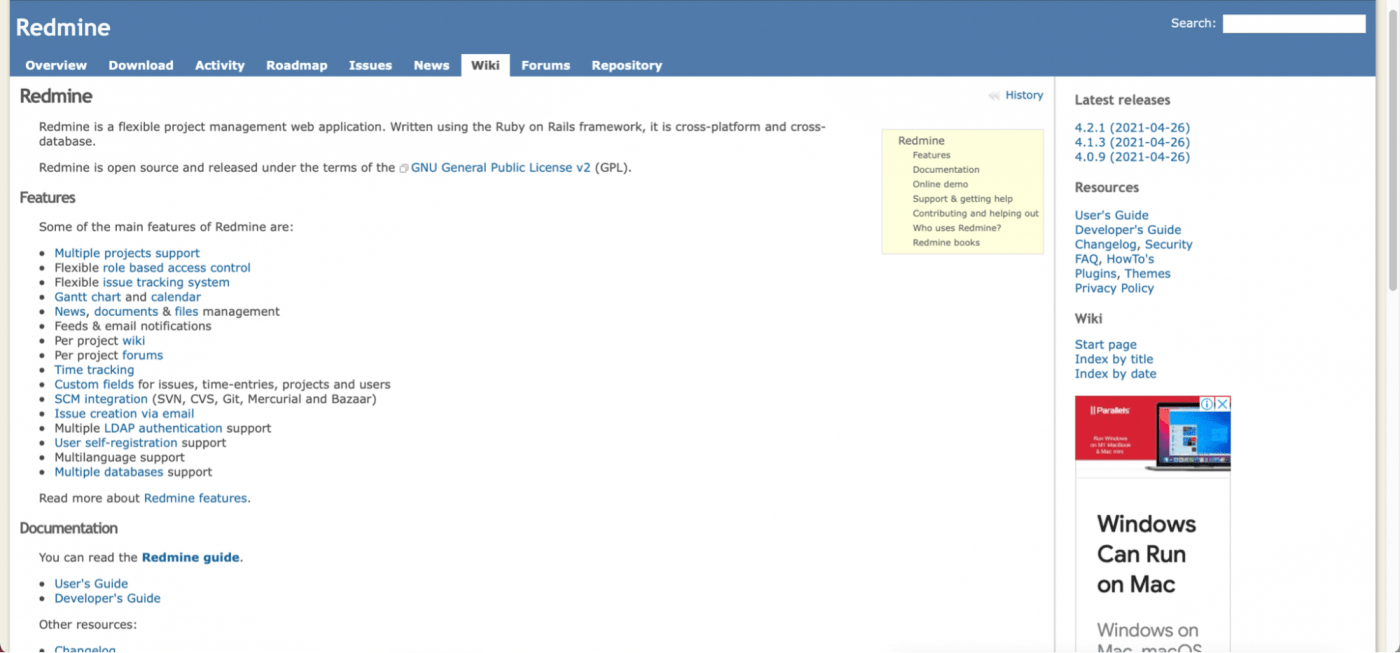
Redmine is an open source project management software developed using the Ruby on Rails framework, an easy-to-use program and code library.
Features like issue tracking and Gantt charts make it a great app for managing software development projects.
Any agile enthusiasts in the house?
Good news!
While Redmine doesn’t have any native agile project management features, it lets you use plugins that support the scrum and kanban techniques.
Something’s better than nothing, right? 🤷
But what makes Redmine project management such a hit?
Here are five key features that give Redmine its bragging rights:
At its core, Redmine is a project management and issue tracking tool.
It lets software development teams deal with issues systematically.
With Redmine’s flexible issue tracking system, you can:
This way, you can keep track of all issues and watch them go from new to resolved in no time. 😎
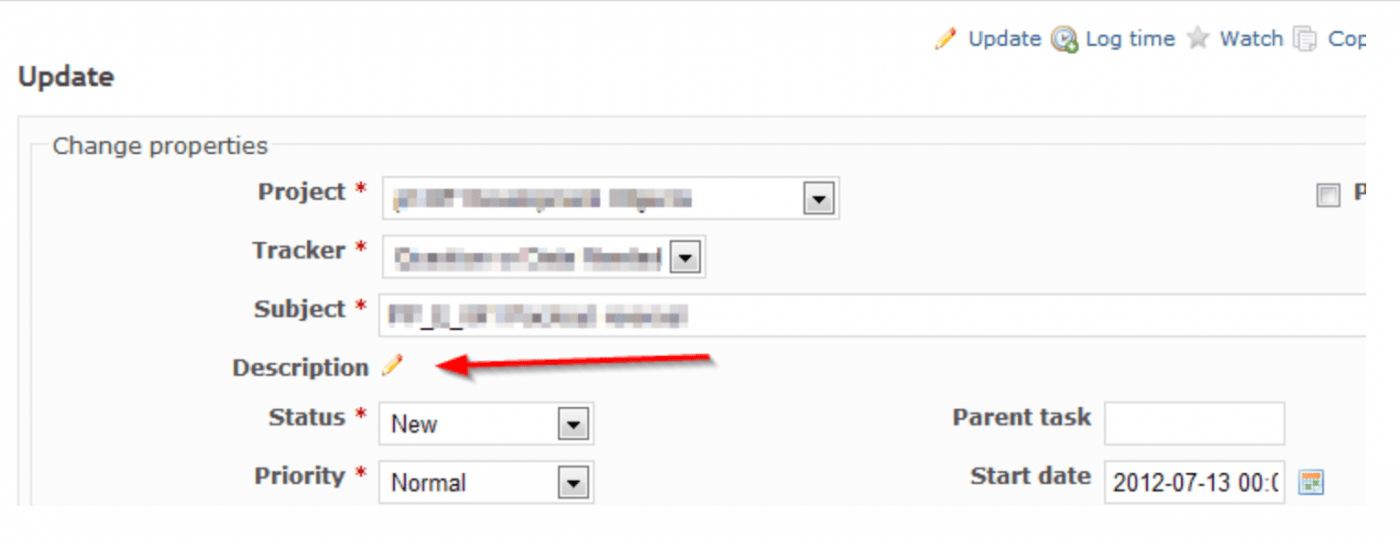
Wikis are a documentation solution that helps you organize everything. You can collaborate with your team to note down project plans, meeting notes, client requirements, etc., on wikis.
On Redmine, you can create wiki pages, sub-pages and even establish a parent/child relationship between pages.
You can also:
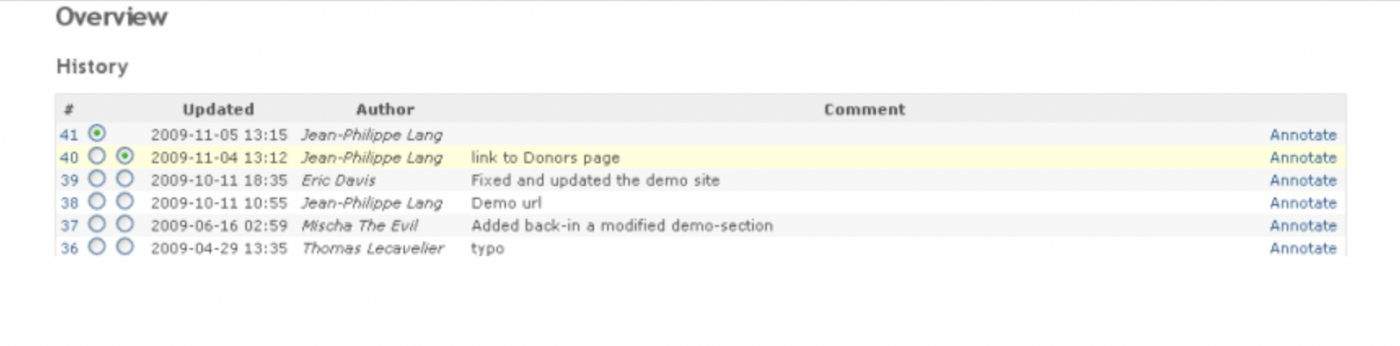
Oh, and you can always delete it.
Almost as if…

Custom fields make your project management tool as personalized as possible.
This feature allows you to add extra information to different Redmine data types such as issues, projects, users, etc.
With custom fields, you can add:
Go make it your own already! 💃
When everyone is aware of their role in the project, there’s hardly any room for errors and miscommunications.
That’s why Redmine lets you label your team members as:
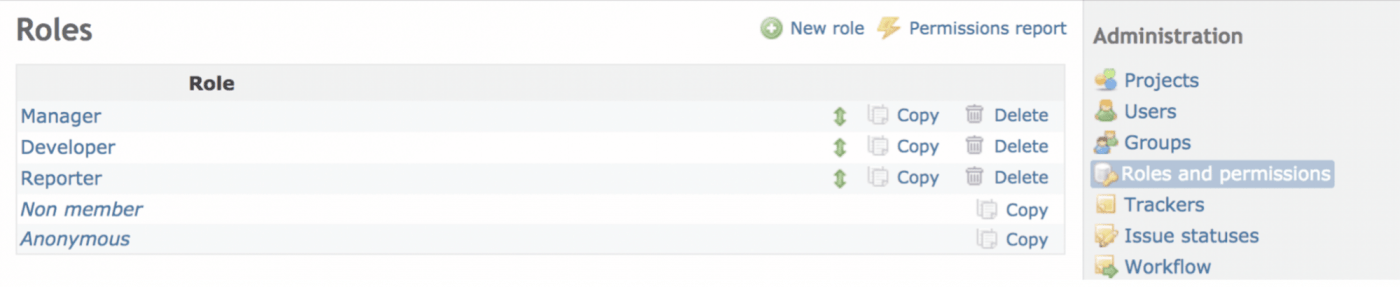
Not only do these roles clarify responsibilities, but it also adds security because each role has specific permissions that you can set based on your needs.
When managing multiple projects, things can go south pretty quickly. 😱
After all, you’re juggling resource management, attending meetings, task distribution on not one but multiple projects. Phew!
The good news is, you don’t need to pick up jester-level juggling skills.
Instead, you can plan and track projects with Redmine’s Gantt chart and calendar.
With the Gantt chart, you can visualize your project progress and your team’s performance.
After all, more visual clarity = increased productivity.
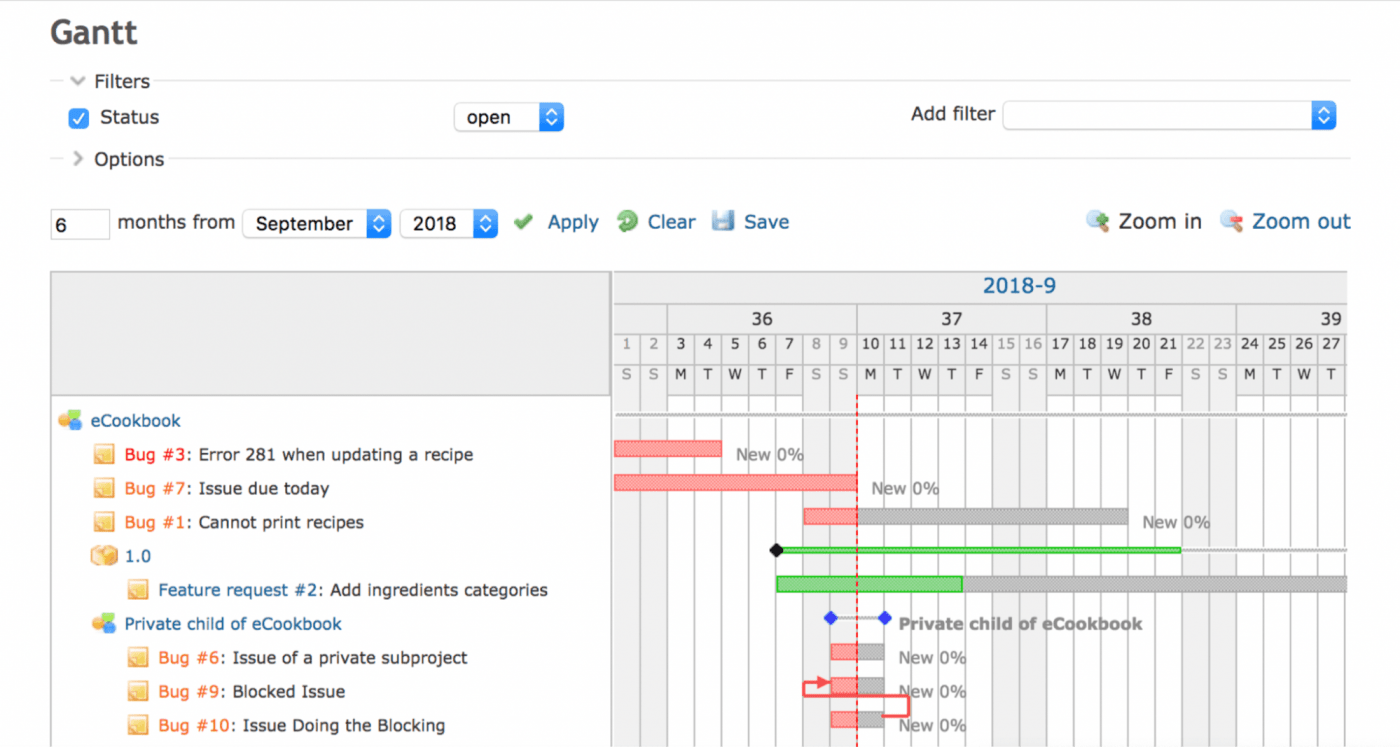
Additionally, the Redmine calendar keeps you updated on all task’s start and end dates.
This way, you don’t mess up your schedule, miss deadlines, or forget meetings.
Redmine has all the potential to be your ride to success.
But it’ll still hold you back in some ways.
Redmine isn’t perfect.
It has its own share of major uh-ohs, and we’ve studied them all. 🔍
Redmine supports time tracking functionality. But it’s the manual route.
You need to add time entries for projects or issues manually.
Really, Redmine? In 2021?
If bots 🤖 can perform surgeries, surely a project management tool can handle time tracking all by itself!
Here’s an idea: ditch the manual tracking and automate the process with ClickUp.
ClickUp is one of the world’s highest-rated productivity tool preferred by several large and small teams across the globe. It can do everything Redmine can and more, making it the ultimate Redmine alternative.
ClickUp’s native time tracking lets you track task durations automatically while you focus on completing the task.
Need to switch to a new task? Jump right to it and start tracking time.

Time tracking in ClickUp
The best part is, it’s a global timer.
What’s that?
The global timer lets you start the timer from one computer and stop it from another. Just make sure you’re logged in. And if people wonder how you can be in two places at once, tell them…

But do you already use another time tracking app?
Hey, we don’t judge.
Instead, we bring you Integrations.
Track time on ClickUp with Time Doctor, Everhour, Harvest, etc. But with ClickUp in hand, we bet you won’t need them. 😎
If aesthetics were a class, Redmine skipped it all year.
Its website looks outdated. And not in a cool ‘retro’ way like arcade games 👾, but in a way that’ll take you back to when computers weighed as much as gym weights.🏋
ClickUp, on the other hand, is built with people, not robots, in mind.
It’s got a modern, clean design with a lot of purple.
Who doesn’t like purple, am I right? 💜
But that doesn’t mean you need to be stuck with purple every day.
Feeling blue? Or red? Or green? Just change the theme and lift your mood!

Customizable theme settings in ClickUp
But this isn’t the end of ClickUp’s beauty.
If you love to burn the midnight oil, we have a dark mode too!

Redmine has a calendar feature.
However, it has a long way to go.
Their current calendar has an overview of a project as a monthly view.
What about a day view? Or a week view?
Unfortunately, that’s a no-go.
ClickUp’s Calendar View is way more flexible than Redmine. Here, you get to choose the time range you want to view.
Get down to granular details while you view tasks across:
Access ClickUp Calendar View from virtually anywhere by downloading the ClickUp Apps to all your devices, and never miss another important date or task ever again!
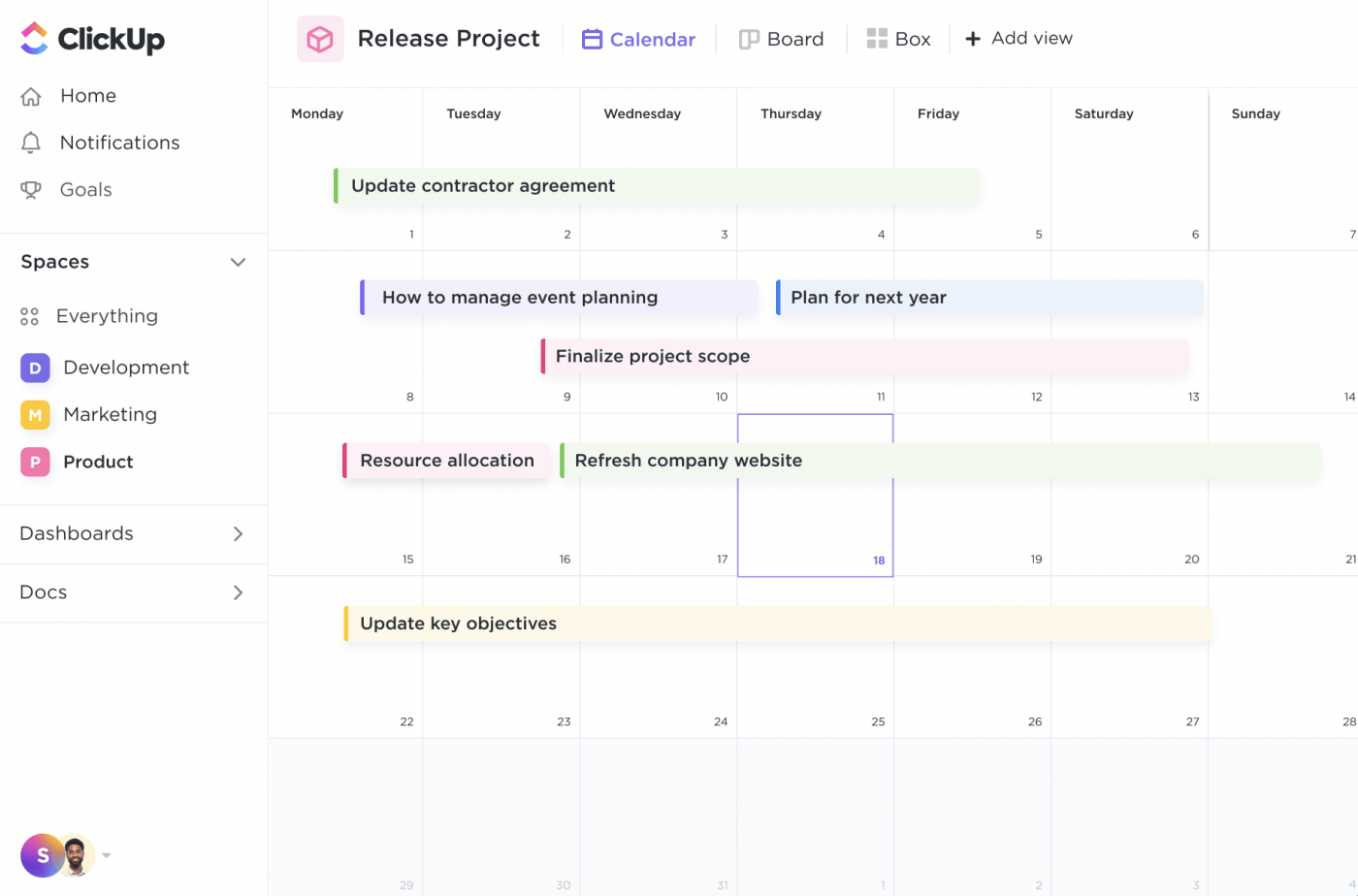
Calendar view in ClickUp
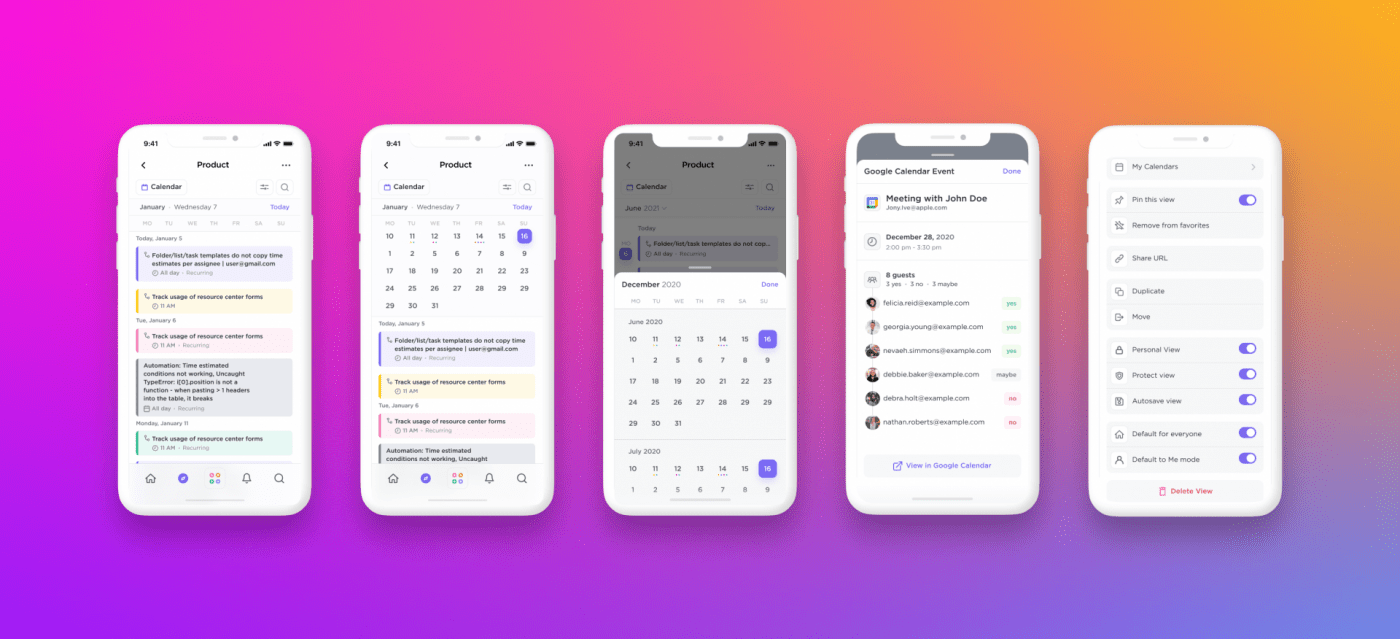
Calendar view in the ClickUp mobile app
Do you use Google Calendar?
Great. Integrate it with ClickUp for powerful two-way sync.
A task update in ClickUp will reflect in Google Calendar, and an event update in Google Calendar will reflect in ClickUp, automatically.
We bet Redmine can’t do that without external help!
Moreover, ClickUp has more views to offer beyond a calendar:
Redmine + no internet connection = 😓😨😠
A nightmare combination, like pizza and ketchup.
It’s a culinary sin.
Anyhoo, the point is, your work will hit a pause with Redmine if there’s no internet.
How do you stay productive without the internet?
With ClickUp, you can work with no internet connection, all thanks to ClickUp’s Offline Mode.
Create Reminders and Tasks offline, and ClickUp will auto-sync them as soon as it gets a whiff of an internet connection.
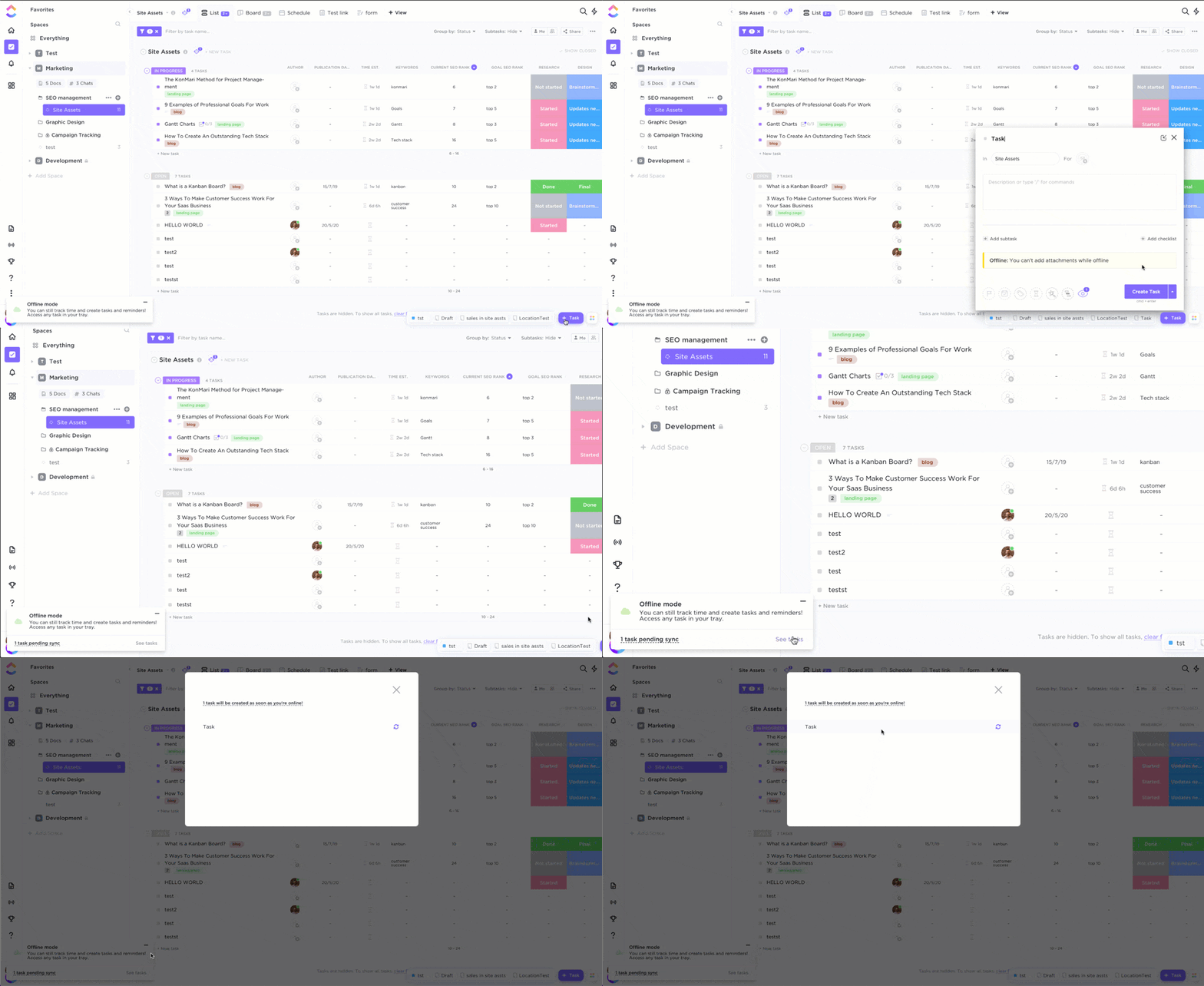
Working in Offline Mode in ClickUp
Redmine has several features, yet a bunch of basic ones rely on plugins.
Want to create a project dashboard? Search for a Redmine plugin.
Set automations or employ kanban? Same story.
A project management tool without these features… just doesn’t sound right.
Nor does wasting time looking for plugins.
ClickUp doesn’t need plugins, add-ons, or integrations to create a Dashboard.
All it needs is three clicks of the mouse:
And voila, your Dashboard will be ready. 🎉
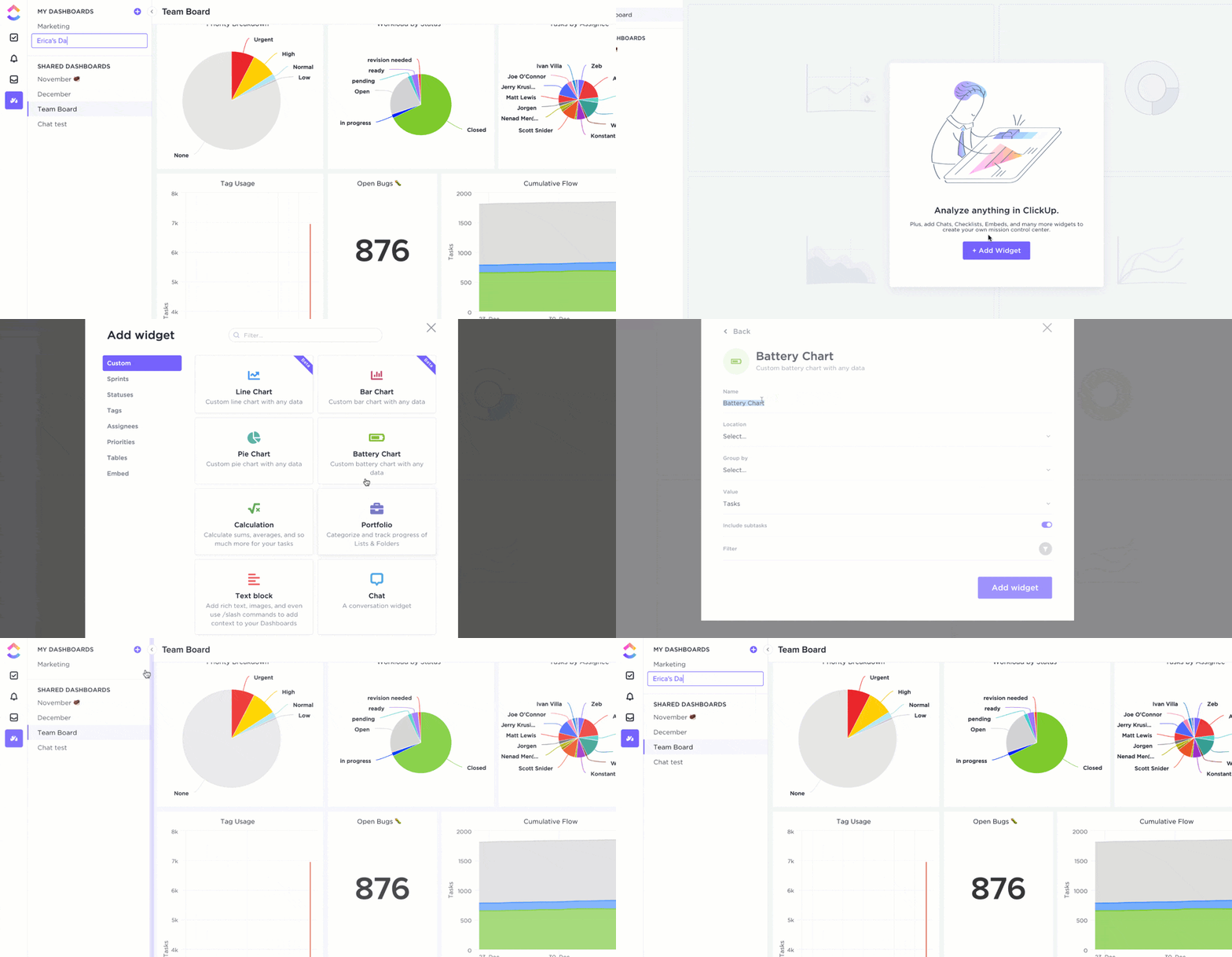
Creating a custom Dashboard in ClickUp
Now, you can customize your Dashboard using several widgets for:
Can’t find what you’re looking for? No worries. Try Custom Widgets.
You can bring in any data to your Dashboards and visualize it in the form of:

Viewing Sprint tasks by status on a pie chart (Custom Widget) in ClickUp’s Dashboard
Again, no plugins are required. Nor do you need coding. 🤗
Use ClickUp’s Automations to save time and effort. And most importantly, never repeat a routine task! Let us do the work.
You just define three things:
After you’ve set all three fields, Automations can work their magic. ✨
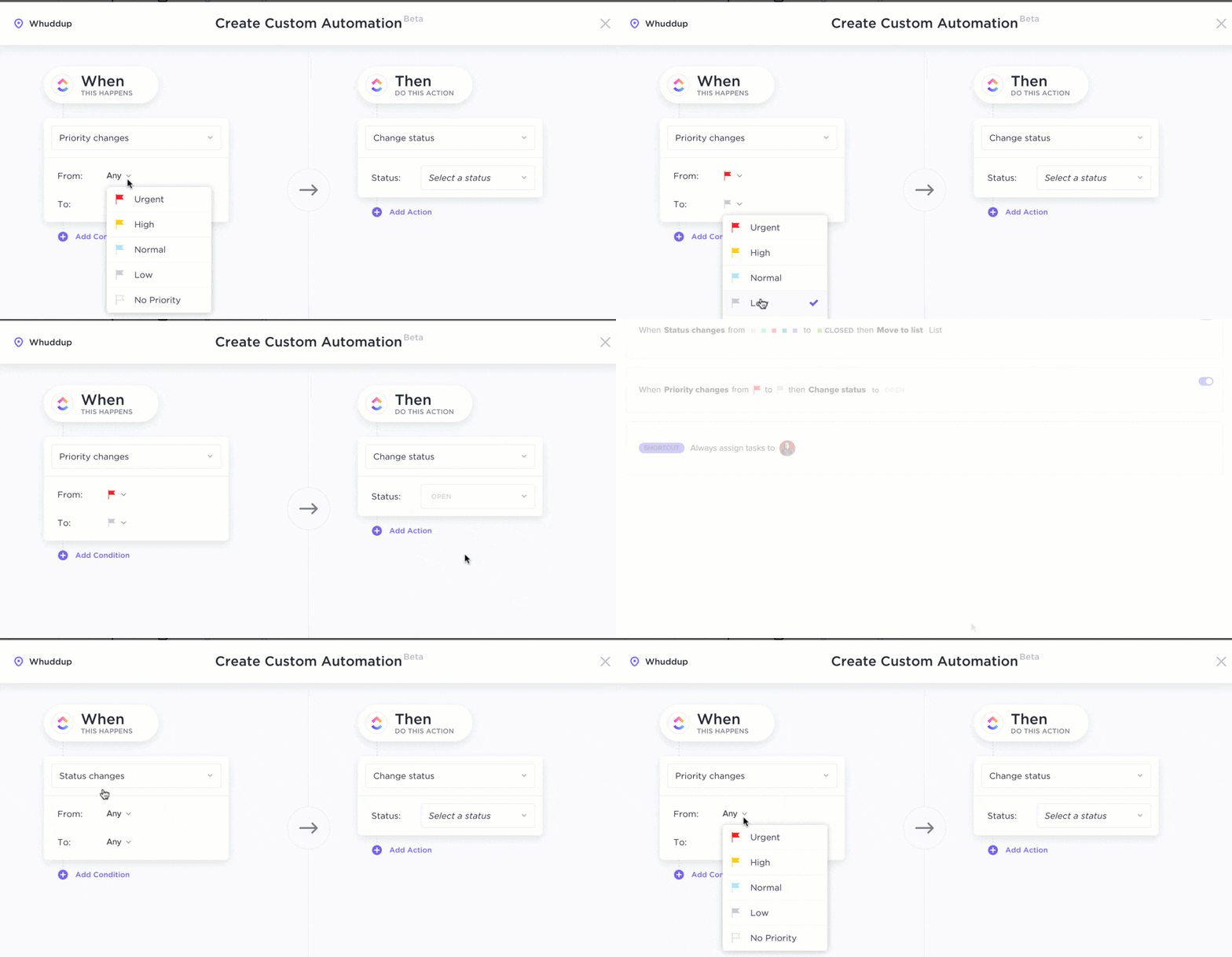
Setting automation in ClickUp
Build the easiest kanban board EVER with our Board view.
Personalize it to fit your workflow with Custom Statuses. Create statuses like to-do, done, in-progress, under-review… you call the shots.
Don’t forget to move your tasks from to-do to done with the ease of drag and drop functionality.
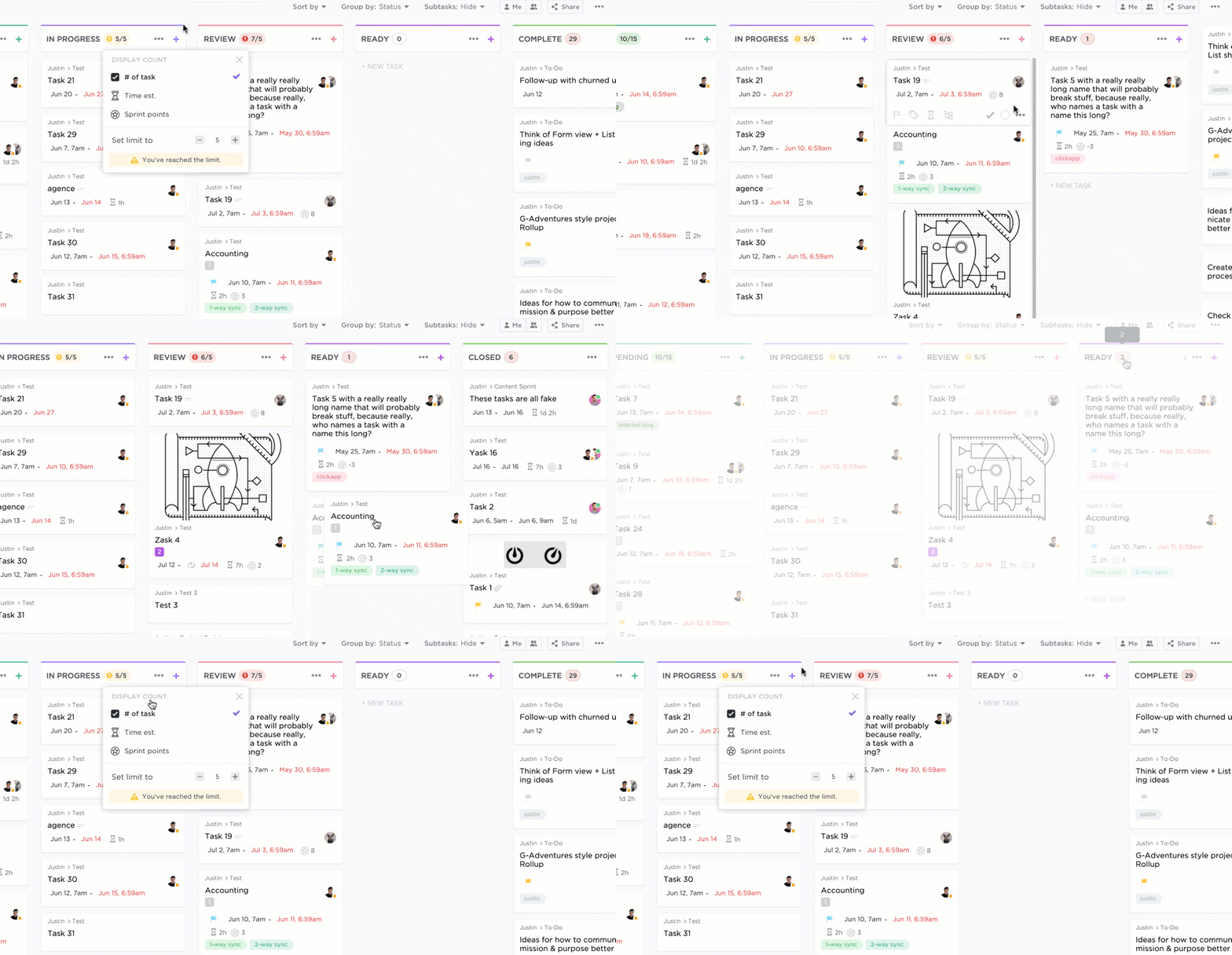
Viewing tasks in ClickUp’s Board view
If you want your project to succeed, you better not drown teams with an excessive workload.
But how do you tell if you’re drowning or sailing smooth?
With the Work In Progress Limits ClickApp!
Enable it in the Board view, and ClickUp will automatically indicate when you exceed the limit of tasks in a specific status.
Say yes to productivity and no to extra work hours.
Is this the end?

ClickUp has so much more to offer. Here’s a quick peek at some of its amazing features:
Now while ClickUp is the best Redmine alternative in the game, you may be curious about what else is available in the market, maybe even get a few ClickUp alternatives. Let’s check it out…
Don’t get weighed down by Redmine’s flaws. There are several Redmine alternatives that might just work for you.
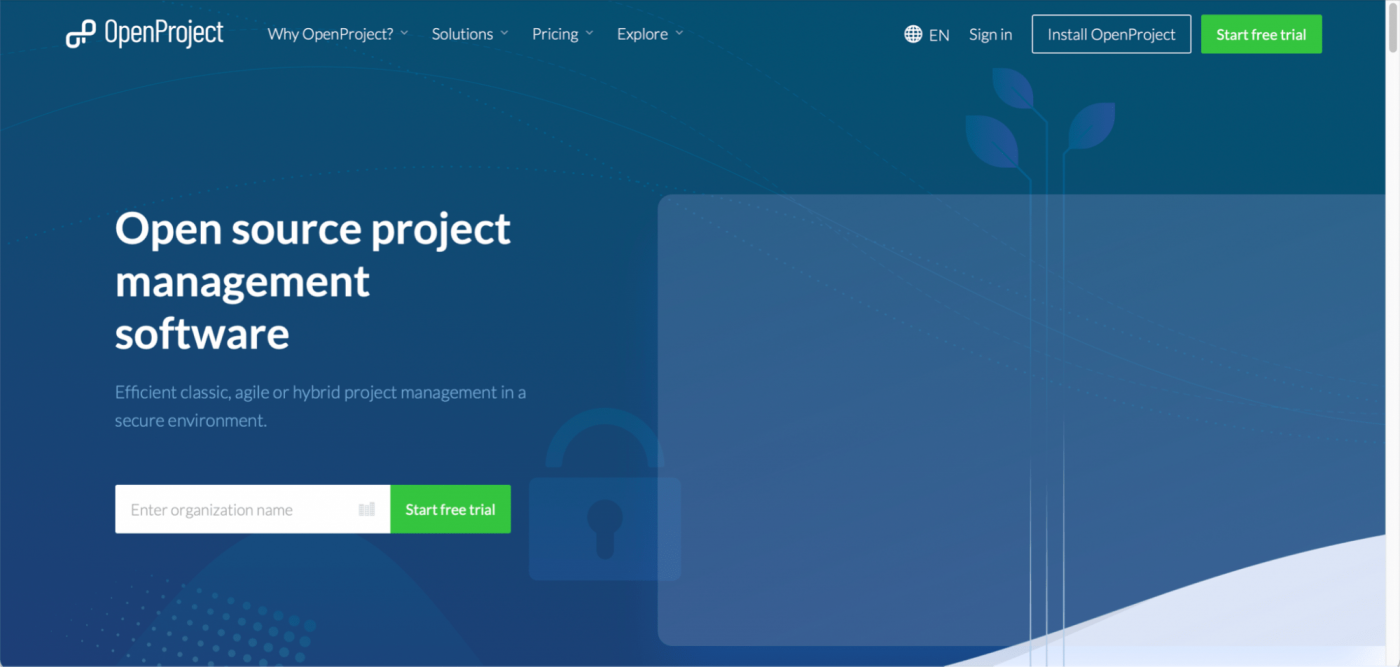
First up on the Redmine alternatives list is OpenProject, an open source tool.
This web-based free project management software is great for team collaboration and project planning, thanks to their Gantt chart, agile, and scrum boards. And it also has a free plan.
A total package?
Nope.
Their community plan may be free, but it gives you no access to agile boards or project custom fields. And if you wish to upgrade, there’s no solution for a team with less than five members.
Guess they’re “open” to help, but with conditions.
OpenProject has a free plan. The paid plans start at $4.58/user per month.
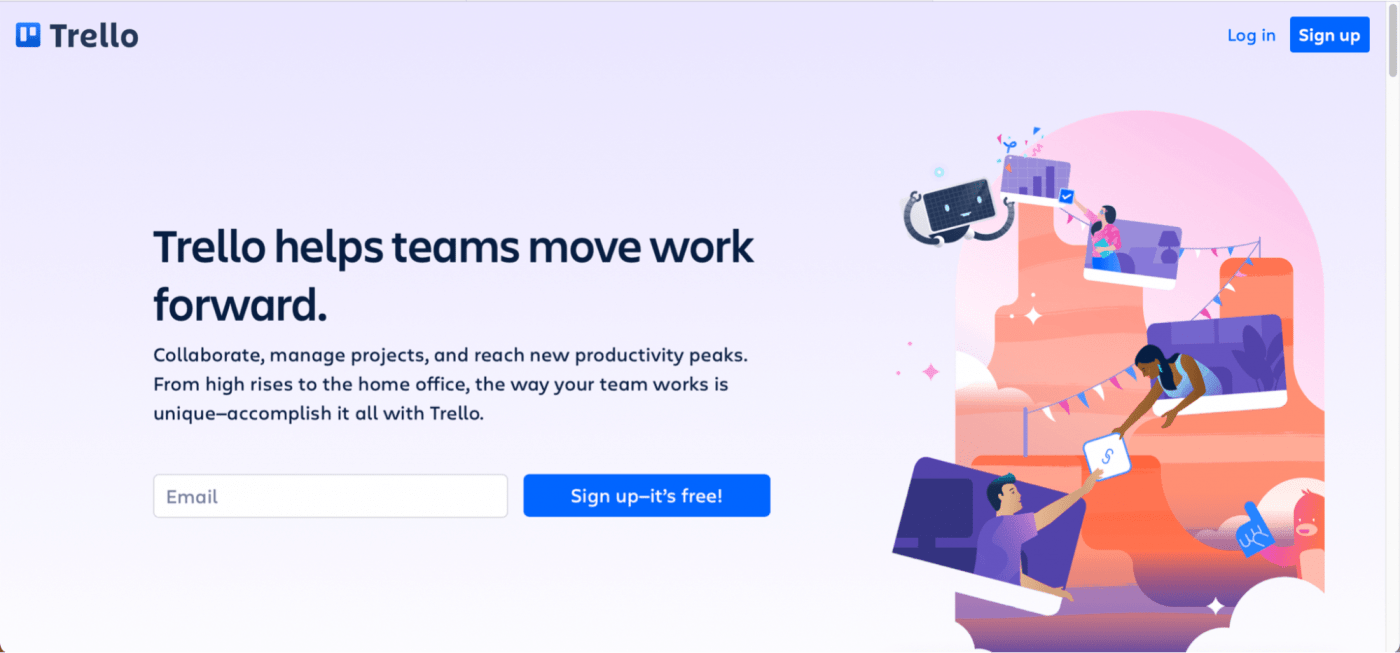
Love kanban? Then Trello could be your soulmate. ❤️
The app is a digital kanban board that you can use to manage multiple projects, create tasks, and organize them.
All is well and good until you find out Trello isn’t really a complete solution.
For starters, it relies a little too much on power-ups to bring additional features like Gantt charts and notes to Trello cards. Additionally, the free plan allows just one active power-up at a time.
What does that mean?
If you want to access both Gantt charts and notes simultaneously, that won’t do. You’ll have to disable one to use the other or upgrade to their paid plans for a higher power-up limit. 🤦

Not sure about Trello? Explore these seven amazing Trello alternatives.
Trello has a free plan and paid plans that start at $10/user per month.

Wrike is another Redmine alternative great for work management, progress tracking, and team collaboration. It’s got everything you need for effective project management from a single platform.
However, Wrike has no mind map functionality. And several basic features like dashboards, Gantt charts, and calendars aren’t part of the free plan.
Moreover, the paid plan starts at $9.8/user per month. Which will cost more once you realize you need Wrike add-ons (paid) to make it a complete solution.
It’s either a limited free plan or simply expensive. 💸
Bet you’re not feeling Wrike anymore. Check out these top Wrike alternatives instead.
Wrike has a free plan. The paid plans start at $9.8/user per month.
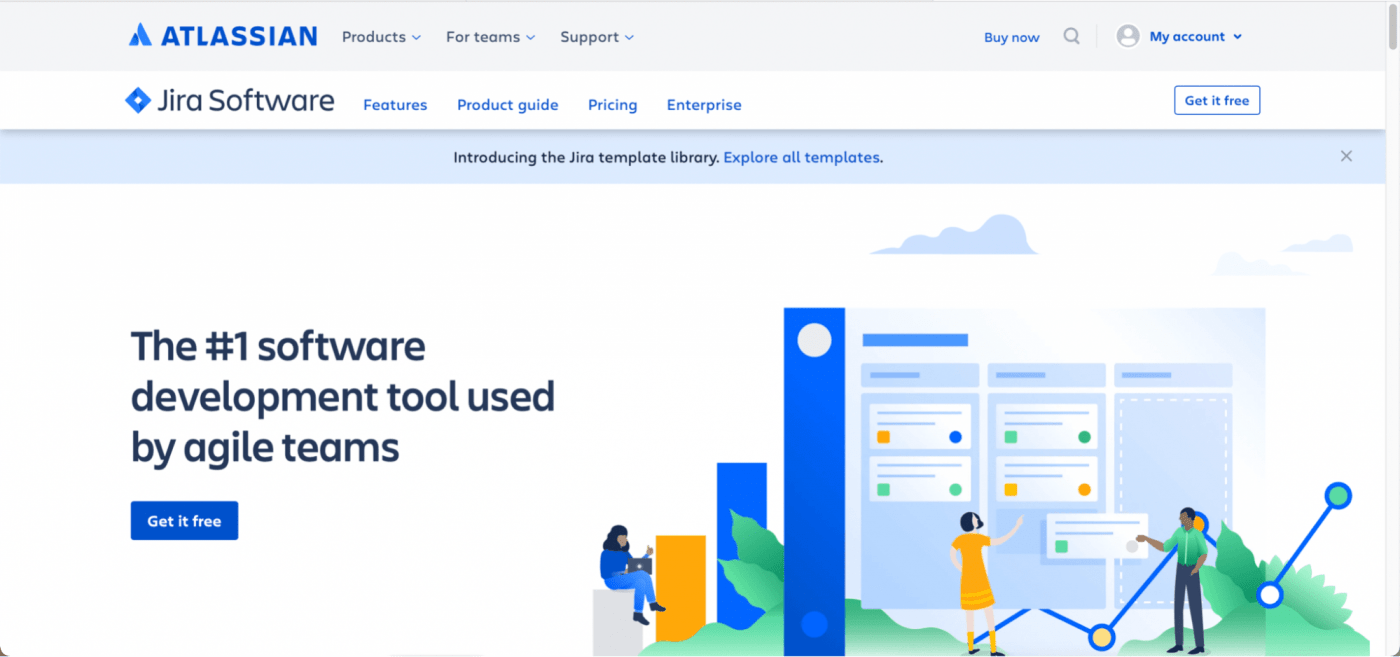
Jira is a popular software development and bug tracking tool, an agile team favorite. You can use this tool to create custom workflows that enhance productivity and transparency.
The good news is, the Jira software has solutions for non-software teams like HR, marketing, legal, finance, and more.
But what do they not have?
A built-in timeline and communication feature.
Looking for a Jira alternative? Sneak-a-peek at these best Jira alternatives.
Jira offers a free plan and paid plans that start at $7/user per month.
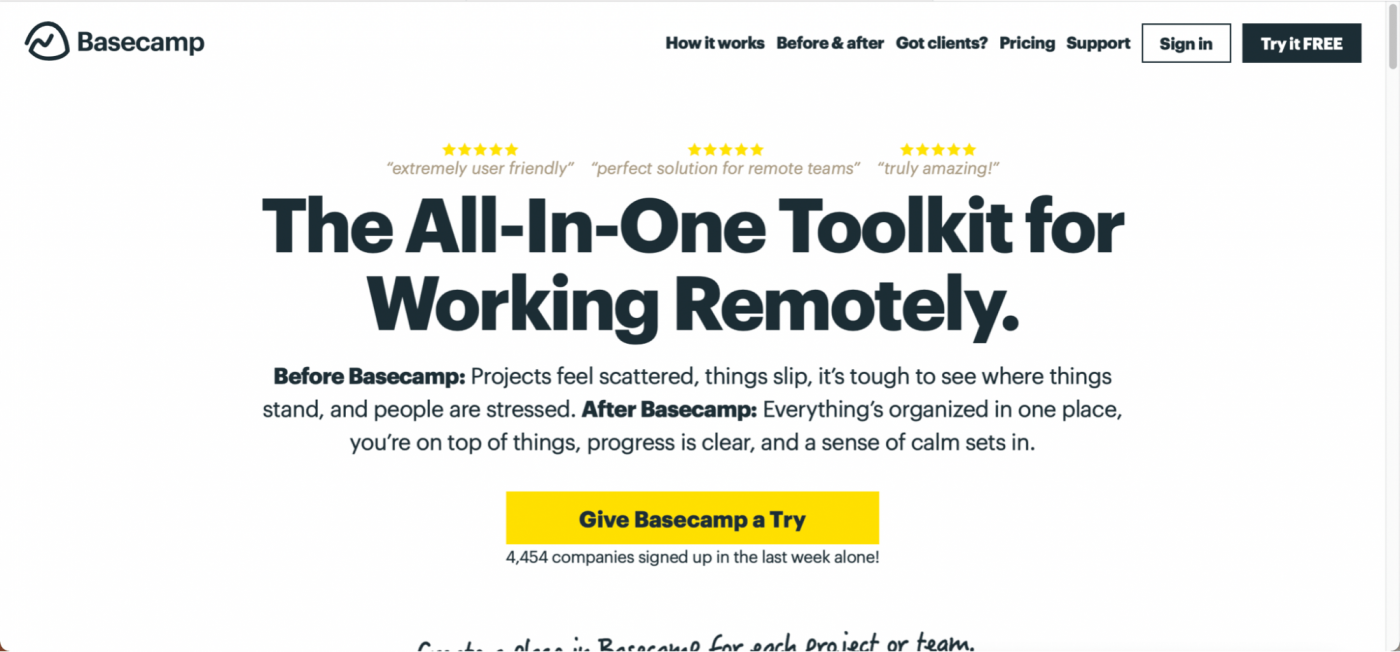
Basecamp is a team communication and project management solution.
It really shines for its built-in communication features like group chat, message boards, and team schedules.
But before you set up camp 🏕 with Basecamp, here’s what you need to know:
You’ll not only miss out on several basic features but also have to cough up $99 every month. It’s the same price even if you have just one or two users because the pricing is a flat rate.

Walking out the door to find a better tool? Try any of these top Basecamp alternatives.
Basecamp comes with a free plan and a paid plan that costs $99/month.
Learn how to use Basecamp for project management.
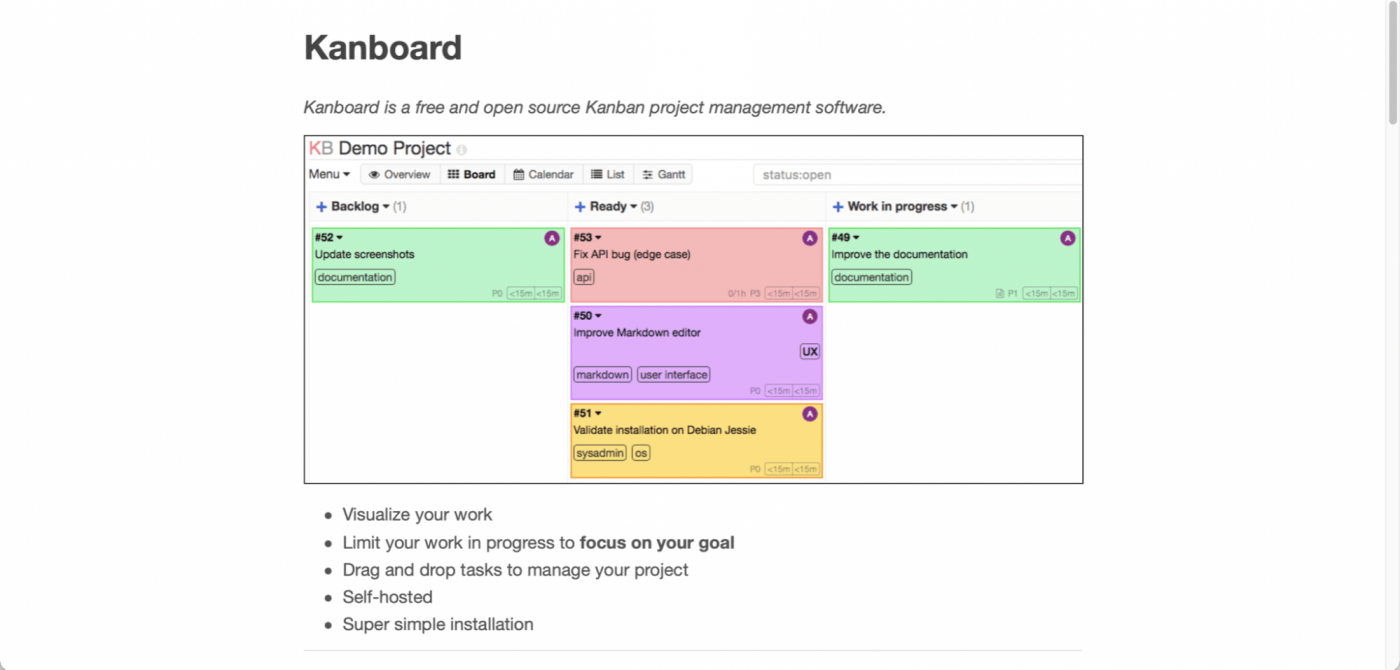
Kanboard is another free and open source Redmine alternative.
No prizes for guessing that it’s a kanban based project management software. 😛
This platform is a simple visual task board software that displays your work on a board and gives a clear overview of your project.
But is it ideal for project management?
We say, N-O.
For starters, you’re stuck in a kanban world. You may love it, but it doesn’t apply to all teams or members.
Moreover, it has no mobile apps. In a world where people do everything on their phones, Kanboard wants to go on a digital cleanse. That’s bold, Kanboard.
Kanboard is a free software solution.
Redmine project management has its share of pros and challenges like most software.
But the balance shifts when you realize the tool relies on tons of plug-ins.
The point of picking a project management tool is to find a complete solution… like ClickUp!
It’s a powerful and leading project management software that can be your go-to for everything.
Whether it’s for time tracking, progress monitoring, task assigning, resource managing… the possibilities are endless with ClickUp.
Ready to manage projects and more from a single platform?
Then get ClickUp for free today and make it your go-to project management solution!


© 2026 ClickUp

There’s an easier way. Try a free AI Agent in ClickUp that actually does the work for you—set up in minutes, save hours every week.