13 Best LMS for Small Businesses in 2025

Sorry, there were no results found for “”
If you are a small business owner or an HR manager, here’s how the right Learning Management System LMS will help you:
Yet, HR managers and team leads still hesitate. Not because they don’t see the value in an LMS, they’re worried about the second layer of friction:
Here is our list of the top LMS platforms for small businesses that tackle these concerns head-on. We’ve picked tools that make life easier with pre-built templates, smart automations, and engagement features that keep your employees (and admins) happy.
Whether you’re running onboarding, employee training, or upskilling programs, these learning management systems help you do it without burning out your HR team.
If you’re looking for a quick comparison of the best learning management systems, this table is for you.
| Tool name | Key features | Best for | Pricing* |
| ClickUp | ClickUp Brain, create to-do lists, and ClickUp Clips to record and share training | Best for Nonprofits needing an all-in-one platform for training, onboarding, and project management | Free Forever; Customization available for enterprises |
| TalentLMS | 1000+ ready-made courses, build surveys, integration with BambooHR, and Salesforce | Best for all-in-one learning for growing businesses | Paid plans start from $149 per 1-40 users/month |
| AbsorbLMS | Create AI, learner sign-offs, and observational checklists | Best for compliance training | Custom pricing |
| Docebo | Headless architecture, AI-powered course recommendation, and invite-to-watch feature | Best for managing compliance training and certification | Custom pricing |
| LearnUpon | Multi-course learning paths, if-then logic to automate training, and dedicated portals | Best for training multiple audiences | Custom pricing |
| Thinkific | White-label learning, custom domains, community spaces, and custom roles | Best for businesses that want to sell online courses | Paid plans start from $49 per user/month |
| Blackboard | Multi-tenant branding, ISO certified, staging area for testing, built-in accessibility checker | Best for businesses that need a scalable, branded training platform | Custom pricing |
| Moodle | Custom competency framework, Matrix messaging, AI Connector | Best for non-profits who want a customizable, budget-friendly LMS | Free |
| Tovuti | 40 content types, Dizi AI, create user groups and sub-groups | Best for interactive and immersive training experiences | Custom pricing |
| 360 Learning | Single sign-on (SSO), add web-based files, set certificate expiration dates | Best for collaborative training | Paid plans start from $8 per user/month |
| iSpring Learn | PowerPoint-based course authoring, single sign-on, and custom domain for branding | Best for delivering and automating corporate training | Paid plans start from $770 per user/year |
| Litmos | 98,000 off-the-shelf courses, 100+ connectors, use AI to analyze video submissions, review course history | Best for delivering high-impact training | Custom pricing |
| LearnDash | Video progression, supports multiple content formats | Best for small businesses for creating and managing training | Paid plans start from $199/year for 1 website |
When choosing a learning management system LMS for a small business, you want features that save time, reduce admin overhead, and grow with you. And not overwhelm your team or budget.
An LMS that’s easy to use and gives your team the relevant training they need to upskill.
Here’s a practical checklist of the key features to look for:
Our editorial team follows a transparent, research-backed, and vendor-neutral process, so you can trust that our recommendations are based on real product value.
Here’s a detailed rundown of how we review software at ClickUp.
Here are the best learning management systems for small businesses like yours.
ClickUp, the first Coverged AI Workspace, serves as a lightweight, customizable learning management system, simplifying workflows and improving task management across projects.
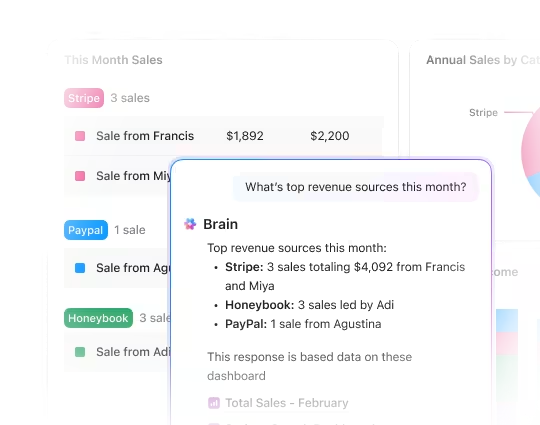
Using the powerful combo of ClickUp Brain + ClickUp Docs, you can create training manuals, volunteer handbooks, onboarding guides, and even personalized learning plans.
To make it more interactive, you can upload embedded videos or infographics to enhance the content. With Public Sharing, these can be accessible to volunteers or stakeholders without needing full ClickUp access, making onboarding seamless.

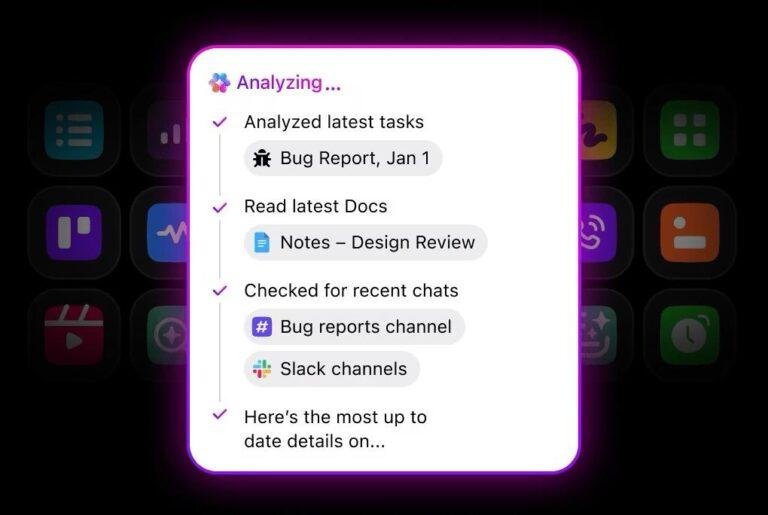
If your training manuals are scattered across PDFs, spreadsheets, Google Docs, and other channels, your team will spend more time locating them than getting work done. However, AI-powered Enterprise Search comes in to make this part of the process smoother, allowing you to search anything across your workspace and integrated third-party apps in seconds.
As your employee training library grows, you can layer ClickUp’s Knowledge Management feature to find relevant documents and answers without sifting through folders. This feature enables easy storage and instant access to all company knowledge. You can do this by converting all your training Docs and guides into internal wikis.
Need more personalized assistance? Ask Agents in ClickUp! These AI tools for knowledge management can patiently answer repetitive questions and trigger workflows without overwhelming your small team!

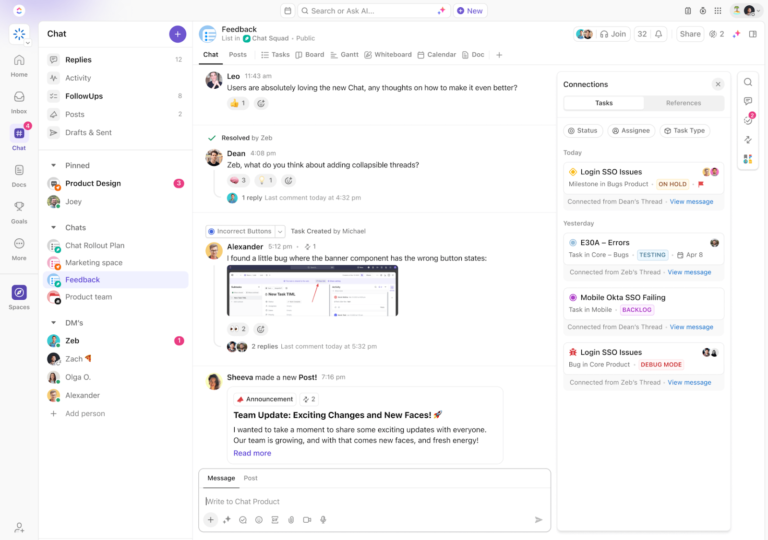
ClickUp also has a pre-built template to help you standardize rolling out training programs. For example, the Training Rollout Plan Template by ClickUp ensures all your training material is organized and centrally accessible.
With this template, you can:
Whether you’re training new hires or managing team-wide skill development, ClickUp’s features align with your training needs and support your growth.
Here’s a G2 review:
My team has loved the ability to assign tasks for accountability and the high level of customization! We have been able to create spaces that fit each of our needs and track progress on each task. It is easy to use, and customer service has been helpful when needed! It did not take long for our whole team to implement & integrate Clickup, and it is now a daily use for everyone!
💟 Bonus: Brain MAX is your AI-powered desktop companion that doubles as a smart, intuitive LMS for small businesses. With deep integration across your documents, training materials, and team communications, Brain MAX makes it easy to create, organize, and deliver learning content—all from one platform. You can use talk-to-text to quickly build training modules, assign courses, track employee progress, and even generate quizzes or feedback forms. Brain MAX automates reminders, pulls in relevant resources, and provides real-time insights on team learning, making onboarding and upskilling seamless, efficient, and perfectly tailored to your business needs.
📚 Read More: How Our Onboarding Team Uses ClickUp

TalentLMS is a learning management system that helps small businesses train employees, partners, or customers with minimal setup. It is cloud-based and mobile-ready.
The user-friendly interface allows even teams with no prior LMS experience to create online courses within hours.
You can manage users, assign learning paths, and track progress through built-in reports and automation. AI tools support content generation for onboarding documents and skill gap detection, while gamification features, such as leaderboards and badges, help keep learners engaged.
With flexible pricing and minimal IT involvement, it’s a practical choice for growing teams that require a scalable LMS solution.
Here’s a G2 review:
I love the ability to use AI and also have free range for customization. There are so many areas that we can leverage to enhance the training we provide. The reporting has been extremely beneficial and provides helpful data. We were able to implement the content easily and quickly with an extremely high adoption rate.
⚡ Template Archive: Free Employee Training Plan Templates

AbsorbLMS offers AI-powered learning called Absorb Skills that helps you deliver personalized upskilling paths to employees.
You create courses and quizzes quickly using generative AI, even without a dedicated L&D team.
Admins can use natural language commands to pull reports or automate enrollments, saving valuable time. AI allows you to personalize learning experiences. This feature recommends content to learners based on individual progress.
Absorb offers over 20,000 ready-to-use courses, based on traditional training methods, across various industries and skill levels, backed by expert guidance. This is great for small businesses who dont want to spend a fortune on creating basic courses.
Absorb’s intuitive, user-friendly interface is quick to learn and easy to use. It has a great level of flexibility but is also stable and robust. Users’ wants and needs are taken on board for new features. Customer support is excellent, and they are always happy to help!
📮 ClickUp Insight: 33% of our respondents point to skill development as one of the AI use cases they’re most interested in. For example, non-technical workers may want to learn to build code snippets for a web page using an AI tool.
In such cases, the more context the AI has about your work, the better its responses will be.
As the everything app for work, ClickUp’s AI excels at this. It knows what project you are working on and can recommend specific steps or even perform tasks like creating code snippets easily.

Training initiatives often fall flat when they are manual, inconsistent, or hard to scale. More so when it comes to training employees on new software efficiently. Left unchecked, this slows productivity and increases onboarding costs.
Docebo solves this with an AI-powered LMS that automates course creation, personalizes learning paths, and streamlines certifications. With the headless architecture, you can create engaging courses and embed them into your existing tools. This way, you make training goals and programs a part of everyday workflows.
With mobile support, multilingual access, and integrations like Salesforce and Zoom, Docebo fits right into your existing stack.
Here’s a G2 review:
Docebo provides a highly customizable platform that allows us to tailor the learning experience to reflect our company’s branding and voice.
📚 Read More: AI Tools for Non-Profits

LearnUpon is a cloud-based LMS that integrates with your existing platforms, such as HRIS and CRM.
As soon as a new employee joins or a customer signs up, LearnUpon automatically assigns them relevant training paths. With support for over 20 languages, LearnUpon’s multilingual LMS makes learning accessible to a global audience.
With custom branding, engagement-focused features, and intuitive dashboards, LearnUpon helps small HR teams deliver professional, on-brand learning processes. All this, without adding tech complexity, freeing your teams to focus on growth and retention.
I like the overall UX. Easy to find the information, you can schedule your classes, limit access only to the target audience, and allow reviews in your courses to learn more about the learner experience.
🧠 Did You Know? 74% of employees say they need to keep learning new skills to stay relevant in their jobs.

Not your typical LMS, Thinkific is a drag‑and‑drop course builder that supports videos, audio, presentations, PDFs, downloads, and SCORM-compliant content.
Using features such as outline generators and bulk importers, creators can design courses without technical skills, a great option for small businesses where team members might be juggling multiple roles.
For learners to stay motivated, Thinkific offers quizzes, assignments, surveys, completion certificates, and gamified progress tracking. You also get a mobile and branded app for learning access on the go.
It’s easy to use – the easier I’ve used of all LMS. It answers my need, especially the Wysiwyg aspect, you can for sure get a beautiful Academy that offers a great experience to your learner, since the basic plan! Prices are reasonable, and the support team is a superstar! They give you a fast answer, and they make sure to follow up each time.
🧠 Did You Know? In 1924, Sidney Pressey created the first-ever learning machine. This machine resembled a typewriter that wouldn’t let users proceed unless they provided the correct answer.

Blackboard is an enterprise-level and browser-based add-on within the Video Studio toolkit.
As a learning management system, it enables educators to record, upload, edit, caption, and share videos directly within Blackboard. You don’t need additional tools or logins.
It offers multi-tenant branding and enterprise-level security (FedRAMP, ISO certified), making it easy to train employees, customers, and partners using separate portals for each brand or even product knowledge.
Where Blackboard stands apart from other LMS platforms is that it supports immersive 360° video and VR headset hand‑off for engaging, explorative lessons.
Here’s a G2 review:
The current capability of AI that recently featured is by far the game changer for us. It helps speed up the course and assessment delivery that are designed using the AI structure and questions. From User Interface, which is super easy to use for anyone, the third-party tools implementation is all just amazing and super easy. Integration is another thing that I love the most.
⚡ Template Archive: Process Documentation Templates

Moodle is a free and open‑source learning management system for small businesses.
The tool eliminates the prohibitive licensing costs of proprietary Learning Management Systems, immediately making professional-grade employee training affordable on a tight budget.
Plus, its deep customization capabilities allow small businesses to perfectly tailor training content, branding, and course flow—including using conditional activities to ensure efficient, role-specific learning—which is crucial for maximizing the impact of limited training time and resources.
This secure, customizable platform allows you to self-host Moodle for complete data ownership or use MoodleCloud for faster deployment and product adoption.
Here’s a G2 review:
Moodle is one of the most flexible and feature-rich open-source Learning Management Systems available. I love that it allows complete customization – from course structure to user roles, plugin integrations, and UI themes.
ClickUp Callout: ClickUp’s Connected AI links your tools, docs, tasks, and data—so AI responses always reflect the most current and relevant context across your entire workspace.

Tovuti LMS is an all-in-one learning management system for small businesses that allows you to create, deliver, sell, and track training programs. It helps you build interactive courses using over 40 content types, including 360° virtual tours, branching scenarios, and clickable hotspots for immersive learning experiences.
Tovuti’s Dizi AI is your built-in course creation assistant, helping you turn ideas, PDFs, or prompts into complete lessons in minutes. You simply upload a source or type a prompt, and Dizi generates course content, quizzes, and even activities, ready to publish inside your LMS.
It has a library of 3 million stock images and over a dozen interactive formats. For small teams or HR leads, this means faster rollouts, lower content costs, and more time spent on improving training effectiveness.
Here’s a G2 review:
I have been using Tovuti since the beginning of 2022, and first off, they have been an awesome partner from beginning to end. The one thing that will stand out for anyone who decides to go with Tovuti for their LMS needs is that they have, hands-down, the best customer and technical support of any organization that I have ever dealt with.

360 Learning’s most powerful feature is the integration of a massive 30,000-entry skills database and AI-powered tagging, which automatically maps training content and employee profiles to the right skills.
This automation ensures that small teams can deliver highly targeted learning paths without manual effort, instantly making training more relevant and effective.
Crucially, the platform offers fully customizable reporting that can be easily filtered, saved, and scheduled, giving busy managers the essential, actionable data needed to swiftly track employee progress.
That means being able to measure the impact of training and demonstrate compliance, all key functions that ensure the training investment delivers a tangible return.
Here’s a G2 review:
As a Training & Development Manager leading a one-person L&D team, I needed an LMS that was intuitive, collaborative, and flexible enough to support both internal teams and external retail partners. 360Learning delivered on all fronts—and then some.
⚡ Template Archive: Free Knowledge Base Templates in Word and ClickUp

iSpring Learn is an ideal cloud-based LMS for small businesses because it drastically simplifies the transition to professional digital training through its familiar interface and ease of use, similar to Microsoft PowerPoint.
With its integrated content tools, particularly the support for iSpring Suite, the platform enables employees with basic computer skills to quickly convert existing PowerPoint presentations, videos, and documents into interactive, trackable courses with quizzes and simulations. This eliminates the need to hire specialized instructional designers or learn complex software from scratch.
The tool’s focus on rapid content creation, combined with real-time assessment reports for effortless progress tracking, ensures that small businesses can quickly launch, manage, and measure the effectiveness of their training programs without heavy upfront investment in time or resources.
Good interface, many opportunities to create high-quality courses, it’s convenient to track employee progress, and it’s great that you can purchase the Suite and create awesome materials.
📚 Read More: Project Management Software for Non-Profits

Litmos is an AI-powered learning management system for small businesses that helps you onboard and train employees, train your partners, and ensure compliance.
You can create courses using its intuitive drag-and-drop authoring tool, embed videos, quizzes, and interactive content, and deploy learning paths across roles and business units.
It offers a ready-to-use library of over 98,000 off-the-shelf courses, covering topics like sales, customer experience, compliance, safety, and soft skills.
Here’s a G2 review:
Litmos is very user-friendly, has a ton of options, is ever evolving, and up leveling! I love the Content Author feature and am so impressed with the continuous enhancements.

LearnDash instantly elevates learning content for small businesses. It acts as a powerful WordPress plugin, so if you have a website, you can use it.
Its biggest win is instant course creation. Just drop in a YouTube, Vimeo, or Wistia playlist link. The smart course creation wizard takes over. It automatically converts that video playlist into a fully structured, professional online course in minutes.
This lets small businesses skip the massive time suck of setting up training. You can launch employee onboarding or customer education instantly, turning existing videos into a valuable asset right now.
Here’s a G2 review:
I’ve built a couple of websites with LearnDash now, and I’ve got to say that customer support is one of my favorite features. As for LearnDash itself, the platform is incredibly easy to use.
📚 Also Read: Best Document Collaboration Software for Teams
If you’re just getting started, go with the LMS that fits into your existing workflow. Not the one with the longest feature list.
Already using a tool like ClickUp for project management? Extend it into training with Docs, templates, and AI. It has no extra learning curve for you.
Also, if you’re just getting started with using a learning management system for a small business, again, we recommend you start with ClickUp. It has all the features you need to take the first steps.
The key is, start small. Use templates. Test with a single team. The best LMS is the one your people actually use and keep coming back to.
✅ Sign up on ClickUp for free to get started with creating your LMS.
© 2025 ClickUp