

Sorry, there were no results found for “”
Sorry, there were no results found for “”
Sorry, there were no results found for “”
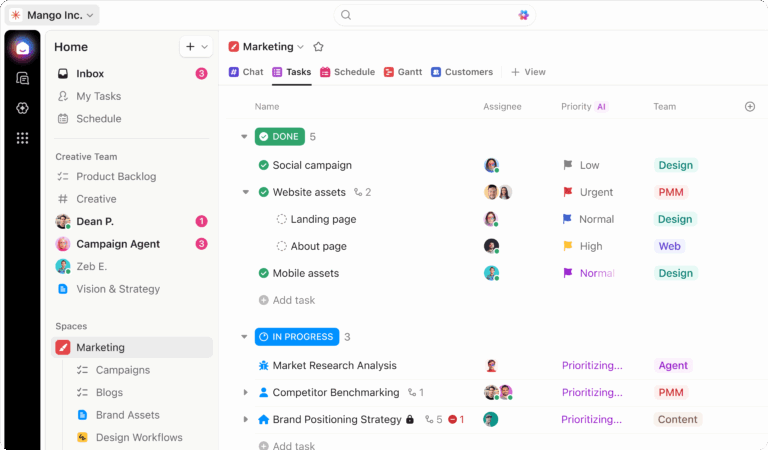
For solo founders shipping an MVP without writing code, Base44 is the answer. For experienced developers refactoring complex codebases from the terminal, Claude Code is sharper. Neither tool manages the work that surrounds the code: the specs, the standups, the cross-team handoffs, the decisions buried in Slack threads. That is where ClickUp fits, sitting on top of whichever builder you choose as the coordination layer for product, design, engineering, and operations.
This article compares Base44 and Claude Code on AI approach, deployment, collaboration, and target audience, then explains where ClickUp’s converged AI workspace fills the gap neither tool addresses.
Base44 is a no-code platform that turns plain-English prompts into deployed full-stack web apps. Claude Code is Anthropic’s terminal-based agentic coding tool that reads, plans, and edits across an entire codebase on its own.
They sit at opposite ends of the AI building spectrum, and ClickUp fills the coordination layer between them.
| Category | Base44 | Claude Code | ClickUp |
|---|---|---|---|
| AI approach | Natural language prompts generate full-stack web apps | Agentic coding that reads, plans, and edits across files | AI task creation, summaries, docs, search, and workflow automation through ClickUp Brain |
| Platform type | Browser-based AI app builder with a visual editor | Terminal, IDE, desktop app, and browser-based coding assistant | Web, desktop, and mobile workspace |
| Deployment | Built-in hosting and one-click publishing | Works with local repos, git workflows, and existing deployment pipelines | Connects work to GitHub, GitLab, Bitbucket, Figma, Slack, and Google Drive |
| Collaboration | Basic multi-user app-building workflows | Developer-first workflows tied to code and git | Docs, Chat, Tasks, Whiteboards, Dashboards, and cross-team visibility |
| Target audience | Non-technical founders and solo builders | Developers and engineering teams | Product, design, engineering, operations, and leadership teams |
| Integrations | Gmail, Slack, Stripe, and other app connections | Local development tools, GitHub, MCP, and git workflows | 1,000+ integrations, including GitHub, Slack, Figma, and Google Drive |
Choose Base44 if you want to build and deploy a simple app without writing code. Choose Claude Code if you are a developer working inside a real codebase. Choose ClickUp if your team needs to manage the specs, tasks, reviews, handoffs, and reporting around the software lifecycle.
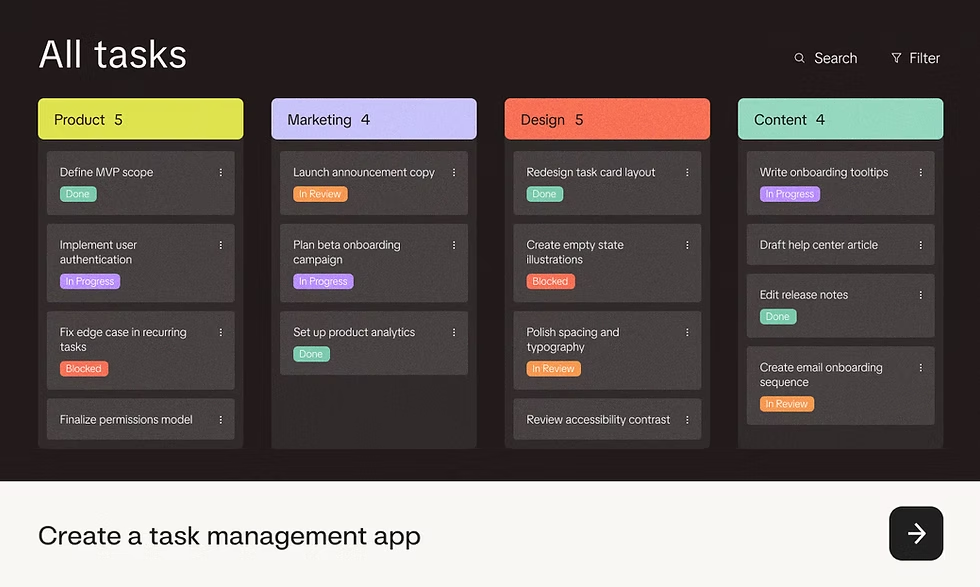
Base44 is an AI-native, no-code platform. You describe a web app in plain English, and it generates a working product with frontend, backend, database, and authentication. It’s built for non-technical founders, small teams, and beginners building MVPs or internal tools.
Did You Know? Stack Overflow’s Developer Survey found that 69.2% of developers don’t plan to use AI for project planning, even as they embrace it for coding.
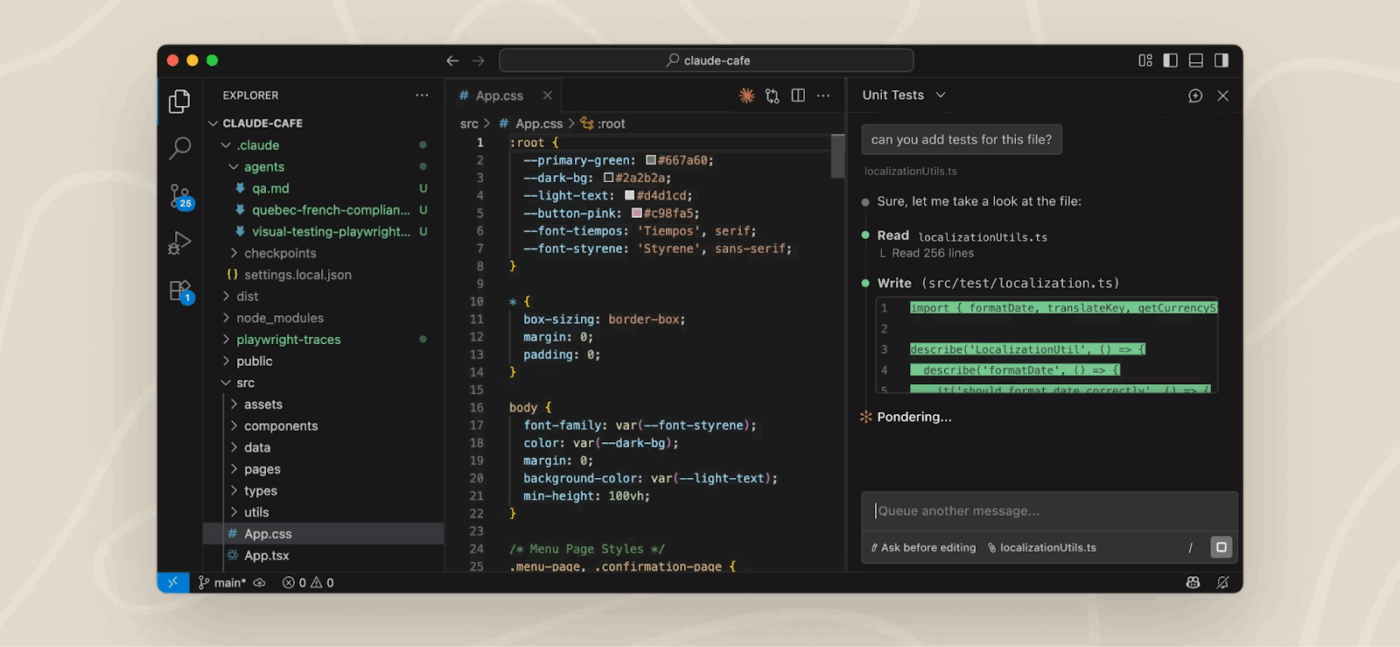
Claude Code is Anthropic’s terminal-based agentic coding tool. It indexes your entire repository, plans multi-step changes, and executes edits across multiple files without you managing each one. The platform runs locally via CLI or desktop app and plugs directly into git workflows. The target audience is experienced developers comfortable in a terminal-first environment.
Did You Know? Teams lose hours when building work and coordination work live in separate tools. Microsoft’s 2025 Work Trend Index reports that 48% of employees say work feels chaotic and fragmented. This is work sprawl, the fragmentation of work across multiple, disconnected tools and systems that never talk to each other.
You know what each tool does on its own. Now here’s how they compare across the features that actually matter when you’re picking one.
Base44’s workflow is simple: prompt, generate, deploy. You describe an app in natural language, and its AI builds the full stack, including UI, database schema, API endpoints, and backend logic. It even supports image-to-code, where you upload a screenshot and get a working interface.
Claude Code works differently. It reads your full codebase, creates a step-by-step plan, then executes multi-file changes autonomously. You interact through the terminal and switch between Claude Opus for deeper reasoning and Sonnet for faster iteration.
Here’s a quick guide to help you prompt better:
Base44 is entirely browser-based. Projects build and deploy on its hosted infrastructure with one click. The tradeoff: your code and data live on Base44’s servers with limited export options.
Claude Code runs locally. Code stays on your machine, in your repos, under your version control. Anthropic also released the Claude Code SDK, so you can extend it or wrap it in custom workflows. Deployment happens through your existing pipeline.
Did You Know? ClickUp Integrations work across web, desktop, and mobile. It connects to the tools you already use through 1,000+ integrations, such as GitHub and GitLab, Slack for communication, Figma for design handoffs. Instead of replacing your dev stack, it sits on top as the coordination layer.
Base44 supports basic multi-user access but lacks real-time co-editing, threaded discussions, or cross-functional visibility. It is built for one person shipping an idea, not a team coordinating around one.
Claude Code is a single-developer tool. There’s no built-in way to share context between teammates or track who changed what beyond git history.
ClickUp Insight: 33% of our respondents point to skill development as one of the AI use cases they’re most interested in. For example, non-technical workers may want to learn to build code snippets for a web page using an AI tool.
In such cases, the more context the AI has about your work, the better its responses will be. As the everything app for work, ClickUp’s AI excels at this. It knows what project you are working on and can recommend specific steps or even perform tasks like creating code snippets easily.
The platform is great for non-technical founders validating ideas fast or small teams building internal tools for inventory tracking or approval workflows. It also works well for beginners who want a working web app without coding.
Claude Code is an AI coding companion for experienced developers debugging production issues, refactoring legacy code, or adding features to complex multi-file codebases. It is an AI pair programmer, not a no-code builder.
Neither Base44 nor Claude Code is wrong about its scope. They build software. They just do not manage the work around the software, which is where most projects actually stall. Deadlines slip because a key decision is buried in a thread nobody can find. Engineers ship the wrong thing because the spec lived in someone’s head. QA finds a bug that was already filed in Jira, but never linked to the PR.
ClickUp is not a Base44 or Claude Code replacement. It sits next to whichever you pick and runs the layer that those tools do not touch: planning, documentation, communication, review, and reporting.✨
ClickUp Brain’s AI Task Builder turns raw input into structured, actionable work. Drop in a rough product idea, a client request, or meeting notes, and it creates ClickUp Tasks with owners, deadlines, and context attached.
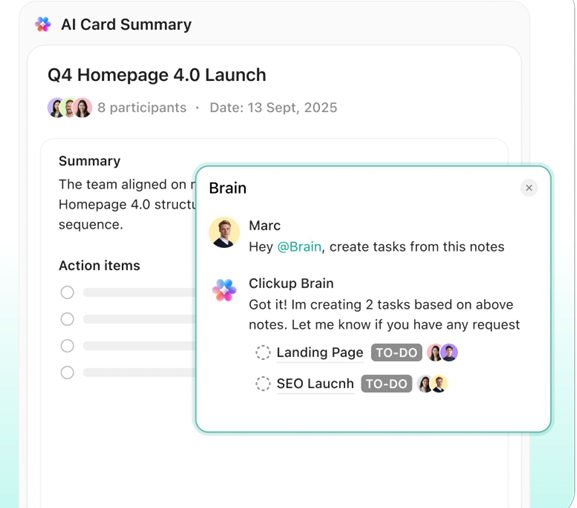
If a product manager pastes a feature request like “Users should be able to export reports as PDFs with custom branding,” ClickUp breaks it into backend export logic, UI updates, and QA validation, assigning each to the right team member.
ClickUp Advantage: Use the AI Writer within ClickUp Docs to flesh out a product requirements document, write product specs, or refine internal technical docs. It pulls from the existing workspace context, so everything stays consistent.
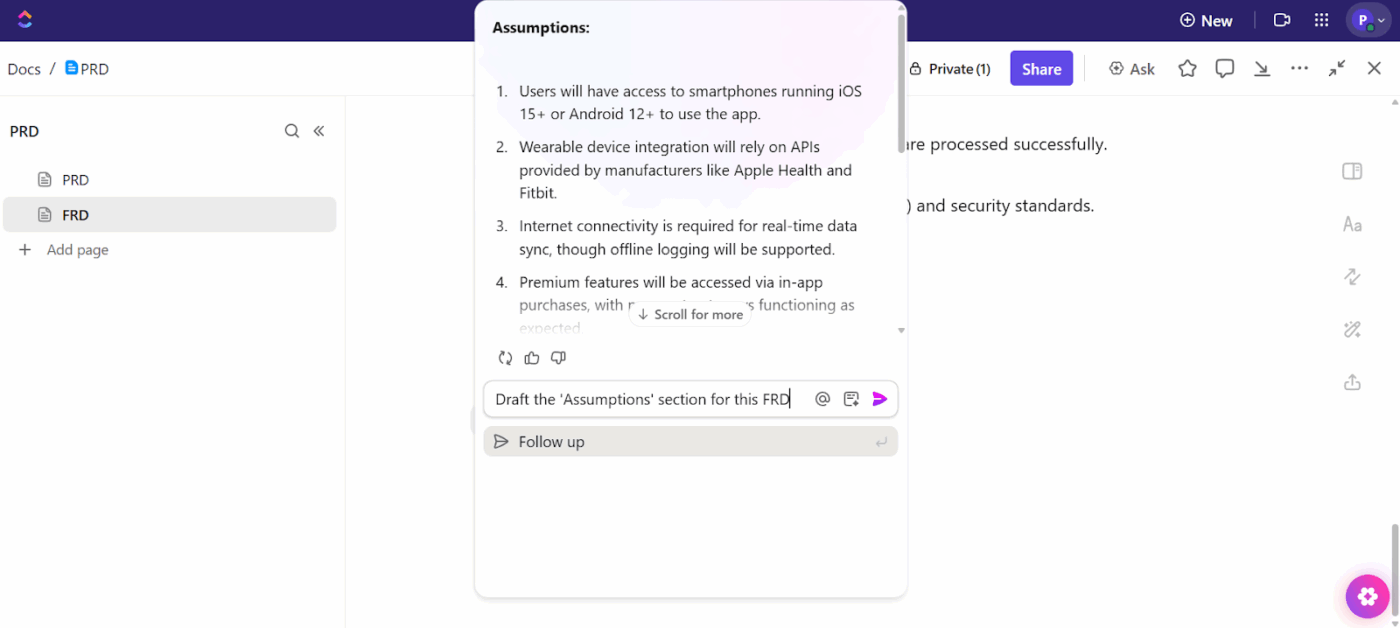
Prompt the AI Writer to draft documentation in the same place where execution happens
The ClickUp AI Notetaker captures meeting discussions, extracts decisions, and converts them into tasks and documentation. During a sprint planning call, it can turn “finalize API endpoints” or “update onboarding flow” into assigned tasks with deadlines.
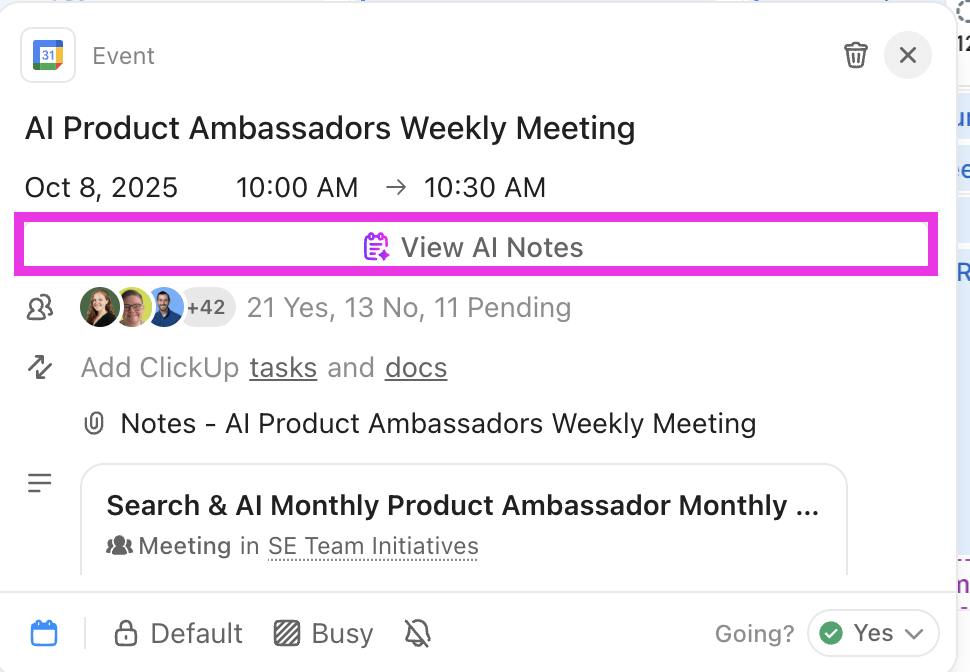
This is where ClickUp does something that Base44 and Claude Code cannot. Claude Code understands your repo. Base44 understands the app it built. Neither understands your full org context: the Loom from your designer, the Figma file with the latest spec, the Slack thread where you killed scope.
ClickUp Enterprise AI Search lets you ask “What’s the latest update on the mobile redesign?” and pulls the answer from across tasks, docs, chats, and connected apps like GitHub and Google Drive.
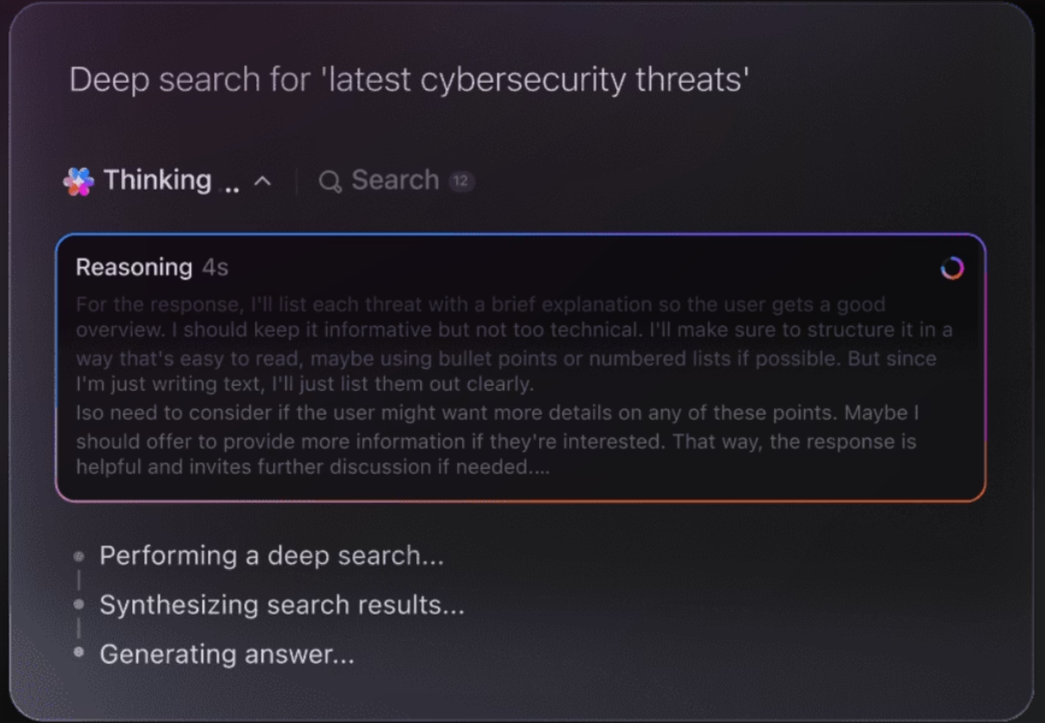
ClickUp Super Agents are AI teammates that execute multi-step workflows independently. A product team can build an agent to triage incoming feature requests by impact and urgency. An HR team can use one to generate consistent job descriptions from role requirements. You define what they can access and how they should behave, in plain English.
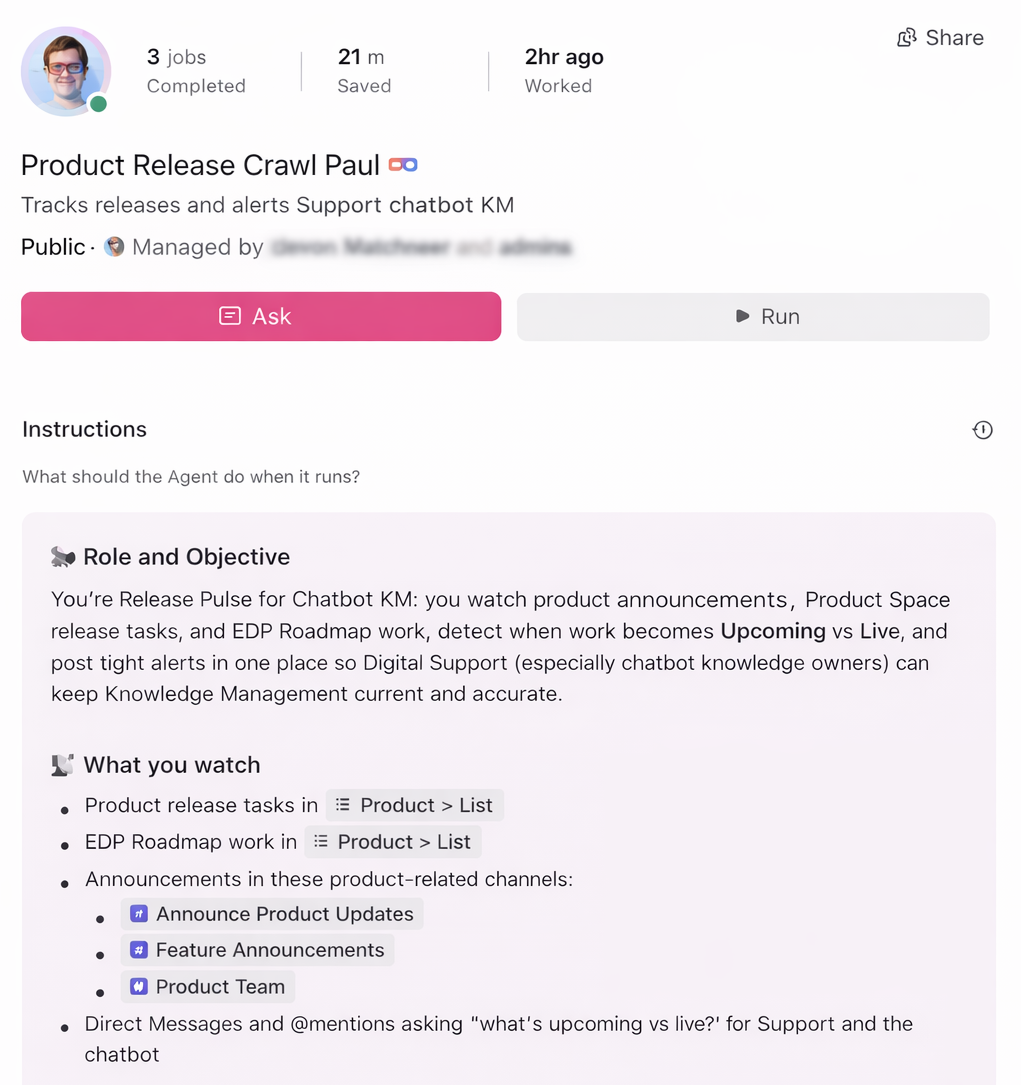
Build your first AI Agent to automate your workflows:
ClickUp Dashboards pull data from tasks, projects, and timelines into a single visual interface. AI Cards turn dashboards from static reports into intelligent summaries: an AI Project Update card generates a status overview, while an AI Executive Summary surfaces what is on track, what is delayed, and where attention is needed.
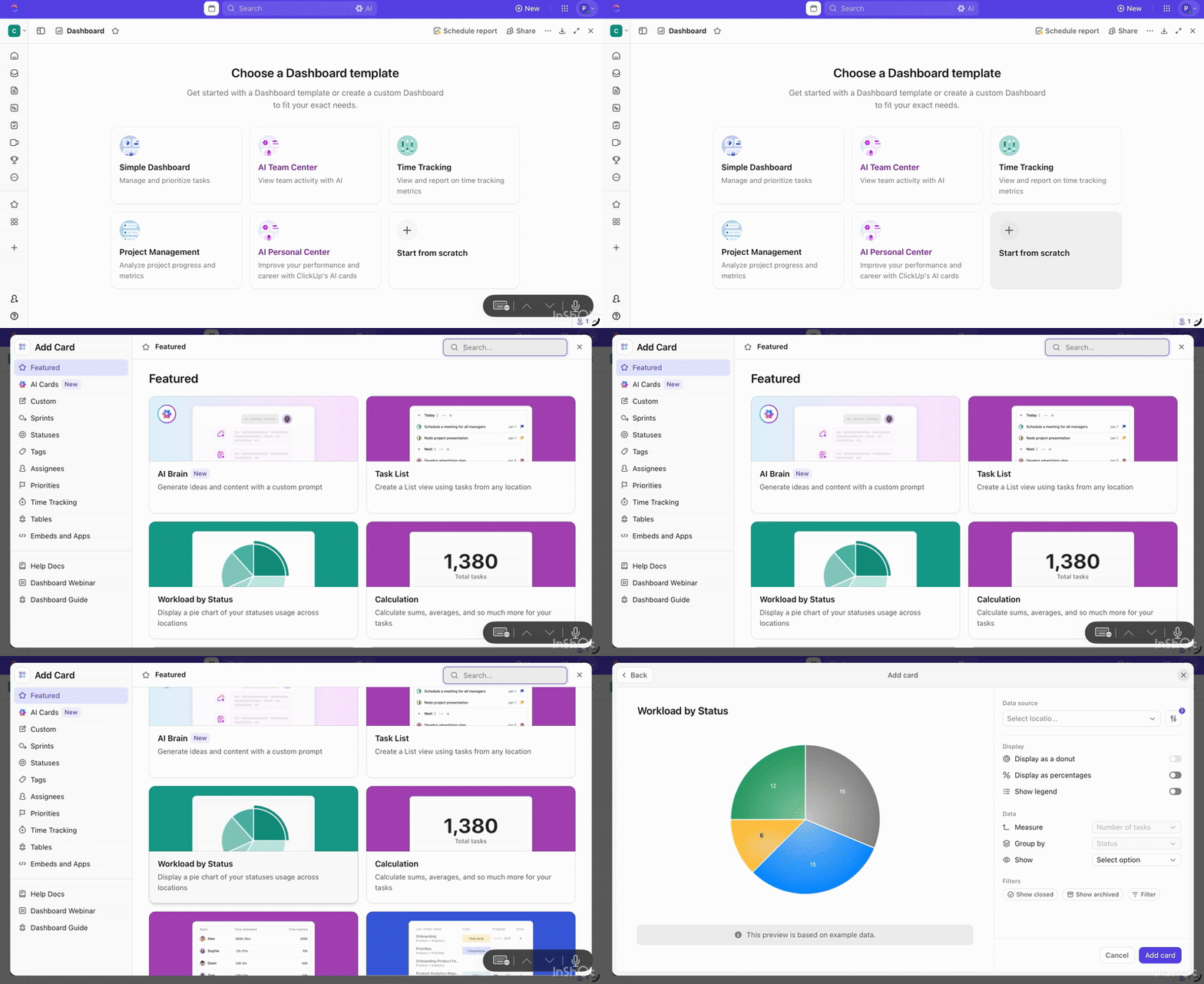
ClickUp is not a code editor, no-code builder, or deployment platform. Base44 and Claude Code are better for generating or editing software. ClickUp is strongest before and after the code: planning, documentation, task ownership, sprint tracking, QA coordination, release reporting, and stakeholder alignment.
Learn from a real-life user on how ClickUp adds value:
We use ClickUp to track our software development projects in-house; managing multiple projects and teams makes things easier for me, this is one of the best tools I have used so far for handling my scrum and modern agile projects.
Example Workflow: Building With Base44 or Claude Code, Managing With ClickUp
A founder might use Base44 to generate an MVP, then use ClickUp to track feature requests, customer feedback, launch tasks, and investor updates.
An engineering team might use Claude Code to refactor a codebase, then use ClickUp to manage sprint tasks, PR review notes, QA bugs, release approvals, and stakeholder reporting.
Choose:
If you are choosing between Base44 and Claude Code, you are really choosing between “I do not write code” and “I write a lot of code.” That is a clear question with a clear answer.
The harder question is whether your team has a system for everything that is not code: the specs, the decisions, the cross-team alignment, the visibility into what is actually shipping. Base44 and Claude Code do not solve that. ClickUp does.
Start building your software workflow in ClickUp for free.
No. Base44 and Claude Code are separate products. Base44 turns natural language prompts into full-stack apps, while Claude Code is Anthropic’s agentic coding tool for editing and working across codebases.`
No, neither tool handles sprint planning, task assignment, progress tracking, or cross-team coordination; those require a dedicated workspace like ClickUp.
Base44 requires no coding experience since you describe what you want in plain English, while Claude Code assumes developer-level familiarity with terminals, git, and codebases.
Claude Code’s terminal-first interface makes it difficult to use without coding knowledge, so non-developers would get more value from a no-code platform like Base44.

Manasi Nair
Max 30min read
Manasi Nair
Max 28min read
Manasi Nair
Max 26min read

© 2026 ClickUp




