Version Control in Project Management: Tools, Benefits and Best Practices

Sorry, there were no results found for “”
Sorry, there were no results found for “”
Sorry, there were no results found for “”
One file. Two teammates. Three conflicting versions. It’s how projects derail before they begin.
That’s why version control in project management isn’t just a nice-to-have—it’s how modern teams stay sane.
In this guide, we’ll break down how version control works, why it’s essential beyond software development, and how to choose the right tools and best practices to keep your projects running smoothly.
Version control in project management is the process of tracking, organizing, and managing changes to project files, documents, tasks, or code, so teams can collaborate without losing track of edits, feedback, or earlier versions.
💡 Pro Tip: Start with effective document version control to manage document updates and feedback loops, and to keep everyone aligned across your team.
Version control in project management is the process of tracking, organizing, and managing changes to project files, documents, tasks, or code, so teams can collaborate without losing track of edits, feedback, or earlier versions.
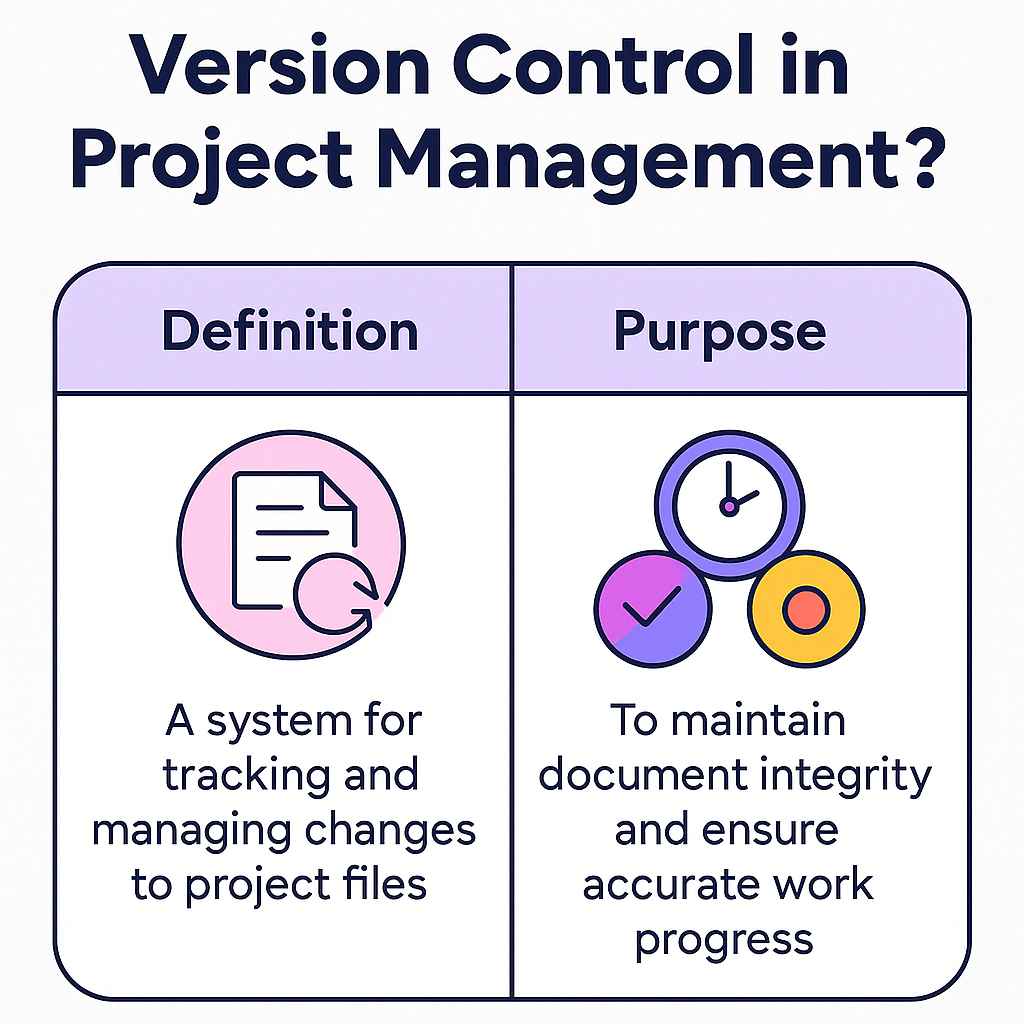
Originally built for developers working on source code management, version control systems are now essential across industries. From policy updates and marketing assets to project roadmaps and team documentation, version control ensures every change is logged, traceable, and recoverable.
Instead of juggling multiple versions of the same file—or manually comparing updates—teams can rely on a central repository to store files, track progress, and even restore earlier versions when needed.
With version control, you can:
📚 Related Read: Our guide on project monitoring covers the best strategies and tools to stay on top of every version and milestone.
Version control tools for project management help developers manage source code and marketers track document versions, keeping teams aligned and productive.
Tools like Git and Subversion are widely used in software development to manage code reviews, merge conflicts, and maintain a revision history. These tools are powerful for technical teams but often too complex for broader project teams working across content, design, and client workflows.
That’s where platforms like ClickUp come in—designed to support version control beyond just code.
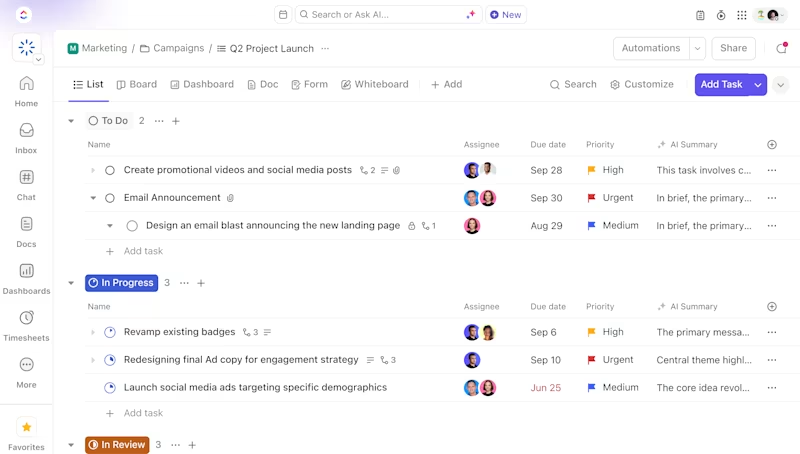
ClickUp, the everything app for work, offers more than project management: it supports version control beyond file storage by combining tasks, Docs, comments, and historical activity so teams can see what changed and why.
ClickUp Project Management brings all your projects, docs, and conversations into one platform. It combines AI-powered workflows, automated updates, and instant search to give you complete version control over every task, file, and decision.
From AI Agents that run daily standups and automate reporting to smart tools that write content, summarize updates, and manage projects—ClickUp AI does the heavy lifting, so your team can focus on impact.
Delegate tasks, reduce manual work, and make smarter decisions—faster.
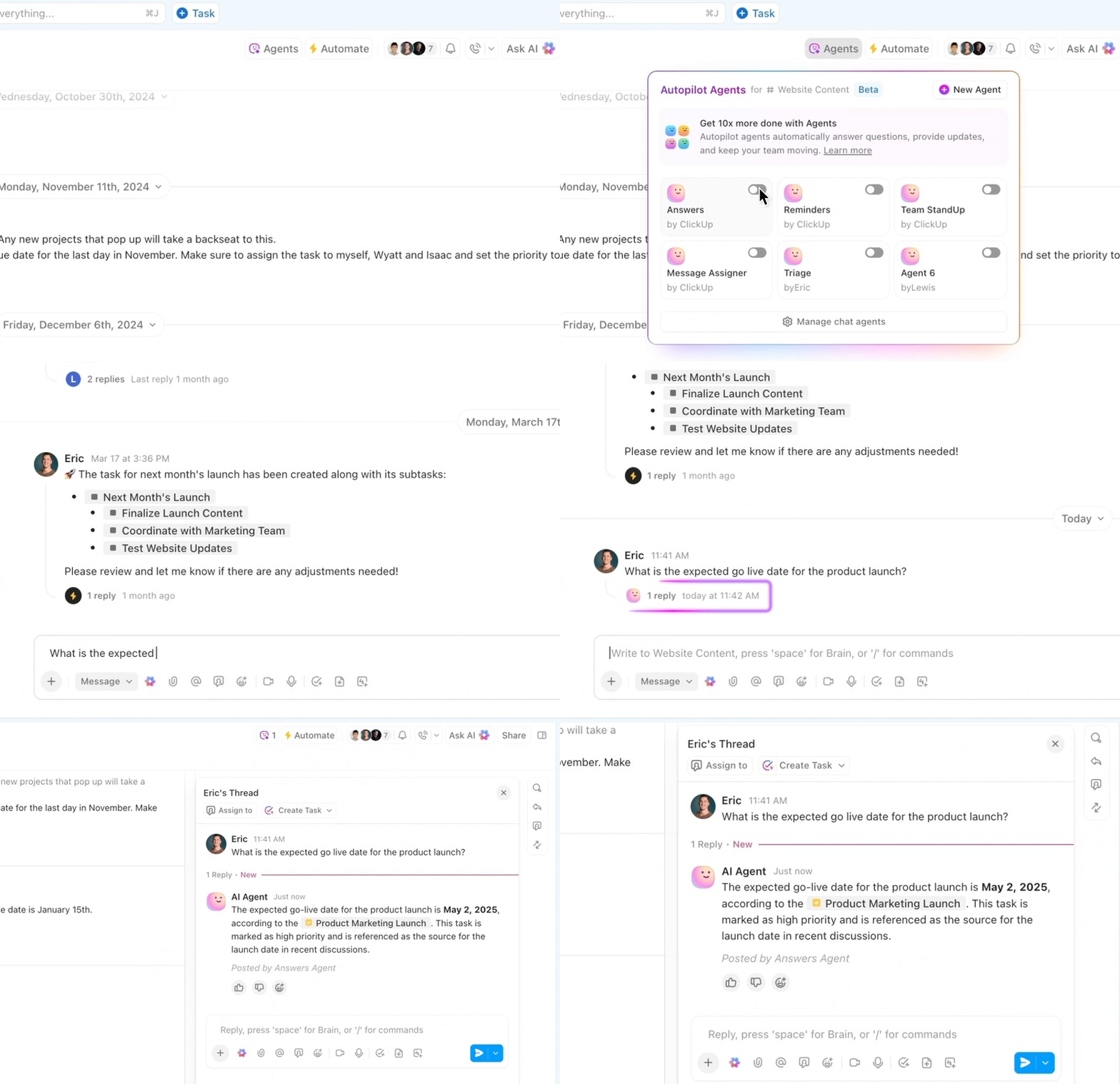
Here’s how ClickUp helps teams manage versioning without juggling multiple tools:
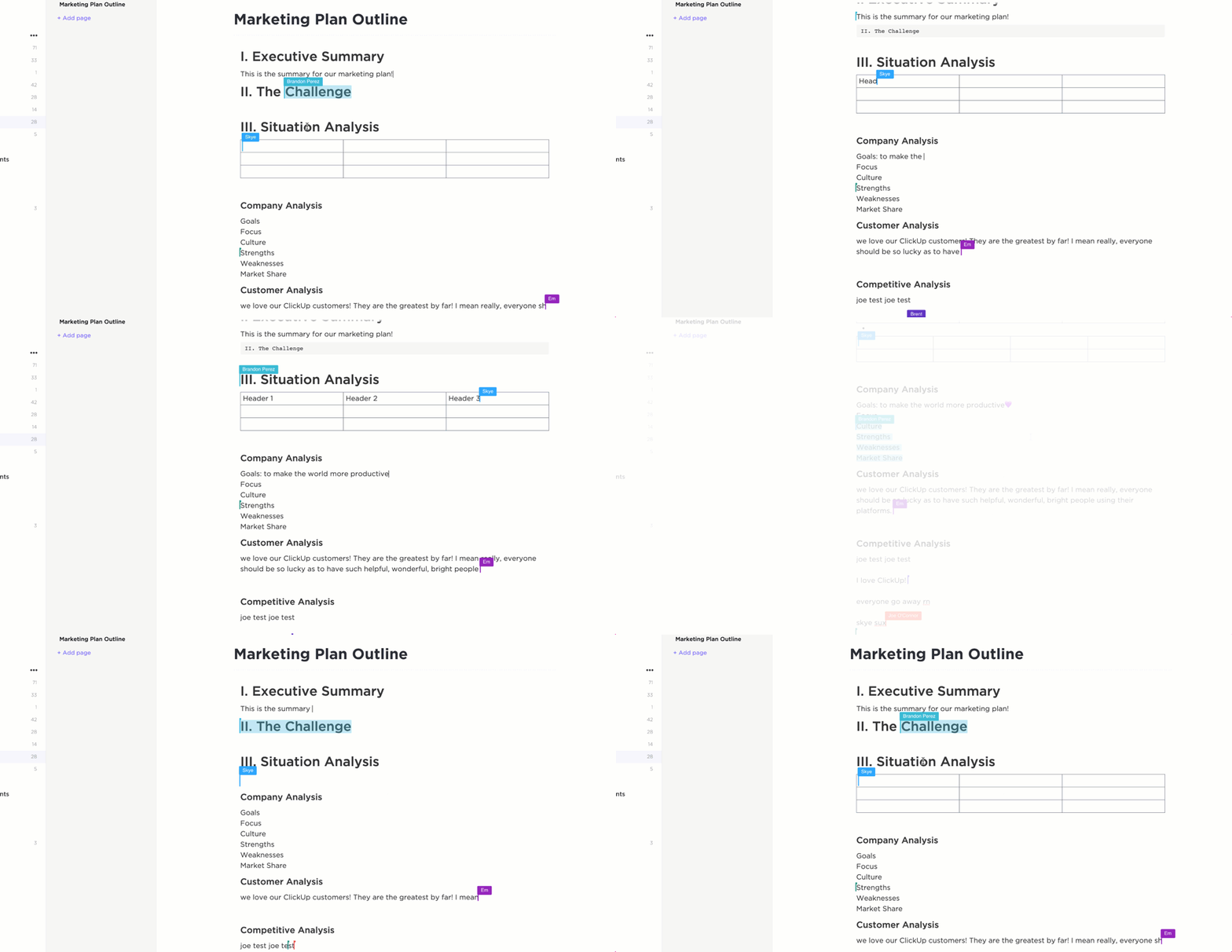
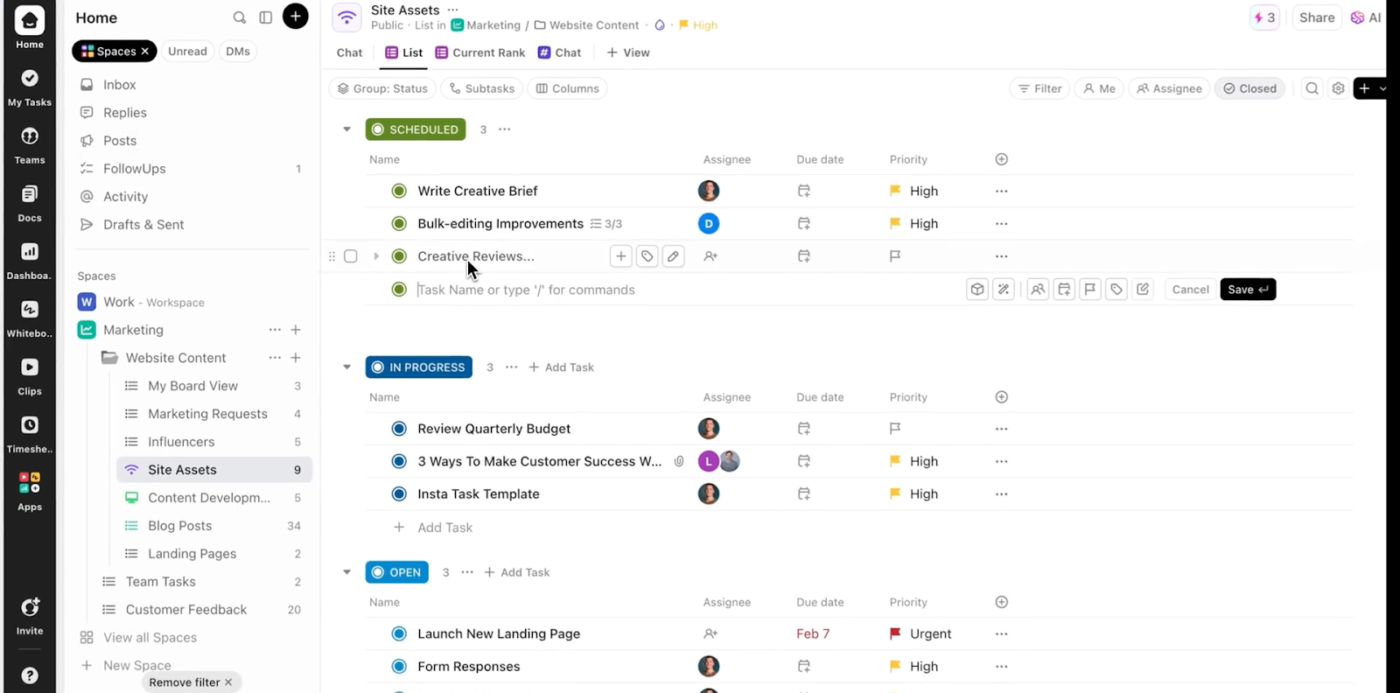
Check out how to automate your workflows in ClickUp👇
When you upload files to tasks or Docs, ClickUp tracks their versions. You can upload new versions of a file and maintain access to previous ones.
✅ Bottom Line: With traditional version control tools like Git, teams primarily manage source code. But with ClickUp, you can manage entire project workflows—from creative to technical—without writing a single line of code.
Effective version control in project management involves more than choosing the right tool; it requires clear processes so teams can track changes, collaborate, and work from the latest version. Teams can then avoid second-guessing.
Here are a few tried-and-tested best practices to follow:
⭐️ Bonus: Want to streamline version control and task updates together? These task management templates can help you keep everything—from deliverables to documentation—tied together in one place
Version control helps teams beyond software development manage changing content, approvals, and client input while tracking what changed, when, and why. Whether you’re refining messaging, editing visuals, or updating policies, version control helps you avoid miscommunication, reduce rework, and maintain alignment.
📝 Document approvals and policy updates
HR or legal teams often revise internal policies like leave guidelines or security protocols. With multiple stakeholders involved, version control ensures a clear audit trail of changes and approvals.
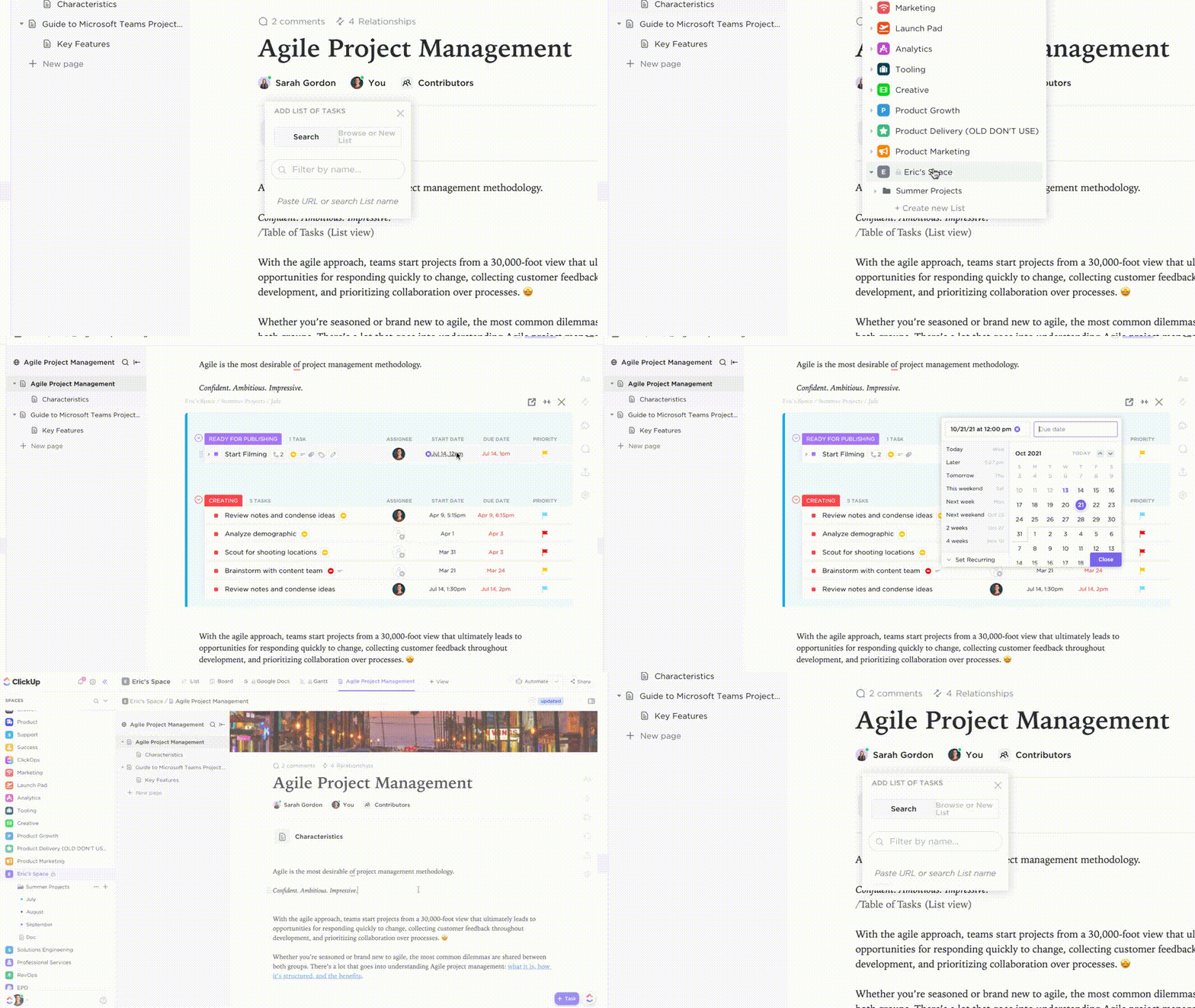
Tools like ClickUp help simplify this process by combining tasks, docs, and project updates in one place, giving teams visibility across all their moving parts. You can manage these updates using ClickUp Docs, which stores every document version and comment in one view.
📰 Content publishing and versioning
A content team working on a product launch announcement may go through several drafts with edits from marketing, product, and legal. Version control helps everyone review the most recent draft and refer back to earlier ones when needed.
With ClickUp Tasks and Docs, teams can track every content version, status, and reviewer in the same workflow.
🎨 Creative asset reviews (design, copy, video)
A brand designer creating social media graphics might receive feedback from the marketing lead, social media manager, and client. Version control makes it easy to compare revisions and finalize assets without confusion.
In ClickUp, you can upload each asset to a task, tag stakeholders, and use threaded comments to capture every round of feedback.
🔄 Scope or requirement changes in product development
Say a feature initially planned for Q3 is pulled into Q2 after stakeholder feedback. Version control allows the team to track this scope change, refer to the original brief, and align efforts across dev, QA, and product teams.
ClickUp helps you manage this through linked tasks, updated Docs, and change history visible within the same platform.
📮ClickUp Insight: Our survey found that knowledge workers maintain an average of 6 daily connections at their workplace. This probably entails multiple pings back and forth across emails, chat, and project management tools.
What if you could converge all these conversations in one place? With ClickUp, you can! It’s the everything app for work that combines projects, knowledge, and chat in one place—all powered by AI that helps you and your team work faster and smarter.
🤝 Client reviews and iterations in marketing agencies
A creative agency working on a rebranding campaign for a client may go through six logo variations and three tagline rewrites. Version control helps the team avoid mixing up files and gives clients a clear way to review past and current versions.
ClickUp gives agencies a centralized workspace to store feedback, keep a revision history, and manage approvals across clients.
🔎 Did You Know? Teams that rely on centralized version control resolve feedback loops up to 40% faster.
Effective version control systems go beyond storage to help teams collaborate, stay aligned, and make confident decisions across source code, documentation, and design files through automatic versioning, revision history and rollback, audit logs, real-time collaboration, access controls, centralized storage, comments, file locking, and multi-file support.
Here are the must-have features of an effective document version control system:
Every change should trigger a new version, with clear timestamps, user info, and the ability to compare different versions side by side
Access a complete revision history for any file or task. This allows teams to quickly restore earlier versions or trace back decisions
Good systems include detailed audit logs, so you know who made what change, when, and why—essential for both accountability and compliance
Allowing two or more users to work in real time—without conflict—is key. This is especially useful for software developers, content editors, and cross-functional teams
You should be able to set who can view, edit, or approve project files—essential for managing sensitive data or approvals
A single central repository keeps everything accessible and avoids the confusion of scattered file storage across devices or platforms
Built-in tools like comment threads and file locking help streamline the review process and reduce miscommunication
From source code and documents to videos and spreadsheets, the best tools manage all file types in one workspace
📚 Also Read: Learn how to implement smarter document workflows with these document version control software tips.
Version control matters in project workflows because it gives teams a source of truth for documents, tasks, and project files, helping them handle constant changes, feedback, and new contributors without chaos while keeping everyone on the latest version. Without a reliable version control system, those changes can create chaos.
Version control acts as a source of truth for documents, tasks, and project files, making sure everyone is working on the latest version, not a random download from three weeks ago.
Here’s why version control is critical for modern project workflows:
1. Prevents confusion from overlapping edits
Multiple teammates editing the same file? Version control tracks each change and highlights who did what, so you don’t overwrite or miss updates
2. Reduces human error
Forget accidentally deleting key info. With a revision history, you can review changes and restore earlier versions instantly
3. Keeps projects moving
With versioned files and tasks, you can clearly track project progress, approvals, and dependencies, without endless email threads or meetings
4. Improves compliance and accountability
Every change is logged in an audit log, helping you stay aligned with documentation standards, legal compliance, and stakeholder transparency
5. Streamlines feedback and collaboration
Whether it’s reviewing designs, policies, or source code, teams can comment directly on the current version and easily revisit older iterations when needed
💡 Pro Tip: Automate version updates and reviewer assignments to reduce feedback delays and approval loops—check out these workflow automation examples to see how.
Version control is essential for project clarity because it helps teams manage files, track document versions, and respond to real-time feedback. For project managers, software teams, content creators, and marketers alike, having a clear revision history means fewer errors, faster collaboration, and complete visibility across the project lifecycle.
With ClickUp, you get more than just version control software—you get a full project management platform with built-in tools to manage file versions, tasks, Docs, and comments in one place. Instead of stitching together multiple repositories or switching between tools, ClickUp keeps your version history, collaboration threads, and task progress all in a centralized, flexible workspace.
Ready to say goodbye to version chaos and hello to clarity?
Sign up for ClickUp and manage your entire workflow—from idea to final version—in one place.

Praburam Srinivasan
Max 19min read

Sudarshan Somanathan
Max 20min read
Praburam Srinivasan
Max 17min read
© 2026 ClickUp