
Sorry, there were no results found for “”
Sorry, there were no results found for “”
Sorry, there were no results found for “”
Microsoft Teams is the central collaboration hub within Microsoft 365. For teams that are already using the Microsoft 365 ecosystem, this is where chats and meetings are held.
While Teams was built for connecting people, it doesn’t work well for managing complex projects. And you won’t find Gantt charts, sprint tracking, or automation rules baked in.
When tasks are spread across different tools, your team spends more time searching for information than getting work done, leading to work sprawl, a silent productivity killer. So, project management software that integrates with Microsoft Teams can be a huge plus for your team.
In this blog, we look at our top picks for project management software with Microsoft Teams integration. Are you ready to 10x your productivity?
👀 Did You Know: Microsoft originally wanted to buy Slack in 2016 for around $8 billion. After internal debate (with Bill Gates reportedly opposing the idea), Microsoft decided to build its own platform—Teams.
Here’s a quick table that highlights the key differences between project management software options. Scroll below for a deep dive.
| Tool name | Key features | Best for | Pricing* |
| ClickUp | Create, manage, and track tasks within Teams, share task previews, and receive real-time notifications | All-in-one AI-powered project management and team communication | Free plan available; Custom pricing for enterprises |
| Wrike | Work Intelligence®, Agile custom item types, integration with 400+ apps | Best for streamlining workflows | Free plan available; Paid plans start from $10/month per user |
| Microsoft Project | Microsoft 365 Copilot, My Day, My Tasks | Best for planning and managing work | Free plan available; Paid plans start from $10/month per user |
| Basecamp | Lineup, Mission Control, Hill Charts, and Doors | Best for small businesses to manage projects | Free plan available; Paid plans start from $10/month per user |
| ProjectManager | Critical path scheduling,5 project views, 6 widgets, | Best for planning projects and building workflows | Paid plans start from $30/month per user |
| Trello | Trello Inbox, Butler Automation, and Power-Ups | Best for visual project management | Free plan available; Paid plans start from $6/month per user |
| Jira | Atlassian Intelligence (AI), dynamic backlog, and integration with Slack and Figma | Best for managing complex software development projects using Agile | Free plan available; Paid plans start from $8/month per user |
| Teamwork | Teamwork Spaces, integration with Xero and QuickBooks | Best for resource management | Free plan available; Paid plans start from $10.99/month per user |
| Todoist | 50+ ready-made templates, daily digest emails, 80+ integrations | Best for task management and productivity | Free; Paid plans start from $2/month per user |
| Zoho Projects | Built-in calendar, Zoho invoice, Gantt charts, and Kanban boards | Best for scalable project management | Free plan available; Paid plans start from $4.20/month per user |
| Hive | Buzz AI, Hive Mail, and integration with QuickBooks | Best for streamlining project management | Free plan available; Paid plans start from $1/month per user |
Our editorial team follows a transparent, research-backed, and vendor-neutral process, so you can trust that our recommendations are based on real product value.
Here’s a detailed rundown of how we review software at ClickUp.
📚 Read More: Best All-in-One Messenger Apps
If you’ve used Microsoft Planner, To Do within Teams, or explored tools like Lists, DevOps, or Power Automate, you know the story.
You can’t @mention team members in comments. Uploading multiple attachments is a pain. Task updates flood your inbox with cluttered notifications. Lists and DevOps require setup and technical know-how. All this works for basic lists.
But as one Reddit user put it:
It’s bogging down our Team’s workflow right now. We’d like to move away from Planner and To Do until it’s improved.
More importantly, information and key updates are spread across spreadsheets, Microsoft To-Do, and email, leading to work sprawl that costs organizations $2.5 trillion a year. This proves inefficiency inadequate for the daily torrent of tasks, projects, and cross-functional requests for the modern workforce. We think it’s time to say goodbye to that.
📚 Read More: Best Microsoft Teams Alternatives for Collaboration
If you’re managing projects within Microsoft Teams, you’ll want a tool that does more than just sit in a tab. Here are things to look for when picking a Teams-integrated project management tool:
🧠 Fun Fact: Project management in the early 1900s was done using clipboards and stopwatches.
Project tracking meant walking the factory floor with a clipboard, stopwatch, and ledger. Frederick Taylor’s “scientific management” approach involved breaking work into tasks and optimizing workflows manually—an early form of time tracking and task analysis.
⚡ Template Archive: Free Project Communication Plan Templates
Below are the Microsoft Teams project management tools that serve as structural support and enhance project management, rather than add-ons.
ClickUp is the world’s first Converged AI Workspace. It combines project management, knowledge management, and communication in one place—all powered by the world’s most cohesive work AI. And it integrates with Microsoft Teams.
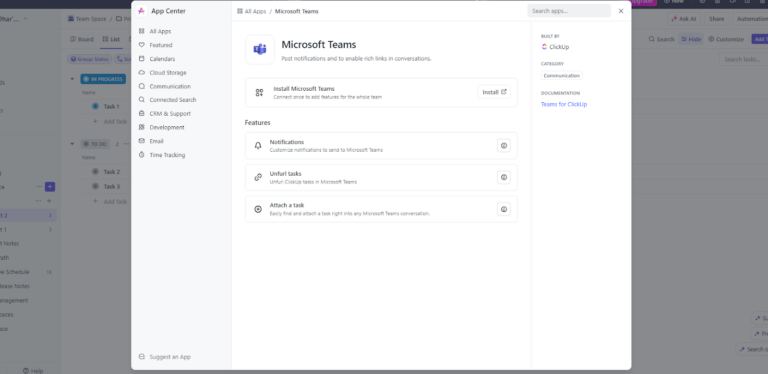
Let’s see this with an example. You’re a project manager overseeing a complex launch. Your team coordinates in Microsoft Teams, but critical actions often vanish in chat flux. Inside Teams, you’ve added the ClickUp Microsoft Teams integration. When a developer writes, “We need a UI prototype by Monday,” you convert it into a ClickUp task.
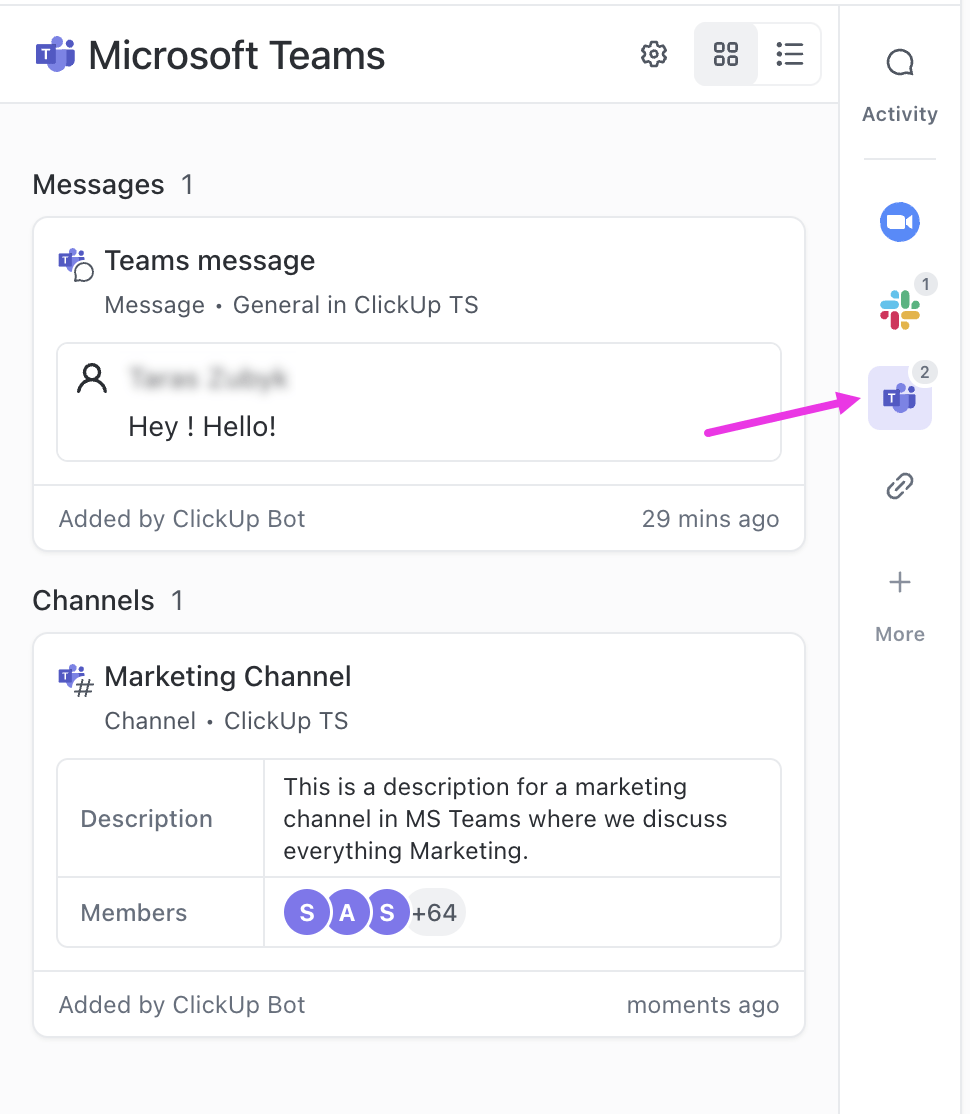
Then, assign it to the designer, setting the deadline, and link it under the relevant project folder. That task appears right in Teams, complete with all details.
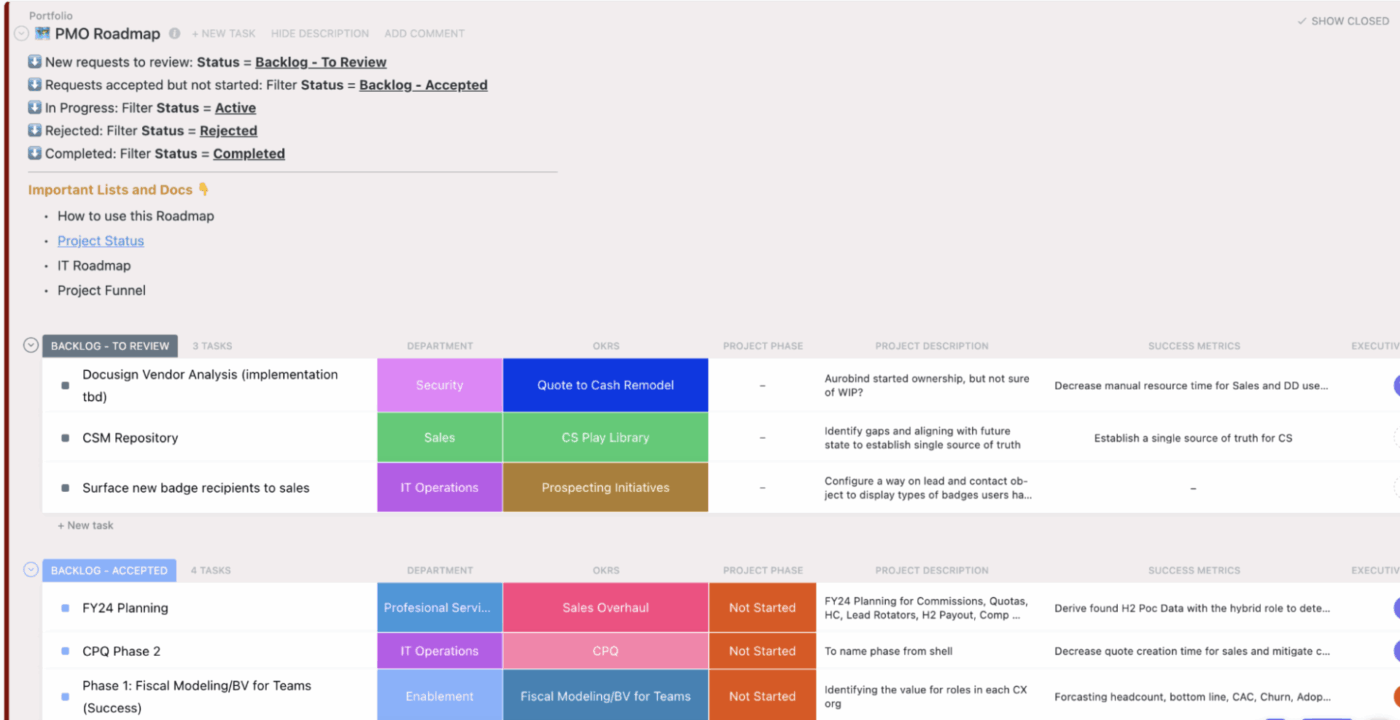
ClickUp also powers the Microsoft Teams Project Management workspace, giving your team a visual view of task status, sprint backlogs, upcoming milestones, and team workloads. You can monitor progress and manage dependencies right where the work happens, without toggling tools.
Watch this quick video on how to integrate ClickUp with MS Teams:
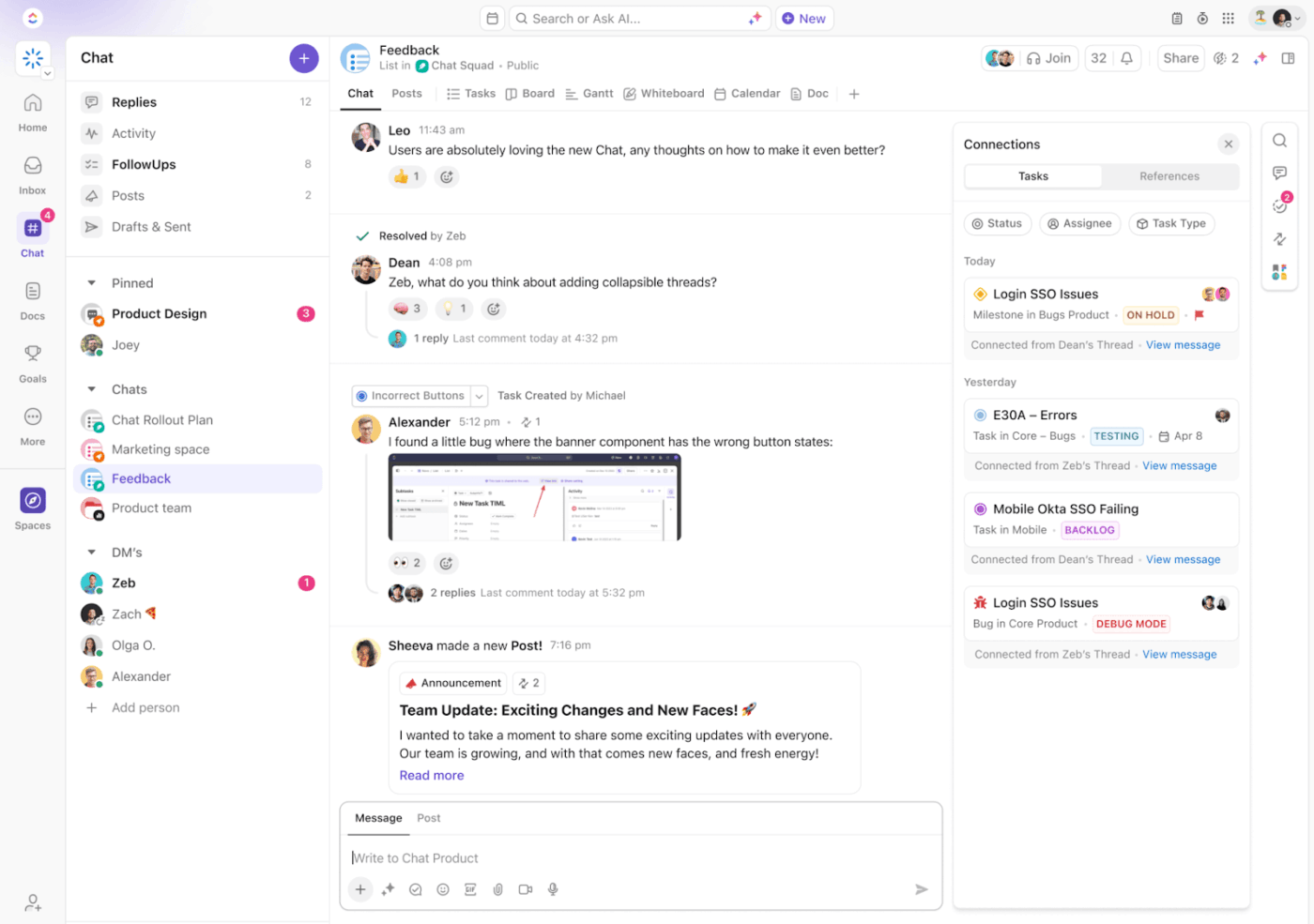
When brainstorming in ClickUp Chat, you and your designer can float UI ideas and annotate requirements, convert any chat message into a task with a single click, attach your messages to relevant tasks or projects, to keep all work synchronized over the team’s communication app.
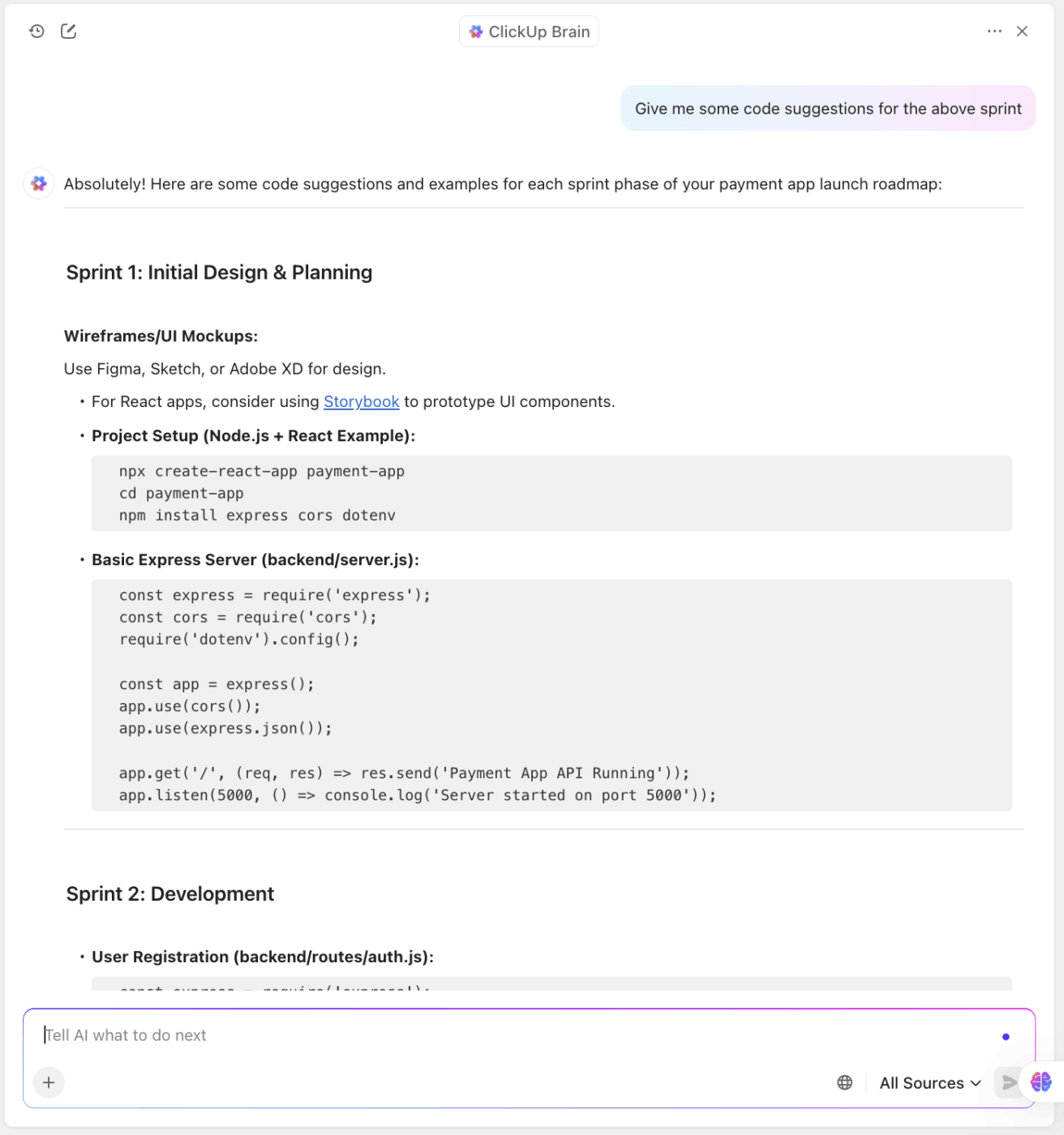
ClickUp Brain is your AI-powered assistant inside ClickUp. If you ask it to “Summarize our design chat and produce action items as Tasks,” Brain generates task lists with assigned owners and next steps based on the conversation context, saving you time and effort.
And if you are a tech project manager who collaborates with engineers, you can also ask for code suggestions.
Finally, during a sprint review meeting, ClickUp Meetings runs in the background. It captures decisions automatically and tracks follow-up tasks. You can even prompt it to generate meeting summaries that can be posted directly into Teams.
And ClickUp’s AI Notetaker joins your meetings with you or replaces you as a handy personal assistant if you’re busy. As an AI-powered online meeting tool, it records audio, creates searchable transcripts, summarizes key points, and highlights action items in a ClickUp Doc.
Here’s a G2 review:
ClickUp offers an impressive range of features that make it easy to customize workflows, manage tasks, and track progress in one place. I love how I can create views tailored to each project, set automations, and integrate them with other tools I already use.
💡 Bonus: Looking for a Desktop app that cuts through the clutter and gives you everything you’d want in a work AI? ClickUp Brain MAX might be for you.
Transform the way you manage projects with:
ClickUp Brain MAX is the AI Super App that truly understands you, because it knows your work. Ditch the AI tool sprawl, use your voice to get work done, create documents, assign tasks to team members, and more.
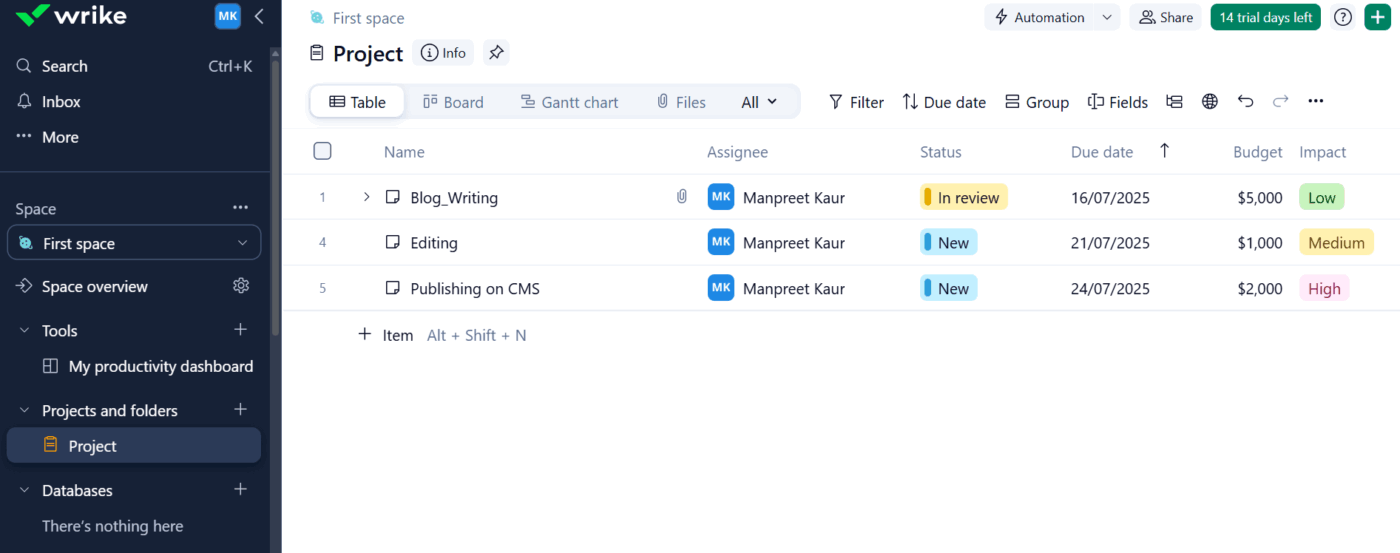
Wrike is a cloud-based project management tool built for visual workload and resource management. It offers drag-and-drop Workload charts and dynamic resource utilization reports that give your project managers real-time visibility into team capacity.
As a visual project management tool, Wrike also allows you to create interactive Gantt charts and customizable dashboards, making it easier to plan, sequence, and adjust tasks across complex projects.
With Wrike’s Microsoft Teams integration, you can integrate project planning and execution directly into your team’s daily communication flow. It also allows you to add task editing capabilities and bidirectional updates for improved project efficiency.
Add a Wrike project as a tab in any Teams channel to manage tasks in list or Gantt view, update statuses, assign owners, and edit deadlines. Tasks can be created directly from chat conversations, and live previews make it easy to share updates or reference work during a meeting.
Here’s a G2 review:
We’ve been using Wrike for over six years, and it has truly become the heart of our content review and approval process. What started as a quick project management solution eventually evolved into an essential workflow backbone across our company.
📚 Also Read: We Tested the Best Wrike Alternatives & Competitors
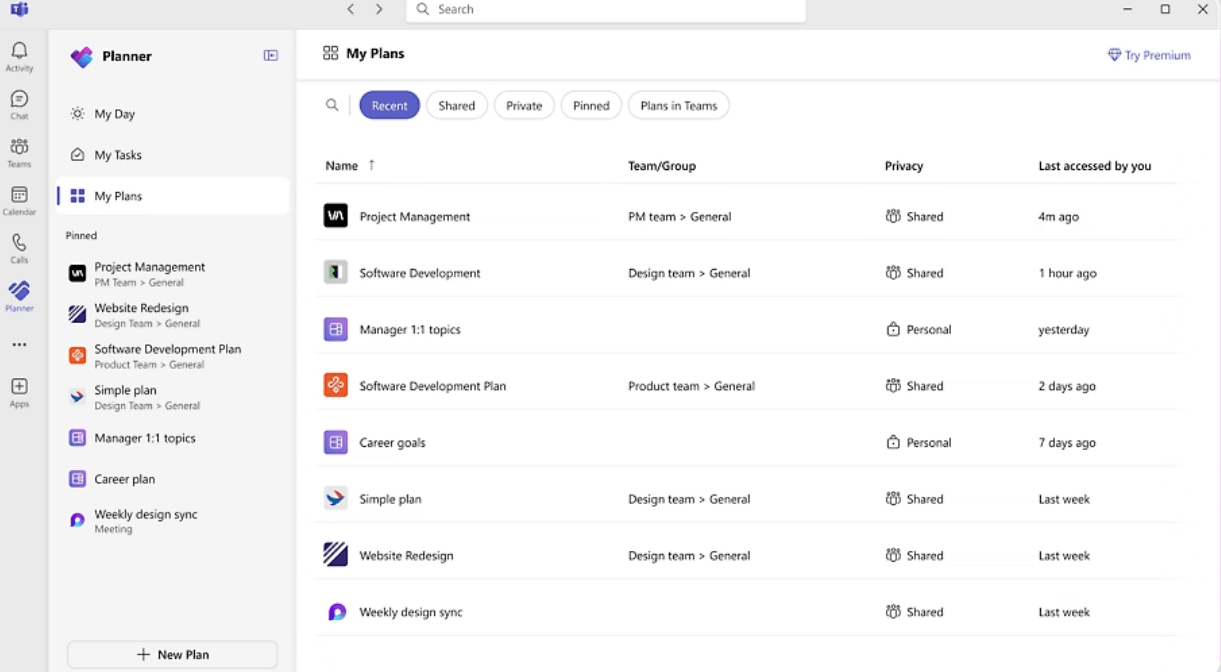
Microsoft Planner is project management software designed for teams already embedded in the Microsoft 365 ecosystem. Its card-based interface allows users to organize tasks and manage deadlines visually.
With drag-and-drop boards and visual buckets, Planner offers a familiar layout for teams looking to manage day-to-day work without the complexity of traditional project management software. The low-code/no-code platform allows you to configure, automate, and extend Planner to fit your workflows.
As a Microsoft Teams app, Planner integrates directly into Teams channels, allowing users to view and manage task boards without leaving their workspace. You can pin Planner tabs to specific Teams channels, create tasks from messages, and assign owners with due dates.
While it lacks advanced features like dependency tracking or project management automation, Planner works well for basic planning in combination with Microsoft To Do and Outlook.
Here’s a G2 review:
One of the standout features of Microsoft PPM is its intuitive and user-friendly interface. Navigating through the software and accessing various functionalities is a breeze, even for users with limited technical expertise.
📚 Also Read: Best Microsoft Office 365 Planner Alternatives
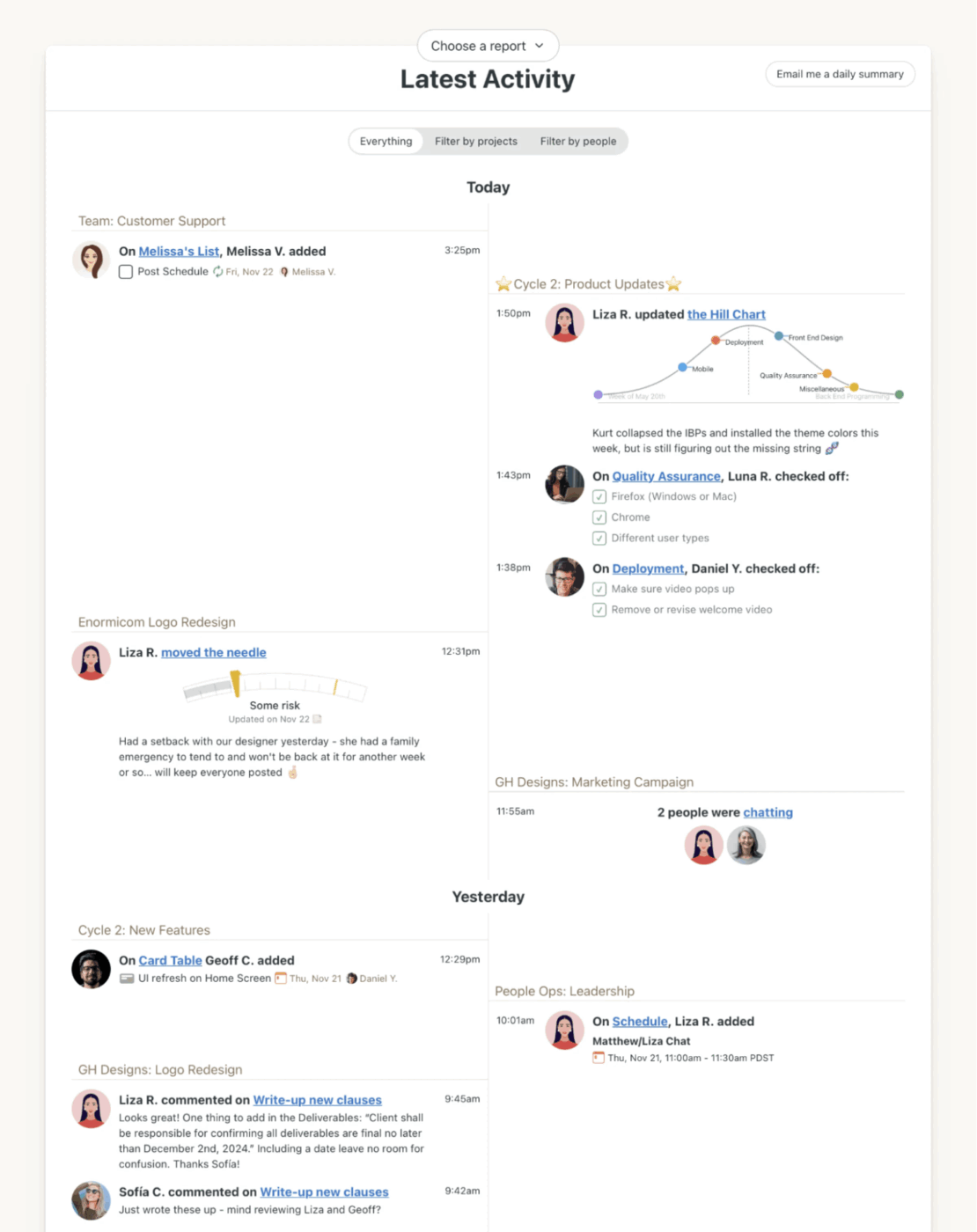
Basecamp is a simple project management tool built around to-do lists, message boards, schedules, and shared documents. It works well for small teams that want to assign tasks and centralize project discussions.
While Basecamp doesn’t offer a native Microsoft Teams integration, it can be connected through third-party apps like Zapier, Make, or Integrately. These integrations allow you to trigger updates in Microsoft Teams based on Basecamp activity.
For example, when sending a Teams channel message when a to-do is created, a comment is added, or a project milestone is achieved. While not deeply embedded like other tools, these workflows help bring Basecamp’s task tracking into the Teams environment with minimal effort.
Here’s a G2 review:
What I love most about Basecamp is how easy it is to use. Right from the start, you realize you don’t have to waste time configuring a million settings. Everything is organized so clearly—tasks, messages, calendars, all in one place.
📮 ClickUp Insight: 70% of managers use detailed project briefs to set expectations, 11% rely on team kickoffs, and 6% tailor their project kickoffs based on tasks and complexity.
That means most kickoffs are documentation-heavy, not context-driven. The plan might be clear, but is it clear to everyone, the way they need to hear it?
ClickUp Brain’s AI features help you tailor communication from the very start. Use it to summarize kickoff docs into role-specific task briefs, generate action plans by function, and surface who needs more detail vs. who needs less.
💫 Real Results: Hawke Media cut project delays by 70% with ClickUp’s advanced project tracking features and automation.
📚 Also Read: Top Basecamp Alternatives
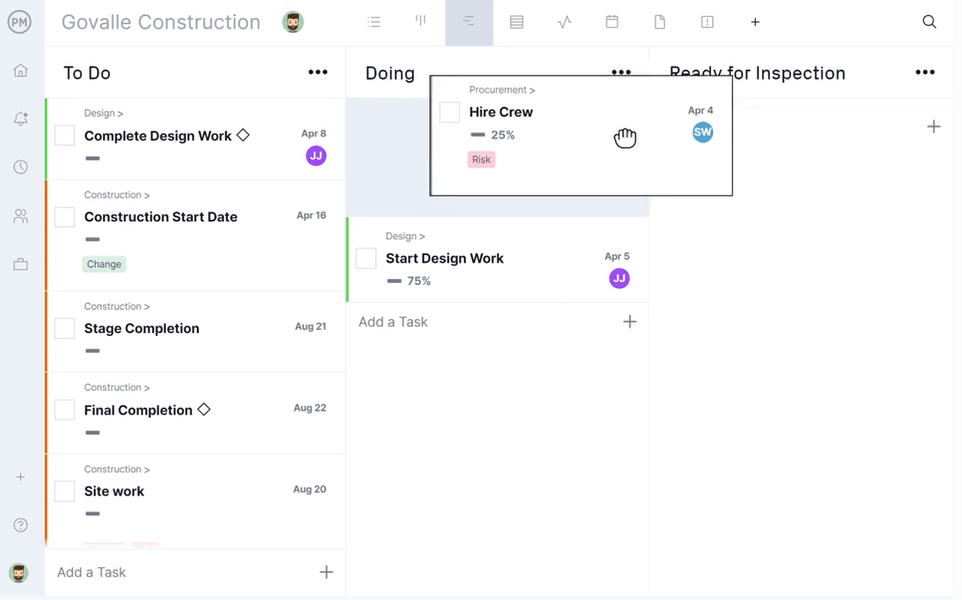
When your Teams communication flows but project updates stumble, ProjectManager fills the gap. ProjectManager is a cloud-based visual project management tool with Gantt charts, Kanban boards, task lists, dashboards, and workload charts.
With the Teams project management integration, you can create, search for, and update tasks using simple slash commands. Edits made in Teams sync instantly with the PM tool, ensuring both platforms stay in harmony.
Whether updating task statuses from a channel message or referencing a task ID in chat, ProjectManager embeds your workflows into daily collaboration. It offers no-code workflow automation across all project views to reduce your project organization’s dependency on the IT team.
Here’s a G2 review:
The user interface is simple to use and easy to communicate with others. It has a great team environment to adhere to the usual project management activities. It has a dashboard and report that can be easily used so making it powerful for managing projects.
📚 Read More: Screen Share Software for Remote Meetings
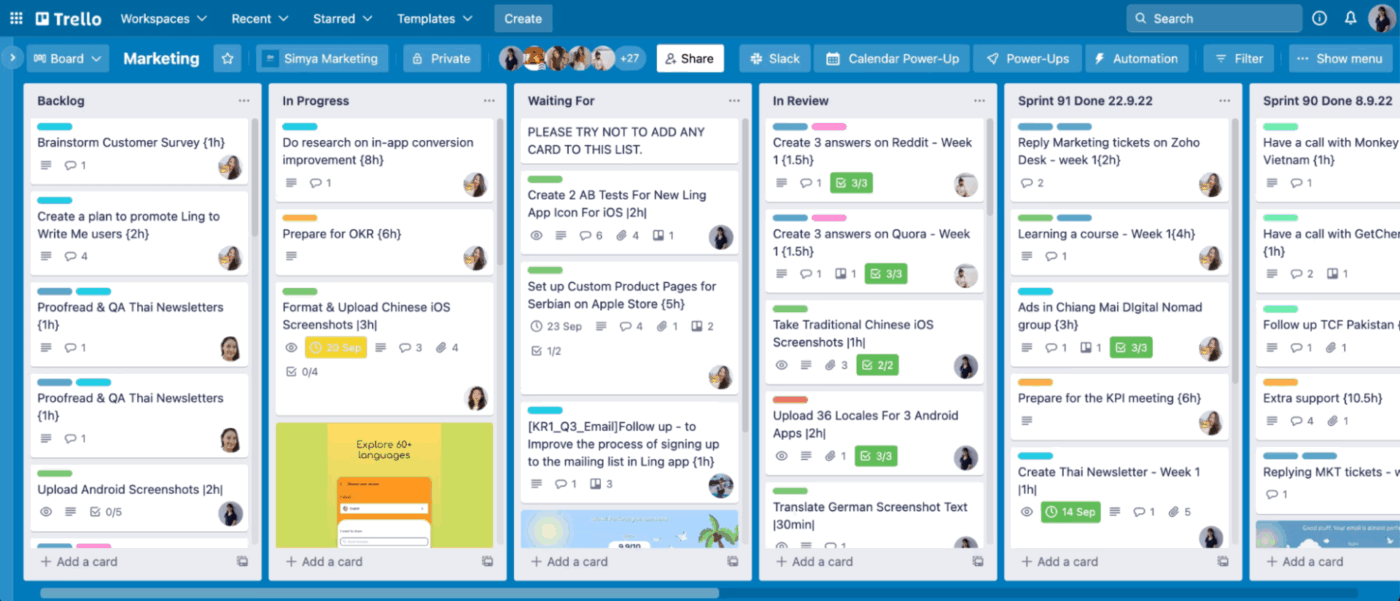
Trello is a card-based project management tool that helps your project managers organize work visually. Think of it as a digital board where you can drag and drop lists. Over these lists, you can assign owners and even track progress.
Within Trello, you can turn your emails into actionable tasks. All you need to do is forward them to your Trello Inbox, and Atlassian Intelligence (AI) will convert them into organized to-dos, with relevant links
Inside Microsoft Teams, Trello allows you to convert direct messaging into a particular action, say, during a team standup. You can pin a board to any channel for quick access, create new cards from chat messages, and get notified when teammates comment, update a task, or complete a checklist.
Here’s a G2 review:
What I love about Trello is how simple it is to use and how visual everything is. I’m the type of person who likes to see everything laid out clearly, and Trello does that perfectly. The boards and cards let me organize my tasks exactly how I want to, and it’s super easy to assign things and track progress.
👀 Did You Know: A core group of 8 people initially built Microsoft Teams in secret, after Microsoft decided against acquiring Slack, to create their own competitor. Led by Jigar Thakkar and Brian MacDonald, the small team was tasked with the ambitious goal of creating a chat-based collaboration platform to enhance Microsoft’s productivity suite and compete with Slack’s burgeoning popularity in the workplace.
📚 Also Read: 20 Best Trello Alternatives and Competitors
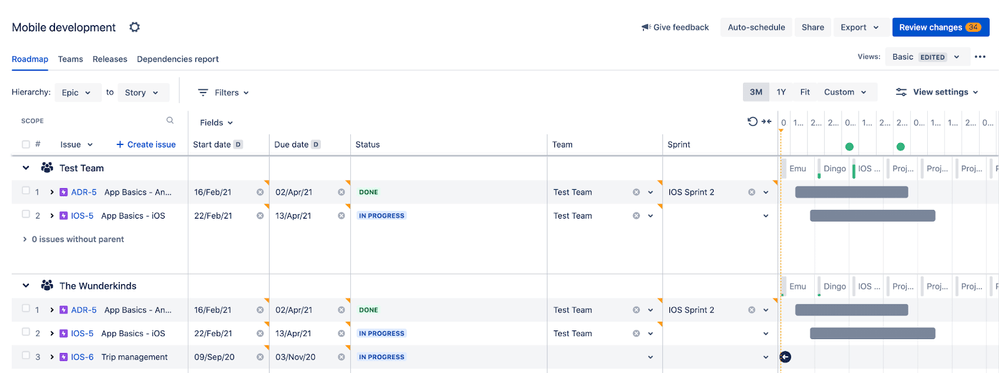
Jira is a project management tool designed for software and engineering teams to deliver work using Agile workflows. When conversations about bugs, features, or incidents happen in Microsoft Teams, Jira makes it easy to capture and act on them instantly.
Using the Jira Cloud app, you can turn any Teams message into a Jira issue. The built-in AI writer allows you to auto-fill summaries and descriptions based on the message context. The issue card appears right in the chat, showing status, assignee, and priority.
From there, you can search, watch, update, or comment on issues without ever leaving Teams. Slash commands like /jira find, @Jira Cloud, or /create help users pull tickets into the conversation or get notified when they’re mentioned or assigned.
Automations in Jira can also push key activities, like issue transitions or new bug reports, directly into Teams channels.
Here’s a G2 review:
What I like best about Jira is that everything goes into one place, and it is easy to manage complex projects. Its capability for customizing the workflows, building out descriptive tickets, and tracking progress visually really assists with organization.
📚 Read More: Best JIRA Alternatives for Agile Teams
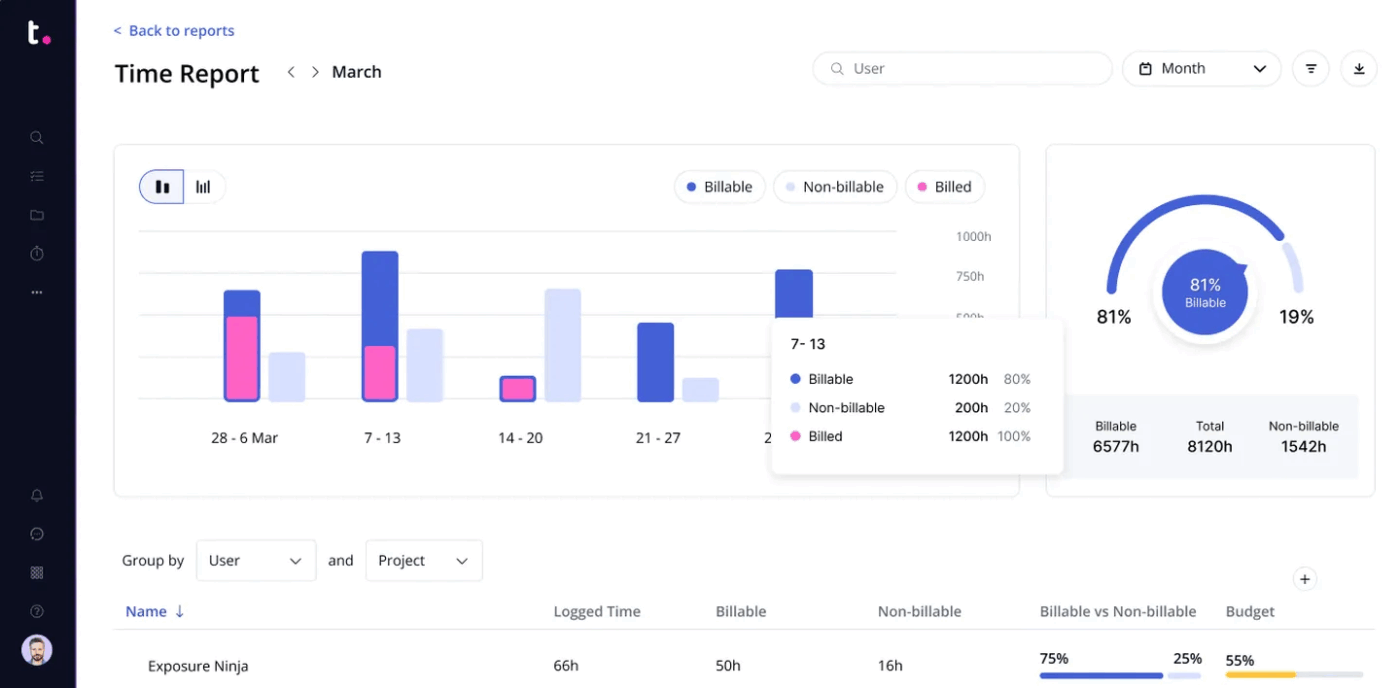
Teamwork is a project and resource management platform designed for client-focused businesses. It solves the disconnect between conversation and action for client-driven teams working inside Microsoft Teams.
By integrating with Teams, you don’t require users to switch apps—they stay in Teams while turning chat into structured work. This reduces effort and creates transparency around deliverables.
Pinned Teamwork tabs inside Teams channels make project boards (like Kanban or Gantt) visible to everyone. You can even add task updates and deadline sync within Teams.
Here’s a G2 review:
Teamwork easily allows us to share the workload amongst colleagues with total visibility of progress so far. Jobs are assigned, tracked, and archived with complete simplicity, meaning our whole team has continuous awareness of the big picture.
👀 Did You Know: In 2019, Microsoft announced that Skype for Business would be retired in favor of Teams. The transition was completed in 2021, making Teams Microsoft’s flagship communication tool.
📚 Also Read: Best Teamwork Alternatives and Competitors
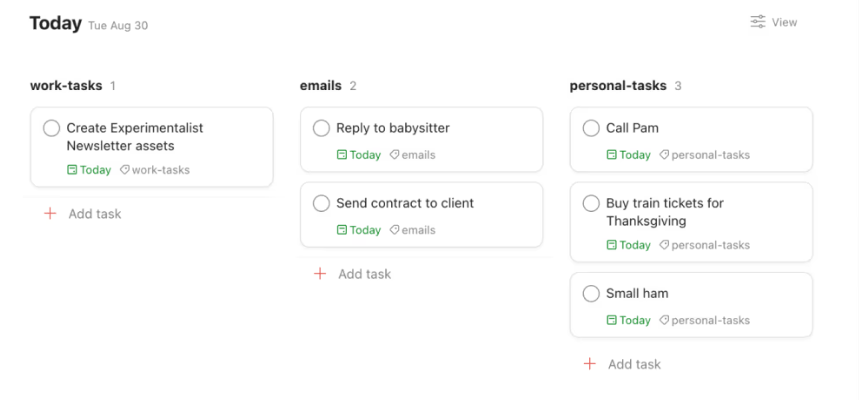
The task management app, Todoist, helps users capture thoughts, organize projects, and prioritize actions across personal and professional domains using natural-language input.
Users can quickly turn any Teams message into a Todoist task without leaving the chat—just click the “More actions” menu on a message and select “Add task to Todoist.”
Beyond the native integration, Todoist also works with no-code automation tools like Zapier to automate workflows between Microsoft Teams and Todoist. For example, you can automatically create a Todoist task when a new Teams message is posted in a specific channel, or send a Teams notification when a task is completed. These integrations reduce manual work and keep everyone in sync.
Here’s a G2 review:
I’m using Todoist since 2016. I completed 57.500 tasks for now. In recent years, I have seen a lot of progression in the life of this program. I think it is an easy-to-use program with a lot of handy tools and options. I can’t imagine my life without a tool like Todoist.
📚 Also Read: Best Todoist Alternatives & Competitors
Grammarly’s report estimates that U.S. businesses incur $1.2 trillion in annual losses due to communication failures. One of the likely reasons? Project management that happens outside your team’s main communication tool.
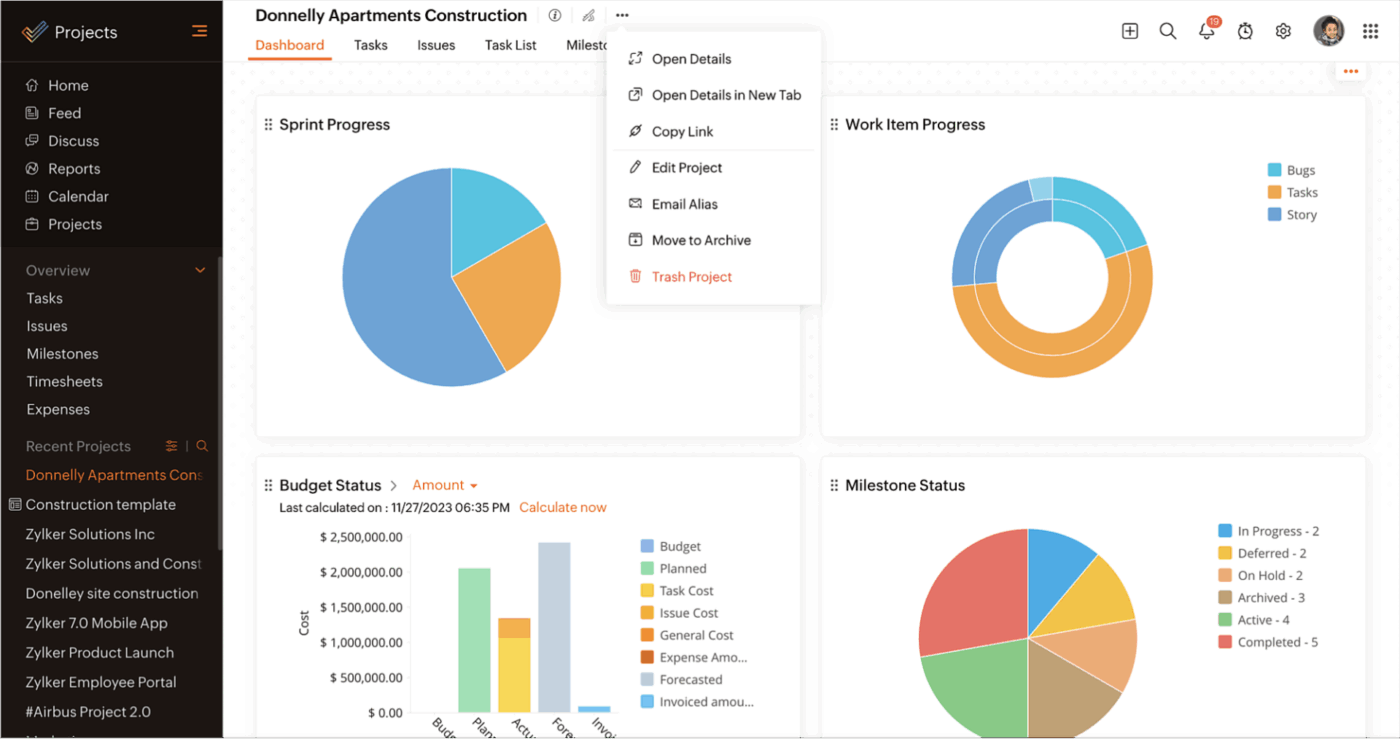
Zoho Projects integrates deeply with Microsoft Teams to close that gap—turning conversation into structured collaboration. It brings task lists, Gantt charts, milestones, and issue tracking directly into the Teams interface.
You can pin entire project views as tabs inside channels, create tasks from chat messages, and use the Zoho Projects bot to assign work, set deadlines, and check off deliverables.
When a teammate flags a blocker in chat, you don’t have to copy it into another tool. Turn that message into a task, assign it on the spot, and see it reflected immediately in your project dashboard in Microsoft Teams.
Here’s a G2 review:
Zoho Projects is surprisingly easy to use for a full-featured project management tool. We were able to get started quickly without any complex onboarding.
🧠 Did You Know? Henry L. Gantt, an American mechanical engineer and management consultant, invented the Gantt chart in the 1910s to give a visual representation of project activities against time.
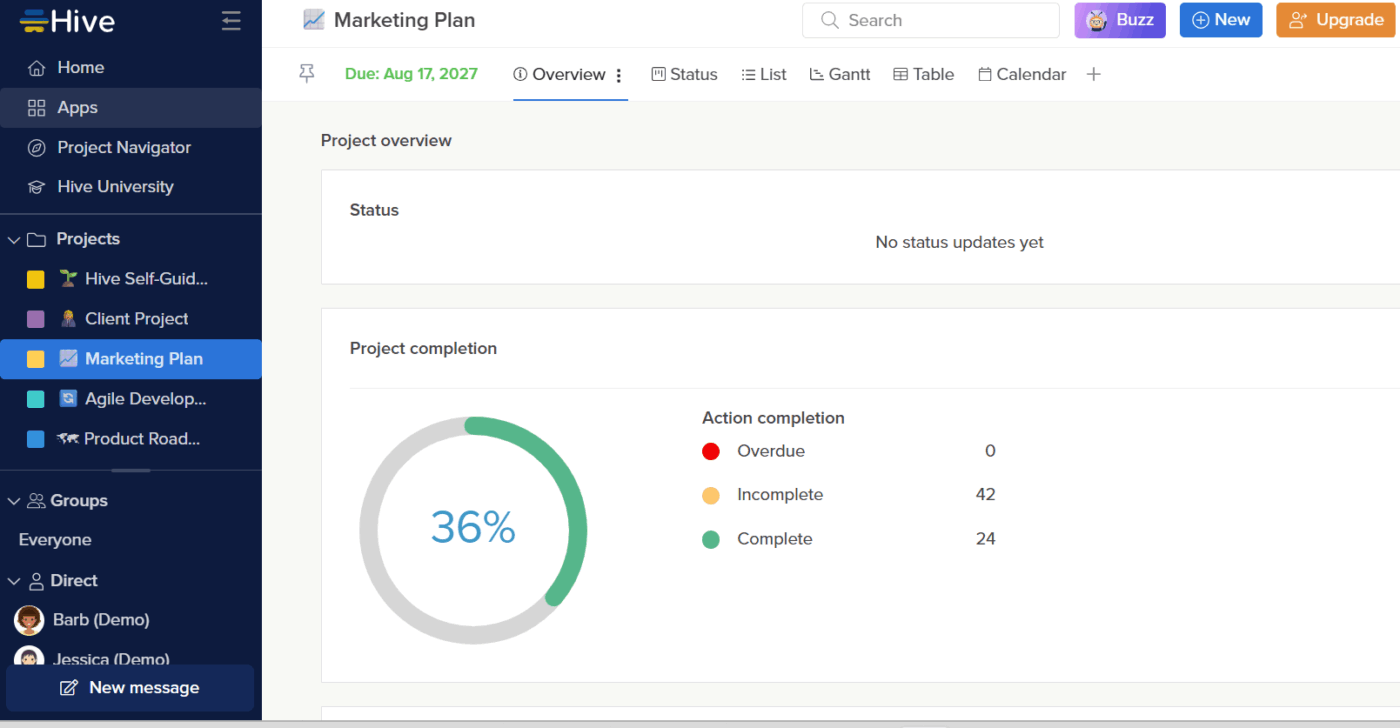
When you’re managing projects, the last thing you need is another tab to check. Hive helps teams plan and execute work with built-in tools for time tracking and workload management. Its dashboards show live workspace activity, and you can adjust filters and widgets to focus on what matters.
Integrating Hive means you can access all of the Hive app’s functionality directly within MS Teams. You can also access the project workspace right inside the channels where your team collaborates.
Simply pin a project as a tab to provide everyone with real-time access to tasks, timelines, and updates.
Here’s a G2 review:
Hive really helps our team stay organized on many different projects. We are a large team of about 21 people working on different campuses. Hive keeps us synced together and on time as if we were all in the same office.
📚 Also Read: Hive Alternatives for Project Management
Communication is important, but execution moves the needle. Too often, teams spend hours discussing action items that never materialize beyond meetings.
If you’re looking to choose project management software that works where your team already communicates, ClickUp’s Microsoft Teams integration is your best bet.
It turns conversations into trackable tasks—so you can instantly convert messages into to-dos, assign work, and monitor progress.
You want your project management teams to be the most efficient version of themselves. And ClickUp makes it happen with its suite of features.
Sign up on ClickUp for free to get started.

Manasi Nair
Max 14min read
Manasi Nair
Max 9min read

Arya P Dinesh
Max 17min read

© 2026 ClickUp