
Sorry, there were no results found for “”
Sorry, there were no results found for “”
Sorry, there were no results found for “”
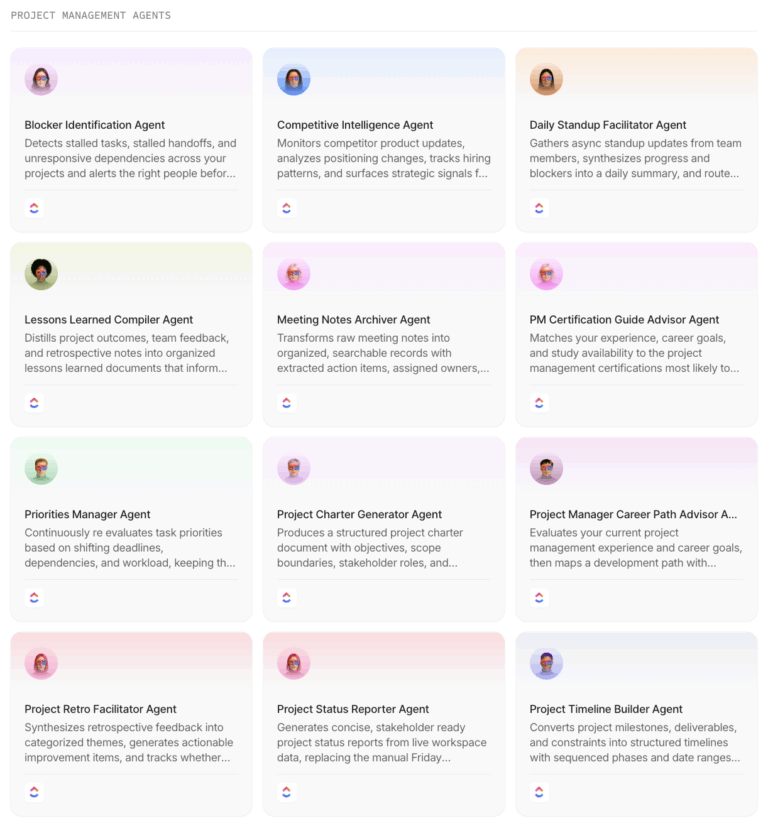
Every time you ask someone about AI agents for project management, you get a list of disconnected AI features. And that’s not enough, not anymore.
A feature waits for you. You open a panel, type a prompt, read a summary, and close it. In comparison, an agent watches for a trigger, decides what to do, acts inside your project, and gives you a detailed log afterward.
In short, an agent’s ability to take autonomous action on your behalf is what makes the tool helpful. And why should you care now? Because someone did the math, and it is a bit sad.
Wellingtone’s 10th annual State of Project Management Report, published in March 2026, found 72% of project professionals still spend half a day or more every month collating reports by hand. An agent can take that job off a project manager’s plate.
So here are 10 AI agents for project management. For each one, we look at what triggers the agent, what actions it can take for you, and how much control you keep over it.
The short version: ClickUp Super Agents go furthest on goal-directed work that crosses Lists, Docs, and Chat in one workspace. Asana AI Teammates and the monday AI Work Platform are strong picks if you want agents working inside structured processes your team already follows. Atlassian Rovo is the pick when permissions and audit trails matter more than autonomy. Notion Agents suit doc-heavy teams, and Dust is the option if your work is scattered across tools you have no intention of replacing.
| Tool | Best for | Standout agent capability | Starting price | G2 rating | Where it taps out |
| ClickUp Super Agents | Goal-directed work across one workspace | Multi-step reasoning across tasks, Docs, Chat, and connected apps | Free Forever; paid plans available | 4.6/5 (14,500+) | Needs organized workspace context and admin setup |
| Asana AI Teammates | Structured cross-functional processes | Agents that route intake, fill fields, and assign owners | $13.49/user/month | 4.4/5 (14,000+) | Frequent runs use metered AI requests |
| monday AI Work Platform | Configured agents inside board workflows | Agents that monitor boards, make decisions, and update items | $12/seat/month | 4.7/5 (16,700+) | Agents are tied to individual workspaces |
| Atlassian Rovo | Permission-aware agents in engineering organizations | Agents can run under a user or their own scoped account | $7.91/user/month | 4.3/5 (7,900+), Jira listing | Context is strongest inside Atlassian |
| Notion Agents | Doc-driven project management | Scheduled agents that read databases, write pages, and use connected-app context | $12/member/month | 4.7/5 (13,800+) | Custom Agents use their own access and require higher plans |
| Wrike AI Agents | Approval-heavy delivery across complex projects | Agents can read dependencies, approvals, workload, and project fields before acting | $10/user/month | 4.2/5 (4,400+) | Requires admin setup and AI prerequisites |
| Smartsheet | Grid-based portfolios that need AI-assisted actions | Creation Agent builds connected workspaces; MCP-connected agents can update sheet data | $12/member/month | 4.4/5 (22,300+) | Smart Agents are still in the Early Adopter Program |
| Linear Agent | Small, fast engineering teams | Delegated agents work on issues, draft pull requests, and run recurring Loops | Free; paid plans from $12/user/month | 4.6/5 (123) | Built mainly for engineering work |
| Taskade | Building multi-agent teams from scratch | Teams of specialist agents can route, sequence, or combine work through automations | Free; Pro from $20/month | 4.5/5 (88) | Requires more agent and workflow setup |
| Dust | Orchestrating agents across an existing tool stack | Agents hand off work and act across connected company systems | Free; Pro from $30/month | 4.7/5 (87) | Adds an agent layer but does not replace a PM system |
Our editorial team follows a transparent, research-backed, and vendor-neutral process, so you can trust that our recommendations are based on real product value.
Here’s a detailed rundown of how we review software at ClickUp.
An AI agent for project management is software that acts on your project without being prompted each time. That is the whole test, and it has four parts worth checking before you shortlist anything.
That fourth point separates the products that are ready from the ones that are demos.
An agent with write access and no audit trail is a liability, and it is the first question a security team will ask you. Once the audit bit is sorted, check what the ongoing usage costs are. Seats, requests, credits, and actions all count, and some agents pause when an allowance runs out.
9 of the 10 tools below clear the first two tests, but differ on the third and fourth tests, and that’s where your buying decision sits.
Read More: For some conceptual background before the list, we cover the types of AI agents and AI agent examples separately, and our primer on agentic AI covers where this category is heading.
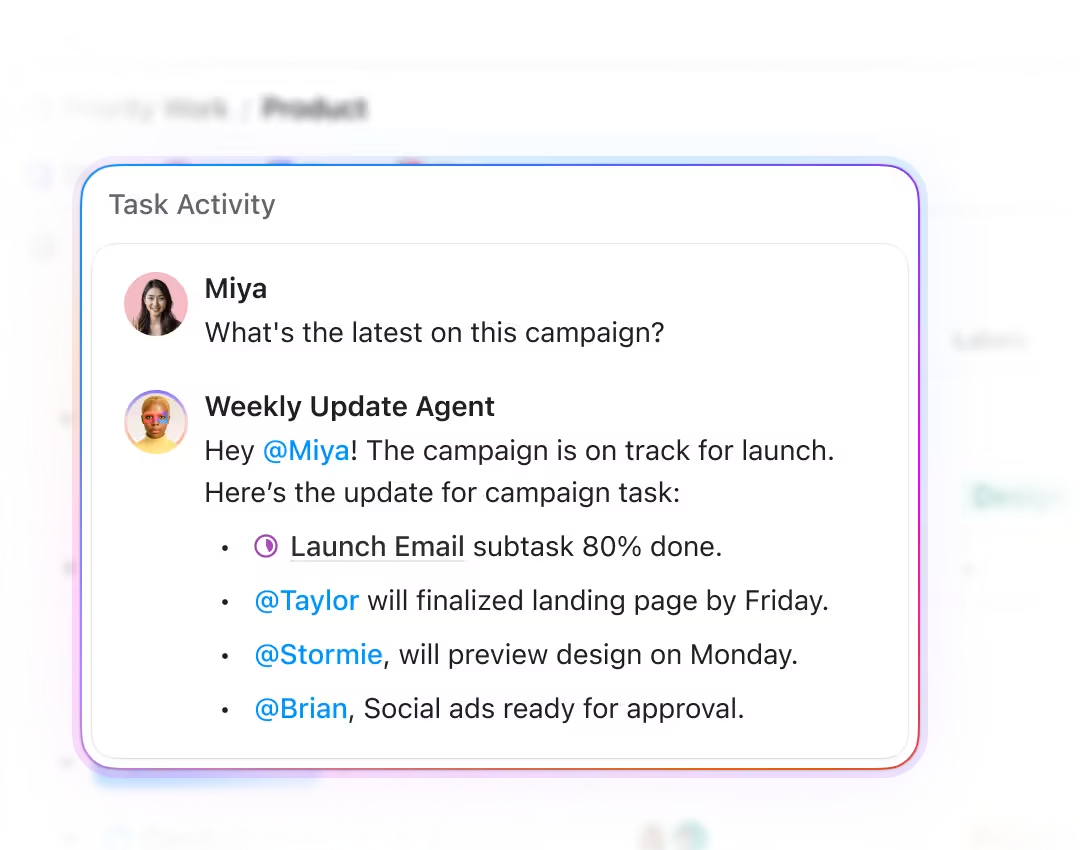
ClickUp splits its agents into three categories. Autopilot Agents fire on defined triggers and conditions inside a specific List, Folder, Space, or Chat channel. Super Agents work across locations and are given a goal rather than a rule. Certified Agents, the highest tier, are custom-built for business-critical processes with help from ClickUp’s teams.
Super Agents perform multi-step reasoning, hold memory that evolves with tasks, and can learn from errors and feedback. You trigger them by @mention, direct message, on schedule, or via automation. They pull context from your Tasks, Docs, Chat, and selected external apps through Brain². Every action is logged, you control who can trigger each agent, and they ask for human approval on critical decisions.
ClickUp’s agents can also hand work to each other. When a task in the launch List moves to Blocked, an Autopilot Agent configured on that List fires via ClickUp Automations and writes the blocker reason to a Custom Field. The same status change launches the project’s reporting Super Agent, which checks the blocked task’s dependencies, flags the downstream tasks at risk, and adds the blocker to the weekly status report Doc.
Where it taps out: Super Agents need to draw on a lot of workspace context to be efficient, so the agent builder rewards teams that have already organized their spaces, Lists, and permissions. The AI add-on and credit allowance should be part of the budget for sustained use.
Best for: Goal-directed work across a connected workspace, especially when reports need context from Tasks, Docs, and Chat.
Skip it if: Your work is split across platforms and cannot be brought into a shared workspace or supported MCP connections.
A user review says:
One feature I found particularly interesting was ClickUp’s AI Agent capability. I configured an Interview Invite Drafting Assistant for our recruitment workflow that could use candidate task information, comments, and custom fields to prepare Gmail interview invitation drafts. I also set it up to recognize missing or conflicting information and request clarification rather than creating a draft immediately. I liked being able to combine task data, workflow instructions, connected tools, and AI behavior within the same work environment.
Overall, one of the biggest benefits for me is how adaptable ClickUp is. I can use the same platform for recruitment, CRM workflow testing, structured operational tasks, and AI-assisted processes instead of managing each of those areas completely separately.
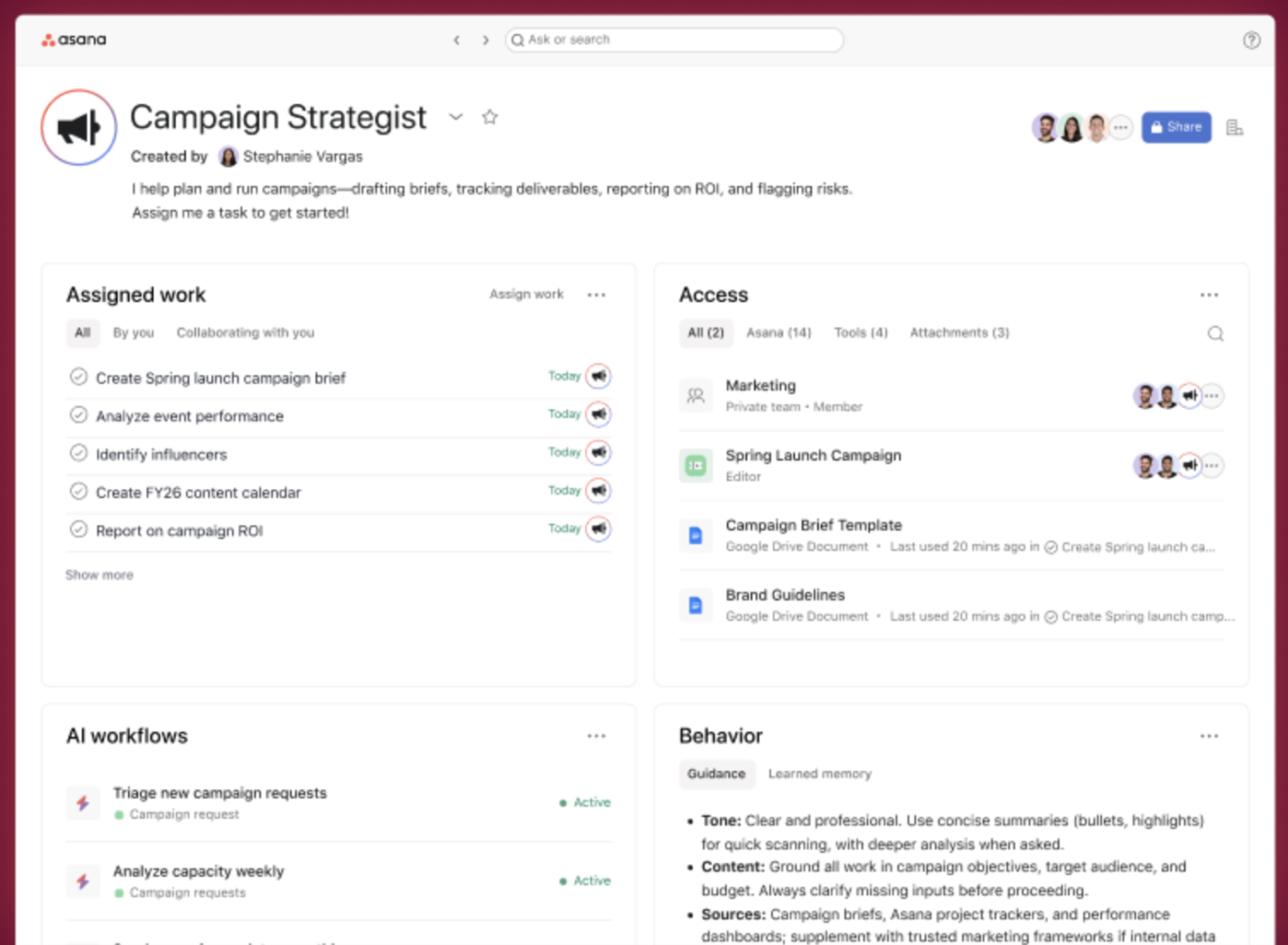
Asana groups its AI under Agentic Work Management, which has three main parts: AI Teammates for ready-made agents, AI Studio for no-code automation, and Asana Dash, an AI chief of staff for each user.
It earns the second slot because its agents work inside the workflows your team already follows, meaning you don’t have to design new ones. An AI Teammate can own an intake queue. It reads incoming requests, sorts them by your rules, fills in custom fields, and assigns an owner. AI Studio builds the routing logic without code. AI Teammates run on Asana’s Work Graph, so they inherit the project structure instead of guessing at it.
In September 2026, Asana also launched Service Management as a separate product, with an AI agent that resolves routine IT, HR, and facilities requests.
AI requests: $0.50/request prepaid; $0.60/request pay-as-you-go.
Where it taps out: AI Teammates are available on paid workspaces, and each successful AI request draws from an allowance. Frequent complex runs can move a team to prepaid requests or pay-as-you-go billing, so admins should set spend limits before wider use.
Best for: Structured cross-functional processes, especially where requests need routing, owners, and shared project context.
Skip it if: You need high-volume agent work without a budget for metered AI requests.
A user review says:
I like the fact that you can make tasks recurring in Asana, and you can also set milestones and goals. It’s really handy that you can share them with your entire workspace instead of just one specific unit. I also appreciate the automation sets with rules, as they create an integrated system for the entire company to operate. Asana serves as our tool for tracking everything that’s happening within all departments and stakeholders. Those rules regarding subtasks could be improved. And also with Studio AI. Has a lot of room for improvement. I believe those are things that are being worked on.
Read More: If you are still mapping the wider stack, our roundup of AI productivity tools covers the layer beneath it.
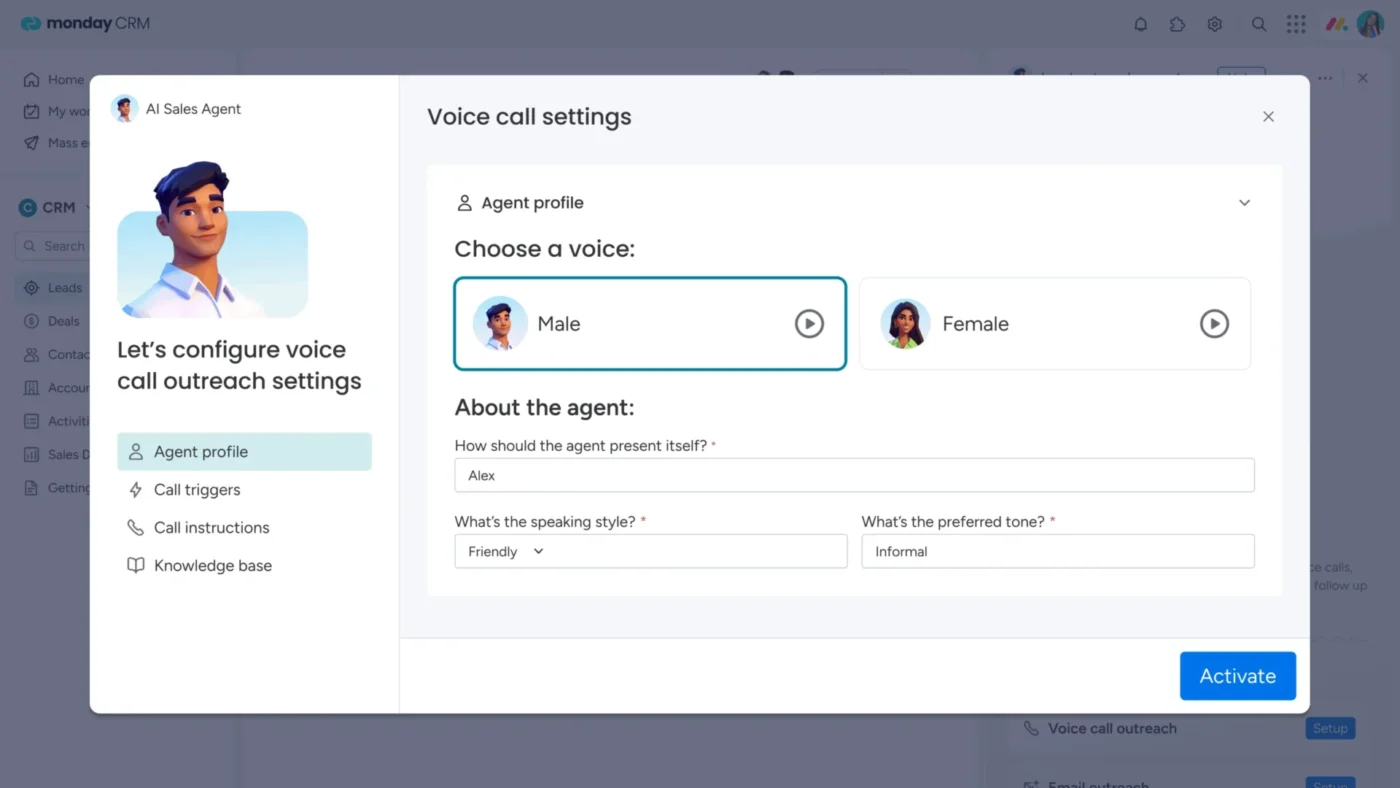
This one is for the board lovers. To start with, monday agents can monitor board activity, apply the priorities and rules you define, and take actions such as creating and updating items, assigning owners, changing statuses, and drafting messages.
They use the same board data your team already maintains. The breadth is the draw: rather than building a risk agent from scratch, you can start from a template and adjust its scope, triggers, and actions.
For example, a PMO could configure an intake agent to watch a request board, classify new requests against its thresholds, assign an owner, and write the result into the board. The agent’s Activity tab gives admins a record of each run and lets them pause it if the workflow needs a change.
AI credits: $0.01/credit on annual billing or $0.0125/credit on monthly billing.
Where it taps out: Agents are tied to the workspace whose boards they work on, and monday’s docs say agent sharing across workspaces is still to come. Teams running several workspaces end up managing a separate agent for each one. Agents also draw from an account-wide AI credit pool that comes with every paid plan, and usage beyond it is billed separately.
Best for: Configured agents inside board workflows, where a PMO wants to start with a template and refine its triggers and actions.
Skip it if: Your team works across several workspaces and needs one agent to serve all of them.
A user review says:
I like that it’s already integrated with my Monday boards and workflows. It understands exactly what I’m referring to in my prompts, and it also works well for tasks outside the platform, such as sending reminder or follow-up emails through the Outlook integration. The UI is extremely easy to use, even for team members who aren’t very tech-savvy. It doesn’t seem to have a central place where I can configure everything. I have one agent in one workspace and another agent in a different workspace, and as an admin I have to dig through the settings just to see which agents exist. Overall, there doesn’t really seem to be a central home for managing them.
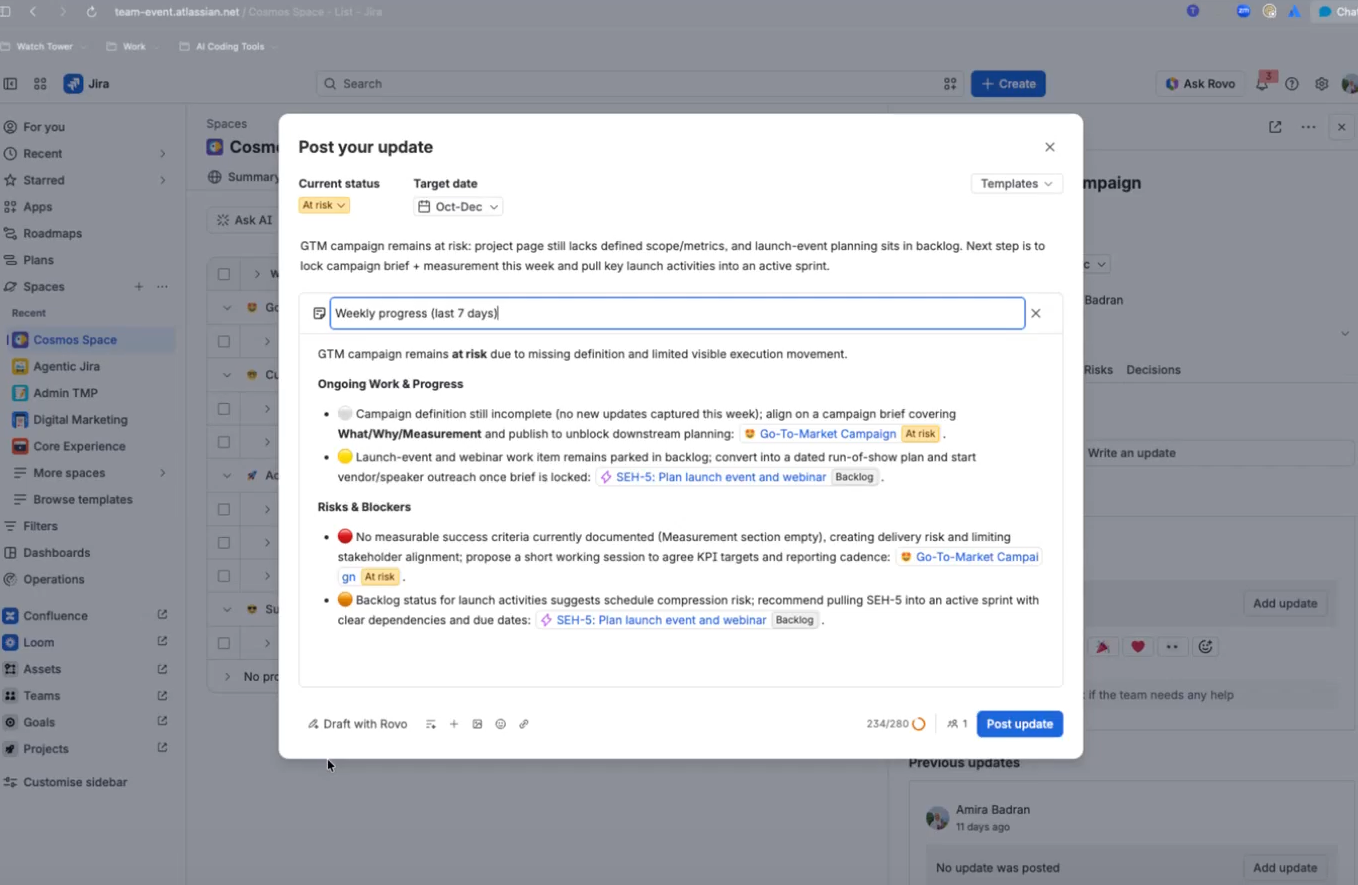
Rovo is Atlassian’s agent layer across Jira, Confluence, and Jira Service Management. It is the pick for organizations whose blocking question is what an agent is allowed to see, rather than what it can do.
Rovo agents search, chat, and take action across the Atlassian suite, handling ticket triage, issue creation, and knowledge retrieval. When you build an agent, you choose its identity: it can run on the user’s own account and see only what that person can see, or on its own agent account, with access granted by admins the way a new hire’s would be.
Atlassian recommends the agent account for automations because the agent then works within a narrow scope, and its changes are logged under its own name. Custom agents are built in Rovo Studio with low-code or no-code tools.
Rovo credits: included in paid plans; extra usage is $0.01/credit.
Where it taps out: Rovo connects to some third-party apps, but its deepest context is Jira and Confluence. Teams running half their work elsewhere will find the agent’s context incomplete.
Best for: Permission-aware agents in engineering organizations already running Jira and Confluence.
Skip it if: Your important project context lives mostly outside Atlassian.
A user review says:
What I like most about Jira is how easy it makes it to organize and track my work. As a UI/UX Designer, I can clearly follow design tasks, requirements, progress, and bug tickets in one place, which makes coordination with the development and QA teams much easier.
I especially like Rovo, as it has helped me save a lot of time when finding information, understanding tickets, and working through project-related tasks. Overall, Jira helps me stay organized and gives me better visibility into what the team is working on.
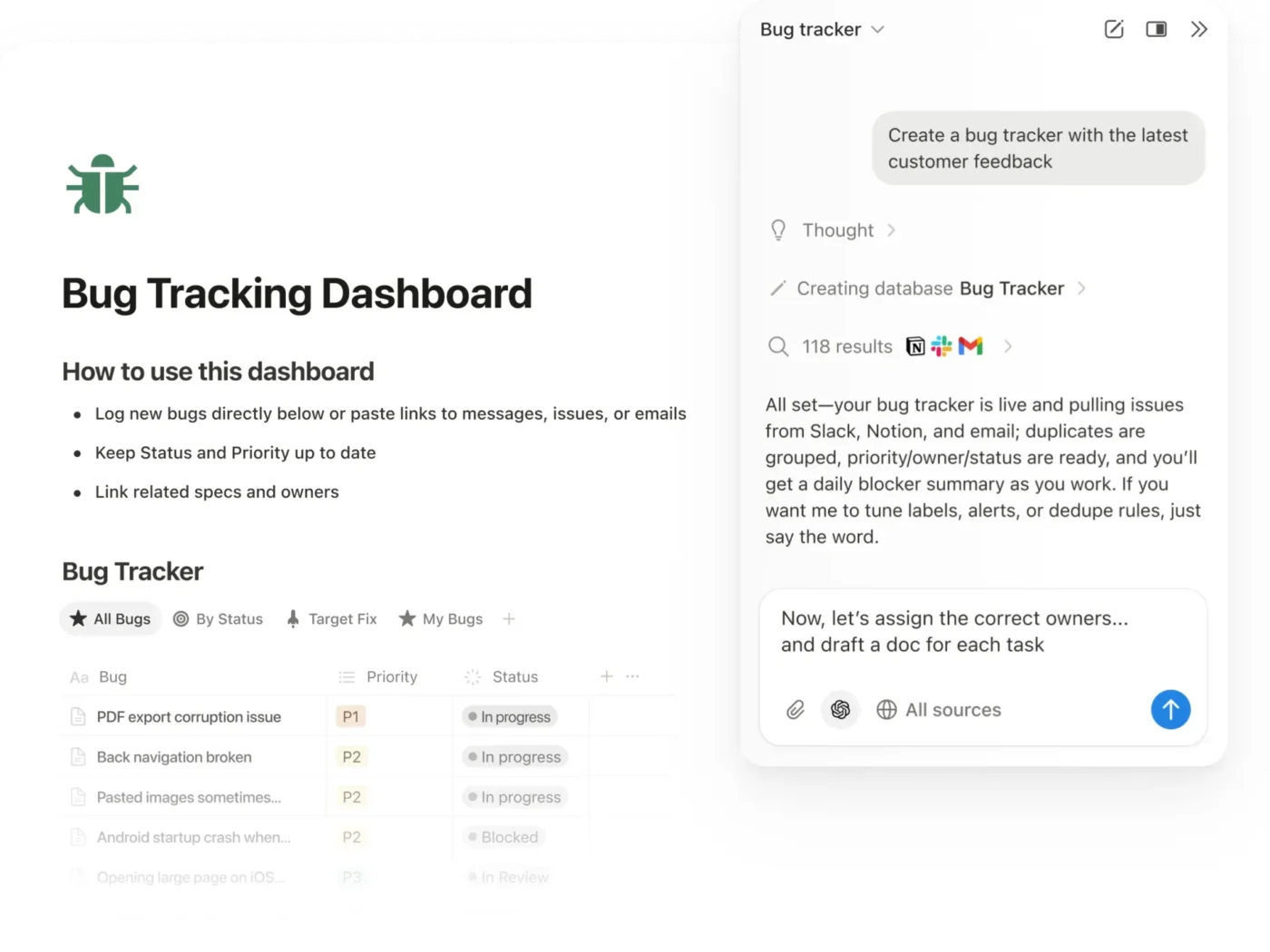
Notion is on this list for teams whose project plans live in docs and databases. A project brief, its task database, and its meeting notes all sit in the same workspace, so Notion’s agents work from the same pages your team already writes and updates.
The platform has two kinds of agents. Notion Agent works on request. You ask it to research a topic, draft a doc, or update a database, and it works through the steps for you. It can also build a new project database from a brief or fill in properties across many rows at once.
Custom Agents run in the background. Each one starts on a schedule or when something changes, like a new page in a database, an updated property, or a message in Slack. For example, a Custom Agent can run every Monday morning. It reads the project database and last week’s meeting notes, writes a status update page for each active project, and flags any task whose due date has passed. Enterprise Search lets both agent types pull answers from connected apps, so the update can include context from Slack threads or Google Drive files.
Custom Agent credits: $10 per 1,000 monthly credits.
Where it taps out: Custom Agents run on their own access, not the permissions of the person using them. Sharing an agent shares everything it can see, so a teammate could get answers from pages or database rows they can’t open themselves. Custom Agents are also limited to Business and Enterprise plans.
Best for: Doc-driven project management, where briefs, plans, and decisions live in pages and databases.
Skip it if: You need cross-functional portfolio controls to be the primary workspace rather than the supporting document layer.
A user review says:
What I didn’t expect is how well Notion works as a write target for AI systems built outside it. We run agents through the Notion MCP server and they publish results straight into databases as rows. A row is both something a person can act on and something an agent can write, which is a rare combination. One routine scans customer calls hourly and creates a follow-up row with a recap and a ready-to-send draft attached. The person’s experience is just “there’s a new row,” which is the point.
The net effect is a single system of record rather than four tools each holding part of the picture.
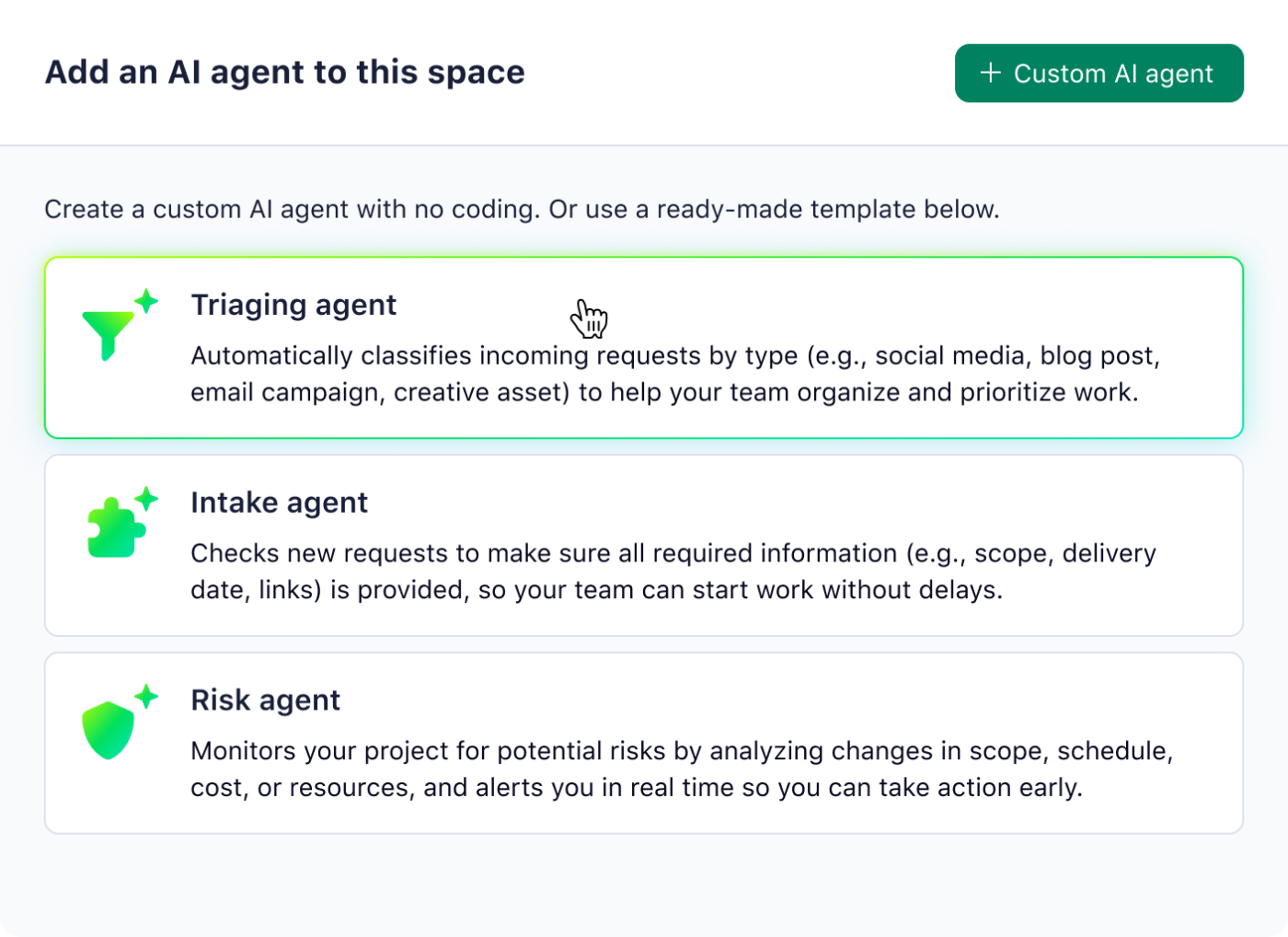
Wrike’s agents can do what the other platforms on this list do. The difference is how much of the project they can read. A Wrike agent can check dependency chains, approval status, and each person’s workload before it acts. That matters most when work runs through several rounds of review.
It gives teams three ways to get an agent running. Prebuilt agents cover common jobs like flagging risk, escalating missed deadlines, triaging and validating new requests, setting up projects, and tracking review cycles. Installable templates and Wrike’s public AI Agents Library add more ready-made agents, each with prompts, triggers, and actions you can copy.
For anything else, the Agent Builder lets you describe the job in plain language, and it sets up the trigger, scope, and actions using your own fields and workflows.
Where it taps out: AI Agents are only available on Business plans and above. Each agent needs a Space admin to set it up, Generative AI turned on by the account owner, and a signed AI Addendum. Someone then has to appoint the agent to a folder or project before it starts working.
Best for: Agencies, creative operations, and PMOs running client or campaign work with several approval rounds, especially teams managing many deliverables against project trackers.
Skip it if: Your projects are simple enough that an agent doesn’t need dependency or approval context to make good decisions.
A user review says:
The interface is easy to use, it comes with an app, and we can reach out to the help team with any questions while setting up an account. Performance-wise, it works exceptionally well. We’ve currently linked it with Hubspot and Teams, which is another plus for getting quicker status updates. And with the new Wrike AI agents, it’s continuing to improve its AI capabilities.
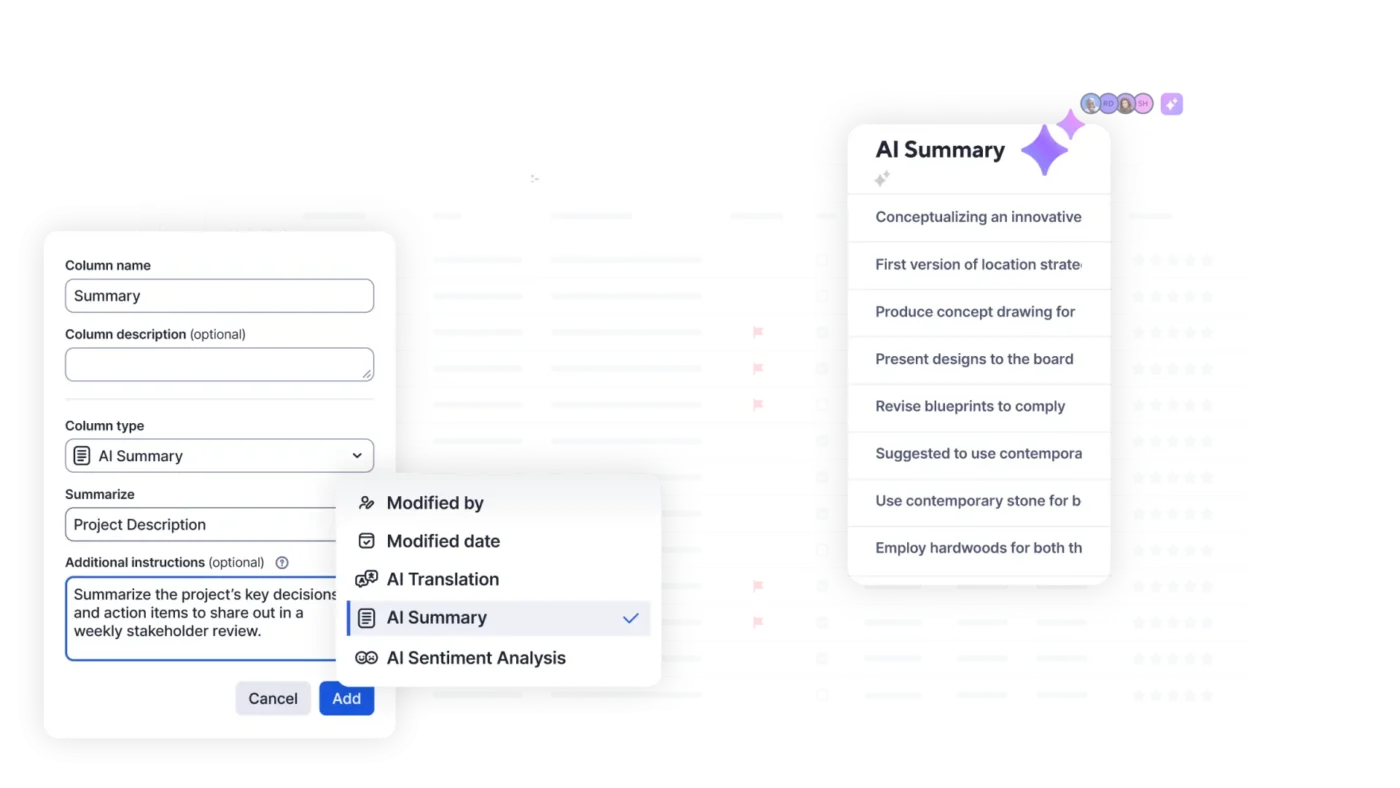
Smartsheet’s Creation Agent builds the structure. You describe a project, it asks clarifying questions, and then it sets up a connected workspace with sheets, forms, reports, dashboards, and automations. You can start it from Smart Assist inside Smartsheet, or from Claude, ChatGPT, Copilot, or Gemini through the Smartsheet MCP Server.
Once the workspace is built, an agent can keep it moving. Say a team launching a product asks for a launch workspace. The Creation Agent builds the project plan and a budget tracker, then adds an automation that checks due dates every morning and emails the owner about overdue tasks.
An external agent connected through MCP can then find at-risk tasks, update their status, add comments that flag the problem, and create escalation rows. It only works within sheets the user already has access to. Smartsheet’s own always-on agent is still in development. The Project Manager Smart Agent will watch progress, flag risks, and recommend changes for a person to approve, but it’s only available through the Early Adopter Program.
Where it taps out: Smartsheet’s generally available AI runs when someone asks it to. Smart Agents, which would monitor programs on their own, are still in an early adopter program, so today Smartsheet doesn’t meet this article’s definition of an agent.
Best for: Enterprise PMOs in construction, manufacturing, and regulated industries that depend on Gantt-based schedules.
Skip it if: You need a generally available autonomous agent today rather than a current prompt-led AI suite.
A user review says:
Smartsheet is powerful, but some advanced features can take time to learn, especially when setting up complex workflows, reports, and automations. The interface can feel a little overwhelming for new users, and larger sheets may require careful organization to stay easy to manage. Some integrations and advanced capabilities may also require higher-tier plans, which can affect the overall cost. AI features are useful, but their value can vary depending on the type of work. Support resources are helpful, although getting familiar with all the available options can take some time.
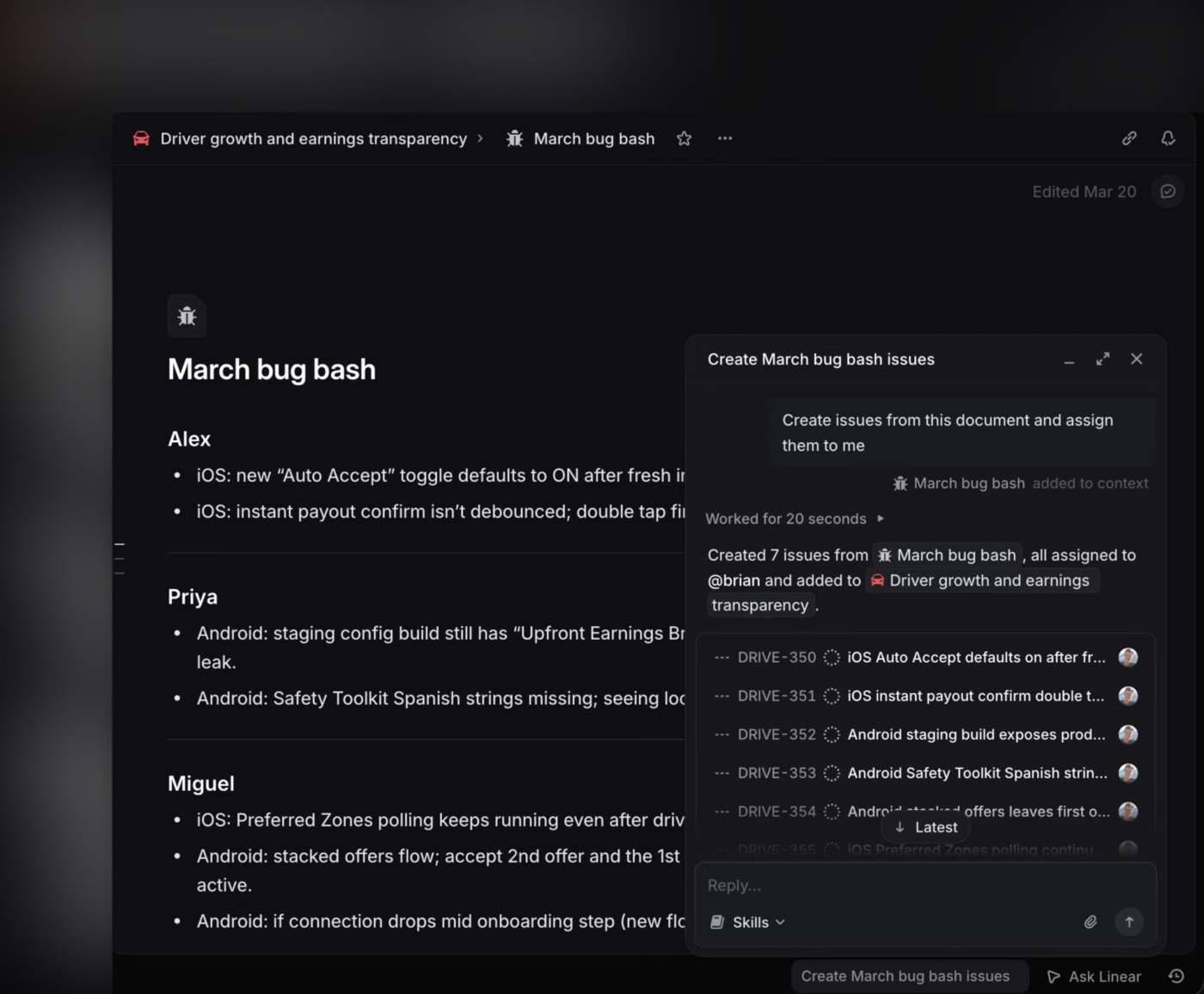
Linear’s Agent can read your issues, projects, cycles, and documents. You can chat with it or mention @Linear in any comment. It only sees and changes what you already have access to, and it’s included on every plan, Free too.
The agent model is delegation. You assign an issue to Linear Agent or to an installed agent like Cursor or Codex. The agent does the work while the human assignee stays the owner. If coding sessions are turned on, Linear Agent drafts a pull request and adds the diff to the issue for review.
Loops handle recurring work. You describe the job in plain language, then choose a schedule or an event trigger, such as a project’s target date changing. When that happens, the loop can update the launch doc, create follow-up issues, or post an update in Slack.
Coding sessions and Loops: Coding sessions use provider-model rates plus $0.25 per 20-minute sandbox block; typical Loop runs cost $0.07–$0.20.
Where it taps out: Linear is built around engineering work: issues, cycles, and pull requests. Non-technical teams can use it, but it has no native time tracking. Estimates measure effort in points, not hours. If you plan capacity around people’s hours, you’ll need a third-party integration.
Best for: Small, fast engineering teams that value speed over configurability.
Skip it if: You need one workspace for engineering and non-technical teams together, or you plan capacity in hours.
A user review says:
I like that Linear is fast and works well with keyboard input, which makes managing issues more efficient. The agent also works quite well, enhancing the overall experience. Switching to Linear from GitHub Issues was a great decision because GitHub Issues felt terribly slow and clunky in comparison. I also found the initial setup of Linear to be very easy, which was a pleasant surprise. Overall, these aspects make Linear a product I highly recommend, giving it a 10 out of 10 for likelihood to recommend to others.
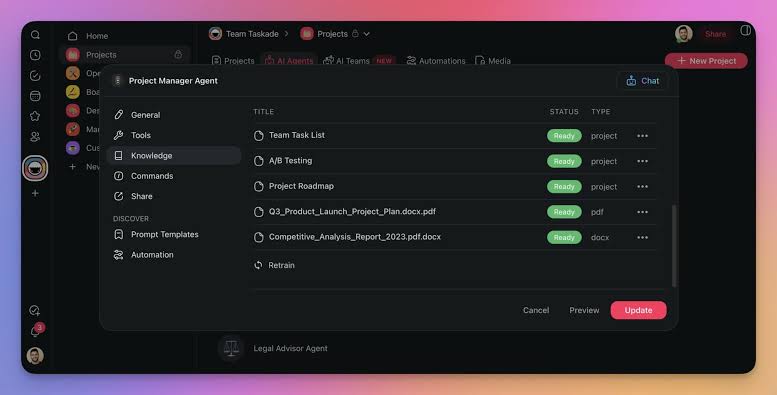
A Taskade agent is a specialist you build once and reuse across projects.
You give it a role, a knowledge base, and tools. The knowledge base can include files, web pages, YouTube videos, and RSS feeds. The tools let it create tasks, update projects, send emails, and post to Slack. You can start it from chat, the agent sidebar, or by typing / and one of its commands on any task.
Agents can also work as a team. An AI Team groups specialists, such as a researcher, a planner, and a writer, and you choose how they respond. In Auto mode, Taskade sends the request to the best-fit agent. In Everyone mode, each agent answers separately. In Orchestrate mode, the agents work together on one combined result. You can also assign a whole team to a task, and Taskade picks the agent that fits the work.
AI credits: Free includes 3,000 one-time credits; Pro includes 50,000/month, and Business includes 150,000/month.
Where it taps out: Taskade gives you a lot of control, but that control creates setup work. You need to define each agent’s role, knowledge, tools, and approval rules before a multi-agent workflow becomes reliable. Teams that want a focused agent inside an existing project system may find Taskade’s builder and automation layers excessive.
Best for: Teams that want to design their own agent teams and workflows.
Skip it if: You need a focused project-management tool with minimal setup.
A user review says:
The UI is fast, clean, and flexible. Having built-in AI agents that understand project memory means we don’t need to write complex scripts or connect multiple third-party tools just to run simple workflows.
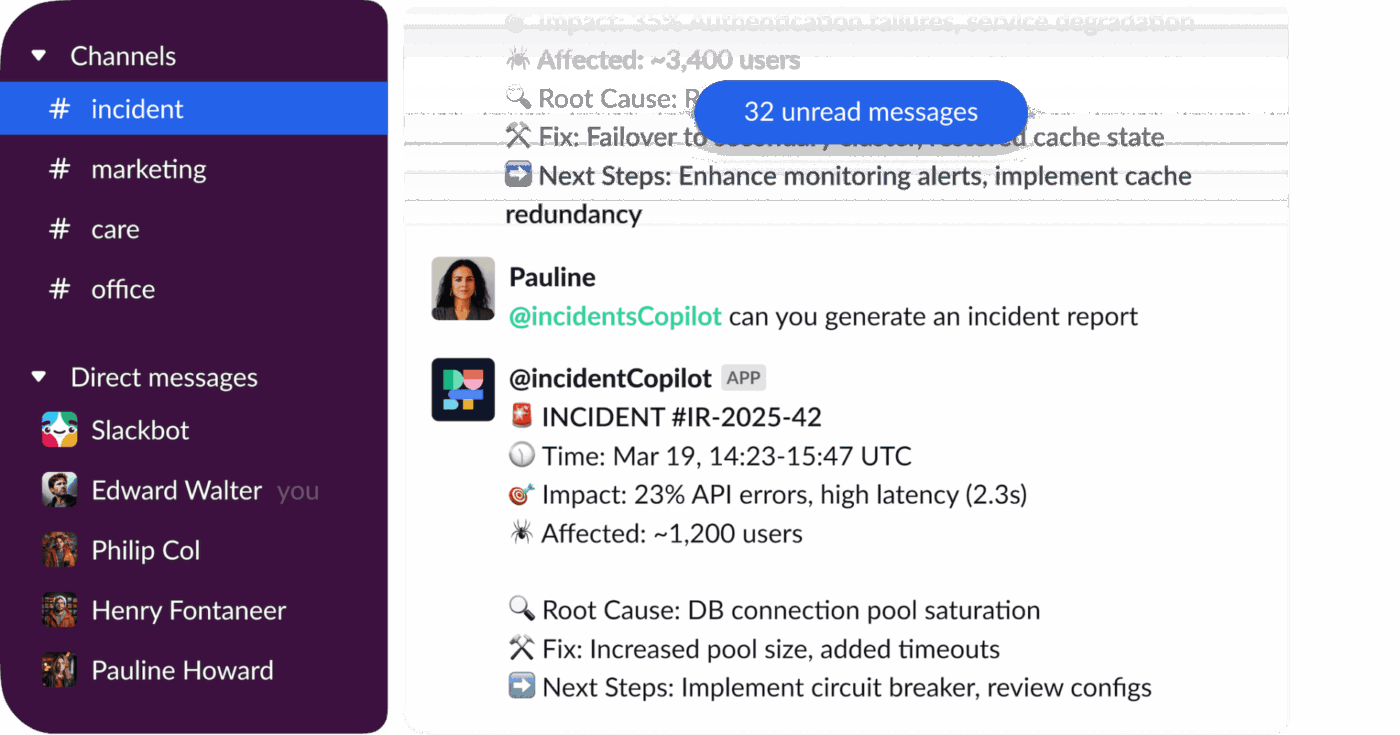
Dust is a meta-platform for building AI agents over the systems your company already uses. Instead of moving work into a new project-management structure, you connect Dust to sources such as Slack, Notion, GitHub, Google Drive, and CRM tools, then build agents that search across them with the right permissions.
The agent builder separates an agent’s instructions from its knowledge and capabilities. That lets you create a focused agent for a recurring job.
Dust also supports agent handoffs. A general agent can call a specialist, pass it the relevant context, and use the result in the original conversation. Reusable Skills package instructions, knowledge, and tools so that several agents can use the same process. Triggers can launch agents on a schedule, from a webhook, or through Slack workflows.
AI credits: Pro includes 8,000/seat/month, and Max includes 40,000/seat/month; programmatic use is $0.01/credit.
Where it taps out: Dust’s value depends on the quality and coverage of the company data connected to it. Admins also need to manage source permissions, credentials, Skills, and tool access before agents can work safely across the organization. If your work already lives inside one project-management system, Dust may add a configurable agent layer where a native assistant would be simpler.
Best for: Teams that need agents to reason across scattered company knowledge and connected business tools.
Skip it if: Your work stays in one system and you need a ready-made workflow rather than an agent platform to configure.
A user review says:
Dust makes it genuinely easy to build agents. You can go from an idea to a working assistant in minutes, without needing engineering help. The connector and MCP ecosystem is a big part of that. Plugging into our existing tools meant our agents actually had the context they needed to be useful for support and RevOps work. On top of that, the value for money is hard to beat compared to other platforms we looked at.
Every vendor demo shows an agent doing something useful. None of them shows an agent doing something wrong, which is the scenario you should actually plan for.
The failure mode is not dramatic. Imagine an agent that reassigns 12 tasks based on a stale capacity reading or closes a batch of tickets that looked duplicated and were not. Each of those is recoverable on its own. What makes it expensive is finding out three days later and having no record of which action came from a person and which came from software.
So before you evaluate capability, evaluate three controls, because they are what separate a tool you can deploy from one you can only pilot:
The tools that handle this well tend to be the ones that built agents on top of an existing permission model rather than bolting them onto a chat window. And that marks the difference between a successful rollout and a retraction.
The practical advice: Give your first agent the most boring job you have. Weekly status compilation is ideal, because it is high-volume, low-risk, and easy to spot if it goes wrong. Once you trust the log, widen the scope. Teams that start with client communication learn the same lesson more expensively. Our guides to AI agents for automation and building an AI agent go deeper on the setup.
The strongest agent is almost always the one with the most context, and context follows your existing platform.
One test cuts through the marketing faster than any comparison table. Ask the vendor to show the agent recovering from a mistake. A product that can only demonstrate the happy path is telling you where it is in its development, and that is useful information delivered free. The same logic applies when evaluating project management software generally.
Then size the pilot honestly. An agent inherits your process, so a vague process produces a vague agent, and the teams that get the most out of this are usually the ones whose project goals and workstreams were already legible before AI arrived.
The tools on this list are closer in capability than their marketing suggests. Where they differ is in audit trail and governance.
Any of them can draft a status update, but only some let you limit an agent to one project, require approval before it acts, and review its actions afterward.
Start with the agent in the tool your team already uses. Give it the weekly status report first, and check its activity log for a month before you give it more access. To test this on a real project, get started with ClickUp for free and assign a Super Agent to your next status report.
AI agents take on recurring coordination work: compiling status reports, triaging incoming requests, flagging at-risk tasks before a deadline passes, updating fields after a change, and turning meeting notes into assigned tasks. Reporting is a good first job. Wellingtone’s 2026 research found 72% of project professionals spend half a day or more each month collating reports by hand. Agents do not replace planning judgment or stakeholder decisions.
The best agent is the one with access to your project data. ClickUp Super Agents lead for goal-directed, multi-step work across one workspace. Asana AI Teammates and the monday AI Work Platform suit structured processes your team already follows. Atlassian Rovo fits engineering teams that need permission-aware agents, Notion Agents fit document-led teams, and Dust fits teams whose work is spread across tools they plan to keep.
An automation runs a fixed rule: if X happens, do Y. An AI agent is given a goal and decides the steps, and it can change course when a step fails. ClickUp shows the difference inside one product. Autopilot Agents run on defined triggers and conditions in one location, while Super Agents work through multi-step tasks across the workspace. Use automations for predictable sequences and agents for work that needs judgment.
Yes, if three controls are in place: permissions that limit the agent to specific projects or data, an approval step before irreversible actions, and an audit log the project owner can read. Also check whose access the agent uses. Some agents act with the permissions of the person who runs them, while others run on their own account, so sharing the agent can share everything it can see.
Yes, with limits. Linear Agent is included on Linear’s Free plan. Taskade and Dust include a one-time credit grant on their free plans, and Zapier Agents has a free plan with a monthly activity allowance. Background agents and heavier usage usually need a paid plan or AI credits, so test on a real project before you commit.
No. Agents do not negotiate scope, manage stakeholders, or decide trade-offs. They take on the administrative work around those decisions, such as chasing status updates, compiling reports, and keeping the daily task list current.

Manasi Nair
Max 16min read
Manasi Nair
Max 13min read
Manasi Nair
Max 20min read

© 2026 ClickUp




