

The Agile methodology is all about continuous improvement. 📈
The idea is simple: Break down your work into smaller periods to satisfy your customers through the continuous delivery of new iterations or releases.
Okay—maybe it’s not that simple. Agile project management requires a lot of careful planning, team collaboration, progress tracking, goal alignment, and more. That’s why teams lean on powerful Agile project management software to stay on track every step of the way.
And that’s where Pivotal Tracker comes in. 🙂
Established in 2006, Pivotal Tracker is a veteran in the Agile project management sphere. Still, it lacks crucial functionality, making it less ideal for any team that isn’t solely focused on software development. And while the Agile methodology was initially created for software teams, these practices now benefit virtually any large-scale project. That’s what drives many to seek out Pivotal Tracker alternatives—and we’re here to help.
Follow along as we dive into the challenges and drawbacks Pivotal Tracker poses for its users, and the top 10 software alternatives to remedy those issues. Find detailed feature breakdowns, pro and con lists, pricing information, and more!
This Article Contains:

 Summarize this article for me please
What is Pivotal Tracker?
Pivotal Tracker is a popular Agile project management tool to help software teams work together, plan projects, and oversee progress from start to finish. It revolves around the creation of “stories,” which represent small projects or features, and it excels at capturing key data for detailed project analytics and progress reporting.
Pivotal Tracker also has several collaboration features built-in to keep members updated including comments, an activity section, a follow feature, @mentions, and notifications.

Other top Pivotal Tracker features include:
- Robust API and integrations to align with developer’s tech stacks
- Estimate the time and complexity required for each story
- Drag and drop stories to arrange priorities
- Bug tracking and management
- Labels to search, sort, and filter stories
- Visual story blockers to prevent roadblocks
And more! But Pivotal Tracker isn’t without a healthy dose of drawbacks. To name a few…
- Its features lack flexibility
- Difficult to customize
- Confusing UI and generally not the most user-friendly
- Helpful only for software teams
- No Gantt chart feature
And more. 👀
So what do you do? You bid Pivotal Tracker farewell and invest your time more productively—in a powerful Pivotal Tracker alternative. 🙂
Summarize this article for me pleaseWhat to Look for in a Pivotal Tracker Alternative?
Pivotal Tracker hits a lot of the key basics for Agile teams, but the Agile methodology itself hinges on continuous improvement—and your project management software should reflect that! Plus, one of the biggest red flags about Pivotal Tracker is that it’s targeted exclusively at software teams. This makes it difficult to adapt across industries, fast-growing teams, use cases, and more.
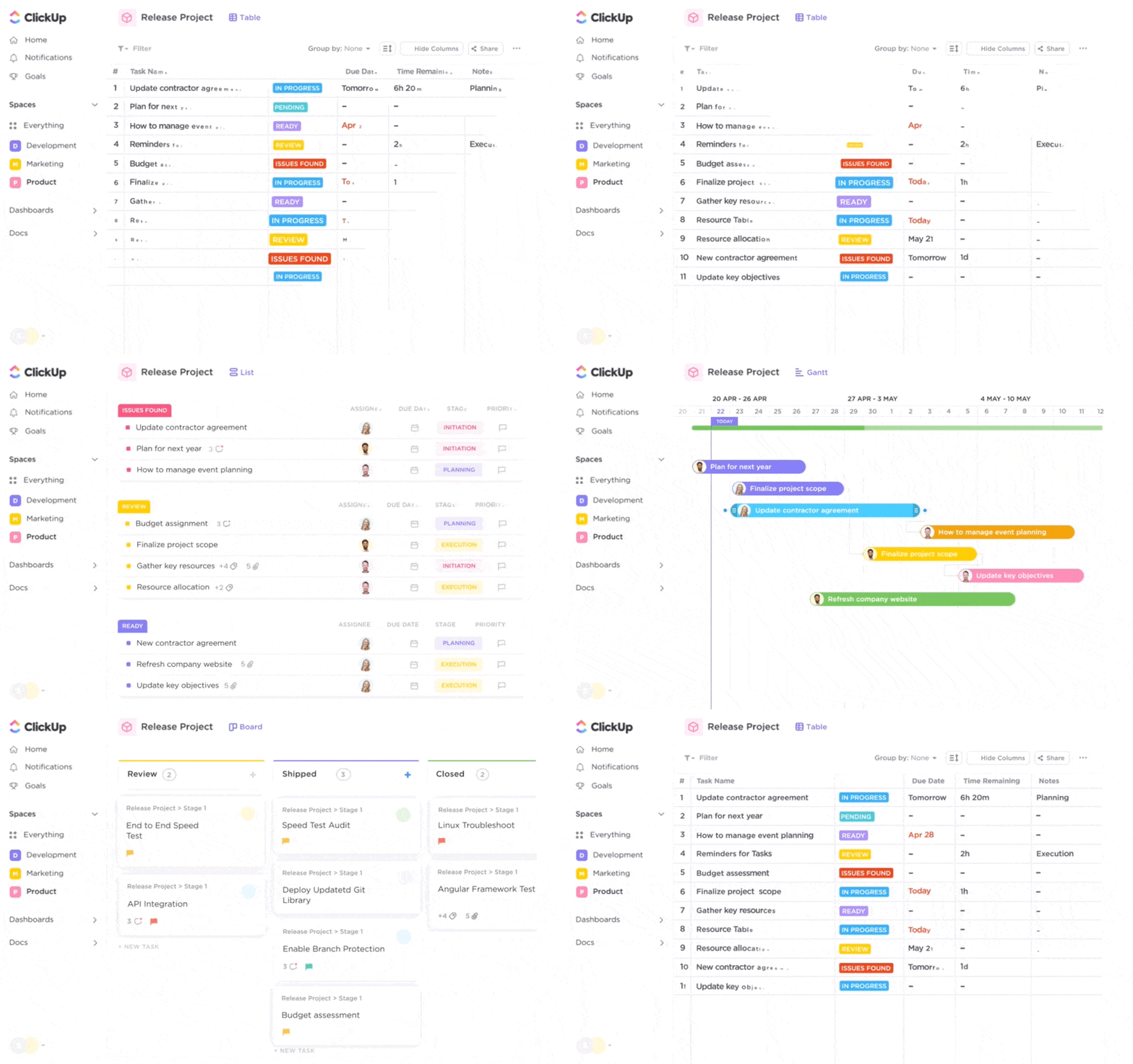
When scoping out your next software alternative, look for the fundamental features that Pivotal Tracker has in addition to these critical qualities:
- Flexible and customizable features
- Multiple project views (including Gantt charts)
- Templates to start using the platform faster
- An intuitive and user-friendly interface
- Highly visual by design
- Collaborative in multiple ways
- Dashboards, insights, and progress tracking
The good news is, most modern and competitive project management software do have a number of these features to offer teams of every size and budget.
The not-so-good news? You could be sifting through a lot of tools before you find the right Pivotal Tracker alternative for the team. Instead of sacrificing your time and energy on that trial-and-error process, start here. 🙂
Summarize this article for me pleaseThe 10 Top Pivotal Tracker Alternatives for Project Management
We’ve done our homework to bring you this curated list of the best 10 Pivotal Tracker alternatives for Agile teams.
Take back the time you would’ve spent scouring the web and take note of the top competitor’s key features, pros and cons, pricing, ratings, and more. 🙌🏼
1. ClickUp
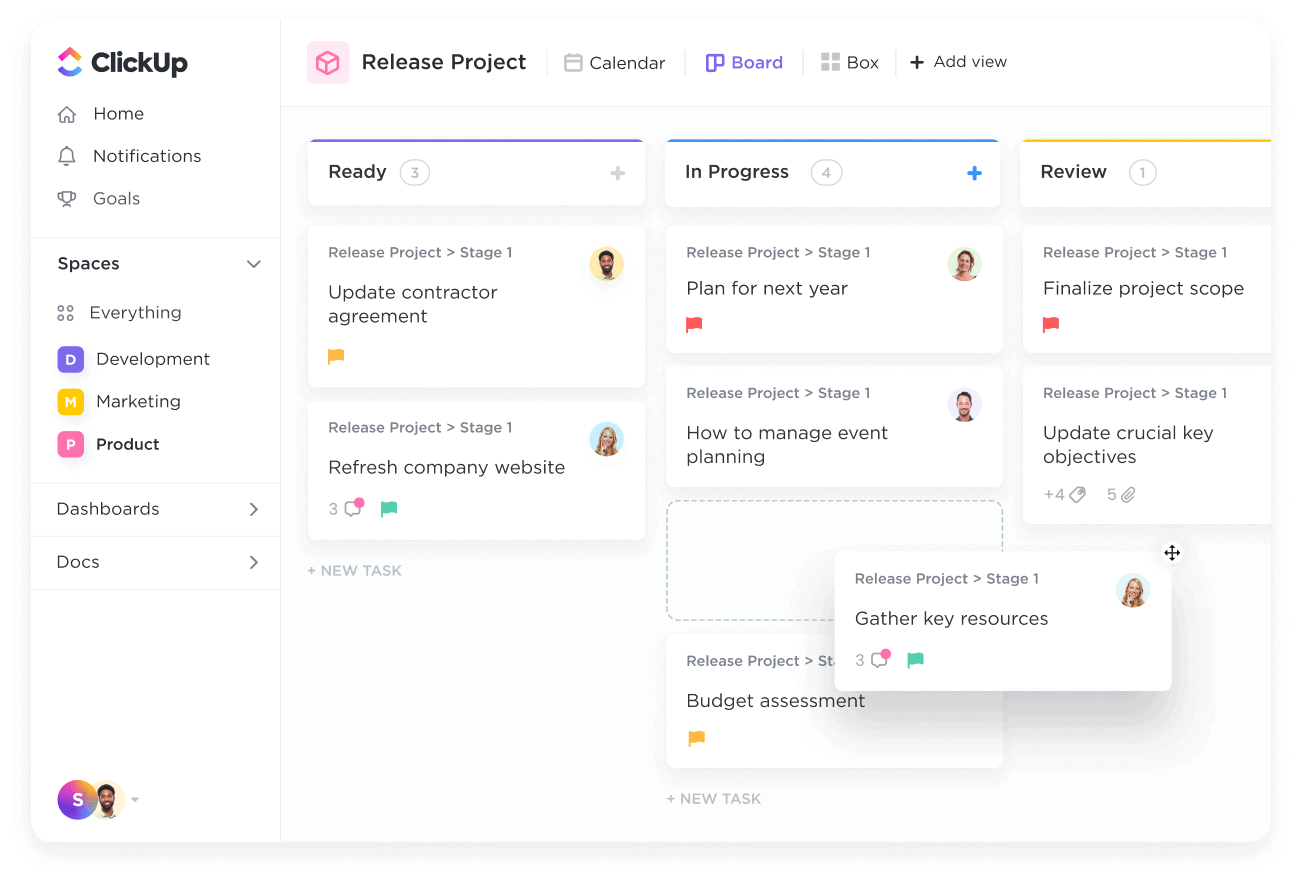
ClickUp is the only all-in-one productivity software powerful enough to centralize your work across apps into one collaborative and dynamic platform. ClickUp is the ideal Pivotal Tracker alternative with hundreds of fully customizable features and over 1,000 integrations to provide wall-to-wall solutions for Agile teams across industries, even on its Free Forever Plan.
There are more than 15 workflow views in ClickUp, including List, Calendar, Kanban-style Board view, and even Gantt view to visualize your tasks and progress from every angle. Plus, there are tons of ways to collaborate in ClickUp—whether through threaded task comments, assigned comments, Chat view, or using its highly visual Whiteboards tool.
ClickUp best features
- Agile Dashboards to for a high-level overview of your project’s velocity, cumulative flow, lead and cycle time, and more
- Multiple ways to automate repetitive tasks, including rolling tasks and consistent actions
- Forms to instantly create actionable tasks out of bug submissions
- Custom task statuses for instant progress updates at a glance
- Project Milestones to track your project timeline
ClickUp limitations
- So many additional features can pose a learning curve for some users
- Not all views are offered in the mobile app—yet!
ClickUp pricing
- Free Forever
- Unlimited: $7 per user, per month
- Business: $12 per user, per month
- Enterprise: Contact ClickUp for custom pricing
Ratings and reviews
- G2: 4.7/5 (5,670+ reviews)
- Capterra: 4.7/5 (3,540+ reviews)
2. Jira
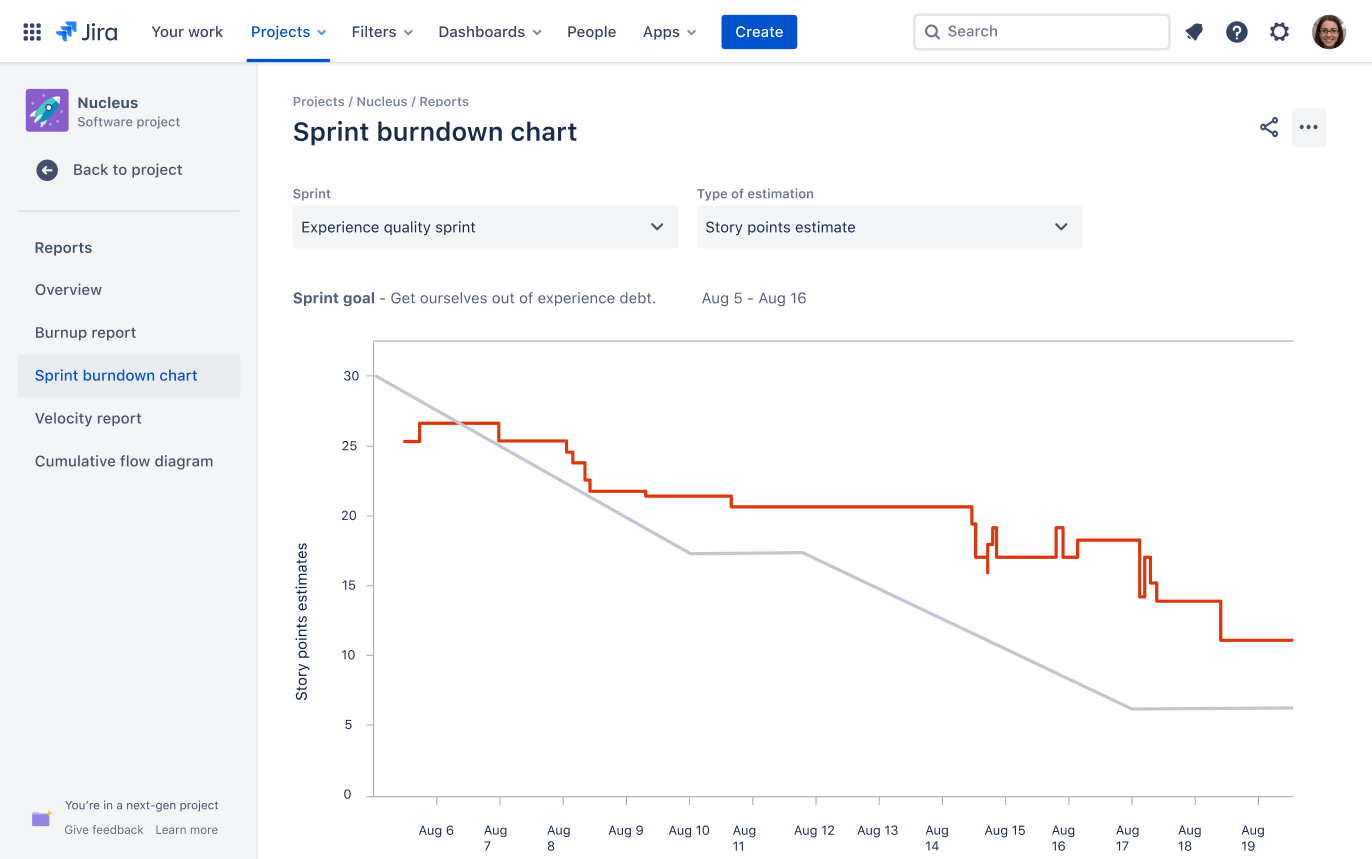
Jira is a bug-tracking and project management software designed for Agile teams and developers. Project managers can plan smarter Sprints with advanced reporting options, such as user workload, average issue age, and recently created issues. The Release Burndown Chart feature allows managers to track and monitor the progress of an entire release, while the Cumulative Flow Diagram allows project managers to visualize the amount and status of the work at any given time.
If you’re a non-development team, you might find the strict project views difficult to customize. Jira’s Agile interface is built around Kanban and SCRUM boards. This is perfect if your team works in Sprints, but difficult to use for cross-functional project work. For instance, you can’t easily create different views on project progress that include non-development tasks such as customer reviews and design iterations.
Read a detailed glossary of Agile SCRUM terms!
Jira best features
- Scrum boards for Sprints
- Kanban boards for issue tracking
- Roadmaps to delegate tasks
- Reports and dashboards
Jira limitations
- Steep learning curve for teams to train and integrate into custom workflows (check out Jira alternatives)
- Users cannot assess project risks or costs, complicating project management
Jira pricing
- Free: For 10 users
- Standard: $7.75/month per user, billed monthly
- Premium: $15.25/month per user, billed monthly
- Enterprise: Contact Jira for pricing
Jira ratings and reviews
- Capterra: 4.4/5 (12,000+ reviews)
- G2: 4.2/5 (5,000+ reviews)
3. Aha!
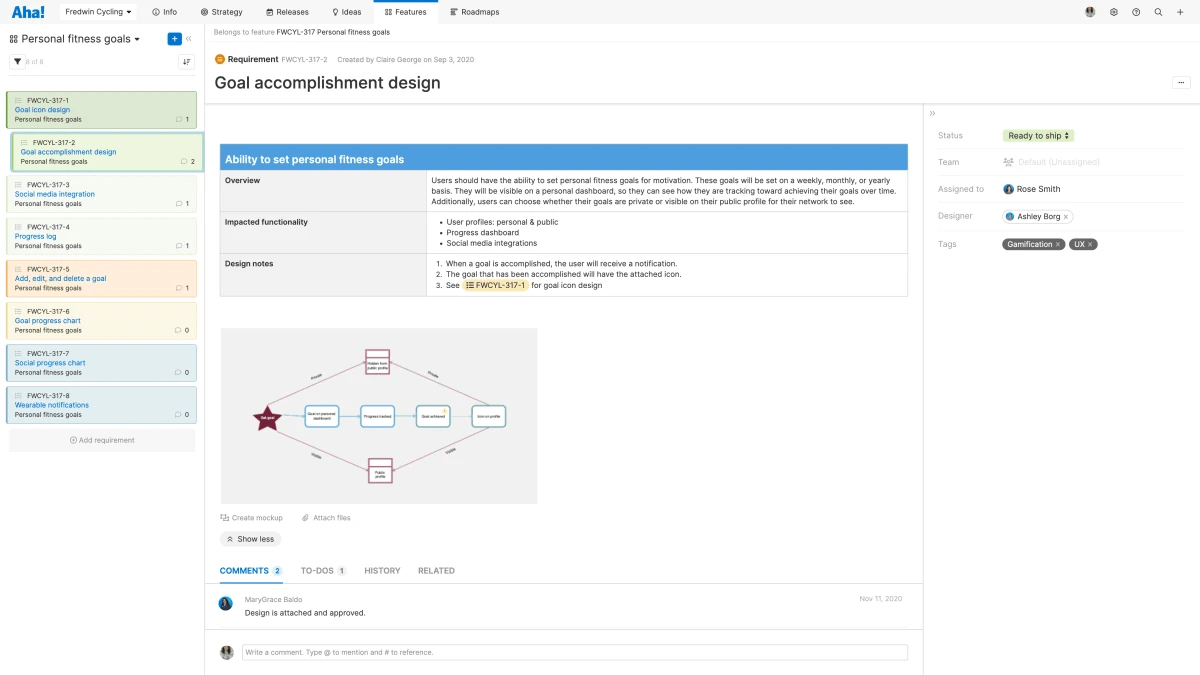
Aha! is a product management software designed to help teams manage product roadmaps, prioritize features, and collaborate with cross-functional teams. It provides an intuitive interface that offers all the resources necessary to effectively plan all project requirements. With Aha!, teams can easily collaborate on projects in real-time, no matter where they are.
In Aha!, teams can review customer feedback, visualize project progress, and share product insights on a centralized platform. As a result, teams can identify customer pain points, prioritize and plan projects, and better understand market needs. Aha! also simplifies collaboration with tools for sharing ideas and getting feedback from stakeholders.
Aha! best features
- Issues and bugs visibility from Zendesk, GitHub, and Sentry
- Workflow board with automation functionality
- Open-source extensions to track the status of branches, pull requests, and builds on each user story
- 30+ native integrations, including Jira, Slack, Azure DevOps, Salesforce, Google Analytics, and Zendesk
Aha! limitations
- Pricing plans designed for development teams are expensive compared to other Pivotal Tracker alternatives
- Lacks a notes feature
Aha! pricing
- Create: Free
- Develop: $9/month per user
- Ideas: $39/month per user
- Roadmaps: $59/month per user
Aha! ratings and reviews
- Capterra: 4.7/5 (400+ reviews)
- G2: 4.3/5 (200+ reviews)
4. Asana
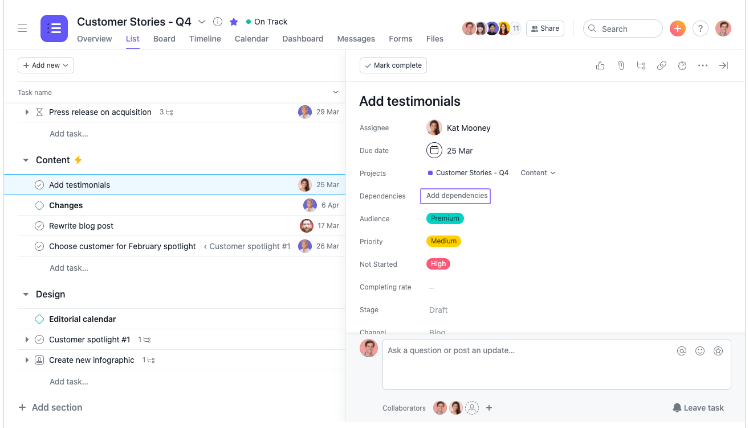
Our next Pivotal tracker alternative is Asana, a project management and collaboration tool helping teams organize, track, and manage their work. The platform offers key features such as calendars, conversations, and file sharing to help teams stay on top of their work and communicate effectively.
Teams can create tasks and subtasks, assign them to team members, and set deadlines. This level of organization makes it easy to manage and account for workloads. Asana also has a calendar view, which allows teams to see all their tasks in a chronological format and plan out their work to meet deadlines on time.
Check out Asana alternatives!
Asana best features
- Sharable dashboards to see progress across teams and projects
- Automation Rules to send requests to team members or projects
- Expanded timelines for project planning
- Customized capacity thresholds per person
Asana limitations
- Not suitable for software development teams or complex projects
- Can’t add multiple assignees, unlike other alternatives to Pivotal Tracker like ClickUp
Asana pricing
- Basic: Free
- Premium: $10.99/month per user, billed annually
- Business: $24.99/month per user, billed annually
- Enterprise: Contact Asana for pricing
Asana ratings and reviews
- Capterra: 4.5/5 (11,000+ reviews)
- G2: 4.3/5 (9,000+ reviews)
5. Wrike
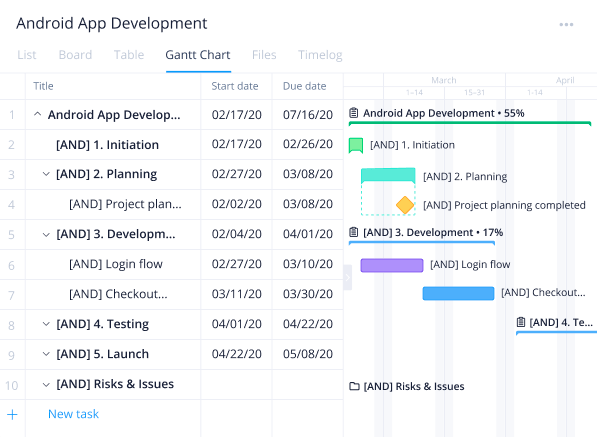
Wrike is a project management software helping teams organize, plan, and complete their work. It offers a range of features, including task management, file sharing, time tracking, and real-time communication. Wrike can be used by teams of all sizes and industries, from small startups to large enterprise organizations.
Wrike’s project dashboards can be customized to include specific data and metrics that are relevant to a particular project or team. For example, a software development team might include metrics on code coverage and test results, while a product marketing team might include metrics on adoption rates and customer acquisition cost (CAC).
Wrike best features
- Request forms with conditional logic
- Recurring workflow automation
- Project resource planning
- Project dashboards
Wrike limitations
- You can only view Gantt charts through the paid versions (learn about Wrike alternatives)
- You can only access the in-app time tracker on the Business or Enterprise plans
Wrike pricing
- Free
- Team: $9.80/month per user
- Business: $24.80/month per user
- Enterprise: Contact Wrike for pricing
- Pinnacle: Contact Wrike for pricing
Wrike ratings and reviews
- Capterra: 4.3/5 (1,900+ reviews)
- G2: 4.2/5 (3,200+ reviews)
6. Monday.com
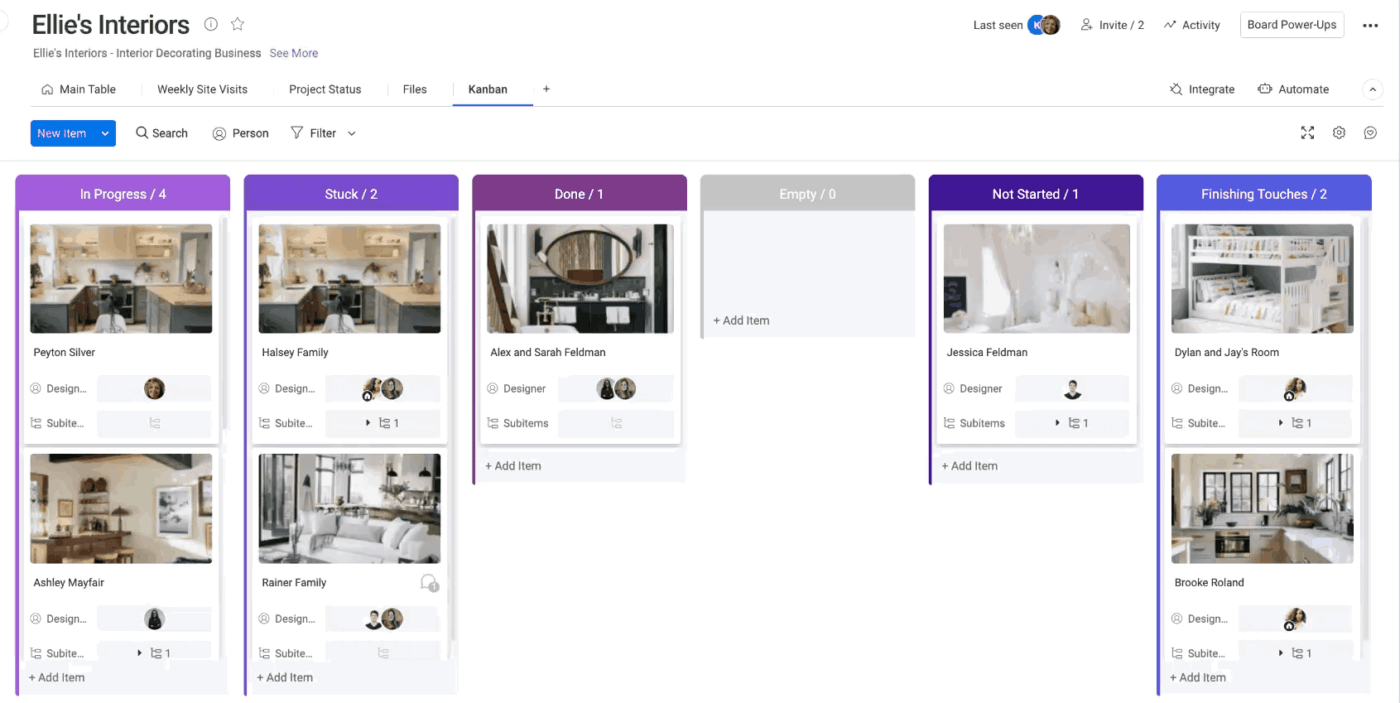
Project management and collaboration tool Monday.com helps teams plan, organize, and execute their work. Team members can create boards and organize tasks into cards, which can be moved between columns to represent different project stages using the platform’s visual, flexible, and customizable features.
A range of features is available on Monday, including calendars, conversations, and file sharing, which can help teams stay organized and communicate effectively. In addition, it also offers integrations with a variety of other tools and apps, which allows teams to streamline their workflow management processes.
Check out more Monday alternatives!
Monday best features
- Calendar widget to see which tasks belong to which project
- Customizable workflows for managing projects
- Dependency project tracking
- Workload management
Monday limitations
- Features are not in-depth for software development teams
- Dashboards are a paid premium feature
Monday pricing
- Individual: Free forever
- Basic: $8/seat per month starting at 3 seats
- Standard: $10/seat per month starting at 3 seats
- Pro: $16/seat per month starting at 3 seats
- Enterprise: Contact Monday for pricing
Monday ratings and reviews
- Capterra: 4.6/5 (3,300+ reviews)
- G2: 4.7/5 (6,600+ reviews)
7. Trello
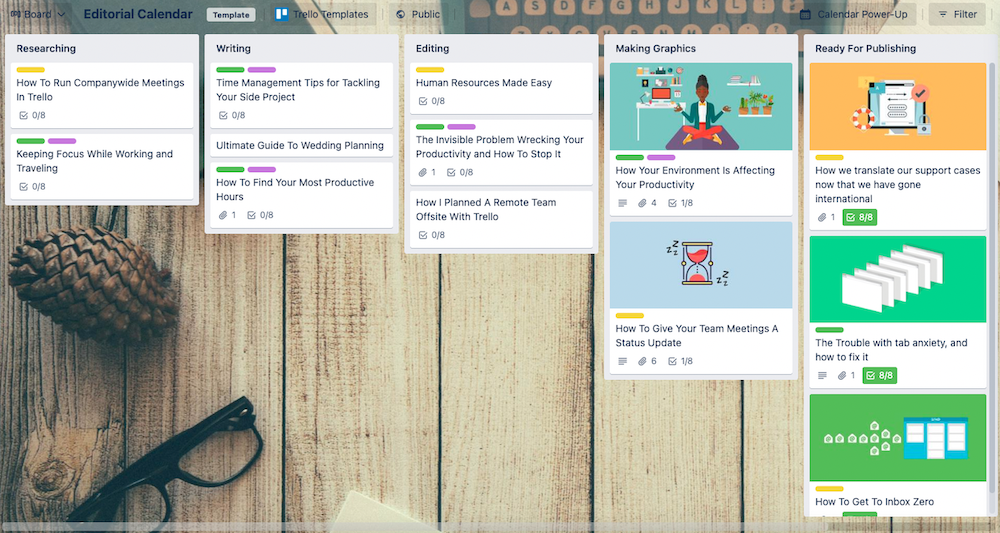
Trello is a web-based project management and team collaboration tool that uses a Kanban-style board to help teams manage tasks and projects. On each board, users create cards to represent tasks or items and move them across columns to show different stages of progress.
To build multiple workflows in a project management software like Trello, you would first need to create separate boards for each workflow. Then within each board, build columns to represent different stages of the workflow, such as “Backlog”, “In Progress”, “In Review,” and so on. Afterward, create cards to add tasks or items and move them across the columns as they progress through the workflow.
Trello best features
- Kanban boards, calendars, timelines, and dashboards for projects
- Automation is built into every Trello board with no code
- Power-Ups (plugins) to link to other apps and tools
- Repeatable workflow templates for multiple projects
Trello limitations
- Task layers can easily pile up when you’re managing robust projects
- Most of the features are unavailable in the free version (check out Trello alternatives)
Trello pricing
- Free
- Standard: $5/month per user, billed annually
- Premium: $10/month per user, billed annually
- Enterprise: Contact Trello for pricing
Trello ratings and reviews
- Capterra: 4.5/5 (22,000+ reviews)
- G2: 4.4/5 (13,000+ reviews)
8. Pendo
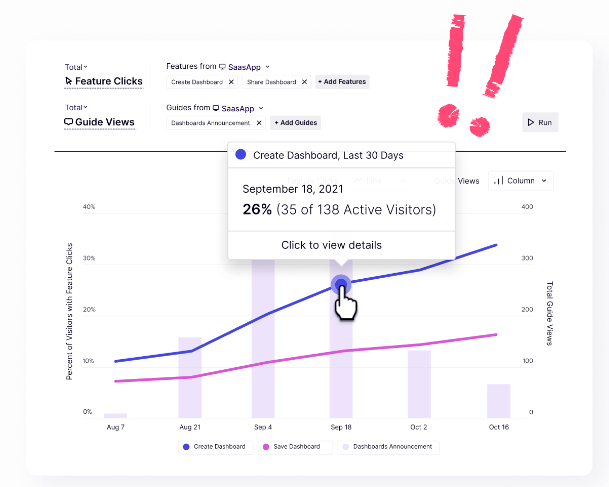
A customer success platform, Pendo helps teams improve digital experiences by allowing them to understand how their customers interact with their products, gather feedback, and make data-driven decisions.
Pendo’s platform includes analytics, segmentation, engagement tools, insights, and usage tracking. Real-time analytics let you see what your customers are doing in your product. Segmentation allows you to group customers into personas based on their behaviors. By using engagement tools, you can communicate directly with your customers. Insights give you an understanding of user behavior patterns over time. And usage tracking shows you exactly which features users are using most often.
Pendo best features
- Data Explorer tool to help access, explore, and analyze product data
- Quantitative metrics to measure overall product engagement
- Portfolio summaries and in-app guides
- Available to all Pendo Guide users
Pendo limitations
- Limited scalability for Agile teams looking for project management features
- Customizations are limited on customer profiles
Pendo pricing
- Free plan
- Contact Pendo for pricing plan details
Pendo ratings and reviews
- Capterra: 4.5/5 (200+ reviews)
- G2: 4.4/5 (1,100+ reviews)
9. TeamGantt
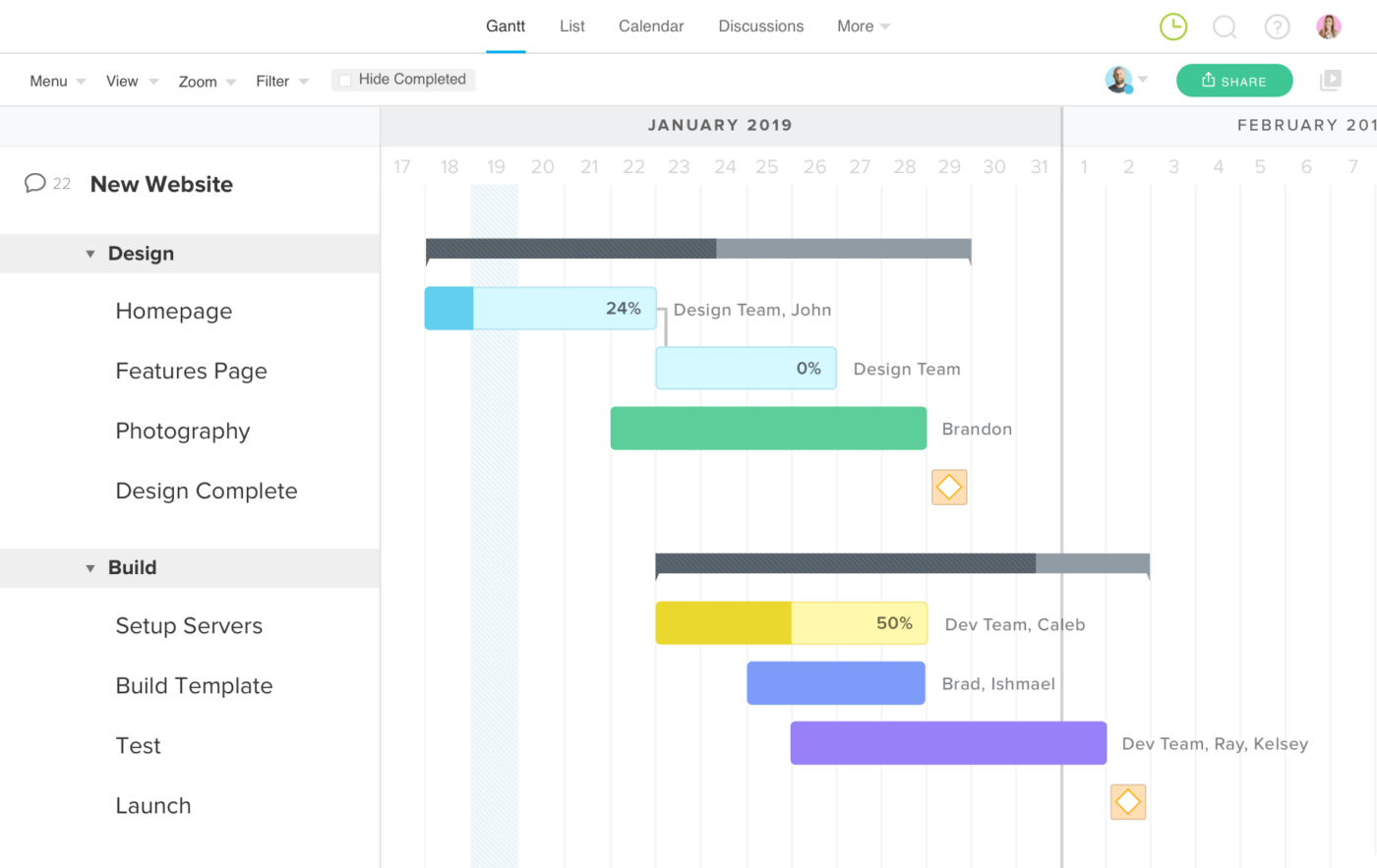
TeamGantt is a web-based project management software built for teams to plan and schedule their work using a Gantt chart view. Gantt charts are a type of bar chart that display project tasks and their dependencies over time, making it easy to see when tasks are scheduled to begin and end and how they relate to one another.
TeamGantt’s software allows users to create, assign and track tasks, collaborate with team members, and manage resources and budgets. It also offers advanced features such as task dependencies, custom fields, and integration with other tools like Trello and Slack. TeamGantt is designed to help teams visualize their work, stay on schedule, and stay organized so they can deliver their projects on time and within budget.
TeamGantt best features
- Visual task reporting to monitor project goals and progress
- Resource management tab with easy access
- Portfolio views and reports
- Planned timeline vs. actual timeline
TeamGantt limitations
- Complex dependency functionality
- Time tracking is a paid feature
TeamGantt pricing
- Lite: $19/month per manager, billed yearly
- Pro: $49/month per manager, billed yearly
- Enterprise: $99/month per manager, billed yearly
TeamGantt ratings and reviews
- Capterra: 4.6/5 (100+ reviews)
- G2: 4.8/5 (800+ reviews)
10. nTask
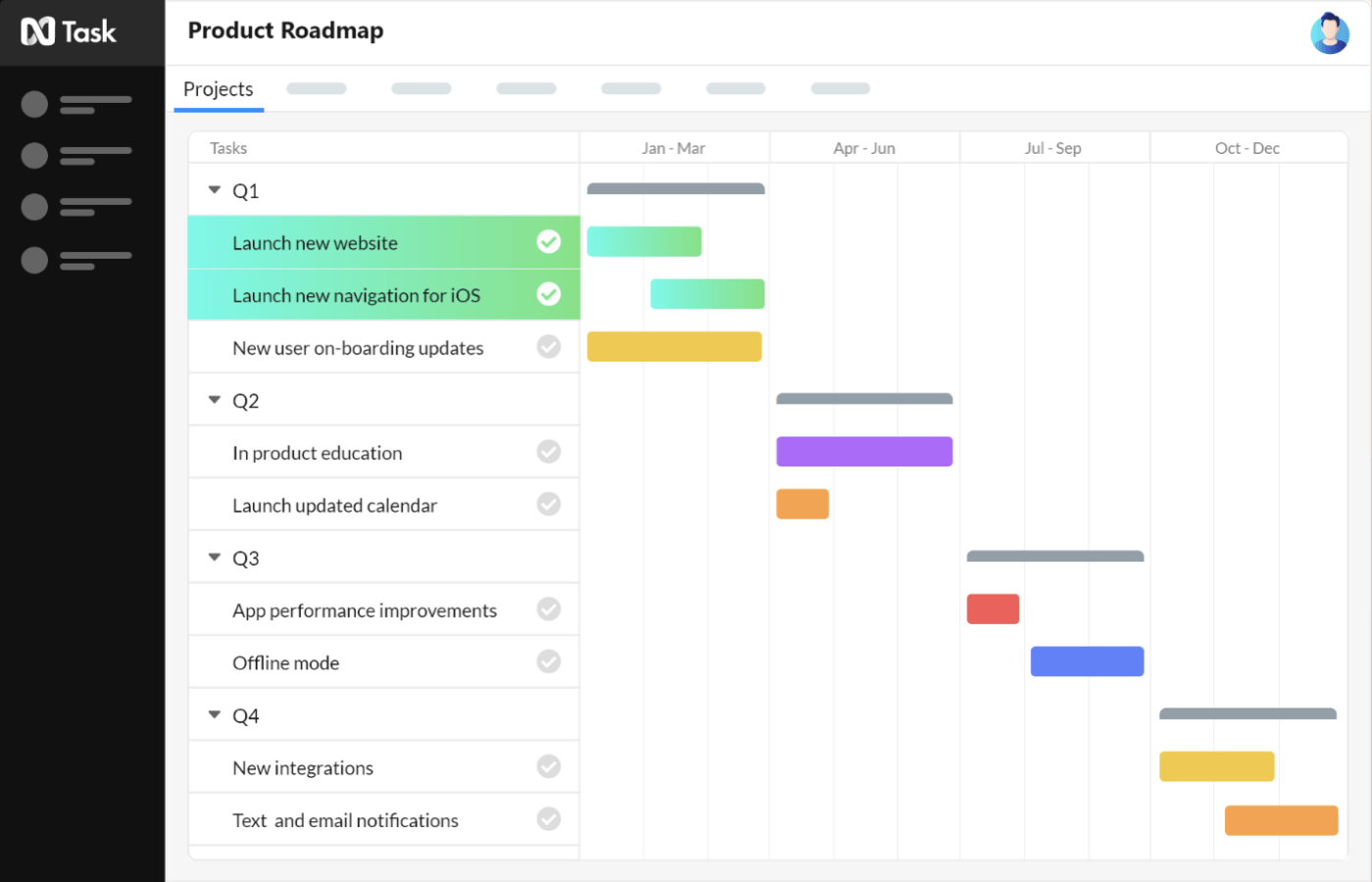
Teams and individuals can manage, collaborate, and prioritize tasks simultaneously with nTask’s task and project management platform. In addition to task lists, Kanban boards, timelines, Gantt charts, time tracking, and customized dashboards, it offers tools for effective team collaboration.
With nTask’s automated reminder and notification system, teams will have an extra hand to monitor project deadlines. For example, users can set up automated reminders to be sent out a few days before a task is due.
nTask best features
- Drag-and-drop Kanban boards
- Gantt charts with task dependencies
- Time estimations and time tracking
- Document management
nTask limitations
- Best for small to mid-sized teams without complex projects
- Attaching large files when sharing takes longer than normal
nTask pricing
- Premium: Starts at $20/month for 5 users
- Business: Starts at $60/month for 5 users
- Enterprise: Contact nTask for pricing
nTask ratings and reviews
- Capterra: 4.2/5 (100+ reviews)
- G2: 4.4/5 (10+ reviews)
Summarize this article for me pleaseAgile Project Management Starts With ClickUp
The key to finding the best Pivotal Tracker alternative for your team is flexibility.
And there’s only one Agile project management software that can promise that level of flexibility along with an intuitive interface, hundreds of functional features, a rich library of templates, and so much more—and that software is ClickUp. 🏆
Access tons of Agile tools, over 1,000 integrations, Dashboards, and more when you sign up for ClickUp Today. 📈


Everything you need to stay organized and get work done.

Recent Articles
7 Best Zoom Alternatives in 2026: Free Plans and Meeting Limits 
7 Best Zoom Alternatives in 2026: Free Plans and Meeting Limits
How to Create a Fillable Form in Microsoft Word (With Templates)
How to Create a Fillable Form in Microsoft Word (With Templates)
7 Best Perplexity AI Alternatives I Tested for Work in 2026 
7 Best Perplexity AI Alternatives I Tested for Work in 2026
