
Sorry, there were no results found for “”
Sorry, there were no results found for “”
Sorry, there were no results found for “”
If you’ve been busy trying to improve project management and collaboration for your team, chances are you’ve come across MeisterTask—a task management tool trusted by many.
MeisterTask is sleek and easy to use. Agile teams and Kanban advocates love using the tool to track tasks within their projects. However, its basic plan has limited functionalities, and you may need many other tools for communication and collaboration with other teams.
This article covers alternatives to MeisterTask that can enhance your workflows, productivity, and efficiency.
From advanced features and prioritization options to more relevant integrations, these MeisterTask alternatives offer a range of capabilities to suit various needs.
Whether you’re an independent business owner, leading a small team, or managing a large resource pool, you must have a task management tool that goes beyond creating to-do lists.
Any good project management tool should drive your organization toward higher efficiency and growth.
While it’s a solid tool, especially for its Kanban-style boards and ability to boost productivity, MeisterTask might not be the perfect solution for everyone.
With this approach in mind, here are some key factors that you must consider when choosing your task management platform:
Of course, no tool offers everything you’d want, but some alternatives to MeisterTask come very close.
➡️ Read More: How to Use AI in Project Management (Use Cases & Tools)
Our editorial team follows a transparent, research-backed, and vendor-neutral process, so you can trust that our recommendations are based on real product value.
Here’s a detailed rundown of how we review software at ClickUp.
Here’s a quick comparison table to kick it off:
| Tool | Best features | Ideal for | Pricing |
| ClickUp | Highly customizable, 15+ views, automation, AI assistant, 1,000+ integrations | Individuals to large enterprises | Free plan available; Paid plans start from $7/user/month |
| Asana | Multiple views (List, Board, Timeline), strong collaboration, workflow automation | Small to enterprise-level teams | Free plan available; Paid plans start from $13.49/user/month |
| Todoist | Natural language input, recurring tasks, cross-platform sync, productivity tracking | Individuals & small to mid-sized teams | Free plan available; Paid plans start from $5/user/month |
| Teamwork | Time tracking, resource management, client collaboration, advanced reporting | Growing teams, agencies, mid-sized to large orgs | Free plan available; Paid plans start from $13.99/user/month |
| Flow | Visual workflows, Kanban/list/calendar views, easy collaboration | Small to mid-sized teams, creative/marketing | No free plan; Paid plans start from $8/user/month |
| Wrike | Custom dashboards, advanced reporting, resource management, automation | Mid-sized to large enterprises | Free plan available; Paid plans start from $10/user/month |
| Lark | Integrated chat, video, docs, calendar, real-time translation | Small to large, remote/distributed/global teams | Free plan available; Paid plans start from $14.40/user/month |
| Trello | Kanban boards, Power-Ups, drag-and-drop, easy onboarding | Individuals, small teams, agile workflows | Free plan available; Paid plans start from $6/user/month |
| Stackby | Spreadsheet-database hybrid, API integrations, automation, multiple views | Individuals, small to mid-sized, data-driven teams | Free plan available; Paid plans start from $6/seat/month |
| OmniFocus | Deep customization, GTD methodology, Apple ecosystem integration | Individuals, Apple users, productivity power users | No free plan (free trial); Paid plans start from $4.99/month (web) or $9.99/month (subscription) |
We’ve listed 10 of the best you can consider—we’ve reviewed their best features, ratings, and pricing details.
If you’re looking for an everything app for work that easily adapts to your team’s needs, ClickUp is the right choice. Trusted by over 800,000 global teams across industries, ClickUp is a feature-rich, versatile task management solution.
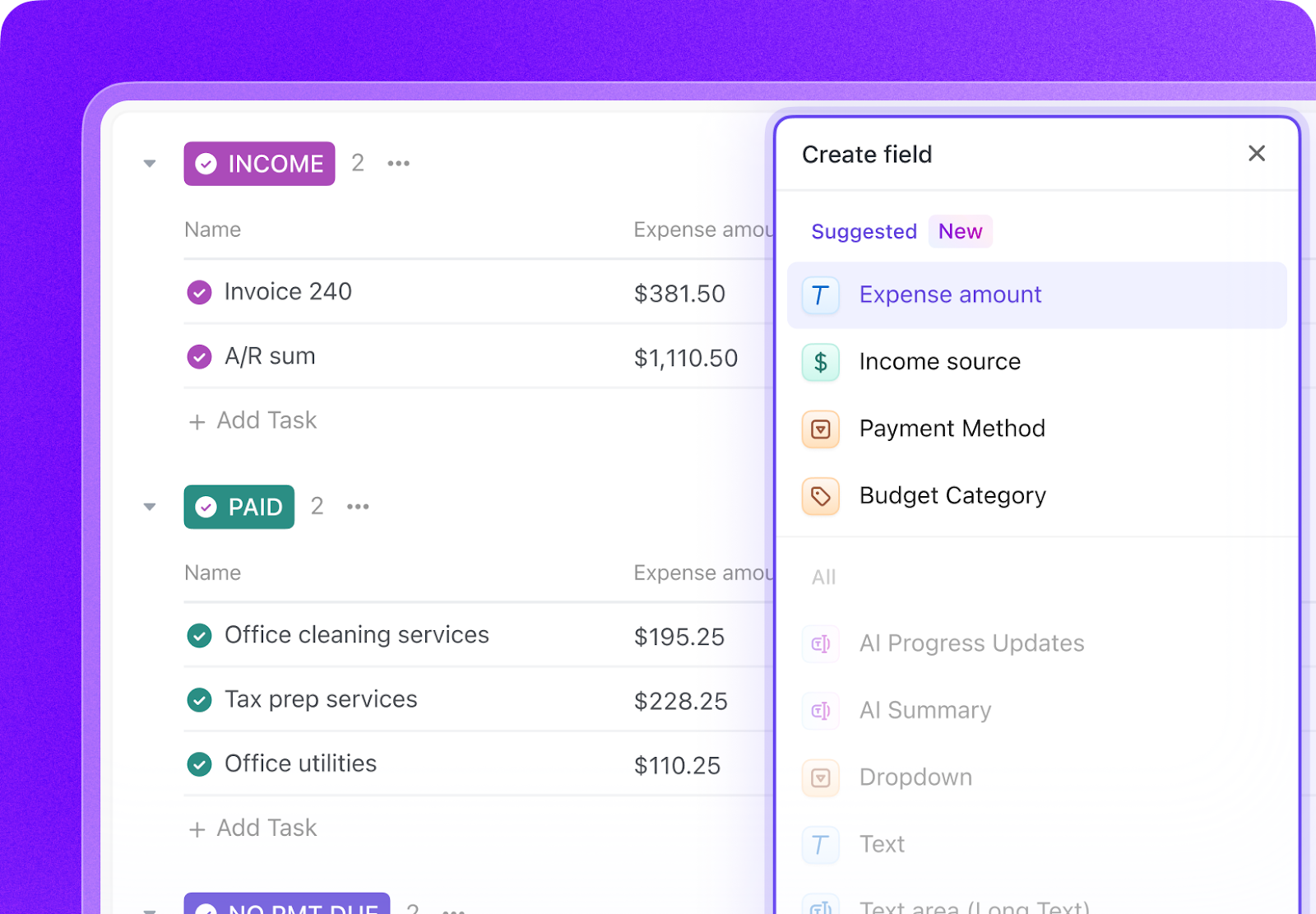
Create personal to-do lists within ClickUp, build AI-powered checklists by grouping related to-do items, and assign tasks, checklist items, and tasks to team members. You can even assign comments within tasks for a teammate to take action.
With ClickUp Tasks you have the unmatched flexibility to structure your projects with customizable subtasks. You can also choose from over 35 ClickApps to tailor your task management experience.
Using its customizable workspace and Task Tray, you can manage and define task types that align with your team’s unique requirements. ClickUp saves you hours with the ability to create recurring tasks and customizable templates that simplify project planning.
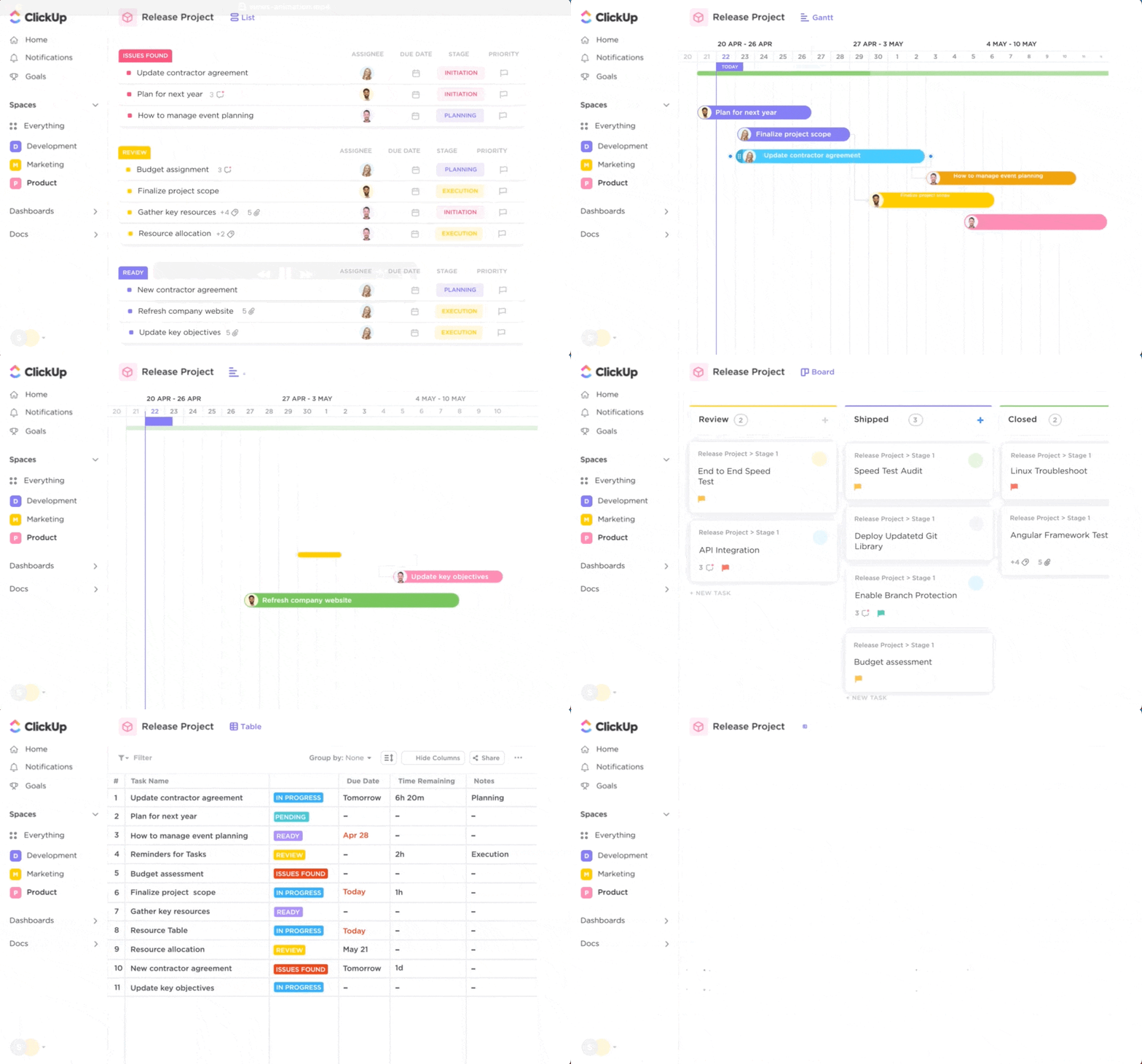
Whether you prefer a structured approach with lists, a visual representation with boards, a compact overview with boxes, or a time-centric perspective with calendars, ClickUp has more than 15 views for project managers to visualize priorities, timelines and tasks in an organized manner.
And that’s not all! ClickUp goes beyond task management. It combines your work, tools, and teams in one place by offering integrations with over 1,000 apps, including Slack, Gmail, Zoom, Outlook, Google Drive, HubSpot, and more.
All this and more make ClickUp the best alternative to MeisterTask.
Team size: Individuals, small teams, mid-sized businesses, and large enterprises. Especially strong for rapidly growing teams and organizations with complex, diverse workflows
Who is ClickUp a good fit for?
A G2 user says:
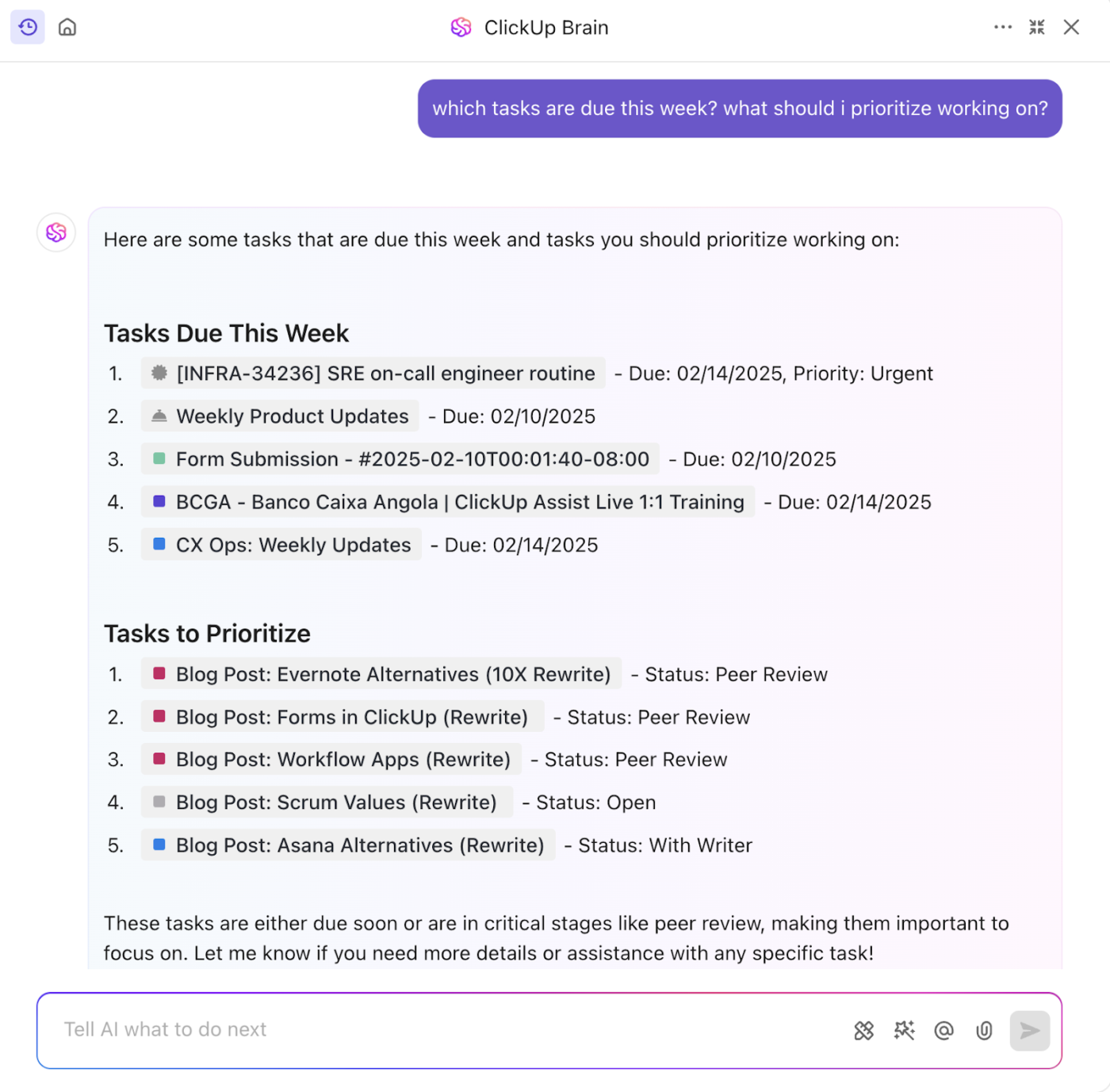
One of the standout additions is the AI tool, ClickUp Brain. It’s transformed how I manage tasks and projects by automating routine processes and providing intelligent suggestions, saving me considerable time and effort.
Considering the extensive feature set, including task management, time tracking, document collaboration, and more, the pricing is exceptionally reasonable. It offers tremendous value, especially for small businesses and startups looking for an all-in-one solution.
A Capterra user says:
Complex interface, which can be overwhelming for beginners, and occasional performance slowdowns. It also requires time to fully customize.
ClickUp works best for teams and organizations of almost any size that are looking for an extremely versatile and highly customizable work management platform to consolidate their tools and streamline complex workflows.
Asana is a popular project management software that helps teams track, plan, and manage their work on its web and mobile work management platforms.
Asana’s various views, like calendar and list, enable project managers to personalize and color-coordinate tasks. With the platform’s flexibility and control, you can turn potentially overwhelming projects into manageable tasks.
Asana also lets you create sub-tasks within larger tasks so you can visualize progress and encourage proactive work habits within project teams.
Team size: Small to enterprise-level organizations, particularly effective for growing teams
Who is Asana a good fit for?
A G2 user says:
What I like best about Asana is how it makes every project feel clear and simple from the start. The interface is clean and intuitive, so creating tasks or checking status is effortless. I especially appreciate the different views (List, Board, and Timeline) because I can pick the perspective that works best for what I’m tracking. Its integrations with Slack and Google Drive keep everything in one place without extra steps. It really just lets me focus on doing the work and getting things done.
A Capterra user says:
Threads can become so huge that we lose track of what is being said and the notification system is mediocre.
Asana can cater to a wide range of team sizes and project complexities, especially for those prioritizing strong visual tracking, detailed task management, and extensive collaboration.
📮ClickUp Insight: 18% of our survey respondents want to use AI to organize their lives through calendars, tasks, and reminders. Another 15% want AI to handle routine tasks and administrative work.
To do this, an AI needs to be able to: understand the priority levels for each task in a workflow, run the necessary steps to create tasks or adjust tasks, and set up automated workflows.
Most tools have one or two of these steps worked out. However, ClickUp has helped users consolidate up to 5+ apps using our platform! Experience AI-powered scheduling, where tasks and meetings can be easily allocated to open slots in your calendar based on priority levels. You can also set up custom automation rules via ClickUp Brain to handle routine tasks. Say goodbye to busy work!
Todoist is a productivity management solution focused on to-do list creation. Its intuitive interface and project management features make it a go-to choice for individuals and teams.
Todoist lets you create projects and subcategories and color-code each. Its key features include syncing across devices and integrating with virtual assistants such as Siri, Google Assistant, and Alexa.
To maximize Todoist’s potential, you can use settings such as repeating tasks, urgency tags, and Quickies for short tasks. Todoist is a versatile task-tracking tool with limited collaboration and intra-team communication features.
Team size: Individuals and small to mid-sized teams, particularly those who prioritize efficient task capture and personal productivity
Who is Todoist a good fit for?
A G2 user says:
I’m using Todoist since 2016. I completed 57.500 tasks for now. In the recent years I saw a lot of progression in the life of this program. I think it is an easy to use program with a lot of handy tools and options. I can’t imagine my life without a tool like Todoist. Both my professional life, and my private life. If someone want to organize the hundreds of daily tasks, Todoist is the best choice! I use it every day.
A G2 user says:
I wish I could change the way I view work numbers and reports.
Todoist can be a great option for individuals and small to mid-sized teams looking for a fast, elegant, and highly effective task management solution that emphasizes quick task capture and personal productivity without unnecessary complexity.
➡️ Read More: Check out these Todoist alternatives!
Teamwork is an all-in-one project management and collaboration software designed for teams to easily plan, track, and deliver work.
Its task tracking outshines many competitors, such as Microsoft Projects and Smartsheet. Moreover, Teamwork’s regular updates and improvements make it a robust choice for project management.
The user-friendly interface is a great help, especially for those less experienced in project management. The support, too, is responsive, friendly, and helpful.
However, Teamwork’s inability to import project files (XML or similar formats) may affect its usability.
Team size: Growing teams, mid-sized companies, and enterprise-level organizations, particularly those in client services, agencies, and consulting
Who is Teamwork a good fit for?
A G2 user says:
Teamwork makes it easy for account teams and creatives to keep everything in one place so everyone can be aware of what is going on with a project, what stage it’s at, who is currently assigned to that stage, etc. It’s simple to add in a budget for each project to keep track all in one place. Overall it’s very helpful to keep things organized and moving!
A Capterra user says:
When I was originally introduced to the site, I discovered that there was a slight learning curve associated with finding one’s way around it. I was able to make better use of the platform’s features once I developed my own method for organizing projects.
Teamwork is ideal for professional services organizations, agencies, and any team that requires integrated project management with strong financial tracking, detailed reporting, and robust client collaboration capabilities
🌻 Fun Fact: Some of the key ideas behind modern project management were born during one of the most secretive and high-stakes projects in history—the Manhattan Project. The need to coordinate thousands of people across dozens of sites to develop the atomic bomb pushed scientists and engineers to come up with new ways of managing time, tasks, and resources.
Flow is a project and task management tool that offers simple visual workflows for team workflow planning.
It lets you set deadlines, delegate tasks, and subscribe to tasks, which helps streamline collaboration. You can switch between list, calendar, and board formats, and the tool offers flexibility to add start and due dates.
The Kanban-style task list view stands out, and the project management solution’s simple design and intuitive user interface are perfect for beginners.
However, you may face issues with the software’s usability because of the lack of color customization and visual hierarchy for projects. With numerous cards, projects can soon become overwhelming.
Team size: Small to mid-sized teams, creative agencies, marketing departments, and teams that value visual project tracking and a clean user experience
Who is Flow a good fit for?
A G2 user says:
Flow is one of the best platform if you love to create unique posts for social handles. It provides multiple features to edit photos and videos in different styles. This platform all provides some in-built templates to create high-quality projects easily.
A Capterra user says:
With 25+ member teams the basic plan of just 50GB storage is quite disappointing.
Flow works well for creative teams, marketing agencies, and small to mid-sized businesses that prioritize a visually appealing, intuitive, and flexible project management tool for effective task organization and team collaboration.
Another popular platform, Wrike, offers project management and collaboration with enterprise-ready features for task planning and execution.
Wrike’s simplicity helps large and small teams adopt the tool equally well. Its many features, like task creation, folders, and chat boxes within tasks, help run projects while keeping everyone involved and informed.
The personalized productivity dashboards and custom notifications allow easy visibility of incomplete or delayed tasks and reduce miscommunication. The tool’s task archive is also a helpful feature: You can retrieve details of past projects and centralize your documentation.
Team size: Mid-sized to large enterprises, cross-functional teams, professional services, marketing agencies, and IT departments managing complex projects and portfolios
Who is Wrike a good fit for?
A G2 user says:
We’ve been using Wrike for over six years, and it has truly become the heart of our content review and approval process. What started as a quick project management solution eventually evolved into an essential workflow backbone across our company.
A Capterra user says:
Some team members upload their scripts and forget to move the cards. There is no way around it so they have to move the task cards to ensure the platform reflects the current project status. Automating the car movement could probably solve the problem. It does not look modern for users looking for attractive platforms.
Wrike is ideal for organizations that need a powerful, highly flexible, and scalable work management platform capable of handling complex projects, managing resources, and providing deep analytical insights across entire portfolios.
➡️ Read More: Check out our article on the best work order software
Lark brings together task management, messaging, and video communication as a collaboration suite on one platform.
Lark is a capable project management platform for teams of all shapes and sizes with meetings, emailing, messaging, scheduling, text editing, and more. And a single, clean interface that brings this all together.
The paid plan, which includes unlimited video conferencing, cloud storage, and email space, is excellent for corporate users.
As a task manager, too, Lark stands out for its many valuable features: You can organize, collaborate, and execute tasks individually or as part of a team. With this alternative to MeisterTask, you can break down large projects into manageable steps.
Team size: Small to large enterprises, particularly those with remote or distributed teams, international companies, and businesses seeking to consolidate their communication and project tools
Who is Lark a good fit for?
A Capterra user says:
It’s a really great collaboration and communications software for companies. Unlike other apps, it already has almost everything you and your team would need (private & team chats and forums, video conferencing, email, survey creator, task lists, team calendar, etc.). So you’d save time (and money probably) jumping from one app to another for different needs.
A G2 user says:
Some features on the mobile app, such as viewing recorded meetings, are not available on the website; they can only be viewed on the mobile app.
Lark is a great MeisterTask alternative for teams that are geographically dispersed or require a comprehensive suite of integrated communication and productivity tools within a single platform.
Trello is a web-based project management tool that uses visual boards, lists, cards, and more to streamline tasks and projects.
Built for teams using Kanban boards for project management, Trello is most suitable for small teams and freelancers. It is widely known for its easy user interface, intuitive boards, and simple task tracking.
Key features in Trello include Views to visualize projects as a timeline or board, Trello templates for everything ranging from task lists for product launches to lead tracking, and Power-ups, plug-ins to link Trello with other tools.
Team size: Individuals, small teams, and mid-sized businesses, particularly those using agile methodologies or those who prefer a highly visual and flexible task management system
Who is Trello a good fit for?
A Capterra user says:
The fact that the price is worth it, makes it great. It is also so easy to use and manage. I love it.
A G2 user says:
While Trello is excellent for organizing and visualizing tasks, it can become cluttered when managing larger or more detailed projects. Also, some advanced functionality (like timeline or Gantt views) requires paid add-ons or upgrades, which may be limiting for teams on a tight budget. Native reporting tools are still a bit basic compared to other platforms.
Trello is especially beneficial for agile workflows and projects that benefit from a clear, at-a-glance overview of progress.
Stackby is a leading work management platform that includes databases, spreadsheets, and task-tracking functionalities powered by no-code automation.
While Stackby is not a dedicated task management tool, it caters to various uses, including project management, CRM, and content planning.
Real-time editing, commenting, and sharing of databases promote efficient teamwork and quick execution of tasks, regular updates, and smooth communication between teams. You can also integrate with other popular tools such as Google Sheets, Trello, and Airtable, which helps smooth data exchange between productivity tools.
Team size: Individuals, small to mid-sized teams, marketing agencies, content creators, data analysts, and businesses seeking to manage data-rich projects and automate information gathering
Who is Stackby a good fit for?
A G2 user says:
The software is like best its flexibility to blend spreadsheets with databases and APIs all in one platform That makes it super useful for people who want the familiarity of Excel or Google Sheets but need more powerful functionality, like relational data and automated workflows
A G2 user says:
While sometimes the mobile app is functional but lacks the smoothness and full capability of the desktop version Users often complain that it’s clunky or not ideal for managing large or complex stacks on the goUnavailability of Tagging, Reminder Settings, VlookUp, H lookup, and Calendar blocking
Stackby works well for individuals and teams who need a powerful, customizable database solution that goes beyond traditional spreadsheets and project management tools.
OmniFocus is a personal task management application designed for individual productivity of macOS and iOS users.
The tool offers multiple customizable views and workflows. You can use any of the three project types (parallel, sequential, and single-action projects) and six default views. You can also create personalized views, although it takes time and effort.
The tool has a steep learning curve and is priced higher than most tools in this article. This is surprising for a tool meant for individual users.
The app is tailored for users within the Apple ecosystem and syncs across iOS devices, while a web version is available for Windows users. You can integrate other apps via Zapier to gather data and set up a complete workflow.
Team size: Individuals and small teams where each member manages their own highly complex task list, or where external collaboration happens via other tools
Who is OmniFocus a good fit for?
A G2 user says:
OmniFocus is an extremely powerful and customizable task management program that follows the GTD principles. OmniFocus has a relatively steep learning curve, but if you’re willing to put in the time and effort to learn the program, it can be an extremely powerful tool to help organize your projects and tasks. It’s available across a variety of platforms including MacOS and iOS/iPadOS. As with any task management application, it is dependent on the user keeping up with tasks and not continually deferring them until they become overwhelming. OmniFocus also has a rich user community and forum willing to share best practices
A Capterra user says:
To keep up with the best and most unique features of the platform requires so much work on tagging and organizing that everyone I know who used it just went back to simple to do list apps. After a while you want something quick and easy that you can jot down, and there are so many free solutions out there that are better integrated into your life.
This tool is ideal for individual power users and professionals who are deeply committed to a structured productivity system like GTD and who operate exclusively within the Apple ecosystem.
While MeisterTask offers a solid Kanban-based experience, the alternatives explored each bring unique strengths to the table, catering to diverse needs and workflows.
Here’s our final roundup to help you make an informed decision:
Your ideal MeisterTask alternative depends on your team’s specific size, workflow complexity, budget, and desired feature set. Carefully consider what truly matters for your operations, and you’ll find a perfect fit among these powerful options.
🧠 Did You Know? Believe it or not, one of the most popular tools in project management—yes, those timeline bars you see in nearly every project planning software—was invented over 100 years ago. Henry Gantt, an American mechanical engineer, came up with the Gantt chart around 1910 to help keep complex projects on schedule. His invention was so effective, it helped coordinate massive efforts like building the Hoover Dam in the 1930s.
In project management, tasks and collaboration go hand in hand. With this in mind, ClickUp emerges as a standout choice as an alternative to MeisterTask.
With a wide range of features ranging from customizable task views and task automation to powerful collaboration tools, ClickUp offers a comprehensive solution for managing tasks of any complexity. Its intuitive interface and scalability make it suitable for both small teams and large enterprises.
Whether you’re looking for a solution for project management, team collaboration, or personal productivity, use ClickUp to bring about an innovative approach and simplify task management.
Sign up for ClickUp today!

Manasi Nair
Max 32min read
Manasi Nair
Max 14min read

Arya P Dinesh
Max 21min read

© 2026 ClickUp