







Still downloading templates?
There’s an easier way. Try a free AI Agent in ClickUp that actually does the work for you—set up in minutes, save hours every week.
Sorry, there were no results found for “”
Sorry, there were no results found for “”
Sorry, there were no results found for “”

Virtual collaboration tools are transforming how individuals and teams collaborate and share information. From chat and email to shared documents and digital whiteboards, these tools allow teams to interact and stay connected regardless of their zip code! 🌐
Remote teams provide the freedom of working independently while offering the advantage of staying connected with everyone’s work. With a distributed workplace, teams can share their ideas and solutions in real-time without clogging their calendars with back-to-back Zoom meetings.
But before we dive into the top 10 virtual tools, let’s look at the features teams will need to collaborate without sacrificing productivity!
When choosing a remote collaboration tool for work, project managers should look for a reliable and secure platform that is user-friendly. Teams are more likely to adopt and incorporate tools that are intuitive to use into their workflow.
It should be able to provide all the features (and integrations) needed to facilitate brainstorming and projects with minimal disruptions. Features include automated workflows, chatrooms, task tracking, file sharing, virtual calendars, document templates, document management systems, and more. ⚡️
At the same time, project managers should also consider other factors such as cost, scalability, compatibility, usage requirements, and security measures. In order to promote better teamwork and ensure that the organization’s goals are met, it is important to tailor all aspects to the specific needs of project teams.
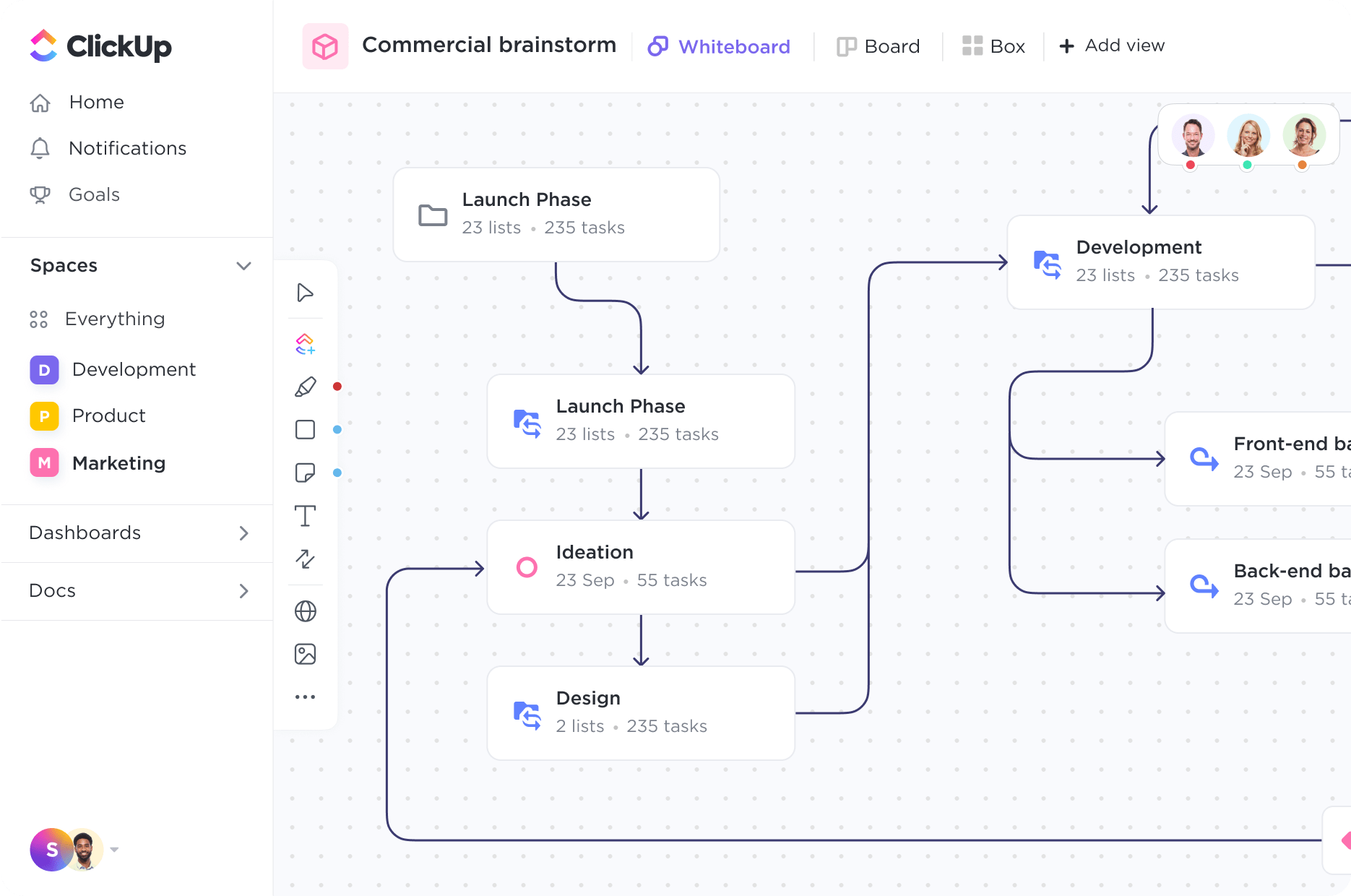
ClickUp is an all-in-one productivity platform to bring your work together across apps into one collaborative platform. Its integration power can boost your team’s efficiency, from brainstorming concepts to driving progress.
With over 15 unique view options, teams can manage project progress from multiple perspectives.
ClickUp’s native Whiteboard and Mind Map tools give remote teams a shared space to collaborate and problem-solve in real-time or asynchronously, taking team productivity to the next level. Capture detailed plans and assign actionable tasks from one easy-to-manage location!
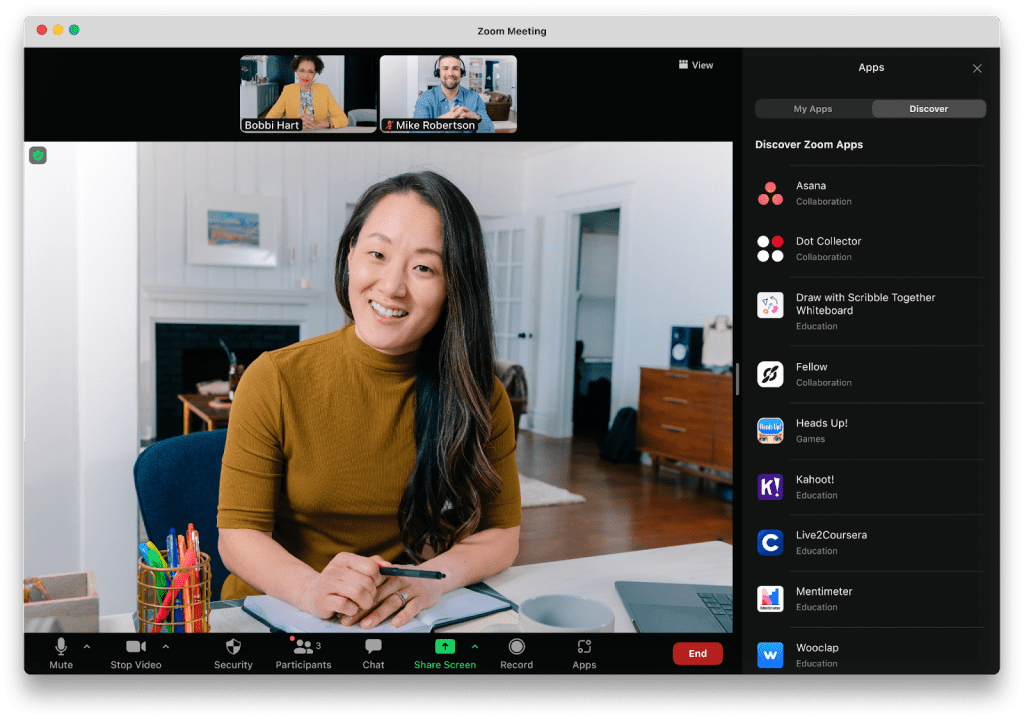
Zoom is a dedicated remote collaboration tool for individuals and teams to connect and communicate with one another from anywhere in the world. It offers a variety of features to make collaboration easier, such as video conferencing, file sharing, messaging, and whiteboard tools.
The tool offers several advanced features, such as breakout rooms and screen sharing, allowing people to collaborate better on projects. With its easy-to-use platform, Zoom is a popular tool for teams of all sizes to connect face-to-face!
Get tips on how to choose the right meeting cadence for remote teams!

Slack provides a secure and reliable way to keep in touch with your remote team, external partners, and customers. Its direct messaging system is perfect for when you need to be on top of a project or take care of an urgent task. With Slack, you can create different channels for different topics or tasks, making it easy to locate relevant conversations.
However, when too much is going on, multiple threads can become confusing and distract your focus from meaningful work. To get the most out of Slack, connect it with other collaboration tools or task management software. This will help make sure everyone stays informed with the most recent team update!
Compare Slack Vs Asana!
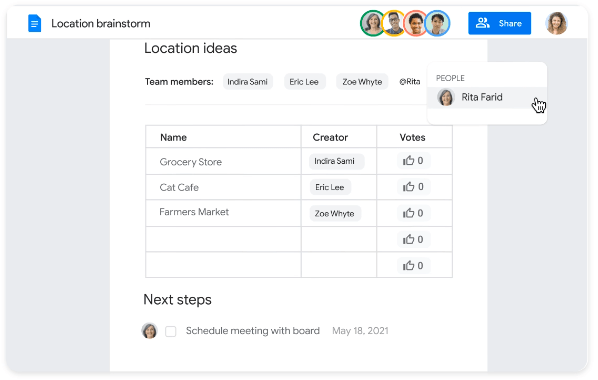
Google Workspace is a remote collaboration tool with a library of cloud-based applications, including Google Docs, Google Sheets, and Google Slides, for teams to collaborate anywhere and on any device.
While working across docs, spreadsheets, or slideshows, knowledge sharing is smooth without losing important information or context. In addition to its integration capabilities, Google Workspace offers helpful features such as smart canvas and grammar corrections to help teams produce high-quality work!
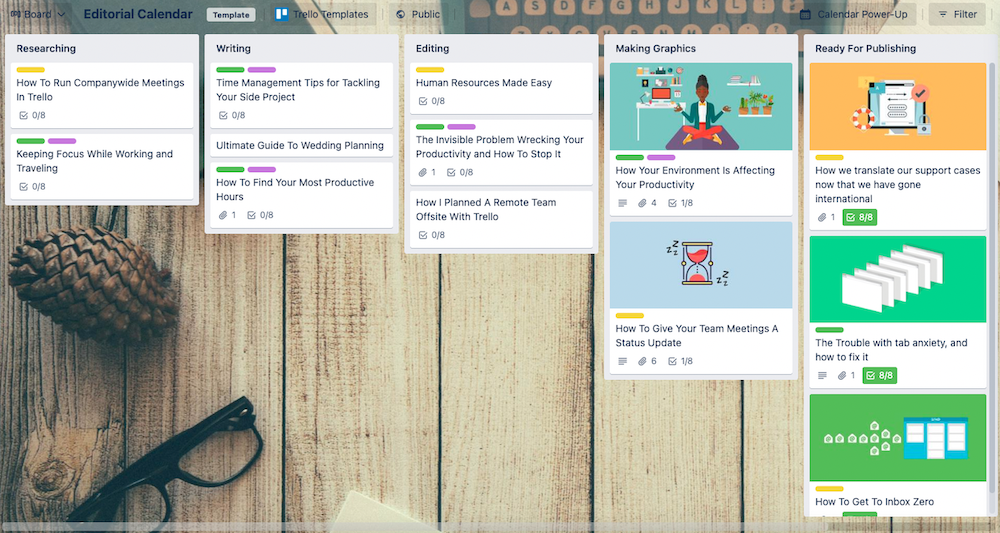
Trello is a project management software with a few remote collaboration tools to assist teams in organizing tasks and projects. Its interface is Kanban-based. Teams can build cards for each task or item on the board and shift them between columns to demonstrate different stages of advancement or organization.
The first step would be to create separate boards for each brainstorming session or project. Then, within each board, create columns to categorize cards. These columns could be the names of the remote team members, organization goals, or statuses. Next, add cards under the columns to kick off the collaboration process!

Zapier is software to help teams and remote workers get things done faster with workflow automation. The tool lets you quickly connect various web services and automate tasks, such as sending automated emails, creating customer support tickets, or even creating new records in your CRM.
With Zapier, you can easily move data between different apps and platforms. Zapier also provides detailed reporting so teams can track project progress and take action when needed. Its easy-to-use interface and powerful automation features make it a good solution for teams of all sizes.
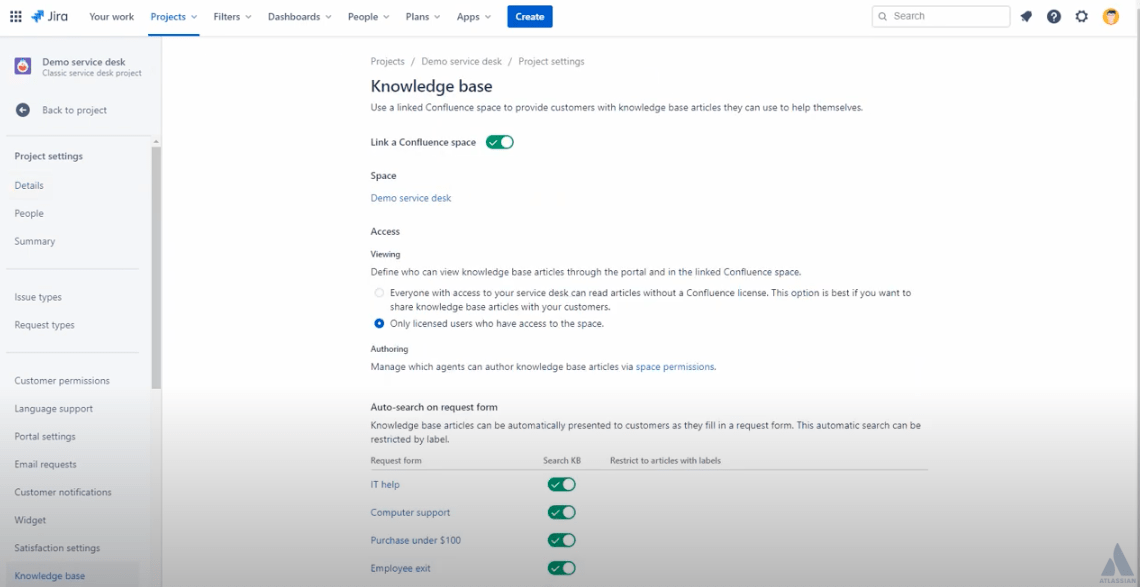
Confluence is a remote collaboration tool helping distributed teams streamline document and task management. It also provides a platform for people to share knowledge and ideas, making it easier to stay connected. In addition to its collaboration features, Confluence offers reporting, analytics, and automation capabilities for project management.
With these tools, remote workers can quickly identify bottlenecks and inefficiencies and visualize data. This helps teams make better decisions and work more collaboratively. Confluence also integrates with other popular applications, such as Slack, allowing users to stay connected regardless of where they are working from.
Compare Confluence Vs Notion & Confluence Vs Jira!
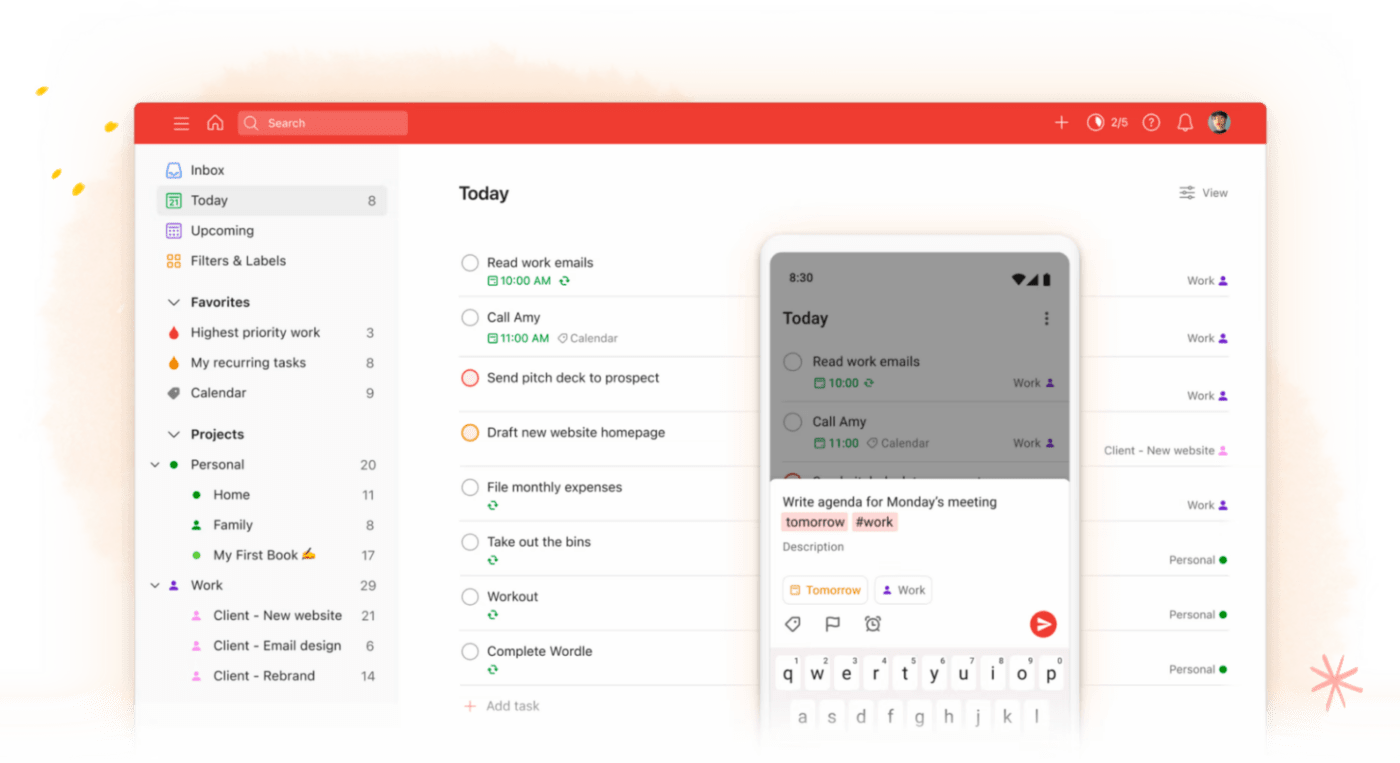
Todoist is a task management platform for remote teams to collaborate and manage tasks from anywhere globally. It provides powerful tools to help users organize their projects and tasks. With Todoist’s intuitive interface, users can easily create and assign tasks, assign due dates and labels to tasks, and set reminders for themselves or teammates.
Todoist also provides dashboard views to visualize progress on multiple projects simultaneously. Its integrations with Slack and other popular apps allow users to keep their workflow organized and streamlined.
Bonus: Learn more about collaborative work management!
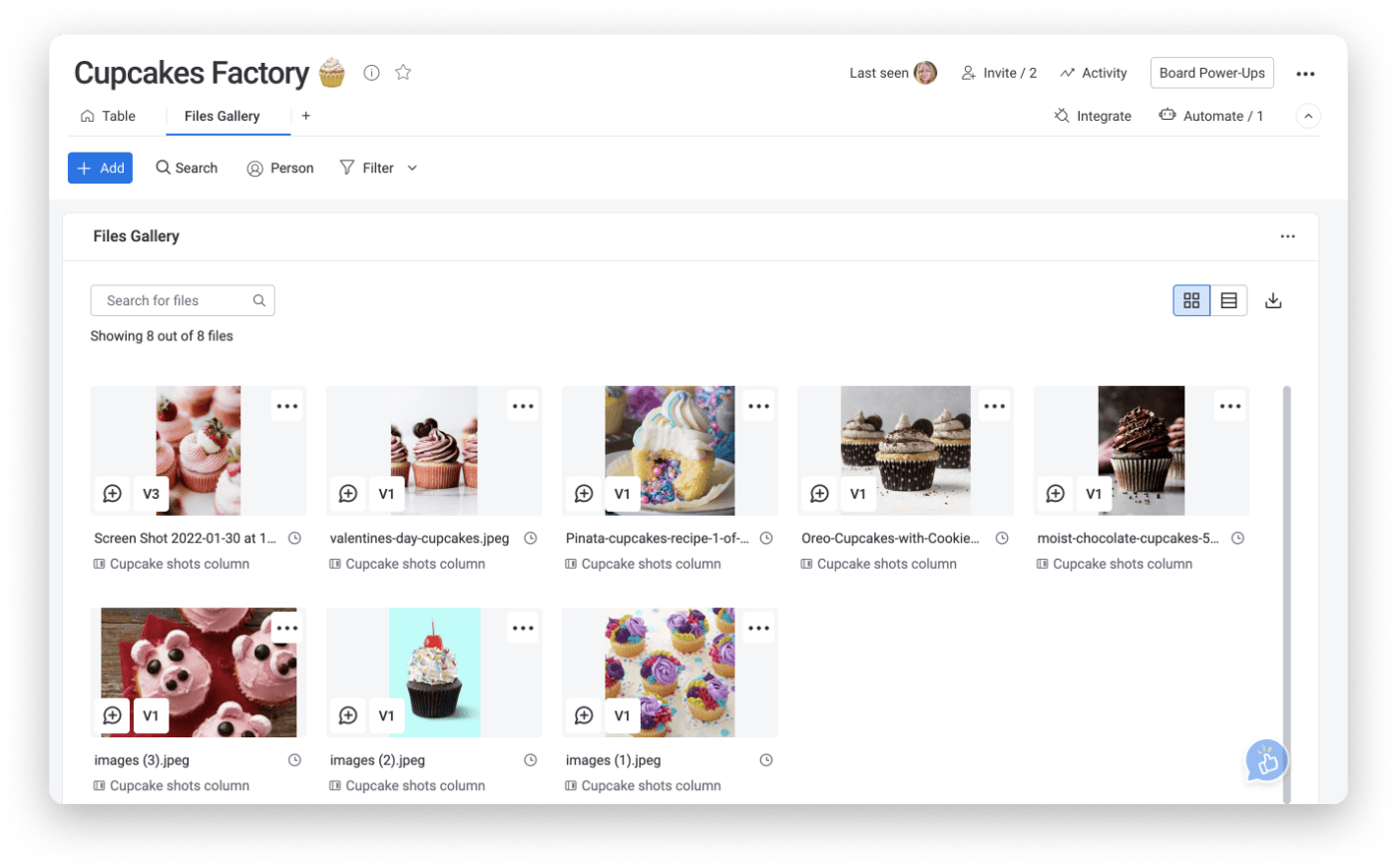
Monday.com is a project and team management platform designed to help remote teams collaborate more efficiently. It’s a flexible tool with an intuitive interface to visualize projects, track progress, assign tasks, manage resources, analyze performance data, share files, and communicate in real time.
Monday.com also provides users with powerful automation tools to automate everyday processes such as task follow-ups, reminders, notifications, and more. This feature increases teams’ productivity and allows them to focus on their core tasks without worrying about mundane administrative tasks.
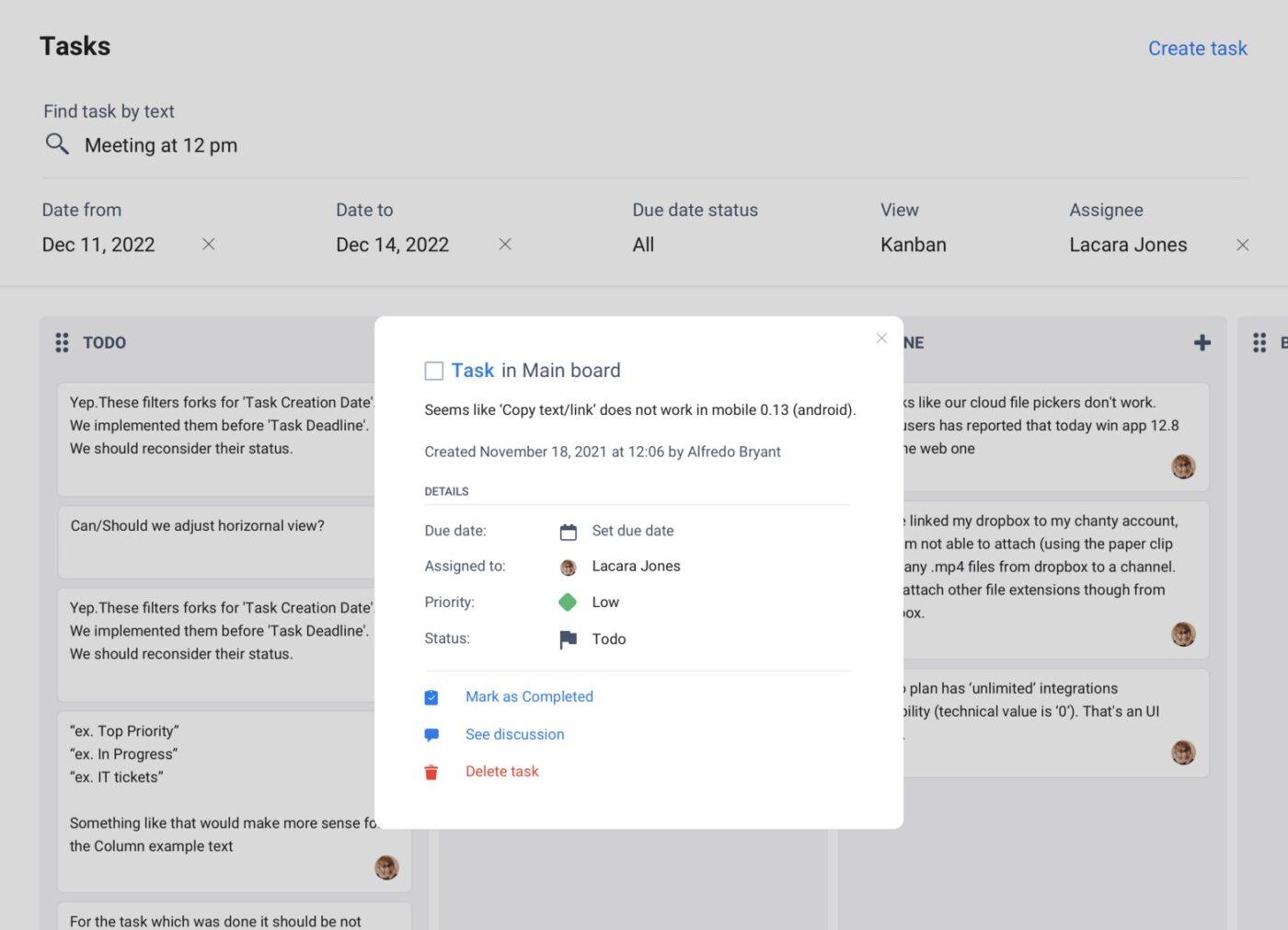
Chanty is a remote collaboration tool with features like chat, video calls, file sharing, and task management to help teams stay connected and productive. You can share ideas, assign tasks, and get feedback from other team members quickly. Plus, all communication is securely stored in one place to be easily accessed at any time.
Chanty also makes staying up-to-date with recent changes simple. Its notifications system lets users know when there are new messages or updates soup to date on the most current project status!

Asana is a powerful project management tool that fosters team collaboration by allowing you to create, assign, and track tasks in real-time. Its easy-to-use interface, along with robust features like timeline creation, project trails, and dashboards, makes Asana an ideal remote collaboration tool for teams of all sizes.
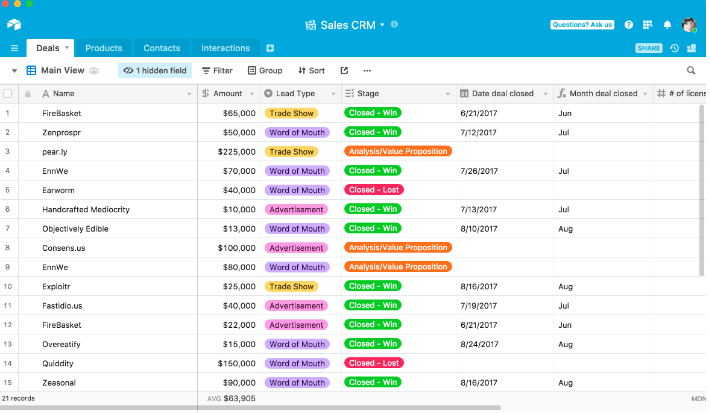
Airtable is a hybrid of spreadsheet and database, allowing teams to organize work, projects, and ideas in a flexible, easy-to-use platform. It’s a fantastic tool for managing workflows, tracking inventories, and arranging project tasks.

Microsoft Teams is a chat-centered workspace in Office 365. It brings people, conversations, files, and tools into one place, so everyone has instant access to everything they need. It’s a great tool for real-time collaboration and communication for remote and distributed teams.
Check out these Microsoft Teams alternatives!

Basecamp is a real-time communication tool that helps teams stay on the same page. It centralizes all your project assets, documents and tasks in one place, making it easy for teams to collaborate and keep work organized. Basecamp is ideal for remote teams who juggle multiple projects at once.

Miro is a visual collaboration platform helping teams to work effectively together, from brainstorming with digital sticky notes to planning and managing agile workflows. With Miro, you can create, collaborate, and centralize communication for your cross-functional team projects.
📮ClickUp Insight: About 43% of workers send 0-10 messages daily. While this suggests more focused or deliberate conversations, it could also indicate a lack of seamless collaboration, with important discussions happening elsewhere (like email). To prevent unnecessary platform hopping and context switching, you need an everything app for work, like ClickUp, that combines projects, knowledge, and chat in one place—all powered by AI that helps you work more efficiently.
ClickUp’s collaboration tools provide the ultimate solution for efficient and effective teamwork, no matter where you are. All your project details in one place give you total clarity, so you never have to worry about being out of sync or inaccurate.
And with powerful project management tools like dynamic Docs, drag-and-drop calendars, and prebuilt templates, remote teams will always be on top of their most important work. ✍️
By leveraging these powerful tools, remote teams can collaborate more effectively, increase productivity, and achieve project success. Create a free account in ClickUp today!

© 2026 ClickUp

There’s an easier way. Try a free AI Agent in ClickUp that actually does the work for you—set up in minutes, save hours every week.