






Still downloading templates?
There’s an easier way. Try a free AI Agent in ClickUp that actually does the work for you—set up in minutes, save hours every week.
Sorry, there were no results found for “”
Sorry, there were no results found for “”
Sorry, there were no results found for “”

A decade ago, one marketing blog’s “publish everything” strategy worked—until it didn’t. After hitting 155,000 monthly visitors, their massive 1,000-post library became a liability.
Traffic slipped to 47,000 a month, revenue dropped, and the once-powerful library started weighing the site down. 📉
A content audit revealed hundreds of thin, outdated, and overlapping posts that lacked backlinks and weakened the site’s authority. With clear data in hand, the team could take corrective action. Over the following months, organic traffic rebounded by 76%.
If your content feels like it’s sabotaging your success, here are the top content audit tools that’ll help you clean house and get similar results. 📊
Here’s a look at the top content audit analysis tools and what they bring to the table. 👇
| Tool | Best for | Best features | Pricing* |
| ClickUp | Centralized content auditing, creation, and collaboration for SEO teams in small agencies, mid-market brands, and large enterprises | ClickUp Tasks for workflow tracking, Views for calendar and list audits, Docs and ClickUp Brain for content creation, AI Agents, Dashboards with AI Cards, Chat, Talk to Text, and BrainGPT supporting AI models like ChatGPT, Claude, DeepSeek, and Gemini | Free forever; customizations available for enterprises |
| Ahrefs | Live backlink profiling and link decay monitoring for digital marketers, SEO consultants, and global agencies | Site Explorer for link quality filtering, Alerts for lost/gained backlinks, CSV export of linking domains, Lost Backlinks report, Anchor text pattern analysis | Free; Paid plans start at $29/month |
| Semrush | SEO and PPC keyword intelligence for freelance content marketers, content strategists, and marketing departments | Domain comparison, Keyword Magic Tool with volume and difficulty data, Position Tracking, PPC ad and landing page insights, AI SEO audit and optimization toolsets | Free trial; Paid plans start at $60/month |
| Sitebulb | Technical SEO and structure analysis for web developers, content leads, and remote SEO teams | Crawl scheduling, URL Mapping visualizations, Hint system guidance, cloud/desktop modes, executive-level reporting in multiple formats | Free trial; Paid plans start at $18/month |
| Lumar | High-scale crawling and technical issue flagging for large ecommerce sites, multinational domains, and enterprise content platforms | Custom data extraction rules, automated QA workflows, GEO tools for AI search, site speed and crawl performance diagnostics | Custom pricing |
| SEOptimer | Branded SEO audit generation for freelancers, small agencies, and web consultants | White-label PDF reports, Bulk Reporting engine, SEO Crawler for in-depth analysis, Backlink Monitoring tool, mobile vs. desktop audit comparison | Free trial; Paid plans start at $29/month |
| SE Ranking | Local and global rank tracking for SEO specialists, in-house teams, and reporting agencies | Local Pack tracking, AI writing for content outlines, API export for rankings, real-time backlink alerts, competitor performance comparison | Free trial; Paid plans start at $65/month |
| Yoast SEO | On-page content scoring and meta optimization for WordPress bloggers, solopreneurs, and web editors | Keyphrase optimization, XML sitemap generation, social preview control, schema integration, built-in redirect manager | Free; Paid plans start at $118.80/year |
| WooRank | Competitive gap analysis and weekly SEO monitoring for digital teams, agencies, and SMBs | Marketing checklist generator, Social Media Tracker, monitoring alerts for SEO metrics, Chrome extension for live audits | Free; Paid plans start at $19.99/month |
| Google Analytics | Conversion-focused behavior analysis for product teams, content strategists, and e-commerce managers | Custom conversion Events, audience segmentation, BigQuery exports, Attribution path reports, Enhanced E-commerce tracking | Free; Custom pricing |
| Google Search Console | Search performance diagnostics and index visibility for SEO analysts, content writers, and marketing operations | URL Inspection, Performance report keyword data, Core Web Vitals tracking, Coverage diagnostics, alert system for indexing issues | Free |
| Amplitude | Behavioral funnel tracking and cohort analysis for product managers, growth teams, and B2B SaaS platforms | Funnel analysis, Pathfinder journeys, retention curves, behavioral cohort creation, multi-event content consumption insights | Free; Paid plans start at $61/month |
| Hotjar | Visual user interaction auditing through heatmaps for UX writers, content leads, and conversion teams | Scroll maps, click heatmaps, Incoming Feedback tool, real-time session recordings, on-page poll triggers | Free; Paid plans start at $39/month |
| Screaming Frog | Local desktop crawling and technical inventorying for SEO technicians, consultants, and independent webmasters | Internal link mapping, semantic duplicate analysis, AI content cluster visualizations, XML sitemap generator, word count filters | Free; Paid version starts at $279/year |
| Grammarly | Writing quality consistency across platforms for editorial managers, distributed content teams, and freelancers | AI writing assistants, tone feedback, real-time grammar checks, team-wide style enforcement, citation and paraphrasing tools | Free; Paid plans start at $30/month |
| Hemingway Editor | Simplifying readability and writing clarity for solo creators, bloggers, and education teams | Readability grade assessment, sentence complexity flags, passive voice detection, adverb density highlights | Free; Paid plans start at $25/month |
| Surfer SEO | SERP-based content scoring and optimization insights for SEO copywriters, strategists, and agencies | SERP Analyzer, Audit tool for underperforming pages, Content Editor with optimization scoring, Outline Builder, competitor gap analysis | Paid plans start at $99/month |
| BuzzSumo | Content topic discovery and social engagement research for PR teams, marketers, and outreach specialists | Trending content discovery, influencer research, content format analysis, share tracking, brand monitoring alerts | Free trial; Paid plans start at $199/month |
| Clearscope | Semantic content alignment and topic coverage grading for enterprise SEO teams, agencies, and in-house writers | Content Report with related term insights, Content Decay tracking, semantic brief generator, real-time coverage scoring | Paid plans start at $189/month |
| MarketMuse | Strategic content gap modeling and topical authority mapping for enterprise content teams, editorial leaders, and content ops | Topic model generation, pillar and cluster strategy planner, inventory scoring for coverage depth, semantic completeness audit, content brief creation with topic outline | Free; Custom pricing |
Our editorial team follows a transparent, research-backed, and vendor-neutral process, so you can trust that our recommendations are based on real product value.
Here’s a detailed rundown of how we review software at ClickUp.
A content audit tool is software that helps teams evaluate the performance and quality of their digital content.
It provides insights into metrics like traffic, engagement, and SEO health, while identifying outdated, duplicate, or underperforming pages. With these insights, teams can make data-backed decisions to refine their content marketing roadmap and keep their website aligned with business goals.
🔍 Did You Know? The idea of auditing content didn’t start with digital marketing. In the 1970s, libraries were already running collection audits, which meant reviewing which books were being borrowed vs. which were gathering dust.
Content audit tools provide clarity and direction for managing content marketing. They offer many benefits, allowing you to:
📮 ClickUp Insight: 37% of our respondents use AI for content creation, including writing, editing, and emails. However, this process usually involves switching between different tools, such as a content generation tool and your workspace.
With ClickUp, you get AI-powered writing assistance across the workspace, including emails, comments, chats, Docs, and more—all while maintaining context from your entire workspace.
A good content audit tool should provide you with the right insights to keep your content creation workflow running smoothly. Look for:
🧠 Fun Fact: Nearly 500 nutrition websites were evaluated on readability, content quality, and usability. The ones ranked via popular search engines often had lower content accuracy, higher reading levels, and poorer overall usability. Less visible = less trusted.
These are our picks for the best content audit tools, organized by category so you can see which ones handle collaboration, SEO, analytics, or optimization. 💪🏼
ClickUp’s Marketing Project Management Software gives you a structured way to run content audits at scale.
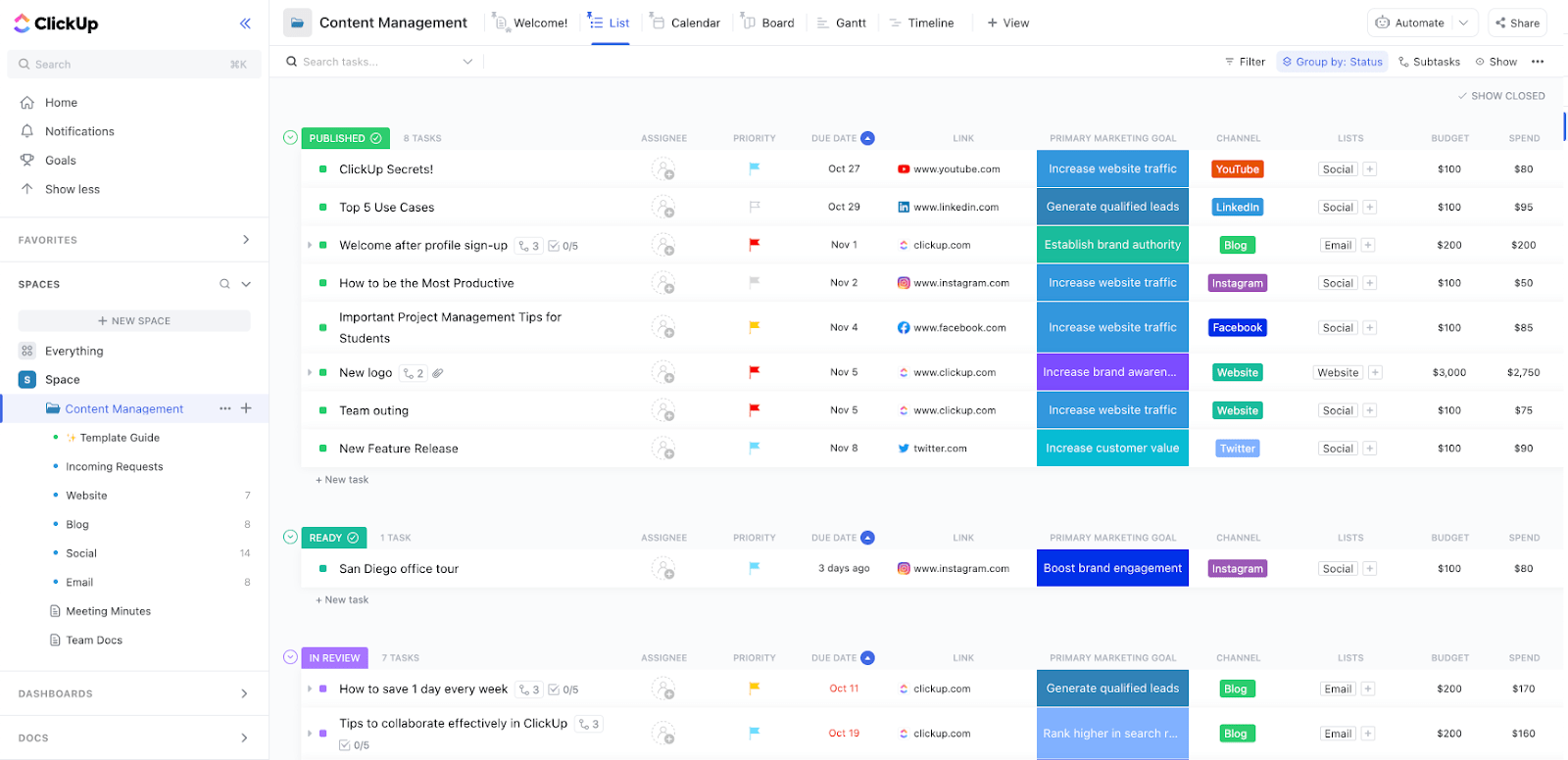
You can kick things off with the ClickUp Content Management Template. Catalog all your content assets, and move to:
Once you’ve got your framework, you need every asset to have a clear next step. ClickUp Tasks let you do exactly that.
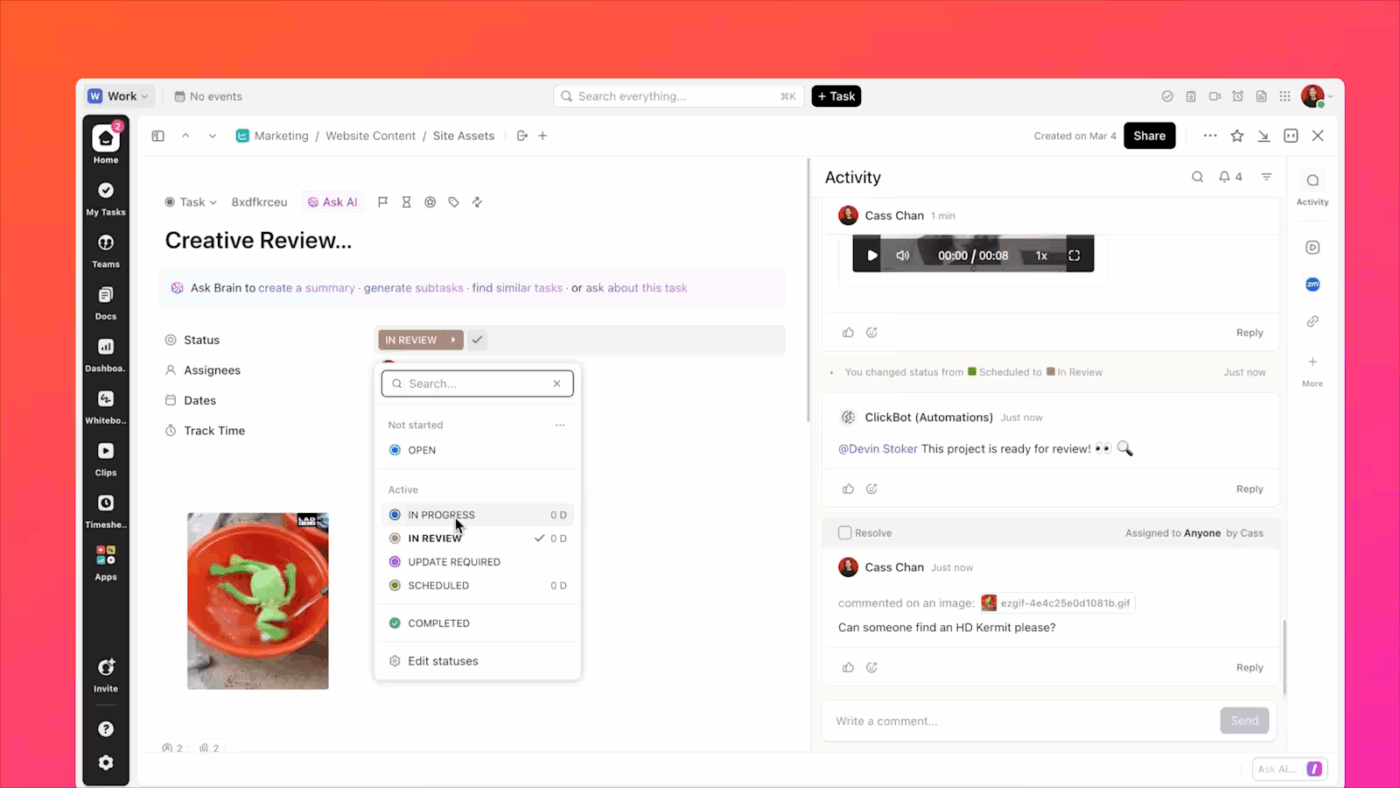
Let’s say you’re reviewing 50 high-traffic landing pages. Each one becomes a task in ClickUp, with an owner and a deadline. Inside the task, subtasks break work down into keyword refresh, CTA rewrite, metadata update, and screenshot replacement.
ClickUp Task Dependencies keep things in order, so design changes don’t kick off until copy edits are approved.
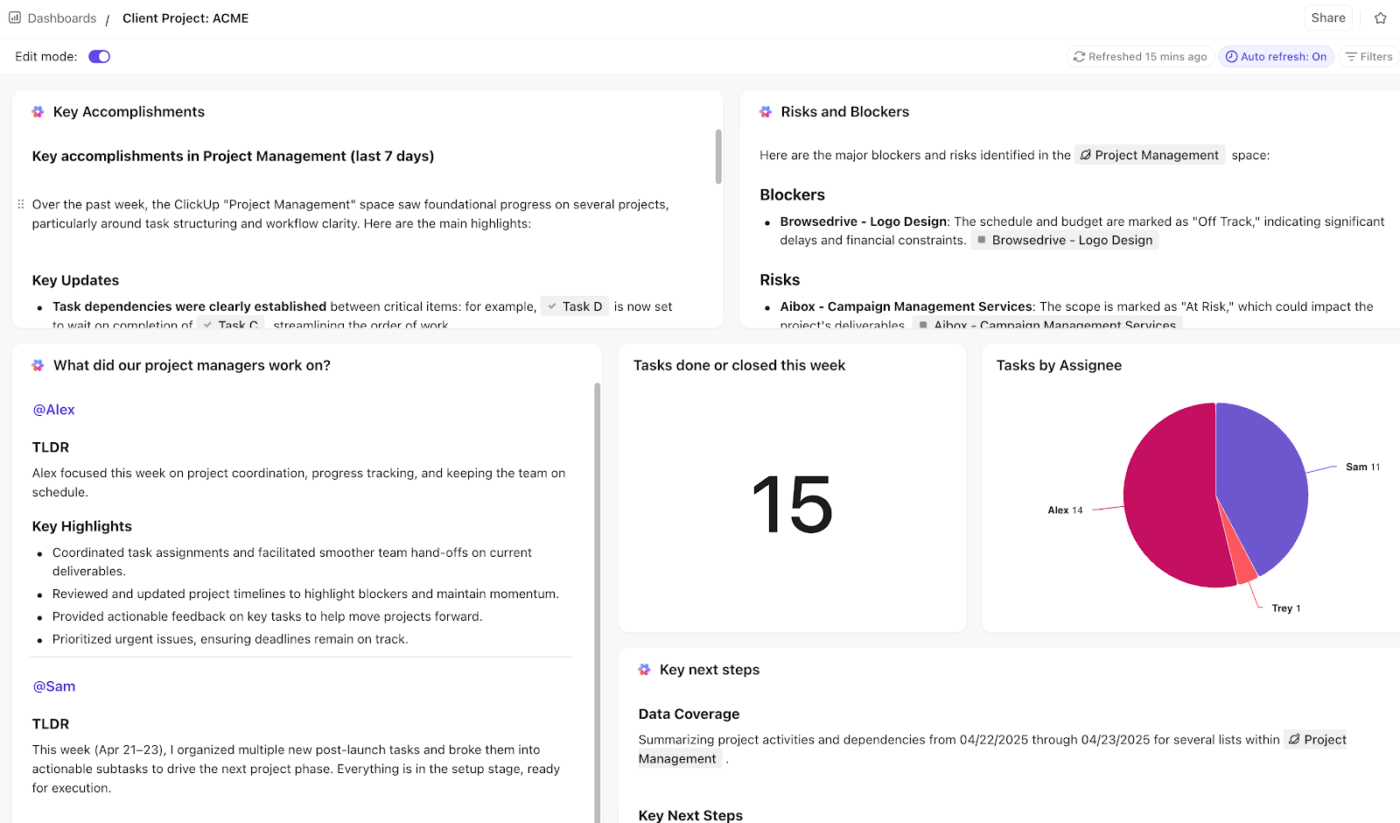
As the number of assets grows, you need visibility into patterns. ClickUp Dashboards give you a live view of audit progress, while AI Cards surface insights automatically.
Suppose 30 landing pages dropped in traffic last quarter, or 100 posts haven’t been touched in 18 months. Your dashboard flags them instantly so you can reprioritize tasks without slowing the entire audit.
Dashboards become especially powerful when you track:
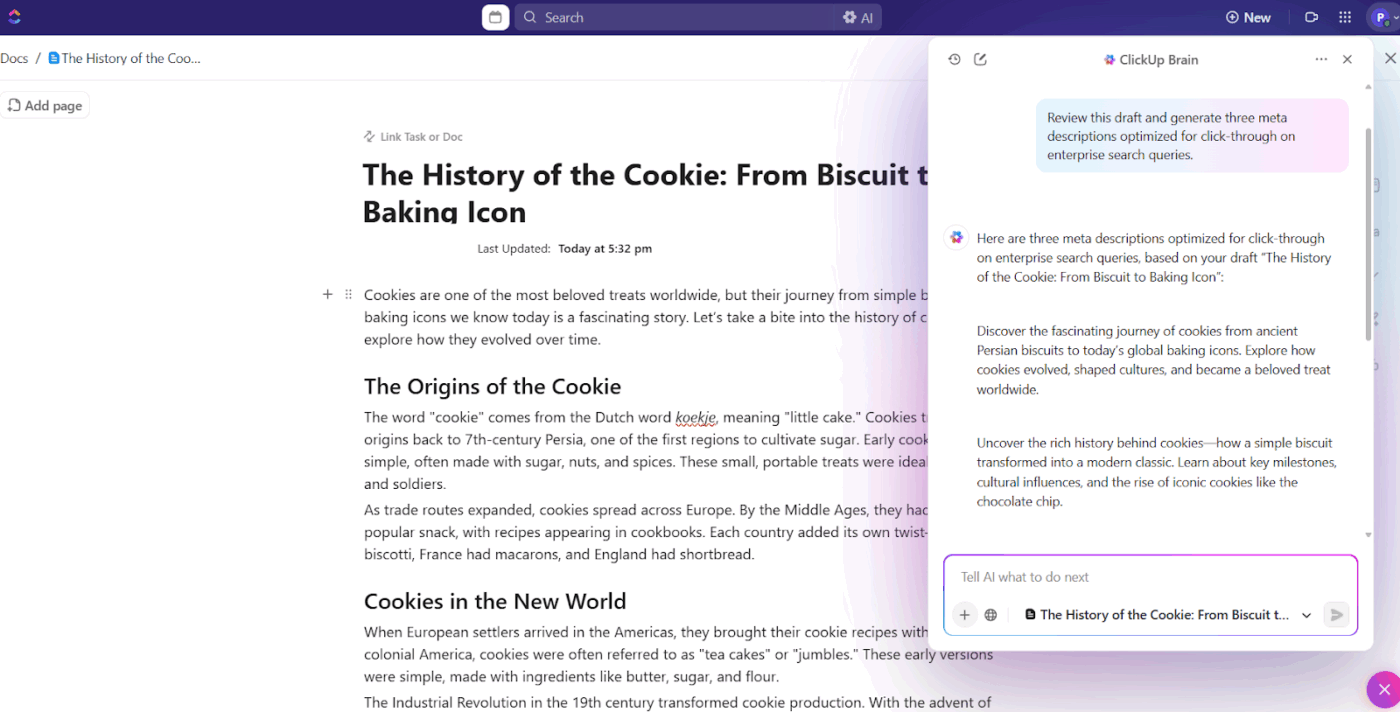
When your audit flags underperforming pages, you want fixes to happen in the same place you track them. In a linked ClickUp Doc, your team can draft updates, tag reviewers, and then bring in ClickUp Brain, the integrated AI assistant, to speed up the hard parts.
Here’s how to use AI in ClickUp during content audits:
For example, if your audit shows 25 product pages with outdated metadata, you can open each linked Doc, refresh the draft, and use ClickUp Brain to produce new meta descriptions aligned with your content goals. Or if a content strategist leaves a 20-comment thread on improvements, the AI assistant summarizes the discussion so your writer knows what to change.
✅ Try this prompt: Review this draft and generate three meta descriptions optimized for click-through on enterprise search queries.
Understand how content production works in ClickUp:
This G2 review really says it all:
As the founder of a digital marketing agency, I tried every project management tool out there — but nothing gave me the flexibility, automation, and structure I needed like ClickUp. I manage a remote team working on dozens of client accounts at once. ClickUp helped me centralize content calendars, automate onboarding with Forms, track revisions, assign tasks, and even set up a client dashboard experience. The custom views, automations, templates, and integrations have saved me countless hours. Plus, I’ve been able to turn my systems into sellable digital products — I even teach clients how to use ClickUp to scale their own businesses.
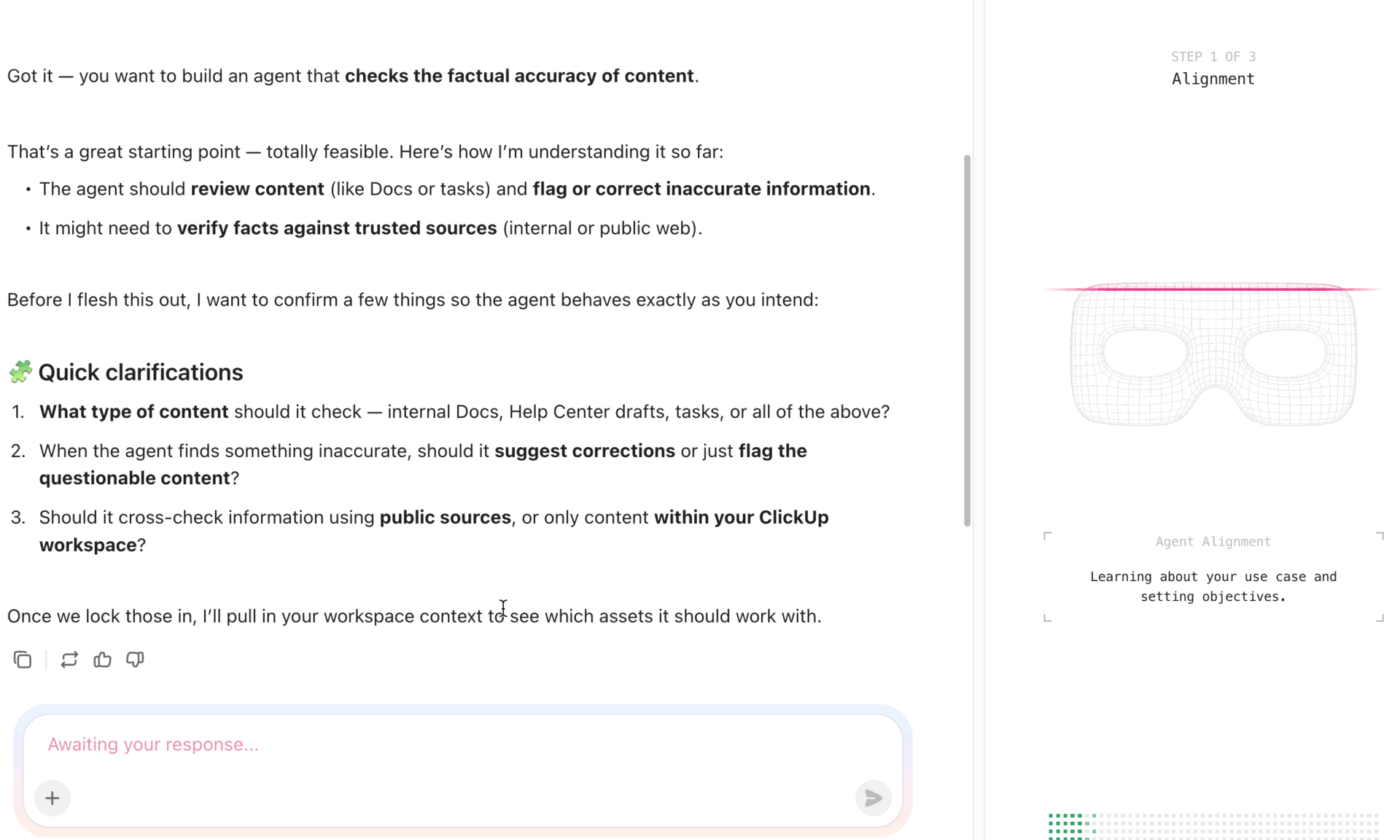
🌟 Bonus: Super Agents in ClickUp can be your partners in the content audit and refresh process. They can perform multi-step reasoning, have memory that evolves, and learn from errors and feedback. For your content audit processes, a Super Agent can:
Create a new Super Agent using just natural language with the Super Agent Builder.
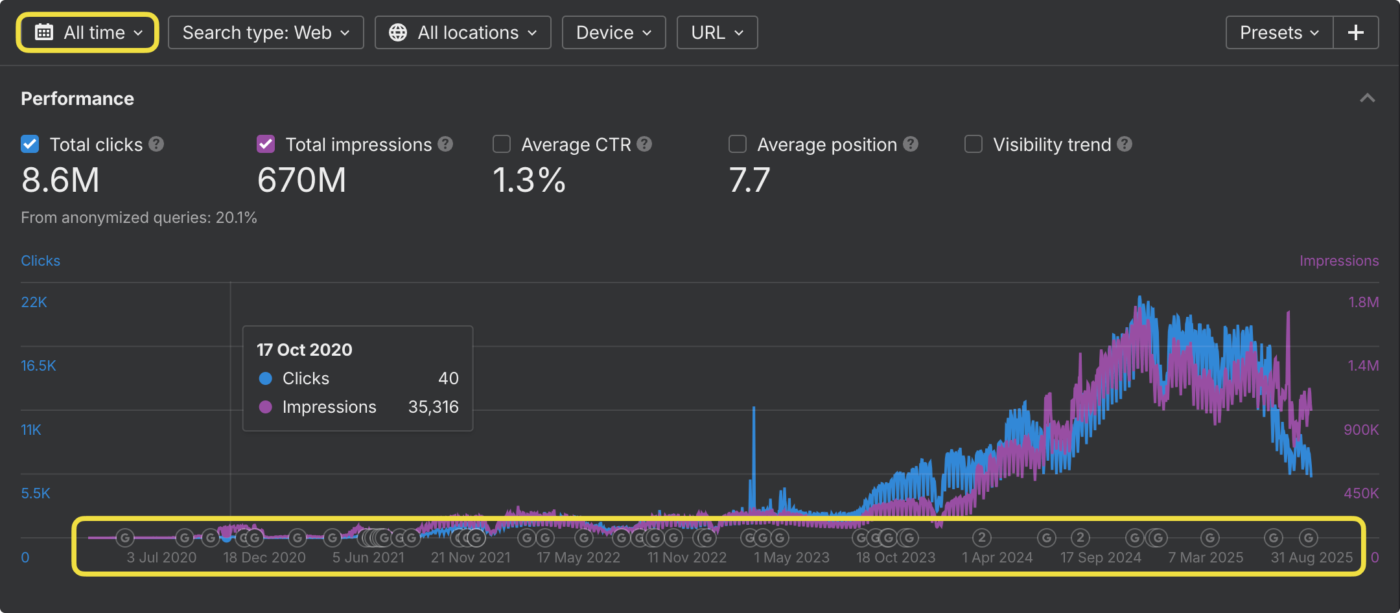
Ahrefs lets you see exactly how websites build their authority online. The platform houses data on 295 billion pages and updates its backlink index every 15 minutes, giving you a live view of link-building activities across the web.
They’ve integrated Web Analytics as a Google Analytics alternative and added AI-powered content tools that work directly within their platform. Plus, Ahrefs helps you understand the patterns that make certain content naturally link-worthy in your industry.
From a Reddit thread:
For me the biggest value comes from competitor analysis. Being able to see what’s driving traffic for others in the same space helps me build a clear roadmap of opportunities to go after. Ahrefs’ backlink tools are really solid. We use them both to keep track of our own links and to analyze competitors so we can spot new opportunities.
💡 Pro Tip: Analyze SERP features. A blog might not rank #1, but if it owns a featured snippet, an AI Overview mention, or a FAQ section, it can be more valuable than pages technically outranking it. Your audit should capture this nuance.
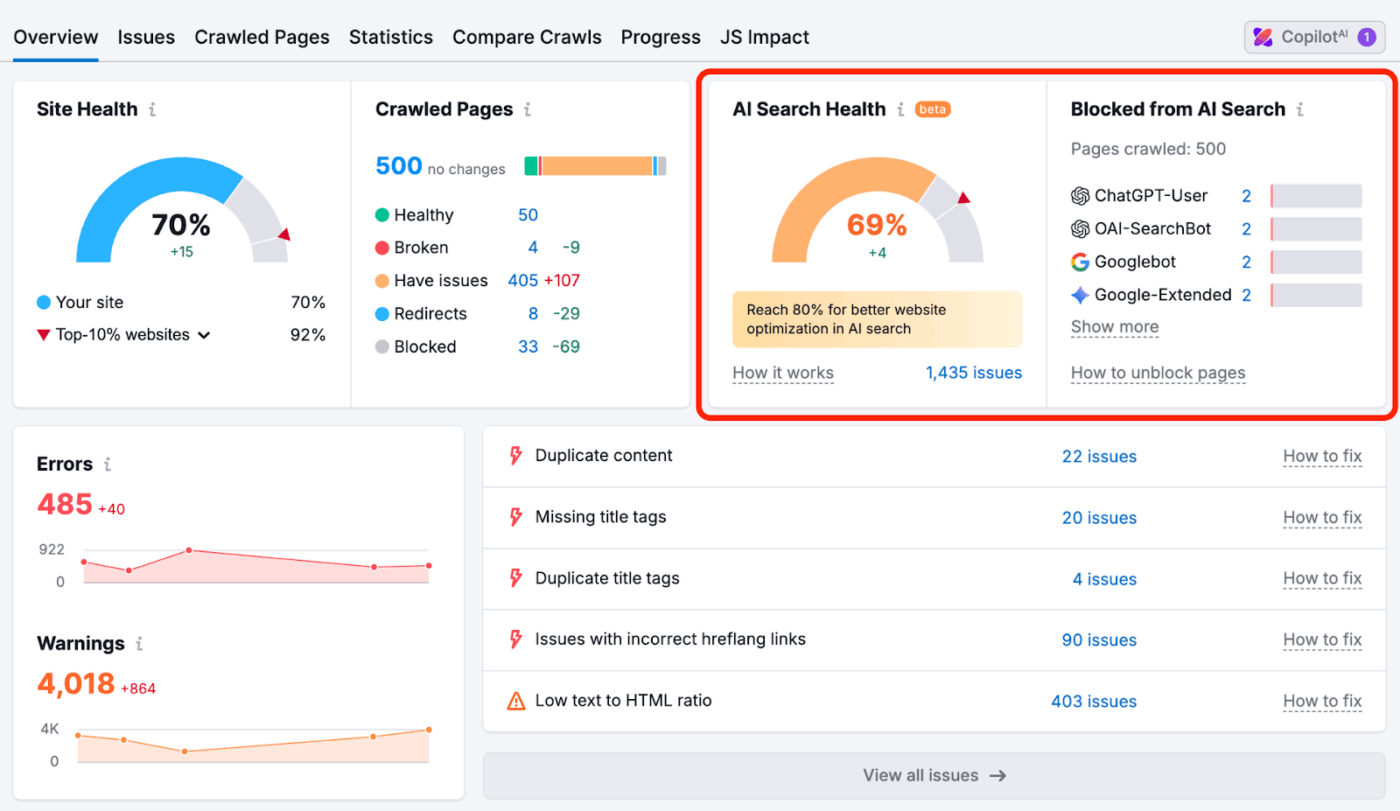
Semrush turns keyword research into competitive intelligence by showing you which search terms drive traffic to your competitors’ most successful pages. Instead of just throwing keyword suggestions at you, it reveals the complete search landscape for any topic.
The content audit tool integrates AI for SEO and monitors performance on conversational AI interfaces like ChatGPT.
Semrush connects organic and paid search data to provide insight into which keywords are valuable enough for competitors to bid on in their PPC campaigns, while also targeting them organically.
Semrush One
SEO Classic
AI SEO
Content
A Reddit user shares:
SEMrush will do a site health audit of any website or subfolder you specify. It can identify a multitude of technical / content issues, so that’s a good place to start. After you’ve done that, it really depends on the type of auditing you want to do.
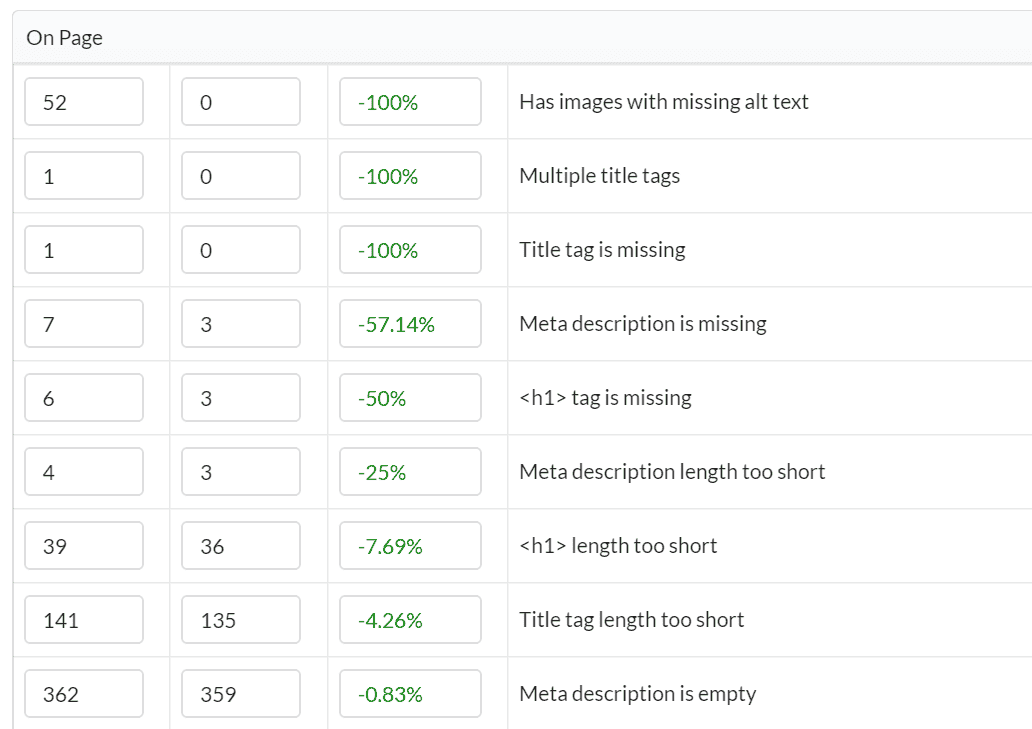
Sitebulb digs deep into your website’s technical health, checking everything from how fast your pages load to whether search engines can find and crawl your content properly. You get visual reports that make sense of complex data, showing you why each issue matters for your search rankings with clear steps to fix problems.
The content audit tool works both on desktop and in the cloud, so you can choose between your computer’s processing power and online team collaboration.
Sitebulb is also good at finding pages that are completely disconnected from your site and structural problems that confuse search engines about your content.
Desktop
Cloud server
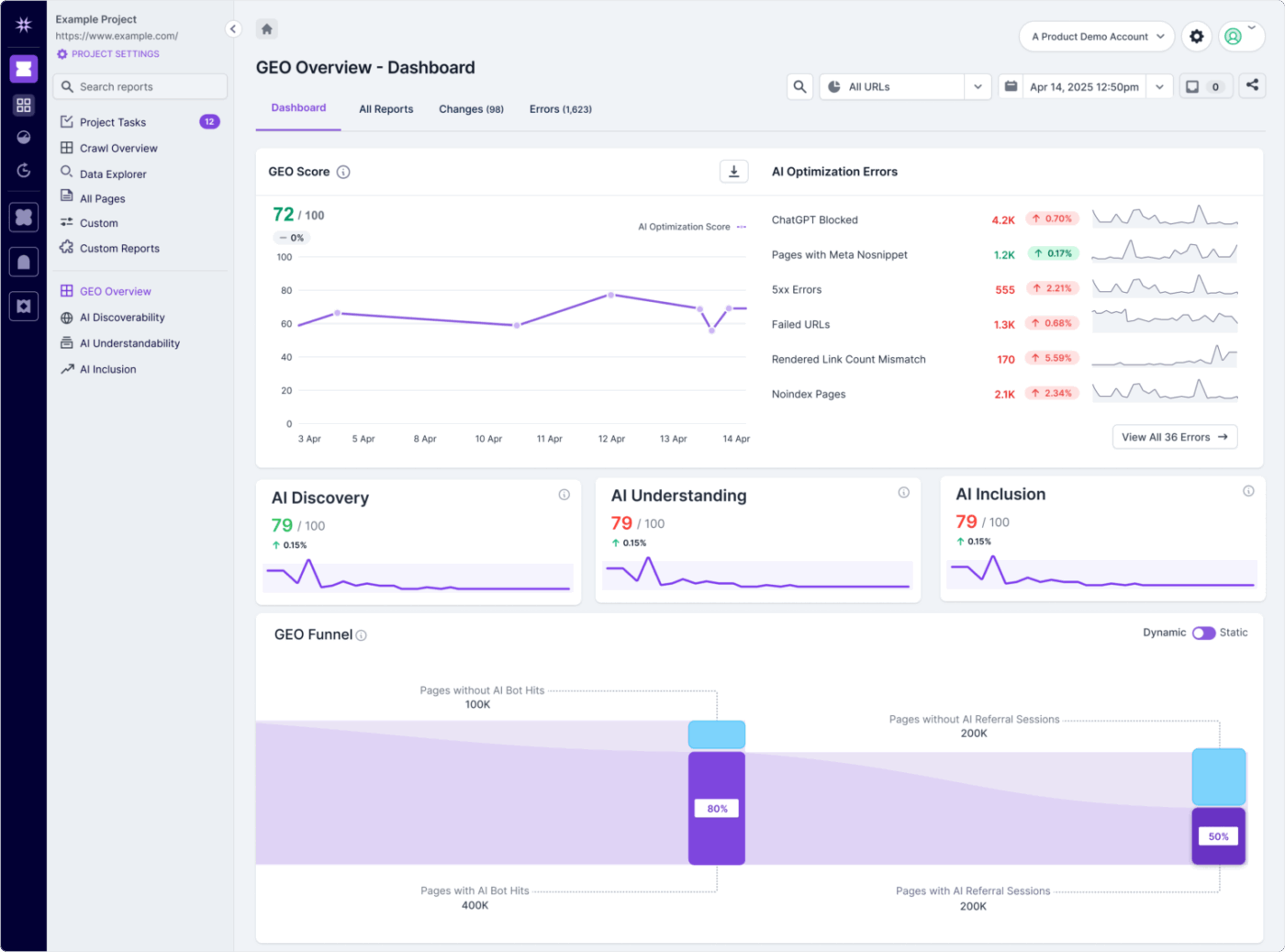
Lumar is helpful if your website is simply too big for regular crawling tools to handle. Think massive e-commerce sites with thousands of product pages, sprawling corporate websites, or content-heavy platforms.
Plus, you can teach it to grab specific pieces of information while it crawls, like pulling product prices or checking content patterns across your entire site.
The platform gets even more powerful when you connect it to Google Analytics and Search Console, because then you can identify technical SEO issues that are actually hurting your traffic.
According to a G2 review:
Lumar has been a valuable SEO tool for our team. Being a cloud-based solution means we can schedule crawls at times that work best for us, without tying up local resources. The ability to extract exactly the data we need is incredibly helpful, especially thanks to their powerful custom reporting and filtering features. It gives us the flexibility to analyse our site in the way that makes the most sense for our goals, its like having a personalised tool.
💡 Pro Tip: When scoring SEO performance, break down traffic by keyword clusters and SERP positions. A blog ranking at position 11 might be a stronger candidate for optimization than one already at position 3, even if traffic is lower.
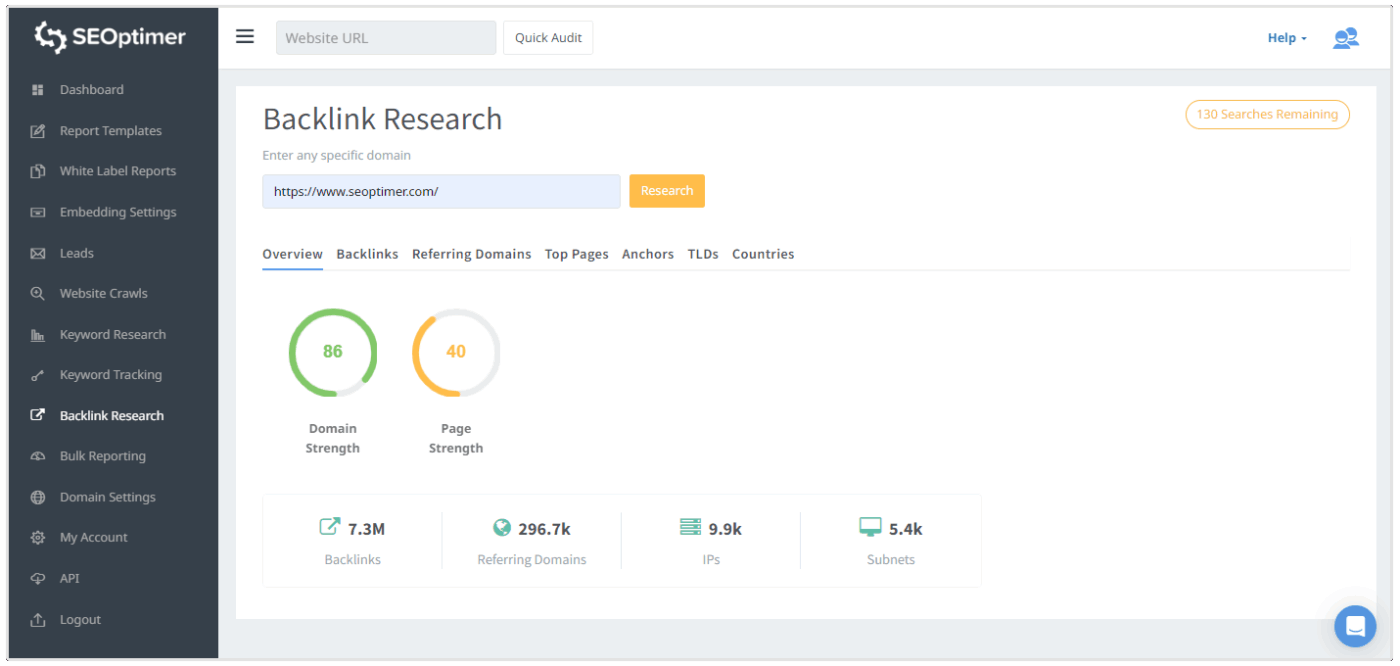
SEOptimer delivers what it promises: fast website audits that don’t make you wait around. The platform runs over 100 SEO checks in about 20 seconds, covering everything from on-page optimization to backlink profiles.
What sets it apart is the white label reporting feature and the ability to embed the tool directly into your website. This makes it handy for agencies that want to offer SEO audits to prospects without sending them to a third-party site.
The platform also includes keyword research tools, backlink monitoring, and a website crawler. But honestly, most users stick around for the speed and simplicity of getting instant website health reports.
Here’s what a G2 reviewer had to share:
One of the things I like best about SEOptimer is how clearly and objectively it presents SEO reports. It makes it easy to identify areas that need improvement, both technically and in terms of content. Plus, it provides practical optimization suggestions, which is really helpful whether you’re managing SEO in-house or passing tasks to a technical team.
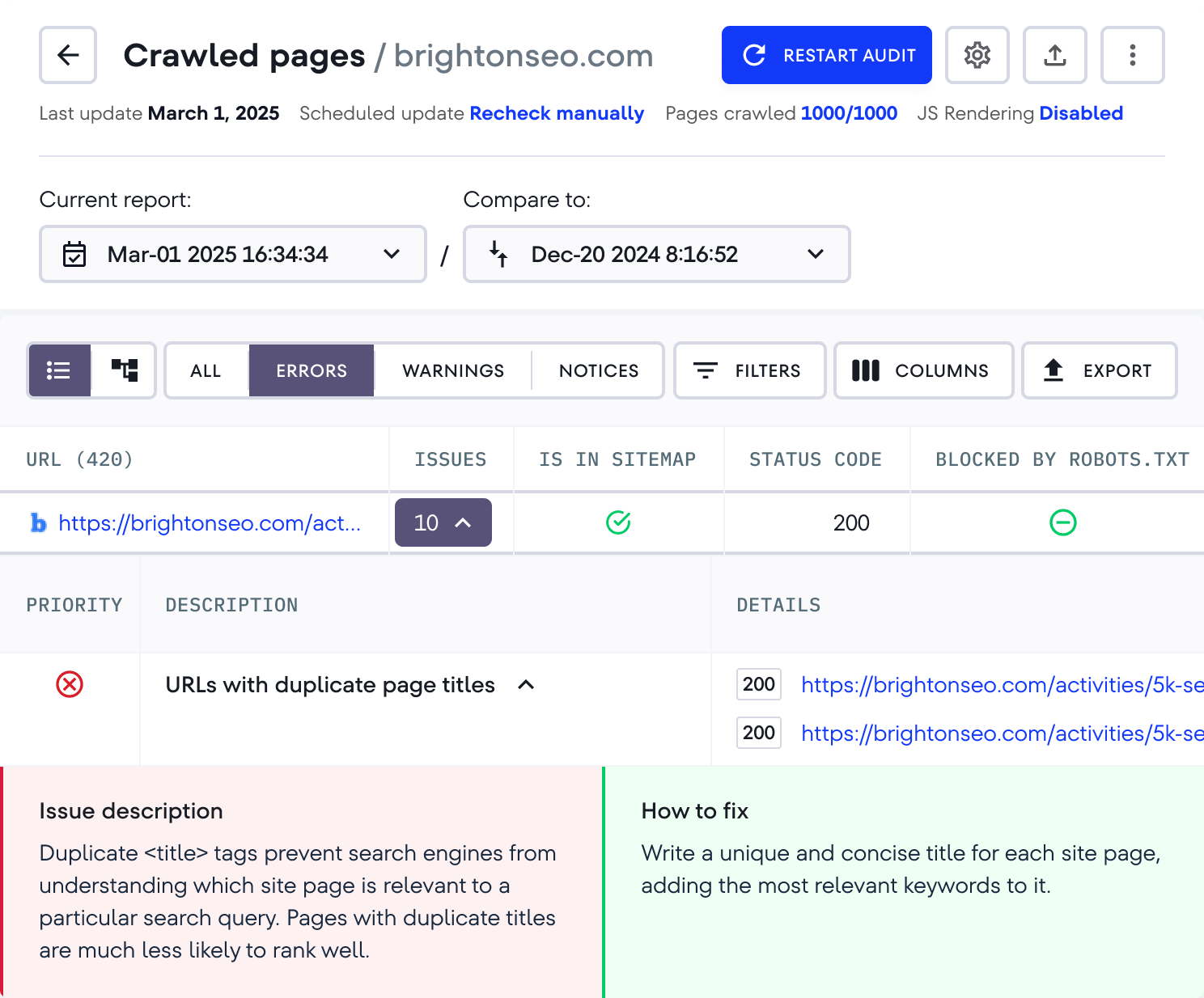
SE Ranking shows you where your website stands in search results over time. The platform supports historical data comparison, letting you observe ranking trends and evaluate SEO performance patterns.
In addition, SE Ranking tracks rankings at the local level, so you can see how you perform in specific cities or regions, which matters if you’re targeting local customers.
The content audit tool also lets you benchmark your performance against competitors. It includes comprehensive backlink monitoring with real-time alerts for new or lost links, plus advanced website audits that identify technical issues.
A G2 reviewer shared this feedback:
The improved Site Audit is very helpful when analyzing prospects and clients websites. In addition to these updates the new AI search rankings is a new feature I have been trying out and finding very insightful. They also have invested in great educational content in the form of webinars and conferences. This is very helpful in continuing to learn and improve my skillset.
🔍 Did You Know? The Pew Research Center found that of about a million webpages sampled from snapshots between 2013 and 2023, 38% of pages are no longer accessible. That means a lot of stale links, missing pages, or content have been removed without redirects.
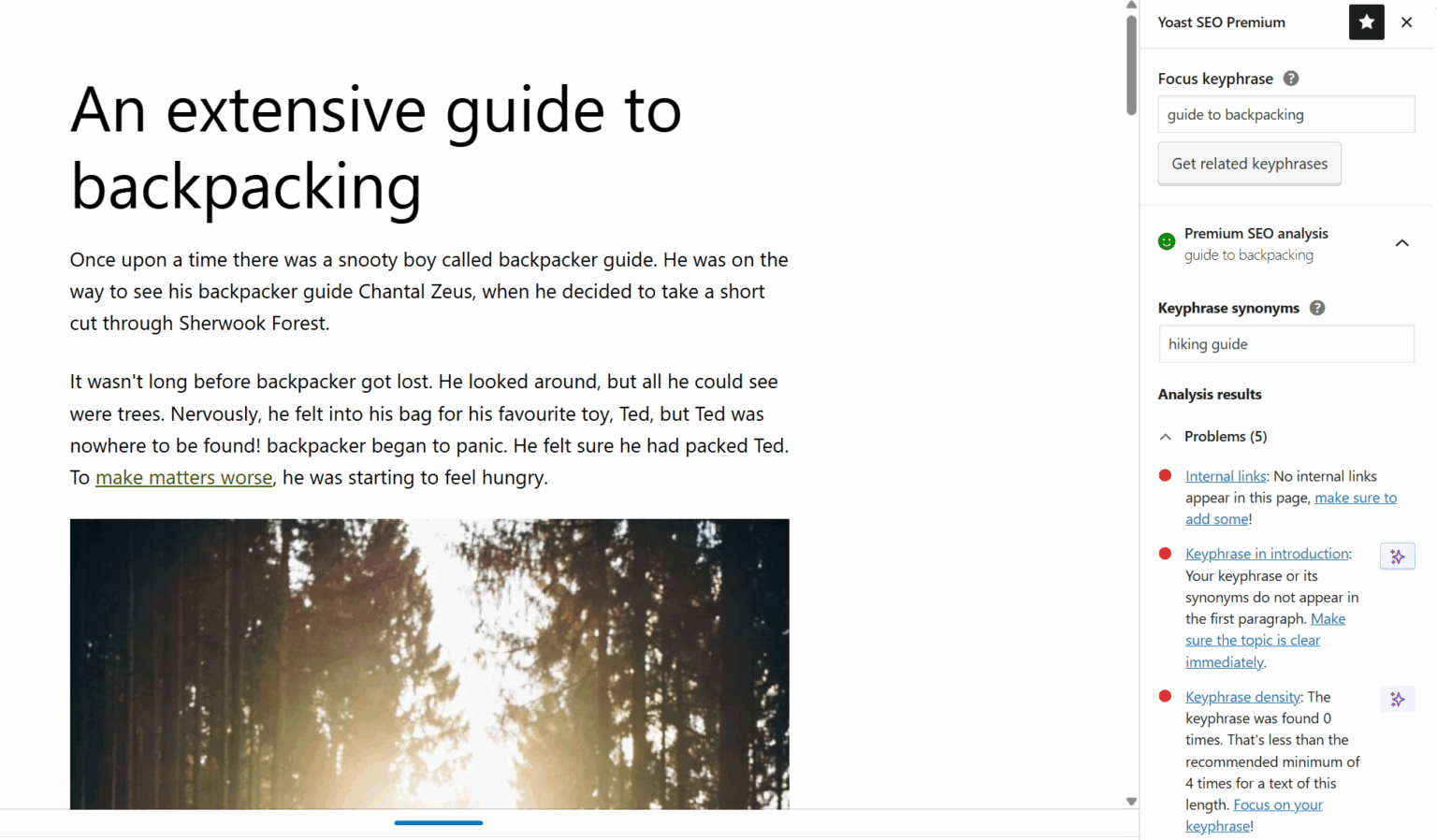
WordPress powers over 40% of websites, and Yoast SEO has become practically synonymous with WordPress optimization.
The plugin sits right in your content editor, analyzing posts as you write them and suggesting improvements before you publish. You’ll see red, amber, or green indicators that tell you instantly how well your content is optimized.
Beyond the writing suggestions, Yoast handles the technical stuff that would otherwise require developer help: XML sitemaps, canonical tags, and schema markup all happen automatically. The plugin essentially puts an SEO consultant inside your content management system, guiding your decisions in real time.
According to a G2 review:
What I like best about Yoast SEO is its user-friendly interface and real-time content analysis. It provides easy-to-follow SEO and readability suggestions, making optimization simple for both beginners and experts. The ability to customize meta descriptions, titles, and sitemaps directly within the plugin is a huge time-saver. Overall, it’s a powerful tool that simplifies SEO for anyone looking to improve their site’s performance.
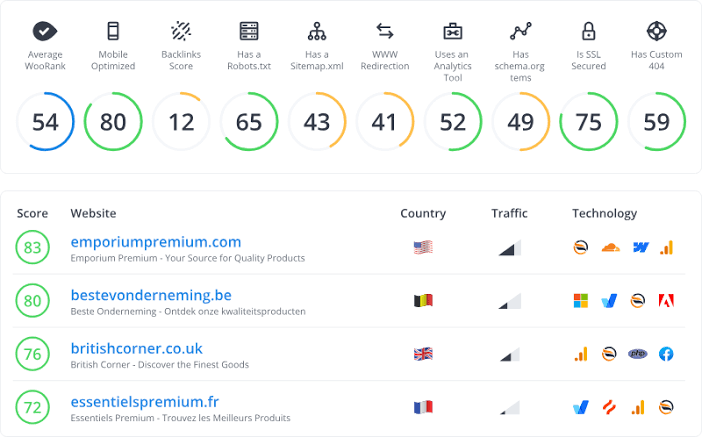
Most SEO tools analyze your website in isolation, but WooRank puts your performance in context by comparing it directly to your main competitors. You can see exactly where you’re winning and where you’re falling behind across multiple SEO factors.
The weekly monitoring reports track your progress and alert you when competitors make significant changes or improvements. This competitive intelligence approach helps you prioritize which issues to tackle first.
A Capterra review says:
I used the software to provide a review of my site, as well as getting a more in depth audit from a member of the WooRank team. The tool itself is wonderful to use, and provides a report that is insightful, but most importantly; actionable. New features seem to be added constantly and theres also an extension for Chrome.
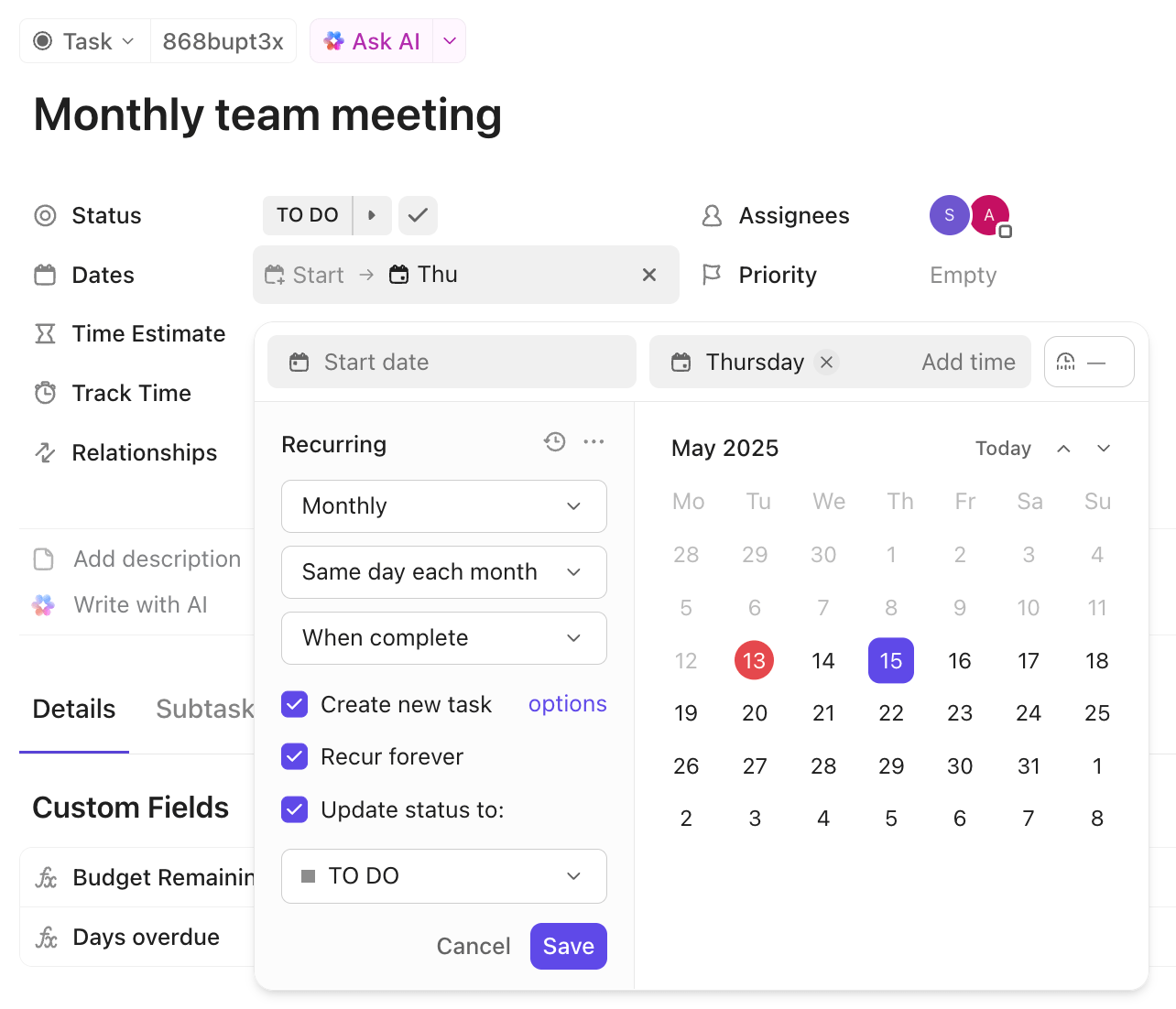
🚀 ClickUp Advantage: Never miss a content audit again. ClickUp Recurring Tasks let you automate routine workflows, so tasks reappear automatically on a daily, weekly, monthly, or custom schedule.
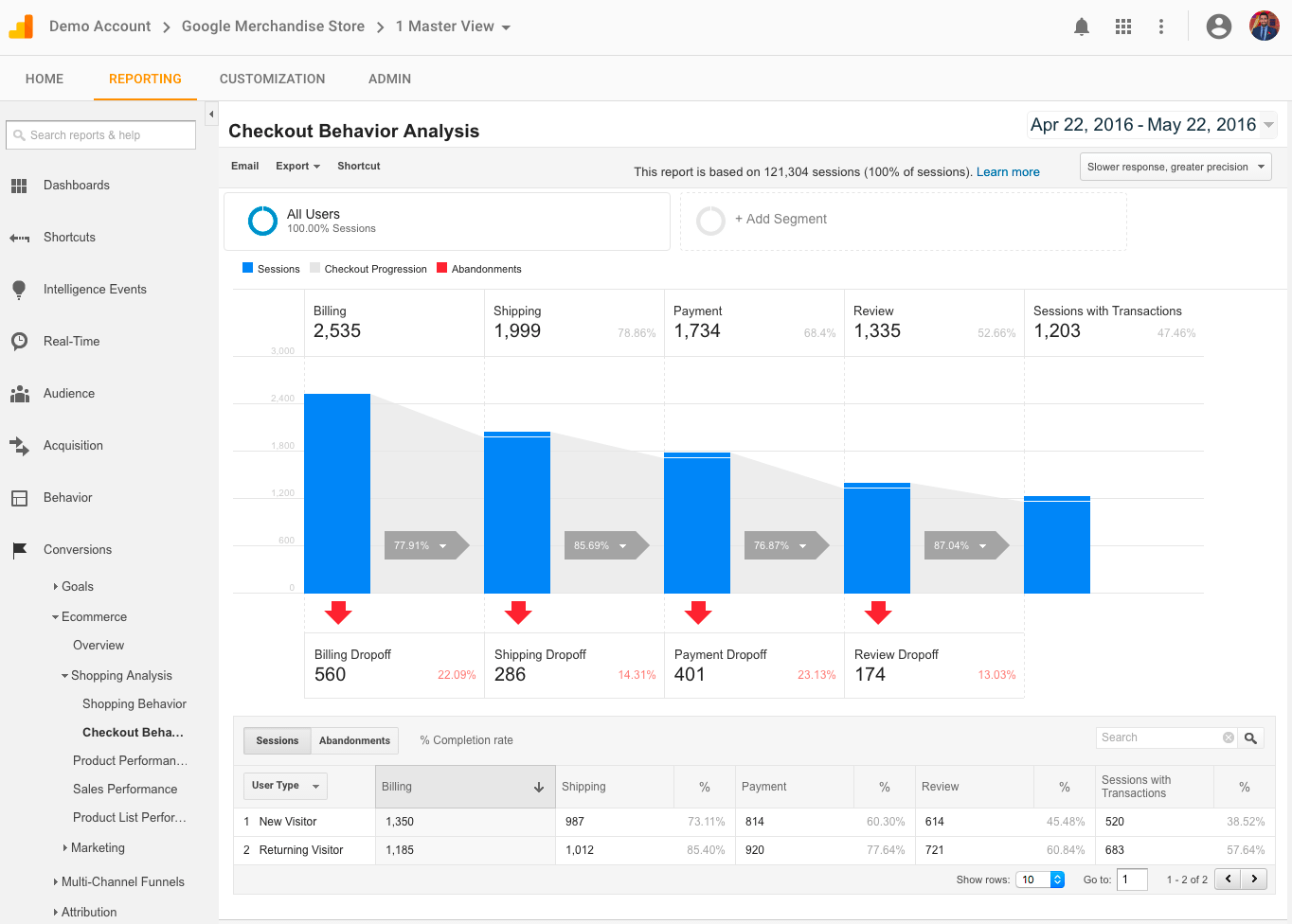
Google Analytics has evolved dramatically with GA4, moving away from session-based tracking to event-driven measurement that follows users across devices and platforms.
Its AI-powered Generated Insights within reports give users a much clearer view of what’s happening in their data. Plus, its predictive analytics help you accurately predict user behavior, including purchase probability and churn rates.
The platform tracks both user journeys and page views, helping you understand how content performs across different touchpoints. It also connects the dots between your website content and business outcomes, showing you which pages contribute to conversions.
Per a G2 review:
The immediate value you get from just connecting it is remarkable. Within hours of setup, I had comprehensive statistics that revealed traffic patterns I never knew existed. The out-of-the-box reports provide exactly what most businesses need – audience demographics, acquisition channels, behavior flow, and conversion tracking all work seamlessly from day one.
🚀 ClickUp Advantage: ClickUp Brain lets you pull insights from your content inventory without digging through lists.
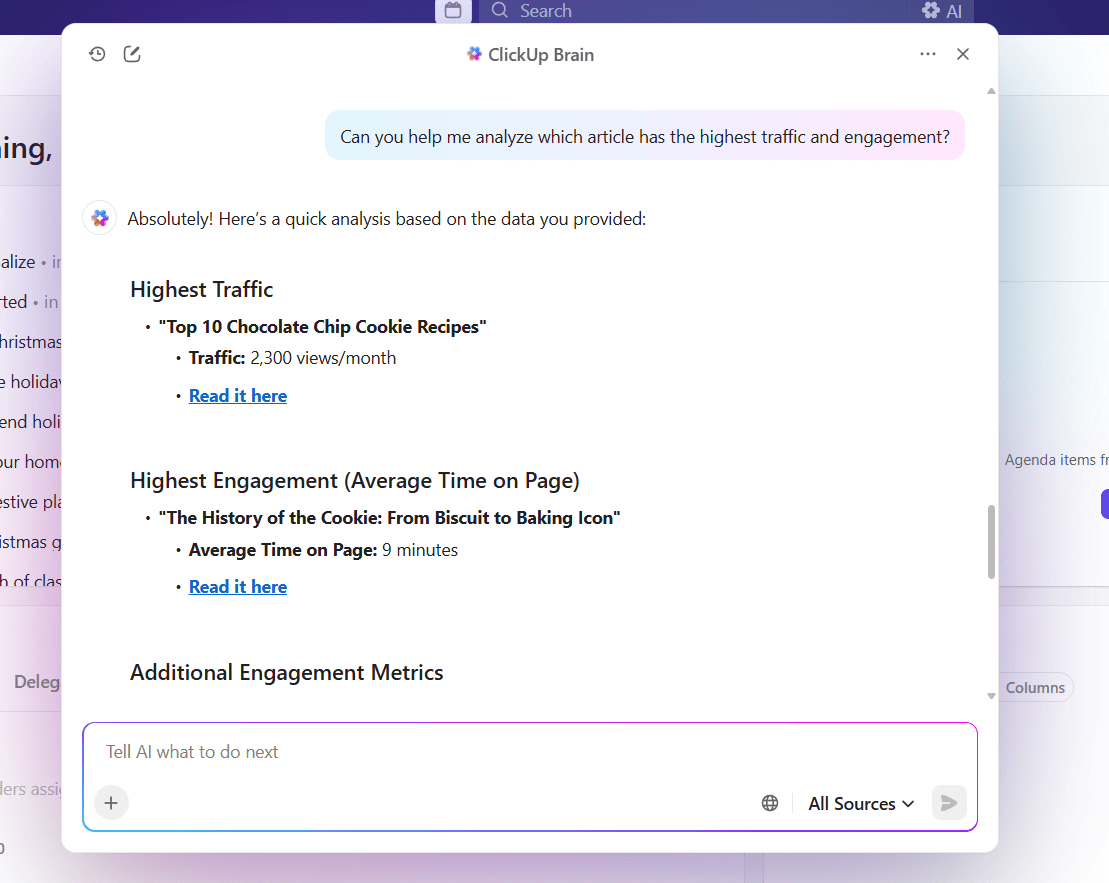
For instance, asking ‘Which blogs haven’t been updated in six months?’ instantly shows relevant tasks that need your attention. Or ‘Can you help me analyze which article has the highest traffic and engagement?’ helps identify the top-performing content so you can replicate its success.
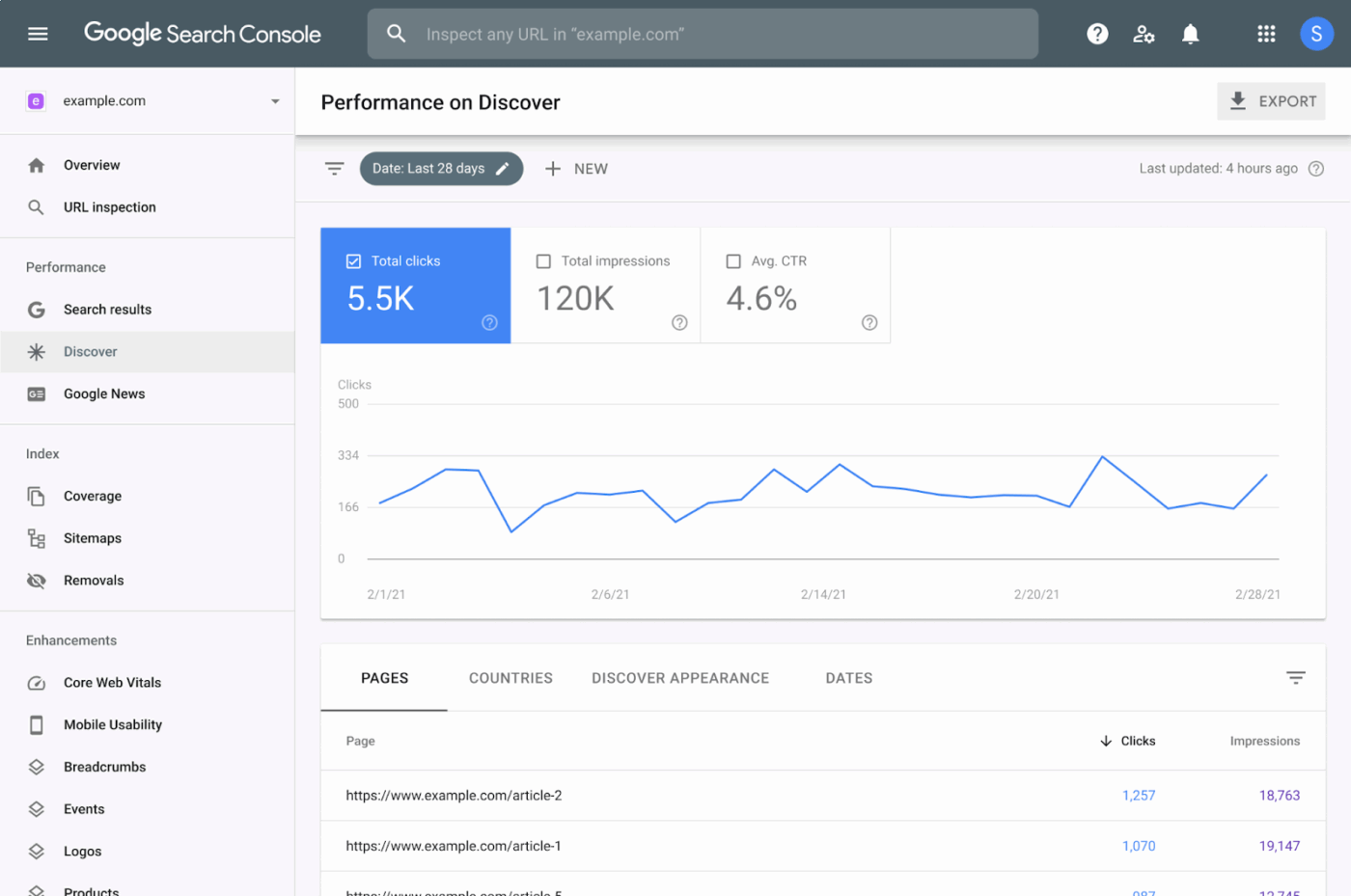
Google Search Console gives you direct access to how Google’s algorithms perceive your content, straight from the search engine itself. The content audit tool shows you exactly which queries bring people to your pages, how often your content appears in search results, and where you rank for different terms.
Search Console’s data authenticity makes it unique because it uses actual search performance metrics from Google’s servers. It also alerts you to technical issues that could prevent your content from being discovered, making it essential for maintaining search visibility.
📮 ClickUp Insight: 45% of workers have thought about using automation, but haven’t taken the leap.
Factors like limited time, uncertainty about the best tools, and overwhelming choices can hold people back from taking the first step toward automation. ⚒️
With its easy-to-build AI agents and natural language-based commands, ClickUp makes it easy to get started with automations. From auto-assigning tasks to AI-generated project summaries, you can unlock powerful automation and even build custom AI agents in minutes—minus the learning curve.
💫 Real Results: QubicaAMF cut reporting time by 40% using ClickUp’s dynamic dashboards and automated charts, transforming hours of manual work into real-time insights.
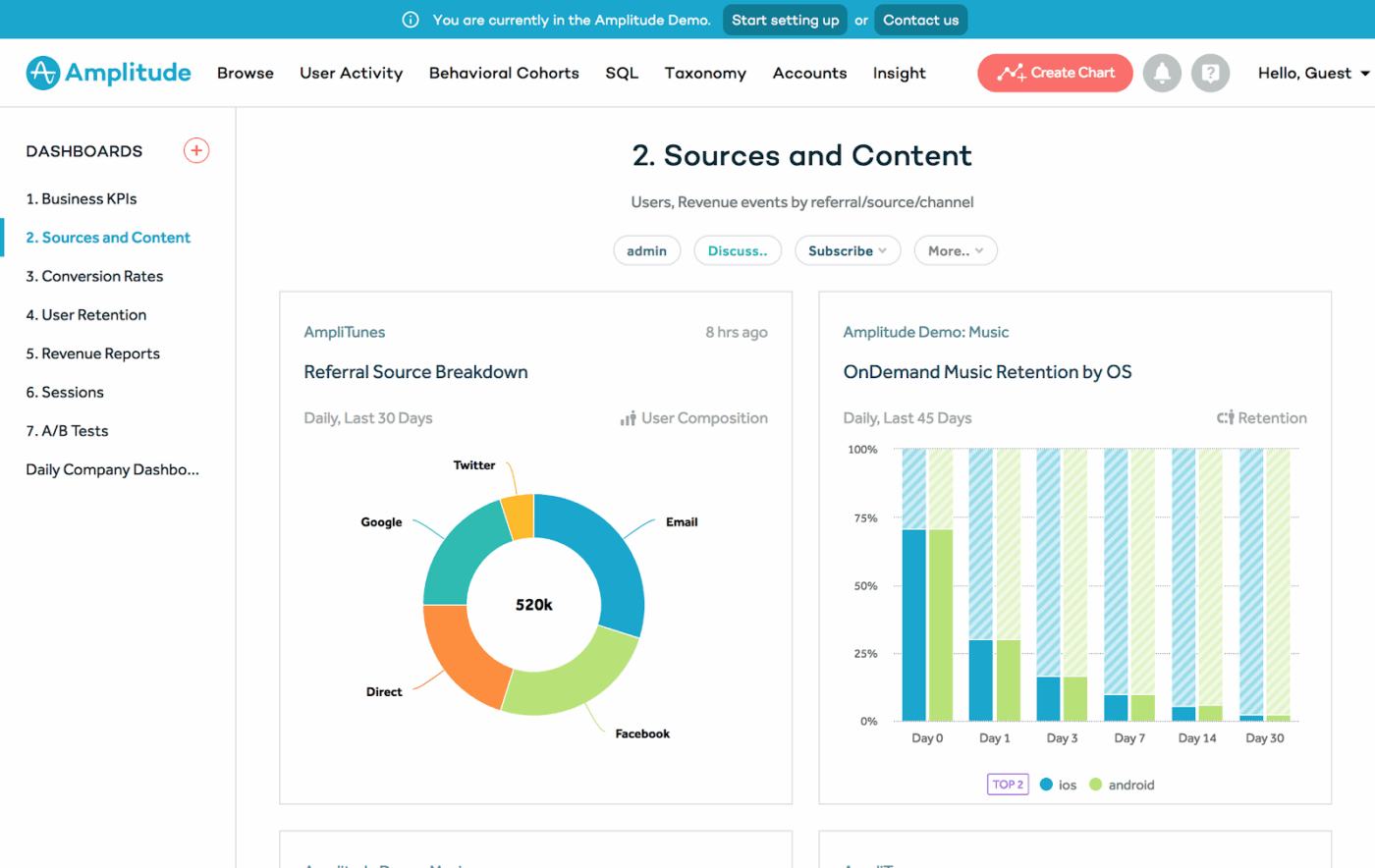
Amplitude approaches content analytics from a product perspective, treating each piece of content as a feature that users interact with.
It emphasizes quantitative analytics and focuses on deep behavioral insights and user journey analysis. This makes it particularly valuable for marketing teams who need to understand how users progress through content funnels.
The content audit tool excels at cohort analysis, letting you see how different user groups engage with content over time. Besides showing you page views, Amplitude reveals patterns in how users consume content sequences and where they drop off in content journeys.
On G2, a user wrote:
The funnel progression view in Amplitude provides a clear, step-by-step understanding of how users move across each stage, offering deep visibility into performance metrics. With such detailed analysis, marketers can easily identify what’s working and what needs improvement. Additionally, the segmentation chart highlights gaps and weak areas, empowering marketers to refine their strategies and focus efforts where they can drive stronger, more profitable outcomes.
💡 Pro Tip: Run a freshness check beyond publish date. If a blog on 2023 trends hasn’t been updated, that’s obvious—but also check data points, screenshots, and product mentions to catch hidden staleness.
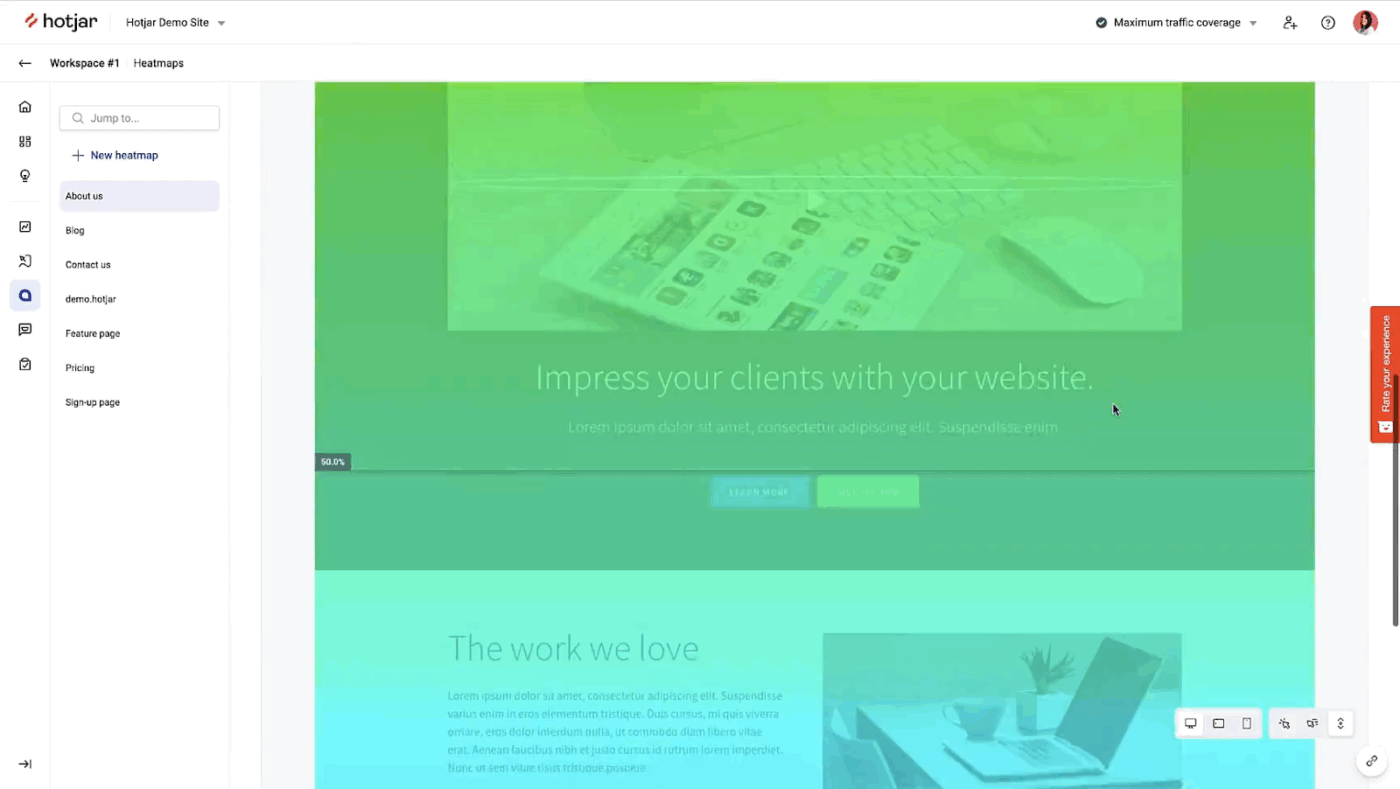
Hotjar turns abstract analytics data into visual stories by showing you exactly how users interact with your content pages. It focuses primarily on qualitative research with visual insights through heatmaps and session recordings.
You can watch recordings of actual user sessions to see where people scroll, click, and abandon your content. The heatmap software reveals which parts of your articles get the most attention and which sections users skip entirely.
Even better, it bridges the gap between what your analytics say people do and what they actually do on your website.
One Reddit user writes:
Hotjar is a great tool, It helps you understand how users are navigating the site in real time anonymously which allows your development team to optimize the user experience and make changes based on your teams findings.
🔍 Did You Know? Content audits became a big deal after Google’s Panda update in 2011. That algorithm started punishing ‘thin’ or repetitive content, forcing brands to clean up their blogs and websites. Many companies that ignored audits lost major rankings overnight.
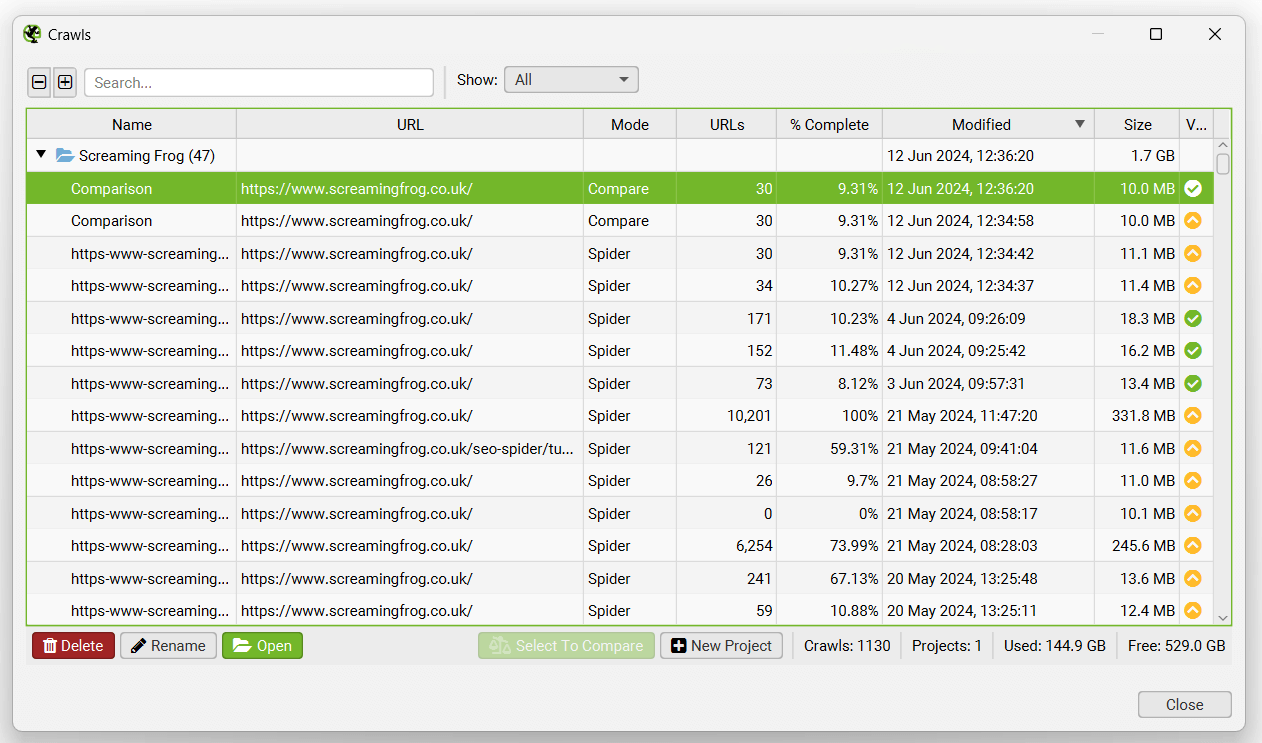
Screaming Frog crawls your website like a search engine bot would, creating a comprehensive map of every page, image, link, and technical element on your site. The desktop software runs locally on your computer, giving you complete control over how deep and fast the crawl goes.
You also get semantic similarity analysis with LLM embeddings, letting you identify duplicate or similar content that goes beyond basic text matching.
It includes AI integration with multiple providers like OpenAI, Gemini, and Anthropic’s Claude, plus content cluster visualizations that show semantic relationships between pages.
On Reddit, one user said:
Screaming frog is imo the best thing ever made for fast / simple analysis on your URLs
I use it since inception.
And it’s the one tool that just exactly does what it does with no other features.
For as long as I can remember they stuck to the core of the tool.
🧠 Fun Fact: Researchers looked at 88,000 high-traffic websites and found that more than a third—35.2%—had at least one broken external link sitting right on the homepage.
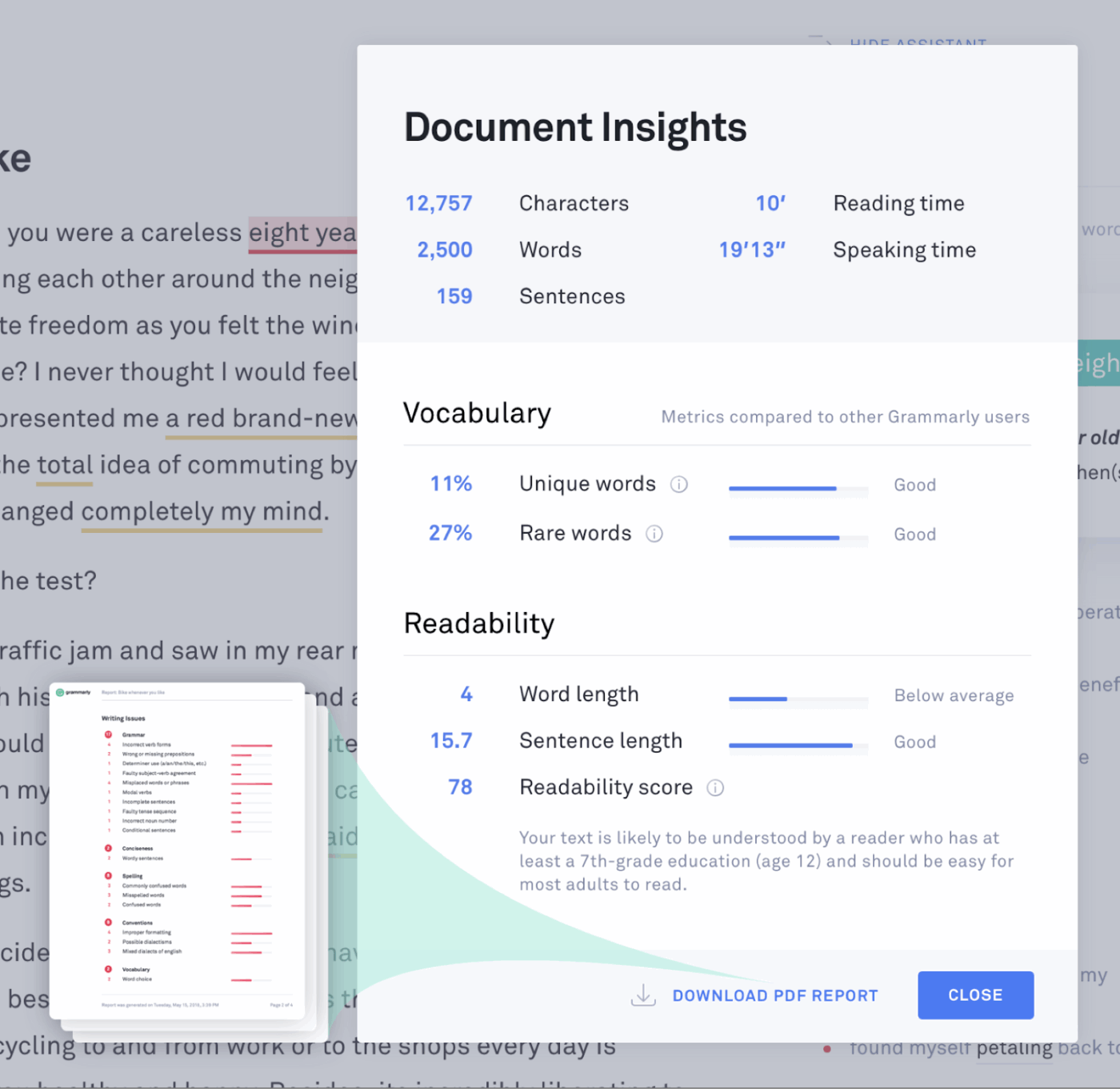
Grammarly catches the grammar mistakes and inconsistencies that would take forever to spot manually across hundreds of pages. It tackles specific audit challenges, such as checking for plagiarism, verifying source credibility, and ensuring brand voice consistency.
You can work with Grammarly across different platforms, so whether your content lives in Google Docs, WordPress, or your CMS, the tool keeps quality checks consistent.
The real advantage comes when you’re dealing with large content libraries. Grammarly learns your writing style and alerts you when pieces don’t match your established tone guidelines. It’s ideal for content teams managing multiple writers or inherited content from different sources.
Capterra feedback says:
The prompt criticism on language, accentuation, and style assists you with rapidly adjusting botches and work on your composition, saving important time. It lifts the nature of business archives by recommending enhancements that make your composing more clear, more compact, and expert.: The common style guides and group explicit composing norms are unquestionably helpful for keeping up with consistency across your group’s interchanges.
🧠 Fun Fact: In source code repositories like GitHub, researchers found that around 10% of links in code comments are already dead. For developers, that means valuable context can vanish over time, leaving behind cryptic notes with no trail to follow.
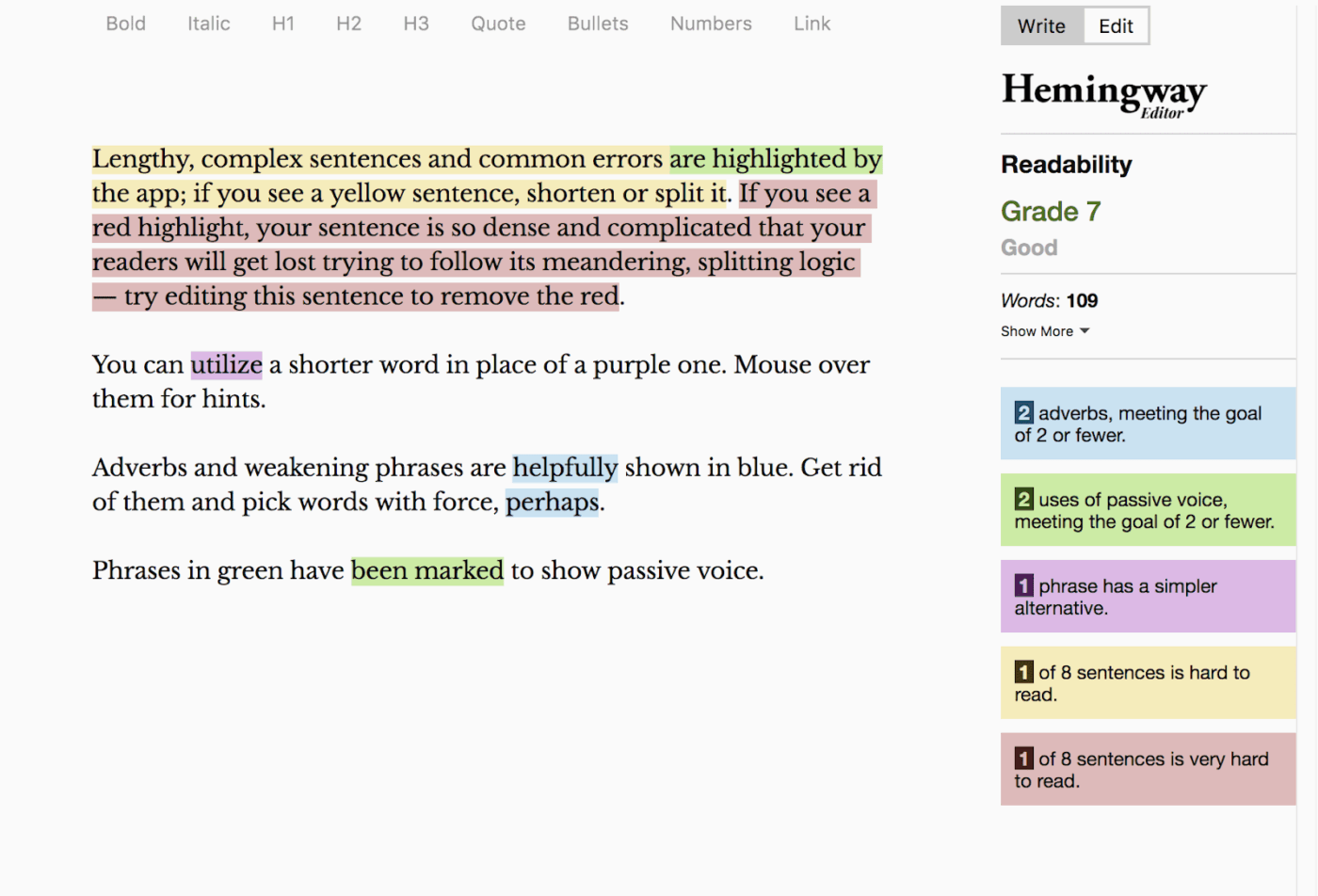
Hemingway Editor takes a no-nonsense approach to making your writing clearer and more digestible. The tool highlights complex sentences, passive voice, and unnecessary adverbs in different colors, giving you instant visual feedback about where your writing might lose readers.
Unlike other writing tools, Hemingway concentrates purely on readability metrics and sentence structure. The desktop app works offline, letting you polish your content without internet distractions.
Moreover, it assigns reading grade levels to your text, which helps you match your writing complexity to your target audience’s reading preferences.
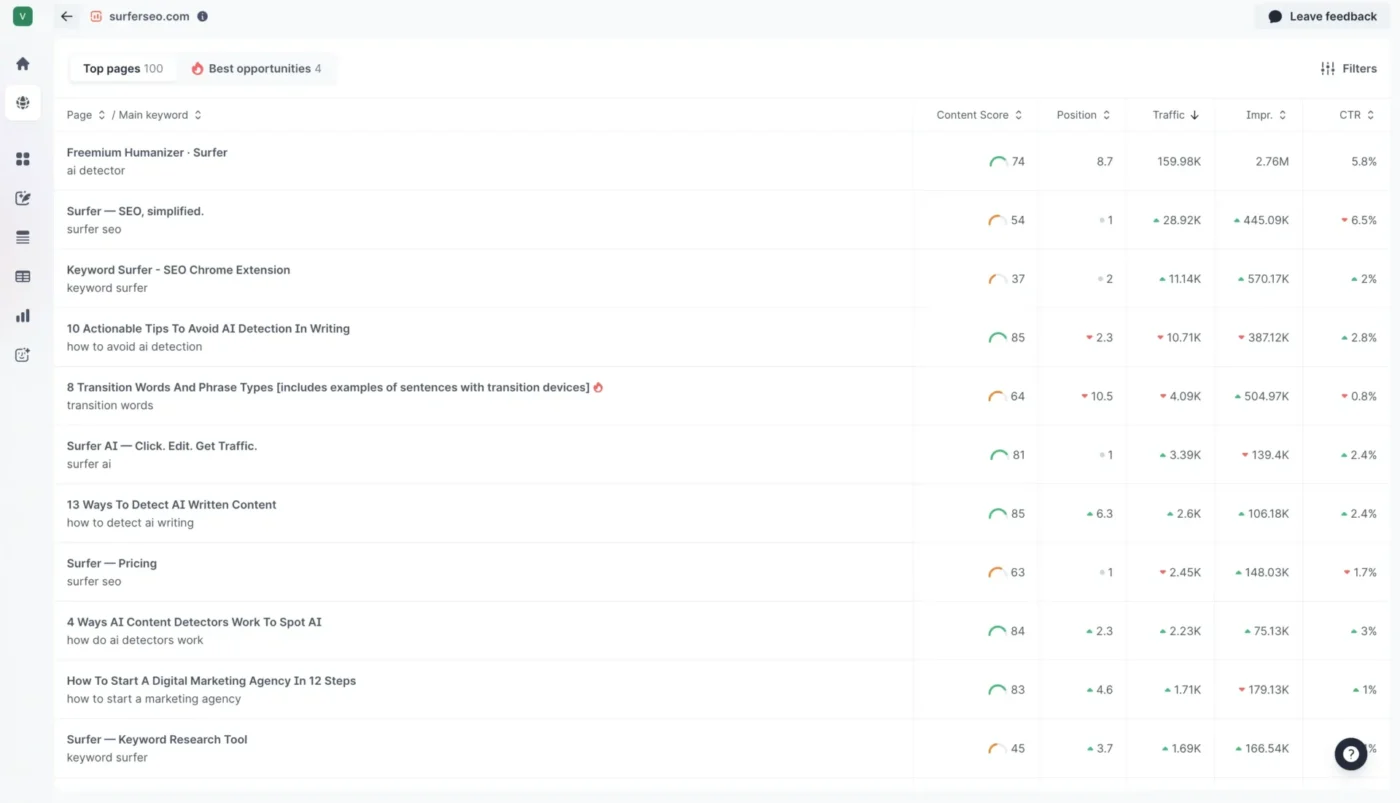
Surfer SEO reveals what’s working for your competitors by analyzing the top-ranking pages for your target keywords. It breaks down their formula, showing you everything from word count and keyword density to specific headings and related terms they include.
During content audits, Surfer SEO identifies which existing pieces fall behind in current search results. You can audit entire content libraries to spot optimization gaps, outdated keyword strategies, and content that has lost its competitive edge.
It also shows why certain pages have dropped in rankings. This makes content audits more strategic because you understand what needs to change to regain lost traffic.
🚀 ClickUp Advantage: During a content audit, you might come across a blog post like ‘10 Tips for Effective Time Management’ that has valuable insights but feels dense and hard to read. With ClickUp Brain, you can analyze the content directly in Docs.
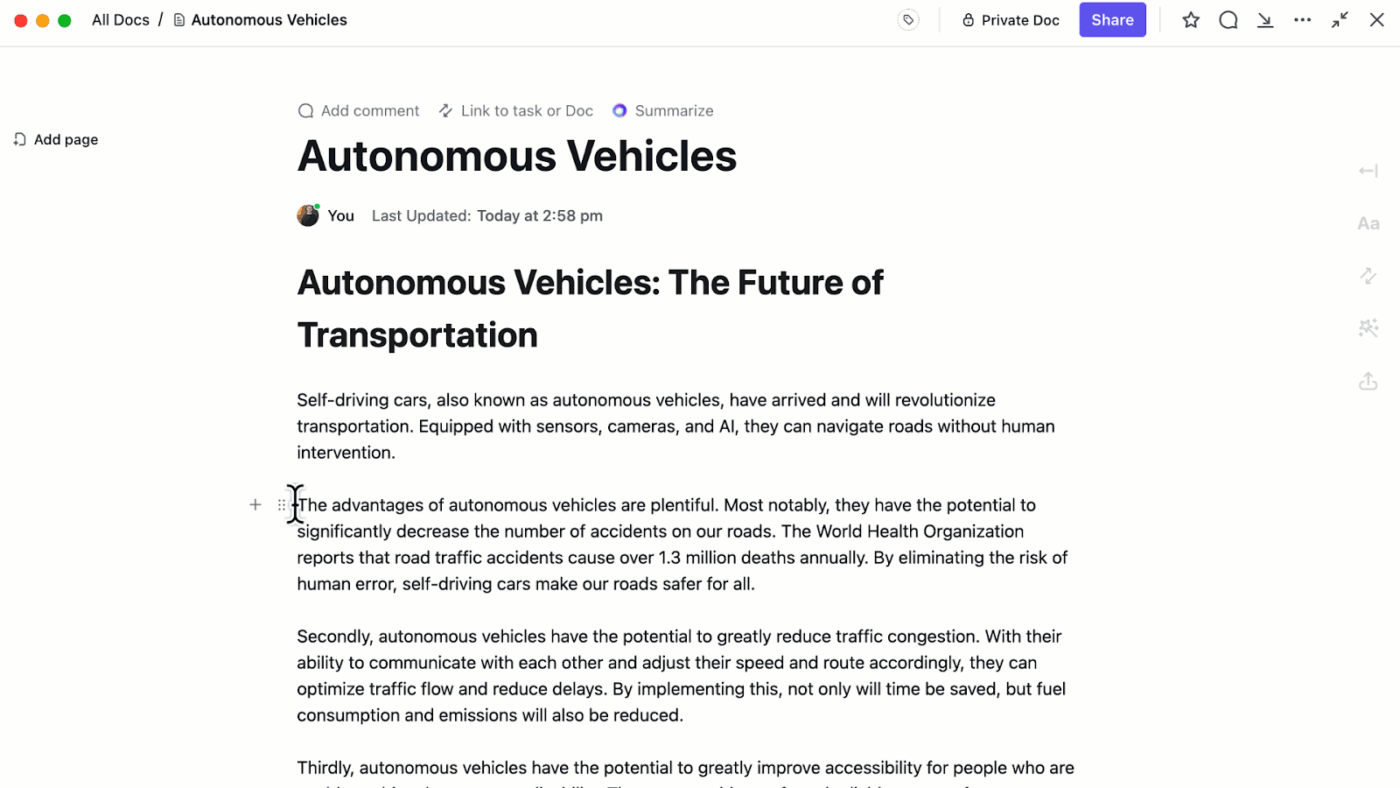
The AI makes the text easier for readers to digest and checks the tone, ensuring the post matches your brand voice.
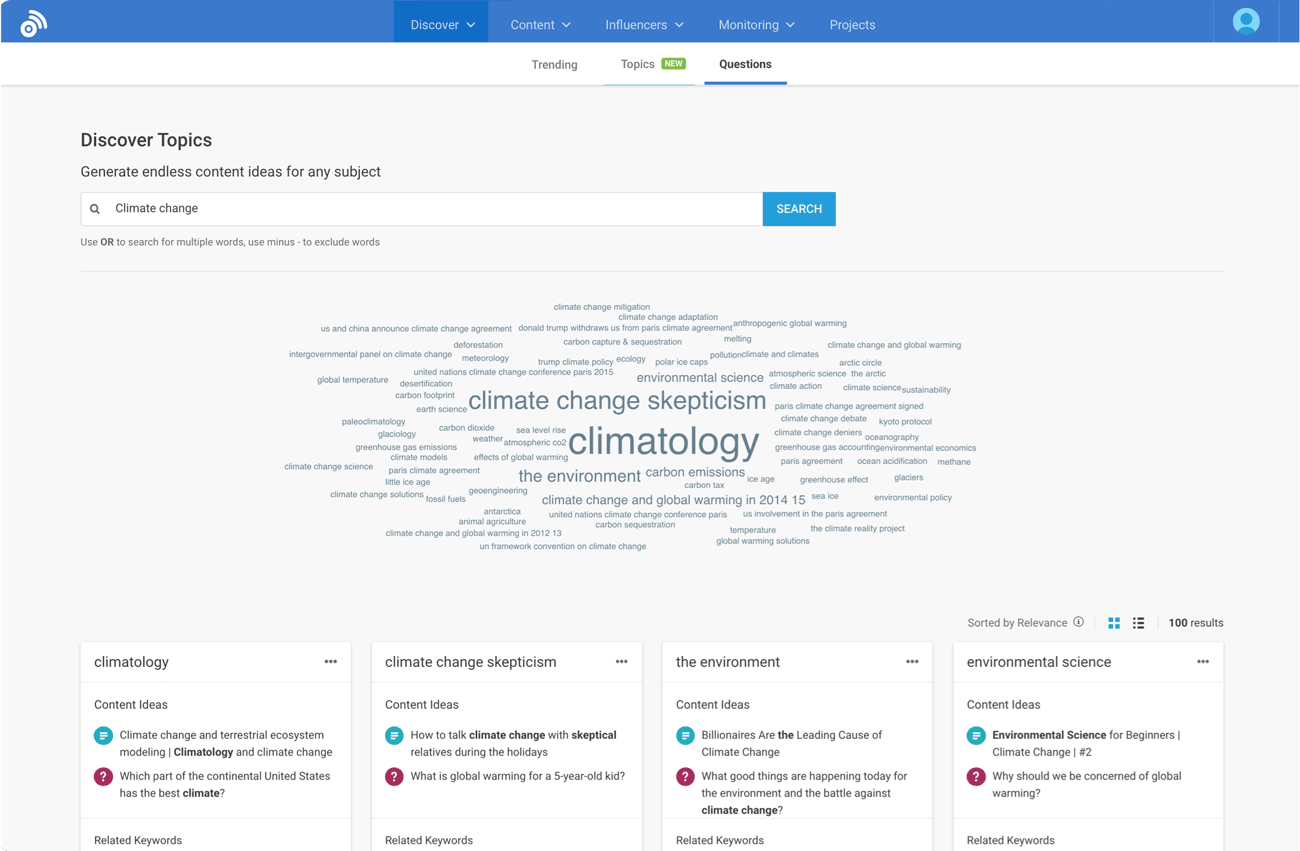
BuzzSumo shows what content resonates with audiences by finding the most shared and engaging pieces in any topic area. The platform tracks social shares, backlinks, and engagement metrics across millions of articles, giving you data-driven insights into content performance patterns.
You can discover trending topics before they peak, identify key influencers in your space, and analyze what types of content formats work for different audiences.
BuzzSumo’s monitoring features alert you when your brand or competitors get mentioned online, helping you stay on top of industry conversations. Combined, its content creation and content promotion features tell you what to write about and how to amplify your message.
💡 Pro Tip: Check for orphaned content. If a page has no internal links pointing to it, it’s almost invisible to both users and search engines. Every audit should include an orphan check and a plan to link strategically.
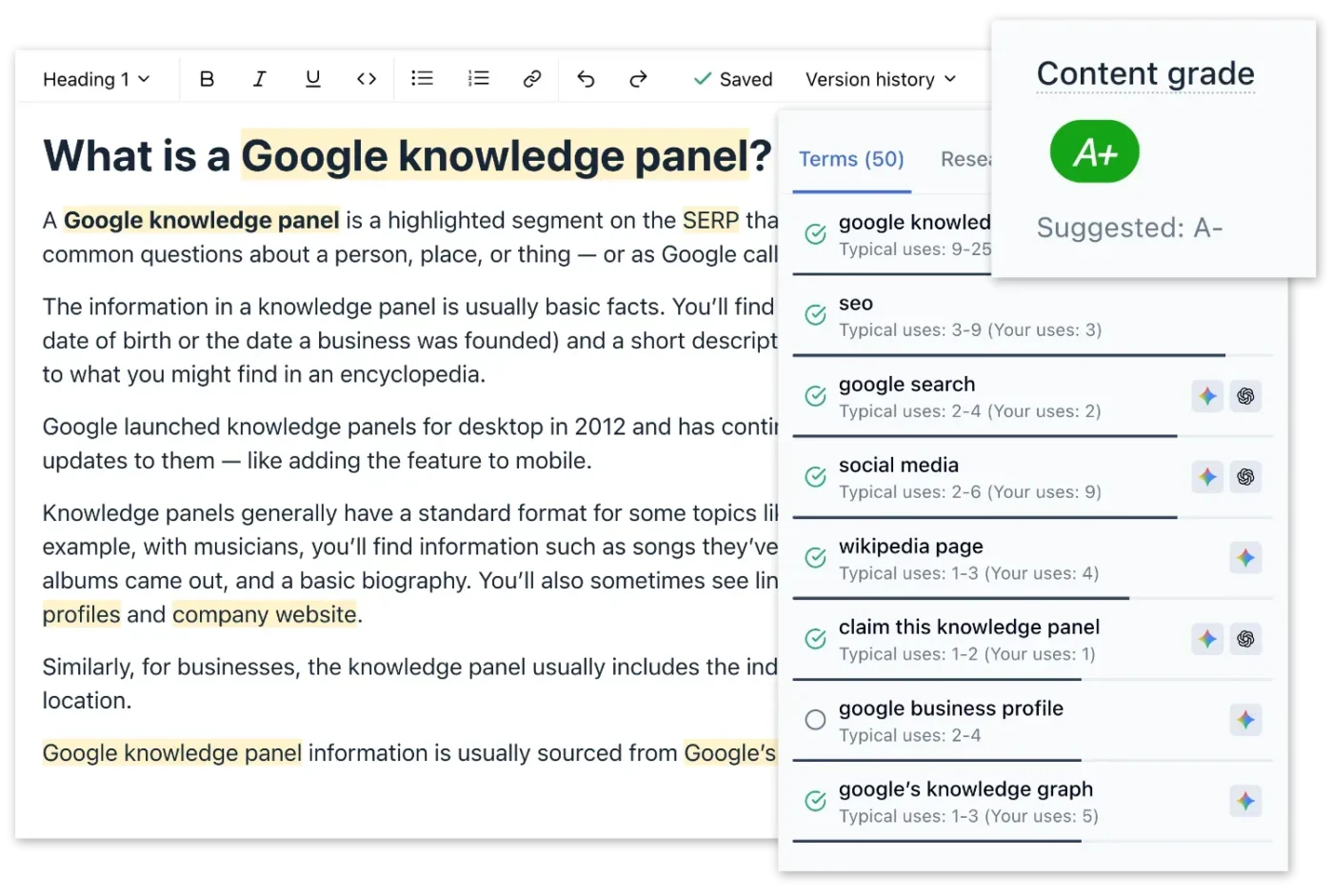
Clearscope specializes in understanding the semantic relationships between words and concepts that search engines use to evaluate content relevance.
The content audit tool analyzes top-ranking content to identify primary keywords and related terms and concepts that signal topical authority to search algorithms. Its intuitive interface focuses on readability and term usage that works well for enterprise content teams.
Clearscope integrates with Google Docs, WordPress, and Microsoft Word, allowing you to work from anywhere while accessing optimization insights.
A G2 review states:
I love how Clearscope automates many aspects of writing good SEO content. It also brings some gamification into the game – I love writing and trying to get as high grade as possible, while still keeping good readability and quality in the content itself!
🚀 ClickUp Advantage: When your content library grows, locating the right document, task, or update becomes increasingly difficult.
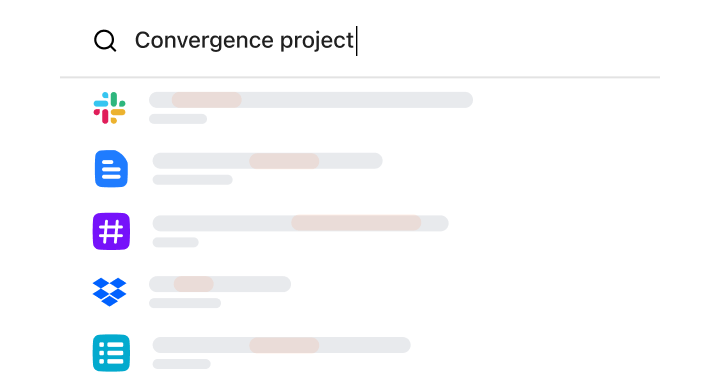
ClickUp Enterprise Search makes it simple: you can search across tasks, docs, and attachments instantly, filtering by project, status, or assignee.
For example, you could quickly find all tasks linked to a specific blog post, see which updates are pending, or pull up recent audit notes without work sprawl.
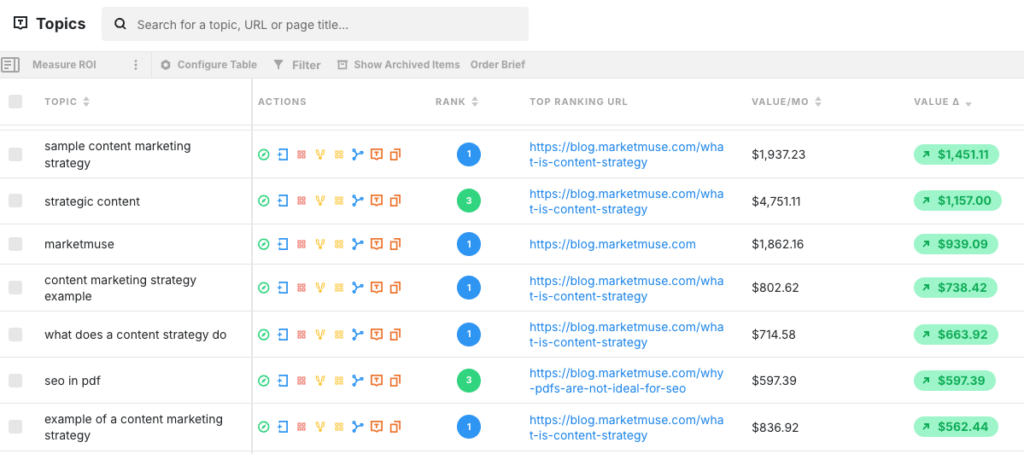
MarketMuse analyzes your entire content library and identifies opportunities for topical authority building. It uses AI to simulate how search engines evaluate content comprehensiveness and suggests improvements based on semantic completeness.
The platform creates detailed content models that show you exactly what topics you should cover, how deeply to cover them, and which content gaps exist in your current strategy.
What’s more, MarketMuse excels at enterprise-level content planning, where you need to understand how individual pieces fit into larger content ecosystems.
As shared on G2:
MarketMuse is very helpful tool to optimize existing content or write content which is optimized, and get higher ranking on SERPs. SERP X-Ray and Heatmap are most liking features for me, as it ease my task to do competitor research with my targeted primary keyword. Ultimately helps me to produce better content compare to my competitors.
Here’s how to pick a website content audit tool that will genuinely improve your content operations.
Before you get excited about advanced features, figure out what’s breaking your content process.
Are broken links killing your SEO for months before anyone notices? Do stakeholders keep asking which posts generate leads while you frantically dig through analytics? Is your international site structure so complex that most tools just give up?
Write down your top three content headaches; these will drive your tool selection. If you can’t clearly explain what problem a feature solves, you probably don’t need it.
🧠 Fun Fact: UX and content research show that using the ROT (redundant, outdated, trivial) framework helps flag pages to rewrite, merge, or delete. Doing that boosts site clarity and often improves SEO as readers (and bots) prefer clean, relevant content.
A platform packed with technical SEO features won’t help if your team’s focus is scaling content production.
On the flip side, a lightweight tool for quick checks won’t cut it if you’re managing multiple international domains. Look at how recommendations are presented: are they practical enough for content managers to act on, or do they require an SEO specialist to translate?
The fanciest platform becomes useless when your team can’t understand what it’s telling them to do.
Demos always show perfect websites with clean structures. Your site probably has weird URLs from that 2019 platform migration, mixed content types, and pages everyone’s afraid to touch.
During trials, throw your most problematic content at the tool. Can it handle your custom post types? Does it make sense of your complex site architecture? The tools that work with your mess are the only ones worth buying.
Every audit management software connects to Google Analytics these days. The question is whether it fits how your team works. Ask yourself:
Look for automation that saves time without creating extra steps. The best tools help you turn insights into actions as part of your existing process.
Check pricing carefully because costs can explode as you scale. Some tools charge per page, others by user seats, and the math gets ugly fast. A platform that costs $50 monthly for 500 pages might jump to $500 for 5,000 pages.
Also consider how your team’s needs will change.
Basic content audit tools that work fine now might become limiting as your strategy gets more sophisticated. Choose something with room to grow without forcing a complete platform migration later.
Watch this video to see how AI can help marketers:
Here’s a comprehensive content audit checklist to get you started:
Follow these steps to perform a content audit with ease.
A reliable audit starts with visibility.
Pull every asset into scope: website pages, blog posts, gated content, support articles, and anything tucked away in subdomains.
Using a crawler makes the process faster, but double-check against your content management system to catch hidden or legacy pieces. With a complete inventory, you won’t overlook opportunities to update or consolidate.
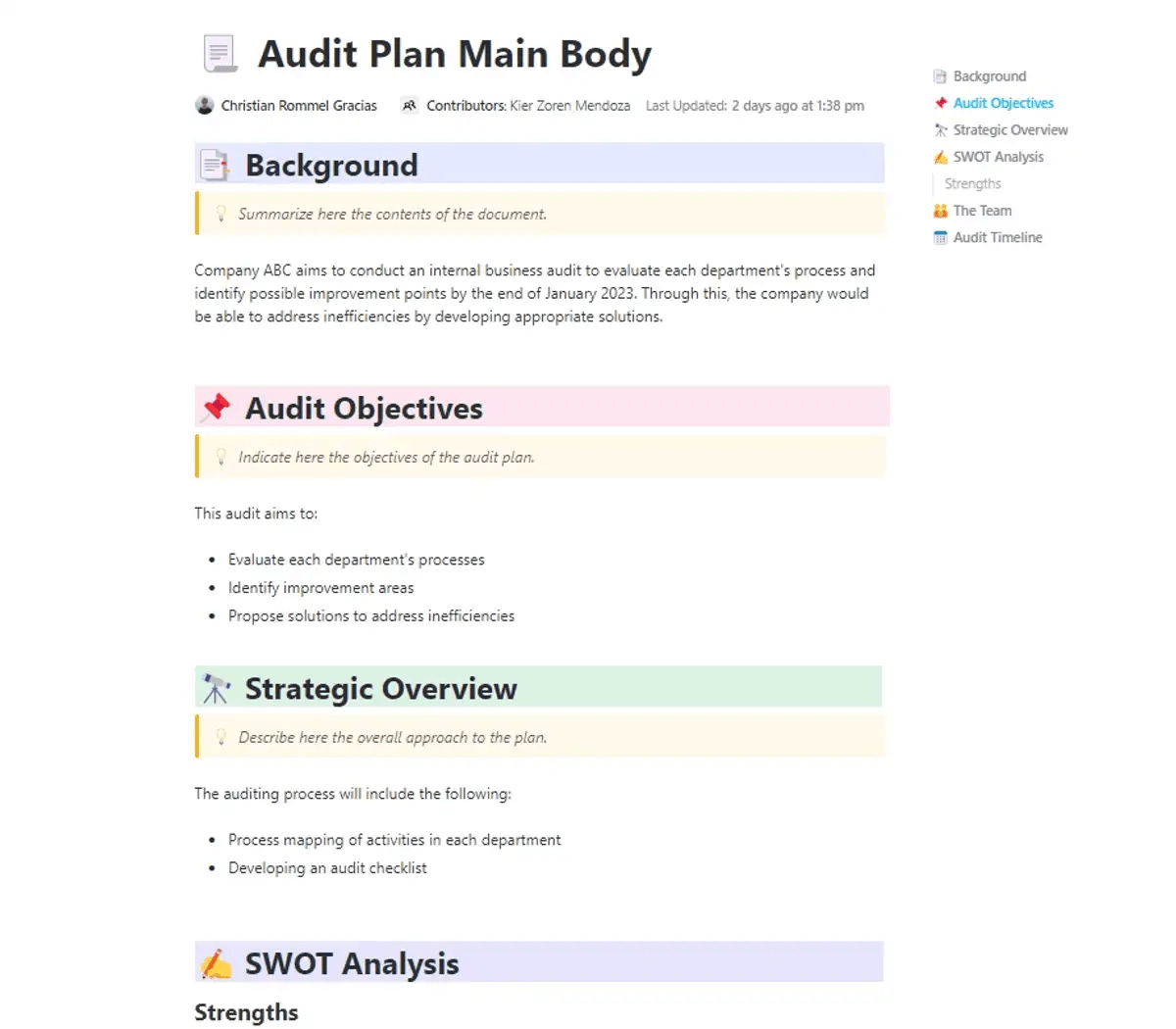
🚀 ClickUp Advantage: The ClickUp Audit Plan Template provides a structured framework to manage and execute content audits efficiently.
The Background section gives you space to define why the audit matters. Then, in Audit Objectives, you can be specific about what you want to achieve, like spotting gaps in topic coverage or flagging underperforming assets.
Next, start the real planning in the audit plan template’s Strategic Overview section. Outline how you’ll tackle the audit step by step, whether that means deciding which content formats to prioritize first, setting evaluation criteria, or creating a timeline.
The SWOT Analysis then helps you think ahead by mapping out what’s already working, where improvements are needed, and what risks might slow you down.
Metrics give you a lens through which to judge performance. Traffic and rankings are useful, but they don’t tell the full story.
Superpath’s Content Attribution Report found most teams admit their reporting ‘only sort of captures value.’ To avoid the same pitfall, add layers like repeat visits, engagement depth, or long-shelf influence when deciding what counts as success.
💡 Pro Tip: Check for keyword cannibalization. If two blogs are competing for the same keyword, neither will perform well. Use your audit to flag overlap and merge content where possible to create one authoritative piece.
Patterns begin to emerge once data is layered onto your inventory.
Some evergreen content will still bring steady results, while others drag down overall performance. Landing pages may rank but fail to convert, or several articles might compete for the same keyword.
These insights highlight which assets need refreshing, which should be merged, and which can be retired altogether.
The audit becomes meaningful when findings feed directly into your workflow.
Translate observations into tasks in an SEO project management app like ClickUp:
Clear next steps keep the audit from becoming another static report and turn it into a driver of long-term results.
💡 Pro Tip: Audit your CTAs as a separate layer. Track which CTAs are converting, which are outdated (like pointing to retired offers), and which formats work best (text links vs. buttons vs. banners). Often, updating CTAs alone can lift conversions without you having to rewrite the content.
Every audit tells a story: outdated blogs that drag traffic down, broken links that leak authority, and duplicate pages that confuse both readers and search engines. Spotting those issues is step one, but what makes the difference is how quickly you can act on them.
ClickUp gives you the structure to move from audit to action. Build tasks straight from your findings, track every fix on dashboards, rewrite in Docs, and use ClickUp Brain and BrainGPT to surface insights you’d miss in a spreadsheet. Everything stays connected, so your team sees progress as it happens.
So if your content library is due for a cleanup, make it one you’ll actually finish. Sign up for ClickUp today! ✅
A content audit is the process of reviewing all your website content to see what’s performing well, what needs updating, and what can be removed. It helps improve SEO, user experience, and overall content strategy.
It depends on your content volume and goals. For most websites, a thorough audit once or twice a year works well. Large sites or high-frequency blogs might benefit from quarterly audits to catch outdated content and SEO issues early.
Some popular free content audit tools include Google Analytics, Google Search Console, and SEOptimer. You can use ClickUp alongside these tools to organize findings and track updates across your team.
AI can speed up parts of a content audit, like scanning for duplicate content, thin pages, or broken links, but it won’t replace human judgment. Teams still need to decide what to update, merge, or remove.
Tools like SE Ranking, SEOptimer, Screaming Frog, and ClickUp (for organizing audits and tracking tasks) offer content auditing features at a lower cost.
Screaming Frog, Sitebulb, and Ahrefs are the best content audit tools for identifying broken links across your site. They can crawl thousands of pages and produce reports so you know exactly what to fix.
Focus on traffic, conversions, engagement (like time on page), search engine rankings, backlinks, AI citations and visibility, and content freshness. Tracking these gives a clear view of what’s working, what needs updating, and what’s holding your site back.
Screaming Frog is a desktop-based tool, ideal for smaller sites or detailed technical audits, and gives granular control over crawling rules. Lumar (formerly DeepCrawl) is cloud-based, better for very large websites, with automated reporting and scalable monitoring.

© 2026 ClickUp

There’s an easier way. Try a free AI Agent in ClickUp that actually does the work for you—set up in minutes, save hours every week.