

Sorry, there were no results found for “”
Sorry, there were no results found for “”
Sorry, there were no results found for “”
Choosing a powerful project management tool means putting your name on the decision. The stakes are high.
The wrong tool doesn’t just frustrate your team; it contributes to the billions lost every year to poor project execution. The right one, on the other hand, can make your team more likely to hit goals on time and stay on budget.
Between ClickUp and Monday, two popular choices, the real question is which one fits your team’s day-to-day needs.
While one gives you an almost endless list of advanced features (name it, it’s probably in there), the other is slightly easier to adopt and run with. And while one saves you time, the other safeguards your sanity.
The trade-offs aren’t always obvious (at least on the surface).
Here’s a closer look at ClickUp vs. monday.com, so you can decide which one actually fits your needs.
Here’s a quick overview of the major differences (and similarities) between ClickUp and Monday:
| Aspect | ClickUp | monday.com |
|---|---|---|
| Project hierarchy | Deep Project Hierarchy with multiple levels (Spaces → Folders → Lists → Tasks → Subtasks). Built for complex workflows. | Flatter structure with limited task nesting. Easier to manage for simpler workflows but less suited for multi-layered project structures. |
| Customization flexibility | Highly customizable: views, statuses, fields, workflows, automations, ClickApps, permissions. Ideal for teams wanting granular control. | Moderately customizable: intuitive boards, columns, workflows, and automations. Prioritizes simplicity over deep configuration. |
| User experience & ease of adoption | Feature-rich but has a steeper learning curve. Designed for teams willing to invest in setup for long-term efficiency. | Very intuitive and beginner-friendly. Often praised for clean UI and fast onboarding. |
| Project views | Rich selection (List, Board, Gantt, Timeline, Calendar, Table, Whiteboard, Mind Map, etc.), with seamless navigation across views. | Strong visual boards (Kanban, Timeline, Gantt) with polished, clean layouts. Fewer specialized view types compared to ClickUp. |
| Collaboration | Built-in Docs, Whiteboards, in-task chat, comments, assigned comments, proofs, image annotation, and task-linked documents. Reduces need for external tools. | Strong commenting and updates section. Relies more on integrations (Slack/Teams/Google Docs) for deeper collaboration. |
| Automations | Robust automation builder with triggers, conditions, actions, and AI-powered options. Supports both simple and advanced workflows as well as natural language automation. | Solid automation builder with intuitive recipes. Best for routine workflow automation; advanced logic can require more setup. |
| AI features | Offers AI assistance for content, summaries, and workflow suggestions. Does not yet include autonomous agents or deeply contextual, workspace-aware AI. | Offers AI assist for content, summaries, and workflow suggestions. Does not yet include autonomous agents or deeply contextual, workspace-aware AI. |
| Integrated workspace | True all-in-one: tasks, docs, goals, dashboards, whiteboards, chat, knowledge base, and automation in a single platform. | Primarily a Work OS focused on boards/tasks. Docs, forms, and dashboards are included but less unified compared to ClickUp. |
| Scalability for complex teams | Excels with multi-team, multi-workspace setups and large datasets due to hierarchy, permissions, and customization depth. | Scales well for teams wanting clarity and consistency, but complex multi-team structures may require more duplication or workarounds. |
| Integrations | Offers a strong set of integrations plus internal tools that reduce dependency on them. | Very strong integration ecosystem; heavily relies on external connections for collaboration, chat, documentation, and advanced workflows. |
| Reporting & dashboards | Robust dashboards with custom cards, portfolio views, workload management, dependencies, and progress tracking. | Polished dashboards with clear visuals; simpler than ClickUp but very user-friendly for executives and non-technical users. |
| Mobile & cross-device experience | Mobile experience improving; powerful but may require familiarity due to feature density. | Very clean and intuitive mobile UI; great for quick updates and on-the-go visibility. |
| Best for | Teams that need deep structure, cross-functional coordination, advanced workflows, integrated docs/knowledge, or an all-in-one workspace. Ideal for marketing, product, agencies, operations, engineering, and project-heavy orgs. | Teams that want a clean, simple, highly visual tool that’s quick to adopt. Ideal for sales, HR, small teams, event management, client-facing teams, and orgs that prefer simplicity over heavy customization. |
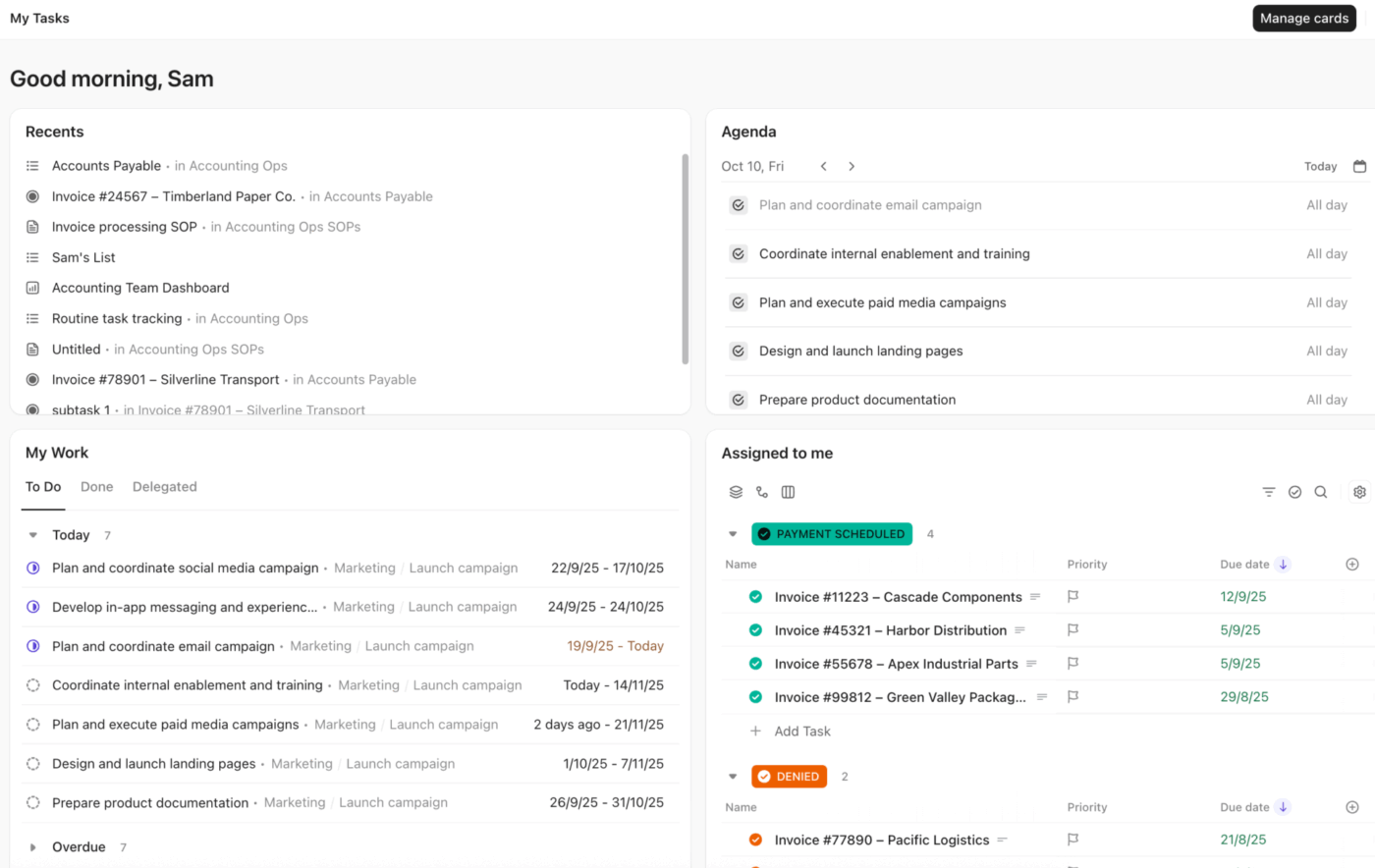
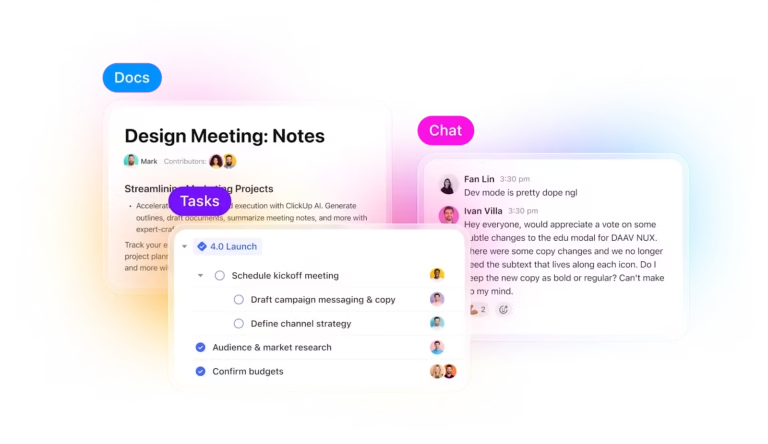
ClickUp is the world’s first Converged AI Workspace, a unified digital environment that brings together multiple tools and workflows into a single platform.
This means ClickUp isn’t just one of the common project management tools. It’s also your document collaboration platform and even your team communication app. It consolidates everything from task tracking and knowledge management to goal setting and automation into a single, customizable, AI-powered workspace.
ClickUp’s core philosophy centers on customization flexibility, where every workspace can be tailored to match specific workflows without forcing teams into rigid templates (no matter how complex or intricate your workflows are).
📮 ClickUp Insight: 16% of managers struggle with integrating updates from multiple tools into a cohesive view. When updates are scattered, you end up spending more time piecing together information and less time leading.
The result? Unnecessary administrative burdens, missed insights, and misalignment. With ClickUp’s all-in-one workspace, managers can centralize tasks, documents, and updates, reducing busywork and surfacing the insights that matter most, right when they’re needed.
💫 Real Results: Convene unified 200 professionals into one ClickUp workspace, using customizable templates and time tracking to reduce overhead and improve delivery times across multiple locations.
What sets ClickUp apart from other project management tools is its inclusivity. It works just as well for solopreneurs managing simple to-dos as it does for enterprise teams handling complex, layered projects. It seamlessly scales as your team and workflows grow.
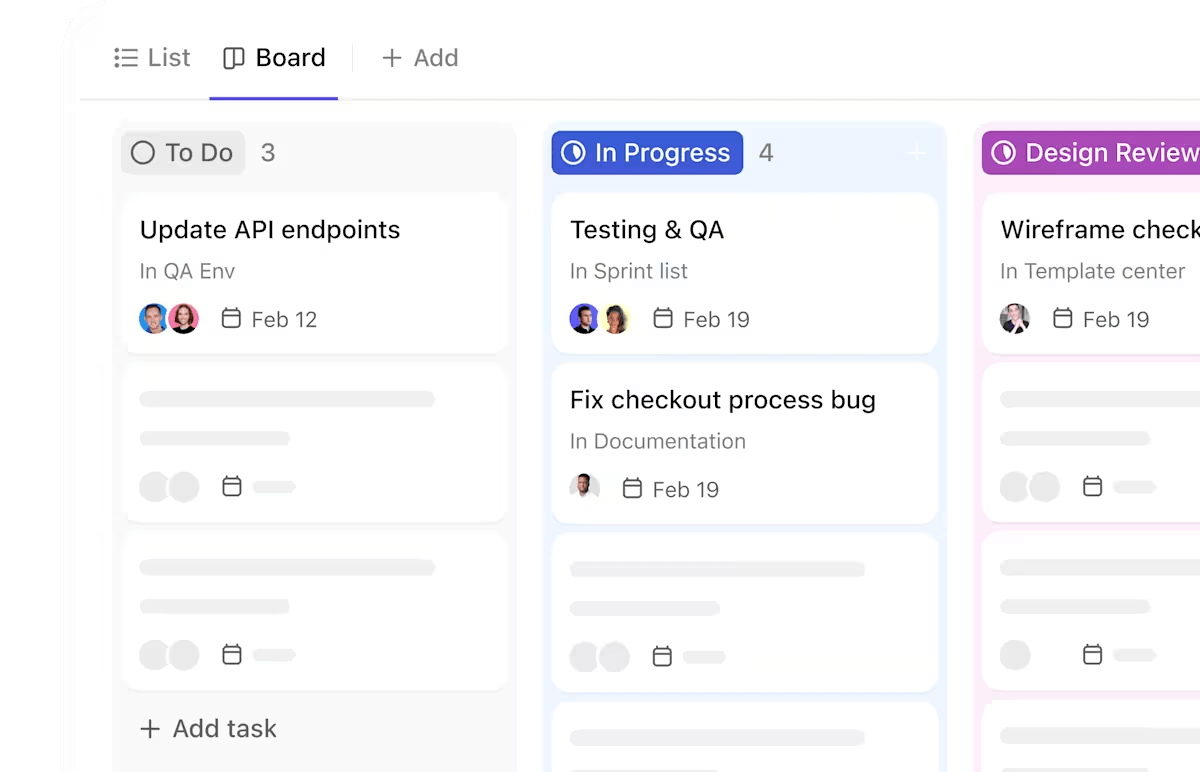
ClickUp’s project management software solution is the ultimate upgrade for teams. It combines high-level project oversight with granular task control, so you can plan and execute every layer of work in one place.
Its task management system operates on multiple hierarchical levels that other project management platforms struggle to match. With it, you can create a customized workspace and break it down into dedicated Spaces for different teams, each with their own Folders for different projects, Lists for grouping similar Tasks together, and individual Tasks with their nested subtasks.
Want to break a big project down into manageable chunks? ClickUp Tasks allow you to do that, while keeping context intact and connected to the bigger picture.
Here’s what you can do with ClickUp’s task management features:
This granular control means project managers can drill down into specific task details while maintaining visibility across entire project portfolios.
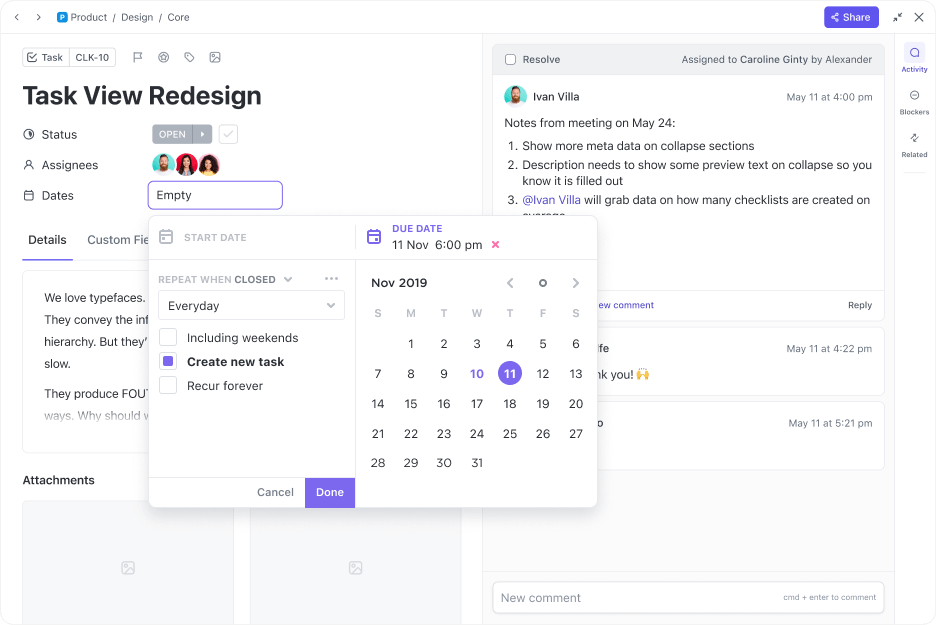
Zooming out, ClickUp for Project Management teams lets you plan, track, and manage full-scale projects while letting you visualize their impact between 15+ ClickUp Views. Toggle between Gantt charts, Tables, and Kanban Boards. And choose from 50+ customizable dashboard cards to get real-time views of project health, team capacity, and project blockers.
Agile project management features, such as Scrum boards, sprint planning tools, and burndown charts are built in too. You can bid goodbye to the siloes and costs of expensive add-ons, allowing the development teams to manage backlogs and run retrospectives without the messy Work Sprawl of switching between separate tools.
💡 Pro Tip: Use ClickUp as your team’s single source of truth. Link tasks directly to ClickUp Docs for context, drop comments exactly where work is happening, and annotate task attachments (such as images and PDFs) with precise updates—so every decision, revision, and context stays in one place.
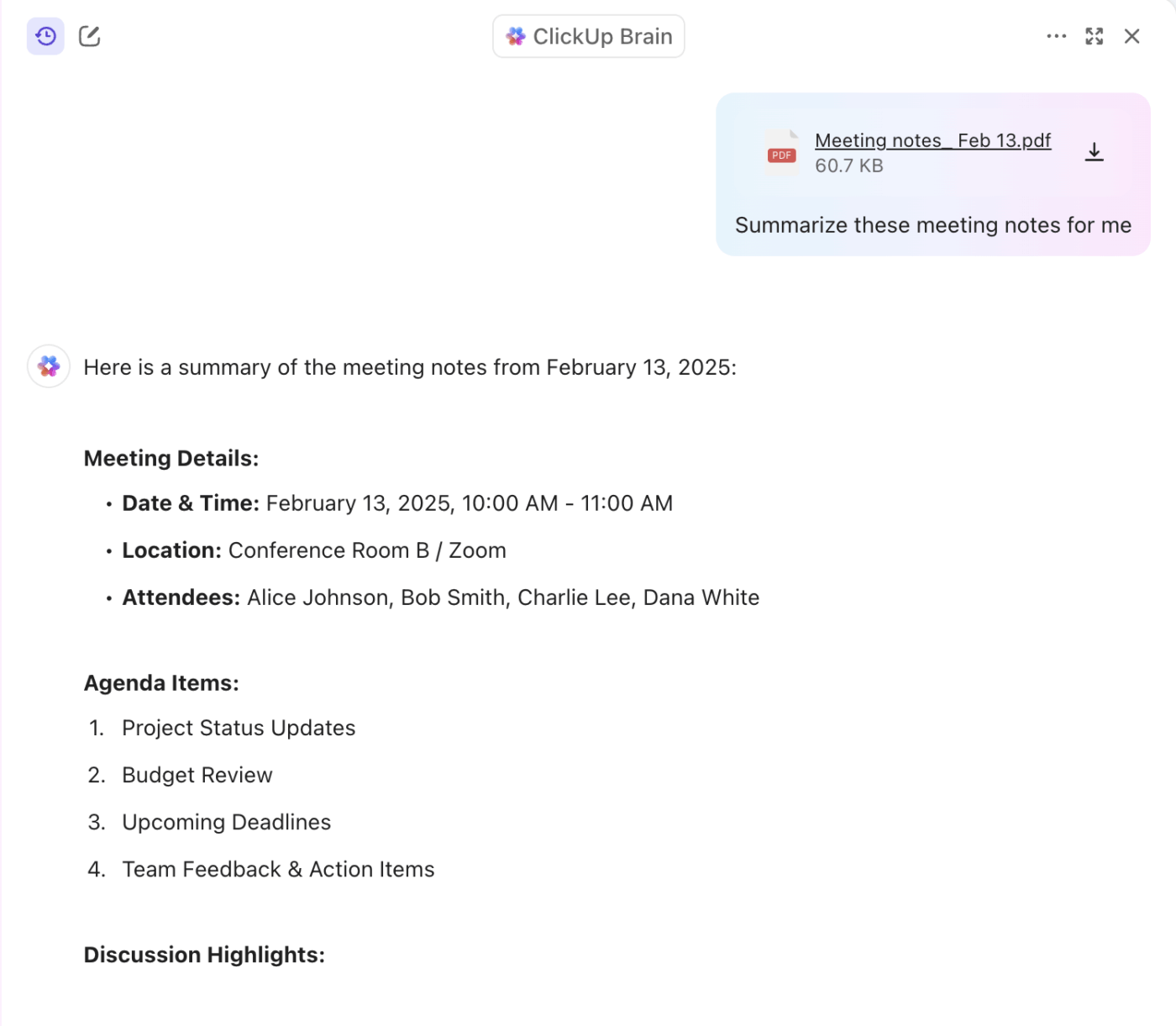
ClickUp Brain is the world’s most Contextual AI assistant that connects your tasks, docs, people, and company knowledge into one intelligent workspace. It automates workflows, streamlines updates, and answers questions by pulling from your team’s real conversations, project histories, and documentation.
Here’s how you can streamline your project management using Brain.
With ClickUp Brain, you can:
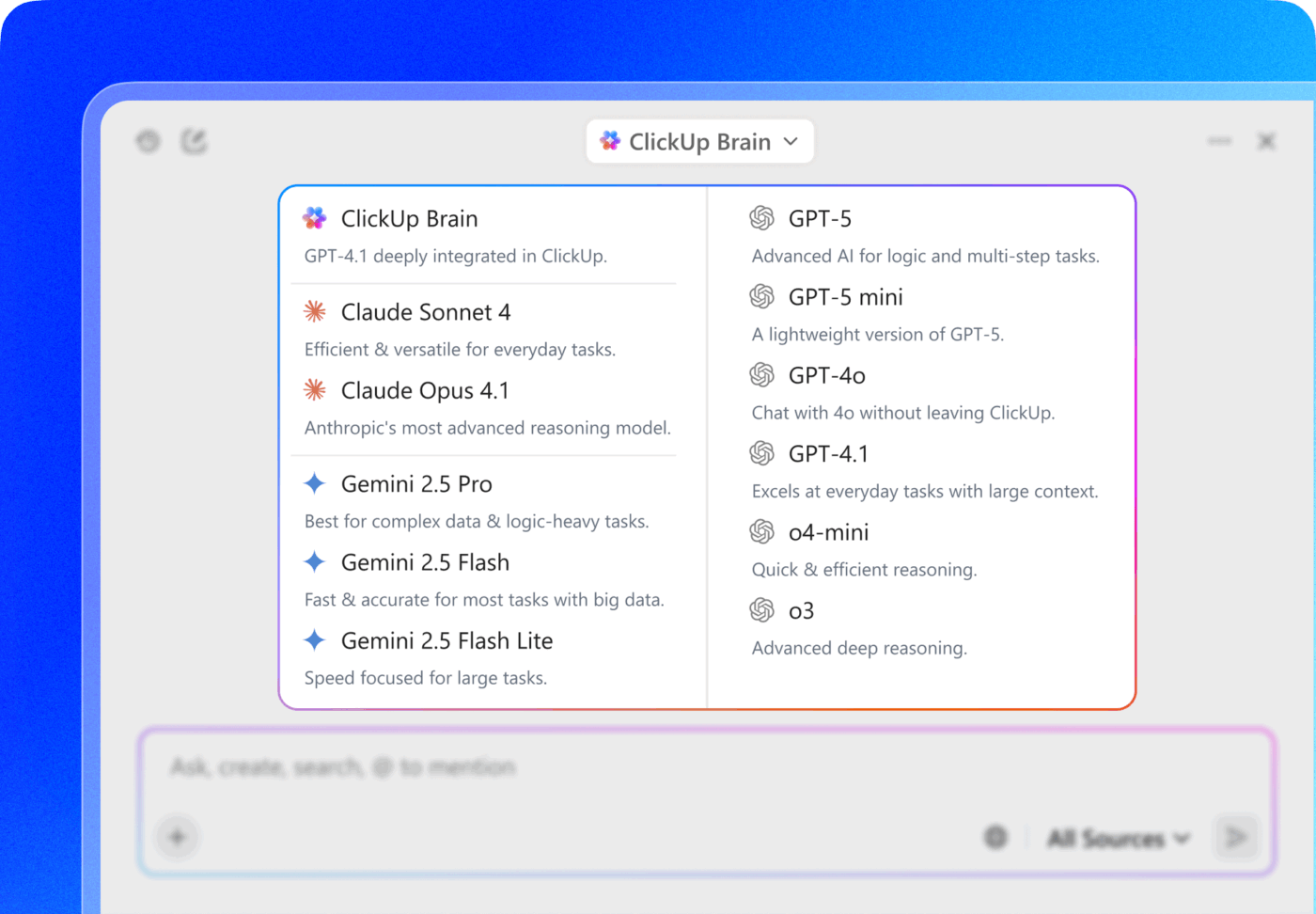
📍 Bonus: ClickUp Brain users can choose from multiple external AI models, including the latest ones from GPT, Claude, and Gemini for various writing, reasoning, and coding tasks, right from within their ClickUp platform!
Maximize project efficiency with the AI model of your choice with ClickUp!
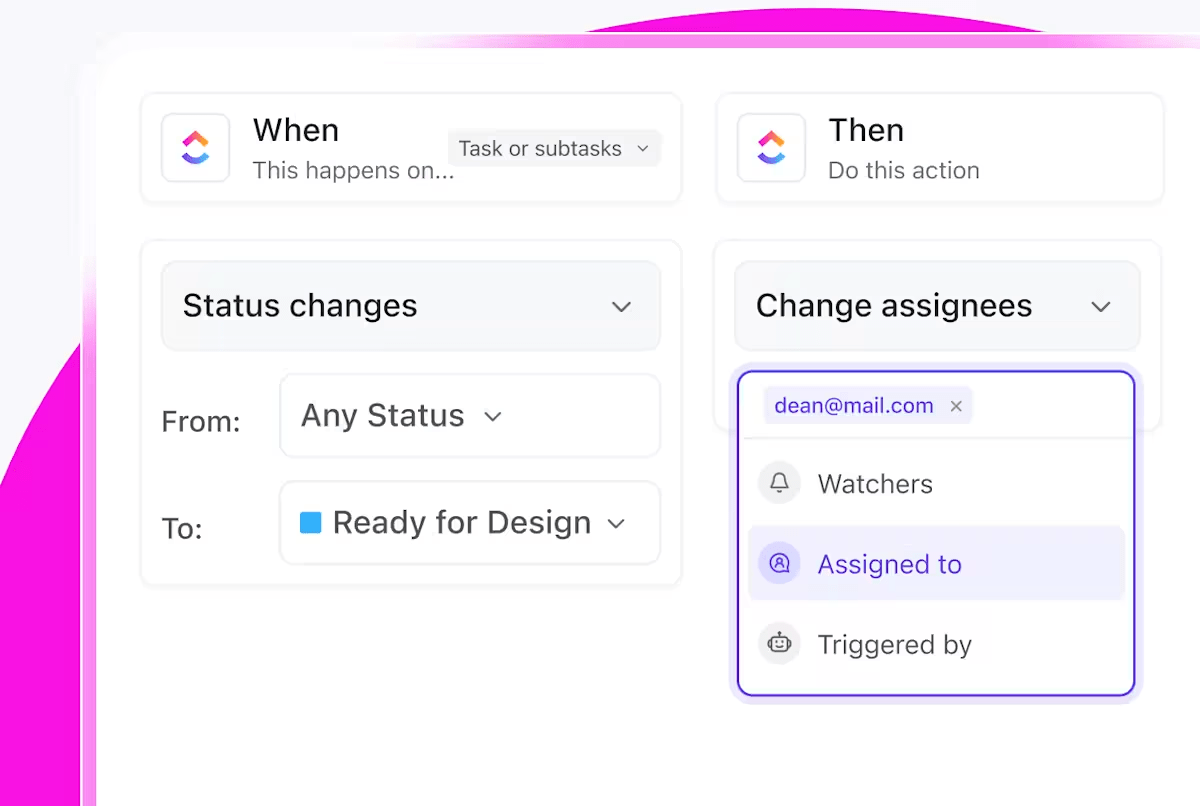
ClickUp Automations help eliminate manual busywork by letting you build trigger-based workflows that handle repetitive actions, such as assigning tasks, updating statuses, posting comments, or moving items across lists.
You can build automations via a user-friendly interface with pre-built automation templates and customizable options to help you get the hang of it.
And once you do, you get to:
👀 Did You Know? You can use ClickUp Brain to set up automations for you. Simply type what you want, like “Move tasks to ‘Review’ when status changes to ‘Ready’” and it’ll build the automation rule for you based on these natural language prompts.
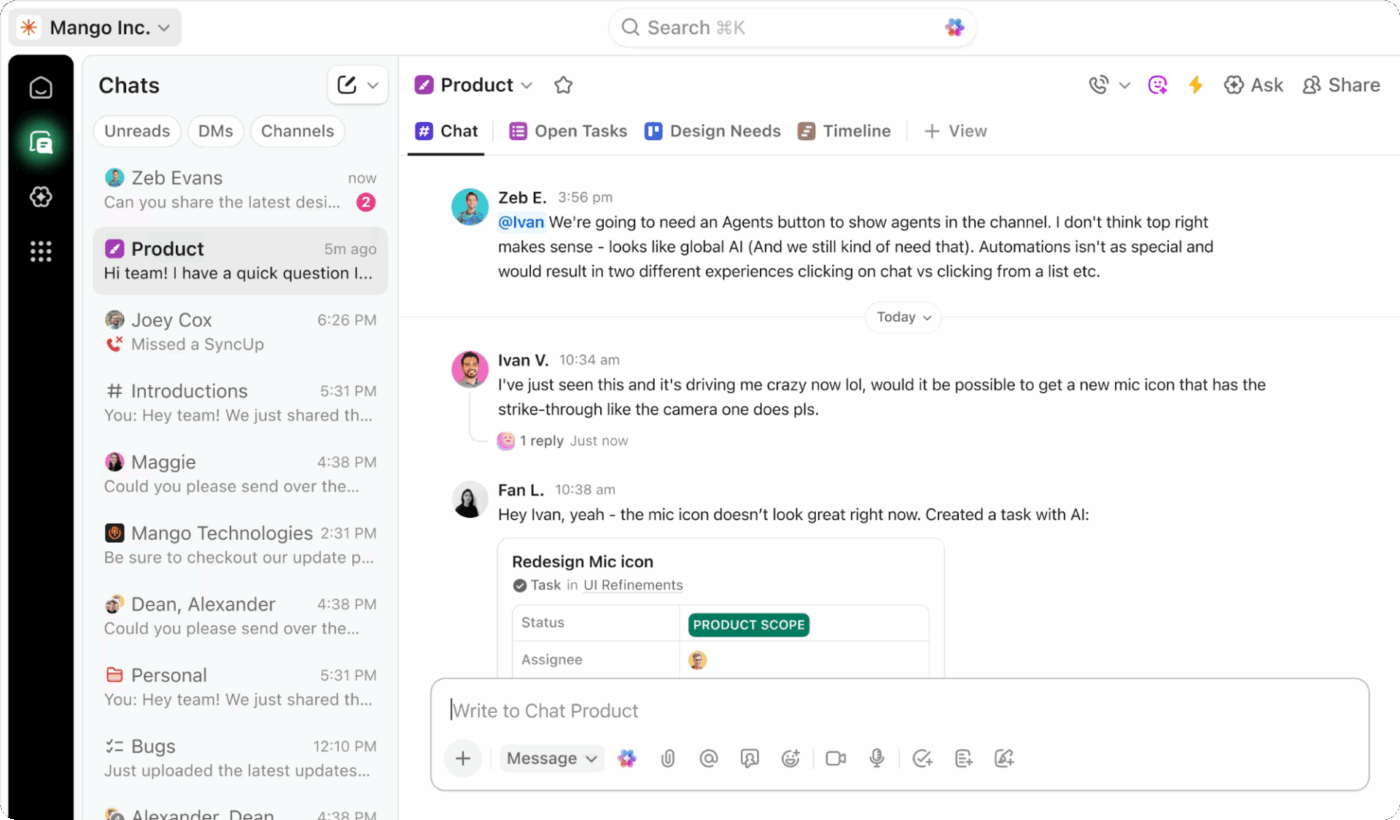
ClickUp Chat is a built-in messaging system that lets you discuss projects, share updates, and coordinate with team members directly within your project Spaces, Lists, or Folders. The chat system operates on multiple levels—from company-wide announcements to project-specific channels to private direct messages.
You can talk through a project issue in real time, reference related tasks, share files async, and make decisions without losing the thread of conversation or context. If needed, you can also turn any message into a task or pull details into a Doc through ClickUp’s project management collaboration software.
📮 ClickUp Insight: About 41% of professionals prefer instant messaging for team communication.
Although it offers quick and efficient exchanges, messages are often spread across multiple channels, threads, or direct messages, making it harder to retrieve information later. With an integrated solution like ClickUp Chat, your chat threads are mapped to specific projects and tasks, keeping your conversations in context and readily available.
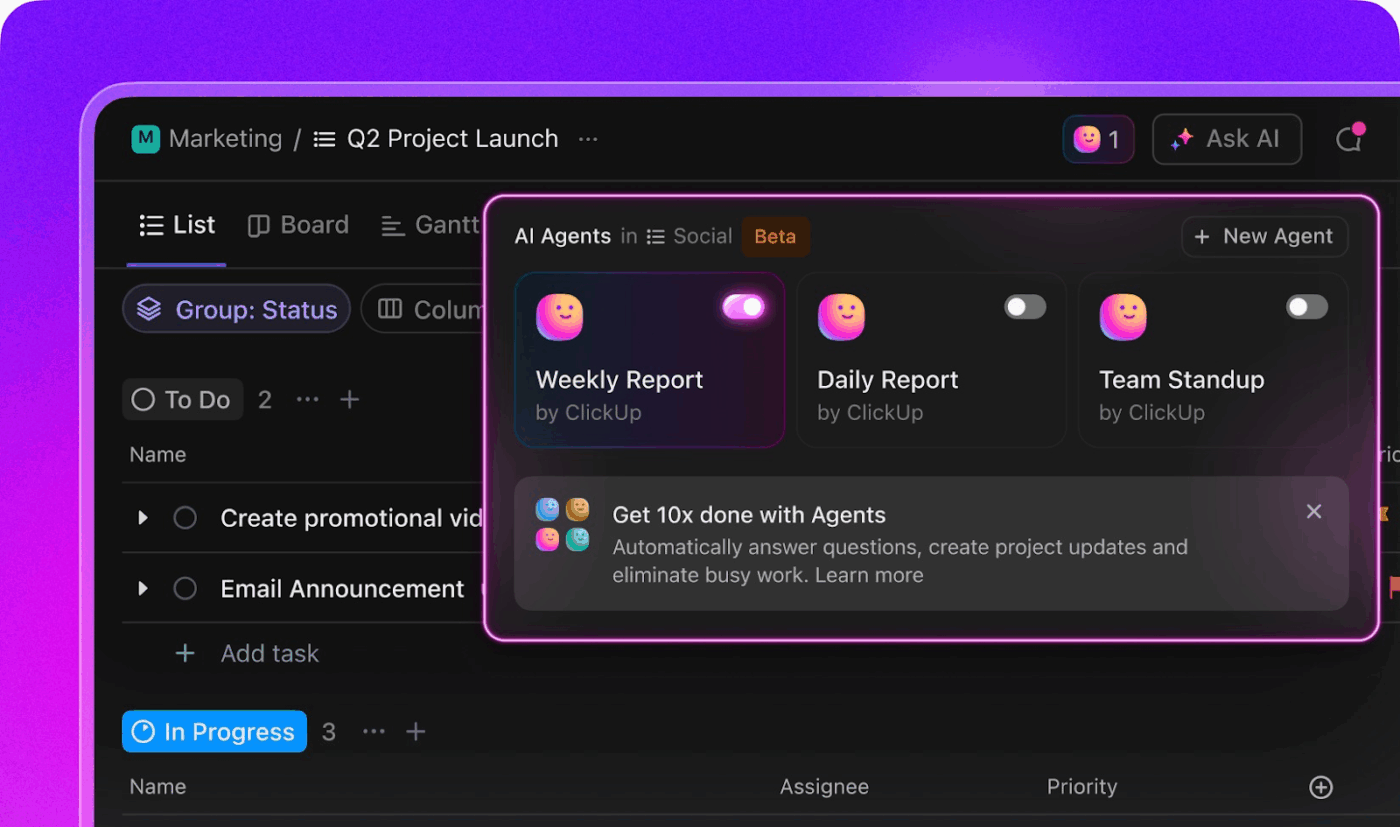
ClickUp comes with Prebuilt and Custom AI Agents designed to handle everyday work autonomously across roles. This could range from the simple task of posting project updates in a linked Chat channel at the end of each day to the complex, multi-step process of reviewing or triaging a new incoming project request based on specific acceptance criteria.
These agents are context-aware, which means they draw their knowledge from your workspace and use it to support whatever you’re trying to accomplish.
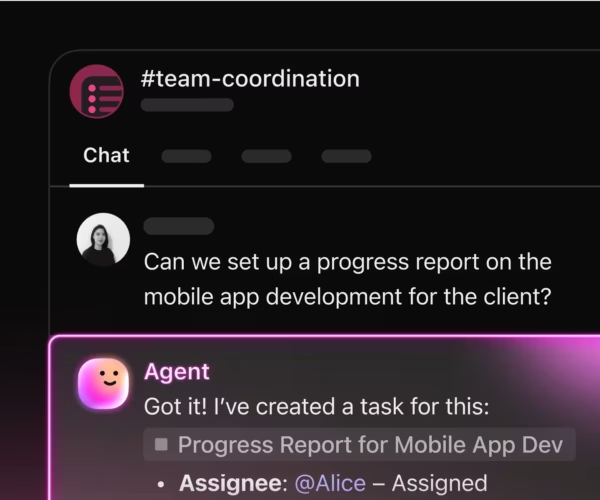
You can also experiment and build agents using natural language, no-code instructions. Some ideas include agents for:
👀 Did You Know? Over half (54%) of project management professionals lack effective collaboration tools.
And it gets worse: 36% spend 4 hours to a full day each month gathering project updates manually. That’s up to 100 hours a year per person, wasted on repetitive tasks.

Monday is a visual project management tool that helps you organize work using color-coded boards, customizable columns, and basic automations. It enables you to build flexible workflows that manage tasks, track timelines, execute projects, and collaborate with your team without overwhelming you.
Monday focuses on a user-friendly interface that teams can adopt quickly without a long onboarding process. Its visual layout makes it easy for anyone, from executive level to frontline employee, to track project status at a glance.
Monday.com, as a project management software tool, centres around building customizable workflows that feel simple on the surface but scale as your work grows. It’s designed to help you plan, track, and manage teams and work without constant hand-holding.
Let’s take a closer look at Monday’s work management features:
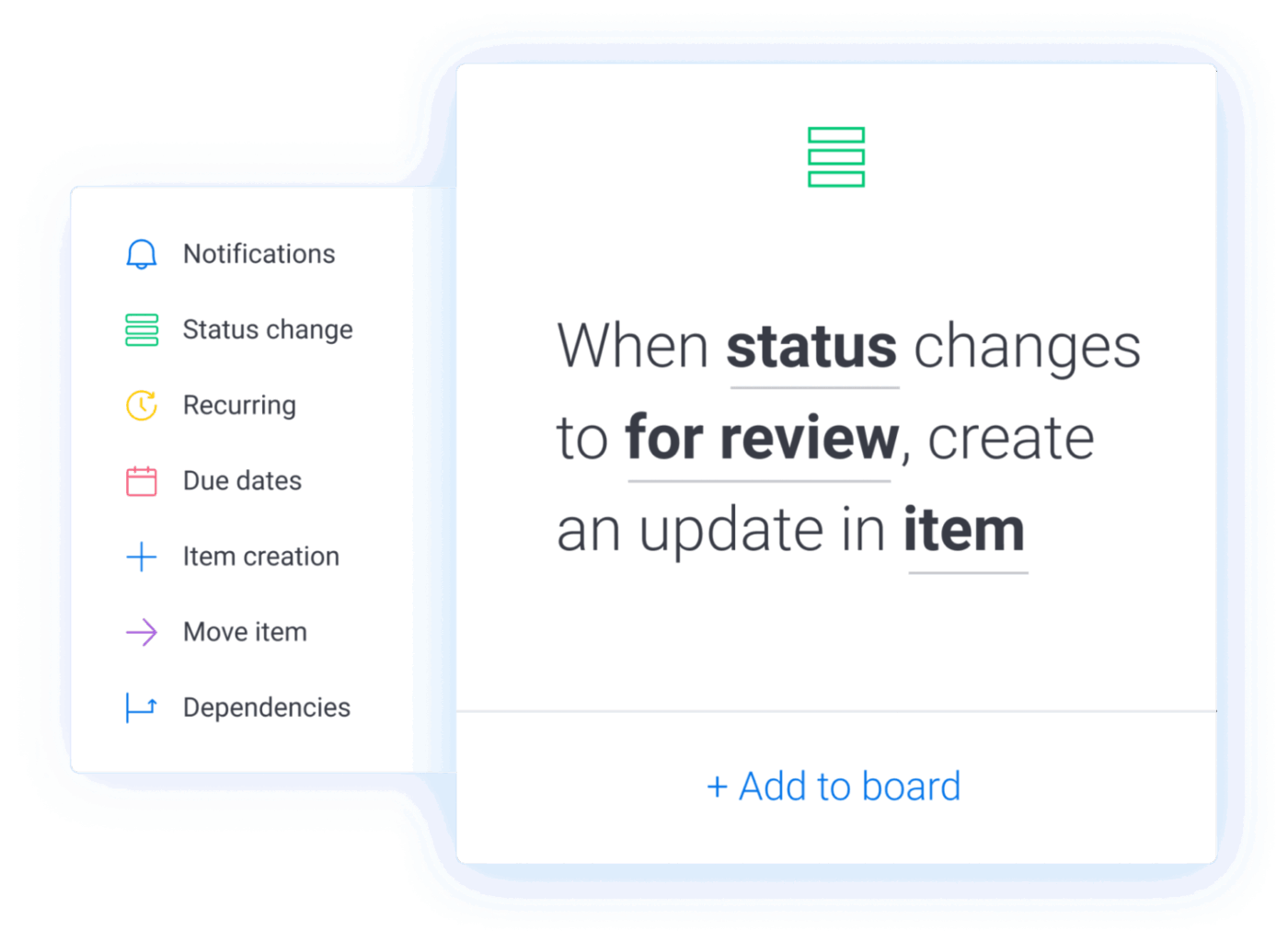
Monday’s automation system uses a simple fill-in-the-blank format where users pick triggers and actions from dropdowns. It also offers pre-built automation recipes for common use cases like task handoffs, due date alerts, and status changes, helping teams get started quickly.
🧠 Fun Fact: While Monday lets you set up multi-step automations (multiple actions per rule), users often report it lacks robust support for complex branching logic (like AND/OR/IF-ELSE across multiple conditions) — making deeply conditional workflows harder or more cumbersome. For very complex, multi-app, condition-heavy automations, you may need workarounds or external tools.
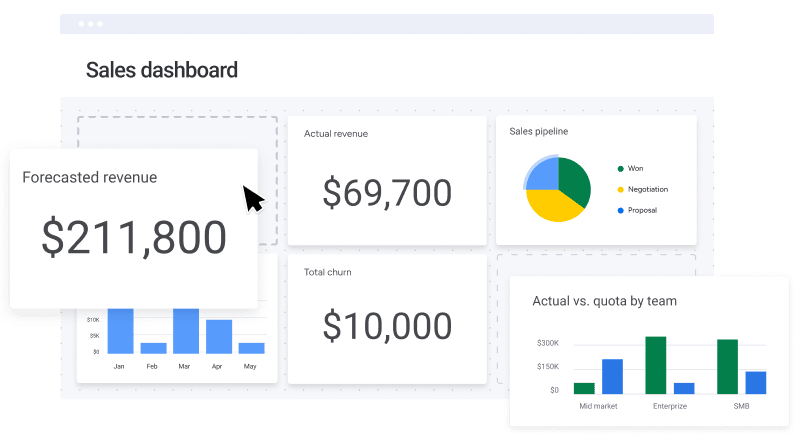
Monday offers customizable dashboards that pull data from multiple boards to generate charts, tables, calendars, and progress indicators. This gives you a consolidated view of your work across multiple projects.
Its color-coded visualizations help track project health, task statuses, and timelines, making it easier to identify bottlenecks.
🎥 Bonus: Watch this video to learn how to make a project management dashboard for your team!
Monday’s board system serves as the platform’s core organizing principle. Each board functions like an enhanced spreadsheet with customizable columns, but presents information through a visually pleasing interface that’s immediately familiar to most users.
You can switch between Kanban, Calendar, Timeline (Gantt-style), Workload, and Table views to track timelines, status indicators, file attachments, and assigned tasks.
📚 Read More: How to Create a Gantt Chart in Monday.com
📚 Read More: Best Monday.com Alternatives & Competitors
Both ClickUp and Monday.com have evolved into full-fledged work management tools that let teams plan projects, track milestones, and collaborate across workflows using a range of intuitive features.
ClickUp is the all-in-one Converged AI Workspace that 41% of teams have replaced 3 or more tools with. Monday, on the other hand, focuses on project management, making it simple and intuitive.
Let’s break down how they (ClickUp vs. Monday.com) differ across core features.
ClickUp Brain’s Contextual AI connects your tasks, docs, updates, and team knowledge. You can ask it to support basic functions across roles, such as summarizing documents or generating task lists from project plans. It can perform complex tasks equally well, though. It generates and refines product content, user stories, campaign collateral, and more. AI Fields auto-assign tasks, set priorities, and update task progress for you. Brain even maps out knowledge relationships among various assets in your ClickUp workspace and connected apps. Plus, it gives you access to multiple AI models for the price of one!
Monday AI brings helpful assistance into your boards, docs, and updates. It supports everyday functions across roles, like summarizing long updates or drafting written content inside tasks. It can help with routine tasks such as suggesting automations or improving text. Where it differs is in depth—its capabilities focus more on surface-level support than fully contextual or workspace-aware reasoning. For more advanced workflows or multi-step processes, you’ll still rely on manual setup or external integrations.
🏆 Winner: ClickUp AI wins for its deeply integrated use cases. The tool has garnered strong positive reviews from users for actually saving time and reducing manual effort.
ClickUp offers a native chat option, allowing teams to hold task-based discussions right within the workspace. With ClickUp Chat, you can tag members in messages, share files, assign messages as action items, and leave visual feedback directly on images and documents. You also get ClickUp Clips, a built-in screen recording tool for capturing and sharing walkthroughs with your team.
Monday, on the other hand, allows team collaboration through comments, mentions, file sharing, and status updates built into each task. You can tag teammates and attach relevant files to maintain context within your task. However, for real-time conversations or email-based updates, you’ll need to rely on external integrations like Slack or Gmail, meaning your communication will remain siloed instead of happening directly where the work is done.
🏆 Winner: ClickUp takes the lead for offering more collaboration features, notification control, and built-in chat for both real-time and async collaboration.
ClickUp supports over 1,000 integrations with tools such as Slack, Google Drive, Zoom, Figma, GitHub, and HubSpot. You can use these to connect your external apps directly to your workspace and even build automations that respond to events across platforms, such as updating a task when something changes in your CRM.
Monday also offers integrations with 200+ apps, including Zoom, Outlook, Jira, and Slack. However, integration usage is limited by the plan. Teams with heavier automation needs may find these limits restrictive.
🏆 Winner: ClickUp takes the lead for its exhaustive integration capabilities and wider accessibility.
ClickUp offers over 1,000 customizable templates for various workflows, including product roadmaps, client onboarding, agile sprint planning, and content calendars. It also gives you 15+ view options, including List, Board, Gantt, Calendar, Workload, and Timeline. You’ve also got ClickUp Mind Maps, which let you visually brainstorm and organize ideas in real time.
Monday, on the other hand, provides easy-to-use and quick-to-deploy templates for a wide range of use cases. But when it comes to visualizing work, Monday sticks to the basics—Kanban, Timeline, Gantt, Calendar, Table, and Workload views. Many of these are only available in Pro and Enterprise plans, and features like private boards are also restricted to top-tier plans.
🏆 Winner: Depends on your needs!
ClickUp is suitable for teams that need layered templates and diverse view options like Mind Maps. However, choose Monday if all you need is straightforward data visualization.
ClickUp offers granular-level customization. You can tailor every aspect of your workspace from Custom Fields and views to dashboards, role-based permissions, and nested subtasks. Though flexible, this depth of control comes with a steep learning curve, especially for new users.
Monday, on the other hand, focuses on simplicity. The interface is intuitive enough that most users can navigate and set things up without relying on help docs or tutorials. It offers customization options, including modifying columns, setting up board layouts, and adjusting workflows. However, advanced changes require workarounds or upgrading to higher-tier plans.
🏆 Winner: ClickUp for its intricate level of customization, and Monday for its simple, intuitive user experience with a flat learning curve.
To conclude the debate, we took it to Reddit. While there are no specific threads comparing the tools in depth, here are some user opinions on both tools.
One of the Reddit users who transitioned from Monday found ClickUp’s built-in Chat feature to be extremely helpful in avoiding distractions.
Clickup has the Gmail/email integration that allows you to create or add to a task without having to stop and switch windows (or pause to write stuff down). I have found that this one feature is such a big improvement over whatever I was doing with Monday.com. I am really sensitive to disruptions and distractions, so the more I can stay in a flow, the better.
Another user who made a switch found ClickUp’s extensive view offerings a leverage over Monday.
We switched to ClickUp in April, and it is absolutely the best tool, and our team of 29 users all love using it too. It would allow you to create lists as projects or lists for people (or both), and you can choose the way you want to view that information (calendar, gantt, list, table, or all of the above).
While Monday had a couple of positive reviews, one common negative that we found in many reviews was its restricted access. According to one user,
Every basic feature seems to be hidden behind a pay wall now. We have the PRO plan, which is basically their highest plan before you get to “enterprise” and we still can’t get the ability to restrict access to specific items on a board, and we don’t get simple things like “Projects” and “Portfolios”. You would think with a PRO plan you’d get everything.
🧠 Fun Fact: Since switching to ClickUp, teams reported:
The verdict is here, and we have a winner! It’s ClickUp! 👑
Although Monday is polished and intuitive, it’s only ideal for smaller teams managing simple to moderately complex workflows. Yes, you get a pretty fast setup and even some level of customization.
But when your work scales, your tools need to do more. ClickUp, as the all-in-one work management OS, simplifies everything for you. You can manage work, communicate with your team, track progress, and automate most of your manual workflows with just one tool.
With ClickUp running things for you in the background, you can actually focus on getting work done.
Sign up for ClickUp’s free plan today and transform the way your team works.

Manasi Nair
Max 26min read
Manasi Nair
Max 26min read
Manasi Nair
Max 20min read

© 2026 ClickUp




