Sorry, there were no results found for “”
Sorry, there were no results found for “”
Sorry, there were no results found for “”
I can’t be the only one who lives by to-do lists! These daily checklist apps have become my personal digital assistant— helping me organize tasks, set reminders, and prioritize work at a granular level.
Oh, the amount of stuff I’ve missed (including dentist appointments) and deadlines, and I think my tipping point came when I was putting an event together, and it ended up a hot mess.
With the right tools and a change in mindset, nothing falls through the cracks anymore. We sometimes overestimate our cognitive abilities and fail to accept help.
If you’re not already using a to-do list app, consider this your sign to join the party. These incredible tools keep you on track when juggling multiple tasks with varying deadlines and priorities.
I’ve spent a lot of time experimenting with different task management apps. Based on my experience and the testing done by the ClickUp team, I’ve compiled a list of the best to-do list apps, both free and paid.
But before we move on to the list, let’s quickly go over the must-have features in a to-do list app.
These essential features helped me filter through the many tools available in the market and curate the top ones for you.
Let’s begin!
The best to-do list apps at a glance:
| Tool | Best for | Standout features | Pricing |
| ClickUp | AI-powered task creation and updates | ClickUp Tasks, customizable views, and ready-to-use templates | Free forever; Customizations available for enterprises |
| Todolist | Collaboration | Date recognition and task prioritization | Beginner: Free Pro: $4/user per month Business: $6/user per month Collaboration: Custom pricing Advanced: Custom pricing |
| TickTick | Maintaining focus | Gamified task progress and automated reminders | Free Basic: $2.99/user per month |
| Any.do | Integrating with WhatsApp | Unlimited boards and auto task assignment | Unlimited boards and auto-task assignment |
| Things 3 | iOS task management | Today tab and Upcoming tab | MacOS: $49.99 (One-time purchase) iPhone and Apple Watch: $9.99 (One-time purchase) iPad: $19.99 (One-time purchase) |
| Google Tasks | G-Suite task management | Drag and drop tasks to set priorities and task creation from Gmail | Free |
| Microsoft To Do | Microsoft 365 users | Teams and Outlook integration | Free |
| Remember the Milk | Fun user interface | Quick search with Smart List | A quick search with Smart List |
| Habitica | Gamification | In-game rewards and quick task creation | Basic: Free For Groups: $9 per month + $3/user |
| Workflowy | Minimalist interfaces | Global search | Basic: Free Workflowy Pro: $4.99/user per month |
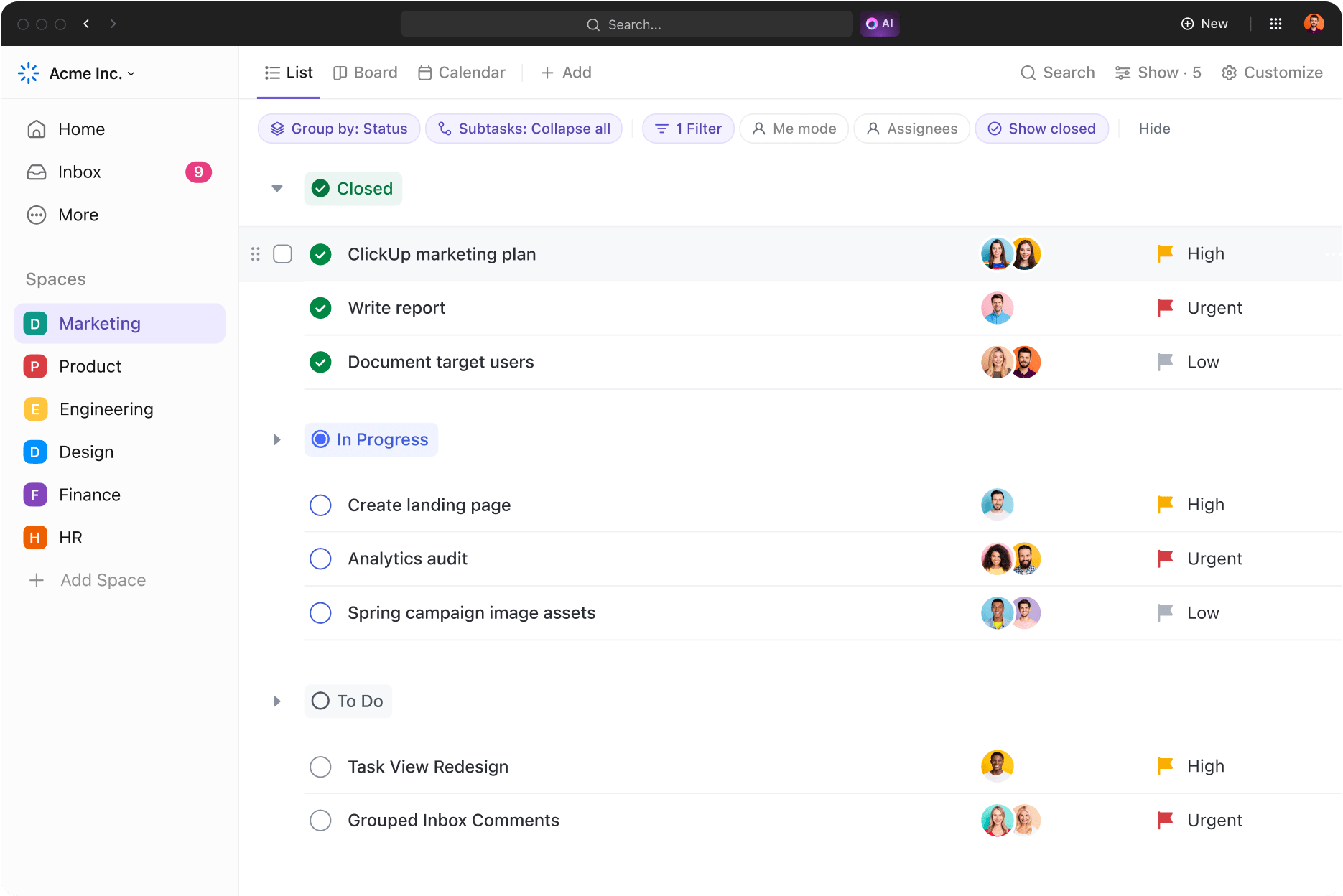
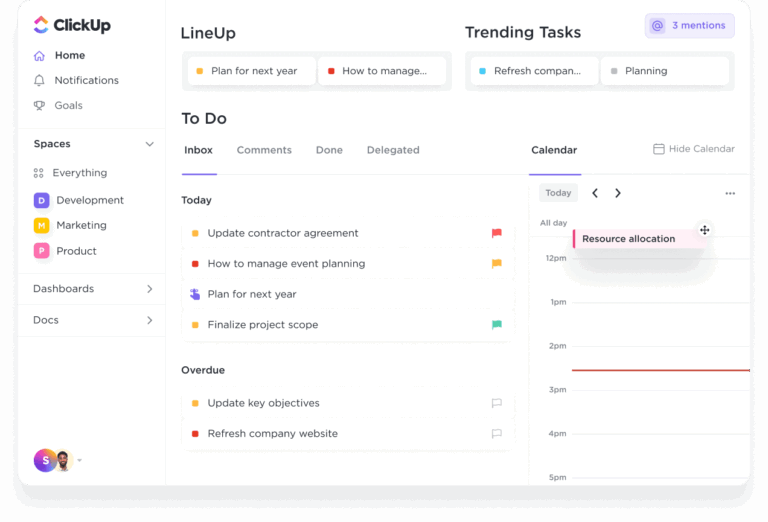
ClickUp is an all-in-one to-do list app with many project management, collaboration, and analytics features. Its AI integration sets it apart from most tools, offering time-saving features that improve efficiency and keep you focused on meaningful work that makes an impact.
ClickUp Tasks is a convenient solution for breaking down projects into small bits and setting each action item as a separate task.
I can create checklists in any part of my Workspace using ClickUp’s To-Do Lists, be it in Tasks, Docs, or Notes. The Task checklist helps me outline a transparent process for myself and my team, while the Docs checklist ensures I can tick off action items listed within a document in ClickUp Docs.
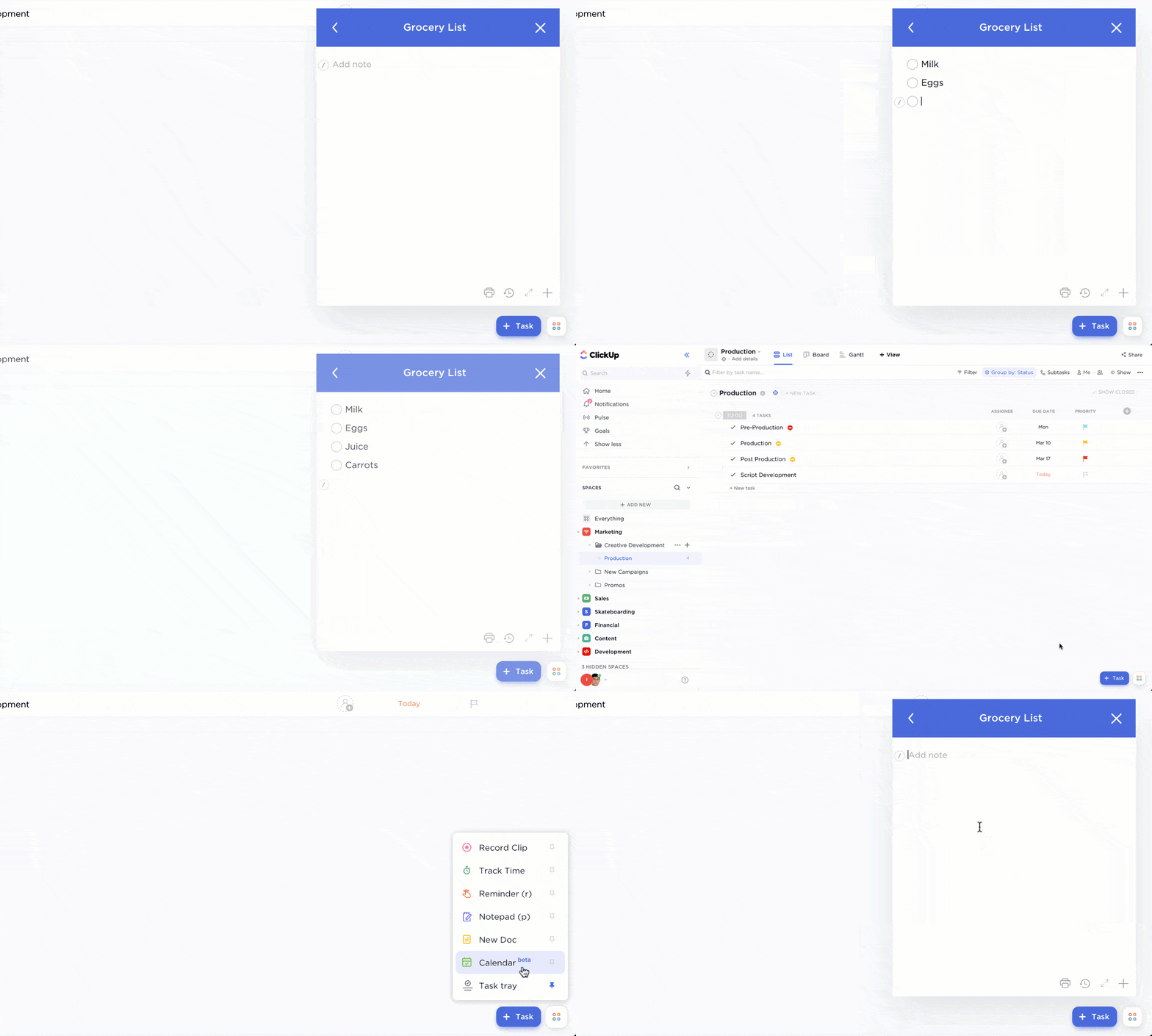
When I’m working on a task and an idea hits me out of the blue (or I forget to go grocery shopping this week or my dreaded dentist appointment), I make a quick checklist on the ClickUp Notepad. I don’t need to switch tabs, so my workflow remains uninterrupted.
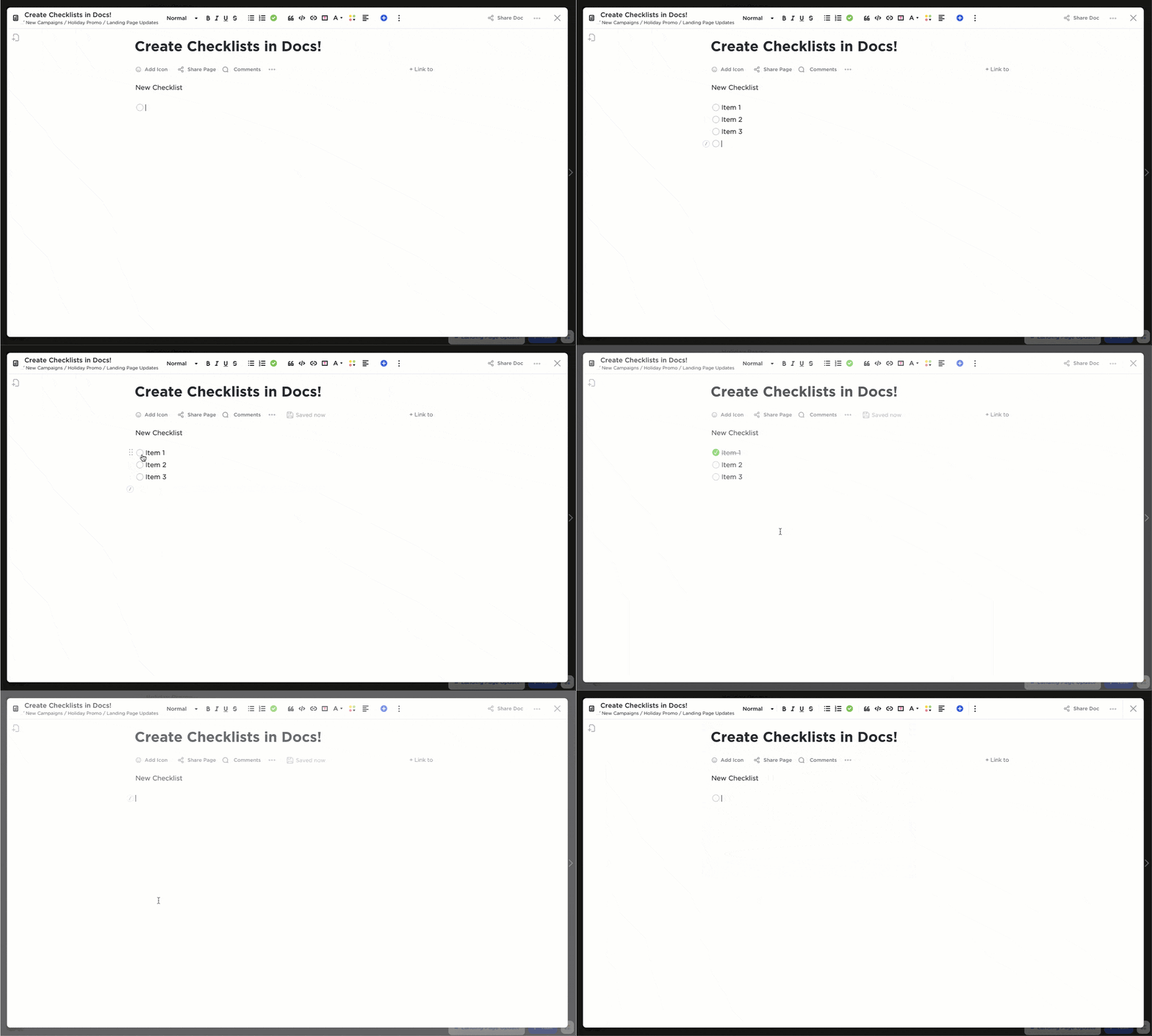
I also prefer to create Tasks on ClickUp Docs because it’s super simple. The process looks like this:
After creating the Tasks, I assign them to team members and set deadlines. The real-time editing feature allows me to collaborate smoothly with my remote team.
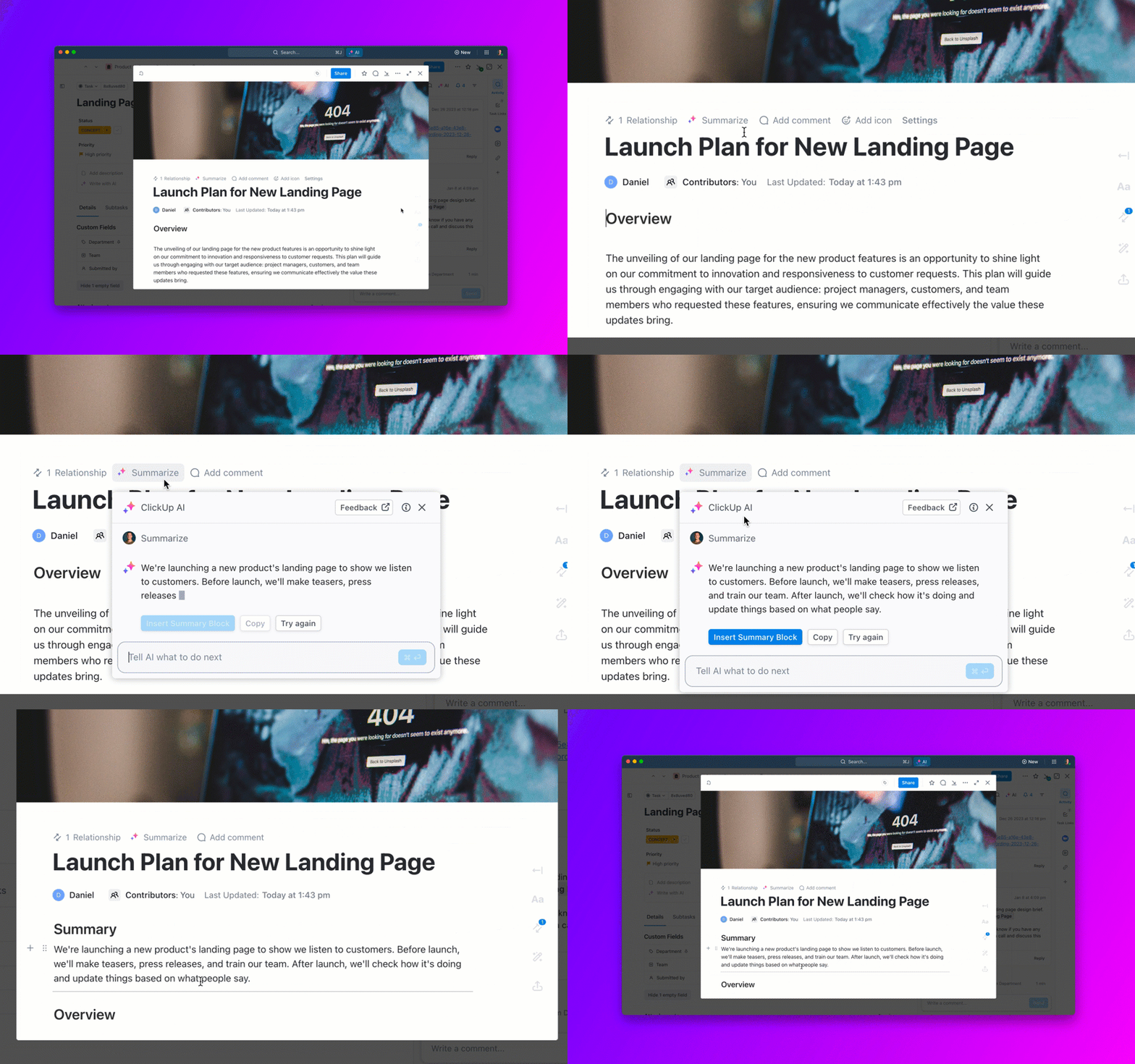
For tasks that don’t require manual intervention, I use ClickUp Brain. It automates task creation and subtask planning, answers questions about Tasks and Docs (when I’m in a hurry and looking for specific information), and summarizes task details.
To test how intuitive this AI to-do list tool is, I created a task called ‘Design an Employee Training Program’ and added my team members to discuss how we’ll plan the program. We used Task comments to address our goals and the approach we want to adopt for the training.
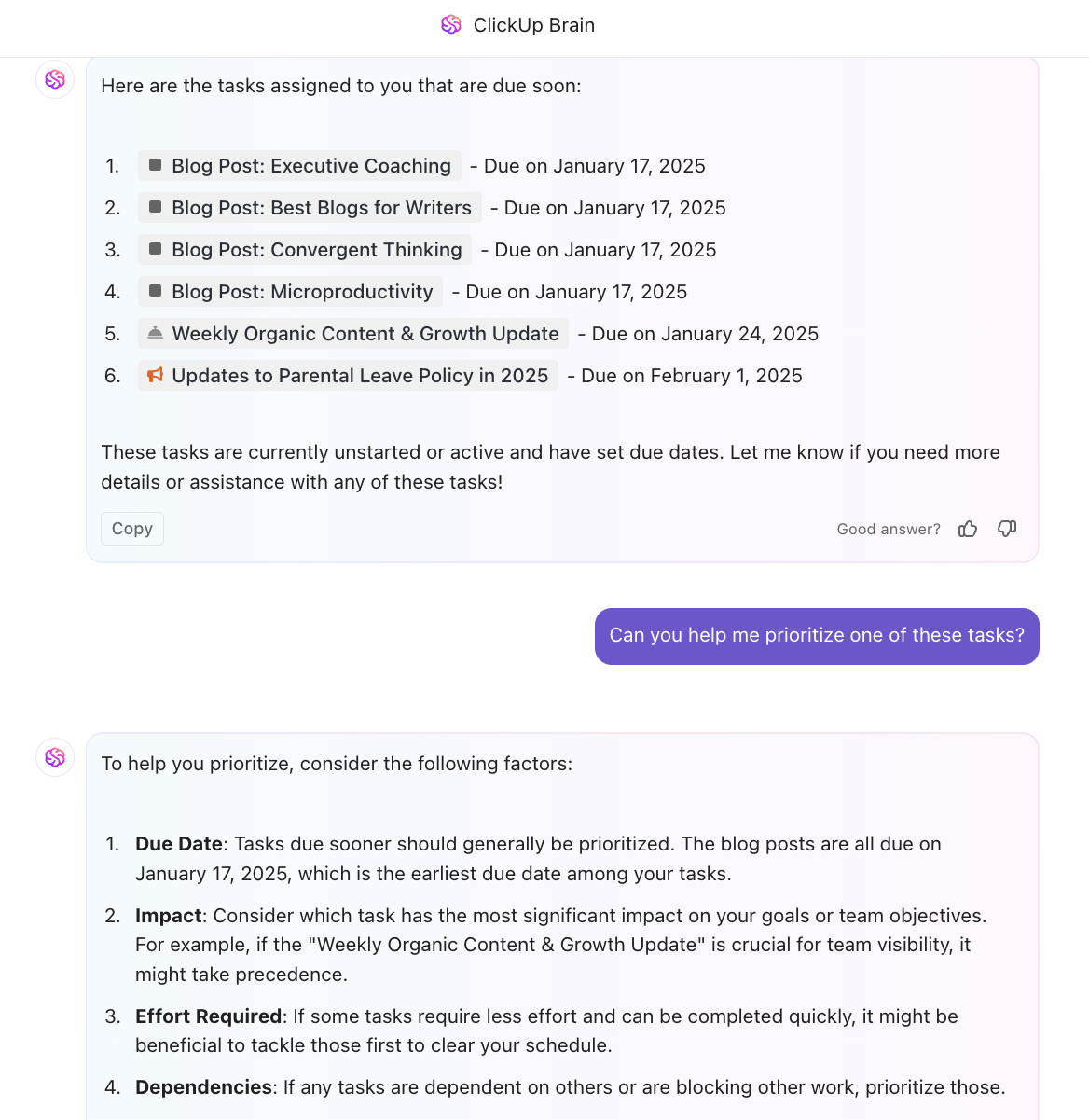
Within a few days, ClickUp Brain started recommending tailored subtasks (after reflecting on the task’s context), such as identifying employees’ needs and skill gaps, connecting with subject matter experts to create training modules, and determining the program’s time frame. It’s also great at helping you prioritize your task list!
Game-changing!
ClickUp also has multiple ready-to-use to-do list templates and GTD templates to help you organize tasks more systematically.
These are my favorite to do list templates to get started:
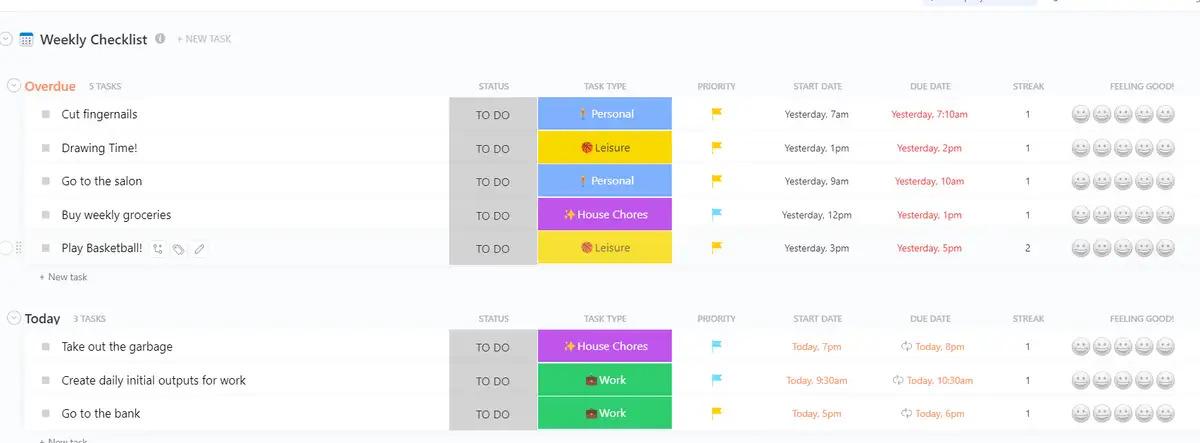
This template aligns your daily actions with your weekly goals. Use it to create a priority list based on importance, urgency, or effort, organize projects with lists, subtasks, and deadlines, and track progress using Gantt Charts or Kanban Boards.
Besides keeping you organized, the template allows you to work stress-free because you get visibility into which tasks need immediate attention and how far you are from your goals.
Use this template to set an actionable agenda for the coming week. Organize similar tasks into categories, set reminders for time-sensitive tasks, and keep a progress tab against the set due dates.
You can customize the template to make it a good fit for creating personal and professional to-do lists.
This template is your day-to-day routine planner to build healthy habits and stay on track with them. It helps you:
As you check off tasks from your list, you get a boost of motivation that pushes you to work harder. Don’t forget to pat yourself on the back for your achievements, big or small!
ClickUp works for cross-functional teams of all sizes, from small businesses to enterprises. It supports 1,000+ integrations with other apps such as GitHub, Slack, HubSpot, Clockify, Calendly, and Zendesk. So, even if you have a loaded tech stack, ClickUp can quickly adapt to your workflow.
📮ClickUp Insight: Think your to-do list is working? Think again. Our survey shows that 76% of professionals use their own prioritization system for task management. However, recent research confirms that 65% of workers tend to focus on easy wins over high-value tasks without effective prioritization.
ClickUp’s Task Priorities transform how you visualize and tackle complex projects, highlighting critical tasks easily. With ClickUp’s AI-powered workflows and custom priority flags, you’ll always know what to tackle first.
Get our best tips on task prioritization in this video!👇🏽
Users love the ability to intuitively create tasks, subtasks, and checklists in ClickUp and rate it as one of the top project management apps.
“I like that I can create my day to day checklist, track ideas for later, and remind myself of follow-ups.”
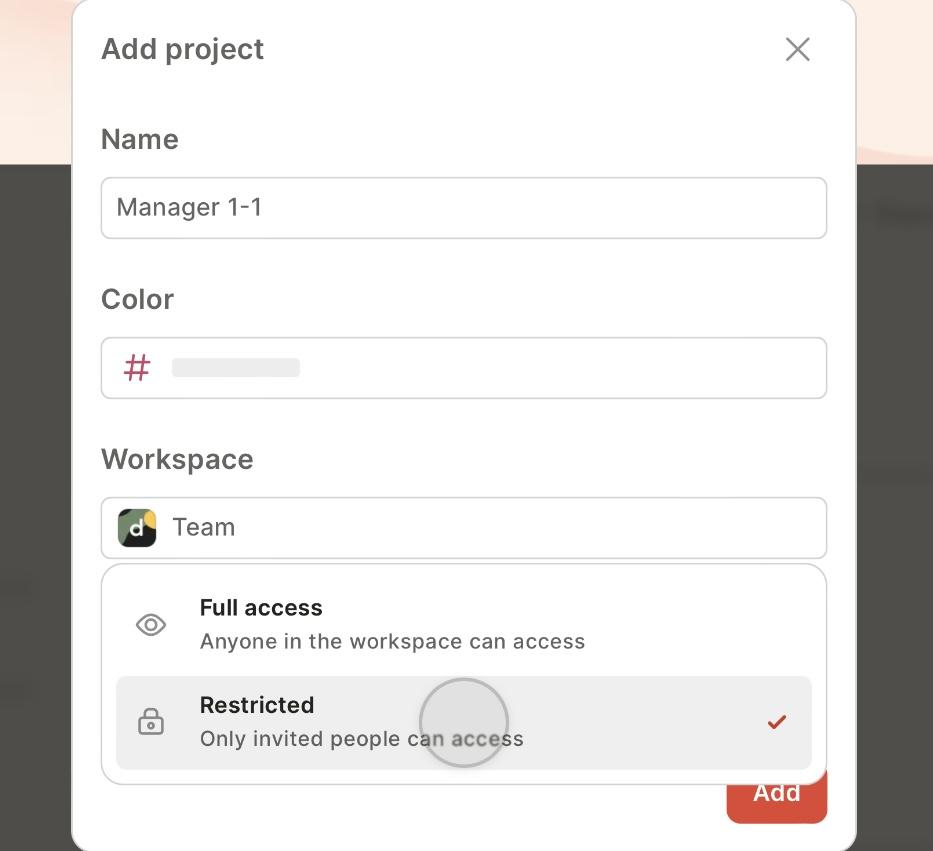
Creating a task list isn’t enough. You should be able to collaborate on it with team members to keep the momentum going. This is where Todoist comes into play.
I love the minimal interface of this aesthetic to-do list app, mainly because it makes sharing tasks a lot easier. Not just sharing, Todoist allows assigning tasks to team members and adding additional details using comments.
I also found the option to make certain projects private if you want to limit access to sensitive data. It’s a thoughtful addition to keeping product plans, quotations, and other internal data confidential.
Designed to boost team efforts and productivity, Todlist is a smart task management app for small to medium-sized teams.
Most users prefer Todoist over other task management apps because of its simplicity and power-packed collaboration features.
Todoist is simple to install and takes a user-centric approach.
It is ideal for producing well-detailed, personalized job lists (helpful for organizing various phases of major events).
We can easily distribute tasks to team members, particularly when numerous persons with varying skill sets are involved in a project.
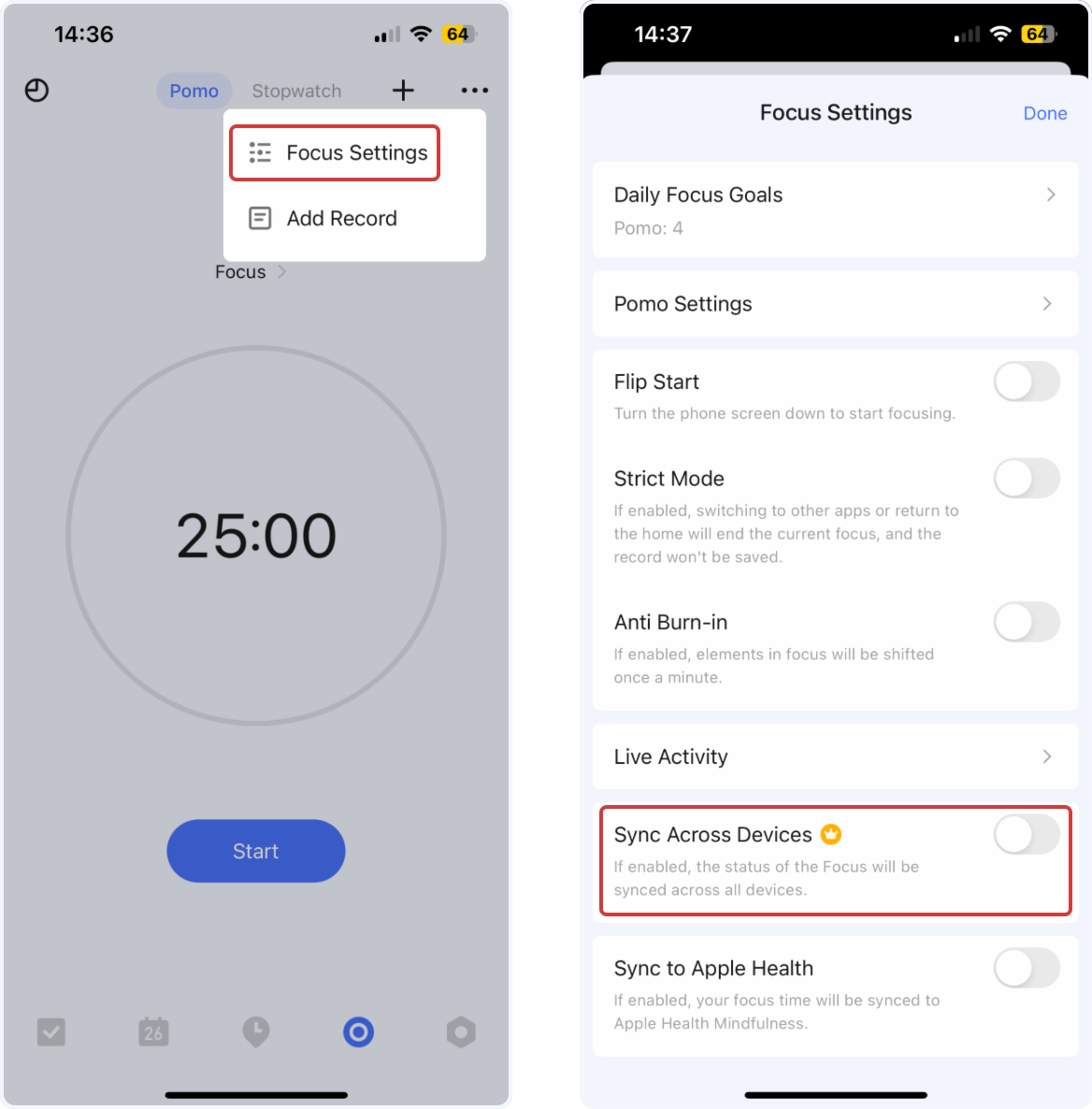
Sometimes, looking at a long checklist of tasks feels overwhelming. You try to get to all of them at once. But the science of context switching tells us that multitasking is a productivity killer—the key to ticking off all the tasks is to focus on one job at a time. That’s what TickTick helps with.
I tried its Pomo timer, which allows you to reserve small time blocks to focus on a task based on the Pomodoro productivity system. While it’s not ideal to pause your Pomodoro timer, TickTick offers this feature in case something urgent arises.
For me, personal productivity is about staying focused on one thing, avoiding distractions, and getting enough deep work done. TickTick helped me with that.
I also loved how quickly I could add tasks using the voice input feature and sync the timer across all my devices. This to-do app is ideal for professionals who want to stay productive by focusing on short periods of deep work.
However, this one works best for personal tasks. You might have to look elsewhere to collaborate with your team on task lists.
Check out these TickTick alternatives!
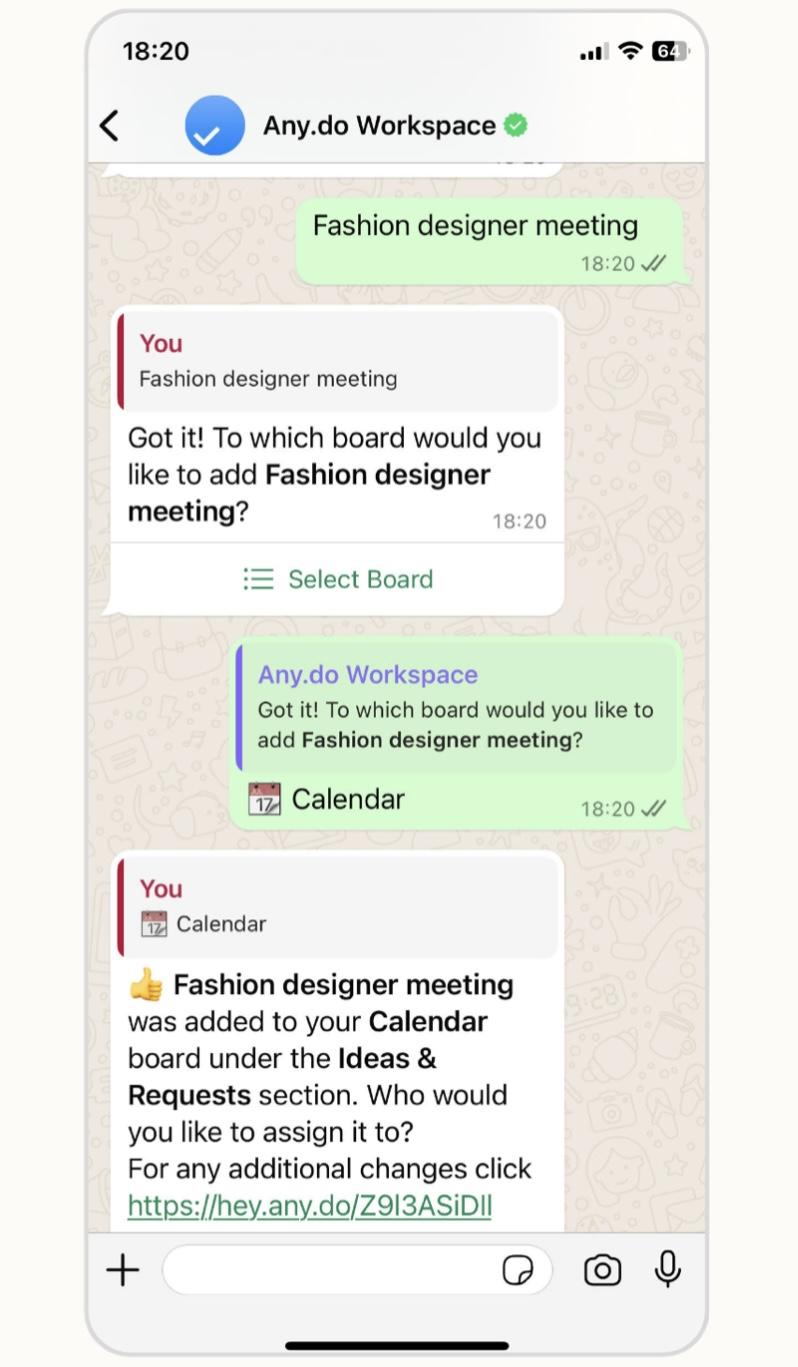
Are you overwhelmed by too many apps and looking for something that fits your daily routine? Any.do could be a good option.
We all use messaging or texting apps quite frequently, and Any.do works on top of that. It allows you to set up reminders directly from WhatsApp, even without opening the Any.do app.
I integrated Any.do with WhatsApp, and the experience was quite seamless. Whenever I added a task with a timeline, I’d get a reminder on WhatsApp. But this feature is available only on paid plans. If you don’t use WhatsApp, you can conveniently integrate the tool with Siri and Apple Reminders if you’re on an Apple device.
If your job involves a lot of external interaction with people, such as sales calls or meetings, a messaging-focused productivity app might be worth trying. However, if you’re trying to do deep work, messaging apps are a big source of distraction. Turning to them to make you more productive may end up being counterintuitive.
Any.do may be suitable for individuals and small or medium-sized teams looking for no-fuss to-do apps. However, bigger teams and enterprises might need something more powerful.
Check out these Any.do alternatives!
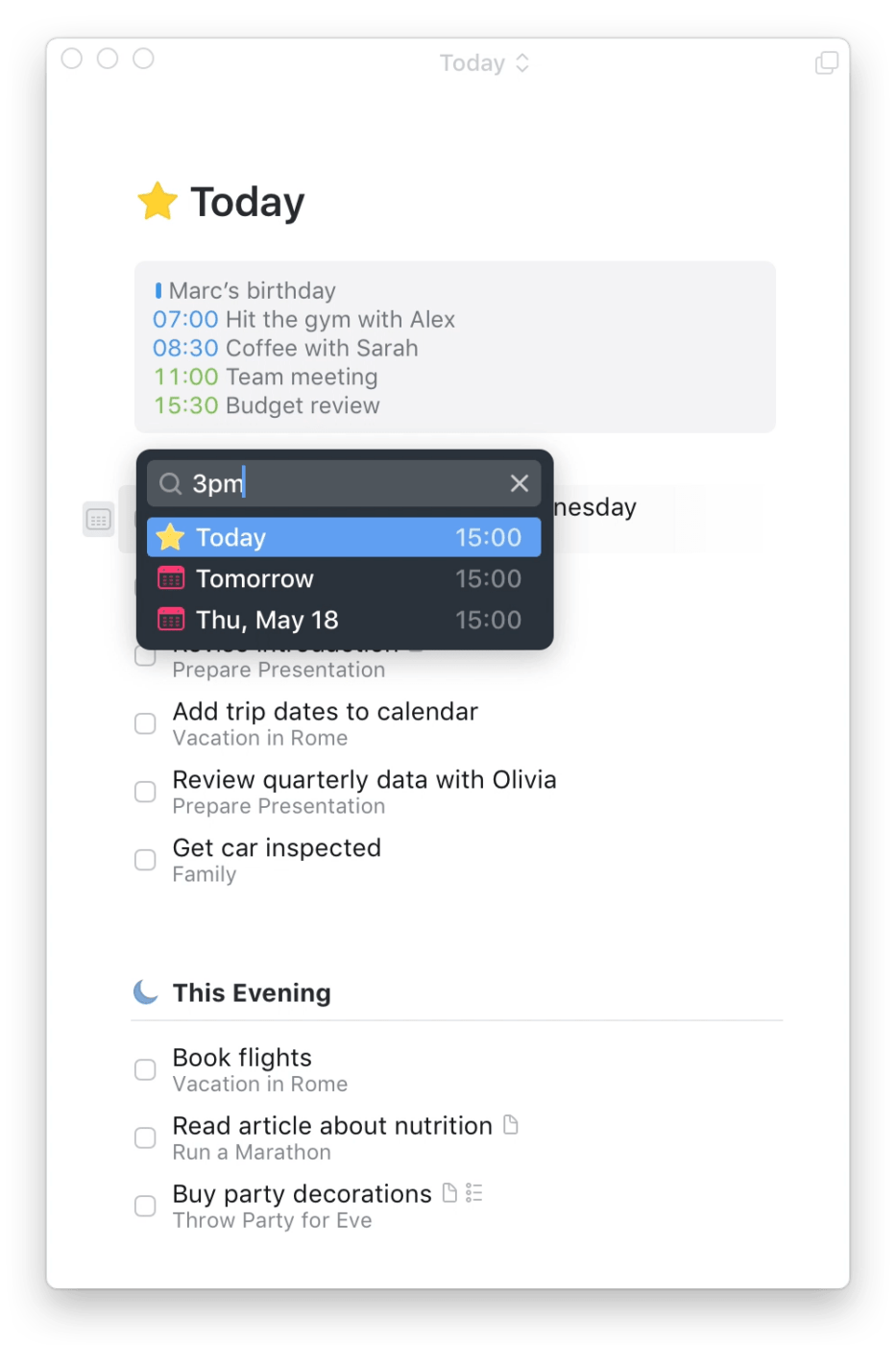
If you prefer to work with Apple devices, the all-new Things 3 app is just what you need to streamline task management.
I loved the reminder feature, which was previously missing from the app. The natural language date parser understands the time you type out and sets reminders accordingly. Quite nifty.
Too busy to type? Just ask Siri to set a reminder in Things, and you’re all set. This feature is helpful if you frequently have to deal with time-sensitive tasks—you’ll get reminders across all your devices so you don’t miss deadlines.
The design language is what you would expect from an app catering to Apple users: clean, elegant, minimal, and, most importantly, functional. The simple overview of what’s coming up today, tomorrow, or even the week ahead is such a lifesaver.
Things 3 app works best for tracking your personal to-do list, be it work for work engagements or household chores.
Check out these Things 3 Alternatives!
Many users miss advanced task management features like custom sorting and custom views to track tasks in Things.
The main problem I had with Things is that I wanted more ways to delineate and differentiate tasks. I use color codes a lot, and tags as well – tags are great in Things, but I could have used more ways to separate tasks and projects so it would be easy to get a sense of what needs to be done at a glance. I don’t want to read all the tasks every time I glance over.
However, most of them agree on how simple and intuitive it is as a basic task management app.
I love the simplicity and aesthetic of Things. It is intuitive and just works. Syncing is rock solid across platforms. It has the essential features I need: Projects, Areas, tasks, notes, and tags. Headings are nice as well
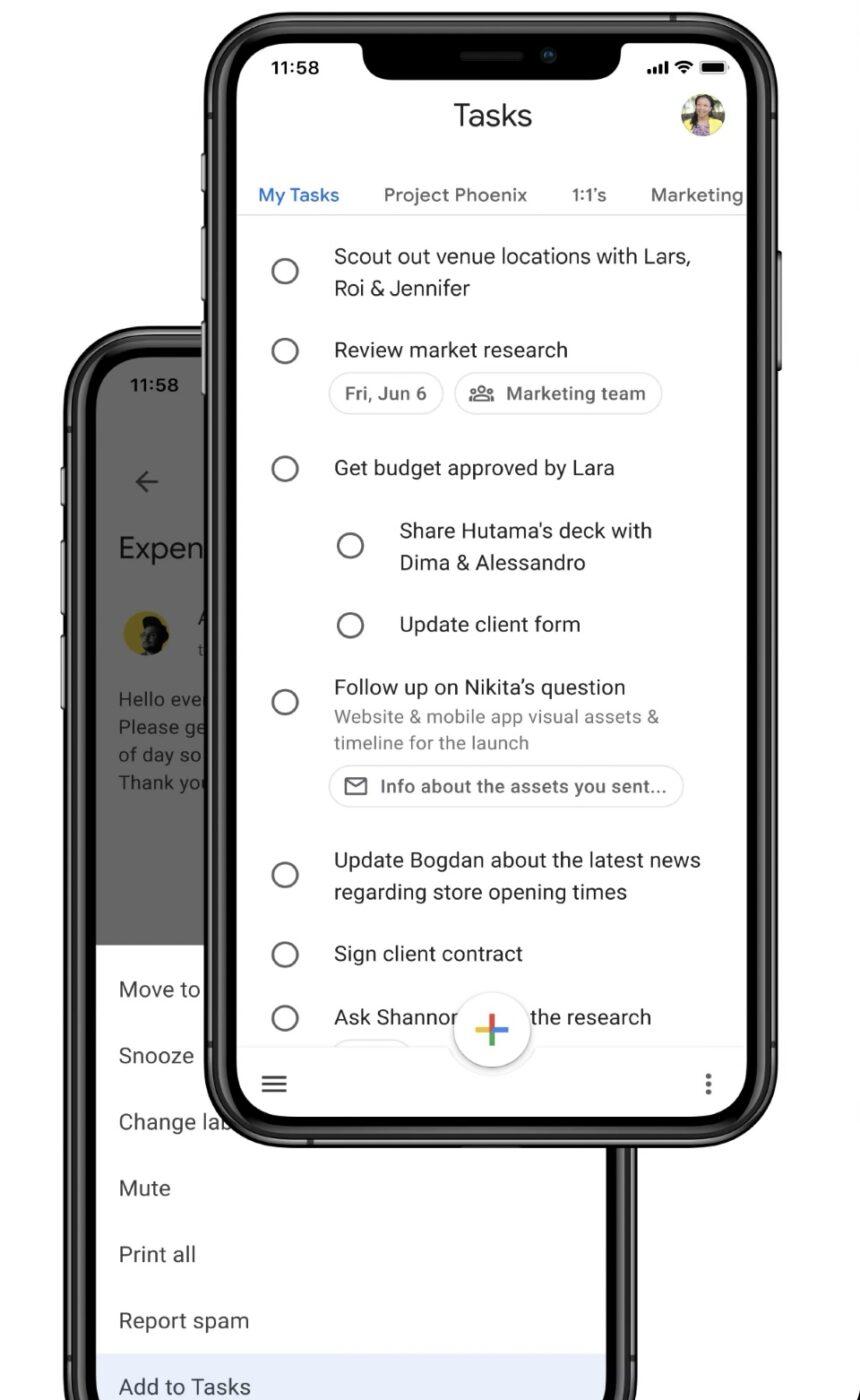
Google Tasks is a free to-do list app that you can integrate with Gmail and Google Calendar.
What I liked the most about this tool is the option to create a task directly from Gmail. For example, when a team member asks a question or sends an item for review, you can turn it into an action item, and it’ll appear on your task list—a lifesaver when you have a lot on your plate and little time to set individual tasks.
This might be an adequate option for individuals or companies working within the Gsuite that don’t need additional features. But the challenge is that once you have a task, the collaboration options are limited. You might need to switch back to your workplace chat application to discuss the task further or email them. Customization of tasks to add priority, labels, or tags is still limited.
Suppose you’re already using the tool but looking for advanced and customizable features like project management and collaboration capabilities. In that case, you can integrate your Google Tasks app with ClickUp (with the help of Zapier). Any action you take on one app will be reflected in the other, making your workflow smoother and more efficient.
Check out these Google Tasks Alternatives!
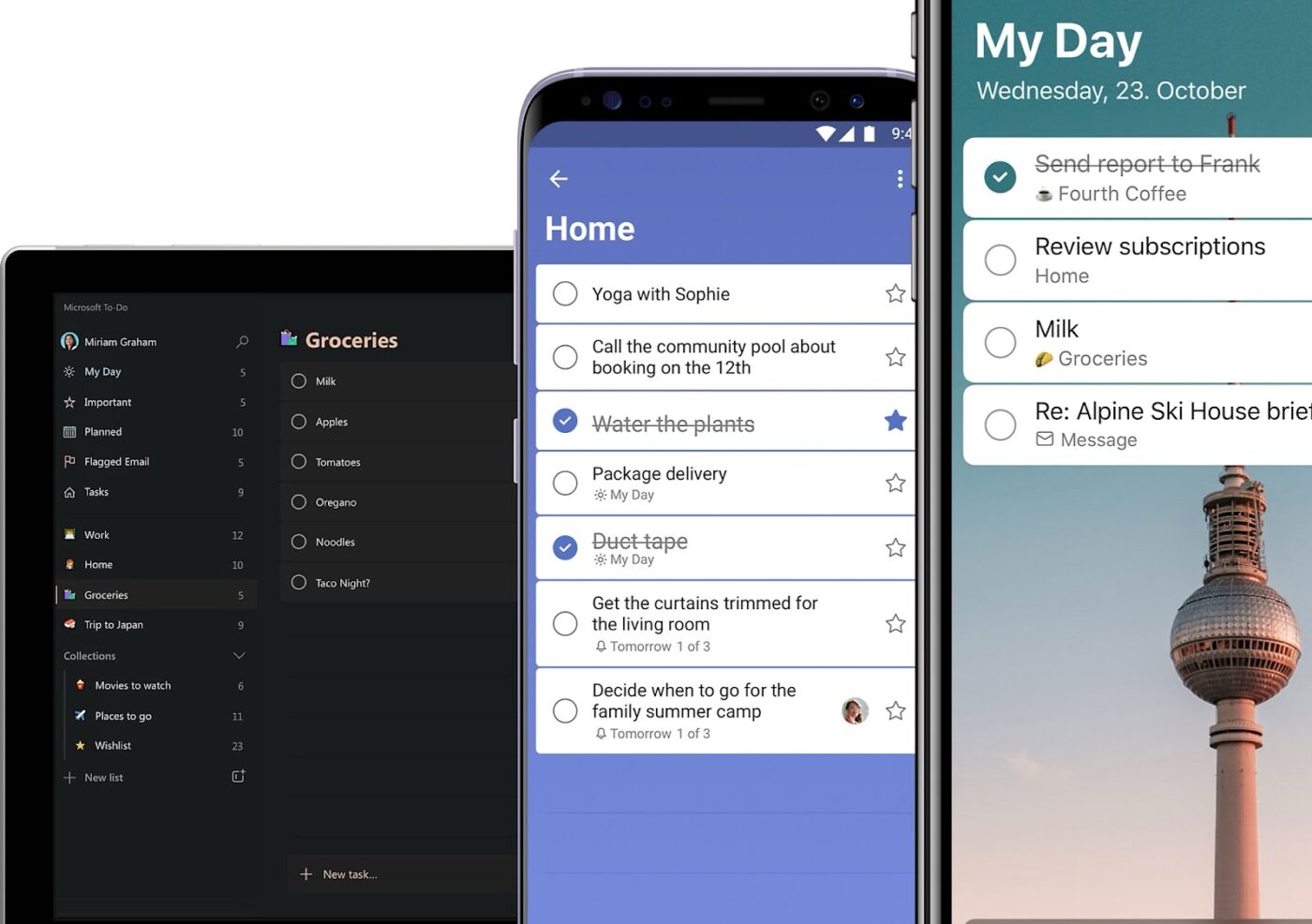
Microsoft To-Do is one of the simplest to-do list apps on our list. Despite the limited features, it gets the job done—for free.
My personal favorite feature is the My Day tab. It offers a bird’ s-eye view of my day (including personal and professional tasks) and intelligent suggestions for updating the list on the go.
This tool works best for teams starting with a to-do list app or SMBs looking for a free task management app.
If you work heavily within the Microsft universe, you can integrate To Do with Outlook Tasks—making it easier to manage all your tasks in one place.
A crowd favorite, Microsoft To-Do seems to be a popular to-do list app for teams and individuals.
Microsoft To-Do is very easy to use and flexible. Helps me to prepare a schedule for the day with plans, activities, and meetings. The tasks assigned to me can be focused on with a better plan and execution. Seamless integration with the Microsoft ecosystem makes it accessible. A User-friendly interface with calendar synchronization features works great. The tasks created can be easily shared among the team. Good customer support.
I might be a fan of professional-looking work management tools, but I couldn’t help being impressed by how adorable this app is.
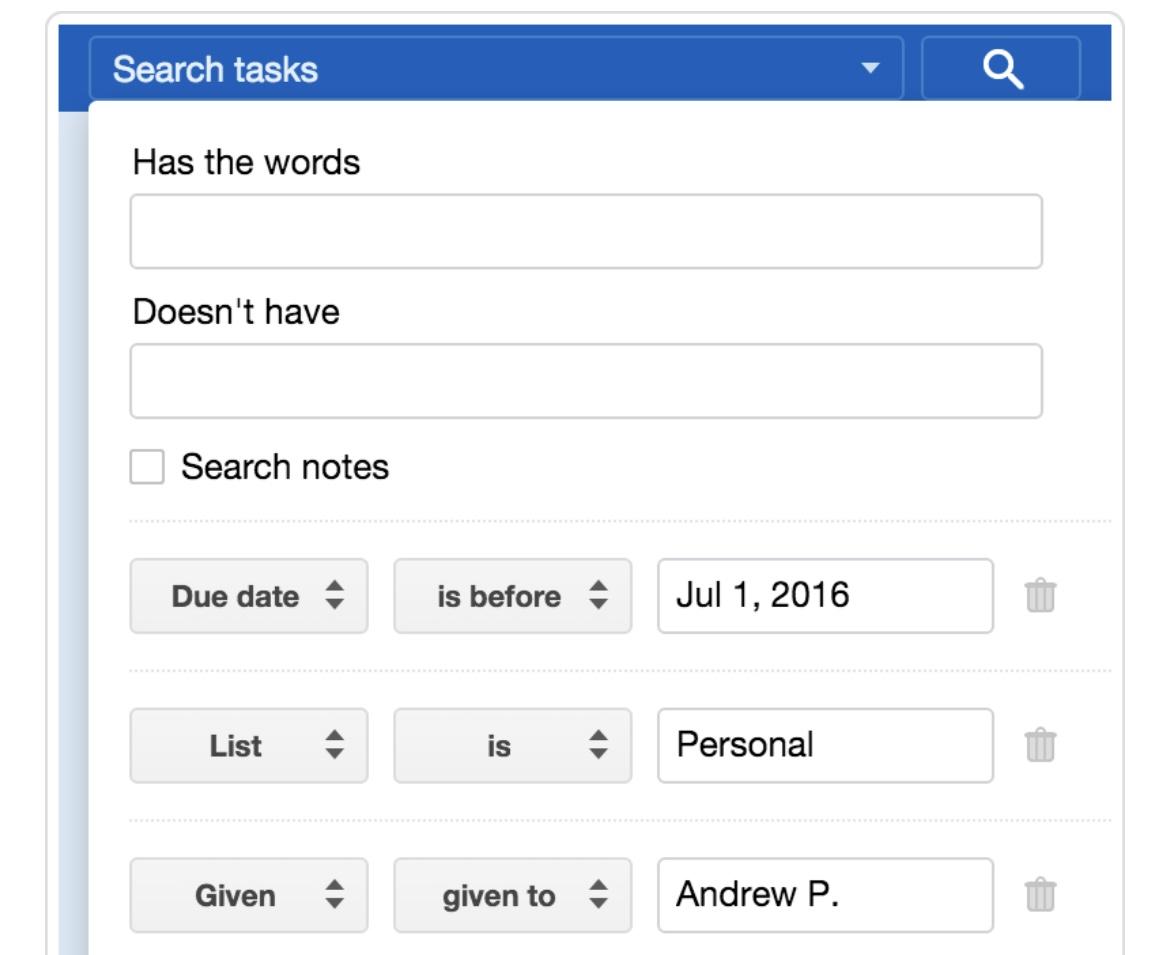
As I was tinkering with its key features, I came across the Smart List—a function that allows you to search through tasks using specific criteria. For example, you can search for tasks due this week so you can prioritize them over others.
While its collaboration capabilities are limited to assigning tasks to team members, individuals, and small businesses can use it to add a fun element to their daily workflow.
Check out these Remember the Milk alternatives!
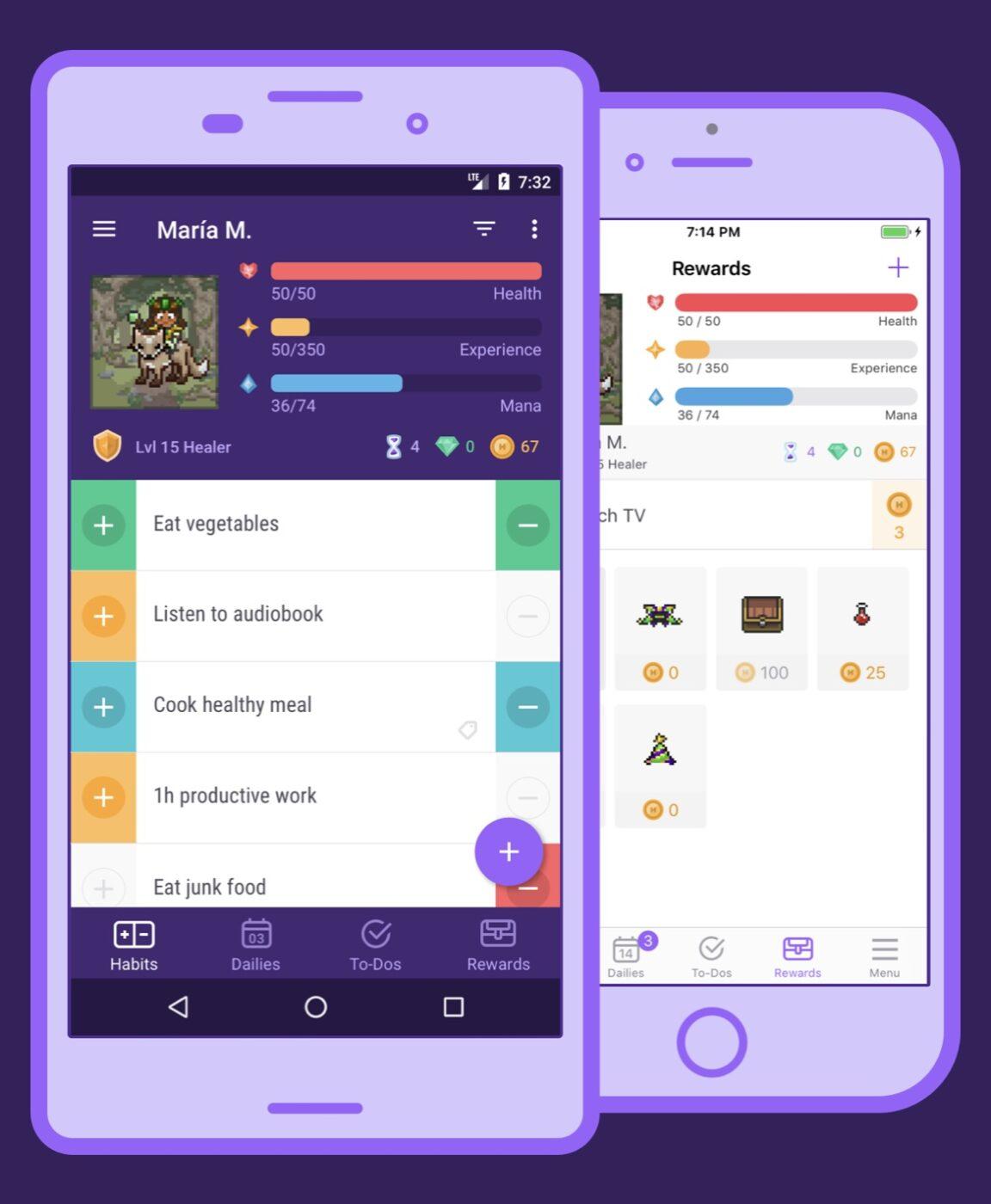
When checking off your to-do list feels like a lot of work, Habitica transforms your task list into a game. What a fantastic way to spice things up and boost productivity!
Whether you want to drink more water, read more books, or work on the tasks you’ve been struggling to finish, you can set any habit or goal on the app.
I found the Rewards feature to be very motivating for managing tasks. Every time I ticked off a task, I got a reward. It felt great to have a mysterious digital pet for the company (that was my reward for being super productive, in case you’re wondering)!
With its highly gamified console, you can also team up with other Habiticans to fight monsters in an epic battle. You earn Gold as you win, which you can use to unlock custom rewards (such as pizza for breakfast, catching up on the latest episode of your favorite Netflix show, or anything that makes you happy).
It works best for individuals and small teams who enjoy the gamified model, but you may be better off choosing a different app for advanced task management.
Check out these Habitica alternatives!
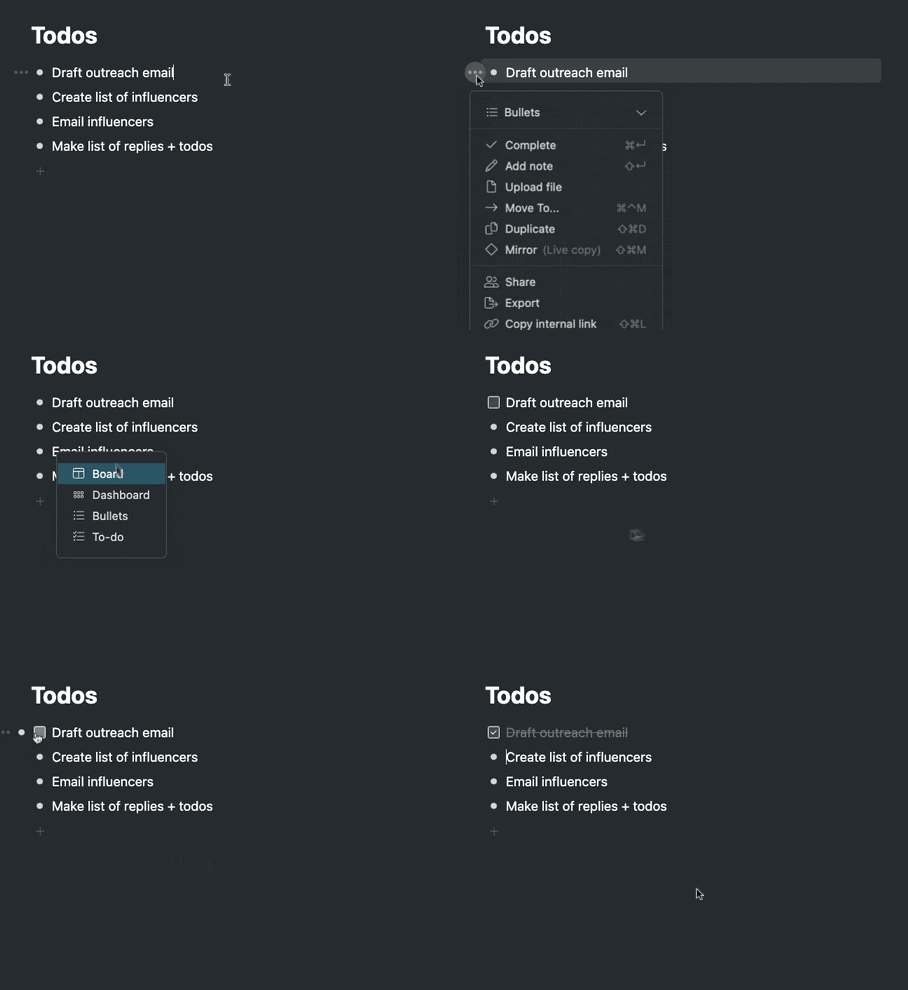
Workflowy is a simple yet powerful to-do list app designed for creating clutter-free task lists.
I was immediately drawn in by its neat user interface. It has a left-hand sidebar to navigate your entire task list, which I found particularly helpful in getting a bird’s eye view of the hundreds of tasks on my list. It’s easy to remove tasks that are no longer relevant or move them up or down the list.
I also loved how easy it is to take notes in bulleted lists, turn them into tasks, and check them off. Workflowy also allows grouping similar items using tags—a small addition necessary for saving time.
Project managers, marketers, or professionals who aren’t fans of visual-heavy interfaces would love this app for their daily note-taking and for creating quick to-do lists.
Check out these Workflowy alternatives!
Most of the apps I included in this list have a simple user interface, making them accessible to teams with different levels of technical expertise.
While all these tools are good for creating tasks and checking them off, very few offer advanced to do list features such as visual progress tracking, collaborating with large teams, assigning tasks to multiple team members simultaneously, reporting and analytics, mobile apps, and AI integration.
The simpler tools are good for personal use, but their limited capabilities will not suffice for complex projects with remote or cross-functional teams.
In such cases, ClickUp is a clear winner. It ties up task creation and tracking with AI-assisted project management, ensuring your team stays productive and efficient and moves together as one entity.

Manasi Nair
Max 27min read
Manasi Nair
Max 32min read
Manasi Nair
Max 14min read

© 2026 ClickUp