
Sorry, there were no results found for “”
Sorry, there were no results found for “”
Sorry, there were no results found for “”
Ever dreamed of sipping coconut water by the beach while checking off your to-do list? That’s the charm of a workcation, where you get things done while soaking in new views and a fresh mindset.
But a productive workcation doesn’t happen by accident. If you show up without a plan, you might end up working all day in a hotel room with spotty Wi-Fi and no time to enjoy the place you flew across the world to see.
That’s why planning is everything.
In this guide, you’ll learn how to choose the right location, set realistic goals, protect your calendar, and create a schedule that lets you stay focused without missing the magic around you.
Because when it comes to workations, strong intention goes a long way. S when you want to blend meaningful work with a meaningful break.
A workcation is a working vacation. Simple.
It’s a trip where you travel to a new location but continue working remotely. You’re not taking time off work, but you are changing your physical environment. Most people choose to go on workation to recharge their mental and emotional batteries while still staying productive.
Some questions to ask before you start packing 👇
If the words ‘work’ and ‘vacation’ sound like opposite forces, you’re not wrong. But then can be combined, as many workers do.
🧐 Did you know? Nearly 67% of workers in the technology industry work remotely! That’s the highest share of any industry.
When blended right, a workcation gives you the best of both worlds—structure and freedom, deadlines and downtime.
A workcation is also a great opportunity to develop new skills, whether it’s learning a language or mastering time-blocking.
Here’s why this new travel trend might be exactly what you need:
🤝🏻 Friendly Reminder: Choosing a destination with reliable Wi-Fi and minimal distractions makes sense if your goal is to stay productive while enjoying a change of scenery.
If you want to get things done and unwind during the precious vacation days, you’ll need a plan for your workcation.
Here’s how to do it right:
At the workcation, you’re blending work with travel. That means thinking about:
A smart trick? Vet the destination like you would a new office. Browse reviews on platforms like Nomad List, Workfrom, or WiFi Tribe to get a sense of internet quality, digital nomad friendliness, and living costs.
Dive into Reddit threads, like r/digitalnomad, for firsthand experiences on remote work. Nothing derails focus faster than choppy Zoom calls or noisy neighbors when you’re trying to hit a deadline.
Once you’ve shortlisted a few options, compare, collaborate, and finalize with ClickUp, the everything app for work. One of its best solutions for this stage is ClickUp Docs.
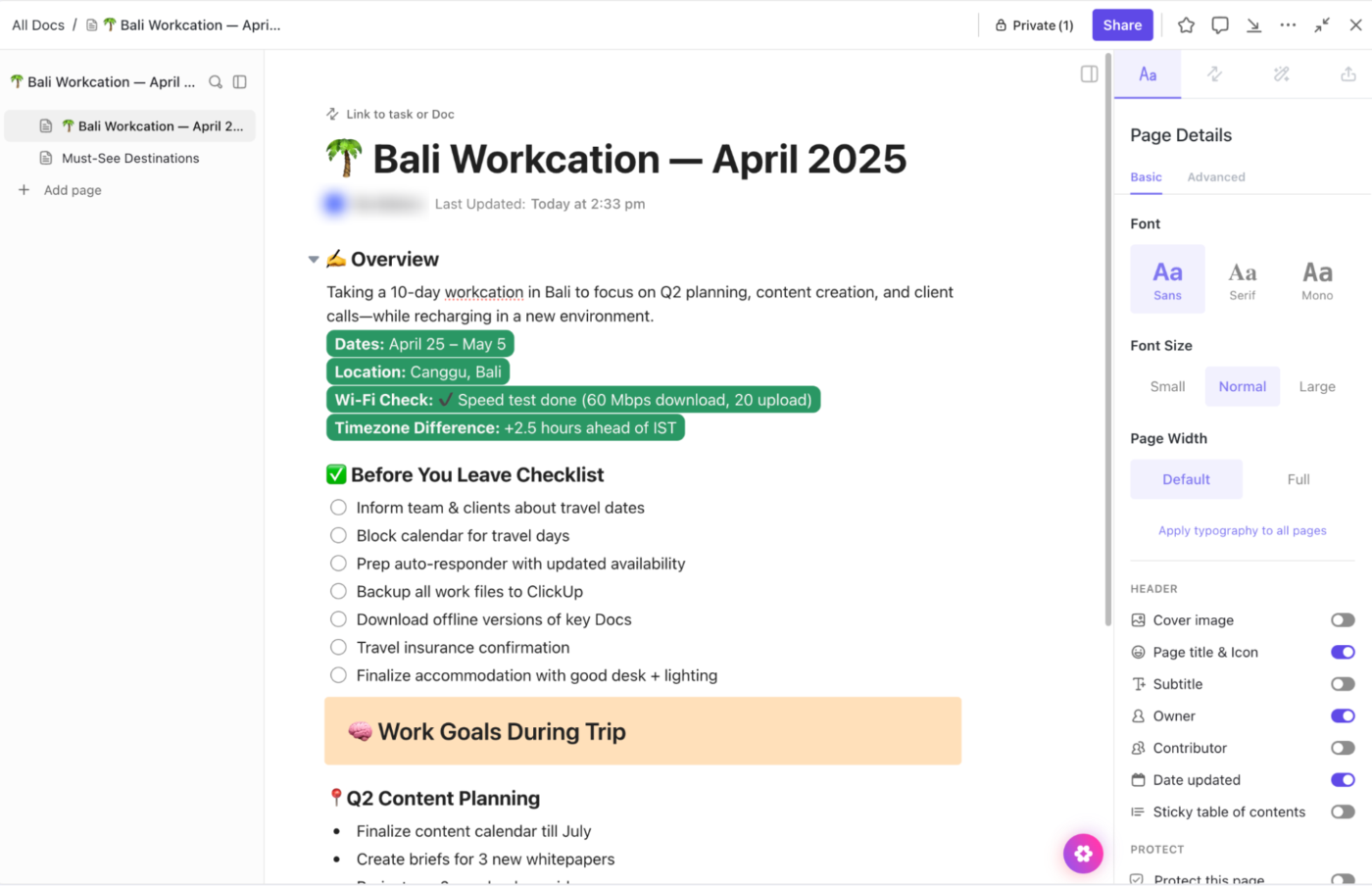
You can:
💡 Pro Tip: Need to urgently align with a teammate while you’re on the move? Just open ClickUp Chat. Ping teammates, drop in a task link, and keep the convo focused without cluttering up your email.
One of the biggest mistakes people make on a workcation? Treating it like a regular workweek with a prettier view.
Without structure, your days can quickly blur into scattered to-do lists, half-finished tasks, and guilt for not doing more or enjoying the trip enough.
To avoid that spiral, set a few intentional goals before you leave. Ask yourself:
Also, consider the rhythm of your days. You could block mornings for creative work and keep afternoons lighter for admin or exploration. ClickUp makes this easier with ClickUp Goals.
Each Goal is a container for progress you want to make. Inside that, you can set Targets like:
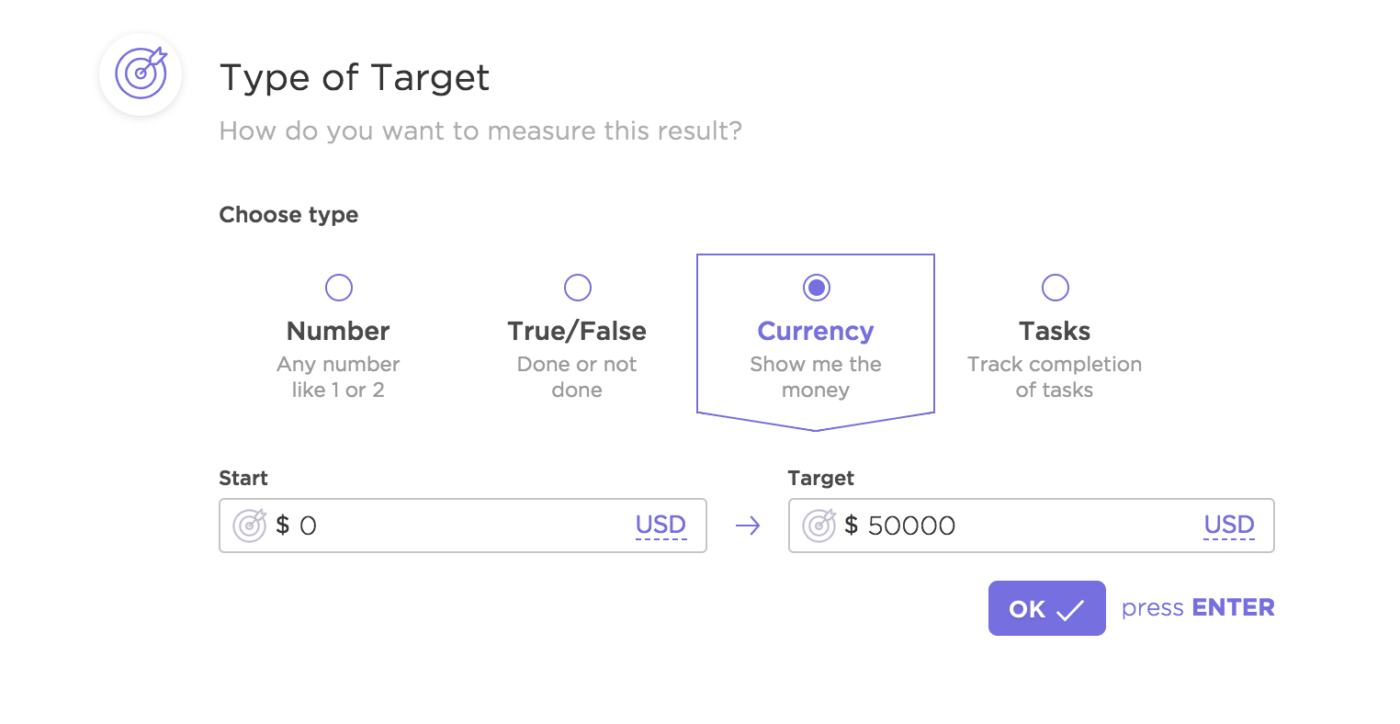
Each target can be linked to specific ClickUp Tasks with:
📚 Bonus Read: How To Keep Remote Employees Engaged & Productive
A productive workcation is about designing a schedule that respects your energy, fits your surroundings, and makes room for both deep work and downtime.
Here’s what works:
✅ Pick one core work block (9-11 am for focused work) and one break or leisure window ( 4-6 pm for local exploring). These become your anchors. Everything else can flex around them
✅ Don’t just fill your calendar with hours. Think in modes:
✅ Every evening, to save your time the next day, spend 5 minutes planning tomorrow. Set 1-2 top priorities, review your calendar, and clear away distractions
Use ClickUp’s time management tools to organize your workation:
📮 ClickUp Insight: 1 in 5 professionals spends 3+ hours daily just looking for files, messages, or additional context on their tasks. That’s nearly 40% of a full workweek wasted on something that should only take seconds!
ClickUp’s Connected Search unifies all your work—across tasks, docs, emails, and chats—so you can find exactly what you need when you need it without jumping between tools.
Before you pack your bags, take some time to review your workflow and identify what can be automated.
Start by identifying tasks that:
Use ClickUp Automations at this point to build if-this-then-that workflows to handle the gruntwork for you.
When you’re running out of time, ask ClickUp Brain about what you have on your plate for the day.

In a nutshell, here’s how ClickUp Brain lets you be productive on your workcation:
You don’t realize how many little things you rely on until you’re somewhere new. A single missing file can waste hours when your Wi-Fi connection is unstable and no one in your team is online to help.
Before you leave, make a checklist of everything you’ll likely need access to:
Then ask: Where is all this information? Is it easy for me to access without asking someone?
Centralize everything in one place before you leave. Create a go-to hub where your workflows, reference materials, and collaboration points are all connected and searchable.
And the best way to centralize your end-to-end workflow? ClickUp Knowledge Management!
Store and organize all your documents, wikis, and resources in one place. This centralized repository ensures you have access to all necessary information, regardless of your location.
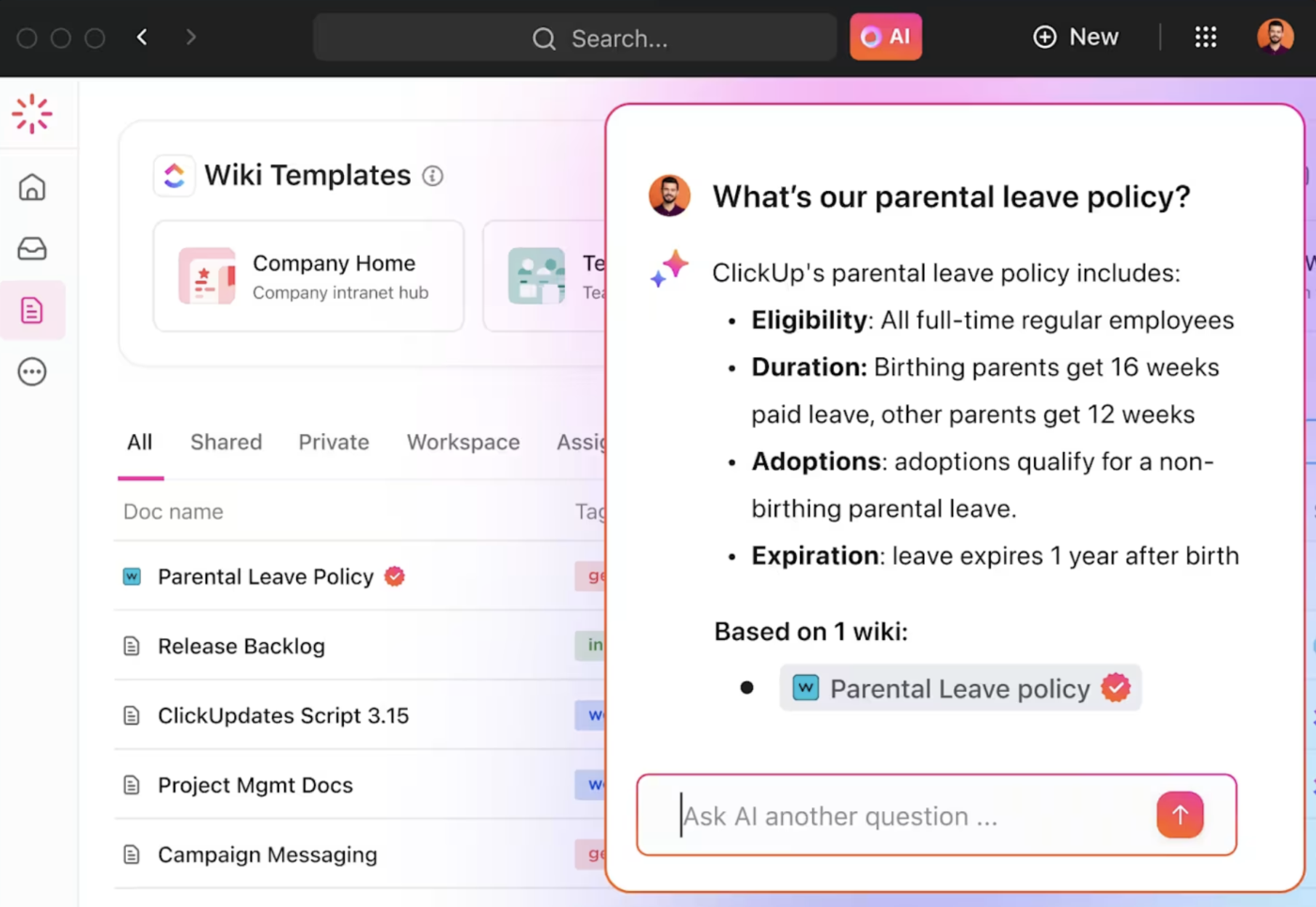
During this time, use ClickUp’s Remote Team Solution to tie everything (and everyone) together. It connects your Docs, Tasks, Chat, and Goals into one unified space, so your team stays synced around the world.
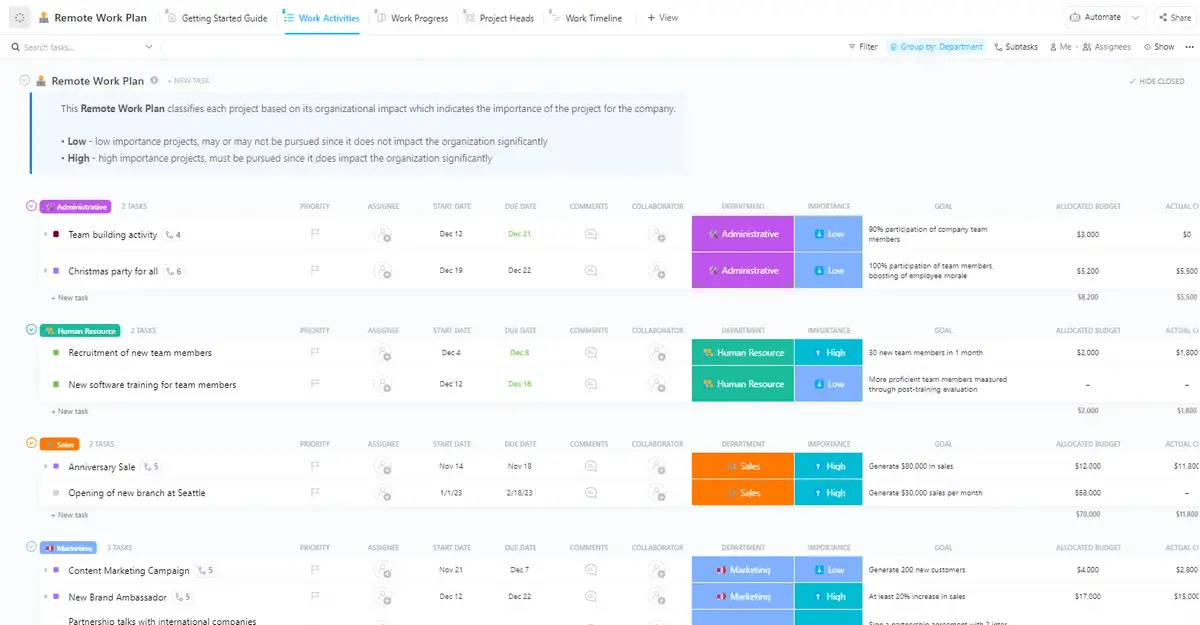
Once your resources are centralized, use the ClickUp Remote Work Plan Template.
It helps you create a work plan by:
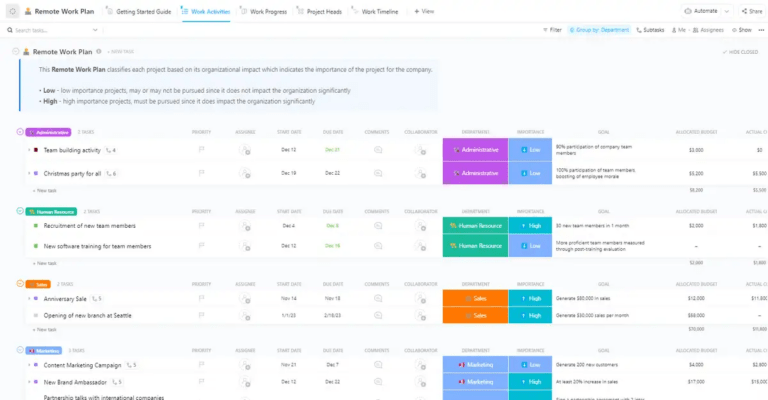
ClickUp Views, like Work Activities, let you organize tasks by team (HR, Sales, and Marketing), while the Work Timeline shows how all the moving parts connect.
A successful workcation is all about being present. If all you do is move your to-do list to a new location, you’re missing the point. Build time into your schedule for what doesn’t look like work:
Stepping away from your screen creates space for clarity, creativity, and energy you can’t fake through back-to-back meetings.
Don’t let these reflections get lost in your head. Use ClickUp Notepad—a quick, lightweight space where you can jot thoughts, travel ideas, or creative sparks that hit mid-breakfast.
Then, for your actual work life? Let ClickUp AI Notetaker handle the heavy lifting during meetings. It automatically captures key takeaways, action items, and decisions so you can stay present without scrambling to write everything down.
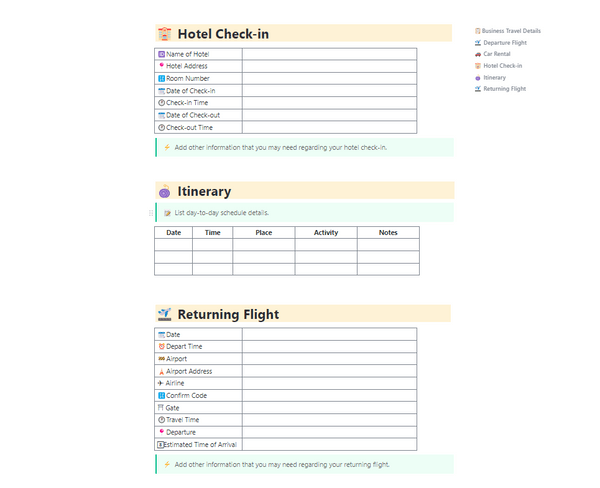
If you want to make life beyond work a little more organized, the ClickUp Business Travel Itinerary Template is your perfect companion for the business trip. This template helps you keep your travel plans, accommodations, and daily activities in one place when you work remotely.
At a glance:
While a workcation may sound like the perfect mix that combines work and vacation, there are some challenges you’ll need to keep in mind to ensure you’re able to unwind and maintain your work-life balance.
When you take a workcation, drawing a clear line between work and relaxation time can be difficult. Without the structure of an office, you might end up working late into the evening, which can lead to stress or guilt.
✅ Solution: Set specific work hours, like 9 AM to 5 PM, and stick to them every day of your remote work. Use tools like ClickUp Reminders to remind you when to start and stop working. For example, set a reminder 30 minutes before the end of your workday to start wrapping up tasks.
Not every location offers the kind of reliable Wi-Fi or tech infrastructure you need to work smoothly with your hybrid schedule. If the internet is slow or unreliable, or if you lack a proper workspace, disruptions will throw off your schedule and cause frustration.
✅ Solution: When you’re choosing a place to stay in a new city, make sure the place has solid Wi-Fi. Look for keywords like ‘business-friendly’ or ‘dedicated workspace’ in the listing. If you’re booking an Airbnb, check the reviews to see if other guests mention internet speed.
📚 Read More: Unlocking the Future of Productivity With ClickUp
If you’re in a different time zone during your workcation, real-time collaboration with your team means you will need to adjust your work hours to align with theirs. In other words, you may end up attending calls late at night or early in the morning.
✅ Solution: Set ‘core hours’ that work for you and your team, even if it’s just for brief check-ins during the working vacation. Use scheduling tools like ClickUp Calendar to adjust to your time zone automatically, so you don’t spend time figuring out when to meet.
Adapting to new foods, water, or climate changes can affect your health and energy levels during the workcation. If you’re not careful with your diet or fitness routine, it might become harder to stay focused and productive. Keeping an eye on your health is crucial to maintaining your performance while on a workcation.
✅ Solution: If you’re in a place with different food or water, drink bottled water and avoid street food until you adjust. Pack snacks or supplements you rely on, like vitamins or protein bars.
Find a local gym or use fitness apps for home workouts, or take a 30-minute walk in the morning to start your day. If you’re in a hot or polluted area, schedule your outdoor activities for early morning or late evening.
Based on user reviews from around the world, here’s a list of top destinations for your next workcation, where you can balance productivity with relaxation:
Bali gives you the perfect blend of work and relaxation for digital nomads. With a range of coworking spaces and lush tropical surroundings, you can get your tasks done while enjoying the island’s serene vibes in your free time.
💡 Pro Tip: To make the most of your Bali workcation experience, use a travel management software to centralize all your tasks. Create a clear itinerary, set reminders for key check-ins or visa deadlines, and keep everything accessible even when you’re on the move.
Lisbon’s combination of modern coworking spaces and rich history makes it a great spot for a workcation. You’ll have a productive workday and can unwind with cultural experiences, fantastic food, and scenic views.
💡 Pro Tip: Use itinerary templates to get a comprehensive view of your trip, including lodging, events, restaurants, and a packing list. Some templates also allow collaboration, so you can share your plans with your team members and stay organized.
In Tulum, you can work in beachside coworking spaces and take breaks with yoga or beach walks. The laid-back vibe is perfect if you want to unwind while staying on top of your tasks.
💡 Pro Tip: If you’re an entrepreneur on a workcation in Tulum, use the Pomodoro Technique, involving 25-minute focused work intervals followed by short breaks. This productivity method is great for tackling tasks efficiently, then rewarding yourself with a brief walk along the beach or a quick swim.
Barcelona’s dynamic atmosphere attracts knowledge workers seeking workcation destinations. After your work hours, you can explore its stunning architecture, vibrant culture, and delicious cuisine.
💡 Pro Tip: On your workcation, use a digital nomad tool that offers cross-platform compatibility. Whether you’re using a laptop, tablet, or phone, the tool should sync seamlessly across devices.
Kyoto’s peaceful temples and gardens offer a quiet place for your workcation. You’ll be able to focus during the day and relax in one of Japan’s most tranquil settings in the evenings.
💡 Pro Tip: During your Kyoto workcation, block mornings for deep work in a quiet café, and spend your afternoons exploring temples or strolling along the Philosopher’s Path.
Here are real-life work-life balance examples to help you structure your day, without burning out or missing out.
Remote work amid scenic backdrops is how knowledge workers describe Cape Town. It’s an ideal destination for your workcation, where you stay productive while you take advantage of its outdoor activities during your precious vacation days.
💡 Pro Tip: Use a productivity template during your workcation to map out both personal and professional goals in one place. You need to avoid overcommitting to one side and make space for what matters on both fronts.
Chiang Mai is an affordable destination with great weather, plenty of coworking spaces, and a welcoming atmosphere. It’s a perfect place for staying productive without breaking the bank.
💡 Pro Tip: Budget-friendly workcation locations with reliable Wi-Fi, affordable coworking spaces, and a thriving digital nomad scene are the ideal places to experiment with location-flexible productivity.
Planning a productive workcation means knowing your goals, respecting your energy, and designing each day to support your work and well-being.
While you work remotely, you need a system that helps you plan ahead, stay organized on the go, and keep your team in sync.
That’s where you need ClickUp.
It brings everything you need into one place—from Docs to plan your itinerary and store project details, to Tasks and Goals that help you break down what needs to get done. Time Tracking and Calendar let you stay realistic about your workload, while Reminders help you bring structure to your day.
When you’re managing multiple moving parts of a big project, Automations and ClickUp Brain help streamline repetitive tasks and give you clarity fast.
To bring structure to your workcation, sign up on ClickUp for free.

Sudarshan Somanathan
Max 29min read
Sudarshan Somanathan
Max 17min read

Manasi Nair
Max 21min read

© 2026 ClickUp