






Still downloading templates?
There’s an easier way. Try a free AI Agent in ClickUp that actually does the work for you—set up in minutes, save hours every week.
Sorry, there were no results found for “”
Sorry, there were no results found for “”
Sorry, there were no results found for “”
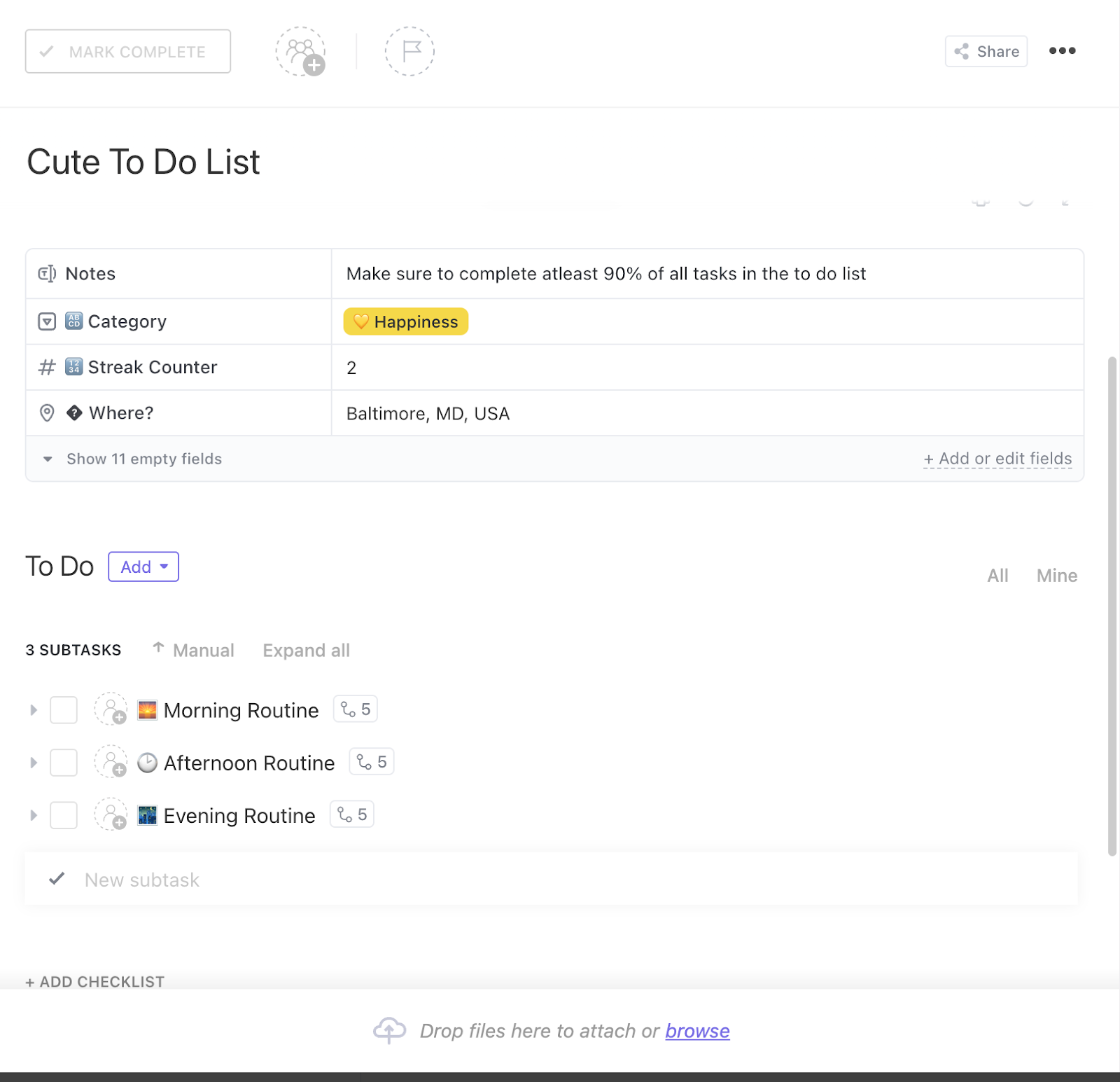

Most of us spend way too much time managing work instead of doing it. And nowhere is that more true than when you’re staring at a blank project board, trying to figure out how to organize your tasks.
Monday.com is a flexible tool, but without a template to get you started, it can become more of a time sink than a time-saver.
You end up building structures from scratch when all you really want is to get things done. To help you skip the setup and get straight to the action, we’ve handpicked the best free Monday.com to-do list templates.
And if Monday.com still feels too clunky for your style, we’ve also included some ClickUp to-do list templates that offer a smoother, more intuitive experience.
Monday.com to-do list templates are ready-made task management boards that help you organize, track, and complete your tasks with ease.
They remove the need to build a to-do list system from scratch, so you can start planning right away.
These templates typically include:
🎉 Fun Fact: The average UK adult writes about 156 to‑do lists each year—roughly 3 per week. 74% say handwritten lists help them remember tasks better, and 68% feel more organized when writing things down
📚 Read More: monday.com Review- Pros and Cons
The right Monday to-do list template should strike a balance between structure and flexibility to support daily priorities. Here’s what to look for when picking one: 👇
🎯 Productivity Hack: Take 5 minutes every morning to unload everything on your mind into one to-do list. Then group tasks by project or category. This clears mental clutter before you start prioritizing.
Here’s a summary table for all the to-do list templates listed the blog:
| Template Name | Template Link | Ideal For | Best Features | Visual Format |
| Weekly To-Do List for Easy Task Management (Monday.com) | Download this template | Teams/professionals managing weekly deliverables | Weekday grouping, color-coded statuses, stakeholder tags | Monday Board |
| Team Task List Template (Monday.com) | Download this template | Cross-functional teams, departments | Owners, priorities, automations, workflow grouping | Monday Board |
| Eisenhower Matrix Template (Monday.com) | Download this template | Managers, solopreneurs | Urgent/important quadrants, smart suggestions, logs | Monday Board/Matrix |
| Online Personal Bullet Journal Template (Monday.com) | Download this template | Creatives, students, habit trackers | Weekly logs, habit tracking, images, checklists | Monday Board |
| Student Organizer Template (Monday.com) | Download this template | High school/college students | Due dates, grouping, sharing, and color-coded categories | Monday Board |
| Customer Onboarding Template (Monday.com) | Download this template | Customer onboarding teams | Gantt/timeline/chart views, automations, integrations | Monday Board (Gantt, Timeline, Table, Chart) |
| Design Weekly Tasks Template (Monday.com) | Download this template | Design teams, creative studios | Workload filters, Gantt/progress views, and file integration | Monday Board (Gantt, Board, File) |
| Recruitment Process Template (Monday.com) | Download this template | HR, hiring teams | Kanban pipeline, forms | Monday Board (Kanban, Dashboard) |
| Single Project Template (Monday.com) | Download this template | Freelancers, startups | Project phases, dashboards, integrations, automations | Monday Board |
| IT Service Desk Template (Monday.com) | Download this template | IT, tech support teams | Intake forms, auto-grouping, integrations, dashboards | Monday Board |
| ClickUp Basic To-Do List Template | Get free template | Entry-level pros, solo users | Simple statuses, Board/List views, filters | ClickUp List, Board |
| ClickUp Daily To-Do List Template | Get free template | Professionals, freelancers | Daily planning, priorities, checklists, triggers | ClickUp List, Board |
| ClickUp Calendar To-Do List Template | Get free template | Busy professionals, freelancers | Calendar/Gantt/List views, meeting forms, color coding | ClickUp Calendar, Gantt, List |
| ClickUp Work To-Do List Template | Get free template | Teams, professionals | Weekly/monthly calendar, task details, priorities | ClickUp List, Calendar |
| ClickUp Activity List Template | Get free template | Project/account managers | Workload view, dependencies, custom fields | ClickUp List, Board |
| ClickUp Task Management Template | Get free template | PMs, team leads, ops | Priority sorting, Board/Calendar views, assignees | ClickUp List, Board, Calendar |
| ClickUp Moving Checklist Template | Get free template | Homeowners, office managers | Task categories, assignees, progress bars | ClickUp List, Board |
| ClickUp Bucket List Template | Get free template | Anyone planning goals/adventures | Visual boards, people/location grouping, subcategories | ClickUp List, Board |
| ClickUp Class Assignments To-Do List Template | Get free template | Teachers, professors | Multiple views, assignment tracking, grading | ClickUp List, Board |
| ClickUp Getting Things Done Template | Get free template | GTD followers, pros | Context/effort tags, auto-move, built-in docs | ClickUp List, Board |
| ClickUp Home Renovation To-Do List Template | Get free template | Homeowners, designers | Budget tracking, area grouping, timeline view | ClickUp List, Board, Timeline |
| ClickUp Digital Product To-Do List Template | Get free template | Creators, coaches | Asset planning, creative task tracking, checklists | ClickUp Doc, List |
| ClickUp Party Planning To-Do List Template | Get free template | Event/party planners | Event stages, expense tracking, visual indicators | ClickUp List, Board |
| ClickUp Self-Care To-Do List Template | Get free template | Individuals, wellness planners | Mind/body/spirit grouping, color-coded, notes | ClickUp List, Board |
| ClickUp Quality Control Checklist Template | Get free template | QA teams, ops leads | Task categorization, automations, and documentation | ClickUp List, Board |
| ClickUp SEO Checklist Template | Get free template | SEO pros, marketers | Page-type checklists, team capacity, metadata fields | ClickUp List, Board |
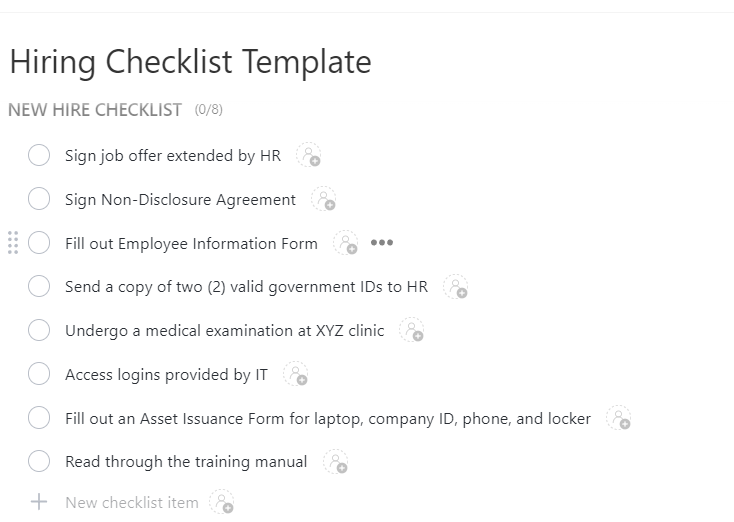
| ClickUp Hiring Checklist Template | Get free template | HR, recruiters | Staged checklists, Gantt, attachments, labels | ClickUp List, Board, Gantt |
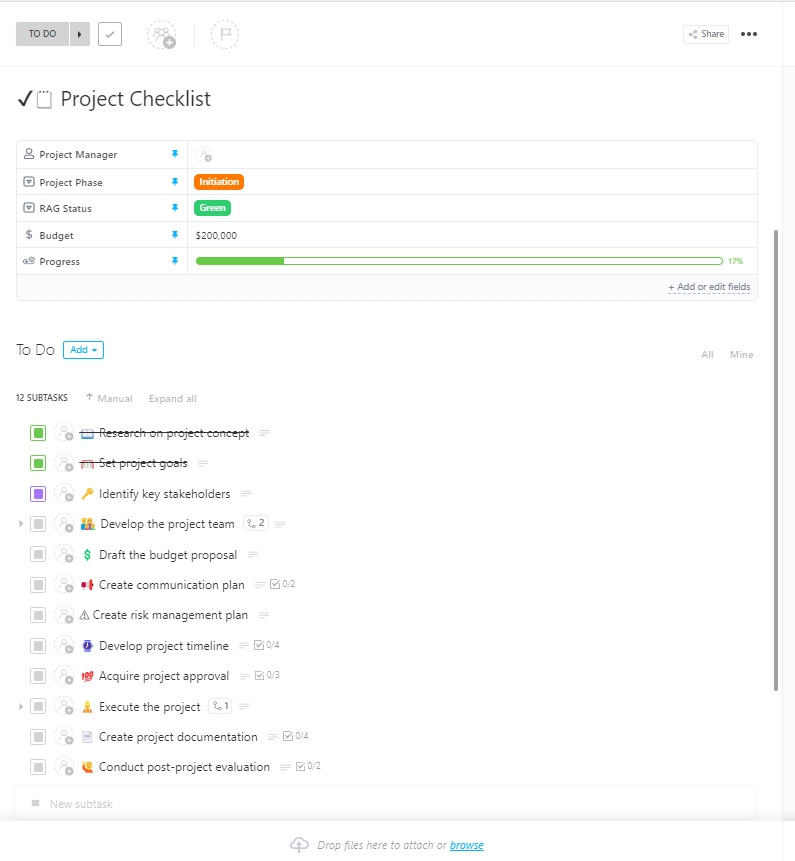
| ClickUp Project Checklist Template | Get free template | Teams, PMs | Progress bars, dependencies, dashboards | ClickUp List, Board |
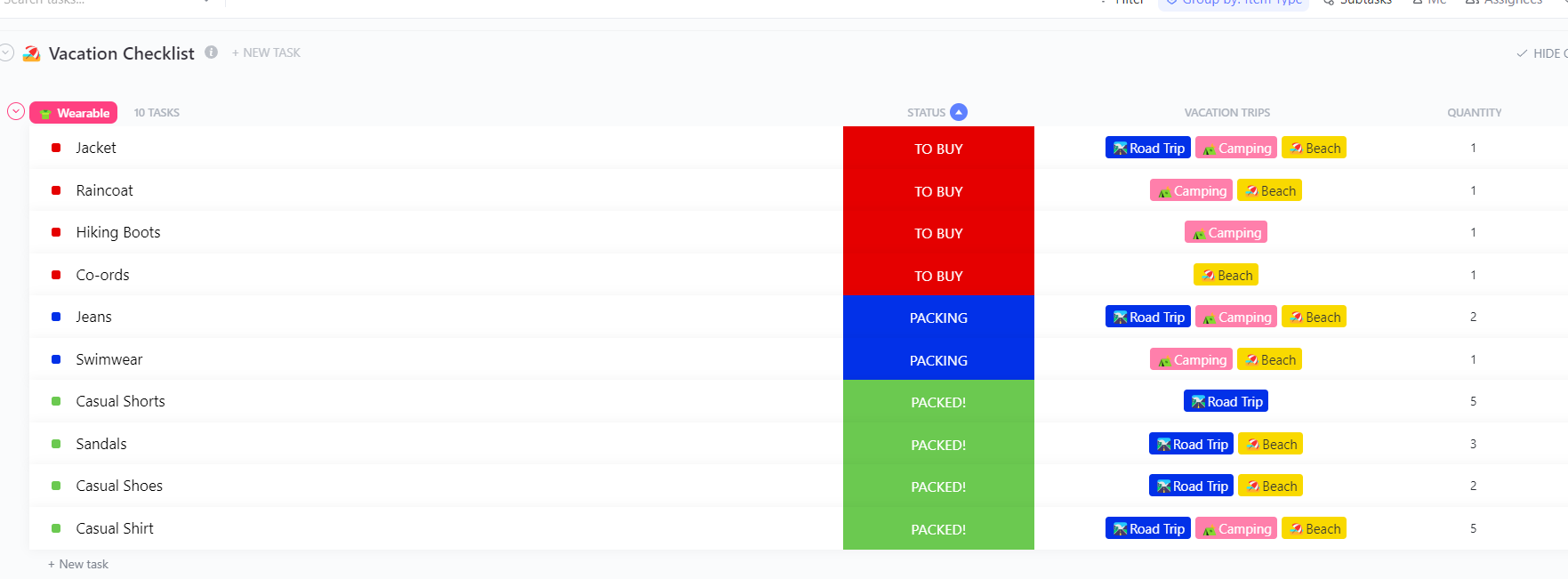
| ClickUp Vacation Checklist Template | Get free template | Travelers, families | Trip type grouping, packing lists, assignee comments | ClickUp List, Board |
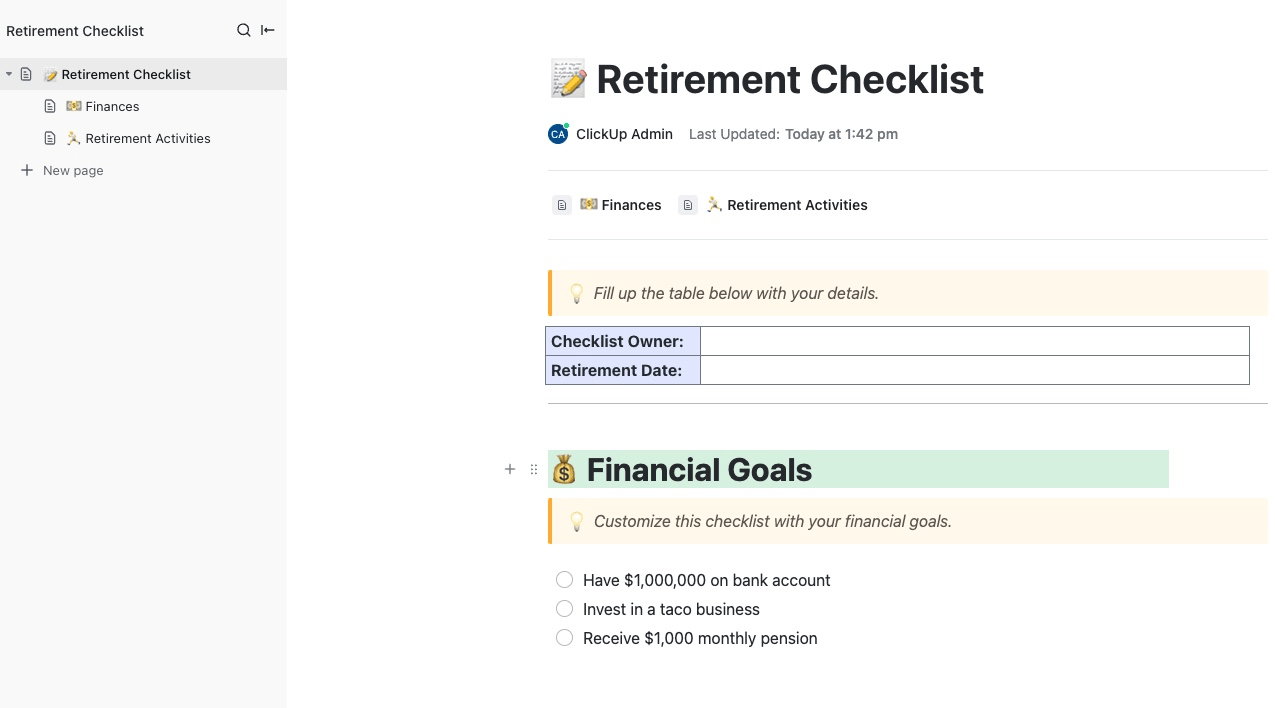
| ClickUp Retirement Checklist Template | Get free template | Individuals/couples planning retirement | Financial/lifestyle goals, timelines, resources | ClickUp List, Board |
Monday.com provides some of the best to-do list templates that help you plan out your week, keep your team in sync, or survive your semester without missing deadlines.
Here are our top picks:
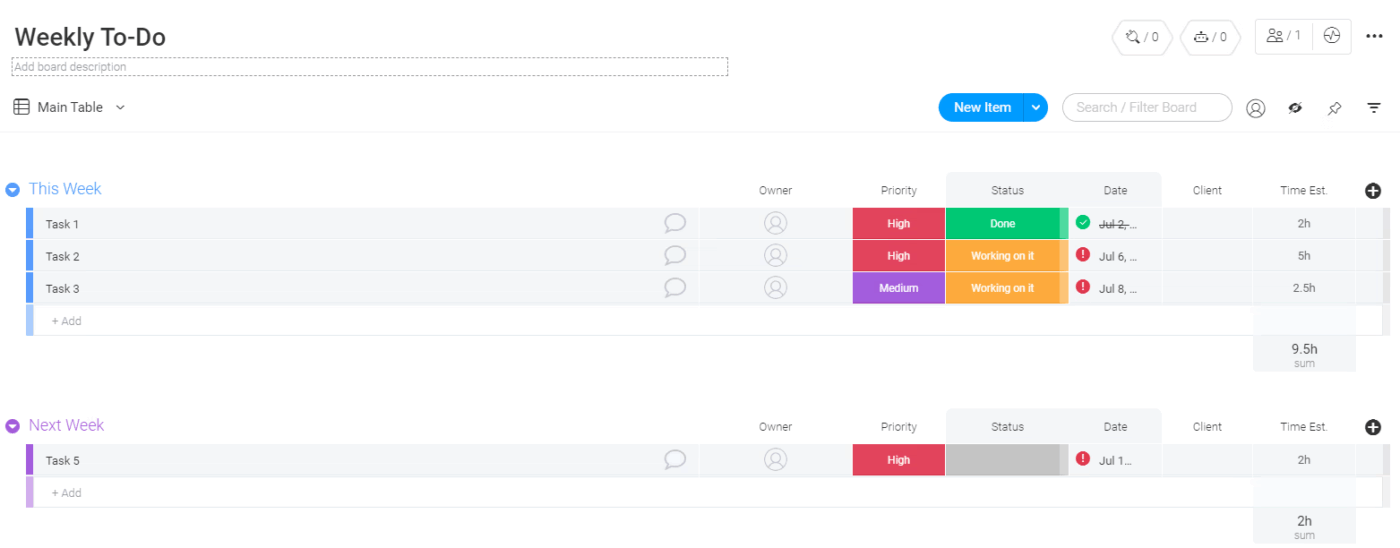
The Weekly To-Do List for Easy Task Management Template gives you a ready-to-use structure to plan your entire work week. Tasks are grouped by weekdays (Monday to Friday), allowing you to see what needs to be done each day, tag team members, and track progress.
Use this template to:
✅ Ideal for: Teams or professionals managing weekly deliverables across multiple clients or stakeholders who want real visibility into task status, workload, and timing
🎥 Watch: Learn to ace task prioritization like a CEO
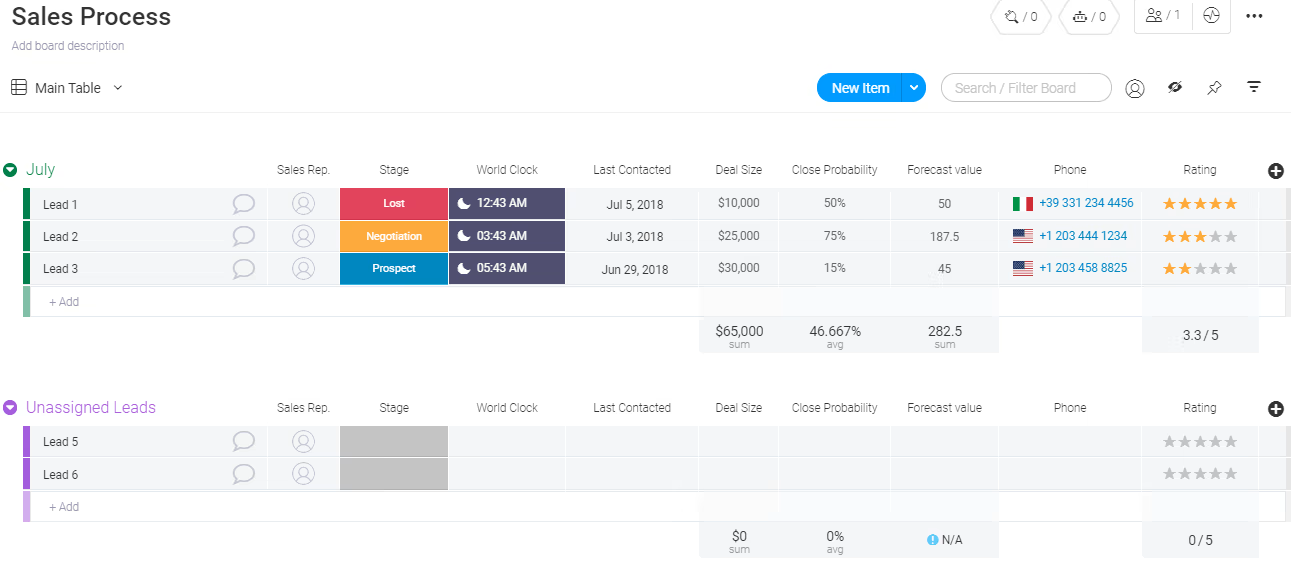
64% of employees waste at least three hours a week due to collaboration inefficiencies, with 20% losing up to six hours. The Team Task List Template helps teams manage multiple tasks, owners, dependencies, and project stages from a single shared board.
Use this template to:
✅ Ideal for: Cross-functional teams or departments looking to collaborate better, stay aligned, and manage workloads
📮 ClickUp Insight: 92% of knowledge workers risk losing important decisions scattered across chat, email, and spreadsheets. Without a unified system for capturing and tracking decisions, critical business insights get lost in the digital noise.
With ClickUp’s Task Management capabilities, you never have to worry about this. Create tasks from chat, task comments, docs, and emails with a single click!
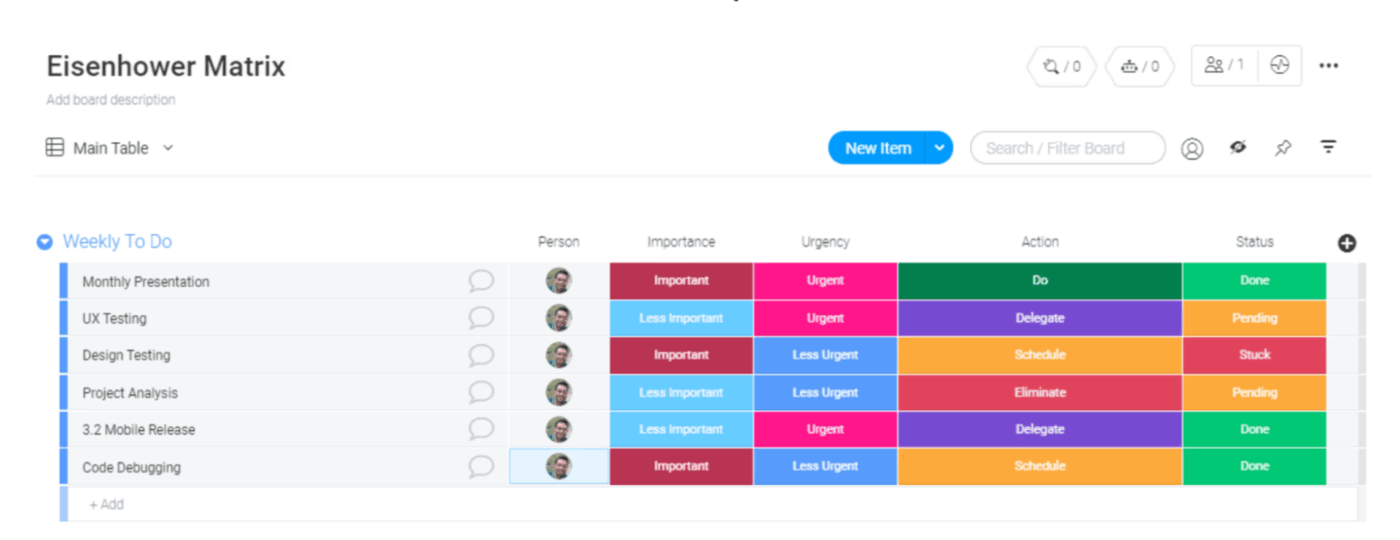
When everything feels urgent, it’s hard to know what really moves the needle. The Eisenhower Matrix Template helps you prioritize tasks based on urgency and importance using the proven Eisenhower method. Tasks are auto-tagged into quadrants like ‘Do,’ ‘Schedule,’ ‘Delegate,’ or ‘Eliminate,’ so you can stop wasting time on low-impact work.
Use this template to:
✅ Ideal for: Professionals, managers, or solopreneurs who need a practical way to decide what deserves their time, and what doesn’t
A leadership insight: Important ≠ Urgent 🧩
In a 1954 speech, Eisenhower, quoting a former college president, said, “I have two kinds of problems: the urgent and the important. The urgent are not important, and the important are never urgent.”
Later, Stephen Covey adopted this idea in his 1989 book The 7 Habits of Highly Effective People, creating the now‑famous Eisenhower (Urgent‑Important) Matrix.
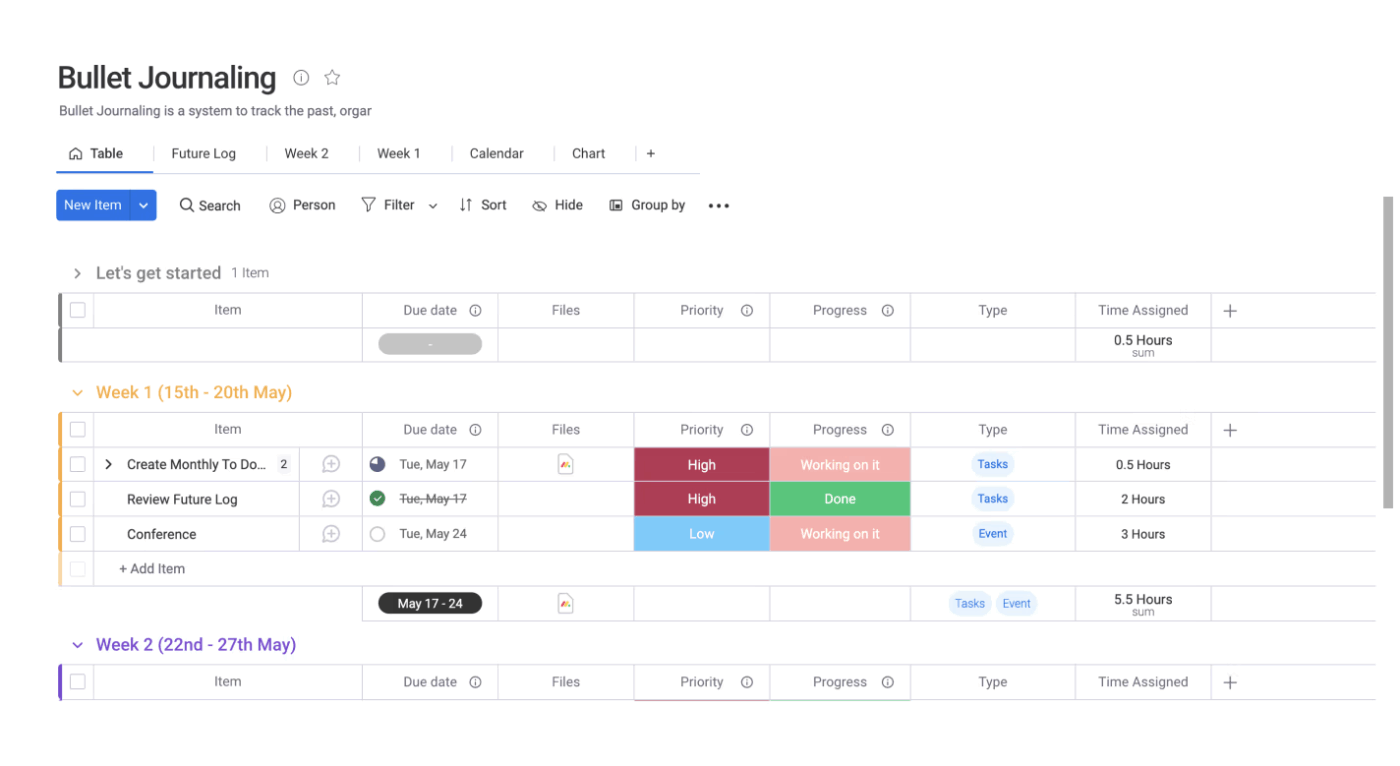
This Online Personal Bullet Journal Template brings the flexibility of handwritten logs into a clean, organized board. Weekly logs, habit trackers, time blocks, and status updates in one interactive workspace give you the flexibility to plan, reflect, and track personal goals with clarity and ease.
Use this template to:
✅ Ideal for: Creatives, students, and productivity nerds who want to track habits, manage personal tasks, and stay consistent
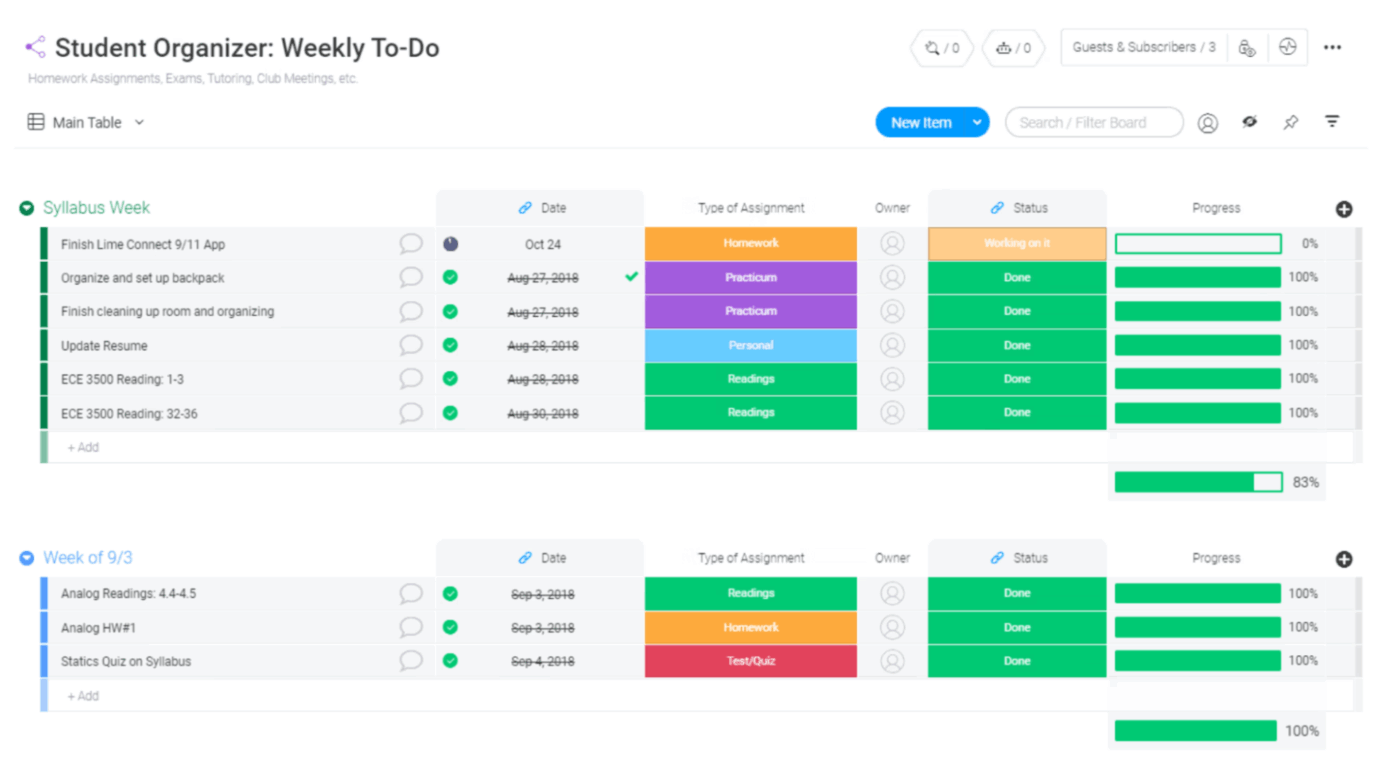
Managing classes, assignments, exams, and extracurriculars can become overwhelming quickly. The Student Organizer Template helps students keep track of it all by putting every task, project, deadline, and subject on a clear, organized board.
Designed to replace static Monday.com layouts, it gives students full flexibility with drag-and-drop tasks, progress bars, and color-coded categories for easier time management.
Use this template to:
✅ Ideal for: High school and college students who want a smarter way to manage academic work, reduce deadline stress, and stay on top of everything in one view
🌟 Bonus: Working with multiple tools that each require a separate login, context, and subscription? ClickUp Brain MAX is your AI-powered desktop companion that unifies your entire digital workspace.
With its Talk to Text feature, you can dictate commands and content, creating to-do lists on the go. It also understands your workspace context and executes status and progress changes without needing you to click through multiple menus.
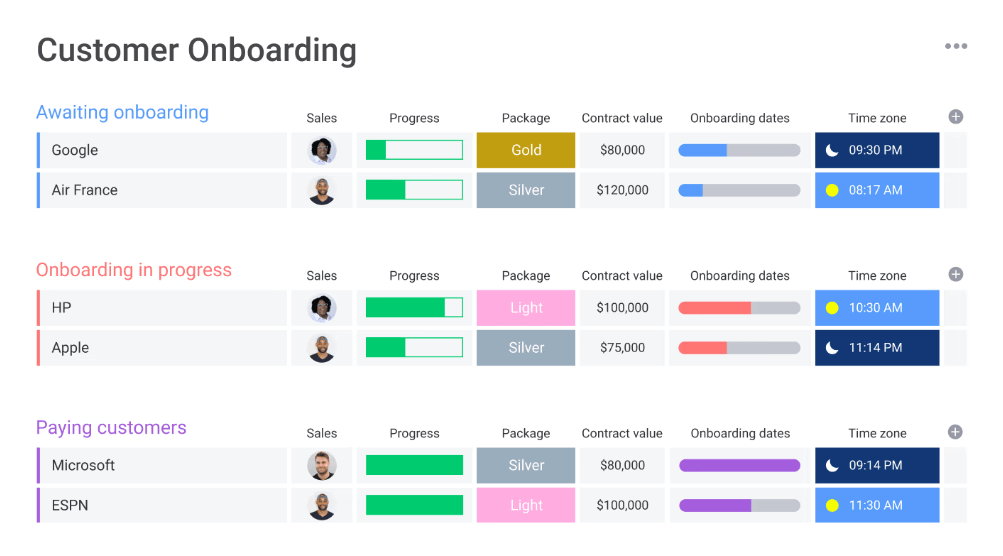
To help manage the entire client onboarding journey, Monday.com’s Customer Onboarding Template lets you see where every client is in the onboarding journey with custom fields like client name, start date, responsible team member, progress, and notes for each stage.
The views available within the template are Gantt, Table, Timeline, and Chart, so you can customize views to suit different roles. For example, managers might want overarching timeline views, while onboarding specialists may prefer task-driven views for better management.
Use this template to:
✅ Ideal for: Customer onboarding teams who want to standardize the onboarding process without a complex system
📚 Also Read: Free Notion To-Do List Templates to Stay Productive
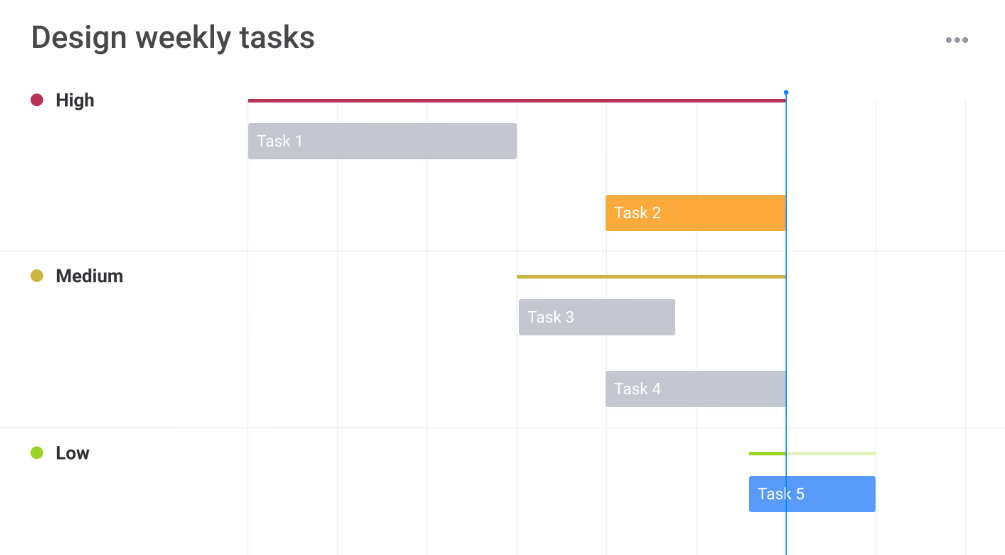
Multiple revisions, conflicting input, unclear priorities, and poor workload visibility are only some of the challenges design teams face. The Design Weekly Tasks template helps avoid this chaos by giving teams one board where they can plan weekly tasks, assign ownership, track workload, and manage design assets visually.
Since it integrates with popular design tools like Adobe Creative Cloud and Dropbox, you can easily attach, share, and preview files from your work board.
Use this template to:
✅ Ideal for: Design professionals and creative studios looking for a structured framework for managing weekly deliverables
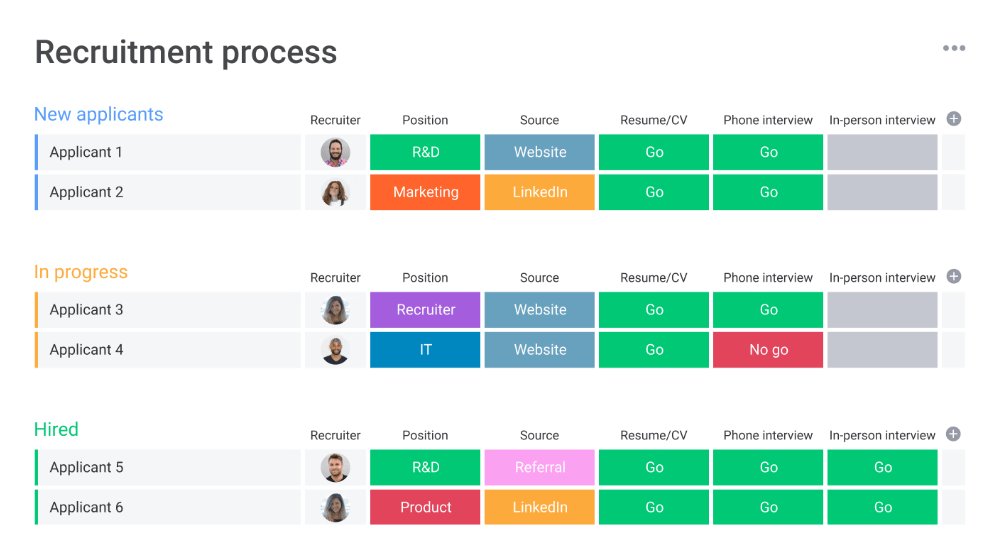
The Recruitment Process Template can be a good addition to your toolkit if you want to structure the process of moving applicants through each hiring stage. While the Kanban view provides pipeline clarity at a glance, dashboards are a great way to visualize referral sources or hiring trends.
With customizable, in-built forms, you can also collect candidate applications and new position requests from project managers. All submissions automatically feed into your board as new items on your task list.
Use this template to:
✅ Ideal for: HR professionals and hiring teams managing the full recruitment lifecycle
📚 Also Read: To-Do List in Google Calendar: Step-by-Step Guide
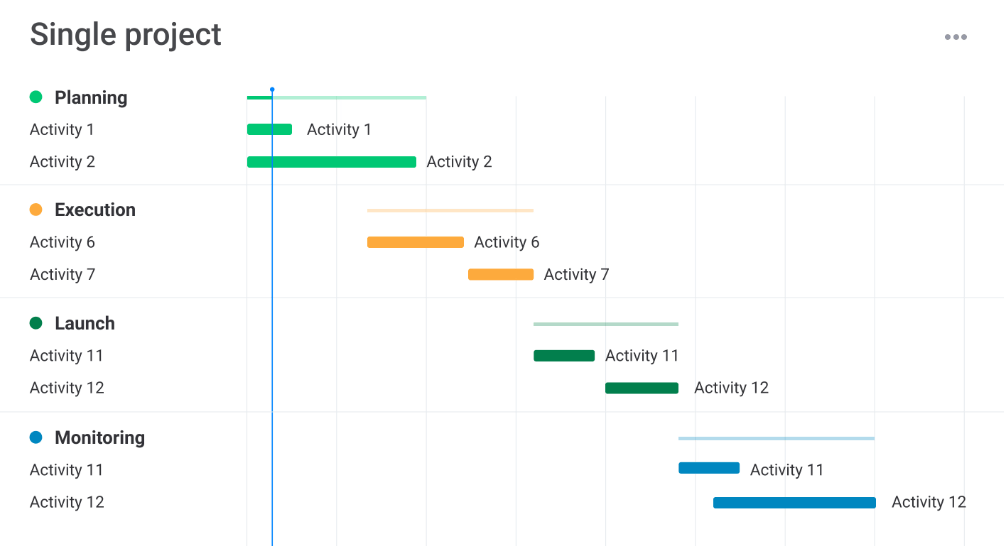
Designed to manage a single project from initiation to implementation, the Single Project Template brings project phases, budget, timelines, resources, and more in one clear and centralized board.
Tasks can be organized into groups that reflect project phases or categories like Planning, Execution, Delivery, etc. Additionally, trigger-based automations help notify assignees, move tasks, change statuses, or send reminders for upcoming deadlines.
Use this template to:
✅ Ideal for: Freelancers managing standalone projects and startups rolling out a launch or initiative
📚 Also Read: How to Create and Manage an Effective Project List
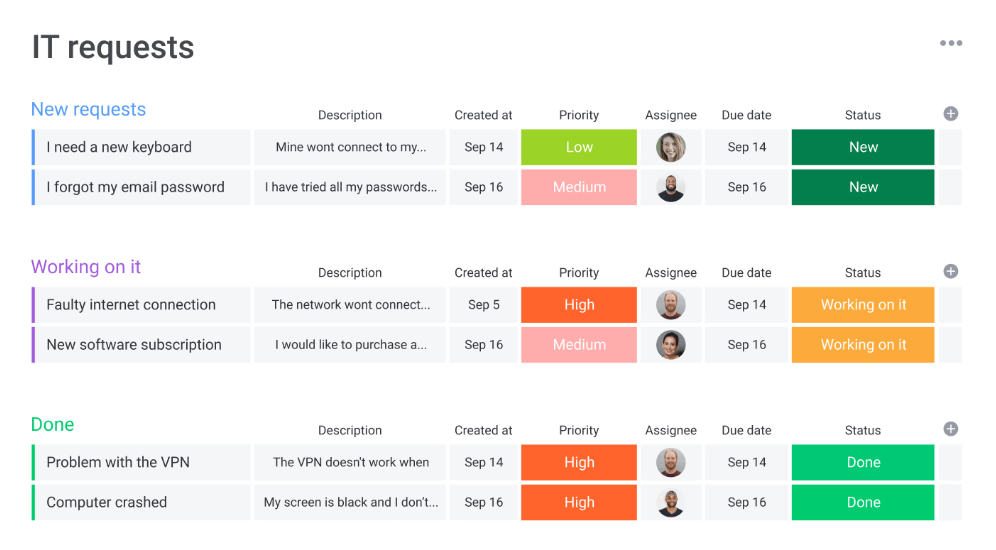
Looking for a way to manage IT requests and incidents more efficiently? The IT Service Desk template provides a unified view of all incoming tickets and their statuses in one central hub.
There’s an intake form that captures details like requester info, problem description, urgency, screenshots, etc., and can be customized to include fields that are relevant to your team.
The board auto-creates groups (e.g., New Requests, In Progress, Resolved), but you can add or modify these based on your workflow structure. The template integrates with Jira, Zendesk, Slack, etc., to ensure smooth workflows and collaboration.
Use this template to:
✅ Ideal for: IT and tech support teams managing change requests, incident reports, device support, and troubleshooting tickets
💡 Pro Tip: Templates are great, but pairing them with the right to-do list apps can supercharge your productivity. From task tracking to team collaboration, the right app helps you manage everything in one place. It’s like having a smart planner that works with you, not just for you.
While Monday.com offers visually appealing and flexible templates, users have pointed out a few limitations now and then:
💡 Bonus: Try AI-powered to-do list apps that include advanced features like auto-prioritization of tasks, smart scheduling, natural language input, and task suggestions based on your habits and preferences.
With the growing limitations of Monday.com templates, many teams are actively switching to smarter Monday alternatives. ClickUp is one of them.
ClickUp is an everything app for work that lets you manage tasks, docs, goals, chats, and workflows from a single interface. It offers a wide variety of free, customizable to-do list templates that are simpler to set up and easier to scale.
Below, we’ve handpicked the top ClickUp to-do list templates you can start using right away.
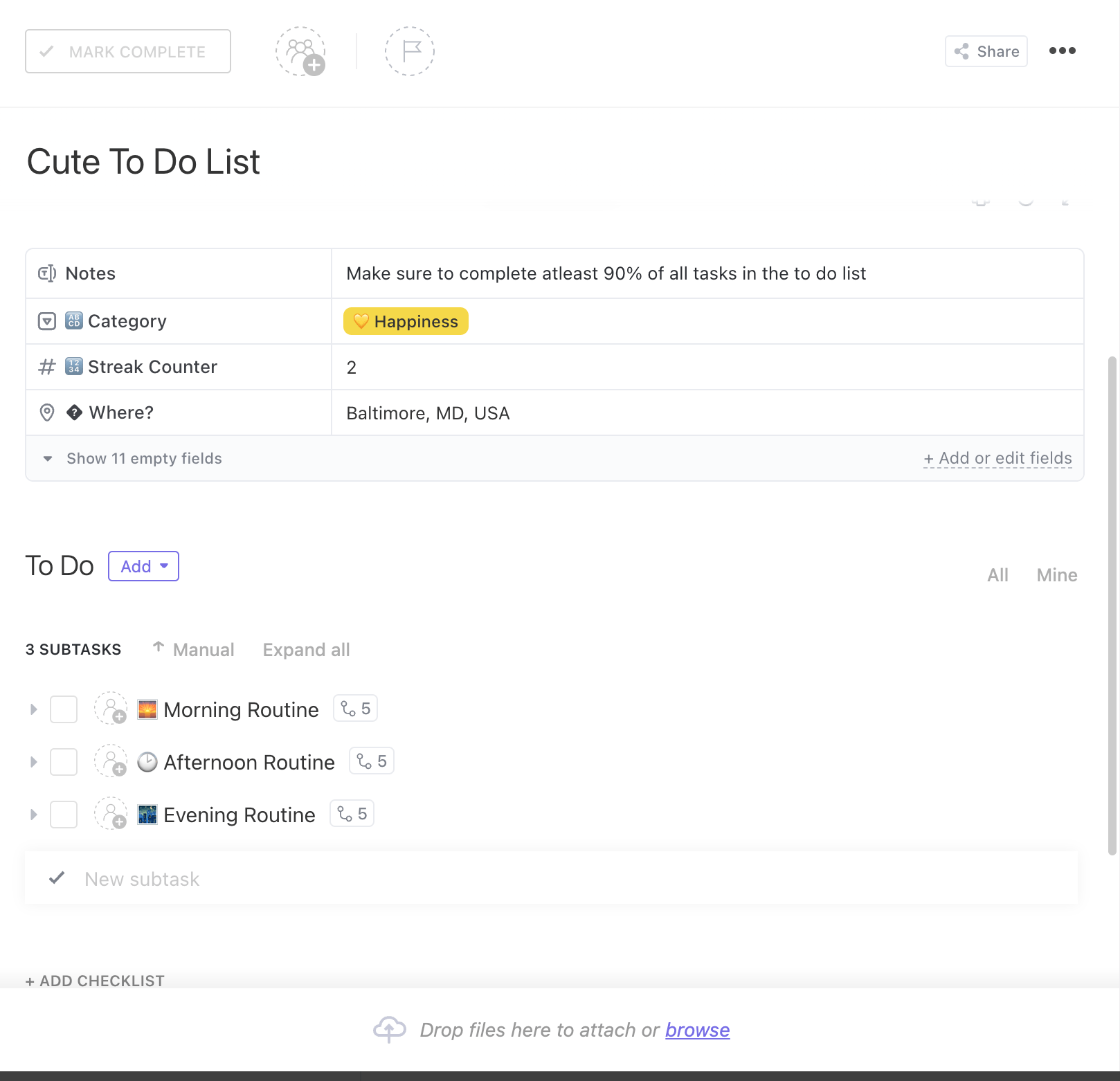
The ClickUp Basic To-Do List Template is a plug-and-play task management template designed for speed and simplicity. It comes with pre-set statuses, like ‘To-Do’ and ‘Complete’, and is available in both Board and List views.
With a fully customizable structure, it’s perfect for those who want quick functionality with minimal effort. Use this template to:
✅ Ideal for: Entry-level professionals, admin assistants, or solo users looking for a simple task tracker without overwhelming features
🎥 Watch: How to create a weekly To Do List in ClickUp?
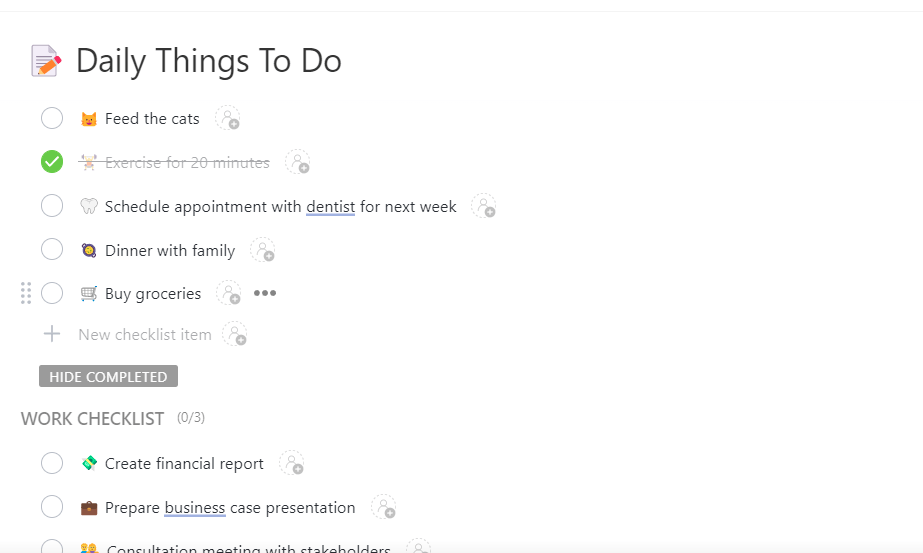
The ClickUp Daily To-Do List Template is built for users who want a structured yet flexible way to plan each day with intention. It simplifies your workflow by giving you space to jot down daily tasks, organize them by priority, and stay on track hour by hour.
Use this template to:
✅ Ideal for: Professionals, freelancers, or personal productivity seekers who want to stay organized and consistent with daily planning and habit tracking
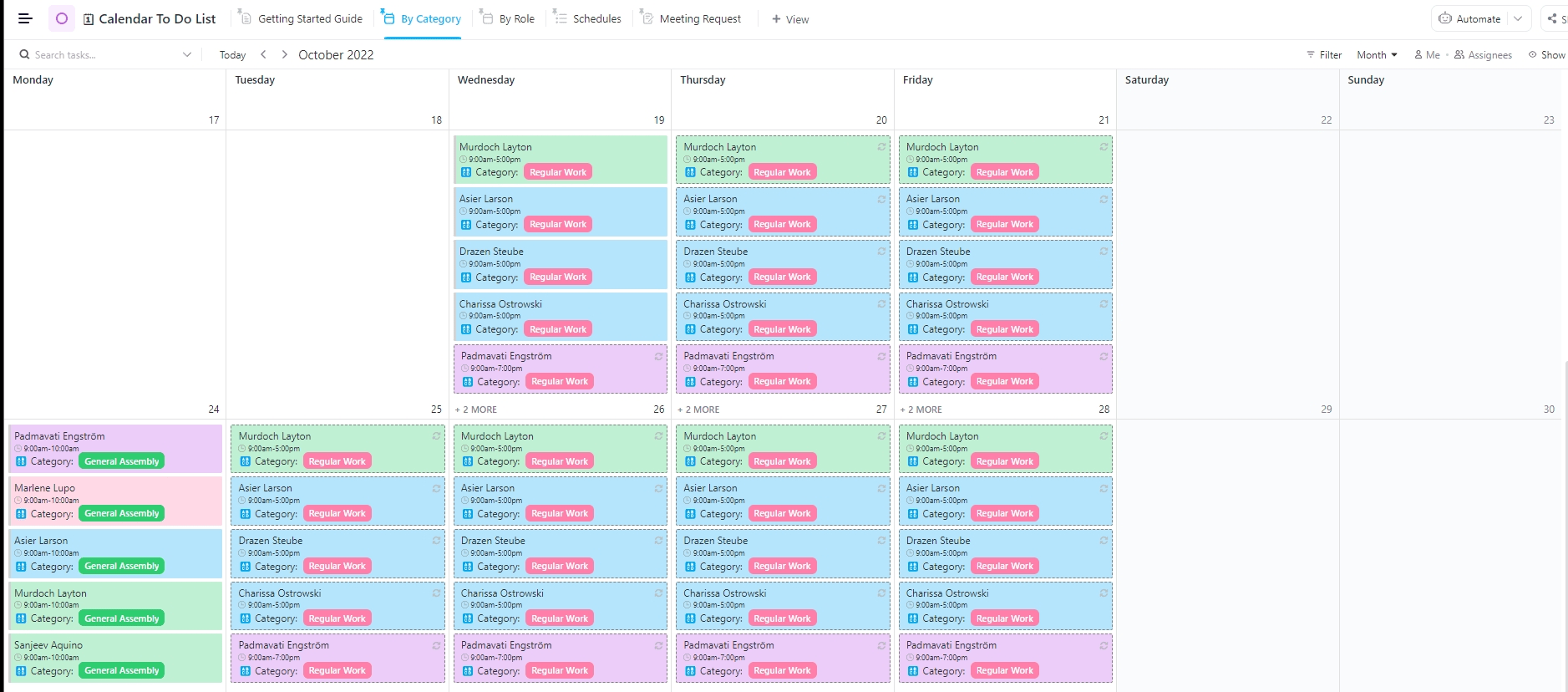
The ClickUp Calendar To-Do List Template is built to help you plan out weekly, bi-weekly, or monthly work with full control over categories, roles, and priorities. You can switch between multiple custom views, like Gantt, List, or Schedule view, to match your planning style.
Use this template to:
✅ Ideal for: Professionals and freelancers managing busy schedules across multiple projects, deadlines, and meeting commitments
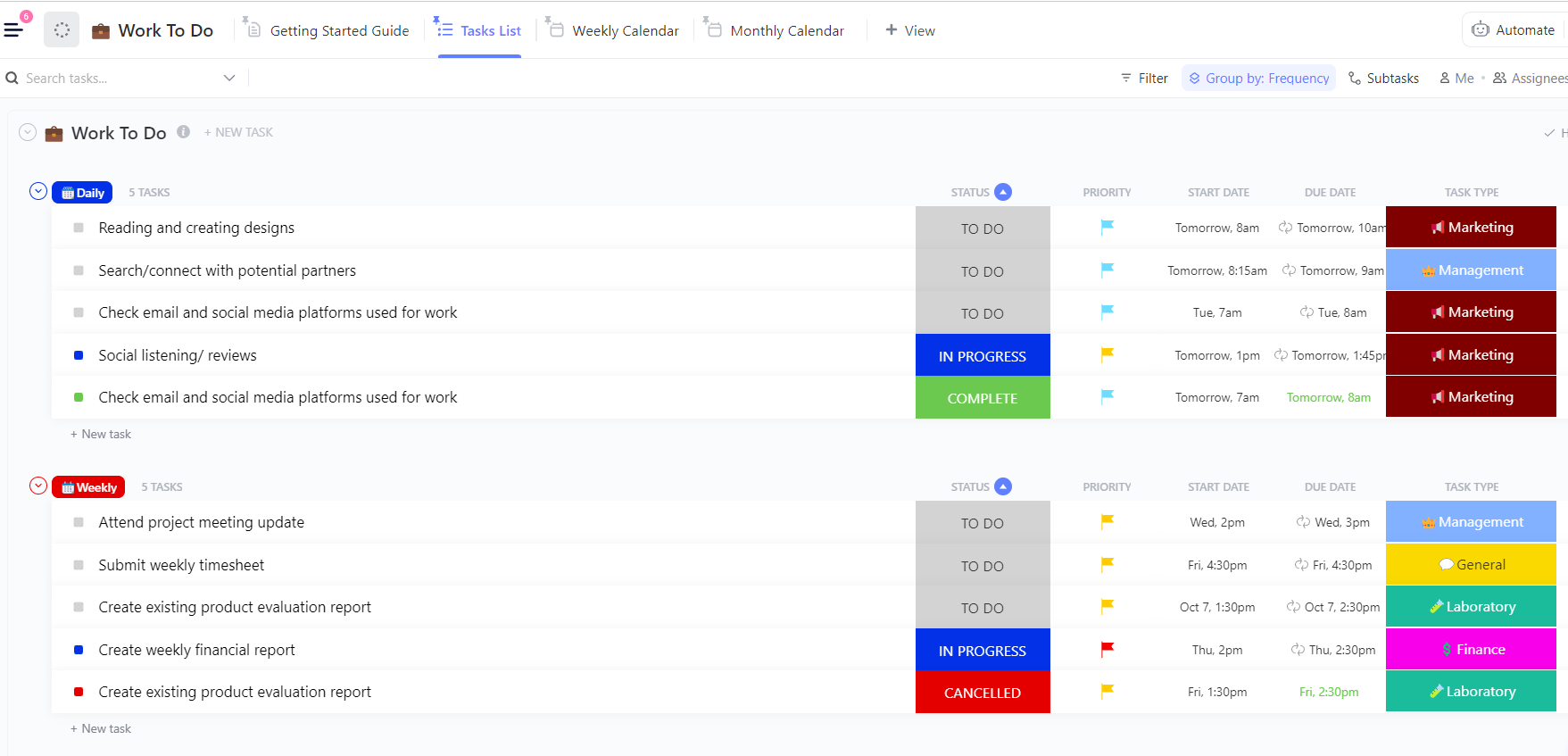
The ClickUp Work To-Do List Template is a robust, all-in-one task management system that allows you to add granular details, such as Task Type, Important Notes, Contact Email, Resources, and Frequency, to keep track of tasks at work.
Use this template to:
✅ Ideal for: Teams and professionals managing multi-phase projects or daily operations who need a unified space to organize, prioritize, and track work
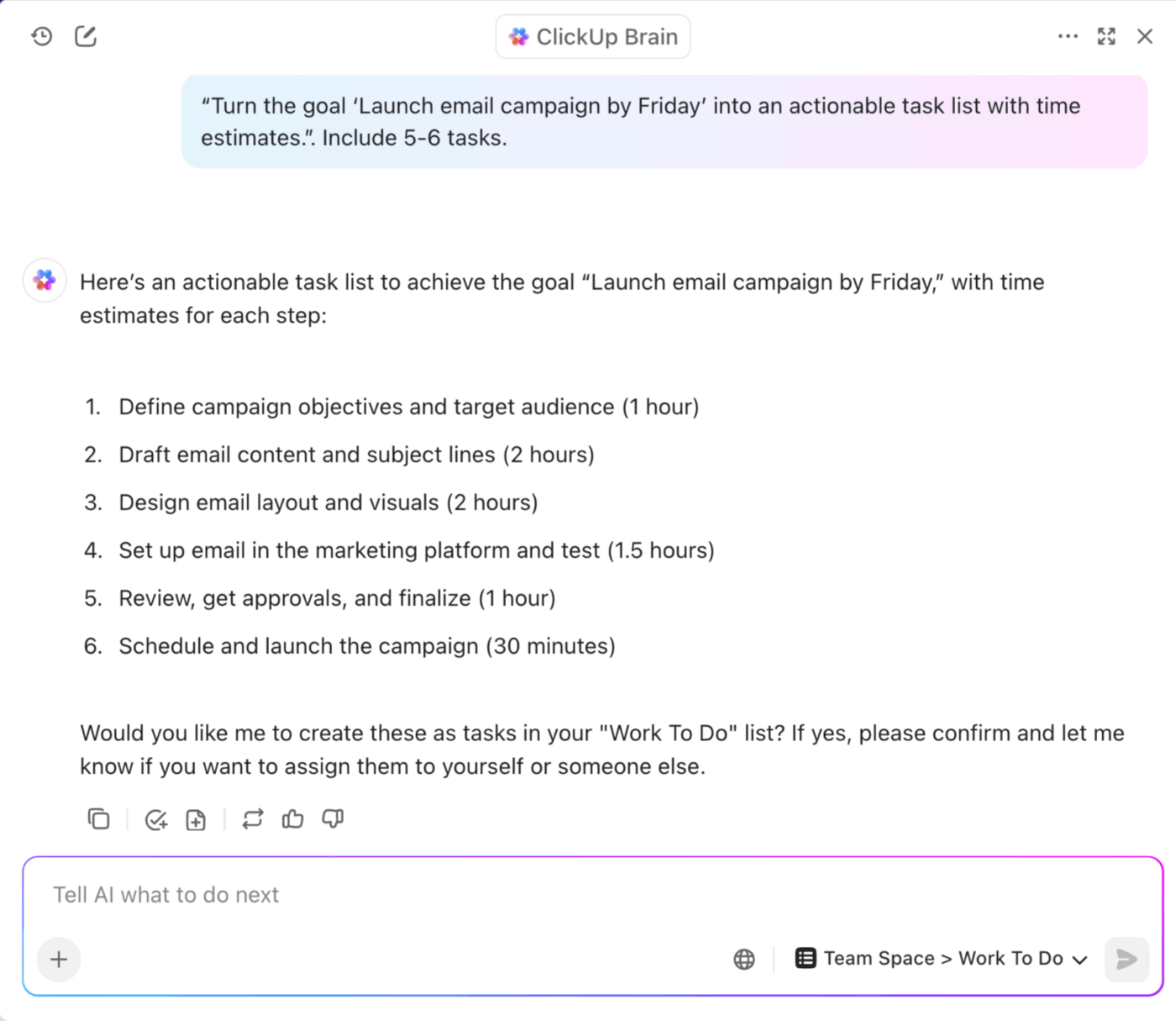
💡 Pro Tip: Pair ClickUp Brain with any to-do list template (like Basic, Daily, Calendar, or Work Checklists) to automate routine planning and keep your workspace clean and aligned.
Prompt it to: “Turn the goal ‘Launch email campaign by Friday’ into an actionable task list with time estimates.”
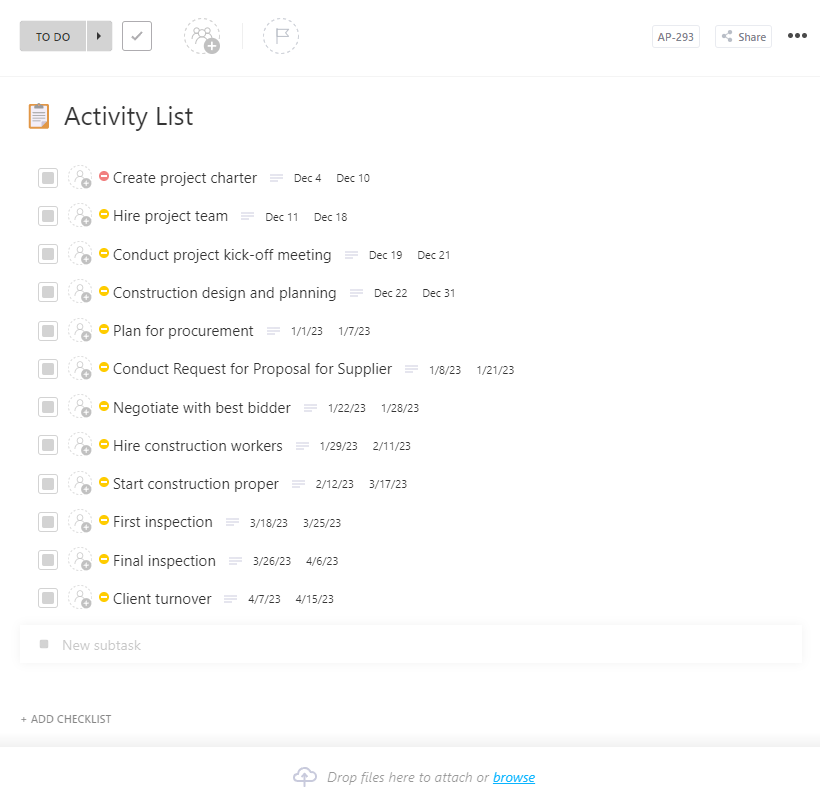
The ClickUp Activity List Template provides a centralized and structured solution for managing everything from simple to-do lists to detailed sprint plans and complex project timelines.
Custom Fields, such as task type, urgency, and timeline, help organize activities into logical groups for better visibility and control.
Use this template to:
✅ Ideal for: Client project managers, account managers, and team leads handling multiple client projects simultaneously
📚 Read More: Best To-Do List Examples
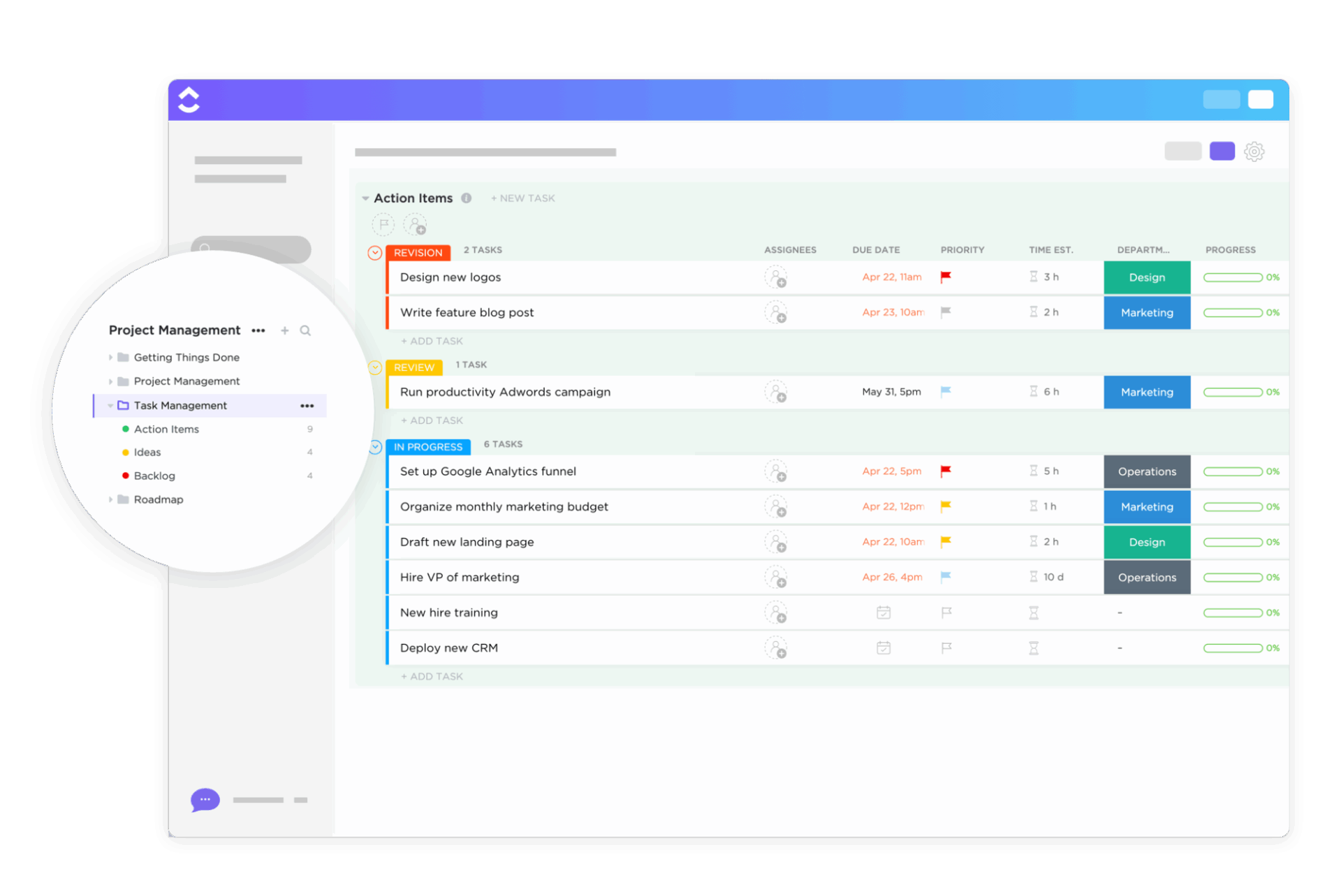
The ClickUp Task Management Template is a powerful solution for teams looking to stay on top of every task, no matter how big or small. Tasks can be grouped into actionable categories, like Ideas, Action Items, and Backlogs.
Tailor the setup to your preferred style, whether that means visualizing your week, delegating based on team capacity, or managing by urgency.
Use this template to:
✅ Ideal for: Project managers, team leaders, and operations coordinators managing complex tasks and workload across multiple teams
📚 Read More: Best Task Management Software Tools
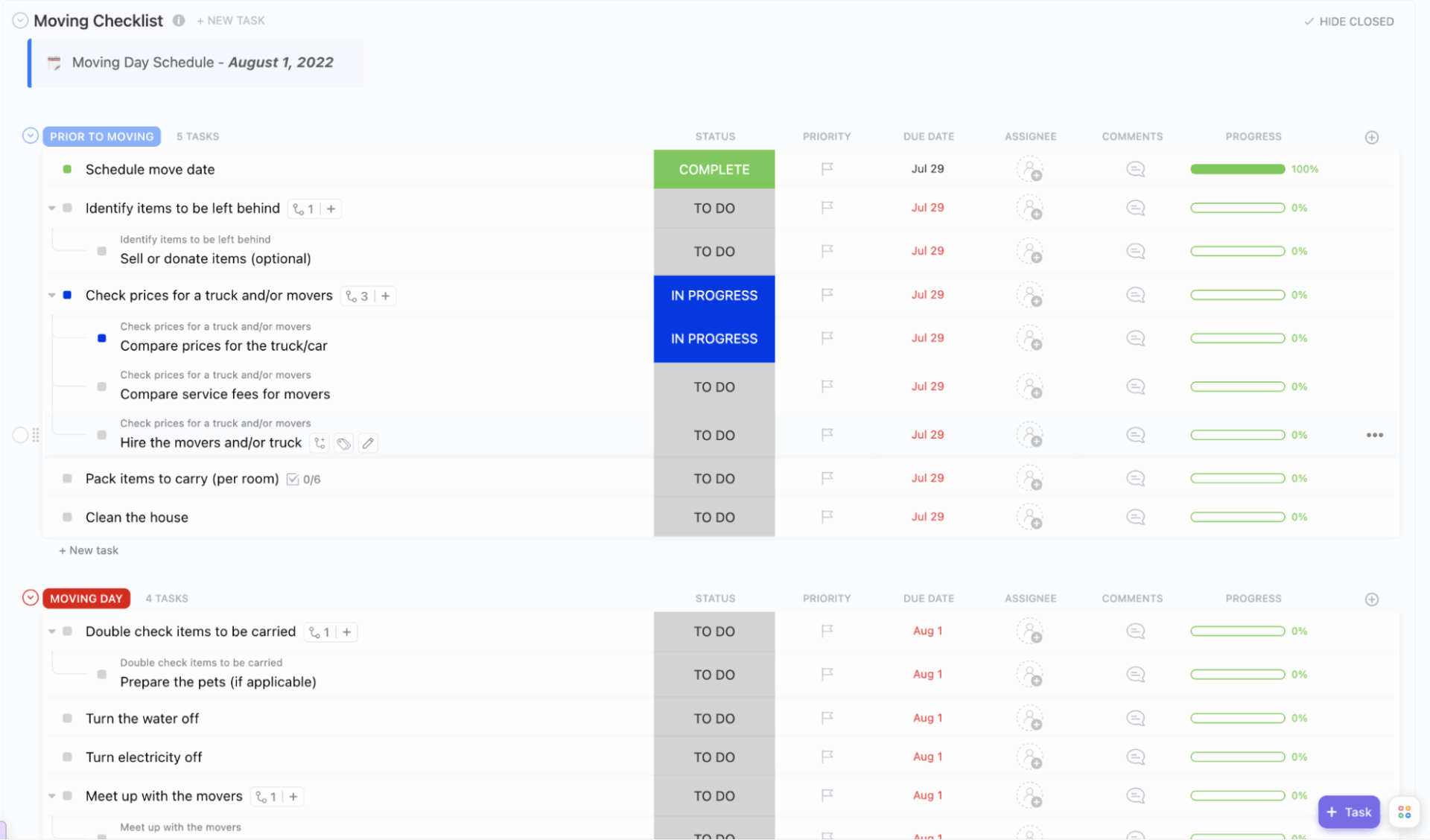
The ClickUp Moving Checklist Template helps you bring structure and calm to one of life’s most chaotic experiences, i.e, moving homes or offices. With distinct task categories like ‘Before Moving’ and ‘Moving Day,’ it helps you prepare ahead and tackle each phase methodically.
The smart grouping and pre-filled checklist let you focus more on settling in than stressing out.
Use this template to:
✅ Ideal for: Homeowners, office managers, and relocation coordinators who want a step-by-step plan to manage and execute moves smoothly
👀 Did You Know? The average American moves approximately 11.7 times throughout their lifetime.
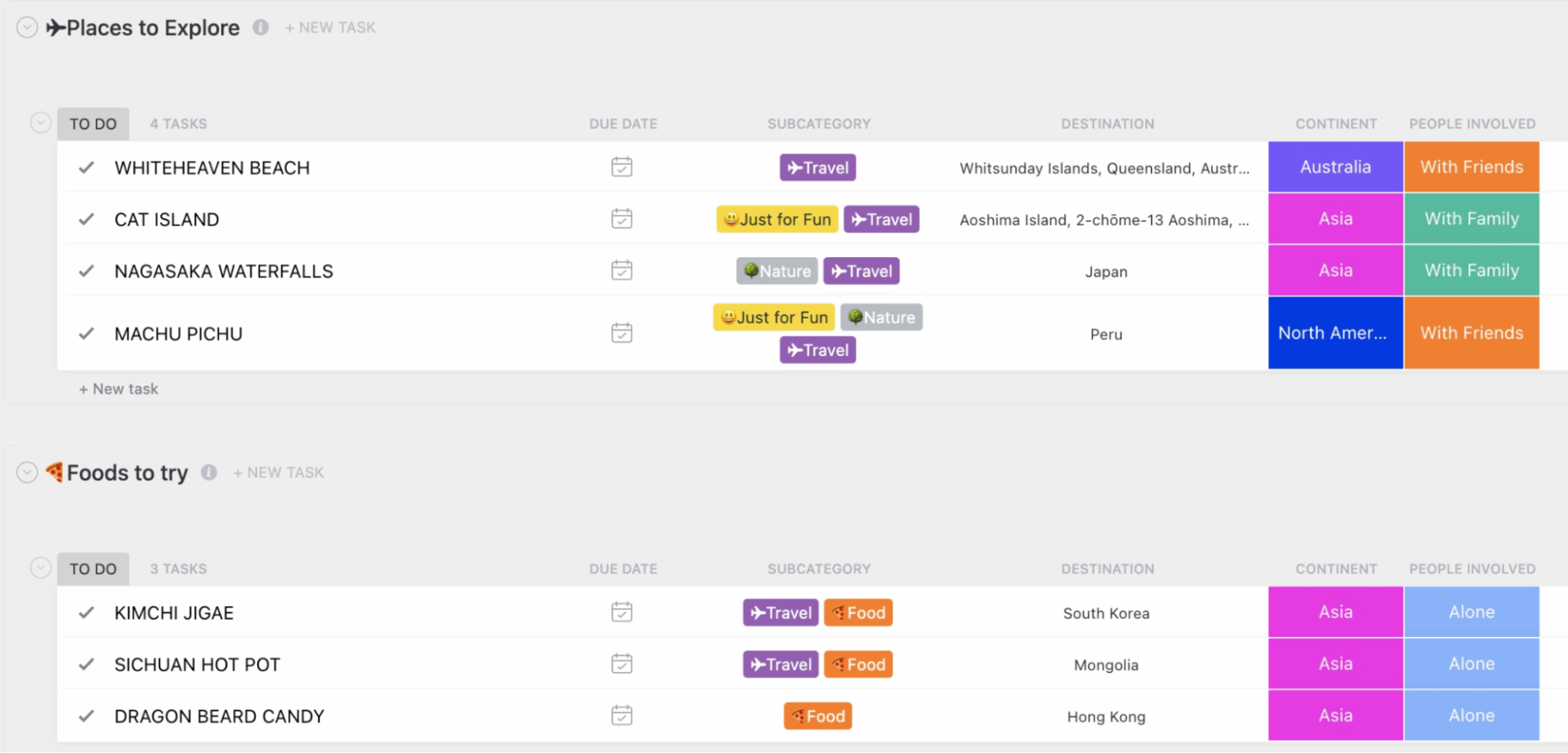
The ClickUp Bucket List Template is your go-to tool for turning bucket list dreams into actionable goals. It helps you map out everything from exotic getaways to once-in-a-lifetime experiences using visual elements like color-coded categories and custom fields.
It includes three lists: Places to Explore, Foods to Try, and Activities. At the folder level, you can view all your entries organized by list, making it easy to track everything in one place.
Use this template to:
✅ Ideal for: Anyone who wants to bring structure, collaboration, and some excitement to their bucket list planning
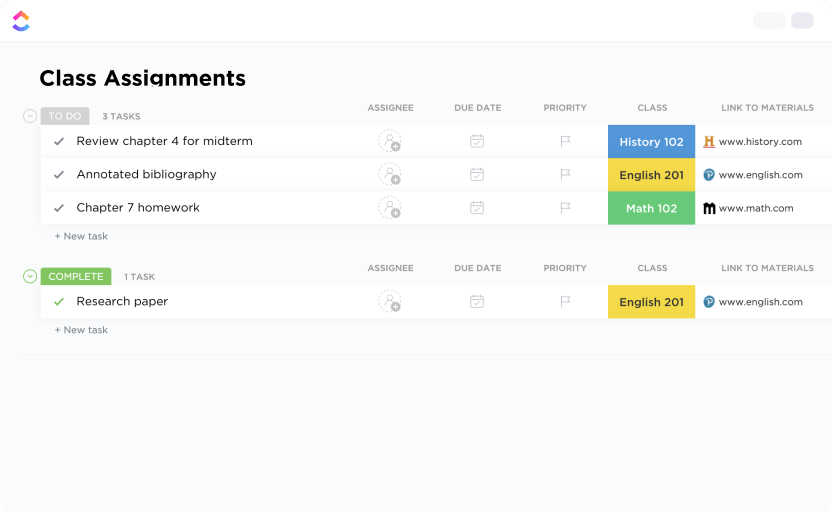
The ClickUp Class Assignments To-Do List Template is the ultimate academic planning board for teachers and professors handling multiple classes, assignments, and grading cycles. Apply tools like Time Tracking, Dependencies, and Email integration to streamline every step from planning lessons to scheduling tasks and grading assignments.
Use this template to:
✅ Ideal for: Teachers, academic coordinators, and professors managing assignment workflows, grading, and student progress for multiple classes
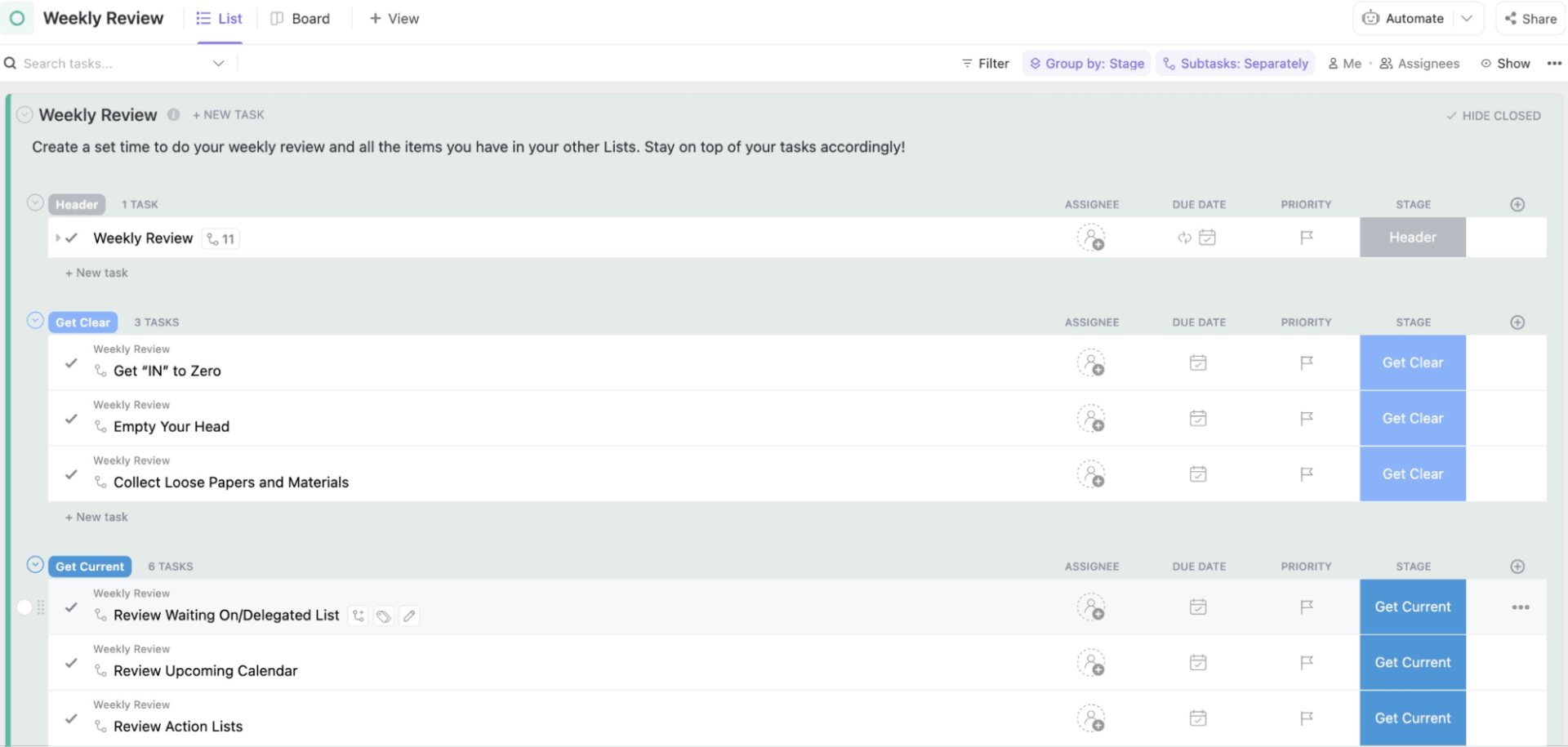
The ClickUp Getting Things Done Template brings David Allen’s GTD productivity method to life with a well-structured workspace that helps you collect, process, organize, and execute tasks with clarity.
With tailored views, action-based statuses, and predefined categories like ‘Next Actions,’ ‘Waiting For,’ or ‘Someday/Maybe,’ you can prioritize urgent tasks and defer non-urgent ideas without losing sight of them.
Use this template to:
✅ Ideal for: Professionals, productivity enthusiasts, and GTD followers who want a structured, repeatable system to stay on top of tasks, commitments, and goals across all life areas
💡 Pro Tip: Use ClickUp’s Hierarchy to master the GTD method. Break down tasks into Lists, group those Lists into Folders, and organize Folders under Spaces. This structure helps you sort, prioritize, and take action without feeling overwhelmed
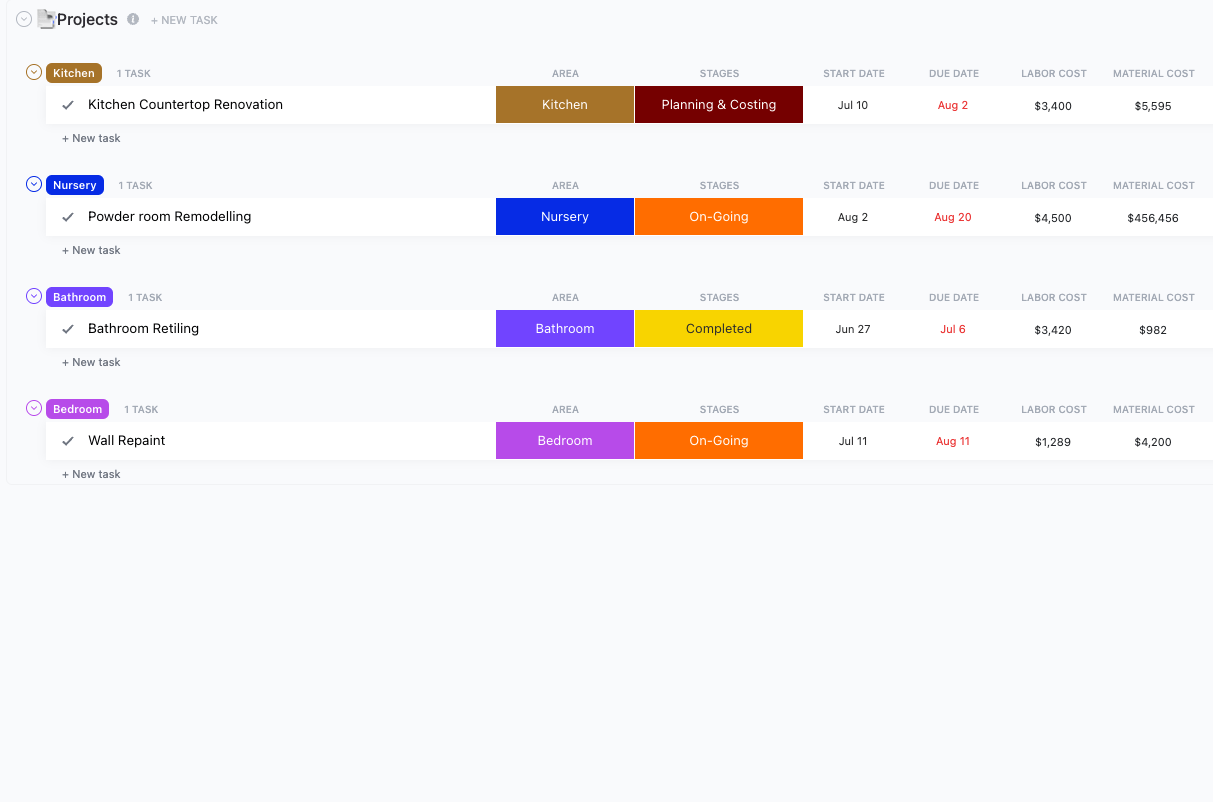
Be it remodeling a single room or planning a full home makeover, the ClickUp Home Renovation To-Do List Template helps you with everything from budgeting and scheduling to tracking contractor work and task completion. The Board view helps visualize project progress and priority levels, while the Timeline View provides a smooth flow of tasks over time.
You also have the option to build and monitor a custom renovation budget, which will ensure that your finances and task management are in check.
Use this template to:
✅ Ideal for: Homeowners, interior designers, or project managers looking to simplify and streamline home renovation projects with cost, timeline, and task clarity
📚 Also Read: Free Asana To-Do List Templates to Organize Tasks
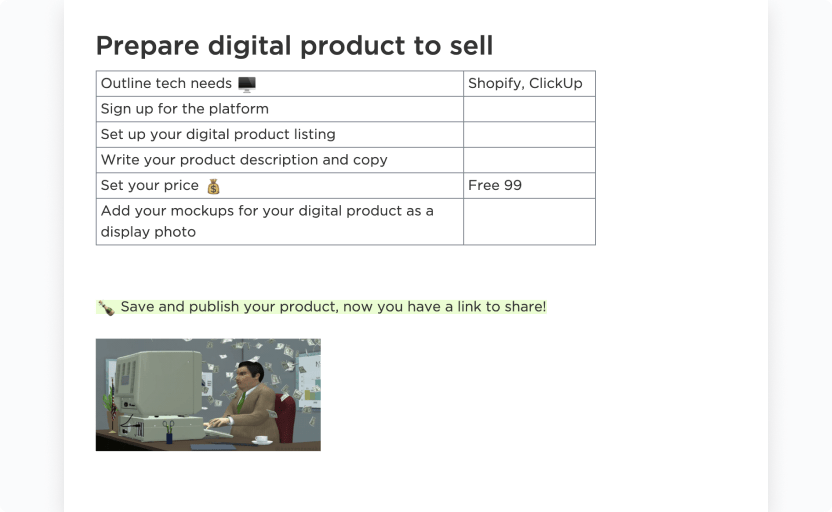
The ClickUp Digital Product To-Do List Template simplifies the entire lifecycle of your digital product, from brainstorming and designing to packaging and promotion.
Instead of managing disconnected tools or sticky notes, this template organizes everything in one shareable doc format and can be customized based on your proficiency level and specific project type
Use this template to:
✅ Ideal for: Creators, course builders, or coaches who want a structured checklist to launch and promote digital products with ease
👀 Did You Know? Experts recommend three separate to-do lists for adults with ADHD:
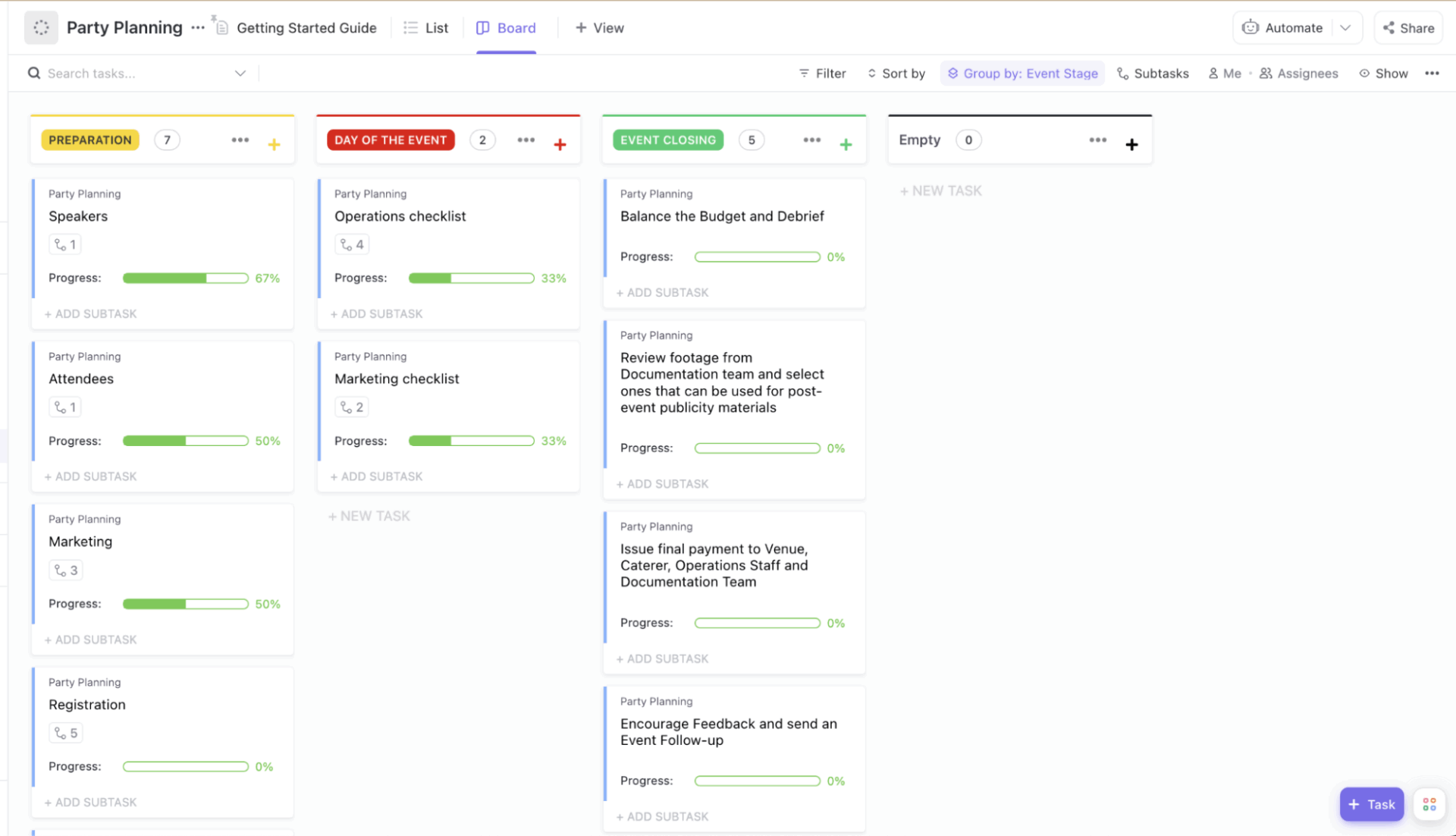
The ClickUp Party Planning To-Do List Template makes party coordination smoother by organizing your event tasks across three major stages: preparation, the day of the event, and event closing.
It comes with pre-built lists for event marketing, registration, creative design, and closing tasks, all of which you can customize or expand. You can also set separate timelines for each event (like a 5–10 PM engagement party or 6–9 PM rehearsal dinner) to prevent schedule clashes.
Use this template to:
✅ Ideal for: Managing events like engagement parties, team celebrations, or milestone achievements that require structured planning and coordination across stages
📚 Also Read: Aesthetic To-Do List Ideas for Productivity
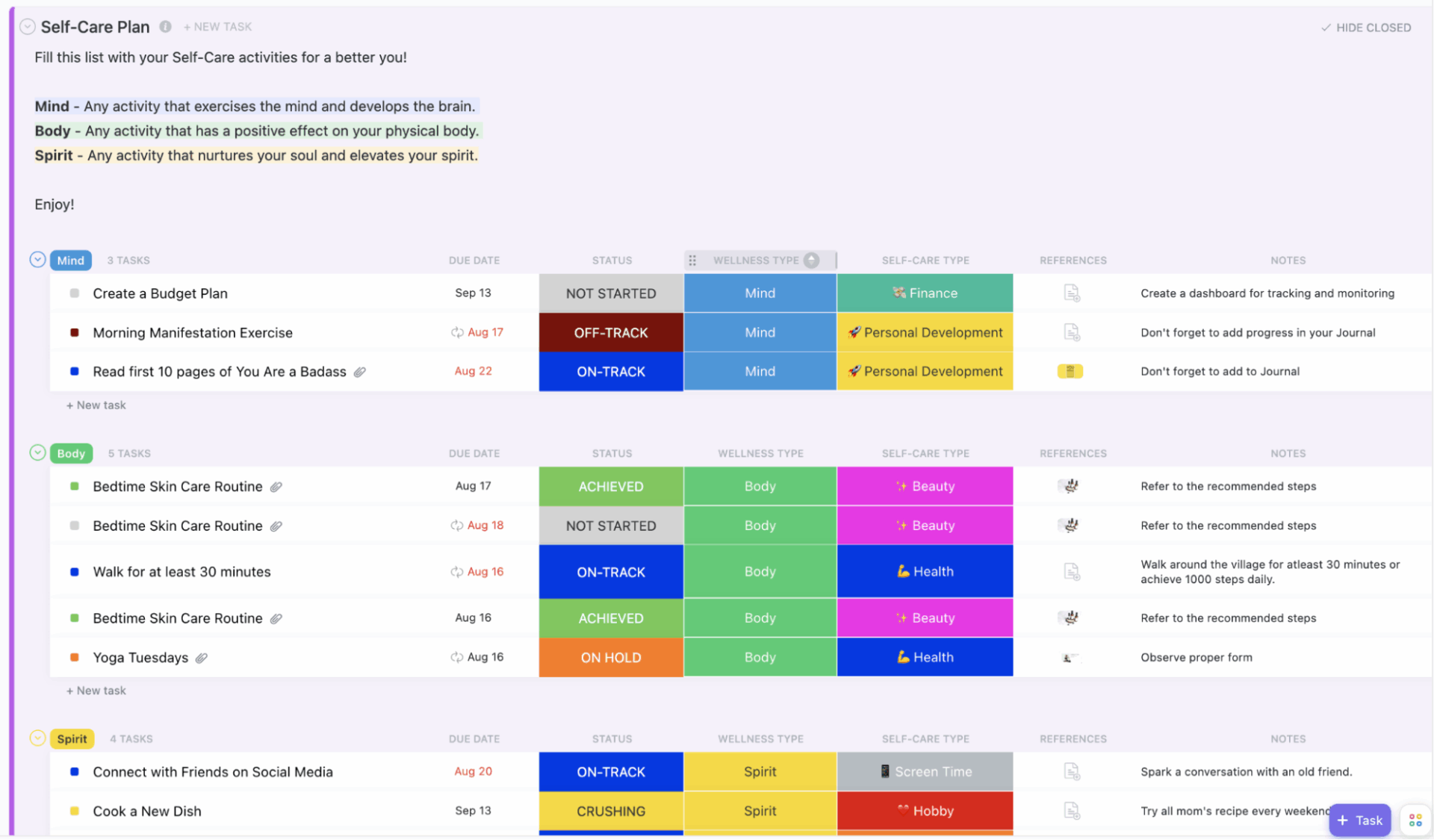
If you’re looking to build a structured self-care routine that nurtures your mind, body, and spirit, the ClickUp Self-Care To-Do List Template is your go-to planner.
This thoughtfully designed template helps you categorize tasks into wellness types, assign self-care categories, and track your progress using six status labels like ‘On Track,’ ‘Off Track,’ and ‘Crushing.’
Use this template to:
✅ Ideal for: Individuals who want to build a consistent and personalized self-care routine with clearly defined goals and progress tracking
📚 Also Read: How to Use ClickUp for Goal Setting and Tracking
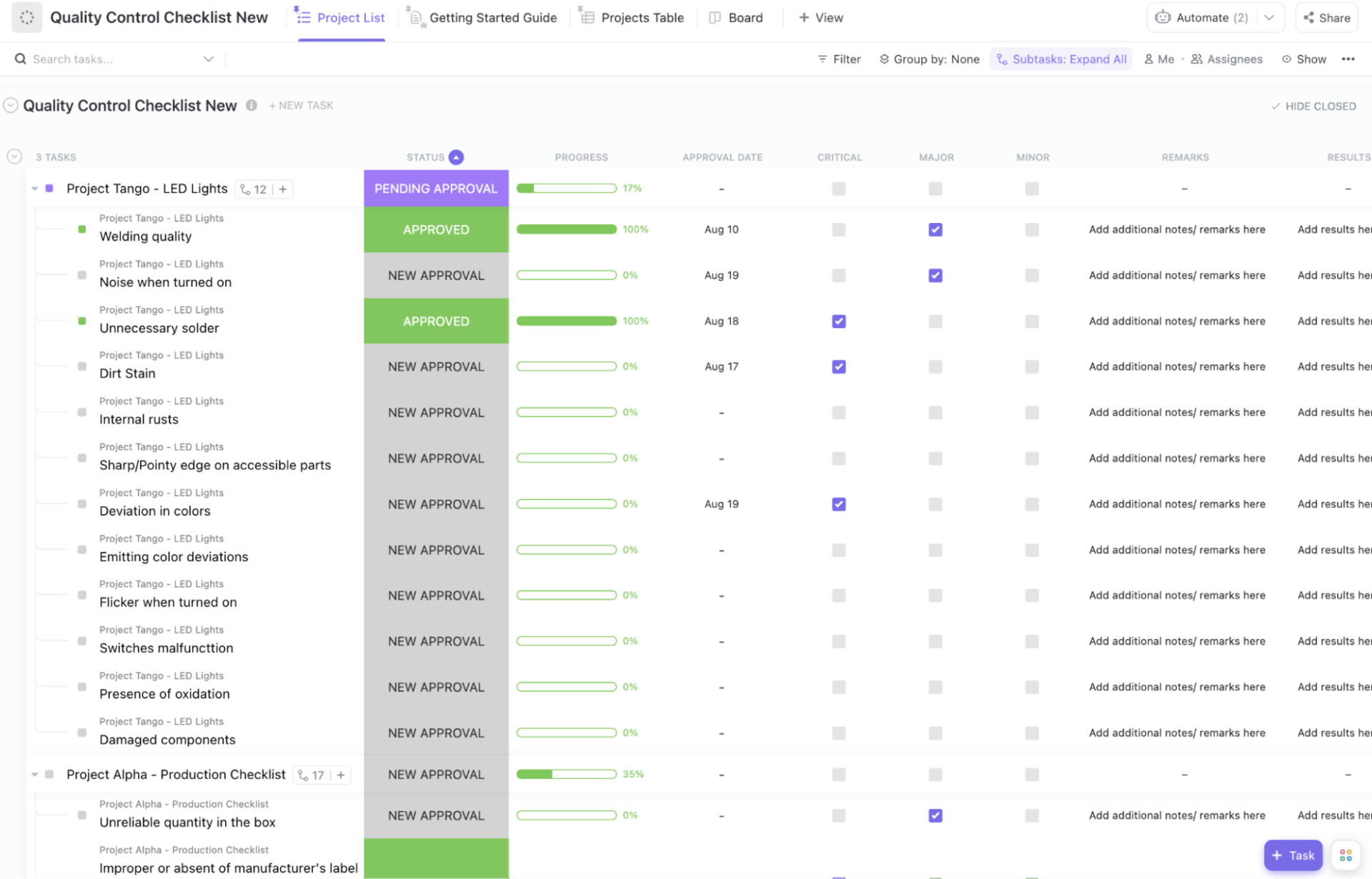
The ClickUp Quantity Control Checklist Template is a purpose-built workspace for ensuring that every product or process meets the highest standards before it is released.
With predefined fields for status updates, categorization, and remarks, it helps teams ensure adherence to all quality benchmarks, whether it’s critical production checks or minor corrections.
Use this template to:
✅ Ideal for: QA teams and operations leads who need a robust system to ensure quality compliance across every product lifecycle stage
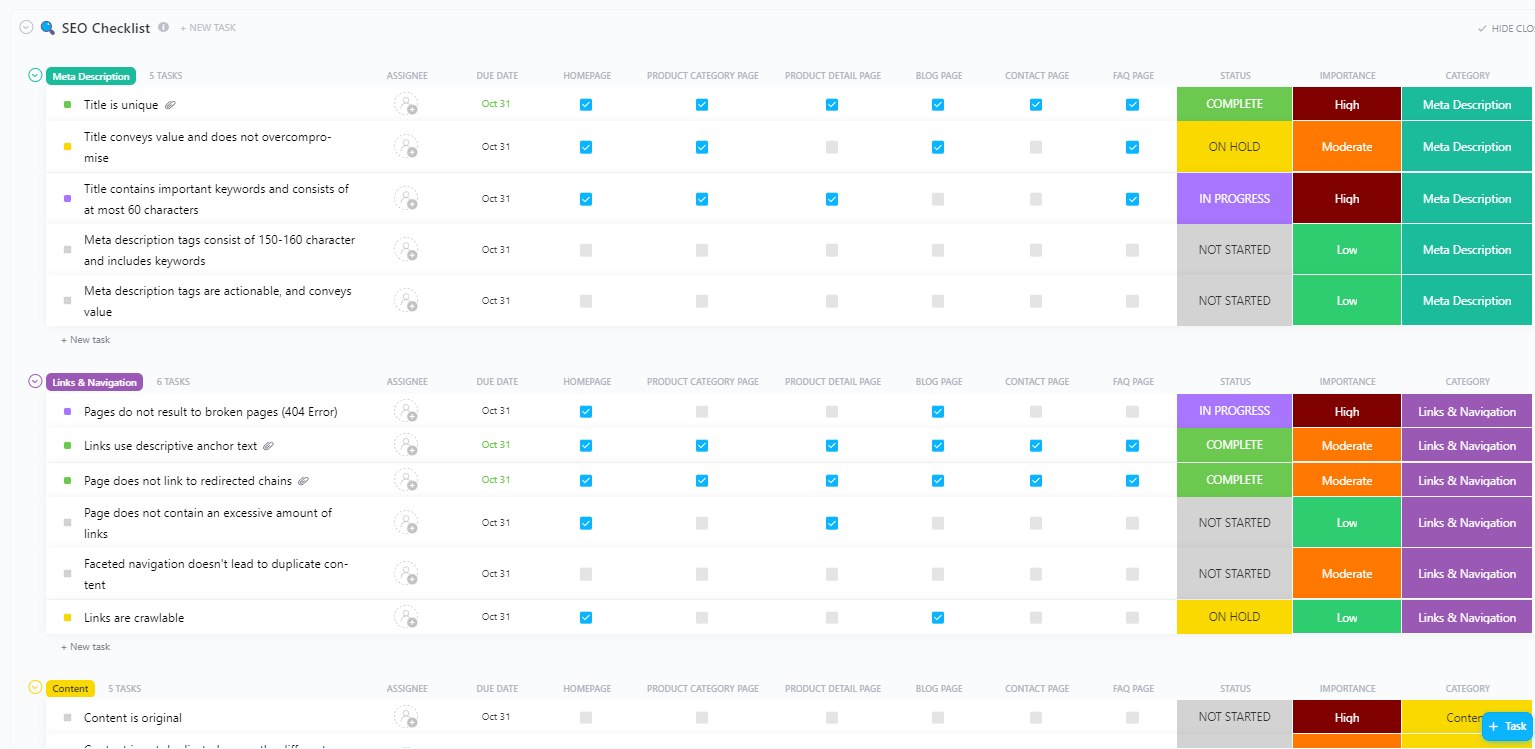
The ClickUp SEO Checklist Template provides a structured and clear overview of your entire SEO strategy. It helps you break down complex tasks into manageable steps across multiple pages, such as product listings, blogs, and contact forms.
From managing on-page SEO and fixing broken links to tracking metadata quality, it offers flexible categorization and visual tracking to scale with your workflow.
Use this template to:
✅ Ideal for: SEO professionals and marketing teams seeking a centralized, right tool to manage on-page and technical SEO tasks efficiently
📌 Bonus: Want to streamline your SEO workflow? Use the template with these smart strategies:
The ClickUp Hiring Checklist Template helps streamline every step of your recruitment process. It includes checklists for everything from job posting to employee onboarding. It breaks down hiring tasks into actionable stages like sourcing, screening, interviewing, and documentation.
Plus, with built-in comment sections, file attachments, and status tracking, it centralizes communication and feedback.
Use this template to:
✅ Ideal for: HR teams, recruiters, and hiring managers looking to manage candidate workflows efficiently and ensure a structured, error-free recruitment process
👀 Did You Know? A global survey of over 40,000 companies across 42 countries found that 74% of employers are struggling to find skilled talent.
A simple hiring checklist template can bring structure. It helps you:
The ClickUp Project Checklist Template brings order and visibility to even the most chaotic projects with a checklist-first approach.
With detailed list views, progress bars, and approval stages, you get a crystal-clear view of what’s happening and what’s next. It also supports deep customization with dependencies, priority tagging, and time-tracking to help you manage resources and workflows effectively.
Use this template to:
✅ Ideal for: Teams and project managers who need a simple yet powerful way to execute, track, and complete projects efficiently across departments
📚 Read More: Project Management Checklist
The ClickUp Vacation Checklist Template is your anytime planning assistant for trips, whether they’re quick weekend getaways or extended holidays.
It helps you sort out every pre-trip task in one place, with crystal-clear item statuses and details such as travel dates, companions, vacation type, and trip category. Visualizing what’s pending, packed, or ready to buy brings a sense of order to the packing chaos.
Use this template to:
✅ Ideal for: Travelers who want to batch-pack smarter and stay fully organized for multi-type trips without stress
The ClickUp Retirement Checklist Template is a solution designed to simplify every aspect of retirement planning, whether financial or personal.
With dedicated pages for finances and retirement activities, it allows users to input custom financial goals, set retirement timelines, and organize every task and document.
Use this template to:
✅ Ideal for: Individuals or couples mapping out their financial goals and lifestyle plans for retirement in an organized way
📚 Read More: ClickUp vs. Monday.com
While Monday.com offers solid to-do list templates, ClickUp takes things a step further with its flexibility, depth, ease of use, and advanced functionalities.
With features like dashboards, custom views, time tracking, and even built-in AI, ClickUp takes the pressure off and gives you a smarter way to manage your to-dos.
If you’re looking for a tool that grows with your tasks (and your life), ClickUp’s to-do list templates are honestly hard to beat.
Sign up for ClickUp today!

© 2026 ClickUp

There’s an easier way. Try a free AI Agent in ClickUp that actually does the work for you—set up in minutes, save hours every week.