






Still downloading templates?
There’s an easier way. Try a free AI Agent in ClickUp that actually does the work for you—set up in minutes, save hours every week.
Sorry, there were no results found for “”
Sorry, there were no results found for “”
Sorry, there were no results found for “”

46% of teams struggle most with managing feedback between creative and development teams. On top of that, limited visibility across timelines and the lack of shared best practices often slow down video delivery.
Asana video production templates help keep scripts, assets, and production tasks organized. However, they don’t fully centralize communication or provide real-time tracking across every production stage.
In this blog post, we’ll walk through Asana’s video production templates and introduce ClickUp as a stronger alternative that brings tasks, files, deadlines, and communication together in one place.
Let’s get started! 🎬
Asana video production templates are pre-built project layouts designed to help teams plan and manage the video creation process. They provide a structured framework for mapping out steps like scriptwriting, asset collection, filming, editing, and final reviews.
Each task can be assigned to team members with deadlines, so everyone knows what they’re responsible for and when work is due. These templates standardize production steps, improve team coordination, and ensure no stage is overlooked.
Teams can also customize templates to fit specific video types, including marketing campaigns, explainer videos, or social media content.
📖 Also Read: Best Content Marketing Software Platforms
| Template Name | Download Template | Ideal For | Best Features |
| Asana Discovery Creative Production Template | Download template | Video production teams, content managers, creative studios | Standardized workflows; custom fields for sorting; single hub for planning |
| Asana Creative Requests Template | Download template | Producers, content coordinators, marketing teams | Creative specs; categorize by request type; built-in workflow stages; smooth request management |
| Asana Editorial Calendar Template | Download template | Video teams, marketing departments, content managers | Visual calendar for deadlines; assign tasks for each phase; easy due date and priority adjustments |
| Asana Creative Asset Feedback and Approval | Download template | Video editors, creative teams | Centralized feedback; review cycles; attach reference materials; automated notifications; Kanban/Board layout |
| Asana Timeline Template | Download template | Video marketing, cross-functional teams | Chronological timeline; milestones; task dependencies; visualize workloads and bottlenecks |
| Asana Design Project Plan Template | Download template | Video designers, motion graphics teams, production managers | Standardized workflows; attach assets and references; categorize by client/campaign; dashboards for progress |
| Asana Content Strategy Template | Download template | Video marketing teams, content strategists, production managers | Document audience insights; audit assets; plan content themes; track progress with status fields |
| Asana Brain Dump Template | Download template | Video teams managing scattered ideas | Sort ideas by phase; urgency tags; convert ideas to action items; real-time collaboration |
| Asana Vision Board Template | Download template | Creative leads, video teams | Digital space for creative direction; organize by theme; upload references; reminders for concept reviews |
| Asana Agency Collaboration Template | Download template | Marketing teams, creative directors, producers | Timeline view for deadlines; replace email threads with comments; monitor costs and assets |
| ClickUp Agenda Template | Get free template | Teams needing a repeatable meeting structure | Meeting details, participant checklists, live notes, follow-up tasks, ClickUp Email integration |
| ClickUp Meetings Template | Get free template | Teams managing any type of meeting | Customizable agendas, Google Slides embedding, live feedback |
| ClickUp Meeting Tracker Template | Get free template | Teams and managers planning meetings across projects | Custom Fields, multiple views, tags & priorities |
| ClickUp Project Kickoff Meeting Template | Get free template | Project managers, team leads, client-facing teams | Role assignment, deliverables tracking, nested subtasks, decision logging, team introductions |
| ClickUp Minutes of Meeting (MoM) Template | Get free template | Teams needing a clear record of meetings | Timeline logs, action items with deadlines, checklist integration, attachments, past meeting references |
Here are a few things to look out for in an Asana video production template:
💡 Pro Tip: Use content collaboration software to create a ‘living storyboard’ where scripts, assets, and feedback evolve in real time, turning your video production chaos into a creative playground.
Here are some of the best free Asana video production templates that give your team ready-made frameworks to plan shoots, assign tasks, and track progress without starting from scratch.
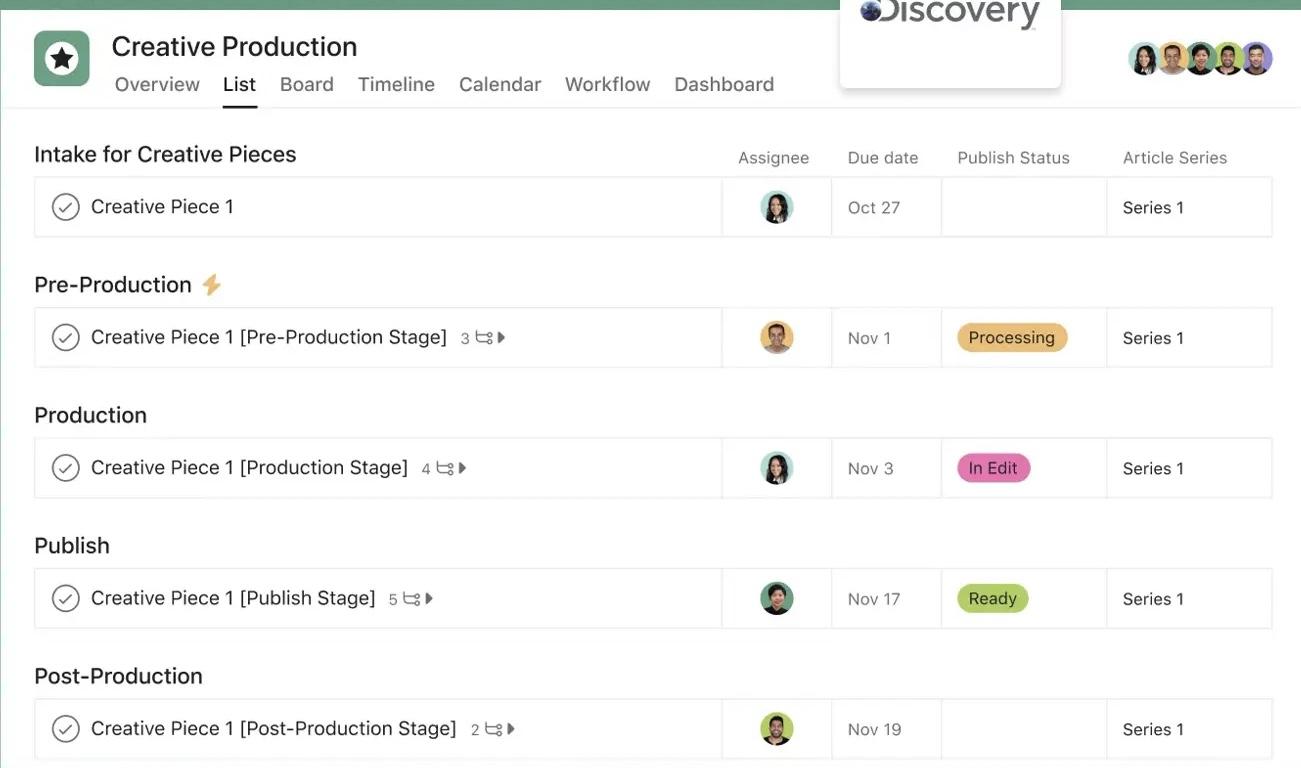
Managing video production projects can be messy. Multiple stakeholders, overlapping timelines, and countless assets often lead to delays and confusion.
Discovery’s Creative Production Template in Asana clarifies this complexity, giving you a single hub to plan, track, and deliver video content efficiently.
📌 Ideal for: Video production teams, content managers, and creative studios looking to streamline their workflows and maintain consistency across all video projects.
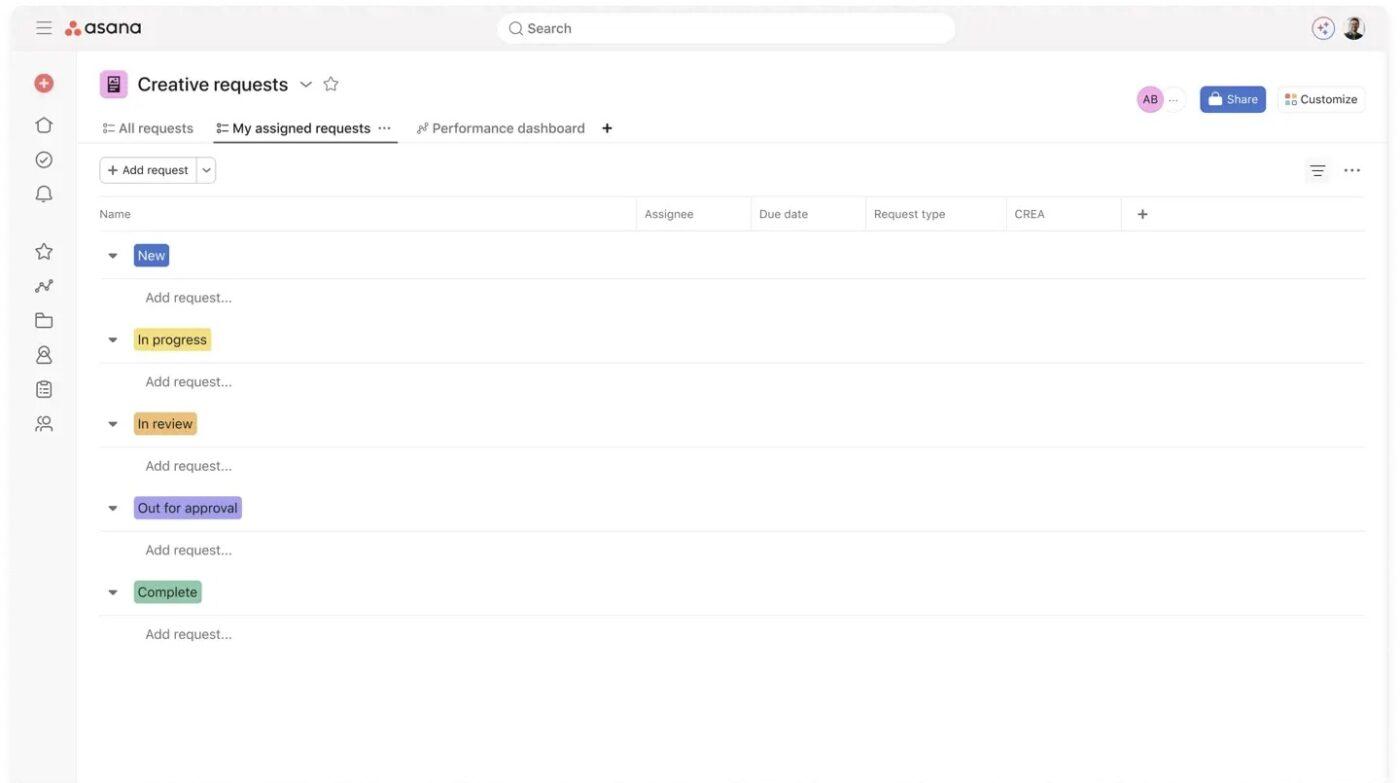
The Creative Requests Template in Asana provides a structured system to manage and prioritize all incoming video production requests.
It ensures every request, from social clips to tutorial videos, includes the necessary details, moves smoothly through your workflow, and gets completed on time.
📌 Ideal for: Producers, content coordinators, and marketing teams managing multiple creative requests for storyboard creation.
🔍 Did You Know? The longest movie ever made is a Swedish experimental film called Logistics (2012). It runs for 857 hours (that’s 35 days straight!) and documents the manufacturing journey of a pedometer from factory to store shelf.
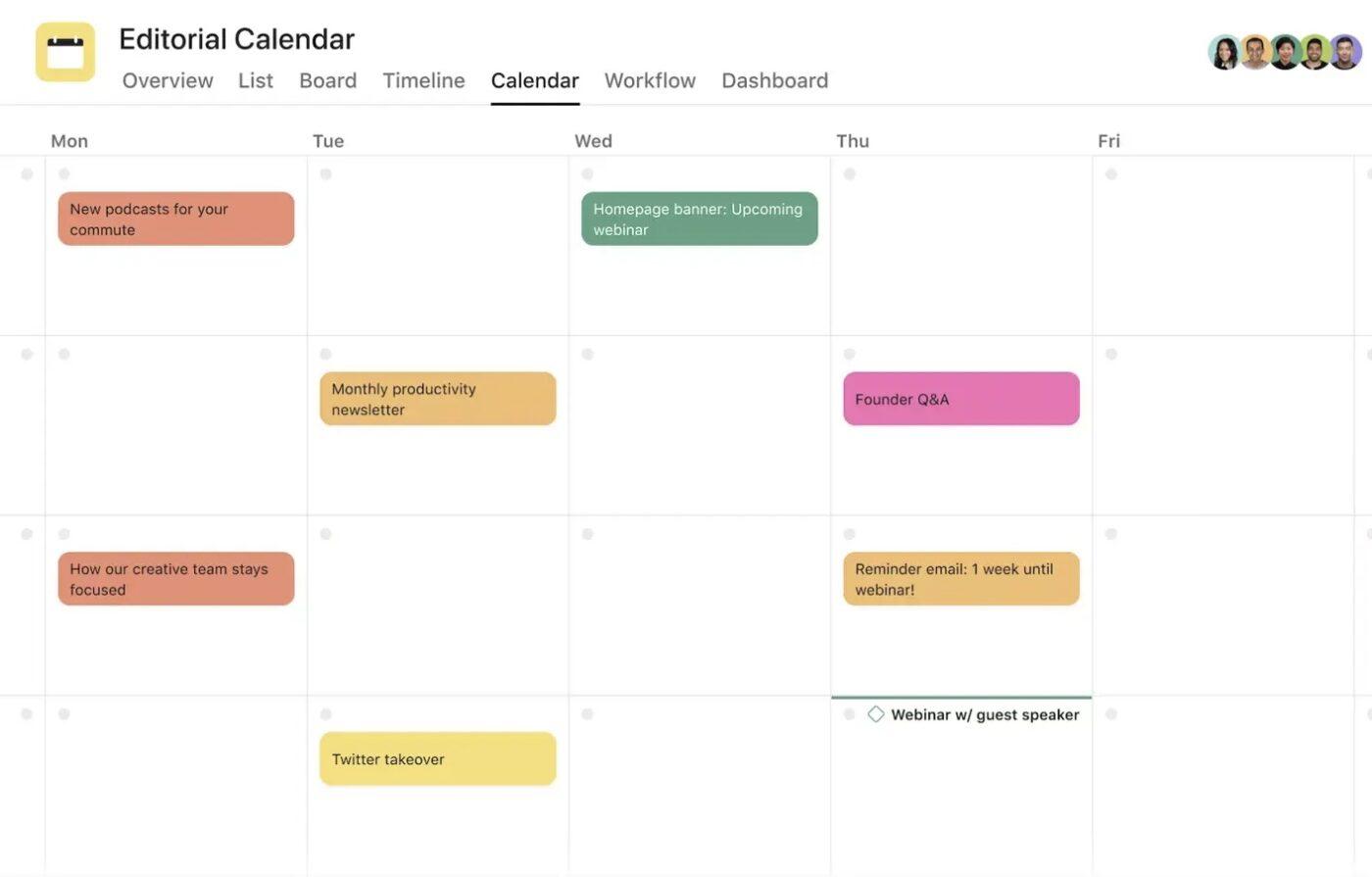
The Editorial Calendar Template in Asana gives video production and content teams a clear visual roadmap of all upcoming assets.
From blog posts and newsletters to video scripts and social clips, this template covers organizing, tracking, and collaborating on every stage of content creation.
📌 Ideal for: Video teams, marketing departments, and content managers who need a structured calendar to plan, track, and publish corporate videos and other content.
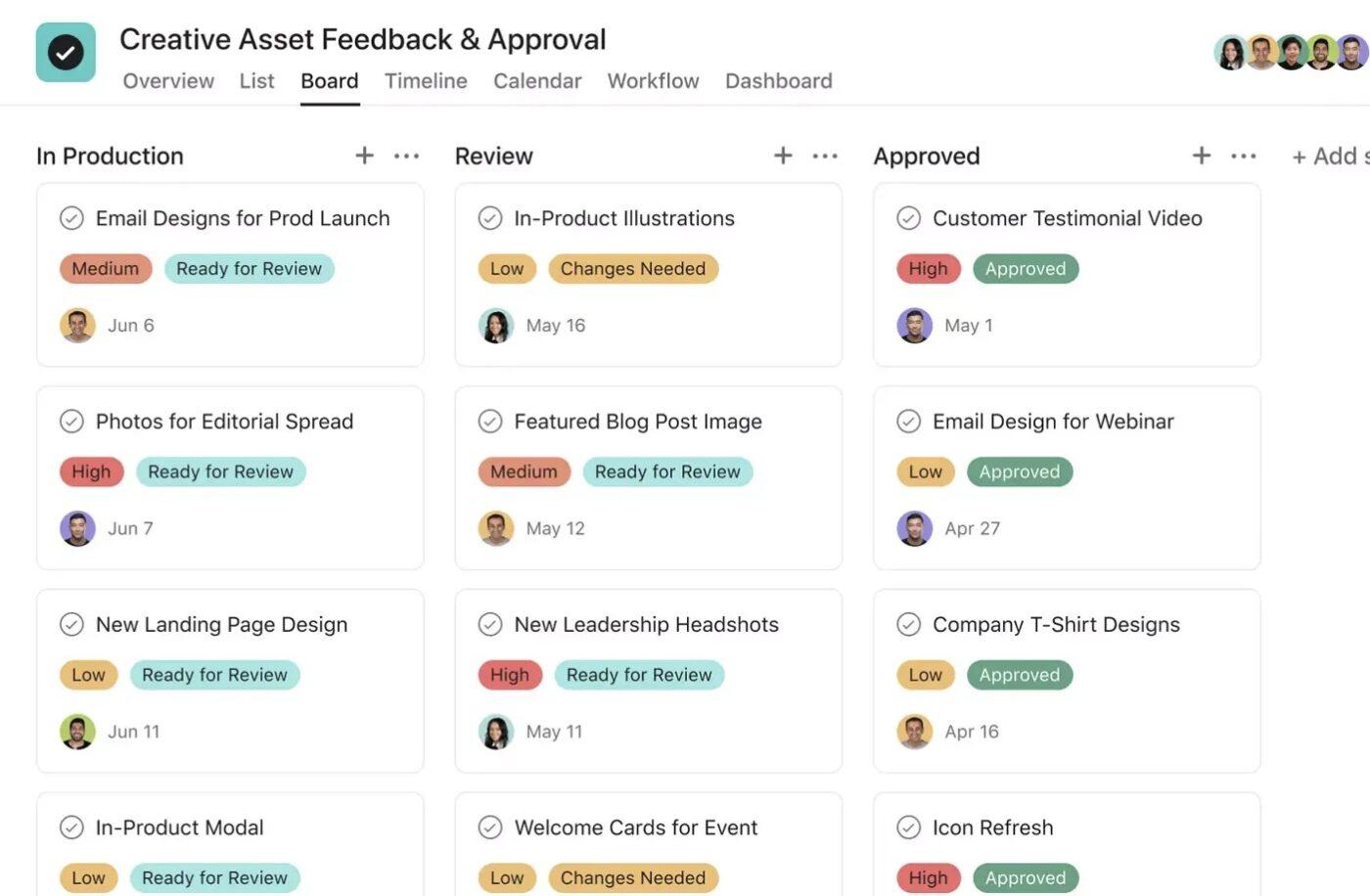
Keeping track of feedback for video projects can quickly become chaotic with multiple rounds of review, scattered notes, and conflicting input, which can slow down production.
The Creative Asset Feedback and Approval Template in Asana centralizes all feedback alongside your video assets, making it easy for teams to review, revise, and finalize content efficiently.
📌 Ideal for: Video editors needing a clear, organized system to collect feedback and finalize video content without delays.
🔍 Did You Know? Even sports broadcasts use movie-like video tricks. The glowing hockey puck seen in NHL broadcasts during the 1990s was an early attempt at augmented video production, though fans were so divided that the effect was dropped after a few seasons.
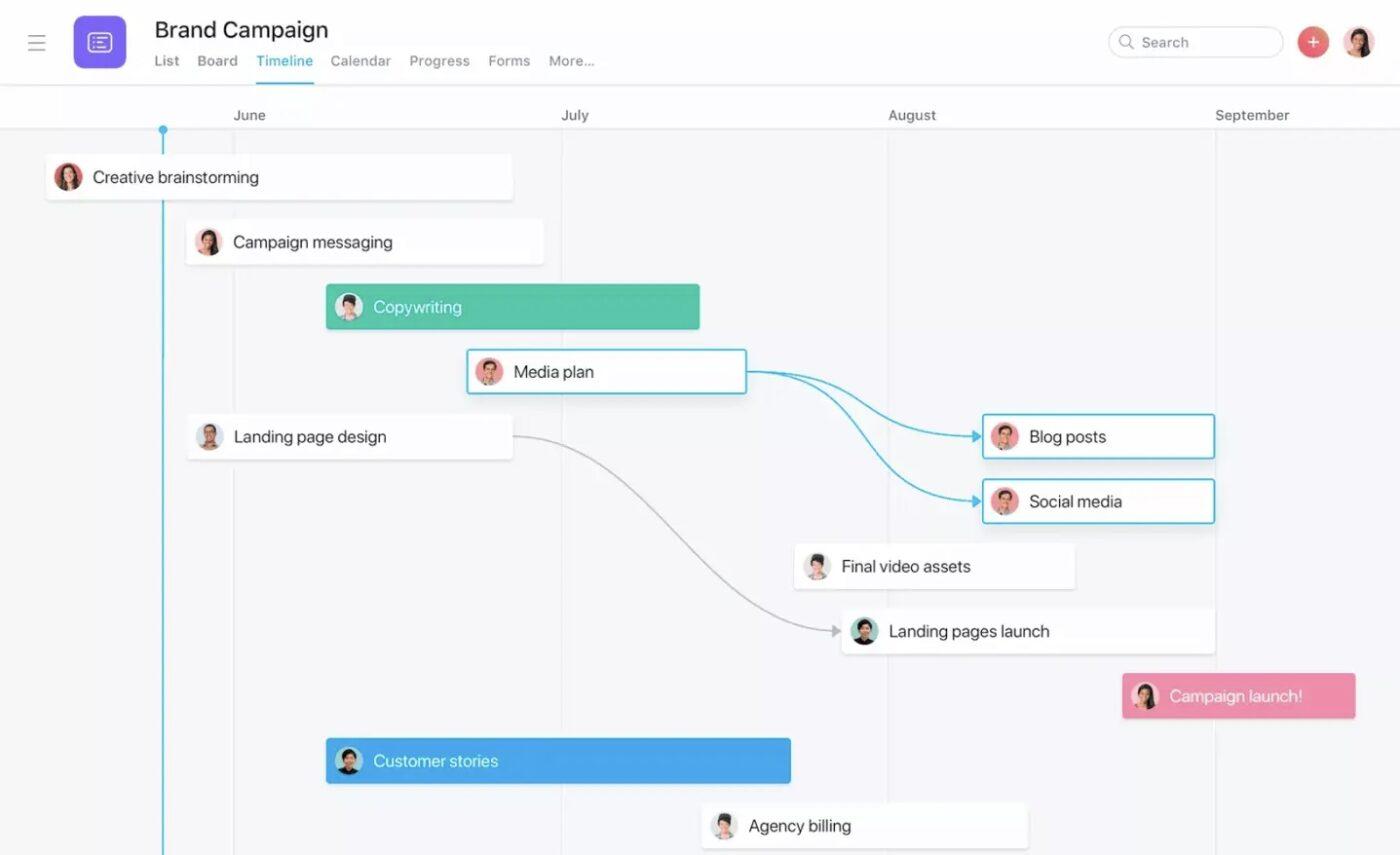
Plan and execute video projects with precision using Asana’s Timeline Template.
From pre-production planning and shoot schedules to post-production edits and final publishing, this template maps out every step so teams can visualize workloads, coordinate resources, and hit deadlines without surprises.
📌 Ideal for Video marketing and cross-functional teams that coordinate multiple video projects and need a high-level overview of timelines.
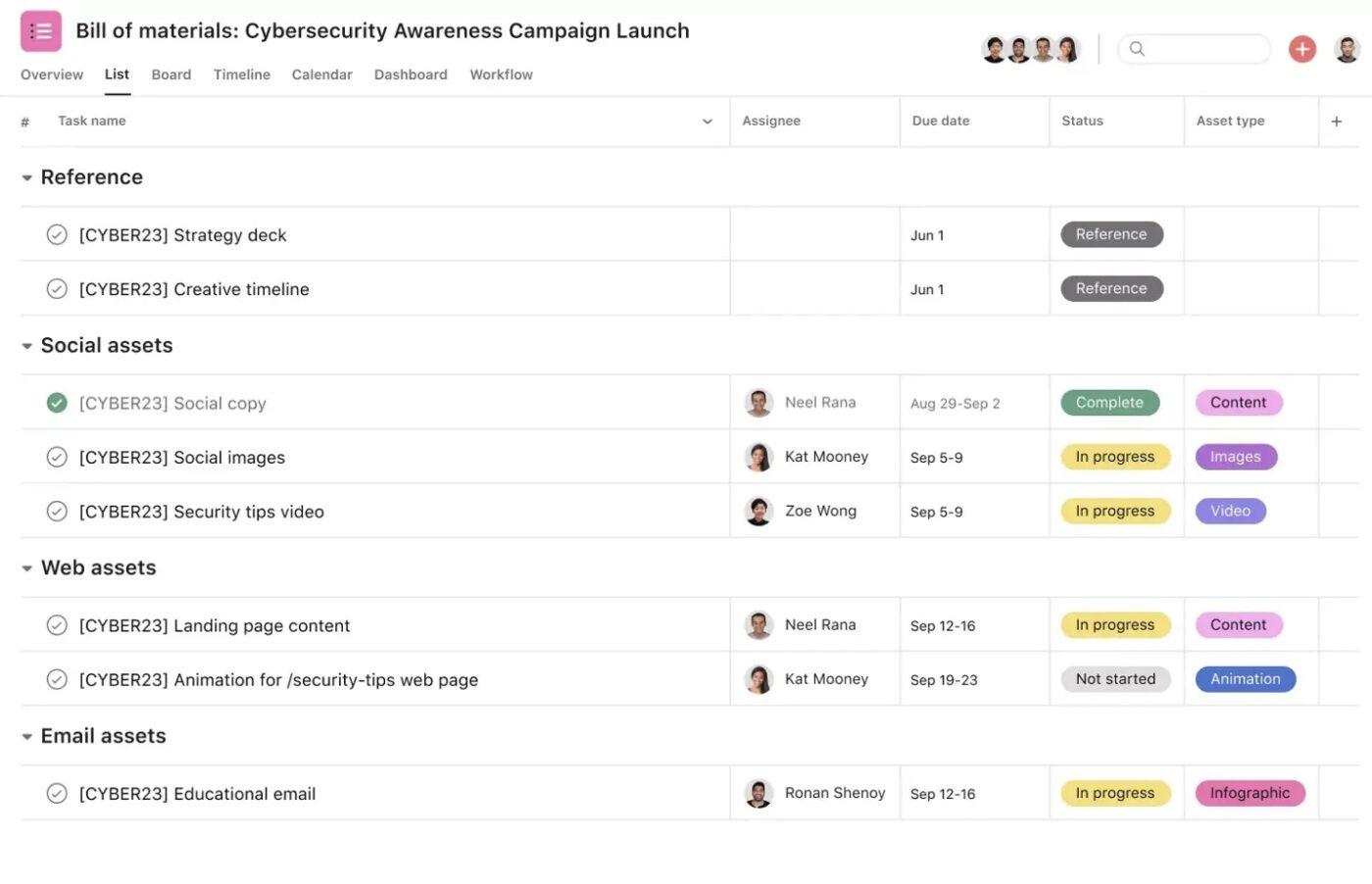
Managing creative video projects demands a system that tracks progress, coordinates contributors, and keeps deadlines visible.
The Design Project Plan Template in Asana provides a structured framework for video teams to define objectives, assign responsibilities, and manage all assets, ensuring production runs smoothly and predictably.
📌 Ideal for: Video designers, motion graphics teams, and production managers who need a structured, repeatable system to execute high-quality video projects efficiently.
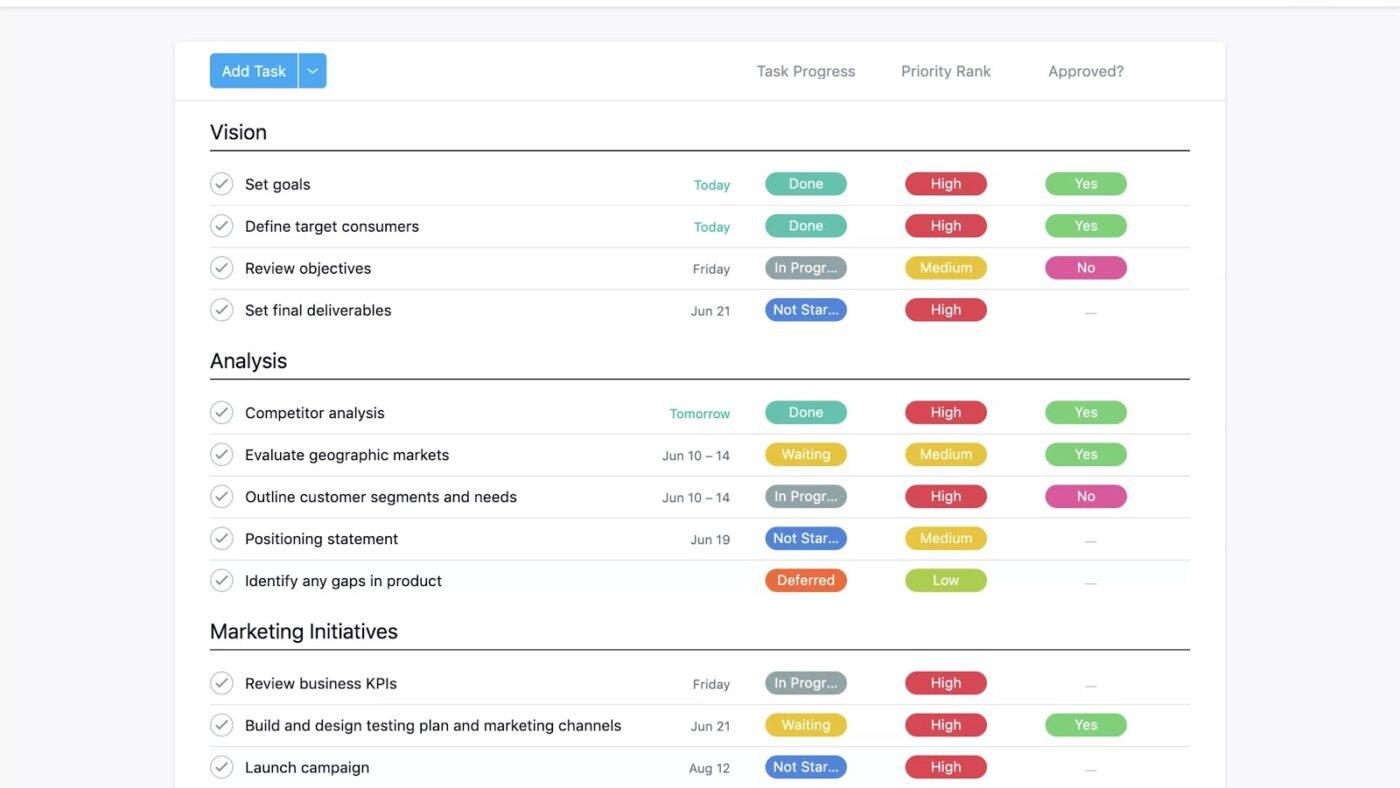
Successful video campaigns start with a clear content strategy that aligns ideas, production, and distribution with business goals.
Asana’s Content Strategy Template helps video teams plan what to create, assign responsibilities, and track performance across channels, ensuring every video supports your marketing objectives.
📌 Ideal for: Video marketing teams, content strategists, and production managers who need a strategic approach to plan video content campaigns.
🧠 Fun Fact: The first ‘special effect’ in video history happened in 1896 when filmmaker Georges Méliès accidentally stopped his camera while filming a street scene in Paris. When he restarted it, a hearse had replaced a horse-drawn carriage.
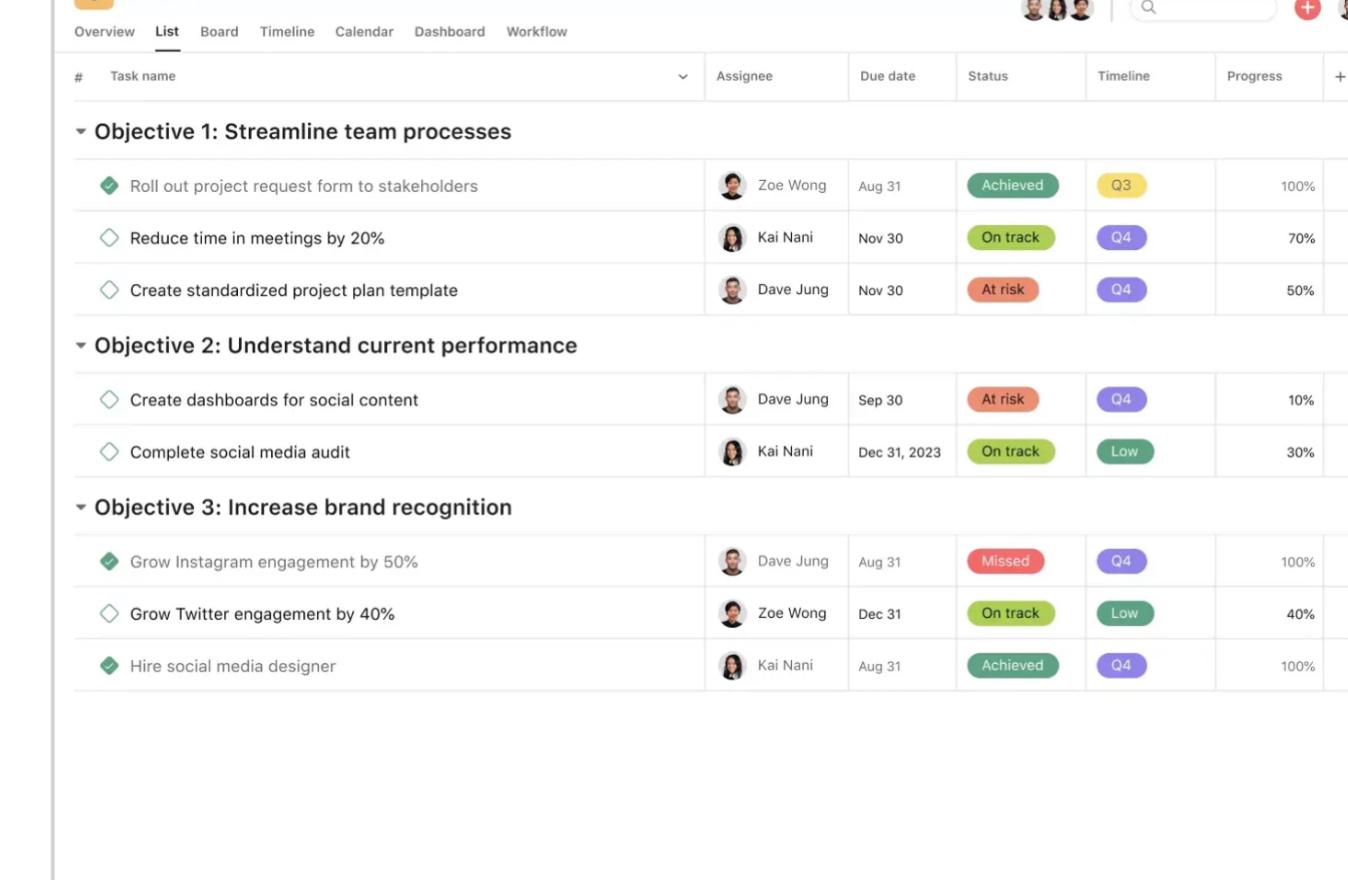
When you’re managing a video project, ideas rarely arrive in order. A concept for a scene may come up while reviewing scripts, or a shot idea might pop up mid-edit. Without a place to capture them, those sparks either vanish or add to the chaos.
Asana’s Brain Dump Template helps video teams unload every thought, big or small, into a single space, making it easier to sort, prioritize, and turn them into actionable steps.
📌 Ideal for: Video teams managing scattered ideas with potential risks and challenges across production phases.
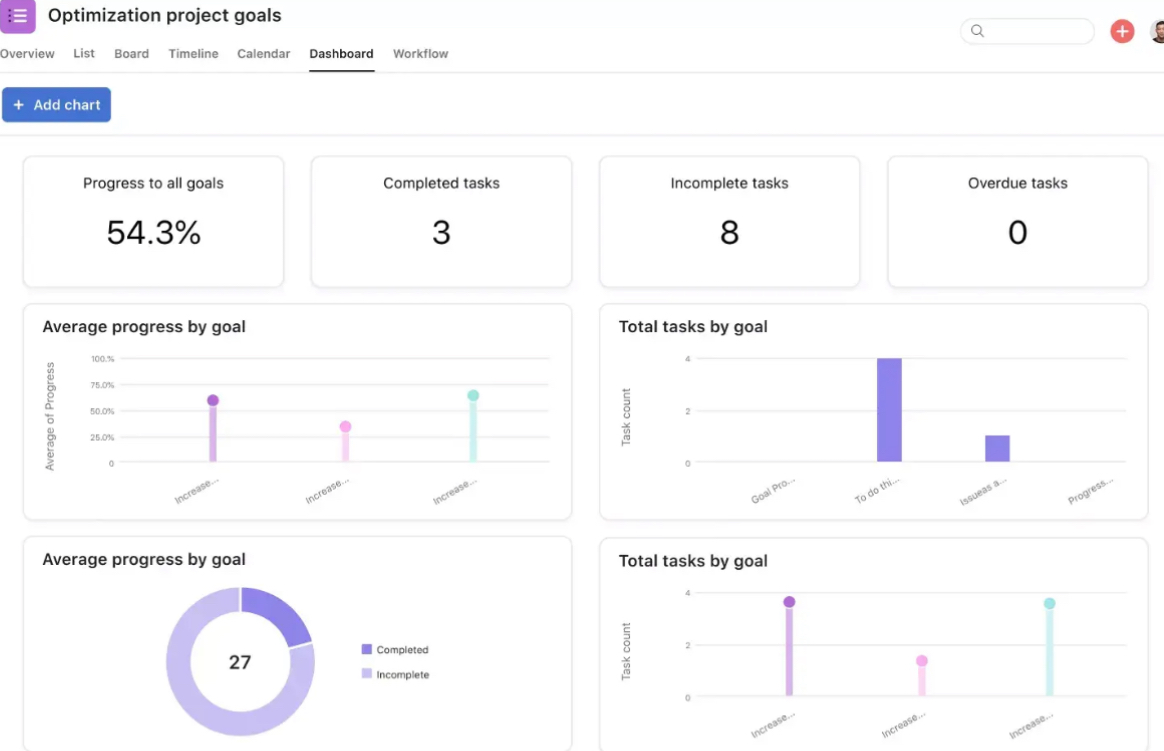
Large video projects often start at the ‘blank page’ stage. The Vision Board Template in Asana gives production teams a digital space to map creative direction, collect references, and align on the look and feel before cameras roll.
It acts as a storyboard template and helps you break down high-level vision into actionable creative tasks and deadlines.
📌 Ideal for: Creative leads and video teams who need a shared space to brainstorm, collect references, and align on style and tone before production begins.
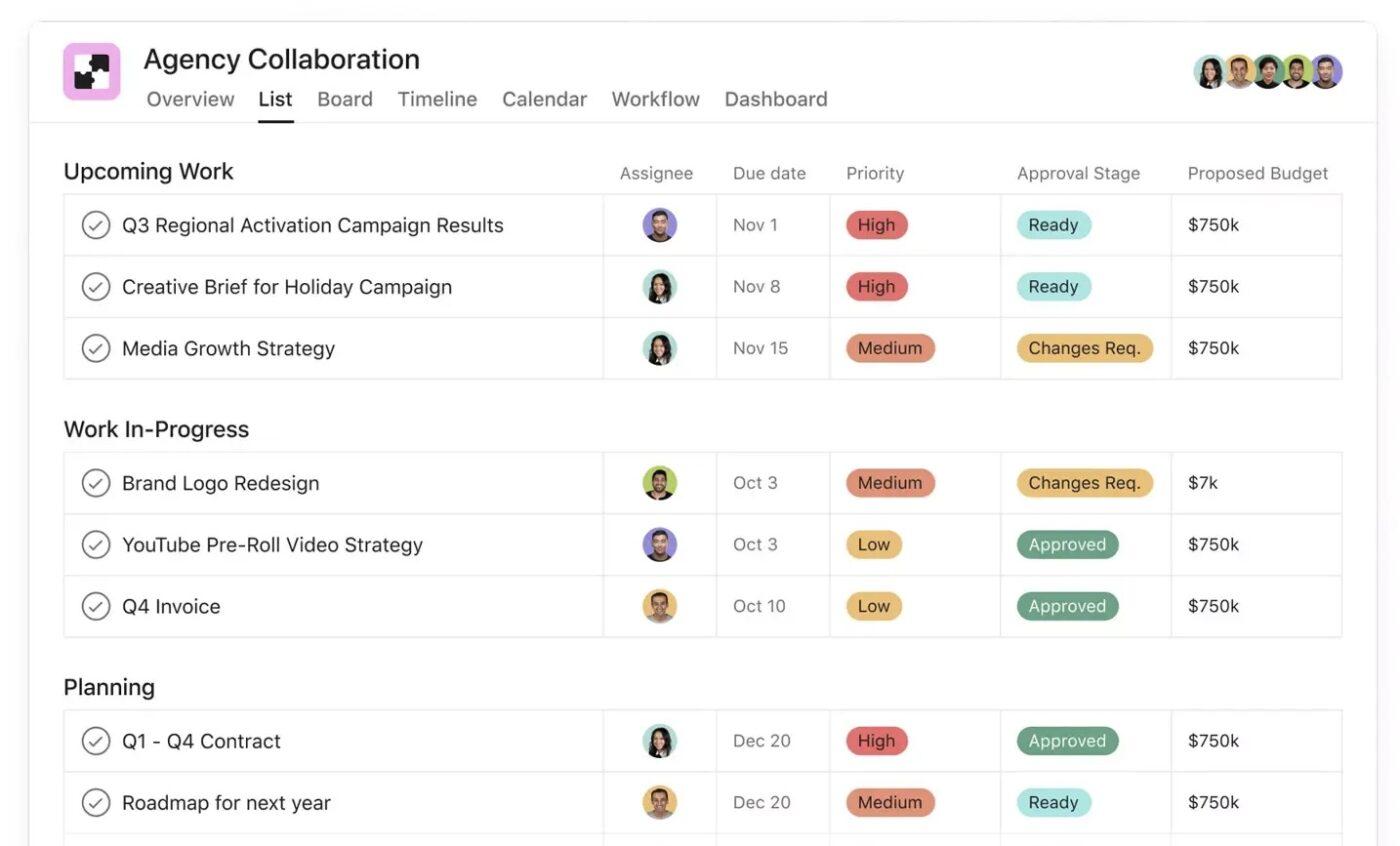
Coordinating video projects with an external agency often means scripts, budgets, edits, and endless email chains.
Asana’s Agency Collaboration Template keeps everything in one place, so both your in-house team and agency partners stay aligned from first pitch to final cut.
📌 Ideal for: Marketing teams, creative directors, or producers working with external agencies to deliver ad campaigns and branded videos.
📖 Also Read: Best AI Video Generators
While Asana is a popular choice for managing projects, it isn’t without drawbacks.
Before adopting these templates for video production workflows, it’s essential to understand their limitations and where they may fall short.
🔍 Did You Know? Music videos helped shape video editing culture. MTV launched in 1981 with the very first music video broadcast: Video Killed the Radio Star by The Buggles. Fittingly, it predicted the rise of video over audio formats.
If Asana’s limitations feel restrictive, ClickUp’s Marketing Project Management Software offers a more flexible alternative.
As the everything app for work, ClickUp centralizes tasks, docs, assets, and approvals in one place, making it easier for marketing and creative teams to plan, collaborate, and deliver campaigns. With advanced customization, built-in automation, and AI assistance, ClickUp brings together all your marketing tools into one platform.
Here are the top free ClickUp templates to plan, execute, and manage every stage of your marketing video production projects with ease. 🎥
Video projects move through multiple moving parts like storyboarding, equipment scheduling, shooting, editing, and final delivery.
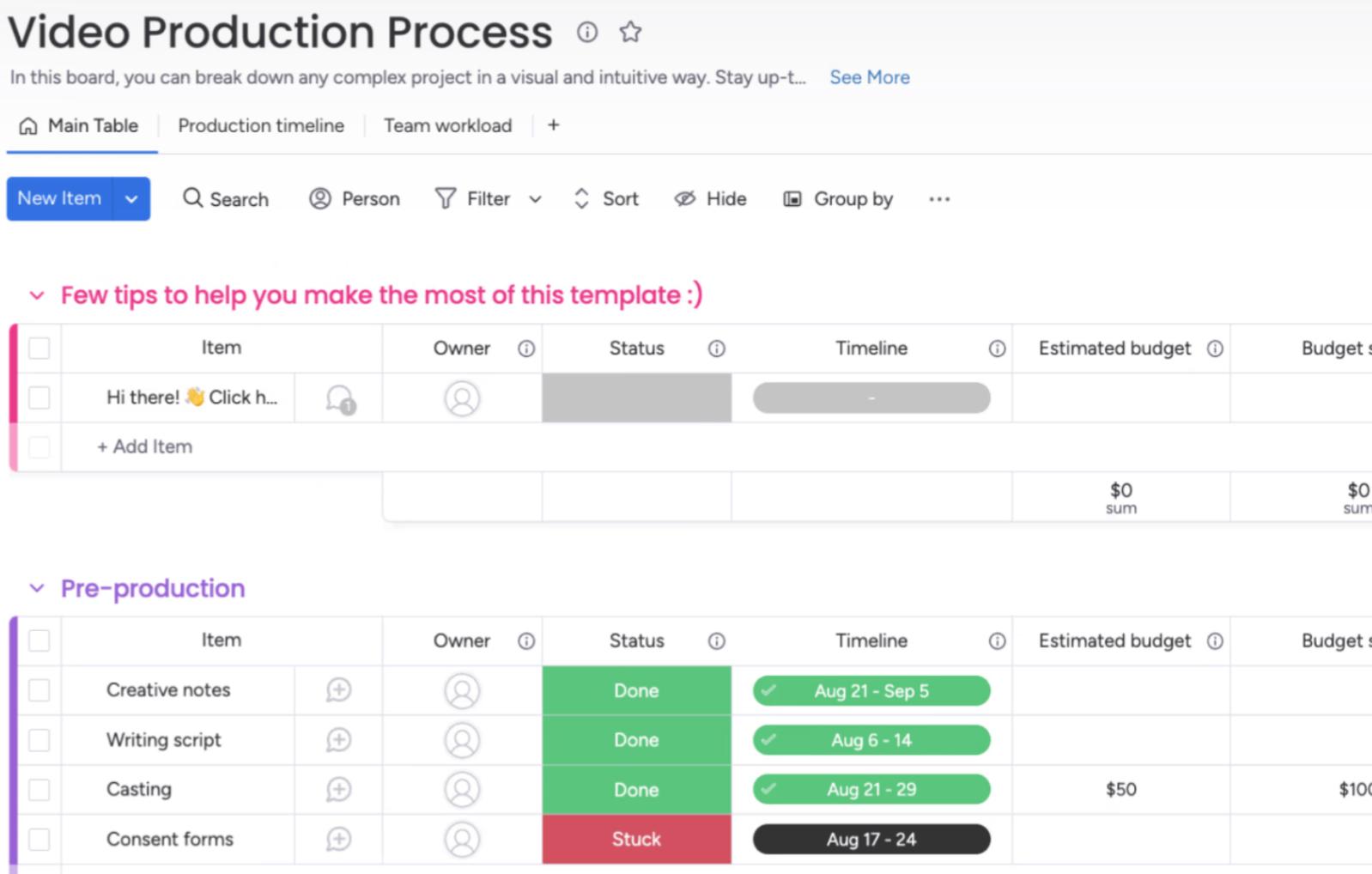
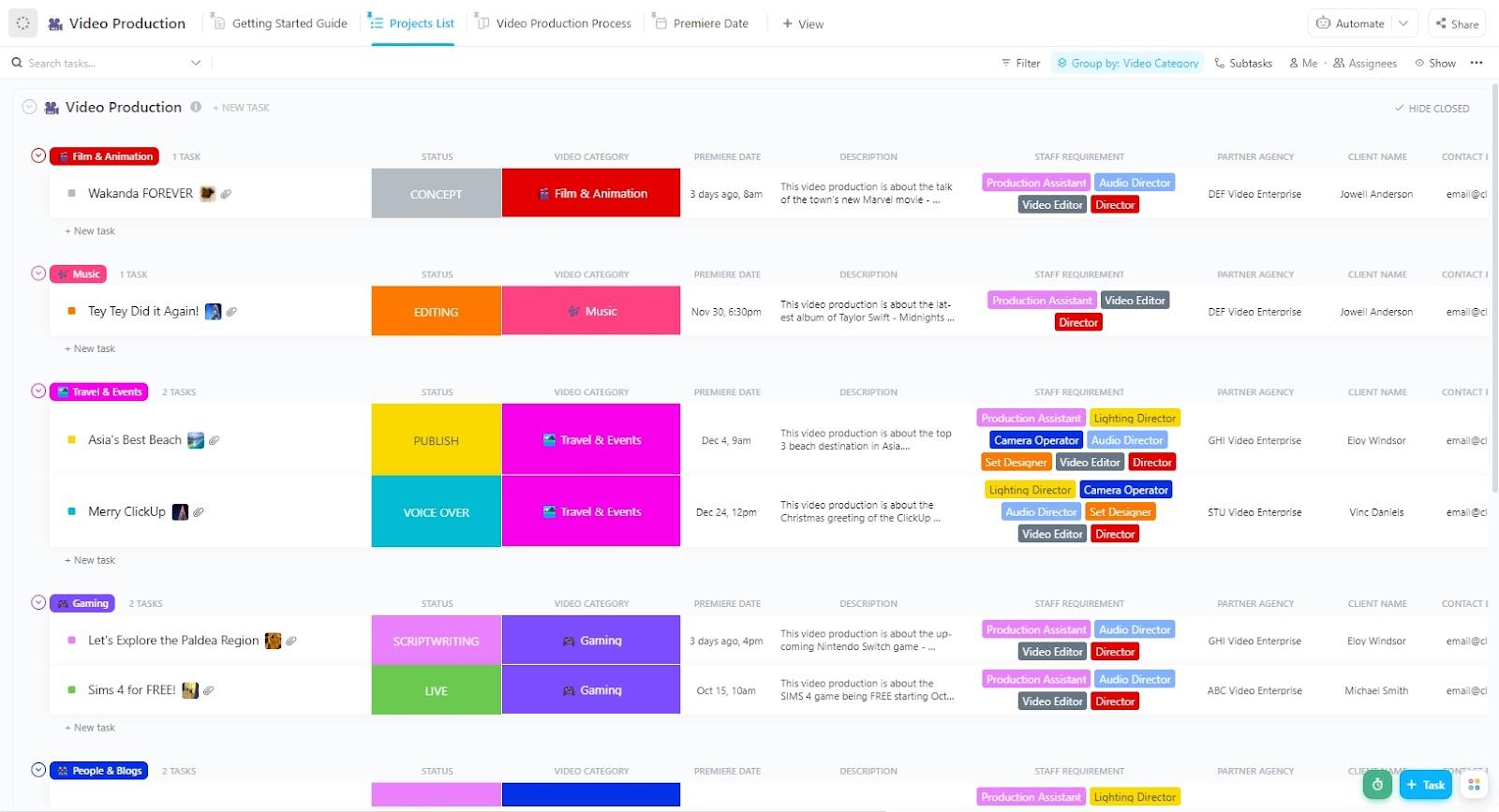
The ClickUp Video Production Template gives you a clear, repeatable framework to guide your team from concept to completion. With customizable workflows, tailored fields, and flexible views, you’ll have a unified space to plan, track, and deliver video projects with fewer delays and miscommunications.
📌 Ideal for: Video production teams, creative agencies, and in-house marketing teams managing everything from one-off corporate videos to full-scale video campaigns.
📮 ClickUp Insight: Monday blues? Turns out Monday stands out as a weak link in weekly productivity (pun unintended), with 35% of workers identifying it as their least productive day. This slump can be attributed to the time and energy spent hunting for updates and weekly priorities on Monday mornings.
An everything app for work, like ClickUp, can help you here. For instance, ClickUp Brain, ClickUp’s built-in AI assistant, can ‘catch you up’ on all critical updates and priorities in seconds. And, everything you need for work, including integrated apps, is searchable with ClickUp’s Connected Search. With ClickUp’s Knowledge Management, building a shared point of reference for your organization is easy! 💁
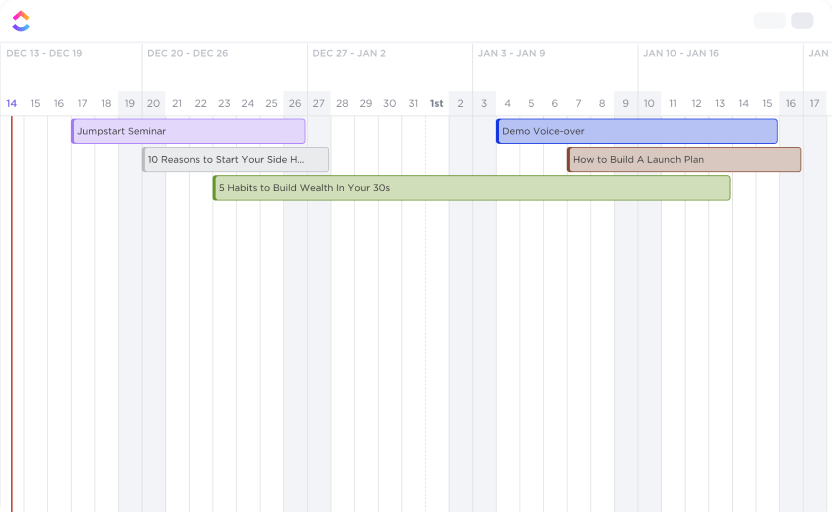
The ClickUp Video Production Timeline Template gives you a crystal-clear schedule for every phase of video creation. Instead of juggling dates across spreadsheets or chats, you can map the entire process on one dynamic timeline.
Every task is anchored to a deadline and sequenced logically, so you’ll always know what’s coming next and who’s responsible. This template ensures your production calendar stays organized, accurate, and flexible enough to adapt to changes on the fly.
📌 Ideal for: Production managers, creative directors, and video teams that need precise resource scheduling to keep multiple shoots, edits, and deadlines on track.
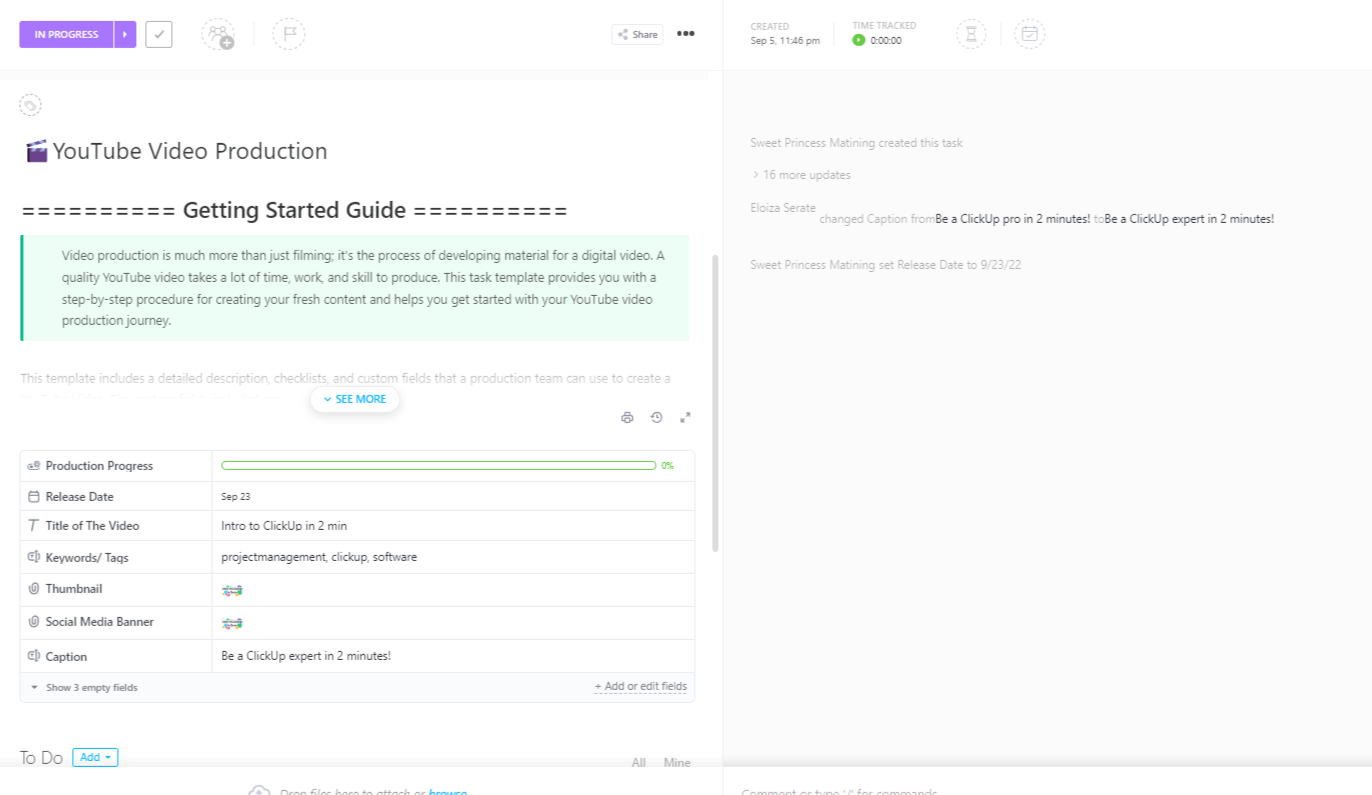
The ClickUp YouTube Video Production Template is a ready-to-use Task template built for creators who want to stay consistent with their channel. From brainstorming video ideas to publishing on YouTube, every step of the workflow is organized in one place.
It helps you keep your publishing schedule on track and ensures that every video goes live with the right assets, titles, and metadata in place.
📌 Ideal for: YouTubers, creative teams, and marketers who want a repeatable way to plan and release videos consistently.
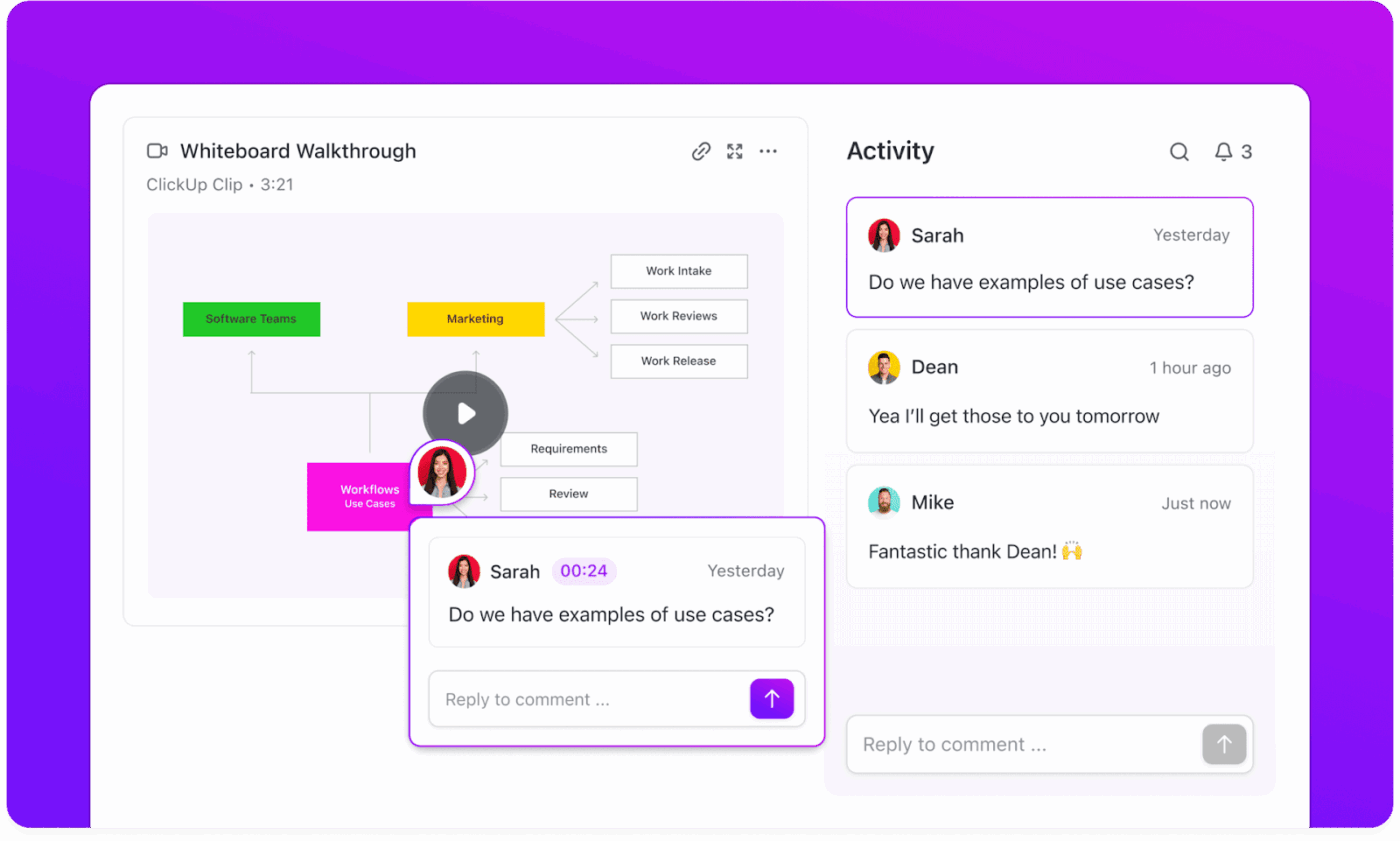
🚀 ClickUp Advantage: Ever tried explaining a video edit over email? Painful. ClickUp Clips makes that process much smoother for creators.
With Clips, you can record your screen, add context with your voice, and show your team exactly what you mean—whether you’re pointing out a thumbnail tweak, reviewing a script draft, or walking through a rough cut. This way, feedback feels clear and connected rather than buried in long email threads.
Unlike the YouTube Video Production Template, ClickUp’s YouTube Planning and Production Template helps you organize your entire content pipeline for long-term channel growth.
This content calendar template acts as your command center: brainstorm and prioritize video concepts, map them against deadlines, assign tasks, and integrate analytics to measure success. It helps you create a repeatable system to keep your YouTube content flowing smoothly.
📌 Ideal for: YouTube creators and production teams who want a framework to manage multiple videos simultaneously.
🧠 Fun Fact: Bullet time, the slow-motion spinning camera effect made famous by The Matrix (1999), was shot using a circle of still cameras triggered at once. The frames were then stitched together, creating the illusion of frozen time.
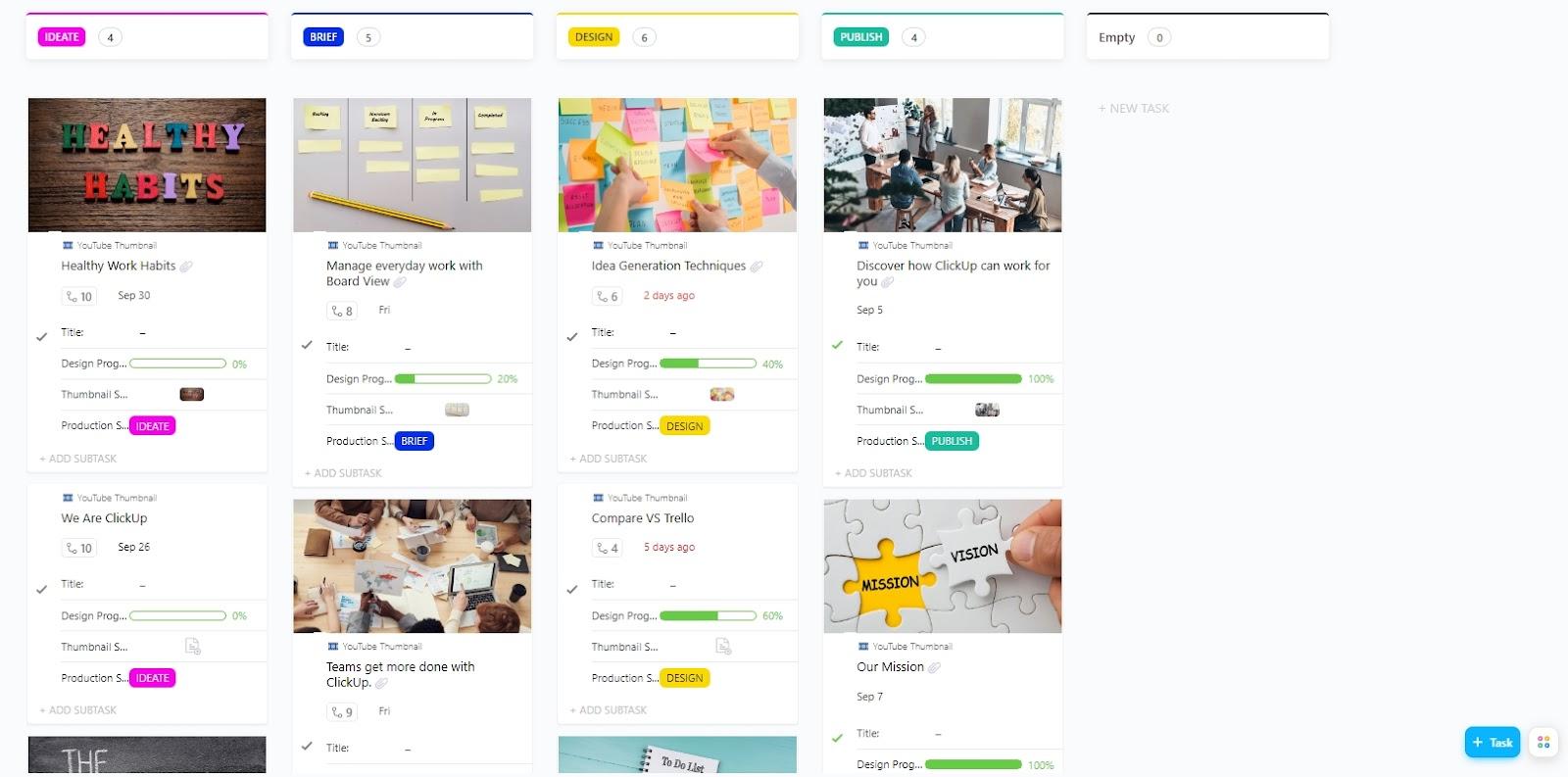
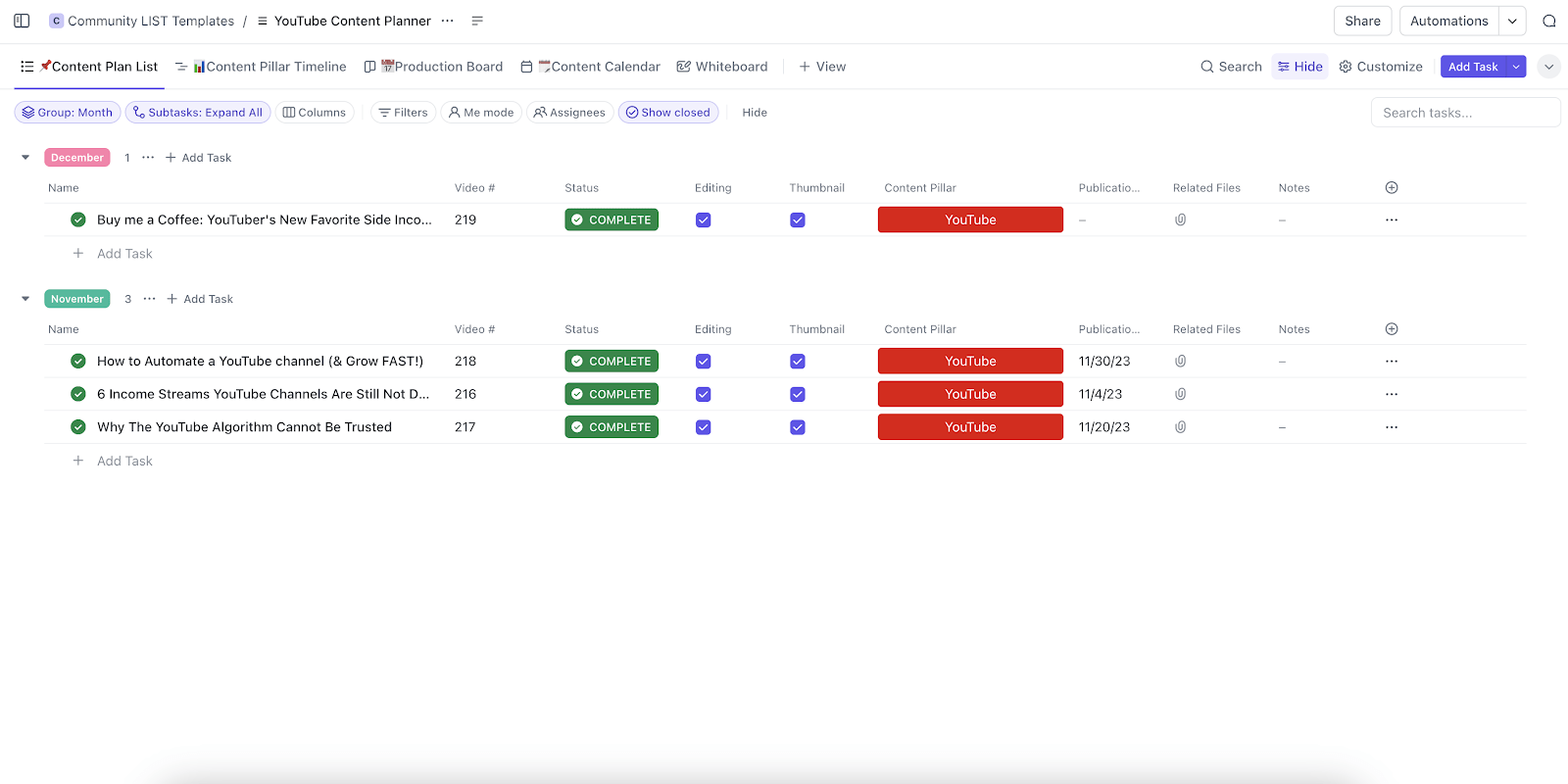
Thumbnails decide whether your video gets clicked or ignored. The ClickUp YouTube Thumbnail Template gives you a dedicated system for designing, reviewing, and approving thumbnails without losing track of drafts or feedback.
This one zeroes in on the creative process behind thumbnails, ensuring every video aligns with your brand kit for a polished, on-brand look before it goes live.
📌 Ideal for: YouTube creators and editors to manage the creative lifecycle of video thumbnails.
Learn more about using ClickUp for your YouTube production workflows here:
The ClickUp YouTube Content Plan Template helps you map ideas, schedule uploads, and track performance, so you never miss a deadline or repeat an idea.
With this template, you can organize titles, descriptions, tags, thumbnails, and publish dates in one hub.
📌 Ideal for: Creators or teams who want to shift from last-minute uploads to a well-structured content roadmap.
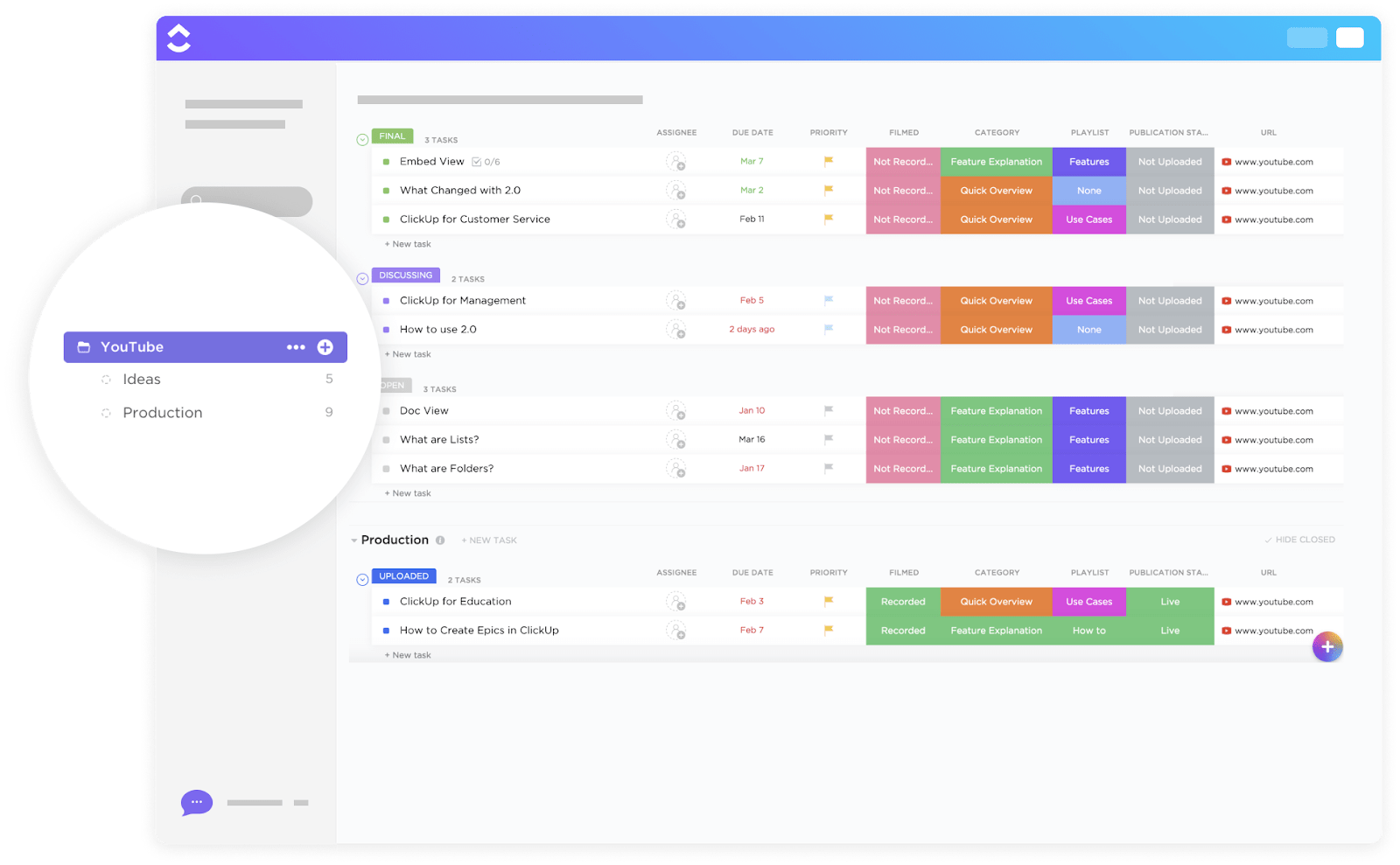
The ClickUp YouTube Template is designed as an all-in-one Folder template to help you manage your entire channel in one place.
This social media template goes beyond production and planning, providing dedicated spaces to organize playlists, track upload schedules, categorize videos, and even monitor their publication status.
📌 Ideal for: Creators and teams who need a channel-wide management system to oversee video production and the overall growth and organization of their YouTube presence.
🧠 Fun Fact: The famous Wilhelm scream, a stock sound effect recorded in 1951, has been reused in over 400 films and TV shows. Video editors still sneak it into modern productions as an inside joke.
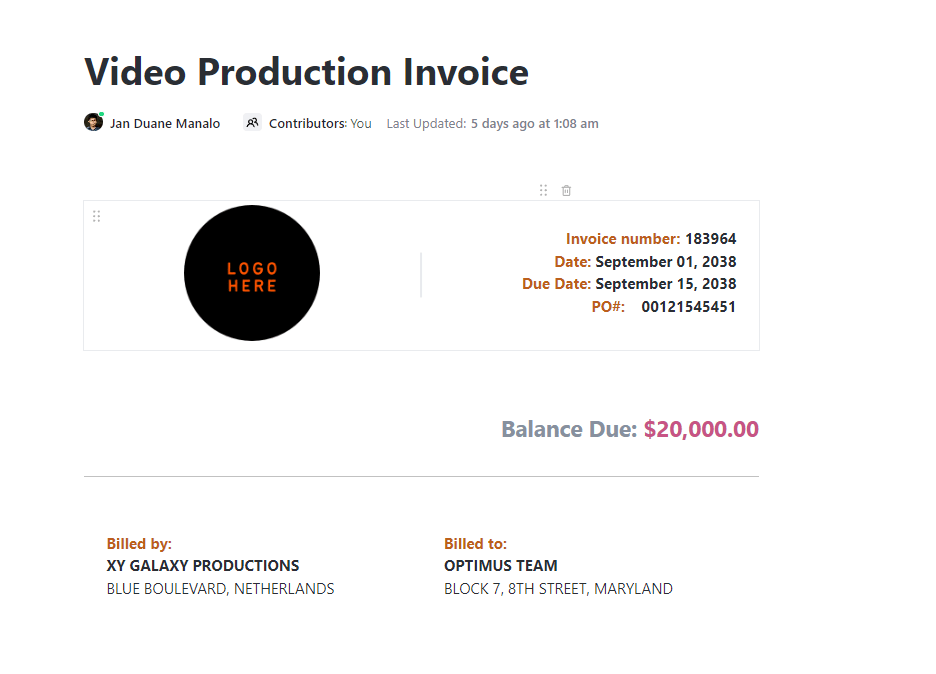
Finishing a video project is only half the job; ensuring you’re paid correctly and on time is just as important. The ClickUp Video Production Invoice Template (built in ClickUp Docs) gives you a ready-to-use structure for professional invoices tailored to the video industry.
Create professional invoices outlining services, hours, and rates, and even duplicate invoices for recurring clients or repeat projects in seconds.
📌 Ideal for: Freelancers, studios, and production teams who want to simplify billing and ensure financial clarity without sacrificing professionalism.
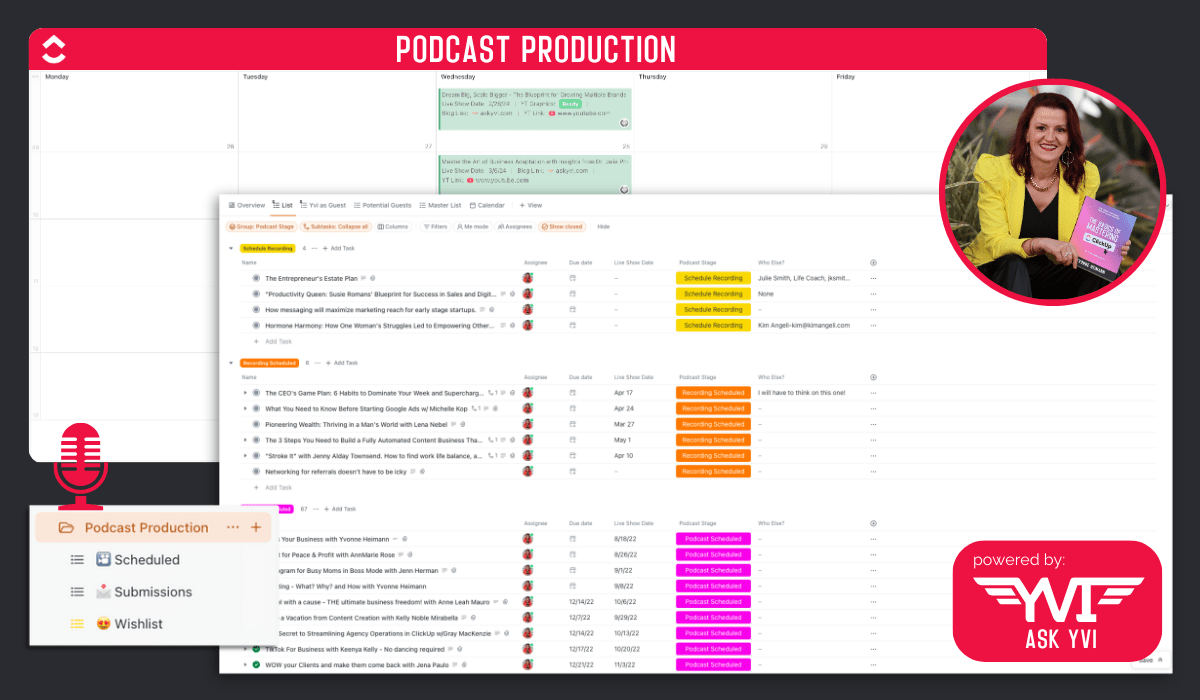
The ClickUp Video/Audio Podcast Production Template gives you a workflow for every episode, so you can focus on creating engaging content instead of chasing loose ends. You can track each episode from guest booking to post-production with clear statuses and deadlines.
📌 Ideal for: Podcasters producing audio-only or video-first shows who need a reliable system to keep episodes on track and consistent.
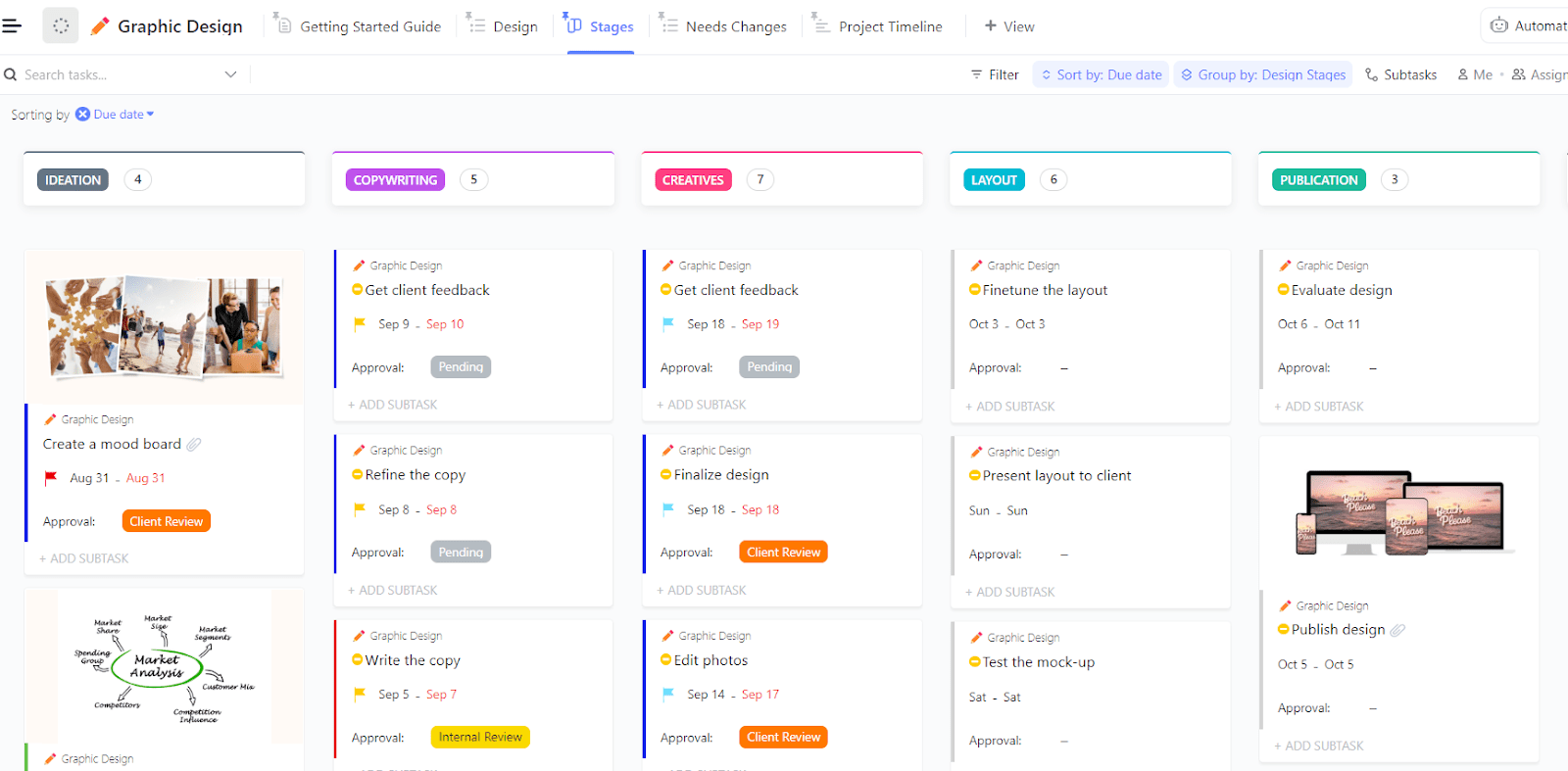
Messy file folders and unclear timelines can slow your creative flow. The ClickUp Graphic Design Template helps you organize files, track progress, and manage design deadlines so you can spend more time creating and less time opening each ‘final_final.jpg.’
With this one, you can instantly find and access design files with structured task organization and assign time estimates and prioritize design requests in your pipeline.
📌 Ideal for: Freelancers, agencies, or in-house designers who want a flexible system for tracking creative requests from draft to approval.
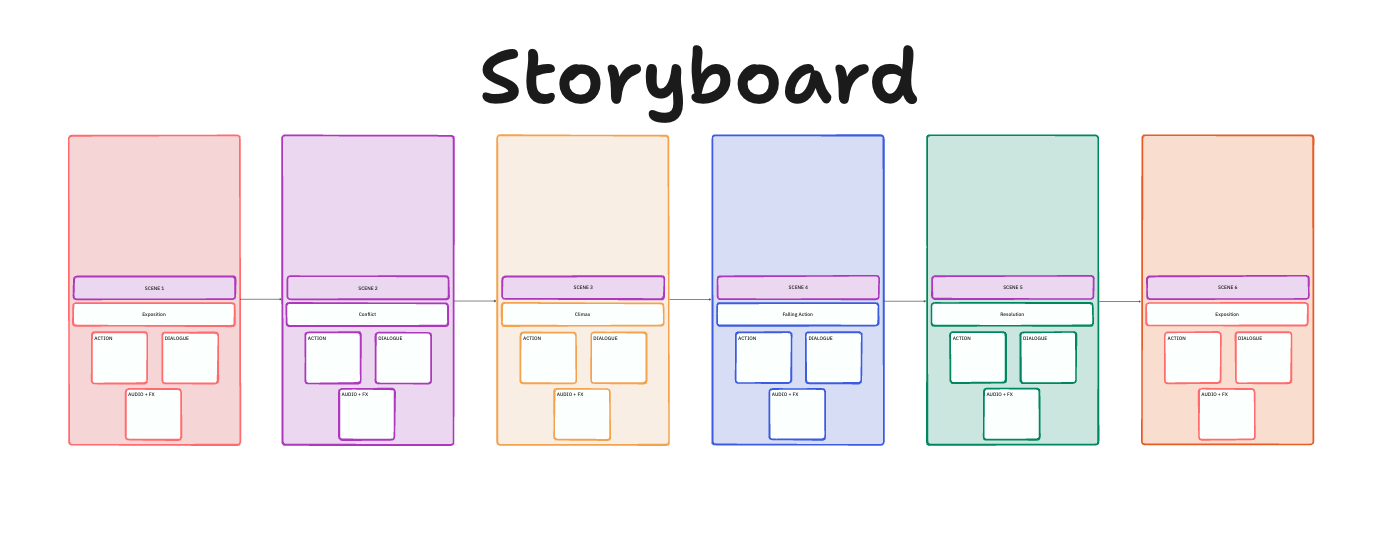
The ClickUp Storyboard Template, built in ClickUp Whiteboards, helps you sketch out scenes, map camera angles, and capture dialogue so your team has a clear visual plan before production begins.
With the interactive whiteboard, you can plan out short films, social videos, or game cutscenes shot by shot, making your creative process more organized and visual.
For each scene, you also have the flexibility to add details like actions, dialogue, audio cues, and FX prompts, so your storyboard becomes a complete creative blueprint.
📌 Ideal for: Filmmakers, video marketers, agencies, and game designers who need a visual-first way to communicate creative direction.
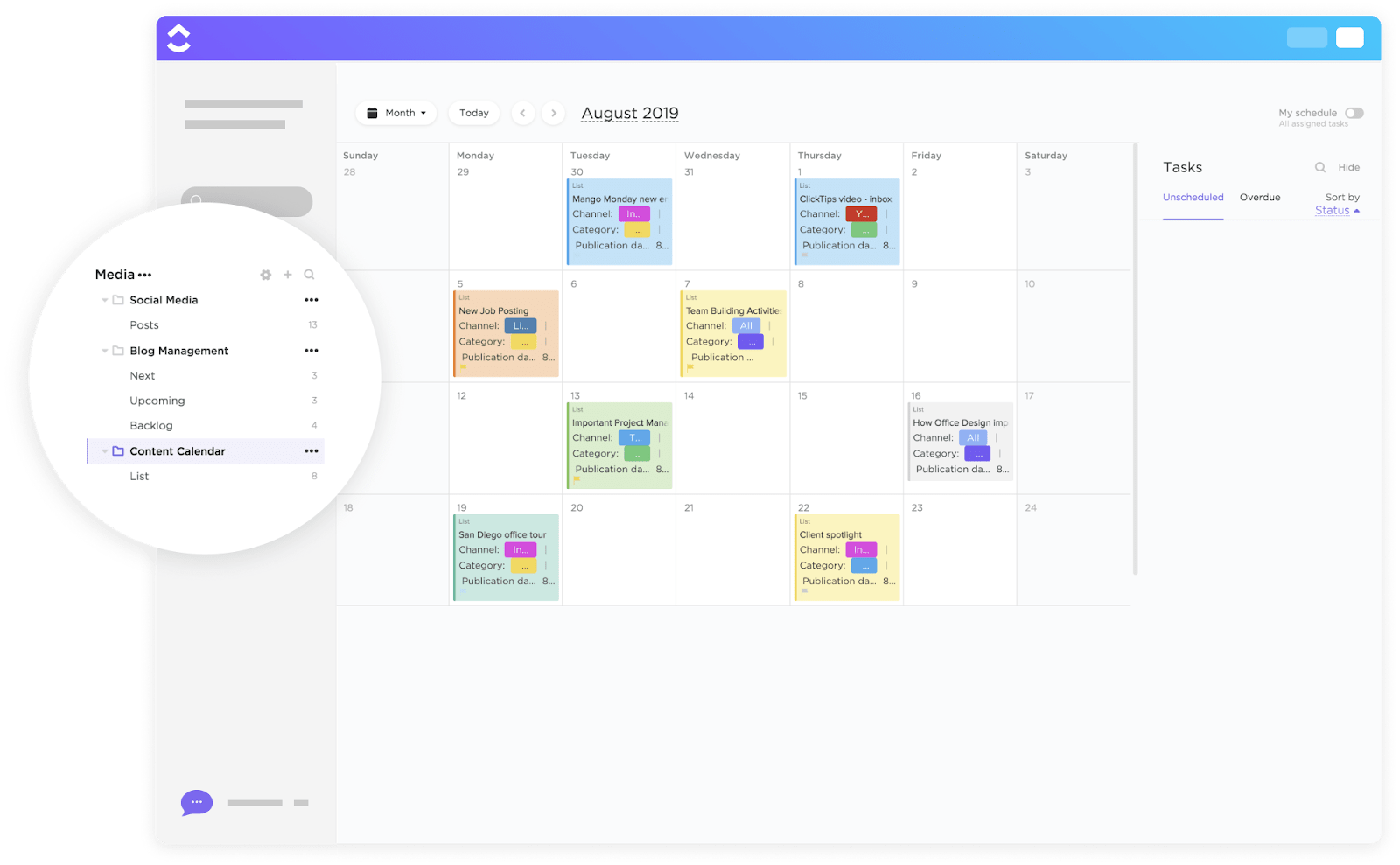
Plan all your blogs, campaigns, and social media posts with the ClickUp Content Calendar Template.
It helps you map, schedule, and track content across multiple marketing channels so your team stays aligned from brainstorm to publish.
📌 Ideal for: Marketing teams, content creators, and agencies who want a central hub to plan, review, and launch content across multiple platforms.
🚀 ClickUp Advantage: Got a video idea but no time to map it all out? Let ClickUp Brain do the heavy lifting. Just drop in a quick prompt and watch it write a video script, outline, or even a full creative brief in seconds.
And when your project feels too big to handle, ClickUp Brain breaks it down into clear subtasks, making your workflow feel more manageable.
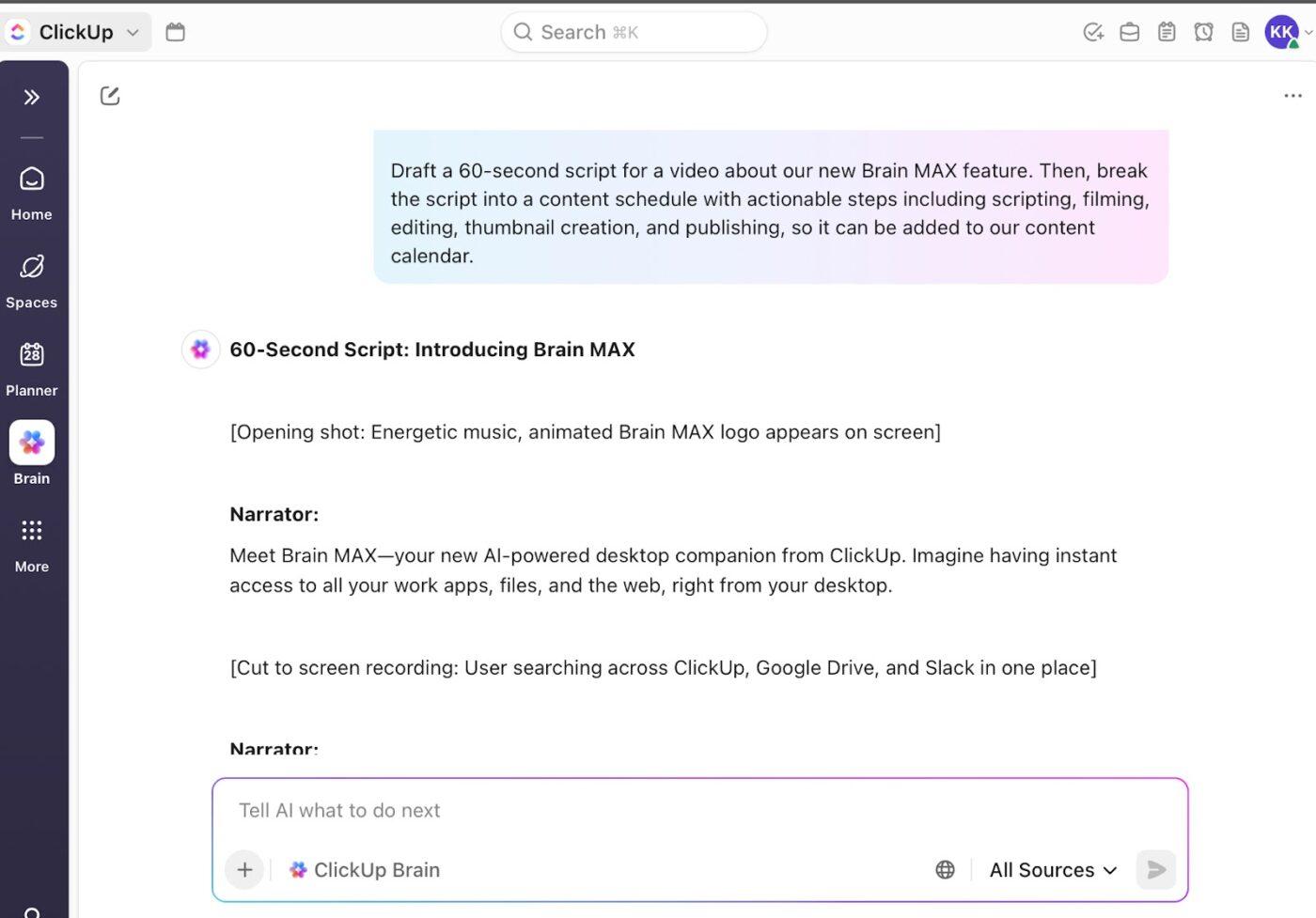
✅ Try This Prompt: “Draft a 60-second script for a video about [your topic/product/service]. Then, break the script into a content schedule with actionable steps, including scripting, filming, editing, thumbnail creation, and publishing so that it can be added to our content calendar.“
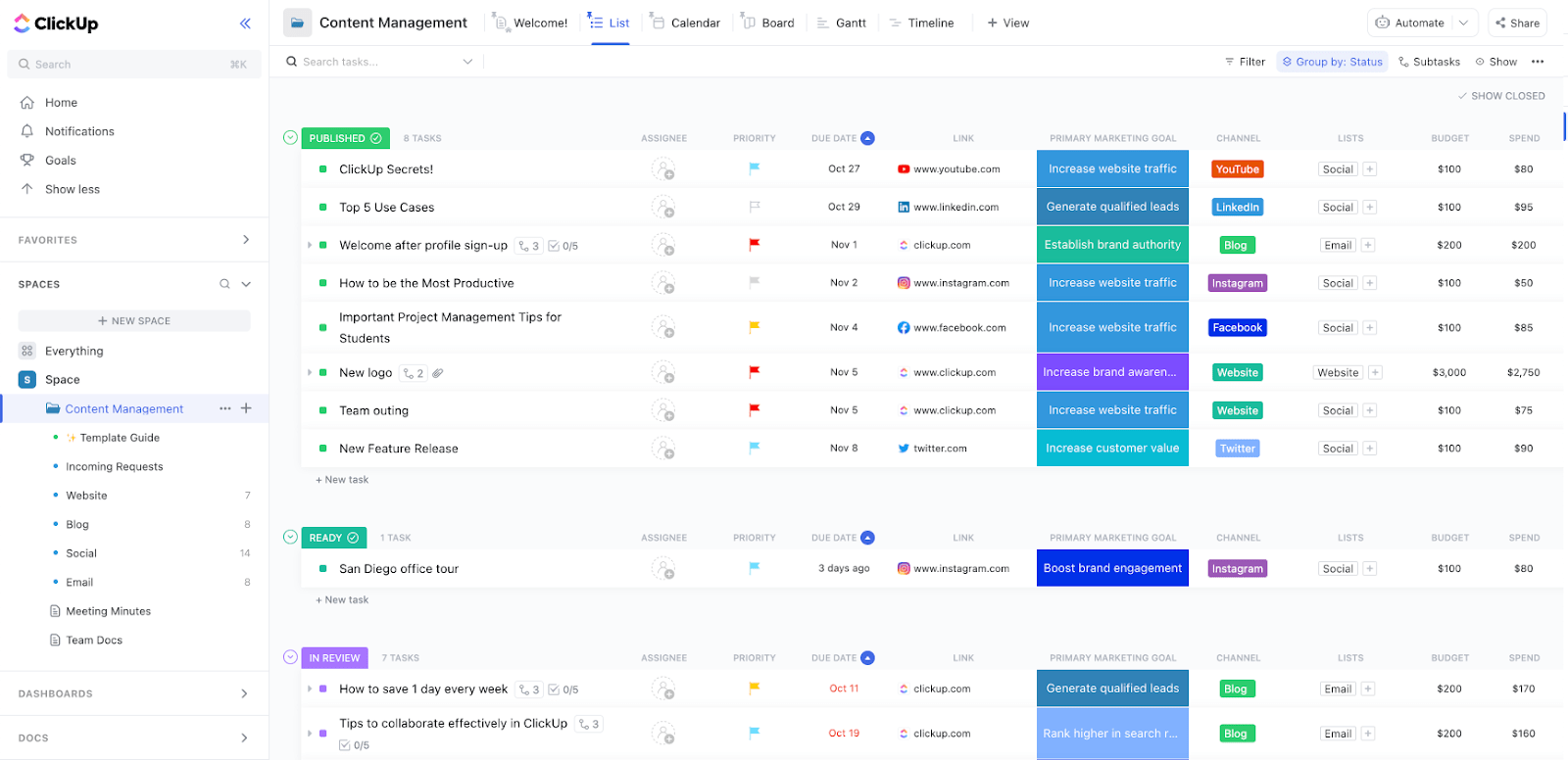
Managing blogs, newsletters, podcasts, and campaigns across various stakeholders can get messy fast. The ClickUp Content Management Template provides a structured and customizable system to handle everything—from initial requests to final approvals—without losing visibility.
This template is built for multi-channel content operations, so you can create, track, and optimize assets across your entire marketing ecosystem.
📌 Ideal for: Content teams managing complex, multi-channel operations who need flexibility and visibility at every stage.
Hear it from a ClickUp user:
ClickUp has transformed the way our team works, providing one source of truth aligns our team and ensures we stay focused on our goals. Using templates, automations, and getting our workflows properly setup has been a game-changer in terms of efficiency and communication.
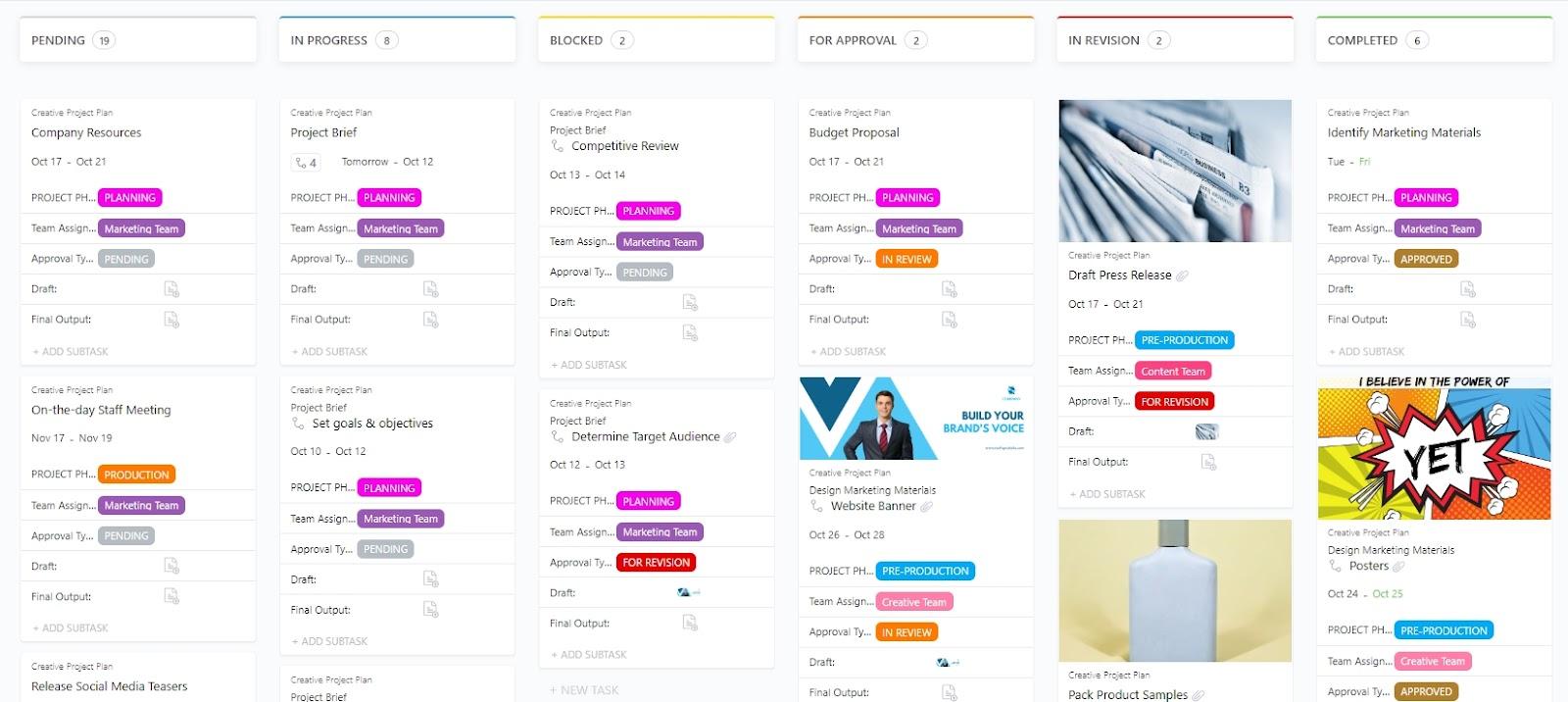
The ClickUp Creative Project Plan Template is built as a List template that helps creative teams break down, assign, and track every step of a project with clarity. Instead of relying on scattered notes or emails, you get structured fields, statuses, and views explicitly designed for creative workflows.
📌 Ideal for: Creative teams managing multi-phase projects like ad campaigns, video shoots, or website redesigns.
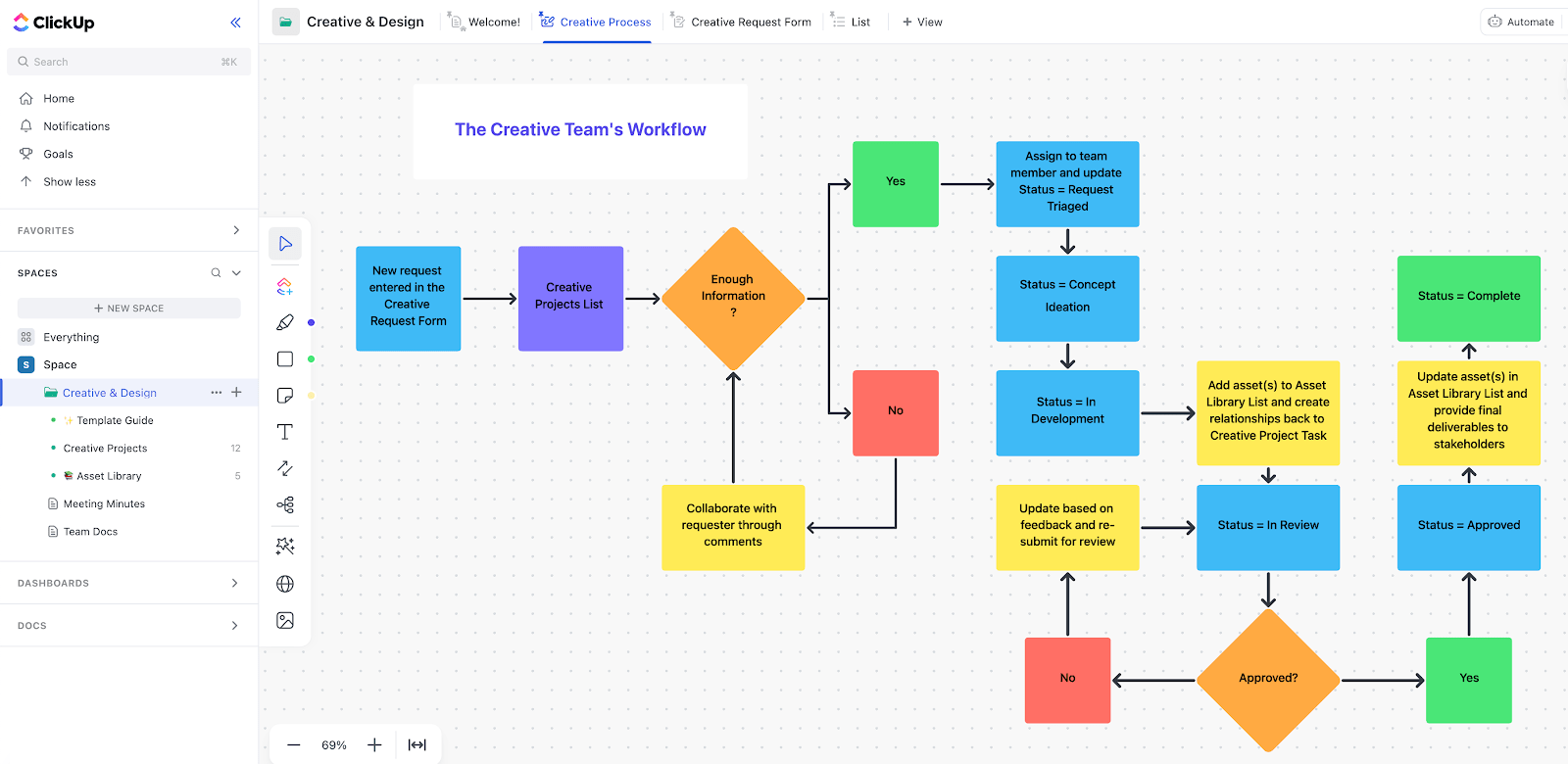
The ClickUp Creative & Design Template is a Folder template built to manage incoming creative requests, campaigns, and design assets from intake to delivery.
It centralizes all ideas, briefs, and asset files so design teams can focus on execution instead of chasing updates.
📌 Ideal for: Design teams and in-house creative agencies handling a high volume of requests (social graphics, brand assets, product mockups) and needing a centralized system.
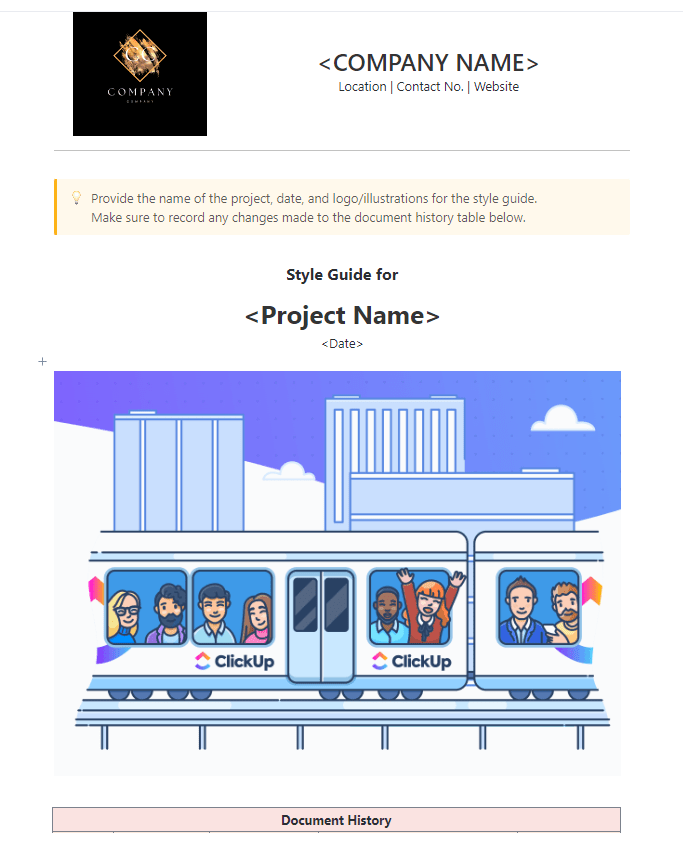
The ClickUp Style Guide Template is a Doc template designed to centralize all your brand elements in one place. This one serves as your single source of truth for brand consistency, making sure every color, font, and logo application follows the same standards.
📌 Ideal for: Marketing, design, and brand teams that need a central, interactive brand guide to ensure consistency.
Asana video production templates are a solid way to organize tasks and keep projects moving, helping teams stay on top of scripts, edits, and schedules.
However, when projects get bigger or involve multiple stakeholders, gaps in communication and visibility can slow things down.
That’s where ClickUp shines. With its unified workspace, real-time tracking, built-in collaboration, and customizable templates, ClickUp gives your team everything they need to manage production smoothly from start to finish.
Sign up to ClickUp for free today and see your creative workflow come alive! 🎨

© 2026 ClickUp

There’s an easier way. Try a free AI Agent in ClickUp that actually does the work for you—set up in minutes, save hours every week.