Sorry, there were no results found for “”
Sorry, there were no results found for “”
Sorry, there were no results found for “”
95% of marketers agree that video content is an excellent way to increase brand awareness. It helps customers understand your offerings better and contributes to lead generation and sales growth.
But you need a strategic action plan to ensure your videos become viral action drivers instead of forgettable footage.
You must keep everything on track, including the marketing team brainstorming creative concepts, the production crew scheduling shoots, and the post-production team juggling edits and revisions. And that’s a task in itself!
Project management tools can help. In this blog post, we’ll walk you through the intricacies of video production project management, outlining essential stages, effective tools, and essential video project management software features to ensure your video projects run smoothly.
Video production project management is the process of overseeing all aspects of a video project from conception to completion. It includes planning, organizing, and managing resources, timelines, and tasks to achieve specific objectives through pre-production, production, and post-production.
This process ensures that all team members are aligned, tasks are completed on time, and the final product meets the desired quality standards.
Here are some more reasons why effective video production project management is important:
By effectively managing these aspects, project managers contribute significantly to the success of a video production project.
The video production process consists of five key stages that are essential for creating a successful final product:
Suppose you’re tasked with creating a training video for new hires. You start by defining the video’s purpose and target audience and laying the groundwork for a smooth production process.
Key tasks include:
💡 Pro tip: Check out these 15 training video examples to find inspiration for your training video. When reviewing training video examples, focus on clarity, engagement, structure, interactivity, and the quality of visuals and audio.
Also read: 10 Best Video Marketing Software in 2024
During pre-production, you prepare every detail to ensure the filming gets done without a hitch.
This stage comprises:
The video creation process forms the heart of the project. Your team is on set, capturing the footage needed for the training video. For your training video, you may shoot a talking-head video of one of your trainers, for example, or have a team of employees share their best tips for success in the form of a small documentary. You may also choose to create animated videos and screen recordings instead.
There are three main elements at this stage:
💡 Pro tip: You can use training video software like ClickUp to create effective learning content for new employees or users quickly. With ClickUp, you can record screens without watermarks, add voiceovers, and share recordings effortlessly, making it ideal for employee onboarding and client tutorials.
With filming complete, the raw footage moves into post-production. Here, your team edits the footage to transform the raw clips into a coherent, polished training video that effectively conveys the intended message.
This stage involves:
Finally, it’s time to distribute your training video and ensure it reaches its intended audience. Effective distribution and promotion maximize the impact of your hard work. For example, you may send the training videos to each employee via email, upload them to a shared Slack channel, or post them on the intranet.
The choice of the marketing and distribution channels will depend on your video objectives, the characteristics of your target audience, your budget, etc.
Key tasks at this stage include:
💡 Pro tip: Some video types, like product demos, require extra push in distribution due to their nature and target audience. For example, your ideal customer profile (ICP) might be on LinkedIn, while influencers are on Instagram, necessitating focused social media project management.
Project management for video production can be a flurry of creativity, collaboration, and tight deadlines, where keeping everything organized and on track can feel impossible. Creative project management software can be your central command center for the entire video production process.
Most video teams suffer from Work Sprawl—scripts in Docs, shots in spreadsheets, edits in Drive, feedback in Slack—causing delays and miscommunication.
ClickUp centralizes all production tasks, files, edits, and feedback to eliminate Work Sprawl from the workflow.
Here’s a breakdown of some key functionalities of video project management software and how they translate to real-world benefits:
A good video production management software lets you break down your video project into manageable tasks, assign them to team members, and set realistic deadlines. This ensures everyone in the video production team knows their role and meets deadlines.
ClickUp stands out as a visual project management solution built for the unique demands of video production. It offers a user-friendly interface with customizable views like ClickUp’s Board view to track production stages and the List view to get a bird’s eye overview of all projects in one place. This lets you visualize your project flow in the way that works best for your team.
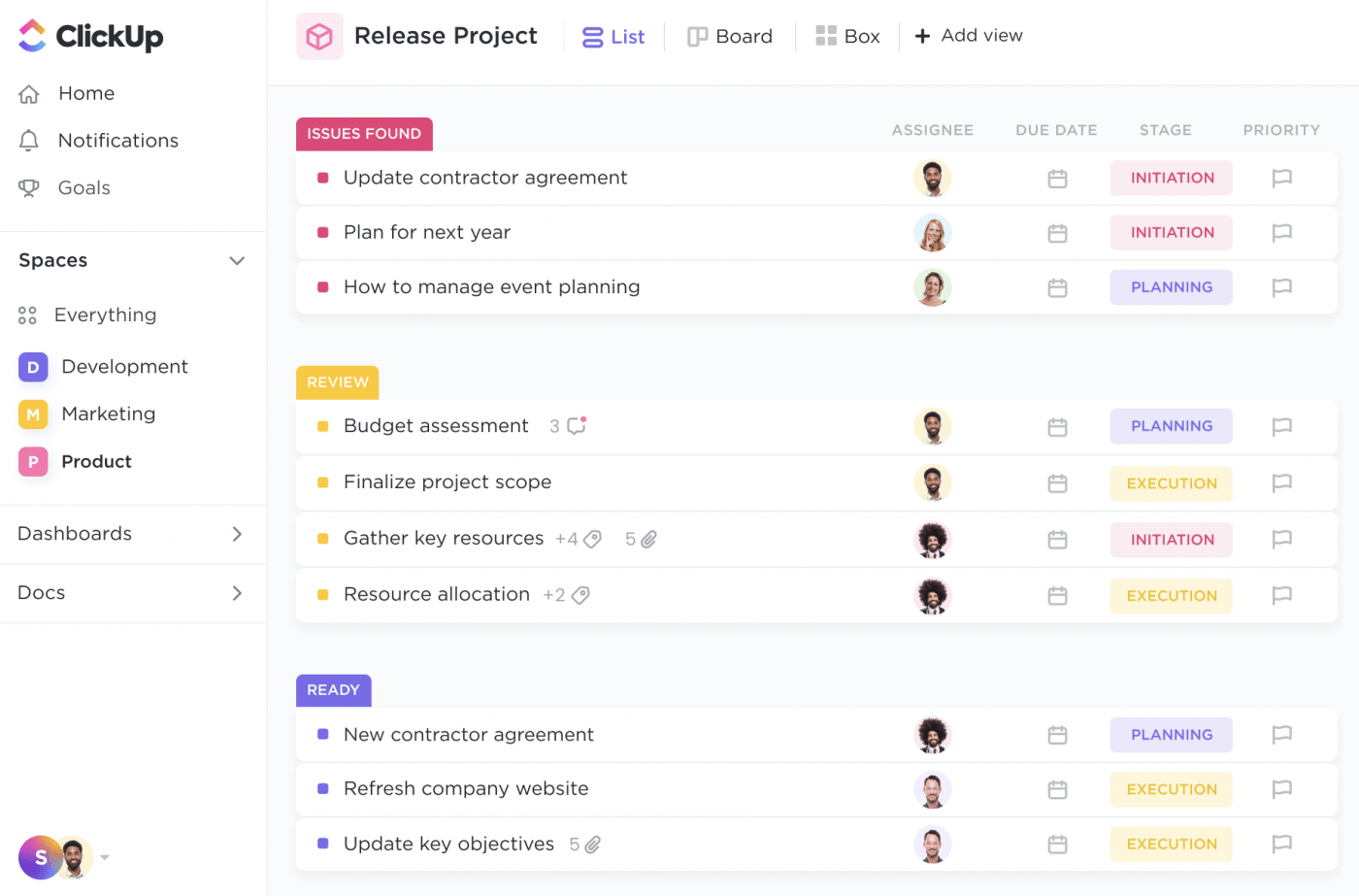
Video production management software helps you visualize your video production team’s workload and equipment availability. You can then allocate resources efficiently to avoid bottlenecks and ensure everything is ready when needed.
Here’s a quick primer on the ClickUp features that promote optimal use of your time, money, and human resources during video production:
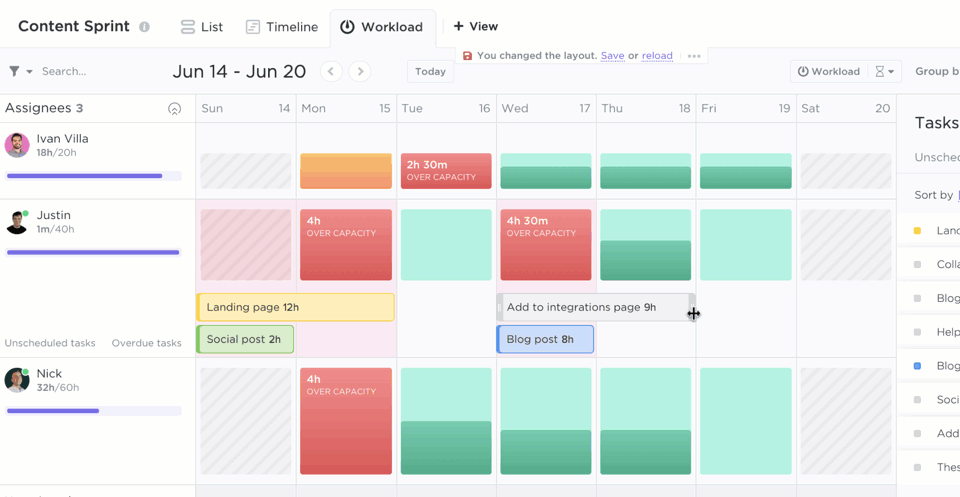
You should set budget limits for different phases of the production process. Allocate specific amounts for tasks such as scriptwriting, filming, and editing. Defining these budgets upfront helps you avoid overspending in any one area and ensures you distribute funds appropriately across the project.
ClickUp Brain, an AI tool, can support your budgeting process by saving time and money in post-production. This AI-powered assistant can automatically transcribe audio and video clips. It enhances video production project management by time-stamping these transcriptions, making editing and review processes more efficient.
It also powers the ClickUp Video Script Generator, which automatically generates scripts and flows for your video projects. Think you’ve found a new creativity partner? Well, it’s more than that!
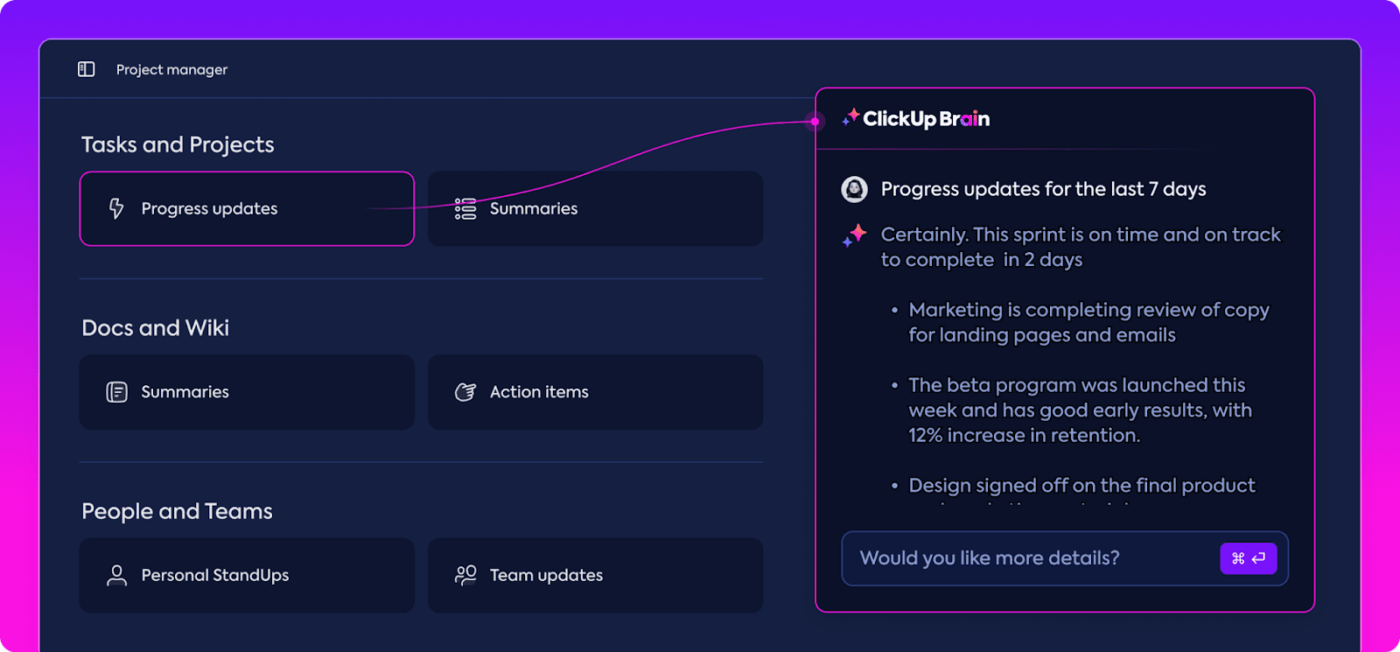
Brain centralizes your company-wide knowledge, ensuring easy access to scripts, meeting notes, and transcriptions while facilitating real-time collaboration and seamless integration with ClickUp Tasks. All you need to do is ask!
It also automates repetitive tasks, supports idea generation and script development, and improves accountability and progress monitoring, ultimately streamlining video production workflows and boosting productivity.
In a high-collaboration team, project management means seamless communication. You should be able to share files, discuss tasks, and provide feedback directly within the platform. This eliminates email clutter and keeps everyone on the same page.
Teams often rely on multiple disconnected AI tools for scripting, summarizing interviews, generating ideas, or creating briefs—leading to AI Sprawl and fragmented workflows.
ClickUp Clips’ built-in screen and webcam recording feature allows you to do this seamlessly. Use it to record short video snippets and share them directly within tasks—perfect for capturing quick, creative ideas or providing feedback on edits.
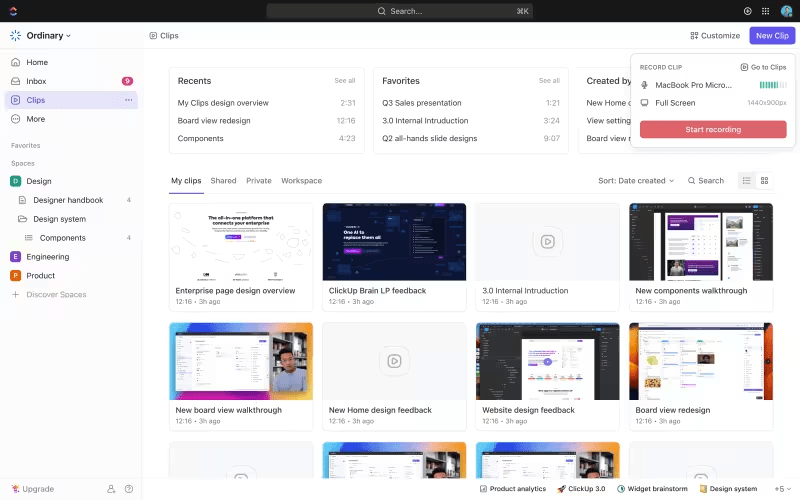
You can turn your Clips into Tasks and assign them for relevant action based on the ideas you share or feedback you receive. Adding comments within Clips enables quick reference and speeds up real-time collaboration.
💡 Quick tip: Centralize comments and communication in one place so it’s easier to reference them at any stage of the video production process.
And you don’t need to worry about the Clips getting lost in tasks later. The Clips Hub helps you stay organized by automatically storing every Clip recorded in comments, Tasks, or Docs in ClickUp. You can search, sort, and visualize your hub however you want, so you never lose track of a Clip you create.
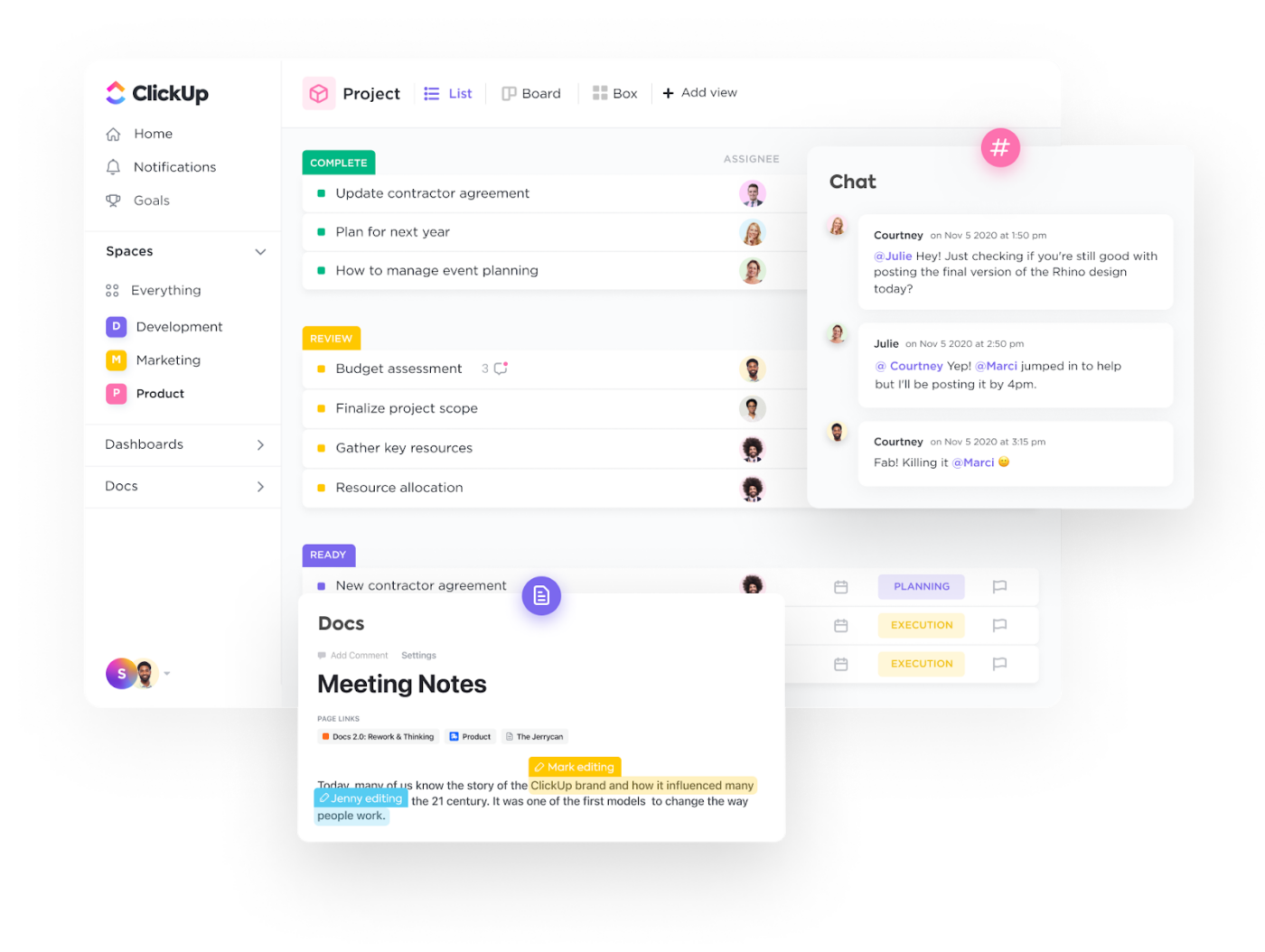
As a project lead, you should have real-time visibility into project progress. ClickUp’s Kanban Boards offer a visual and intuitive way to identify dependencies and track project progress. By organizing tasks into columns representing different stages of completion (e.g., To Do, In Progress, Review, Done), project managers can quickly assess the project’s overall health.
Team members can update task statuses in real time, ensuring that the board always reflects the current project state.

Consolidate all your project files—scripts, storyboard documents, video clips—in one central location. Version control ensures everyone is working on the latest iteration.
ClickUp’s project management tool integrates seamlessly with popular cloud storage solutions like Google Drive and Dropbox. Plus, ClickUp’s Universal Search means all your project files are readily accessible within ClickUp, eliminating the need to search for them across different platforms.

Besides the video project management features we walked you through, ClickUp has ready-to-use, fully customizable pre-built templates for video production teams.
The ClickUp Video Production Template is a handy solution to plan, manage, and execute your videos quickly and efficiently.
The template consolidates all project-related information in one place. It includes features for task assignment, scheduling, budgeting, and collaboration, all essential for video production.
Quick tips to extract the most value out of this template:
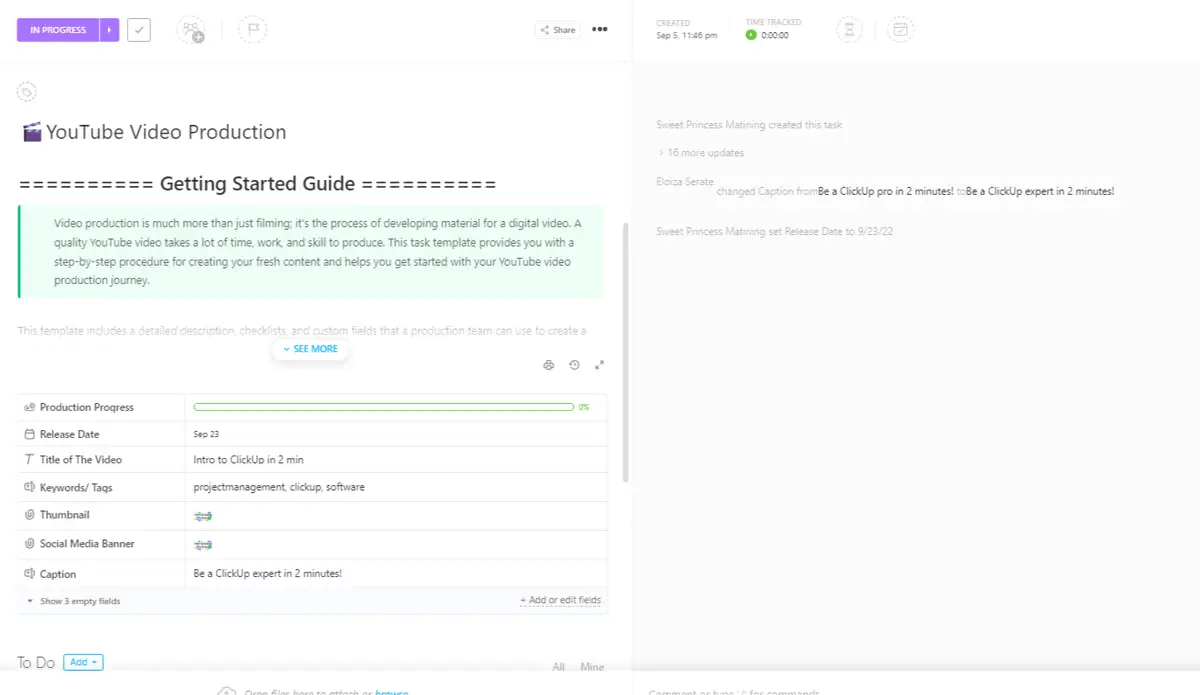
Another option is the ClickUp YouTube Video Production Template, which provides a step-by-step procedure for creating fresh content and helps you start your YouTube video production journey.
Using this template’s features for task management, collaboration, time tracking, and automation ensures a smooth production process and high-quality content delivery. You can also schedule pre-production activities and sync with team calendars to ensure everyone is on the same page.
Here are some additional tips to make the most of this template:
One of the most frequent mistakes in video project management is inadequate planning. Without a well-defined plan, projects can quickly go off track, leading to confusion and delays.
ClickUp’s task and timeline features are invaluable for creating detailed project plans. By breaking the project into smaller, manageable tasks and setting clear timelines, you can ensure that every aspect of the production process is thoroughly planned and executed.
Similarly, ClickUp’s collaboration tools facilitate clear and consistent communication among team members. With features like real-time commenting, file sharing, and task assignments, team members can stay connected and informed throughout the project.
In addition, ClickUp helps overcome:
To any organization struggling with how to manage their projects, ClickUp will help in task collaboration. With this software, people can keep track of the to-do list items and work on those tasks within the stipulated time. It also helps the project management team to track the overall progress of the projects to ensure deadlines are kept.
Effective video production project management is essential for delivering high-quality content on time and within budget. But finding the right production management tool isn’t easy.
You could get some tips from Ericka Marett and her team’s quest to find the perfect project management software for Adhere Creative. The team had been using Basecamp for years and had outgrown it. They identified key requirements, tested several platforms, and ultimately chose ClickUp for its:
Ericka recommends making a detailed list of features and testing platforms thoroughly to ensure a good fit for managing video production projects.
Sign up for a streamlined video production process today.
Try ClickUp now!
Creative teams think in ideas; production teams think in logistics. Use a shared production hub (task lists, shot lists, scripts, and edits) with role-specific views — e.g., Board view for creatives, Gantt for producers, Workload for crew scheduling.
Use version-controlled Docs + ClickUp Clips inside tasks so creative updates never get lost. Create approvals workflows with statuses like Needs Review → Changes Requested → Approved.
Use Workload View to see crew availability, equipment usage, and editor bandwidth. Drag-and-drop reallocations prevent burnout and missed deadlines.
Use task dependencies with approvals, embed frame-specific feedback via Clips comments, and create a repeatable QA checklist with automation triggers.

Manasi Nair
Max 22min read
Manasi Nair
Max 15min read

Praburam Srinivasan
Max 16min read

© 2026 ClickUp