







Still downloading templates?
There’s an easier way. Try a free AI Agent in ClickUp that actually does the work for you—set up in minutes, save hours every week.
Sorry, there were no results found for “”
Sorry, there were no results found for “”
Sorry, there were no results found for “”

Have you ever tried planning a project without a clear view of who’s available and when? It’s a recipe for delays, burnout, and missed opportunities. In fact, 41% of resource managers say a lack of visibility into team capacity is one of their biggest challenges.
Tools like Teambook aim to fix this. But many teams find themselves battling a clunky interface, limited integrations, or pricing that just doesn’t scale with their needs.
Whether you’re working on client timelines, internal resourcing, or cross-functional dependencies, you need a tool that gives you control and clarity. One that makes resource planning intuitive, not another task to manage.
In this guide, we’ll walk you through the best Teambook alternatives—tools built for modern teams that need real-time visibility, flexible scheduling, and project planning that actually fit how they work.
Here’s a quick comparison of the best Teambook alternate options to help you choose the right fit based on a few key features (like real-time collaboration and project views), pricing, and user ratings.
| Tool | Best for | Key features | Pricing* | Ratings |
| ClickUp | All‑in‑one work management with flexible scheduling, resource planning, ambient AI, and automation | Workload & Timeline views, Custom Fields, built‑in time tracking, scheduling templates, 1,000+ integrations | Free plans; customizations for enterprises | G2: 4.7/5 Capterra: 4.6/5 |
| Float | Live visibility into resource utilization, capacity, and margins | Drag‑and‑drop allocation, skills matching, budget & rate tracking, built‑in time tracking, time‑off management | Paid plans from $8.50/month per user | G2 4.3/5 Capterra 4.5/5 |
| Resource Guru | User‑friendly scheduling with time‑off and clash management | Shared calendar, clash detection, leave tracking, daily schedule emails, utilization reports | Paid plans from $5/month per user | G2 4.6/5 Capterra 4.7/5 |
| Calendly | Automating client scheduling and reducing back‑and‑forth | Real‑time booking links, automated reminders, round‑robin & collective meetings, 100+ integrations, payment collection | Free plan; Paid plans from $12/month per user | G2 4.7/5 Capterra 4.7/5 |
| Teamwork | Managing client work with built‑in billing and utilization tracking | Workload Planner, billable hours, centralized client comms, task automation, custom dashboards | Free plan; Paid plans from $13.99/month per user | G2 4.4/5 Capterra 4.5/5 |
| Wrike | Scaling cross‑functional project teams | Custom workflows, request forms for other resources, resource scheduling, real‑time analytics, multiple views, 400+ integrations | Free plan; Paid plans from $39/month per user | G2 4.2/5 Capterra 4.3/5 |
| Trello | Simple visual task tracking | Kanban boards, checklists & due dates, Butler automation, Power‑Ups, Calendar & Timeline views | Free plan; Paid plans from $5/month per user | G2 4.4/5 Capterra 4.5/5 |
| Deputy | Shift scheduling and workforce management | Demand‑based schedules, mobile shift swaps, compliance alerts, GPS time clock, payroll/POS integrations | Paid plans from $4.50/month per user | G2 4.6/5 Capterra 4.6/5 |
| Clockify | Simple time tracking across projects and teams | Manual & automatic timers, client/task tagging, dashboards, branded reports, 80+ integrations | Paid plans from $5.49/month per user | G2 4.5/5 Capterra 4.8/5 |
| Keka | HR‑centric resource and time management | Biometric & mobile check‑ins, leave‑payroll sync, project timesheets, OKRs & reviews, unified HR workflows | Paid plans from $9/month per user | G2 4.5/5 Capterra 4.4/5 |
| Hub Planner | Advanced resource scheduling and visibility | Heatmaps & availability, integrated timesheets, real‑time forecasting, skills matching, budget tracking | Paid plans from $7/month per user | G2 4.2/5 Capterra 4.2/5 |
Our editorial team follows a transparent, research-backed, and vendor-neutral process, so you can trust that our recommendations are based on real product value.
Here’s a detailed rundown of how we review software at ClickUp.
Teambook earns praise for its clean interface, easy onboarding, and visual scheduling. But even its longtime users have voiced a recurring concern: it’s too narrowly focused.
Tools that do not provide end-to-end resource management often prove inadequate for project managers and operations leads who are constantly switching between multiple projects. This contributes to work sprawl, draining time and energy.
This was noted by a Capterra review:
The scope of Teambook is still quite narrow. We would have loved to see it extending to a complete PSA solution
So if you’re exploring a Teambook alternative, you’re likely facing one or more of these challenges:
Are you in search of a resource planning tool that surpasses simple scheduling?
We’ve rounded up the 11 best Teambook alternatives that offer greater flexibility and deeper resource management capabilities.
Unlike Teambook, which focuses solely on resource scheduling, ClickUp is an all-in-one AI-powered HR management platform that combines resource management, project planning, and time tracking in a flexible, fully customizable workspace.
As a Converged AI Workspace, it’s truly the only work app HR teams need. Let’s see how it works.

For project managers with tight bandwidth, the biggest challenge is understanding who’s doing what and when. ClickUp solves this with resource planning tools like ClickUp Workload and ClickUp Timeline Views that visualize team capacity in real time.
Suppose your design team has a full schedule for this week. ClickUp’s Workload View uses simple red-yellow-green indicators to help you spot overloads at a glance.
You can group by assignee, adjust timelines directly, and zoom in to view daily availability. This allows you to easily rebalance work before burnout kicks in.
💡 Pro Tip: To take your project and individual planning to the next level, try ClickUp Calendar. It auto-schedules your day based on priority, meetings, and availability—so you’re never left guessing what to tackle next. It even syncs with Google and Outlook to keep everything in one place.
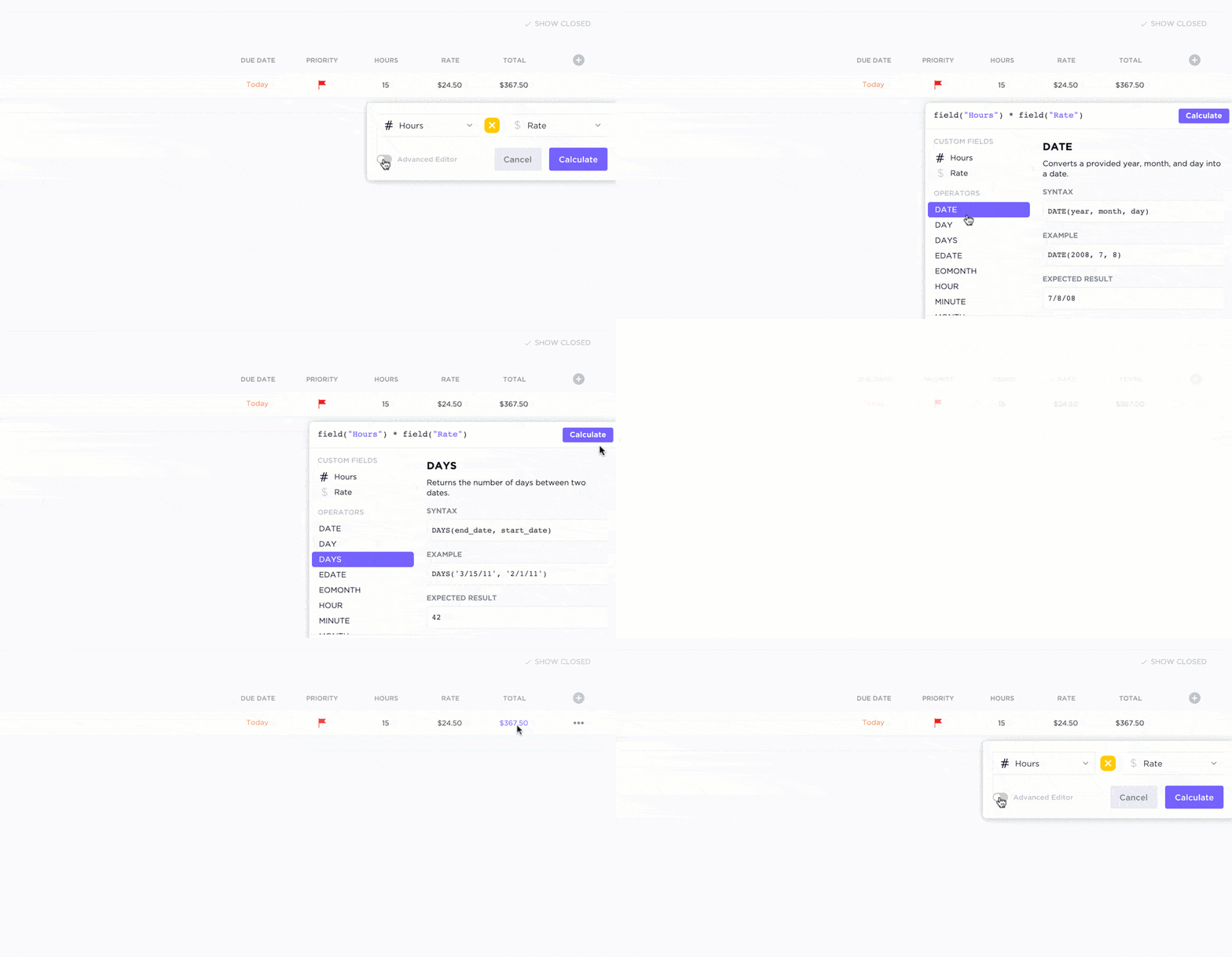
Need to assign projects based on team roles or availability? That’s where ClickUp Custom Fields shine. Add fields like department, location, or skillset, and filter resources accordingly.
📌 Example: Say you’re onboarding a new enterprise client next week. You need someone from the Solutions team who’s worked with similar accounts, isn’t already overbooked, and has availability Wednesday through Friday. By filtering Custom Fields like department, client type, and availability, you can instantly narrow down the right teammate.
Track hours and stay on budget with ClickUp’s Time Tracking
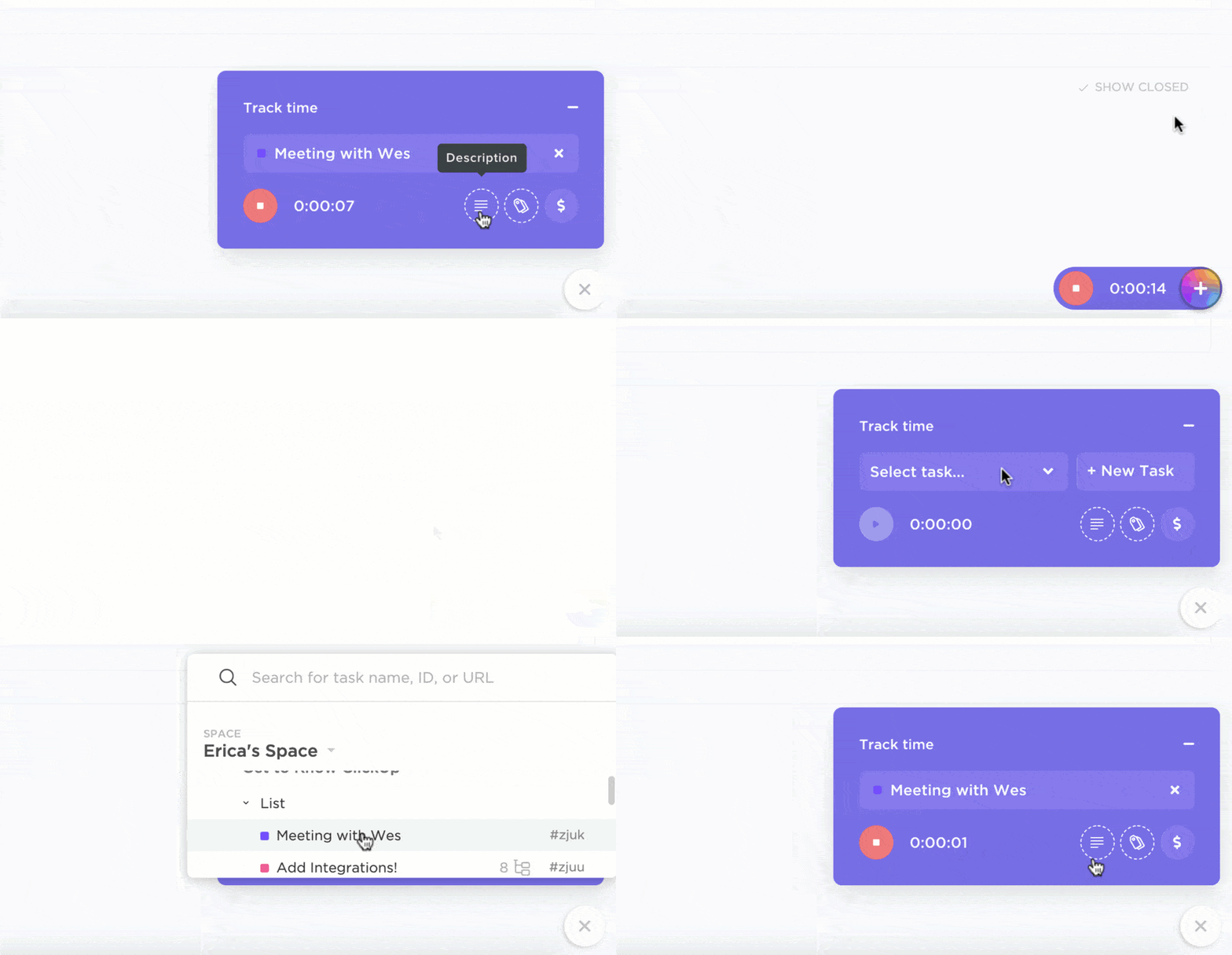
For teams that bill by the hour or need audit trails, ClickUp’s Project Time Tracking and time estimates are exactly what you need. Estimate how long a task should take, track actual time spent, and flag overruns early. And if your team uses tools like Harvest or Toggl, ClickUp integrates with them too.
💡 Pro Tip: ClickUp also supports labels and notes within time entries—so your team can log exactly what they worked on, down to the task detail. No more guessing what “3 hours—Admin” actually meant.
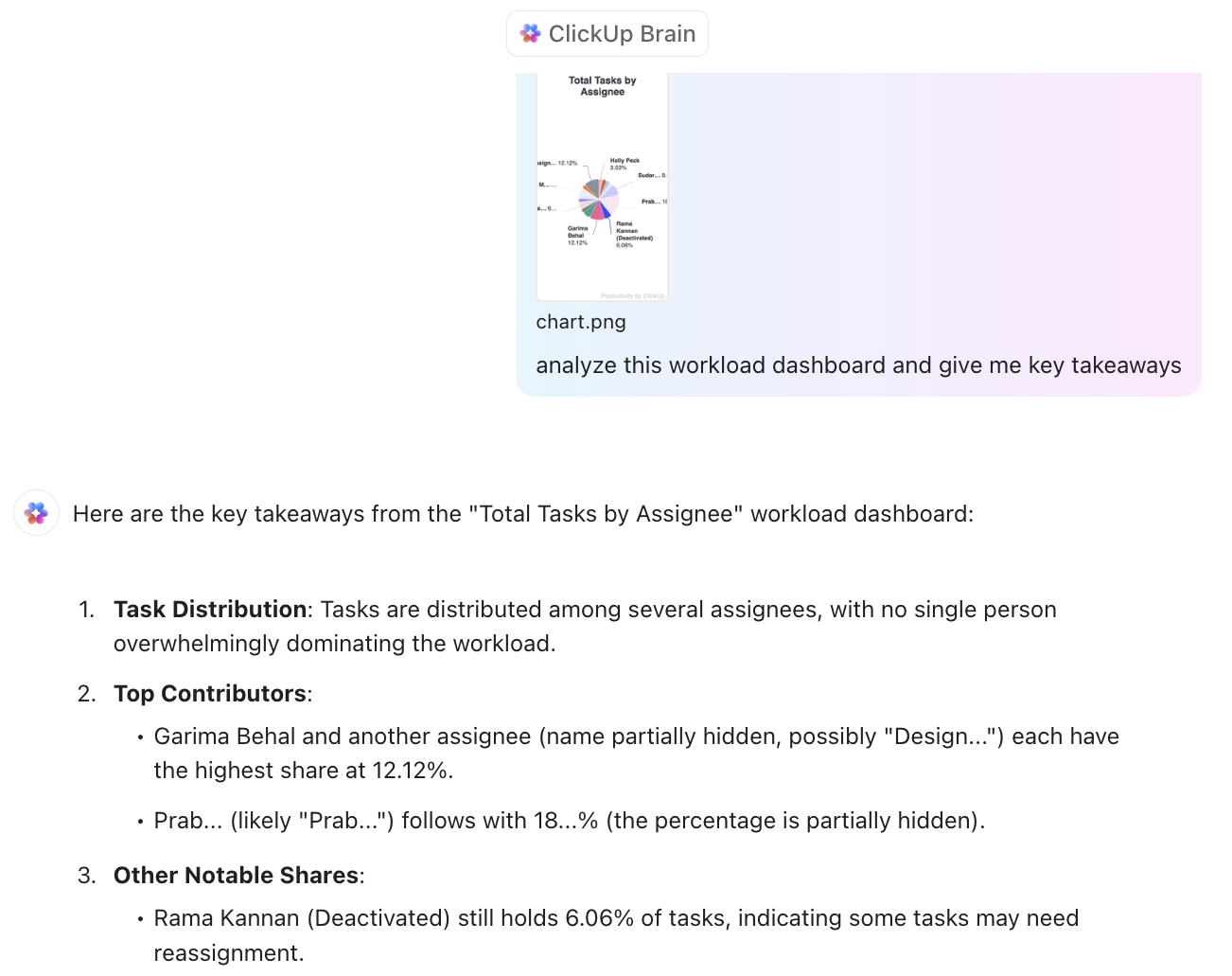
ClickUp Brain brings advanced AI capabilities directly into your workflow. With ClickUp Brain, you can automate repetitive tasks, generate content, summarize information, and get instant answers from your workspace—all in one place.
This means you spend less time switching between tools and more time focusing on what matters. The AI features help streamline communication, boost productivity, and ensure you always have the information you need at your fingertips. Simply @mention Brain in ClickUp Chat, Tasks, comments or anywhere else, and you have full context of your connected work ecosystem.
Planning team schedules from scratch every week can be exhausting. ClickUp offers resource planning templates that speed up repetitive processes.
For instance, if you want to know who’s available, who’s overloaded, and where your skills gaps are, ClickUp’s Resource Management People Template gives you a bird’s-eye view of your workforce so you can:
However, if you’re struggling to make sure everyone is doing the right thing at the right time, ClickUp’s Team Schedule Template helps you align team tasks with real-world calendar availability.
🎥 Here’s a useful video on capacity planning with ClickUp:
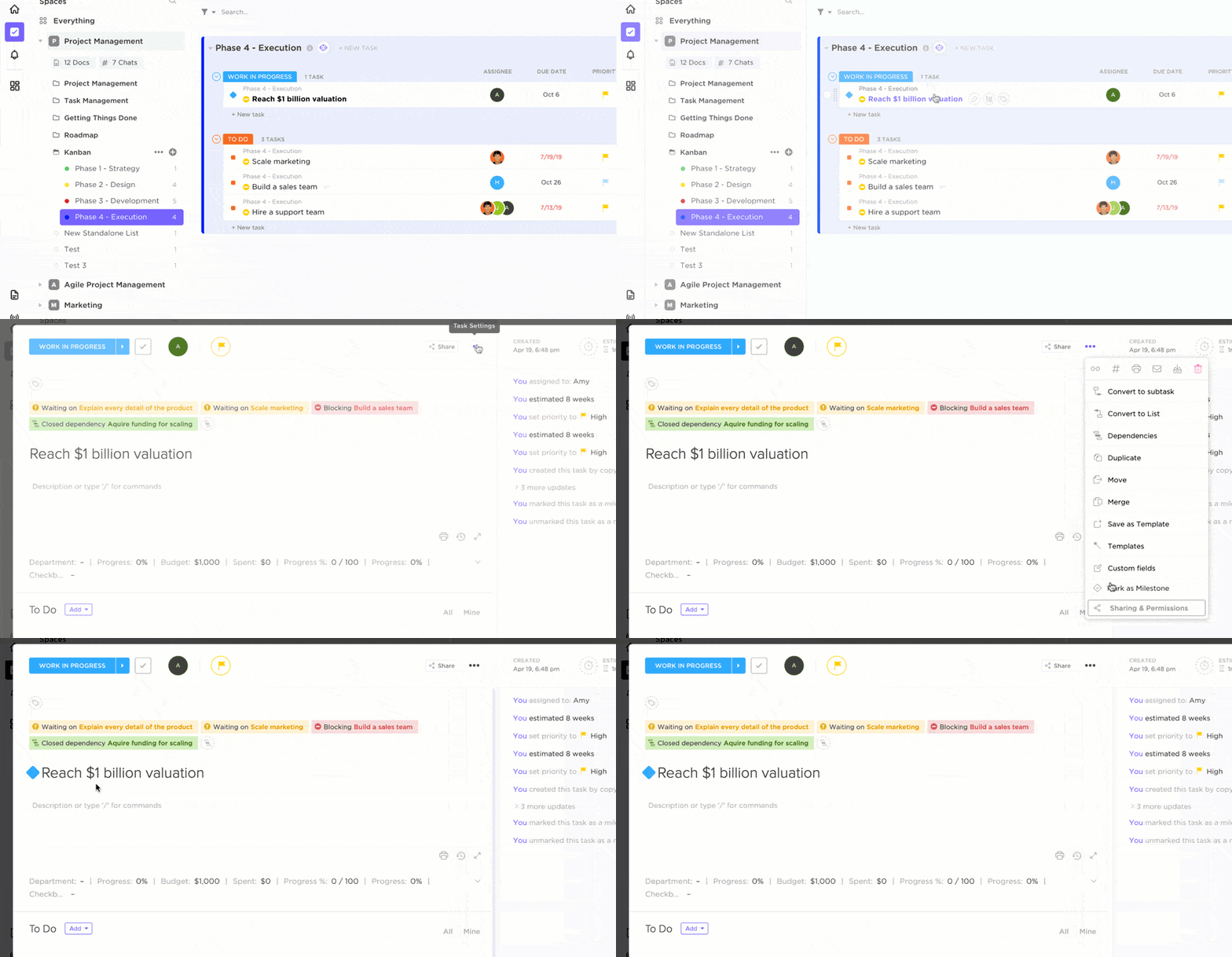
For teams already managing calendars or headcount in external tools, you can count on ClickUp Integrations. You can sync tasks with Google Calendar, connect with HR software like Hubstaff, Time Doctor, or Zoho People via Zoho Flow, and integrate with 1,000+ other tools to reduce manual updates across platforms.
This G2 review highlighted:
Clickup offers a wide range of tools from task management and time tracking to goal setting, making it an adaptable resource for different workflows and team sizes. The timesheets and customizable dashboards are especially helpful to see task progress at a glance and get an overview of each team member’s daily progress.
💡 Bonus: Take your resource planning to the next level with intelligent AI in a desktop app:
Try ClickUp Brain MAX—the AI Super App that truly understands you, because it knows your work. Ditch the AI tool sprawl, use your voice to get work done, create documents, assign tasks to team members, and more.

Float’s real strength, which sets it apart from other project planning tools, is that it goes further by surfacing live insights that help you stay profitable while managing capacity.
Built for professional services teams, it gives project managers clarity on resource allocation, cost impact, and team utilization without requiring them to switch between finance spreadsheets and scheduling tools.
This Capterra review noted:
Float provides us with an amazing platform that helps us schedule and plan our team tasks based on our resource availability. It allows us to assign tasks amongst ourselves and schedule task timelines to keep check on time.
📖 Also Read: Best Float Alternatives (Reviews & Pricing)
📮 ClickUp Insight: Most knowledge workers still depend on email and chat to stay connected—but nearly 60% of the workday slips away just jumping between tools and digging for details.
ClickUp brings all your work, messages, and updates into one space, so you can spend less time switching and more time doing what matters. With ClickUp Chat, team communication is effortless because of real-time messaging, file sharing, and collaboration directly embedded in your workspace.
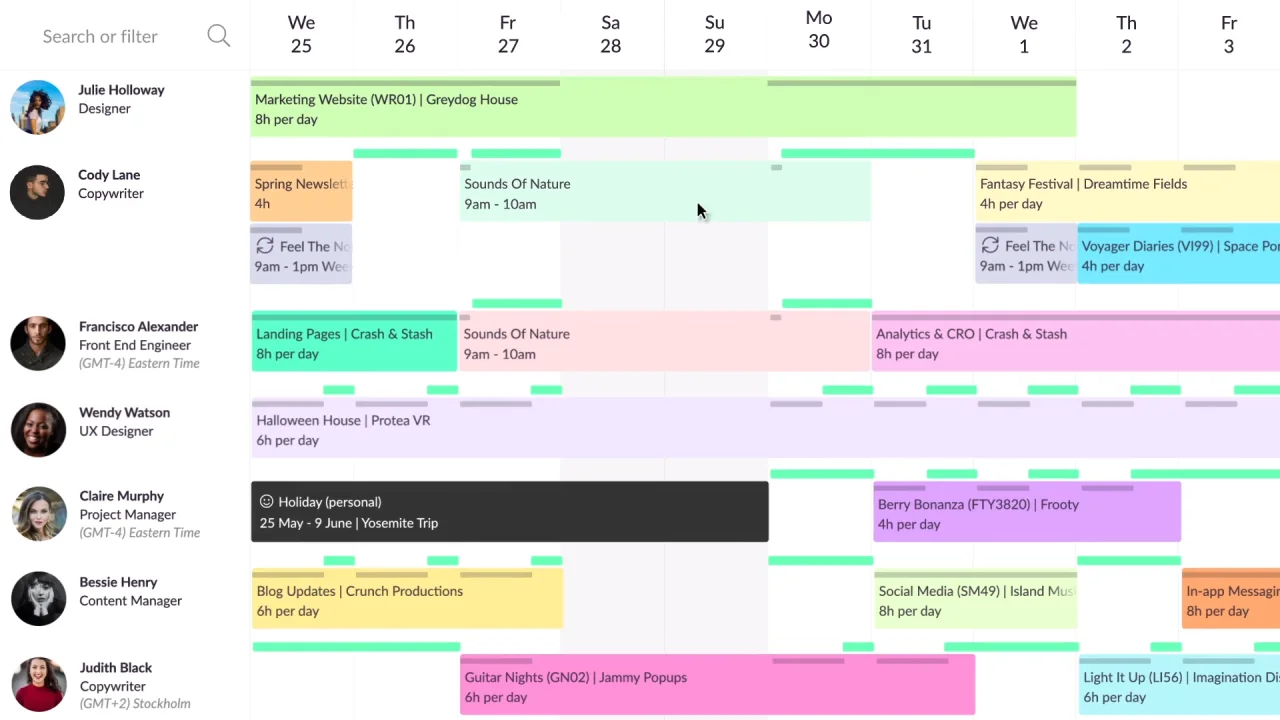
When project timelines get tight, even one overbooked team member can throw everything off. Most teams don’t have a clear, centralized view of who’s available and when, making last-minute rescheduling and missed deadlines all too common.
That’s where Resource Guru comes in. It simplifies scheduling with a drag-and-drop interface, real-time availability tracking, and built-in leave and clash management.
This G2 review shared:
Resource Guru helps our team collaborate on resource allocation, making it easier to find the best way to distribute workload. It offers flexibility in booking people and provides better visibility into our current capacity, helping us plan more effectively.
👀 Fun Fact: Pirate ships had a democratic resource system. Loot and tasks were divided using a strict code, where even the cook and surgeon had pre-agreed shares.

Booking a meeting can quickly turn into an email-based game. Let’s not even begin discussing the challenges of working across teams, time zones, or with busy clients. The problem is that the longer it takes to schedule a meeting, the more likely it is to fail.
Calendly solves this by letting you share a personalized scheduling link that reflects your availability in real time. Whether you’re managing discovery calls, interviews, or internal reviews, Calendly automates confirmations, reminders, and calendar syncing.
This Capterra review featured:
Calendly was my go to when I first needed a scheduler; it is the first thing that comes to mind when I think of recommending a scheduling platform. The fact that it integrates with other softwares makes it everything you need.
📖 Also Read: Common Scheduling Issues and How to Solve Them
🎥 Watch: How to use ClickUp for workforce management for agencies
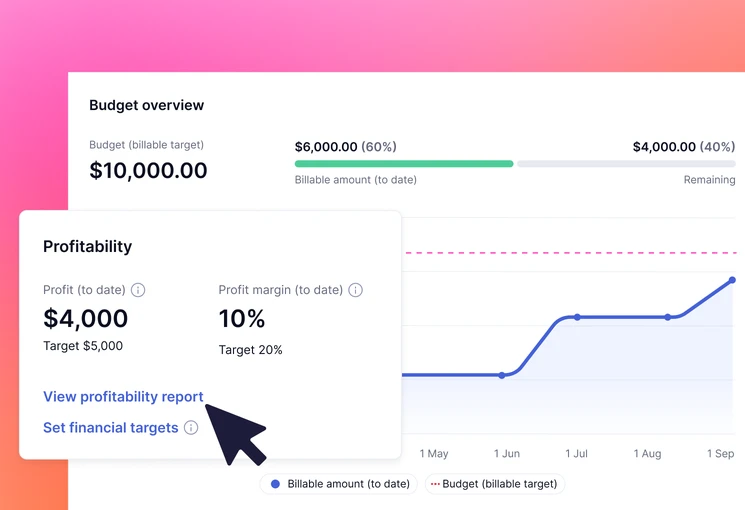
Managing client projects often means switching between multiple tools: one for tasks, another for time tracking, and something else entirely for client billing. This fragmentation eats into productivity and leaves room for error when profitability is on the line.
Teamwork brings all of that under one roof. Designed specifically for agencies, consultancies, and service teams, this free project management software blends project management, resource planning, and financial visibility into a single platform.
This G2 review quoted:
Teamwork easily allows us to share the workload amongst colleagues with total visibility of progress so far. Jobs are assigned, tracked, and archived with complete simplicity, meaning our whole team has continuous awareness of ‘the big picture’.
📖 Also Read: Best Teamwork Alternatives and Competitors
👀 Fun Fact: Before mechanical clocks, candles were marked at intervals to represent units of time. As the candle burned down, the melting wax would indicate the passage of time, signaling when to pray, rest, or resume work.
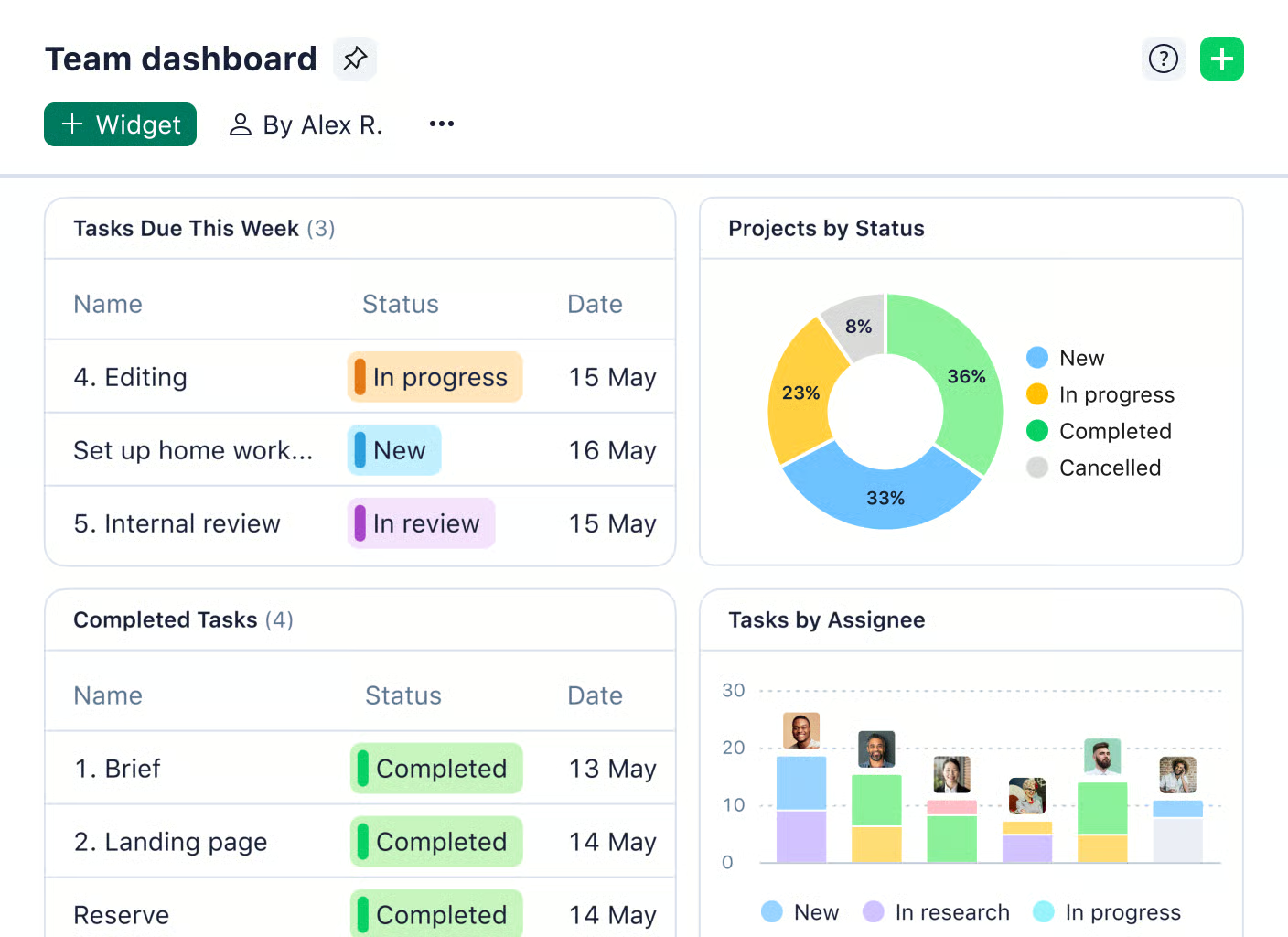
One team uses spreadsheets, another swears by email, and a third is lost in sticky notes. When your organization starts to scale, so does the mess.
But you don’t have to worry with Wrike. This resource scheduling software brings everyone into one shared workspace with customizable workflows, built-in time tracking, and powerful resource scheduling. For distributed teams, Wrike’s folder system helps organize work by department, client, or program
This Capterra review highlighted:
As someone who manages multiple projects with different audiences, timetables, and needs – having the ability to stay in the same software and tailor my use of it to the skill level of the group I’m working with has been tremendously helpful in allowing me to keep things organized.
📖 Also Read: We Tested the Best Wrike Alternatives & Competitors
👀 Fun Fact: In project management, “scope”, “time,” and “budget” form a triangle. But as the saying goes: “Good, fast, cheap—choose two.” It’s called the Project Management Triangle.
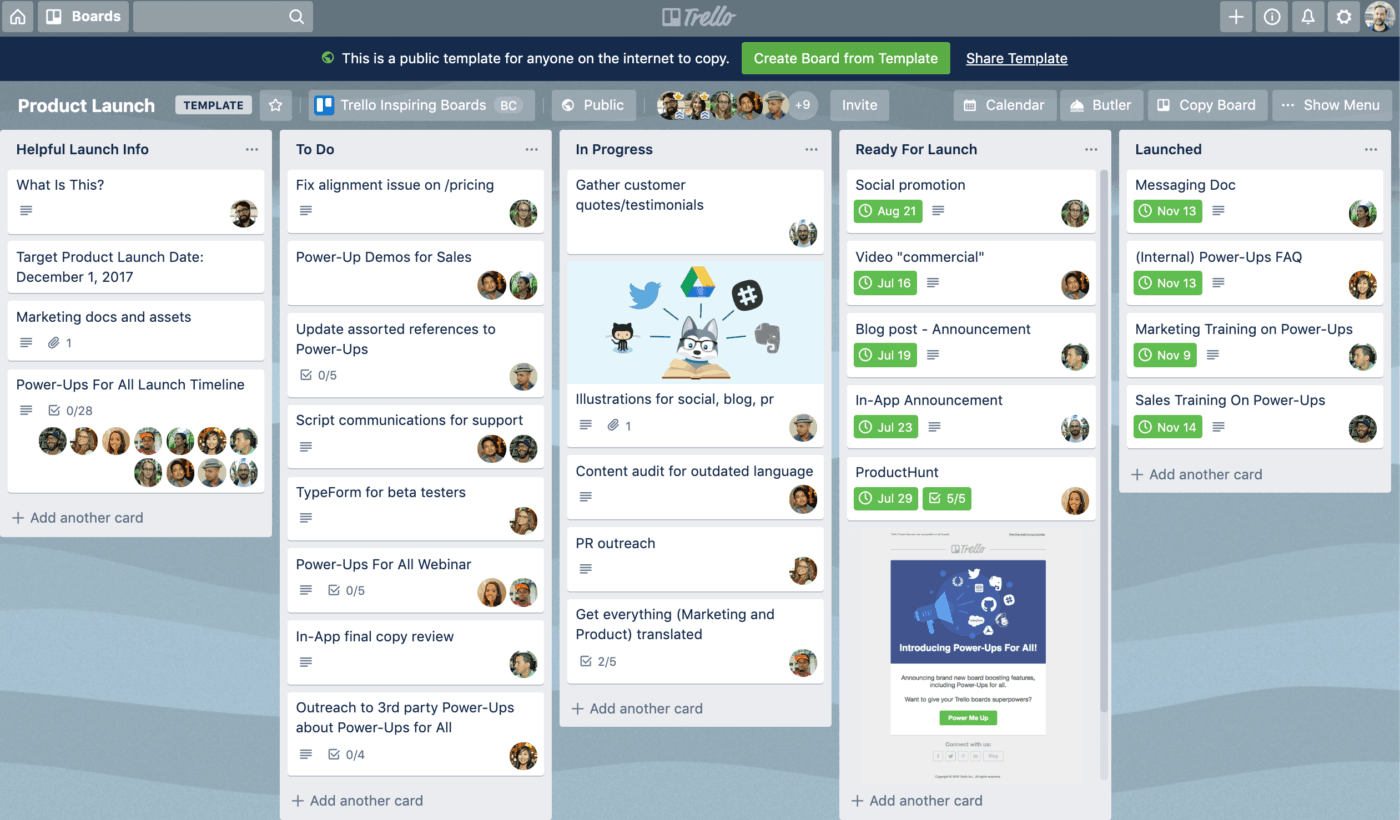
Sometimes, it’s not the workload that slows you down, but the way it’s all scattered. One team’s using sticky notes, another is buried in email threads, and you’re left stitching everything together just to stay afloat.
Trello helps simplify all that. With its clean boards and drag-and-drop cards, you can organize tasks in a way that actually makes sense to you and your team. Whether you’re planning a project or just keeping up with the week, it brings calm and clarity to the everyday mess.
This Capterra review revealed:
Trello works perfectly and flexible for a types of our projects. Allow easy organisation of tasks and projects into boards, lists, and cards. Also makes it easy for team to work together on projects.
📖 Also Read: Best Trello Alternatives and Competitors
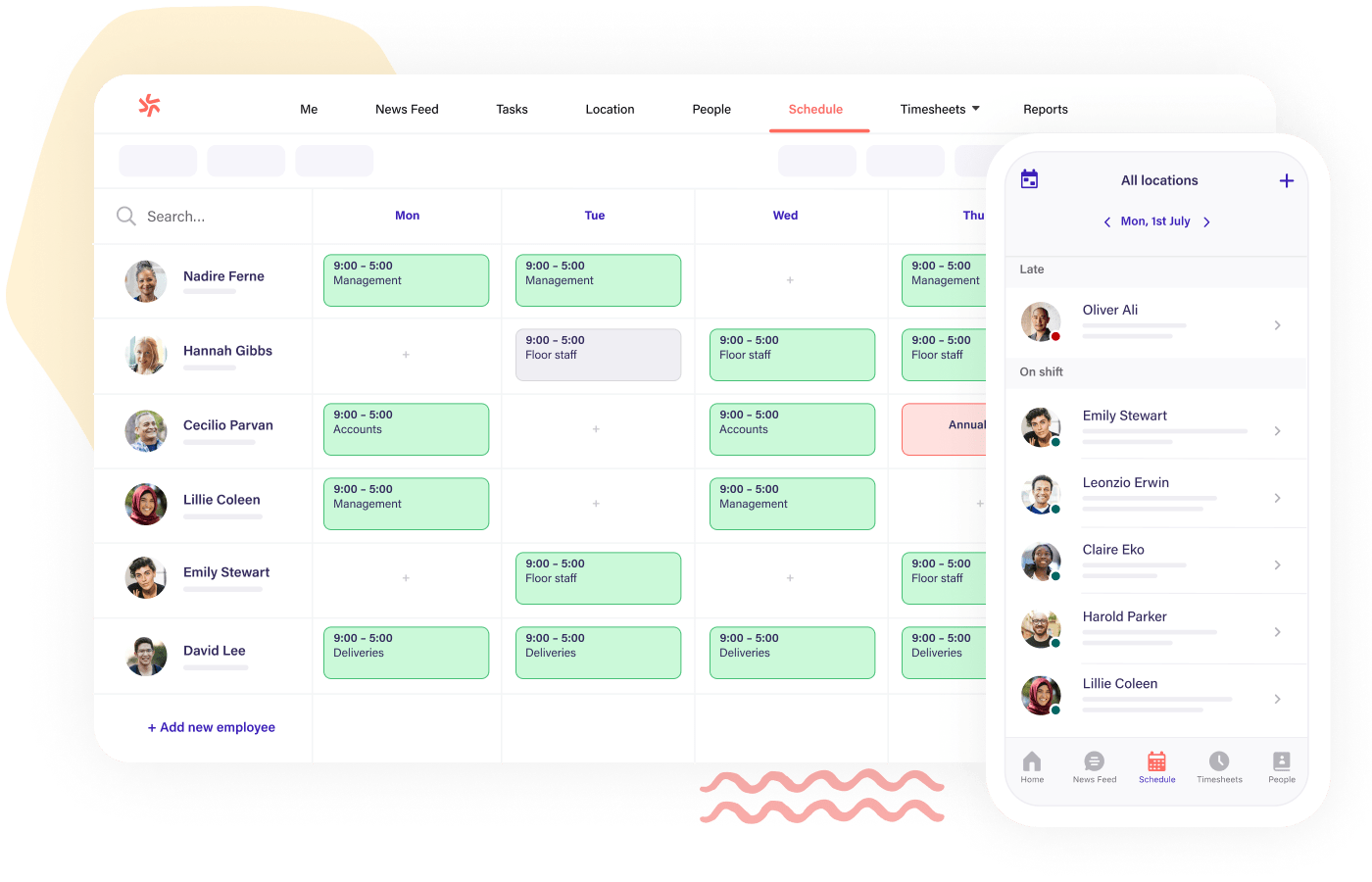
With job burnout hitting an all-time high at 66%, chaotic schedules and last-minute shift changes aren’t helping. For frontline teams especially, unclear hours and constant rescheduling lead to frustration, absenteeism, and higher turnover.
Deputy brings structure back to shift-based work. It helps operations teams manage schedules, track time, and simplify compliance. Whether you’re running a restaurant, a call center, or a healthcare clinic, it keeps your team aligned and energized.
This G2 review noted:
I’ve been using the Deputy app for work, and it has made tracking my shifts so much easier. I love how simple it is to clock in and out, and being able to see exactly how long I’ve been working helps me stay organized. The app also keeps all my schedules in one place, so I never have to worry about missing a shift.
📖 Also Read: Top Shared Calendar Apps to Streamline Your Schedule
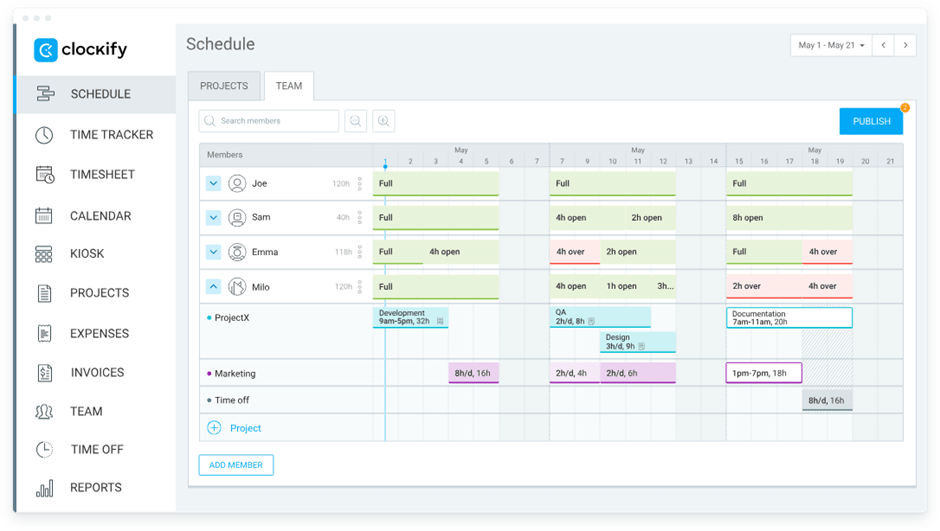
If you’ve ever reached the end of the week and thought, “Where did all the time go?” You’re not alone. Especially when juggling multiple clients or tasks, many project managers and teams struggle to understand where they spend their hours.
That’s where Clockify helps. It’s a clean, no-fuss time-tracking software that gives you visibility into how your team works. With its clear visual reports and intuitive dashboard, you can balance workloads and ensure efficient use of your human resources.
This Capterra review shared:
Clockify has made it so effortless to track my time usage and offers informed time insights that help me manage my time more effectively.
📖 Also Read: What is a Resource Calendar in Project Management?
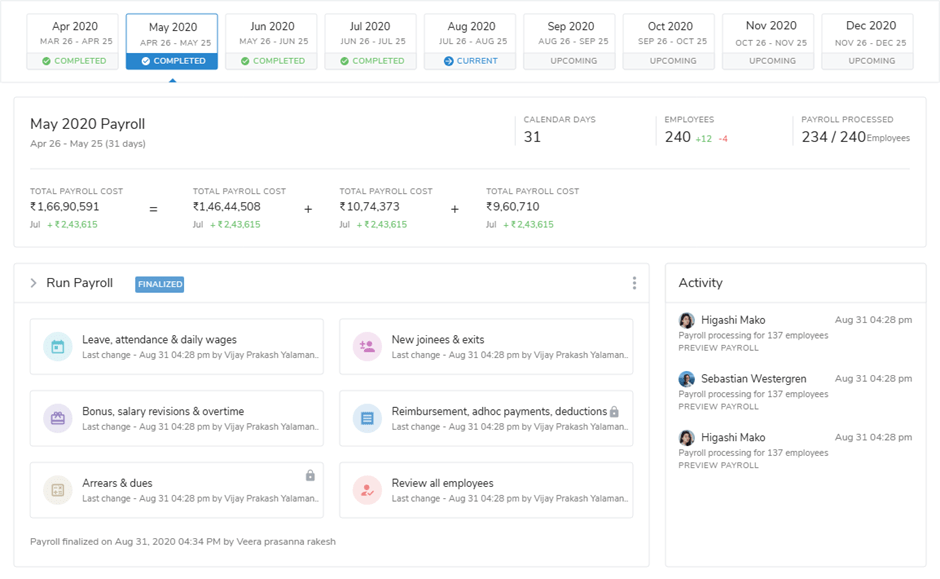
Keeping up with who’s in, who’s out, who’s overbooked, and who hasn’t submitted timesheets is a daily puzzle for HR and ops leads. But you can’t expect things to go smoothly when attendance data lives in one tool and payroll in another.
Keka solves this by bringing your entire people management process into one centralized system. It boasts features like automated attendance tracking, shift scheduling, and workforce analytics. At the end of the day, it’s designed to reduce administrative overhead and help teams focus on what matters most: people.
This G2 review noted:
Keka offers an intuitive and user-friendly interface that simplifies HR tasks like attendance tracking, payroll processing, and performance management.
👀 Fun Fact: Walt Disney had a “people mover” system for his teams. In Disneyland’s early days, he designed the layout so teams could be reassigned quickly without causing guest disruption.
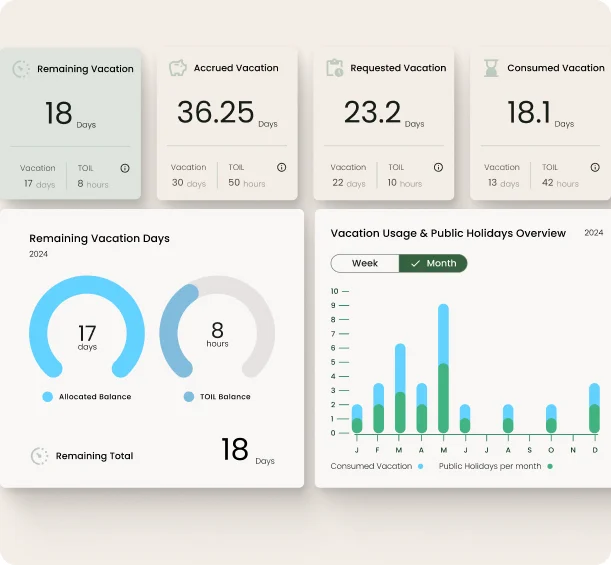
According to McKinsey, managers spend over one full day every week on non-management tasks and get less time to focus on core activities like managing and developing talent.
Hub Planner helps shift that balance. With built-in scheduling, time tracking, and capacity management tools, it gives you the visibility you need to assign the right people to the right work.
It supports timesheet management, vacation and leave tracking, project budgeting, forecasting, and customizable approval workflows. This makes it easy to balance workloads, prevent overbooking, and ultimately ensure every project is staffed efficiently.
This Capterra review featured:
Easy to plan projects and track through the lifecycle. Reporting structure helps with resource planning and costs for projects. Reporting also assists with weekly and monthly figures reporting into the Finance department.
Here are three additional Teambook alternatives that align with the tools already discussed, offering strong features for resource planning:
📖 Also Read: Workload Management Tools to Boost Productivity
You’ve seen the options. Some tools are excellent for scheduling, and others are better at tracking time. A few try to do a bit of both, but still leave you jumping between tabs, tools, and apps. That’s work sprawl in action, and it costs organizations millions in lost productivity and efficiency.
ClickUp brings it all together.
It gives you one clear place to plan, assign, and adjust, whether you’re managing a fast-moving team or keeping track of long-term projects. And it’s flexible enough to match how your team actually works, not the other way around.
If you’ve been feeling like your current tool is holding you back, it might be time to try something built for real teamwork.
Ready to enjoy much easier resource planning? Sign up on ClickUp for free!

© 2026 ClickUp

There’s an easier way. Try a free AI Agent in ClickUp that actually does the work for you—set up in minutes, save hours every week.