






Still downloading templates?
There’s an easier way. Try a free AI Agent in ClickUp that actually does the work for you—set up in minutes, save hours every week.
Sorry, there were no results found for “”
Sorry, there were no results found for “”
Sorry, there were no results found for “”
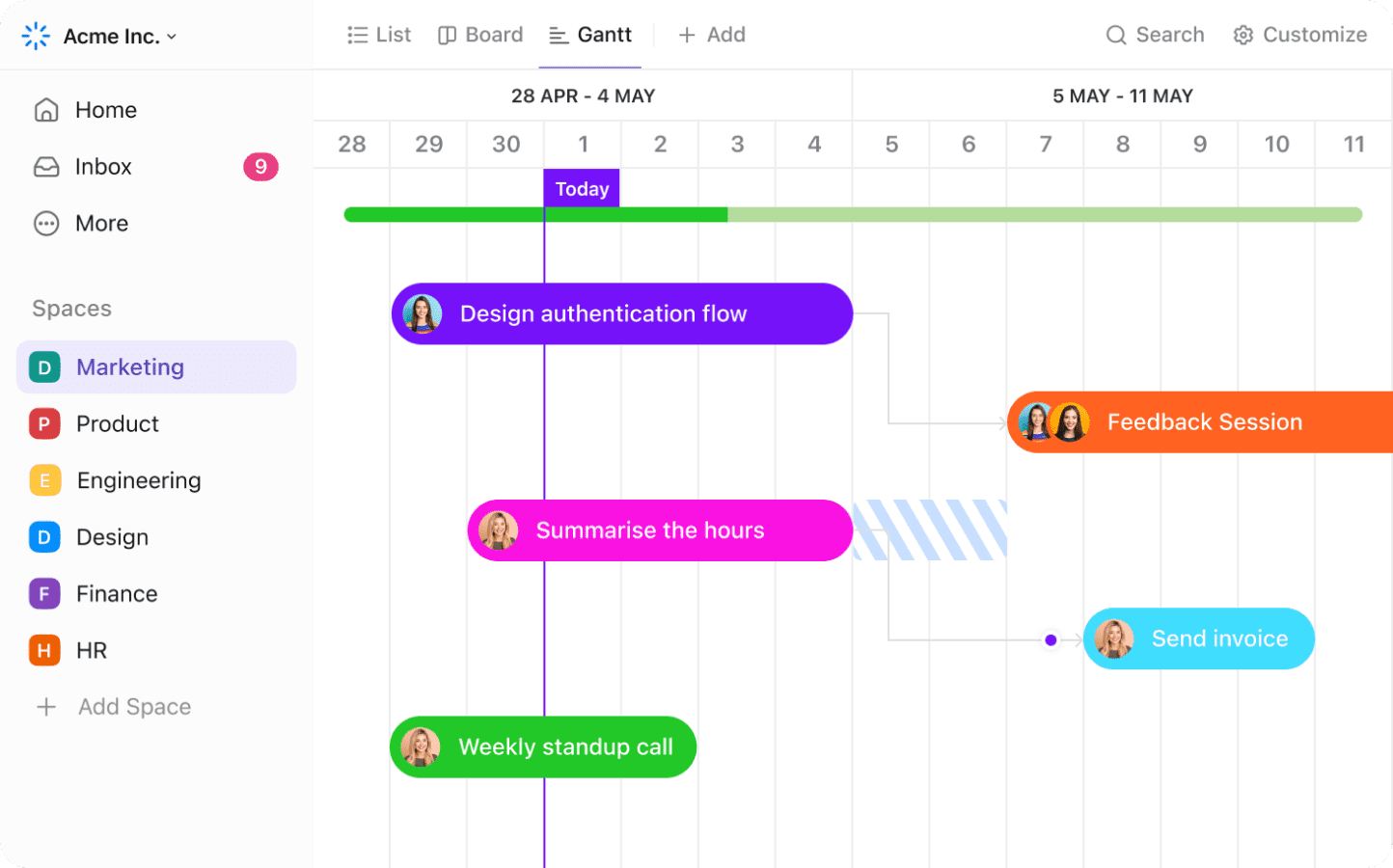
Ever tried wrangling a project timeline with a spreadsheet that looked like a Tetris game gone wrong? Yeah, we’ve been there too.
That’s where Gantt charts swoop in like the superheroes of project planning—except now, they’re powered by AI, and let’s just say… they’ve had a serious glow-up. 🦾✨
A good Gantt chart AI maker maps out dependencies, adjusts timelines in real time, and gives your team a clear view of what’s next and predicts delays beforehand.
In this post, we’re diving into the best AI Gantt chart makers that’ll help you plan projects like a time-bending wizard. Whether you’re leading a product launch, wrangling a creative team, or just trying to make sense of project chaos, these tools are here to turn your timeline from “uh-oh” to “heck yes.”
Here’s a quick look at the top AI Gantt chart tools and what they bring to the table.
| Tool | Best For | Best Features | Pricing* |
| ClickUp | All-in-one project management with AI-powered scheduling Team size: Ideal for individuals, startups, and enterprises | AI-generated timelines, task dependencies, automation, Workload View, and integrated and contextual AI assistance | Free forever; Customizations available for enterprises |
| TeamGantt | Drag-and-drop Gantt scheduling with personalized views Team size: Ideal for marketing teams and agencies | My Tasks view, milestone alerts, portfolio management, and client-friendly sharing | Free; Starts at $59/month per manager |
| Gantt.io | Visually polished Gantt charts for stakeholder presentations Team size: Ideal for consultants and design-focused teams | High-res Gantt chart export options, chart customization, branded layouts, and tooltip notes | Free; Starts at $8/month |
| Instagantt | AI-driven schedule optimization and project overviews Team size: Ideal for teams managing cross-functional timelines | Timeline suggestions, mobile updates, baseline tracking, public links | Free; Starts at $12/month |
| Lucidchart | Integrated diagramming for project workflows and systems Team size: Ideal for hybrid teams needing diverse visuals | Live data linking, flowchart + Gantt support, formatting AI | Free; Starts at $9/month per user |
| EdrawMax | Template-heavy Gantt chart creation across industries Team size: Ideal for enterprise teams and education sectors | Task color rules, branding, industry-specific icons | Subscription starts at $79/year |
| Toggl Plan | Visual timeline planning with capacity management Team size: Ideal for creative agencies and remote teams | Capacity warnings, color-coded work, milestone mapping, workload reports | Free upto 5 users; Starts at $6/month per user |
| Gantt Chart AI | Fully automated project timeline generation from prompts Team size: Ideal for small teams and solopreneurs | Natural language input, ML-powered durations, conversational editing | Free credits; Starts at $3 (30 credits) |
The right AI Gantt chart maker should actively lighten your workload and keep your plans moving.
Here’s what to look for. 👀
Our editorial team follows a transparent, research-backed, and vendor-neutral process, so you can trust that our recommendations are based on real product value.
Here’s a detailed rundown of how we review software at ClickUp.
If you’re ready to level up your planning, these are the Gantt chart software tools worth your time.
Let’s dive right in. 🛠️
Traditional Gantt tools help map timelines, but they leave you doing all the manual work: adding tasks, calculating durations, and tracking progress.
ClickUp changes that.
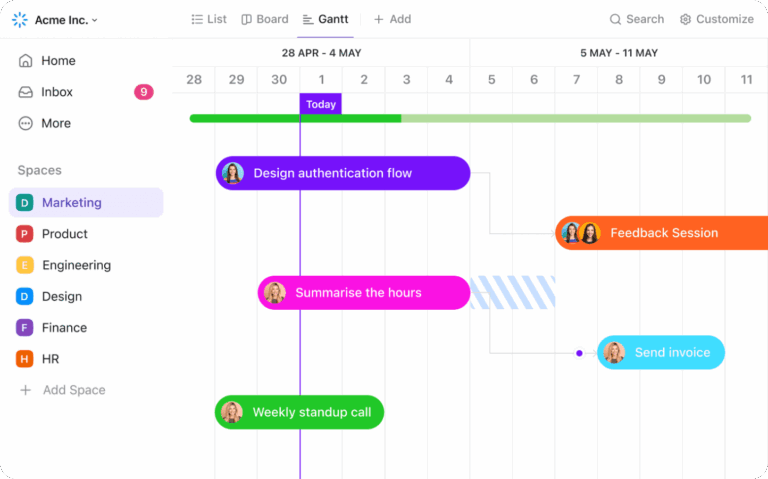
If you’re looking for a flexible visual layout for planning projects and making adjustments in real time, the ClickUp Gantt Chart View is ideal. You can map out task durations, create links using ClickUp Task Dependencies, and add ClickUp Milestones to flag high-stakes deliverables.
Watch how to use the Gantt view in ClickUp:
However, what sets it apart from other Gantt tools is its use of AI to fill the gaps in planning.
Using ClickUp Brain, you can describe your project in plain text, and the AI generates a full task list with estimated durations, recommended dependencies, and suggested milestone points.
Let’s say you’re coordinating a campaign launch. The team needs to finalize copy and messaging, design the collaterals, update socials, launch across platforms, and track metrics in real time, all within a tight deadline.
For example, if the copy edits need to happen before the new collateral design, ClickUp automatically links those tasks. If the social campaign handoff depends on completing the metrics dashboard, that chain is already mapped out, too.
These show up directly in the Gantt Chart View, so you’re not left looking at boxes but a timeline built with logic instead.
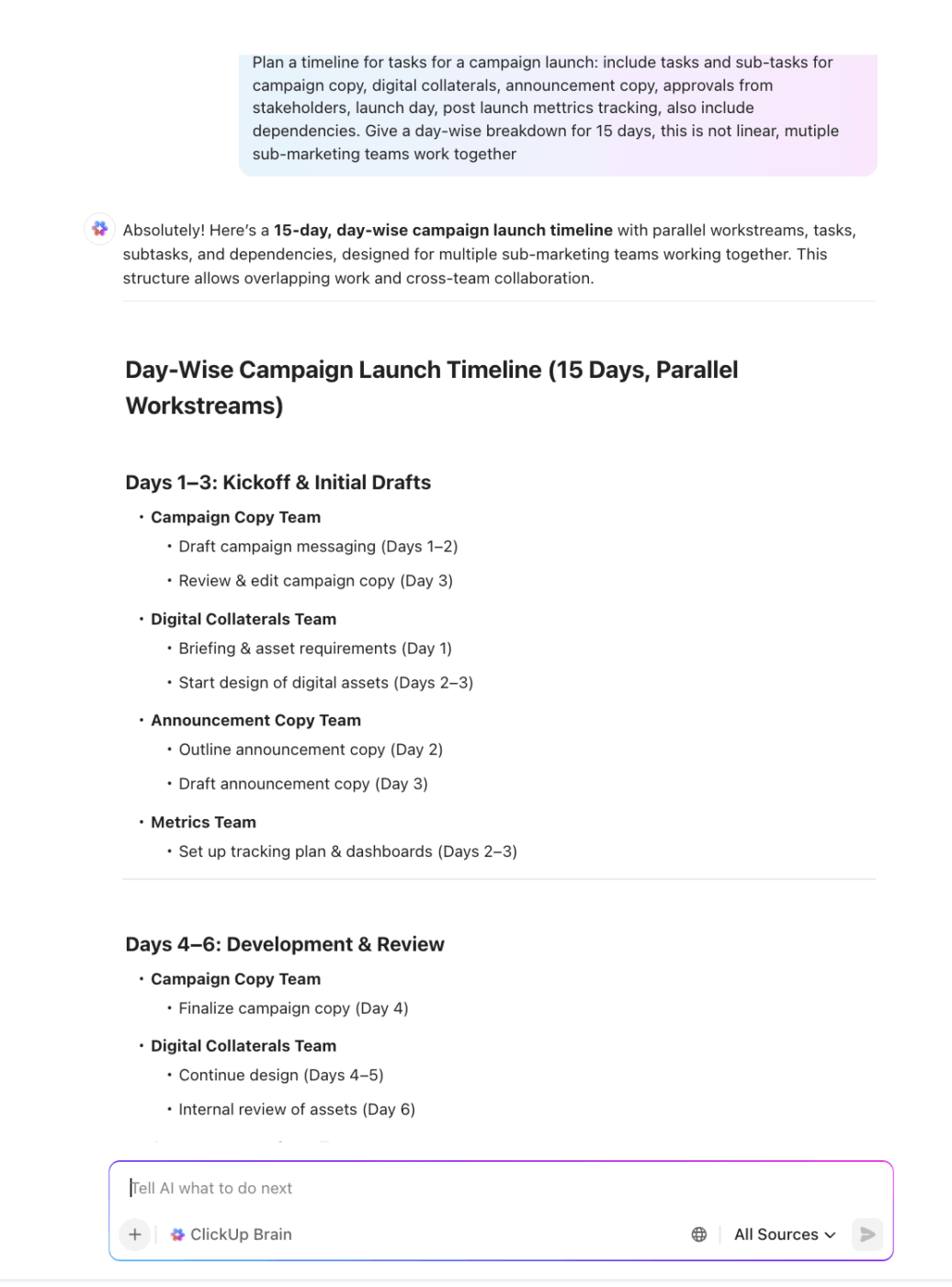
That AI-generated plan becomes the foundation for your visual timeline.
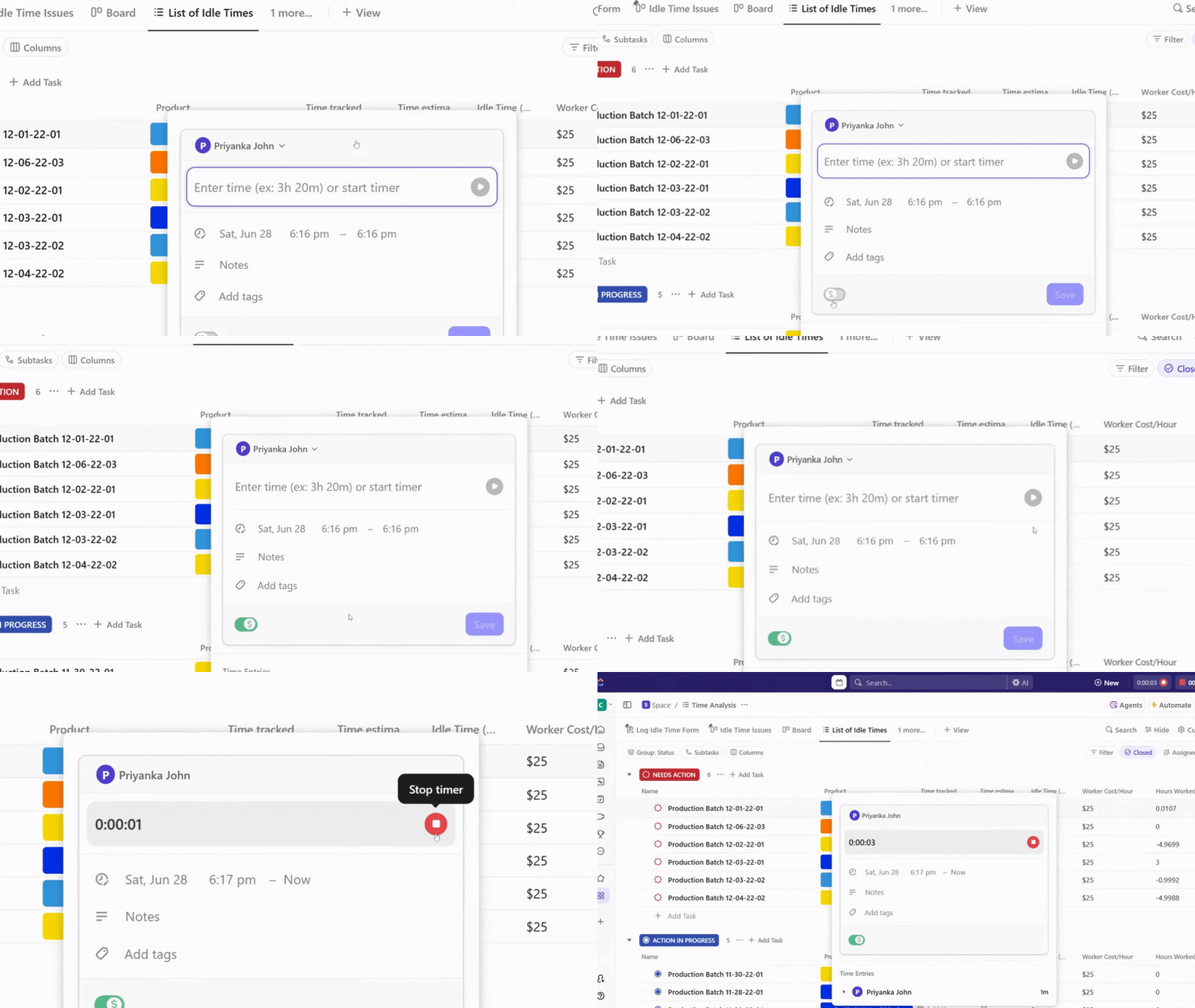
Once your chart is in motion, ClickUp Project Time Tracking helps you stay grounded in reality. If the content team logs more time than planned for writing brand guidelines, you can use that data to flag risks in upcoming phases and adjust timelines directly in the Gantt chart AI view.
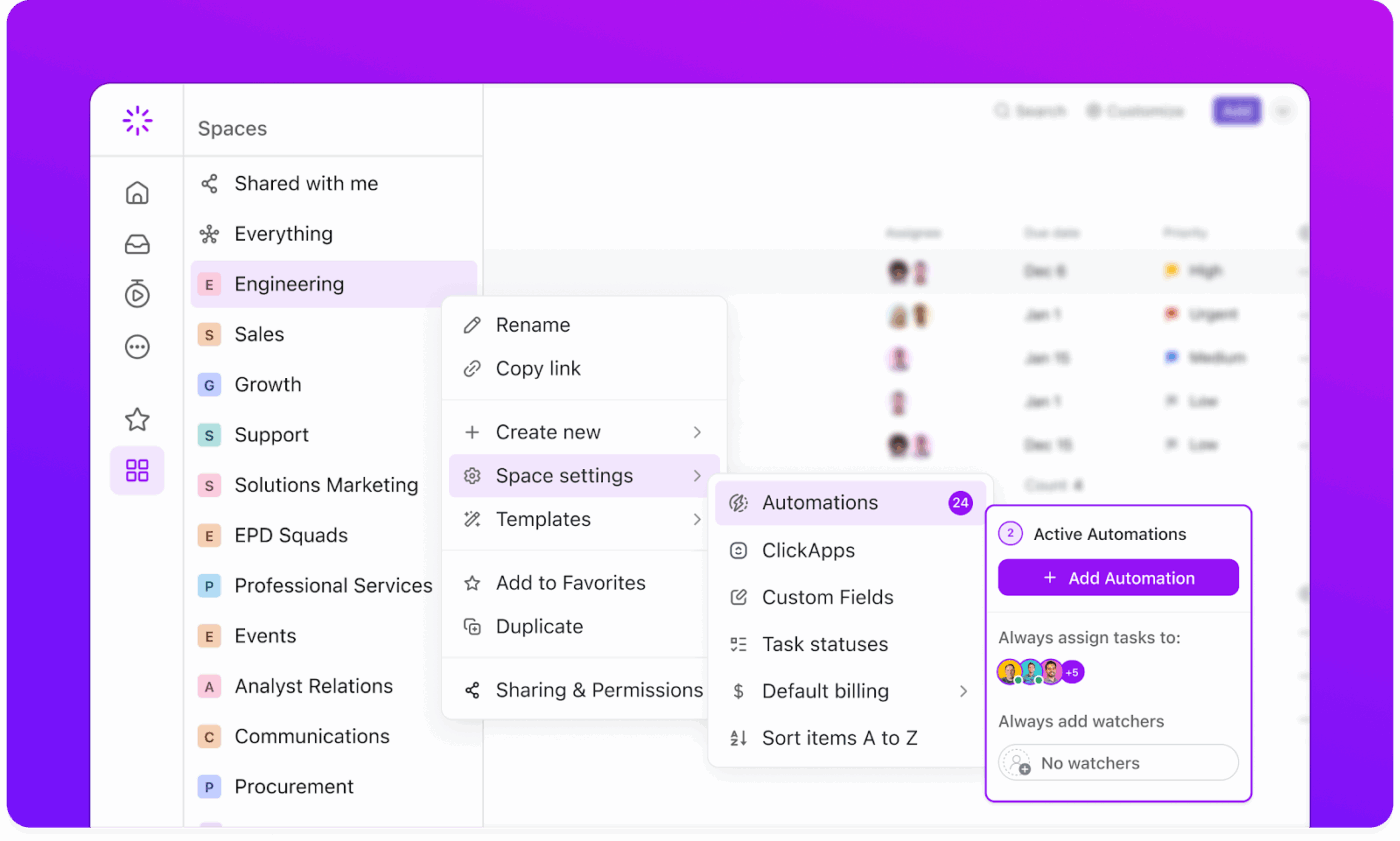
You can also set up ClickUp Automations to keep the momentum going.
For example, when a milestone like ‘Final Design Approval’ is reached, the AI scheduling assistant can auto-update the next phase’s status, notify the dev team, and assign the next task in line. This helps eliminate manual handoffs and keeps work flowing without interruptions.
This G2 review really says it all:
I love how customizable the platform is—I can switch between List, Board, and Gantt views depending on my workflow. The integrated Chat feature also makes real-time collaboration super convenient and is one of the reasons I use ClickUp daily. Plus, the automations and AI tools save me tons of time on repetitive tasks. Setting up project spaces, tasks, and automations was surprisingly smooth. My team got the hang of it after a few quick training sessions. Also the help docs and live chat have been super responsive, ensuring we’re never stuck for long. One thing we did was integrated ClickUp with Google Drive in just a few clicks, saving us time and avoiding tool-switching.
💡 Bonus: Try ClickUp Brain MAX—the AI Super App that brings true intelligence to your Gantt charts and project planning. Say goodbye to Work Sprawl and hello to seamless, contextual project management. Here’s how:
With ClickUp Brain MAX, managing complex Gantt charts becomes smarter, more efficient, and fully integrated into your project management ecosystem.
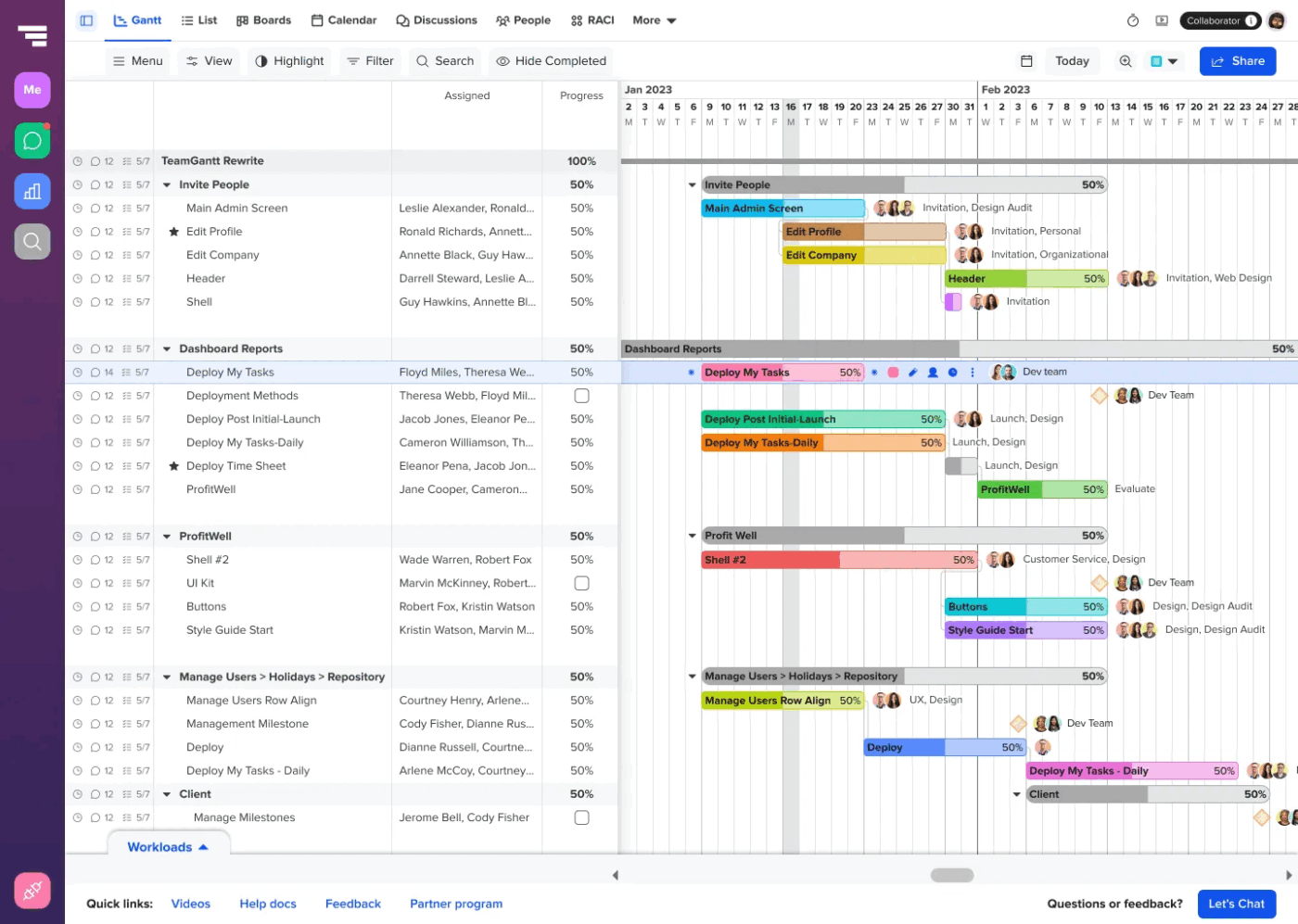
via TeamGantt
TeamGantt transforms complex project scheduling into something anyone can handle. Its drag-and-drop interface allows users to create tasks by dragging over dates in a calendar, making timeline adjustments feel natural.
What sets it apart is its My Tasks view, which gives team members a personalized dashboard without forcing them to navigate complex project hierarchies. The Gantt chart AI tool strikes a balance between scheduling capabilities and user-friendly design, making it accessible for teams who need robust planning.
Straight from a G2 review:
I really like how TeamGantt enables team communication and coordination within the project environment, with features like @ tagging, discussions, and file sharing […] No dislike just the reporting features might be relatively basic, lacking depth and detail
📮 ClickUp Insight: 31% of managers prefer visual boards, while others rely on Gantt charts, dashboards, or resource views.
But most tools force you to pick one. If the view doesn’t match the way you think, it just becomes another layer of friction.
With ClickUp, you don’t have to choose. Switch between AI-powered Gantt charts, Kanban Boards, Dashboards, or Workload View in a single click. And with ClickUp AI, you can auto-generate tailored views or summaries based on who’s looking—whether it’s you, an exec, or your designer.
💫 Real Results: CEMEX sped up product launches by 15% and cut communication delays from 24 hours to seconds using ClickUp.
📚 Also Read: TeamGantt Alternatives and Competitors
🧠 Friendly Tip: Before building your task list, define key delivery points, e.g., ‘Website Launch,’ ‘Final Client Review,’ or ‘Product Beta Live.’ Then, work backward to map out what tasks must be done to hit each one. In your AI Gantt chart maker, represent milestones as distinct markers (diamonds in ClickUp).
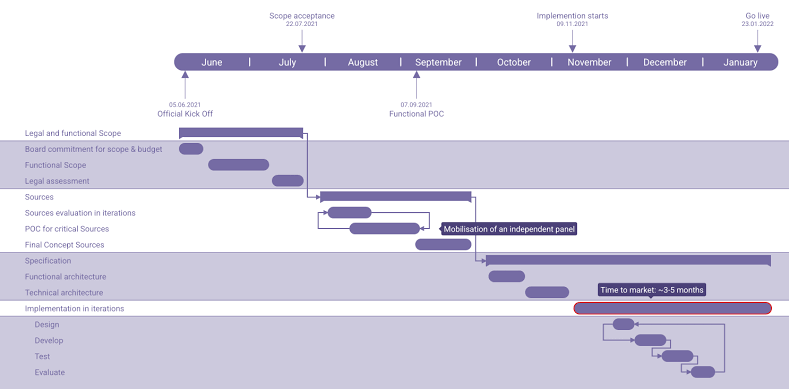
via Gantt.io
Sometimes, you need to create a Gantt chart that looks as professional as your project deserves. Gantt.io specializes in visually appealing charts that impress stakeholders and clients.
Rather than cramming every possible feature into one interface, it streamlines the experience around chart creation and presentation.
The platform supports real-time multi-user editing, meaning your team can build or tweak charts together and see updates instantly. Plus, its time travel feature lets you scroll through past versions and restore or fork charts, which is helpful for experimenting.
🧠 Fun Fact: Henry Gantt, working with Frederick Taylor, developed the concept around 1910 to track production and resources in factories, essentially creating the first visual work planner. This was one of the first few instances of the deliverables vs. time concept.
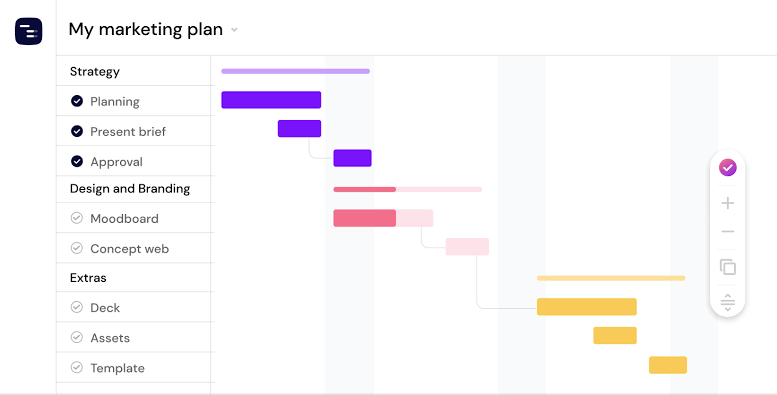
via Instagantt
Instagantt brings artificial intelligence directly into project scheduling, automating the tedious work of timeline optimization. The platform uses AI to automate schedules, optimize timelines, and streamline team collaboration for smarter, faster planning.
What makes Instagantt unique is its ability to suggest schedule improvements based on task dependencies and resource availability. The AI analyzes your project structure and recommends adjustments that could prevent bottlenecks or reduce overall project duration. It also handles the heavy lifting while keeping the interface accessible for non-technical users.
This G2 review brings up an interesting angle:
It has a user-friendly interface which makes it easy to adopt its usage, connect and track my project, I also enjoy its several options of combining multiple projects and sharing them with my client. […] The link to open a new task sometimes does not work nor does opening the specific task that has been notified moreover when I use PDF for exportation it does not make clear PDF or images.
📖 Also Read: Best AI To-Do List Apps & Task Managers
🎥 Watch: Here’s a video on how to use Gantt charts in ClickUp:
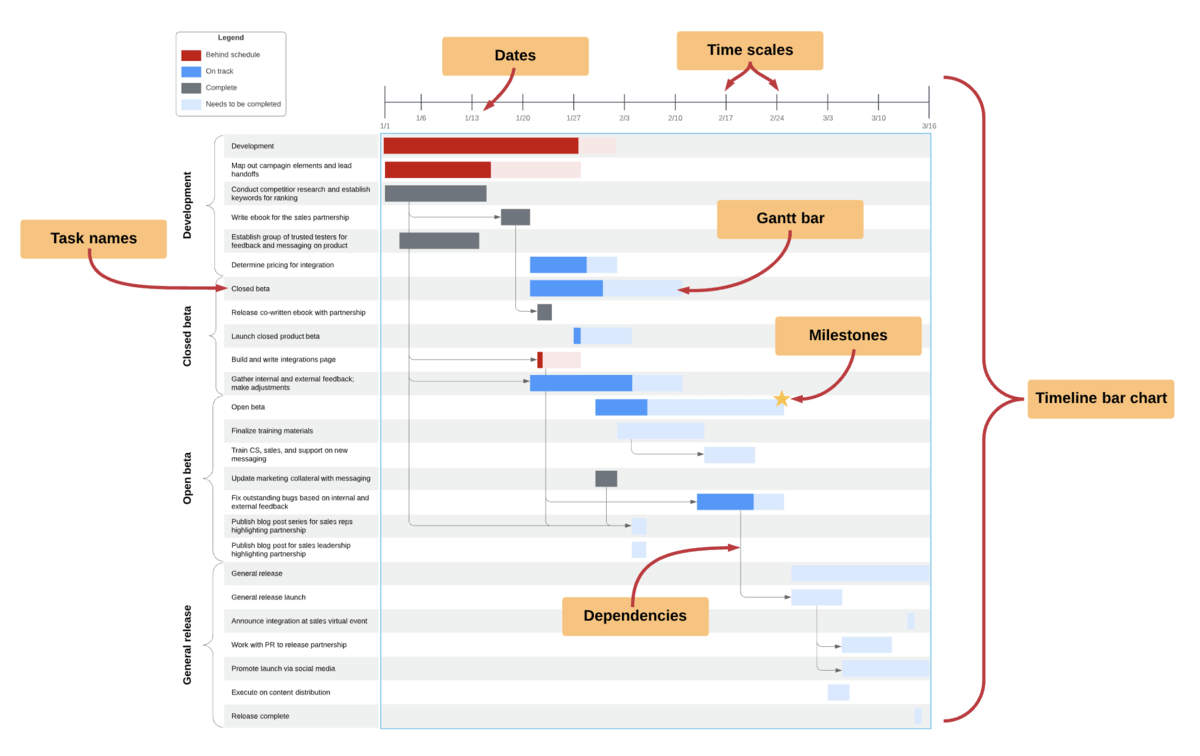
Lucidchart approaches Gantt charts as part of a broader diagramming ecosystem, great for teams who need multiple visual tools during project planning.
Teams can seamlessly switch between creating Gantt charts, flowcharts, organizational diagrams, and process maps for a multi-diagram workflow. For instance, a product team can use a flowchart to map out features and immediately visualize timelines in a Gantt view, connecting both diagrams with linked data or shared objects.
One G2 review puts it this way:
What I like best about Lucid Visual Collaboration Suite is its seamless ability to turn complex ideas into clear, visual workflows. The intuitive drag-and-drop interface, wide variety of templates, and real-time collaboration features make it incredibly effective for brainstorming, process mapping, and technical architecture discussions…One drawback of Lucid Visual Collaboration Suite is that it can become expensive at scale, especially for larger teams that need full feature access. Additionally, performance may lag slightly with very complex or heavily detailed diagrams, particularly when multiple users are editing simultaneously…
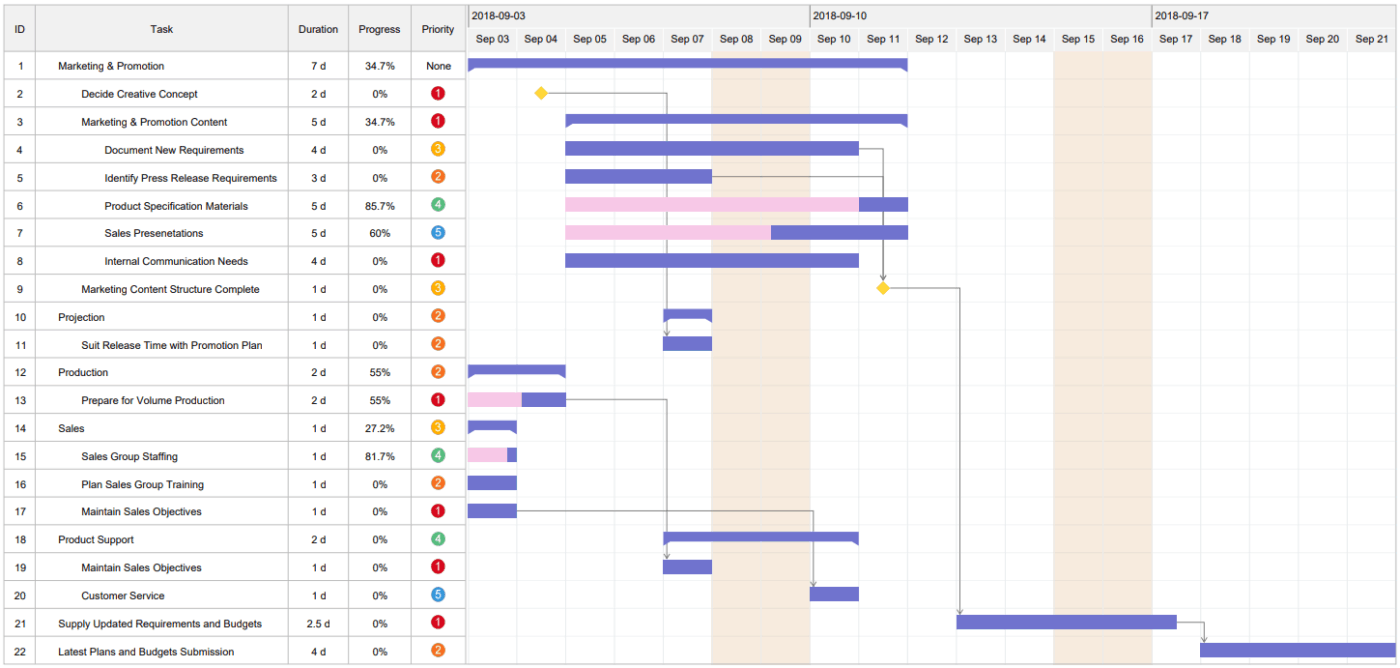
EdrawMax is a desktop and online diagramming app that supports over 280 diagram types from flowcharts and Gantt charts to electrical schematics and floor plans, via drag‑and‑drop simplicity.
It boasts a massive library with 1,500 built-in Gantt chart project templates and 26,000+ vector symbols, plus a user‑generated community gallery, making it easy to craft visuals quickly and maintain consistency across teams
According to one G2 review:
EdrawMax is intuitive to use. It’s very easy to get up and running using the App. I really like the pre-made templates that can be used for a miriad of different things from business templates and IT & Engineering to Marketing and UI/UX. The flexibility that the App allows the user is in my opinion unmatched…With it offering so much there could one feels that it offers everything. There are some things, pre-built images etc. that one would think would be readily available but they are not.
🧠 Friendly Tip: Try the ‘Timeline Risk Mapping’ method. Gather your team and ask, ‘Where in this Gantt timeline could we fail?’ Mark those tasks with flags or custom tags to monitor closely. Pair this with contingency buffers on high-risk phases
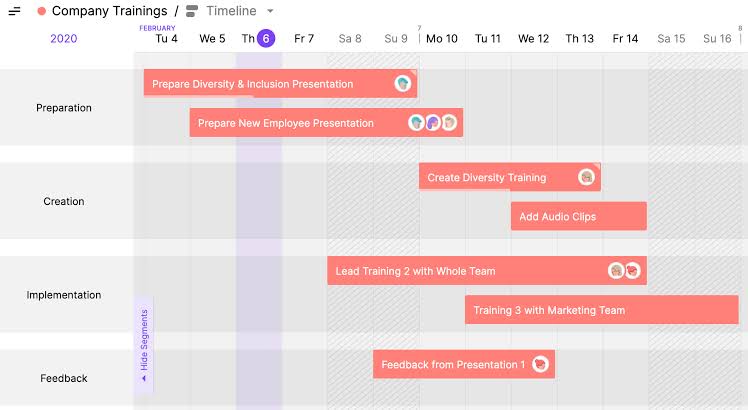
via Toggl Plan
Toggl Plan shifts the focus of the Gantt chart from tasks to people, emphasizing resource allocation and team capacity management. It visualizes what needs to happen, who will do the work, and when they’re available.
Teams can see at a glance which members are overbooked, underutilized, or perfectly balanced across multiple projects. The project management software’s timeline view makes resource conflicts obvious before they become problems, enabling proactive schedule adjustments.
Look at what this Capterra review says:
Toggl Plan has a really nice clean interface, making adding and managing projects simple. The Gantt charts are a great way to manage project timelines. […] Honestly only real downside to Toggl Plan is that it doesn’t include Toggl Track functionality without purchasing a separate subscription.
🧠 Friendly Tip: Make your Gantt chart a living artifact, not a one-time setup. Set a recurring 15-minute review to:
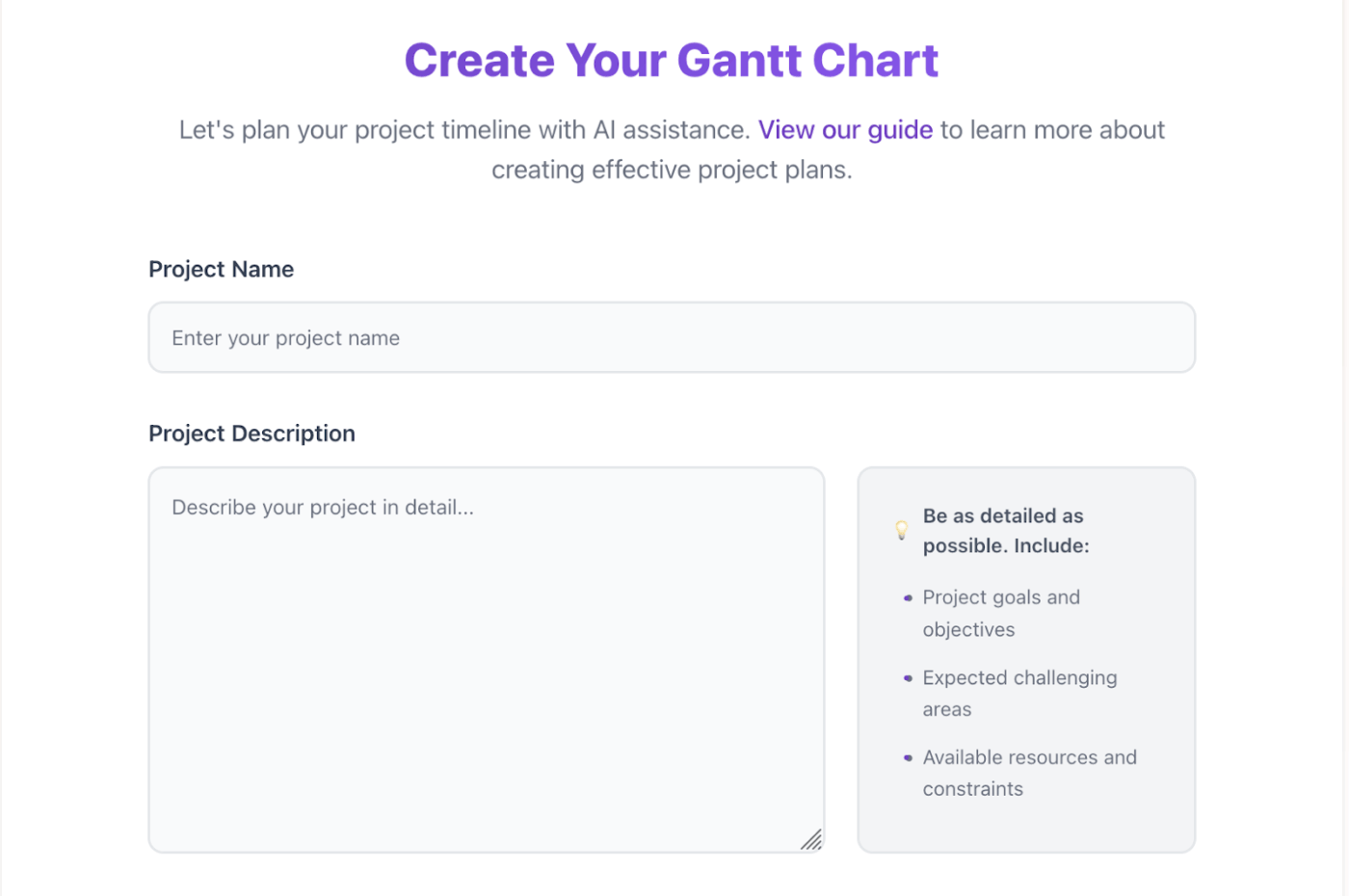
via Gantt Chart AI
Gantt Chart AI utilizes machine learning to generate comprehensive project timelines with minimal input. Users describe their project goals and key constraints, then watch as AI algorithms create detailed schedules, assign realistic durations, and establish logical task dependencies.
The platform learns from thousands of successful projects to suggest realistic timelines and identify potential risks. This way, you can focus on execution rather than spending weeks perfecting your team’s initial schedule.
🧠 Fun Fact: The Gantt chart was designed before computers, so every bar and update was drawn by hand. Managers had to literally use rulers and pencils to tweak timelines before every production change. Gantt’s colleagues referred to his creation as ‘Bar Charts,’ and the terminology stuck even as the tool evolved.
Selecting an AI Gantt chart maker requires a system that anticipates change, recalibrates in real time, and converts raw input into structured execution.
ClickUp leads this shift.
Its Gantt chart AI generates structured schedules, aligns dependencies, adjusts timelines based on real workload data, and automates handoffs without manual follow-up.
Every change feeds back into the system, keeping execution aligned with reality.
Sign up for ClickUp today! ✅

© 2026 ClickUp

There’s an easier way. Try a free AI Agent in ClickUp that actually does the work for you—set up in minutes, save hours every week.