

Sorry, there were no results found for “”
Sorry, there were no results found for “”
Sorry, there were no results found for “”
The free tier you pick matters less than the team habits you build around it. We compared free project management tools with permanent free plans and found that no single tool wins outright.
ClickUp offers the broadest free feature set for teams that want one workspace for multiple workflows. Trello is the fastest to teach within its 10-collaborator Workspace limit. Asana is the smoothest interface. Notion is the best fit for solo documentation, with a 1,000-block limit once a second member joins.
Jira and Linear remain the engineering defaults, each with its own free-plan ceiling. Todoist is still the cleanest choice for solo task capture if 5 projects are enough. monday.com is one of the most polished paid upgrade paths, but its Free plan is too limited for most project teams.
This guide compares free project management tools by real use case, not vendor preference. Every recommendation includes an honest take on what the tool gets wrong, including ClickUp.
Note: Free-tier limits, plan, and pricing change fast, so check each tool’s pricing page before you commit.
Our editorial team follows a transparent, research-backed, and vendor-neutral process, so you can trust that our recommendations are based on real product value.
Here’s a detailed rundown of how we review software at ClickUp.
Start with the workflow, not the feature list. The best free project management tool depends on what your team needs to do every week and which limit will hurt first.
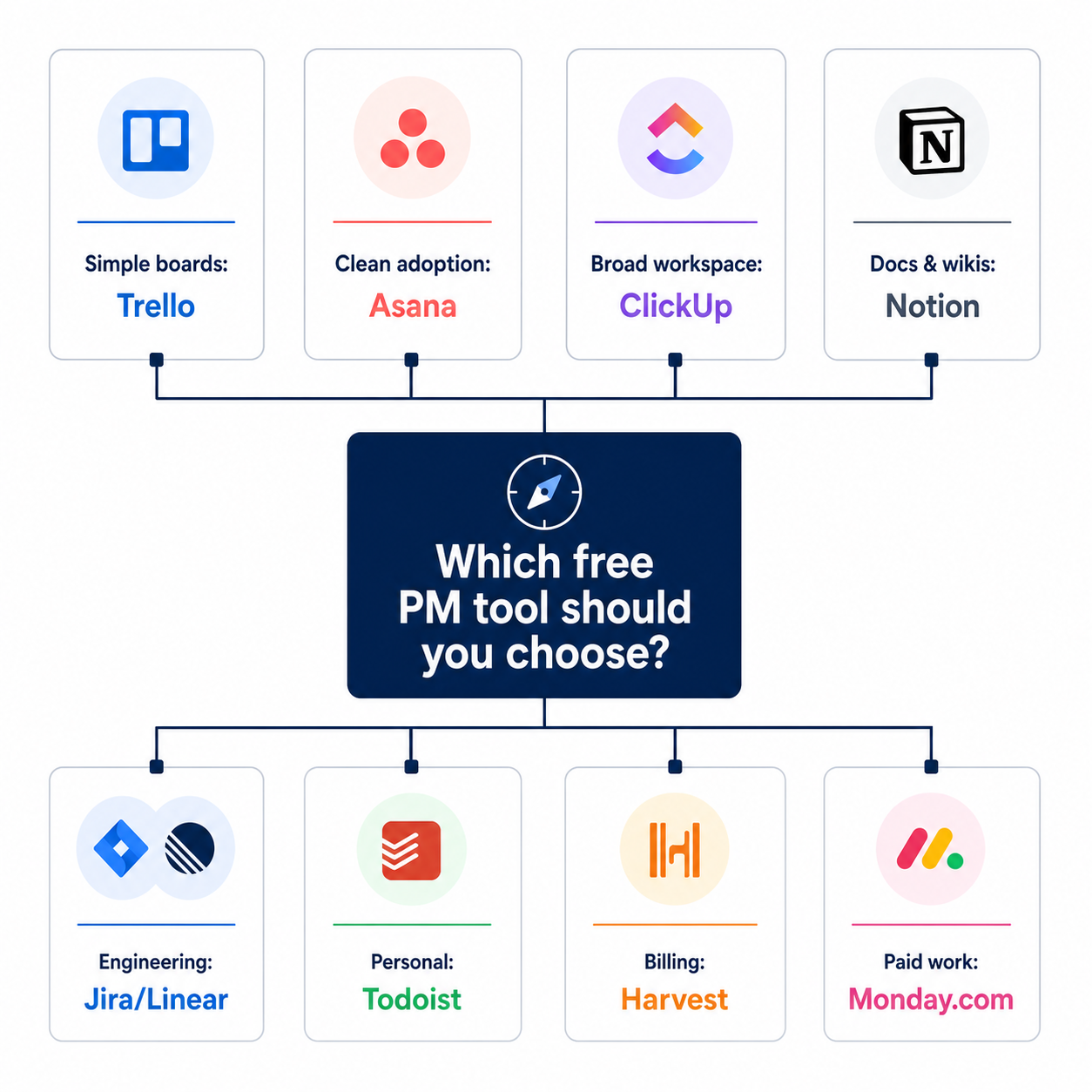
After comparing free project management tools across real-world use cases:
The reality check: the “best” tool depends on team size, primary work, and adoption appetite. A team that will not adopt a complex tool is better off in Trello or Asana than in ClickUp, even if ClickUp has more features.
This guide is built to help you find your fit, not the consensus pick.
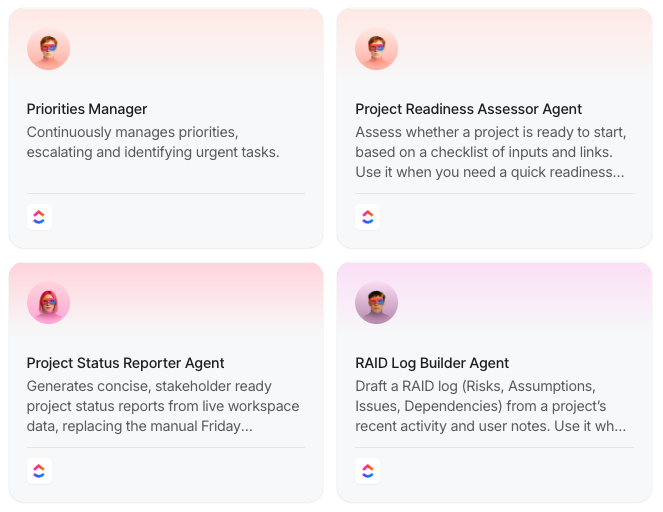
Free software saves budget. But bad process? That still burns the week. Steal 10 no-code AI Agent workflows that reduce update-chasing, handoff gaps, and reporting drag. You can launch these in minutes!
You do not need to read every section in order. Use the verdict, jump to your use case, and test the tool with real work before committing.
Skipping the trial run and picking on features alone is the most common reason teams switch tools within six months.
Use this list as a shortcut. Each section compares the top tools for one real-world project management need.
Simple project management tools should be easy to teach, easy to maintain, and hard to overcomplicate. In this category, adoption matters more than feature depth.
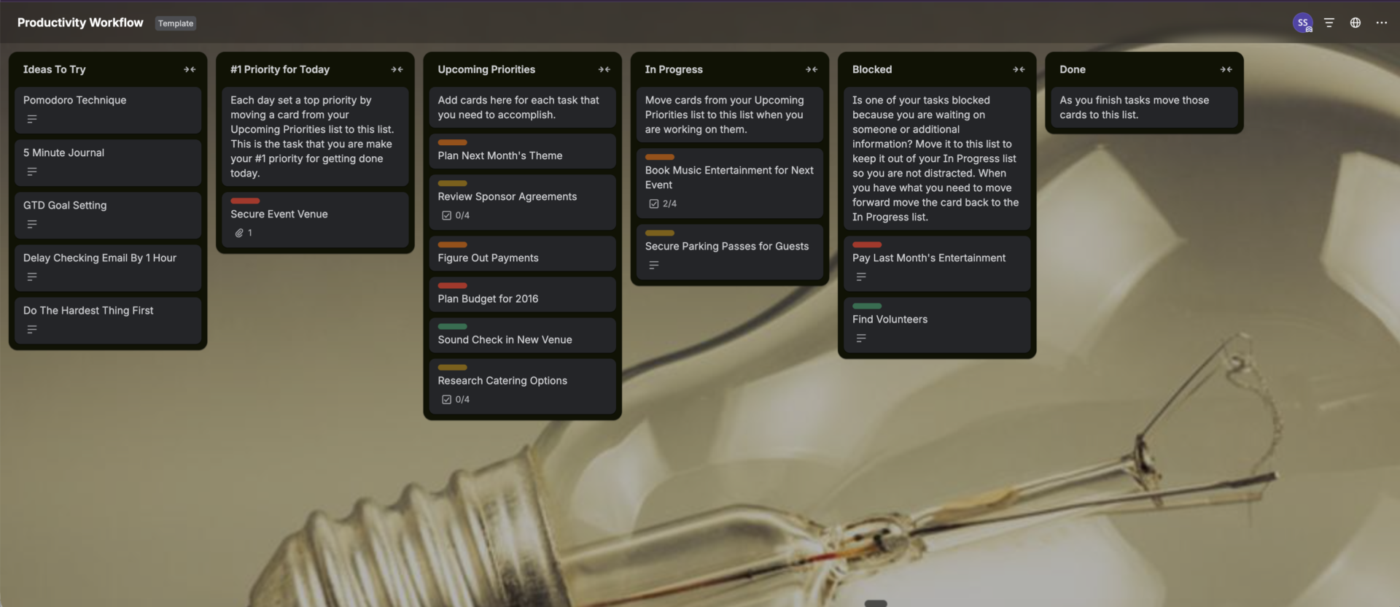
Best for: Small teams who think in cards and lists. Marketing campaigns, content calendars, and simple project tracking.
Free plan limits: 10 boards per workspace, 10 collaborators per workspace, 10 MB per file upload, 250 automation runs per month.
Why it’s #1: Setup takes under 10 minutes. Trello is built around boards, lists, and cards, so the workflow is obvious even for people who hate project management software.
Trello works best for simple workflows like:
Honest take: Trello’s depth ends at the board. If you need cross-board reporting, time tracking, workload planning, or detailed permissions, Trello starts to feel thin. The 10-board cap also blocks teams managing more than a handful of workflows.

Most marketing teams stack 4-6 free tools before realizing they spend more time connecting the tools rather than using them. These 5 setups replace your entire marketing stack with one workspace, still free.👇🏼
Best for: Solo workers, freelancers, and anyone managing personal tasks. Not suitable for larger team collaboration.
Free plan limits: 5 active projects, 5 collaborators per project, 3 filter views, 7-day activity history, no reminders, 5 MB file uploads.
Why it’s #2: Type “Submit report every Friday at 4 p.m.” and Todoist parses the recurrence, time, and task name automatically. The mobile app is one of the most polished in this comparison.
Honest take: Todoist is a to-do list, not a project tracker. Reminders are paid only, which is a real constraint for the tool’s core use case. If your projects involve files, approvals, dependencies, client comments, or shared reporting, this will not be enough.
Best for: Teams that want simple now but expect complexity later.
Free plan limits: 60 MB storage, unlimited tasks, unlimited Free Plan members, 100 time tracking uses, 1 form, and limited use of some advanced views and features.
Why it’s #3: List View in ClickUp can work like a simple task list. The trade-off is that the interface shows options you may not need yet, such as workload views, multiple assignees, Custom Fields, Docs, goals, dashboards, and automations.
Honest take: ClickUp is not the simplest tool here. Trello is. ClickUp earns the #3 spot because it gives you room to grow, not because it is easier to start with. Storage of 60 MB also runs out fast for asset-heavy work.
Category winner: Trello
For pure simplicity, no contest. Pick Trello if your team is small and your work is mostly visual cards. Pick ClickUp if you expect to outgrow basic boards within 12 months and would rather avoid migration later.
Startups need tools that can stretch as the company changes. The same workspace may need to support product, marketing, hiring, customer work, and investor updates before the team has dedicated operators for each function.
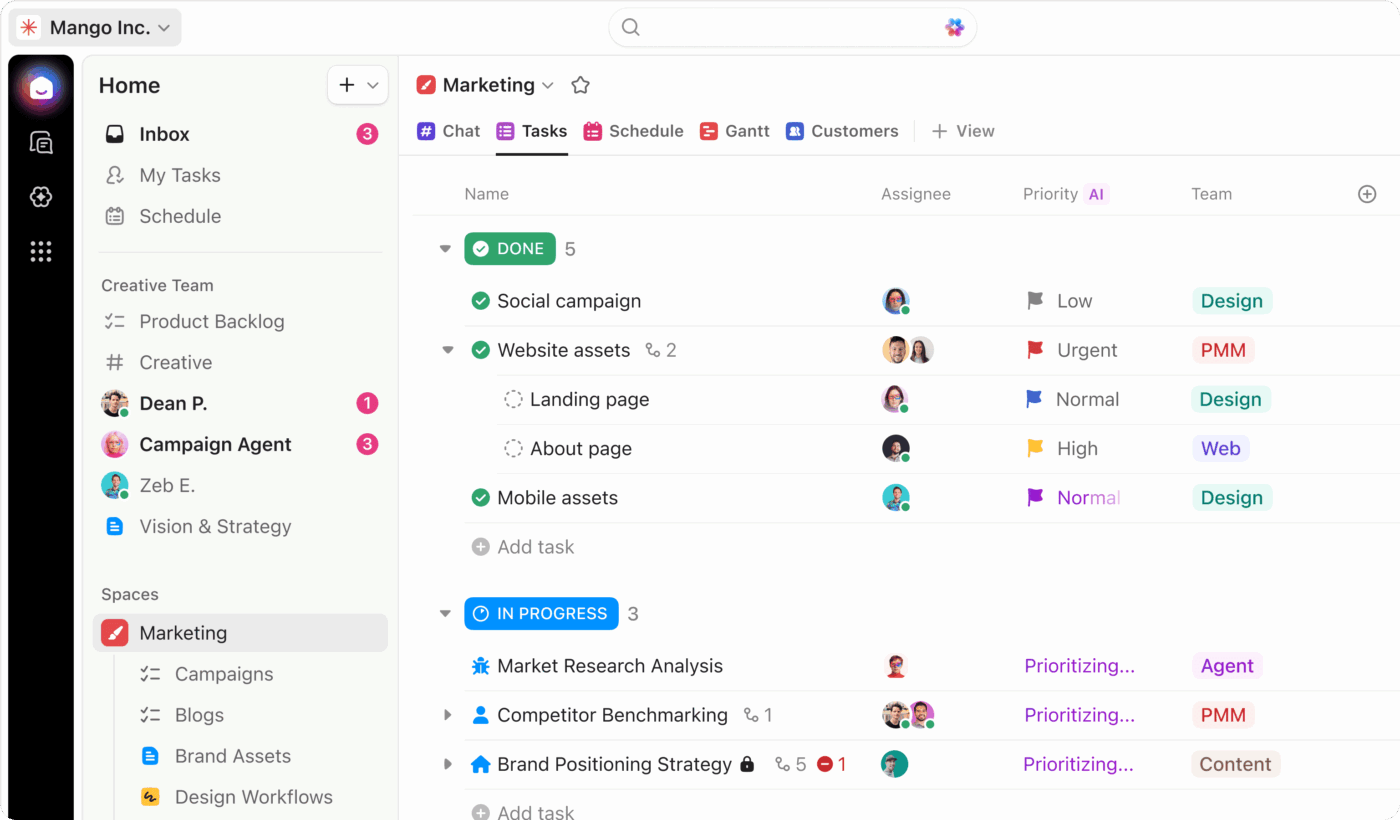
Best for: Startups that need to add headcount without hitting a seat wall.
Most flexible free workspace with unlimited users: ClickUp. Tasks, Docs, chat, basic time tracking, forms, multiple views, and automation sit in one workspace. The learning curve, 60 MB storage, and 100-use time tracking cap are the trade-offs.
Why it’s #1 for startups: The unlimited-user free tier matters most when you are hiring fast. Many competing free tiers cap users earlier. Asana offers free caps at 2 users for new accounts. Jira free caps at 10 users. Monday.com free caps at 2 users. ClickUp’s free plan includes multiple project views, basic time tracking, native chat, Docs, and basic AI features.
Startups rarely have neat workflows. The same five people might run sprints, ship landing pages, track investor updates, review customer feedback, and manage hiring. ClickUp fits that chaos better than most free tools.
Honest take: ClickUp’s interface is dense for a team of 2 or 3 people. If you are very early-stage and execution speed beats feature depth, Trello is a faster start. Storage of 60 MB hits asset-heavy startups within weeks.
Best for: Solo founders or 2-person startups where documentation matters as much as task tracking.
Free plan limits: Unlimited blocks for solo users only. Adding a second workspace member triggers a 1,000-block cap. 10 guest seats, 5 MB file uploads, 7-day page history.
Why it’s #2: Product specs, wikis, roadmaps, meeting notes, and tasks can live in one workspace. Notion works well when documentation is the operating system.
Honest take: Notion is weaker for execution. There is no native time tracking, workload management, or PM-first reporting. The 1,000-block cap makes Notion hard to use with a co-founder. Most 2-person teams will need Plus.
Best for: Tech startups building software products.
Free plan limits: Unlimited members, 250 active issues, 2 teams, 10 MB file uploads, no admin roles.
Why it’s #3: Linear is fast, clean, and built for product-engineering teams. The interface is focused, keyboard shortcuts are strong, and the product does not bury engineers in generic PM features.
Honest take: Linear is opinionated about how teams work. The 250 issue cap on free hits within weeks for any team shipping regularly. If you need non-engineering use cases like marketing, sales, customer success, or operations in the same tool, you will fight the product.
Category winner: ClickUp
ClickUp wins for the 0-to-50 journey because the unlimited-user free tier is the rarest valuable feature for startups. Pick Notion if your team is documentation-first and stays solo for now. Pick Linear if you are product-and-engineering only and can live within 250 active issues.
A small team usually has 2 to 10 people working inside one narrow workflow. Think of a marketing team managing campaigns, a design team handling requests, or a product pod tracking launch tasks.
Small teams usually need fast adoption more than feature depth. The best free tool is the one the team will open every day.
Best for: Small teams of 2 to 10 people with simple board-based workflows within the 10-collaborator cap.
Free plan limits: 10 boards per workspace, 10 collaborators per workspace, 10 MB file uploads, 250 automation runs per month.
Why it’s #1: Trello is easy to teach and easy to use. It works especially well for small teams with simple visual workflows, clear stages, and low setup tolerance.
Honest take: Trello does not have built-in time tracking, reporting, or capacity planning. Teams that need these will add third-party tools and create a more fragmented stack. The 10-collaborator cap also forces upgrades faster than teams expect.
Best for: Small teams of 2 to 10 people that need free user seats without a 2-user cap.
Free plan limits: Unlimited users, 60 MB storage, basic time tracking (60 uses), 1 form.
Why it’s #1: Of the major free PM tools, ClickUp is one of the few that supports a 7- or 10-person team without a paywall. Asana free now caps at 2 users for new accounts. Monday.com free caps at 2 users. ClickUp covers tasks, Docs, basic time tracking, forms, and multiple project views in one workspace.
ClickUp works well when a small team needs:
Honest take: For a team that only needs task assignment, due dates, and a single view, ClickUp is overkill. The setup tax does not pay off until you actually use the depth. Storage of 60 MB also hits creative or asset-heavy teams fast.
Best for: Solo users or 2-person teams that value Asana’s UX. Asana’s Personal plan applies to signups after November 12, 2025, and includes up to 2 seats. Older accounts may have different limits.
Free plan limits: 2 users for new accounts, unlimited tasks and projects, list/board/calendar views, no timeline view, no custom fields, no automation.
Why it’s #3: Asana has one of the cleanest interfaces in the category. Onboarding takes less time than ClickUp, and non-technical teams usually understand projects, tasks, owners, due dates, and calendar views quickly.
Honest take: The November 2025 free-plan reduction from 15 (then 10) to 2 users makes Asana free unsuitable for most small teams today. Anyone with a team of 3 or more needs to pay $10.99 per user per month minimum. The Starter plan also caps automation runs at 250 per month organization-wide.
Category winner: Trello
Trello wins for small teams that need simple visual coordination. ClickUp is the better pick when the team has more than 2 users, multiple workflows, or expects to grow beyond basic boards.
A small business usually has 5 to 50 people running several parts of the company at once. The team may still be small by headcount, but the work is broader than one project board.
A small business might need to manage:
That makes the software need different. A small business usually needs one workspace for tasks, Docs, forms, time tracking, light CRM-style tracking, and internal communication.
This is where ClickUp has a stronger case than simpler task tools.
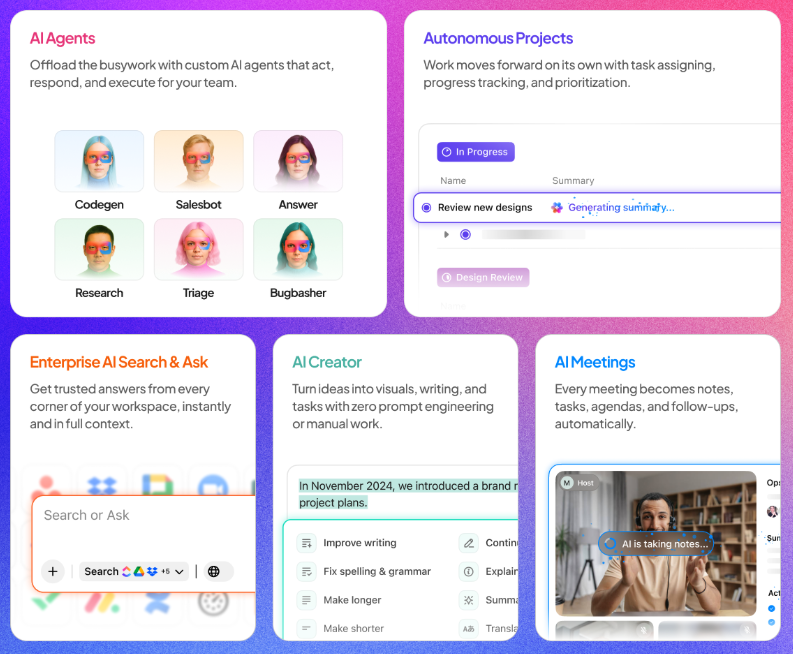
Best for: Small businesses of roughly 5 to 50 people managing operations, marketing, client work, documentation, and recurring processes in one workspace.
Free plan limits: Unlimited users, 60 MB storage, basic time tracking (60 uses), 1 form. Permission-controlled guest access requires a paid plan.
Why it’s #1: Small businesses rarely use project management software for only task tracking. The same workspace may need to hold client projects, SOPs, campaign calendars, intake forms, hiring workflows, vendor follow-ups, and basic time tracking.
ClickUp’s free plan is better suited to that mix because it brings tasks, Docs, native chat, Calendar View, Kanban boards, Forms, and basic time tracking into one workspace.
ClickUp is strongest for small businesses that need to:
Honest take: ClickUp takes more setup than Asana or Trello. A small business that only needs task assignments and due dates may prefer Trello. ClickUp wins when the business needs one free workspace that can support more than basic task coordination. Permission-controlled guest access for clients requires upgrading to Unlimited.
Best for: Very small businesses of 1 to 10 people that manage work through simple stages.
Free plan limits: 10 boards per workspace, 10 collaborators per workspace.
Why it’s #2: Trello is easy for owners, freelancers, and clients to understand. It works well for small businesses that need boards for leads, orders, content, requests, or simple client projects.
Honest take: Trello becomes thin when the business needs reporting, time tracking, documentation, or work across several functions. The 10-board, 10-collaborator workspace cap forces an upgrade once you grow.
Best for: Small businesses that want Gantt-style planning without paying.
Free plan limits: Unlimited users (after January 2026 restructure), 200 active tasks, 2 GB storage, 1 shared space.
Why it’s #3: Wrike updated its free plan in January 2026 to offer unlimited users. The free tier includes Gantt charts, board view, Table View, and basic integrations. Few free plans include Gantt.
Honest take: The 200 active task cap is restrictive once a small business runs multiple workflows. Custom fields, time tracking, and automation require the Business plan at $25 per user per month, which has a 5-user minimum and a $1,500 annual floor.
Category winner: ClickUp
ClickUp wins for small businesses because small businesses need a range, not just task coordination. Trello is easier for visual workflows. Wrike includes Gantt for free. ClickUp gives small businesses one free workspace for tasks, Docs, intake, basic time tracking, and recurring operations before they have to buy extra tools.
Software teams need issue tracking, sprint planning, backlog grooming, and engineering-friendly workflows. General project management tools can help cross-functional teams, but engineering-only teams usually need more specialized systems.
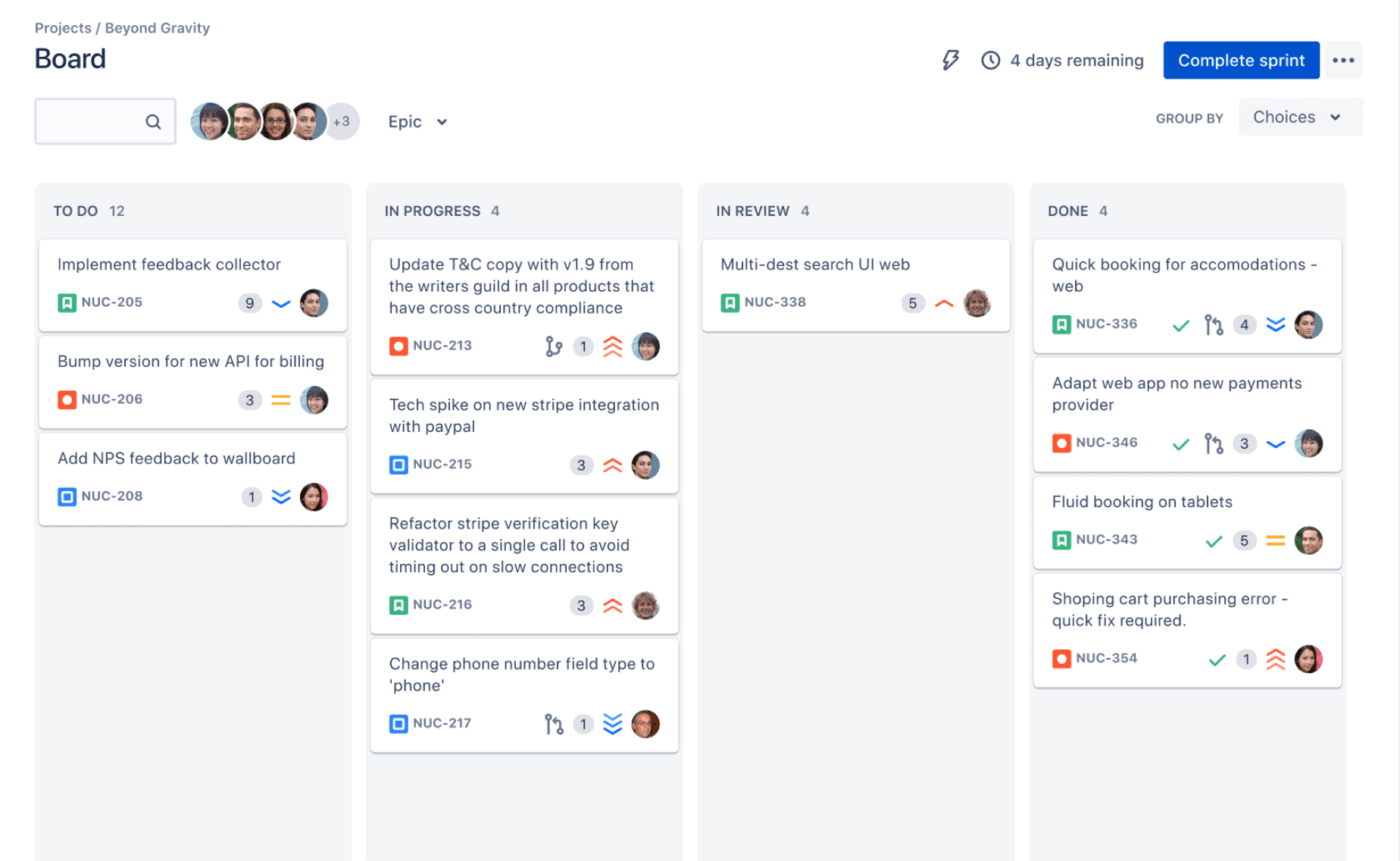
Best for: Engineering teams running Scrum or Kanban with story points, sprints, and backlog grooming.
Free plan limits: 10 users, 2 GB storage, 100 automation rule runs per month, 100 emails per day, no user roles or permissions.
Why it’s #1: Jira’s vocabulary is the vocabulary of software project management: issues, epics, sprints, backlogs, story points, and burndown charts. Agile depth is baked into the product.
Honest take: Jira is not popular with non-engineers. The interface is dense, the terminology is engineering-specific, and the 10-user cap on free kicks in fast. If engineering needs to collaborate with marketing or design in the same tool, Jira may not be the best fit.
Best for: Startup engineering teams that prioritize speed and modern UX over Agile depth.
Free plan limits: Unlimited members, 250 active issues, 2 teams, 10 MB file uploads, no admin roles.
Why it’s #2: Linear is built for engineers by engineers. Every interaction is optimized for speed. It is cleaner than Jira and better suited to early product-engineering teams that value momentum over configuration.
Honest take: The 250 issue cap on free blocks new issue creation once hit. Most active product teams will exceed this within weeks. Linear’s opinions also limit you. Custom workflows are more restricted. If your team needs non-engineering use cases or complex workflows, you may outgrow the product, not just its free plan.
Best for: Engineering teams that need to collaborate with design, QA, DevOps, product, marketing, or operations in the same workspace.
Why it’s #3: ClickUp can support sprints, story points, bug tracking, product Docs, and cross-functional launches. Engineering can use sprints while marketing uses a board and leadership uses dashboards.
Honest take: ClickUp is not a Jira replacement for hardcore Agile. Custom-field setup for story points and velocity is more manual, and reporting depth is lower. Pick ClickUp when cross-functional collaboration matters more than Agile feature depth.
Category winner: Jira
Jira wins for engineering teams that want Agile depth and live in the standard, as long as the team stays under 10 users on free. Pick Linear if speed and modern UX matter more than feature depth, and you can stay under 250 active issues. Pick ClickUp only if you need engineering and non-engineering teams in the same tool.
Marketing teams need calendars, owners, review stages, campaign visibility, and freelancer-friendly collaboration. The best tool depends on team size and what limits will hurt first.
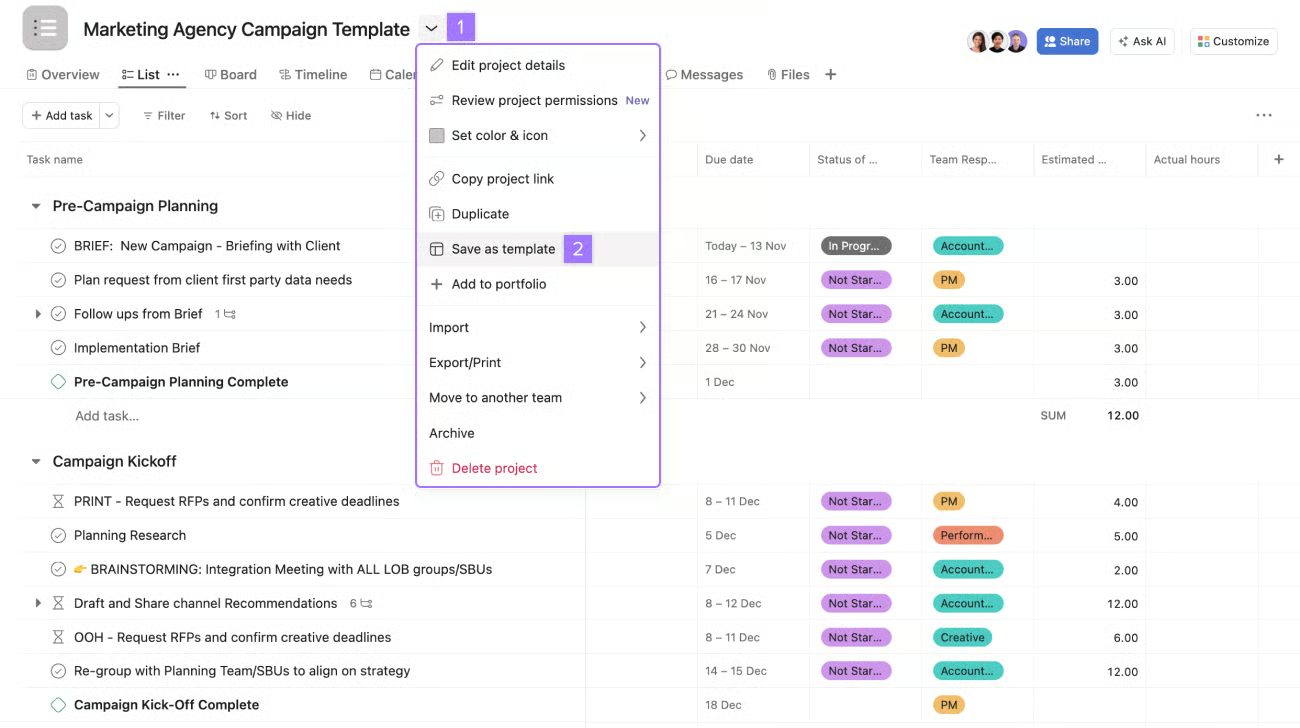
Best for: Marketing teams that want simple project coordination without heavy customization.
Why it’s #1: Asana’s interface is clean, intuitive, and easy to onboard. Calendar View works well for content planning, campaign tracking, and freelance coordination.
Asana is a good fit for marketing teams that need:
Honest take: Asana’s free tier does not include every feature marketing operations teams eventually need. Time tracking, advanced automation, reporting, custom fields, and complex approvals can quickly become limiting.
Best for: Marketing teams of any size managing multiple content pipelines, campaigns, and approvals.
Free plan limits: Unlimited users, 60 MB storage (hits asset-heavy teams fast), basic time tracking (60 uses), 1 form.
Why it’s #2: Of the free marketing-friendly tools, ClickUp is one of the few that supports a 5+ person team. Asana free now caps at 2 users for new accounts. Monday.com free caps at 2 users. Custom Fields let you build editorial calendars with publish dates, channels, owners, and status tracking in one view. Native automation can handle routine handoffs between briefing, drafting, review, and publishing.
Honest take: Storage limits are more painful for marketing than for most teams because creative assets eat space fast. The AI features on free plans should be treated as a bonus, not a core reason to choose the tool.
Best for: Solo content creators where briefs, style guides, and the editorial calendar live alongside the content itself.
Free plan limits: Unlimited blocks for solo users only. Adding a second member triggers a 1,000-block cap. 10 guests, 5 MB file uploads.
Why it’s #3: Briefs become pages. Pages can link to database rows in the calendar. The whole content operation can live in one place if you stay solo.
Honest take: Notion does not enforce structure. Editorial calendars in Notion tend to drift unless someone owns hygiene. The 1,000-block cap once a second member joins makes Notion impractical for actual marketing teams without upgrading.
Asana wins for marketing teams that value clean coordination and quick adoption. Pick ClickUp when you need editorial calendars, custom fields, automation, and task execution in one workspace. Pick Notion when briefs and documentation are the center of the marketing workflow.
Agencies need more than internal task tracking. Client work usually requires guest access, intake, task ownership, timelines, documents, time tracking, and internal visibility that clients do not see.
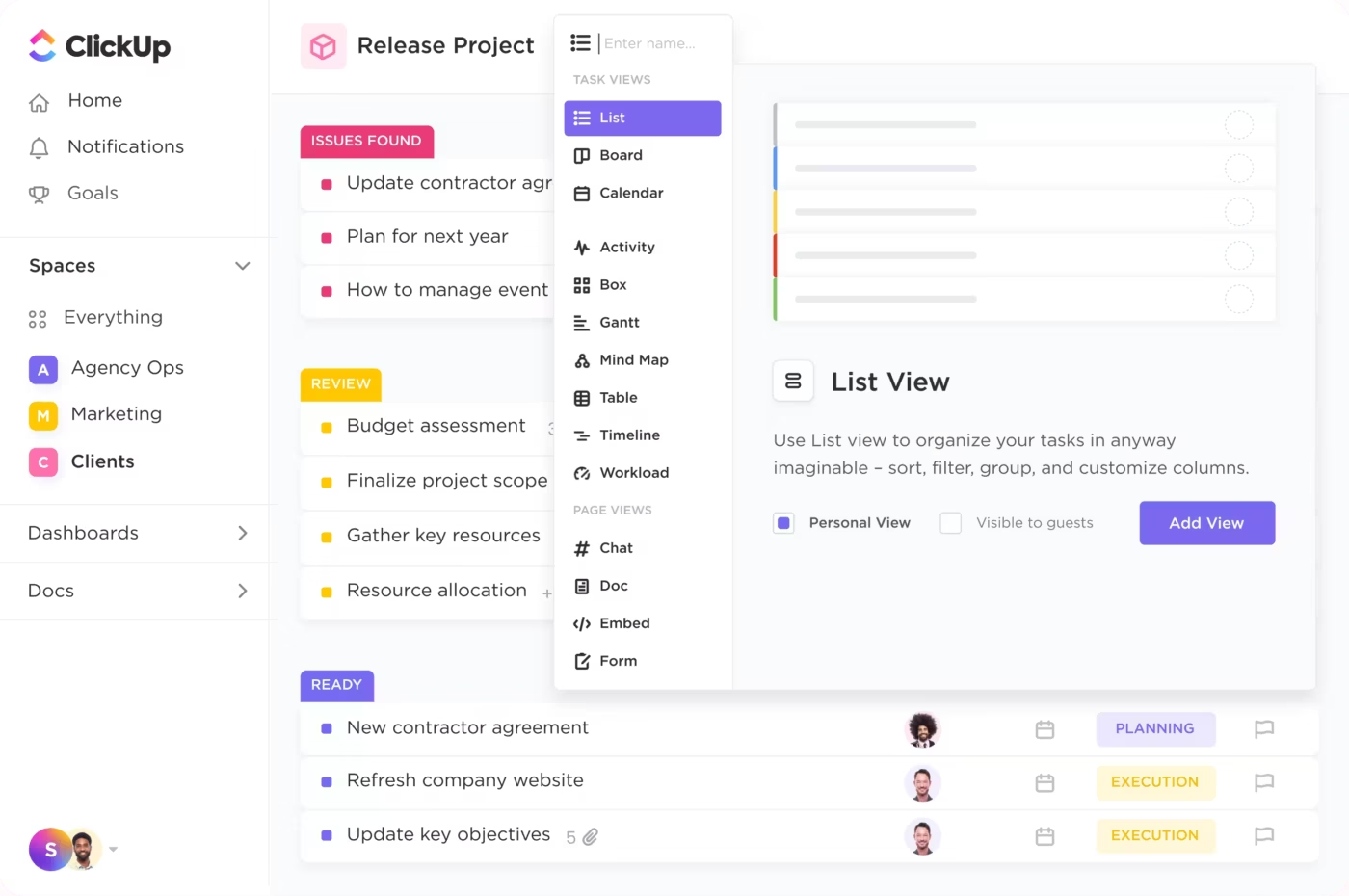
Best for: Agencies and consultancies managing multiple client projects within the free-plan limits.
Free plan limits: Free Forever guests have full permissions only (no permission-controlled guest types on free). 60 MB storage. Basic time tracking capped at 60 uses.
Why it’s #1: Even with limits, ClickUp’s free plan covers more agency baselines than competitors. Asana free’s 2-user cap makes it unworkable. Wrike free includes Gantt, but not guests with controlled permissions. ClickUp covers tasks, Docs, forms, multiple views, basic time tracking, and a single guest type at $0.
Client work usually needs more than a task board. Agencies need intake, owners, timelines, documents, time tracking, guest access, and internal visibility clients do not see. ClickUp fits that agency baseline better than most free tools, with a paid plan unlocking permission-controlled guest access.
Honest take: Client invoicing, billable rates, and resource utilization reports are not the same as basic time tracking. Permission-controlled guests, multiple workflow types of guests, and full guest seat allocations require upgrading to Unlimited or Business. Agencies usually need paid billing or finance tools as they grow.
Best for: Creative agencies where Adobe Creative Cloud is the production tool of record.
Free plan limits: Unlimited users (after January 2026 update), 200 active tasks, 2 GB storage.
Why it’s #2: Wrike understands creative operations better than most general PM tools. Review workflows, proofing, and Adobe-connected work are stronger on paid plans.
Honest take: The 200 active task cap on free is restrictive for agencies running multiple client projects. Custom workflows, time tracking, and proofing require Business at $25 per user per month with a 5-user minimum.
Best for: Freelancers and solo agencies with simple client projects within the 10-collaborator cap.
Free plan limits: 10 boards per workspace, 10 collaborators per workspace.
Why it’s #3: Clients can understand Trello quickly. They can see what is planned, in progress, waiting on feedback, and done without learning a complex workspace.
Honest take: Trello does not have built-in time tracking, billing, or client portals. The 10-collaborator cap counts clients too if they join as Workspace guests across multiple boards. You will bolt on third-party tools, and the stack gets messy as client volume grows.
Category winner: ClickUp
ClickUp wins because guest access plus basic time tracking is the agency baseline, and ClickUp covers both on a free plan. Pick Wrike for creative-heavy agencies where Adobe-connected workflows matter. Pick Trello if you are a solo freelancer with under 10 client collaborators.
Time tracking is useful for agencies, consultants, freelancers, and operations teams that need to compare estimates against actual effort. The best choice depends on whether you need time tracking inside a PM tool or a dedicated timer.
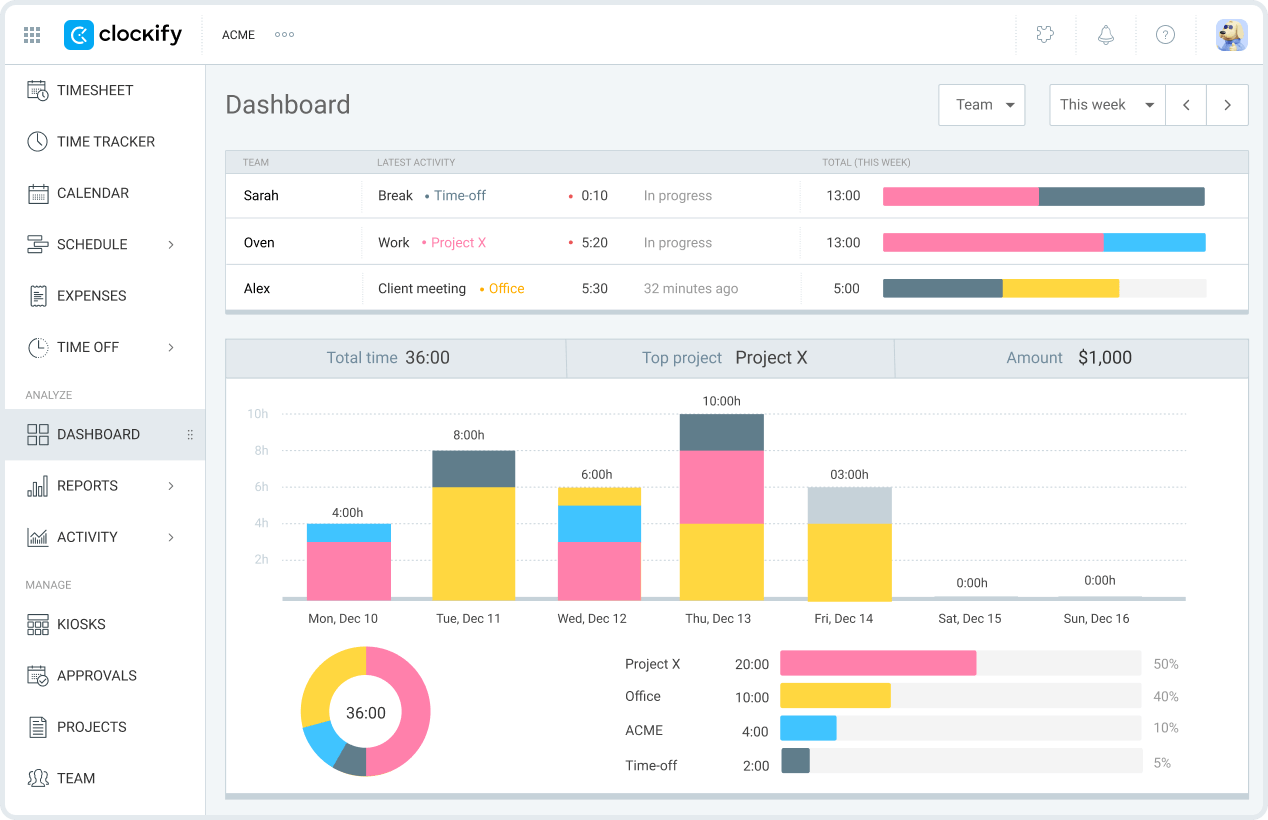
Best for: Teams that need only time tracking, not project management.
Free plan limits: Unlimited time tracking, unlimited projects and clients. User cap varies between sources (check Clockify’s current pricing page for the latest cap).
Why it’s #1: Clockify’s free plan is the most generous in time tracking. Unlimited time tracking, projects, and clients at $0. The interface is utilitarian but reliable.
Honest take: Clockify is a dedicated time tracker, not a PM tool. Invoicing requires Standard at $4.99 per user per month annual. Toggl Track’s free plan caps at 5 users for comparison.
Best for: Teams that need both task management and basic time tracking without bolting on a separate tool.
Free plan limits: Basic time tracking capped at 60 uses of the Time Tracking ClickApp on the Free Forever plan.
Why it’s #2: Time tracking happens in context. Teams can track work against the task where the work happens, instead of starting a timer in one tool and managing delivery in another.
Honest take: The 100-use cap on free is restrictive. Native time tracking with full features (billable rates, labels, descriptions, time not linked to tasks) requires a paid plan. Heavy invoicing-driven teams will need to upgrade or pair ClickUp with dedicated billing software.
Best for: Freelancers or small teams of up to 5 users that want the cleanest time-tracking interface available.
Free plan limits: Up to 5 users on the free plan.
Why it’s #3: Toggl Track is pleasant, fast, and easy to use daily.
Honest take: It is not a project management tool. The 5-user cap on free makes it tighter than Clockify for growing teams.
Category winner: Clockify
Clockify wins for teams that need only time tracking and want the most generous free tier. Pick ClickUp if you need task management plus basic time tracking in one tool. Pick Toggl Track for solo freelancers or teams under 5 who want the cleanest timer experience.
Billing is where most free project management tools stop short. If invoices, payments, and billable rates are central to your workflow, expect to use a dedicated finance or time-to-invoice tool.
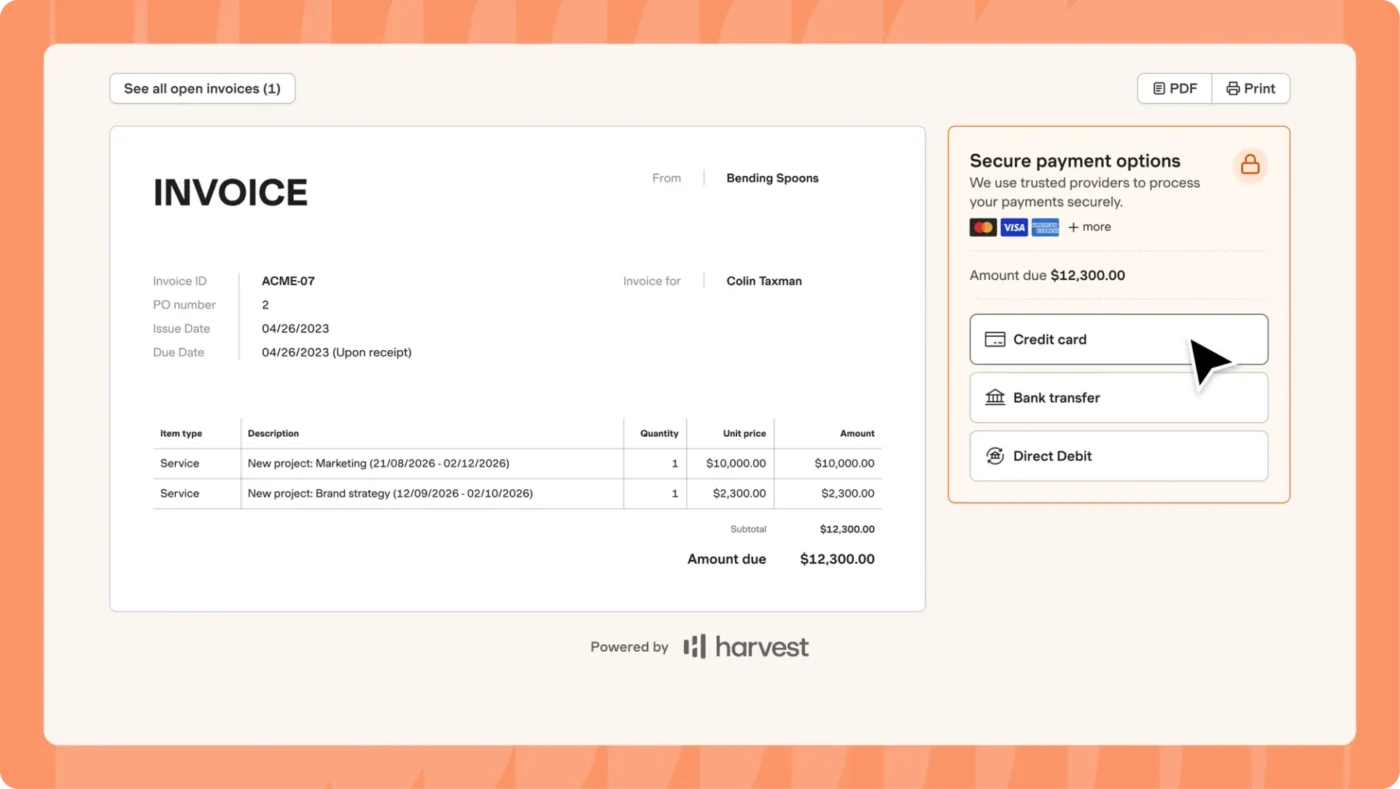
Best for: Freelancers and agencies that bill hourly or by project.
Free plan limits: 1 user, 2 projects, basic time tracking, and invoicing.
Why it’s #1: Harvest handles the billing layer that PM tools usually skip: time tracking, expense tracking, invoices, and payment workflows.
Honest take: Harvest is not a full project management system. It handles time and billing better than task execution. The free plan supports only 1 user and 2 projects, so even small teams need the Pro plan at $11 to $13 per user per month. Harvest was acquired by Bending Spoons in late 2025, and the pricing model now includes usage-based fees on top of seat costs. Verify current pricing before committing.
Best for: Solo freelancers and very small teams that can split time tracking and invoicing across two tools.
Why it’s #2: Track time in ClickUp (within the 60-use cap on free), export or copy the time data, then invoice in Harvest, Wave, FreshBooks, or QuickBooks.
Honest take: This adds context-switching and manual work. It is workable for solo freelancers billing a few clients, not for agencies with many active engagements.
Best for: Solo consultants with flat-fee or retainer projects.
Why it’s #3: Notion can track engagement details and invoice status if the billing workflow is simple, and you stay solo (the 1,000-block cap kicks in with a second member).
Honest take: It is not billing software. Most consultants outgrow this within months.
Category winner: Harvest
If billing is core to your business, pay for Harvest or a similar dedicated tool. Free PM tools handle the project management half. The billing half almost always needs a real tool.
Kanban boards are best when work moves through visible stages. The right tool depends on whether Kanban is the whole workflow or just one view of a broader project system.
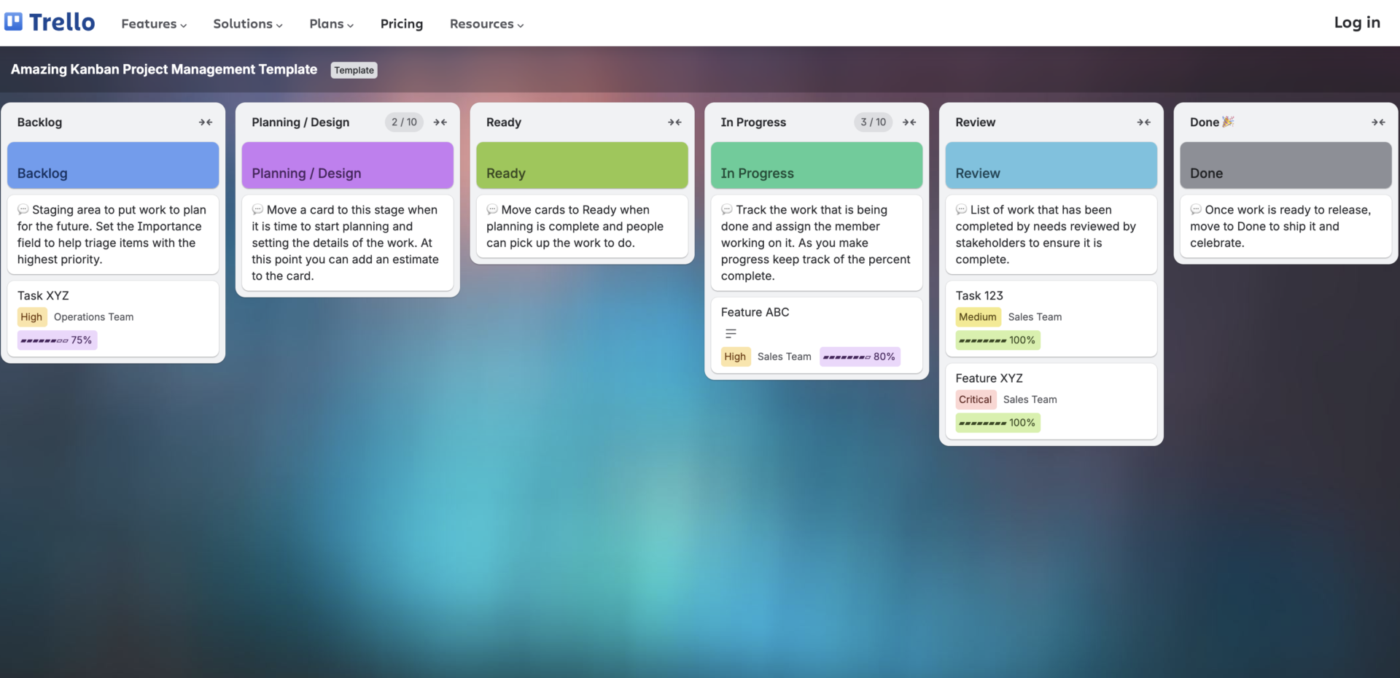
Best for: Anyone who wants pure Kanban within the 10-board, 10-collaborator cap.
Why it’s #1: Trello is built around the Kanban board. Drag-and-drop interactions feel instant, and the mental model is obvious.
Honest take: Trello’s depth ends at the board. Rolling up data across boards, generating reports, or planning resources is not what this tool is for. Once you hit 10 boards or 10 collaborators, you need to upgrade to Standard at $5 per user per month.
Best for: Teams that want Kanban plus other views on the same data, without a board cap.
Why it’s #2: ClickUp supports Board view, but the same work can also appear as a List, Calendar, Timeline, or other view. This helps teams avoid locking their entire workflow into boards.
Honest take: More powerful than Trello, slower to set up. If your team just needs a Kanban board today, Trello is the faster path.
Best for: Solo users who want Kanban connected to documents, wikis, and other data.
Why it’s #3: Notion’s board view works well when the board is one visualization of a larger database.
Honest take: Notion’s board view is functional, not native. Drag-and-drop is slower than Trello or ClickUp. The 1,000-block cap with 2+ members also limits team Kanban use.
Category winner: Trello
Trello wins for pure Kanban within its workspace caps. Pick ClickUp if you want Kanban plus other views on the same data, or if you have more than 10 collaborators. Pick Notion if you are already in Notion and want one consolidated workspace.
Native Gantt charts are usually paywalled, with two exceptions: GanttProject (free desktop) and Wrike (free cloud with Gantt included since January 2026).
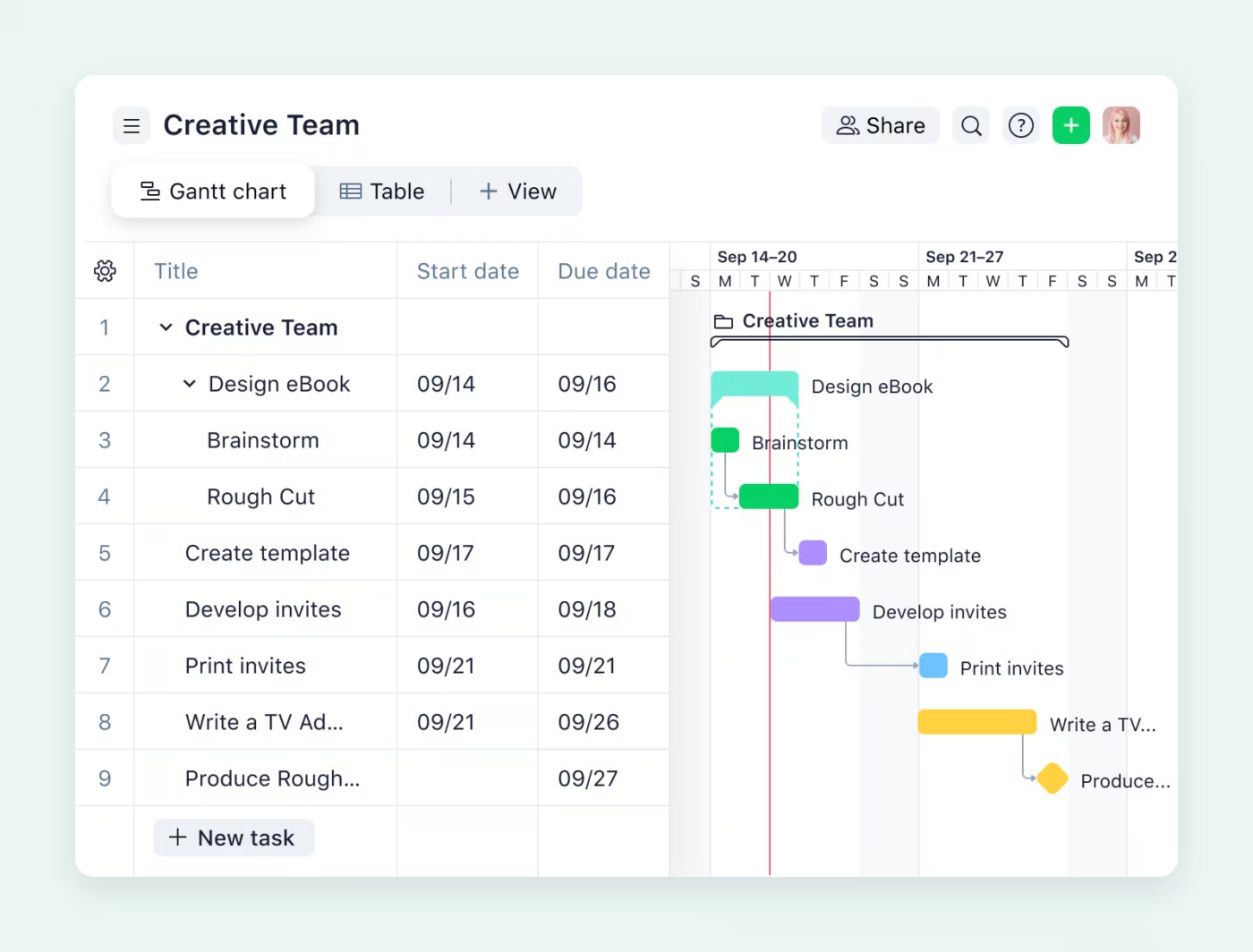
Best for: Teams that want cloud-based Gantt charts on a free plan with team access.
Free plan limits: Unlimited users, 200 active tasks, 2 GB storage.
Why it’s #1: Wrike’s January 2026 free plan update included Gantt charts and unlimited users. It is one of only two cloud PM tools that include Gantt-style planning for free.
Honest take: The 200 active task cap limits Wrike’s free plan to smaller projects. Resource management and time tracking require Business at $25 per user per month, with a 5-user minimum.
Best for: Solo project managers or planners on a zero budget who can work in desktop software.
Why it’s #2: GanttProject gives you real Gantt planning without a subscription. It is the most full-featured free Gantt option for desktop work.
Honest take: Desktop-only. No real-time collaboration, no mobile app, no modern workspace layer. Not suitable for distributed teams.
Best for: Teams that need timeline planning and dependencies inside a broader PM workspace.
Free plan limits: 60 lifetime uses of Gantt and Timeline views on the Free Forever plan.
Why it’s #3: ClickUp gives teams Gantt-style planning inside a cloud collaboration tool, alongside tasks, Docs, comments, and other views.
Honest take: The 60 lifetime uses cap is severe for any team using Gantt regularly. Unlimited Gantt charts require a paid plan. Treat this as good enough for lightweight dependency planning, not enterprise-grade Gantt. Traditional project managers running complex schedules may need a paid or dedicated tool.
Category winner: Wrike for free cloud Gantt
Wrike wins if the requirement is a free cloud Gantt with team collaboration. GanttProject wins for offline solo planning. ClickUp wins if Gantt is occasional and you need it inside a broader workspace.
Document-heavy teams need more than task comments. They need wikis, briefs, notes, SOPs, and project context that stays findable after the meeting ends.
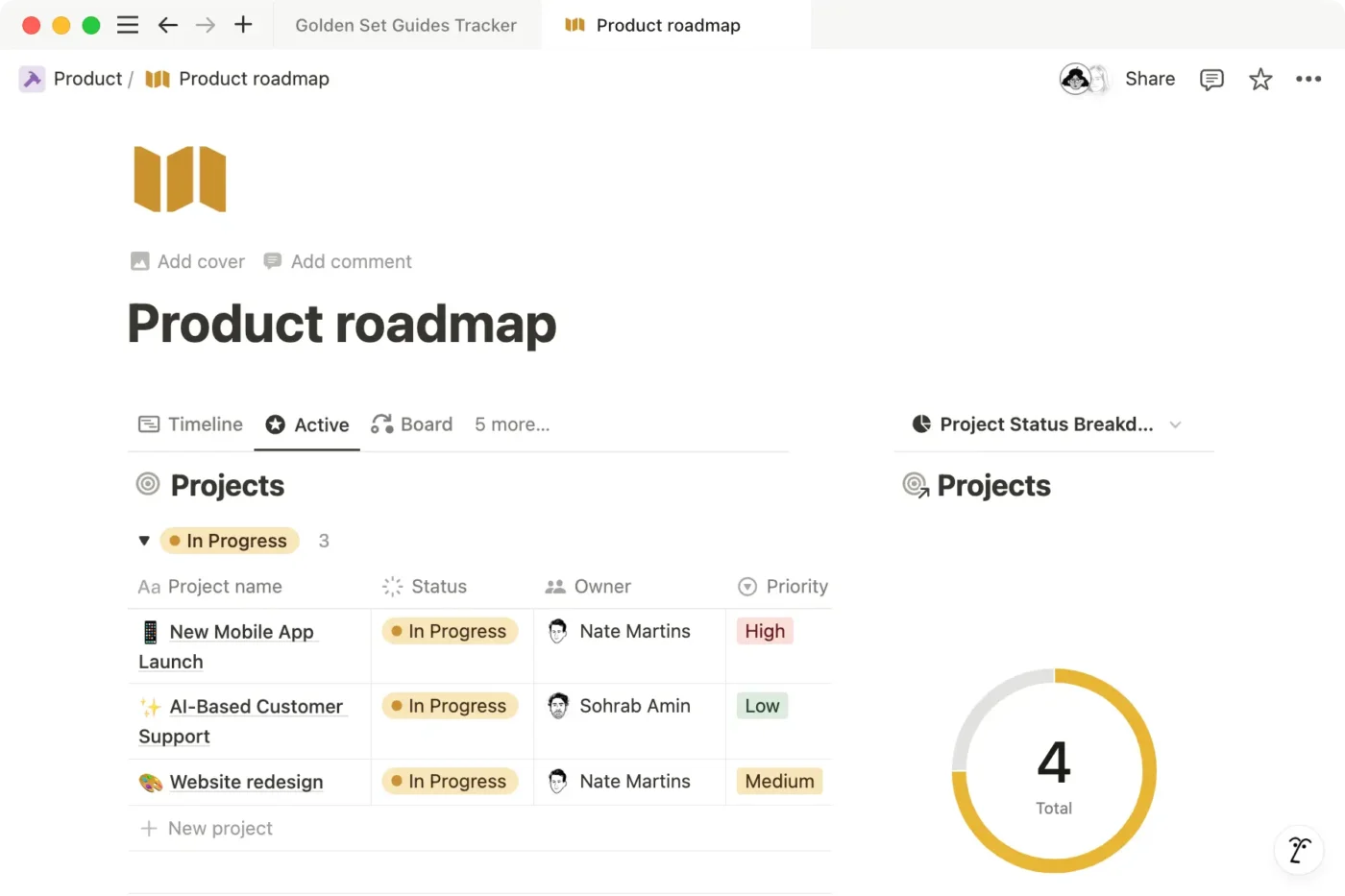
Best for: Solo users where documentation matters as much as task tracking.
Free plan limits: Unlimited blocks for solo users only. Adding a second member triggers a 1,000-block cap. 10 guests, 5 MB file uploads.
Why it’s #1: Pages, sub-pages, databases, and comments make documentation feel native. Notion is strongest when solo users need meeting notes, wikis, PRDs, SOPs, research databases, and lightweight tasks in one workspace.
Honest take: Notion’s free plan turns into a 1,000-block trial once a second member joins. That is roughly 90% less content capacity than a solo workspace. Teams should plan to pay $10 per user per month for Plus from day one. Search and structure can also struggle in large workspaces, and pages rot when no one owns maintenance.
Best for: Teams where documentation creates tasks and tasks reference documentation.
Free plan limits: 60 MB storage, Doc tag usage limits, and no unlimited Docs collaboration.
Why it’s #2: You can convert text in a Doc into linked tasks, embed task lists in Docs, and link Docs to project hierarchies.
Honest take: ClickUp Docs is competent, but it does not match Notion’s depth for pure documentation. If Docs are your primary use case and you are a solo user, Notion is still the better fit.
Best for: Teams already on Google Workspace.
Why it’s #3: Google Docs remains the standard for drafting, commenting, and collaborative editing.
Honest take: Google Docs is not a project management tool. Pairing Docs with a free PM tool is common, but it adds context-switching cost.
Category winner: Notion (for solo users) or ClickUp Docs (for teams)
Notion wins for solo users where documents are the primary work. ClickUp Docs wins for teams that need Docs and tasks connected because Notion’s 1,000-block team cap forces an early upgrade. Pair Google Docs with a separate PM tool only if you are committed to the Google ecosystem.
Automation can remove repetitive handoffs, but free plans are rarely generous enough for serious operations. Treat free automation as a way to test workflows, not run the whole business.
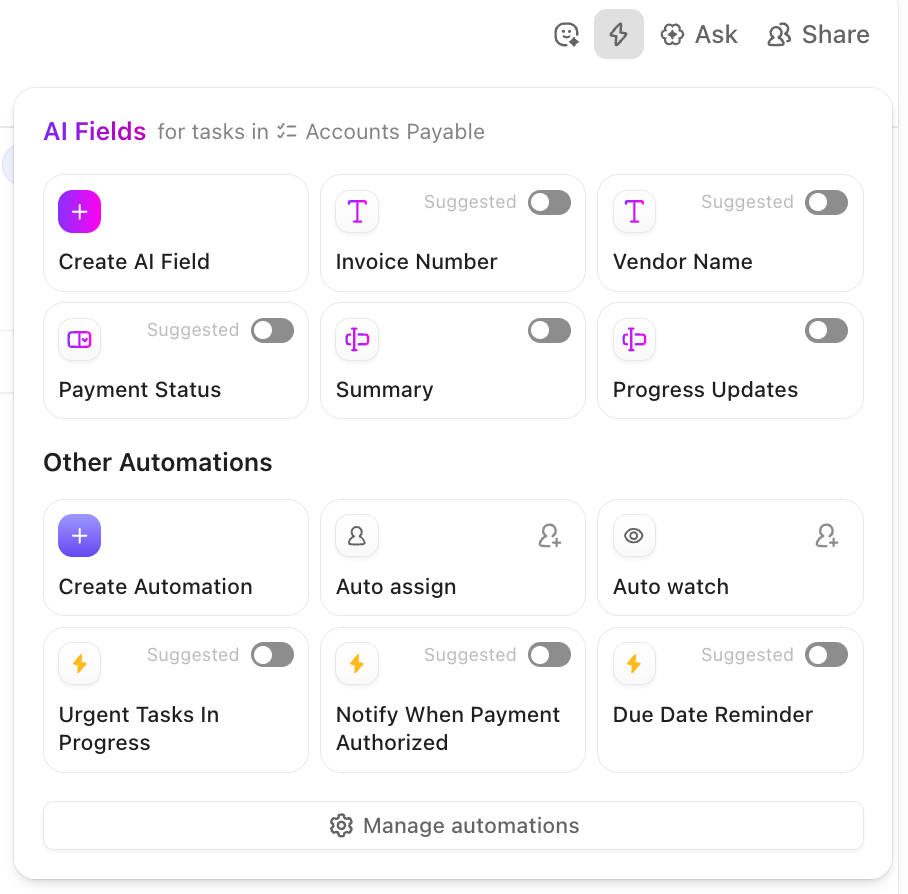
Best for: Teams that need to automate routine workflows like status changes, task assignments, recurring tasks, intake routing, and comment posting.
Why it’s #1 for breadth: ClickUp’s automation builder sits inside a full PM workspace, so automations can act on tasks, fields, dates, owners, forms, and integrations.
Honest take: Free automation limits are not generous enough for heavy operations. Daily recurring triggers can consume the budget quickly. Heavy automation users will need a paid plan with higher automation limits.
Best for: Trello users who want simple board-level automation.
Free plan limits: 250 Workspace command runs per month.
Why it’s #2: Trello Automations (formerly Butler) is excellent for card movement, due-date rules, and list actions.
Honest take: Trello Automations is weaker for cross-board logic and complex workflow rules. Active boards burn through 250 runs quickly.
Best for: Teams with structured data workflows where automation needs to act on records and fields.
Why it’s #3: Airtable has flexible automation logic when the data model is clean.
Honest take: Airtable automation requires users to understand the data model. It is less approachable for non-technical users than Trello Automations.
Category winner: No universal free winner
None of the free tiers are generous for serious automation. ClickUp has the broadest trigger library. Trello has the simplest board automation. Airtable has the strongest data-driven logic. Pick based on the tool you already use. Switching tools just for free automation usually is not worth it.
Remote teams need a way to make decisions, document context, and reduce meeting dependency. The best tool is the one that supports the team’s communication habits, not just its task list.
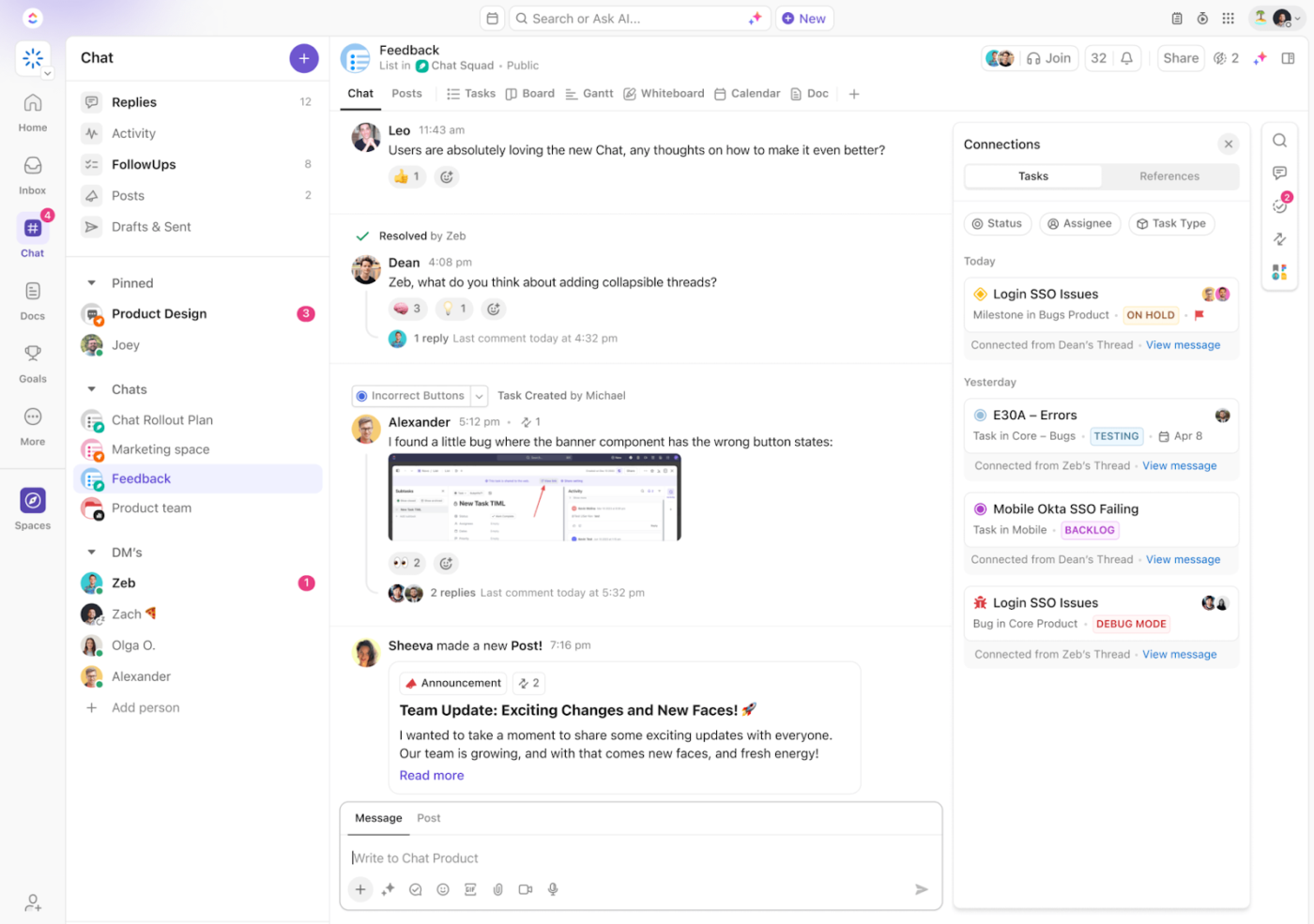
Best for: Remote teams that want one tool covering async communication, documentation, and project work, with no user cap on the free plan.
Free plan limits: Unlimited users, 60 MB storage, basic time tracking (60 uses), 1 form.
Why it’s #1: Native chat, Docs, tasks, basic time tracking, project views, and comments reduce the typical Slack plus Notion plus Asana stack. Few free tools support unlimited users for a distributed team.
Honest take: Async communication is a team discipline, not a tool feature. ClickUp gives you the surface area, but if your team defaults to scattered DMs and unrecorded calls, no tool fixes that.
Best for: Solo founders or 2-3 person teams committed to async-first culture, willing to live within Basecamp’s free-plan constraints.
Free plan limits: 1 project, 1 GB storage, 20 users (including clients), all core features included.
Why it’s #2: Basecamp is designed around async habits. Automatic check-ins can replace daily standups. Message boards organize discussions by topic. Project spaces keep communication tied to work.
Honest take: The 1-project cap on Basecamp for Free makes it unworkable for any team managing more than one workflow. The opinionated design is the point of the product, but if you need flexibility, you may fight it. Paid plans start at $15 per user per month or $349 per month flat for unlimited users.
Best for: Solo remote workers where written documentation is the primary communication method.
Free plan limits: Unlimited blocks for solo users only. 1,000-block cap once a second member joins.
Why it’s #3: Notion supports written context, team wikis, project pages, and decision logs.
Honest take: No native chat. The 1,000-block team cap forces an early upgrade for any remote team beyond a solo user. You will also layer Slack or another chat tool on top, which is part of why tool sprawl exists.
Category winner: ClickUp
ClickUp wins for remote teams because the free plan is the only one of these three that supports unlimited users without a project cap. Pick Basecamp if you are a solo founder or 2-3 person team committed to one project and ready to pay $15 per user per month once you grow. Pick Notion if documentation is your primary remote collaboration method and you are solo.
Industry-specific project management usually changes the buying decision. A free general PM tool may work for internal tracking, but the paid industry tool often handles compliance, records, billing, or workflows that general tools cannot.
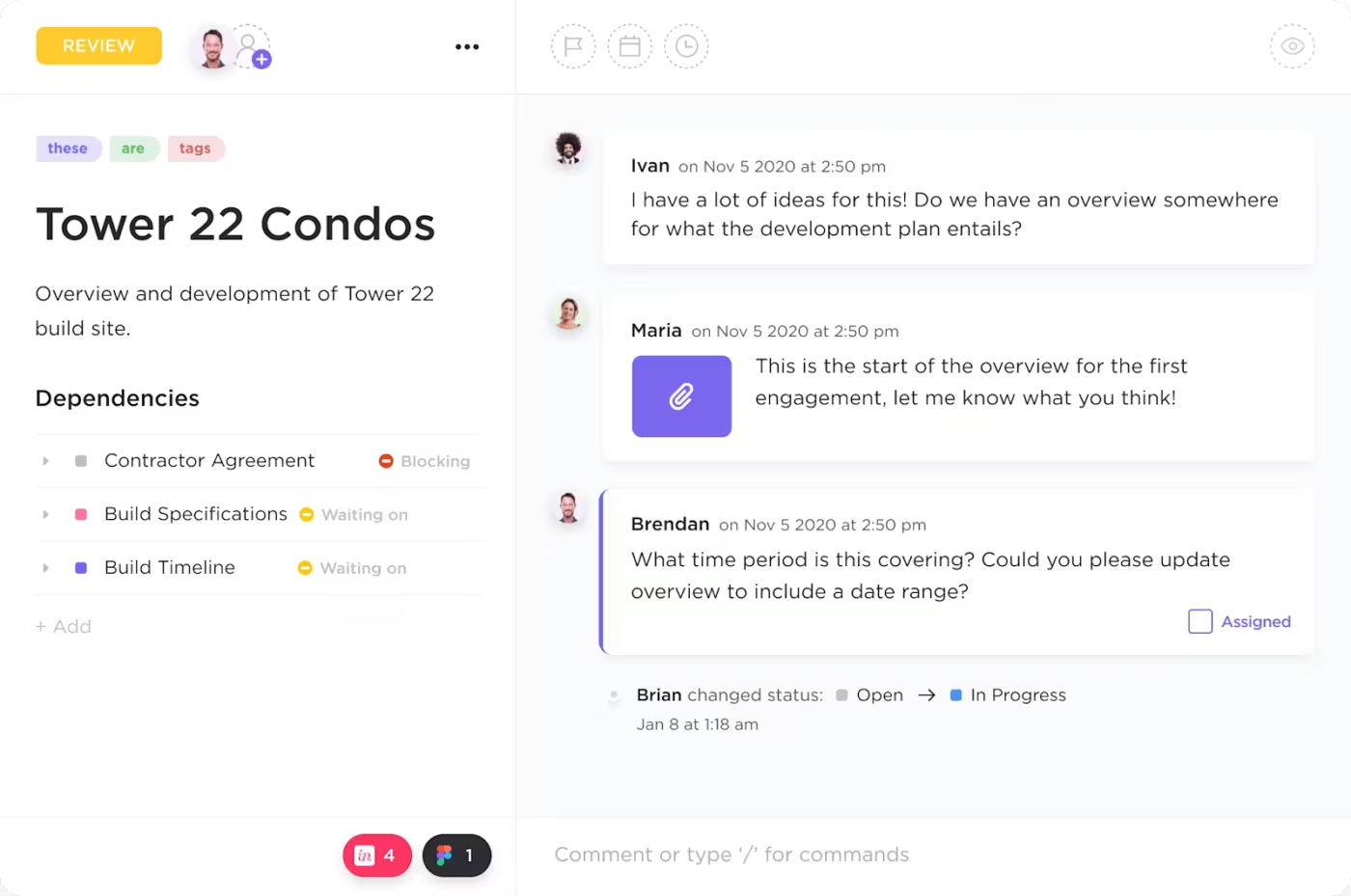
Paid leader: Procore
Best free workaround: ClickUp
Procore is purpose-built for construction. It handles RFIs, submittals, change orders, punch lists, and field reports.
ClickUp can model simpler construction workflows with custom fields, forms, phase tracking, daily logs, RFI logs, and subcontractor tasks. Basic time tracking on the free plan (60 uses) helps with limited labor hour logging.
Honest take: No general PM tool will handle structural drawings, BIM coordination, or compliance documentation the way Procore does. If construction is your core business, the paid tool usually pays for itself in error reduction. ClickUp is the right pick only for residential contractors, specialty trades, or internal tracking where simple project management is enough.
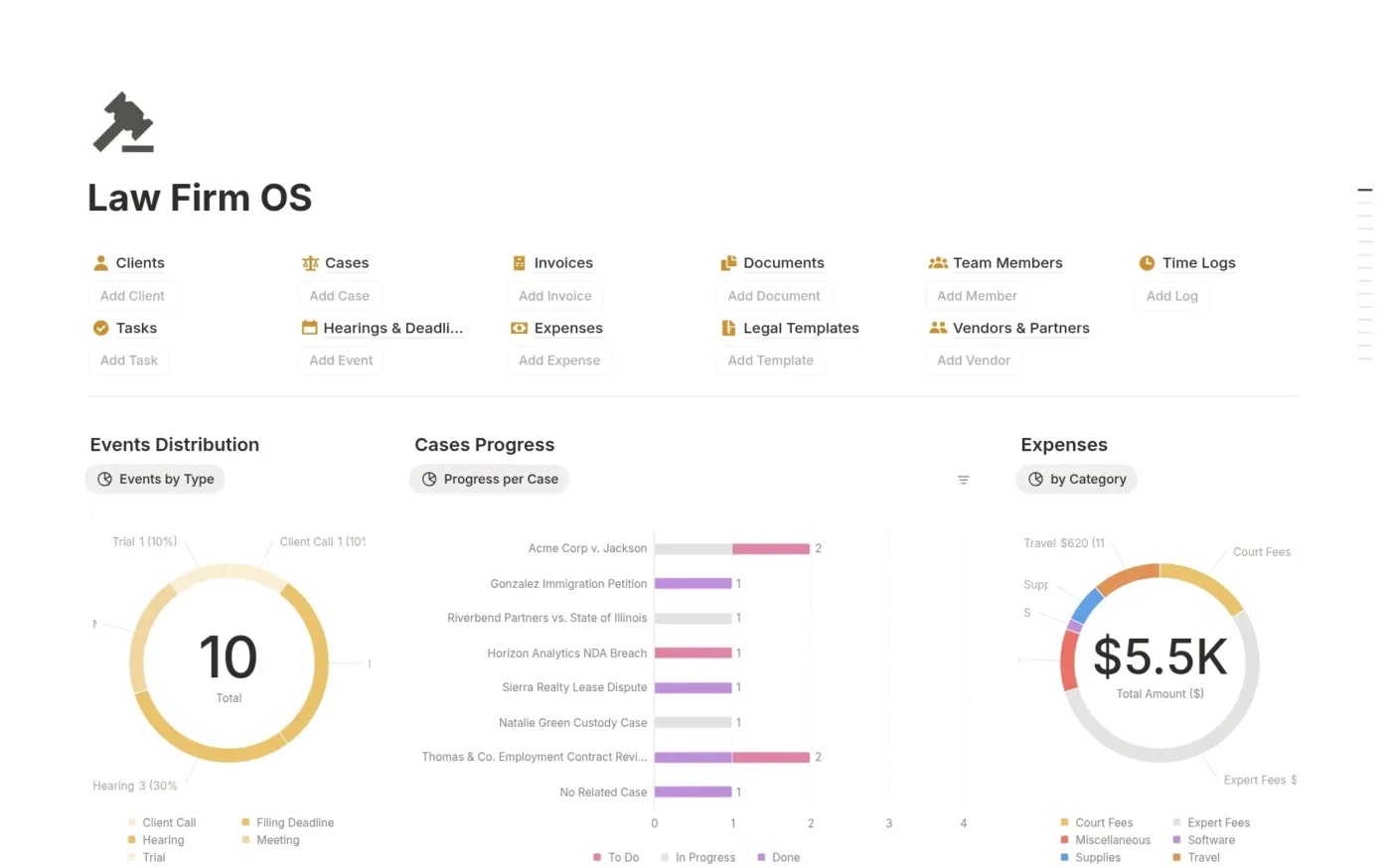
Paid leader: Clio
Best free workaround: ClickUp or Notion (for solo attorneys)
Clio handles matter management, trust accounting, billing, calendaring, and document automation.
ClickUp can be configured for matter tracking, deadline calendars, and document organization. Neither ClickUp nor Notion handles trust accounting or conflict-of-interest checks. Notion Free works only for solo attorneys because of the 1,000-block team trigger.
Honest take: Solo attorneys and small firms on tight budgets can use ClickUp for basic matter management. Anything with trust accounting, IOLTA requirements, or court e-filing integration needs a real legal-practice tool. Do not run sensitive client matters on a free tier unless you have reviewed the security terms.
Paid leader: Healthcare-compliant enterprise tools
Best free workaround: Limited to non-clinical work
HIPAA compliance is not available on most free tiers. ClickUp supports HIPAA only on Enterprise. Free PM tools can work for non-clinical projects such as facilities, marketing, hiring, or internal operations, but they should not store PHI.
Honest take: Healthcare is the one industry where the free-tier workaround pattern breaks. Do not run patient-data workflows on free tools.
Paid leader: Karbon
Best free workaround: ClickUp
Karbon is purpose-built for accounting firms, with workflow templates for tax preparation, audits, advisory engagements, and recurring client work.
ClickUp can model tax-season workflows, client deliverable tracking, recurring engagement templates, and basic time tracking for billable hours within the 60-use cap.
Honest take: Accounting firms over a few people usually benefit from industry-specific templates and workflow automation. Solo CPAs and very small firms can use ClickUp free until the team grows or hits ClickUp’s free-plan limits.
Paid leader: Real estate CRM or transaction-management software
Best free workaround: ClickUp
Most real estate CRMs include project management for transactions. General PM tools can track property pipelines, listing prep, transaction milestones, and client communication logs.
Honest take: Real estate’s specialized data sits outside general PM tools: MLS, ShowingTime, e-signature, transaction coordination, and CRM records. Free PM tools work for internal coordination, not full transaction management.
Category summary
Purpose-built industry tools are usually worth paying for if the industry is your core business. Free general PM tools like ClickUp, Trello, and Wrike serve as workarounds for solo practitioners, small firms, or non-core workflows. The exception is healthcare, where free tiers cannot legally handle PHI.
Project management methodologies differ in how teams work, not just what tools they use. The right free tool for your methodology is rarely the same as the right tool for someone else’s.
Direct answer: Jira is the Agile default within 10 free users. Linear is the modern alternative within 250 free issues. ClickUp works for teams running Agile alongside non-Agile workflows.
Pick Jira if your team is under 10 users and committed to traditional Scrum. Pick Linear if you want a modern feel and you are early-stage with under 250 active issues. Pick ClickUp if engineering needs to share a tool with marketing or design.
Direct answer: Trello for pure Kanban within 10 boards. ClickUp for Kanban as one view among many.
Pick Trello if Kanban is 90% of what you need and you stay under 10 boards and 10 collaborators. Pick ClickUp if you want Kanban plus other views on the same data.
Direct answer: Wrike for free cloud Gantt with team access. GanttProject for offline solo planning. ClickUp for Gantt-style work inside a broader PM workspace.
Pick Wrike for free cloud Gantt with team collaboration. Pick GanttProject for offline solo planning. Pick ClickUp if Gantt is occasional and you need it inside a broader workspace.
Direct answer: Todoist is built for GTD within 5 free projects. ClickUp and Notion can be configured for GTD, but require setup.
Pick Todoist for GTD with minimal setup if 5 projects is enough and you can live without reminders (or pay $5 per month for Pro). Pick ClickUp or Notion if you want GTD plus team workflows in the same tool.
Specialized methodology tools are usually better than general tools at the methodology they were built for. Jira is stronger for Scrum (within 10 free users). Trello is stronger for pure Kanban (within 10 free boards). Todoist is stronger for GTD (within 5 free projects). ClickUp is the most methodology-agnostic option, but it requires more setup than specialists.
Personal project management means one user, no collaboration overhead, fast capture, and reliable cross-device sync. Team PM tools work for personal use, but many include features that get in the way.
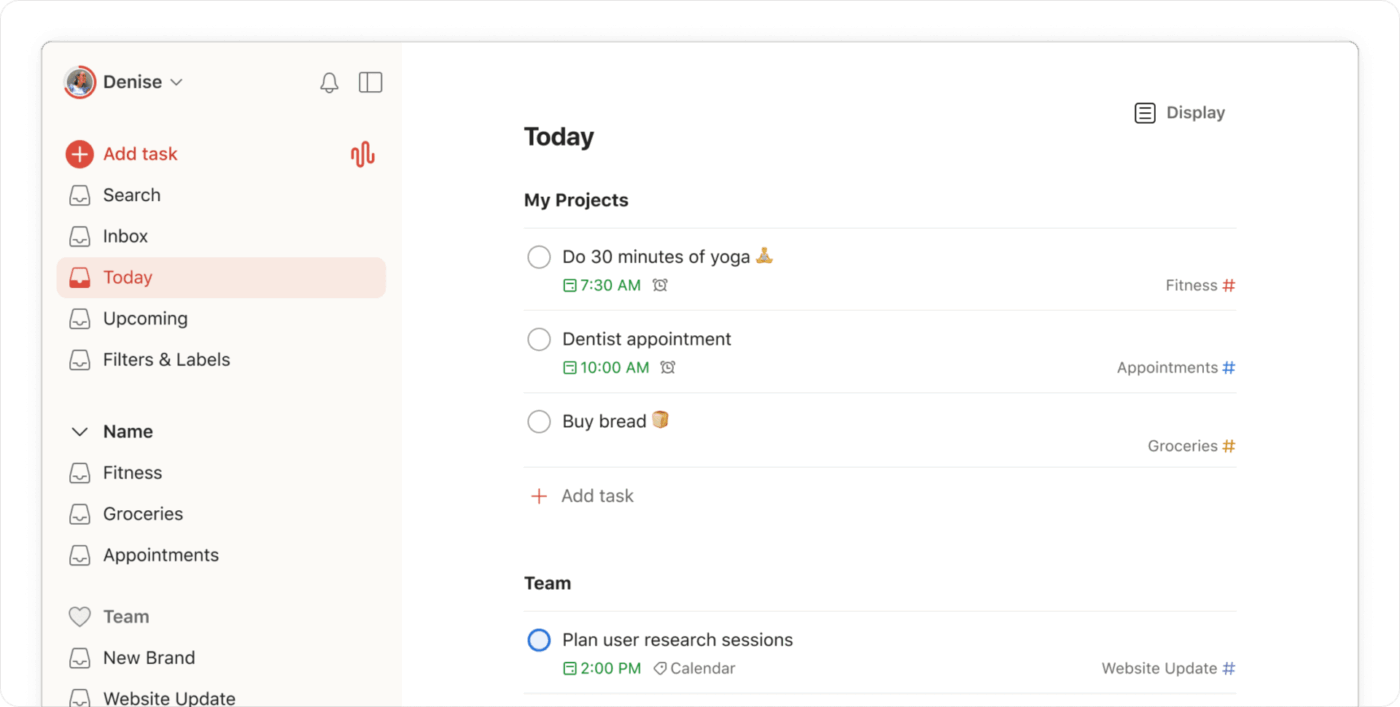
Best for: Individuals managing daily tasks, recurring chores, and personal projects across devices.
Free plan limits: 5 active projects, 3 filter views, 7-day activity history, no reminders, 5 MB file uploads.
Why it’s #1: Natural language input parses dates, recurrences, priorities, and labels from a single typed sentence. The mobile app is one of the strongest in this comparison.
Honest take: Todoist is a to-do list, not a project tracker. The free plan does not include reminders, which is a core constraint. Most personal users hit the 5-project cap within months and upgrade to Pro at $5 per month.
Best for: Individuals who want one place for tasks, notes, journals, habits, goals, and reading lists.
Free plan limits: Unlimited blocks for solo users, 10 guests, 5 MB file uploads.
Why it’s #2: Notion can support GTD, bullet journaling, habit tracking, PARA, personal knowledge management, and lightweight task tracking.
Honest take: Notion takes hours to set up properly. Some people love this and call it a second brain. Others turn the setup itself into a procrastination loop.
Best for: Individuals managing complex personal projects like side businesses, creative work, home renovation, or projects that may grow into team workflows.
Free plan limits: 60 MB storage, basic time tracking capped at 60 uses, 1 form.
Why it’s #3: ClickUp gives power users multiple views, basic time tracking, goals, tasks, and Docs in one place.
Honest take: ClickUp’s interface is designed for teams. Personal users see options they do not need. It works for power users but is not the most pleasant solo experience.
Category winner: Todoist
Todoist wins for simplicity within 5 projects. Notion wins for solo flexibility. ClickUp wins for power users who plan to grow. Most personal users overestimate the complexity they need. Start with Todoist before reaching for Notion or ClickUp.
“All-in-one” means tasks, Docs, chat, and basic time tracking in one tool, with one login, one workspace, and one data layer. The point of consolidation is not feature hoarding. It is reducing tool sprawl.
Use ClickUp to bring tasks, Docs, dashboards, goals, automations, and team collaboration into one project workspace
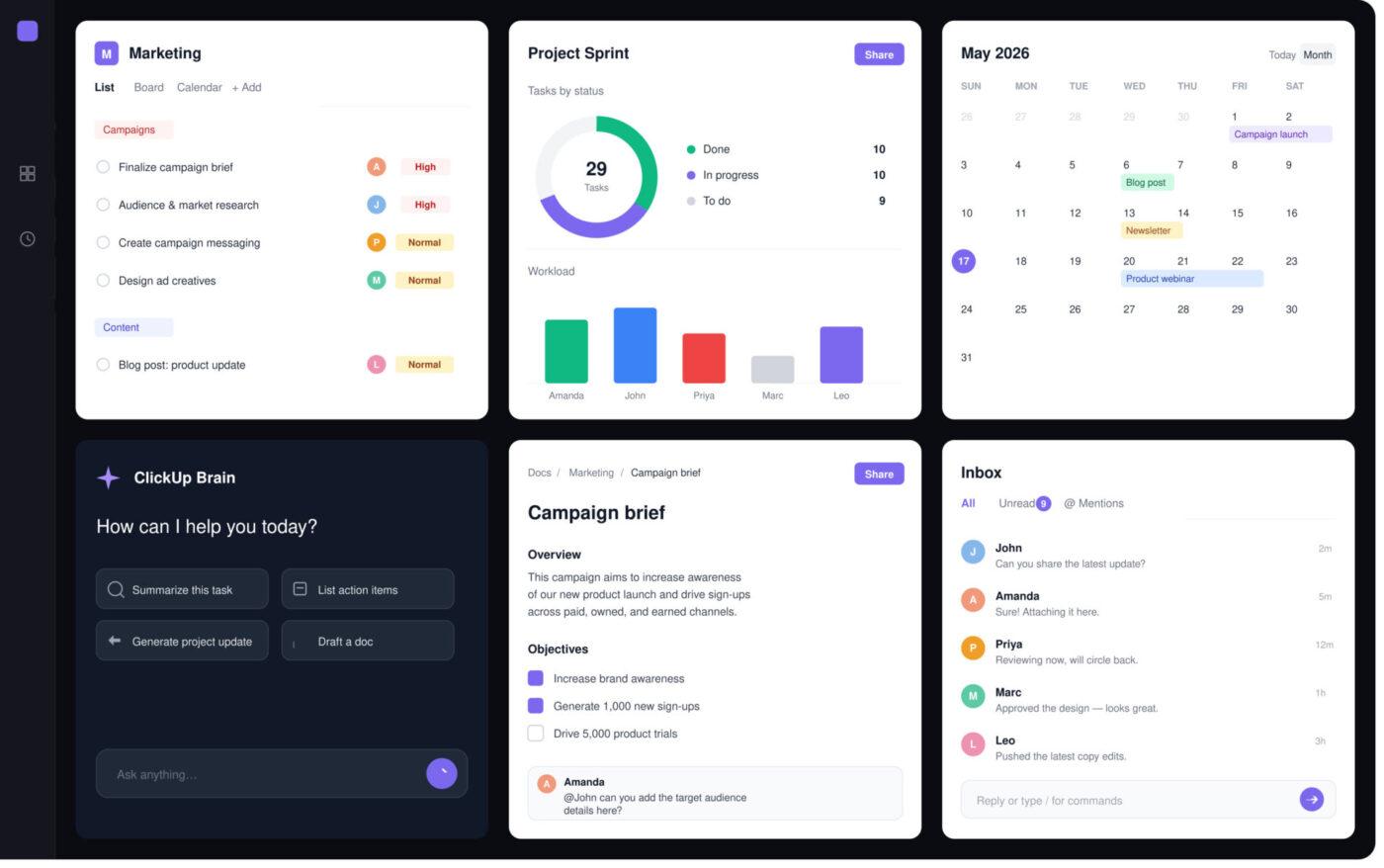
Best for: Teams paying for separate task management, chat, Docs, and time tracking who want to consolidate.
Free plan limits: Unlimited Free Plan members, 60 MB storage, 100 time tracking uses, and 1 form.
Why it’s #1: ClickUp brings together tasks, Docs, native chat, basic time tracking, automation, goals, forms, custom fields, and basic AI in one workspace. No other free tier in this comparison combines the same all-in-one pillars at zero cost with unlimited users.
Honest take: The breadth is also the trade-off. ClickUp’s interface is denser than any single-purpose tool, and the learning curve is real. Storage of 60 MB and basic time tracking caps at 60 uses make the free plan a starter, not a long-term home. Teams that only need two of the four pillars are usually better off with two best-in-class tools.
Best for: Solo users where documentation, knowledge management, and lightweight task tracking should live together.
Free plan limits: Unlimited blocks for solo users only. 1,000-block cap once a second member joins.
Why it’s #2: Pages, databases, wikis, and tasks live in one workspace. Notion is the all-in-one choice when the team’s center of gravity is written context and you stay solo.
Honest take: Notion lacks native chat, time tracking, and proper Gantt. The all-in-one claim works if your work is primarily written and you are a solo user. The 1,000-block cap with a second member effectively eliminates Notion free for teams.
Best for: Teams that think in tables and need flexible views on the same data.
Why it’s #3: Airtable’s relational data model is unique in this category. It works well for structured records, editorial databases, lightweight CRMs, and operational trackers.
Honest take: Airtable is a database first. It does not have native chat, deep Docs, or proper time tracking. The all-in-one framing is generous.
Category winner: ClickUp
ClickUp wins all-in-one project management for teams because it is the only free plan that combines unlimited users with tasks, Docs, chat, and basic time tracking. The trade-off is the learning curve and free-plan caps on storage and time-tracking uses. Pick Notion if your work is primarily written and you are solo. Pick Airtable if your work is structured data.
Free project management tools look similar on pricing pages, but they break in different places. This table compares each tool by its strongest fit, free-plan advantage, and main limitation so you can shortlist faster.
Compare free project management tools by best use case, free-plan strength, and main limitation
| Tool | Best for | Free-plan strength | Main free-plan limit |
|---|---|---|---|
| ClickUp | Small businesses, startups, agencies, mixed teams | Unlimited Free Plan members; tasks, Docs, basic time tracking, forms, and project views in one place | 60 MB storage; 100 time tracking uses; permission-controlled guests require upgrade |
| Trello | Simple visual project tracking | Fastest Kanban-style setup | 10 collaborators per Workspace; free-plan automation limits |
| Asana | Solo users or 2-person teams on newer accounts | Smooth UX and quick adoption | Personal plan includes up to 2 seats for signups after November 12, 2025 |
| Notion | Solo Docs-first work | Unlimited blocks for solo users | 1,000-block limit once a second member joins; 5 MB file uploads |
| Todoist | Solo task capture | Fast natural-language task entry | 5 active projects; no reminders on free |
| Jira | Agile software teams | Strong Scrum, backlog, and sprint depth | 10-user cap |
| Linear | Product-engineering teams | Fast, clean issue tracking | Free-plan issue, team, and admin limits apply |
| Wrike | Teams evaluating structured planning | Useful for timeline-style planning if current free-plan access fits | Verify current free-plan task, Gantt, and storage limits |
| Basecamp | Async-first remote teams | Opinionated async structure | Free-plan project and storage limits apply |
| Clockify | Time tracking only | Strong free time tracking fit | Not a project management tool |
| Harvest | Time-to-invoice workflow | Real billing built in | 1 user and 2 projects on free |
| monday.com | Teams ready to pay for polished work management | Smooth paid workspace | Free plan is too limited for most project teams |
Not all free tiers are designed the same way. Some are demos with a “free” label. Others are usable working environments.
Five criteria separate them.
A free tier that gives you unlimited tasks but no useful project view is not a free PM tool. It is a task list.
The free tier needs to include the views and workflows your team will actually use.
The test: List the three views or workflows you will use weekly. Confirm all three are on the free plan before signing up. If two are paywalled, the free tier is not a real option for you.
The number of users on the free tier defines how far you can take the tool before paying.
A generous free plan for one person can still be a bad free plan for a growing team. Asana cut its free plan from 15 to 10 to 2 users over time. Monday.com free is 2 users. Trello free is 10 collaborators. ClickUp free is unlimited users.
The test: Add your current team and one year of projected hires. If that number crosses the free-tier user cap, plan for a paid plan, not a free one.
Storage limits hurt asset-heavy teams more than admin or engineering teams.
Marketing, design, video, construction, and agency teams should check storage before checking AI features. ClickUp free is 60 MB. Jira free is 2 GB. Wrike free is 2 GB. Notion free is 5 MB per file.
The workaround: Store assets in Google Drive, Dropbox, Figma, or another file system. Link files from the PM tool. This adds context-switching cost, but it delays the upgrade decision.
A permanent free tier lets you use the tool indefinitely with limits. A free trial gives you full access for a short period, then turns off if you do not pay.
The tell: If a tool asks for a credit card during signup for the “free” plan, read the fine print. Permanent free tiers usually do not require payment information.
Free tiers exist to convert eventually. The honest tools tell you what you will pay and what you get.
Good signs: Public pricing page, transparent per-user costs, annual discounts, and paid plans that add features instead of removing free ones.
Red flags: Hidden pricing, sudden price jumps, removed free features, and aggressive upgrade prompts.
The fastest way to choose a free project management tool is to ignore the feature list at first. Start with team size, workflow type, and setup tolerance.
Three questions. Answer honestly.
Free tools can still waste time if you choose or configure them badly. Avoid these mistakes before you migrate real work.
Tools with the most features are not always the best tools. You will never use most of them. A tool with 200 features sounds great until navigating them slows you down.
Do instead: Identify your top three must-have workflows. Choose the simplest tool that handles those three.
Sample projects with tasks named “Task 1” and “Task 2” do not reveal real friction.
Do instead: Import an active project on day one. Use it for actual work for two weeks. Real projects reveal deal-breakers faster than demo boards.
Tool-hopping wastes time, demoralizes teams, and creates migration headaches. Every switch costs productivity.
Do instead: Commit to a tool for at least six months unless it blocks daily work. Most early friction is the learning curve, not the tool itself.
Spending 40 hours building the “perfect” system delays actual work. Your requirements will change.
Do instead: Start with defaults. Use the tool plainly for two weeks. Customize based on actual pain points.
The most powerful tool is useless if your team will not use it.
Do instead: Involve the team in selection. Choose something they will actually open every day over something that looks best in a comparison table.
There is no single winner for every team. The best free project management software is the one whose limits do not block your actual workflow.
After comparing free PM tools across real use cases, here is the honest take.
ClickUp wins four categories fairly:
For teams that need one flexible workspace with more than 2 users on free, start with ClickUp Free. The breadth and the unlimited-user policy matter most when your team will grow or manage different types of work.
For solo users or 2-person teams that care most about clean adoption, start with Asana or Trello.
For solo users, start with Todoist. The mobile capture experience is the best in this comparison. Notion is the alternative if you want solo flexibility over speed.
For engineering-only teams, start with Jira (under 10 users) or Linear (under 250 issues). Picking ClickUp only because it is broader is the wrong trade-off for a pure engineering team.
For simple visual work under 10 boards, start with Trello.
For teams that already expect to pay and want polish, evaluate Monday.com.
The tool matters less than the team habits you build around it. A team that writes clear briefs, assigns owners, respects deadlines, and updates work consistently will succeed in most of these tools. A team that does not will fail in all of them.
Pick the simplest tool whose free-plan limits do not block your daily work, commit to it for six months, and put your energy into the work, not the workspace.
If you have read this far, here is the decision by use case:
Then: sign up, import an active project, use the tool for two weeks, and decide. Skip the trial run, and you will probably pick the wrong tool.
ClickUp offers the broadest feature set with unlimited free users. However, “best” depends on your needs.
If you want the broadest free feature set with unlimited users, ClickUp wins. If you want the simplest start within 10 boards, pick Trello. If you are solo or a 2-person team, compare Asana and Trello.
Yes, but with caveats. Free plans usually include limits on users, storage, projects, boards, automation, reporting, or advanced views.
A permanent free tier lets you use the tool indefinitely with limits. A free trial gives you full access for a short period, then asks you to pay.
Yes. Free tiers are generally designed for commercial use.
However:
Always read the terms before using free tools for client data, regulated work, or sensitive information.
The variance is large. Some tools offer generous member limits. Others cap free use quickly.
Check the current pricing page before choosing a tool, especially if your team is close to a user limit.
The catch is usually one of these:
The best free tool is the one whose limits do not block your daily workflow.
Yes. Most tools let you upgrade without migration.
Upgrade when you hit a limit that blocks work, not when sales emails tell you to.
It depends on the tool. Most platforms preserve data when you downgrade, but features tied to paid plans may stop working. Users above the free cap may lose access. Notion’s block count does not reset when content is deleted, so downgrading after heavy use may lock you out of editing.
Export your data before downgrading.
Not well. Free PM tools can help track work and time, but billing usually needs Harvest, Wave, FreshBooks, QuickBooks, or another invoicing tool. Harvest free supports only 1 user and 2 projects, so even small agencies usually need the Pro plan.
If billing is a core workflow, plan to pay for a billing tool.
For 1 to 3 people on simple work, spreadsheets are fine. They are free, flexible, and familiar.
For larger teams, spreadsheets break down in three ways:
The cutoff is usually around 5 people. Above that, even a basic free PM tool like Trello (under 10 collaborators) or ClickUp will outperform a shared spreadsheet.
Yes, but free-plan integration access varies widely.
Some tools offer native embeds. Others rely on Zapier, Make, or paid integrations. Check the integration limits before choosing a tool if your workflow depends on Slack, Google Drive, GitHub, Figma, or your CRM.
Yes. Monday.com has a free plan, but its 2-user cap is restrictive for real teams. Free alternatives include:
Monday.com is still worth evaluating if you expect to pay and want a polished work OS.
Yes. Asana’s new 2-user free cap makes most teams look for alternatives. Consider:
Yes, depending on what you need.
Pick Linear for clean engineering workflows under 250 issues. Pick ClickUp if engineering needs to collaborate with non-engineering teams in the same workspace.
If you want Jira-like Agile depth at $0, Jira’s own free tier is usually the closest match, as long as you stay under 10 users.

Manasi Nair
Max 22min read
Manasi Nair
Max 23min read
Manasi Nair
Max 29min read

© 2026 ClickUp




