McKinsey research shows that while many companies achieve product-market fit, nearly 80% struggle to scale beyond early success. The reason? Internal systems, processes, and organizational capabilities often fail to keep pace with growth.
Does this mean hypergrowth and staying organized are mutually exclusive?
Not really. In fact, it’s the opposite.
Hypergrowth doesn’t punish organization—it punishes the lack of it. Structure is what turns momentum into something sustainable.
This guide breaks down how 15 fast-growing companies stay organized during hypergrowth.
You’ll see real examples of teams that navigated rapid growth by designing for scalability, using workflow automation, and aligning cross-functional work in a centralized workspace. We’ll also share the specific systems, tools, and strategies they use—and which you can apply to your own business.
Summarize this article with AI
ClickUp Brain not only saves you precious time by instantly summarizing articles, it also leverages AI to connect your tasks, docs, people, and more, streamlining your workflow like never before.
Summarize this article for me please
What Keeps Fast-Growing Companies Organized
When your company is small, organization happens naturally. You can shout across the room for an update, track projects on a whiteboard, and keep important files in a shared folder.
But as you scale, those informal systems shatter. Suddenly, no one knows where to find the latest sales deck. Engineers are working off outdated specs, and new hires spend their first month just trying to figure out who to ask for what.
This is where Work Sprawl and Context Sprawl creep in.
Work Sprawl happens when tasks, docs, and updates live across too many tools
Context Sprawl happens when the “why” behind work gets buried in threads, inboxes, and meetings
When work fragments across disconnected systems that don’t communicate, teams waste time switching context between apps to piece together the information they need to do their jobs. It’s the silent killer of productivity growth in new companies.
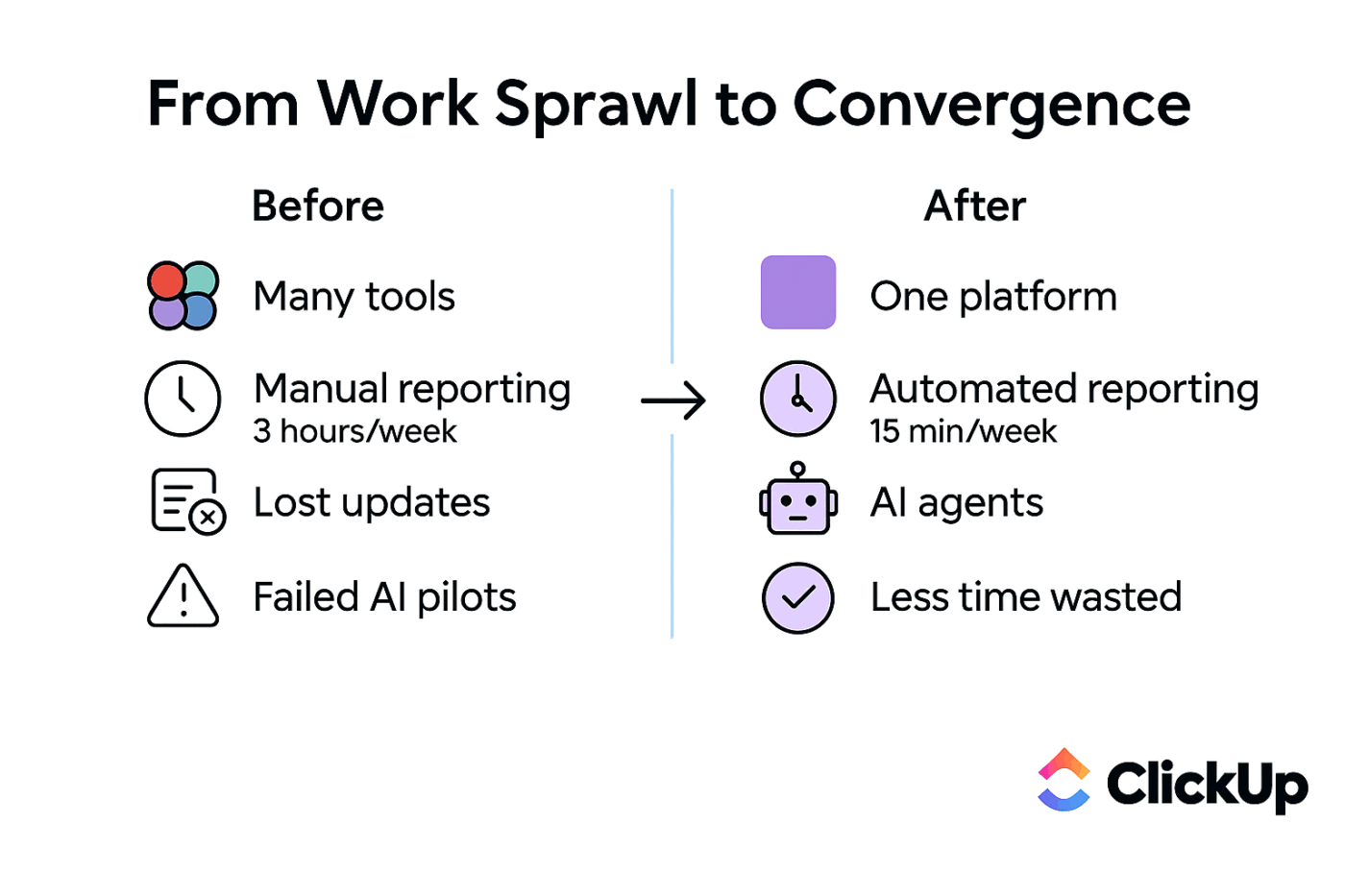
Fast-growing companies stay organized by fighting this chaos with intentional systems. They turn to scalable systems, centralizing information and eliminating tool sprawl before it slows them down. You’ll find them building a single source of truth where all work, knowledge, and communication live together.
They get a few fundamentals right early on:
Centralized documentation: All knowledge—from company policies to project briefs—lives in one searchable place
Clear ownership: Every single task, project, and decision has one person who is clearly accountable for it
Automated handoffs: Workflows move from one stage to the next without someone needing to send a reminder email or Slack message
Real-time dashboards: Leadership can see project status, team workload, and progress toward goals at a glance, without chasing down updates
Scalable processes: The systems you build for a team of 50 don’t break when you hire your 500th employee
A centralized workspace that brings tasks, docs, communication, and AI together helps teams reduce context switching and improve cross-functional collaboration as complexity grows.
📮ClickUp Insight: 44% of our survey respondents stick to 1–5 tabs when browsing, but 8% live in “chaos mode” with 31+ tabs.
While not always intentional, it happens to the best of us: a Miro board for brainstorming, a Google Doc for SOP, a project management tab, and then ChatGPT for extra support. 👀
But every switch between apps or windows adds toggle tax, aka a hidden mental toll that chips away at your mental bandwidth and leaves you feeling scattered. With ClickUp, you can centralize all your tools: think whiteboards, docs, tasks, web search, AI models like ChatGPT, Gemini, and Claude, and more under one Converged AI Workspace. Time to ban context switching and close those extra tabs down for good!
Summarize this article with AI
ClickUp Brain not only saves you precious time by instantly summarizing articles, it also leverages AI to connect your tasks, docs, people, and more, streamlining your workflow like never before.
Summarize this article for me please
15 Real Examples of Fast-Growing Companies That Stay Organized
It’s one thing to talk about systems, but it’s another to see them in action. These are real growth stories of successful firms that overcame the teething troubles of scaling. Each one offers a practical lesson you can apply to your own team. 🛠️
Full disclosure: Some of these are ClickUp customers, and they used ClickUp to reorganize their work in a way that let growth become an advantage, not a bottleneck.
1. Cartoon Network
Who they are: A major global media brand producing and publishing multimedia content
Their challenge: The social media team was juggling multiple project management tools for planning, execution, and publishing, which meant duplicate updates and weak visibility into work
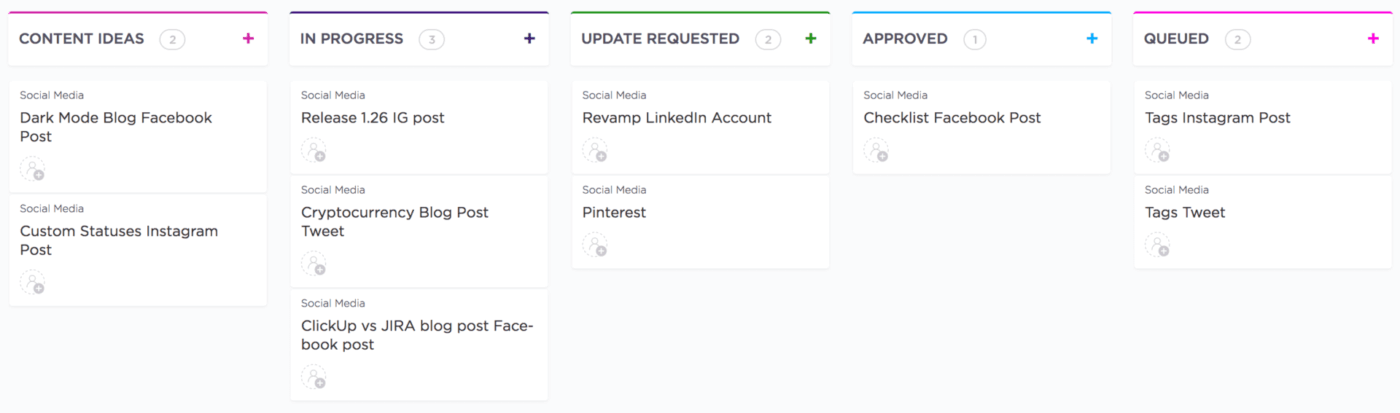
The solution: They consolidated all planning, task management, attachments, and reporting into one workspace (with ClickUp), giving everyone a single source of truth
The outcome/takeaway:Time to create and publish content dropped by ~50%, and the team doubled the number of social channels they manage with the same headcount. Centralizing work and standardizing workflow views eliminates wasted effort and accelerates output
Who they are: A fast-growing business planning software company whose team size ballooned quickly after a Series B funding round
Their challenge: Rapid headcount growth strained onboarding, inter-team communication, and operational rhythm
The solution: They adopted a unified work platform (ClickUp) to align teams, standardize cross-team planning, and connect documentation to execution
The outcome/takeaway:Onboarding efficiency jumped 88%, bug-fix cycle time reduced by 83%, and team communication efficiency improved by 20%. Building scalable processes and shared operational visibility prevents onboarding and alignment bottlenecks during hypergrowth
Who they are: One of the largest global music streaming platforms with millions of users worldwide
Their challenge: As Spotify scaled, they needed to keep innovation fast without bogging teams down in approval bottlenecks or rebuilding rigid hierarchies
The solution: They organized engineering and product teams into “squads”. Squads are small, autonomous, cross-functional groups that own a specific feature or mission. They grouped squads into tribes to maintain context and coordination. This structure gave teams freedom and a shared language for work, helping avoid the silos that often come with scale
The outcome/takeaway: Autonomy can boost speed and innovation, but without transparency and shared documentation practices, independent teams risk working in isolation. Spotify’s approach shows that giving teams ownership works when information and context flow freely across them
👀 Did You Know? Spotify’s Squads can choose their own way of working, whether it’s Scrum, Kanban, or something else entirely. This means two squads might follow completely different processes even within the same company!
4. GitLab
Who they are: A tech pioneer in all-remote work, with thousands of employees across dozens of countries
Their challenge: With everyone remote, keeping people aligned without relying on meetings or synchronous conversations was tough
The solution:GitLab built a “handbook-first” culture where nearly every policy, process, and decision is documented and publicly accessible. Instead of verbal or siloed communications, the handbook is the go-to reference for onboarding, rules, and company practices
The outcome/takeaway: Public, searchable documentation becomes the single source of truth in remote, distributed companies, reducing context switching and enabling people to find answers without interrupting colleagues
5. Netflix
Who they are: A global entertainment service that streams to hundreds of millions of subscribers
Their challenge: Fast innovation and global scaling demanded both freedom for teams to act quickly and a way to share context so decisions stayed aligned with strategy
The solution: Netflix built a culture of “freedom and responsibility,” where employees have autonomy but are expected to be deeply informed about company priorities and accountable for results. Leaders emphasize context-sharing over rigid process enforcement
The outcome/takeaway: When teams know the strategy and context—not just the tasks—they make better decisions independently. This flips bureaucracy on its head and keeps organizational clarity even as teams grow
6. Lids
Who they are: A rapidly expanding retail brand known for its franchise model and store growth
Their challenge: Teams lacked consistent project tracking and were drowning in meetings and follow-ups to coordinate store initiatives
The solution: By creating standardized workflows and centralizing work in ClickUp, they replaced chaotic status updates with structured task boards and dashboards
The outcome/takeaway: Weekly meetings became 66% more efficient, and teams collectively saved 100+ hours every week. Standardizing client deliverables and communication protocols scales operational clarity in distributed organizations
“I have all of our vendors collaborating in ClickUp. Each one has a tracker, and when I have a new store project I want contractors to bid on, I put it in their tracker. It’s like a survey bid request. They drop their quote into ClickUp and I take it from there.”
Molly Quella, Project Manager, Store Planning, Lids
7. Shopify
Who they are: A leading eCommerce platform powering millions of digital storefronts worldwide
Their challenge: As the number of merchants grew rapidly, manual onboarding and account setup became bottlenecks for both merchant success and internal operations
The solution: Shopify emphasizes structured onboarding workflows and best practices, including step-by-step guidance, clear instructions, and automation options. This helped new merchants complete the setup quickly and correctly
The takeaway: Growth in user base demands predictable, automated onboarding. Without it, scaling stalls under repeated manual tasks that sap internal teams. In enterprise contexts, automated forms and onboarding flows prevent manual back-and-forth and speed up time to value
8. Stripe
Who they are: A payments infrastructure company whose APIs power transactions for global businesses
Their challenge:Maintaining documentation that stays in sync with rapid engineering development is a perennial struggle for tech and product teams like Stripe’s
The solution: Stripe prioritizes long-term documentation artifacts that are updated as part of the workflow and packaged with code or API references. This disciplined approach ensures knowledge stays current and findable, not buried in transient chats
The takeaway: Documentation must be treated like code: versioned, maintained, and integrated into the workflow itself, or it becomes outdated and useless
🧠 Fun Fact: Stripe takes writing so seriously that it runs its own publishing arm, Stripe Press, and even launched Increment, a long-form engineering magazine. For Stripe, clear thinking doesn’t stop at docs—it shows up in books, essays, and beautifully edited deep dives.
9. Health Tech Pro
Who they are: A digital health and telemedicine platform serving 450,000+ patient records and 2,000+ healthcare providers
Their challenge: Hospital systems and large enterprise customers wouldn’t sign because the platform lacked HIPAA, SOC 2, and GDPR compliance—blocking ~$18M in potential revenue
The solution: They implemented a unified compliance strategy, achieving all three certifications in just 8 weeks by identifying overlapping audit controls and automating compliance tracking
The outcome/takeaway: Compliance, when built into workflows and infrastructure early, becomes a growth driver. For the startup, it unlocked enterprise deals and accelerated ARR growth by 82% in 12 months
10. Shipt
Who they are: A delivery network handling high-volume, distributed fulfillment operations in 5000+ cities in the U.S.
Their challenge: The Data Platform team was the internal hub for data requests across the organization—everything from analytics queries to operational insights. As requests grew, work tracking and prioritization became chaotic, critical information got lost, and it was hard to get aligned on project status or urgency
The solution: They centralized request handling and used structured forms and automations inside ClickUp to streamline assignments and feedback loops
The outcome/takeaway: With ClickUp as the single system of record, the team improved operational efficiency, clarified priorities, and made strategic decisions based on real-time reporting. Manual coordination dropped dramatically, and team satisfaction increased because the flow of work was clearer and less stressful
11. Chick-fil-A
Who they are: One of the largest quick-service restaurant chains in the U.S., operating over 3,000 locations
Their challenge: Managers were juggling spreadsheets, notebooks, and disparate systems to track onboarding, training, scheduling, and HR requests. That scatter made it hard to measure time spent on admin work or understand how labor was really being used—sapping productivity and limiting focus on revenue-driving activities
The solution: The operations team centralized employee management into ClickUp’s unified workspace. They structured onboarding and training materials in organized folders and dashboards, standardized workflows with reliable processes, and used forms and automation to handle requests like PTO and promotions, so information landed in the right place at the right time
The outcome/takeaway: With these systems in place, managers reclaimed more than 10 hours per week previously lost to admin work. Overhead costs dropped about 33%, and more consistent onboarding helped the franchise rank in the top 10% for talent retention across its locations
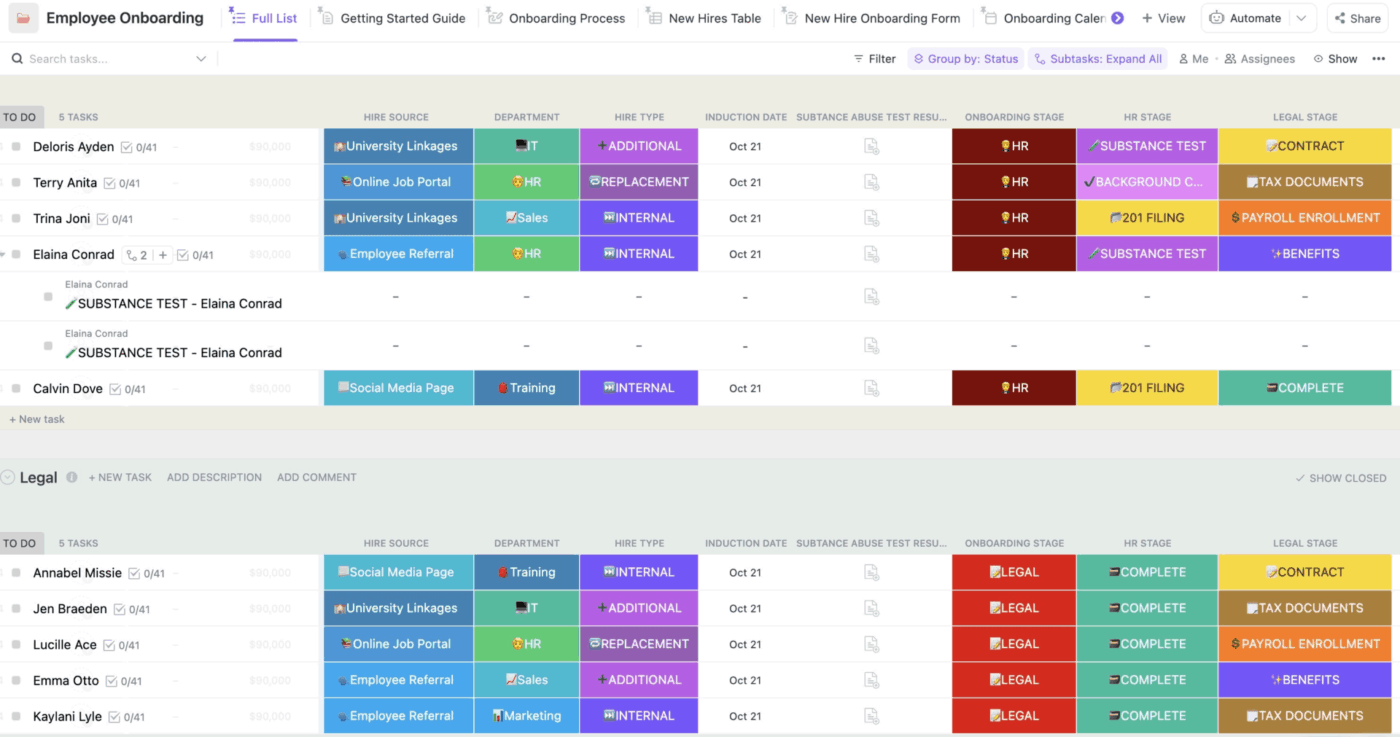
Chick-fil-A organizes every aspect of employee data, from onboarding details to scheduling, within ClickUp’s flexible platform
12. Made in Cookware
Who they are: A premium kitchenware brand that offers professional-quality cookware and kitchen accessories to both home cooks and professional chefs
Their challenge: Manual ticket tracking and disjointed tools slowed response times and made consistency impossible
The solution: Centralized task queues, automated ticket routing, and structured workflows inside ClickUp replaced ad-hoc tracking
The outcome/takeaway: They saved 3–5 minutes per ticket, achieved ~80% adoption in under four months, and completed a major data migration ahead of schedule. Automating repetitive handoffs and centralizing work eliminates drag in high-velocity operational teams
We were on Airtable, Monday, Trello, Notion… it was a mess. Nothing was working. After we finished the ClickUp evaluation, we really didn’t want to do any more. We realized this is great, and we don’t need to look at anything else.
Kris Levine, Director of Technology, Made in Cookware
13. Lulu
Who they are: A leading self-publishing and print-on-demand company
Their challenge: As teams expanded, knowledge and accountability began living in fragmented docs, chats, and shared drives
The solution: They shifted to a single platform where planning, documentation, task ownership, and status tracking lived together (yes, that’s ClickUp!)
The outcome/takeaway: Company-wide platform adoption hit 100%, and work efficiency improved by 12% with clearer transparency across silos
14. Miami University
Who they are: One of America’s reputed public higher-education institutions
Their challenge: Miami University’s Career Center organizes 200+ student events per year, spanning career fairs, seminars, alumni panels, and hybrid programs. Before adopting structured tools, work was scattered across email, Google Docs, Formstack, and meetings. Knowledge transfer was inconsistent, so when team members left, the steps for planning events often left with them
The solution: With ClickUp, the team adopted a centralized workspace to unify event planning and collaboration. They built a repository of event knowledge, standardized workflows with templates, and started tracking work transparently
The outcome/takeaway: The Career Center now manages complex, hybrid event portfolios with clarity and consistency. The team has increased its reach, serving 19,000+ students with a more transparent, repeatable process. When work and knowledge live together, it becomes easier to scale planning, share institutional knowledge, and maintain consistency across complex portfolios
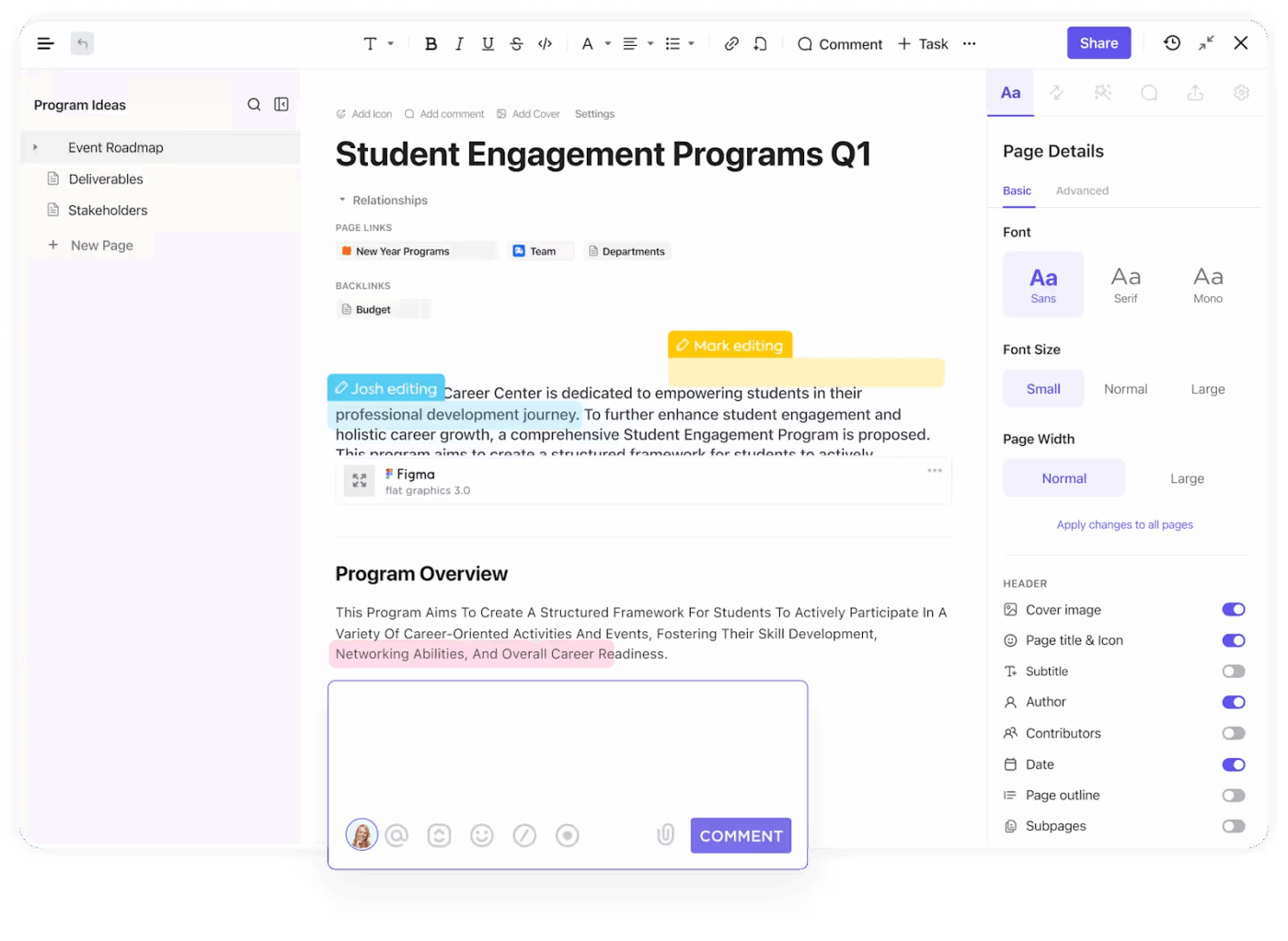
Miami University event leads create a repository of information using ClickUp Docs, simplifying knowledge transfer
Who they are: A growing professional services firm that builds and scales revenue operations for clients in sales, marketing, and ops
Their challenge: With a remote workforce and growing client roster, RevPartners struggled to scale operations: project planning was slow, workflows were scattered across multiple platforms, and scaling consistency across client pods was difficult
The solution: The company consolidated its tool stack into a single workspace with ClickUp. By standardizing process templates and centralizing planning, transparency, and automation, the team aligned remote pods more effectively and eliminated the need to jump between disconnected tools
The outcome/takeaway: RevPartners now delivers client projects 64% faster, has reduced project planning time by 83%, and sees 50% cost savings through streamlined work and templates
When you step back and look across all the examples—startups, scale-ups, and global companies—the patterns are surprisingly consistent. Fast-growing companies don’t win by adding more tools or more meetings. They win by putting a few smart systems in place early, then letting those systems do the heavy lifting.
📮ClickUp Insight: Low-performing teams are 4 times more likely to juggle 15+ tools, while high-performing teams maintain efficiency by limiting their toolkit to 9 or fewer platforms. But how about using one platform?
As the everything app for work, ClickUp brings your tasks, projects, docs, wikis, chat, and calls under a single platform, complete with AI-powered workflows. Ready to work smarter? ClickUp works for every team, makes work visible, and allows you to focus on what matters while AI handles the rest.
Summarize this article with AI
ClickUp Brain not only saves you precious time by instantly summarizing articles, it also leverages AI to connect your tasks, docs, people, and more, streamlining your workflow like never before.
Summarize this article for me please
Key Organizational Strategies from Fast-Growing Companies
Based on the above real-world examples, here are the organizational strategies that show up again and again—and how you can actually put them into practice. ✨
Document everything, then automate access
The fastest way for a growing company to slow down is by letting knowledge live in people’s heads—or worse, scattered across docs, chats, and inboxes. Institutional knowledge turns into tribal knowledge. When a key employee leaves, their expertise walks out the door with them, and suddenly every answer requires tapping someone on the shoulder.
Avoid this by creating a central knowledge base. Make your knowledge base easy to update and always relevant.
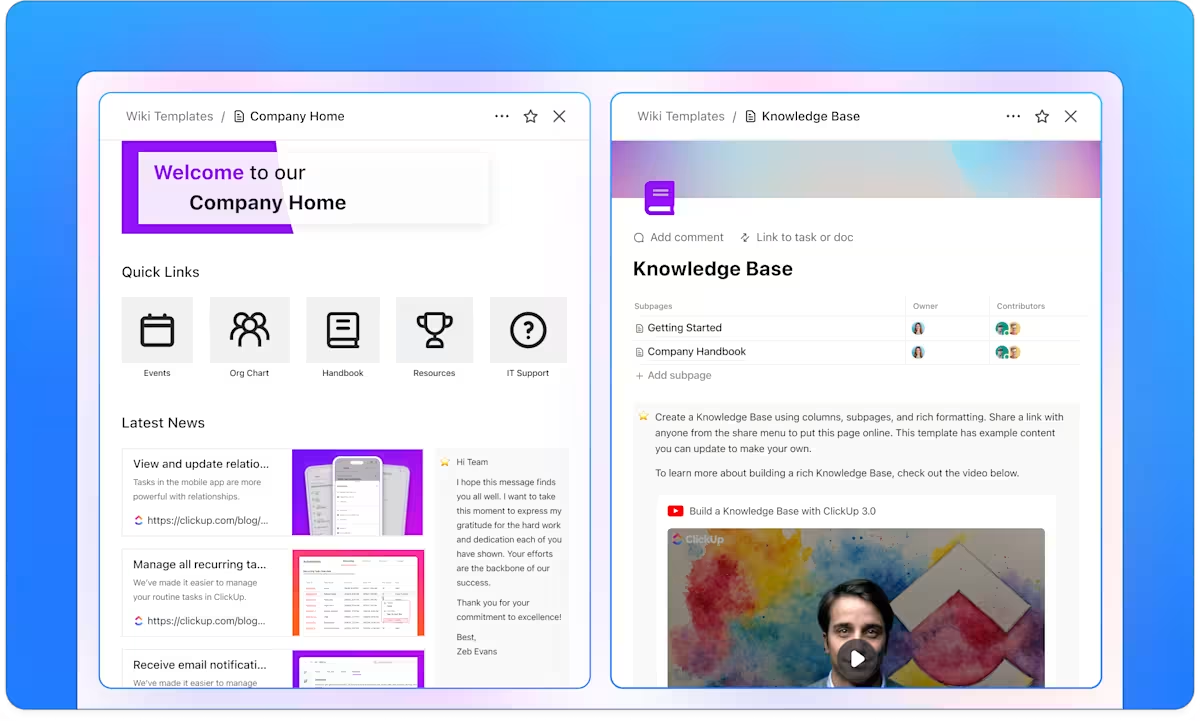
Create a wiki-style knowledge base with ClickUp Docs
Build a living library with ClickUp Docs, where you can create wikis, SOPs, and project briefs. With ClickUp Docs, you can co-edit content in real time and leave feedback directly in context with inline comments. Docs don’t sit off to the side—they’re connected to tasks, projects, and workflows. That’s what keeps them current.
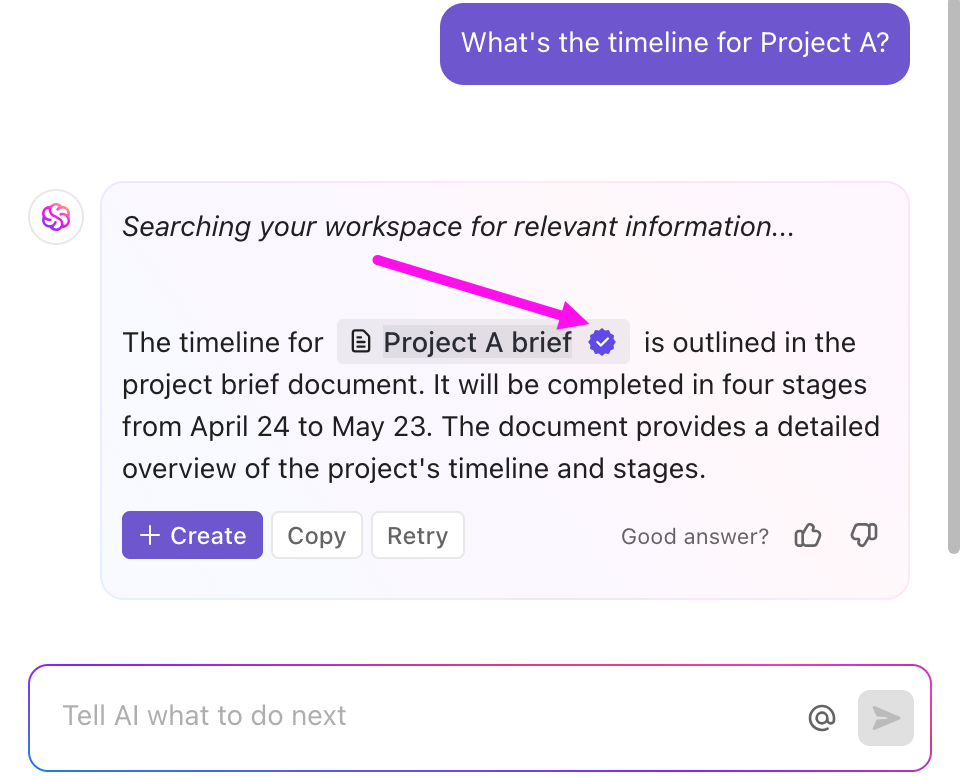
When you need answers, ClickUp Brain lets you ask questions in plain language and pulls insights from across tasks, Docs, comments, and projects—so you’re not hunting through five tools or interrupting teammates. Knowledge stays centralized, searchable, and usable.
Find relevant answers quickly from your workspace using ClickUp Brain
Reinventing the wheel for every new project or client is a massive time sink and a recipe for inconsistency. Most teams wait too long to standardize. By the time things feel chaotic, processes are already hard to untangle.
Fast-growing companies do the opposite. They turn repeatable work into templates while the process is still fresh.
In ClickUp, you can choose from 1,000+ prebuilt templates or create your own for projects, tasks, Docs, onboarding flows, and more. ClickUp Task Templates let you save the entire structure—including ClickUp Tasks and Subtasks, assignees, due dates, and ClickUp Checklists—so you can launch new work with a single click.
Templates become operational playbooks that scale with you.
Centralize communication in context
When conversations happen in one tool (like Slack), and the work happens in another (like your project manager), context is lost, and decisions get buried.
With ClickUp Comments, you can discuss tasks exactly where the work happens
You can also use a dedicated ClickUp Chat channel for broader project discussions linked to your ClickUp Folder or ClickUp List
And when you need to jump on that “quick call”, SyncUps in ClickUp let you ring your colleagues without switching tabs!
Learn how ClickUp Chat brings your conversations and tasks together in one place!
Build dashboards before leadership asks
“Can you send me a status update?” is a question that signals a lack of visibility. Instead of scrambling to pull reports for leadership, build proactive dashboards. Stay on top of your team’s progress without manual reporting.
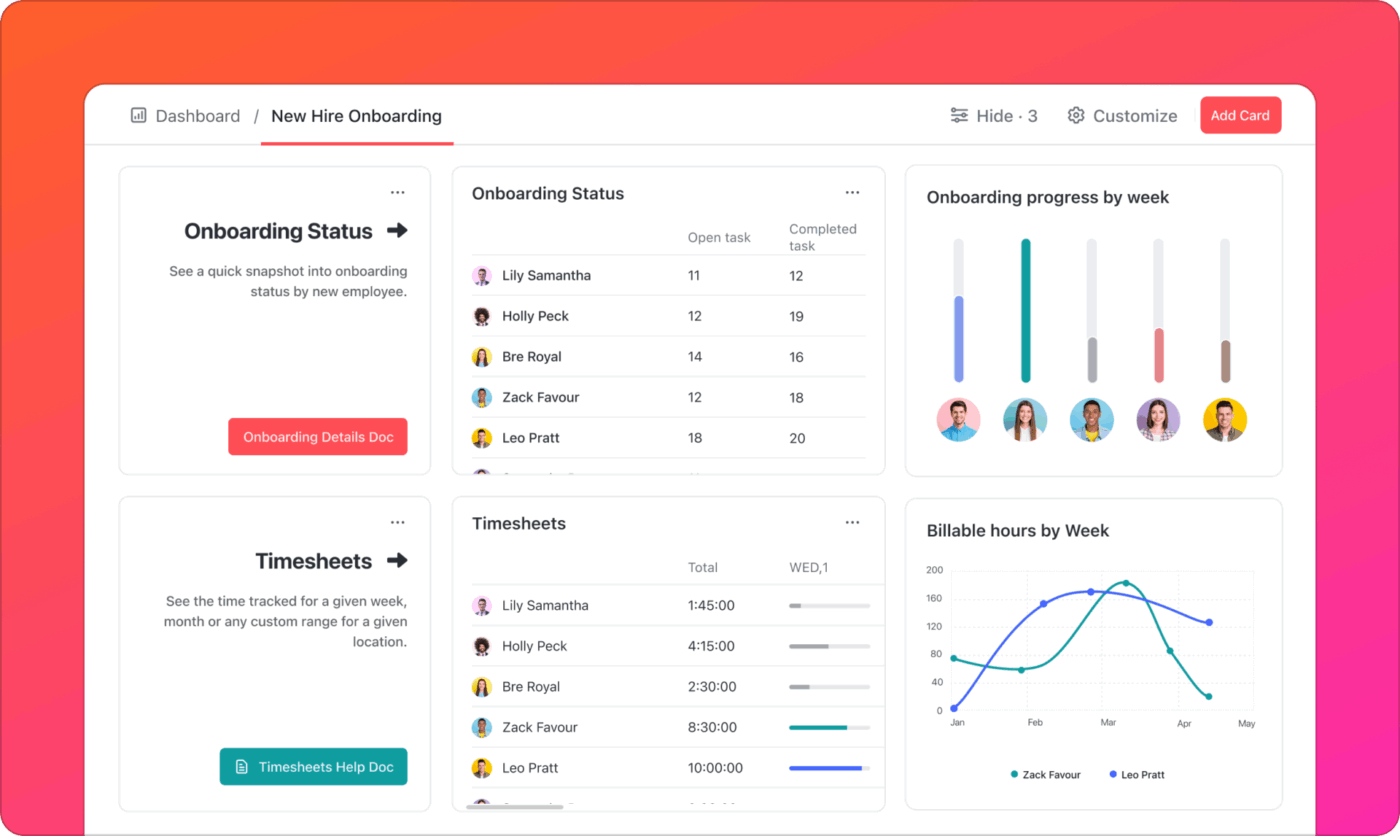
Create high-level visual reports with live ClickUp Dashboards that auto-refresh, so you always have the latest updates regarding progress, risks, workloads, and goals at your fingertips.
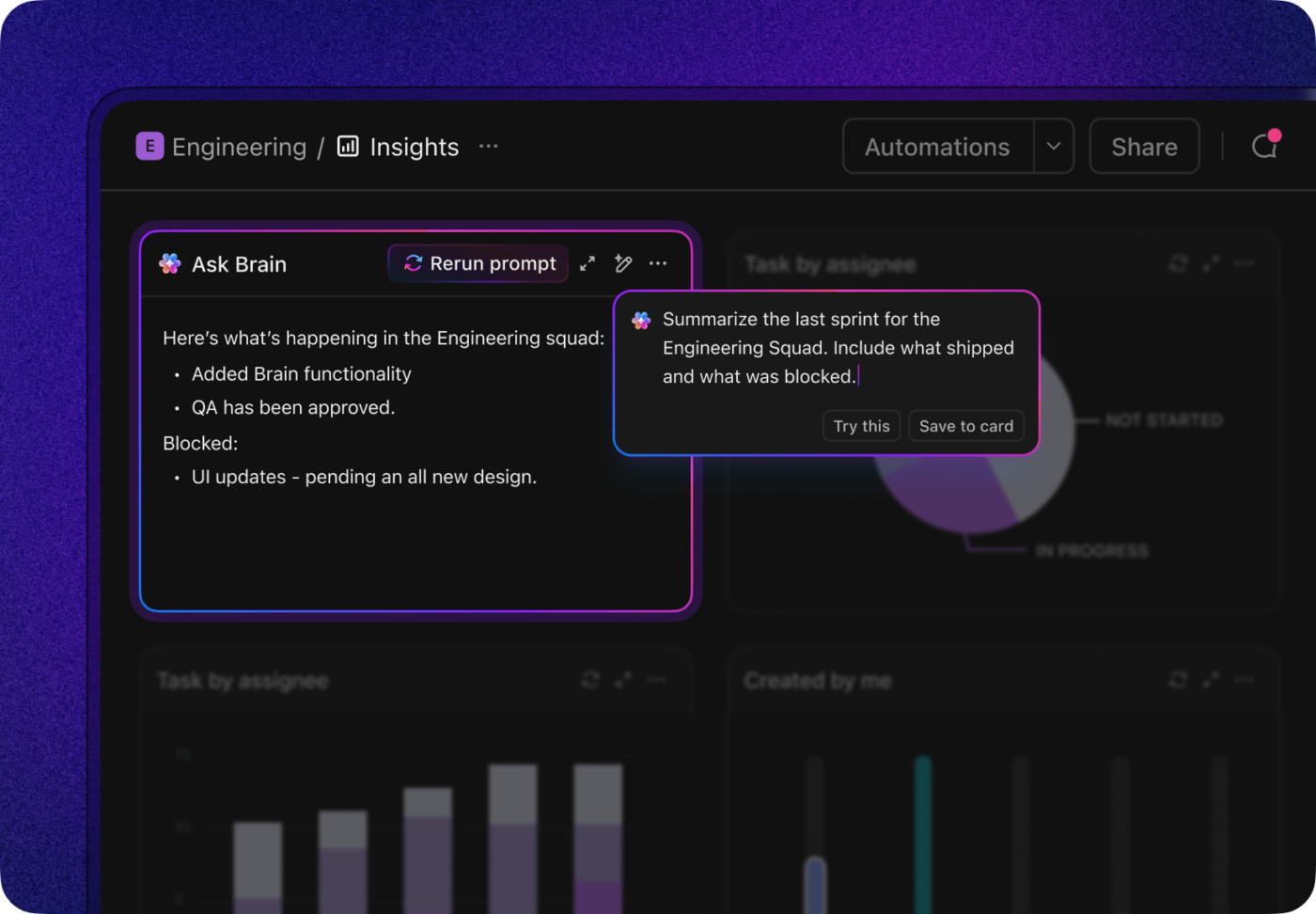
💡 Pro Tip: Add AI Cards to ClickUp Dashboards to help you understand what’s happening across your work—without manually digging through tasks, lists, or reports.
Use AI Cards in ClickUp Dashboards to summarize updates and KPIs
Instead of showing static metrics, AI Cards analyze live workspace data (like tasks, owners, priorities, and due dates) and generate plain-English insights. They can highlight risks, summarize progress, surface blockers, or flag workload issues—so teams get context and direction, not just numbers on a screen.
Automate the boring stuff
Our research shows 21% of people say more than 80% of their workday is spent on repetitive tasks, such as changing a task status, reminding someone about a due date, or handing off work to the next person. This is low-value work that’s ripe for automation.
Want to save time and make sure your processes run smoothly every time? Set up simple “if-then” rules with ClickUp Automations, like automatically assigning tasks when their status changes.
Design for the team size you’ll be—not the one you are
A system that works for 20 people will almost always break at 50. Fast-growing companies anticipate this change and design with headroom.
ClickUp supports this by letting you scale complexity gradually—more Custom Fields, more automation, deeper reporting—without forcing a platform switch. The structure evolves as your organization does, which is exactly what growth demands.
How ClickUp supports organization strategies for fast-growing companies: At a glance
Strategy
Without a centralized system
With ClickUp
Knowledge access
Search across 5+ tools, ask colleagues
Ask ClickUp Brain, get instant answers
Status updates
Manual check-ins, meetings
Real-time Dashboards, automatic updates
Process handoffs
Email chains, dropped balls
Automations trigger next steps
New hire onboarding
Scattered docs, tribal knowledge
Connected Docs and task templates
Now, we’ll look at the mistakes teams make when they skip this step—and how to avoid them before they slow you down.
Summarize this article with AI
ClickUp Brain not only saves you precious time by instantly summarizing articles, it also leverages AI to connect your tasks, docs, people, and more, streamlining your workflow like never before.
Summarize this article for me please
Common Organizational Mistakes Fast-Growing Companies Make
Rapid growth can magnify small cracks in your foundation into chasms. Many new companies make the same predictable errors that turn an exciting growth phase into a period of chaos. Let’s see what they are and how to work your way out of them:
Adding tools instead of consolidating
A new challenge arises, so you add a new tool. The marketing team gets a social media scheduler, sales gets a separate CRM, and product gets its own roadmapping software. Congratulations, you’re now suffering from tool sprawl.
Information is fragmented across a dozen apps that don’t talk to each other, forcing your team to waste time context switching and manually transferring data.
✅ The solution? Consolidate tools into a Converged AI Workspace, such as ClickUp. By design, your tasks, docs, communication, dashboards, and AI live in one place, reducing organizational debt instead of adding to it.
ClickUp offers unmatched flexibility with customizable views (List, Board, Gantt, Calendar), powerful automations, and built-in docs, goals, and time tracking—all in a single workspace. It centralizes team collaboration and project management, allowing us to replace multiple tools like Trello, Asana, and Notion with one cohesive system.
When you’re a small team, you can get by with informal processes. You tell yourself you’ll get organized “when things slow down.”
Spoiler alert: Things never slow down. You end up trying to build systems in the middle of a crisis, which is like trying to build a boat after you’ve already started sinking.
✅ Fast-growing teams avoid this by building structure during calmer periods—when processes are still easy to define and document. And before scale makes everything harder to change.
Over-relying on meetings for alignment
If your answer to misalignment is “let’s add another sync,” you’re not alone. It’s one of the most common reactions during growth.
The problem? Meetings don’t scale. As teams grow, meeting overload sets in, decisions slow down, and context gets lost for anyone not in the room. This is a system that actively works against productivity.
According to our meeting effectiveness survey, 12% of respondents find meetings overcrowded, 17% say they run too long, and 10% believe they’re mostly unnecessary.
✅ But the good news is, you can replace status update meetings with asynchronous methods like real-time dashboards, recorded audio-visual clips, and written updates.
📮ClickUp Insight: The results from our meeting effectiveness survey indicate that 42% of teams use recorded clips (21%) or project management tools (21%) for asynchronous work. But these tools may often require additional tools, separate subscriptions, logins, and learning curves.
As the everything app for work, ClickUp makes asynchronous communication easier. Access video clips, voice messages, project workflows, collaborative docs and a built-in AI notetaker—all within a single workspace. Why manage multiple subscriptions and scattered information when a single solution can streamline your entire workflow?
💫 Real Results: Teams using ClickUp’s meeting management features report a whopping 50% reduction in unnecessary conversations and meetings!
When the work changes and the docs don’t, your documentation becomes a museum of outdated information that no one trusts.
✅ Companies such as GitLab and Stripe solve this by treating documentation as a living system, not an archive.
In a tool like ClickUp, Docs are connected directly to tasks and workflows, so updates happen alongside the work itself. That connection helps prevent documentation decay and keeps institutional knowledge current.
Ignoring AI Sprawl
AI adoption often mirrors early SaaS adoption: one team uses one tool, another team uses something else, and soon, knowledge is siloed across multiple AI systems.
👀 Did You Know?78% of AI users are already bringing their own AI tools to work.
AI Sprawl is the unplanned proliferation of AI tools, models, and platforms—with no oversight, strategy, or idea of who’s using what.
✅ Fast-growing companies avoid this by centralizing AI capabilities where work already happens.
With ClickUp, AI is built directly into your workspace. ClickUp Brain is your context-aware AI assistant that can access your tasks, docs, comments, and projects, giving teams shared intelligence instead of isolated outputs.
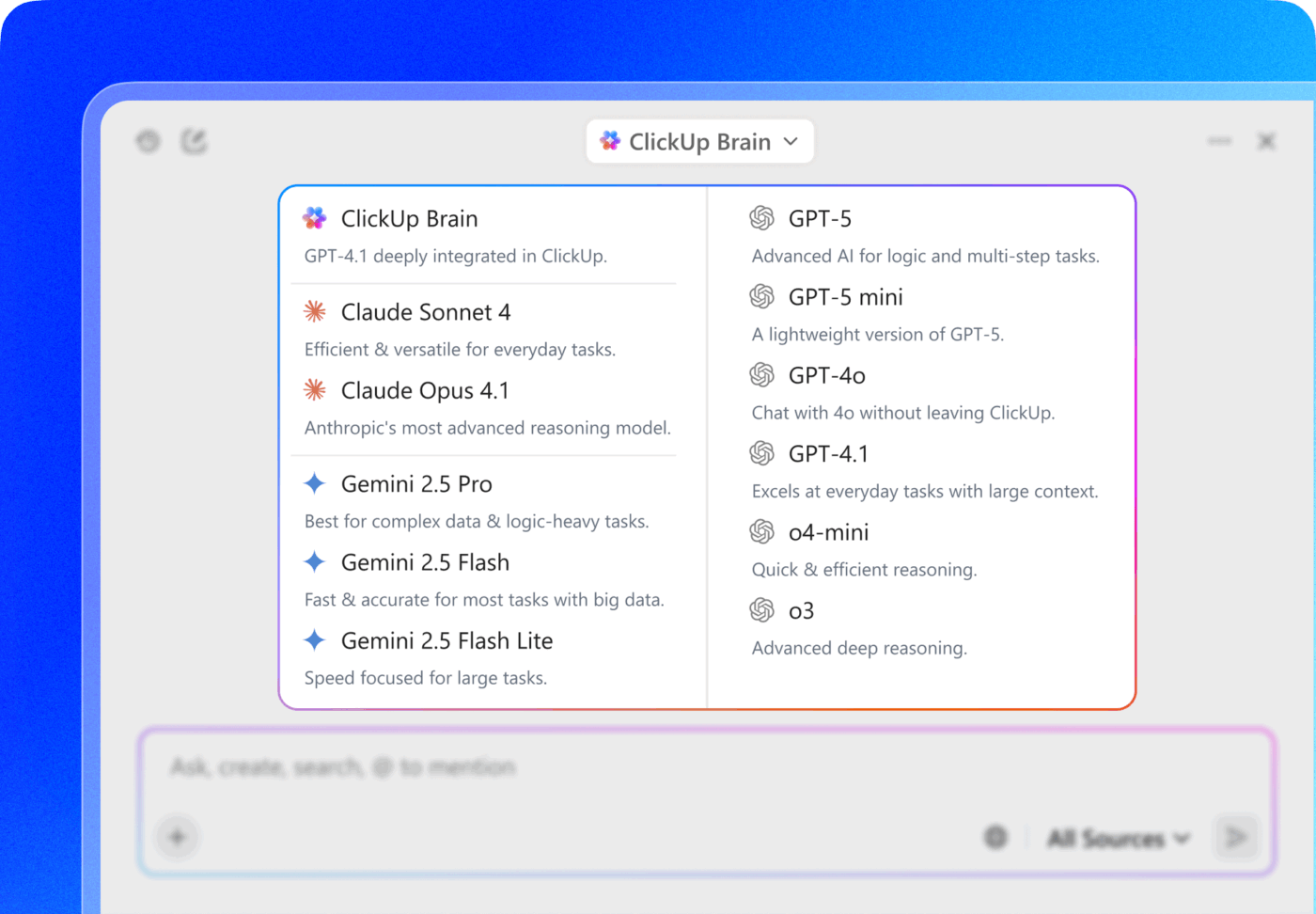
Use multiple LLMs from a single interface inside ClickUp Brain and BrainGPT
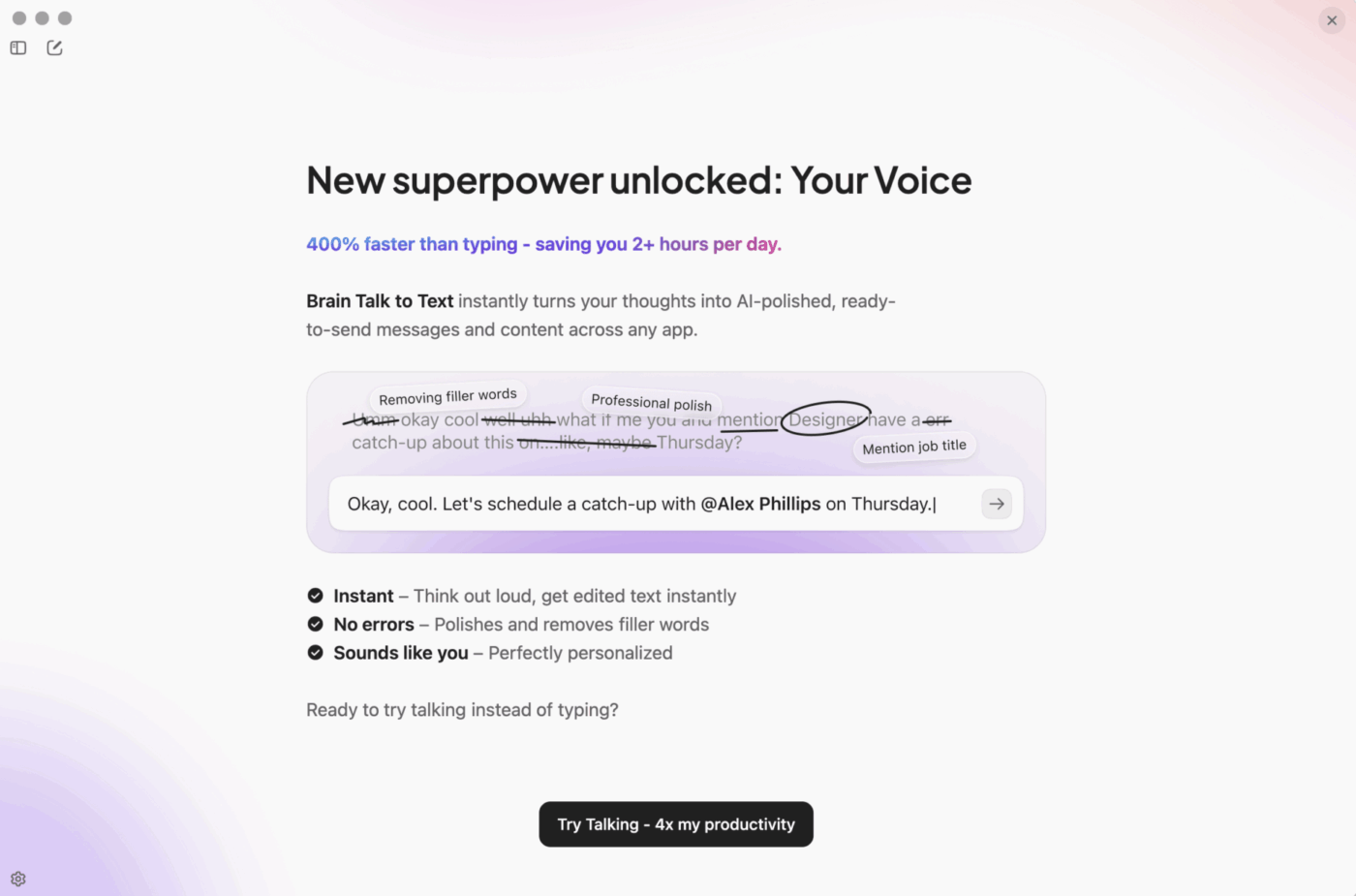
Plus, with your desktop AI app, ClickUp BrainGPT, you also get access to multiple AI models—including Claude, Gemini, and ChatGPT—as well as Talk to Text voice typing for 4x higher productivity!
Use ClickUp BrainGPT Talk to Text to turn your voice into typed notes, messages, and docs
Now that you know which mistakes to avoid, let’s show you the tools that can help you with that!
Summarize this article with AI
ClickUp Brain not only saves you precious time by instantly summarizing articles, it also leverages AI to connect your tasks, docs, people, and more, streamlining your workflow like never before.
Summarize this article for me please
Tools Fast-Growing Companies Use to Stay Organized
You know you need to get organized, but the sheer number of tools available is overwhelming. The biggest mistake is thinking you need a separate “best-in-class” tool for every single function. This is how you end up with a bloated, expensive, and disconnected tech stack that creates more problems than it solves.
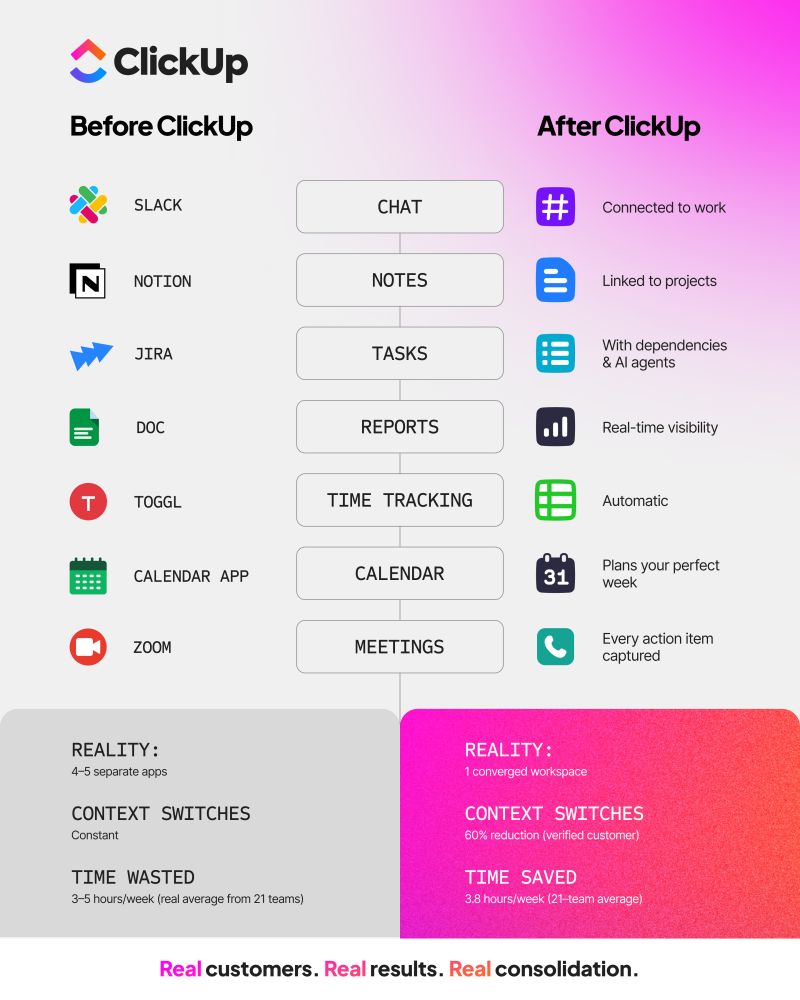
The smartest fast-growing companies are moving away from this point-solution approach and toward converged workspaces. They are choosing to consolidate the core functions every team needs.
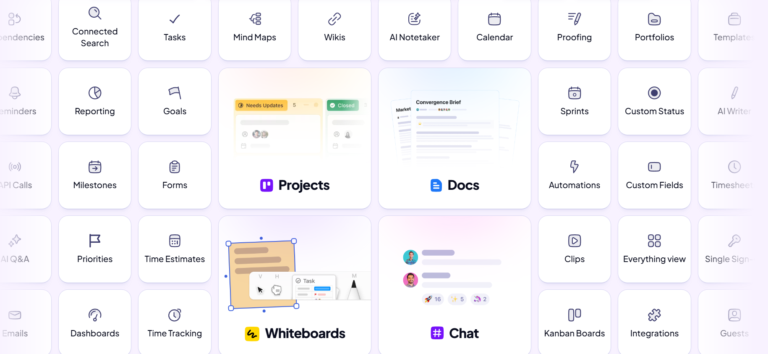
Replace 20+ tools with one powerful workspace inside ClickUp
Here’s how that shift plays out across tool categories:
Project management: This is your foundation for tracking work. You need to be able to create tasks, set deadlines, and see how everything connects. In ClickUp, you get to see your work from every angle without duplicating data. ClickUp Views let you view the same tasks on a List, ClickUp Board, ClickUp Calendar, or ClickUp Gantt chart—all in one place
Documentation: Documentation breaks down when it lives somewhere separate from execution. Teams either forget to update it or stop trusting it altogether. With ClickUp Docs, you can create and connect documentation right alongside your projects, so your process docs never get stale
Communication: Conversations about work should happen with the work. In ClickUp, you can leave Comments on specific tasks or start a Chat channel for your entire project. Teams can collaborate asynchronously, keep decisions visible, and avoid meeting overload
Reporting: You can’t manage what you can’t measure. Get real-time, customizable reports on project progress and team performance without extra tools. ClickUp Dashboards pull live data from your workspace, so you always have the latest insights
Automation: Repetitive manual work is a drag on productivity. Automate handoffs, status updates, and notifications to save time and reduce manual work. ClickUp Automations let you set up these workflows without needing third-party tools
Ask ClickUp Brain once or use Enterprise AI Search
Automating workflows
Build integrations between tools
Native Automations
When you still need other tools
No platform replaces everything. But when you do need external tools, ClickUp’s native integrations let them plug into your workflows cleanly—without breaking context or creating disconnected processes.
Summarize this article with AI
ClickUp Brain not only saves you precious time by instantly summarizing articles, it also leverages AI to connect your tasks, docs, people, and more, streamlining your workflow like never before.
Summarize this article for me please
How To Build Organizational Systems That Scale With Your Team
Ready to build an organizational foundation that can handle hypergrowth? Follow this step-by-step framework. 🤩
Audit your current tool landscape: Your first step is to understand the problem. Make a list of every single application your team uses to get work done—from project management and chat to file storage and wikis. Identify where you have overlapping tools and where information is falling through the cracks
Identify your single source of truth: Based on your audit, choose one platform to serve as the central hub for all work. This is the most critical decision you’ll make. Keep all your work, docs, and communication in one place for easy access and alignment. A Converged AI Workspace like ClickUp serves as your single source of truth
Map out your core workflows: Before you can automate anything, you need to understand how work currently gets done. Map out your workflows quickly and keep them organized with ClickUp Docs
Build templates for common work: Now, turn those documented workflows into actionable templates. Standardize your processes and save time by creating Task Templates and ClickUp Doc Templates for any workflow in ClickUp
Set up dashboards for visibility: Stop relying on manual status updates. Give every stakeholder a real-time view of the metrics that matter. Set up ClickUp Dashboards so team leads and executives always have the latest insights
Automate handoffs and notifications: Go back to your workflow maps and identify every manual handoff. Remove manual handoffs and keep work moving smoothly. Set up ClickUp Automations to assign tasks and send notifications automatically when work is ready for review
Train your team on the system: A powerful system is useless if no one knows how to use it. Invest time in training your team not just on the “how” but also the “why.” Explain how the new system will make their lives easier and help the company achieve its goals
Review and iterate quarterly: Growth changes priorities, structure, and complexity. Set a recurring task to review your workflows, templates, and dashboards every quarter. Get feedback from the team, identify new bottlenecks, and continuously improve the system
The system you build now will determine whether growth creates momentum or chaos. Treat it responsibly!
Summarize this article with AI
ClickUp Brain not only saves you precious time by instantly summarizing articles, it also leverages AI to connect your tasks, docs, people, and more, streamlining your workflow like never before.
Summarize this article for me please
Why the Best Companies Treat Organization as Strategy
Fast-growing companies stay organized for one simple reason: To them, organization isn’t a bureaucratic chore, but a strategic weapon. They build systems that create clarity, accountability, and momentum. They understand that the informal methods that work for a tiny startup will inevitably collapse under the weight of scale, leading to chaos, burnout, and missed opportunities.
The most successful scaling companies centralize their work into a single source of truth, automate repetitive tasks to free up their team for high-value work, and build processes designed for the company they want to be, not just the company they are today. They know operational excellence compounds. The earlier they invest, the more sustainable growth becomes.
Ready to build organizational systems that scale with your team? Try ClickUp for free and see how a Converged AI Workspace eliminates the tool sprawl that slows growing companies down.
Everything you need to stay organized and get work done.