
Sorry, there were no results found for “”
Sorry, there were no results found for “”
Sorry, there were no results found for “”
You open your laptop. Slack pings. Zoom invites stack up. A Trello board flashes with updates while a Notion doc waits for edits. Meanwhile, you’re sending ping after ping to your colleague on the West Coast, asking for the final version of the client proposal.
Before you know it, your workday is spread across 17 tabs and half a dozen tools—and your focus is gone.
This constant app-toggling and hunt for context has a name: Work Sprawl.
It’s what happens when information, projects, and decisions live in different silos. A Harvard Business Review study found that employees spend 61% of their time sharing, searching, or updating information—not actually doing the work itself.
Now add AI sprawl to the mix—75% of employees are using disconnected AI tools without oversight—and the problem becomes even more complex. You’re not just managing work anymore; you’re managing the tools that manage work.
That’s where the idea of a Converged AI Workspace comes in—a unified space where your tasks, documents, communication, and AI work together instead of apart.
In part one, we unpacked what that means and why convergence is the next evolution of productivity.
In this part, we’ll take the first (and most important) step: how to build a Converged AI Workspace—starting with centralizing your work surface.
Before diving into automations or fancy AI features, you need a solid foundation. A Converged AI Workspace starts with structure, the kind that eliminates tool chaos and gives AI real context to work with. Here’s what to do first.
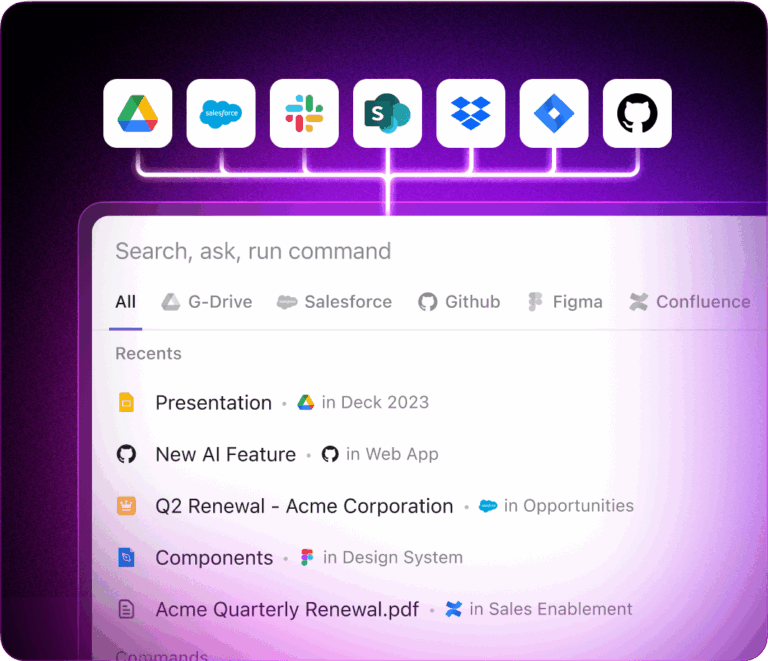
Why it matters: AI is only as powerful as the context it has. When your projects are scattered across Jira, notes in Notion, docs in Drive, and requests in Slack, AI can’t connect the dots, and leaders lose visibility into the big picture.
How to do it:
Intake → Planned → In Progress → In Review → Done to keep everyone alignedYY-Q# | Team | Project | Verb-Noun (for example, 25-Q4 | Marketing | Website | Launch-Campaign) for easy search and organization🎯 Proof point: Teams that consolidate into one Workspace report 87.9% improved collaboration and 87.5% better visibility.
📌 Example: A product manager types “Q4 marketing readiness” in their search bar and instantly sees the launch brief, design tasks, and campaign email draft, instead of toggling between Slack, Drive, and Asana.
💡 Pro Tip: Don’t try to “boil the ocean” on day one. Lighthouse one team first (say, Marketing or Product) and measure cycle-time reduction or fewer status meetings. Once you have a visible win, expanding to the rest of the org is 10× easier.
What I love most about ClickUp is how seamlessly everything works together. The combination of Chat, Whiteboards, and Spaces allows us to brainstorm, assign, and track work all in one place. It’s flexible, visual, and highly customizable perfect for managing multiple teams and projects across departments. The Wiki feature also helped us replace scattered SOPs and onboarding docs with a single source of truth.
Why it matters: Consolidation alone doesn’t solve the problem if your work still lives in disconnected silos. Without integrations, you’ve just moved the sprawl into a shinier container.
How to do it:
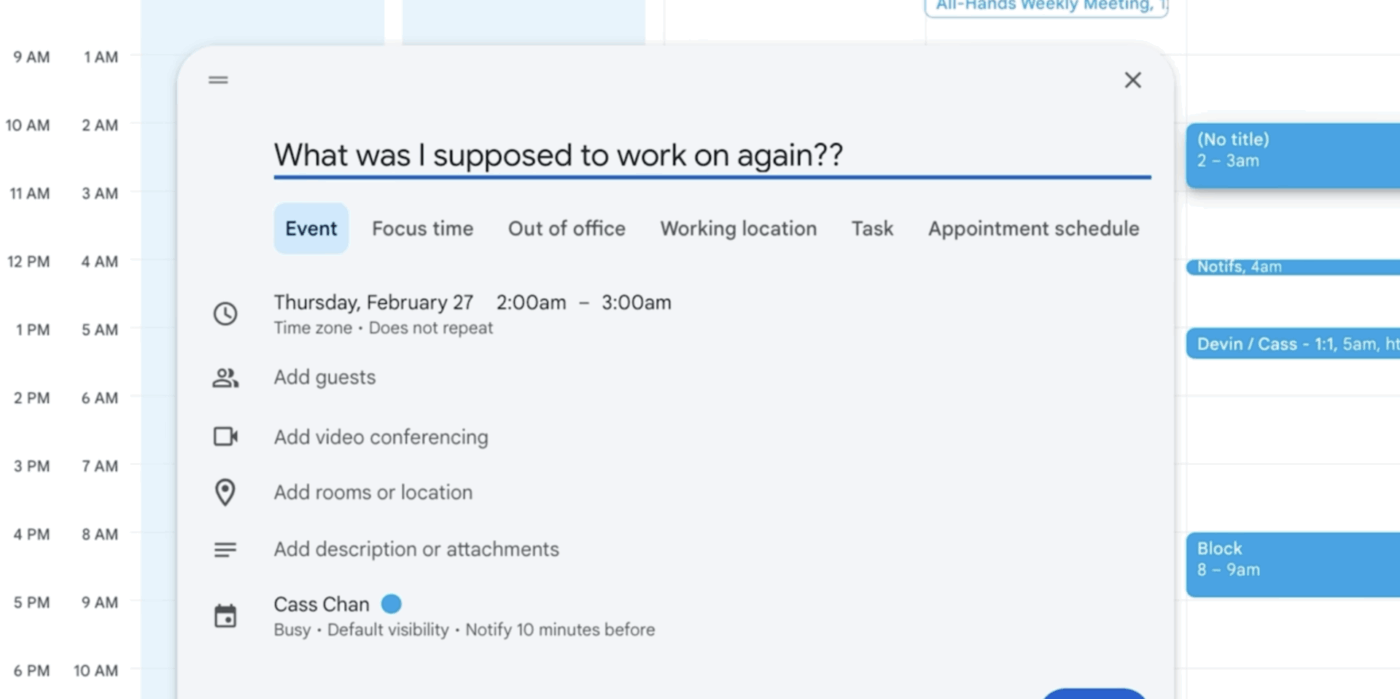
Think of the difference between keeping your work scattered in disconnected calendars vs. seeing every meeting, task, and deadline in one view. One leaves you asking, “Wait, what was I supposed to work on again?” The other keeps your projects, Docs, and tasks flowing together so you never lose context.
For example, your calendar tells you when you’re busy. It never tells you what you’re busy with. No linked tasks, no docs, no decisions. Just another block of time to decode later.
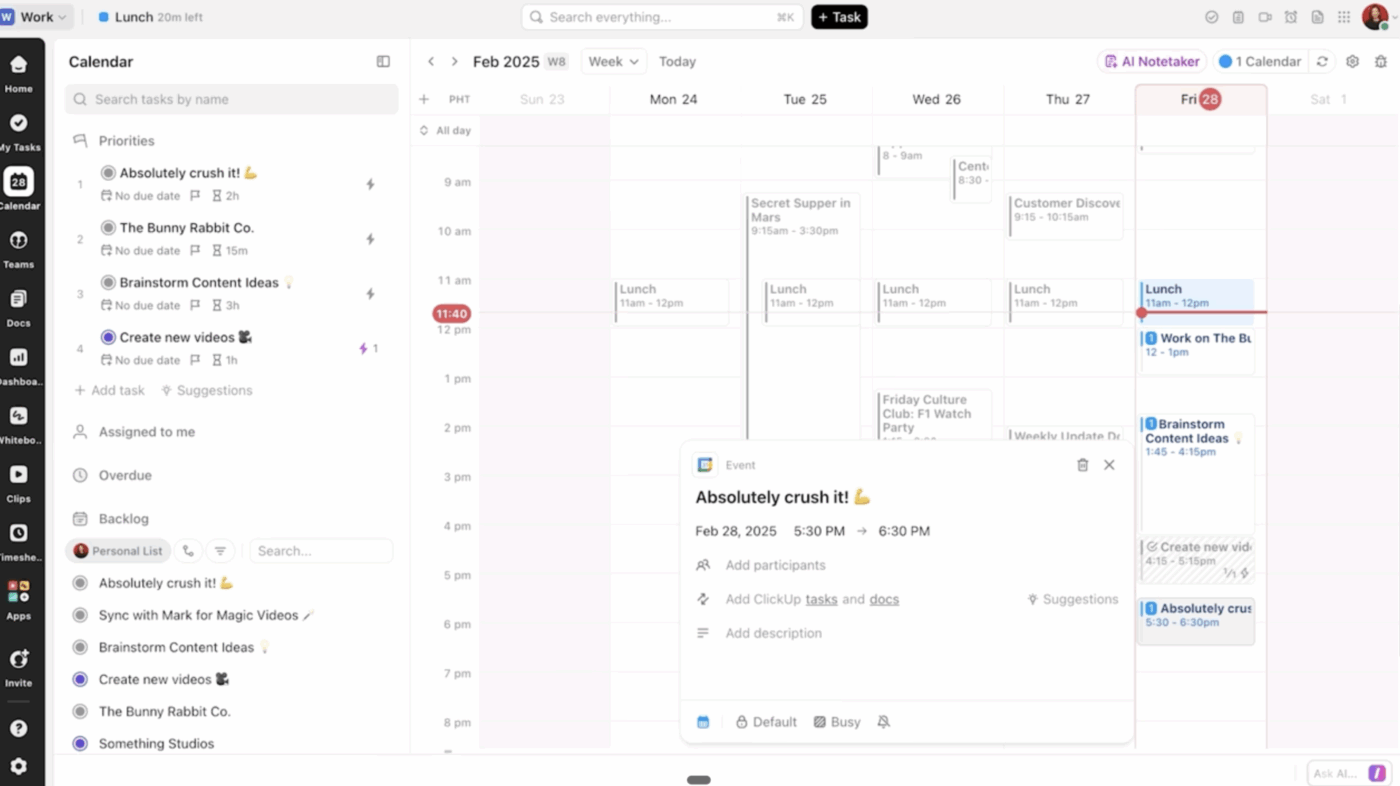
With Convergence, you click an event in ClickUp, and you’ll see linked tasks, docs, notes, and owners—so you don’t just see the meeting but the work behind it in the ClickUp Calendar.
🎯 Proof point: Customers who fully integrate reduce reporting prep time by 40% since updates flow automatically instead of being rebuilt manually.
📌 Example: A sales manager closes a deal in Salesforce → an onboarding project spins up in ClickUp with IT, Support, and Finance tasks assigned in seconds. No kickoff email required.
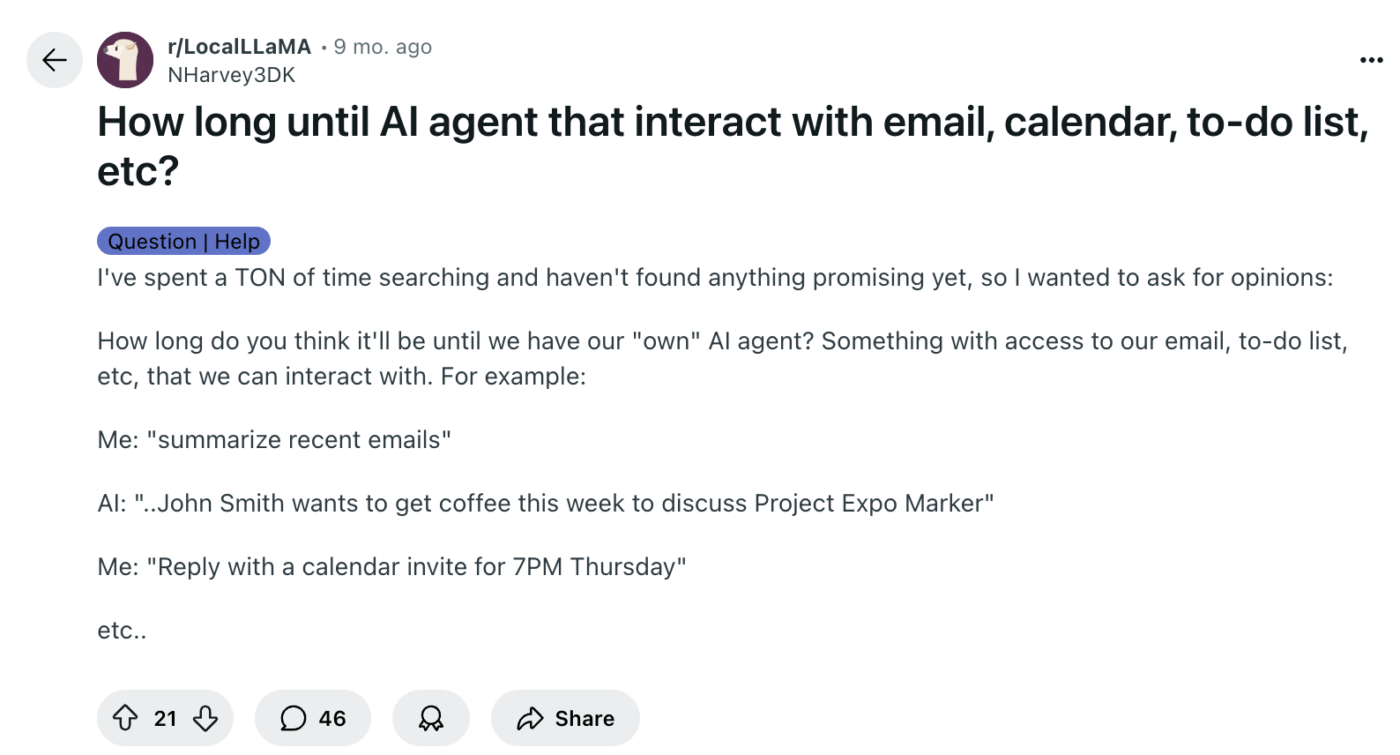
Workers have been waiting years for this moment. Entire threads are filled with people asking: When will AI work across my email, calendar, and to-do list?
Here is a Reddit thread that echoes the central question.
Why it matters: Generic AI can only guess, but AI in project management delivers real results when it has context. When your documents, projects, files, and people are connected, AI can draft updates, flag risks, and answer questions with precision.
How to do it:
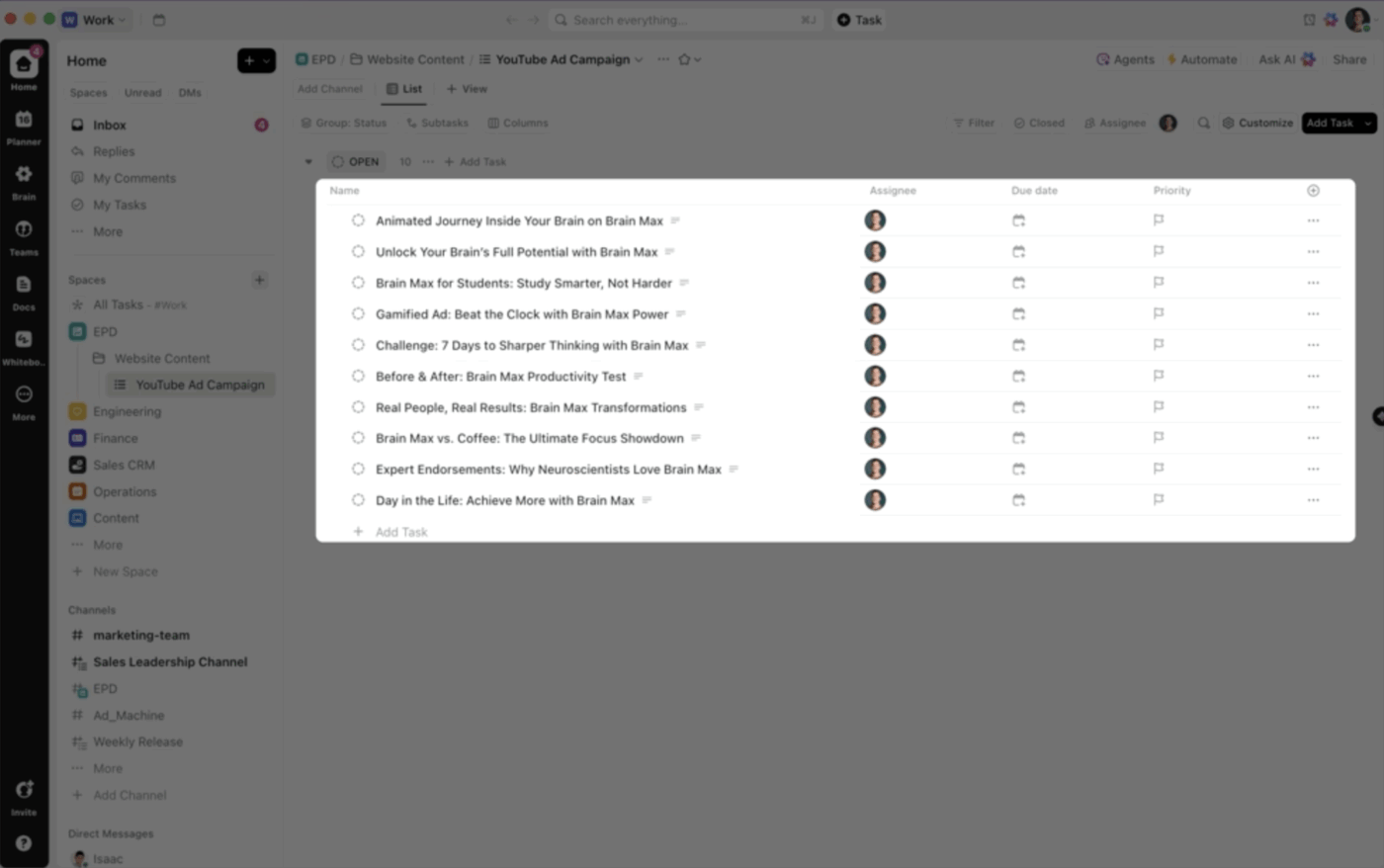
See how ClickUp Brain MAX turns one brainstorm into structured, trackable tasks:
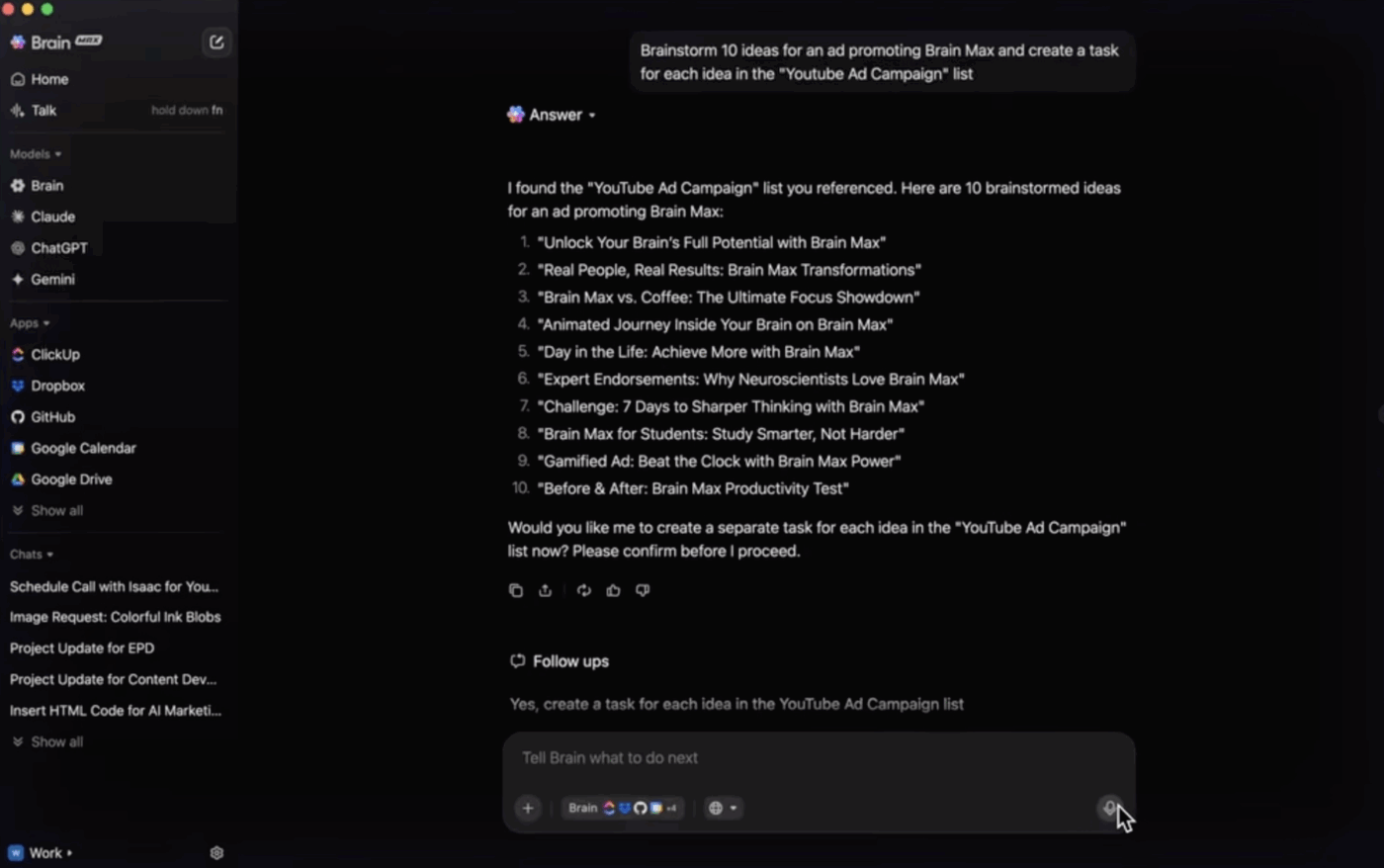
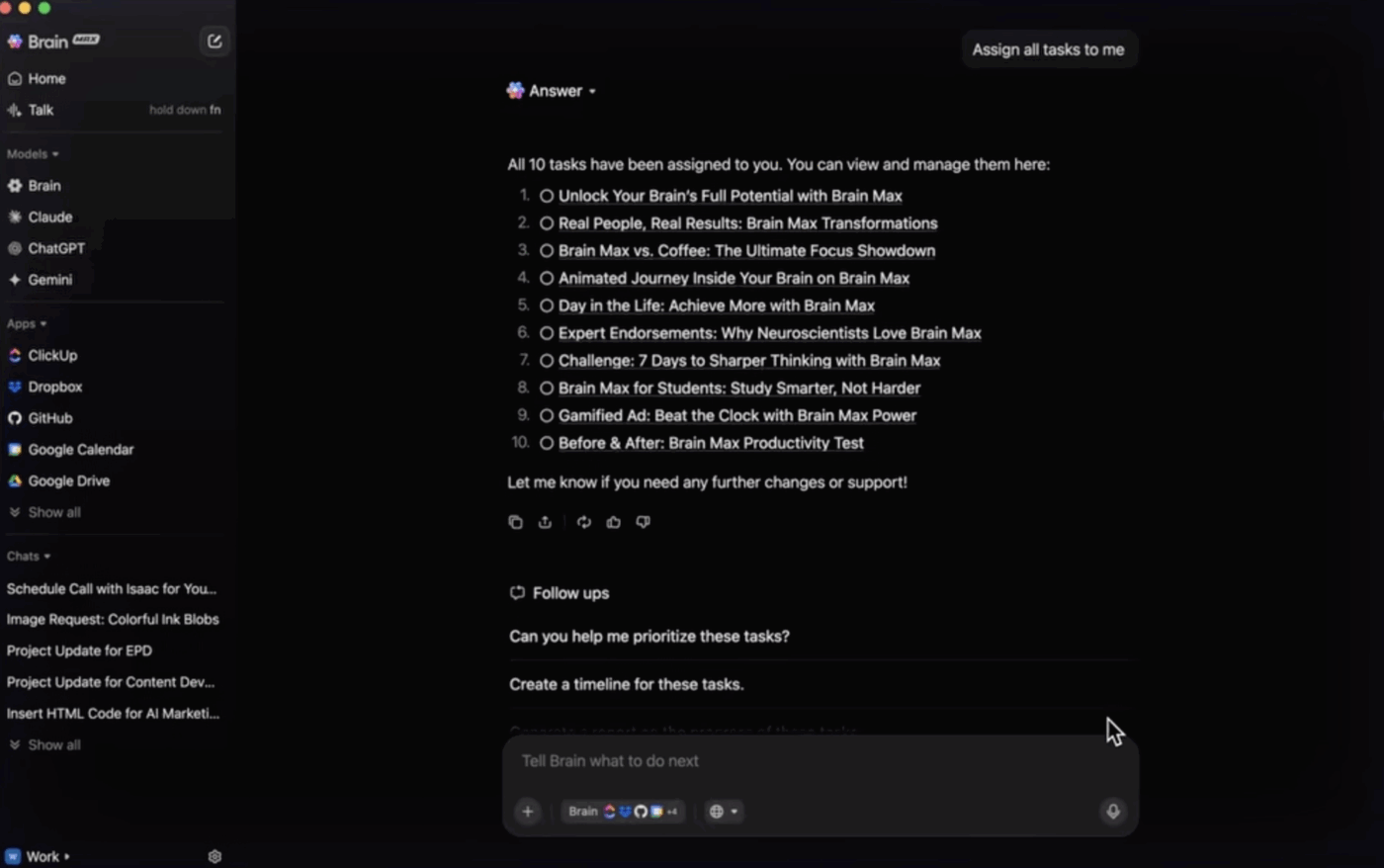
Before you know it, ClickUp Tasks already reflect the update.
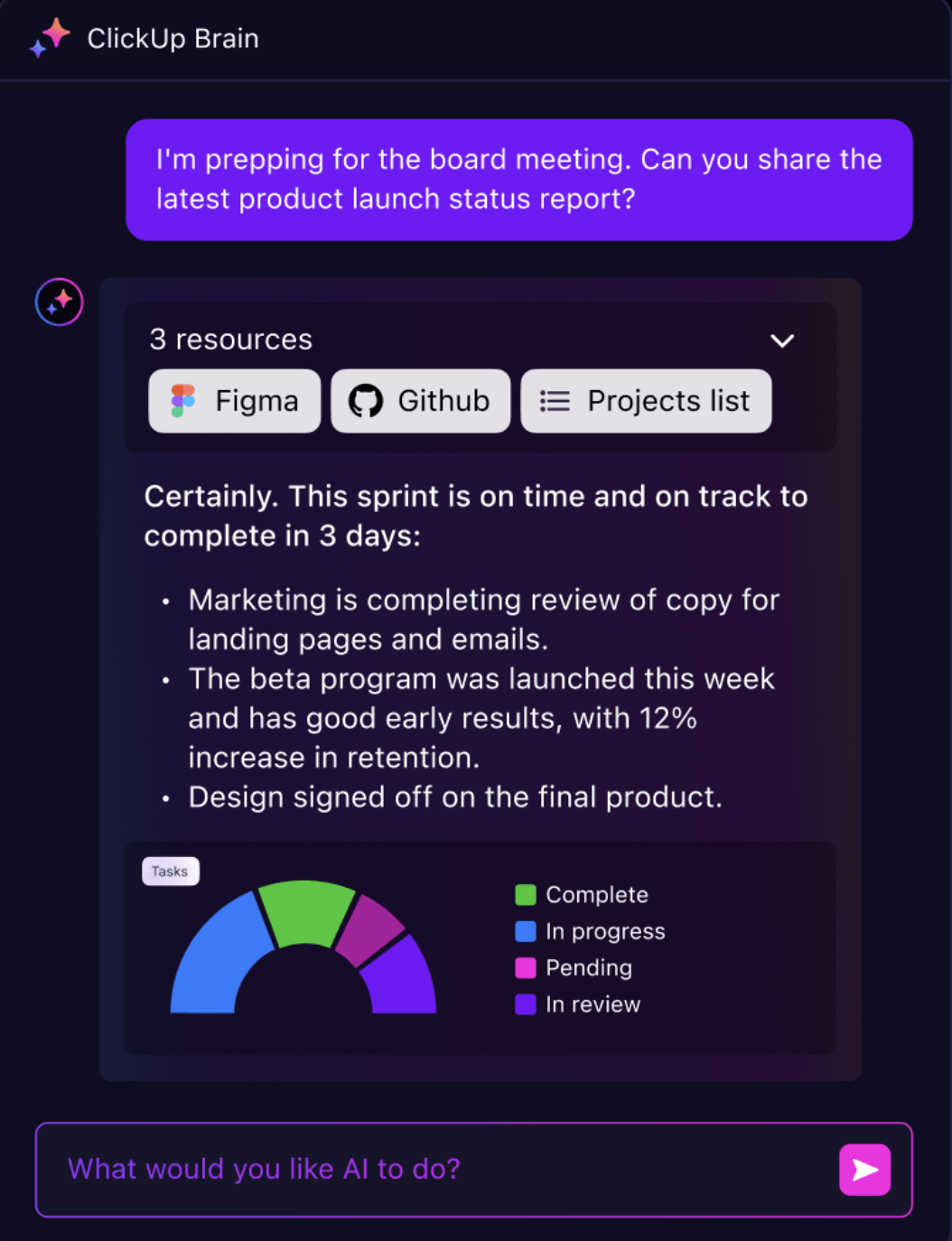
📌 Example: A customer success lead asks ClickUp Brain MAX, “What’s the last feedback from ACME Corp?” The AI returns support tickets, the feature request task, and the sales note, which are ready to paste into a client update.
Why it matters: Routine setup drains cognitive energy. Every manual hand-off or checklist rebuild forces your team to reorient. Automation keeps the flow intact so brains stay focused on outcomes, not orchestration.
How to do it:
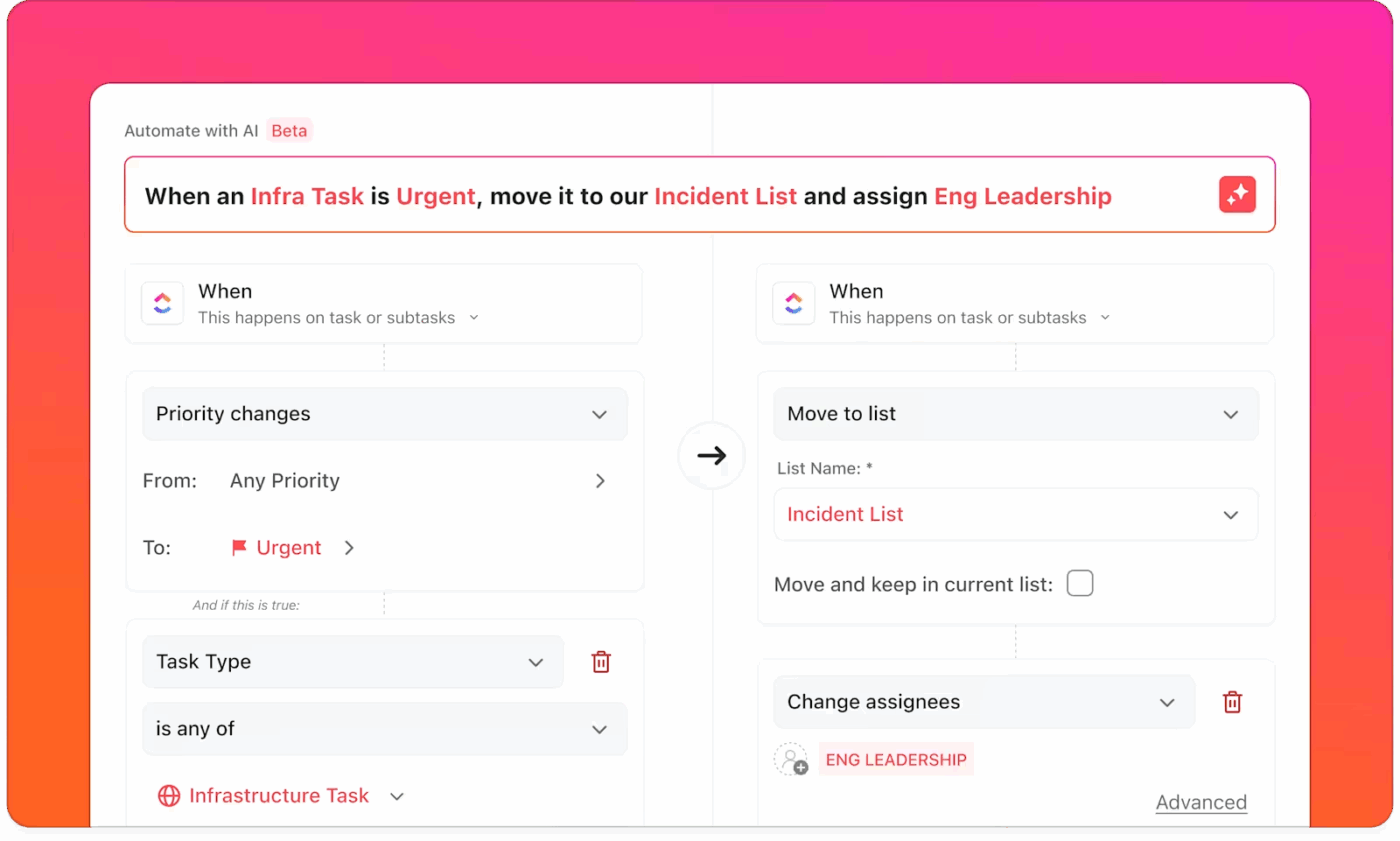
🎯 Proof point: 18% of our survey respondents want AI to organize their lives through calendars, tasks, and reminders. Another 15% want it to take routine tasks off their plate.
For that to work, AI must do more than create a to-do list. It needs to understand priority levels, adjust workflows in real time, and automate the repetitive steps that slow people down.
Most tools handle just one piece of the puzzle. ClickUp replaces five or more apps with a single platform. AI-powered scheduling puts tasks and meetings on the calendar where they fit best, while ClickUp Brain automations handle the admin so teams stay focused on real work.
Turn a quick request into a ready-to-go task
Type a short note, such as “Plan October newsletter,” and ClickUp’s AI instantly fills in the details. It adds the deadline, sets the priority, and includes all the context your team needs, so you don’t have to.
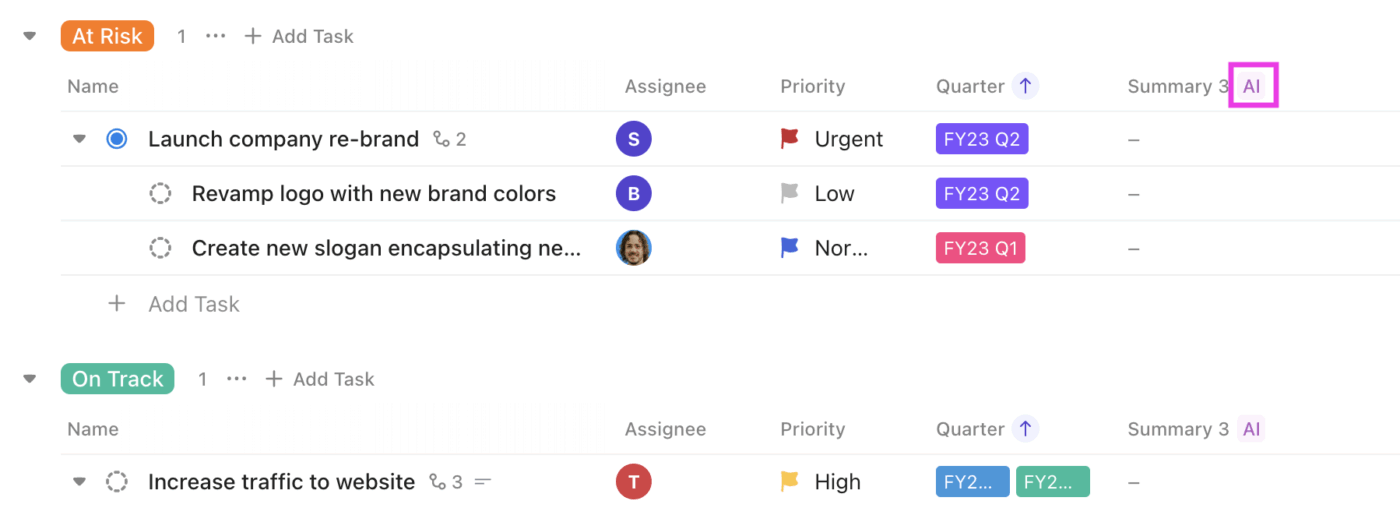
🎥 Summaries, sentiment, action items—done. Watch how it works:
📌 Example: A marketing request form lands. Within seconds, a campaign task tree appears with owners, deadlines, and a kickoff Doc; no PM intervention required.
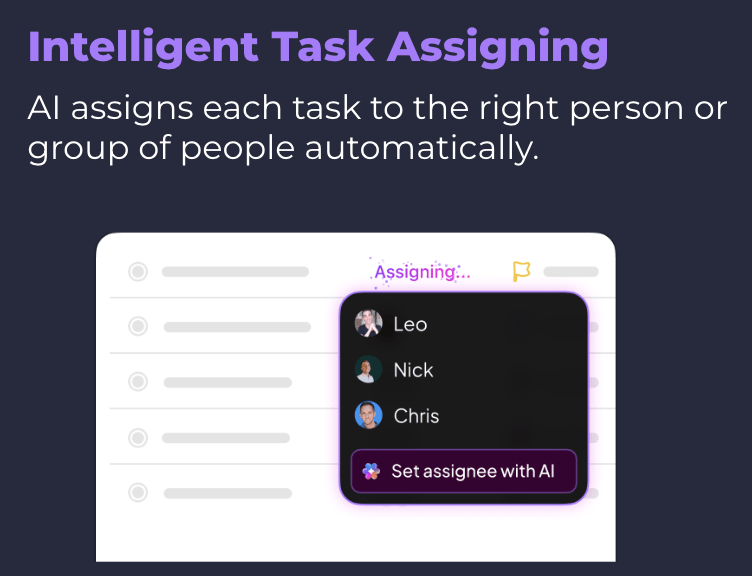
No more guesswork: Assign tasks automatically
With ClickUp’s AI Assign, tasks land with the right person the first time. No more guesswork. AI matches work to team members based on role, bandwidth, and expertise, so nothing gets dropped or delayed.
Why it matters: Most decisions vanish into chat or email. This creates context sprawl, which is the silent killer of productivity.
How to do it:
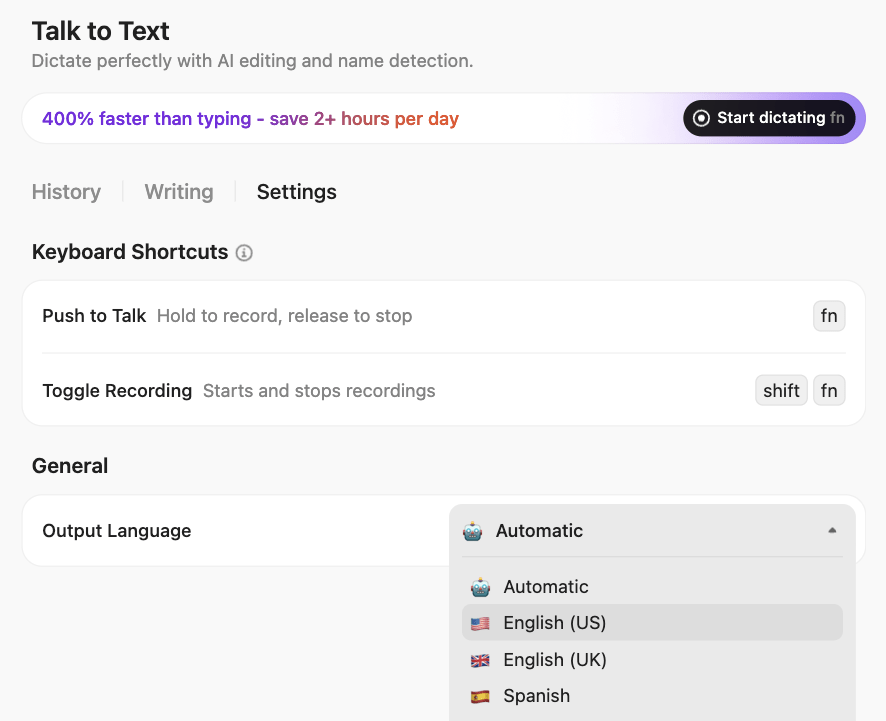
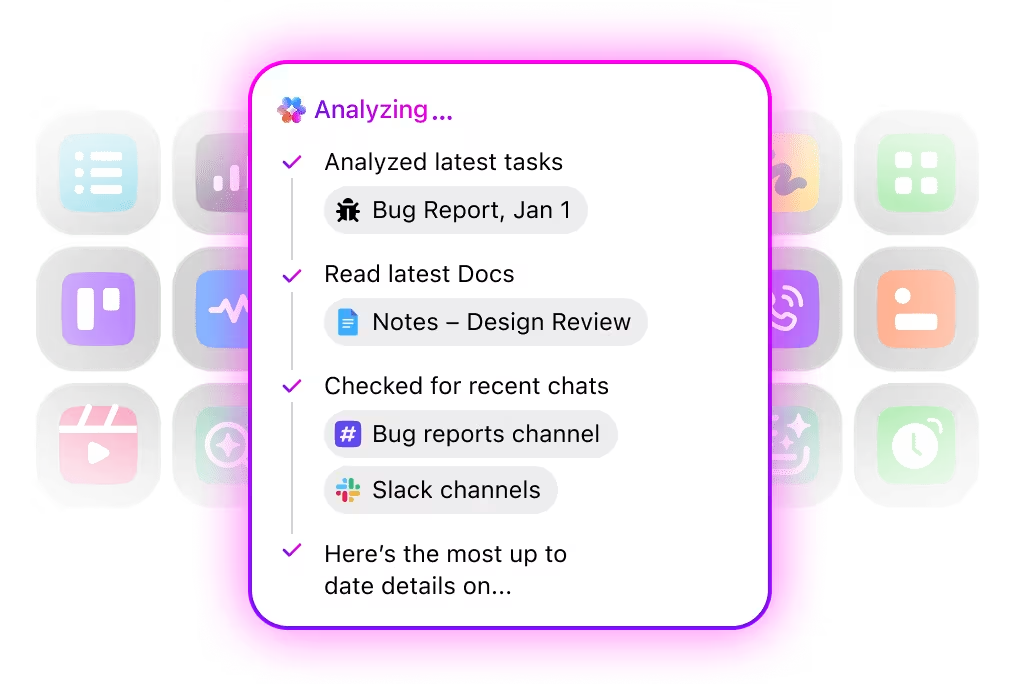
🎯 Proof point: QubicaAMF saved 5+ hours per week previously wasted searching for information after moving to ClickUp and using unified Search.
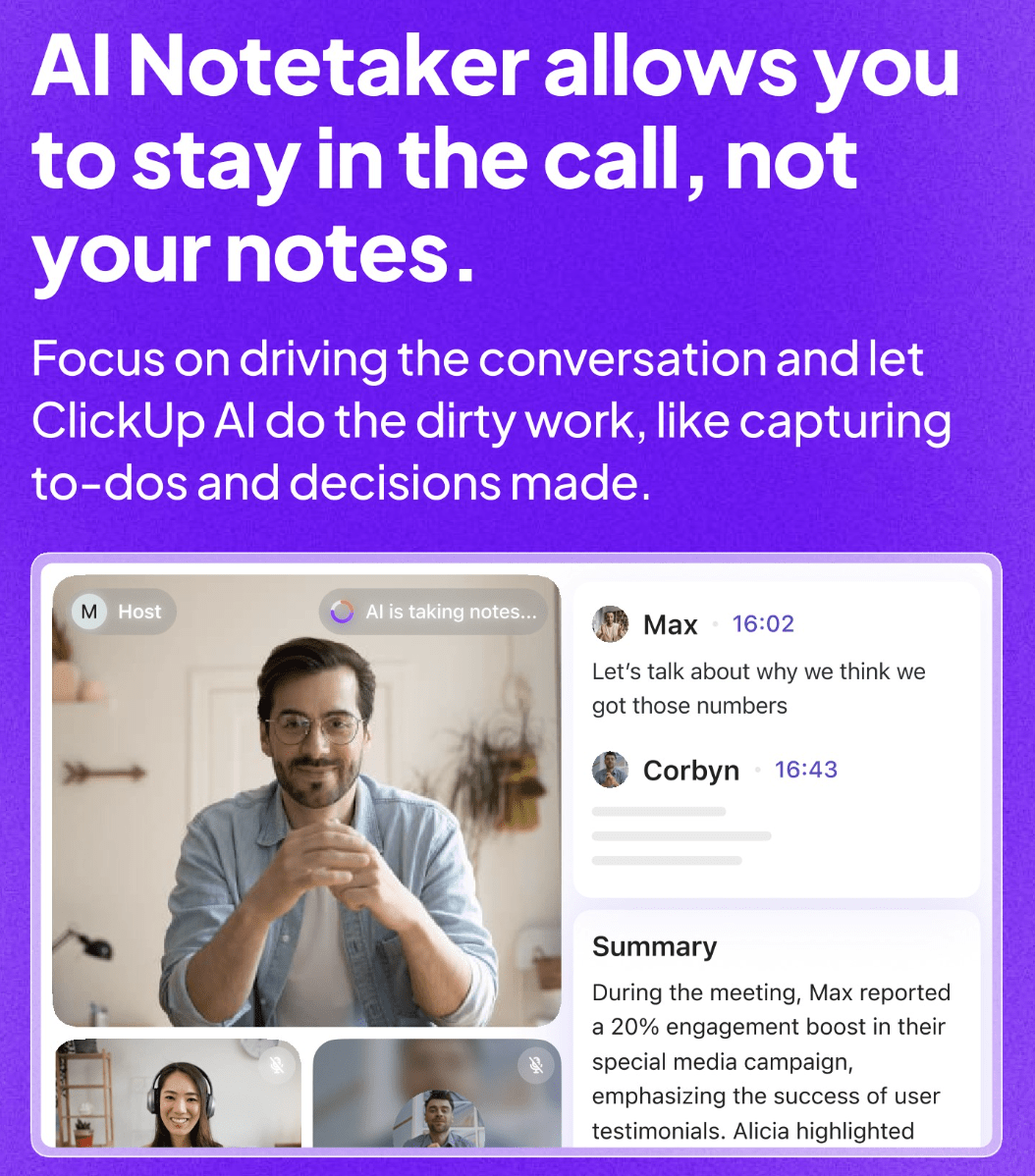
📌 Example: After a roadmap review, ClickUp AI Notetaker posts the summary, creates follow-ups, and links the recording to the Epic. No one has to write minutes.
Why it matters: Executives don’t want a slide deck; they want answers now. Without real-time reporting, teams waste days compiling updates.
How to do it:
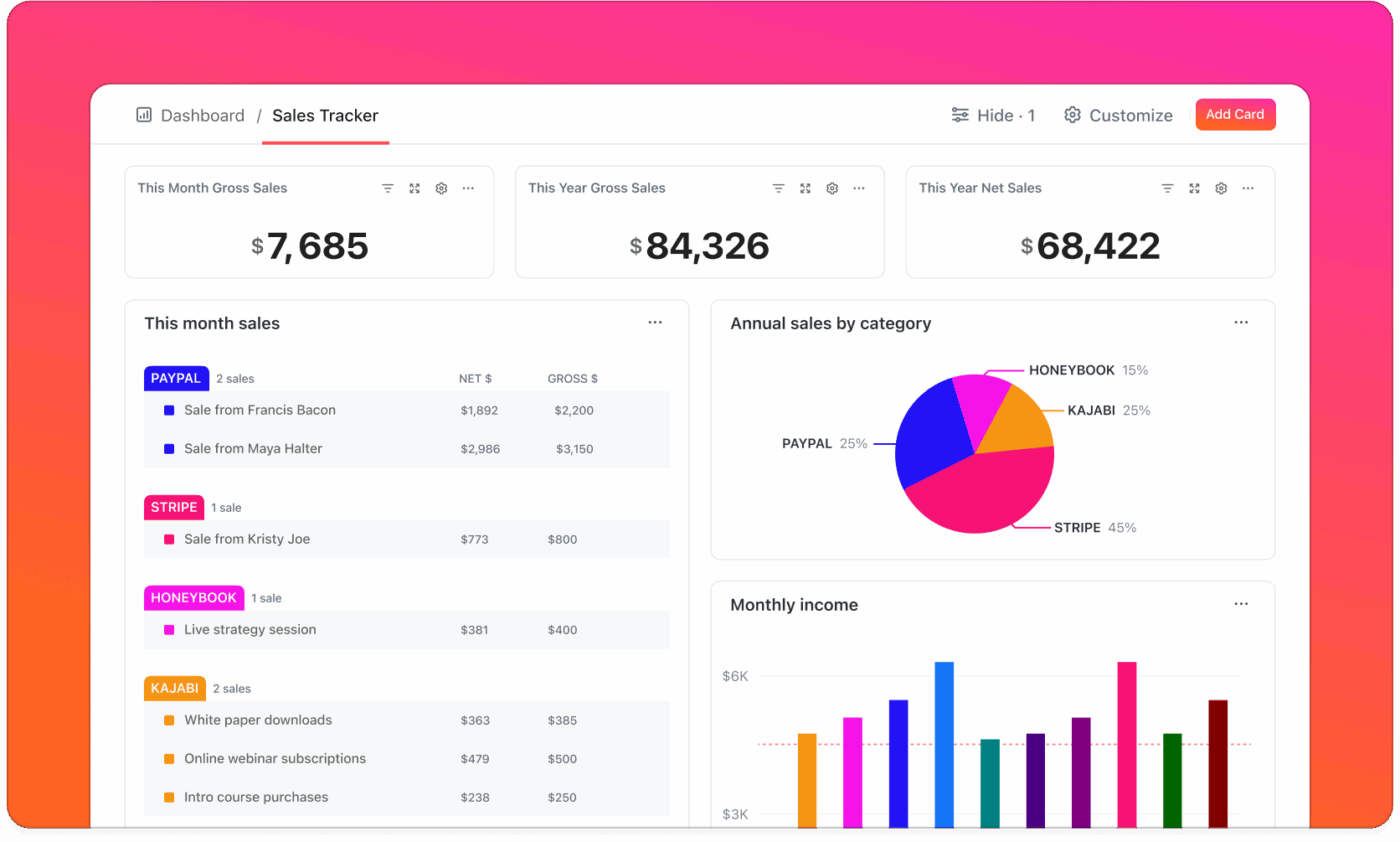
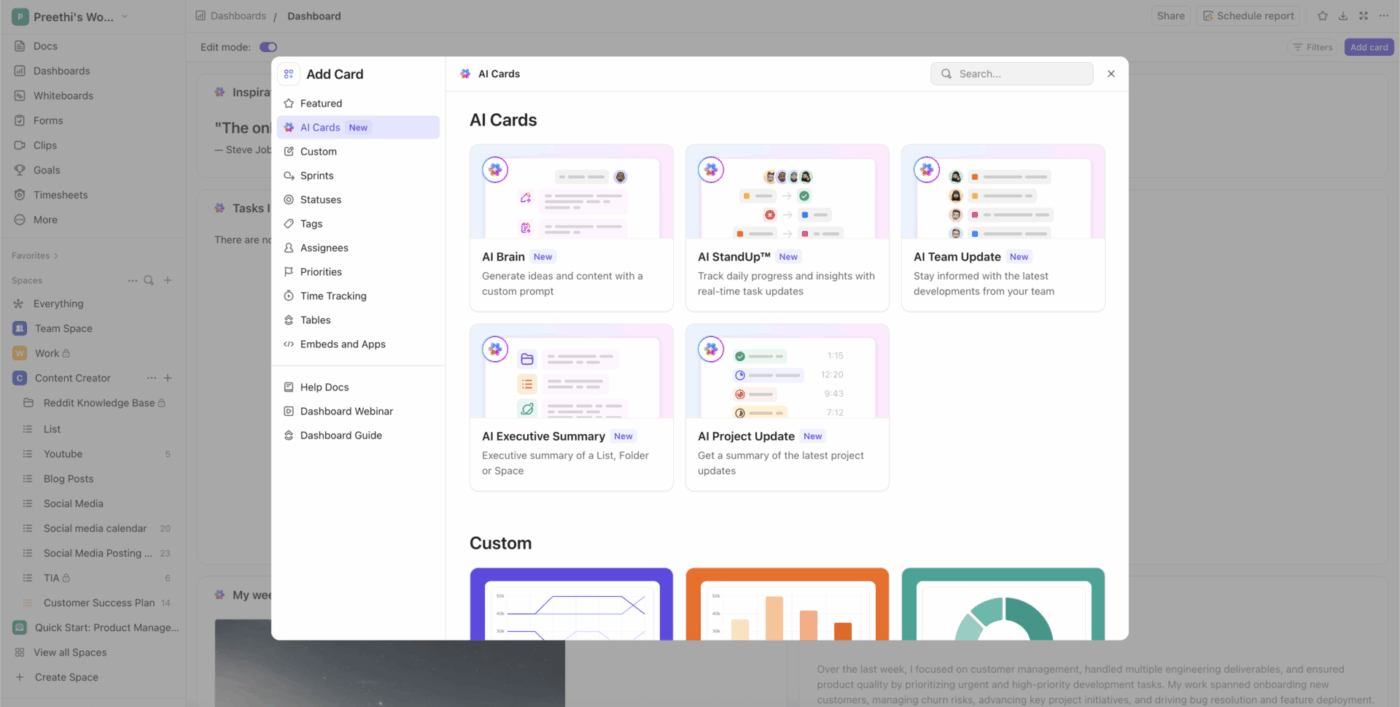
🎯 Proof point: Over three years, the composite organization using ClickUp saved 92,400 productive hours through automation and AI, and achieved a 384% return on investment.
📌 Example: A client asks, “What’s the status of their campaign assets?” Instead of chasing threads and emails, the account manager opens ClickUp Docs linked to the task list. Everything they need is in one place, clear and ready to share.
👀 Did You Know? The average enterprise now runs on over 130 SaaS apps, a symptom of SaaS sprawl that drives license costs, compliance risks, and duplicate workflows.
Why it matters: AI agents are proactive digital teammates who don’t just wait for your prompt. They act independently, following rules you set to automate complex workflows, coordinate tasks, and keep work moving. Unlike basic AI assistants, agents can monitor activity, make decisions, and trigger actions across your workspace, reducing manual effort.
👉 Explore ClickUp Autopilot Agents to get more work done—automate updates, triage tickets, and keep projects moving.
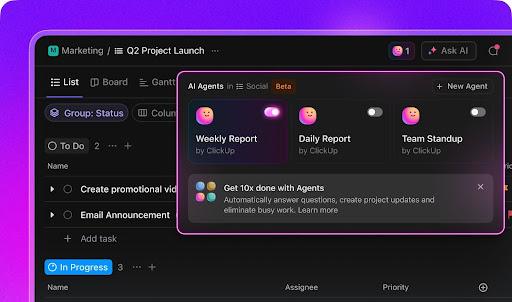
How to do it:
👉 Task Campaign AI agent setup: automate campaign management from intake to execution.
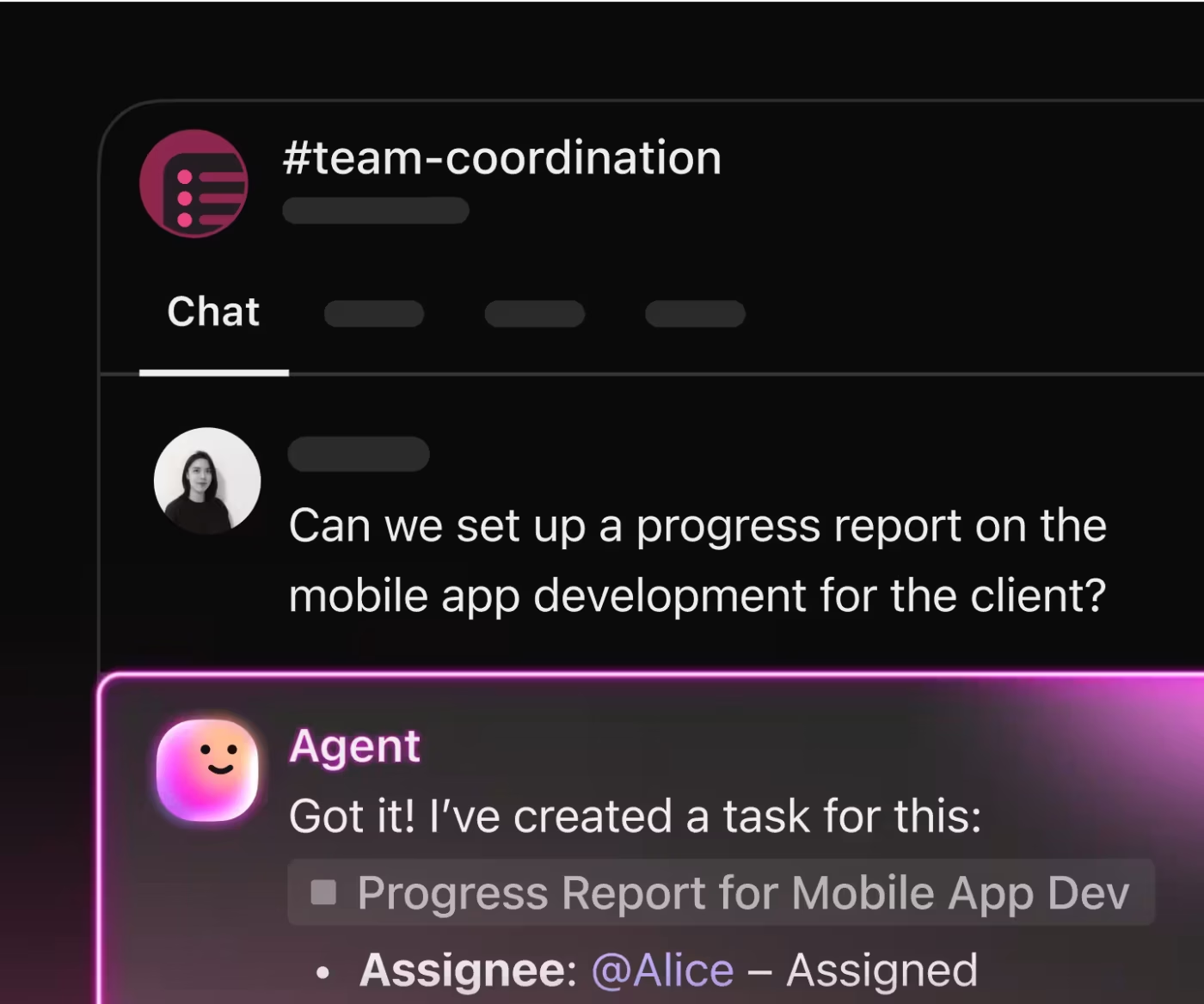
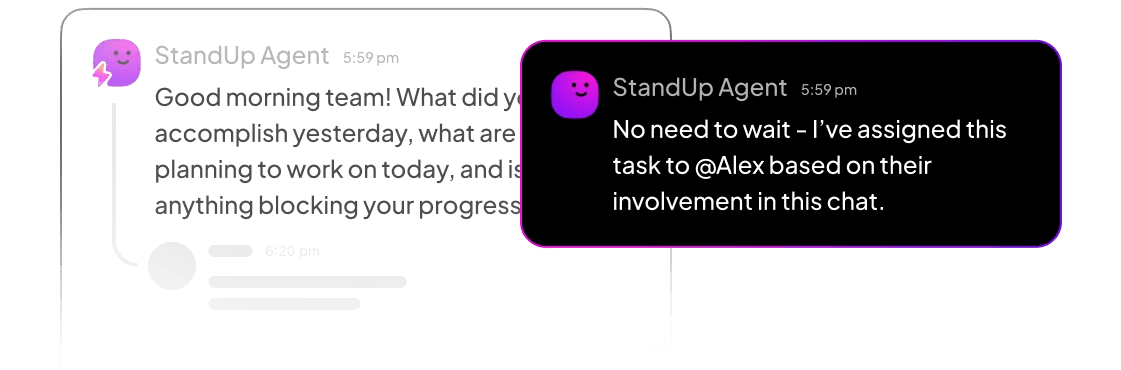
👉 Watch how it proactively posts updates and automates routine work, allowing projects to move forward without manual chasing or extra meetings.
🎯 Proof point: ClickUp was named G2’s #1 platform for AI Agents, with customers reporting faster ticket resolution and reduced meeting fatigue.
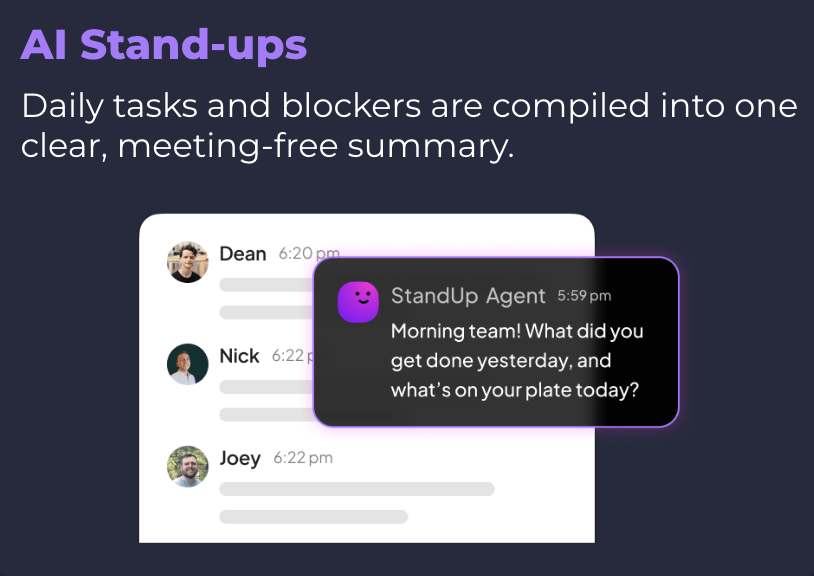
📌 Example: A Daily Update Agent posts: “3 tasks completed, 1 blocker on integration testing, risk review scheduled.” The PM doesn’t need to chase progress.
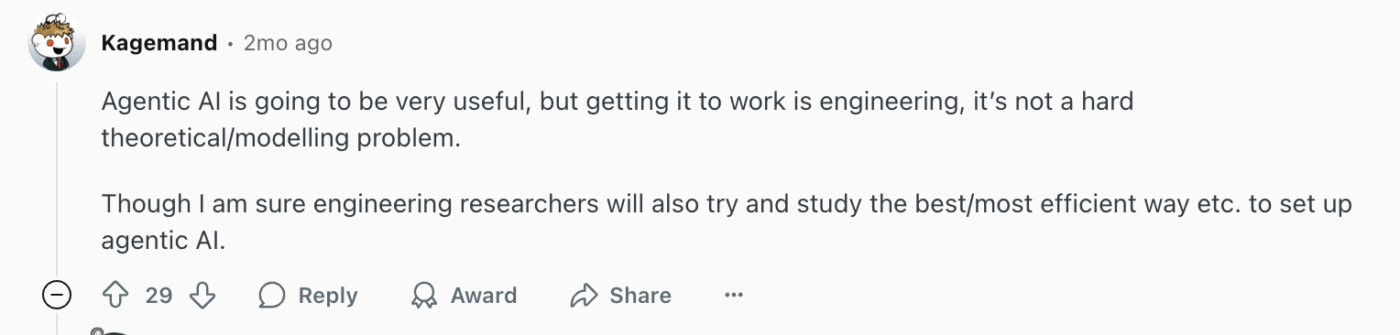
Not everyone is convinced about agentic AI. Scroll Reddit and you’ll see posts asking if it’s all hype. The skepticism is real: flashy demos don’t always translate into daily value.

One commenter nailed it: the real challenge isn’t the “idea” of agentic AI, it’s the engineering. Without the right plumbing permissions, context, and integration, agents stall.
Why it matters: If every project starts from scratch, you’re not converging; you’re repeating. Codifying success compounds value.
How to do it:
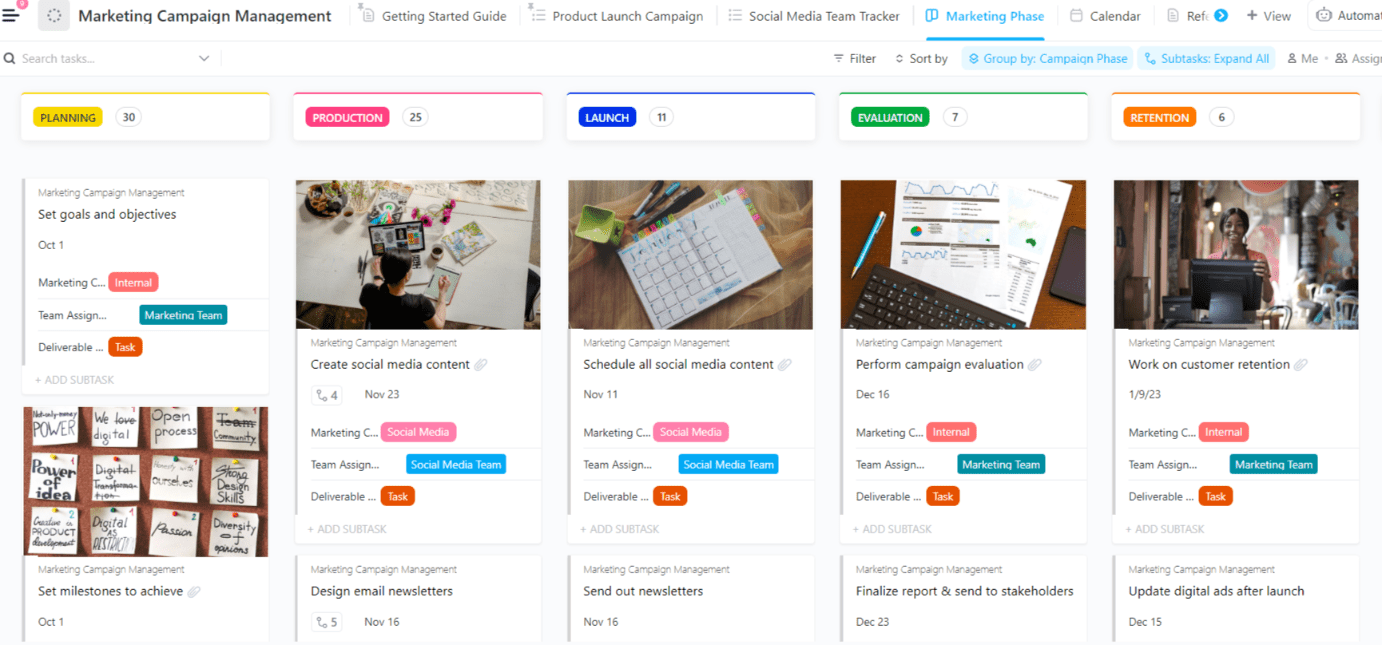
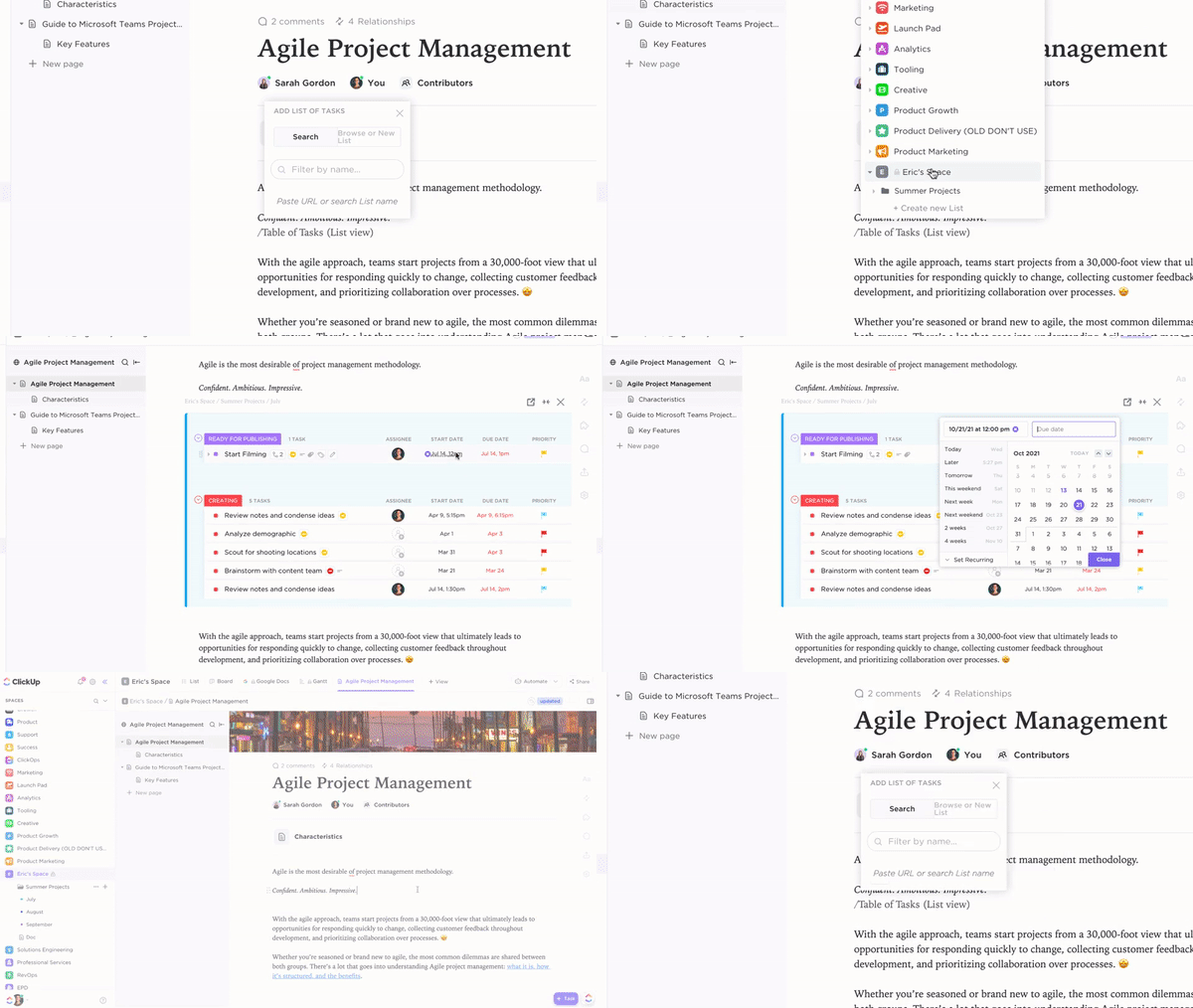
👉 See how easy it is to create, organize, and share Standard Operating Procedures (SOPs) in ClickUp. Turn best practices into reusable templates, link them directly to tasks, and keep your team aligned—all in one place.
🎯 Proof point: Teams that systematize their wins report 96.7% better efficiency.
📌 Example: After a campaign wraps, AI generates a playbook. The next time marketing launches, most of the setup is already done.
Why it matters: Convergence isn’t real until redundant tools are shut down and ROI is proven. Otherwise, you’ve just layered AI on top of chaos.
How to do it:
Proof point: Atrato reduced software costs by consolidating multiple tools into ClickUp, eliminating the need for separate project management and communication platforms.
Example: IT decommissions the legacy ticketing tool after ClickUp’s AI Triage proves reliable. Employees cheer not because of AI, but because they now have one less login to remember.
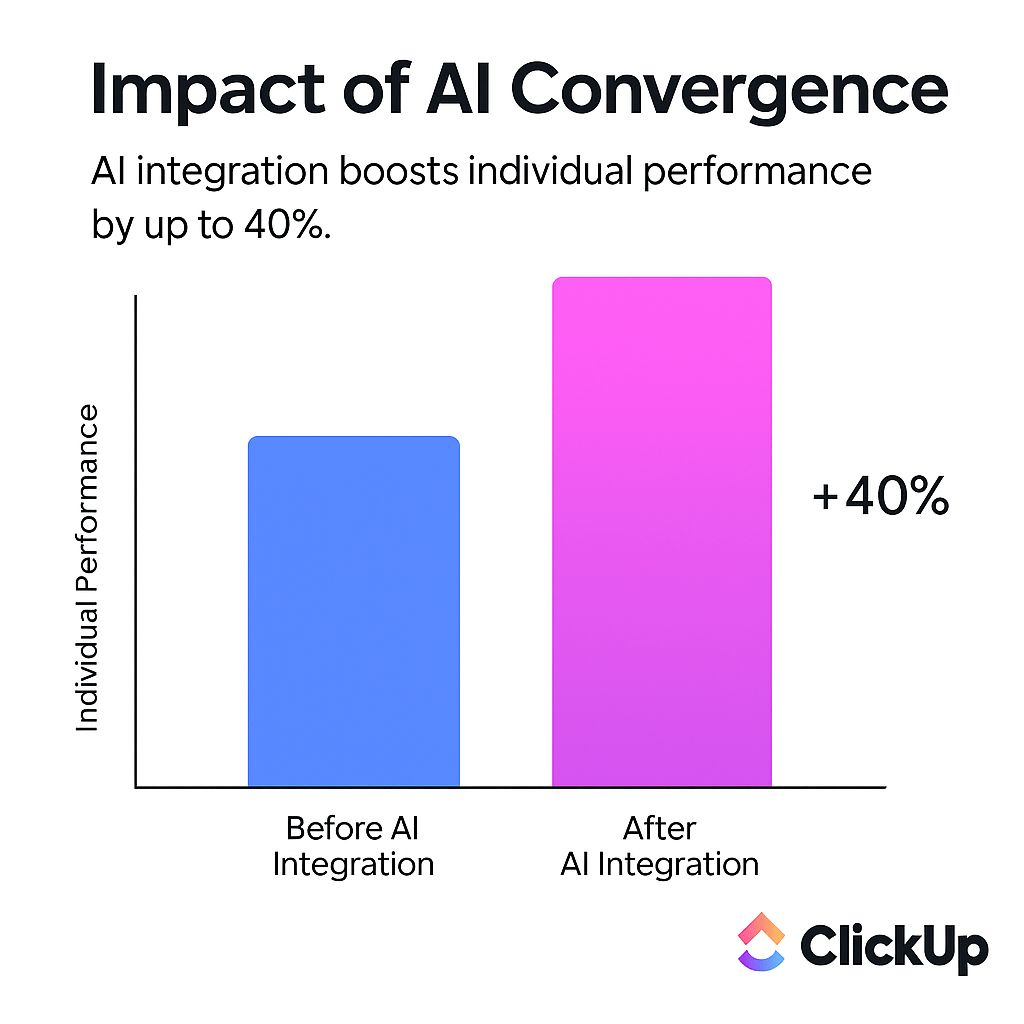
🚀 Convergence changes everything. Integrating AI directly into your workspace reduces noise and boosts individual performance by up to 40%.
| Step | Why it matters | What to do | Proof & example | ClickUp feature tie-in |
|---|---|---|---|---|
| Centralize the work surface | AI can’t help if data is scattered across apps | Create a Workspace, set taxonomy & statuses, add core fields, migrate only active work | 87.9% report better collaboration after centralizing (ClickUp survey). Example: product manager sees all launch tasks in one place | Tasks, Docs, Custom Fields, Spaces |
| Wire up your ecosystem | Without integrations, you’ve only shifted the sprawl | Connect email, CRM, storage, and code repos | Teams cut reporting prep time by 40%. Example: Salesforce opp closes → onboarding tasks auto-create | Integrations, Automations |
| Layer in contextual AI | Context makes AI useful, not generic | Turn on ClickUp Brain, add Enterprise Search, use the ClickUp Brain MAX desktop app | Manager asks Brain for SSO status → gets doc + rollout task instantly | ClickUp Brain, ClickUp Brain MAX, Enterprise Search |
| Automate the busywork | Workers toggle apps throughout the day; automation saves hours | Build intake routing, stale nudges, checklist scaffolds, due-date offsets | Teams save 3+ hrs/wk. Example: campaign request form auto-generates project with owners & deadlines | Automations, AI Assign, AI Prioritize, AI Fields |
| Capture and surface knowledge | Context sprawl kills productivity | Use ClickUp AI Notetaker for meetings, ClickUp Brain MAX for voice-to-task, Enterprise Search for files | Finance team saved 30 min per RFP using ClickUp Brain MAX | ClickUp AI Notetaker, ClickUp Brain MAX, Enterprise Search |
| Make reporting ambient | Execs want real-time answers, not decks | Build Dashboards with health, finance, risk, and load widgets; add AI summaries | Chick-fil-A cut status meetings in half by replacing spreadsheets | Dashboards, AI Summaries |
| Deploy AI agents where it hurts most | Agents act proactively, reducing noise | Start with Meeting Manager, IT Triage, Daily Update bot | Named G2’s #1 AI Agents. Example: Daily Update bot posts blockers at 9 AM | AI Agents, Automations |
| Institutionalize the wins | Wins don’t scale unless you codify them | Turn projects into Templates, auto-draft SOPs with Brain | 96.7% report efficiency gains after templatizing | Templates, Docs, Brain |
| Govern and measure as you scale | Convergence isn’t real until ROI is proven | Track adoption, enforce RBAC, retire redundant apps | RevPartners cut SaaS costs by 50% after consolidation | Permissions, Audit Logs, SCIM/SSO |
👀 Did You Know? Heavy multitasking can lead to a drop of up to 10 IQ points, roughly equivalent to the cognitive impairment caused by a sleepless night. Every time you switch apps—jumping between Slack, email, Jira, and spreadsheets—you’re forcing your brain to rebuild context from scratch.
That’s why tool sprawl makes it worse: instead of a single, unified surface where information and AI are context-aware, your mind bears the hidden cost of remembering what happened where. With ClickUp’s Converged AI Workspace, all projects, tasks, and documents live together—so AI assists in-context, meaning your brain stays focused and you reclaim those lost IQ points.
⭐ ClickUp can do it all because it is built with intention and, most importantly, by listening to customers. Hear it from our CEO, Zeb Evans! 🎤
We built ClickUp to end the chaos of Work Sprawl and give teams a single, Converged AI Workspace. AI is revolutionary when it has full work context—that’s what Convergence provides. The future of software is converged, and we’re the first to do it.
AI workspaces don’t fail because the tech isn’t good enough. They fail because people fall back into old habits. The fastest wins aren’t from advanced agents or fancy dashboards. They come from three small behaviors that, once embedded, change everything.
1. Work in one place, by default
You don’t have a workspace when work is split across chat, spreadsheets, and email. You’ve got a game of hide-and-seek. Keep tasks, docs, and notes in one home so nothing goes missing.
✅ Habit to teach: “If it’s not in ClickUp, it didn’t happen.“
Scenario: A project review starts with everyone pulling different “latest” versions. Chaos. Now picture the same meeting with the ClickUp board up front. Updates roll in live, no one is guessing, and the conversation moves forward instead of sideways.
2. Ask Brain before you ask Slack
Chat is perfect for quick banter, not for storing knowledge. Instead of “Anyone know…?” teams can query ClickUp Brain and instantly see summaries, decisions, and sources.
✅ Habit to teach: “@brain: summarize, then decide.”
Scenario: A PM needs last week’s burn rate. Instead of pinging Finance and waiting, she asks ClickUp Brain. The answer comes back with a live dashboard link. She gets the number, Finance avoids another chat thread, and everyone gets five minutes of life back.
💡 Pro Tip: With 75% of employees already using AI at work (and 78% bringing their own tools), it’s smarter to provide an integrated, secure AI workspace than risk Shadow AI creeping in.
3. Document once, reuse everywhere
The fastest way to destroy trust? Five versions of the same SOP are floating around. Bake the habit of turning decisions into Docs and linking them directly to the work. One source, zero drift.
✅ Habit to teach: “Turn decisions into Docs; link them to the work.”
Scenario: An incident occurs. Instead of forwarding an outdated PDF, the on-call engineer opens the ClickUp Doc that is already linked to the task. There are clear steps, a current playbook, and no panic Googling during a crisis.
💡 Pro Tip: Don’t make training a one-time lecture. Bake it into the workflow. Use ClickUp Automations that nudge people to update tasks, or ClickUp Brain prompts that surface when someone searches the chat instead of the workspace.
👀 Did You Know? With the new @Brain mention, you can brainstorm, schedule, and summarize without leaving the task. It’s context-aware AI in team-chat form.
Every team feels the drag of scattered tools. The real test is how you break free, and that’s when a Converged AI Workspace pays off.
👩🏽🚀 Early-stage founders can’t afford a “tools team.” Yet every pitch deck, sprint board, and contract scattered across apps drains time and credibility.
In a Converged AI Workspace, a single prompt like “Plan Q2 launch” scaffolds roadmaps, checklists, and investor hubs. One login. Not six. Contracts, sprint tasks, and updates all in the same place.
Customer callout: Made In Cookware (MiC) hit 80% adoption in just 4 months and finished their Airtable migration ahead of schedule.
ClickUp gave us one place for everything from planning to execution, which meant faster launches without adding headcount.
🏢 Large organizations bleed context when Finance runs Oracle, Engineering lives in Jira, and Sales updates Salesforce. Leaders stitch data into PowerPoints weeks after the fact.
In a Converged AI Workspace, those systems pipe into one portfolio view. Role-based approvals align regions, and exec dashboards update live.
Customer callout: Finastra used ClickUp to unify fragmented go-to-market planning across teams and geographies, driving a 30% increase in collaboration effectiveness and 40% growth in GTM efficiency.
🎨 Campaigns too often start in Slack, sprawl into Google Docs, and fragment into task apps. By launch day, no one can tie work to outcomes.
In a Converged AI Workspace, intake forms spawn briefs, calendars, and asset lists. AI captures meeting notes, turns decisions into tasks, and links them to live dashboards.
Customer callout: Finastra used ClickUp to unify marketing operations across global units. They cut redundant tools and aligned GTM campaigns.
They also reported:
ClickUp lets us move from activity metrics to ROI we can show the board.
💡 Pro Tip: If you’re still forwarding campaign requests in Slack, stop. One ClickUp Form = instant project, owners, and kickoff Doc. Zero copy-paste.
⚙️ When discovery is in Miro, builds in Jira, and releases in Confluence, context dies at every handoff.
In a Converged AI Workspace, research notes become stories, AI Assign balances sprint load, and release notes post automatically with links back to Epics.
Customer callout: Pressed brought product and engineering into ClickUp, automating sprint management and giving stakeholders one source of truth.
We reclaimed hours each week and gave engineers more time to code—not chase updates.
🌍 A 12-hour time zone gap makes “quick syncs” impossible. Teams double up stand-ups, lose notes, and sink hours in Slack archaeology.
In a Converged AI Workspace, meetings are auto-captured and summarized. AI Agents post daily digests, so teams stay aligned without being online at the same time.
Customer callout: Shipt’s Data Platform team uses ClickUp to centralize project management, automate intake, and streamline cross-functional collaboration, enabling them to deliver data-driven insights faster and more efficiently.
ClickUp has allowed us to consolidate our work into one place and reduce the number of tools we use.
🔑 Across industries, the pattern is the same: Convergence kills sprawl, restores context, and gives AI a surface to drive real results.
🧠 AI won’t replace thoughtful discussion, but it ensures the takeaways are clear, accurate, and actionable. ✅
| Industry | Pain point | Converged AI fix | Customer proof |
| Startups | Founders drown in SaaS sprawl, wasting hours reconciling decks, sprints, and contracts | One hub for roadmaps, investor updates, and execution; AI scaffolds projects from a single prompt | Made In Cookware (MiC) → 80% adoption in 4 months, Airtable migration ahead of schedule |
| Enterprises | Data scattered across Oracle, Salesforce, Jira; execs see stale reports | Pipe systems into one portfolio view; role-based intake; live dashboards | Finastra → 40% GTM efficiency growth |
| Marketing | Requests sprawl across Slack, Docs, and task apps; ROI invisible | Intake forms spawn briefs, calendars, tasks; AI notes link decisions to dashboards | Finastra → Unified GTM campaigns, shifted from activity metrics to ROI |
| Product & Engineering | Discovery, delivery, release scattered across siloed tools | Research becomes stories; AI Assign balances sprints; release notes post automatically | Pressed → Automated sprints, reclaimed engineer time, clear stakeholder visibility |
| Remote / Hybrid Teams | Time zones break “quick syncs”; notes vanish; duplicate stand-ups | AI Notetaker + Agents capture, summarize, and post digests; async becomes seamless | Shipt’s Data Platform Team → Streamlined cross-functional collaboration |
👀 Did You Know?
Workslop creeps in when teams automate the wrong things—pretty dashboards, empty checklists, and “busy” progress that hides real blockers.
A recent study found that this low-value AI content (also called AI slop) costs U.S. desk workers around $186 per month in lost productivity.
🚀 How ClickUp turns “workslop” into wins:
By tying automation to outcomes, not optics. In ClickUp, every rule, trigger, and report connects to real work. This helps your team see what’s moving, what’s stalled, and what actually matters.
Change is always real, and with AI workspaces, the growing pains are familiar. We’ve seen the same patterns repeat: excitement, speed bumps, and stalls. The way through is to expect those bumps, set up guardrails, and track the outcomes that actually matter.
The first 30 days are always messy. New tools mean new muscle memory, and leaders panic when they see usage dip. That’s not failure, that’s friction.
Fix it: Begin with a lighthouse team that demonstrates quick wins. Put out a one-page “Way We Work” guide so everyone knows the rule: if it’s not in ClickUp, it didn’t happen. Then, pair it with a dashboard that makes progress visible, from shorter cycle times to fewer meetings to faster task closing.
People trust numbers more than cheerleading.
📌 Customer example: Cartoon Network rollout began with the social team, where planning, assets, and reviews came together in ClickUp. From there, adoption spread across channels.
Result? The team moved four months ahead on the content calendar and managed 2× more social channels with the exact headcount.
The irony of connecting all your apps? You can accidentally create more sprawl or, worse, expose sensitive data. A single over-shared folder can turn into a governance nightmare.
Fix it: Use least-privilege access from day one. SCIM provisioning, SSO/SAML, and workspace-level audit trails aren’t just IT jargon. They’re your insurance policy. HR doesn’t see engineering roadmaps, but AI can still provide relevant insights for both.
📌 Customer example: CEMEX implemented ClickUp to standardize project management, automate reporting, and improve cross-team alignment, driving operational excellence in their global business.
Nobody wants AI hallucinating roadmaps or assigning tasks to the wrong team. Trust is fragile: one bad answer and adoption stalls.
Fix it: Include links to the source ClickUp Docs in every summary. Log every agent action so there’s a clear audit trail. Use AI for first drafts, triage, and nudges, and not for final approvals until your teams see its reliability in practice.
📌 Customer example: Chick-fil-A’s finance team tested ClickUp Brain MAX for RFP analysis. Instead of handing decisions to AI, they used it to create first-pass summaries, saving 30+ minutes per RFP while keeping human review in place.
🔔 Notification overload
Interruptions aren’t just annoying; they steal focus. Research shows frequent notifications reduce productivity and increase stress. Turning off unnecessary pings is good, but what if you still need updates?
ClickUp’s notification system elegantly solves this: it delivers only relevant alerts based on your role, assigned tasks, and project context. There are no random Slack pings or duplicate email updates. You get ambient awareness. What matters pops up when you need it, the trivial stuff fades away, and your team stays in the flow.
Rolling out to one team is easy. Rolling out to 20 business units across three continents? That’s where chaos creeps back in.
Fix it: Make the basics consistent, such as spaces, statuses, and field dictionaries, so reporting tells the whole story. Use templates to speed up repeatable work, like onboarding or campaigns. Then, give out admin rights through roles that let local leaders act without breaking global rules.
📌 Customer example: Mindshare adopted ClickUp to unite global teams, standardize processes, and gain real-time visibility into campaign progress.
💡 Pro Tip: The fastest way to kill adoption is to overengineer on day one. Treat governance like scaffolding: start light and reinforce as you scale.
Resistance is loudest when benefits are invisible. Bake value reporting into governance. Share weekly dashboards that show time saved, fewer tools, and fewer meetings. Change is easier to embrace when the scoreboard shows you’re winning.
👀 Did You Know? Enterprises juggle an average of 76 security tools. But more tools don’t equal more safety. Instead, they create fragmentation and blind spots that hackers love to exploit.
Tool consolidation paired with automation delivers results on both sides of the ledger: lower costs and faster execution.
This isn’t theory. Organizations are already reducing license spend, eliminating redundant meetings, and accelerating delivery timelines.
Most organizations don’t realize how much redundancy exists in their stack until they map it. Half the functions of project tools, chat apps, whiteboards, and reporting add-ons overlap.
Approach: Run a three-column inventory: Current tool, Monthly cost, Overlap with ClickUp. Retire anything that ClickUp already covers.
Proof point: Businesses waste an estimated $537M annually on unused software subscriptions. Consolidation directly claws that value back.
Managers typically have about 16 hours/week in meetings. Multiply that by headcount, and you’ll see a six-figure coordination tax every quarter.
Approach: Baseline meetings per week and hours to report. Then replace status rituals with ClickUp Dashboards that refresh automatically.
Proof point: Smokeball cut weekly setup from 5–6 hours to seconds and saves 15–30 minutes per task by automating intake and project scaffolding in ClickUp.
When tasks assign themselves and priorities update automatically, throughput per employee jumps. That means more launches, faster cycles, and fewer blockers.
Approach: Track cycle time, on-time rate, and tasks completed per FTE before/after enabling automations, AI Assign, and AI Prioritize.
Proof point: According to Microsoft’s WorkLab, 93% of AI power users say AI helps them focus on the most critical work. That compounding focus translates directly into ROI.
ROI snapshot: finance review scenario
Consider the model a mid-size rollout.
Inputs
Outputs
Proof point: 90% of IT leaders said it’s essential to unify their data lifecycle on a single platform to support analytics and AI.
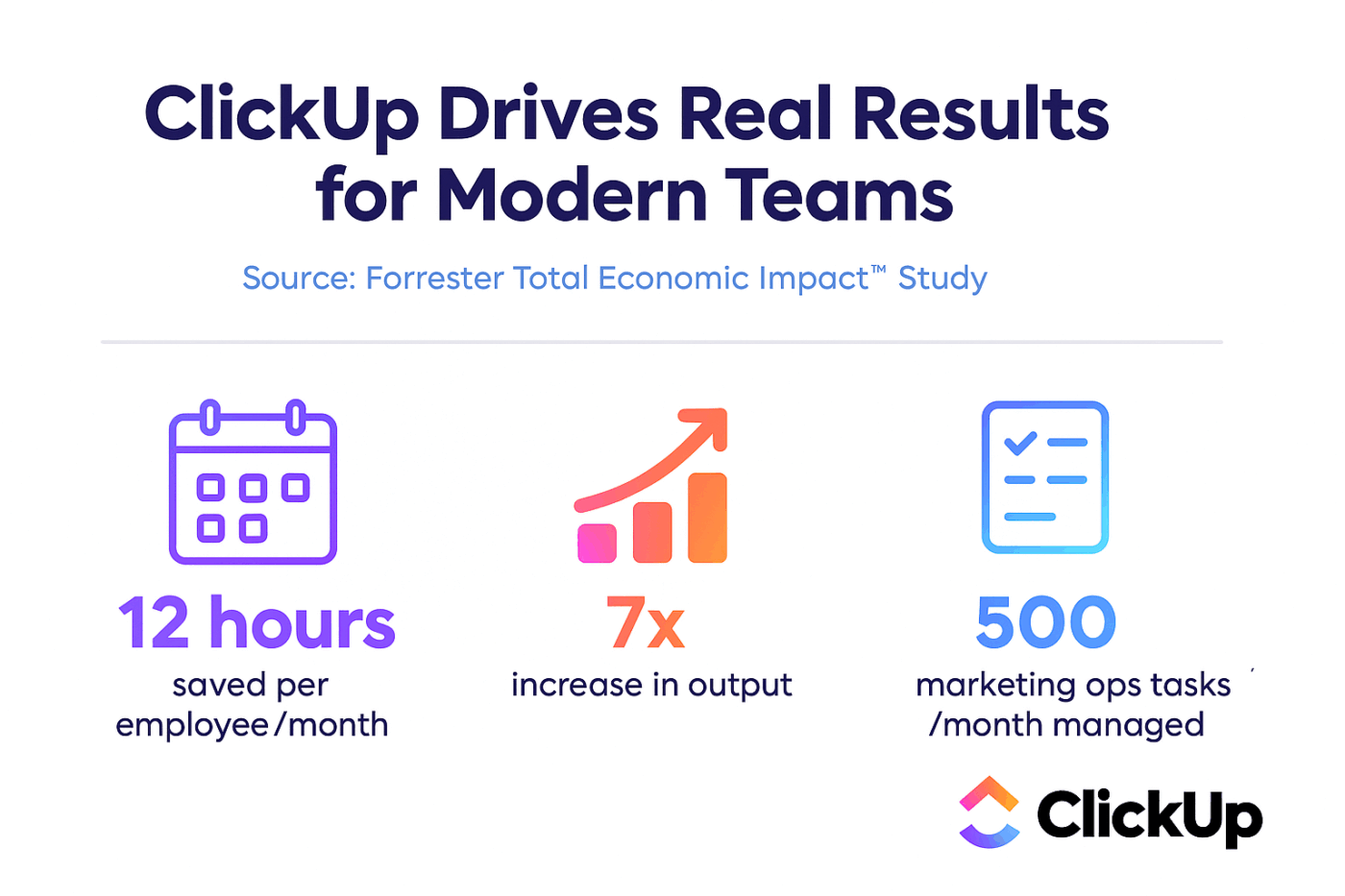
📊 This isn’t just theory. Forrester found that ClickUp helped teams save 12 hours per person per month and scale output 7x.
AI doesn’t just need speed; it needs boundaries. A Converged AI Workspace must balance innovation with control to earn executive and employee trust.
AI can’t be a black box. Without oversight, it risks amplifying bias or exposing sensitive data.
What to do
🐣 Fun Fact: 93% of AI power users say AI helps them focus on the most critical work. The catch? They only reach that level of trust when systems are transparent and governed.
The blast radius for a security mistake grows as you connect more apps. Governance must be baked in from the start.
What to do
🐣 Fun Fact: 53% of IT leaders report their tools cannot be integrated securely, creating fragmented and risky environments. Convergence solves this only if permissions, encryption, and audits are non-negotiable.
Whether GDPR, HIPAA, or SOC 2, regulators care about auditability and accountability. AI should make compliance easier, not harder.
What to do
The push to simplify tech stacks is real, and consolidation is the way forward.
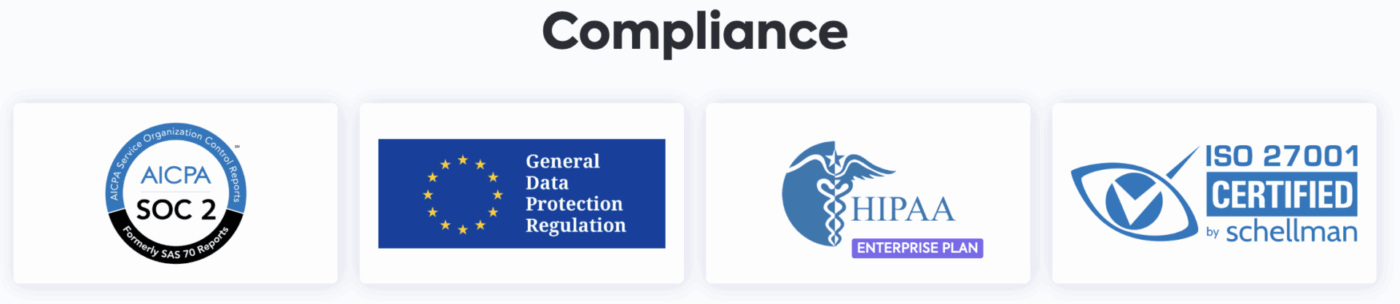
ClickUp Brain, ClickUp Brain MAX, and Integrations ship with enterprise-grade protections, SOC 2 certification, granular roles, and least-privilege access. That means your AI isn’t just contextual; it’s governed by default.
👀 Did You Know? One in five organizations has faced a cyberattack triggered by employees using unsanctioned “Shadow AI.” These breaches cost $670K more on average than other attacks.
AI adoption stumbles when leaders overengineer the rollout. The secret is to start narrow, prove value quickly, and let momentum spread independently.
Pick one workflow where pain is obvious; maybe marketing requests, IT tickets, or sprint planning. Run the pilot, capture the metrics, and publish the result. A line like “We cut reporting prep from three hours to 20 minutes” travels faster across the org than a 40-page deck.
People don’t remember button clicks; they remember when their late-day Slack ping turns into @Brain dropping a crisp project summary with links. Anchor training in lived moments so the benefit is tangible right away.
Put AI on setup and admin duty, and keep the sensitive decisions with people. Confidence comes from visible safety checks, not promises in a slide deck.
Your teams still love sticky notes and whiteboards. Don’t fight it. Snap a photo, drop it into ClickUp Docs, and link the takeaways to tasks. Adoption sticks when people see AI working with their habits, not against them.
Dashboards aren’t just for leadership. They’re how adoption takes off. Start by setting a baseline, move to a pilot, then scale up. Show the proof: cycles move faster, meetings shrink, tools fade out. Celebrate the wins in all-hands and fuel the next wave.
The AI workspace market is divided into two paths. One path gives you freedom but demands muscle, while the other gives you speed but comes with guardrails. The smart move isn’t “picking a side;” it’s knowing what you’re trading.
| Factor | Open-source AI workspace | Enterprise AI workspace |
| Control | Full flexibility to modify, host, and customize models | Pre-built governance, security, and integrations |
| Speed to value | Slower—requires internal dev and IT resources | Faster—rollout in weeks, not quarters |
| Security & compliance | You own data protection and audits | SOC 2, SSO/SAML, RBAC built-in |
| Cost | No license fees, but high internal maintenance costs | Subscription fees, but lower overhead and IT burden |
| Best fit | Startups, research teams, developer-heavy orgs | Enterprises, regulated industries, scaling teams |
Quick Start Checklist
👀 Did You Know? All that context-switching and app toggling eats up nearly five full work weeks every year. No surprise that one in three workers now reports digital fatigue.
The tipping point is near, when “workspace + AI” becomes an inseparable fabric, not a plugin. Research and early signals back up our predictions of these tectonic shifts.
Today’s AI agents wait for prompts or explicit instructions. Tomorrow’s will sense signal, take action, and course-correct midstream. Imagine an agent that spots a slipping dependency, flags it, spins up a risk mitigation task, and nudges your team before you notice you’re off track.
This shift is unfolding rapidly. McKinsey calls it “agentic work,” which involves AI acting within its boundaries to drive workflows.
The traditional “hybrid model” (some days in the office, some remote) is obsolete. We’re moving toward blended work, where human effort and AI output flow together transparently. Whiteboards, voice notes, chat, and documents become parts of a single workflow tapestry mediated by AI.
This isn’t theory: a recent academic piece argues hybrid work is dead; work is becoming AI-embedded by default.
As AI handles more process-level work, the skills that matter will change. The premium will move from information crunching to context, judgment, ethics, and orchestration. People will become supervisors of digital labor, not just doers.
The “Future of Work with AI Agents” research shows this tension: workers want agency in how much AI handles their work.
In fact, a new study explores “Manager Clone Agents”, AI versions of managers trained on communications and decision patterns. Although a few years out, it teases how roles might shift.
Future AI workspaces are valuable in deep integration, not surface connectors. AI will reason over ERP, CRM, procurement, and HR in real time, so your project’s financial, headcount, and resource footprint live in the same context.
Already, we see agents plugging into supply chains, HR, and financial planning.
As autonomy rises, trust fractures faster. Who took action and why? Was it safe, fair, and reversible? Those demands will push transparency, explainability, and worker safeguards into baseline expectations.
Research shows that AI’s “automation-as-actor” role raises real concern about human agency. If agents act without clear guardrails, you risk alienation, regulation, or backlash.
We’ll shift from measuring features (tasks automated, models served) to agent-level ROI:
We need new dashboards to evaluate agent health, uptime, drift, collateral behavior, and human override rate.
💡 Pro Tip: AI literacy is essential. 66% of leaders won’t hire candidates without AI skills, and 71% say they’d pick a less experienced candidate with AI over a veteran without it.
| Dimension | Today (2024–25) | 2028 Projection (ClickUp-enabled) |
| AI role | Copilot that summarizes, drafts, and assists on request | Agentic worker: ClickUp AI Agents sense signals (e.g., overdue tasks, blockers) and act—escalating, reassigning, or updating without prompts |
| Work model | Hybrid: human work + scattered AI features | Blended workflows: @Brain woven into tasks, comments, and chat so human + AI outputs flow in one surface |
| Data integration | Connectors to chat, docs, tasks | Deep coupling: ClickUp Brain MAX federates search across ERP, CRM, HR, finance; Dashboards surface live insights in context |
| Skills needed | Productivity, process adherence | Orchestration & ethics: leaders set templates, Automations, and governance; AI executes and humans supervise edge cases |
| Trust & compliance | Basic audit logs, permission controls | Full transparency: ClickUp logs every agent action, enforces RBAC with SCIM/SSO, and cites sources in summaries |
| ROI metrics | Features used, tasks automated, licenses saved | Agent ROI dashboards: track time-to-resolution, cycle time gains, rework avoided, human overrides, and cost per workflow automated |
⚡ Why it matters: By 2028, success won’t be about “having AI features.” It’ll be about whether your workspace runs on self-directed AI agents that deliver measurable ROI and meet new standards of trust and compliance.
However, agent autonomy is powerful, but only within guardrails. Humans still set priorities, interpret nuance, and make final calls.
Convergence isn’t another software rollout; it’s a cultural reset. It’s the point where work stops being scattered across tabs and starts living in a single, intelligent surface that learns from every action.
When your tasks, docs, and communication align with AI that truly understands context, you stop managing chaos and start compounding progress. Every workflow becomes faster, smarter, and more transparent—not because you added AI, but because you gave it a home.
Teams that once juggled spreadsheets, chat threads, and dashboards now operate inside one connected system where decisions, data, and delivery move together. That’s what a Converged AI Workspace achieves: less friction, more focus, and an organization that runs as intelligently as the people within it.
This guide showed how to build your workspace; the next step is simple—live it.
Start building your Converged AI Workspace today with ClickUp. Try it for free!

Manasi Nair
Max 24min read
Manasi Nair
Max 18min read

Arya P Dinesh
Max 26min read

© 2026 ClickUp




