






Still downloading templates?
There’s an easier way. Try a free AI Agent in ClickUp that actually does the work for you—set up in minutes, save hours every week.
Sorry, there were no results found for “”
Sorry, there were no results found for “”
Sorry, there were no results found for “”

The rising complexity of modern video production project management means that too many teams have to juggle spreadsheets, scattered feedback, and missed deadlines while struggling to produce high-quality content.
The biggest reason why most marketers (37%) don’t adopt video marketing is that they simply don’t know where to start!
Even with AI tools for content creation in the mix, video production project management approaches need a do-over. Today’s video marketing process demands more than just creativity and great content. It requires a workflow that keeps every task, deadline, and revision on track.
But here’s the good news: Setting up a successful video production workflow doesn’t have to be complicated. We’ll show you exactly how to build a working video production system, with just one app to do it all. That’s ClickUp—the everything app for work (yes, everything!).
A video production workflow is like a detailed roadmap that guides your project from kickoff to the final cut. It’s a step-by-step system that helps you manage resources, hit deadlines, and maintain quality standards throughout the creation process.
Whether you’re a solo creator making YouTube content or part of a production team working on corporate video training materials, keeping your video project on track helps you nail your content marketing KPIs.
Here’s why a structured process matters for teams and creators:
🧠 Fun Fact: Over 50% of marketers create videos in-house.
Want to be in the same league and figure out what they’re doing right? Let’s look at it, step-by-step.
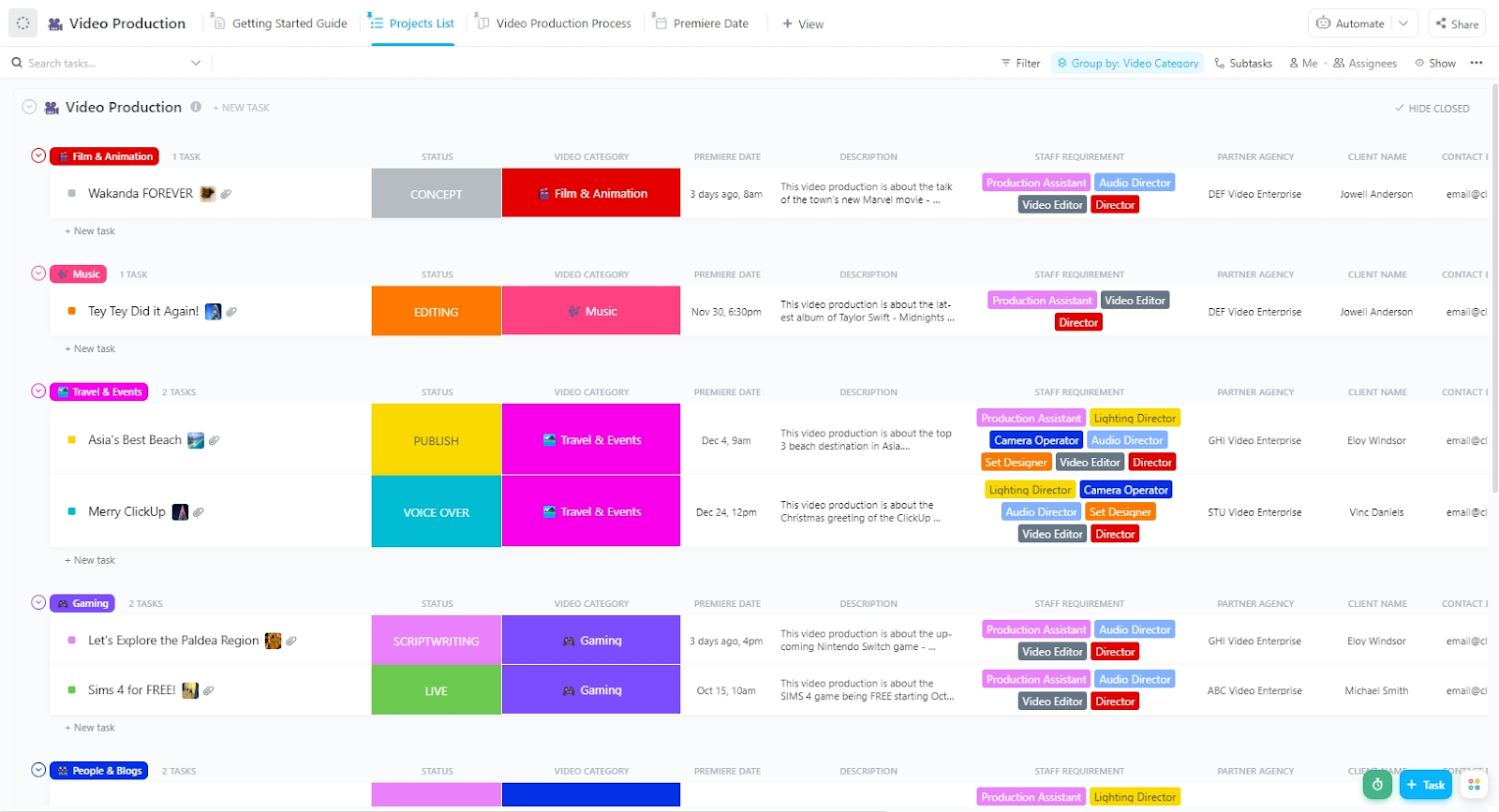
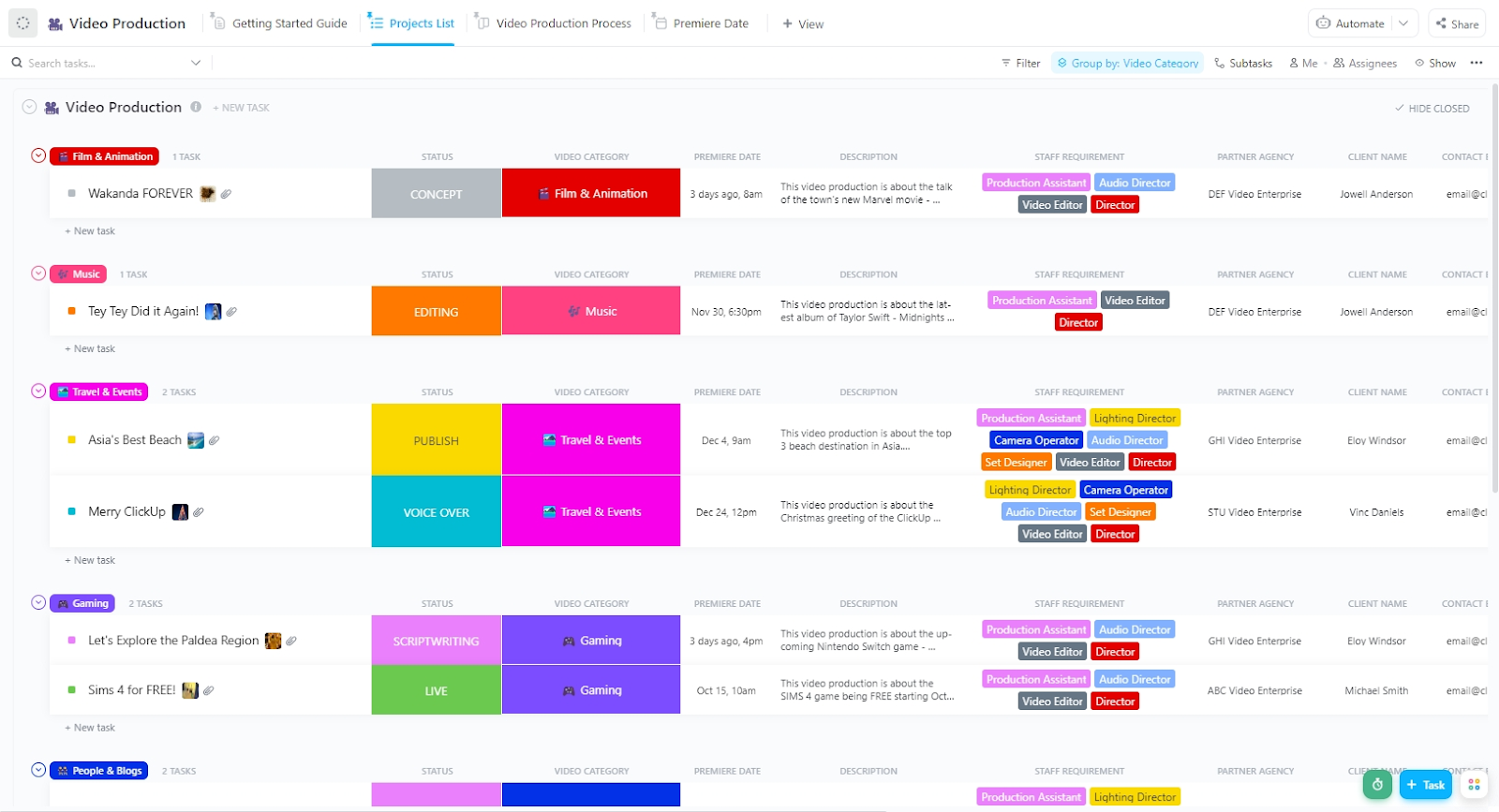
Streamline every phase of your video workflow—from scripting to final edits—with ClickUp’s ready-to-use Video Production Template. Pre-built task stages, assigned roles, and customizable fields help your team stay aligned, hit deadlines, and scale creative output with ease.
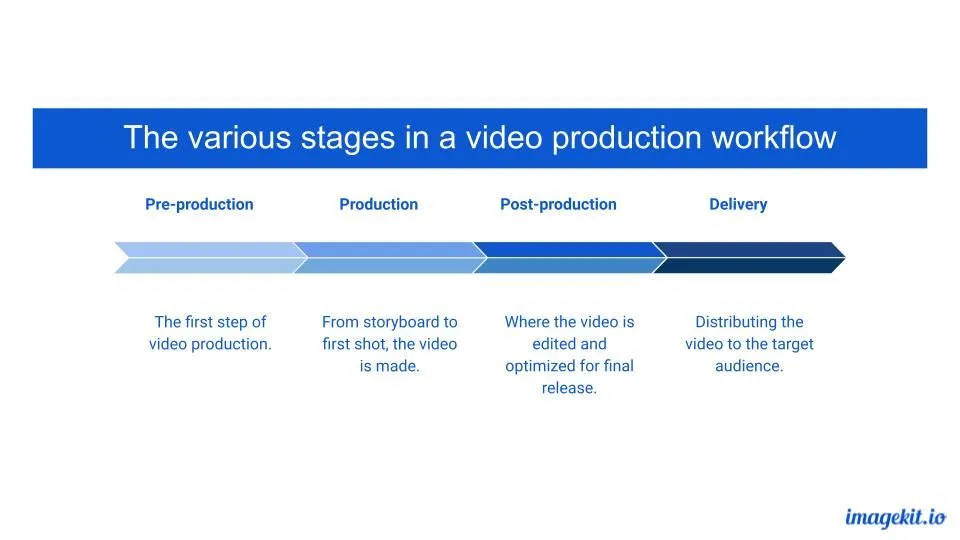
The pre-production phase sets the stage for a smooth video production workflow. It’s where ideas take shape, from trendspotting to finalizing concepts, ensuring content resonates with the audience.
Pre-production meetings bring teams together to align on goals, timelines, and logistics, streamlining the creative process with the following:
You need to decide if your video is meant to educate, convert, entertain, or promote. This guides its tone, format, and distribution, as does knowing your target audience.
Once you’ve got this information, the next step is to translate it into a creative brief that keeps everyone on the same page.
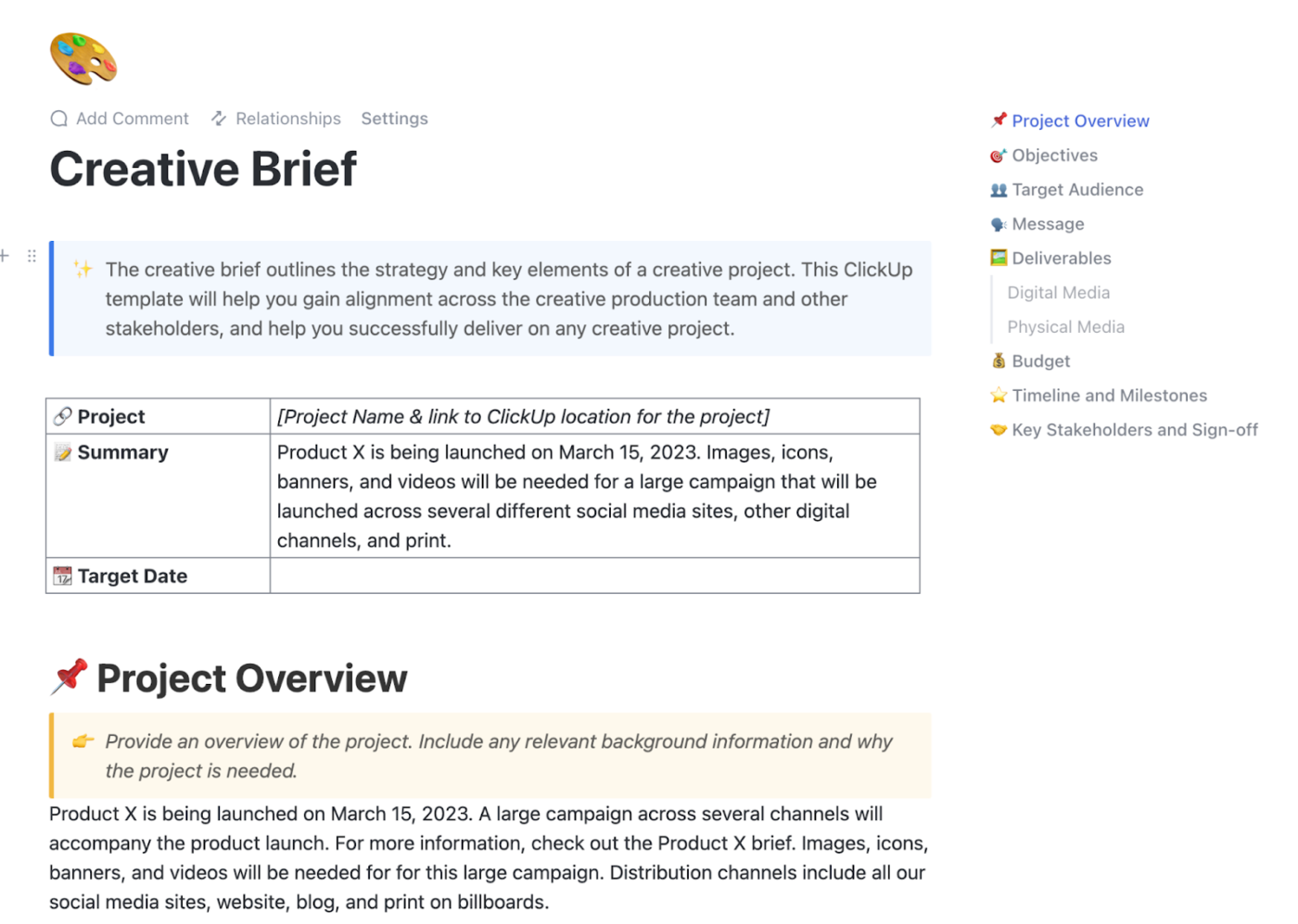
Outline key details:
🤔 Wondering where to do this?
🦄 There’s perhaps no better place than ClickUp.
ClickUp is the everything app for work that combines project management, knowledge management, and chat—all powered by AI that helps you work faster and smarter. It acts as the hub for your docs and tasks, bringing your team’s work and comms together—instead of having them tab-hop from tool to tool.
It’s not just us saying this, it’s also verified ClickUp users on G2:
ClickUp is designed to help you visualize your information in several different ways. This diverse functionality enables us to get both the big picture view of projects as well as the minute, helping us solve problems in a timely manner and keep everyone engaged in a project on the same page.
What I also love is the ability to automate most of my day-to-day tasks. We have an intricate process for video production that involves multiple people in various stages of the pipeline, several rounds of review, with each unique deliverable necessitating its own deadline. I am able to streamline all this by using the automations available in ClickUp, keeping everything on track.
💡 Pro Tip: Before your camera ever rolls, clarity is everything. ClickUp’s Creative Brief Template lets you define the “why” behind your video—audience, goals, tone, key messages, platforms, and deadlines—all in one central doc.
You can convert the brief into actionable tasks with just a few clicks. Assign writers, reviewers, and editors directly from the brief, so creative direction seamlessly flows into execution, without a single Slack thread lost in translation.
With your creative brief in place, ideating and scripting for your video becomes 10x easier.
Draft a script or at least an outline for your video’s content. Make sure it includes timing estimates and clear direction for visuals or dialogue.
💡 Pro Tip: Start your script with a strong hook—a question, a surprising statistic, or a bold statement—to grab attention within the first 5–10 seconds. To keep viewers engaged, use a clear structure: Hook → Problem → Solution → Call-To-Action (CTA).
🦄 ClickUp offers two powerful tools to help you nail this crucial stage.
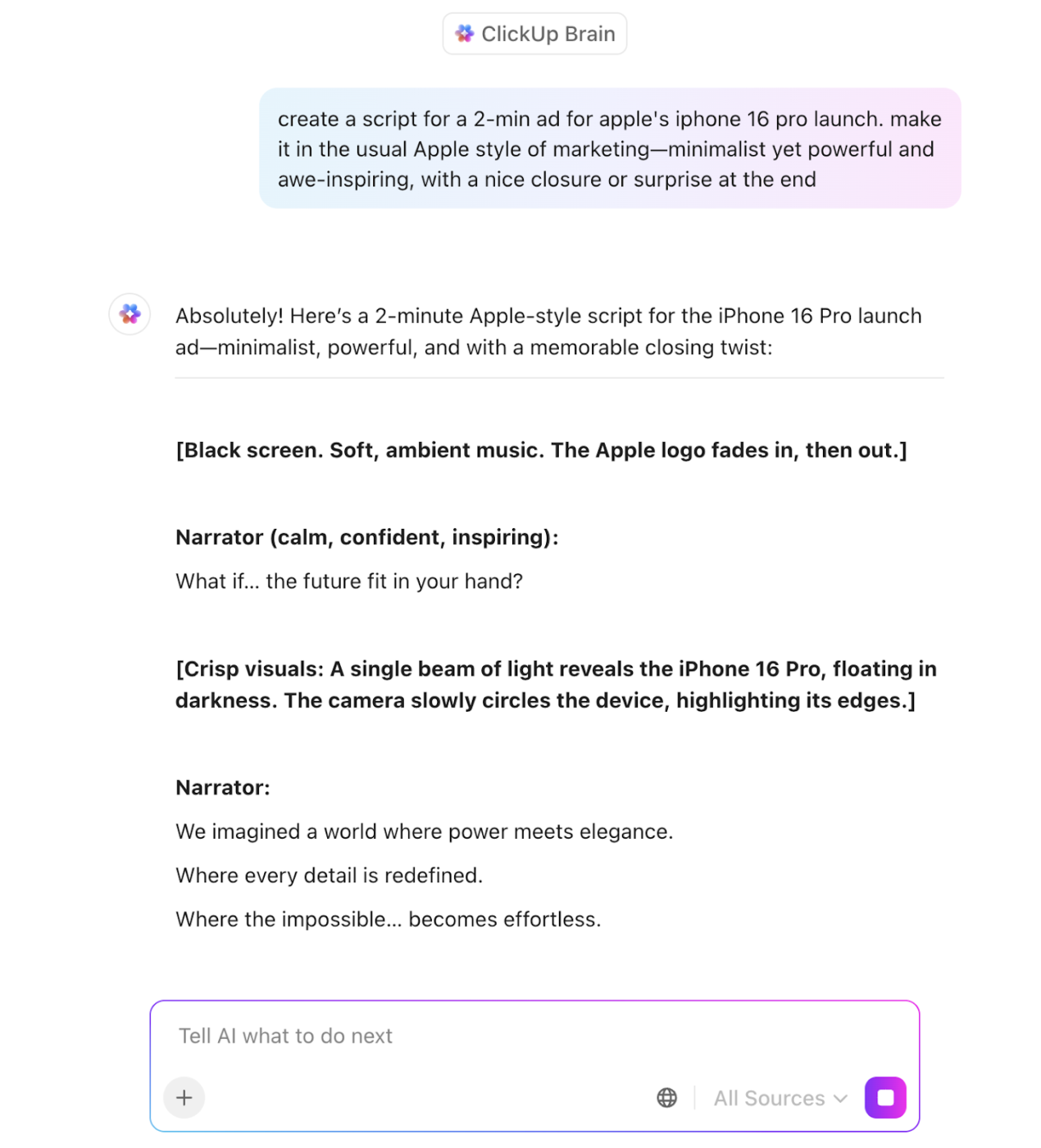
ClickUp Brain brings smart AI assistance to your creative brief development and ideation sessions. Here’s how it helps:
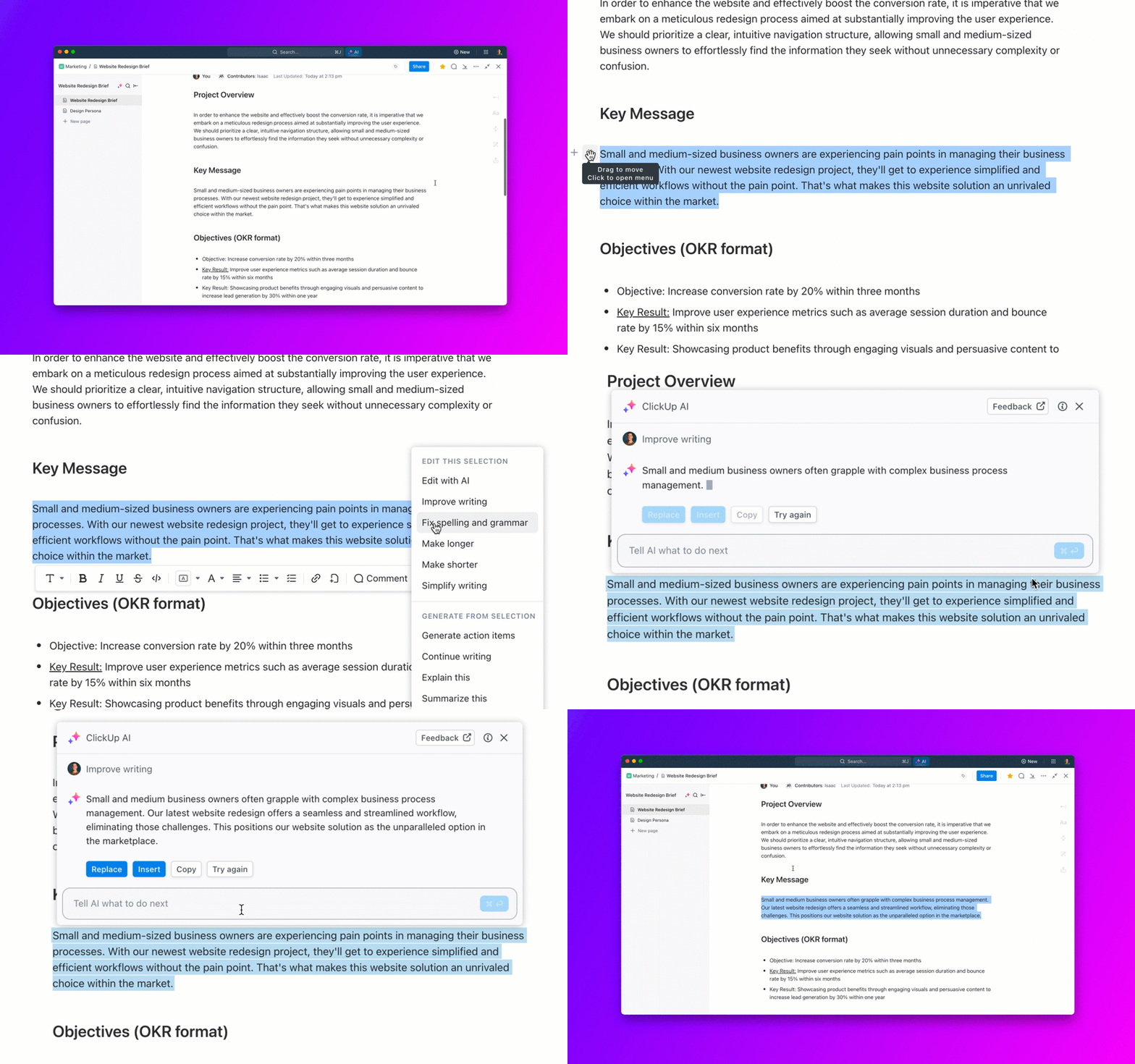
ClickUp Docs make script development smooth and organized.
These become your central hub for turning raw ideas into polished scripts. Here’s what you can do with this built-in document management feature in ClickUp:
💡 Pro Tip: Always organize your digital files with a clear naming system and folder structure. A well-managed library saves time in editing and prevents last-minute scrambles for missing footage! Within ClickUp, the Docs Hub makes it easier to find and retrieve the right documents instantly. And if you’re stuck, ClickUp’s Connected Search is here to help 🚀
🧠 Fun Fact: 41% of marketers use AI in the video production process—primarily for pre-production planning or post-production distribution.
Creating a smooth video production flow starts with solid planning and storyboarding.
Visualize the video scene by scene. Even a rough sketch helps align your vision with collaborators.
You can divide your storyboard into:
💡 Pro Tip: Move faster by keeping things low-fidelity at first. Stick figures, screenshots, or reference images are perfect. Focus on framing, pacing, and sequencing. And don’t forget to plan transitions, cutaways, and B-roll in advance. Ask: How will this connect to the next shot?
Creating for YouTube vs. TikTok? Frame your storyboard for the platform’s format (e.g. vertical vs. horizontal, text legibility, pacing).
🦄 In ClickUp, you can attach sample visuals, voiceover scripts, or inspiration links directly to your storyboard task or doc so everything is in context.
Here’s how:
The final thing to do before moving on to the next phase? Share your storyboard internally (or with clients) before shooting. It’s easier to revise a sketch than re-shoot an entire sequence.
📖 Also Read: Free Storyboard Templates in Word, PDF, & ClickUp
All planning comes to life in the production process, transforming ideas into high-quality visuals. During video production, teams capture footage, record audio, and ensure that lighting and composition align with the creative vision.
🔑 The key to a good outcome? Stick to the plan you made in pre-production. It ensures you don’t miss essential footage and makes editing way easier later.
Start on time, keep an eye on your schedule, and build in buffer time for retakes, technical issues, or last-minute ideas. Always shoot 2–3 takes, even if the first one feels perfect. You’ll thank yourself during editing.
Efficient organization during this stage speeds up post-production, making it easier to edit your final takes using video editing software. Advancements like AI video generators streamline tasks such as automated captioning, color correction, and even scene transitions.
💡 Pro Tip: As soon as you’re done shooting, copy the footage to your main drive and at least one backup—preferably cloud and physical.
Choosing the right gear and shooting techniques is crucial for a smooth production workflow. High-quality cameras, proper lighting, and stabilizers ensure visually appealing footage, while good microphones and sound mixing enhance audio clarity.
💡 Pro Tip: Bad audio is harder to fix than bad visuals. Use headphones and monitor levels. Also, double-check lighting setups between shots.
Planning shots in advance using content calendar templates helps teams stay organized and meet deadlines efficiently. The right equipment and setup improve production quality and reduce post-production fixes.
Managing on-set coordination requires keeping your team aligned, your schedules organized, and your communication streamlined.
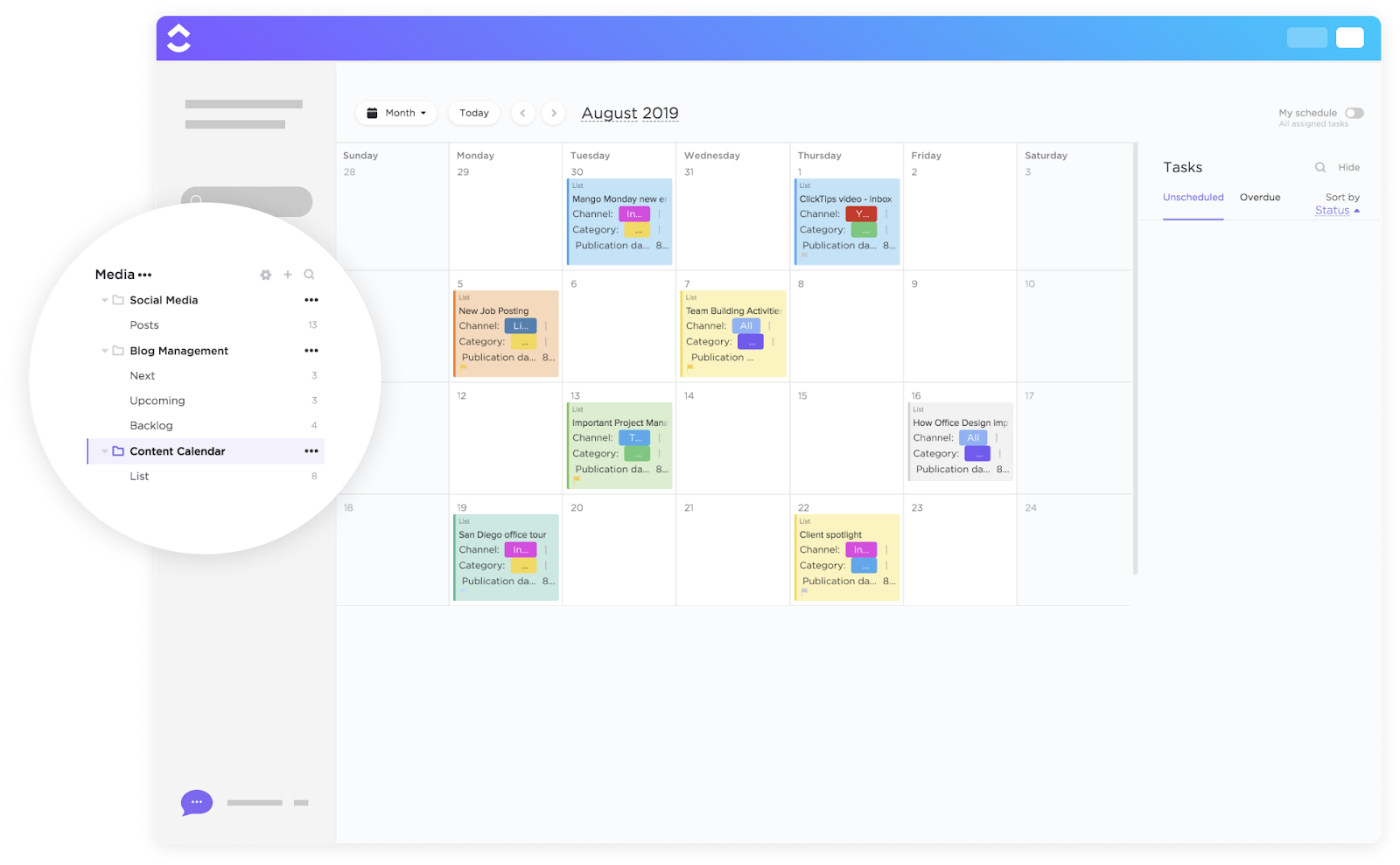
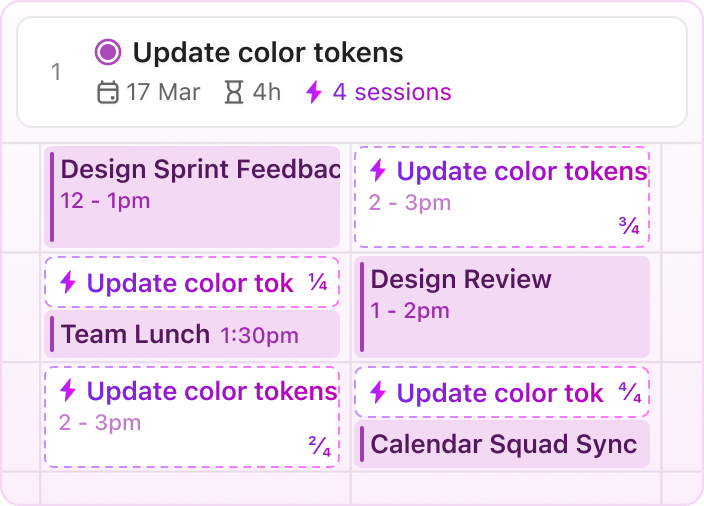
The ClickUp Calendar helps you map out your entire production timeline in one visual hub. You can plot everything from prep days to shooting location availability to post-production deadlines.
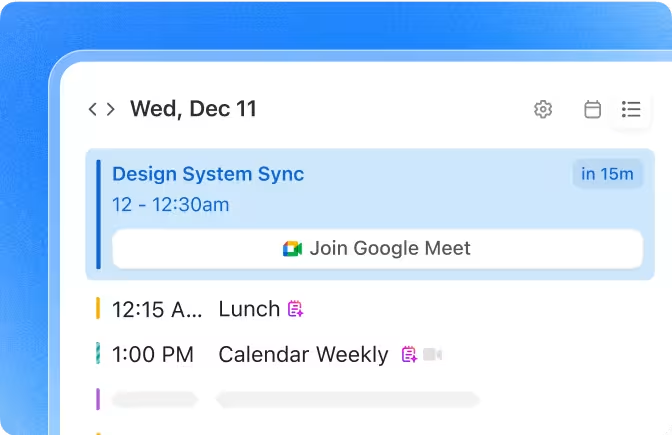
Here’s what makes it work for video production teams:
ClickUp Chat further streamlines production-stage communication by bringing conversations inside your workflow—no app switching, no lost context.
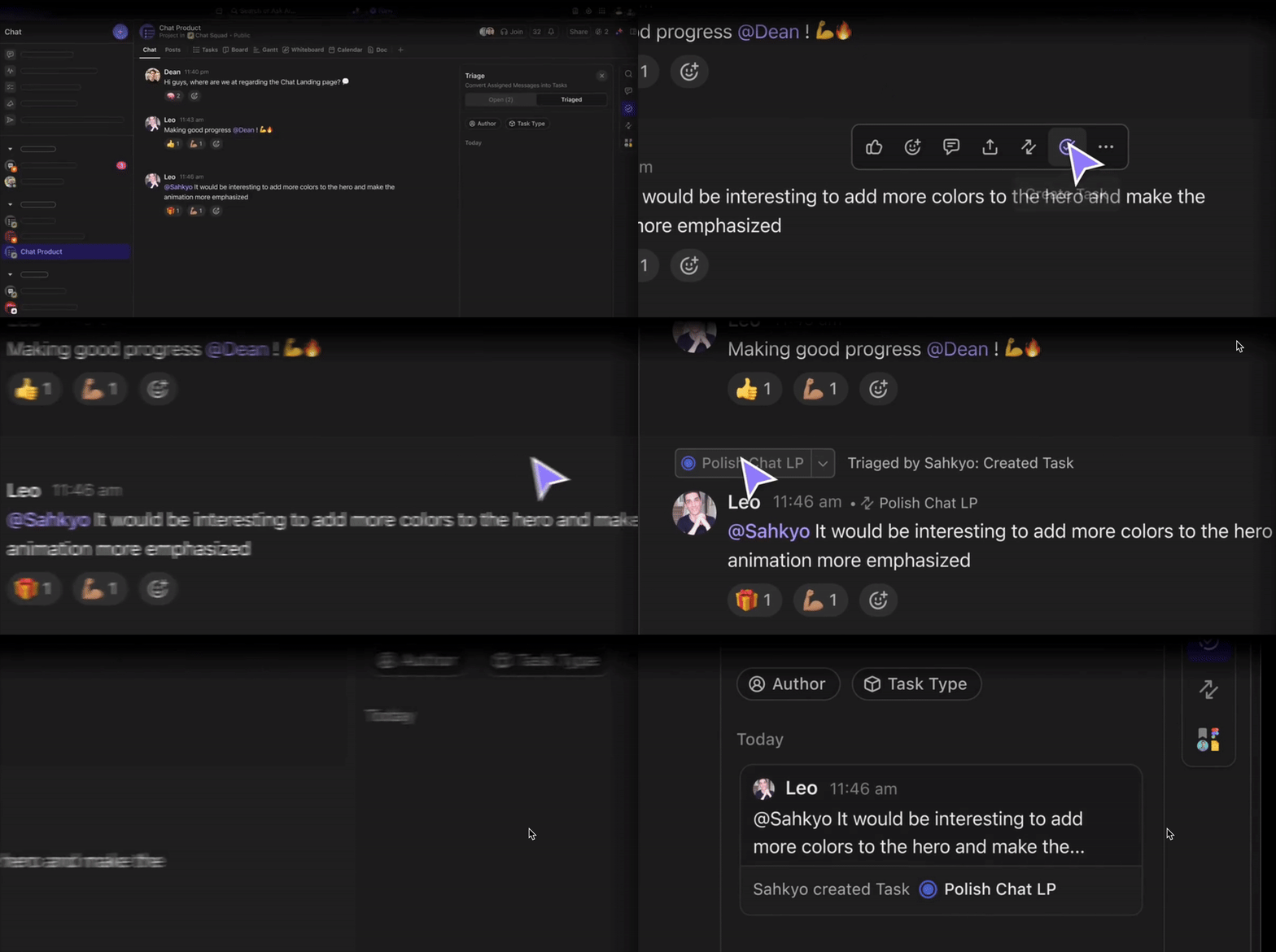
Here’s how it helps:
Thanks to Chat, all communication stays visible, actionable, and anchored in your production tasks—keeping footage rolling and your team aligned.
The post-production process brings all the raw footage together, shaping the final video through editing, color correction, and sound design.
Our best tips to avoid headaches later?
A well-structured post-production workflow ensures seamless collaboration, especially for distributed teams working remotely. Clear communication keeps everyone on the same page, from editors to motion designers, reducing revisions and delays.
Once finalized, videos are optimized for different platforms and formats, ensuring a smooth distribution process.
📮 ClickUp Insight: More than half of employees struggle to find the information they need at work. While only 27% say it’s easy, the rest face some level of difficulty—with 23% finding it very difficult. When knowledge is scattered across emails, chats, and tools, wasted time adds up fast. With ClickUp, you can turn emails into trackable tasks, link chats to tasks, get answers from AI, and more within a single workspace.
💫 Real Results: Teams are able to reclaim 5+ hours every week using ClickUp—that’s over 250 hours annually per person—by eliminating outdated knowledge management processes. Imagine what your team could create with an extra week of productivity every quarter!
ClickUp makes tracking edits, approvals, and version history seamless. Share the final cut with stakeholders for feedback, and use ClickUp’s comment threads to keep all comments centralized.
You can also annotate videos directly with feedback using Proofing features in ClickUp, and create task checklists for revision rounds.
💡 Pro Tip: Assign revision tasks to editors directly from comments to avoid miscommunication. ClickUp’s Assigned Comments are the best way to do this.
🧠 Fun Fact: 82% of marketers rely on social media to distribute their videos, while for 80%, the company website is also a preferred channel (not mutually exclusive).
Once changes are made, route the video through a final QC (quality check) pass—check audio mix, spelling on graphics, and proper formatting for platform specs.
The final stage of video production needs clear scheduling and performance tracking. A solid content calendar keeps your team aligned and your video releases consistent.
ClickUp’s Content Calendar Template brings order to this crucial phase. This template includes:
💡 Pro Tip: Check out the template’s ‘Start Here’ view that walks new team members through the content planning process step-by-step.
Congratulations, you’ve set up a solid workflow that will help you scale video production in no time!
As a final tip, store all project assets in a structured archive. Debrief with your team on what worked, what didn’t, and what to improve next time.
We’ve seen how ClickUp for Marketing Teams helps you set up and manage workflows around video marketing.
Now, we’ll share some capabilities that improve the efficiency of these workflows, so you can build a high-quality content marketing engine.
ClickUp Automations eliminate repetitive manual work, ensuring seamless collaboration across teams to get your videos out.
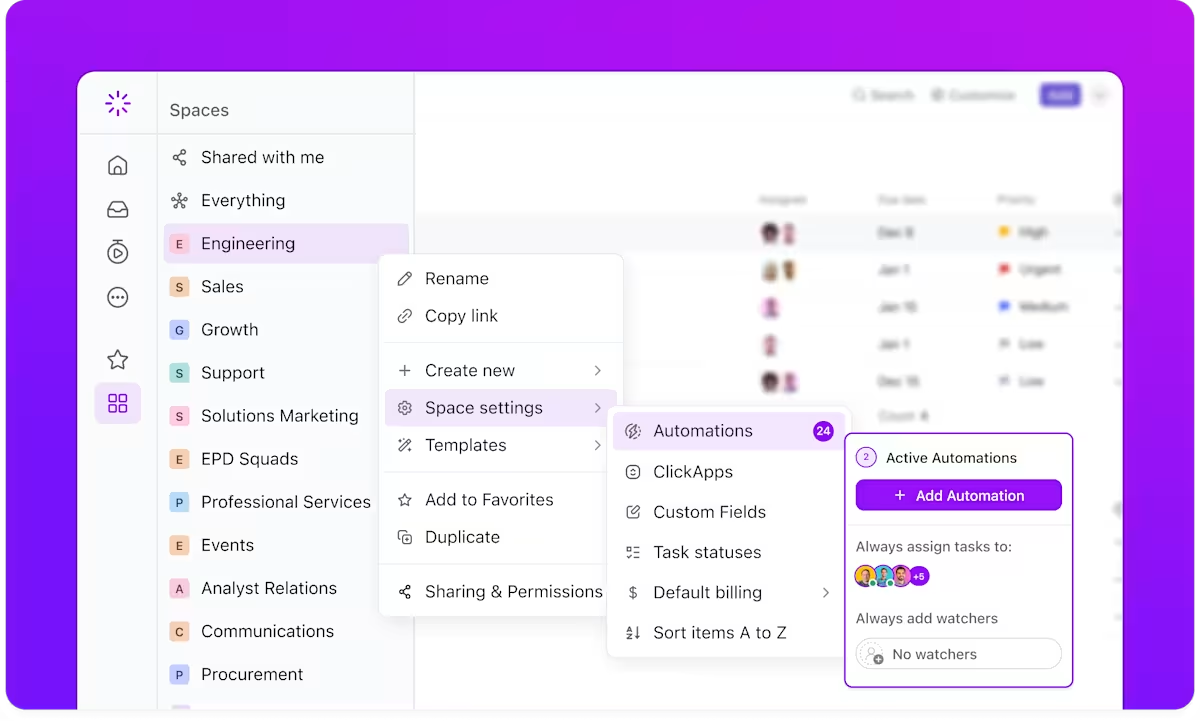
By automating routine processes, video projects stay on track and teams can focus on bringing a lens of good ol’ creativity to every video instead of getting caught up in admin tasks.
Keeping video projects organized requires efficient file management and a structured feedback process.
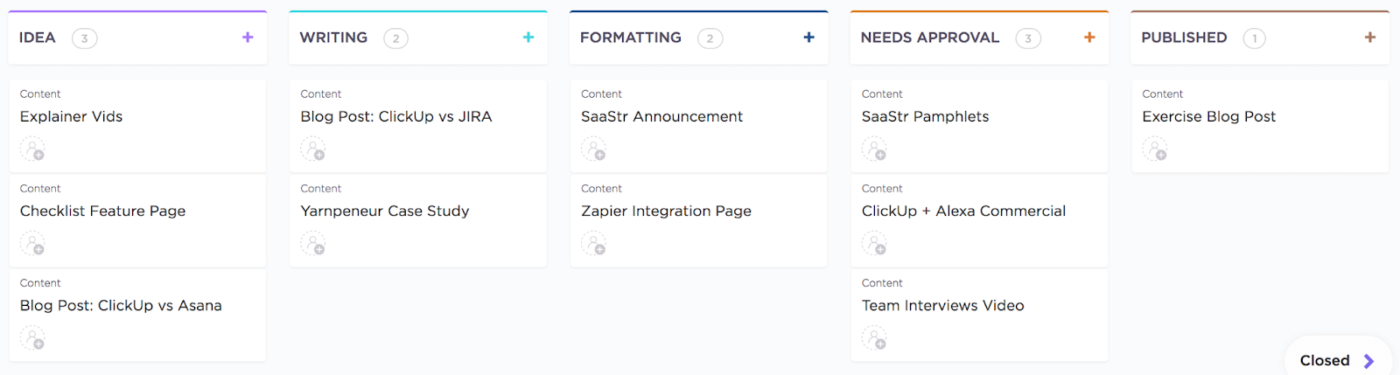
ClickUp’s Custom Fields and Custom Statuses help teams track video assets, approvals, and revisions—all in one place.
Effective collaboration between teams and clients is crucial during video production.
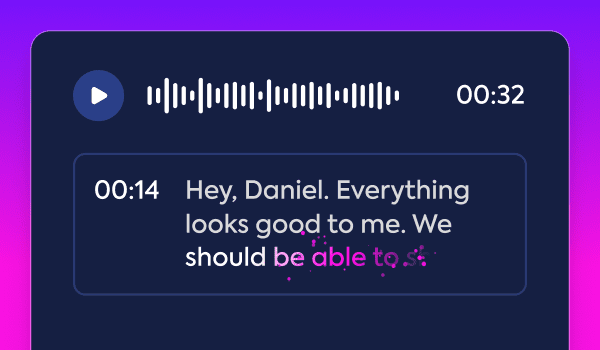
ClickUp Brain serves as an AI-powered assistant, streamlining workflows and ensuring all team members stay informed.
📮 ClickUp Insight: 37% of our respondents use AI for content creation, including writing, editing, and emails. However, this process usually involves switching between different tools, such as a content generation tool and your workspace. With ClickUp, you get AI-powered writing assistance across the workspace, including emails, comments, chats, Docs, and more—all while maintaining context from your entire workspace.
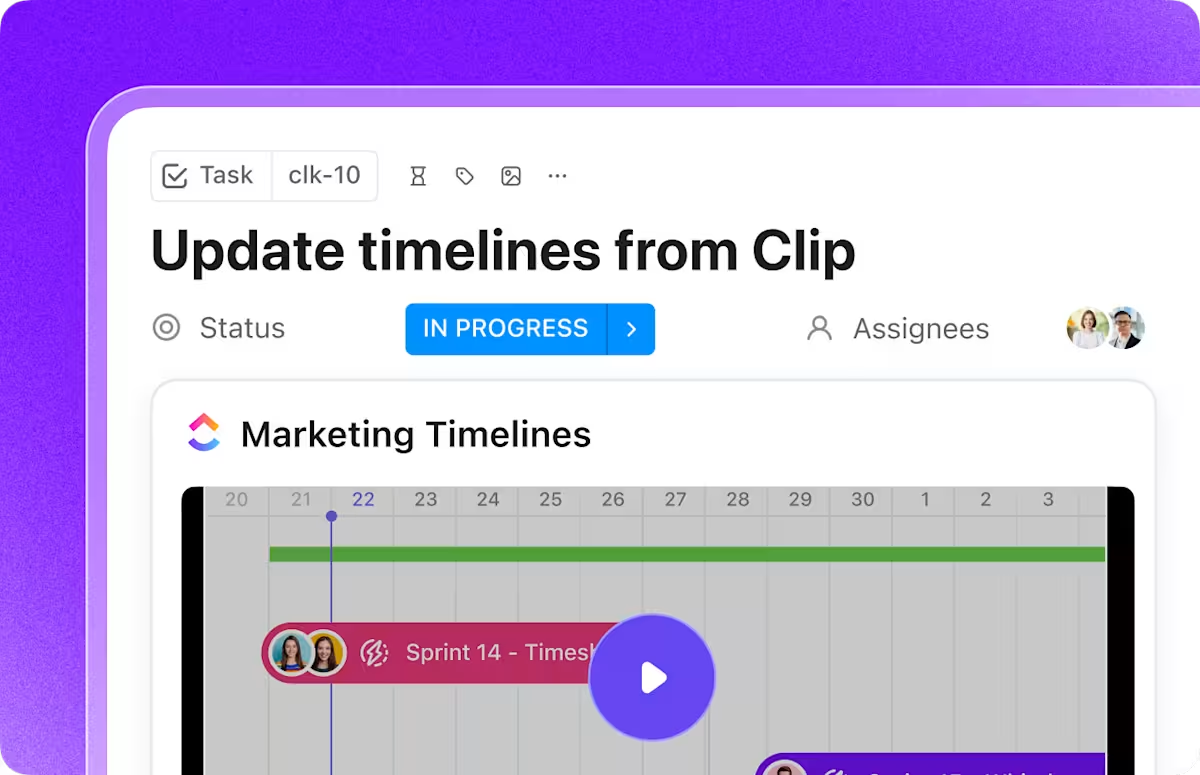
ClickUp Clips enables efficient communication with clients through video messages, ensuring clarity and reducing misunderstandings.
Integrating video editing tools into your workflow becomes seamless with ClickUp’s Video Production Template. This comprehensive template is designed to guide your team through every phase of video production, from initial planning to final delivery.
By centralizing tasks, timelines, and resources, it ensures that each project stays organized and on schedule.
Creating great video content requires more than good ideas and equipment—you need a clear, repeatable video production workflow that your team can follow every time.
When you build simple yet effective systems to guide your video production process, you’ll spend less time figuring out what to do next and more time creating content that resonates with your audience.
With ClickUp’s customizable interface, your team can organize every production phase into manageable tasks and track progress in real time. The platform’s collaboration features make it simple to share project files, leave feedback, and keep everyone aligned on project goals.
Make your video production smoother and more efficient. Sign up for ClickUp today!

© 2026 ClickUp

There’s an easier way. Try a free AI Agent in ClickUp that actually does the work for you—set up in minutes, save hours every week.