






Still downloading templates?
There’s an easier way. Try a free AI Agent in ClickUp that actually does the work for you—set up in minutes, save hours every week.
Sorry, there were no results found for “”
Sorry, there were no results found for “”
Sorry, there were no results found for “”
Have you ever had two servers show up for the same shift while your line cook calls in to ask if they’re scheduled? That’s what happens when your employee schedule is a guessing game.
A clear restaurant schedule fixes that. It tells your entire team who’s working, when, and where. Additionally, it balances shift times, avoids mix-ups, and keeps things running smoothly. It also keeps your employees happy and gives them the work-life balance they need to show up ready and focused.
You don’t have to scribble a new schedule on a whiteboard or juggle texts. Free restaurant schedule templates make it easy. Just plug in your team’s info and get back to running your business.
In this guide, you’ll learn what these templates are, what makes a good one, and get access to top free restaurant schedule templates from ClickUp that you can use right away.
A restaurant schedule template is a ready-made layout that helps you organize shifts, assign roles, and manage your team’s hours. Instead of building a schedule from scratch, you enter names, roles, and shift start times into a pre-set format, simplifying the process of creating schedules.
Most templates follow a weekly schedule format, giving you the flexibility to adjust staffing based on business needs and employee availability.
Whether you’re a manager or shift supervisor, using an employee scheduling template keeps your team organized and enhances their productivity.
With a clear employee work schedule, everyone knows when and where they’re needed. Templates come in different formats—spreadsheets, printable PDFs, or digital tools. A free restaurant schedule template often does the job well, especially for small teams or independent restaurants.
💡 Pro Tip: If you manage a restaurant, understanding resource management can make scheduling a whole lot easier. It helps you plan smarter, use your team more effectively, and avoid stretching your staff too thin.
The following restaurant schedule templates will help you track work hours and manage your team with less stress. But what if you could make restaurant scheduling truly a breeze!
ClickUp, the everything app for work, can turn that possibility into a reality. Plan staff shifts, track inventory deliveries, and manage weekly specials all in one place. With customizable views and reminders, you’ll keep your kitchen running smoothly and your team always in sync.
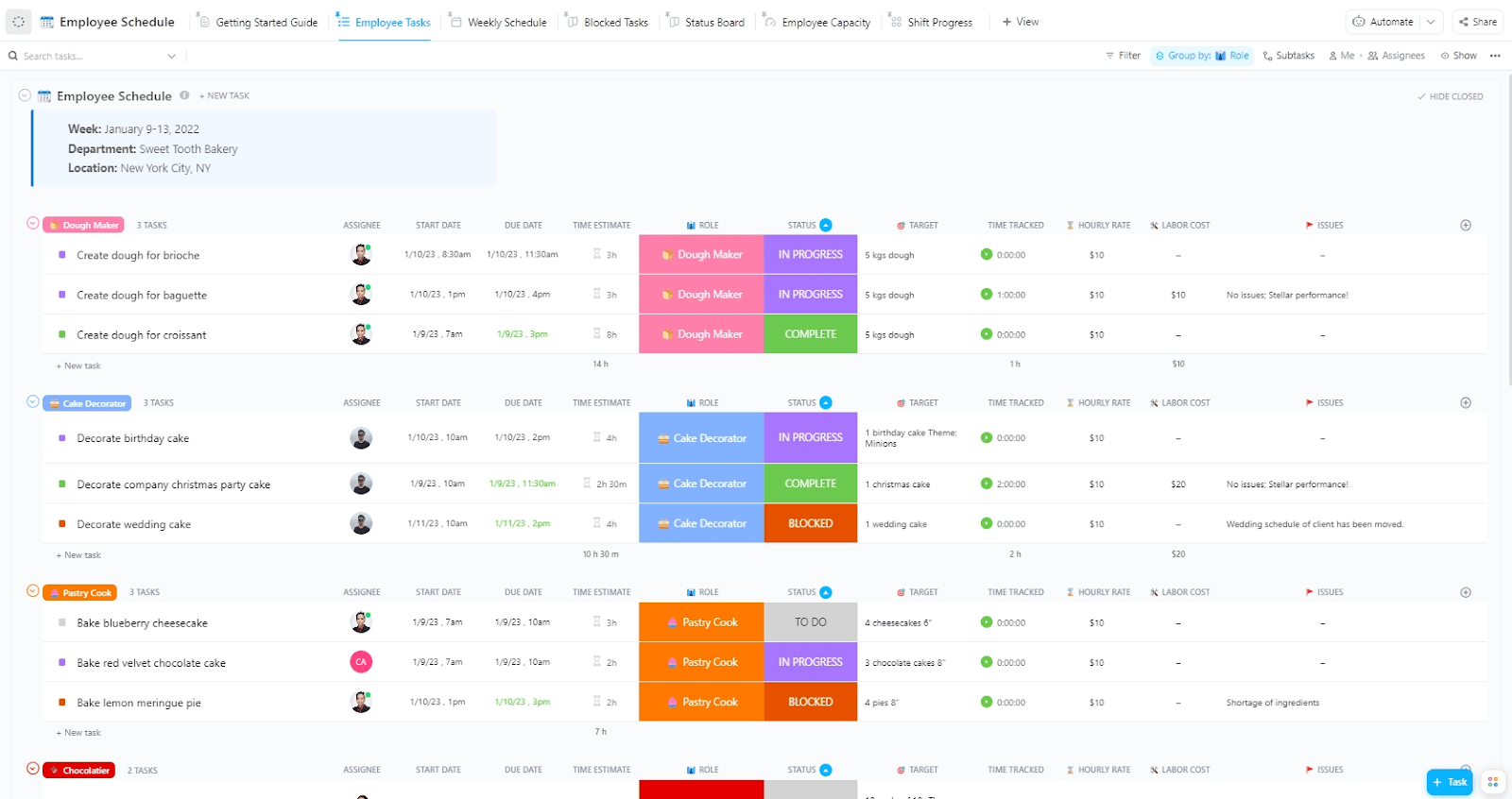
Employee scheduling involves more than filling out a calendar. You need to balance workloads, control labor costs, and stay compliant with labor laws—all while handling last-minute changes. The ClickUp Employee Work Schedule Template helps you take control by simplifying shift planning, improving visibility into workloads, and keeping your team operations on track.
This template can:
🔑 Ideal for: Managers looking for a scheduling tool that combines flexibility, visibility, and ease of use.
📖 Also Read: Top Microsoft Excel Alternatives
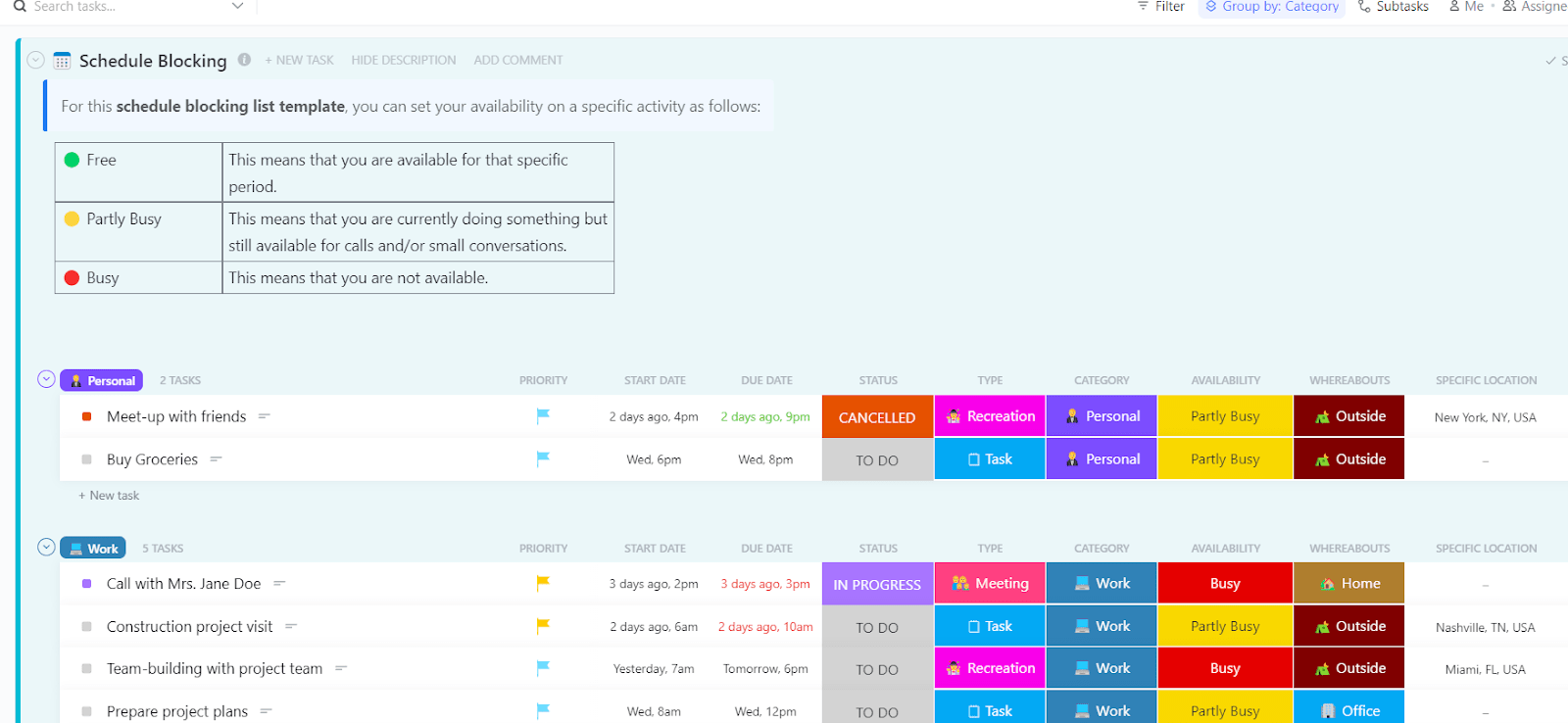
Staying productive means more than just writing to-do lists. You need a clear schedule that shows what to focus on and when, helping you manage your time well. The ClickUp Schedule Blocking Template helps you plan your day, week, or month with precision. It gives you the structure to manage tasks, avoid overbooking, and stay focused throughout the day.
This template can:
🔑 Ideal for: Managers and team leads who want to plan their days with intention and reduce time spent on unstructured tasks.
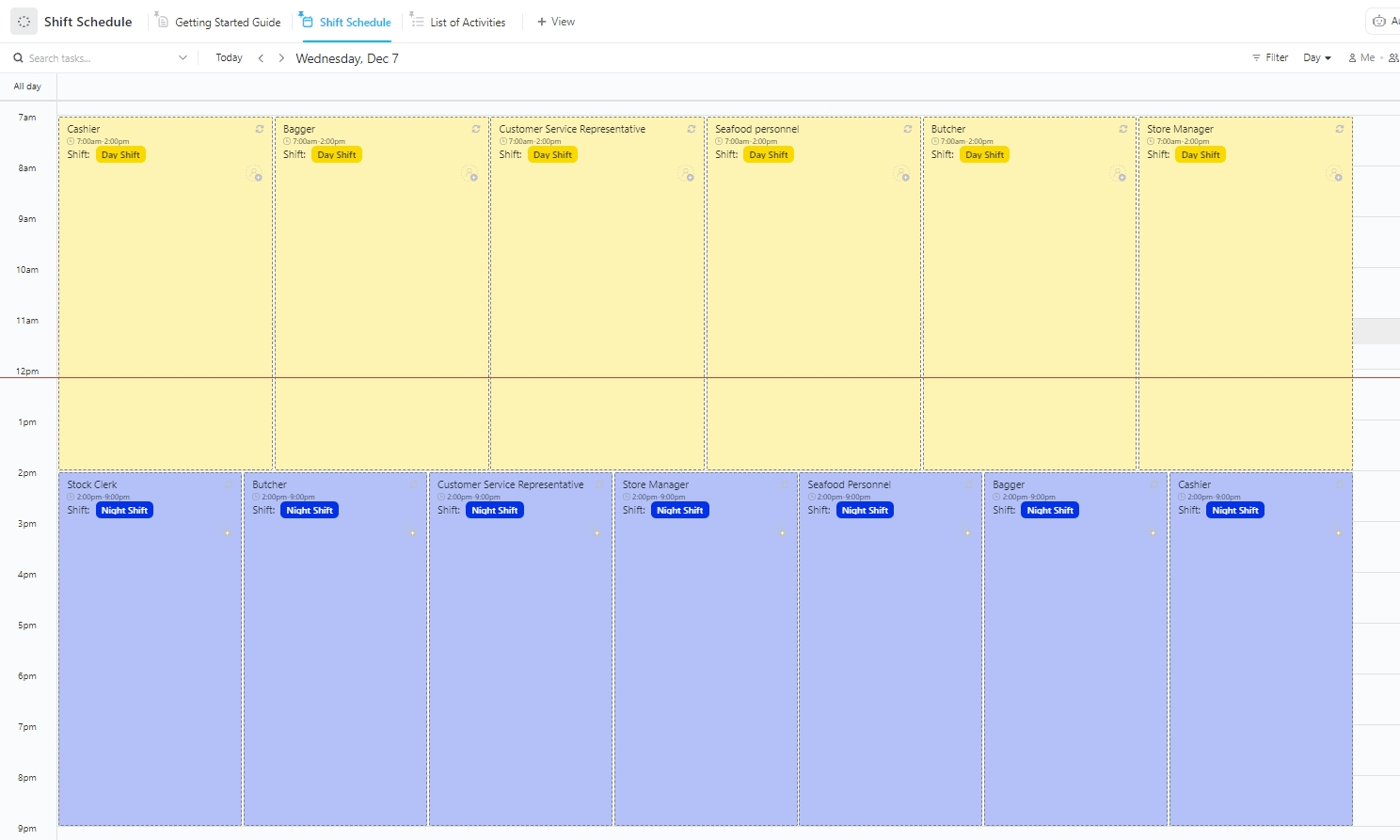
Rotating shifts can get chaotic fast, especially with part-time staff, sudden absences, and last-minute changes. The ClickUp Work Shift Schedule Template helps you manage it all without slowing down.
It’s built for teams that need clear scheduling, quick adjustments, and real-time visibility into who’s working and who’s not.
This template can:
🔑 Ideal for: Shift supervisors and restaurant managers who need to handle daily changes without losing track of who’s in, who’s out, and why.
💡 Pro Tip: In a restaurant, not every task carries the same weight. Learning to prioritize helps you focus on what truly matters—whether it’s prepping for the dinner rush or handling a last-minute reservation. Want to sharpen that skill? This guide on prioritizing tasks offers practical steps to help you stay on track.
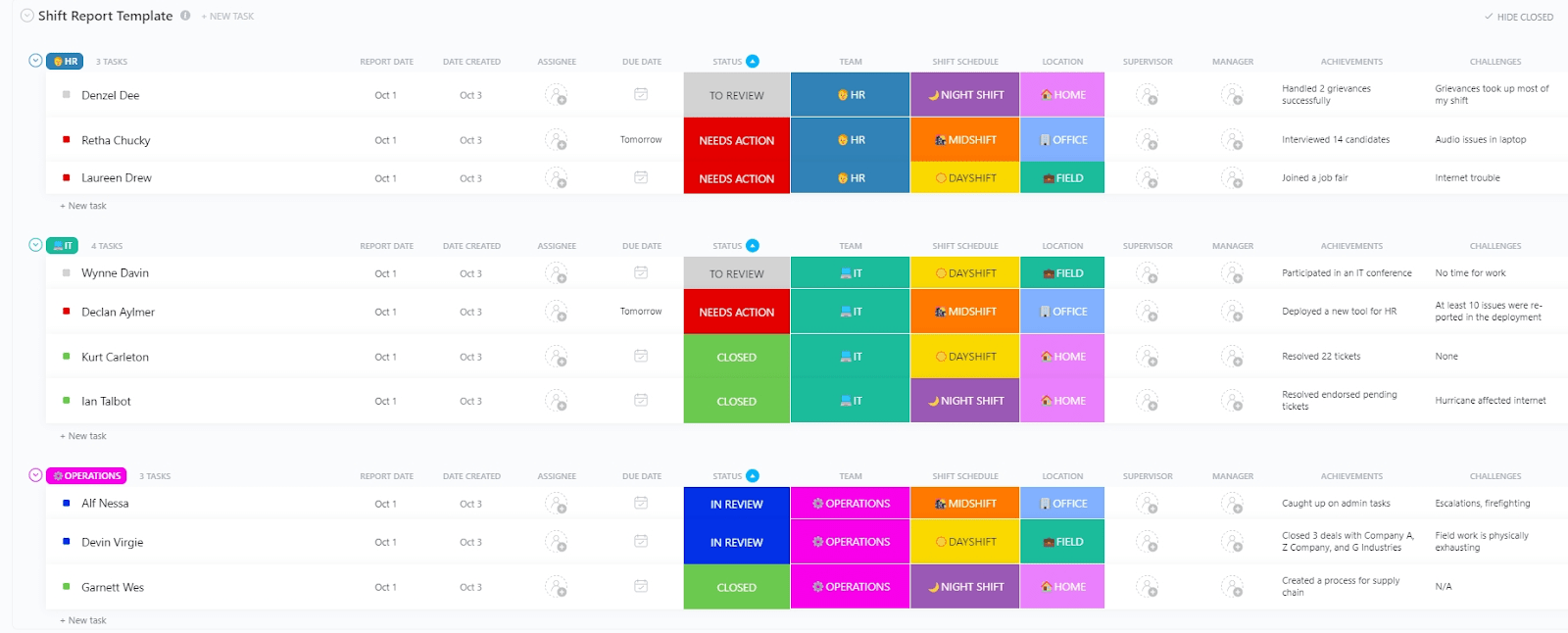
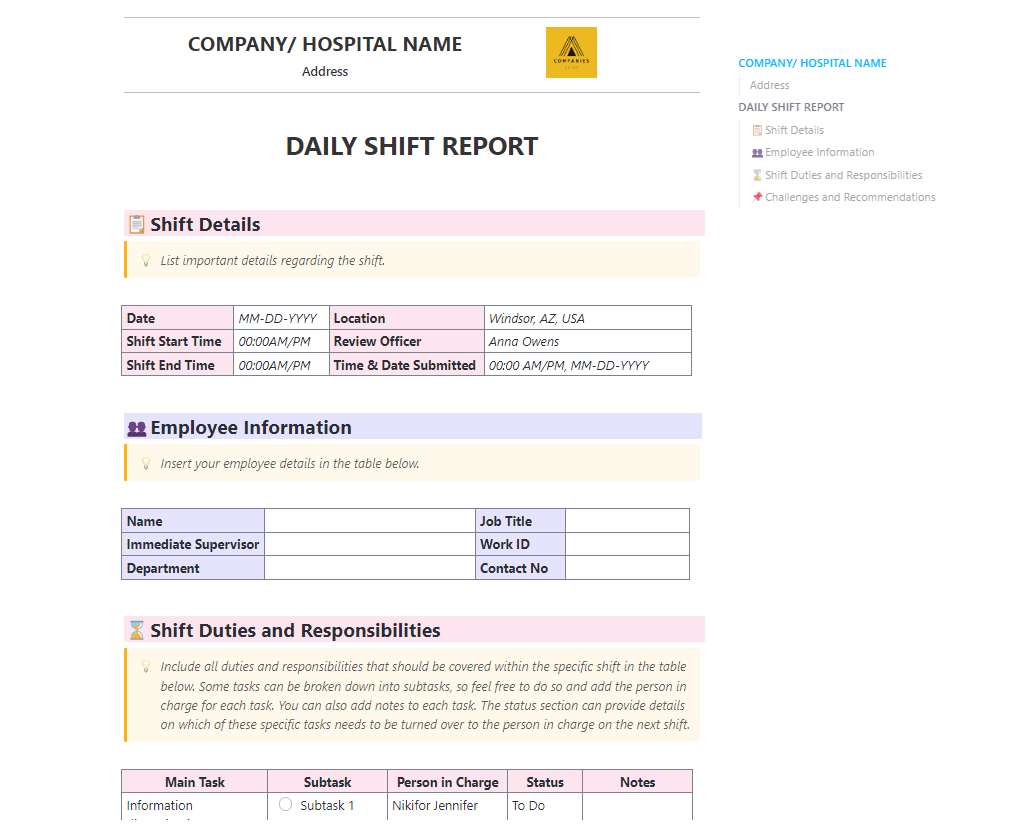
When a shift ends, what matters most is what gets handed off to the next bunch of folks. Missed notes or incomplete updates can throw the next team off balance. The ClickUp Shift Report Template is built to prevent that.
It focuses on documenting exactly what happened during a shift, from staff performance to unexpected issues.
This template can:
🔑 Ideal for: Restaurant owners and shift leads who need reliable handoffs, performance tracking, and a record of each shift that goes beyond time slots.
📣 Customer voice: Here’s what Ryan Lamb, Operating Partner at Chick-fil-A, says:
We were starting to accumulate a lot of hours spent on admin tasks, scheduling, and more. ClickUp helped reverse the impact this had on our business.
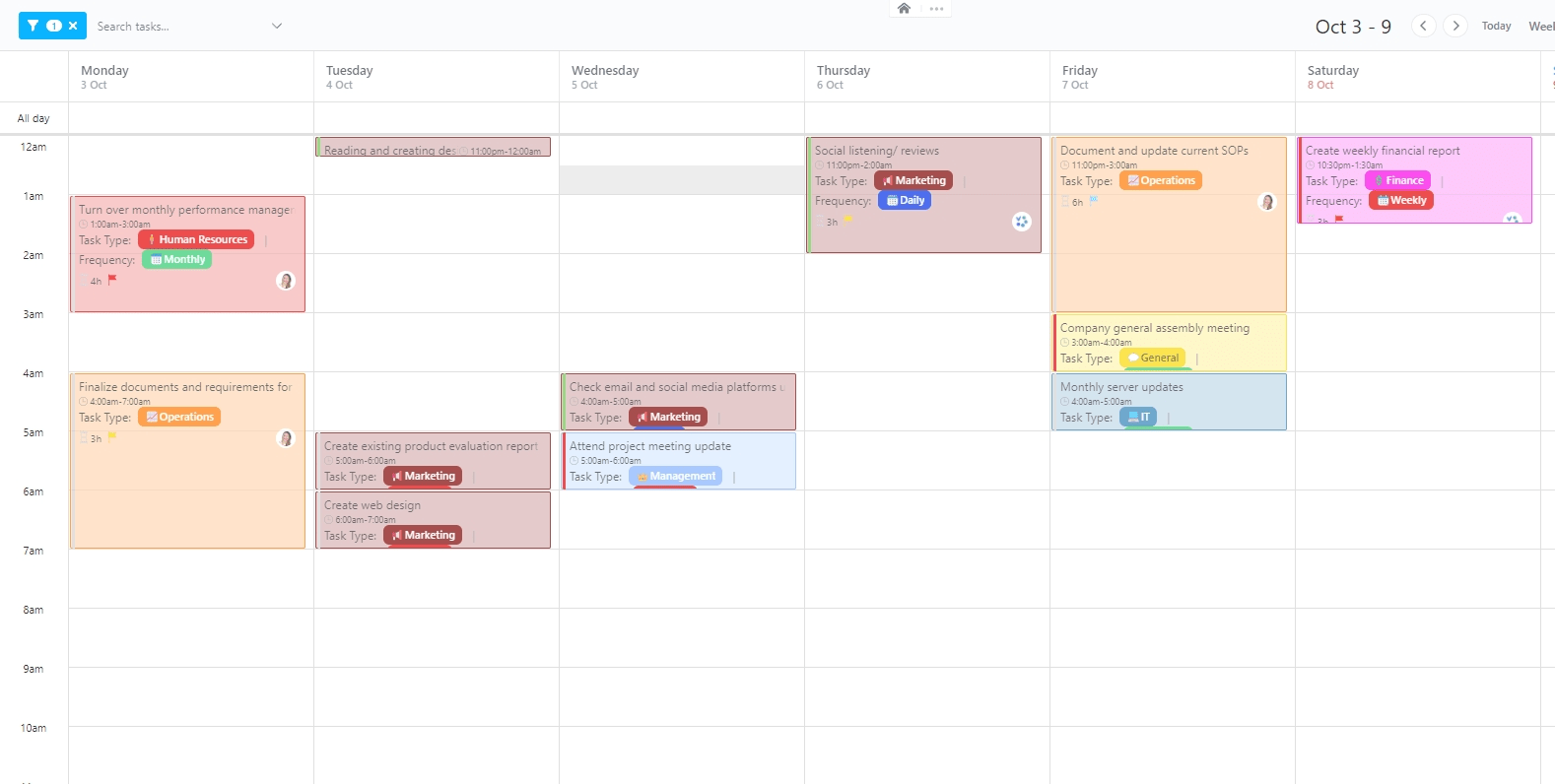
In a busy restaurant, the day moves fast. Prep starts early, service hits in waves, and breaks need to be timed just right. The ClickUp Hourly Schedule Template is built for that kind of precision. This framework gives you real-time visibility into task timing, costs, and staff performance, so every hour works harder.
This template can:
🔑 Ideal for: Restaurant managers who need to stay on top of shift timing, monitor labor costs, and manage each task with clarity.
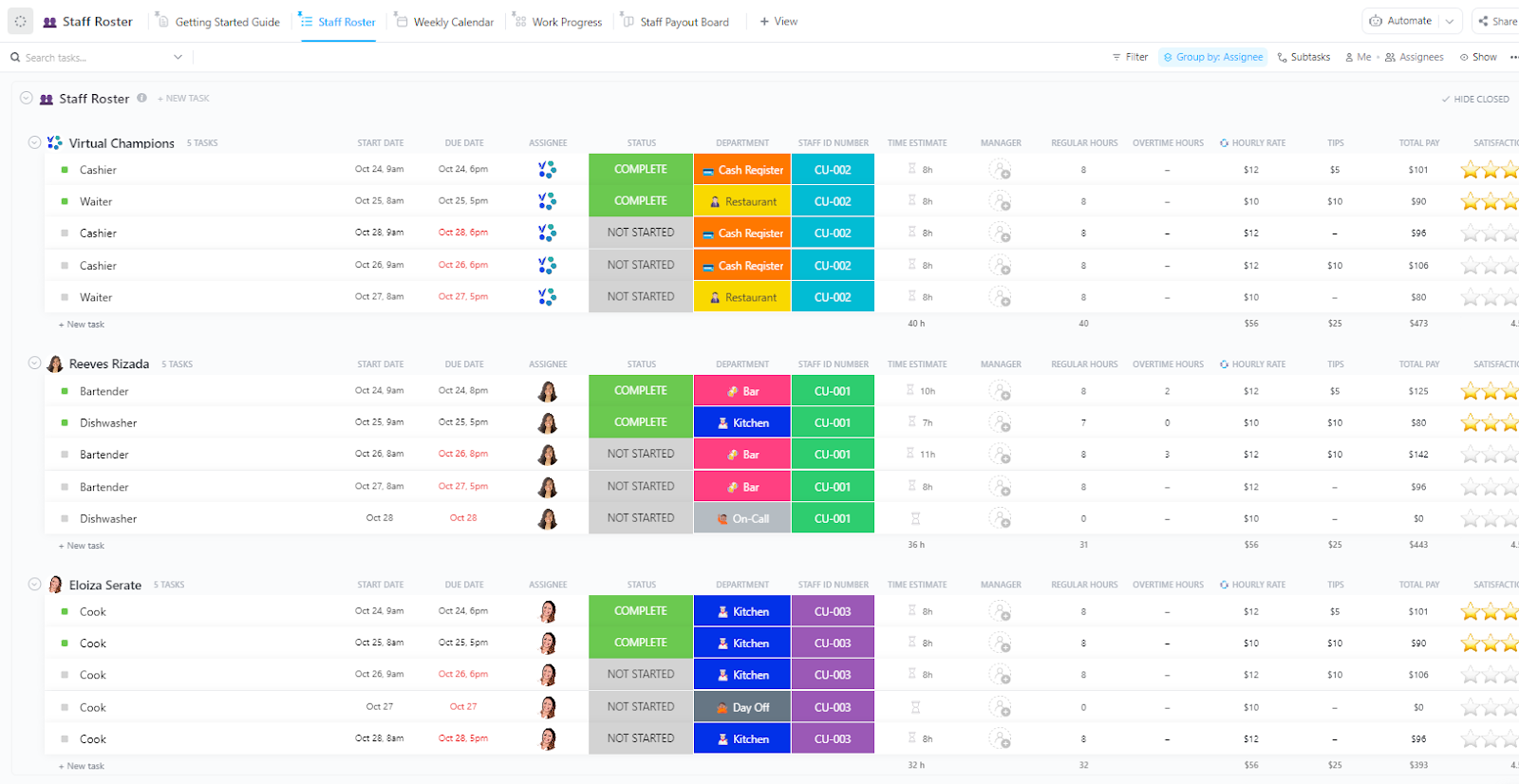
Keeping track of staff is more than just names on a schedule. You need to know roles, locations, and availability at a glance. The Staff Roster Template by ClickUp gives you a simple way to keep that all in order.
This template can:
🔑 Ideal for: Restaurant managers and HR teams who need a clear, up-to-date roster that supports smart scheduling and keeps the team running smoothly.
📖 Also Read: Best Food Management Software Worth Trying
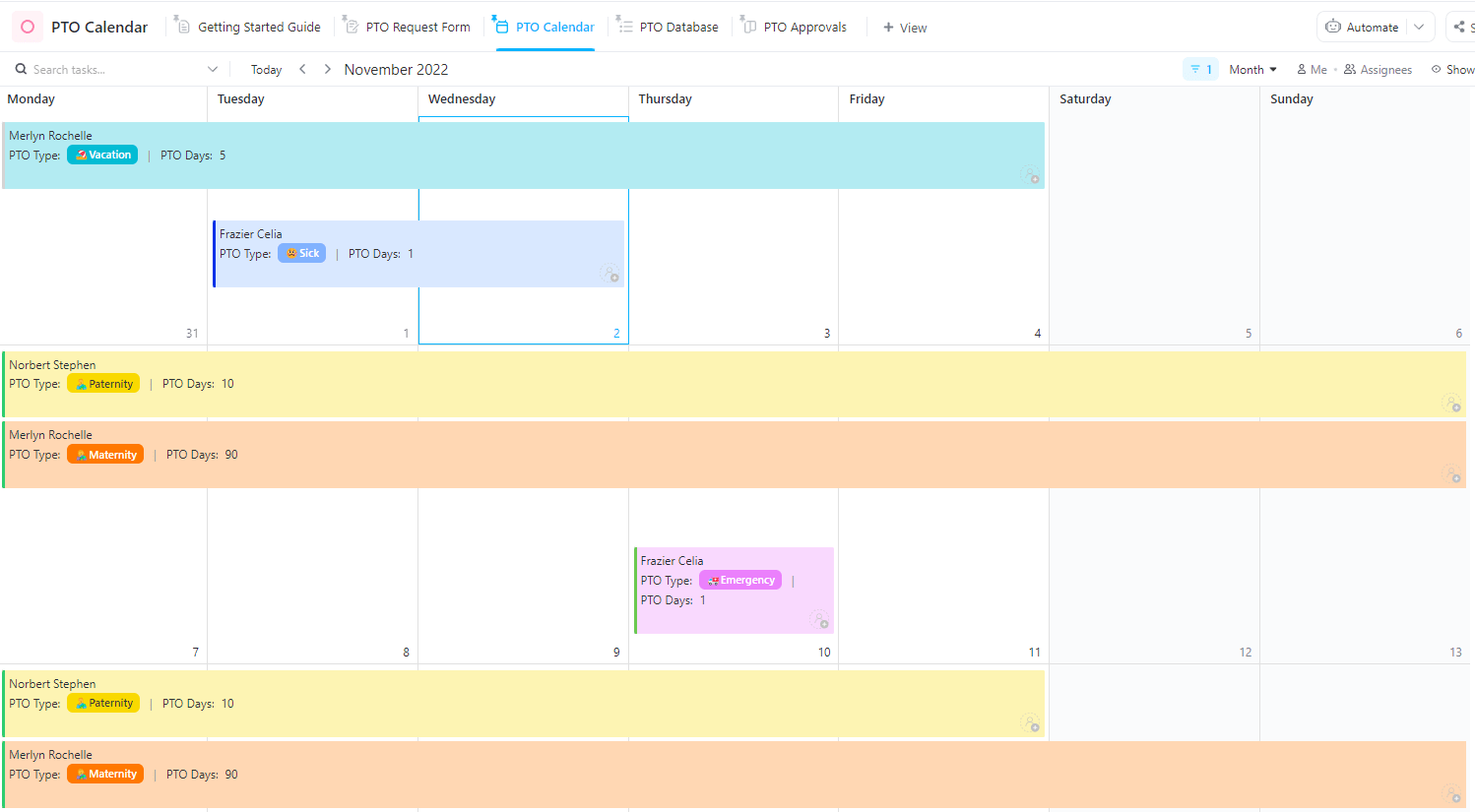
Time off is part of the job. But when you run a restaurant, one missing shift can throw everything off. ClickUp’s PTO Calendar Template helps you stay ahead of that. It shows who’s off, when, and why—so you can plan ahead, keep the floor covered, and avoid last-minute scheduling scrambles.
This template can:
🔑 Ideal for: Restaurant managers and HR staff who need a clear, reliable way to handle time-off requests and avoid staffing gaps.
👀 Did You Know? The 9/80 work schedule gives teams a full day off every other week, without cutting hours. It’s popular in offices, but the concept might inspire new ways to build flexibility into your restaurant schedule.
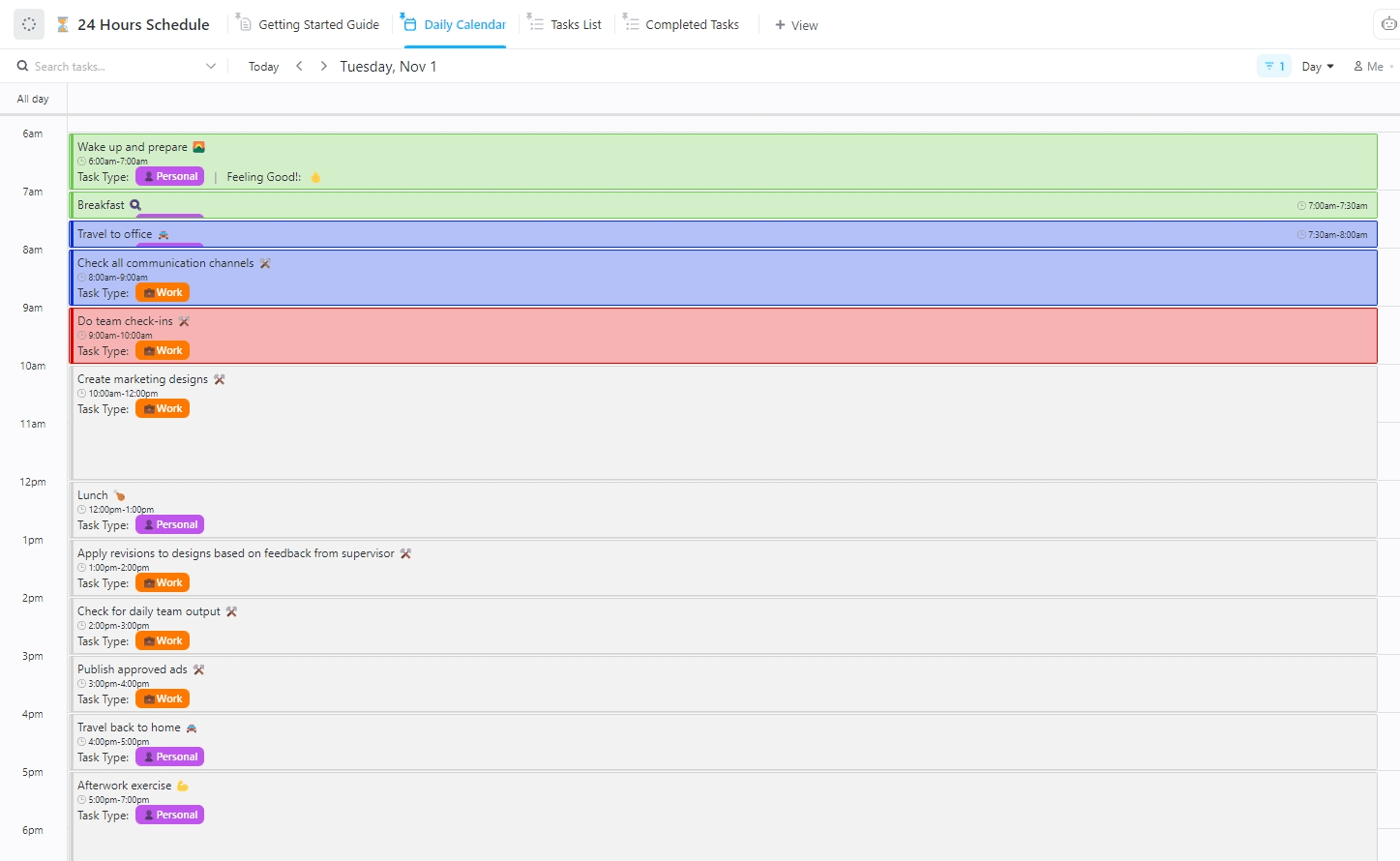
When your restaurant runs 24/7, you can’t afford to lose track of time. Every hour counts. This 24-Hour Schedule Template by ClickUp is made for places that don’t slow down—where late-night crews, prep teams, and rotating shifts all have to stay in sync.
This template can:
🔑 Ideal for: Restaurant managers and shift leads who need full-day coverage without chaos—hour by hour, task by task.
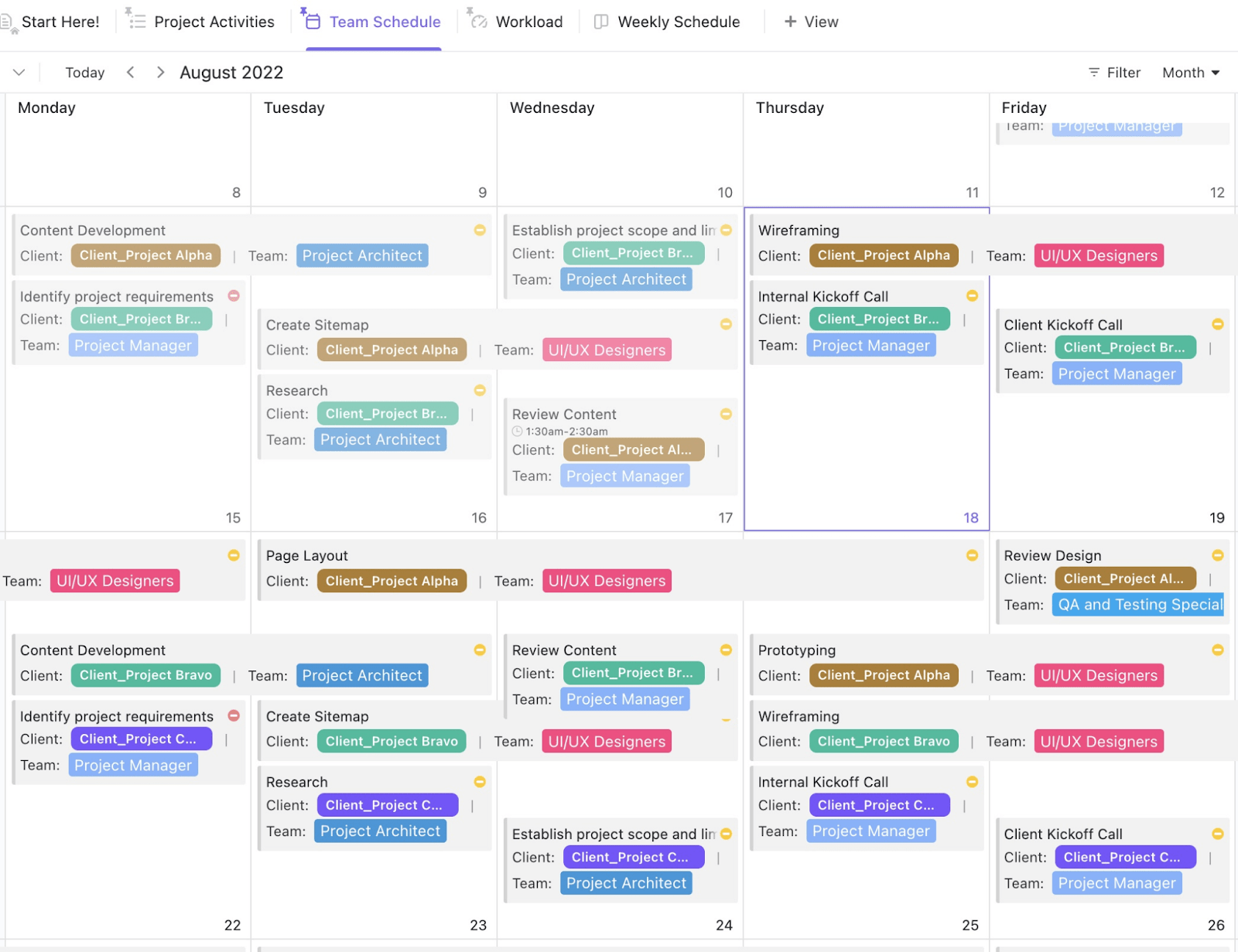
Running a restaurant team means more than just posting a schedule. You need to have confidence that your team can handle the day. The ClickUp Team Schedule Template gives you a full view of your staff and their responsibilities so that they stay organized, coverage stays balanced, and daily service runs without disruption.
This template can:
🔑 Ideal for: Restaurant managers and supervisors who want to reduce confusion, delegate work clearly, and keep the whole team moving in the same direction.
When one shift ends and another begins, details matter. The ClickUp Change of Shift Report Template helps your team share key updates, track pending tasks, and flag issues before they escalate.
This template can:
🔑 Ideal for: Restaurant managers and shift supervisors who need a reliable method to document shift activities and ensure seamless handovers.
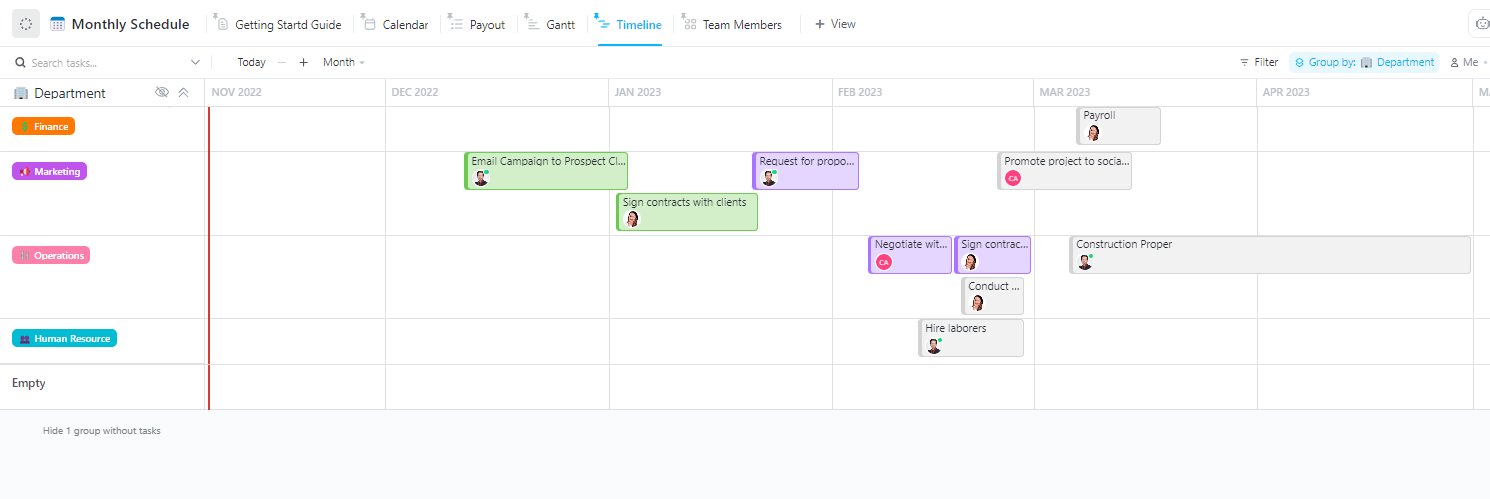
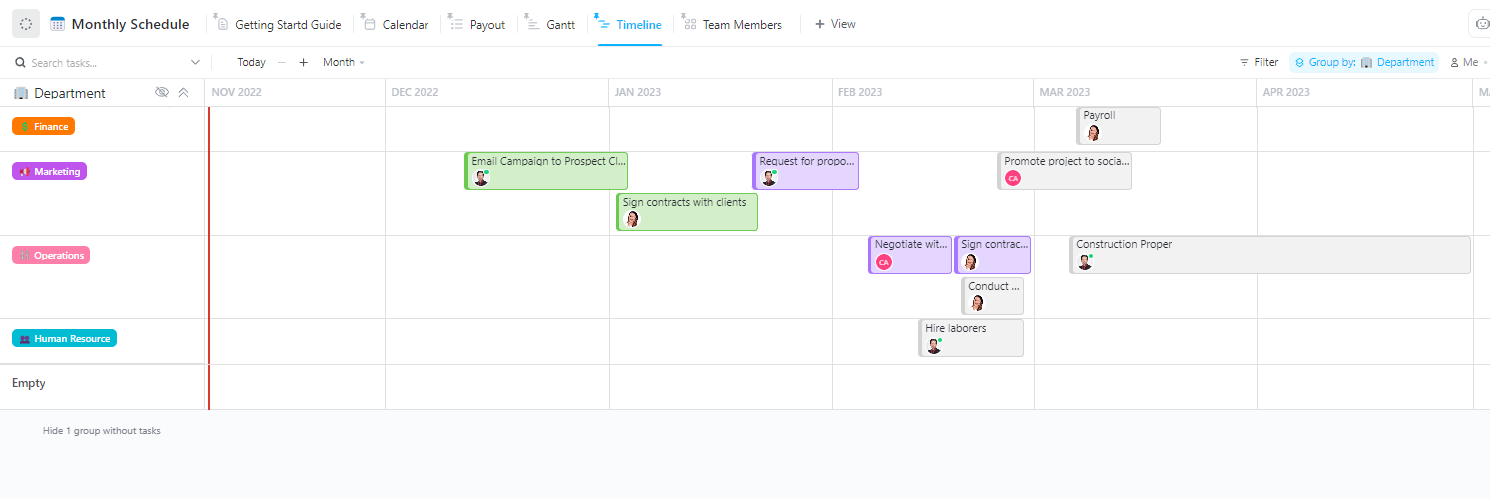
The Monthly Schedule Template from ClickUp helps you see the big picture—what needs to happen, when, and who’s responsible. It gives you a full view of what needs to get done, who’s doing it, and when, so you can manage tasks, teams, and timelines without missing a beat.
This template can:
🔑 Ideal for: Restaurant managers who need to plan monthly operations, coordinate staff, and keep everything running smoothly.
When you’re open every day, you need a schedule that keeps people working without burning them out. The 2-2-3 Schedule Template by ClickUp is built for that.
This template helps you implement a 2-2-3 work schedule that keeps shifts fair and teams reenergized, without sacrificing consistency or performance.
This template can:
🔑 Ideal for: Managers who run round-the-clock operations and need a rotating schedule that balances coverage and work-life balance.
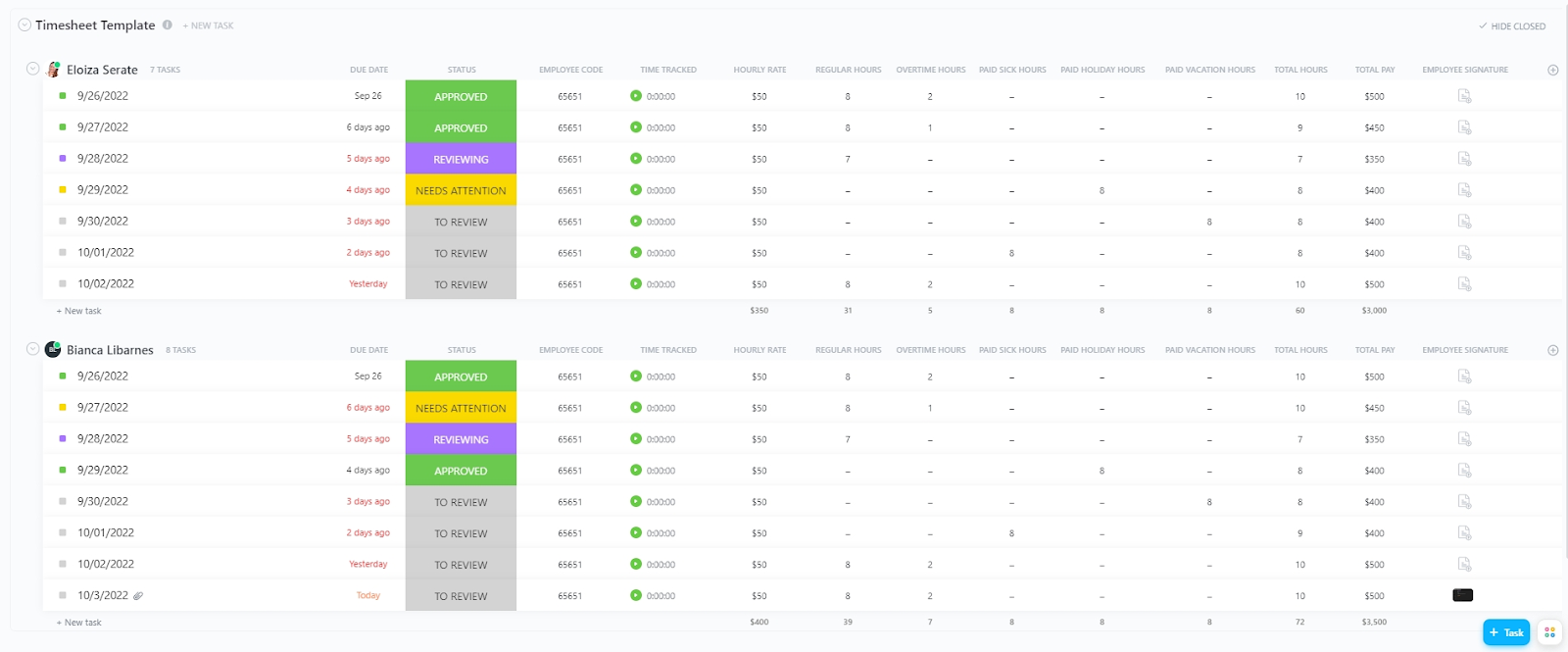
Tracking hours in a service-based restaurant helps you understand where every minute and dollar goes. The Services Timesheet Template from ClickUp helps you do that. It’s designed to simplify labor tracking, improve scheduling decisions, and keep payroll accurate, without extra admin.
This template can:
🔑 Ideal for: Restaurant managers who need to track employee hours, manage labor costs, and ensure efficient scheduling.
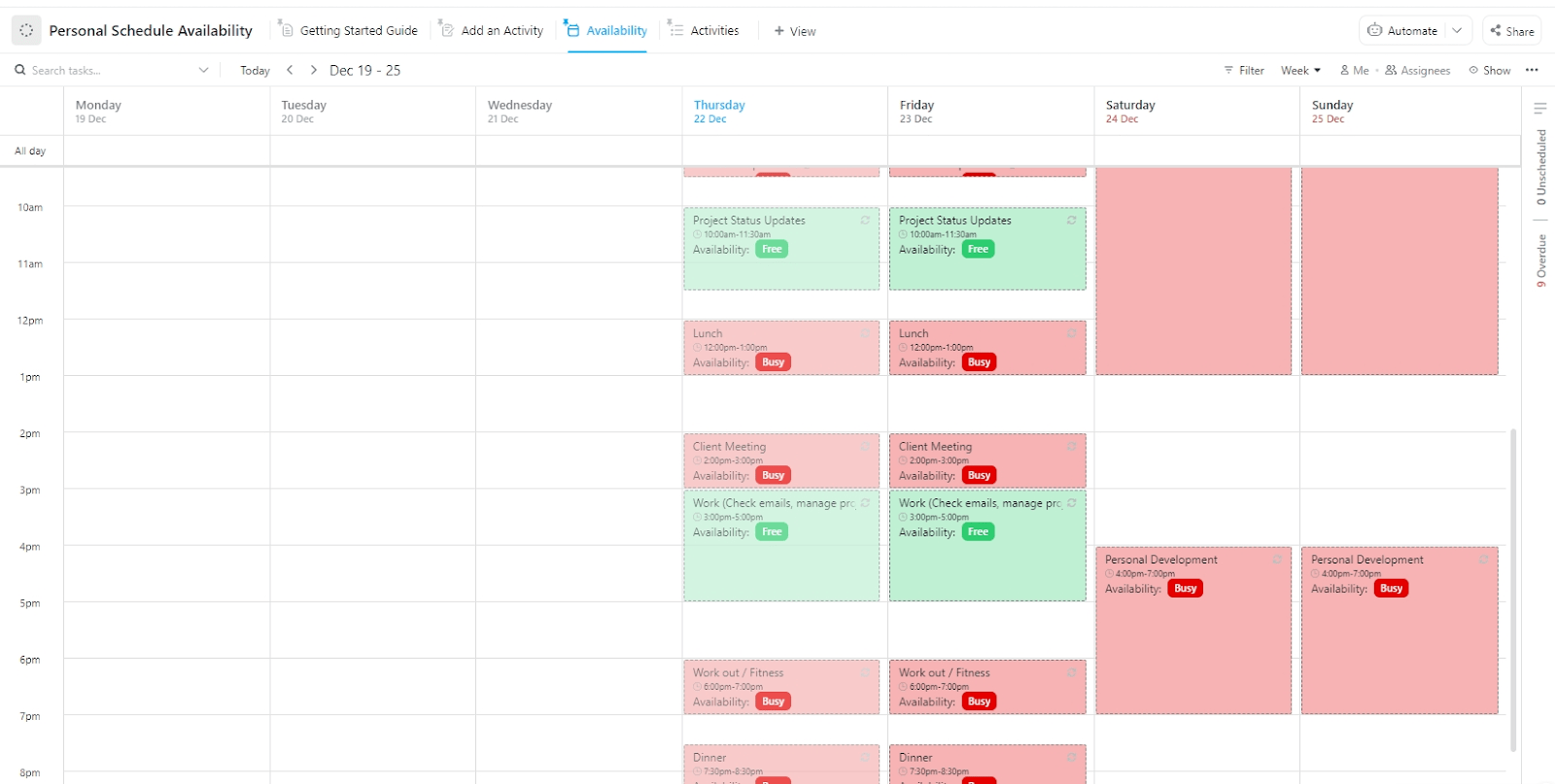
Some days get away from you. Tasks pile up, shifts overlap, and no one’s sure who’s actually available. The ClickUp Personal Schedule Availability Template helps fix that.
This template helps you stay ahead by making your availability visible, organized, and easy to manage. It’s built for flexible teams that need clarity without the back-and-forth.
This template can:
🔑 Ideal for: Part-time staff, restaurant managers, or team leads who need a simple way to share and manage availability without the back-and-forth.
📮 ClickUp Insight: 32% of workers struggle to carve out personal time, yet only 14% block it on their calendar. If it’s not scheduled, it’s not protected! 📆
ClickUp’s Calendar helps you reserve personal hours like meetings. It syncs with external calendars, allows you to set recurring work and personal time blocks, and allows you to drag and drop events or tasks to adjust your schedule easily. Stop last-minute work before it creeps into your free time!
💫 Real Results: Lulu Press saves 1 hour per day, per employee using ClickUp Automations—leading to a 12% increase in work efficiency.
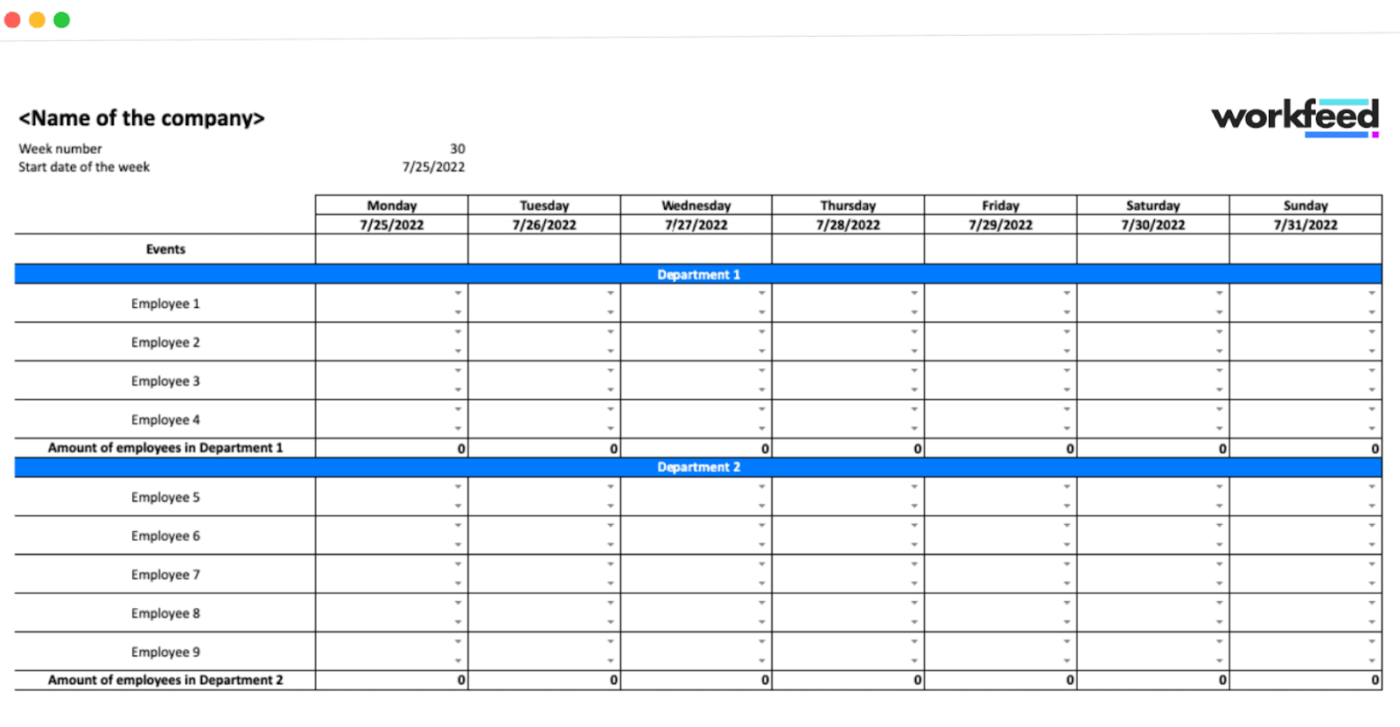
Excel Spreadsheets can do the job, but they often create more work than they save. The free Restaurant Schedule Template from Workfeed allows you to build weekly schedules without the usual formatting headache.
It’s a simple Excel file that helps you stay organized without the need to purchase full-scale software.
This template can:
🔑 Ideal for: Small restaurant owners and shift leads who want a simple, editable schedule that’s easy to share and update.
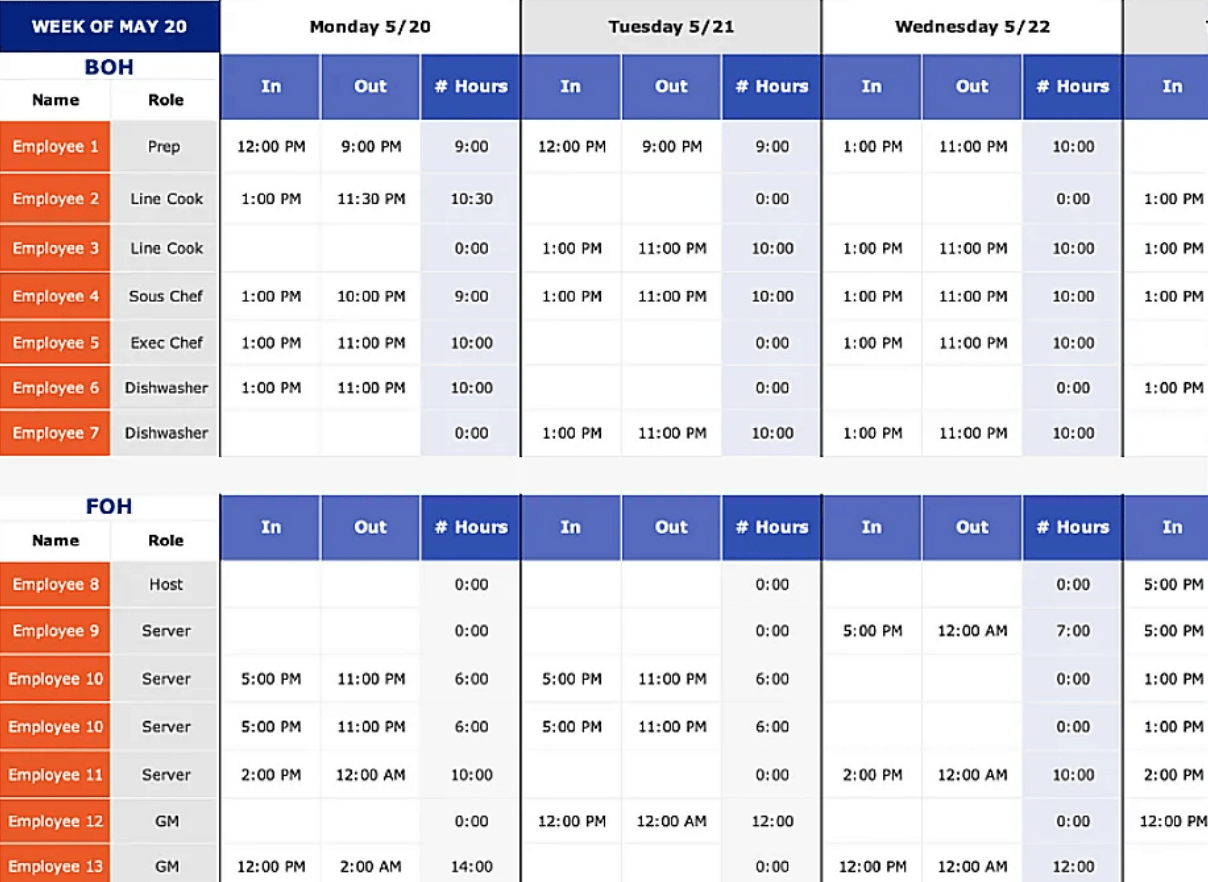
Managing shifts, roles, and hours in a busy restaurant can be overwhelming. Toast’s Restaurant Scheduling Template provides a simple way to stay organized without overcomplicating the process. This template is built in Excel, easy to customize, and ideal for restaurants that want structure without extra software.
This template can:
🔑 Ideal for: Restaurant managers and small business owners seeking a simple, efficient way to organize weekly staff schedules and monitor labor hours.
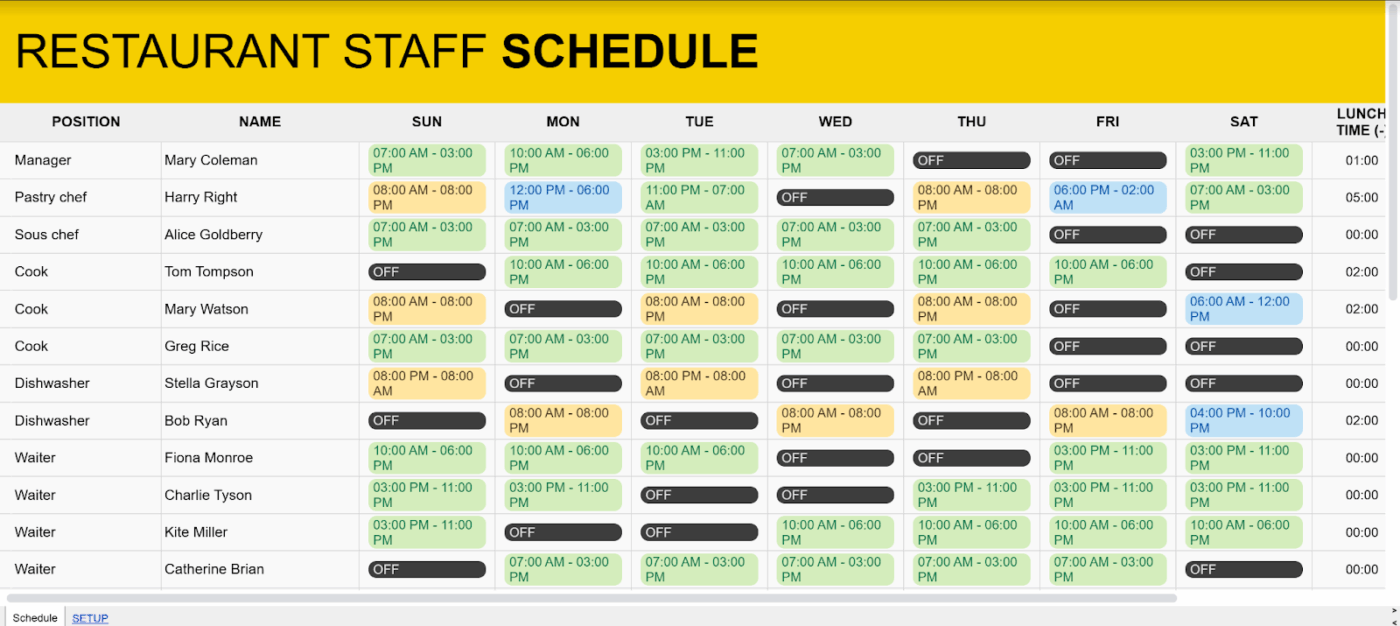
Goodocs’ Simple Restaurant Staff Schedule Template is built for quick planning with zero distractions. It works in both Google Sheets and Excel, so you can jump in, customize, and share it with your team without needing extra tools or apps.
This template can:
🔑 Ideal for: Restaurant managers who want a simple, editable schedule that’s easy to fill out, print, and post on the break room wall.
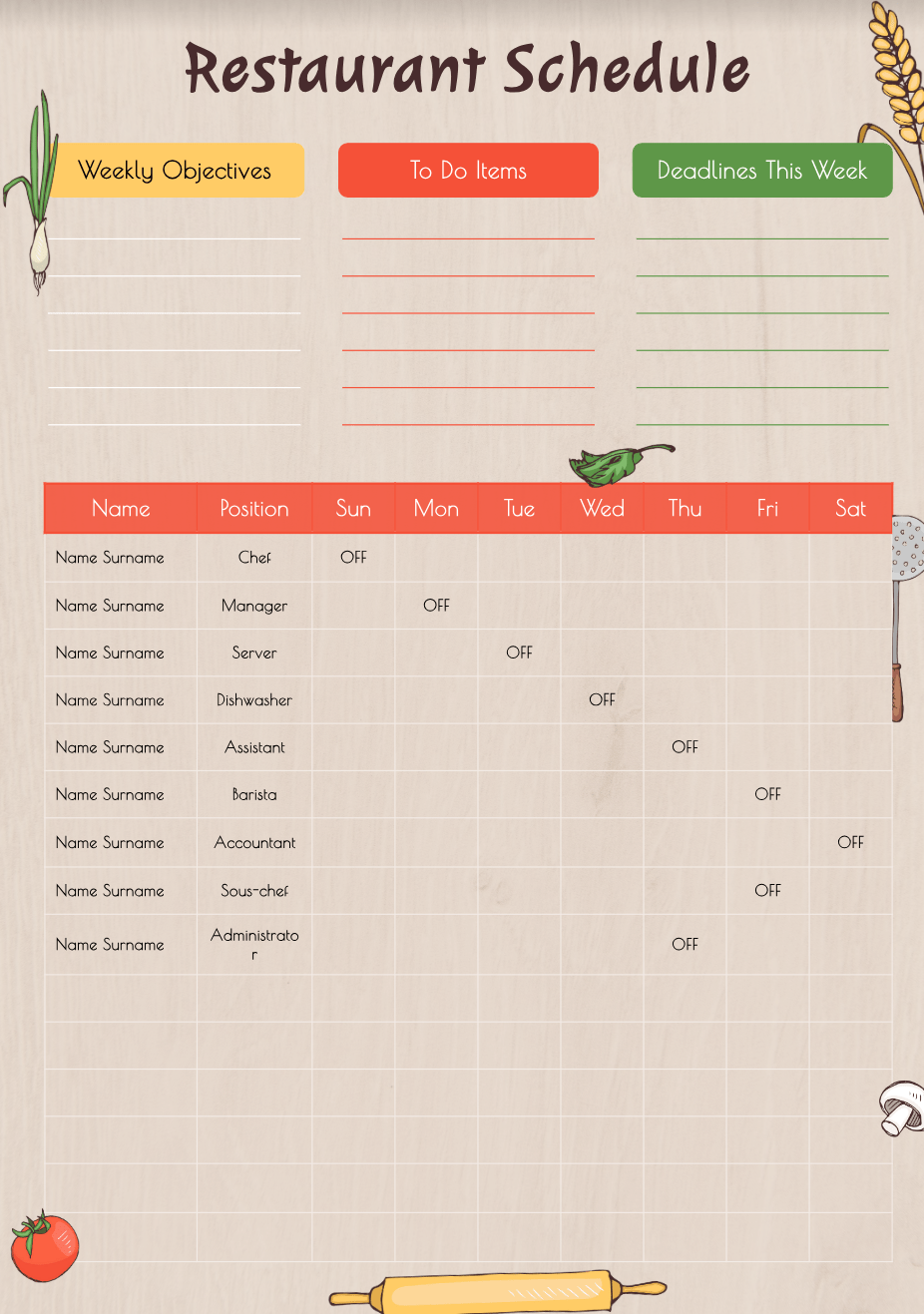
The Goodocs’ Colorful Restaurant Schedule Template is designed for quick updates and clear communication. Built in Google Slides and PowerPoint, it’s easy to open, edit, and display where your team can see it—no setup or learning curve required.
This template can:
🔑 Ideal for: Restaurant managers who want a visual, easy-to-edit weekly schedule that staff can read quickly and follow without question.
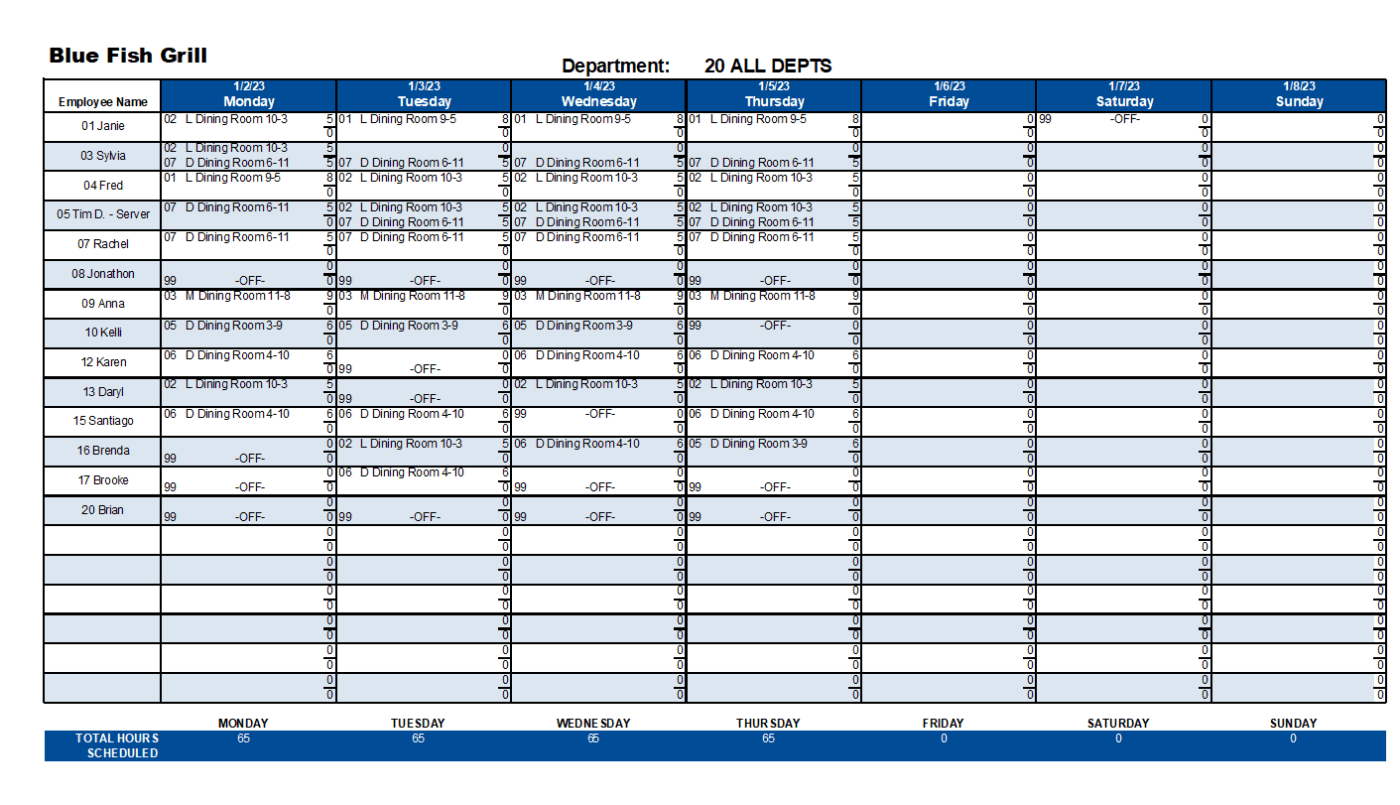
The Restaurant Labor Schedule Template from RestaurantOwner.com is built in Excel and clearly outlines all the small and big details. You can schedule up to 100 employees across 20 departments—front of house, kitchen, bar, you name it.
This template can:
🔑 Ideal for: Restaurant managers who need a detailed, Excel-based tool to schedule shifts, monitor labor costs, and avoid coverage gaps across departments.
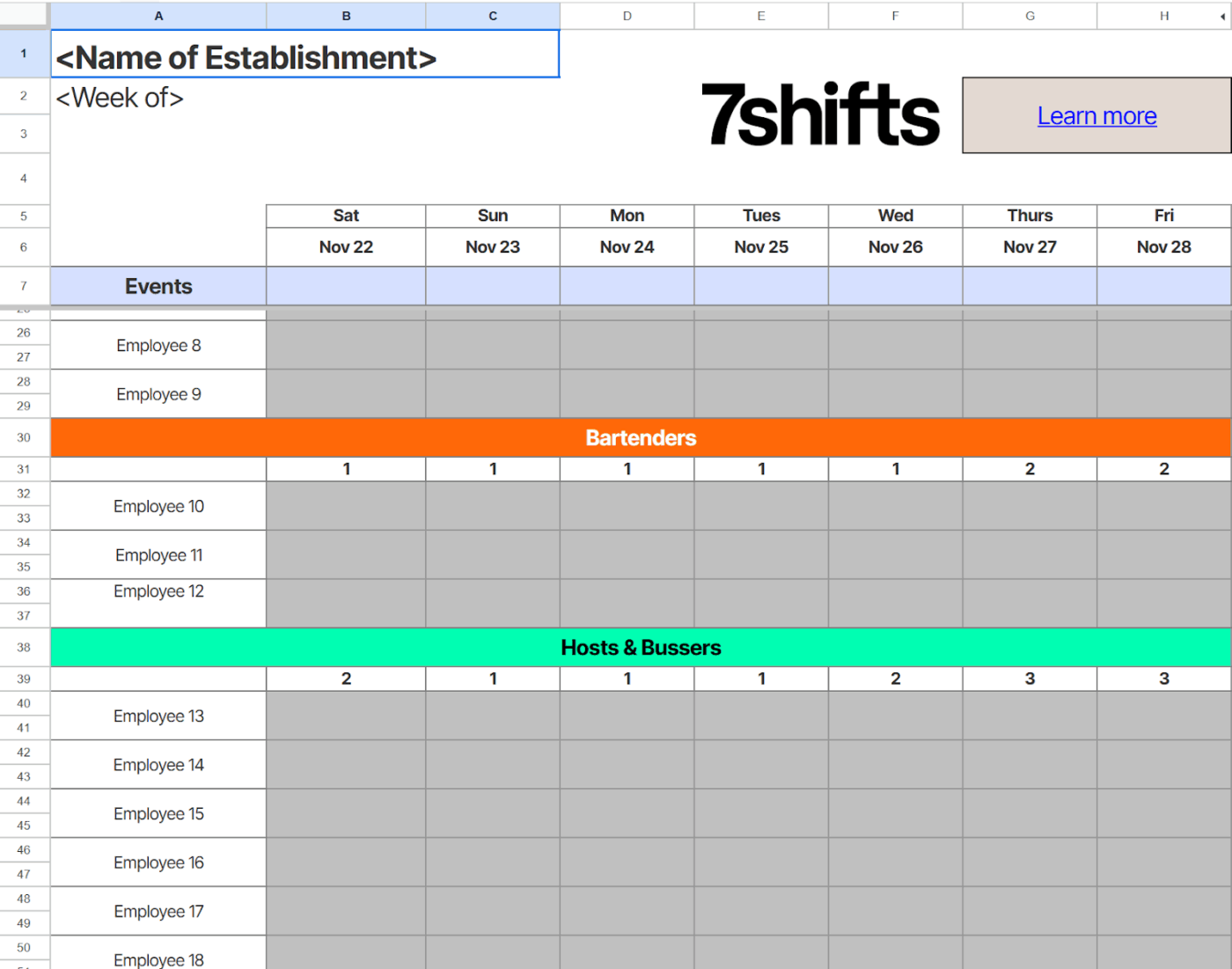
The 7shifts Restaurant Schedule Excel Template is simple, clear, and made for fast planning. It opens in Excel and gives you a clean weekly layout to drop in names, roles, and shift times.
This template can:
🔑 Ideal for: Restaurant managers who want a straightforward, no-fuss way to schedule staff each week without using complex software.
Now that you’ve come this far in the blog, how do you know which restaurant scedule template is best for you?
A well-designed restaurant schedule template keeps your team organized, reduces confusion, and helps control labor costs. It also gives structure to your weekly planning and supports better shift coverage.
Here are the key features an ideal restaurant schedule template should include:
Building a staff schedule shouldn’t feel like solving a puzzle with missing pieces. With ClickUp, you can ditch the whiteboard and start managing your restaurant schedule with ease.
Plan shifts, track labor costs, log availability, and adjust on the fly—all in one clean workspace. No more texting back and forth, scribbling on printed charts, or dealing with last-minute gaps. Just a streamlined system that keeps your team aligned and your service smooth.
And with 1,000+ templates (including the restaurant scheduling ones you saw above), ClickUp gives you the power to stay organized—all while serving great food and leading a great team.
✨ Ready to simplify your schedule? Sign up for ClickUp and get started for free—forever.

© 2026 ClickUp

There’s an easier way. Try a free AI Agent in ClickUp that actually does the work for you—set up in minutes, save hours every week.