


As a project manager, a significant portion of your workweek is likely dedicated to handling paperwork and organizing information. This administrative work can take up valuable time that could be spent on high-value tasks.
Document management software is designed to take the heavy lifting off manual work by organizing and categorizing files, assigning access permissions, and creating workflows for approvals and revisions.
In this guide, we’ll dive into the top document management software and how to leverage them as a centralized location for document sharing and collaboration!
10 Best Document Management Software to Get Organized in 2024

 Summarize this article for me please
What Should You Look for in a Document Management Software (DMS)?
When searching for a document management system, it’s essential to prioritize top-tier security measures to safeguard confidential information, prevent data breaches, and comply with data protection regulations. Key features such as:
- Access controls
- Encryption
- Data backup and recovery
- Permissions
- Search features
- Cloud access
Collaboration is also a must-have feature in your document management system. You want your team to be able to collaborate on documents in real time, assign tasks, leave comments, and share files securely. And, of course, you need to be able to find content without keying in too many prompts!
And lastly, integration with other project management tools like task management and project tracking will help your team streamline cross-functional workflows. This integration promotes collaboration, knowledge sharing, and enhances decision-making.
Summarize this article for me pleaseThe 10 Best Document Management Software
1. ClickUp
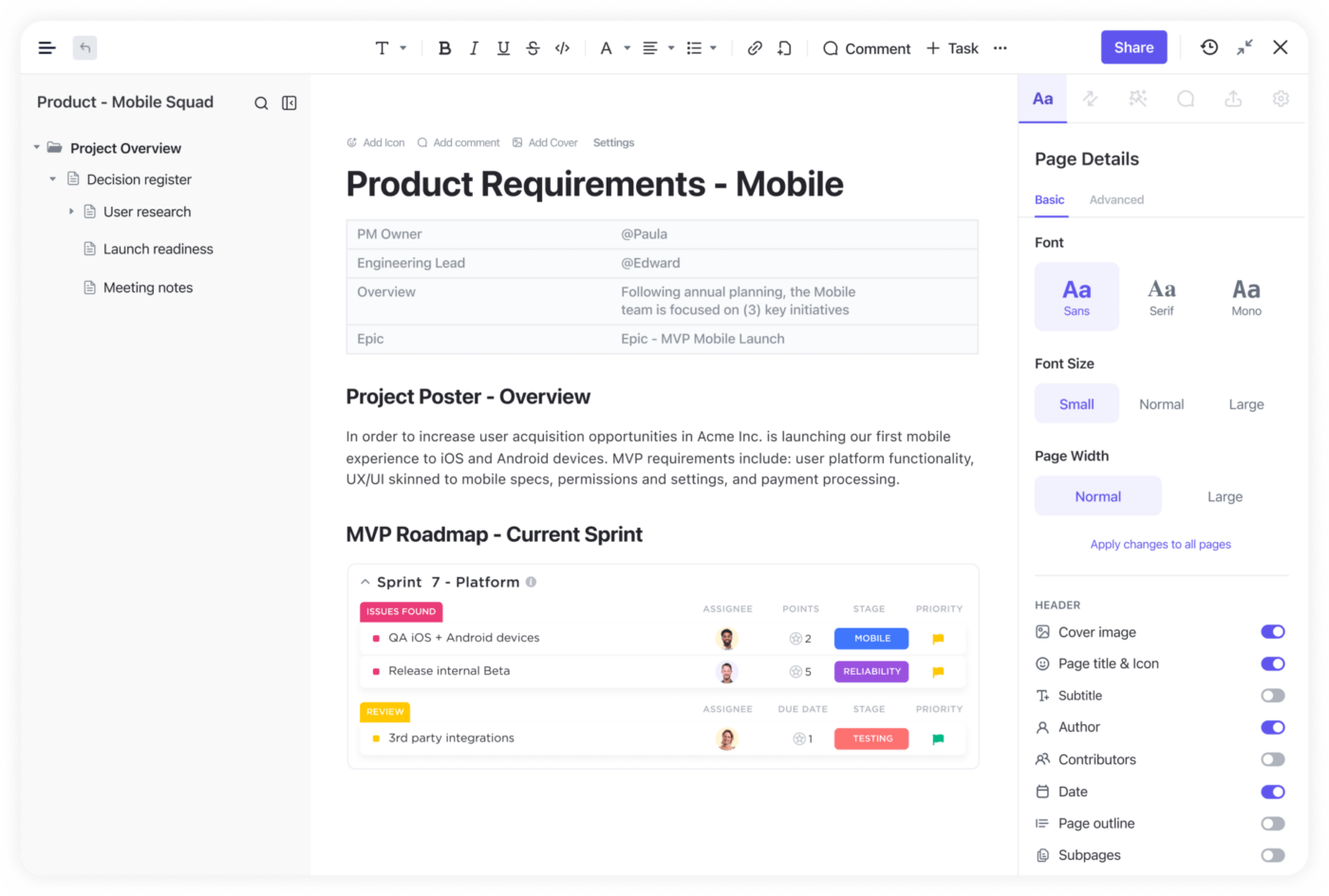
ClickUp is an all-in-one productivity platform designed for teams of all sizes to create beautiful Docs, wikis, and other documents, which can be connected to workflows to execute ideas with your team!
With complete customization options, ClickUp offers a flexible experience to help manage workloads, track progress, and stay connected from anywhere. Collaboration is at the heart of every feature, with numerous tools designed to keep cross-functional teams updated and aligned.
Plus, ClickUp integrates with 1,000+ other work tools, allowing teams to sync all their work and streamline cross-functional processes in a single platform!
ClickUp best features
- A detailed online Help Center, webinars, and support to help you use the platform to its fullest extent
- A dynamic Goals feature to align the team on OKRs and track progress in multiple ways
- Assigned and threaded comments in any ClickUp Doc, task, or Whiteboard
- Collaborative Whiteboards to develop ideas in real-time alongside the team
- Reporting and Dashboards for an instant high-level overview of your work
- A rich Free Forever Plan and affordable options on every pricing plan
- Multiple assignees of tasks for total transparency into all progress
- Over 15 customizable views to manage tasks from every angle
- Easy-to-use user interface with online and offline mode
- 50+ Automations to streamline any project workflow
- Customized task statuses for your project needs
- A vast Template Library for every use case from note-taking to project briefs
ClickUp limitations
- Its rich set of features can create a learning curve for some users
- Not all views are available in the mobile app—yet
ClickUp pricing
- Free Forever Plan
- Unlimited Plan: $5 per user per month
- Business Plan: $12 per user per month
- Business Plus Plan: $19 per user per month
- Enterprise Plan: Contact for pricing
ClickUp ratings and reviews
- G2: 4.7/5 (6,500+ reviews)
- Capterra: 4.7/5 (3,500+ reviews)
2. Revver
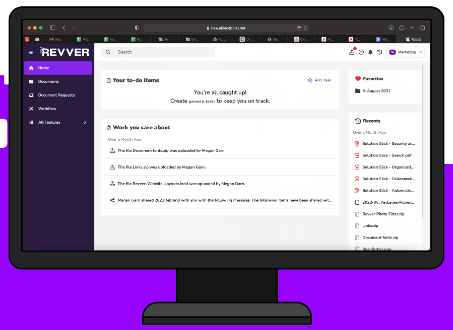
Revver, formerly Rubex, is an online document management system designed to help businesses organize, store, and share documents securely. Revver Docs is integrated with popular cloud storage applications such as Google Drive, Dropbox, Box, and OneDrive.
The platform also provides a range of features, such as file version control, document search capabilities, and secure access control so that only authorized users can view or edit confidential information.
Revver best features
- Optical Character Recognition (OCR) to automatically file documents into their predefined location
- Advanced Search to identify folders missing essential documents
- Multi-Factor Authentication control to access documents
- Dedicated eSignature to replace paper documents
- Dual-screen document viewer
Revver limitations
- Lacks task management tools compared to other document management systems
- An account is required to access the Revver Help Center
Revver pricing
- Contact Revver for pricing details
Revver ratings and reviews
- G2: 4.3/5 (330+ reviews)
- Capterra: 4.4/5 (880+ reviews)
3. Connecteam
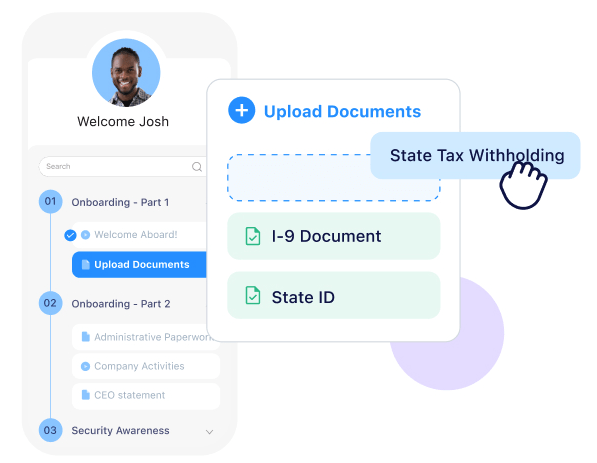
Connecteam is an employee engagement and team management software. Its document feature makes it easy for teams to collaborate on documents, forms, and surveys.
Having all employee files, certificates, and business documents in one place can be a game-changer for HR departments and managers. A centralized system can improve efficiency and productivity by allowing easy access to documents, eliminating the need for physical storage, and reducing the risk of lost or misplaced files. With a digital solution, HR staff can easily search, retrieve, and share documents with colleagues, even if they work remotely!
Connecteam best features
- Quick Actions functionality to take fast action that affects all documents
- View Only, Upload, Approve/Reject, and Edit document permissions
- Document Packs (folders) to assign to individual users or smart groups
- Courses to create specific processes for employees to go through
- Expiration dates per document or entry type
Connecteam limitations
- Limited real-time collaboration features
- Lacks workflow automation capabilities
Connecteam pricing
- Small Business: Free for up to 10 users
- Basic: $29 per month for first 30 users
- Advanced: $49 per month for first 30 users
- Expert: $99 per month for first 30 users
Connecteam ratings and reviews
- G2: 4.3/5 (30+ reviews)
- Capterra: 4.8/5 (260+ reviews)
4. Confluence
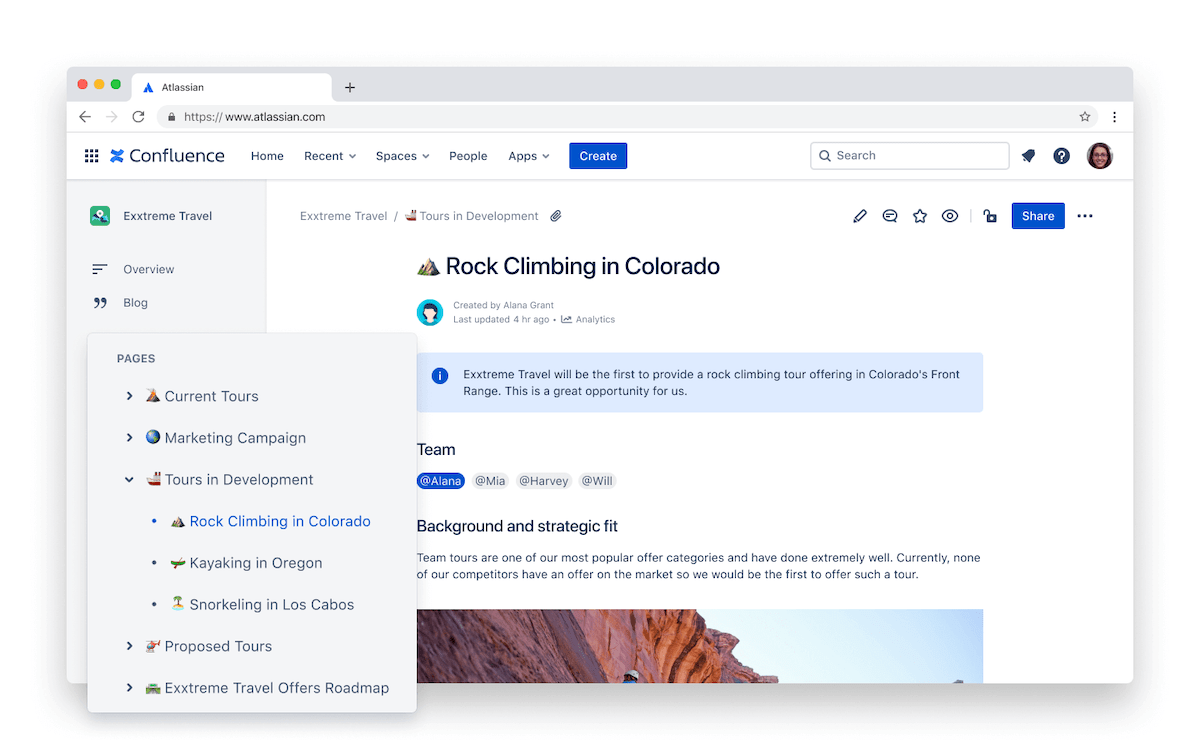
Confluence is a team workspace system with document management software features to create, share, organize, and discuss work with teams of any size. It helps people in an organization to collaborate on projects more effectively and efficiently by allowing them to store and share their work in one central location.
With Confluence, teams can create and share ideas, edit documents collaboratively in real-time, track progress on projects, keep everyone informed of changes with notifications, and much more. Additionally, powerful features like reporting, dashboards, and integration with other tools help teams stay on top of their projects!
Compare Confluence Vs Google Docs!
Confluence best features
- Personalized feed to display the spaces a person has recently visited, draft pages in progress, and page activity
- Real-time editing with a remote team or remote employees
- Integrations with Box, Dropbox, and Google Drive
- Page labels to speed up searching for content
- Word document import functionality
Confluence limitations
- Non-software development teams will find the tool difficult to learn
- Designed and priced for enterprise-level collaboration (Check out these Confluence alternatives)
Confluence pricing
- Free: For 10 users (monthly subscription only)
- Standard: $5.75 per user (estimated)
- Premium: $11 per user (estimated)
- Enterprise: Contact Confluence for details
Confluence ratings and reviews
- G2: 4.1/5 (3,000+ reviews)
- Capterra: 4.4/5 (2,000+ reviews)
5. DocuPhase
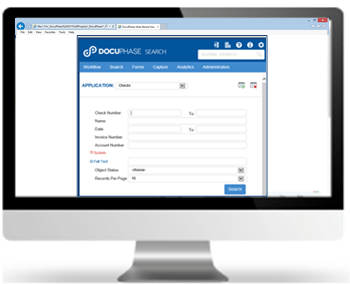
DocuPhase is a document management solution helping organizations take control of their paper-based processes. It provides a platform for capturing and managing documents, streamlining workflow processes, and enhancing collaboration. With DocuPhase, users can securely store, manage, and access all types of documents from anywhere in the world via cloud or on-premise installations.
The platform comes with a set of features such as document capture and indexing, search capabilities, document routing and approval, online collaboration tools, audit trails, and version control!
DocuPhase best features
- Optical Character Recognition (OCR) to read and interpret specified data
- Custom permissions for different types of business processes
- Automatic preset tags and indexing terms to incoming files
- Advanced search functions to find the exact information
- Integrations with NetSuite, Dynamics, Sage, and more
DocuPhase limitations
- Limited training options to learn and adopt the software
- Geared toward accounting automation
DocuPhase pricing
- Contact DocuPhase for pricing
DocuPhase ratings and reviews
- G2: 4.2/5 (15+ reviews)
- Capterra: 4.5/5 (70+ reviews)
6. Bloomfire
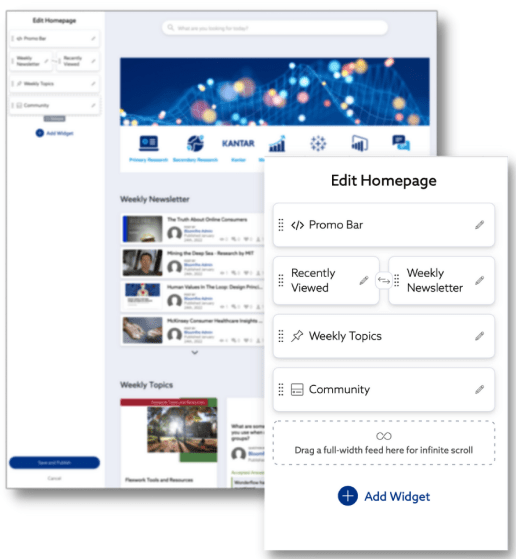
Bloomfire is a knowledge-sharing software that helps increase collaboration and productivity within a team. It gives users the ability to store and share information, documents, videos, images, and other content securely in an organized platform. It can be used as an internal wiki, intranet, or even an e-learning platform.
The platform makes it easier to find and manage content so teams can work together more efficiently. It also provides powerful search capabilities, so users can quickly access the information they need.
Bloomfire best features
- Rich text editor with charts, images, audio, and video functionality
- Flag for Review and Bulk Import/Export options
- Feedback Loops to support business processes
- AI-generated tags for better document storage
- Searchable Q&A content
Bloomfire limitations
- Lack of integrations compared to other document management solutions
- Lack of collaboration features
Bloomfire pricing
- Bloomfire starts at $25 per user per month, scaled by volume and model
Bloomfire ratings and reviews
- G2: 4.6/5 (460+ reviews)
- Capterra: 4.3/5 (200+ reviews)
7. SharePoint
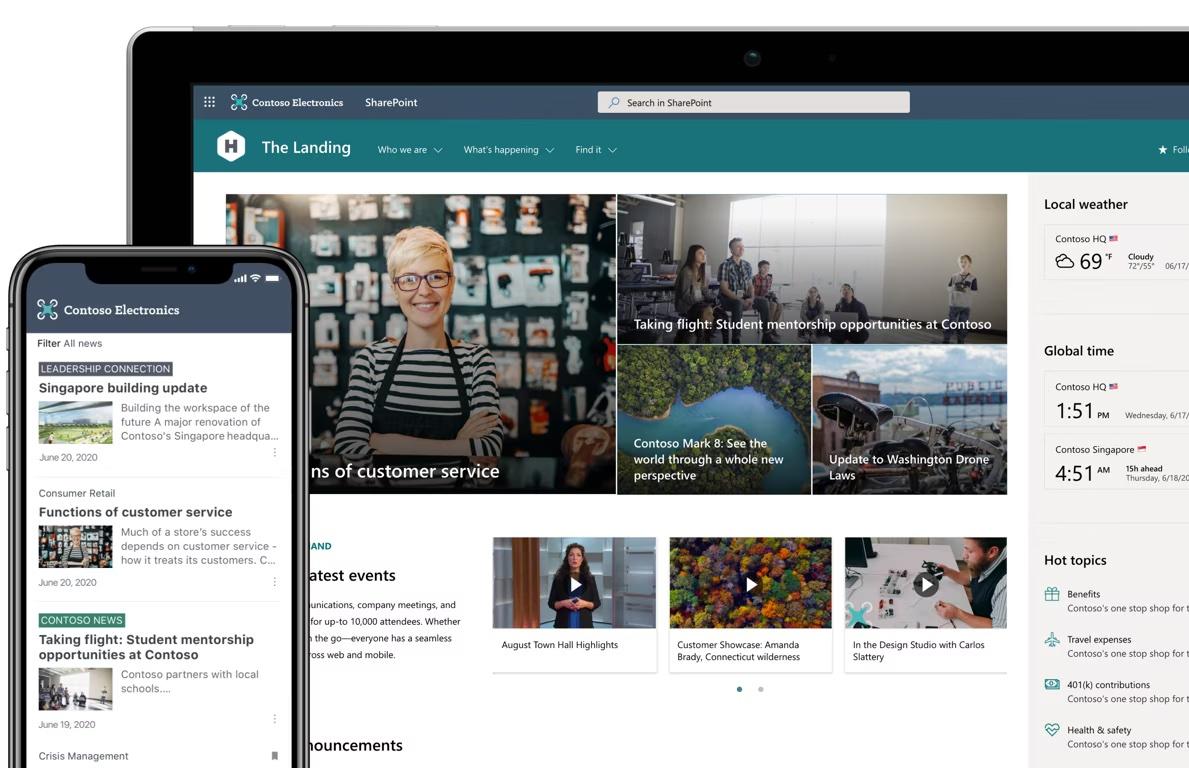
Sharepoint is an enterprise document management system to help teams share and manage content within the Microsoft Office ecosystem. It provides a centralized space for teams to store, organize, and share documents, data, and resources from any device. Sharepoint also has powerful features like collaboration tools that enable teams to work together in real-time and version control capabilities to track changes in content.
The platform also provides numerous security features to help ensure the safety of data, such as role-based permissions and auditing capabilities. With this powerful platform, teams can streamline their workflow, increase organizational efficiency, and create a more collaborative environment.
SharePoint best features
- In-Place Holds to programmatically preserve content from deletion or edit
- Document libraries with versioning and access control
- Offline viewing and editing on Mac or PC
- 1 TB of OneDrive storage per user
- Real-time collaboration
SharePoint limitations
- Requires purchasing additional Microsoft software to use Sharepoint to its fullest potential
- Not intuitive with non-Microsoft software
SharePoint pricing
- SharePoint Online Plan 1: $5 per user per month, annual subscription
- SharePoint Online Plan 2: $10 per user per month, annual subscription
- Office 365 E3: $23 per user per month, annual subscription
SharePoint ratings and reviews
- G2: 4/5 (8,200+ reviews)
- Capterra: 4.3/5 (4,900+ reviews)
Check out these SharePoint alternatives!
8. Notion
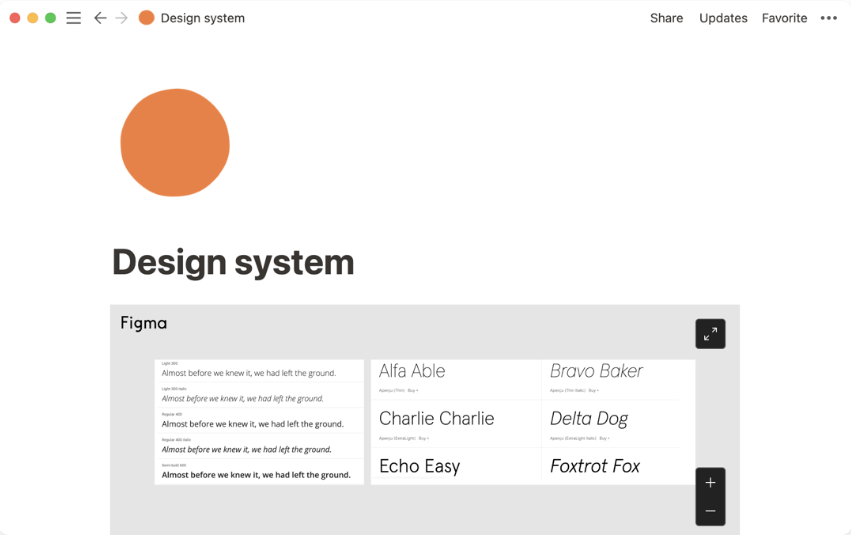
Notion is an all-in-one workspace for document management and team collaboration. It serves as a database tool for teams to create, store, organize, and share documents in a centralized location.
Teams can create chapters and subsections to organize documents, set up custom templates for quick access to frequently used content, add tags and comments to keep track of important information, and assign tasks and due dates for collaborative project management.
Notion best features
- Version history that allows you to revert to earlier versions of a document
- Seamless integration with cloud storage services for easy data transfer
- Collaborative editing that supports multiple users in a single document
- Access control with granular permissions for files and pages
- Mobile access for opening and sending files on the go
Notion limitations
- High degree of flexibility can also be challenging to know where to start or how to organize information effectively (check out Notion alternatives)
- Limited access to advanced controls unless you’re on the Enterprise plan
Notion pricing
- Free version
- Standard: $8 per user per month
- Premium: $15 per user per month
- Enterprise: Contact Notion for details
Notion ratings and reviews
- G2: 4.7/5 (1,700+ reviews)
- Capterra: 4.7/5 (1,400+ reviews)
9. Box
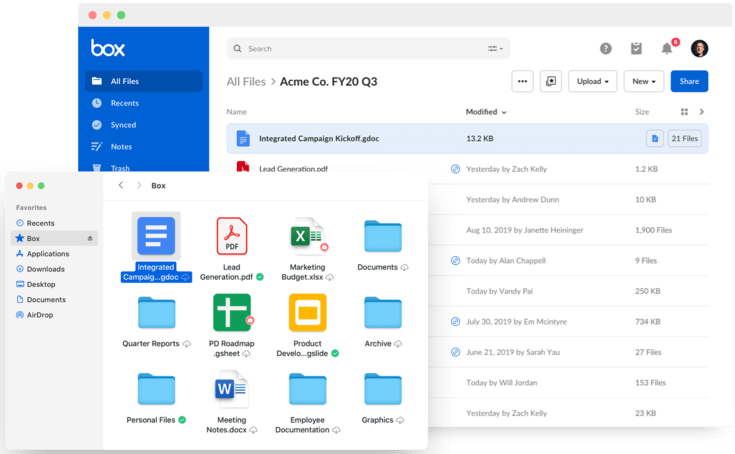
Box is a document management software and file-sharing service. It provides secure storage, collaboration, and communication solutions to help organizations store, share and manage their documents, spreadsheets, and other digital files in the cloud. With Box, users can access their stored files from any device and easily share them with colleagues or external partners.
The platform also offers features such as versioning to keep track of document changes over time, encryption for added security of sensitive information, and granular permission controls to decide who has access to what data. Additionally, Box provides enterprise-grade features such as integration with existing IT systems and security policies, customization of branding and user experiences, and powerful analytics capabilities.
Box best features
- Native data leak protection and cyber threat detection powered by advanced machine learning tools
- Integration with popular work apps such as ClickUp, Microsoft Teams, and Oracle NetSuite
- One-click file sharing for sending large files with ease
- Box Notes for creating project plans and schedules
- Box Sign for unlimited e-signatures
Box limitations
- Attempting to open multiple PDF files from the Box Drive search interface may cause an error
- Private key encryption is a paid feature
Box pricing
- Contact Box for details
Box ratings and reviews
- G2: 4.2/5 (4,800+ reviews)
- Capterra: 4.4/5 (5,000+ reviews)
10. Brandfolder
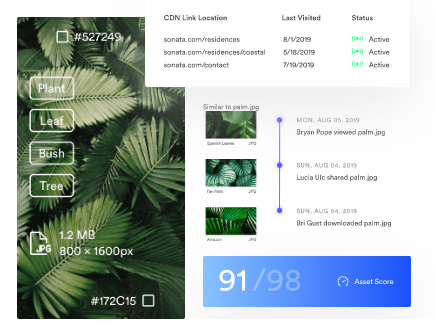
Brandfolder is an online digital asset management platform for businesses to store, organize, share, and track their brand assets. The platform serves as a centralized hub for managing all of a company’s branding materials, including images, logos, videos, documents, marketing collateral, presentations, and more.
With Brandfolder’s intuitive interface, users can quickly and easily access, manage, share, and track all their brand assets in one place. Plus, Brandfolder’s powerful tools make it easy to control how assets are used and distributed so your company’s branding remains consistent across all channels!
Brandfolder best features
- Public and private asset settings for important documents
- User management with quick access to user insights
- Multiple file format support for document creation
- Guest upload functionality for external partners
- Bulk uploads with drag-and-drop actions
Brandfolder limitations
- Sending multiple documents for approval is not a supported feature
- Lacks customization capabilities on non-enterprise plans
Brandfolder pricing
- Contact Brandfolder for pricing
Brandfolder ratings and reviews
- G2: 4.5/5 (1,100+ reviews)
- Capterra: 4.7/5 (430+ reviews)
Summarize this article for me pleaseThe Ultimate Tool for Collaborative Document Management: ClickUp Docs
ClickUp is the ideal choice for teams looking for a comprehensive document management system to manage all types of internal and client-facing content.
The platform’s versatility extends to its wide array of project management and collaboration tools, making it an all-in-one solution for teams seeking to optimize their workflow. Start a ClickUp Workspace today!


Everything you need to stay organized and get work done.

Recent Articles
7 Best Zoom Alternatives in 2026: Free Plans and Meeting Limits 
7 Best Zoom Alternatives in 2026: Free Plans and Meeting Limits
How to Create a Fillable Form in Microsoft Word (With Templates)
How to Create a Fillable Form in Microsoft Word (With Templates)
7 Best Perplexity AI Alternatives I Tested for Work in 2026 
7 Best Perplexity AI Alternatives I Tested for Work in 2026
