






Still downloading templates?
There’s an easier way. Try a free AI Agent in ClickUp that actually does the work for you—set up in minutes, save hours every week.
Sorry, there were no results found for “”
Sorry, there were no results found for “”
Sorry, there were no results found for “”
A content mapping template is your ticket to driving actual results, rather than just executing ideas.
Marketers, content strategists, and business owners use it to align their content with their target audience, buyer personas, and customer journey, ensuring that every piece serves a purpose.
By using the right template to create a content map, you get to optimize your content creation process and guide your potential customers through multiple stages of the buying journey with high relevance.
In this blog, we’ll explore the best content mapping templates to help you organize ideas, structure your strategy, and create engaging content that drives conversions.
Whether you need a website content mapping template or a content calendar, these free options will simplify your workflow.
Content mapping templates are visual tools that help content creators and marketers align their content strategy with the buyer’s journey and target audience.
They provide a structured framework for organizing and planning content based on various stages of the customer’s buying process, such as awareness, consideration, and decision.
Content mapping templates help you ensure that your content is relevant, timely, and addresses the specific needs and pain points of your target audience at each stage of their interaction with your brand. A strategic approach like this helps to improve engagement, drive conversions, and ultimately, build stronger relationships with your customers.
In essence, these templates act as your content marketing roadmap, guiding you in the content creation process to deliver the right message to the right people at the right time.
💡 Pro Tip: Your content strategy is only as good as the results it delivers. Learning which KPIs matter most and how to track them is a must for long-term success.
| Template Name | Download Template | Ideal For | Best Features | Visual Format |
| ClickUp Content Plan Template | Get free template | Content strategists, marketing teams, and editorial managers planning content initiatives | Organized workflow, collaboration, pre-built structure, multiple views (List, Calendar, Board) | ClickUp List, Calendar, Board |
| ClickUp Content Marketing Plan Template | Get free template | Marketing teams mapping quarterly/annual content goals | Campaign structure, KPI tracking, repurposing, cross-channel consistency | ClickUp List, Board |
| ClickUp Content Calendar Template | Get free template | Editorial teams managing publishing schedules | Drag-and-drop calendar, color coding, automation, custom views | ClickUp Calendar, List, Board |
| ClickUp Content Writing Template | Get free template | Writers, editors, and agencies producing high volumes of content | Pre-built writing structure, revision tracking, collaboration, version history | ClickUp Doc, List |
| ClickUp Content Management Template | Get free template | Content managers and marketing teams tracking content lifecycle | Centralized workspace, custom views, status updates, automation | ClickUp List, Board, Dashboard |
| ClickUp Web Content Production Template | Get free template | Website managers and strategists managing web content workflows | SEO tagging, task lists, automation, dependencies | ClickUp List, Board, Calendar |
| ClickUp Writing Guidelines Template | Get free template | Content leads and brand teams maintaining writing consistency | Style guide, visual/text examples, easy updates, grammar standards | ClickUp Doc, List |
| ClickUp Content Matrix Whiteboard Template | Get free template | Marketing strategists visualizing content gaps and opportunities | Matrix visualization, funnel mapping, team alignment | ClickUp Whiteboard |
| ClickUp Marketing Campaign Management Template | Get free template | Campaign managers coordinating multi-channel marketing | Campaign tracking, automations, shared timelines, KPI alignment | ClickUp List, Board, Calendar |
| ClickUp SEO Content Brief Template | Get free template | SEO specialists and content marketers creating briefs | Keyword tracking, SERP snapshots, standardized briefs, optimization | ClickUp Doc, List |
| ClickUp Social Media Advanced Template | Get free template | Social media managers tracking posts and engagement | Custom fields, analytics, automation, multi-platform scheduling | ClickUp List, Calendar, Dashboard |
| ClickUp Social Media Content Plan Template | Get free template | Social media strategists planning recurring campaigns | Content calendar, tagging, analytics integration, collaboration | ClickUp List, Calendar |
| ClickUp Concept Map Template | Get free template | Project managers and strategists mapping complex ideas | Mind-mapping, drag-and-drop, hierarchical structures | ClickUp Whiteboard |
| ClickUp User Persona Whiteboard Template | Get free template | Marketers and UX teams building buyer personas | Visual mapping, collaboration, real-time updates | ClickUp Whiteboard |
| ClickUp Sales Pipeline Template | Get free template | Sales teams tracking leads and deals | Pipeline visualization, CRM integration, custom workflows | ClickUp List, Board, Calendar |
| ClickUp Customer Journey Map Template | Get free template | CX managers and strategists mapping customer journeys | Journey visualization, pain point mapping, cross-team collaboration | ClickUp Whiteboard |
| ClickUp Project Mapping Template | Get free template | Project managers breaking down complex projects | Task dependencies, timelines, Gantt charts, dashboards | ClickUp List, Board, Timeline |
| ClickUp Video Production Template | Get free template | Video producers managing production workflows | Script tracking, asset linking, calendar views, collaboration | ClickUp List, Calendar |
| ClickUp User Persona Template | Get free template | Product managers and UX designers defining personas | Audience segmentation, profile building, marketing alignment | ClickUp Doc, List |
| User Persona Content Mapping Template by Miro | Download this template | UX professionals and strategists visualizing persona-driven content | Interactive whiteboard, persona mapping, funnel stages | Miro Board |
| Google Sheets Content Map Template by Ahrefs | Download this template | SEO specialists planning content with data | Search intent columns, funnel mapping, performance tracking | Spreadsheet |
| PDF Content Mapping Template by HubSpot | Download this template | Content managers conducting audits or workshops | Guided prompts, journey-based framework, print-ready | |
| Content Map Template by seoClarity | Download this template | Digital strategists optimizing content with analytics | Performance audit, ranking data, update tracking | Spreadsheet |
🧠 Fun Fact: Netflix doesn’t just recommend shows—it customizes the way each show looks using A/B-tested artwork based on your viewing behavior. That means two people might see completely different thumbnails for the same title, each tailored to their content preferences, whether you’re an action fan, a rom-com lover, or a documentary junkie.
An effective content mapping template provides a structured framework to align your content marketing strategy with your audience’s needs and the buyer’s journey. To make sure that your template adds value to your content mapping efforts, here are a few parameters to check:
📚 Also Read: A Guide to Using AI in Content Marketing
Content mapping is all about delivering the right content to the right audience at the right time. To help you map relevant content to your buyer’s journey, you need to have a content creation and mapping workflow.
This includes all processes, such as planning blog posts, social media campaigns, or email marketing sequences, to maximize engagement.
Here’s a handpicked list of the best content mapping templates from ClickUp, the everyday app for work, and others that will help you plan, organize, and execute your content marketing efforts with ease.
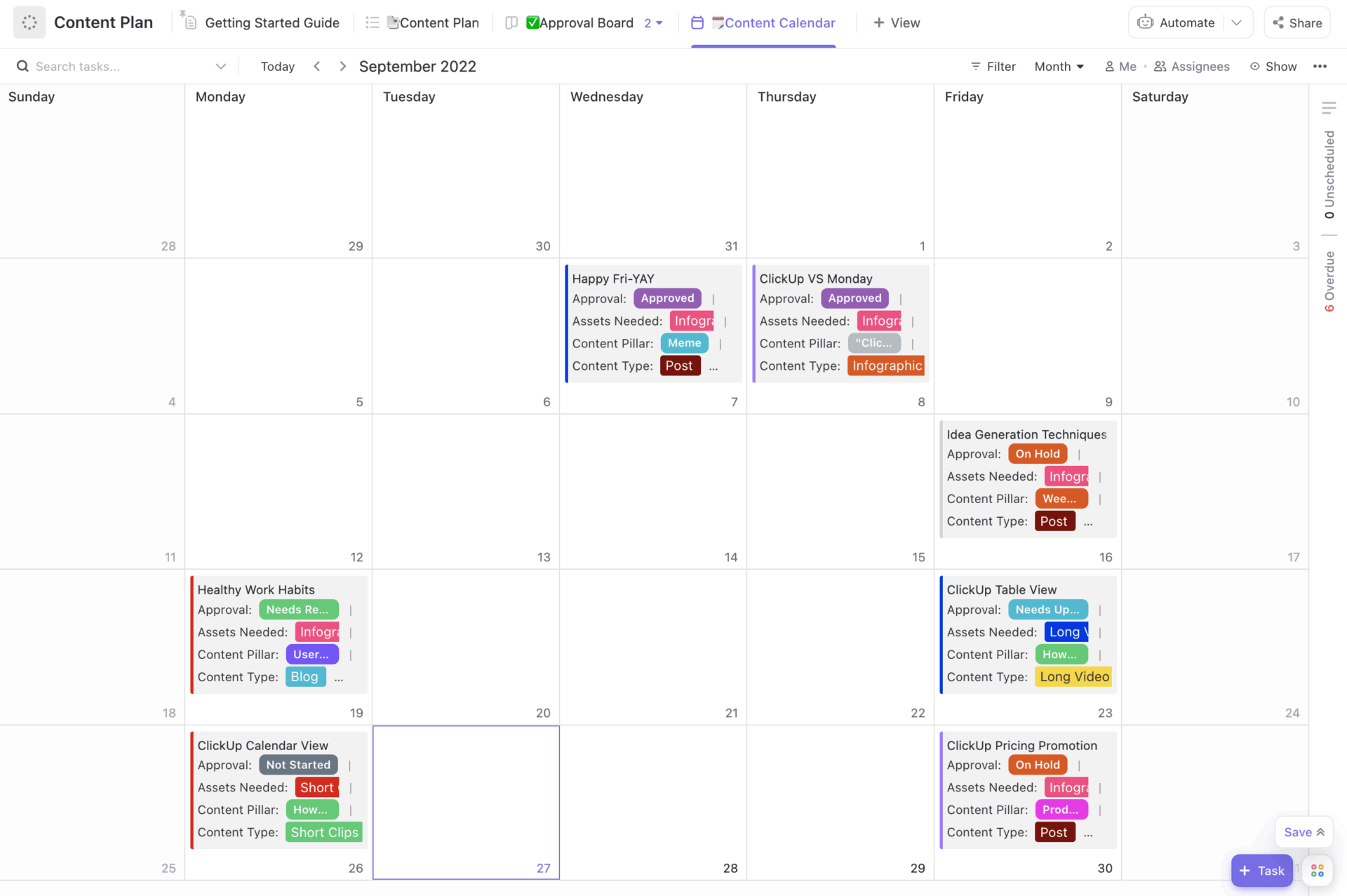
Managing a content strategy quickly becomes overwhelming without a clear plan. ClickUp Content Plan Template simplifies the process by giving you a structured space to map out your ideas, assign tasks, and set deadlines.
Whether you’re brainstorming blog topics or planning a full-scale marketing campaign, this template ensures that every piece of content has a purpose and aligns with your business goals. Plus, built-in automation and integrations make collaboration seamless, helping teams stay aligned and work efficiently.
Ideal for: Content strategists, marketing teams, and editorial managers looking for a reliable framework to plan, manage, and execute their content initiatives efficiently.
Here’s what Cristina Willson, Director of Content at Graphite, had to say about using ClickUp:
We not only started writing articles, but we decided to do so at scale, so we needed a robust platform that could easily adapt to our increasing number of deliverables. ClickUp was the best choice.
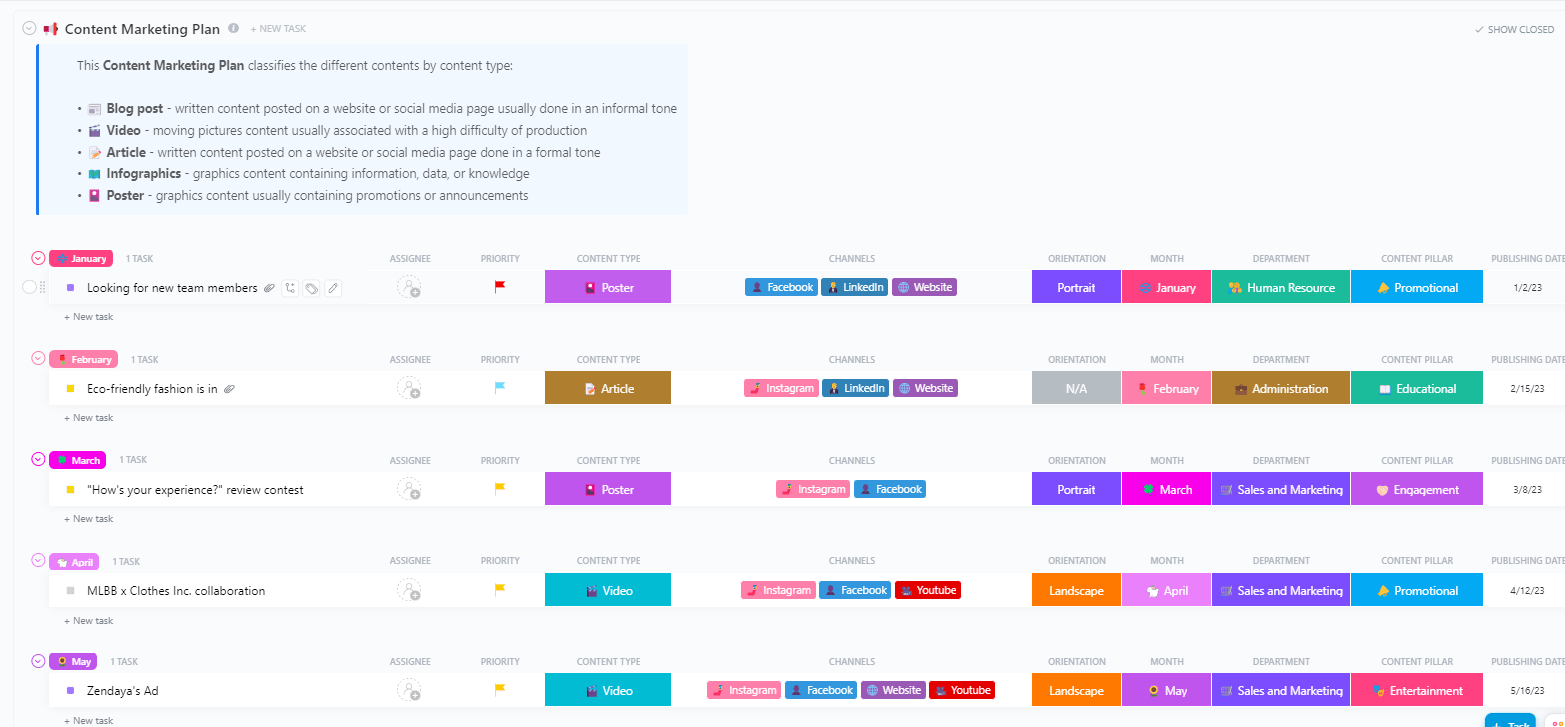
Bridge the gap between strategic objectives and content execution with the ClickUp Content Marketing Plan Template. It helps marketers map out quarterly or annual content goals, define target personas, allocate resources, and outline distribution tactics.
The template brings clarity to campaign structures, ensuring that every asset created aligns with measurable KPIs and contributes to larger brand goals. With space to define content pillars, campaign timelines, team responsibilities, and promotion channels, this template eliminates guesswork and keeps marketing initiatives on track.
Ideal for: Marketing teams and marketing managers overseeing multi-platform content strategies.
What happens after your brainstorming session? Put AI-powered Automations in charge to assign, track, and manage tasks! 👇🏼
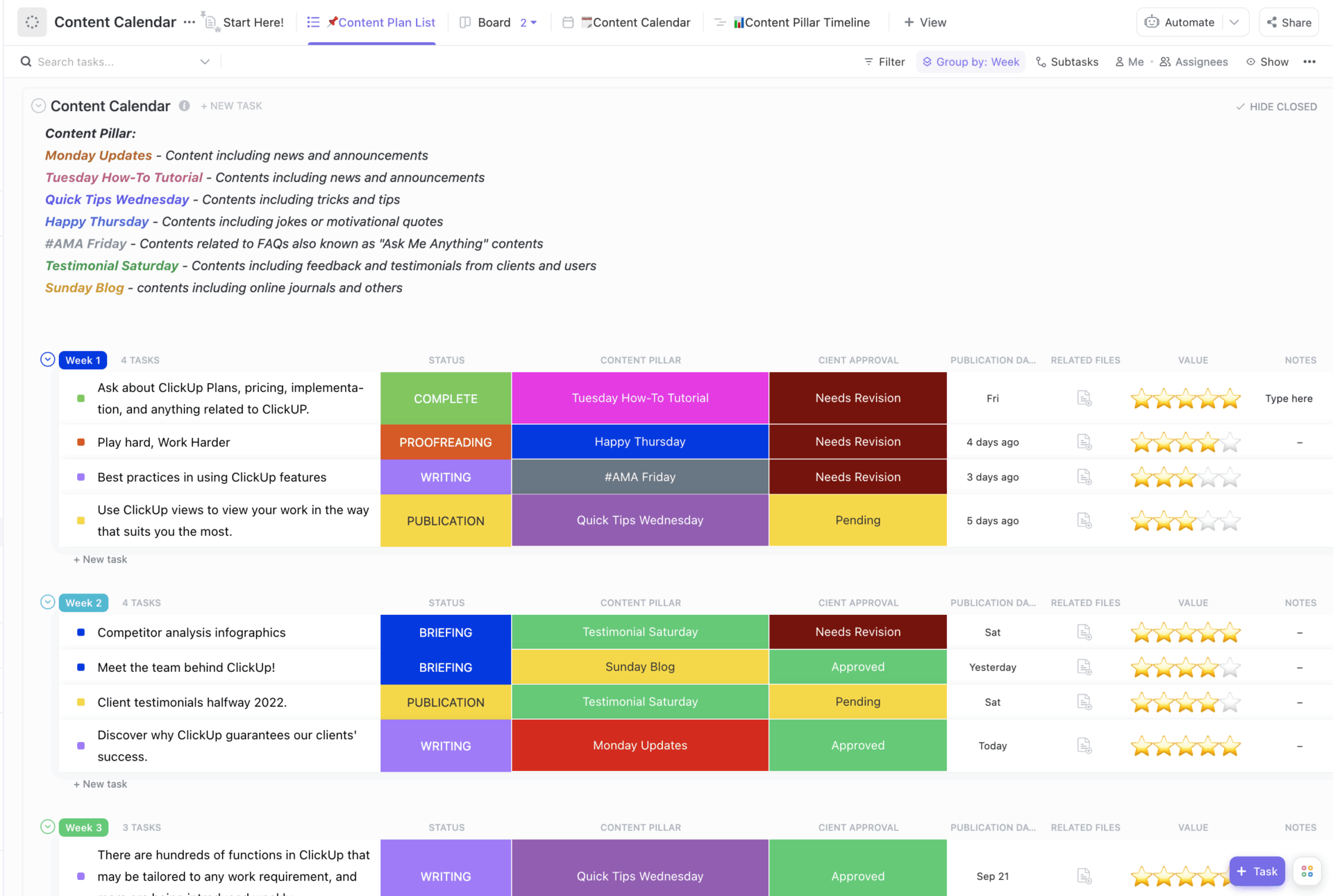
Designed to keep your publishing schedule organized, the ClickUp Content Calendar Template provides a centralized space for mapping content across weeks or months. It provides a structured workflow for assigning tasks, setting deadlines, and collaborating with team members, ensuring that all your content pieces are planned properly and organized to deliver results.
This template is ideal for avoiding last-minute scrambles and ensuring that all stakeholders are aligned on timelines. Plus, the visual drag-and-drop calendar helps teams keep track of deadlines, upcoming posts, and backlog items.
Ideal for: Editorial teams who need a clear, visual content schedule to stay on top of deadlines and publishing timelines.
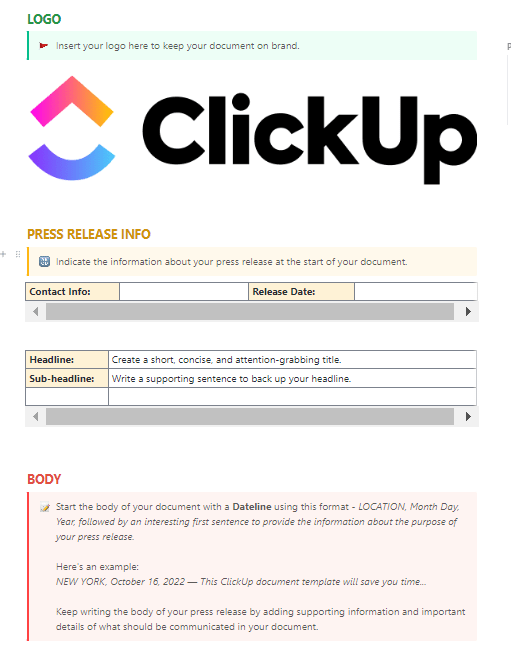
The ClickUp Content Writing Template is a writer’s command center inside ClickUp, built to help you stay focused and organized throughout the writing process. Sections for brainstorming, outlining, drafting, and revising create a system that allows quality content to take shape more efficiently.
This template allows you to organize content, track revisions, and manage deadlines by using pre-built task lists, status updates, and document collaboration. Moreover, the integration with ClickUp Docs ensures seamless writing and editing within the platform, while custom fields help categorize content by type, target keywords, and publication dates.
Ideal for: Writers, editors, content managers, and content agencies producing high volumes of written content.
📚 Also Read: How to Create a Content Brief (Template + Examples)
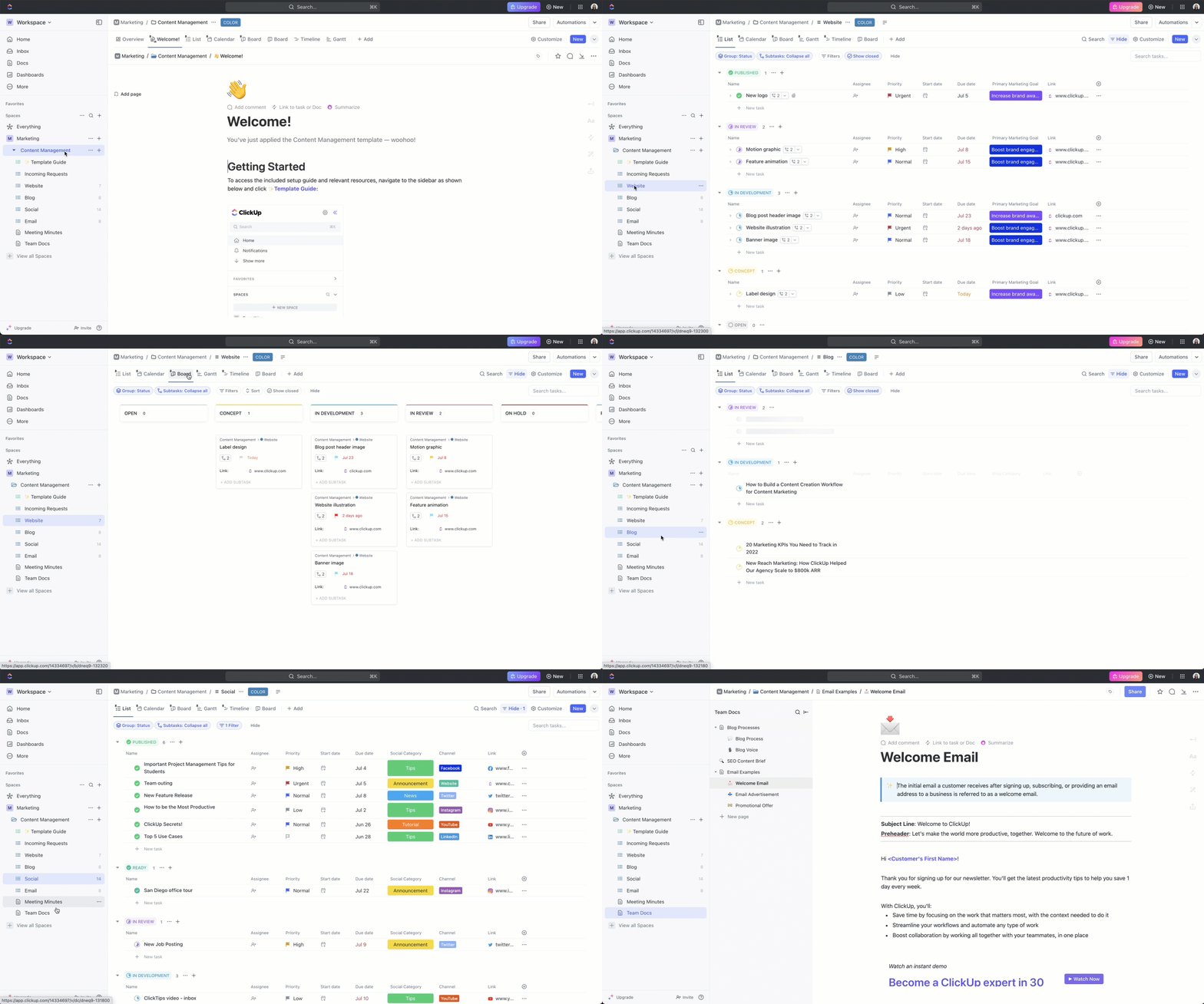
Content production often involves juggling formats, teams, and timelines. The ClickUp Content Management Template brings all these moving pieces together through a clear operational framework that tracks the lifecycle of every piece, from idea to distribution.
The template is particularly effective for cross-functional teams managing blogs, email sequences, social media posts, or gated assets. Custom Fields help you track content type, approval status, audience segments, and final outcomes, all while keeping your content pipeline fluid and accessible.
Ideal for: Content managers and marketing teams looking to enhance their content production and distribution efficiency over multiple content formats across platforms.
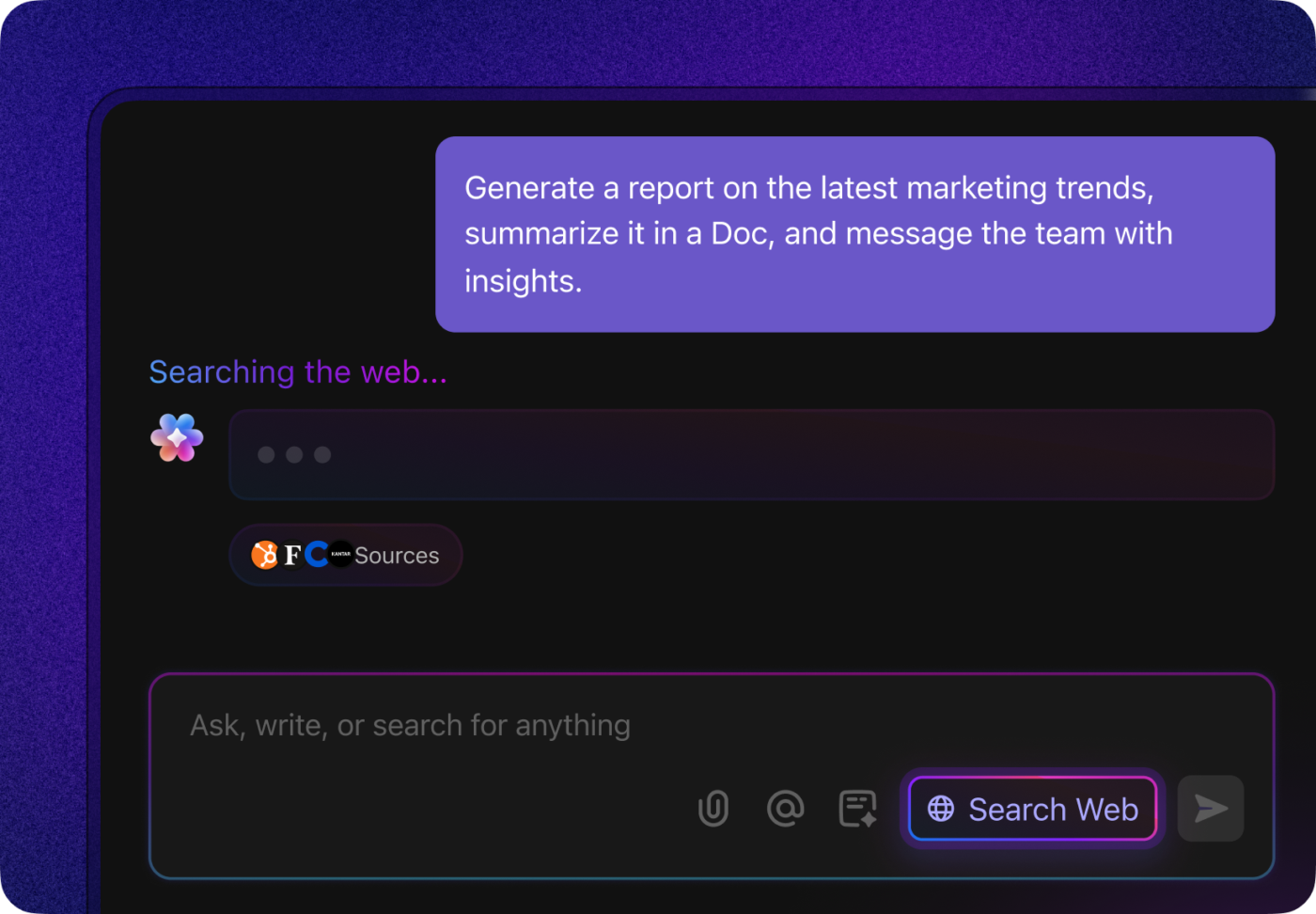
💡 Pro Tip: The ability to spot emerging trends in the market is a strategic competency, which enables organizations to anticipate and respond to pivotal shifts before they become widespread.
But no need to add one more tool to keep track of it all. Leverage multiple LLMs (like ChatGPT, Gemini, and Claude, right from your ClickUp Workspace) and real-time web search in ClickUp to find and synthesize marketing intelligence. If you want to supercharge your AI workflow, try Brain MAX, the AI desktop companion from ClickUp, with talk-to-text, powerful search, and more!
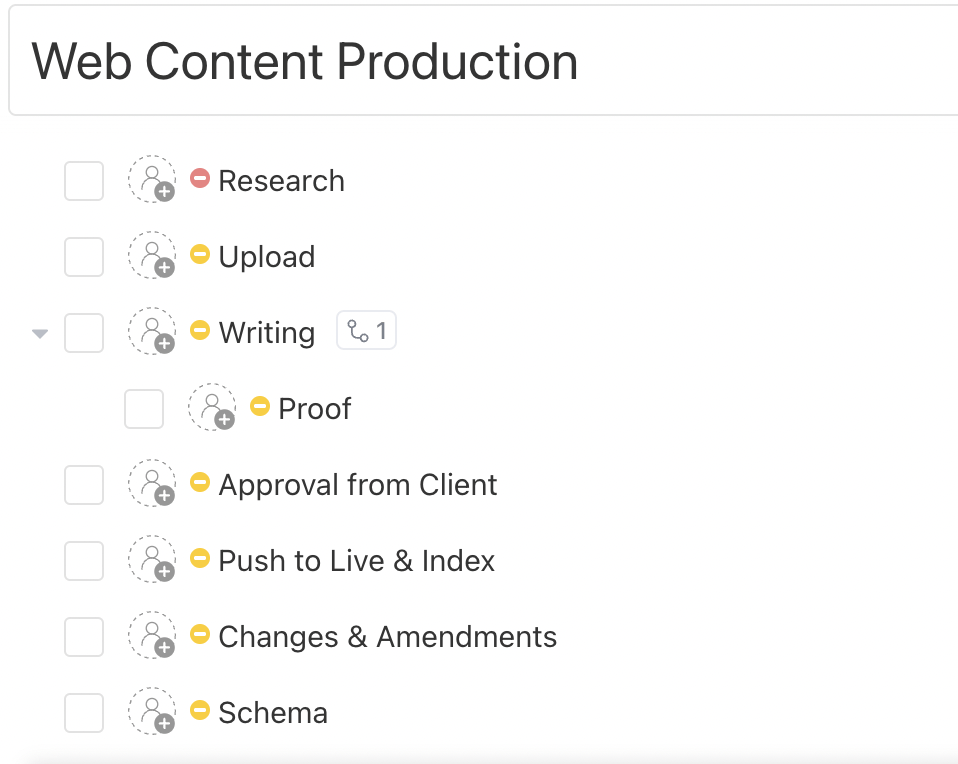
Producing high-quality web content requires a structured workflow to ensure consistency and efficiency, as it often involves multiple contributors. The ClickUp Web Content Production Template is built to keep that process optimized and hassle-free through a framework for wireframing, drafting, reviewing, optimizing, and publishing individual web pages or entire site sections.
This template includes task lists for SEO tagging, image placement, content migration, and legal approvals, ensuring that every requirement is met before launch. Additionally, integrated automation and dependencies make cross-functional coordination seamless, even across large-scale website projects.
Ideal for: Content strategists and website managers who need an efficient way to manage building or redesigning websites with detailed content rollouts.
➡️ Read More: Best Content Management Software and Tools
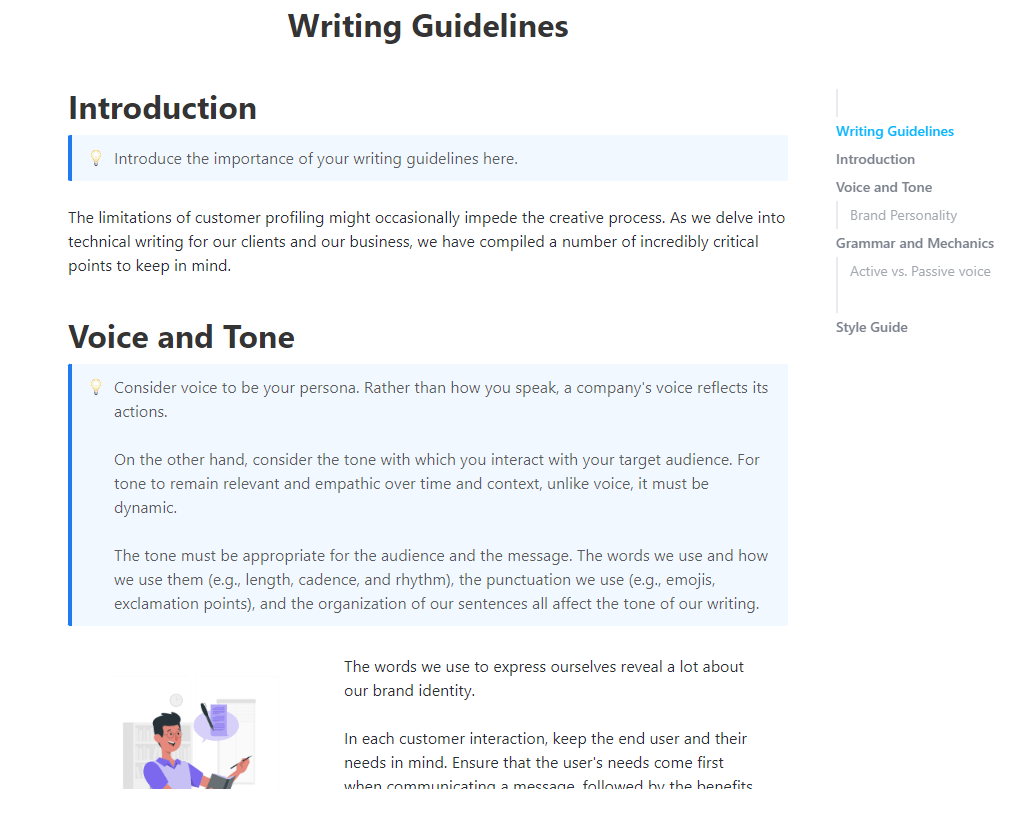
Consistency in writing is key to building a strong brand voice and delivering clear, engaging content. The ClickUp Writing Guidelines Template provides a central place for teams to document writing rules, tone of voice, formatting preferences, and style guidelines. Having a style guide within your workspace reduces ambiguity and helps internal and external contributors produce on-brand messaging every time.
It is particularly helpful during scale-up phases or when working with freelance or remote writers who need clear guidelines. The template helps with minimizing editorial revisions and helps maintain a consistent identity across web pages, social media posts, email newsletters, and long-form content.
Ideal for: Content leads, marketing managers, and brand teams looking to maintain uniformity across all written communication.
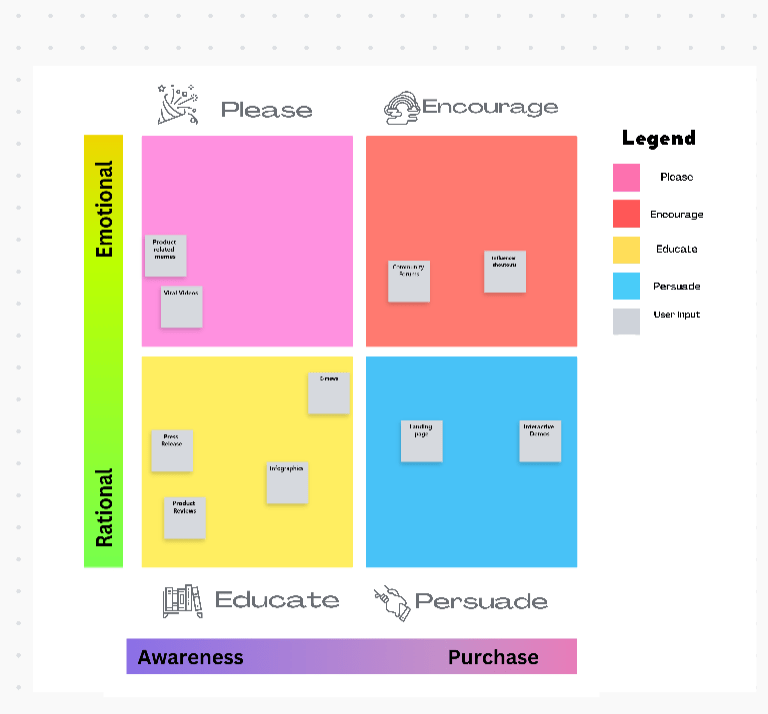
The ClickUp Content Matrix Whiteboard Template is a dynamic and collaborative tool that helps teams categorize content across buyer journey stages, formats, and audience segments. By organizing your strategy in a flexible matrix layout, it becomes easier to uncover opportunities, highlight gaps, and develop campaigns with more precision and intent.
The visual nature of the matrix ensures all stakeholders—from strategists to creatives—collaborate in real time, building a shared understanding of content priorities and dependencies. It also acts as a living document that evolves with changing campaigns or marketing goals.
Ideal for: Marketing strategists and professionals in workshop environments, editorial planning meetings, or brainstorming sessions where team input is essential.
📮 ClickUp Insight: 37% of our respondents use AI for content creation, including writing, editing, and email. However, this process usually involves switching between different tools, such as a content generation tool and your workspace.
With ClickUp, you get AI-powered writing assistance across the workspace, including emails, comments, chats, Docs, and more—all while maintaining context from your entire workspace.
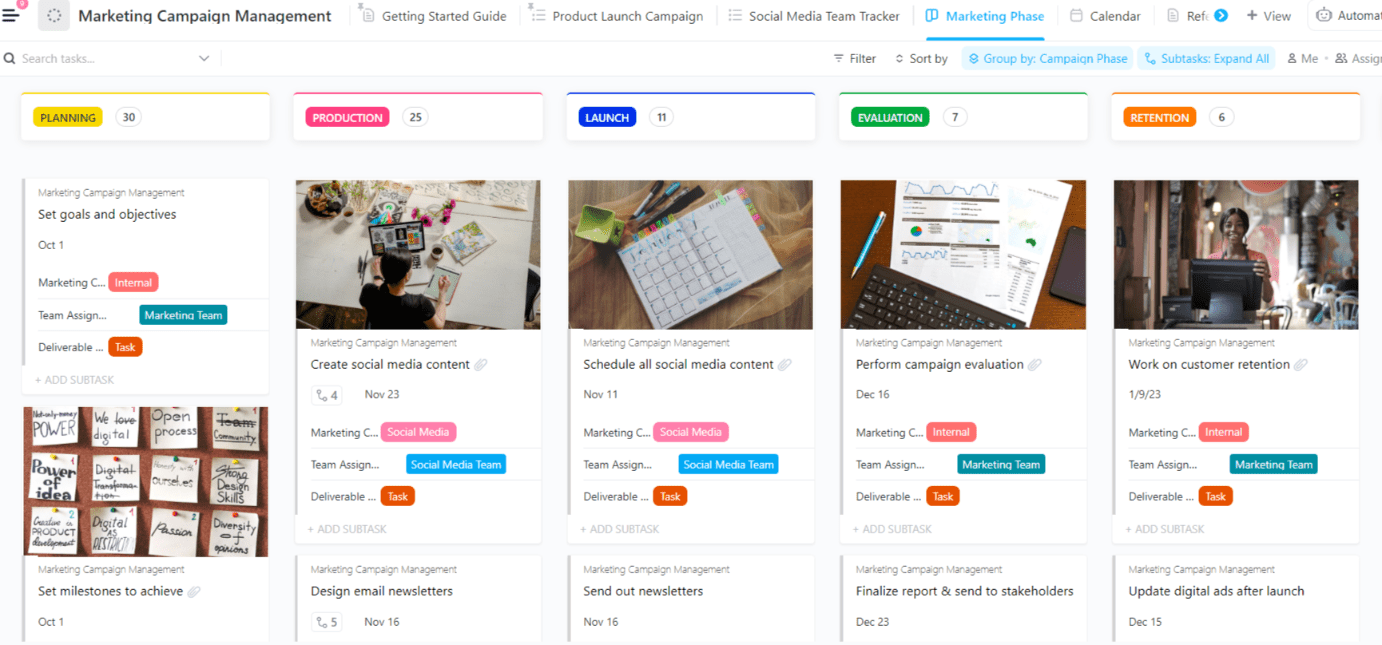
Orchestrate complex marketing campaigns with precision using the ClickUp Marketing Campaign Management Template. This template helps teams coordinate messaging, assets, timelines, and performance metrics across multiple channels, including paid media, email, and organic content.
Each task and deliverable is mapped to broader campaign objectives, providing alignment from kickoff to launch. The template is particularly powerful for campaigns involving multiple teams—design, copywriting, strategy, and analytics—offering a shared space to track approvals, deadlines, assets, and return on investment (ROI).
Ideal for: Marketing managers, campaign strategists, and digital teams managing multi-channel campaigns requiring high visibility and team-wide coordination.
➡️ Read More: Free Content Strategy Templates for Marketing
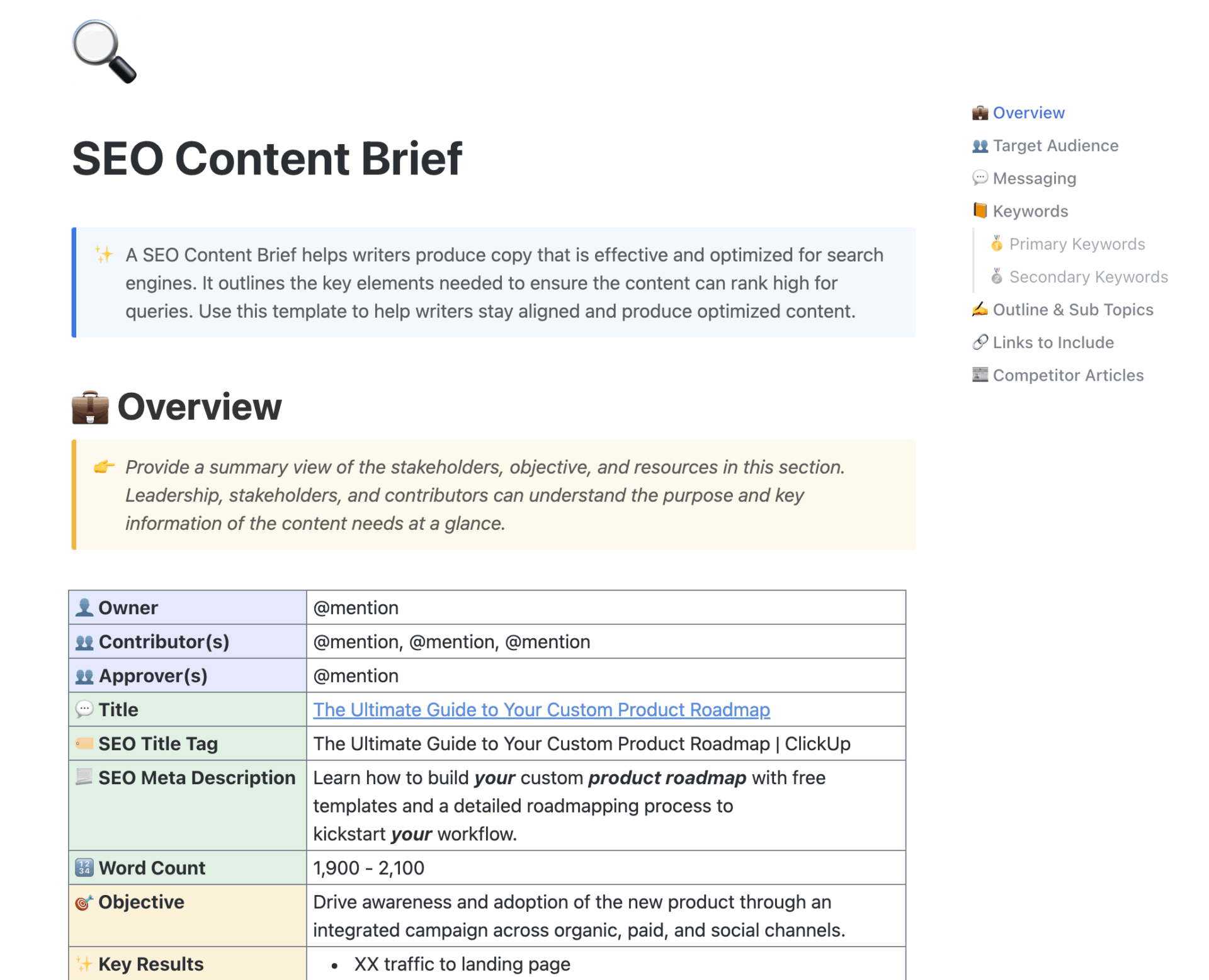
Creating content that ranks on search engines requires a well-structured SEO content brief. The ClickUp SEO Content Brief Template simplifies the process by helping content teams outline key SEO elements, such as target keywords, search intent, competitor insights, internal linking recommendations, and content structure, before the writing begins.
By frontloading this information, teams avoid misalignment and revisions while increasing the likelihood of strong search performance. It also allows for standardized briefing across multiple writers, ensuring every page is optimized with consistency and strategy in mind.
Ideal for: Content marketers, SEO specialists, agencies, and writers producing high-impact, keyword-optimized content.
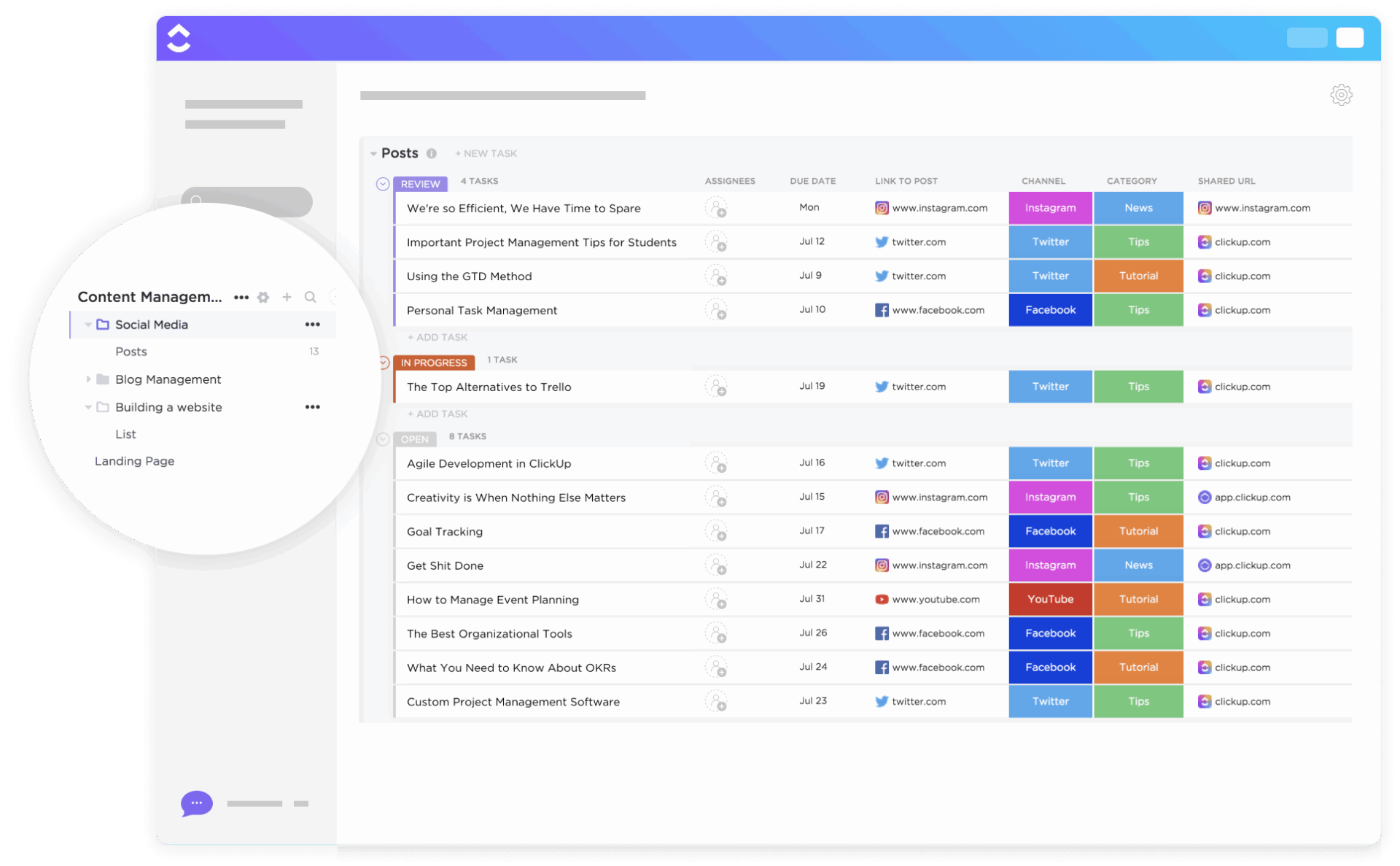
The ClickUp Social Media Advanced Template is a powerful planner for scheduling, organizing, and analyzing content for your social media strategy across all major platforms. This template supports content categorization by type, platform, campaign, and audience segment, making it easier to scale content while maintaining message consistency.
This template features custom views for content calendars, campaign tracking, and performance analytics, ensuring that teams can collaborate seamlessly while maintaining a consistent brand presence across all channels. Its workflow automation and social media project management features eliminate manual follow-ups and improve efficiency.
Ideal for: Social media managers, digital marketers, and content strategists who want to optimize social media operations and boost engagement.
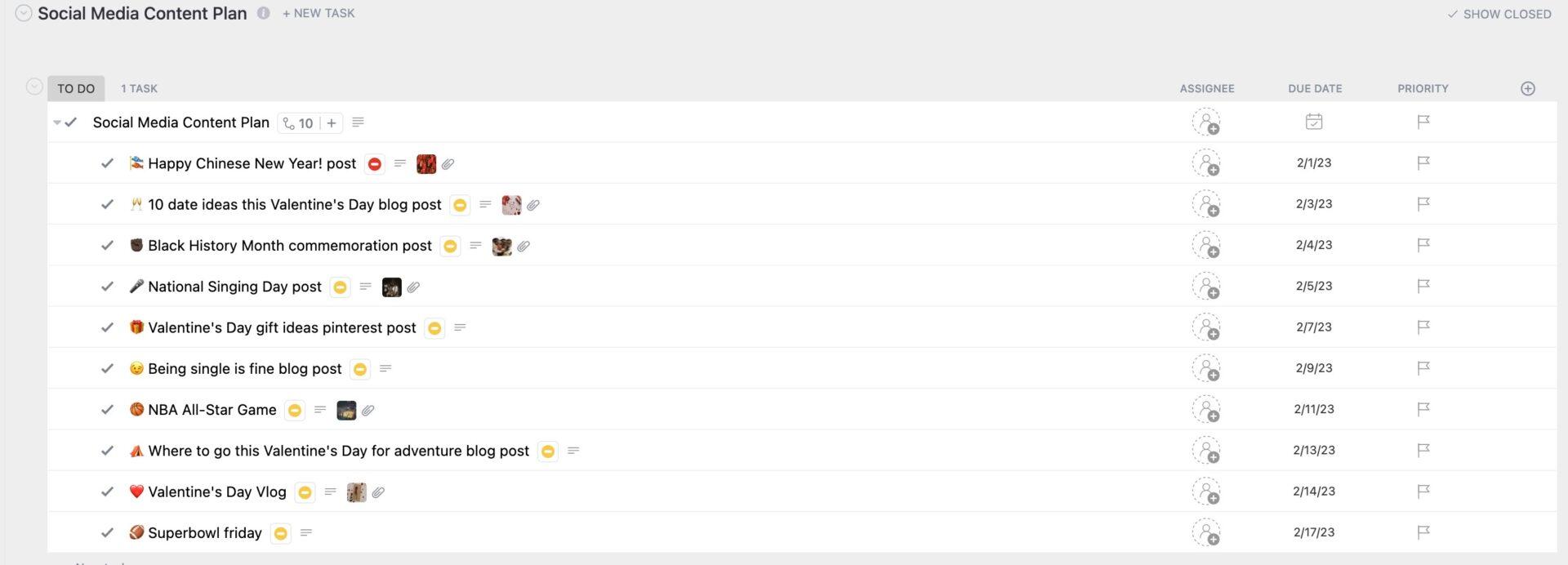
A successful social media strategy starts with a well-structured content plan. The ClickUp Social Media Content Plan Template lets teams outline posting schedules, content themes, target platforms, and promotional objectives in a centralized workspace. It’s particularly useful for managing recurring campaigns or seasonal promotions across different channels.
The structured layout supports easy scheduling, collaboration, and review workflows. Built-in tagging and filtering allow teams to manage content by platform, topic, or stage, keeping your social media calendar clear, aligned, and adaptable to real-time changes.
Ideal for: Social media strategists, content creators, and marketing teams coordinating ongoing organic and promotional social efforts across multiple accounts.
➡️ Read More: Best Digital Marketing Apps for Digital Marketers
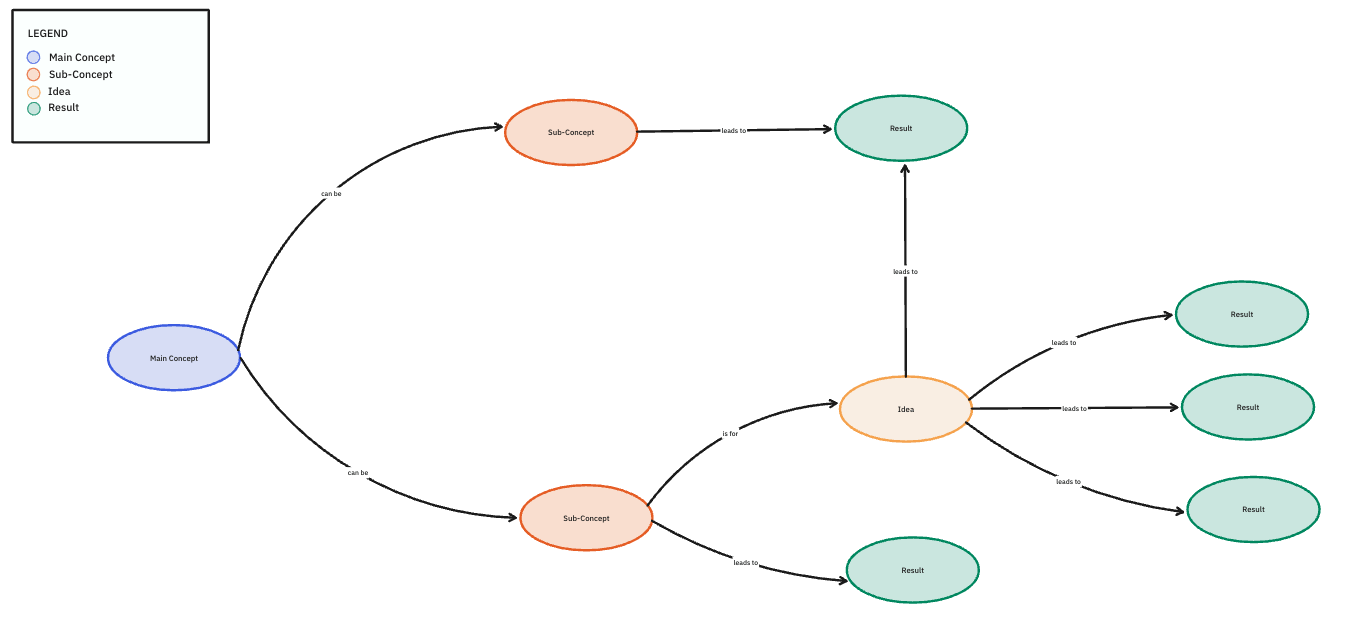
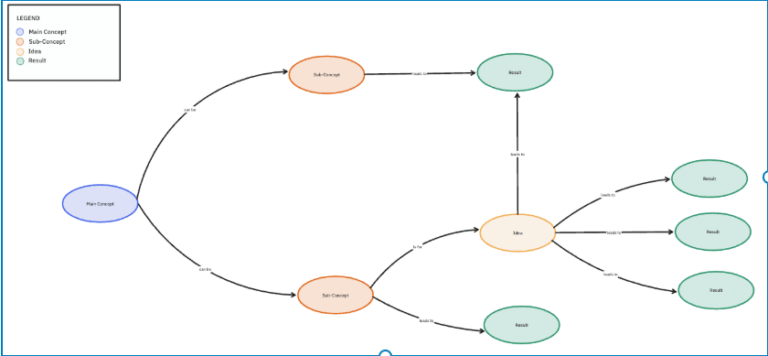
The ClickUp Concept Map Template is a visual thinking tool that helps teams and individuals organize and connect abstract ideas or processes. Whether you’re planning out product messaging, educational resources, or content structure, this template makes it easier to see how concepts relate and build from one another logically.
It features flexible mind-mapping tools, allowing you to drag and drop elements, create hierarchical structures, and link ideas seamlessly. As a result, you get to break down broad topics into smaller, interconnected ideas, making it easier to plan content, map out strategies with your buyer persona, or develop new campaigns targeted towards your prospective customers.
Ideal for: Project managers, content strategists, educators, and creative teams mapping big ideas into structured formats.
Here’s a rundown on the best brainstorming techniques for new ideas:
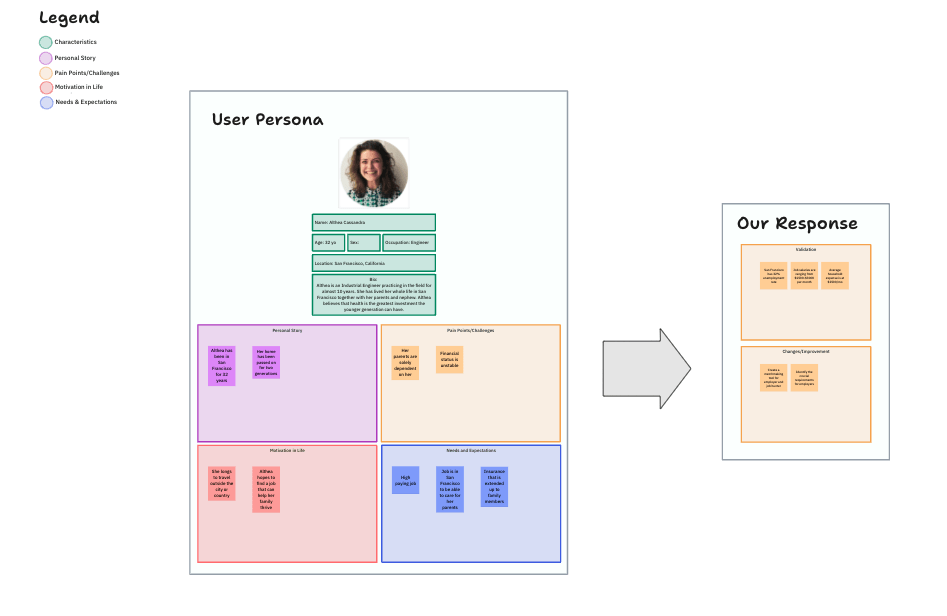
The ClickUp User Persona Whiteboard Template brings a visual, collaborative spin to persona creation. It allows cross-functional teams to sketch out user segments in a flexible space using sticky notes, tags, and color-coded sections for demographics, behaviors, needs, and goals.
This whiteboard layout is ideal for brainstorming sessions, live workshops, or remote team alignment. Invite multiple stakeholders—product, sales, marketing, and UX—to contribute insights simultaneously, fostering a unified understanding of the audience.
Ideal for: Marketers, UX designers, product teams, and business strategists who need to create in-depth visual insights for better engagement and conversion.
📚 Also Read: How to Market to Millennials
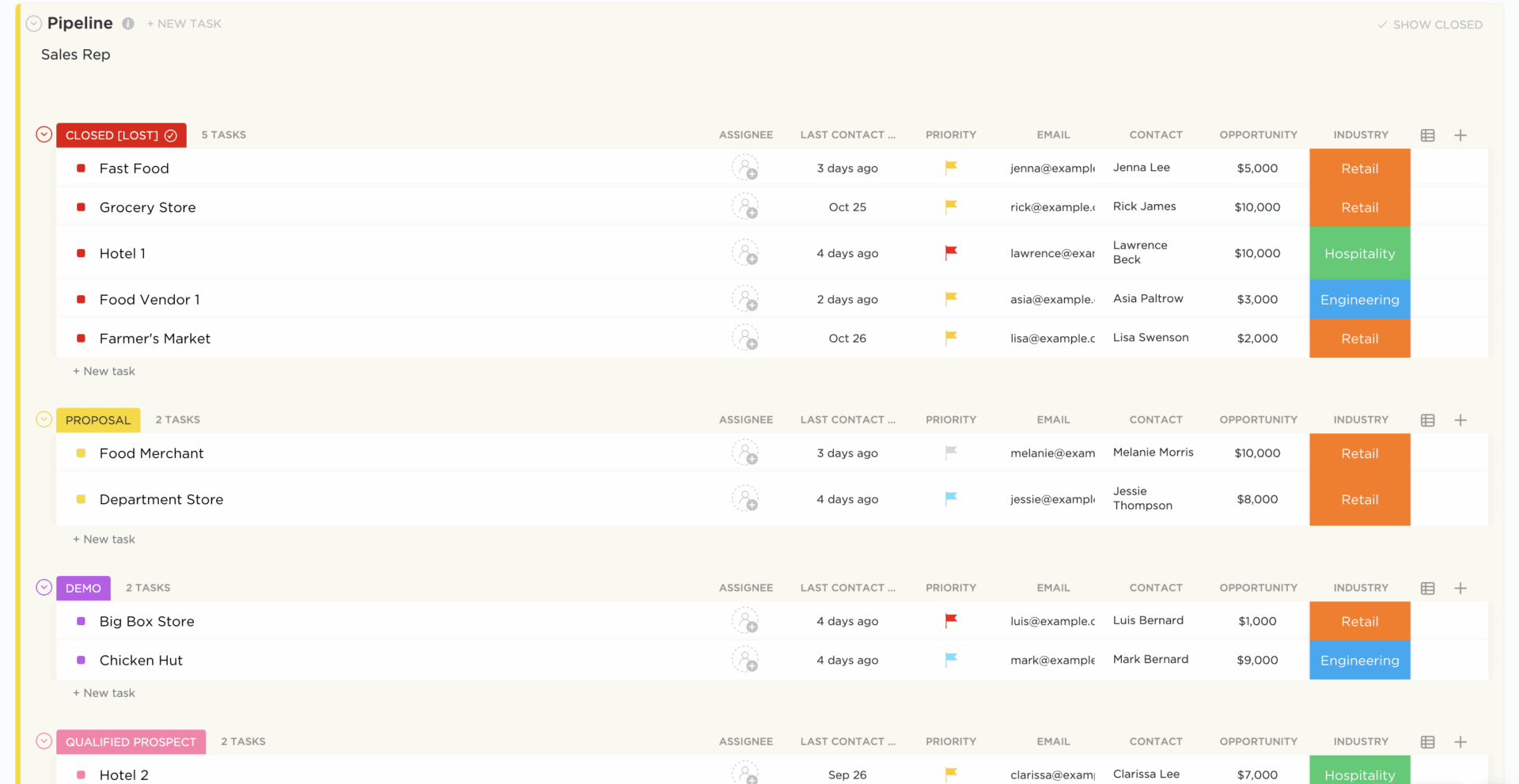
Managing sales opportunities effectively is key to closing deals faster and growing revenue. The ClickUp Sales Pipeline Template offers a structured view of the entire sales funnel, making it easy to track deals, lead stages, touchpoints, and conversions.
It allows sales teams to visualize their pipeline in multiple views (List, Board, or Calendar), track lead statuses, and ensure no opportunity slips through the cracks. The template also integrates with CRM tools, keeping all customer data in one place, making it easy to prioritize high-value prospects and streamline workflows.
Ideal for: Sales teams, business development professionals, and revenue operations managers managing deals and lead progression while coordinating with marketing for content enablement.
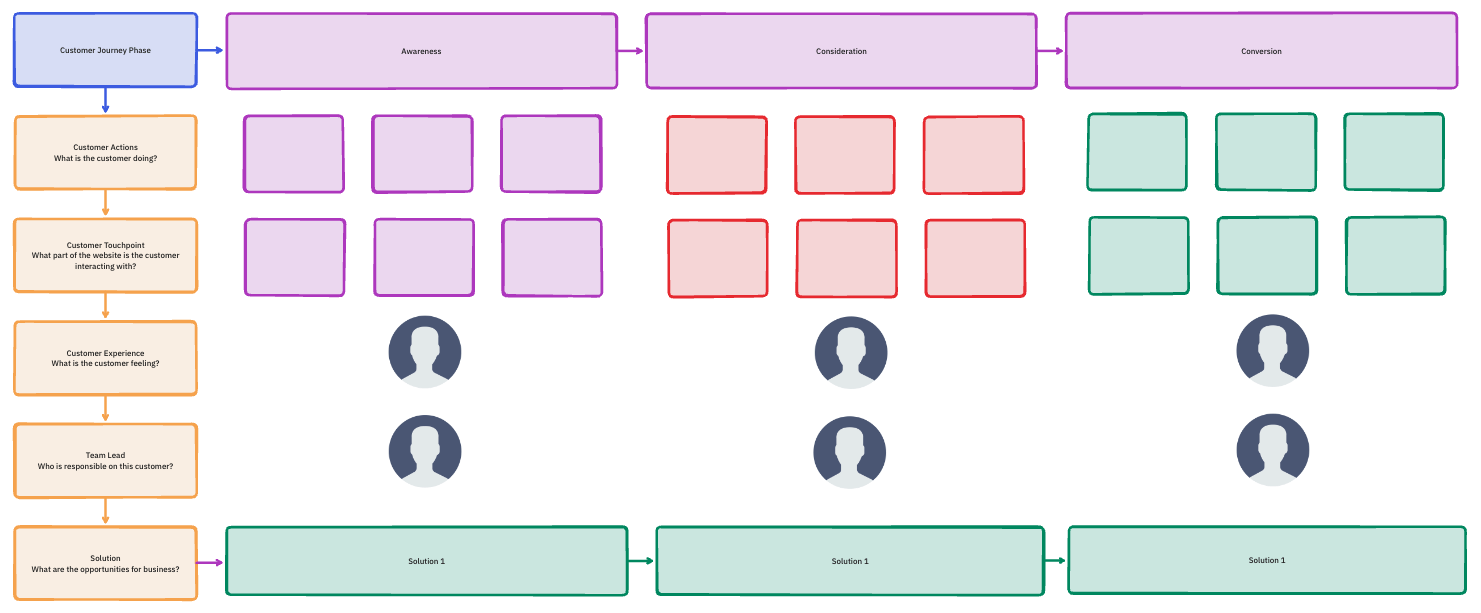
Understanding how customers interact with your brand is crucial for delivering better experiences. The ClickUp Customer Journey Map Template is a strategic tool for visualizing how customers interact with your brand at every stage, from discovery and consideration to purchase and advocacy.
These insights then help marketing, sales, and product teams to tailor content and messaging more effectively. Consequently, it supports better user experiences and targeted campaigns based on real behavioral patterns.
Ideal for: Customer experience managers, marketing teams, and business strategists who want to optimize customer interactions and improve brand loyalty based on end-to-end customer experience.
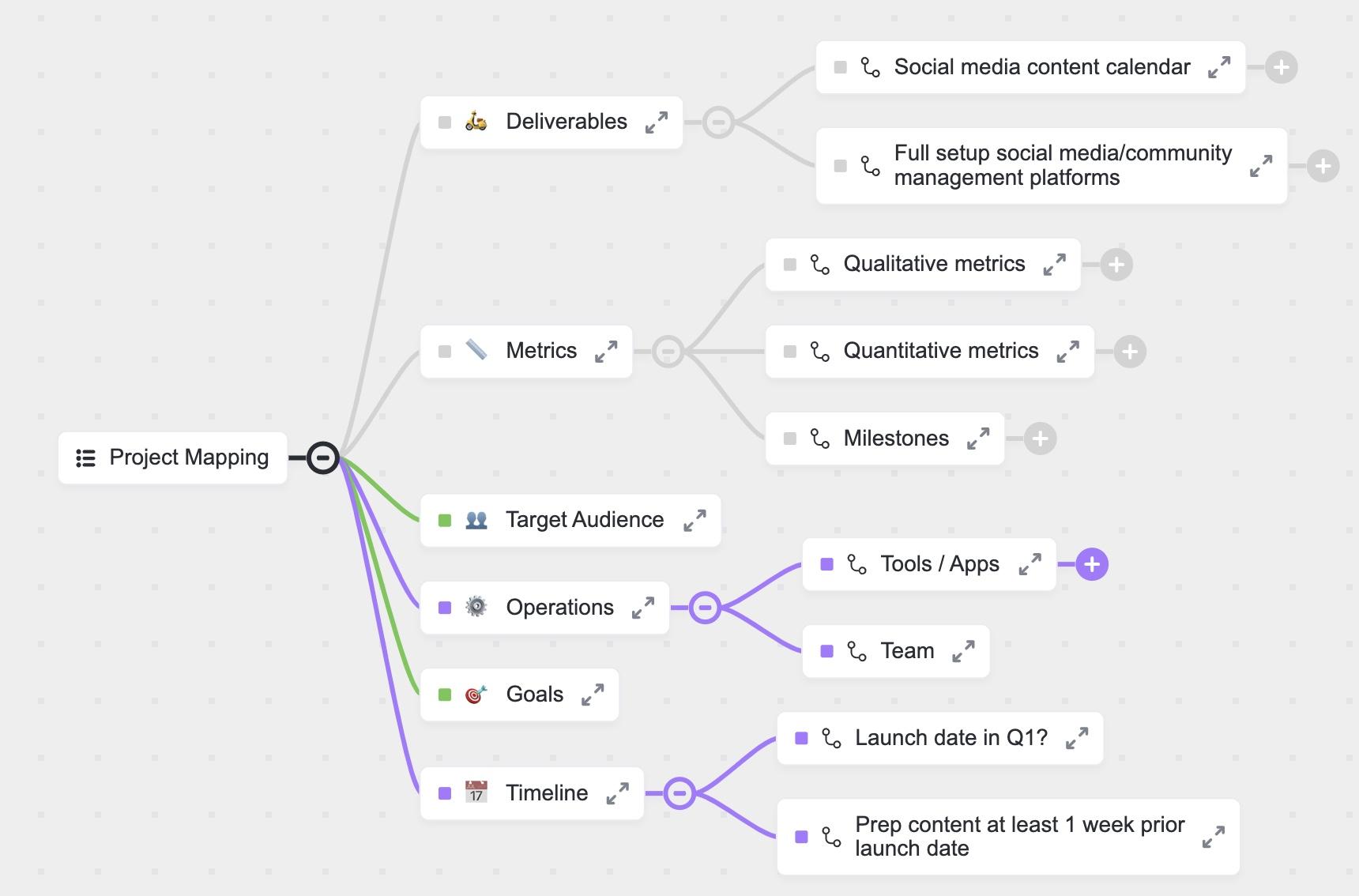
The ClickUp Project Mapping Template helps teams break down large initiatives into manageable parts with clear connections by organizing tasks, dependencies, and workflows efficiently. It offers a visual structure to define project goals, sub-tasks, team responsibilities, and key milestones.
With features like custom statuses, visual timelines, and collaborative dashboards, this template makes it easy to track progress, allocate resources, and adjust timelines as needed. Whether you’re managing a product launch or a long-term marketing initiative, this template keeps everyone on the same page.
Ideal for: Project managers, marketing team leads, and operations specialists who need to coordinate tasks, timelines, and goals for a project efficiently.
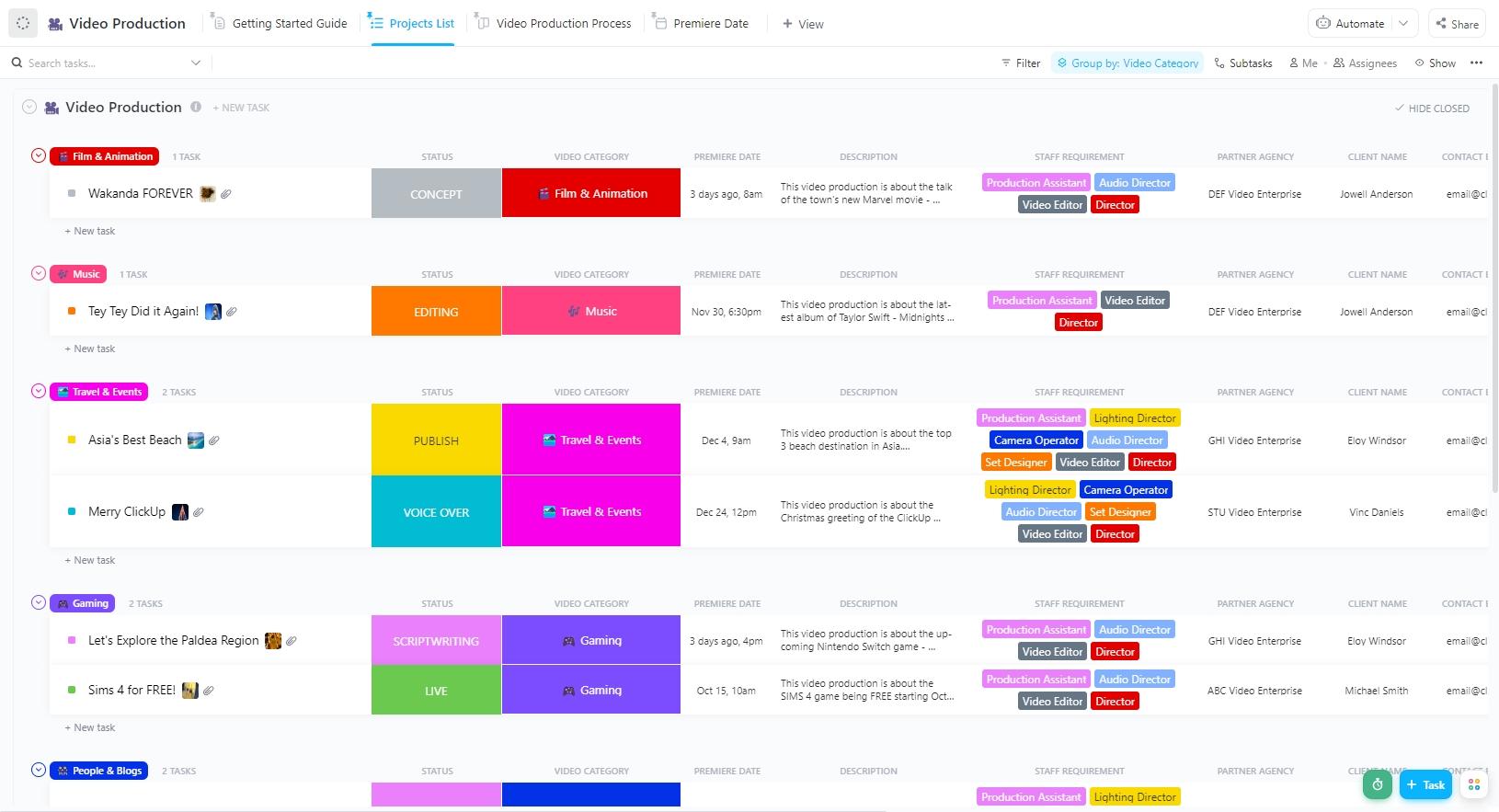
From brainstorming ideas to final edits, video production involves multiple moving parts. The ClickUp Video Production Template simplifies this process by providing a structured workflow for managing scripts, shot lists, editing schedules, and approvals. It leads teams through all stages, from pre-production planning and scripting to casting, filming, and post-production editing.
The template supports collaboration across teams—writers, editors, designers, and producers—by providing a shared structure for reviews, assets, and deadlines. It’s ideal for maintaining creative standards and meeting release schedules.
Ideal for: Video producers, content creators, and marketing teams managing video content creation for brand storytelling, ads, or social media.
💡 Pro Tip: The fundamental element underpinning all online marketing initiatives is content. An exhaustive content marketing management plan can make all the difference in winning this space.
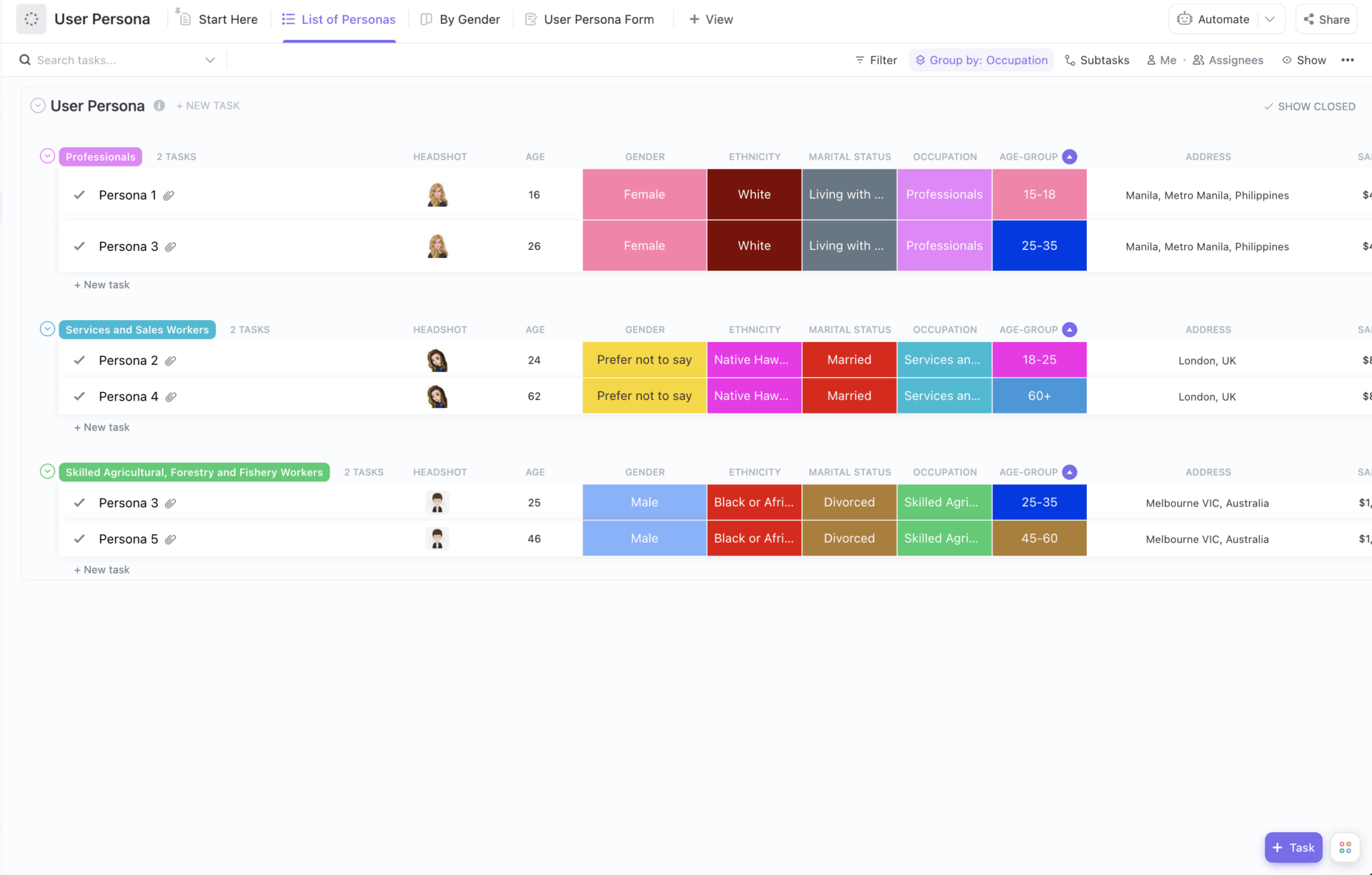
Understanding your target audience is the foundation of a successful marketing strategy. The ClickUp User Persona Template helps teams define detailed buyer personas by organizing key insights, including demographics, interests, pain points, and behavioral patterns.
With this template, marketers, product teams, and content strategists create structured user profiles that align with the customer journey. These personas help teams develop targeted content, products, and campaigns that resonate with specific user types.
Ideal for: Product managers and UX designers who want to create highly targeted strategies by understanding their customer base better.
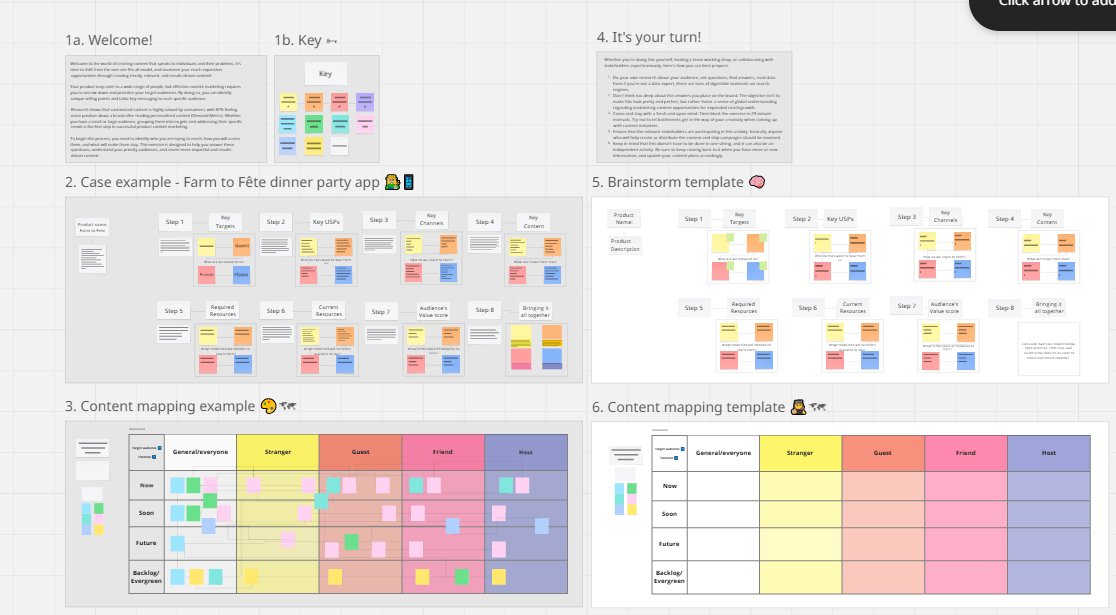
If you’re a visual thinker, the Content Mapping Board Template by Miro is a game-changer. This interactive whiteboard-style template allows teams to brainstorm, structure, and visualize content ideas dynamically and flexibly.
The template includes pre-set categories for buyer personas, content types, and marketing funnel stages, helping you see the bigger picture of your content strategy. Whether you’re mapping blog topics, planning email sequences, or designing a social media calendar, this template keeps everything organized and easy to navigate.
Ideal for: Marketing strategists, content creators, and UX professionals looking to optimize content for different audience segments and improve engagement.
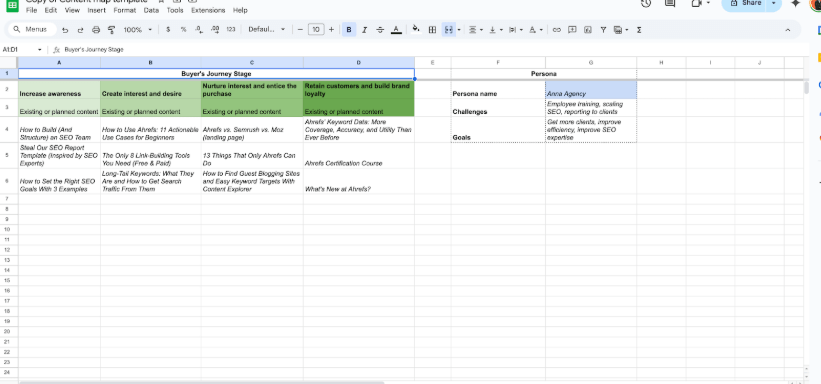
For data-driven marketers, the Google Sheets Content Map Template by Ahrefs provides an organized way to plan their content strategy. This spreadsheet-based template helps you create your own content map based on multiple factors, such as target keywords, buyer personas, and funnel stages.
Through built-in columns for search intent, content format, and target audience, this template makes it easy to map existing content with various buyer’s journey stages. Moreover, the simplicity of the spreadsheet format allows for wide team access while being great for mapping new articles, refreshing old ones, and prioritizing based on search potential.
Ideal for: SEO specialists, content marketers, and digital strategists using search data to drive planning and prioritization.
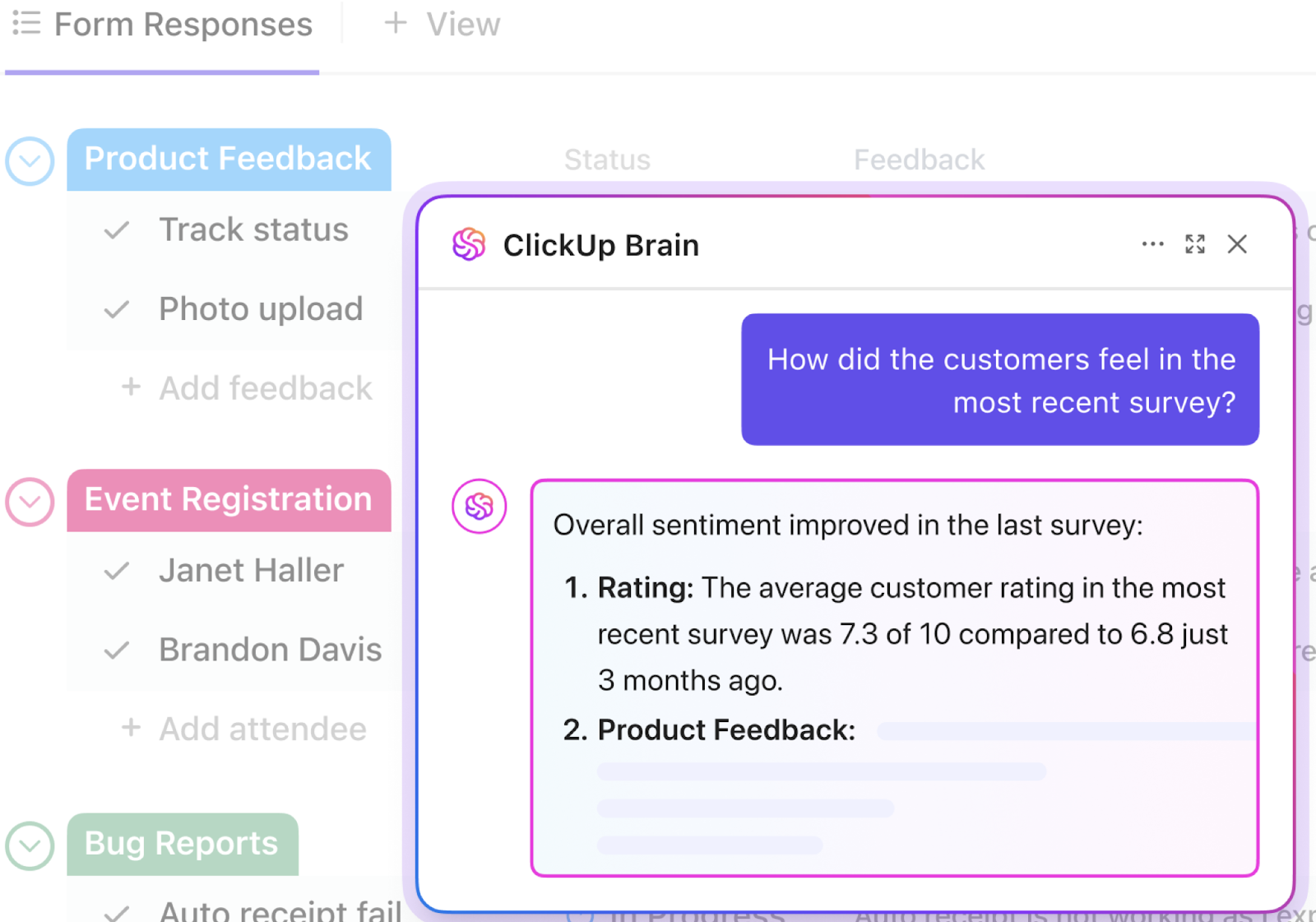
✨ Bonus Tip: Create sharper, research-driven personas faster with ClickUp Brain. This intelligent AI assistant, built right into ClickUp, empowers your team to:
The PDF Content Mapping Template by HubSpot offers a downloadable, print-ready layout that helps teams match content formats with buyer journey stages. It’s particularly useful for workshop settings, client presentations, or collaborative planning sessions.
The template covers essential aspects of content mapping, including defining target personas, identifying content gaps, and creating a plan for each stage of the customer journey. The structured prompts evaluate audience needs and touchpoints to move the right content forward.
Ideal for: Marketing strategists, content managers, and business owners conducting audits or campaign planning.
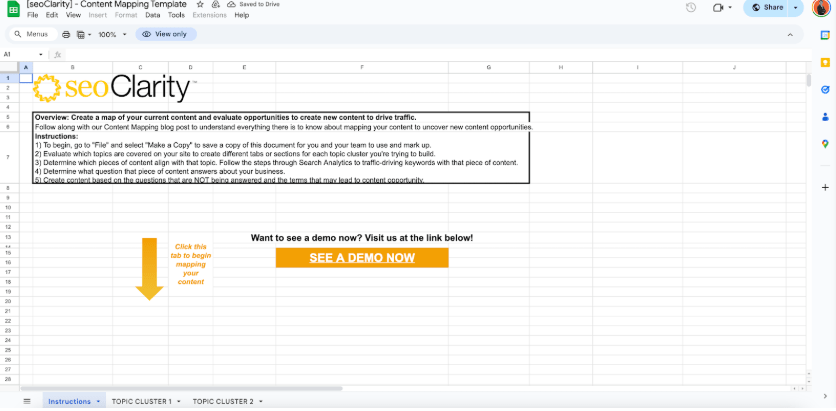
The Content Map Template by seoClarity uses data from analytics platforms and keyword research tools to inform a prioritized content strategy. It includes columns for page performance, ranking data, content type, audience stage, and update frequency.
The template enables teams to align content performance with business goals and continuously refine their strategy based on results. As a result, it is great for identifying both opportunities and underperforming content at scale.
Ideal for: SEO specialists, content marketers, and digital strategists managing large volumes of content who want to use performance data to drive continual content optimization.
Content mapping is more than just a strategy! It is the backbone of an effective content marketing plan.
But the real challenge of the process lies in execution—collaborating seamlessly, tracking progress, and adapting to changing priorities.
That’s where ClickUp makes a difference. This everyday app for work helps simplify workflows, centralize content assets, and keep everyone on the same page.
Whether you’re planning content calendars, tracking content performance, or managing stakeholder feedback, ClickUp provides the flexibility and structure you need to turn content marketing strategy into action.
Are you ready to organize, optimize, and scale your content efforts? Try out ClickUp today!
How to create content mapping?
Creating content mapping involves visually organizing your content ideas, topics, and formats to align with your audience’s needs and the stages of their journey. Start by identifying your target personas and mapping out the buyer’s journey (awareness, consideration, decision). Next, brainstorm content topics that address each stage and assign them to the appropriate persona and journey phase. Use a content mapping template or a tool like ClickUp’s Content Plan Template to structure your ideas, assign responsibilities, and set deadlines.
Is there a concept map template in Word?
Microsoft Word does not have a built-in concept map template, but you can easily create one using the “Shapes” and “SmartArt” features. Simply insert a blank document, go to “Insert,” and choose “SmartArt” or “Shapes” to draw nodes and connecting lines. There are also downloadable concept map templates available online that you can open and edit in Word.
What is a content map?
A content map is a visual framework that connects your content topics, formats, and distribution channels to specific audience segments and stages of the buyer’s journey. Its purpose is to ensure that every piece of content you create serves a strategic goal—whether it’s raising awareness, nurturing leads, or driving conversions. Content maps help marketers and content creators identify gaps, avoid duplication, and deliver the right message to the right audience at the right time.

© 2026 ClickUp

There’s an easier way. Try a free AI Agent in ClickUp that actually does the work for you—set up in minutes, save hours every week.