



Sorry, there were no results found for “”
Sorry, there were no results found for “”
Sorry, there were no results found for “”
Ever wondered why your team still misses deadlines, even when the process looks solid on paper?
In many cases, the work is scattered. Tasks sit in spreadsheets. Updates end up buried in long email threads. Files are spread across different drives. Conversations disappear in long chat threads.
Your team isn’t slow. They’re just switching context so often that it exhausts them.
A good project management tool is designed to fix this. It gives you one central system where work, updates, files, and conversations live together.
That’s exactly why teams move from scattered tools to a Converged AI Workspace — because Work Sprawl isn’t just annoying, it’s the reason deadlines slip even when the process looks solid.
If you’re choosing between ClickUp and Trello, this guide will help you pick the right fit.
Here’s a side-by-side view of how ClickUp and Trello differ in the areas most teams care about.
| Feature | ClickUp | Trello |
|---|---|---|
| Task Management | Custom dashboards with 50+ widgets for workload, sprints, Custom Fields, goals, etc. | Simple cards with checklists, labels, and attachments |
| Dashboards | Board/card templates only; limited to complex workflows | Limited dashboards; available only via third-party Power-Ups |
| Templates | Templates for tasks, Docs, Lists, Spaces, workflows; fully remappable | Butler automations: less powerful, fewer triggers |
| Learning Curve | Steeper learning curve due to depth | Flat learning curve |
| Time Tracking | Built-in native time tracking | Requires Time Tracking Power-Up |
| Integrations | 1,000+ native + third-party integrations | ~200 Power-Ups |
| Collaboration Tools | Built-in Docs, whiteboards, real-time editing, comments, task chat, mentions | Card-level comments, mentions, basic checklists |
| Advanced Security | 2FA, granular permissions, SSO on paid plans, audit logs | 2FA; SSO only on Enterprise |
| Free Plan | Unlimited users, tasks, projects, 100MB storage, 3 views, automations | Unlimited users, 10 boards, 1 Power-Up per board |
| Knowledge Management | ClickUp Docs, Wikis, Whiteboards, AI-powered search, structured knowledge hubs | No native knowledge management; relies on attachments |
| Enterprise Search | Search across tasks, docs, chat, files, and connected apps (Slack, Drive, Dropbox) | No cross-app search; only board/card search |
| AI Assistant (ClickUp Brain) | Built-in AI for summaries, writing, answering, recaps, and automations | Limited AI (Atlassian Intelligence beta; fewer capabilities) |
| Built-in Chat & SyncUps | Native chat (channels, DMs), audio/video calls, AI recaps | No native chat or meeting features |
| Whiteboards | Visual collaboration with the ability to convert sticky notes to tasks | No native whiteboards |
| AI Agents & Automations | Prebuilt/custom AI Agents, workflow triggers, automation builder | Butler automations; less powerful, fewer triggers |
| Reporting & Dashboards | 50+ reporting widgets, real-time analytics, AI insights | Limited reporting, mostly via Power-Ups |
| Granular Permissions | Advanced permissions, custom roles, SSO, SCIM | Basic board-level permissions; advanced only on Enterprise |
Our editorial team follows a transparent, research-backed, and vendor-neutral process, so you can trust that our recommendations are based on real product value.
Here’s a detailed rundown of how we review software at ClickUp.
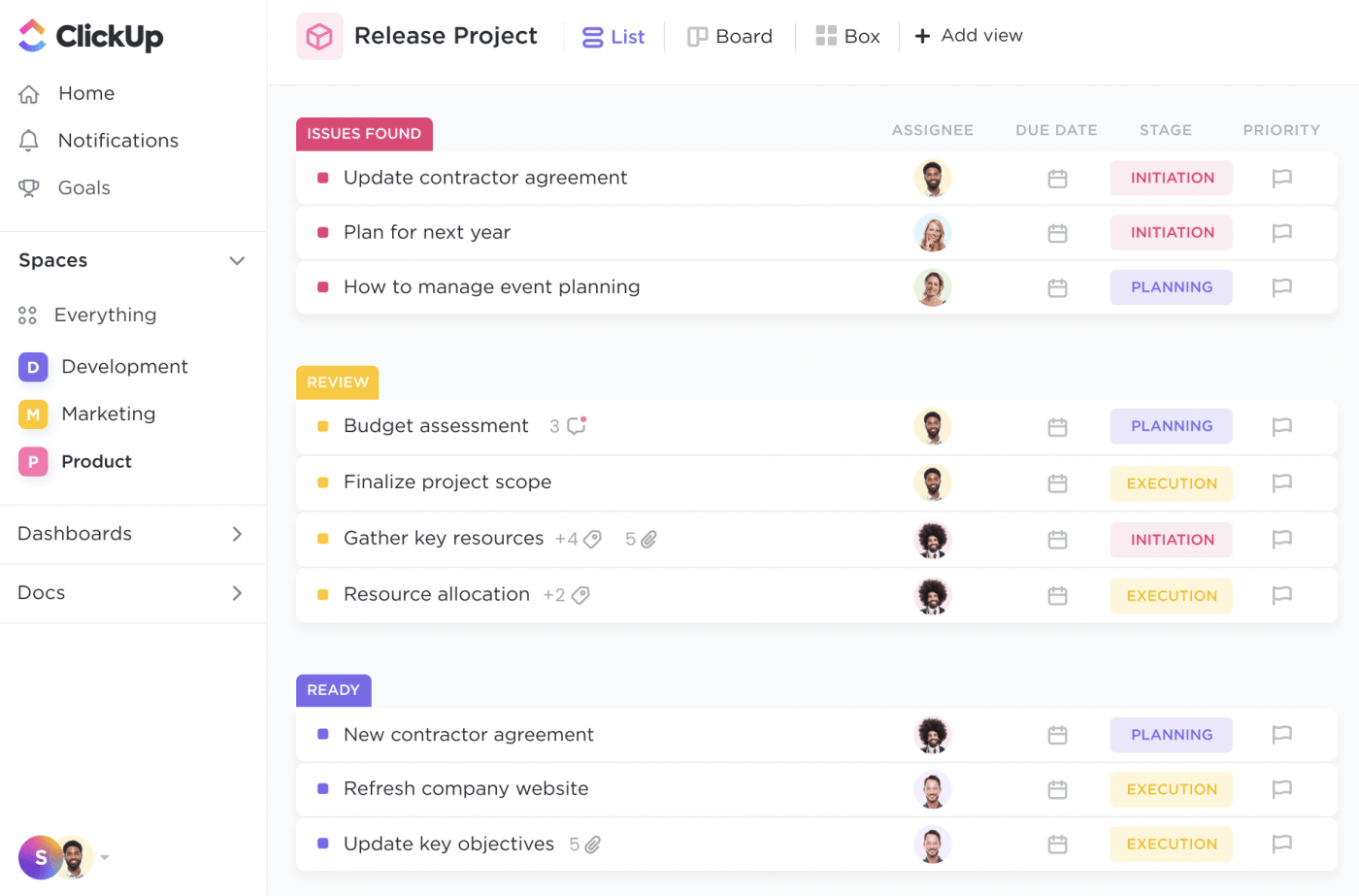
ClickUp is the everything app for work—combining projects, tasks, docs, chat, automation, and AI in one platform. Instead of jumping between tools, teams can plan, track, collaborate, and document work in a single connected workspace.
It adapts to your workflow, whether you’re a small startup or a large enterprise with complex approvals.
With ClickUp, teams can manage tasks, create documentation, automate workflows, and track projects. ClickUp Brain adds AI summaries, insights, and suggested next steps on top of all that.
ClickUp offers a robust, scalable feature set. It supports both simple task management and complex project execution.
ClickUp’s Project Management Solution gives you complete visibility. You can view both high-level project health and the details of the smallest tasks. You can break work into tasks, subtasks, and checklists. You can track dependencies, set milestones, and see everything update instantly across your workspace.
Here’s how these features work together:
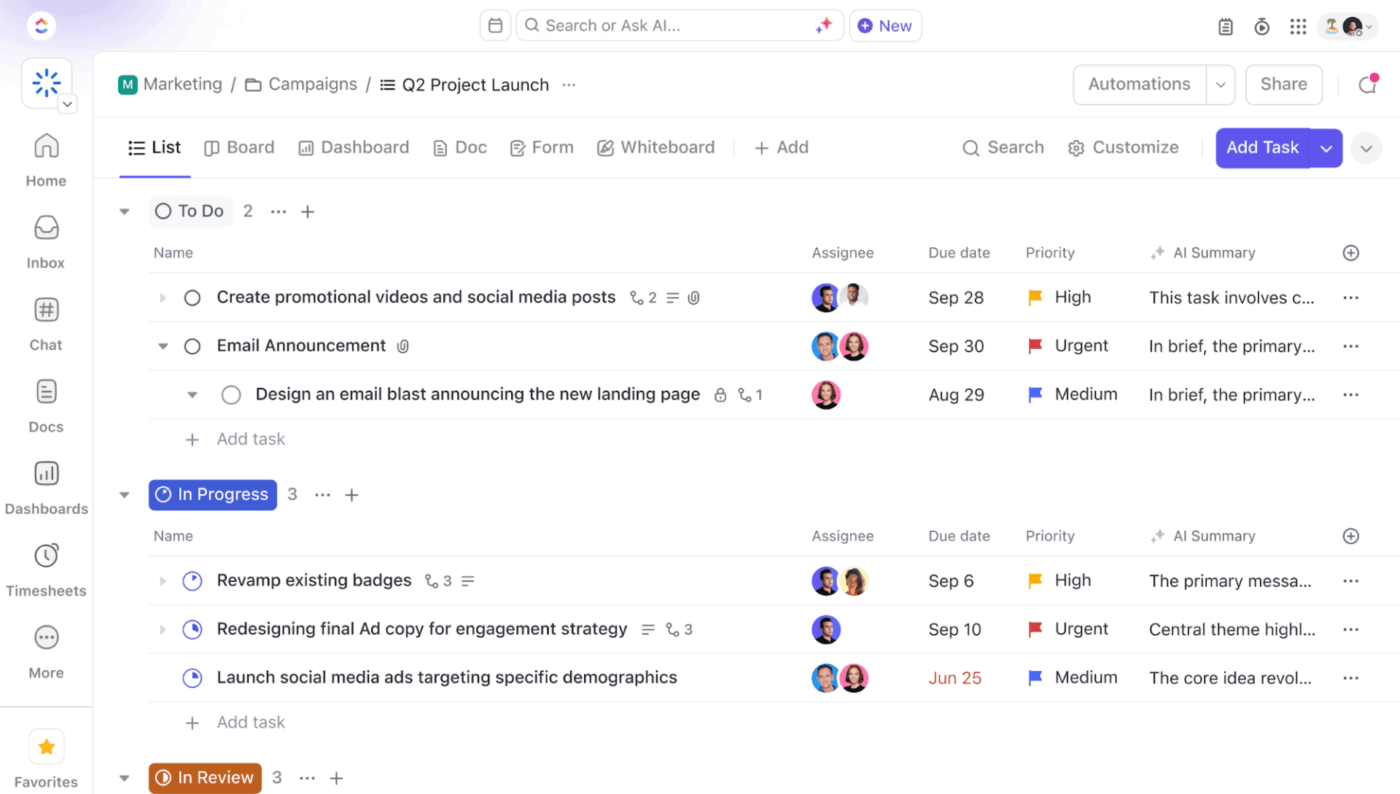
With ClickUp Tasks, even the smallest action becomes part of a structured project system. It connects goals, deadlines, documentation, and team communication in one place. This also gives ClickUp Brain the context it needs to answer questions and generate summaries.
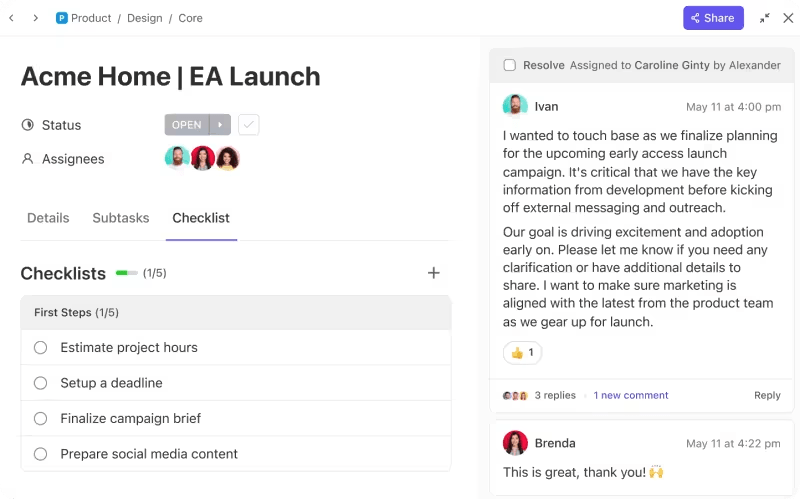
Here’s how ClickUp’s project management features come together:
ClickUp Enterprise Search and ClickUp Brain let you search across tasks, docs, chat, files, and even integrated apps like Slack and Google Drive—all in one place. Trello only searches within boards.
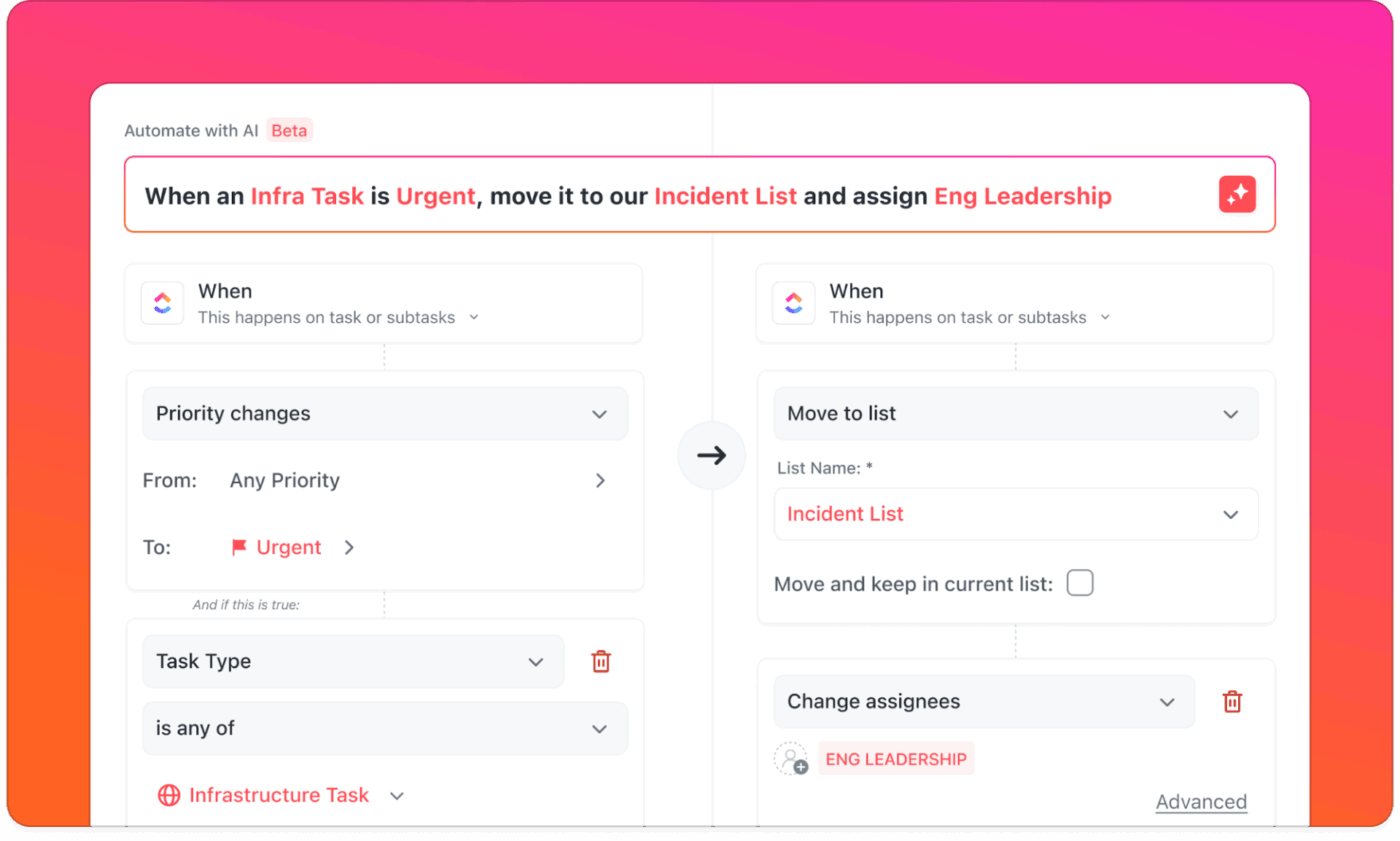
With ClickUp Automations, you can automate repetitive tasks, such as assigning work, updating statuses, or sending reminders—and let AI handle the busywork your team usually does by hand. You can also build advanced workflows with layered conditions and even connect actions across different projects.
Example: When a “Design Needed” task is marked complete, ClickUp can automatically create a new task for the design team, assign it, set a due date, and notify the project lead.
You can extend these automations to tools like Slack, Email, and Dropbox, and choose from 100+ pre-built templates to set them up quickly.
With ClickUp Brain, the built-in AI assistant, you can generate summaries of projects and conversations, get real-time project updates, and ask natural-language questions about your work.
All this happens inside your ClickUp workspace. The AI is always context-aware and uses your tasks, Docs, and conversations as its source, not random web data.
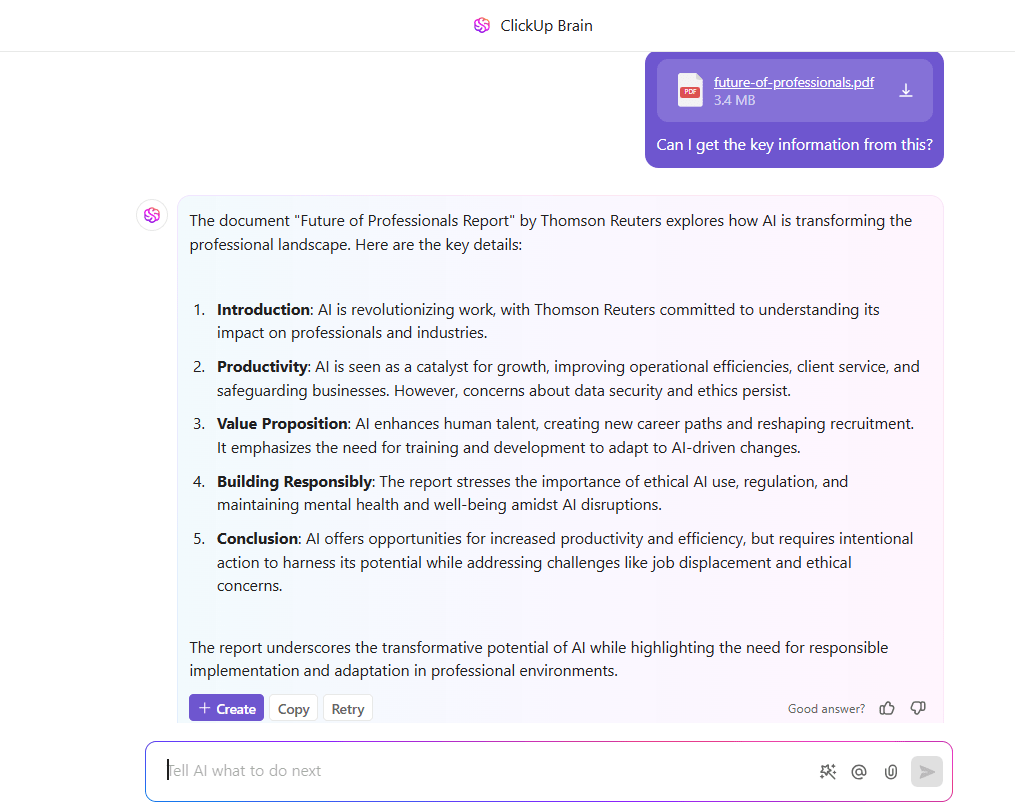
Here’s how ClickUp Brain and Automations can work together to create smarter workflows:
Task Created ➜ Brain writes task description
Status is “Waiting for Input” for 3 days ➜ Brain summarizes last comments and posts a reminder
Project completed ➜ Brain generates a summary for retrospective docs
ClickUp Brain MAX helps teams move faster by letting you dictate ideas, notes, or action items and turn them into structured tasks or Docs automatically. Instead of losing decisions in meetings or chat threads, Talk to Text captures context the moment it’s spoken and places it right inside your workflow. It’s the quickest way to keep projects moving without manual retyping or scattered notes.
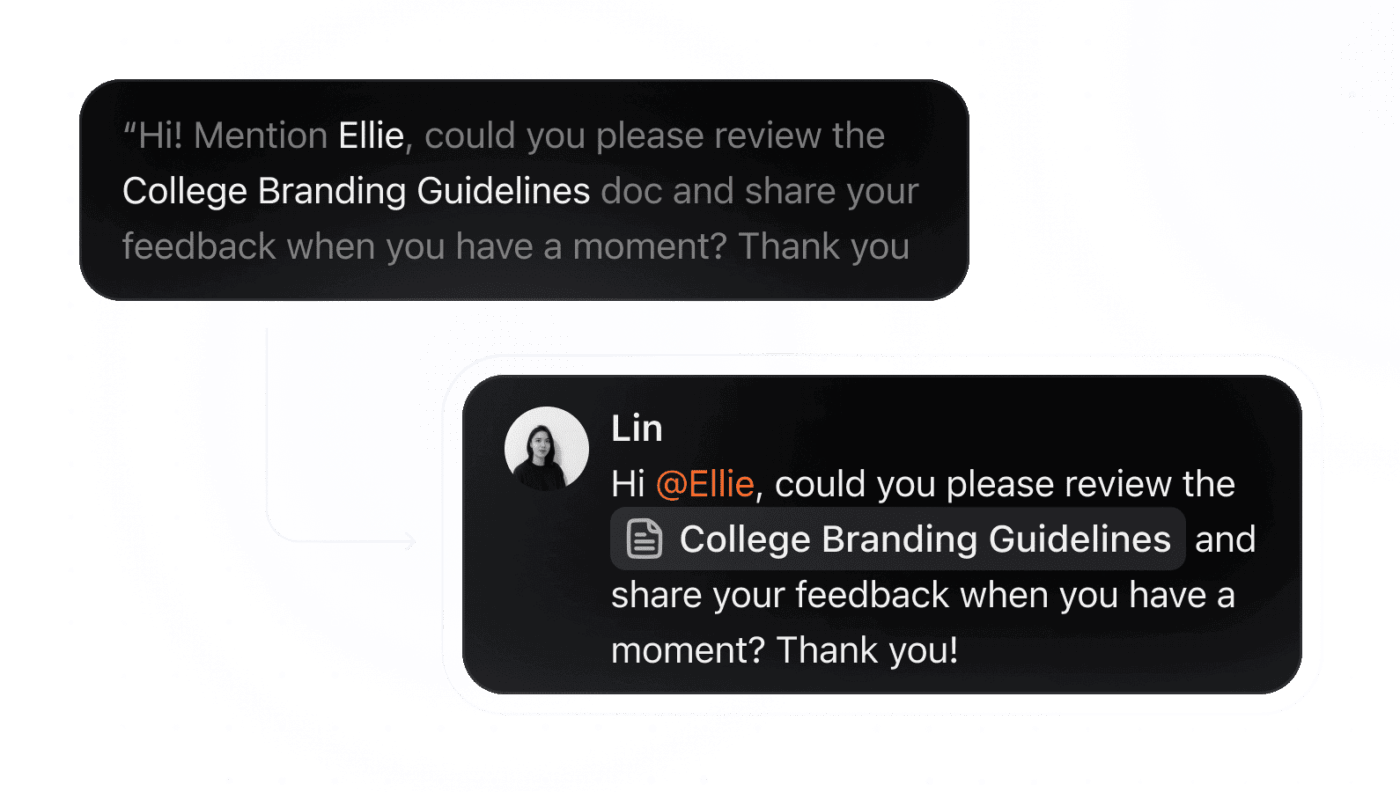
ClickUp Agents take automation a step further. They act like always-on teammates who follow your workflows, monitor project changes, and nudge work forward without waiting for manual updates. They watch for stalled tasks, surface blockers, share progress snapshots, and trigger next steps automatically. It’s proactive project coordination that never drops the ball.
🎥 Looking to boost your productivity without burning out? In this tutorial, you’ll learn how to build an AI-powered workflow that handles repetitive tasks, organizes your work, and keeps your day on track.
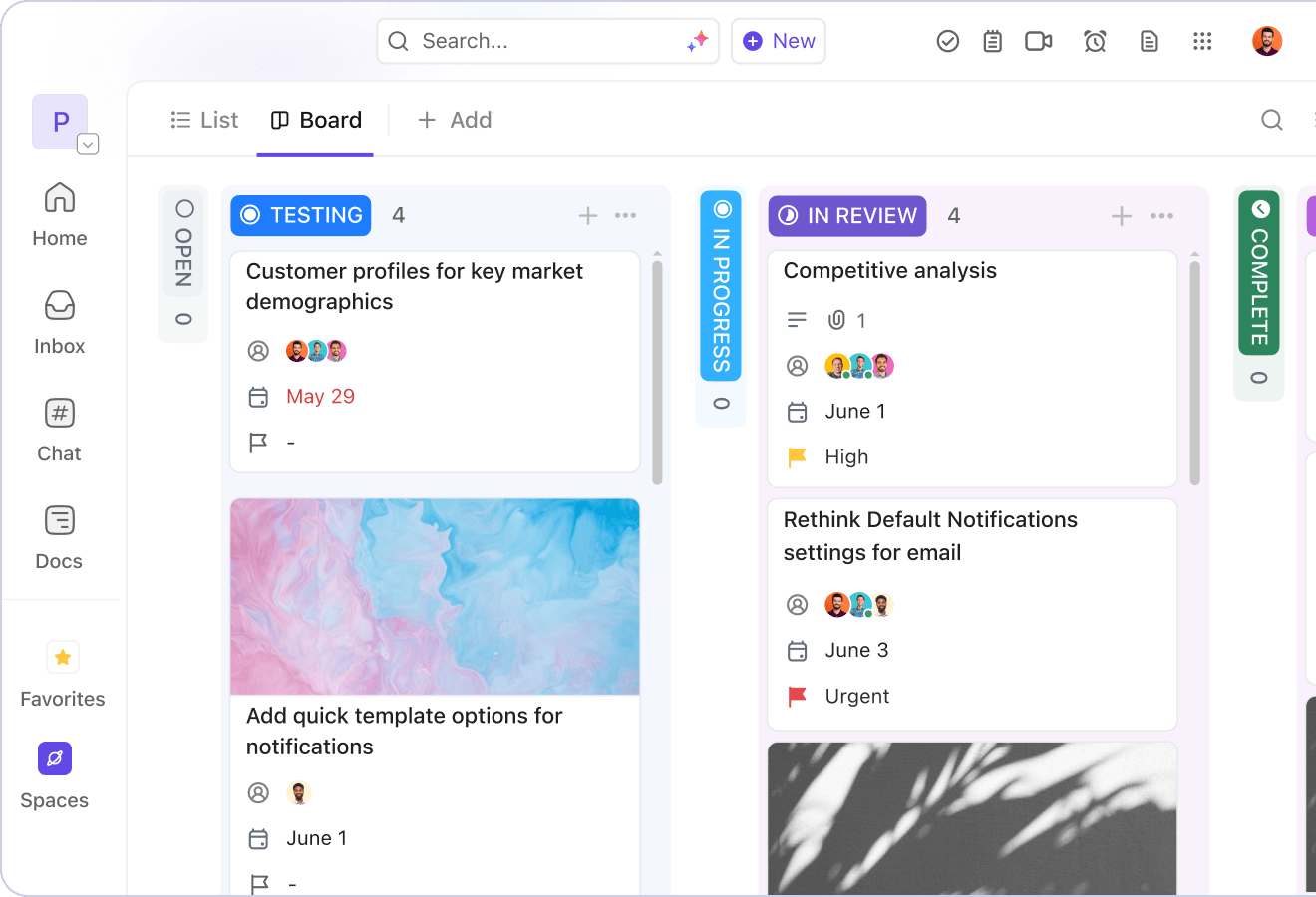
ClickUp’s Kanban Board gives project managers control and visibility over their workflows. When paired with AI, it becomes a live, self-updating snapshot of progress.
You can drag and drop tasks to update status or priority. You can see progress at a glance and organize work however your team needs. You can use Custom Fields, colors, or nested subtasks, depending on what makes the work easiest to see.
For a project manager, this means fewer manual updates, clearer priorities, AI summaries of changes, and easier tracking of who is doing what.
ClickUp’s Boards stand out from basic Kanban tools because of extra features that make complex projects easier to manage, such as:
ClickUp has built-in team ClickUp Chat (channels, DMs) and instant video calls (SyncUps). This keeps conversations close to the work, without switching apps. Trello does not offer native chat or meeting features.
💡 Pro Tip: Kanban board templates can help ease blank page syndrome for teams that need structure to kick off work quickly. Whether you’re a marketing team planning campaigns or a professional services team tracking client deliverables, these templates give you a head start.
[price-table]
📮 ClickUp Insight: 92% of workers use inconsistent methods to track action items, which results in missed decisions and delayed execution.
Whether you’re sending follow-up notes or using spreadsheets, the process is often scattered and inefficient. ClickUp’s Task Management Solution ensures seamless conversion of conversations into tasks—so your team can act fast and stay aligned.
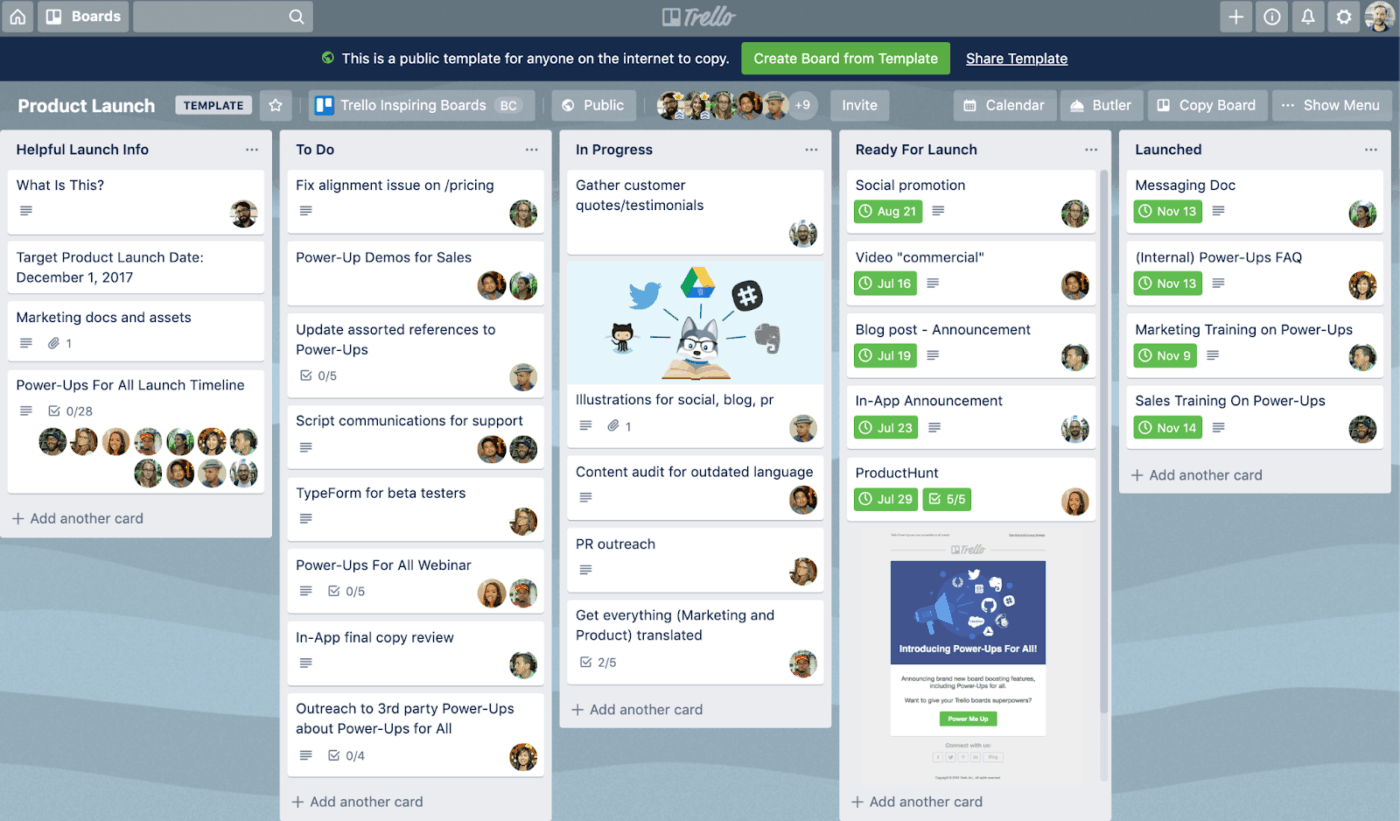
Trello, now part of Atlassian, is a simple Kanban-style tool for visual task tracking. Boards, Lists, and Cards form the core of the system. This makes it easy for individuals and small teams to organize work without much setup or training.
It is intuitive, lightweight, and fast to adopt, but it prioritizes simplicity over depth.
Trello is a simple project management tool for teams that want to manage multiple projects with minimal setup. It has an easy learning curve, so even new users can get started in minutes.
Here are some key features you should consider while choosing between ClickUp and Trello:
Trello’s Butler automation lets you create rules, buttons, and scheduled commands to automate routine actions within your boards.
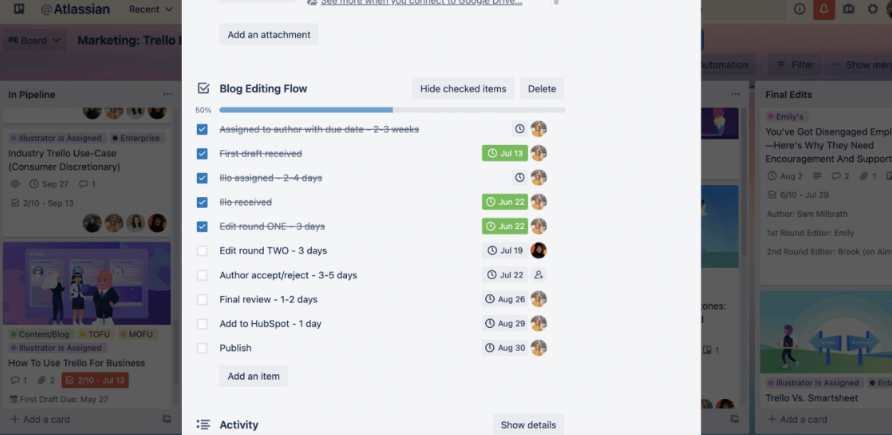
With Butler, you can trigger automations when:
Butler also integrates with tools like Slack, Jira, and email, making it useful for simple automation chains.
Butler works best for lightweight workflows, especially inside a single board.
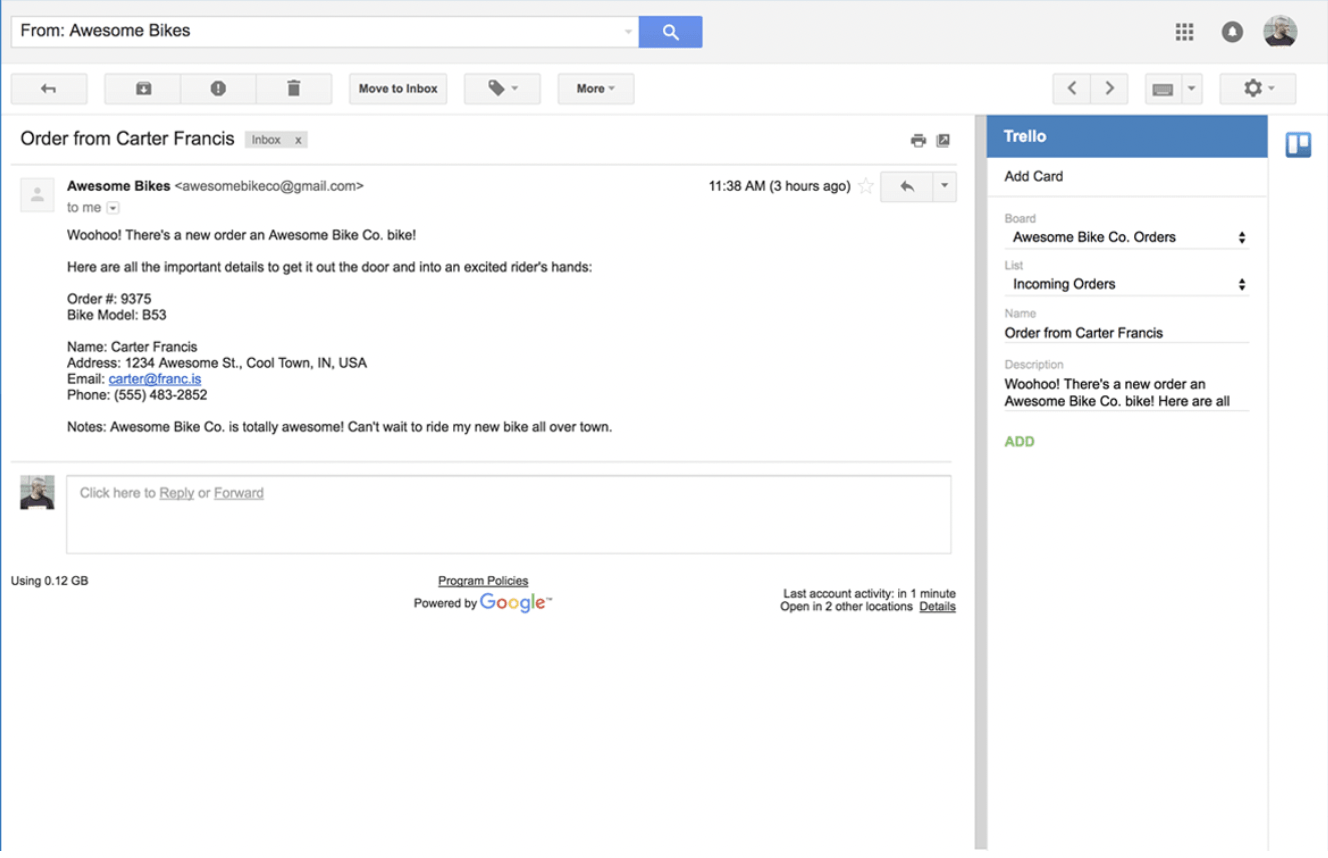
Trello Inbox acts as a central space to capture tasks, notes, and ideas from your email, Slack, or Microsoft Teams. Or you can simply jot down an idea as it comes without any setup.
You can gather rough thoughts in the Inbox and organize them later by dragging each item into the right board or list. It’s a practical tool for fast-moving teams that need a quick way to capture work without disrupting their flow.
For smaller to-dos, Inbox lets you mark tasks as “Done” directly, so smaller actions don’t pile up unnecessarily.
Inbox is a handy capture tool for teams who prefer a simple, low-setup workflow.
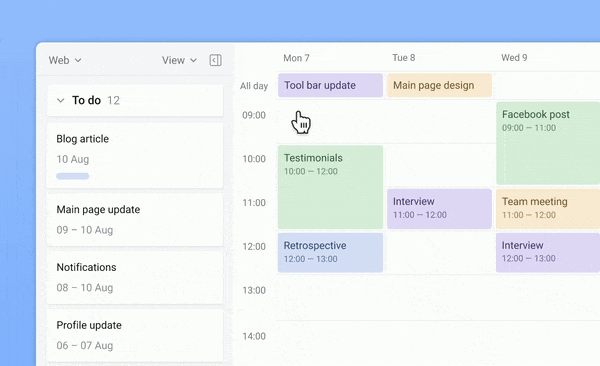
Connect your Google or Microsoft calendar with Trello Planner to easily plan your day. Just drag and drop tasks from your Trello Inbox or boards onto your Planner. Capture and organize your plans, whether you’re at your desk or on the go. Now block your focus time and meet deadlines as a project manager.
Planner is best suited for personal scheduling or straightforward timelines.
📚 Read More: Best Free Kanban Board Software Apps
Both ClickUp and Trello are project management software that help you plan projects, manage tasks, and collaborate with your team. And while there are many similarities in their core functionality, they’re built with different priorities in mind.
Let’s take a closer look at how they differ, beyond the usual “Trello is simple” and “ClickUp does more,” by comparing the features at a granular level.
ClickUp operates under the hierarchical order of Workspace → Space → Folders → Lists → Tasks → Subtasks → Checklists.
In ClickUp, you can break down complex deliverables into subtasks and nested checklists. You can set dependencies to define task order. You can also apply Custom Fields to track details like budgets or client names. ClickUp also offers pre-built task templates, which help you scale repeatable workflows.
Trello, on the other hand, follows a much simpler structure: Boards → Lists → Cards → Checklists.
Each Trello card functions as a task. You can add descriptions, checklists, due dates, attachments, and comments. This simplicity works well for basic workflows. But you cannot build dependencies or add Custom Fields without Power-Ups. Trello also has no native support for time estimates on complex projects.
🏆 Winner: Depends
Choose ClickUp if you need layered task structures, dependencies, time tracking, detailed control, and AI that understands how your work fits together.
Choose Trello if you want a visual, flexible way to organize tasks and collaborate on smaller or less structured projects.
In ClickUp, you can visualize your projects in over 15 views and switch between them to access both high-level and granular views. This flexibility allows you to manage daily tasks and long-term planning in one place.
However, Trello offers only the Kanban Board view as its core feature. While you can add a Calendar, Timeline, Table, or Dashboard view, most of these require Power-Ups, and only one Power-Up is allowed on the free plan. Besides, view switching in Trello isn’t as seamless as Power-Up works, as it operates as a separate layer.
🏆 Winner: ClickUp wins here with its range of views, deep customizations, and AI summaries. These views offer deeper flexibility for teams managing complex project types—and less manual reporting.
Team collaboration is deeply integrated into ClickUp. You can co-edit Docs in real time, brainstorm on ClickUp Whiteboards, assign comments to teammates, and let ClickUp Brain capture meeting decisions and convert them into actionable tasks automatically.
ClickUp Calendar, its native scheduling tool, adds another layer of coordination. Much like Google Calendar or Outlook, it helps you manage meetings and events, but with the added benefit of being integrated within your task management ecosystem. You can create, organize, and search Docs, wikis, and tasks all in one place.
Trello, on the other hand, offers collaboration through card-level comments, mentions, checklists, and attachments, making it easy to track activity on each task. However, it lacks built-in chat and real-time document editing, relying instead on external tools and integrations for deeper teamwork.
🏆 Winner: ClickUp’s deeply integrated collaboration features make it the clear winner here.
📚 Read More: Project Management Collaboration Software for Teams
ClickUp offers a wide range of support options. This includes 24/7 live chat for all users (yes, even free ones), an in-depth Help Center, guided in-app walkthroughs, webinars, and ClickUp University, offering free training videos.
Enterprise and Business plans have dedicated customer success managers.
Trello, however, provides a searchable Help Center, community forums, and a ticket-based support system. Live support is available only to users of Premium and Enterprise plans.
🏆 Winner: ClickUp takes the lead with round-the-clock live support even for free plan users.
ClickUp offers advanced reporting and analytics through customizable Dashboards, with ClickUp Brain generating plain-English summaries on top of the numbers. You can track progress, team workload, task status, time, budgets, etc. With 50+ widgets, you can create detailed, real-time visual reports by filtering data across Spaces, Lists, and Custom Fields.
Trello, on the other hand, has limited built-in reporting. To access analytics features such as time tracking or workload insights, you’ll need to rely on Power-Ups or third-party tools, which often require additional setup or paid plans.
🏆 Winner: ClickUp wins here with built-in, customizable reporting tools that work at scale without needing extra integrations.
ClickUp Brain is ClickUp’s built-in AI suite that connects tasks, Docs, people, and workspace knowledge into a single reasoning layer, helping you work smarter across the entire platform. It can summarize comment threads, generate or edit Docs, extract action items, create tasks, and answer questions about your internal projects or Docs, using your workspace content as its source of truth.
Trello, on the other hand, offers AI features through Atlassian Intelligence, which is still evolving. It provides smart suggestions, summaries, and automated insights across Atlassian tools, including Trello—but it’s currently more generic and offers fewer deep, task-specific, and workflow-aware capabilities than ClickUp Brain.
🏆 Winner: ClickUp clearly leads here with ClickUp Brain, which offers workspace-wide functionality
To conclude the debate, we took it to Reddit. While there are no specific threads, here are some user opinions on both tools.
According to one ClickUp user, Trello would be a more fitting choice for managing personal tasks.
I’d add simplicity to this list, which can be very beneficial for onboarding clients or team members. I use ClickUp for business, and so I also use it for my personal tasks. If I were only looking for something to handle my personal tasks, I’d probably use Trello for the simplicity and stability.
However, if native integrations are an essential tool to you, this user who made a shift from Trello to ClickUp is someone you could listen to.
Trello is the best for a kanban/board view, but that’s all you get. They’ve added no significant new features over the years. Most of the good plugins are 3rd-party paid, which for Clickup, would be already fully integrated. We’ve just migrated from Trello to Clickup, and the entire team has been 100% happy with the change.
In terms of scalability, ClickUp appears to be a better alternative to Trello, according to this comment by a Reddit user.
Having used both Trello and ClickUp, my vote is for ClickUp. If your side hustle scales, ClickUp will scale with it. Trello is a gateway into project management IMO, and it’s what I got started on, but honestly, I needed more than one board, so I grew out of it super fast.
I’d go with ClickUp because you could have a List for each project (ClickUp terminology) and then have a rollup for all your Lists on either a Space or Folder level, so you can see a bird’s eye view of everything. Made it pretty great when my side hustle of freelancing scaled and I took on more clients!
The main theme across Reddit is clear: Trello works well until your work starts to scale. ClickUp is built for what happens after that.
Final verdict: ClickUp wins 🏆
Trello is excellent for simple, personal, or lightweight team workflows. But when your projects grow—or your team does—you quickly hit its limits.
ClickUp gives you everything Trello offers, plus the depth, automation, reporting, AI, and scalability modern teams need.
It’s built for teams who want to move faster, collaborate smarter, and manage projects without duct-taping tools together.
Try ClickUp for free and experience what it’s like to manage tasks, docs, and collaboration in a single workspace.

Manasi Nair
Max 28min read

Praburam Srinivasan
Max 25min read
Manasi Nair
Max 21min read

© 2026 ClickUp




