






Still downloading templates?
There’s an easier way. Try a free AI Agent in ClickUp that actually does the work for you—set up in minutes, save hours every week.
Sorry, there were no results found for “”
Sorry, there were no results found for “”
Sorry, there were no results found for “”
Your project plan starts strong. But after a few weeks in, something changes. The same people appear on every critical task, timelines start shifting, and strategic planning turns into a cycle of adjustments.
Poor resource planning might be the issue. AI resource planning helps teams plan using actual workload data, historical patterns, and real capacity signals. It gives project managers, operations leaders, and team leads a clearer way to allocate time, talent, and budgets without constant rework.
This guide explains how to use AI resource planning to improve team efficiency and make day-to-day planning decisions more reliable. We’ll also look at how ClickUp helps along the way. 🤩
AI for resource planning uses machine learning and predictive analytics to help teams assign people and manage budgets and time across projects.
The tech analyzes historical data, resource availability, and skill sets to suggest optimal allocations.
Traditional methods of automation focus on executing predefined steps, while AI-driven resource and capacity planning focus on decision-making.
Here’s a breakdown of the key differences. ⚒️
| Dimension | AI for resource planning | Traditional automation |
| Core purpose | Guides planning and allocation decisions | Executes repetitive tasks and actions |
| Intelligence | Learns from historical and live data points | Follows fixed rules |
| Planning horizon | Predicts future resources and demand | Operates in the present moment |
| Response to change | Adjusts recommendations dynamically | Breaks when conditions shift |
| Output | Scenarios, predictions, and risk signals | Task completion and alerts |
| Human role | Supports judgment and trade-off decisions | Requires manual processes for exceptions |
AI resource planning shows up in situations that operations teams face regularly:
🔍 Did You Know? The first material requirements planning (MRP) frameworks in manufacturing, which are direct ancestors of modern resource planning systems, were formalized in the 1960s and 1970s as computers became powerful enough to handle complex forecasting and scheduling problems.
Artificial intelligence transforms how teams distribute work and manage capacity across projects. It addresses common pain points that manual resource management processes struggle to solve:
📮 ClickUp Insight: 31% of managers prefer visual boards, while others rely on Gantt charts, dashboards, or resource views.
But most tools force you to pick one. If the view doesn’t match the way you think, it just becomes another layer of friction.
With ClickUp, you don’t have to choose. Switch between AI-powered Gantt charts, Kanban Boards, Dashboards, or Workload View in a single click. And with ClickUp’s AI, you can auto-generate tailored views or summaries based on who’s looking—whether it’s you, an exec, or your designer.
💫 Real Results: CEMEX sped up product launches by 15% and cut communication delays from 24 hours to seconds using ClickUp.
Here are the signals that indicate you need a better system and where an AI resource management software delivers the most value.
AI resource planning becomes valuable when:
Some teams operate fine without advanced resource management tools:
🧠 Fun Fact: In 1947, George Dantzig developed linear programming, a mathematical optimization technique used in planning to allocate limited resources like time, labor, and materials in the best possible way. This approach still underlies many advanced forecasting and capacity optimization models today.
Resource planning determines who does what and when across your organization. Getting it right means projects stay on track and people don’t burn out.
The ClickUp Resource Management Software is the world’s first Converged AI Workspace, where your resource planning efforts live alongside your real tasks, projects, and workflows.
This eliminates work sprawl by keeping resource management connected to actual work, so when processes change, your team’s schedule can be updated in context, instantly.
Watch this video to learn more:
Now, here’s how to build a resource plan that works. 🧑💻
AI-powered resource planning works best when your workspace contains accurate, structured information about your team. Before AI can forecast demand or recommend assignments, it needs a reliable picture of your available resources.
Start by organizing your team’s resource data so AI can interpret it clearly.
Create a comprehensive resource inventory that includes:
Pay attention to skill overlaps and gaps. You might have five developers, but if four of them specialize in backend work and only one handles frontend tasks, that single person becomes a bottleneck. Don’t forget to document these concentrations because they directly impact how you can allocate work.
🚀 ClickUp Advantage: ClickUp Tasks becomes the foundation of your resource planning in your workspace. Each task carries information about who’s qualified to do it and who’s actually assigned.
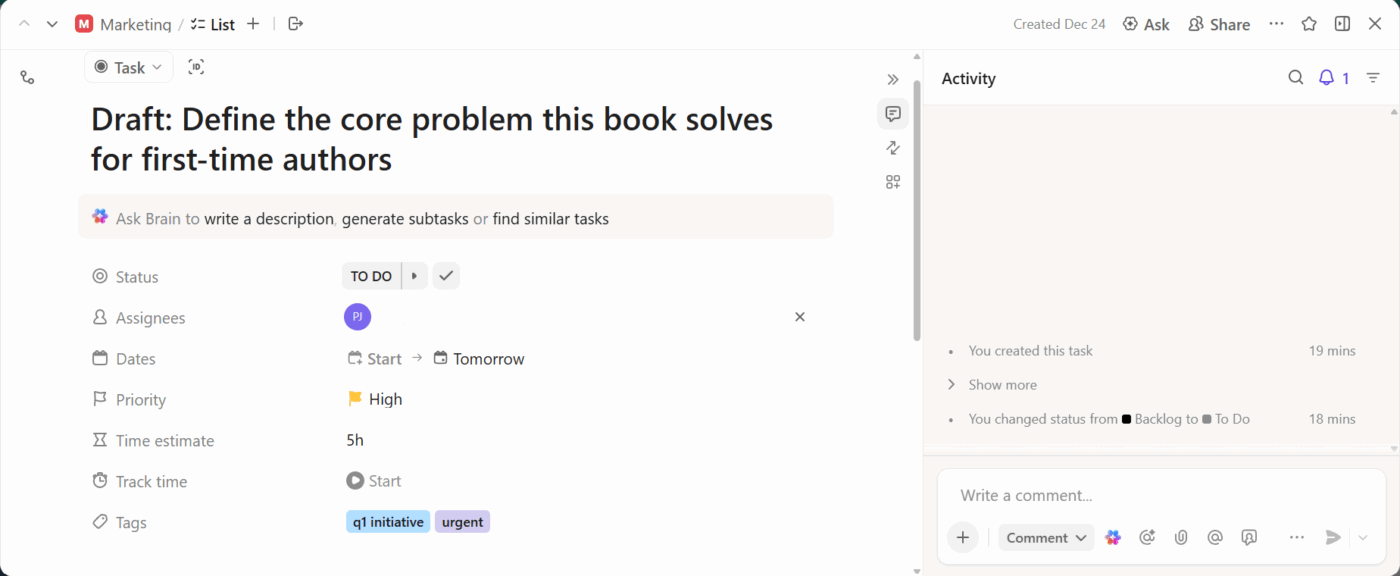
From there, ClickUp Custom Fields let you track resource attributes systematically. You can add fields for programming languages, software proficiencies, industry expertise, or certifications.
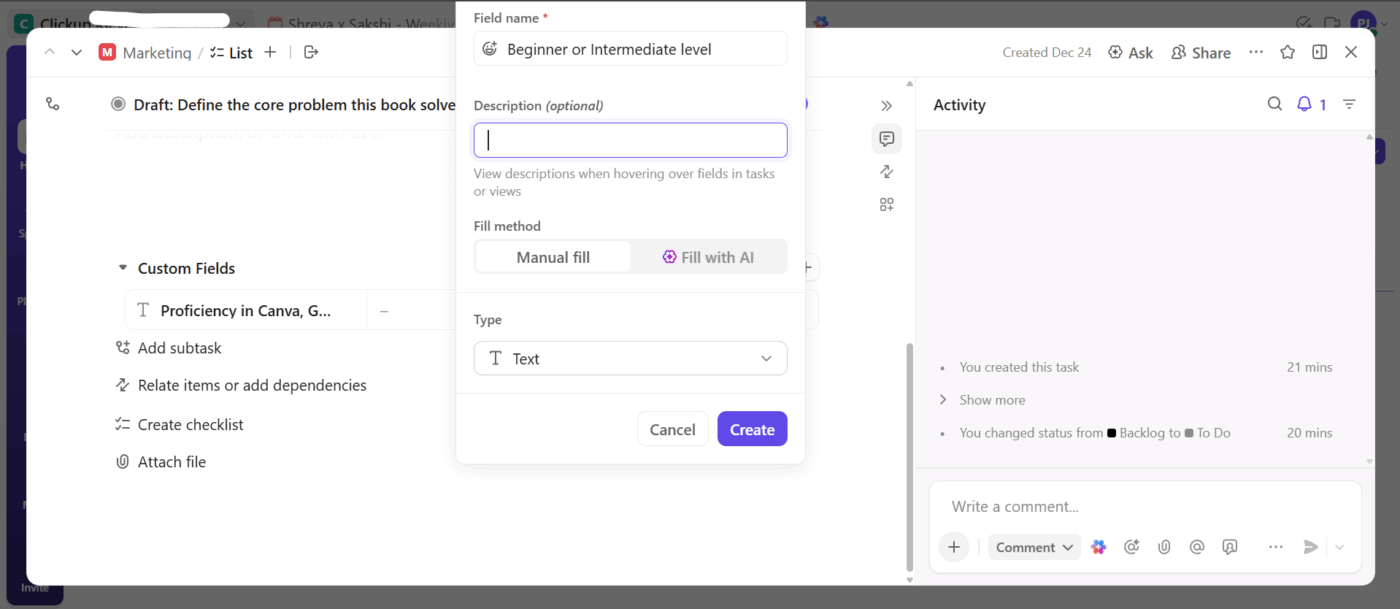
Tag (@mention) each team member with their relevant capabilities, and then filter tasks to find who can handle specific types of work. When someone completes training or earns a certification, updating their Custom Field values keeps your resource data accurate for future planning.
With your resource data in place, the next step is linking those resources to the actual projects and tasks they support. This is where planning shifts from static records to understanding how work actually moves through your organization.
For each project, document:
This creates a clear operating picture of how resources interact with real projects, making it easier to spot workload patterns, skill utilization trends, and potential conflicts early.
🚀 ClickUp Advantage: ClickUp Team View shows you every person on your team alongside their assigned tasks and projects.
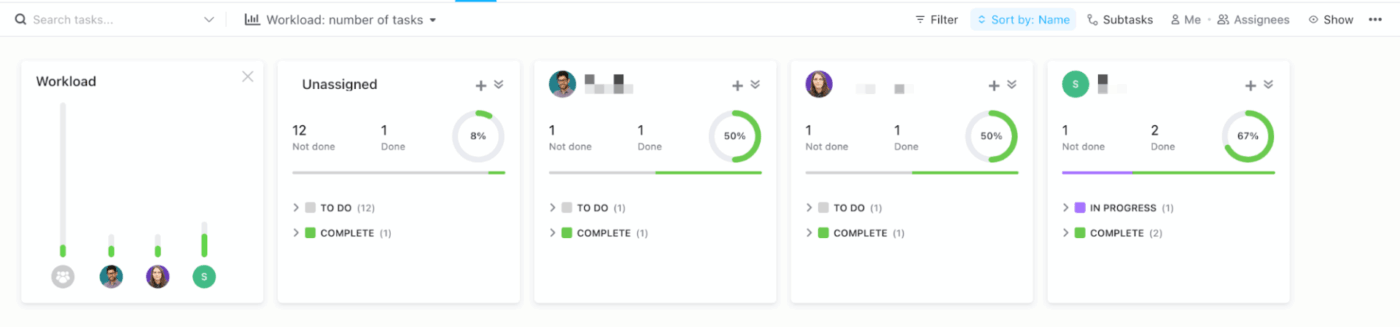
When you filter it by a Custom Field like ‘skill type’ or ‘certification level,’ you might see that all your senior-level resources cluster on one project, while junior resources are spread thin across four others.
Now, act on what you see by identifying and correcting workload imbalances across your team. Some team members will naturally have more work than others based on their skills or role, but extreme imbalances create problems.
Analyze and improve your team’s workload distribution by examining:
The goal is sustainable resource utilization so that everyone contributes meaningfully without being crushed. This often means saying no to new work, extending timelines, or bringing in additional resources. Instead, you move work from overloaded team members to those with capacity.
🚀 ClickUp Advantage: See each team member’s assigned work measured in hours, task count, or custom metrics you define in the ClickUp Workload View.
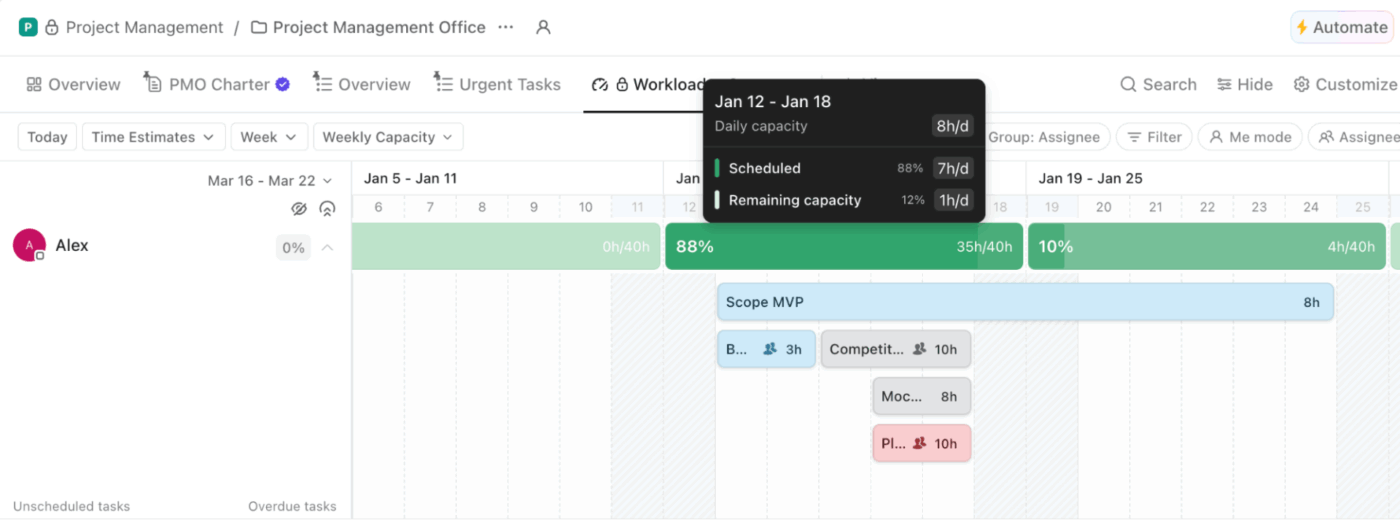
Color-coding immediately highlights who’s overallocated in red, at capacity in yellow, or has availability in green. Drag tasks between team members directly to rebalance workload, and watch the capacity indicators update in real time as you make adjustments.
Planning gets complicated when you factor in skill requirements, resource shortages, project dependencies, and future demand. This is where AI helps by turning all of those variables into clear forecasts and practical allocation suggestions.
It also picks up on how work actually gets done—how long tasks take, which skills are used where, and where delays tend to occur.
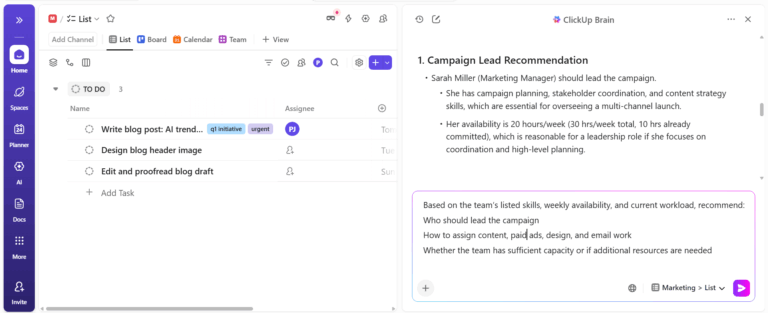
Ask ClickUp Brain, the platform’s built-in AI assistant, which team members match the requirements for a new project based on their skills and current availability. Query whether your team has the capacity to take on additional work.
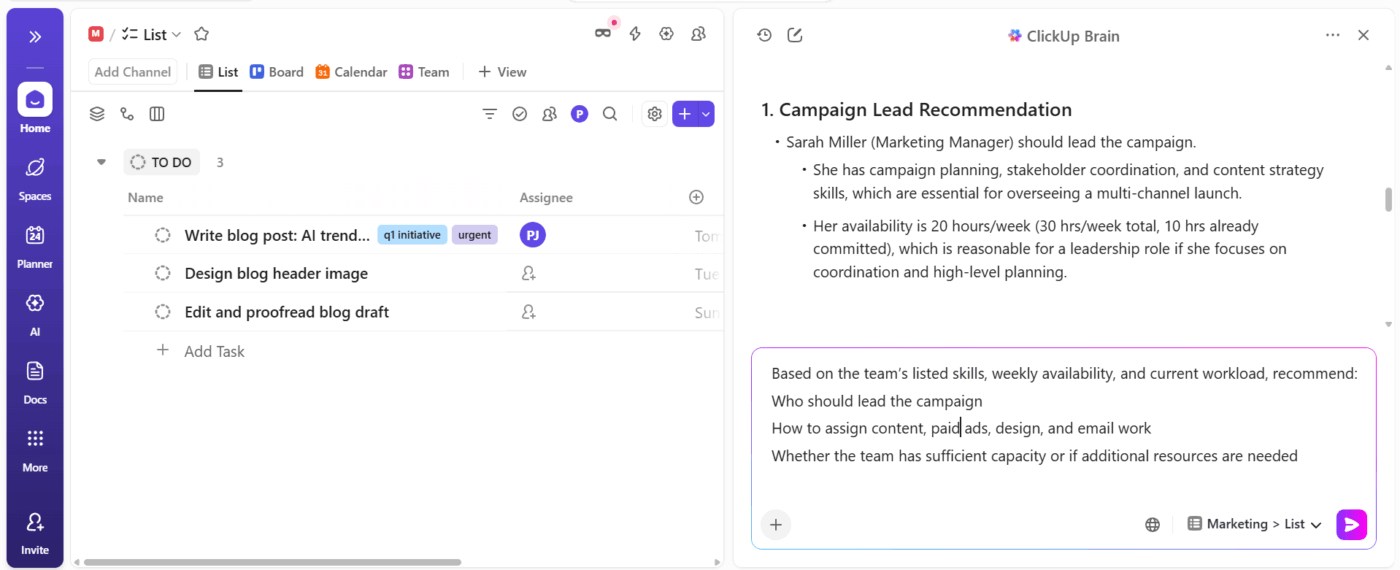
The Contextual AI uses your workspace data—task history, skill tags, time tracking, and current workloads—to recommend the best-fit resources for each request.
📌 Example Prompt: Who should lead a mobile app project starting next month that requires React Native experience?
ClickUp Brain will check which team members have React Native added to their Tasks, look at their current task load, examine how quickly they’ve completed similar projects in the past, and factor in any scheduled time off.
🎥 Here’s a quick guide on how to ask AI the right questions:
Make resource allocation consistent across projects and eliminate manual task assignment by building automation rules.
Set up automations for common resource scenarios:
Execute these resource workflows based on triggers you define with ClickUp Automations.
For example, you can set up rules to assign work based on priority, project type, or status changes, and add safeguards to ensure high-impact work never slips through, unreviewed. Automations trigger updates and alerts as conditions change, so your view of capacity stays accurate without constant manual checks.
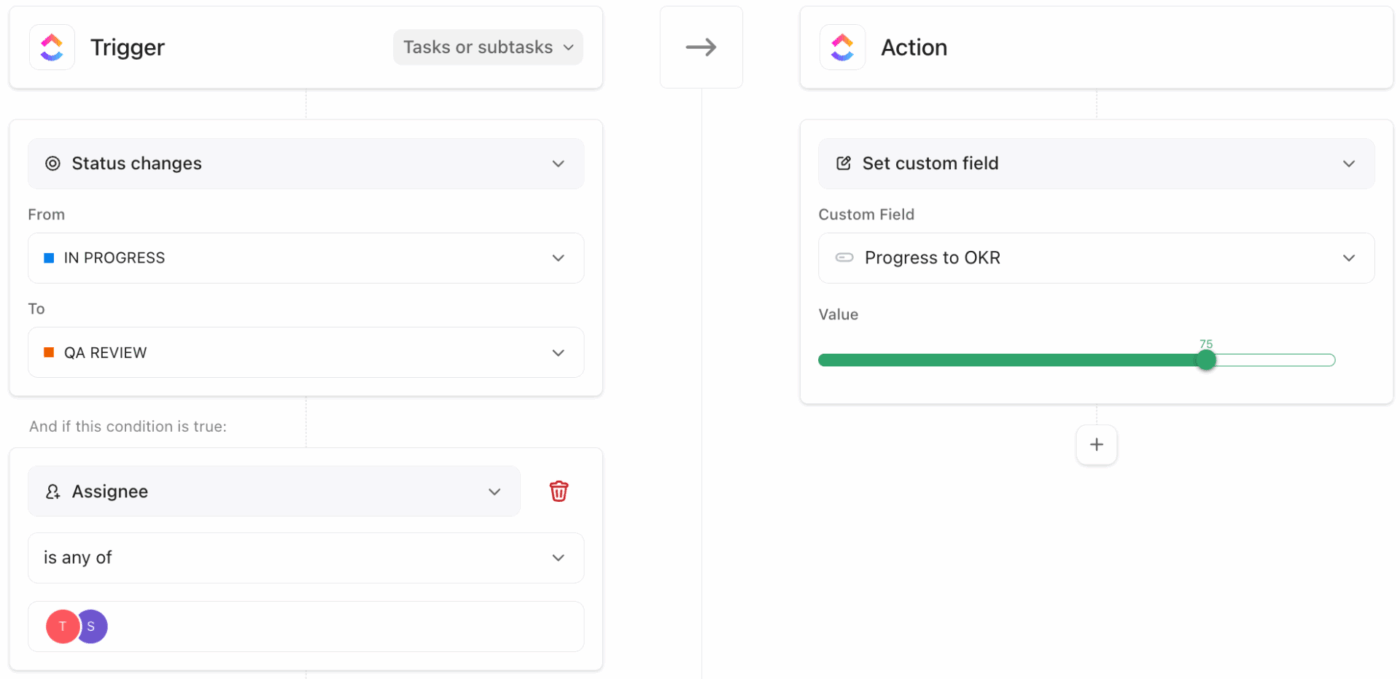
For example, say a Tier 1 task is created for a revenue-critical launch. An automation immediately assigns it to the senior architect, sets the priority to urgent, and notifies the project lead.
If that architect’s workload crosses a defined threshold, another automation flags the task for review so it can be reassigned or rescheduled before it causes delays.
💡 Pro Tip: The Resource Allocation Manager Super Agent in ClickUp proactively highlights workload imbalances and suggests changes to address them.

Apply these best practices to improve your AI resource planning efforts. 📝
The AI needs to understand which projects matter most to your business. Define clear priority tiers:
Your senior architect should focus on the platform migration affecting 50,000 users, not the internal dashboard redesign that three people will use. The system allocates top talent to top priorities when you give it the context to make those distinctions.
See how ClickUp Brain supports you here:
Aim for team members to focus on a maximum of 2 concurrent projects, spending at least a half-day on each. This way, you can configure the AI system to flag when someone gets assigned to a third active initiative.
A designer who dedicates mornings to the mobile app redesign and afternoons to marketing assets will deliver better work than someone switching between six different requests.
🔍 Did You Know? One of the first organized business forecasting services in the United States was launched by Roger Babson in 1907, when he started the Babson Statistical Organization to predict business activity and economic trends. His weekly Babsonchart was an early example of forecasting designed to help managers make better plans.
Specialists who support multiple departments create natural bottlenecks. Your data team, DevOps engineers, or senior designers often field requests from five different product squads simultaneously.
Set utilization caps for these shared resources so the AI never assigns them beyond 80% capacity:
💡 Pro Tip: ClickUp’s Team Scheduler Agent helps managers build smarter schedules by using real availability and workload context to reduce conflicts, protect team capacity, and keep execution on track.

AI surfaces data that manual tracking misses, but someone needs to act on those insights. Schedule a weekly 30-minute review where operations leaders examine utilization reports:
Many organizations aim for 100% utilization and wonder why teams burn out.
So you must build in time for meetings, emails, code reviews, and unexpected urgent requests that eat into planned work hours:
🧠 Fun Fact: The Makridakis M-series forecasting competitions unite researchers worldwide to test and improve forecasting accuracy. Notably, the M4 competition found that combined methods outperform individual ones, reinforcing the idea that multiple forecasting perspectives lead to more reliable capacity planning.
Here are some useful tools and templates that support AI resource planning. 🗒️
These are our top five picks:
The ClickUp Operations Management Solution brings planning, execution, reporting, and AI into one place, which helps you plan resources using live work data. As a result, decisions reflect current conditions, not outdated plans or disconnected reports.
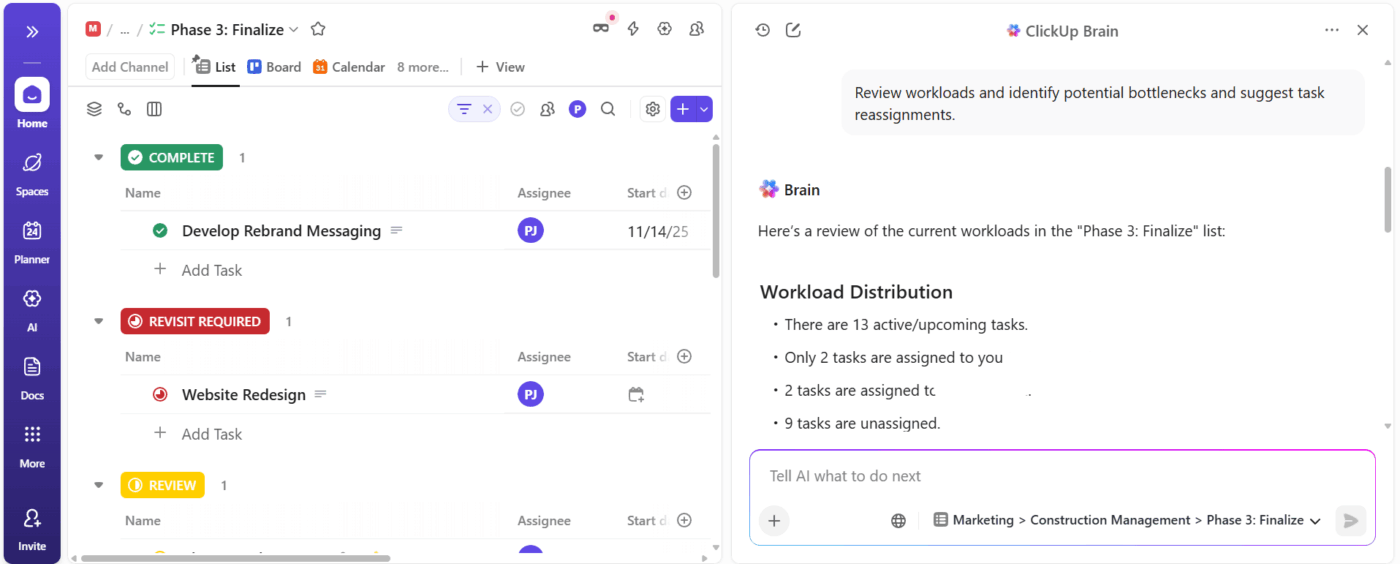
ClickUp Brain helps you forecast resource pressure using real task data. It reads due dates, assignees, dependencies, and recent activity to flag where overload is likely to happen next.
Suppose you manage a services team that supports three enterprise accounts.
You ask ClickUp Brain to review the next four weeks of work. It flags that two senior consultants carry overlapping deadlines tied to the same client milestone, and you rebalance tasks early to avoid a last-minute scramble.
📌 Example Prompt: Review workloads for the next four weeks. Identify potential bottlenecks and suggest task reassignments.
Once you understand where risk builds, you need visibility that stays current as work changes. ClickUp Dashboards give you an up-to-date view of workload, task volume, and timelines across roles or projects.
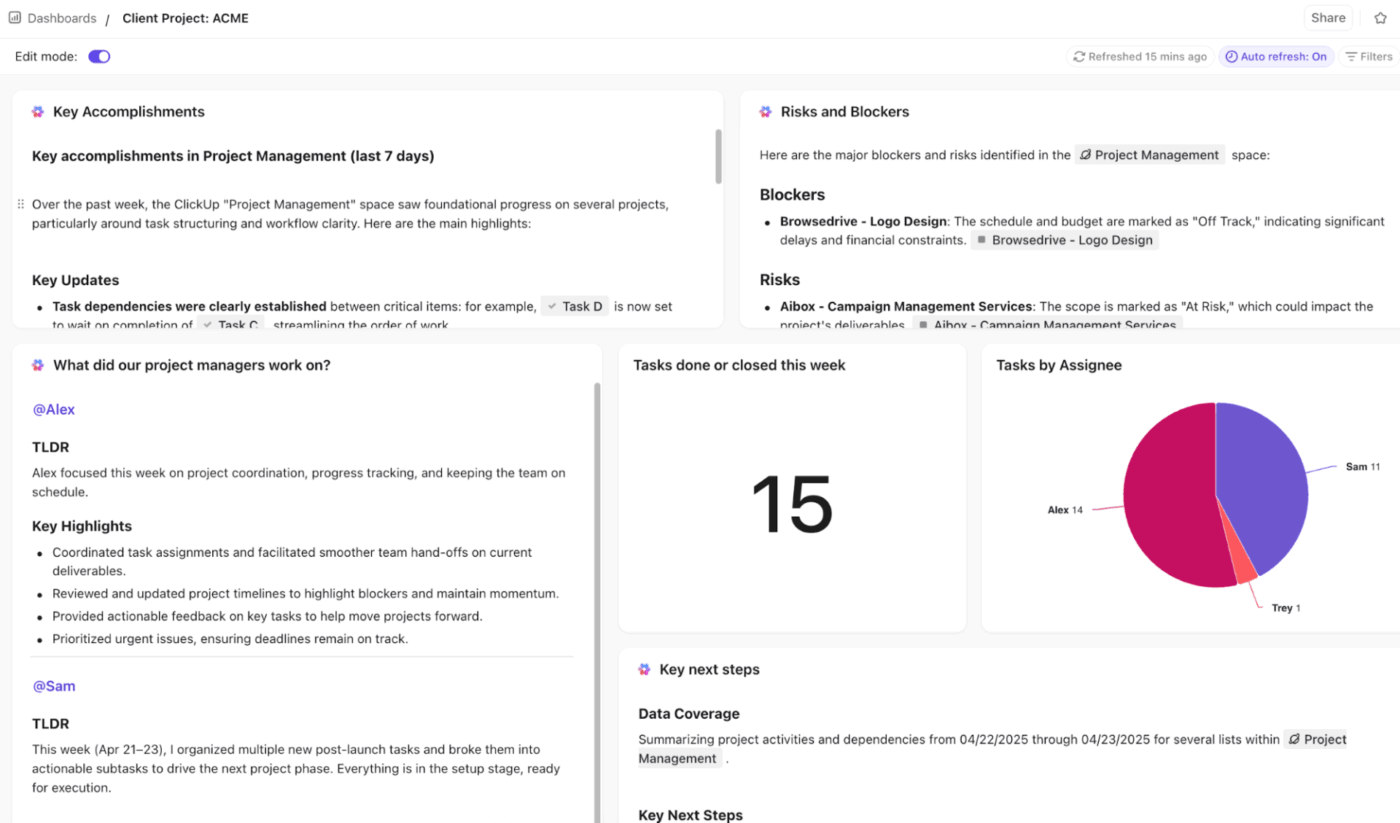
Plus, AI Cards in ClickUp help you move from visibility to action:
Keep resource plans current with ClickUp Super Agents. Super Agents are AI teammates that help teams make smarter resource-planning decisions by understanding work context, surfacing bottlenecks, and supporting better task distribution across the team.
Learn more about how to use Super Agents:
A G2 review put it like this:
ClickUp gives me a true “work operating system.” I love how I can move seamlessly between Whiteboards, Docs, tasks, and dashboards without losing context. It’s the only platform where I can map an entire service blueprint, convert the nodes into tasks, build automations around the workflow, and then track execution—all in one place. It keeps my client work, product sprints, and internal projects unified instead of scattered across different tools.
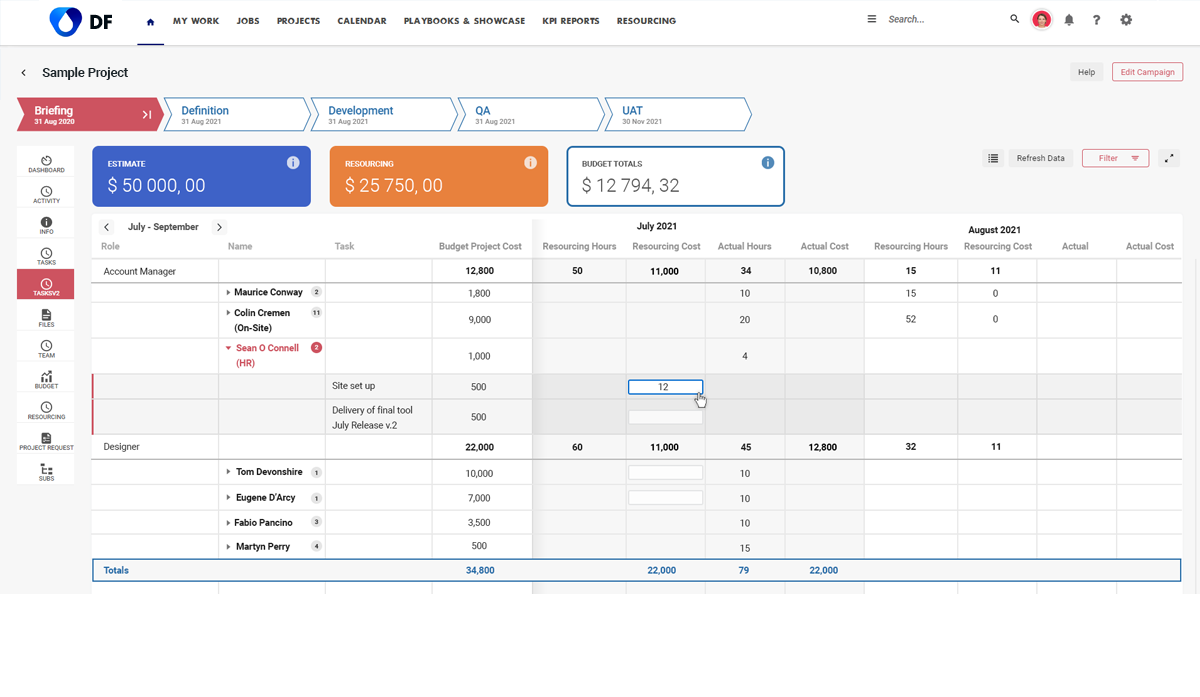
Screendragon runs on AI agents that sit inside your workflow. The AI Team Builder analyzes your org charts, past project data, and current workload to recommend who should work on what.
The platform predicts capacity crunches three to six months out using machine learning that studies historical project patterns and seasonal trends.
The no-code workflow editor lets teams build complex approval chains and conditional routing without technical expertise.
Per a G2 review:
I appreciate that Screendragon can be spun up quickly and nearly completely customized to your needs. Whereas some other workflow systems require you to remain within the confines of their standard structure and path and will not allow you to go back a step, Screendragon is highly customizable and even allows the admin to go to specific steps to make changes if needed.
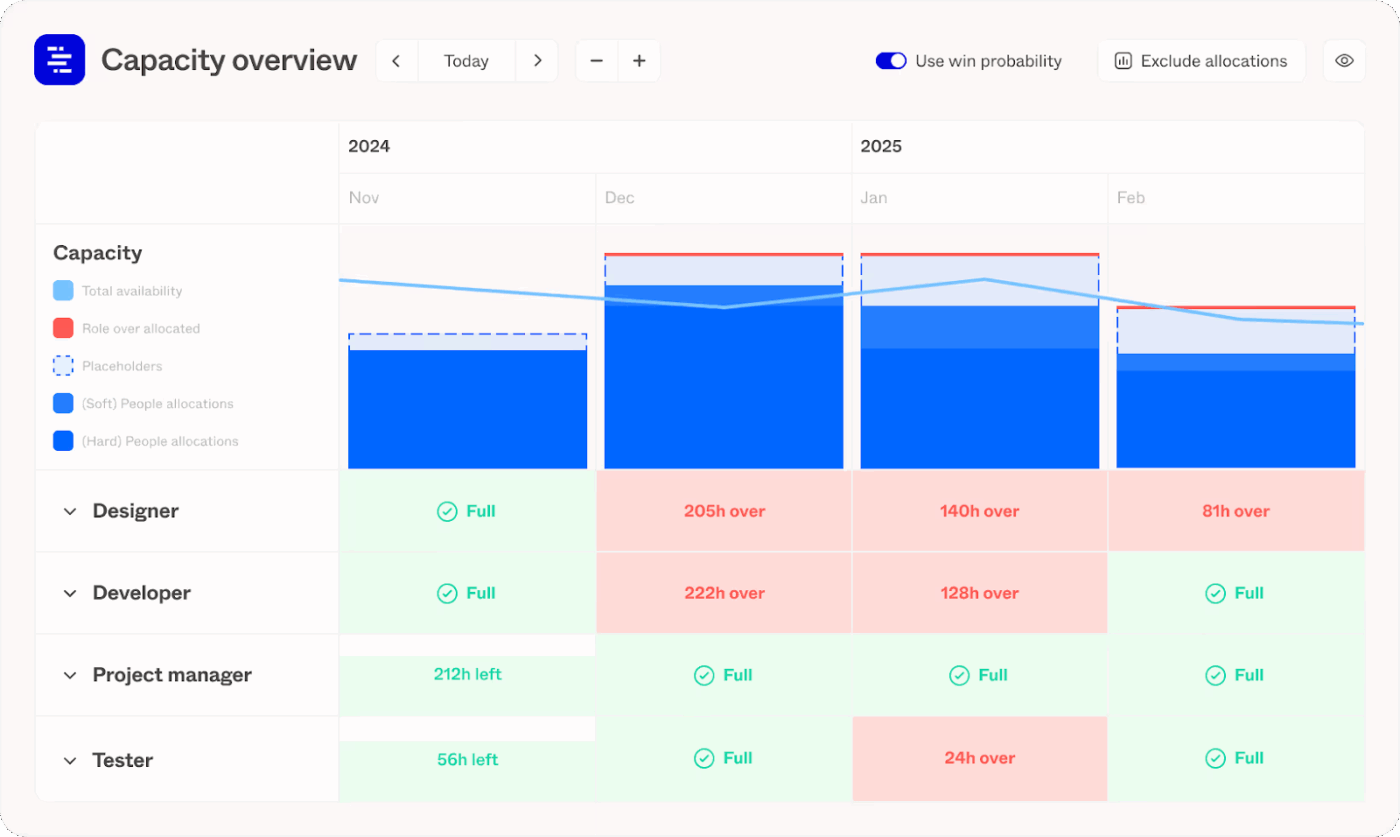
Forecast App uses machine learning to close the gap between project estimates and reality.
The AI notices patterns like developers who consistently underestimate JavaScript tasks or specific project types that always run over budget. That intelligence feeds directly into every new project you plan.
Hit the Auto Schedule button after creating a task list, and the system assigns resources, adds time estimates based on actual historical performance, and suggests completion dates. Plus, the platform pre-fills timesheets by learning individual work patterns throughout the week, making time tracking less time-consuming.
Per a G2 review:
I love how forecast combines useability with data analysis. it provide a quick and easy route to find work and log time for anyone using the system but gathers a range of useful data metrics that can be manuipulated [sic] to give powerful BI insights…It would be useful to use more data manipulation in AvA. e.g. Putting a sum at the bottom of a table, subtracting one column form another.
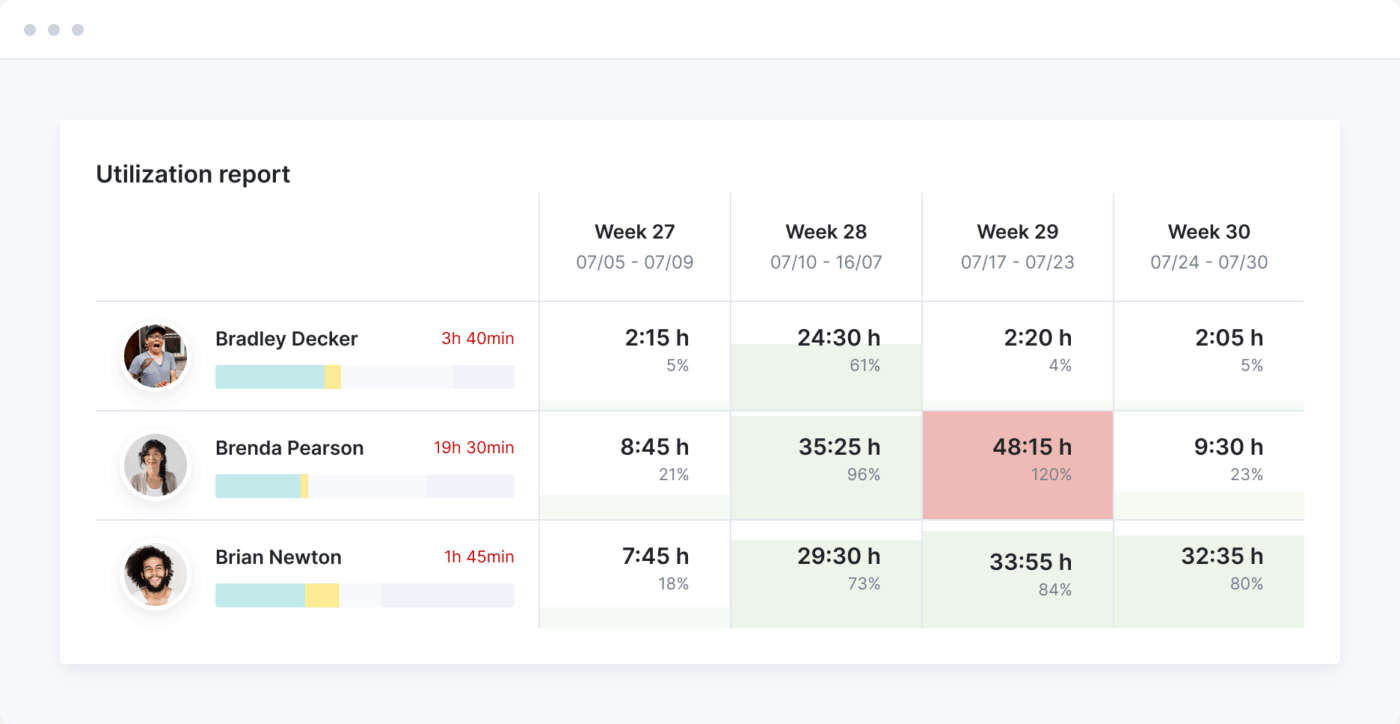
Scoro connects the entire professional services workflow from quote to invoice. ELI is its AI assistant that answers plain-English questions about your business data instantly.
It interprets what you’re asking for and applies the right groupings automatically.
Beyond answering queries, ELI creates new report templates from natural language descriptions that you can bookmark for recurring analysis.
A reviewer on G2 writes:
We can finally run post-mortem reports that accurately connect our initial estimate for concept development time to the actual time logged. This has allowed us to increase our quoting accuracy for complex projects (like high-end residential or hospitality fit-outs) by over 15%, reducing under-billing significantly.
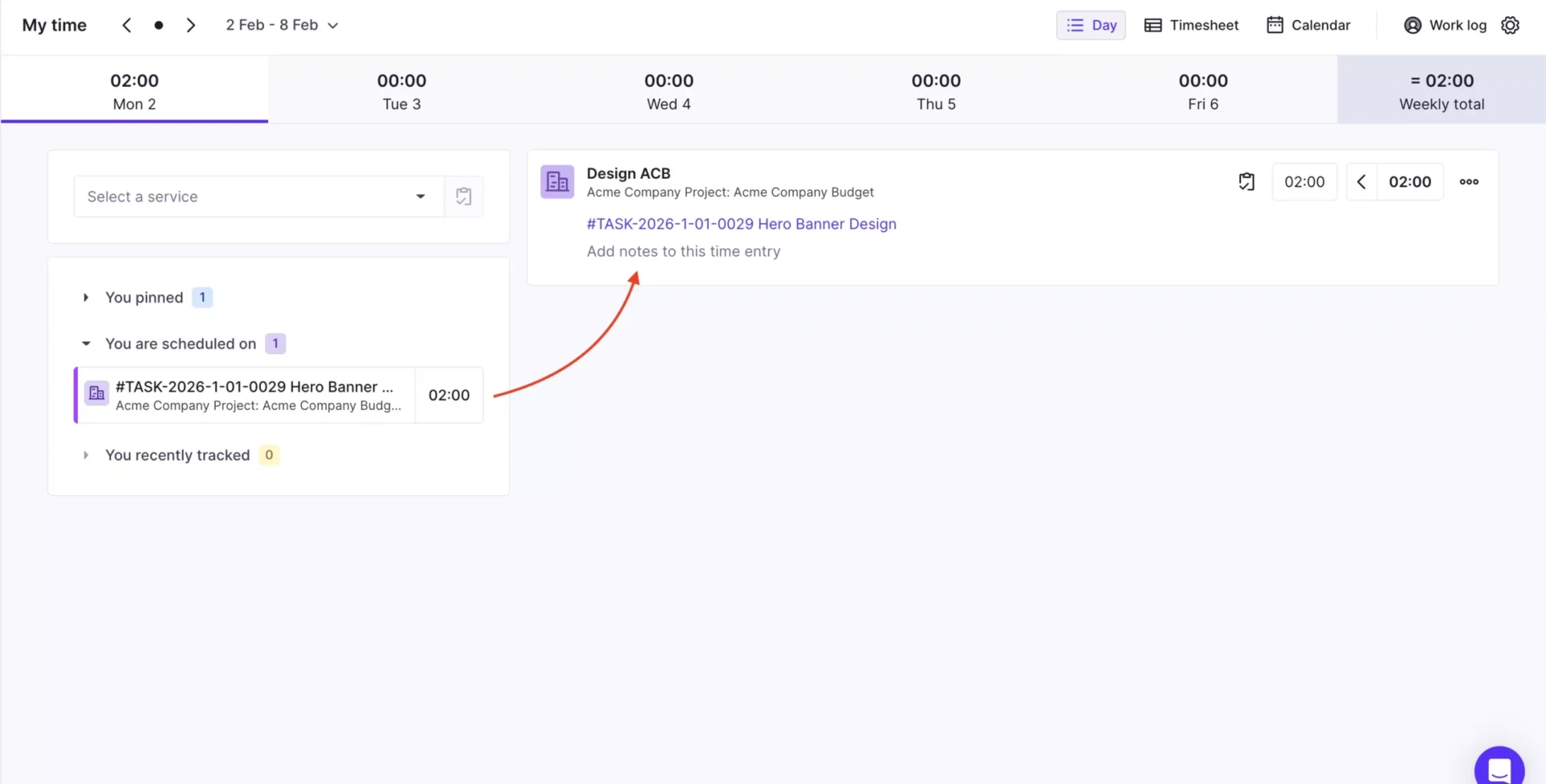
Productive calculates project margins in real time by tracking costs against budgets as work happens, giving agencies immediate visibility into which clients make them money. It connects sales pipelines directly to resource planning so you can allocate team members the moment opportunities convert.
Its AI generates custom reports from natural language prompts instead of forcing you through filter configurations. It also drafts project specifications and marketing content, translates text into eight languages, and summarizes task activity.
Resource planning uses color-coded workload indicators to flag when team members approach overload or sit idle, helping balance capacity.
According to a Capterra review:
Overall, Productive has been a reliable and powerful tool for managing projects, budgets, and time tracking. It allows us to track resources, costs, and progress in one place, giving us full control over our projects and saving significant time compared to using separate tools. With API integrations, we can seamlessly connect data from our HR system and deliver detailed timesheets to clients, further improving efficiency and transparency.
These are some resource planning templates to try out.
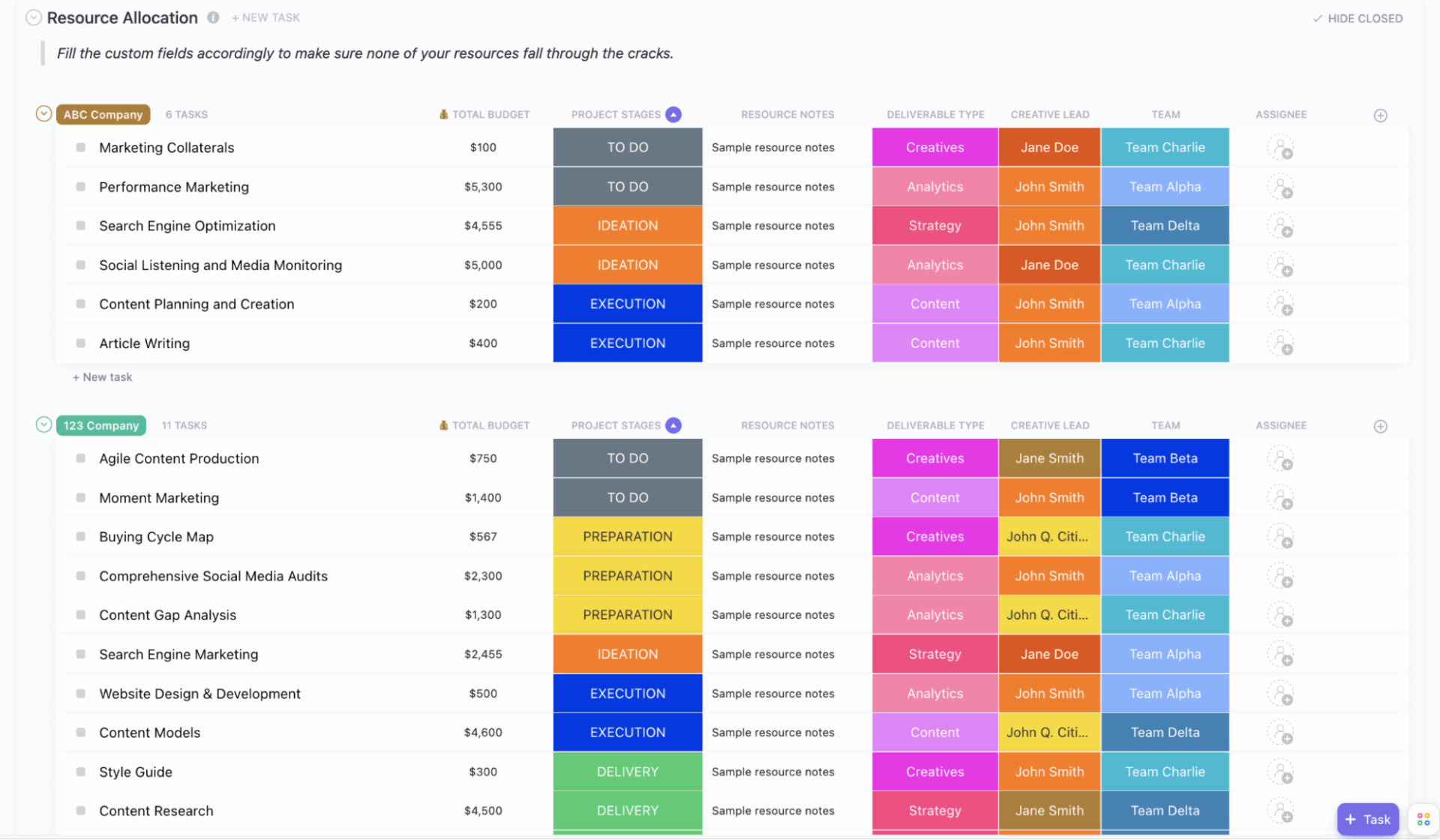
The ClickUp Resource Allocation Template is a comprehensive tool designed to help you plan, assign, and monitor resources so your projects finish on time and within budget. It offers a clear overview of team capacity, project stages, and resource usage, all in an organized workspace.
📌 Ideal for: Project planners, team leads, and organizations who want real-time resource visualization, optimized utilization, and efficient allocation to keep teams aligned and projects on track.
🔍 Did You Know? Traditional forecasts rely on historical patterns, but demand sensing uses real-time signals from the supply chain to predict demand more responsively. This is a move away from ‘old data predicts new’ to ‘current reality shapes forecasts,’ which is exactly what high-velocity capacity planning needs.
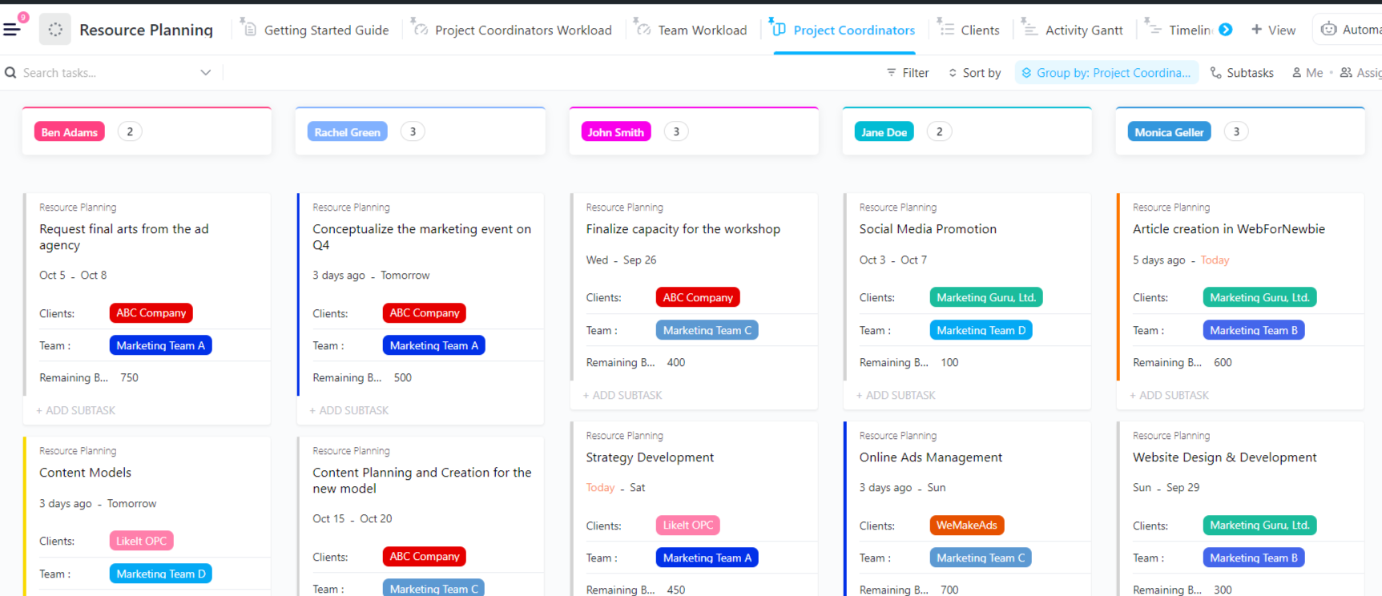
The ClickUp Resource Planning Template is built to help you visualize, plan, and allocate resources efficiently, ensuring projects are completed on time and within budget. This template centralizes all resource data, making it easy to track hours, manage subcontractors, and organize staff availability for streamlined project execution.
📌 Ideal for: Project managers, team leads, and operations managers who want to avoid over-allocation, maximize project completion, and align resource planning with business goals.
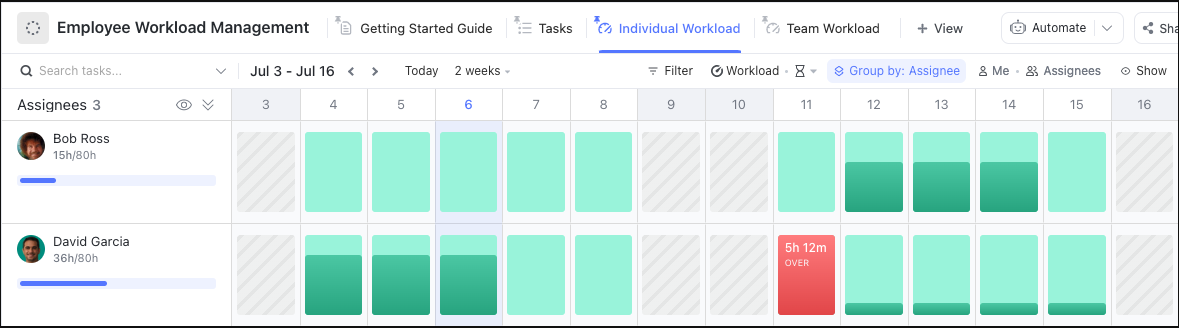
The ClickUp Employee Workload Template offers a practical framework for managers and teams to distribute tasks fairly, monitor individual capacity, and maintain a healthy work environment. It makes it easy to visualize who’s doing what, set clear expectations, and keep everyone on track.
📌 Ideal for: Managers and team leads who want to assess capacity, assign tasks clearly, set realistic deadlines, and foster collaboration.
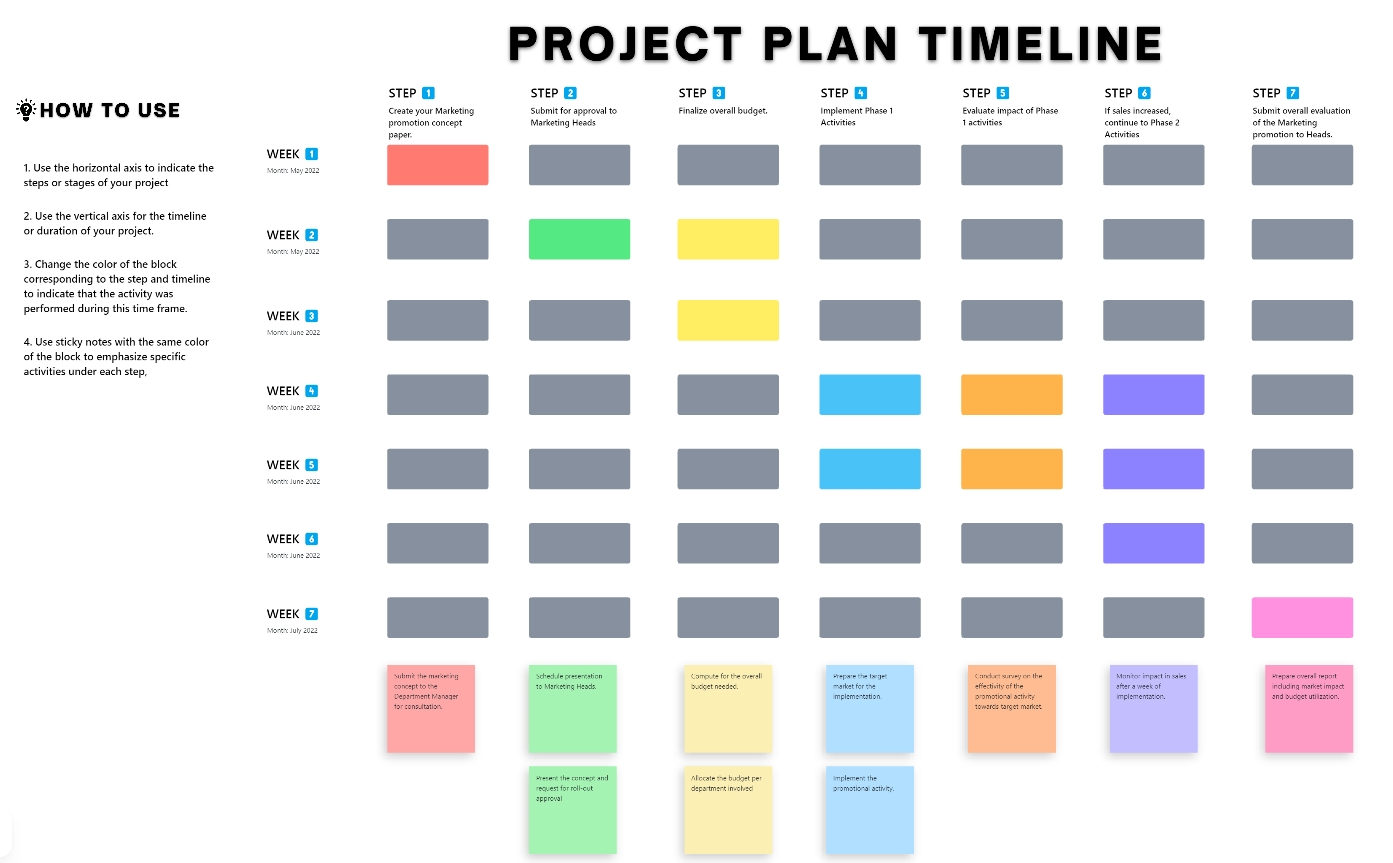
The ClickUp Project Timeline Whiteboard Template provides a dynamic, visual workspace for teams to map out project phases, set deadlines, and track progress. It breaks down complex projects, helps assign tasks, and adjusts timelines as needed to keep everything on track.
📌 Ideal for: Teams and project managers who want a clear, visual way to plan, communicate, and adapt project timelines, spot bottlenecks early, and keep stakeholders informed.
📖 Also Read: Best Project Management Techniques for Every Project
With your options clear, here’s how to choose the best tool for AI resource planning:
💡 Pro Tip: Best forecasting practice suggests using ranges and scenarios (e.g., lower/higher demand) rather than a single number. This anticipates variability and uncertainty more realistically.
🎥 For more tips on AI tools for resource planning, watch this!
Many organizations adopt AI expecting instant clarity, then run into familiar planning problems in a new form. Here’s what to avoid and do instead. 📁
| Common mistake | Why it hurts planning | What to do instead |
| Planning based on ideal assumptions | AI models produce optimistic plans when teams assume full availability and zero disruption | Feed real capacity data including meetings, admin time, and planned time off |
| Ignoring skill constraints | Work looks balanced on paper but piles up around a few specialists | Map skills and proficiency levels so AI assigns work based on capability, not headcount |
| Overloading high performers | The same people keep getting critical work because they deliver fast | Set workload thresholds to protect focus time and avoid burnout |
| Poor visibility into ongoing work | AI recommendations lose accuracy when active work lives across tools | Keep tasks, timelines, and dependencies consistently updated |
| Failing to adjust plans when priorities change | Static plans drift out of sync as new work enters the system | Re-run capacity scenarios whenever priorities or scope shift |
🔍 Did You Know? Human cognitive capacity isn’t constant. Research shows our mental workload rapidly fluctuates in real time, and these shifts can lead to overload or neglect.
AI resource planning changes how teams think about work. The system reads live workloads, past delivery patterns, and real availability to show what your team can take on. That shift ensures better planning decisions.
ClickUp brings everything, including Tasks, skills, time data, priorities, and dependencies, together. This way, ClickUp Brain can forecast capacity, surface risks, and recommend smarter assignments without manual prep.
Automations and AI Agents keep plans current as work shifts, while Dashboards make capacity pressure visible at a glance.
Sign up to ClickUp for free today! ✅
AI for resource planning uses data and machine learning to predict how people, time, and skills should be allocated across work. It helps teams plan capacity based on real usage patterns rather than assumptions.
AI analyzes past and current work to guide decisions on staffing, timelines, and workload distribution. It supports planners by surfacing insights, risks, and recommendations that are hard to spot manually.
AI reviews task history, effort estimates, delivery speed, and availability to forecast future demand. It shows how much work a team can realistically take on during a given period.
Teams should use AI when work spans multiple projects, priorities shift often, or planning relies heavily on guesswork. It adapts faster as inputs change and reduces planning overhead.
AI relies on task data, time spent, delivery timelines, team availability, skills, and historical performance. The more consistent the data, the better the recommendations.
Yes. Small teams benefit by gaining clarity on capacity limits, avoiding burnout, and planning work realistically without manual tracking.

© 2026 ClickUp

There’s an easier way. Try a free AI Agent in ClickUp that actually does the work for you—set up in minutes, save hours every week.