Sorry, there were no results found for “”
Sorry, there were no results found for “”
Sorry, there were no results found for “”
When you sit in on a virtual conference or when your boss starts firing off their favorite productivity tips, what do you do? You open a digital document and take notes.
…probably with the same word processing software you’ve used since the ninth grade.
Word processing software isn’t what it used to be—it’s better.
These tools have evolved beyond the boring blank screens we felt forced to use. Now, word processing can actually be fun!
Rich text editing, dynamic formatting, intuitive writing assistance, and collaboration features are some of the greatest benefits to using top word processing software. But the best part? It’s also incredibly affordable.
Follow along as we dive into every must-have word-processing feature and the 10 best word-processing software for every team, writing style, and use case! Complete with detailed feature comparisons, pros and cons, pricing, ratings, and more!
Here are the 10 best word-processing software for every team:
Word processing software is an application used to capture, format, and edit any form of writing—whether it be your general thoughts, meeting notes, SOPs, or email drafts. Your mind may immediately go to typewriters, but the benefits of word-processing software extend much further than that.
Thanks to the modern development of project management software, collaboration tools, and intuitive design, word processing software can do more than you ever thought possible! You can edit one document alongside your peers, arrange documents by category, share them via simple links, and flex your creativity with rich formatting. And these days, that’s just the bare minimum!
The thing is, there are a ton of word processing software to choose from these days.
In fact, we’d bet our bottom dollar that you can think of a few off the top of your head as we speak! You might even have a top three!
But with the number of new, flexible, and exciting features being added to word processing tools each day, it’s important to know what to look for in your go-to software in order to best serve your use case and to get the most bang for your buck.
All this talk about advanced features makes you wonder—what does this functionality actually look like?
You don’t have to settle for the basic features we grew up struggling with. You also don’t have to fork over an arm and a leg to access powerful software that can take your documents so much further!
Here is a list of our favorite, must-have features to look for in your next word-processing software:
There’s no reason why your word-processing software can’t be exciting, dynamic, or collaborative.
Digital editors and document sharing have come a long way in the past decade and we have tons of software to show for that growth! The challenge then becomes finding a tool that’s tailored to your unique needs and aligns with your work style.
So what do you do? You refer back to this list!
We’ve researched and tested the best word-processing software to bring you 10 of our favorites based on their best features, limitations, pricing, ratings, and more!
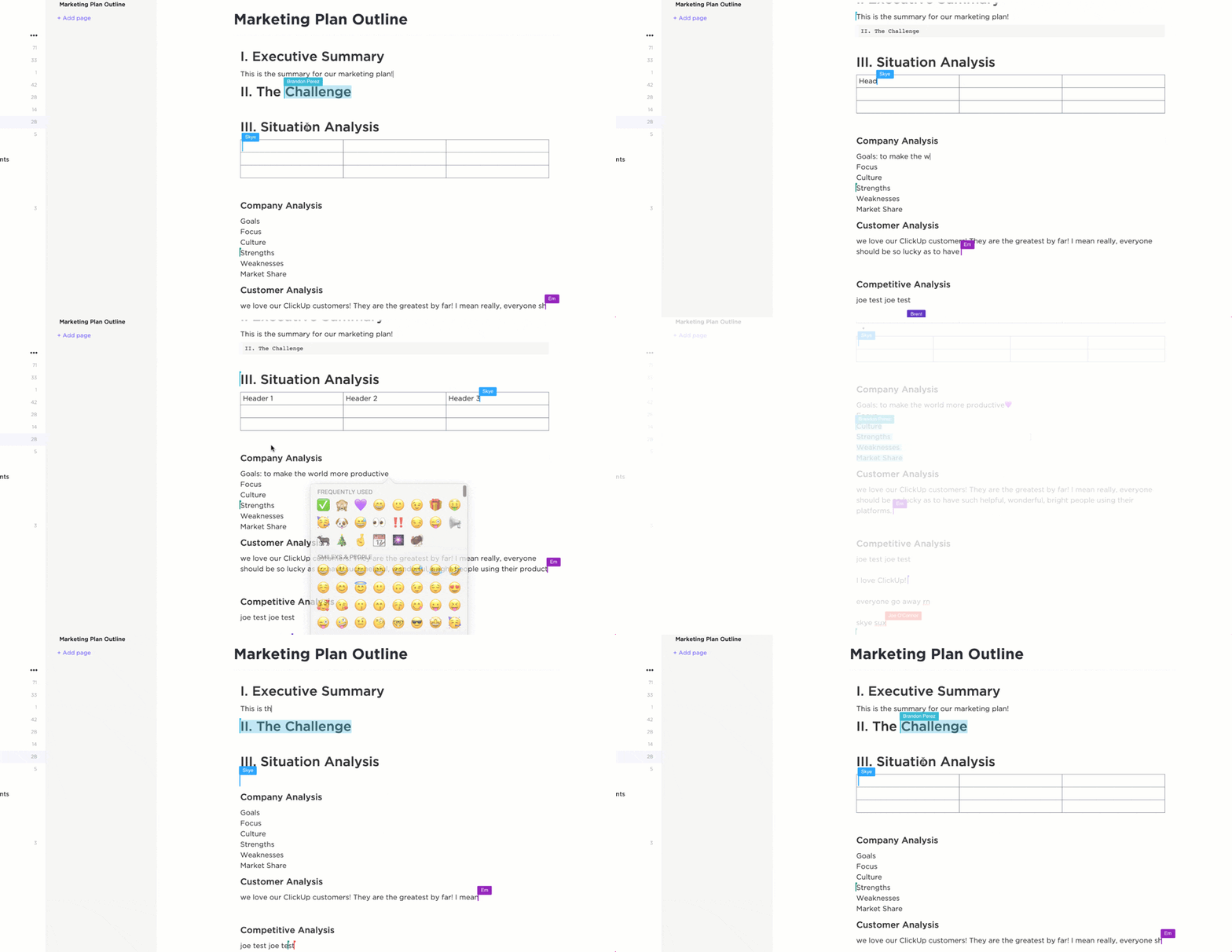
ClickUp is the ultimate all-in-one productivity tool for teams across industries to centralize their work into one collaborative platform. ClickUp is known for its rich set of fully customizable features, including a built-in document editor to create everything from simple to-do lists to detailed wikis, then connect them directly to your workflow.
With the ability to convert text into actionable tasks, embed data from virtually any other work tool, and collaborate on documents in real-time, ClickUp Docs is the ideal word processing tool for teams, students, and enterprise companies alike.
ClickUp Brain: Your creative assistant
Need a boost for your writing? ClickUp Brain helps you brainstorm, write compelling copy, edit, proofread, and summarize your notes. Integrated with ClickUp Docs, it offers personalized suggestions to improve your content’s clarity and impact. Whether you’re drafting or brainstorming, ClickUp Brain is your go-to tool for smarter, more efficient writing.
📮 ClickUp Insight: Low-performing teams are 4x more likely to juggle 15+ tools, while high-performing teams keep their tech stack lean. Why not go a step further? With ClickUp, you get project management, document editing, team chat, and AI-powered automation—all in one place.
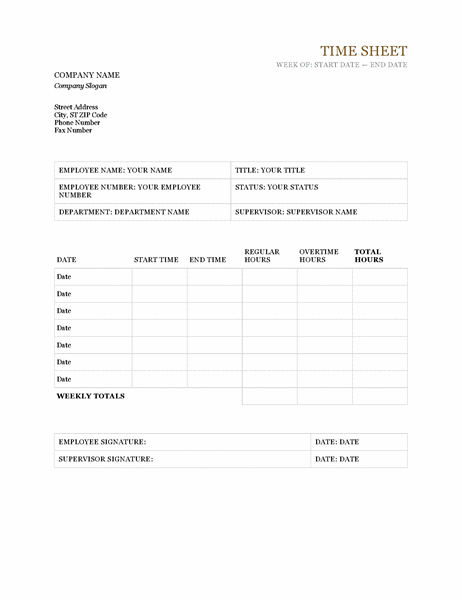
Microsoft Word is a powerful word processor for anyone to create Word documents, spreadsheets, emails, and more. It’s part of the Microsoft Office Suite, which makes it easy to integrate with other Microsoft products like Excel and PowerPoint.
Word offers various features to help you stay organized, such as template options for different types of formal documents and advanced editing tools. You can add images, tables, charts, hyperlinks, and other media to enhance the look of your MS Word documents. The program also provides many features to help make creating documents more efficient, such as a spellchecker, auto-corrector, and thesaurus.
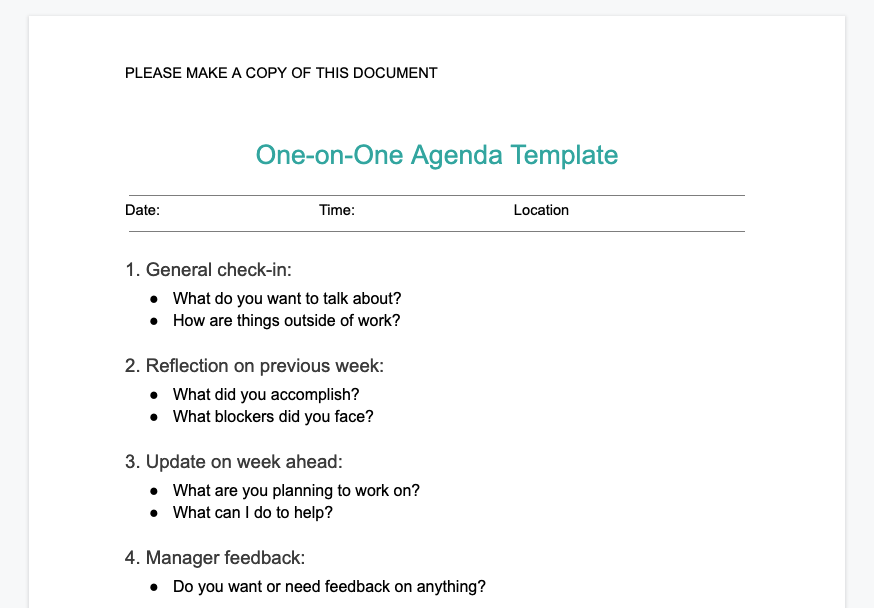
Google Docs is an online word processor that makes it easy to create and edit professional documents. With real-time collaboration tools, Google Docs provides a platform for groups of people to collaborate on a single project, ensuring that everyone stays up-to-date with the document’s progress. Features like templated and automated formatting are also available to make your document look professional.
With Google Docs, users can track changes, comments, and suggestions as they make revisions and edits. All of the documents you create in Google Docs are automatically saved in the cloud, so you can access them from any device at any time. So whether you’re on your desktop or mobile device, you can continue working!

Grammarly is an AI-powered writing assistant. It helps you identify and fix grammar, spelling, punctuation, and other writing errors quickly. Grammarly offers suggestions while you’re using desktop apps or websites, including Gmail, ClickUp, LinkedIn, Google Docs, and more!
With Grammarly, you get feedback on your writing in real-time so you can improve it instantly. Plus, with its deep understanding of grammar topics and linguistics, you can trust your next report or project will be polished and professional. Grammarly makes it easy to focus on what’s important—creating strong, compelling content.
Discover the top content collaboration software!
Check out these Grammarly alternatives!
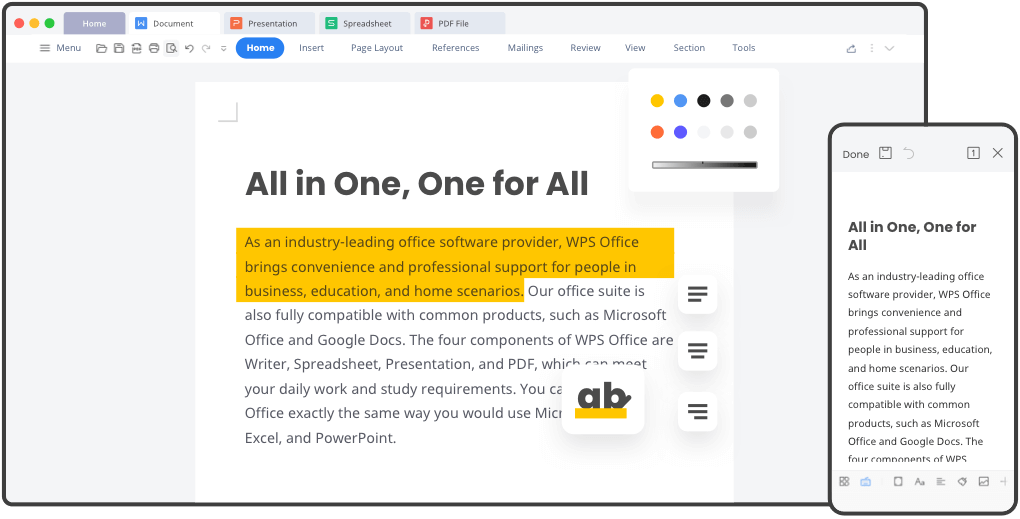
WPS Office is a comprehensive office suite that provides you with the tools and features necessary to manage all your documents, files, and presentations efficiently. It supports popular file formats and is compatible with PC and mobile devices. With WPS Office, users can create and edit text documents, spreadsheets, and slide shows in an intuitive and user-friendly interface.
It also includes powerful document management tools such as colorful themes, annotation, split PDF documents, and file format conversion. The software also has advanced collaboration capabilities that allow multiple users to work on the same file simultaneously.
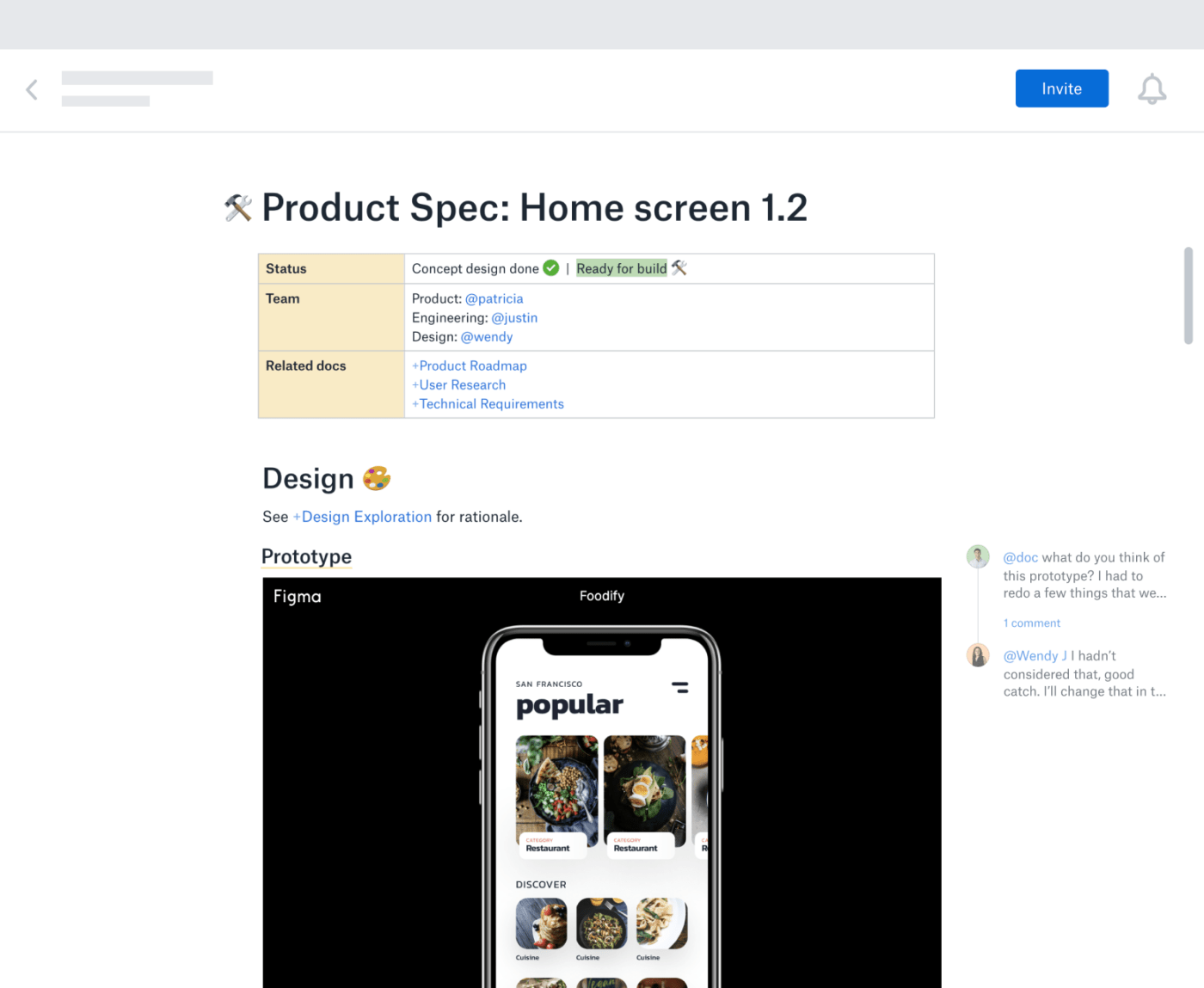
Dropbox Paper offers a simple way to start a project. The drag–and–drop feature allows users to break down complex tasks into easily manageable chunks. By inviting teammates to collaborate on projects, everyone can contribute to the conversation, comment on each other’s work, and brainstorm in real-time.
The Master Doc feature allows anyone to create a hub for other docs. For complex or long-term projects, organizing documents from the start will boost productivity. It provides you with an efficient way to access and manage all the related documents by creating links to them. You don’t need to spend extra time searching for files. Search or navigate within the master document!
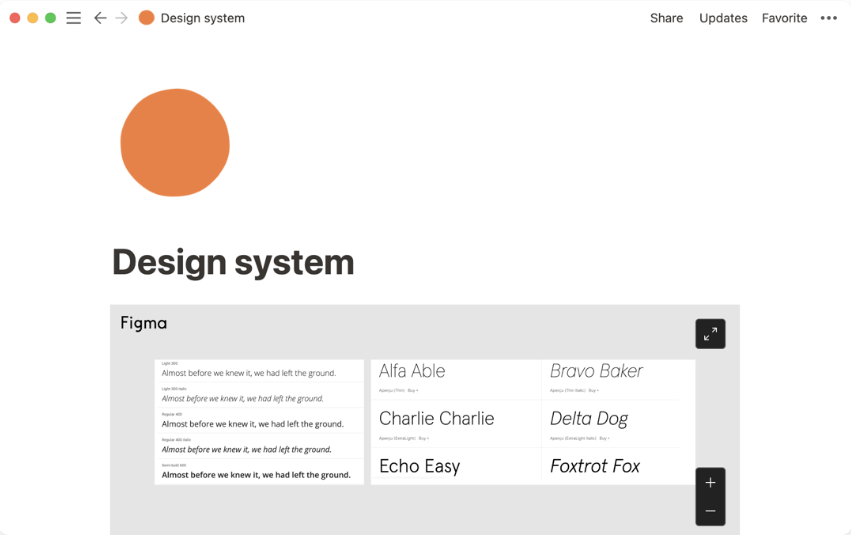
Notion is a document-based workspace for your notes, tasks, documents, and databases. It’s a versatile tool as a word processor to track any information, from project milestones and task reminders to travel plans and personal ideas.
Notion’s operating system makes it easy to organize whatever you need to keep track of. With its intuitive drag-and-drop interface, you can quickly set up custom workspaces tailored to whatever type of project or goal. Plus, Notion allows you to link between different databases and notes, create checklists, embed media, and more.
Check out the best Notion alternatives!
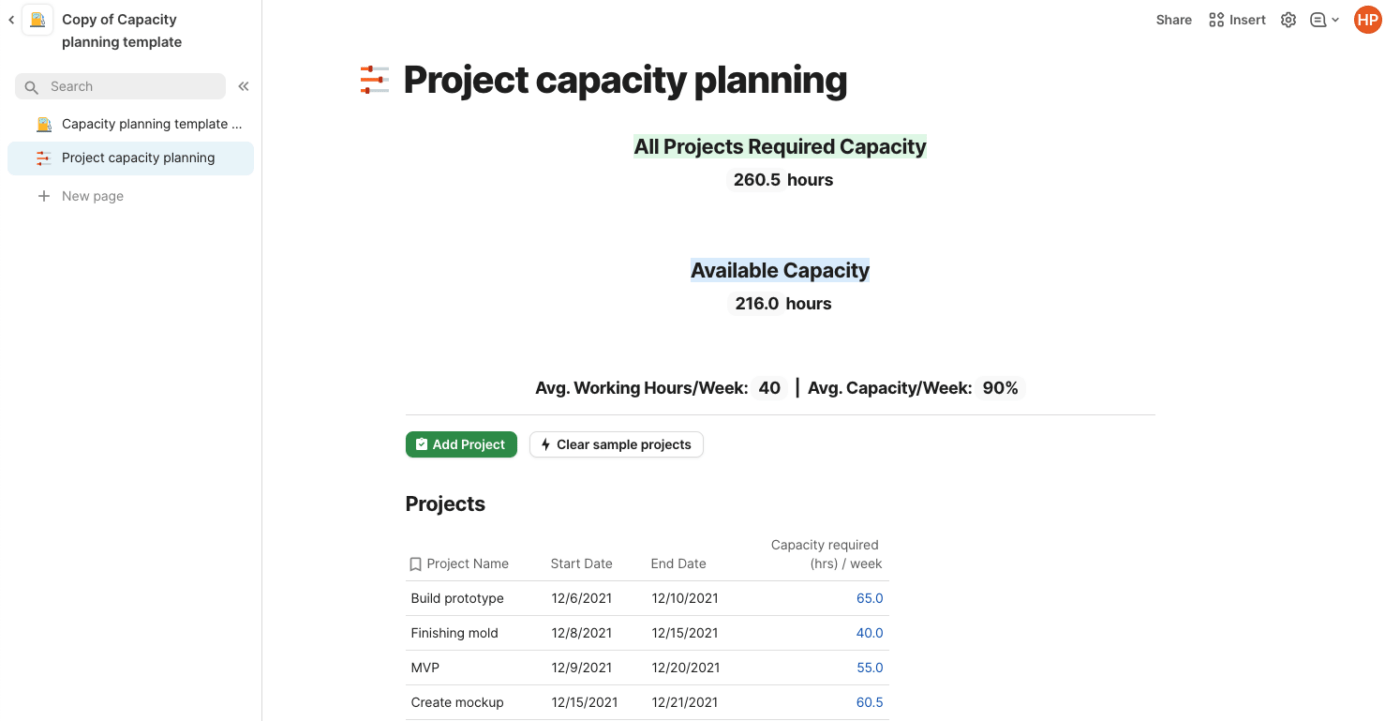
Coda is a powerful document editor for creating and managing content. With Coda, you can create documents from scratch, edit existing ones, track changes, collaborate with others in real-time, and share them securely. The editor provides a range of tools to help you write fluently and quickly—including text formatting, image editing, tables, and hyperlinks.
Coda also comes with built-in collaboration features, so you can invite people to join in on projects and discuss changes easily. With its easy-to-use interface and intuitive tools, Coda is a word processor solution for anyone looking to build professional documents!
Bonus: Compare Coda Vs. Airtable
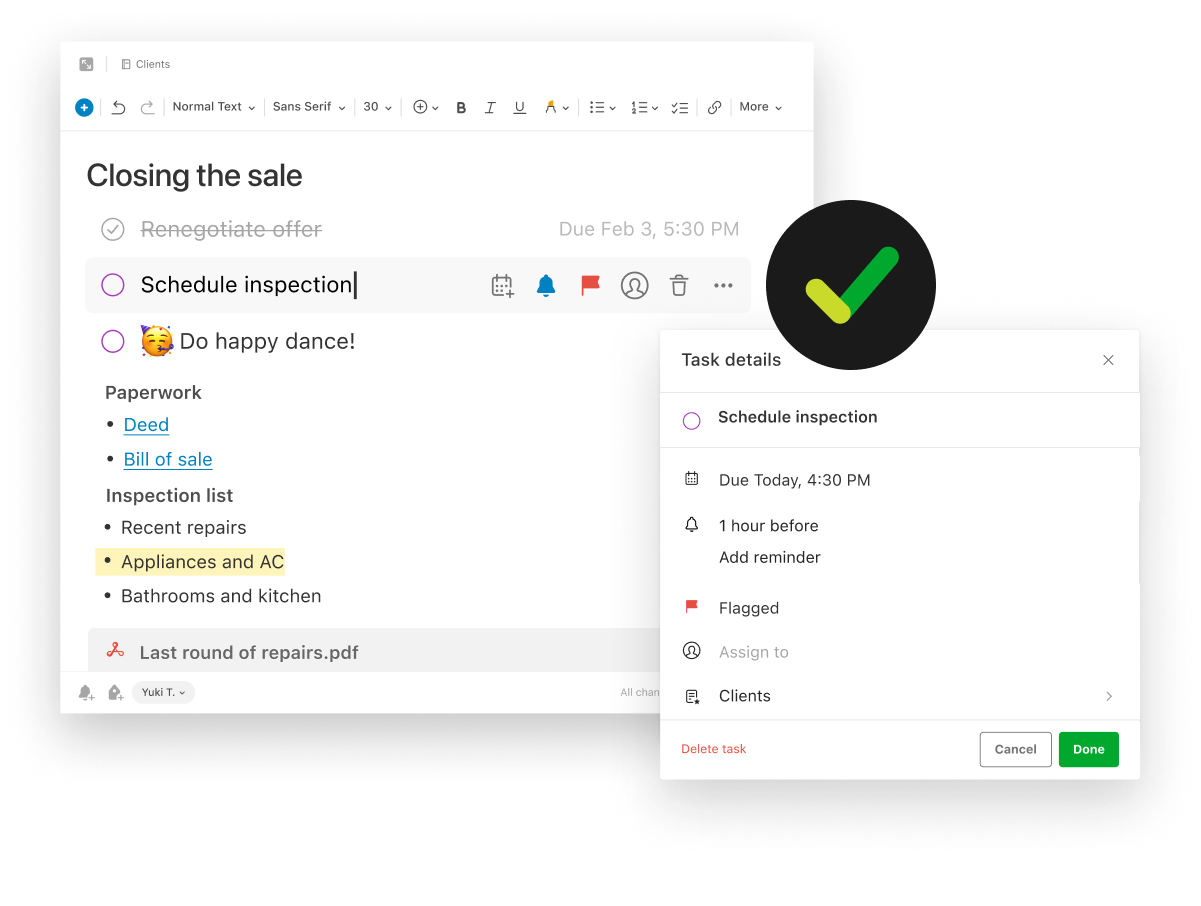
Evernote is an online note-taking application to help you be more productive and organized. With Evernote, you can store anything from text-based notes to images, videos, and audio recordings. You can even add reminders and read web pages offline. Evernote is available for various platforms, including mobile devices. Plus, it has a Web Clipper browser extension!
No matter what type of project you’re working on, Evernote makes managing the details easier. Whether it’s brainstorming new content ideas or planning a business meeting, Evernote gives you the freedom to capture, organize and sync all your information. With features like searchable tags and categories, you’ll have the tools to find what you need, when you need it.
Connect Evernote and ClickUp to manage your notes in one place!
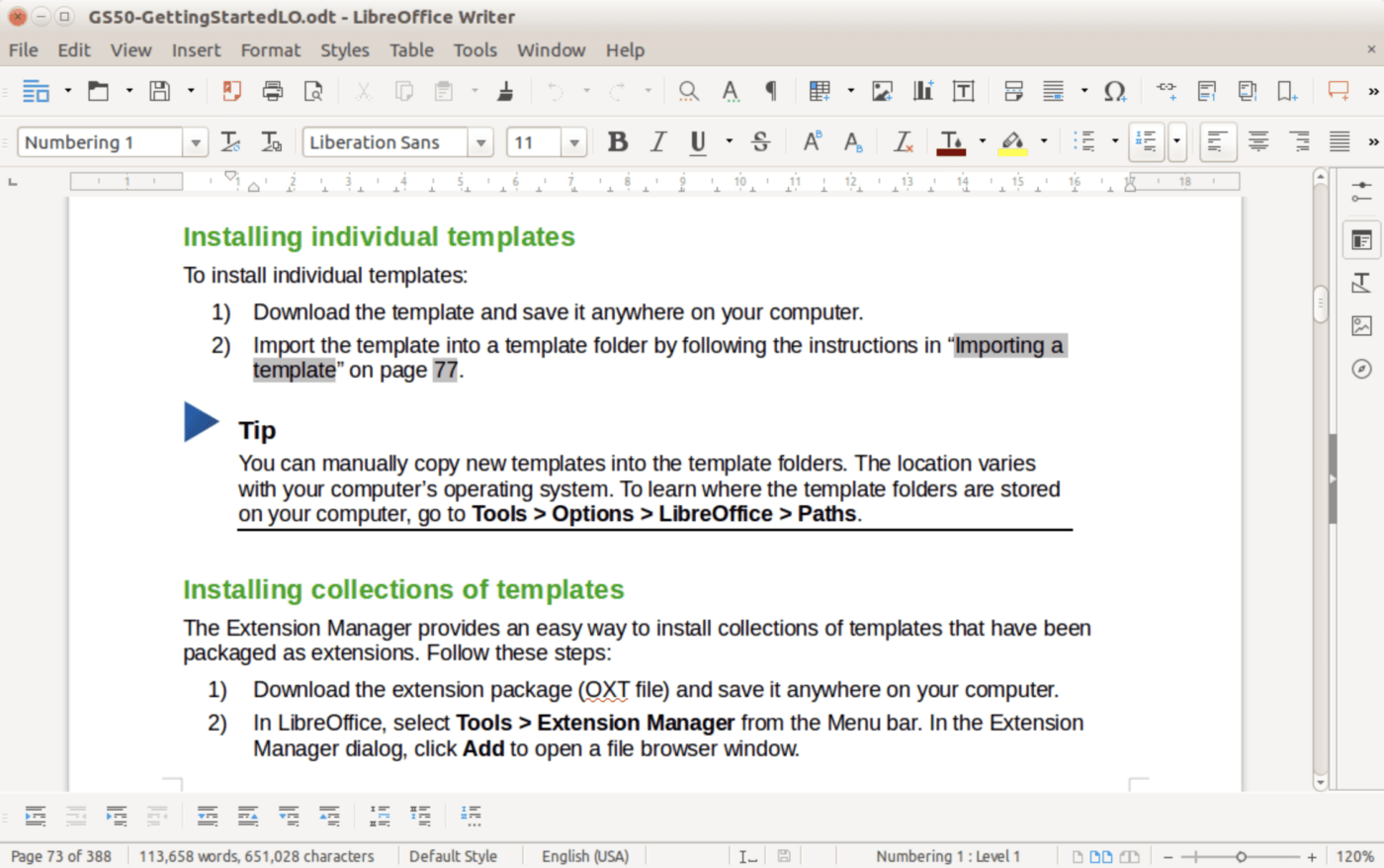
LibreOffice is a free open source office suite designed to make completing everyday tasks easier. It’s an open-source product, meaning that it’s free and available to all users. LibreOffice includes programs for word processing, presentation building, spreadsheet editing, database manipulation, formula editing, drawing, and more.
Together these tools provide an intuitive user experience and help individuals create their best work. With LibreOffice, you can develop financial reports, spreadsheets, presentations, and more. If you want more functionality, extensions are available through the LibreOffice repository.
Check out these LibreOffice alternatives!
It’s time to ask for more from your word processing software, ClickUp Docs will show you how.
Edit with the team, turn your thoughts into actionable tasks, and connect your documents directly to your workflow, all without leaving your editor! No other word processor can enhance the value of your documents like ClickUp can. But the best part? ClickUp does it all for free.
Access ClickUp Docs, unlimited tasks, tons of templates and resources, more than 1,000 integrations, and so much more when you sign up for ClickUp today.

Manasi Nair
Max 27min read
Manasi Nair
Max 32min read
Manasi Nair
Max 14min read

© 2026 ClickUp