






Still downloading templates?
There’s an easier way. Try a free AI Agent in ClickUp that actually does the work for you—set up in minutes, save hours every week.
Sorry, there were no results found for “”
Sorry, there were no results found for “”
Sorry, there were no results found for “”

The shot may be picture-perfect, but you don’t see the scramble behind the lens—cables everywhere, plans shifting by the minute, and someone yelling about a missing script.
And with 73% of video marketers creating content like explainer videos today, the demand for fast, polished visuals is higher than ever. But that quality doesn’t just magically happen on set; it starts with smart prep.
One of the most underrated tools in your production is a video planning template (besides your camera, of course.) Let’s break down simple, free video planning templates to help you structure your shoots without overcomplicating.
Whether you are a solo creator or leading a team, these free video planning templates will help you stay organized and ready for whatever the shoot throws your way.
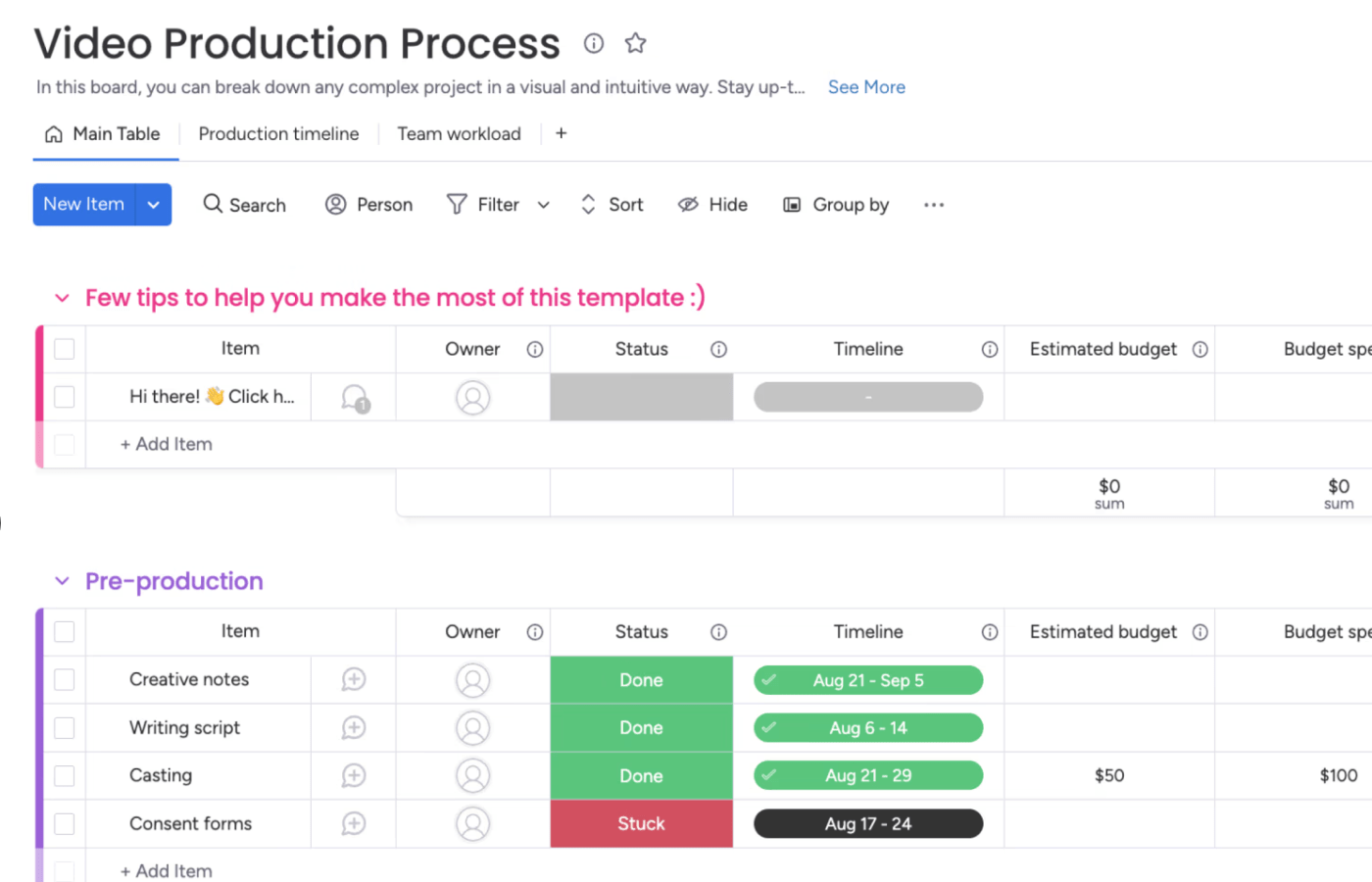
Video planning templates help you organize and manage your video production. They outline everything your project needs to make your video come to life—like the script, shot list, production schedule, and crew responsibilities.
Think of them as your blueprint for production success. When creating a YouTube video, an ad, or a full-scale production, these templates keep things organized and ensure nothing is overlooked.
From storyboards to call sheets, there are templates to fit your needs. They save time, reduce stress, and help you deliver a smoother shoot from start to finish. So, if you’re tired of last-minute chaos, a good, free template is your new best friend.
A good video planning template is clear, organized, and easy to use. It covers all essential aspects of video content production, such as the script, shot list, timeline, and crew responsibilities.
Ready to plan your video shoot?
We’ve rounded up our favorite free video planning templates. Each has key sections, must-haves, and built-in flexibility to fit any project, big or small.
Before the lights, camera, we plan!
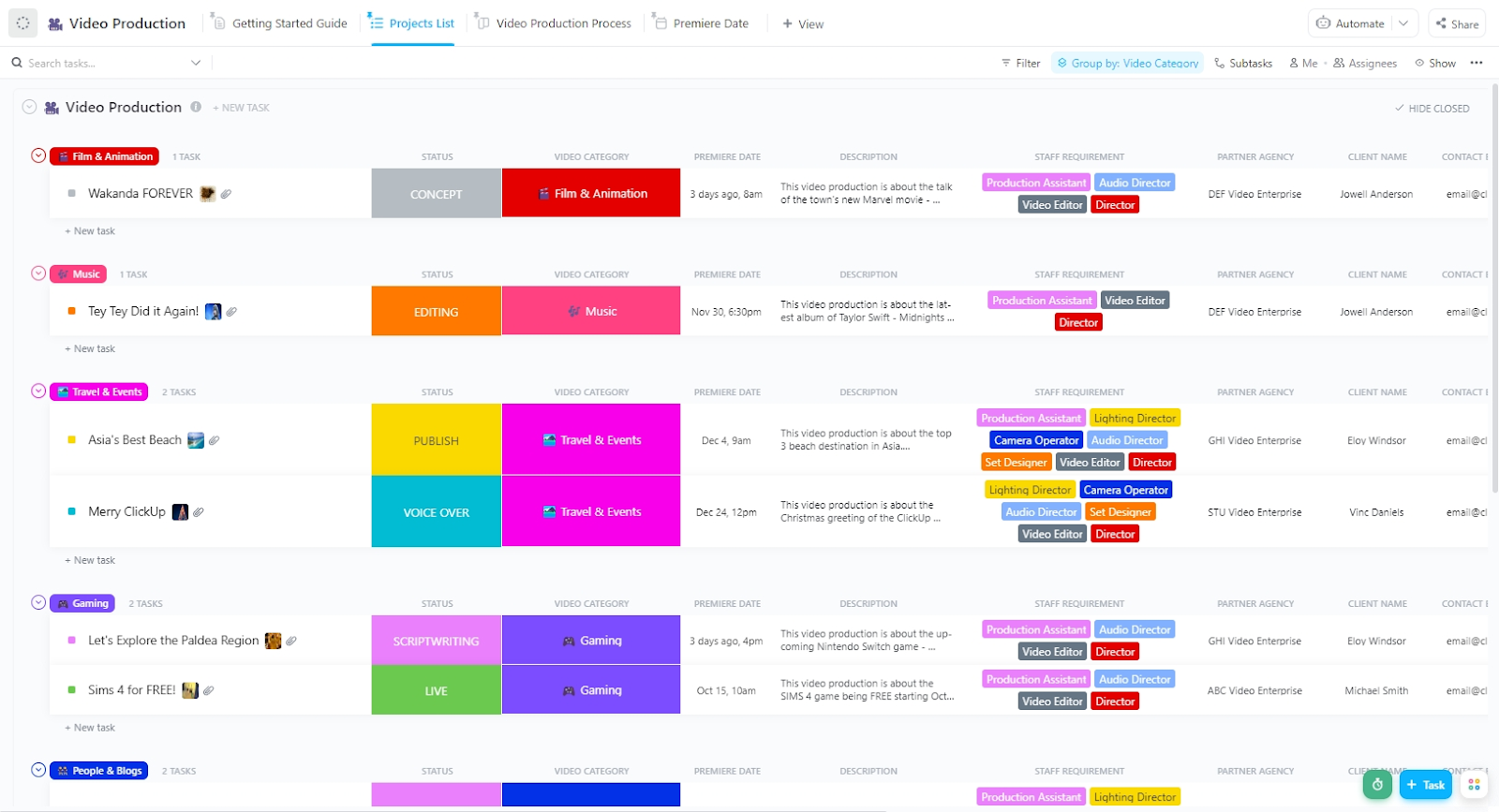
Video projects can become chaotic, with ideas flying in every direction, timelines slipping, and work scattered across the board. That’s where the ClickUp Video Production Template comes in. It organizes tasks, deadlines, and team updates into one clean, easy-to-navigate space.
Think of it as your built-in video production assistant. It clearly outlines the process for your team, from brainstorming to the final edit. It lets you stay on track, in sync, and enjoy the creative process.
Key features of this template let you:
🔑 Ideal for: Teams or creators who need a central place to manage video projects efficiently.
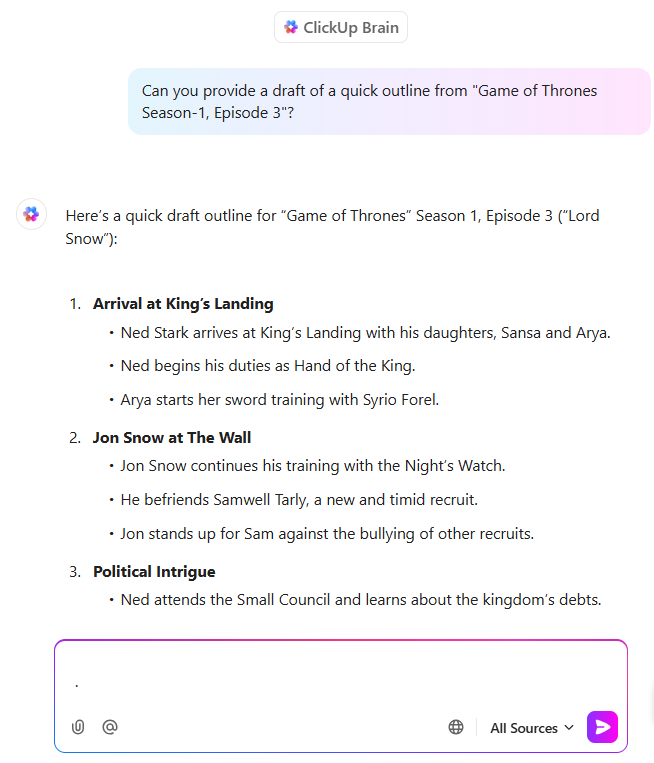
🪄 Bonus tip: Using the ClickUp Video Production Template with ClickUp Brain is like having an extra set of hands on your team. Let’s say you’re creating your next video project—just open a task like ‘YouTube Script – Episode 5’ and ask ClickUp Brain to draft a quick outline based on your previous episodes. Here’s an example from Game of Thrones!
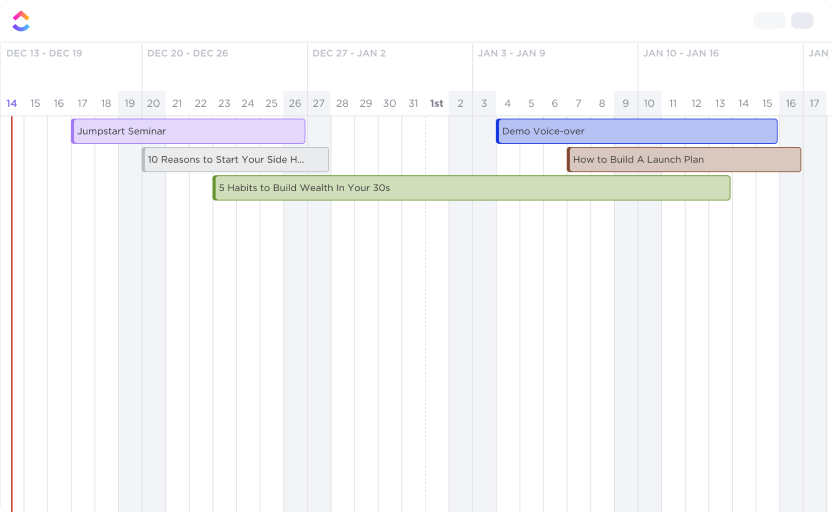
Beyond creativity, video projects need structure. And the ClickUp Video Production Timeline Template is the ace up your sleeve. It gives you a clear, time-based view of your production workflow. From scripting to post production, you’ll see every task, member, and deadline mapped out in a clear, customizable timeline.
It also keeps your team connected and your shoot day running smoothly. Plus, with a shared contact list, you can quickly reach the right person when issues pop up mid-production.
Key elements of this template help you:
🔑 Ideal for: Creators, video production teams, and managers who need to visualize a game plan to keep their projects on track.
🪄 Friendly tip: Record and share quick screen videos using ClickUp Clips to explain design choices or give feedback without typing a thing.
📖 Also Read: How to Use Trendspotting (with Examples)
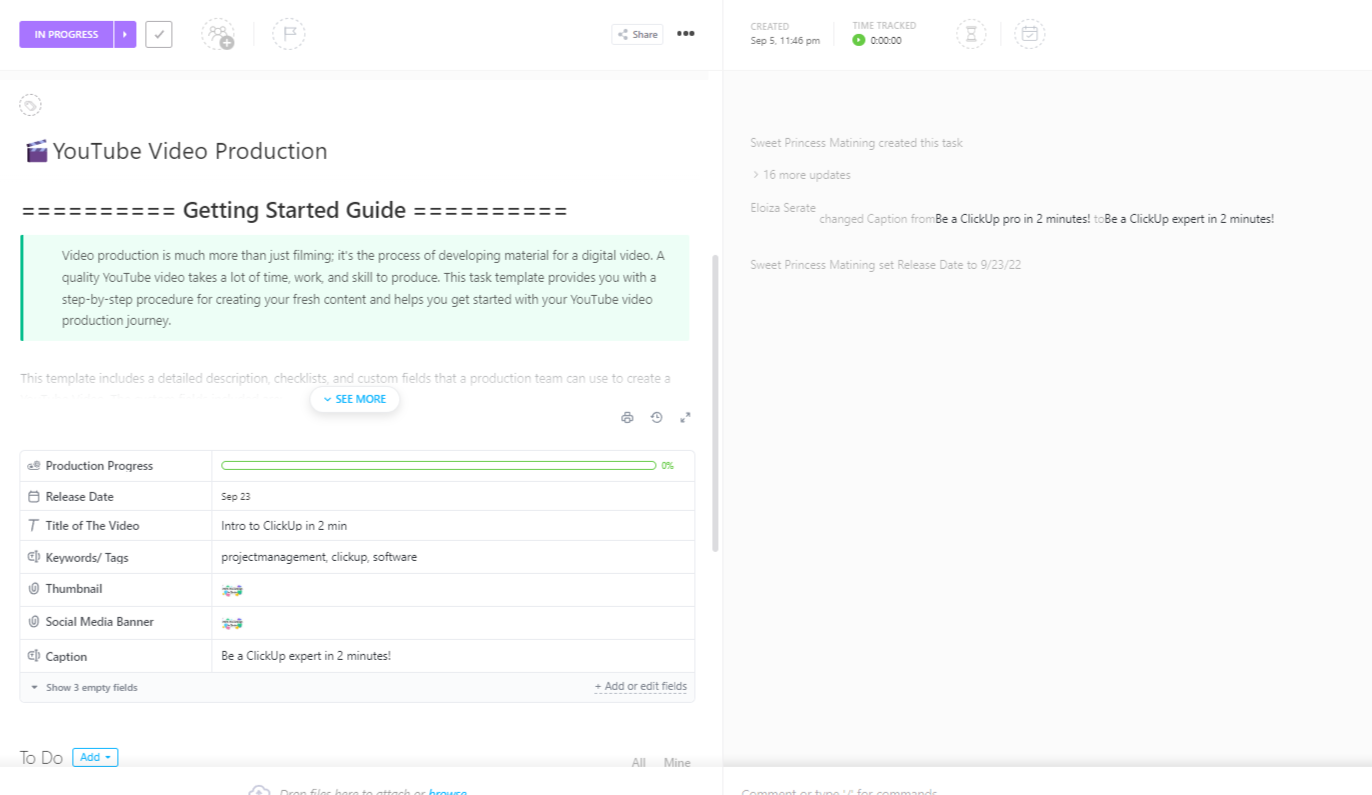
Going from project proposal to execution quickly? The ClickUp YouTube Video Production Template is designed to organize your entire video production process, from start to finish. This template simplifies task management with customizable production workflows, ensuring smooth collaboration and consistent output.
It’s beginner-friendly, so you can involve everyone from your interns to your project leads to keep deadlines on track.
The template enables you to:
🔑 Ideal for YouTube creators, production teams, and agencies that want to organize the video production process and enhance team collaboration.
👀 Did you know? YouTube boasts over 2.7 billion monthly active users, making it the second most visited website globally, just behind Google. This immense user base underscores the platform’s unparalleled reach and influence in the digital world.
Keeping up with a consistent YouTube schedule can feel overwhelming. Ideas pile up, deadlines slip, and content gets stuck in production. The ClickUp YouTube Planning and Production Template helps bring order to the chaos.
It gives you a clear way to structure your planning process, production, and video management so you can focus on creating. This template allows you to:
🔑 Ideal for: YouTube creators, production companies, and agencies seeking to optimize their video production workflow and enhance collaboration.
💡 Pro tip: Repurpose your YouTube script into social posts, blog intros, or podcast teasers. A good planning template lets one video fuel multiple content pieces, without extra effort. And don’t forget to jot down ideas for your future projects while the inspiration’s fresh.
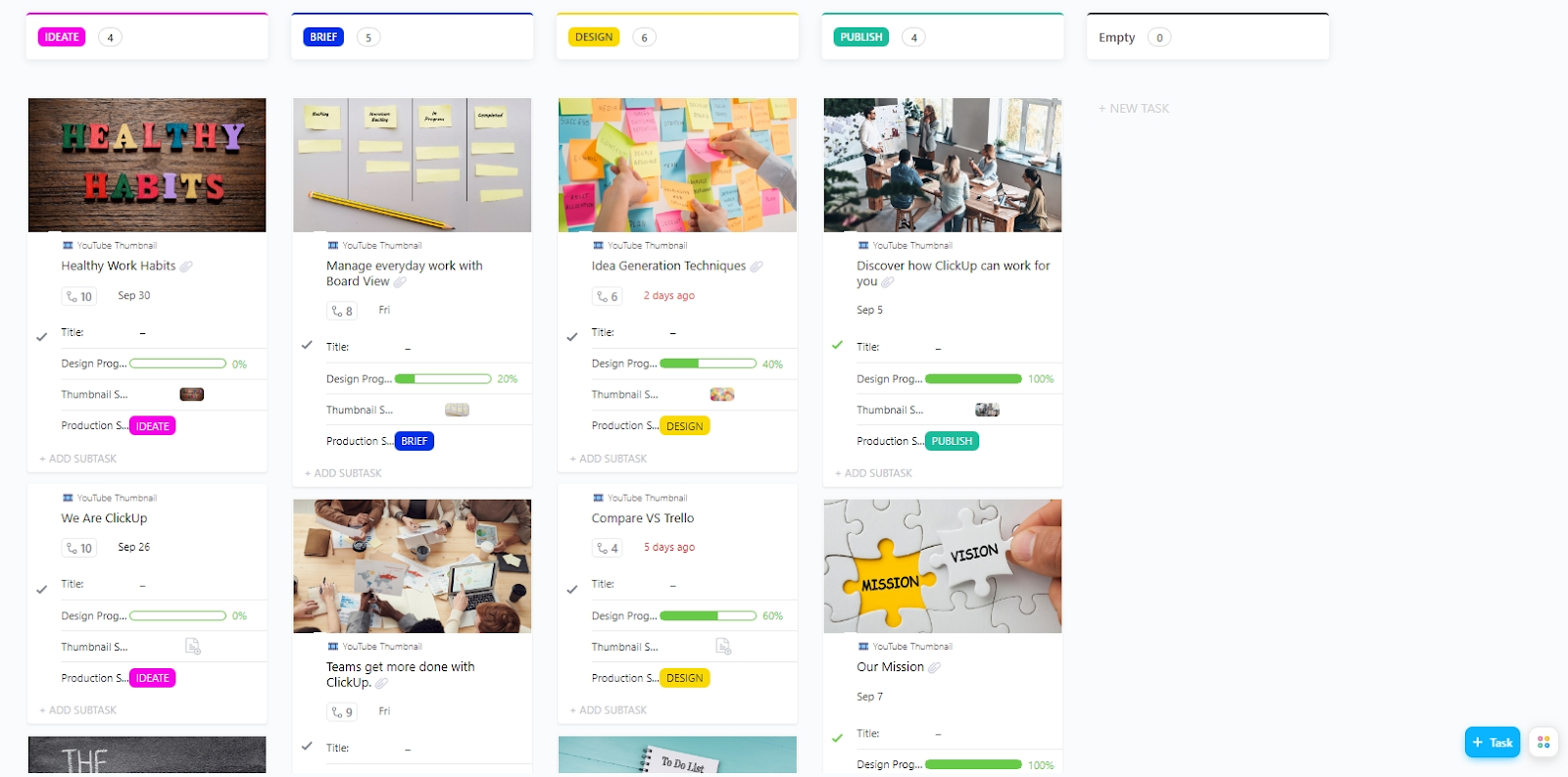
Do you often feel that designing thumbnails takes longer than editing the actual video? The ClickUp YouTube Thumbnail Template helps organize this process better. It gives you a clear, organized way to plan, design, and manage your thumbnails—so they’re consistent, eye-catching, and easy to produce.
With this template, you can:
🔑 Ideal for: YouTube creators, video marketing teams, and design professionals seeking to optimize their thumbnail creation workflow and increase brand awareness.
👀 Did you know? 90% of top-performing YouTube videos use custom thumbnails. A compelling thumbnail can significantly boost your video’s visibility and engagement.
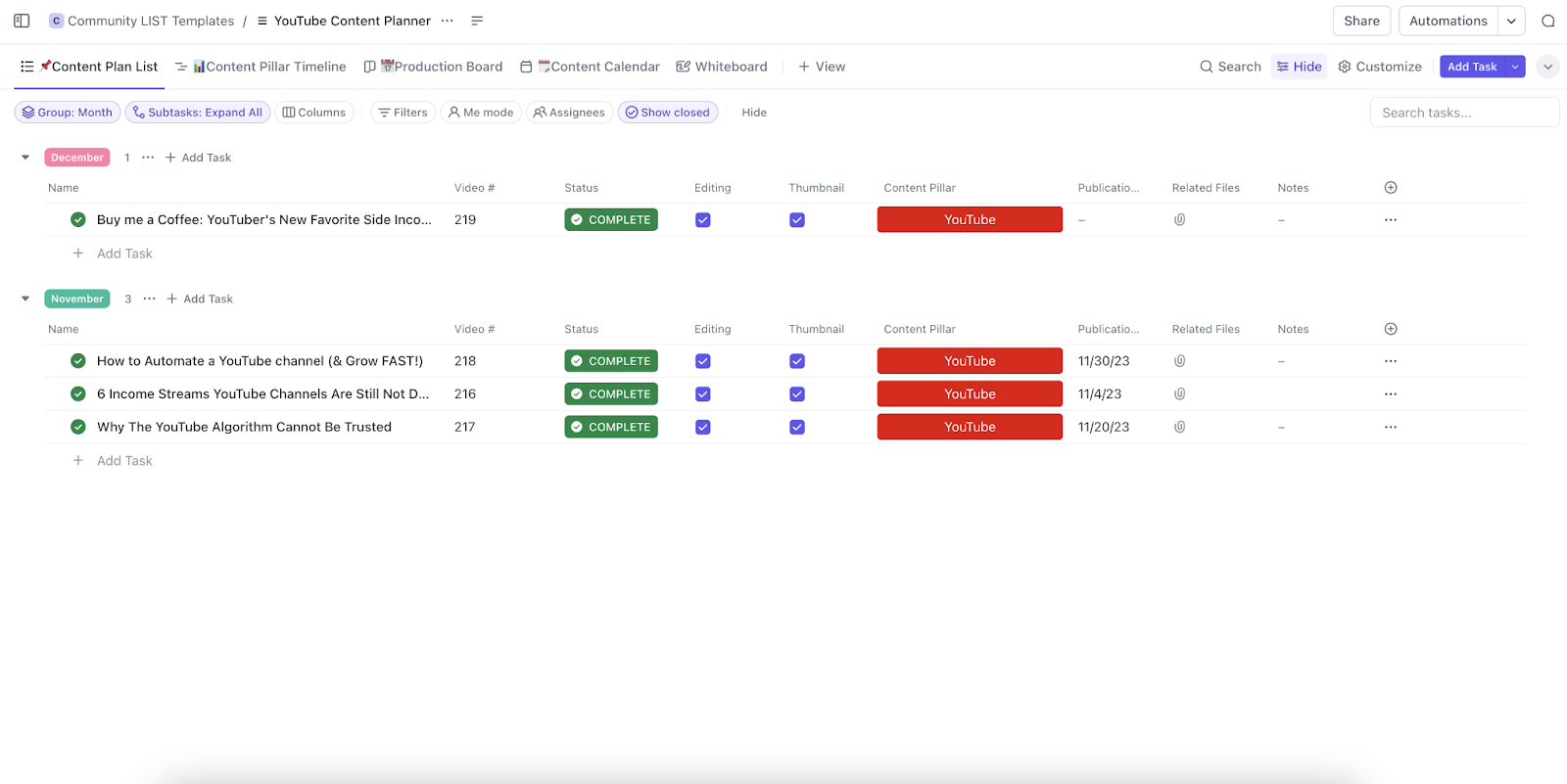
Last-minute scrambles for video ideas can slow your entire content schedule and creativity. The ClickUp YouTube Content Plan Template relieves that pressure by giving you a clear, organized way to plan, track, and manage your YouTube content in advance.
It’s built to help you hit deadlines and keep your ideas flowing in one easy-to-use workspace.
With this template, you can:
🔑 Ideal for: YouTube creators, content marketing teams, and strategists seeking to optimize their content planning workflow and maintain a consistent publishing schedule.
🧠 Fun fact: Some YouTubers film entire seasons in a single weekend—because nothing says ‘content strategy’ like a 48-hour caffeine-fueled marathon! One creator even managed to shoot four videos in just three hours!
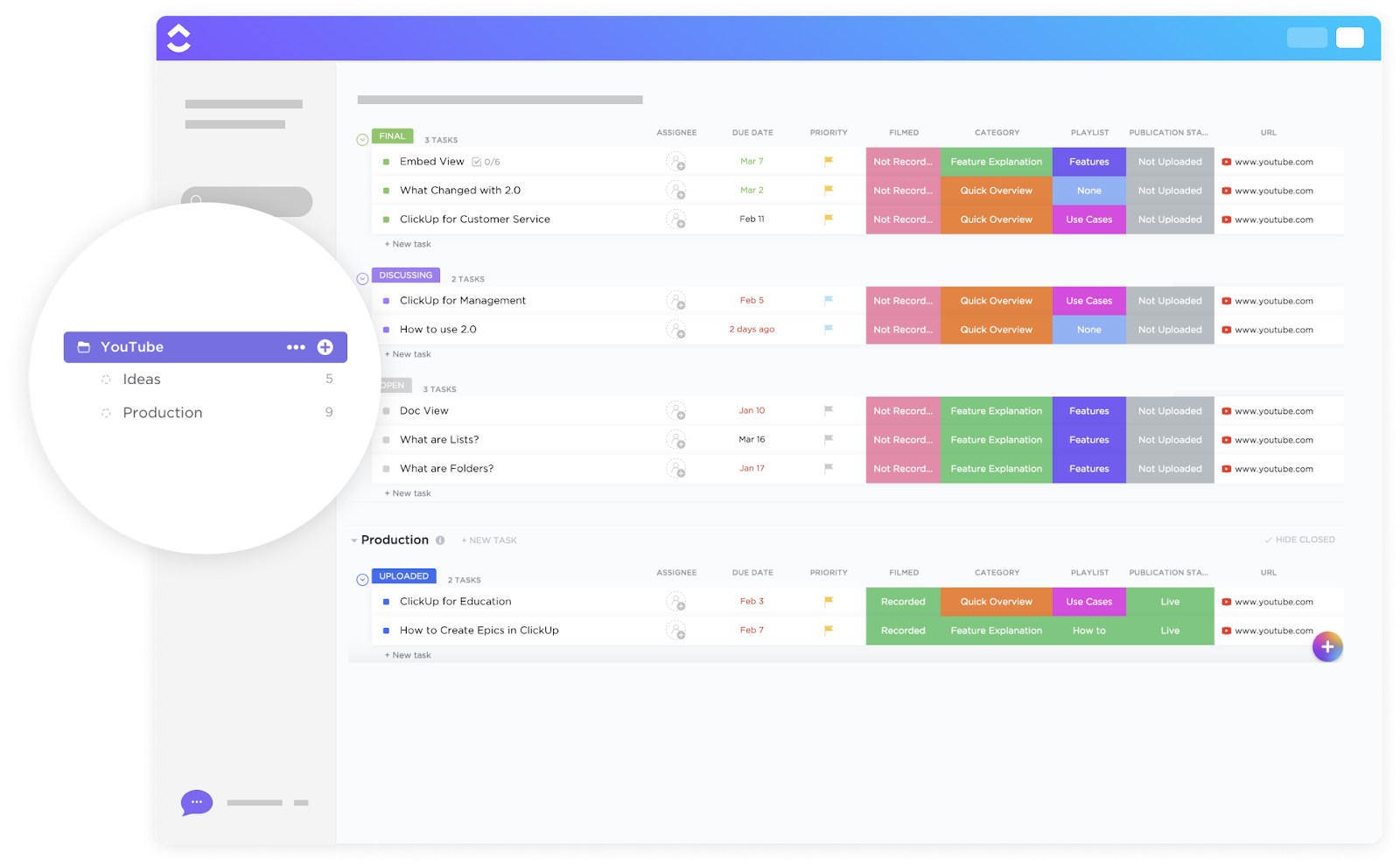
Creating great YouTube content takes more than just hitting record—it requires solid planning, extensive coordination, and a transparent workflow. The ClickUp YouTube Template helps you manage it all in one organized space.
With customizable workflows and built-in collaboration tools, it keeps your content process smooth, efficient, and stress-free. It helps you:
🔑 Ideal for: YouTube creators and marketing teams who need a structured way to manage video production workflows while collaborating on deadlines and content strategies.
💡 Pro tip: Always include a call-to-action (CTA) in your video plans, from asking viewers to like, subscribe, or comment. You can pre-write these CTAs within the template for easy reference when shooting.
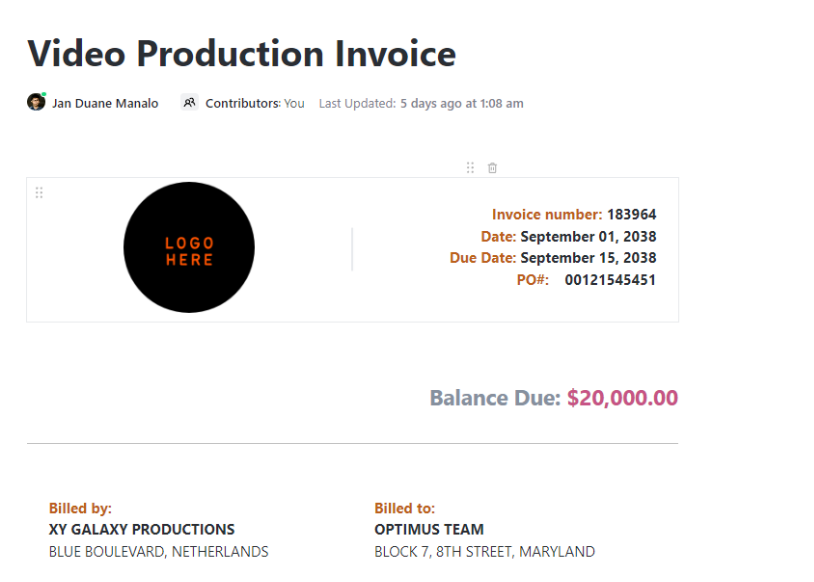
Wrapping the shoot, nailing the edit, and hitting send on the final cut is just a starting point. Now comes the not-so-fun part—creating a sensible invoice. The ClickUp Video Production Invoice Template takes the guesswork out of billing and helps you get paid faster without the last-minute scramble.
It’s built specifically for video professionals, so every section speaks your language. The key elements of this template enable you to:
🔑 Ideal for: Freelance videographers, video editors, and production teams who want a simple, repeatable way to bill every project stage.
Rehab M., Pre-production lead at a small business, says:
What I also love is the ability to automate most of my day-to-day tasks. We have an intricate process for video production that involves multiple people in various stages of the pipeline, several rounds of review, with each unique deliverable necessitating its own deadline. I am able to streamline all this by using the automations available in ClickUp, keeping everything on track… One of the main things it helps us solve is calculating the cost of our projects. Our primary cost is HR and through the timetracking feature we are able to ascertain the cost of a project in its entirety by consolidating the entries of all those involved. By being able to set up various lists within a folder as well as, we are also able to breakdown the cost of a project by various stages (as represented by the list).
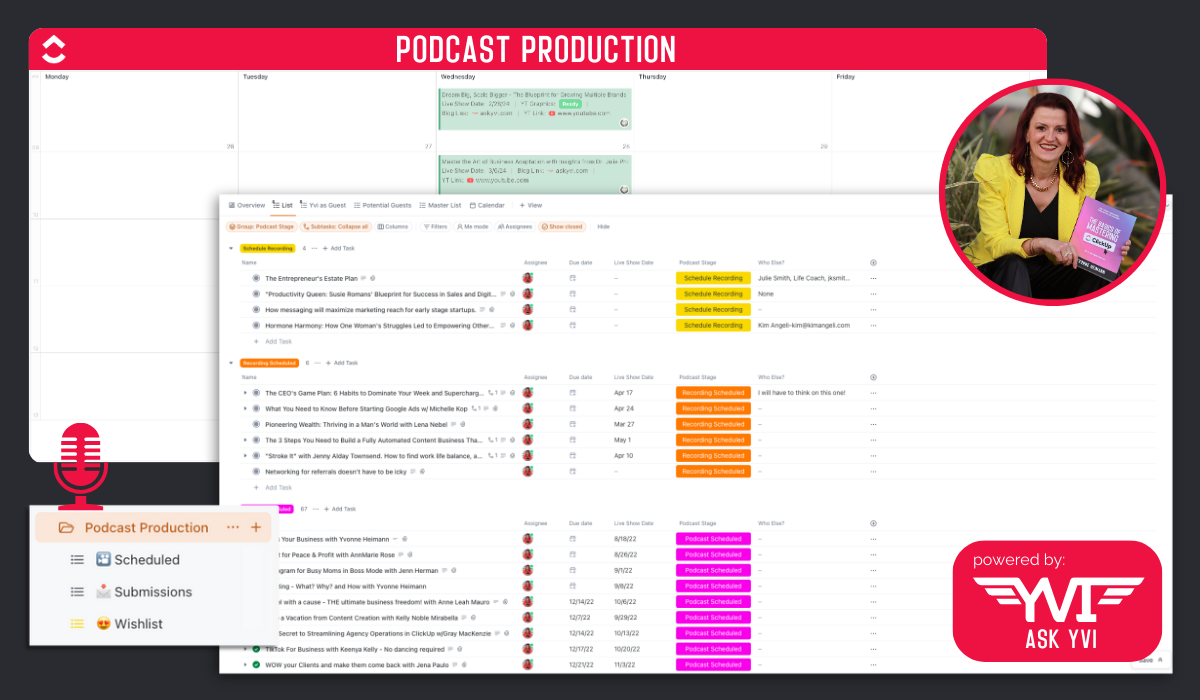
Managing a podcast can quickly become intense. Between guest outreach, scheduling, and tracking each episode’s progress, it’s easy to lose clarity without a structured system.
The ClickUp Video/Audio Podcast Production Template helps you bring order to the process. With a straightforward production workflow and easy-to-use layout, you’ll always know what’s done, what’s next, and who’s handling what, so your episodes move forward without any chaos.
This template helps:
🔑 Ideal for: Podcasters who handle guest booking, planning, and production process in-house and want a simple, reliable system to stay on top of every episode.
🧠 Fun fact: Jeremy Pope, a multi-talented actor and singer, records his music in his closet. Despite the occasional clutter of suits and wigs, the closet serves as his recording studio.
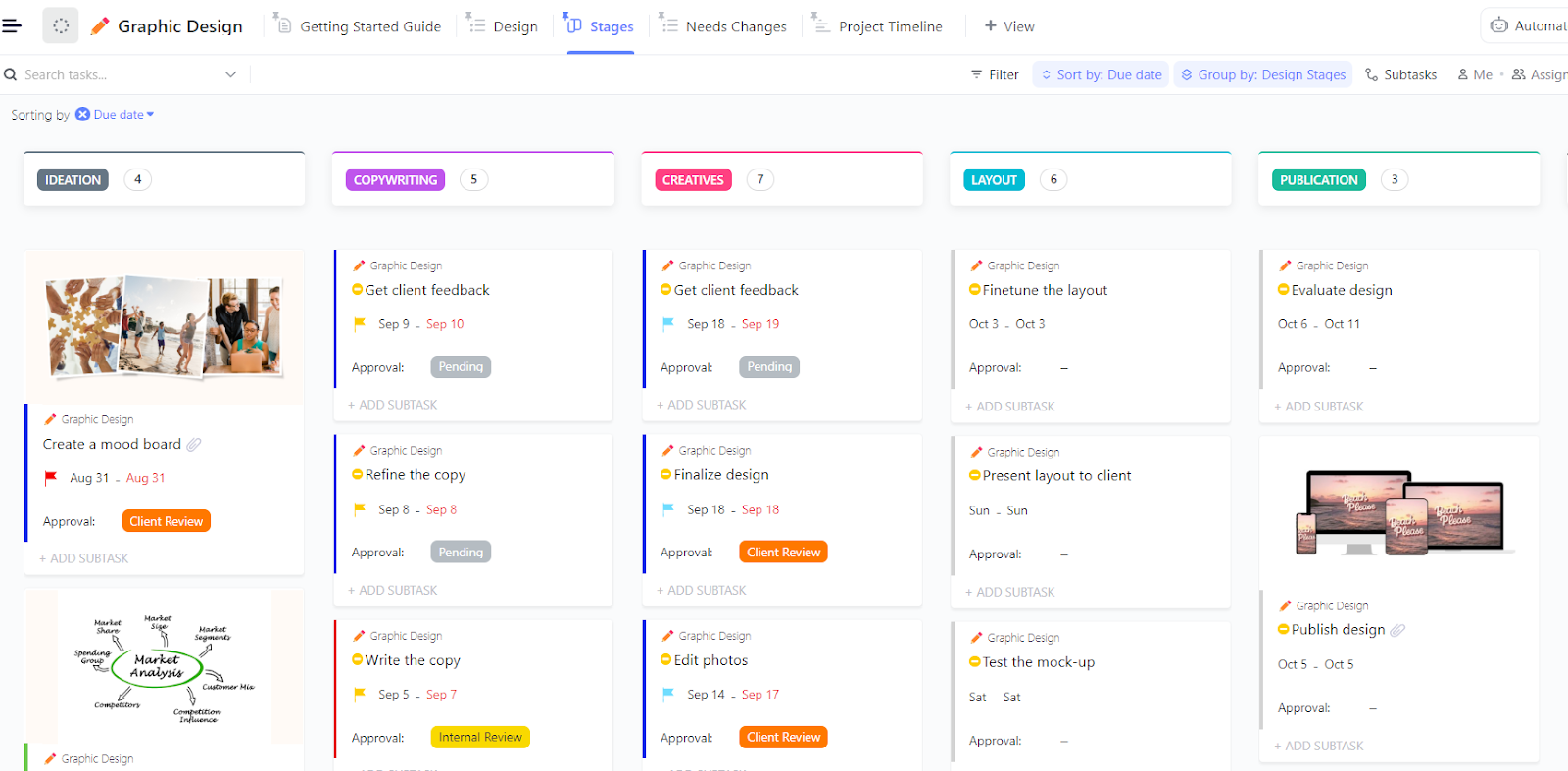
Design projects can pile up fast, especially when feedback, files, and deadlines are rummaged through. Without a clear system, it’s tough to keep everything moving smoothly.
The ClickUp Graphic Design Template organizes your creative process. It helps you manage every step, from intake forms to revisions and final approvals, without the back-and-forth chaos.
Key features enable you to:
🔑 Ideal for: Freelance designers or in-house creative teams who want a clean, organized system to keep projects moving.
💡 Pro tip: Tired of explaining design changes with long emails? Use ClickUp Clips to record short videos where you review the revision process. It’s way faster than typing everything out and helps avoid confusion. Plus, your client or teammate can revisit the video anytime.
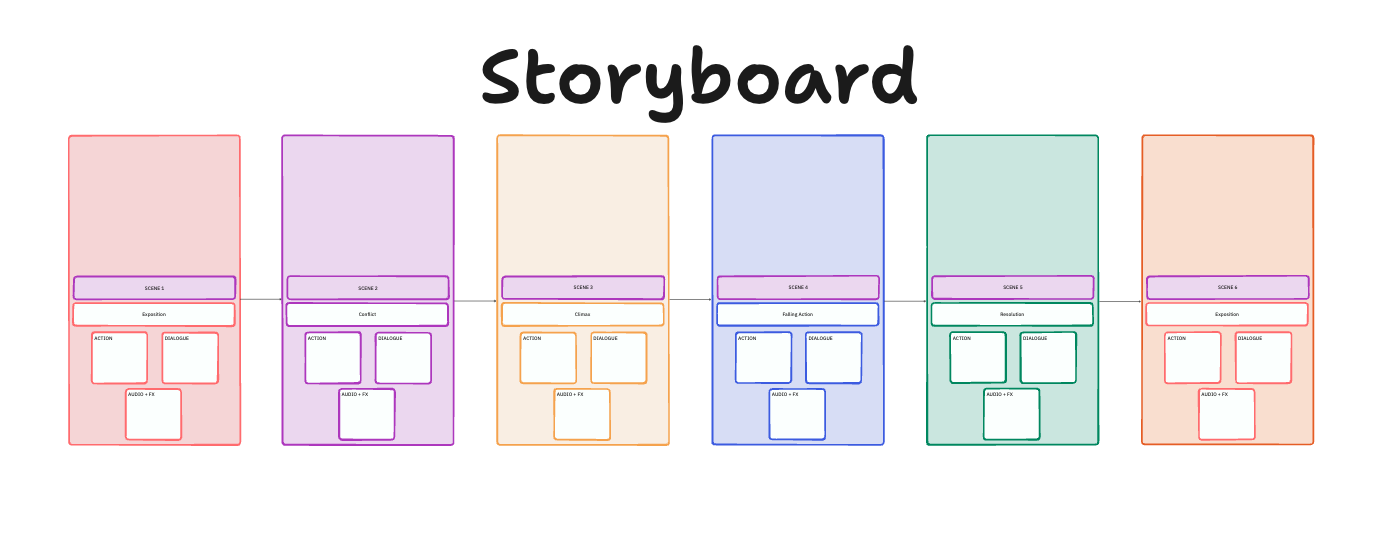
Trying to keep your storyboard organized across different tools or platforms can lead to confusion and missed details. The ClickUp Storyboard Template solves this by providing a single, centralized Whiteboard space to flawlessly visualize, plan, and track your creative projects.
It enables you to rearrange, remix, and bring your scenes to life. The best part? With ClickUp’s collaboration, your team can collaborate on it from anywhere in the world.
This template helps:
🔑 Ideal for: Creative film, game development, and marketing teams looking for an organized way to manage their storyboarding process.
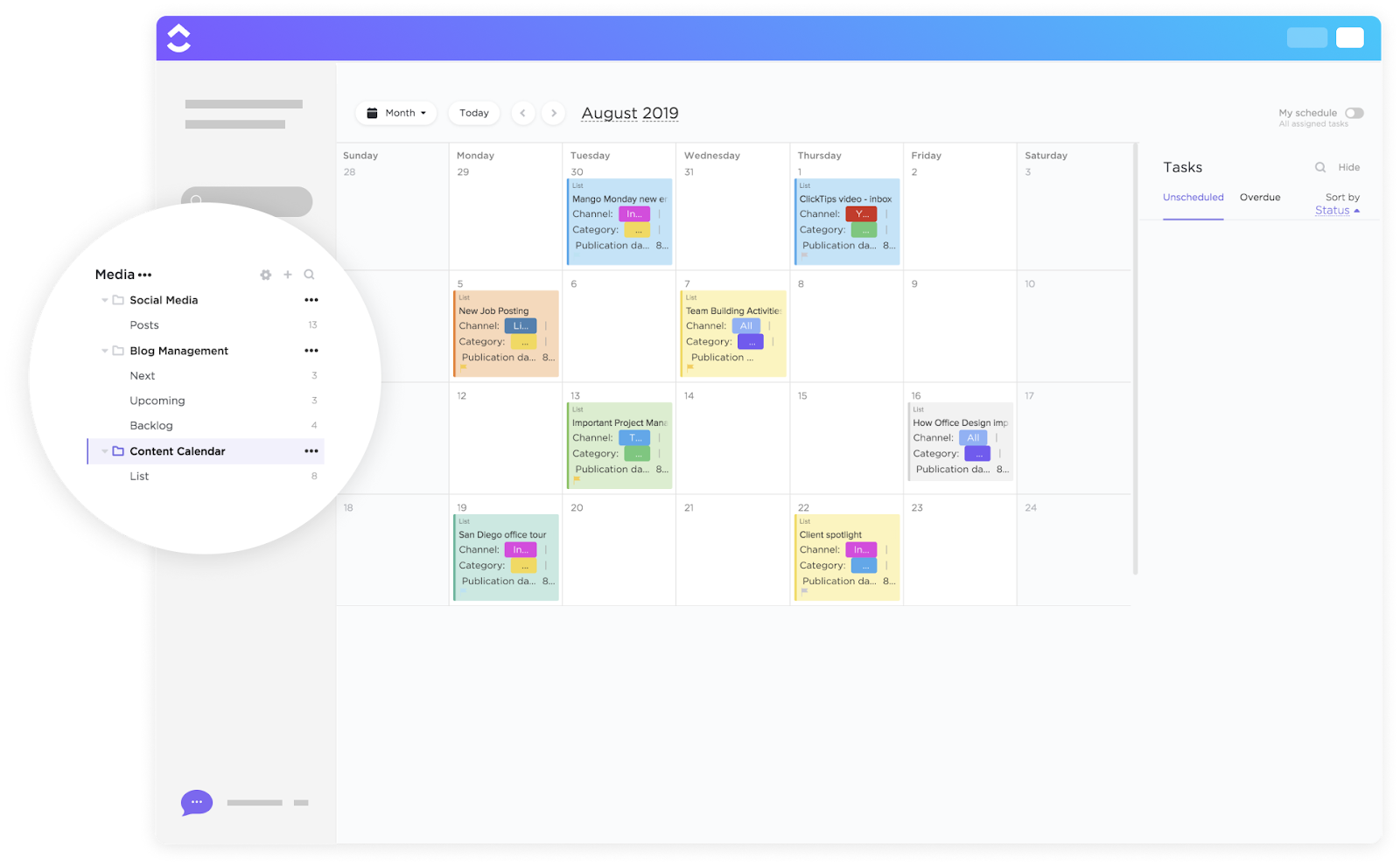
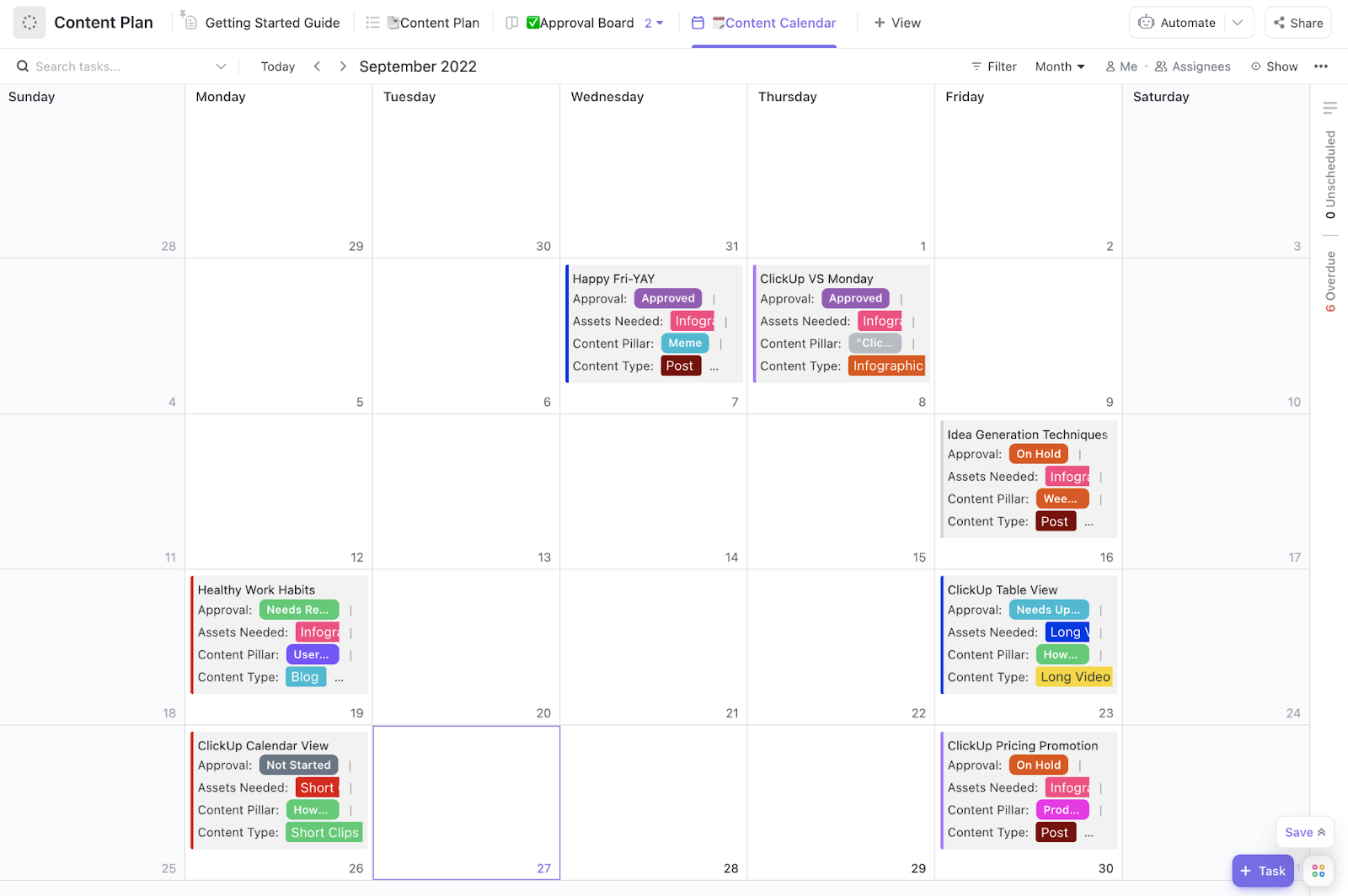
Managing multiple content pieces across various channels? It’s a delicate dance of balancing a dozen moving parts at once. The ClickUp Content Calendar Template organizes your content pipeline, keeping everything in one view so your team can stay aligned and focused on deadlines.
This template makes planning, creating, and scheduling content easy, ensuring consistency and timely delivery.
The key features help:
🔑 Ideal for: Marketing teams, social media managers, and content creators looking for a structured content planning and publishing approach.
📮 ClickUp Insight: 30% of workers stick to set hours, but 27% regularly work overtime, and 19% don’t have a set schedule at all. When work is unpredictable, how do you ever truly clock out?
Automated task scheduling in ClickUp Calendar can bring more structure to even the most unpredictable schedules. Plan your week, set firm work hours, and automate reminders to log off—because your time should be yours to control!
Content chaos? Not on your watch. The ClickUp Content Plan Template gives marketing teams one clear space to map strategy, assign tasks, and track deadlines—without the messy back-and-forth.
Whether you’re brainstorming blog ideas, managing proposals, managing feedback, or reviewing analytics, ClickUp for Marketing Project Management Teams keeps it all connected. Turn big-picture planning into actionable steps, loop in stakeholders with comments, and monitor real-time performance—all in one place.
No more jumping between docs, emails, or spreadsheets. Just organized, on-brand content creation for your target audience. This template helps you:
🔑 Ideal for: Content creators, marketers, and teams who want a detailed, organized way to plan and execute their content strategy across multiple campaigns.
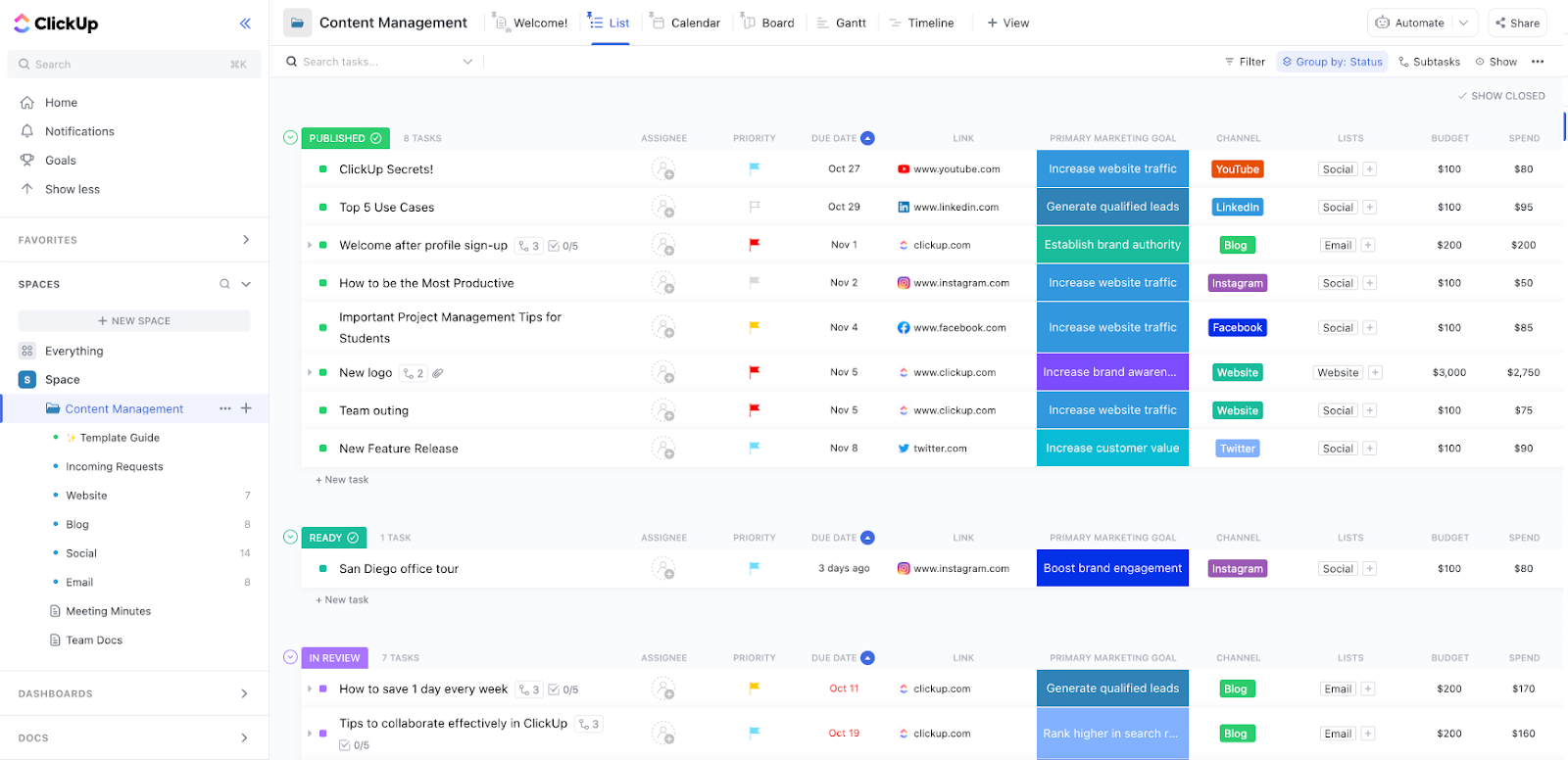
Managing content across multiple channels, deadlines, and teams can quickly become chaotic without a unified system. The ClickUp Content Management Template eliminates this complexity by providing a centralized space for content creation, approvals, and publishing processes.
This template enables you to:
🔑 Ideal for: Content creators, marketers, and teams seeking a solution to manage and optimize their content creation process.
📖 Also Read: Free Budget Proposal Templates in Excel and ClickUp
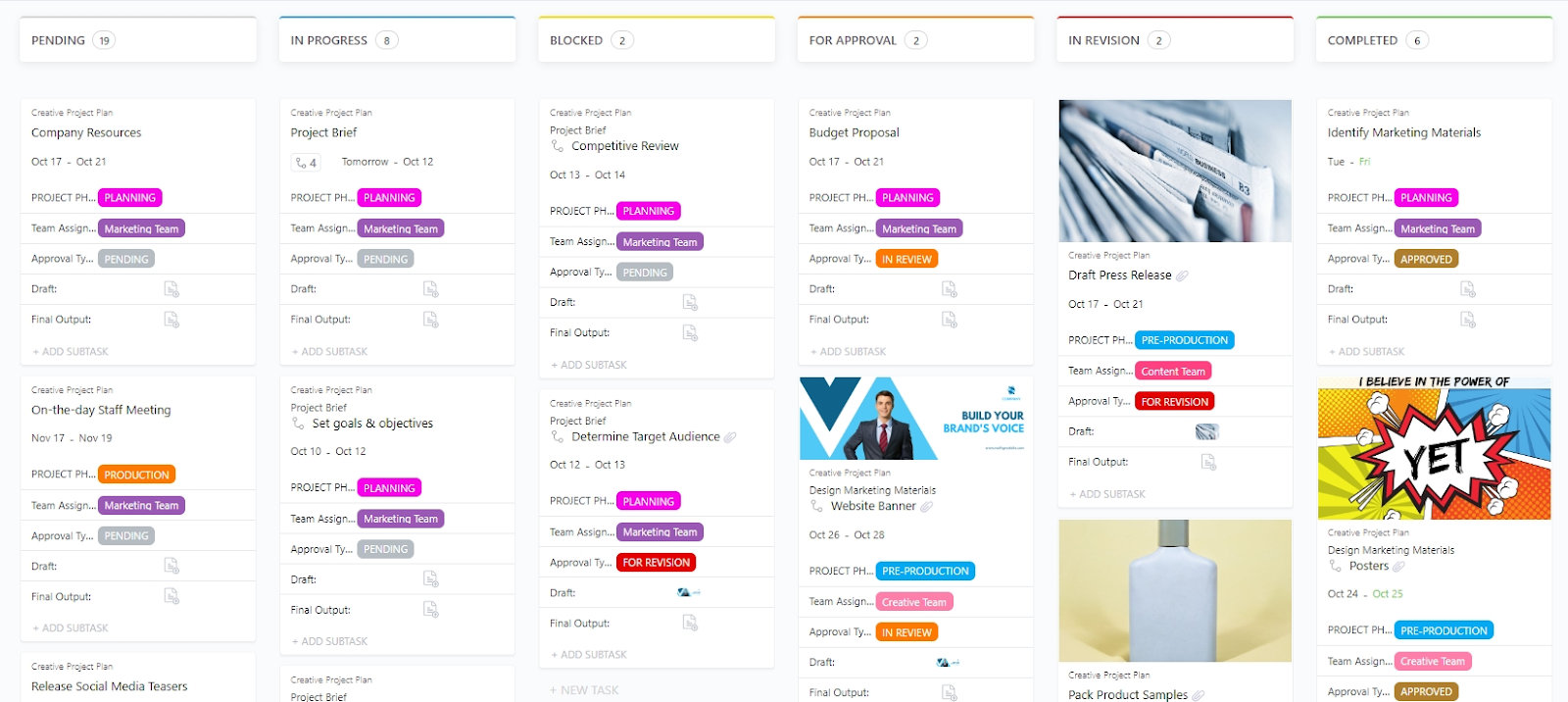
Creative projects often face shifting timelines, scattered feedback, and approval delays. The ClickUp Creative Project Plan Template brings everything together, helping teams organize phases, assign tasks, and track progress without missing a beat.
With this template, you can:
🔑 Ideal for: Creative teams managing campaigns, videos, design assets, or multi-step production projects.
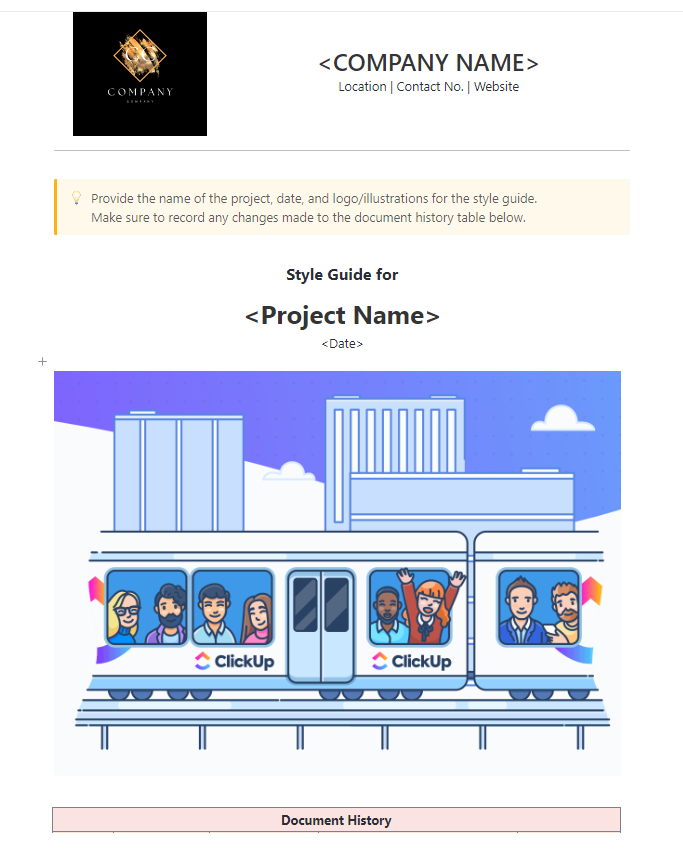
Are you tired of team members using outdated fonts, wrong logos, or clashing colors? The ClickUp Style Guide Template centralizes all your brand guidelines, making it easy for everyone to follow the same rules and present a unified voice.
Inside this template, you can:
🔑 Ideal for: Marketing, design, or brand teams looking for a single source of truth for increasing brand awareness.
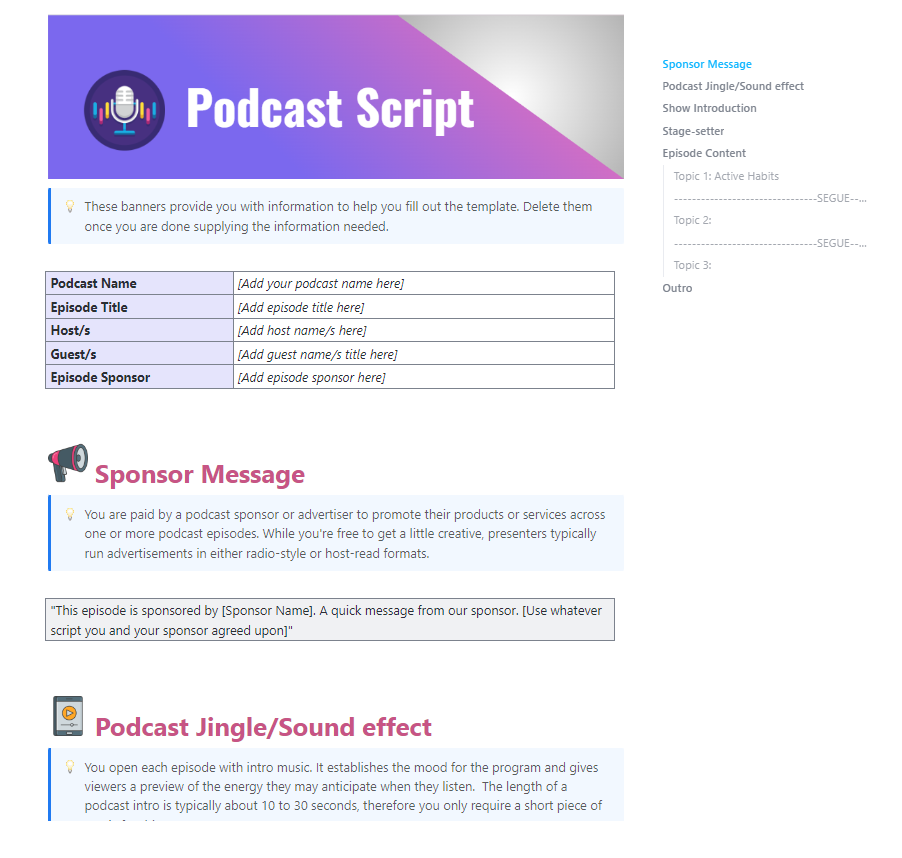
Winging a podcast might sound fun—until you hit an awkward pause, forget a talking point, or ramble off-topic. The ClickUp Podcast Script Template helps you structure your episodes from intro to outro, so you stay focused, sound professional, and keep your listeners hooked.
The template offers to:
🔑 Ideal for: Podcasters who want a clear, collaborative script to guide their episodes and deliver consistent, engaging content.
🧠 Fun fact: Julie Gauthier’s Pepperoni Pizza Dreams podcast helps listeners fall asleep by reading restaurant menus. From Houston to Melbourne, people doze off to the soothing sounds of food descriptions and prices. Who knew food whispering was the key to a good night’s sleep?
Whether you’re planning YouTube content, managing podcast scripts, designing thumbnails, or sending off invoices, ClickUp has your back. It’s not just for one puzzle piece; it covers the whole creative workflow.
Need to map out your next AI video project? Done. Want to build eye-catching thumbnails? Easy. Ready to track payments for your brilliant work? There’s a template for that, too.
Whatever your process looks like, ClickUp helps you keep it all organized, creative, and moving forward.
So, why not level up? Sign up for ClickUp today and transform your work—because even the best ideas need a great plan to go big!

© 2026 ClickUp

There’s an easier way. Try a free AI Agent in ClickUp that actually does the work for you—set up in minutes, save hours every week.