






Still downloading templates?
There’s an easier way. Try a free AI Agent in ClickUp that actually does the work for you—set up in minutes, save hours every week.
Sorry, there were no results found for “”
Sorry, there were no results found for “”
Sorry, there were no results found for “”

In healthcare, collaboration isn’t just about teamwork—it’s about saving time, reducing errors, and ultimately improving patient outcomes. But when care teams, administrators, and IT staff are juggling dozens of systems and communication channels, even simple coordination can feel like a maze.
That’s where healthcare collaboration software comes in.
These tools bring everyone—from clinical leaders to practice managers—onto a single platform to share updates, track patient information, and streamline workflows.
Whether you’re trying to reduce admin bottlenecks, boost team communication, or strengthen cross-department coordination, the right software can make it happen.
In this blog post, we review some of the best tools based on real clinical workflows to enhance patient care.
Let’s get started!
Here’s a quick snapshot of the top healthcare collaboration software solutions.
| Tool | Best for | Best features | Pricing* |
| ClickUp | Unified care and operations coordination for clinical, research, and administrative teams in HIPAA-compliant settings | HIPAA-compliant project management with Custom Roles, contextual messaging with ClickUp Chat, shared SOPs and documentation via ClickUp Docs, smart care coordination with ClickUp Brain, real-time scheduling via AI Calendar, task-level PHI tracking with Custom Fields, centralized views for patient and staff workflows, and AI-generated discharge checklists and CDC references | Free forever; customizations available for enterprises |
| TigerConnect | Clinical messaging and real-time coordination for hospitals, physicians, and emergency response teams | Role-based communication with Dynamic Teams, care workflow integration via EHR and monitoring systems, secure mobile messaging with auto-escalation, and high-urgency routing with priority alerts | Custom pricing |
| Sickbay | Real-time patient monitoring and risk tracking for research hospitals and multi-facility health systems | Vendor-neutral data platform for telemetry review, historical trend analysis, remote collaboration on clinical events, and multi-unit continuity dashboards | Custom pricing |
| OceanMD | Referral management and interoperability for multi-clinic provider networks | Cross-province eReferrals and eConsults, automated booking and check-in tools, analytics on wait times and patient feedback, and EMR integration across 30+ platforms | Custom pricing |
| CareCloud | AI-powered documentation, billing, and EHR workflows for outpatient and specialty clinics | cirrusAI support for automated clinical notes, appeals generation, EHR assistant chat, evidence-backed care guidance, and ONC-certified interoperability with external systems | Custom pricing |
| Microsoft Teams | Secure communication and video meetings for hospital systems and care teams | HIPAA-compliant team chats, video consults and shifts scheduling via Microsoft Cloud, structured channels for specialties, and seamless EHR launches with FHIR integration | Free; Paid plans start at $5.25/month per user |
| Slack | HIPAA-compliant internal communication for research, payer, and admin teams | Enterprise-grade access control, Workflow Builder for care process automation, Slack Connect for cross-org discussions, and DLP support for secure file and message use | Free; Paid plans start at $8.75/month per user |
| Zoom for Healthcare | Telehealth consultations and virtual rounds for clinics and distributed care teams | HIPAA-compliant video sessions with patient-friendly access, EHR integration with tools like MyChart, device streaming during virtual visits, and Zoom Rooms for smart clinics | Paid plans start at $16.99/month per user |
| Google Workspace | Document-based collaboration and productivity for health education and cross-team planning | HIPAA-compliant Google Docs and Meet, embedded training hubs via Google Sites, synced Forms and Sheets for intake, and secure mobile device access | Paid plans start at $8.40/month per user |
| Epic Systems | Comprehensive EHR management and clinical operations for hospitals and enterprise health systems | Role-specific Hyperspace UI, AI chart summarization with Comet, secure communication through In Basket, and mobile EHR access via Haiku and Canto | Custom pricing |
| Oracle Health (Cerner) | Integrated clinical, financial, and operational data management across large networks | Unified workflows through Cerner Millennium, patient engagement via HealtheLife, population health analytics with HealtheIntent, and open APIs for 3rd-party tools | Custom pricing |
Traditional healthcare project management often struggles to keep pace with the demands of modern medical practice. Healthcare collaboration software addresses these challenges by:
💡 Pro Tip: Document treatment decisions in a way that explains the ‘why,’ not just the ‘what.’ This makes it easier for other primary care physicians or new team members to quickly align on the reasoning without having to backtrack.
Implementing collaboration software for healthcare offers numerous advantages. These include:
🧠 Fun Fact: Collaboration can even improve recovery after cardiac procedures. Patients who had doctors and nurses working together in a structured ‘collaborative care model’ reported better sleep, stronger mental health, and a higher quality of life within three months.
Selecting the right healthcare collaboration software is essential for enhancing team coordination and patient care. Here are key factors to consider:
🔍 Did You Know? Collaboration helps with chronic disease, too. A meta-analysis found that interprofessional care (different health professionals working together) lowered systolic blood pressure, LDL cholesterol, and HbA1c in patients, while also reducing hospital days.
Here are our picks for the best healthcare collaboration software. 👇
Our editorial team follows a transparent, research-backed, and vendor-neutral process, so you can trust that our recommendations are based on real product value.
Here’s a detailed rundown of how we review software at ClickUp.
Our first pick is ClickUp, and for obvious reasons.
ClickUp’s Healthcare Project Management Software is a secure collaboration platform that brings together clinical and administrative teams in a unified workspace.
It’s designed to handle everything from patient workflows and documentation to staff scheduling and inventory management, all within a HIPAA-compliant environment.
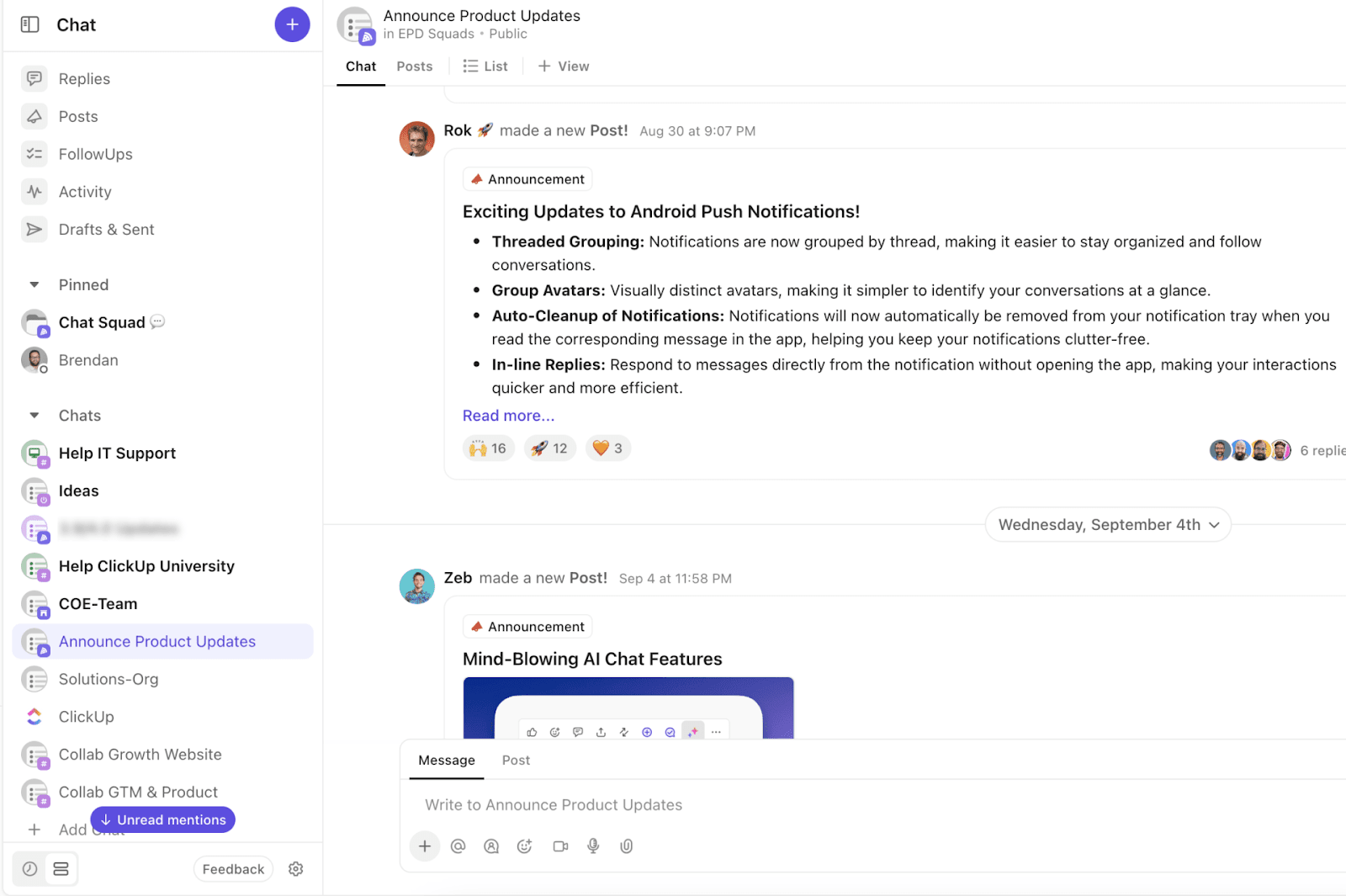
Communication is a critical piece of healthcare collaboration, and ClickUp Chat makes it seamless with features like Channel-Based Discussions and Threaded Replies.
For example, a care team managing cardiac patients can create a dedicated ‘Cardiology’ chat channel where nurses update vitals in real time, a pharmacist drops in medication adjustments, and the on-call cardiologist is instantly notified with an @Mention for rapid consultation.
Since conversations are linked directly to patient tasks and related docs, discharge instructions or medication changes remain visible and actionable for everyone involved.
ClickUp Docs lets teams create and share materials like SOPs, patient education materials, or protocols, linking them directly to related tasks or patient cases. This ensures everyone has the latest information.
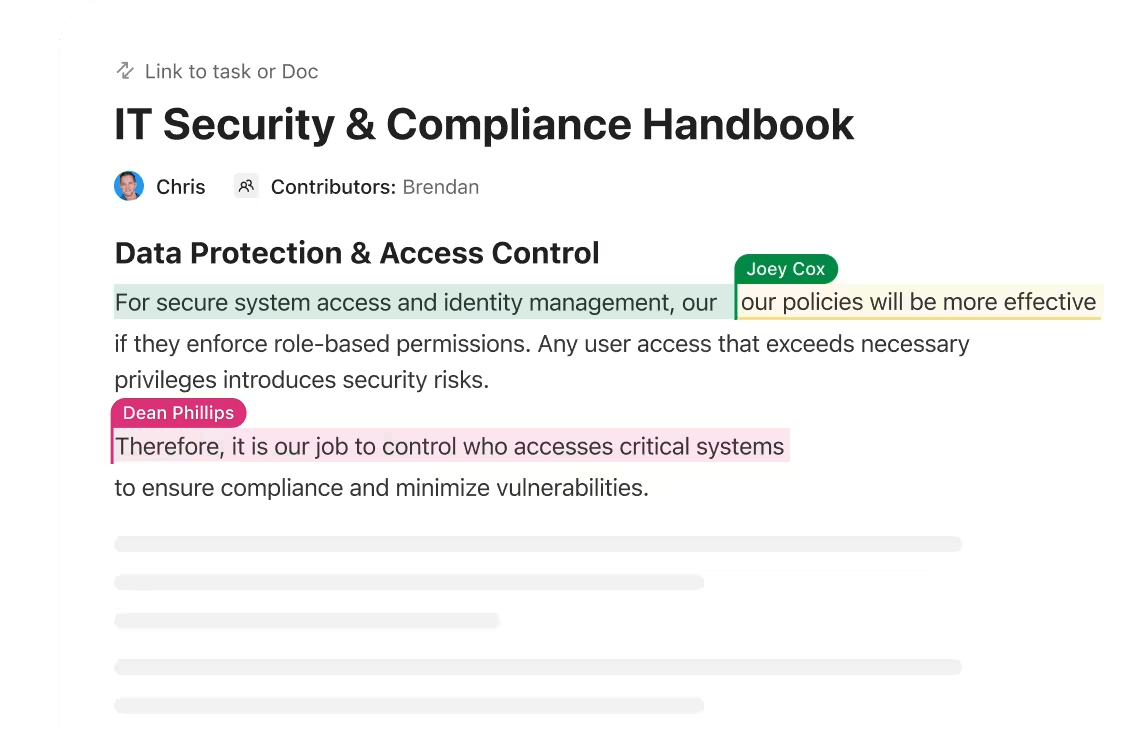
You can also embed PubMed or Scopus references to collaborate on publications or experimental data.
With real-time collaboration, multiple clinicians or researchers can edit, comment, and update documents simultaneously.
The AI-powered ClickUp Calendar centralizes appointments, shift schedules, and care team meetings in one secure, accessible place. With real-time updates, shared visibility, and seamless integration with tasks, it helps healthcare teams coordinate efficiently and reduce scheduling errors.
With ClickUp Tasks, care teams can assign and track patient follow-ups, schedule referrals, or manage administrative workflows such as insurance approvals.
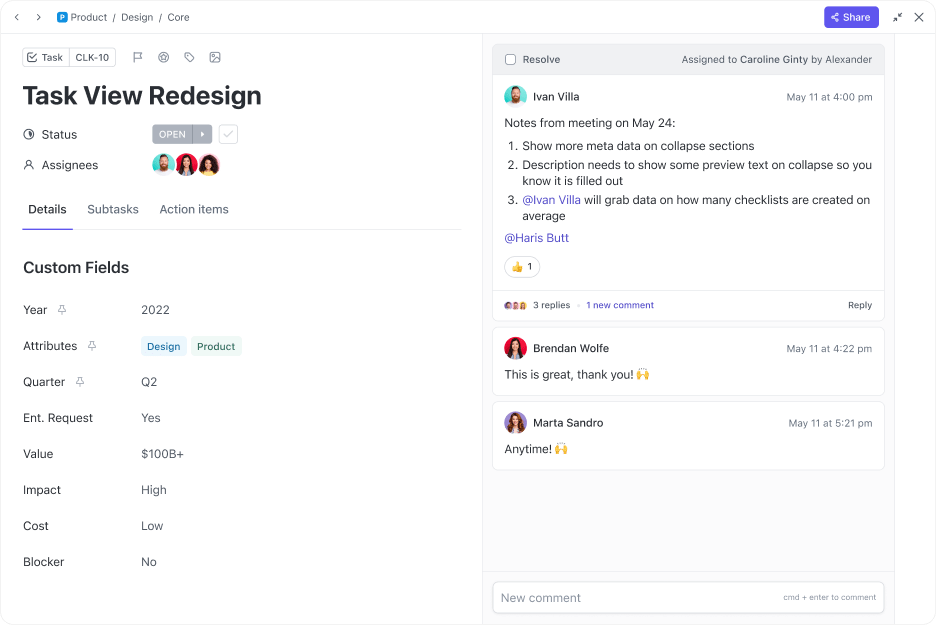
ClickUp Custom Fields allow teams to capture essential details like PHI, patient IDs, or urgency levels, eliminating confusion during appointment scheduling and intake processes.
Finally, ClickUp Brain, the integrated AI assistant, ties everything together.
You can use ClickUp Brain to summarize meeting notes, extract action items from care discussions, or generate patient follow-up checklists without spending extra time on manual documentation.
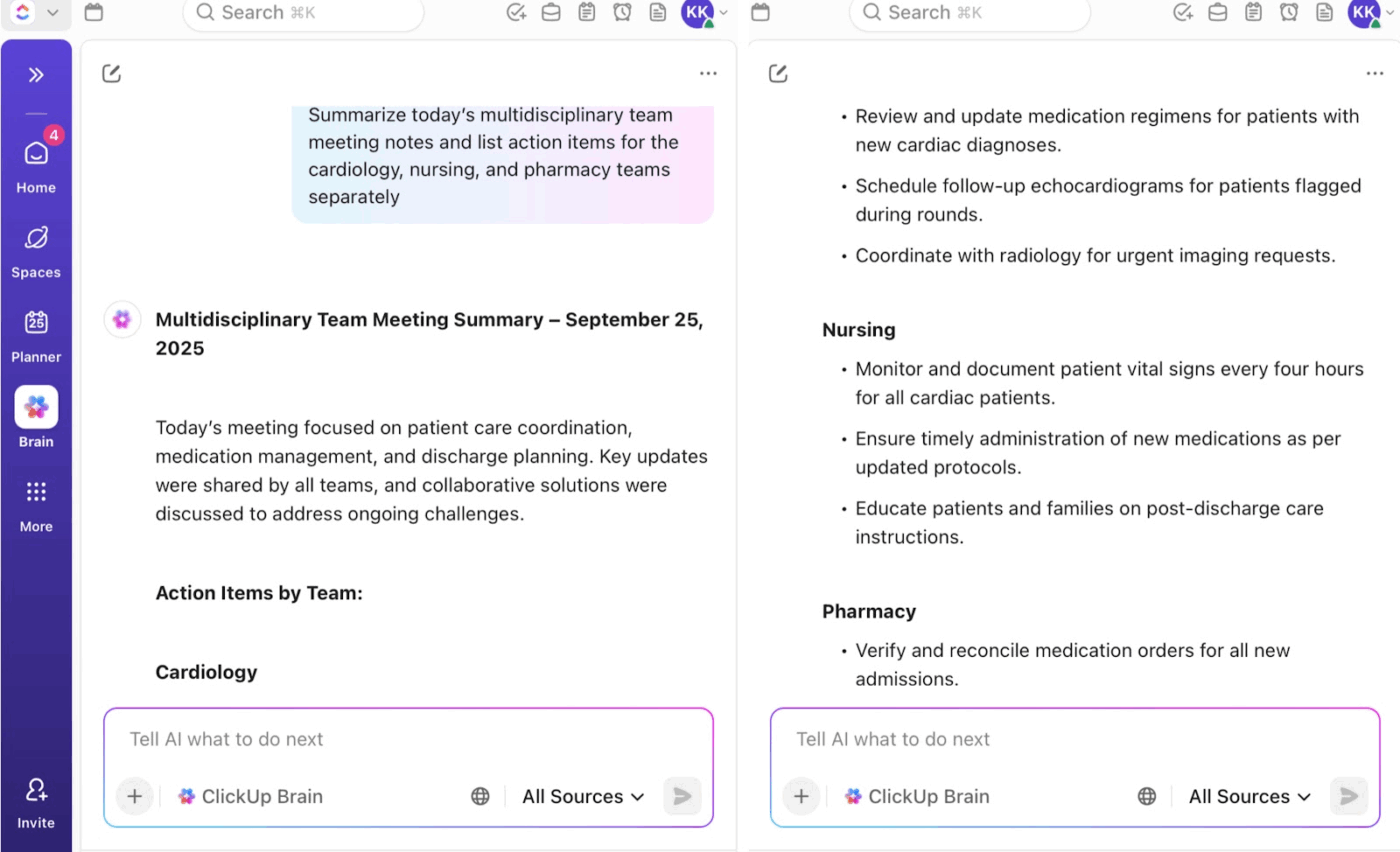
For instance, a hospital infection control team can use ClickUp Brain to process daily incident reports and extract key trends (like recurring sources of infection).
You can even generate a prioritized action list for the team and provide instant access to the latest CDC protocols within the same workspace.
📌 Try these prompts:
Explore more ways to use ClickUp Brain as a personal assistant:
A G2 review sums it up perfectly:
ClickUp makes it very simple to organize and track my daily office work. I can quickly create tasks, set reminders and follow up on ongoing activities without confusion. it didn’t take much time to get started and I find it smooth to work with it on everyday. I also like that it connects well with other tools we use, which save time and effort. The customer support is also helpful whenever i need guidance.
📮ClickUp Insight: 70% of respondents say they keep tabs open because they plan to “get back to them later.” We’ve heard that before. 🤭
Ironically, 30% say that they would feel relieved if they lost all those previous tabs in a browser crash, for instance.
That’s Zeigarnik effect at work. Our brains latch onto unfinished tasks, turning every tab into a cliffhanger. You feel busy, even when nothing’s actually moving forward.
As a Converged AI Workspace, ClickUp keeps your priorities front and center. Ask ClickUp Brain to surface your daily or weekly priorities, or run real-time web searches to find relevant information right when you need them. Now you can close tabs without closing loops. 🕊️
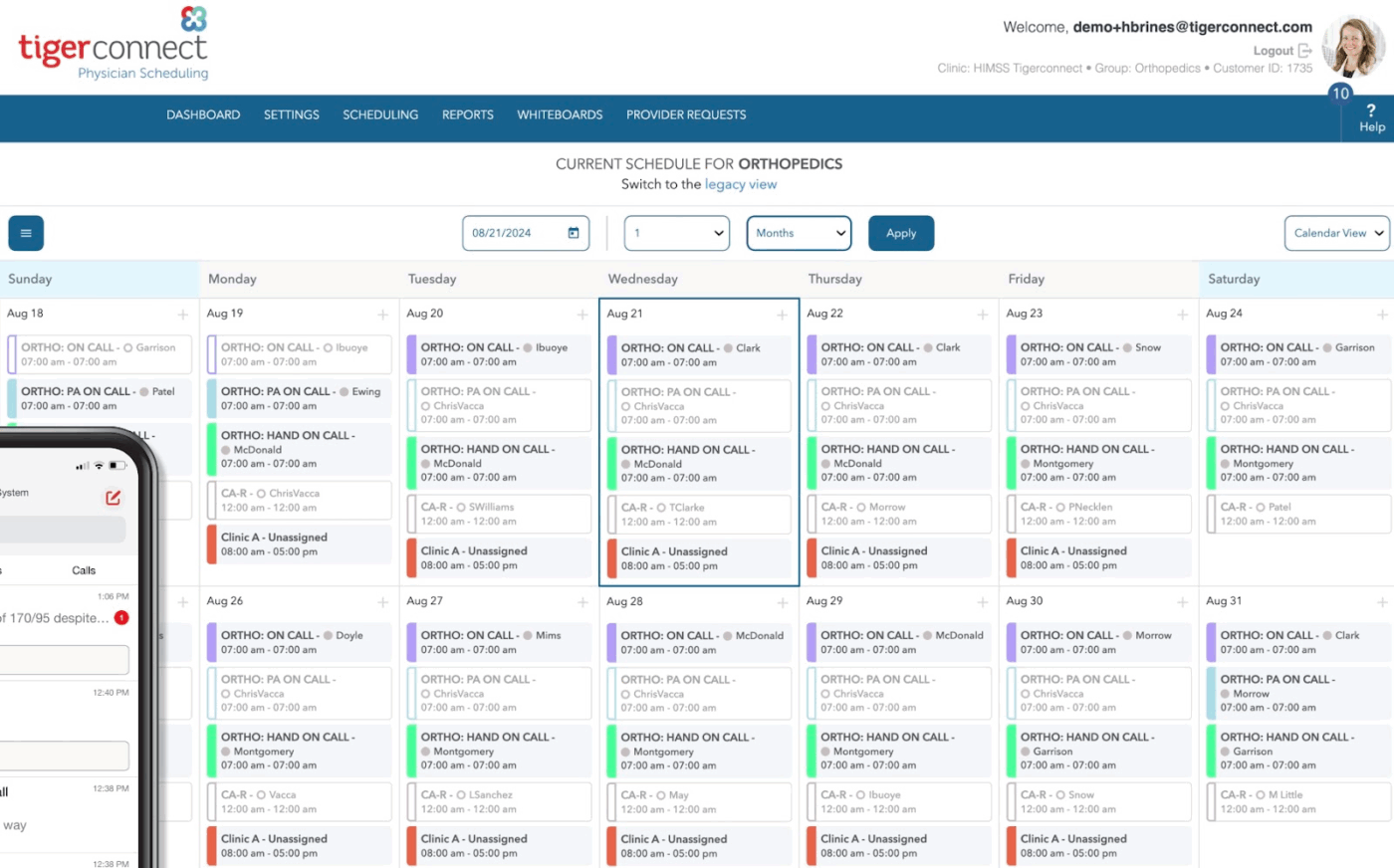
TigerConnect is a cloud-native Clinical Communication and Collaboration (CC&C) platform designed to bridge communication gaps across healthcare organizations.
It consolidates messaging, alerts, and clinical workflows into a single platform, ensuring that care teams, from physicians and nurses to EMS providers, have timely access to critical information.
The health project management software integrates deeply with existing hospital systems, including nurse call solutions, monitoring devices, and physician scheduling tools. This enables care teams to collaborate in real time, escalate urgent messages automatically, and maintain a continuous connection even during IT outages.
Here’s what a user had to share:
I think the platform is an excellent tool to connect with your patients / clients using a different modality (SMS / text message). I also think it works fairly well as a video conferencing solution. However, there are a number of things about the platform that I wish was different. I think it would be helpful if we could also engage folks through other modalities, such as email, all within the same product.
🔍 Did You Know? In medical ICUs, daily rounds by multidisciplinary teams cut patient mortality. Hospitals with high-intensity physician staffing and full care teams had significantly lower death rates, even for serious cases like sepsis.
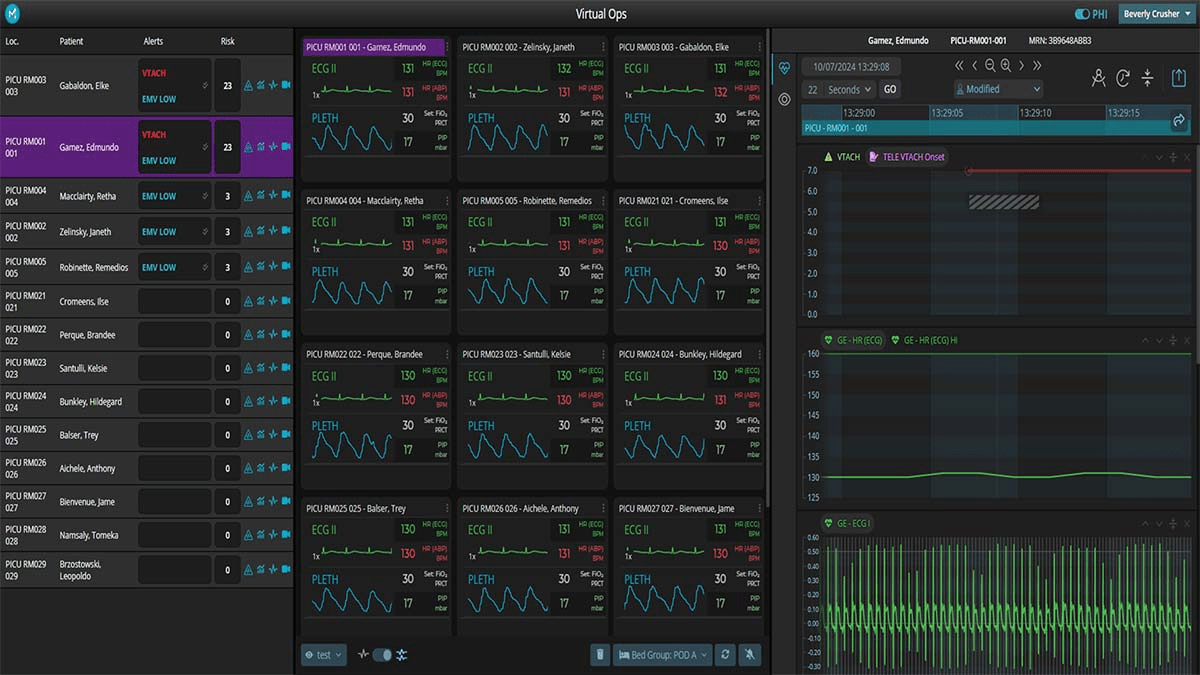
Sickbay is a vendor-neutral healthcare collaboration software that makes patient monitoring data actionable across the care continuum.
Beyond monitoring, Sickbay transforms data into a tool for research, operational improvement, and proactive care. It allows executives, IT teams, and clinical staff to collaborate seamlessly, annotate events, and standardize care practices.
You can also optimize staffing and resource allocation using real-time patient monitoring dashboards and telemetry insights, so the right caregivers are always in the right place at the right time.
🧠 Fun Fact: Partnerships beyond hospitals matter too. When clinics, local governments, and social services work together, community health outcomes improve. However, success depends heavily on how well those collaborations are structured and sustained.
🌟 Bonus: Leverage ClickUp Brain MAX to instantly search across patient records, clinical documents, and care team communications—all from one AI-powered desktop companion.
It helps healthcare professionals find information, summarize updates, and streamline workflows, saving valuable time and supporting better patient care.
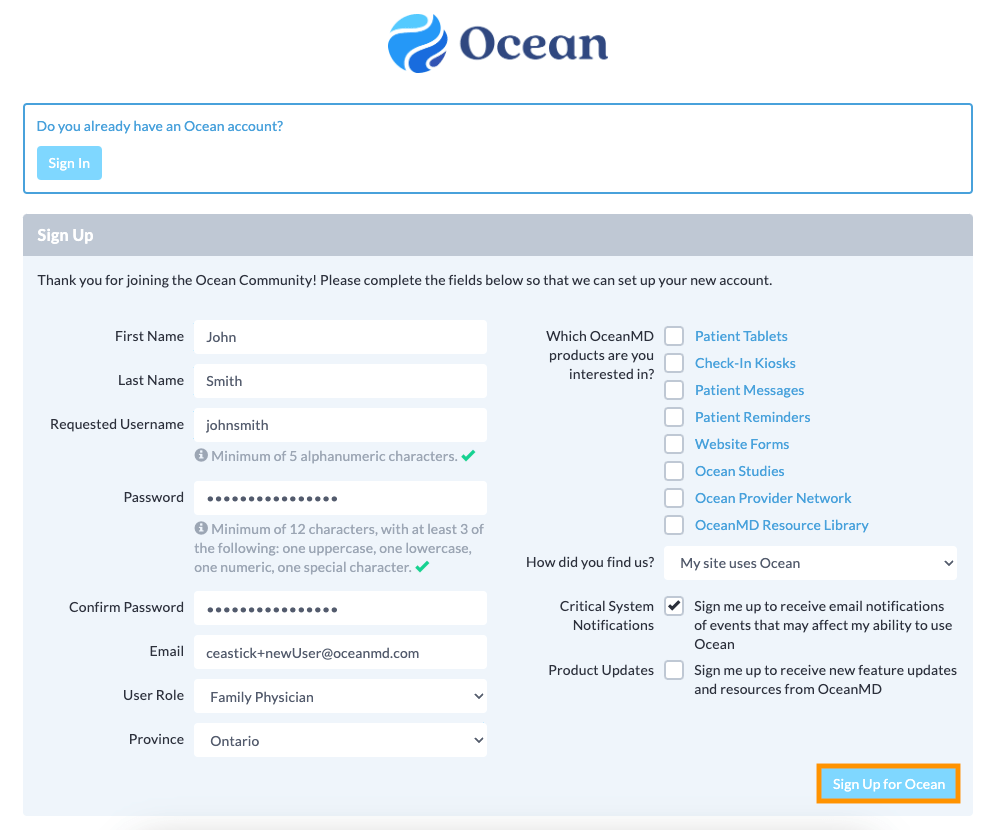
OceanMD is a clinic management platform built to connect patients, medical professionals, and health systems without friction.
Designed with interoperability at its core, OceanMD integrates with major EMRs and health information systems, enabling secure data exchange across clinics, hospitals, and provinces.
The platform is equally valuable for frontline staff and patients. With its Patient Engagement Suite, clinics can offer self-serve tools like online booking, reminders, and digital check-ins, while the Ocean Provider Network simplifies eReferrals, eConsults, and eOrders.
💡 Pro Tip: Capture learnings from cross-team cases in an internal knowledge base. If a care pathway for one patient uncovered a coordination trick or workflow improvement, document it so the whole organization benefits.
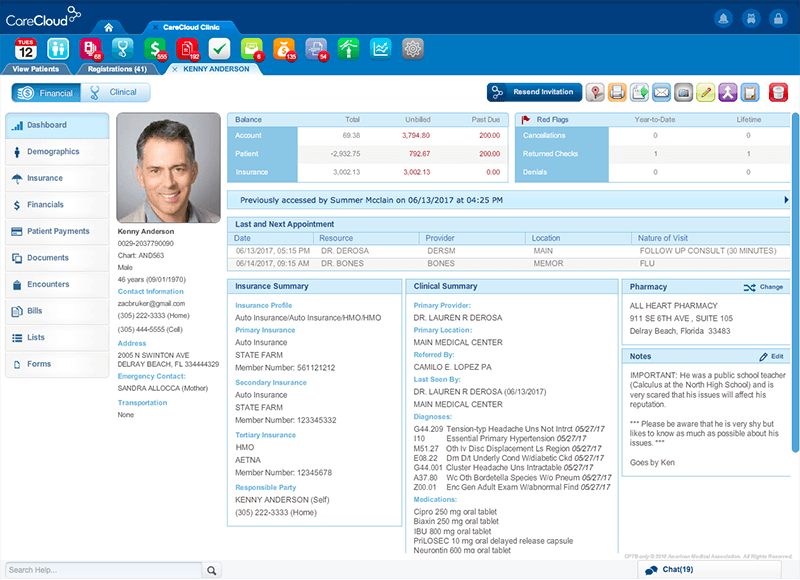
For most practices, the biggest obstacle is the daily grind of documentation, billing, and system silos. CareCloud addresses these pain points by blending EHR, practice management, revenue cycle optimization, and interoperability.
What sets CareCloud apart from other patient management software is its cirrusAI suite, built on generative AI for smarter clinical notes, appeals automation, and decision support.
Add to that ONC-certified interoperability tools like CareCloud Connector, and your practice will gain a secure and scalable way to exchange data across labs, immunization registries, and EHR systems.
Here’s how one user puts it:
One of the best parts about CareCloud is that it is web-based rather than having to be installed locally on your computer(s). The interface is very organized and allows for fast navigation within the system. But the clearing house does not have the ability to electronically submit claims for workers compensation or motor vehicle insurance carriers resulting in these claims having to be dropped to paper and submitted through snail mail.
💡 Pro Tip: Build feedback loops directly into collaborative tools. For example, allow nurses to flag if a discharge plan feels unrealistic or pharmacists to mark unclear prescriptions. Real-time input prevents errors later in the chain.
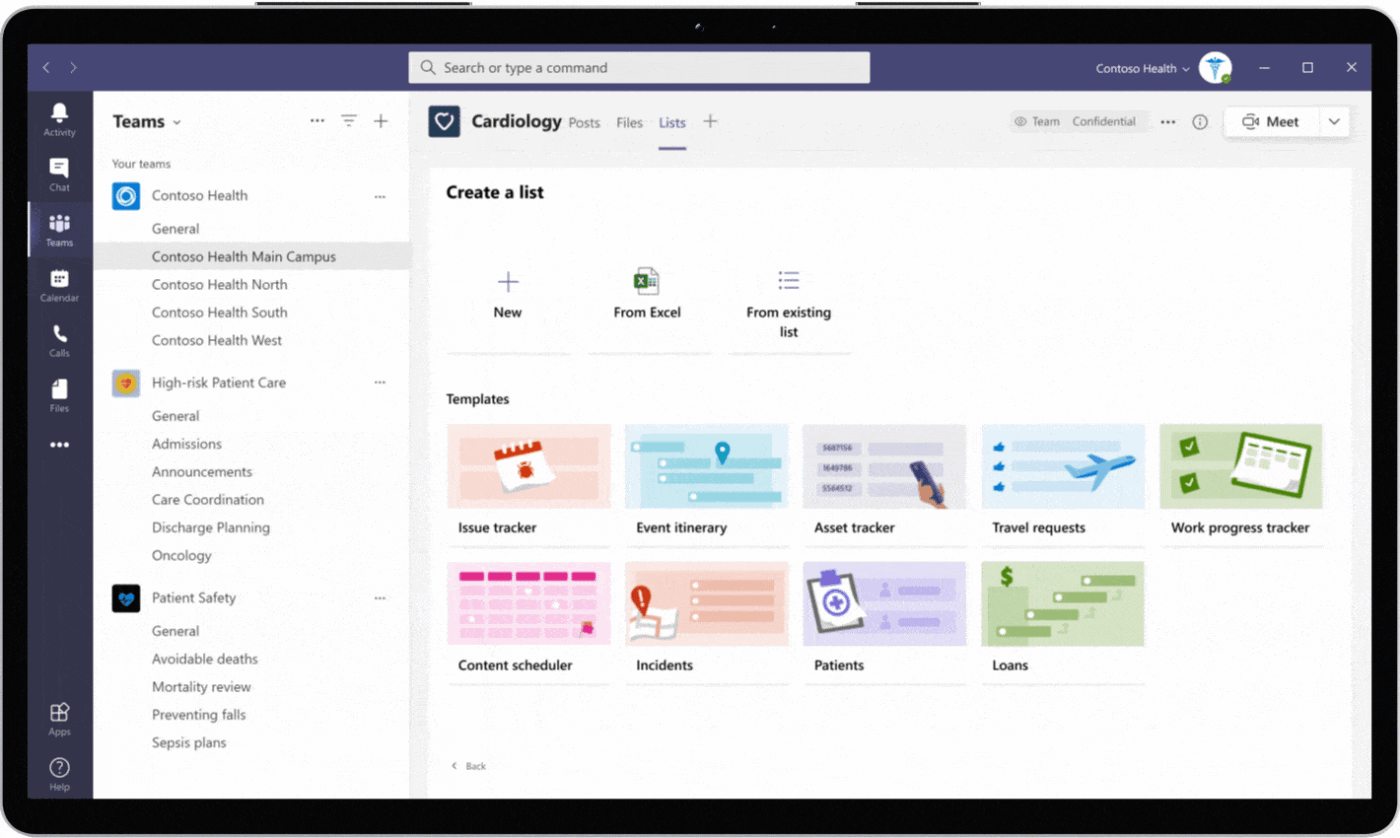
In hospitals, quick decisions depend on smooth communication, but important updates often get buried in phone calls, emails, or missed messages. Microsoft Teams tackles this by giving healthcare providers a secure, HIPAA-compliant way to chat, meet, and share updates in real time.
Built into the Microsoft Cloud for Healthcare, Teams integrates directly with FHIR-enabled EHRs, making it easy to launch a patient consultation or update care plans from within existing systems.
Whether it’s a quick urgent message, a scheduled video consult, or a structured workflow with Lists and Approvals, Teams helps hospitals reduce delays and keep information flowing.
Here’s direct feedback from a G2 review:
Teams makes it really easy to chat, call, or jump into a quick meeting without switching apps. I like how everything—messages, files, and calendar—is in one place. The app is a bit heavy for both desktop and mobile, and takes time to load. The UI for chat also needs improvements.
📖 Also Read: Top Microsoft Teams Alternatives for Collaboration
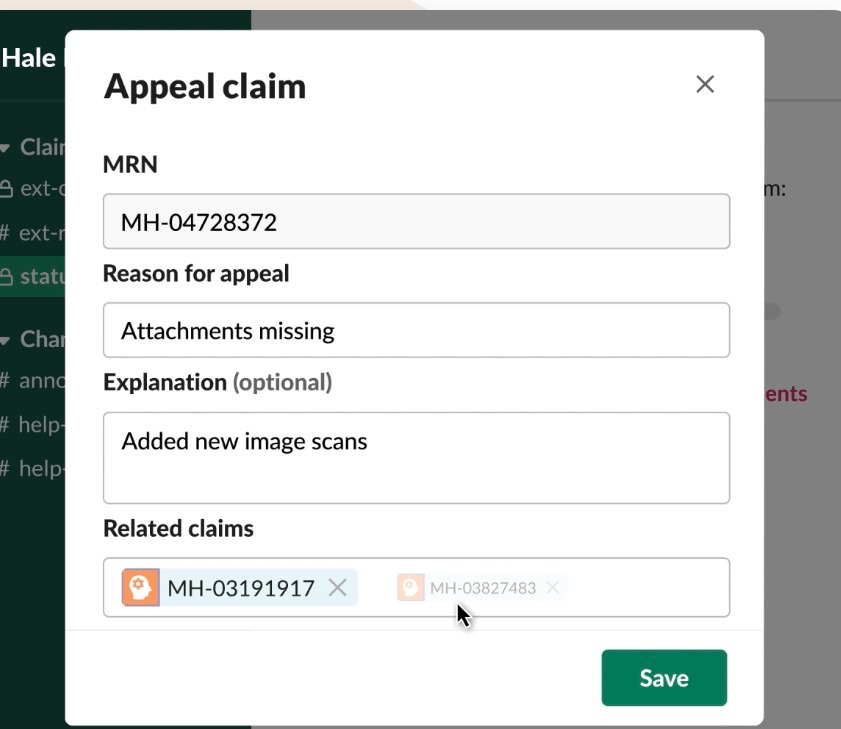
Slack is a secure collaboration tool that provides a flexible environment to connect, share updates, and coordinate care. Its Enterprise Grid plan is HIPAA-configurable, allowing providers, payers, and researchers to exchange electronic Protected Health Information (ePHI) while maintaining compliance.
With dedicated channels, secure integrations, and robust security controls, it helps reduce delays in patient care and ensures sensitive data remains protected.
Integrations with platforms like Salesforce Health Cloud and Service Cloud centralize patient and member data.
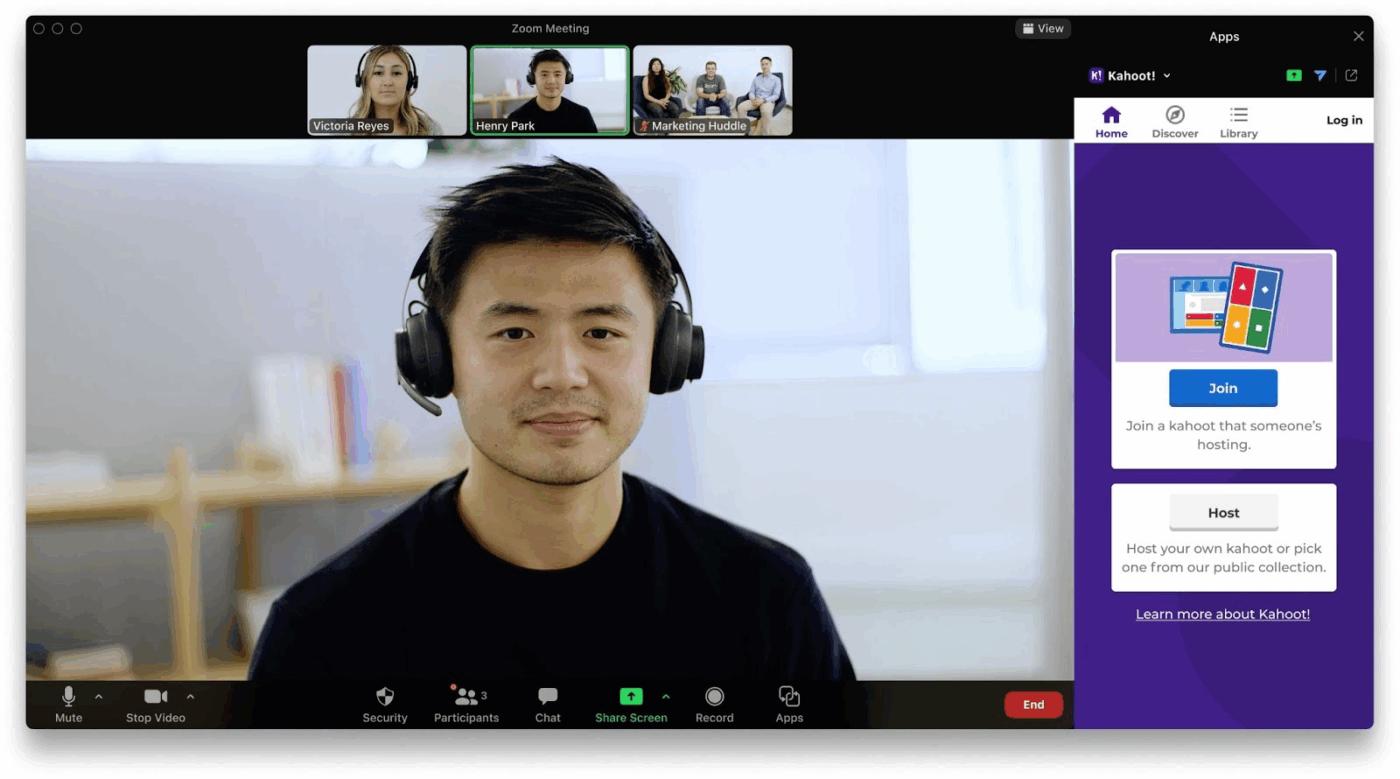
Zoom for Healthcare is built to simplify how providers connect with patients and colleagues.
Its healthcare-specific offering includes HIPAA compliance, dedicated BAAs, and integrations with major EHR systems. This ensures sensitive data stays protected while enabling providers to conduct telehealth visits, run virtual clinics, or collaborate with specialists across locations.
Zoom balances patient accessibility with clinical workflow efficiency. Patients can join virtual appointments from a single link, often through portals like MyChart, without needing to download or install any software.
According to a recent G2 review:
One of the standout features of Zoom Workplace is how it brings together multiple collaboration tools into a single, streamlined platform. The integration of Zoom Meetings, Team Chat, Whiteboard, and Scheduling tools into one interface saves a lot of time and reduces the need to juggle multiple apps. The mobile experience can be inconsistent.
🧠 Fun Fact: Collaboration strengthens safety culture. In Japanese hospitals, when teamwork and organizational learning go up together, hospital safety improves—staff feel more at ease reporting errors, involving families, and working to prevent harm.
📖 Also Read: Best Zoom Alternatives
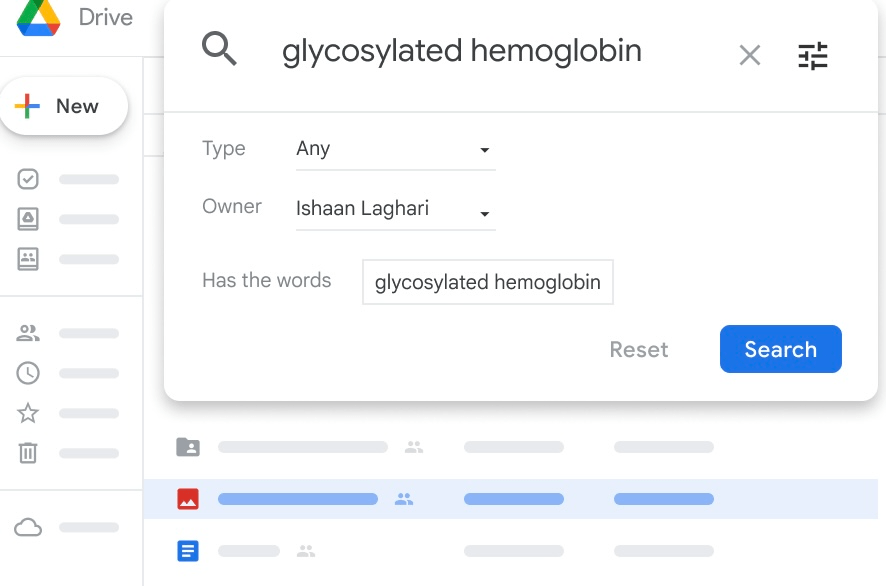
Google Workspace brings together everyday tools like Gmail, Docs, Sheets, and Meet into a HIPAA-compliant environment tailored for healthcare and life sciences.
Since most staff and clinicians are already familiar with these apps, adoption is quick and requires minimal training. The familiarity makes it easier to reduce silos between clinical teams.
Google Workspace’s dual focus supports healthcare providers and accelerates life sciences research. Combined with zero-trust security and built-in encryption, it allows organizations to collaborate at scale without the overhead of VPNs or constant patching.
One user summed it up like this:
I like how everything is seamlessly connected in one platform. Having Gmail, Drive, Docs, Sheets, Calendar, and Meet integrated makes collaboration effortless. It’s very user-friendly, easy to implement, and accessible from any device. Real-time collaboration on documents and spreadsheets saves time and keeps everyone aligned, which is especially helpful for remote or hybrid work.
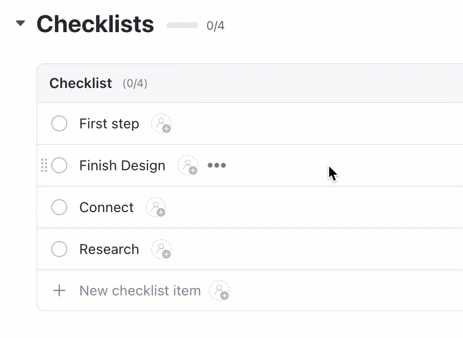
💡 Pro Tip: Embed ClickUp Task Checklists for recurring processes like discharge planning or pre-surgery prep. Standardization makes collaboration smoother by eliminating guesswork from high-stakes tasks.
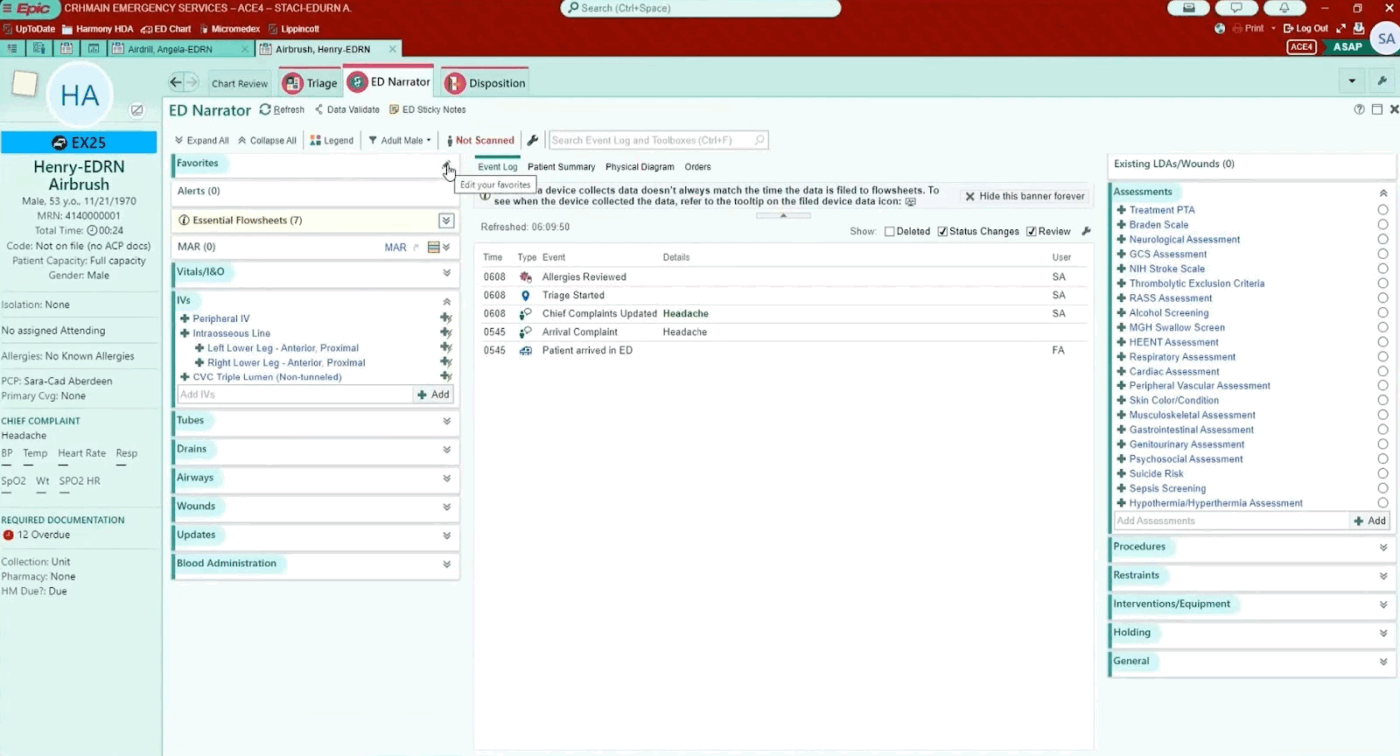
Epic acts as a system of record, improving how clinicians, administrators, and even external providers coordinate around patient care. Its interface, Hyperspace, adapts to each user’s role, whether physician, nurse, or billing staff.
Comet provides predictive insights on risks, outcomes, and length of stay, while Epic’s generative AI features assist with charting, coding, and even drafting patient-friendly communications.
Healthcare providers can share information seamlessly when patients transition between different Epic-enabled facilities. The system handles both clinical work and administrative tasks, keeping care teams coordinated whether they’re in the same building or across different locations.
💡 Pro Tip: Create escalation pathways inside your collaboration system. If a lab result or patient note flags as critical, it should auto-notify the right senior staff instead of sitting unread in someone’s queue.
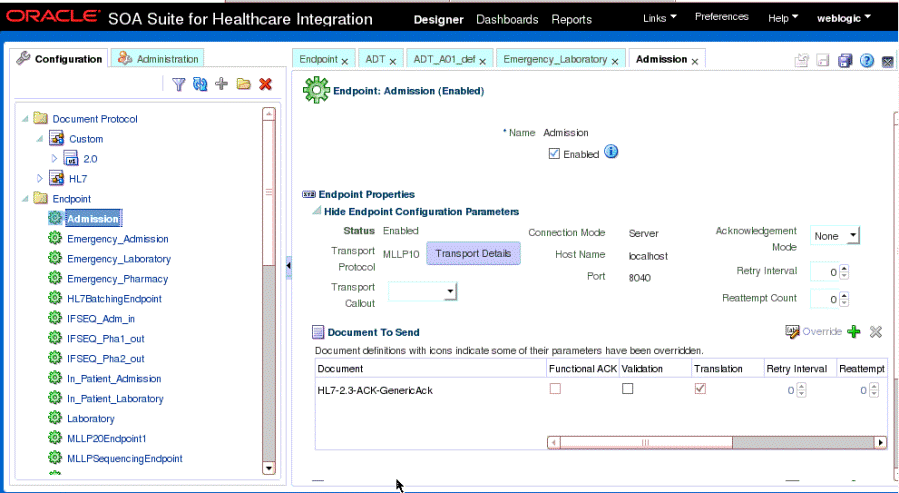
Cerner, now part of Oracle Health, offers an EHR platform built to connect clinical, financial, and operational data.
Its core solution, Cerner Millennium, gives healthcare organizations a single environment where providers can document care, place orders, and access patient histories in real time.
What makes Cerner stand out is its emphasis on interoperability and patient engagement. Through tools like HealtheIntent for population health and HealtheLife for patient access, it extends collaboration beyond internal teams.
🧠 Fun Fact: Teamwork between nurses and doctors improves surgical outcomes. A large study of over 1.3 million patients in 665 acute hospitals showed that when these teams work well, the odds of dying within 30 days after surgery decrease.
The stakes are high when selecting collaboration software for healthcare. Here’s where to get started.
Before looking at any software, track your communication problems for one week. Note when messages get lost, when staff can’t find patient updates, or when important information arrives too late. These real examples will guide your choice better than any feature list.
Don’t pick software without asking the people who’ll use it daily.
Talk to nurses, doctors, and front desk staff about their biggest communication headaches. What slows them down? What information do they need quickly? Their answers matter more than vendor promises.
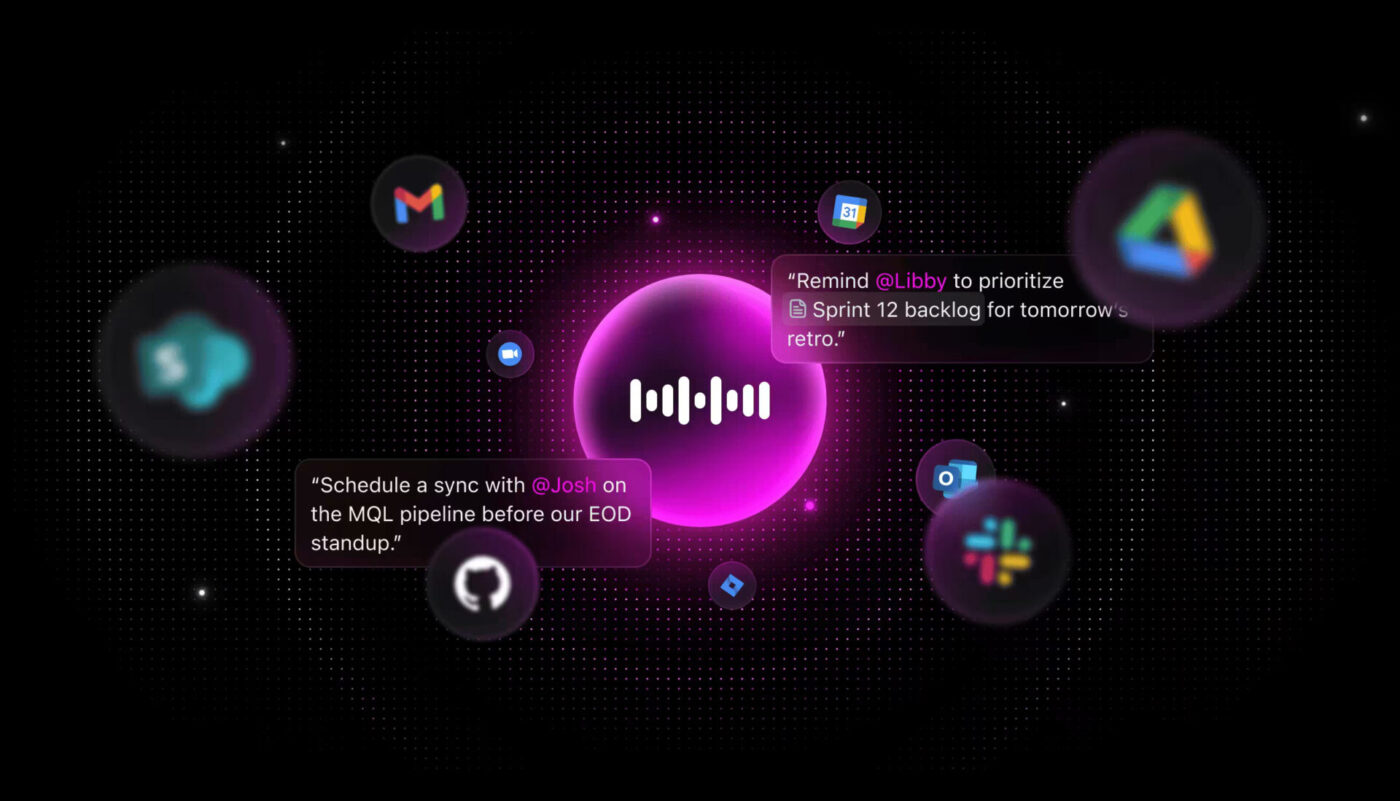
💡 Pro Tip: Users will love ClickUp’s Talk to Text feature that lets them quickly dictate clinical notes, patient updates, or care instructions—hands-free and on the go. This streamlines documentation, reduces manual typing, and helps healthcare professionals capture critical information in real time, improving both accuracy and efficiency.
Your collaboration tool must connect easily with your existing EMR, scheduling, and billing software. If staff have to switch between multiple programs or enter data twice, they won’t use it.
Ask the vendor for specific details about how the software links with what you already have.
Needless to say, everything you use needs to be HIPAA compliant.
Test the software during actual busy periods with real patient cases. Try it during shift changes, emergencies, and typical daily workflows. See how it performs when your network is slow or when staff are rushed.
Pick software that can grow with your practice. Can it handle twice as many users? Does the vendor regularly add new features? Choose a platform that will work for years, not just months.
Healthcare collaboration software is transforming clinical workflows across various specialties. Here are some real-world applications:
💡 Pro Tip: ClickUp’s AI Agents can automate many of your repetitive tasks, such as patient follow-up and care coordination.
For example, you can configure a ClickUp Custom Agent to monitor when a patient’s status changes (such as discharge or a new test result), then automatically assign follow-up tasks to care team members, send reminders, and summarize key updates in a secure chat channel. This reduces manual effort, ensures timely patient care, and improves both efficiency and patient outcomes.
Learn how to set up your first no-code AI Agent:
🔍 Did You Know? Hospitals with better nurse-doctor collaboration report much lower mortality than expected. One study showed about 41% fewer deaths than predicted in hospitals with high collaboration, while those with weak collaboration exceeded predicted mortality by 58%.
Missed calls, scattered notes, or outdated schedules can snowball into critical delays for patients. ClickUp fixes this work sprawl by giving healthcare teams one secure space to coordinate treatment, document updates, and manage workflows.
Care teams can assign responsibilities, document protocols, and track patient updates without switching tools. Conversations inside ClickUp Chat remain tied to the relevant patient task, so context never gets lost. ClickUp Docs allows real-time collaboration on treatment guidelines, research notes, or discharge instructions, while Custom Fields capture details like patient identifiers or urgency levels directly in the workflow.
ClickUp Brain adds another layer by surfacing risks, generating follow-up checklists, and answering critical questions on demand.
ClickUp is a secure platform that makes collaboration in healthcare actually work—so your teams can focus less on coordination and more on care.
Sign up to ClickUp for free today!
Healthcare collaboration software connects clinicians, staff, and patients by centralizing communication, task management, and data sharing. These tools help reduce silos, improve care coordination, and streamline workflows across teams and departments.
ClickUp Enterprise supports HIPAA compliance when paired with a signed business associate agreement (BAA). Other platforms, such as Slack Enterprise Grid and Microsoft Teams (enterprise plans), can also be configured for HIPAA compliance, provided they are set up correctly and used under strict security policies.
For fast, secure communication, ClickUp and TigerConnect are popular. On the other hand, for secure clinical data exchange, Epic Systems and Oracle Health stand out.
If your priority is direct access to patient data and clinical records, EHR-integrated tools like Epic or Cerner are best. If you need broader project management, cross-department workflows, or integrations with multiple apps, general platforms like ClickUp provide more flexibility.
Healthcare collaboration software helps teams in the healthcare industry share information faster, reduce miscommunication, and coordinate treatment more effectively. This leads to fewer delays, more accurate decisions, and better overall patient care.
Pricing varies widely: healthcare project management platforms like ClickUp start with a free plan and offer various tiers including a HIPAA-relevant Enterprise plan, while healthcare-specific tools like Epic or Oracle Health may cost hospitals hundreds of thousands annually, depending on scale and customization.
No, collaboration tools complement but don’t replace EHRs. While they manage communication and workflows, EHRs remain the central system of record for clinical documentation and patient histories. The two work best when integrated.

© 2026 ClickUp

There’s an easier way. Try a free AI Agent in ClickUp that actually does the work for you—set up in minutes, save hours every week.