






Still downloading templates?
There’s an easier way. Try a free AI Agent in ClickUp that actually does the work for you—set up in minutes, save hours every week.
Sorry, there were no results found for “”
Sorry, there were no results found for “”
Sorry, there were no results found for “”

FlowSavvy makes personal auto-scheduling feel so easy. Tasks magically slot themselves in, focus time looks defended, and for a while, your calendar finally makes sense.
But it often falls short when days include complex projects, team collaboration, or dynamic deadlines. Overlaps, hidden conflicts, and frequent context switching can quickly reduce productivity.
Solely relying on the platform starts to feel limiting and that’s when the search for something smarter starts.
In this blog post, we’ll explore the 10 best FlowSavvy alternatives that go beyond simple auto-scheduling. Let’s get started! 📅
Here’s a table comparing all Flowsavvy alternatives in this blog. 📊
| Tool | Best for | Best features | Pricing* |
| ClickUp | All‑in‑one productivity, scheduling, task execution, and project workflows for small teams to enterprises | Unified workspace connecting ClickUp Calendar with multiple views, ClickUp Brain for context‑aware prioritization & summaries, Automations for custom workflows, and AI Agents | Free forever; customizations available for enterprises |
| Reclaim.ai | AI-powered auto-scheduling of tasks, habits, and focus blocks for knowledge workers and productivity enthusiasts | AI‑driven time blocking, smart meeting placement, time management tools, conflict‑aware rescheduling, habit & break protection | Free; Paid plans start at $12/month per user |
| Motion | Automatic prioritization, rescheduling, and integrated calendar optimization for teams and individuals | AI‑powered schedule generation, real‑time rescheduling, task prioritization engine | Paid plans start at $29/month per user |
| Sunsama | Structured daily planning, mindful time-blocking, and cross-calendar task integration for professionals | Daily planning dashboard with calendar/task merge, time‑boxing with drag‑and‑drop, morning and end‑of‑day rituals | Free trial available; Paid plans start at $20/month |
| Akiflow | Centralized task capture, natural-language scheduling, and multi-app coordination for people managing inputs from multiple productivity tools | Universal inbox for tasks from 3000+ integrations, AI personal assistant (Aki) for natural‑language task creation, smart scheduling | Free trial available; Paid plans start at $9.5/month per user (Billed annually) |
| Notion | Flexible workspace combining databases, notes, calendars, and custom workflows for students, creators, and knowledge workers | Notion Agent and AI features, customizable databases, calendar & timeline views, AI meeting notes | Free; Paid plans start at $12/month per user |
| Fantastical | Advanced calendar, event creation, and cross-calendar sync for Apple and Windows users | Natural language input, multiple detailed views (Day/Week/Month/Year), scheduling links, rich widgets | Free; Paid plans start at $6.99/month per user |
| Todoist | Managing to-do lists, recurring tasks, and priority management for individuals and teams looking for organized task tracking | Projects/sections/labels, recurring dates & reminders, collaboration with assignees/comments, filters & calendar view sync | Free; Paid plans start at $5/month per user (Billed annually) |
| TickTick | Task and habit management with Pomodoro, calendar views, and reminders for personal productivity enthusiasts | Task lists with reminders, Pomodoro timer. habit tracker; Eisenhower matrix, collaboration | Free; Paid plans start at $35.99/year per user |
| Google Calendar | Simple event scheduling, Gmail integration, and clear time visualization for individuals and professional teams | Event creation with reminders, recurring events, smart suggestions, and goals to stay focused | Free |
Our editorial team follows a transparent, research-backed, and vendor-neutral process, so you can trust that our recommendations are based on real product value.
Here’s a detailed rundown of how we review software at ClickUp.
Many users hit limits while using Flowsavvy once their work involves projects, changing priorities, or multiple tools. When evaluating alternatives, look for features tailored to fill these gaps and support planning and execution together. 👀
🔍 Did You Know? The field of interruption science began when researchers found that task switching, like switching between calendar tasks or meetings, incurs measurable mental costs.
Looking for a more flexible way to plan your day and manage real work?
Here are the best FlowSavvy alternatives that go beyond auto-scheduling with smarter task management, dynamic planning, and AI calendars. 🎯
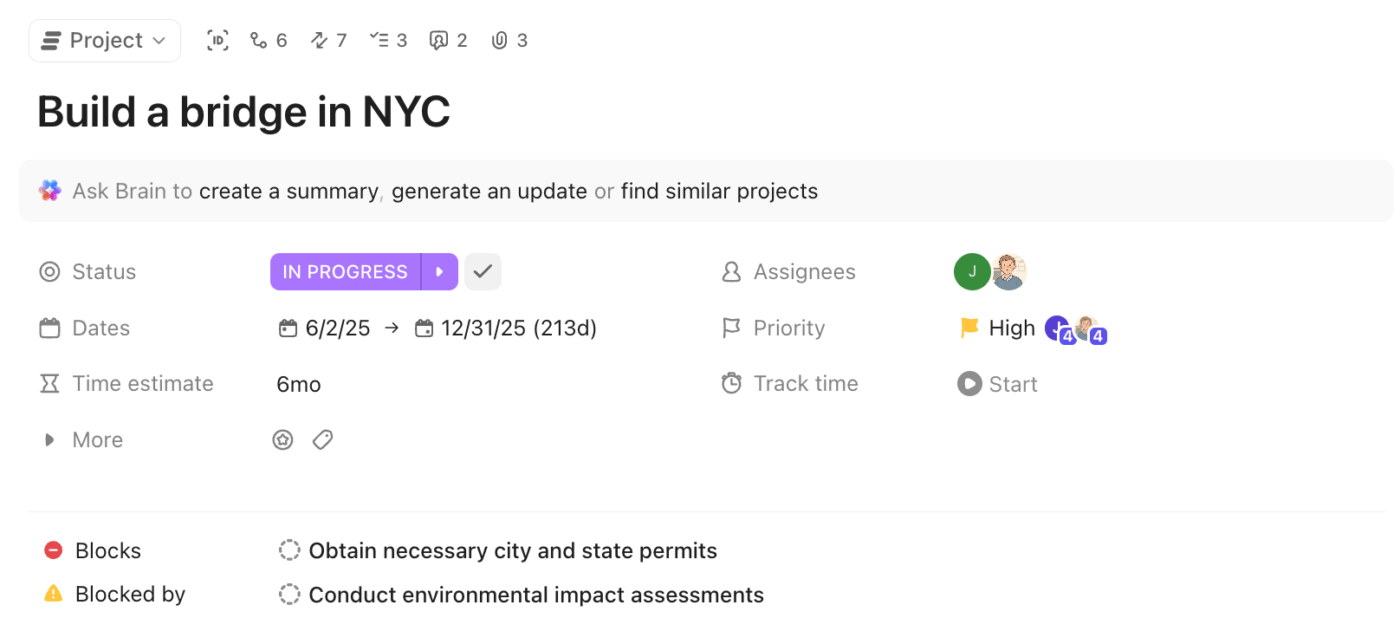
As work expands beyond personal tasks into projects, follow-ups, and shifting priorities, scheduling often leads to tool sprawl.
ClickUp takes the next step by unifying scheduling, task management, project views, automation, and AI. So your calendar evolves with your work instead of becoming a static plan that lives separately. As the world’s first Converged AI Workspace, it brings planning, project management, and execution into a single, connected environment.
Everything in this task scheduling software starts with ClickUp Tasks. Unlike basic to-do lists, ClickUp Tasks are built for real-life planning where priorities shift and work spans multiple days.
Here’s how they help:
Pair it with ClickUp’s AI Notetaker, and you suddenly have a powerhouse combo in hand!
Once your work is clearly defined in ClickUp Tasks, ClickUp Calendar becomes the layer where work meets time. It pulls Tasks, due dates, and priorities directly into your schedule.
Unlike tools that only auto-place tasks around meetings, ClickUp gives you control over how tasks show up on your calendar.
For instance, you can drag your design review task into a 2-hour morning block, see it alongside your client calls and report deadlines, and easily shift it to the afternoon if a meeting runs over. Zoom out to weekly or monthly views to spot potential bottlenecks, balance priorities, and make sure nothing slips between ClickUp and your synced Google or Outlook calendars.
ClickUp Brain, your AI-powered assistant, is built right into your contextual workspace. It considers priorities, deadlines, dependencies, and even your personal working patterns to make your schedule smarter and more realistic.
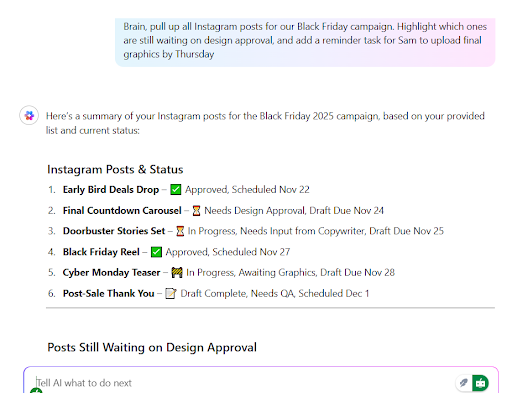
For instance, you open ClickUp on a Monday morning after a packed week. Instead of scanning dozens of tasks, overdue items, and calendar blocks, you ask ClickUp Brain, ‘What should I focus on today?’
It surfaces three high-impact items, explains why they matter today, and flags one task that’s slipping because a dependent review hasn’t happened yet.
You notice a project that feels heavier than expected, so you open it and ask: Summarize this project and tell me what’s blocking progress.
In seconds, Brain generates a short executive-style summary, pulls context from task comments and Docs, and highlights that two follow-ups are overdue. You convert one of them into a high-priority ClickUp Task and ask the AI tool to reschedule the rest of the week to make room.
📌 Example prompts:
Once your tasks are organized and your schedule optimized with ClickUp Brain, ClickUp Automations takes over the time-consuming work so you can focus on what really matters.
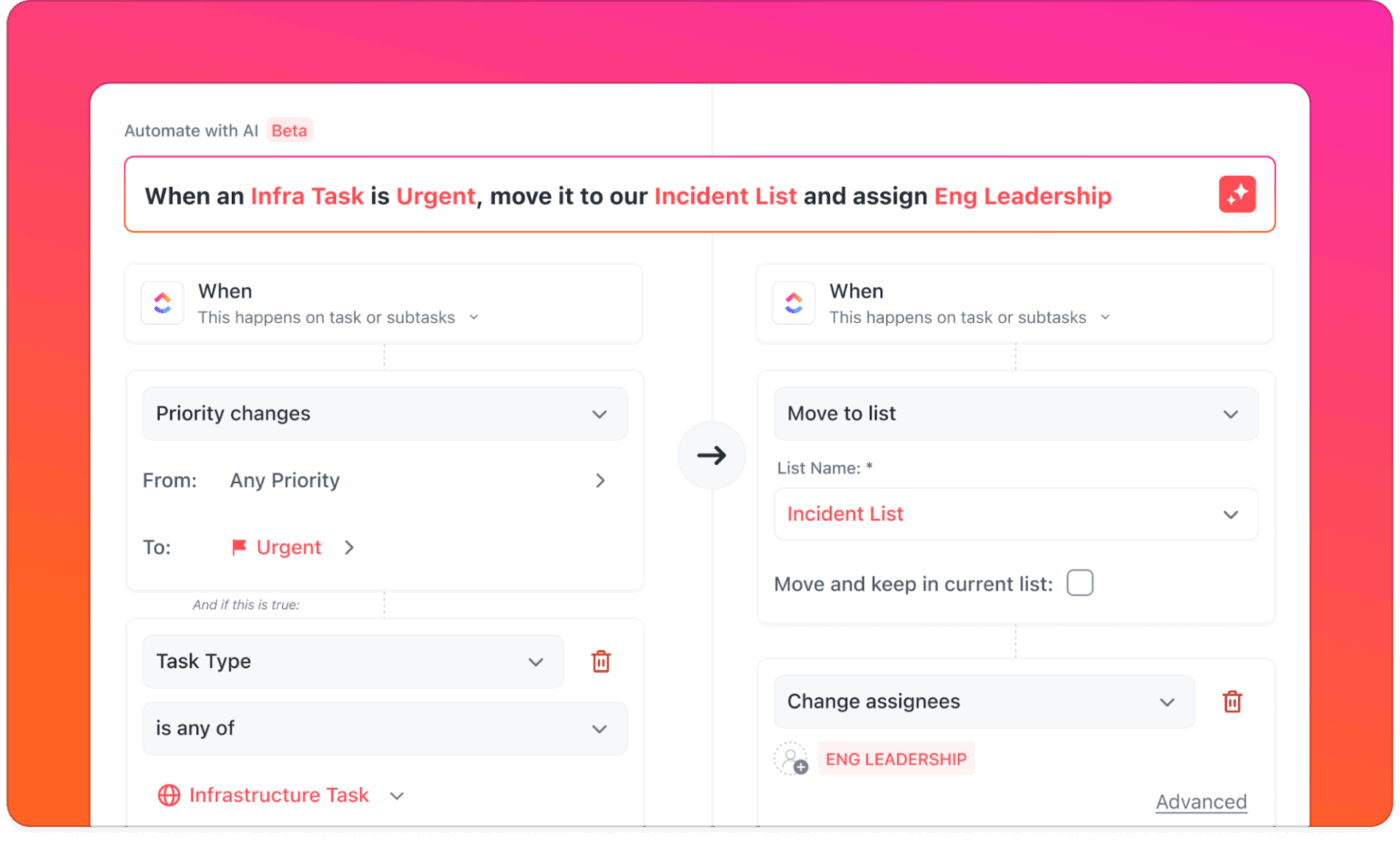
Here’s what you can do with ClickUp Automations:
ClickUp Super Agents take your planning and automation a step further by acting as intelligent assistants that handle work, insights, and automate repetitive tasks on your behalf.
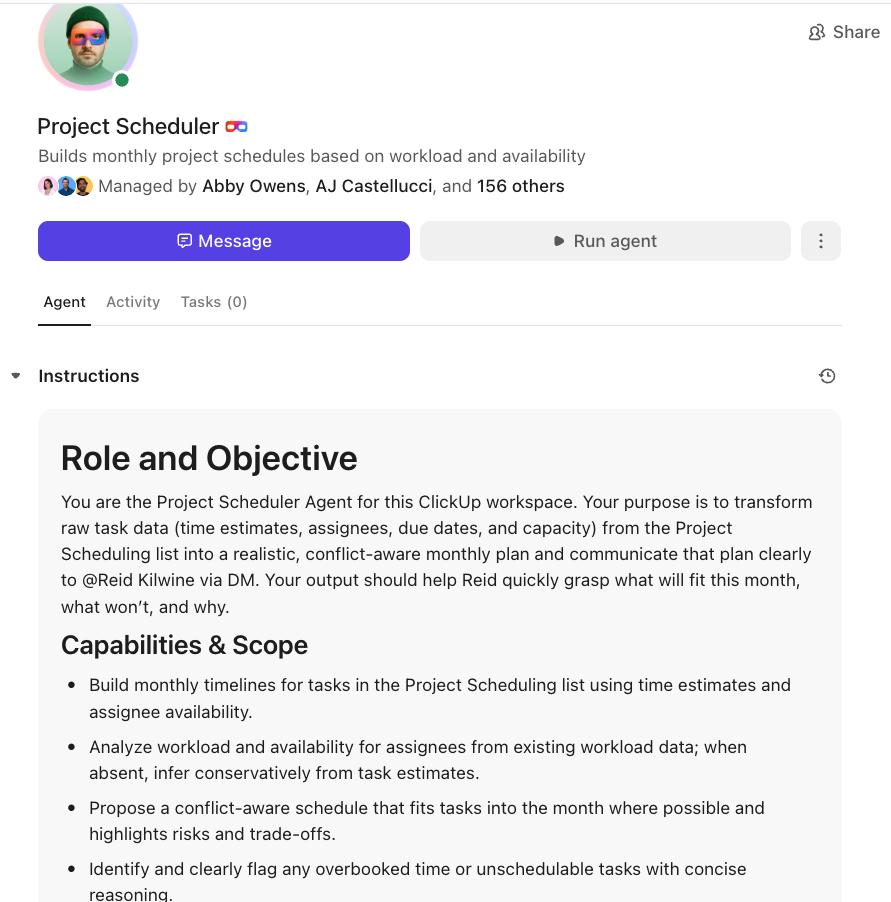
It continuously monitors your workspace to suggest updates, reschedule tasks, and highlight important deadlines before you even ask. You can execute complex workflows automatically, like creating new tasks based on email inputs, drafting project plans, or generating reports from your task data.
This review really says it all:
I’m updating my review because ClickUp continues to impress, especially with its recent major overhaul, ClickUp 4.0. My favorite part—the simple-yet-powerful Slash Command (/) in the description and comment boxes—is even better, now serving as an entry point for advanced features like the ClickUp AI (/ai) and the global AI Command Bar. This makes quick formatting (like the numbering I use for attachments) and complex actions equally easy to implement for both work and personal projects.
While the Free Forever plan is generous with unlimited members, the limitations have become more noticeable. I still appreciate that I can create multiple Workspaces (each with its 5 free Spaces) to segment my large projects. However, the introduction of caps on key features like Automations, Custom Fields, and the strict 100MB storage limit means I have to be more mindful of how I use the platform before considering an upgrade.
📮 ClickUp Insight: 24% of users feel focus time is overrated and prefer multitasking, while 39% say deep focus is the only way they get meaningful work done.
No matter your work style, ClickUp is the AI-powered command center that adapts to you. Need to multitask? You can manage projects, chat with your team, and even search the web in real time—all without leaving ClickUp. 🤹🏽
Prefer deep focus? Features like ClickUp Calendar help you block out distractions, while agents automate routine tasks, so you can stay in the zone!
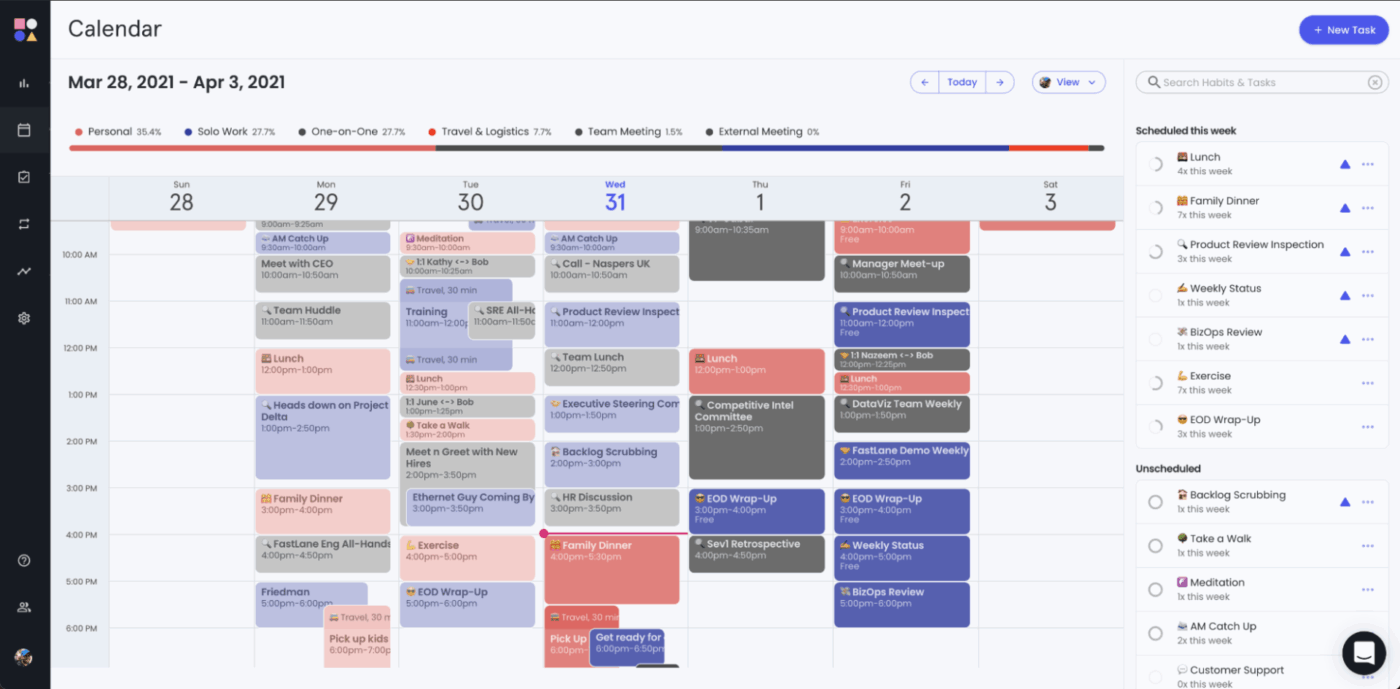
Instead of asking you to manually time-block every task, Reclaim.ai continuously evaluates your Google or Outlook Calendar and makes decisions on your behalf. It places work, routines, and meetings where they fit best based on urgency and priority.
As your schedule changes, this Clockwise alternative reshuffles flexible items so deadlines stay intact without forcing you to babysit your calendar all day.
You can preserve routines without manual adjustments using AI-powered Habits that reschedule themselves and reduce burnout. Avoid excessive context switching with Buffer Time that adds breaks and transition windows automatically.
Straight from a G2 review:
I enjoy the scheduling feature. It allows me to use different schedule formats for different groups. […]I really appreciate the habits section; it has been a great help to me. […] I have noticed that scheduled events are doubling up everywhere. It would be helpful to have better instructions on how to manage the duplication of events between personal and work calendars. I’m experiencing a lot of duplication when working with your app and my Google Calendar settings. The written instructions are unclear and very confusing.
🎥 Explore some of the best calendar management platforms:
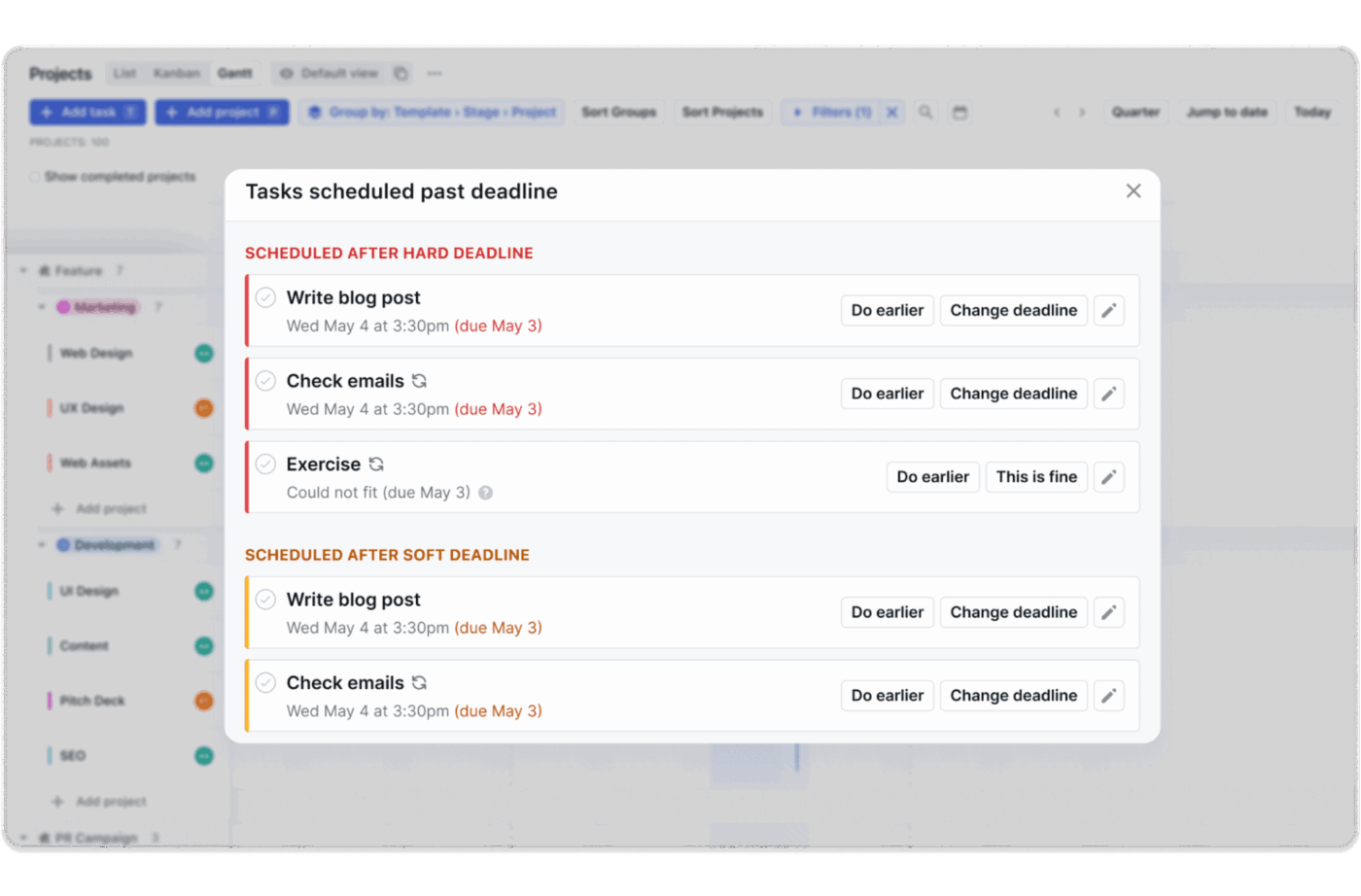
Motion positions itself as a productivity system where planning, prioritization, and execution happen automatically. Its AI continuously analyzes your deadlines, task durations, dependencies, and available time to build an optimized schedule for the day, and then keeps recalculating it as things change.
Compared to FlowSavvy’s focus on adaptive time-blocking, Motion goes several steps further by predicting project completion dates, reallocating work across people, and flagging overload.
Its intelligent meeting management tools offer AI-powered scheduling links that only expose time slots that genuinely fit your optimized plan, while protecting focus time and adding buffers.
Here’s a real-world user feedback:
I find Motion pretty easy to set up, as I just had to get the schedules correct. It makes handling my tasks much more manageable by prioritizing them in the order they need to be done. […] I find entering data in Motion challenging because there are too many buttons on the task list, making it difficult to select and categorize under a certain project. Additionally, the software can be slow at times, which makes entering a large number of tasks cumbersome. Another downside is the steep pricing, which can be prohibitive for students like me in medical school, who have limited funds.
🧠 Fun Fact: Anthropologists describe chronemics—how time is understood and valued differently in different cultures, from rigid punctuality norms in some societies to more fluid approaches in others. These perceptions affect how people schedule, prioritize, and use planning tools.
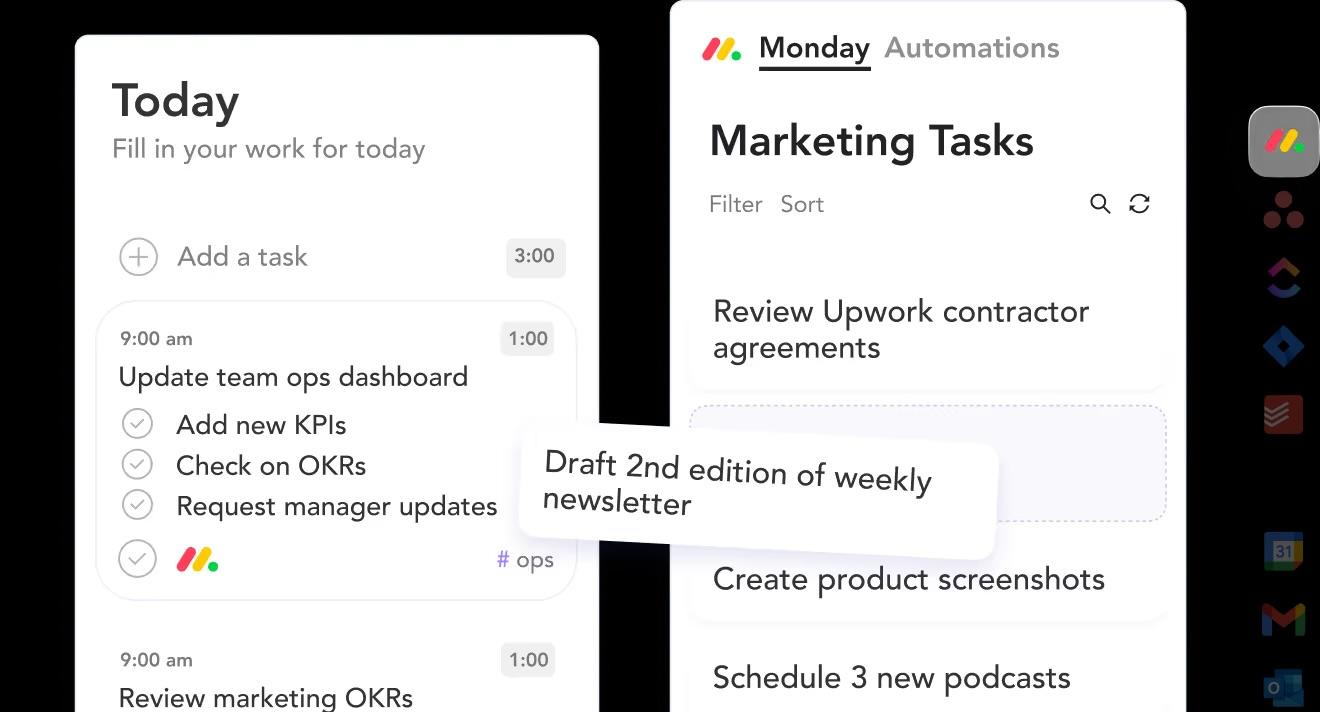
Sunsama takes a deliberately human approach to scheduling. Each morning, you review tasks pulled in from tools like Asana, Jira, Slack, and Gmail, then decide what’s realistically achievable today. Tasks are placed directly onto your calendar, forcing natural trade-offs and helping you avoid the trap of overcommitting.
Instead of automatically reshuffling your day with AI, Sunsama emphasizes mindful decision-making and visibility into effort. Time estimates, daily goals, and workload indicators make it clear when you’re taking on too much, while features like end-of-day shutdown rituals and progress summaries reinforce healthy boundaries.
Here’s a Capterra review for you:
As a solopreneur, it is often challenging to tackle the number of tasks I have in a day. Sunsama reminds me to take breaks, gives me a realistic view of how much time a task will take, and delivers a weekly summary of how I spend my time. I can incorporate my personal and business calendars, wellness activities, and family time all in one place. This helps me to stay aligned with my goals and intentions…Sometimes I forget to assign a task to the right channel. I wish this was easier/more predominant. Also, you have to enter a task and then go back into it to include subtasks. I would like for that process to be more seamless
🧠 Fun Fact: Some people feel time flies when focused, while others perceive it as dragging. This subjective perception impacts how we allocate time slots or plan tasks. Training in time awareness and estimation improves scheduling accuracy and decreases stress.
📖 Also Read: Best Employee Monitoring Software
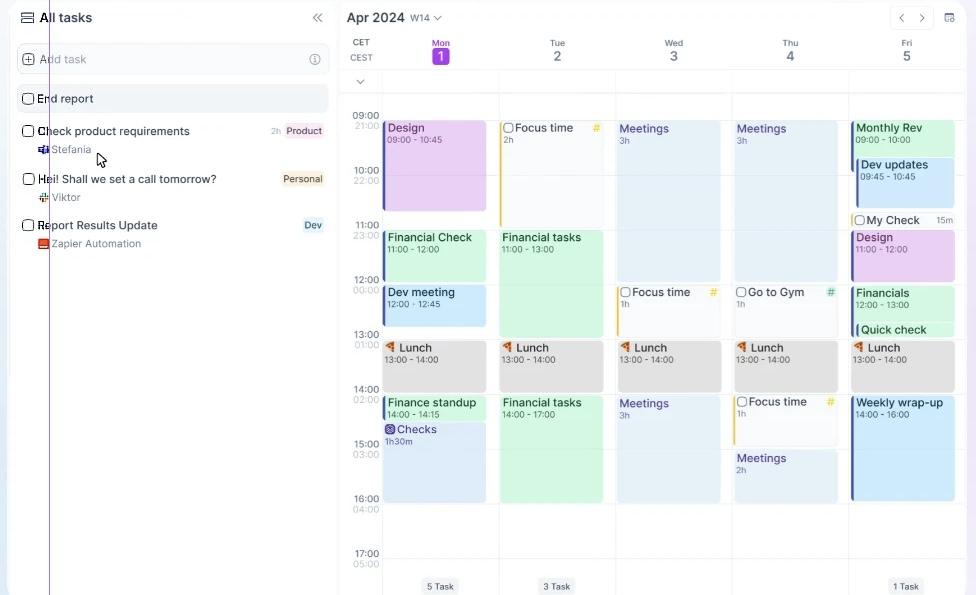
Akiflow is built on the concept of flowtime technique and pulls tasks, messages, and events from places like Slack, Gmail, Asana, and Trello into its command center. Everything lands in a universal inbox, where you decide what deserves time today and then place it directly onto your calendar using time-blocking.
What sets Akiflow apart as a FlowSavvy alternative is its balance between control and automation.
It reduces cognitive load by turning scattered inputs into structured time blocks. Plus, the built-in AI assistant, Aki, adds a conversational layer on top, letting you plan, reschedule, or automate routines with natural language.
Here’s what a user had to say:
I love that Akiflow integrates with my Clickup account so I can clearly see what has been scheduled into my calendar and across multiple workspaces so I know that nothing has been missed. […] What I don’t like is that when I tick things off, there is no option to automatically add the time that was spent on that event to the time tracked in ClickUp. however when I mark it as complete in Akiflow, it does take me straight to the ClickUp task. The other thing that I would love to see is being able to easily group my ClickUp tasks by the location they came from in ClickUp.
🔍 Did You Know? The idea of dividing the day into set blocks of activities isn’t new. Early calendars were aligned with agricultural cycles, essentially early block scheduling for essential daily work tied to seasons.
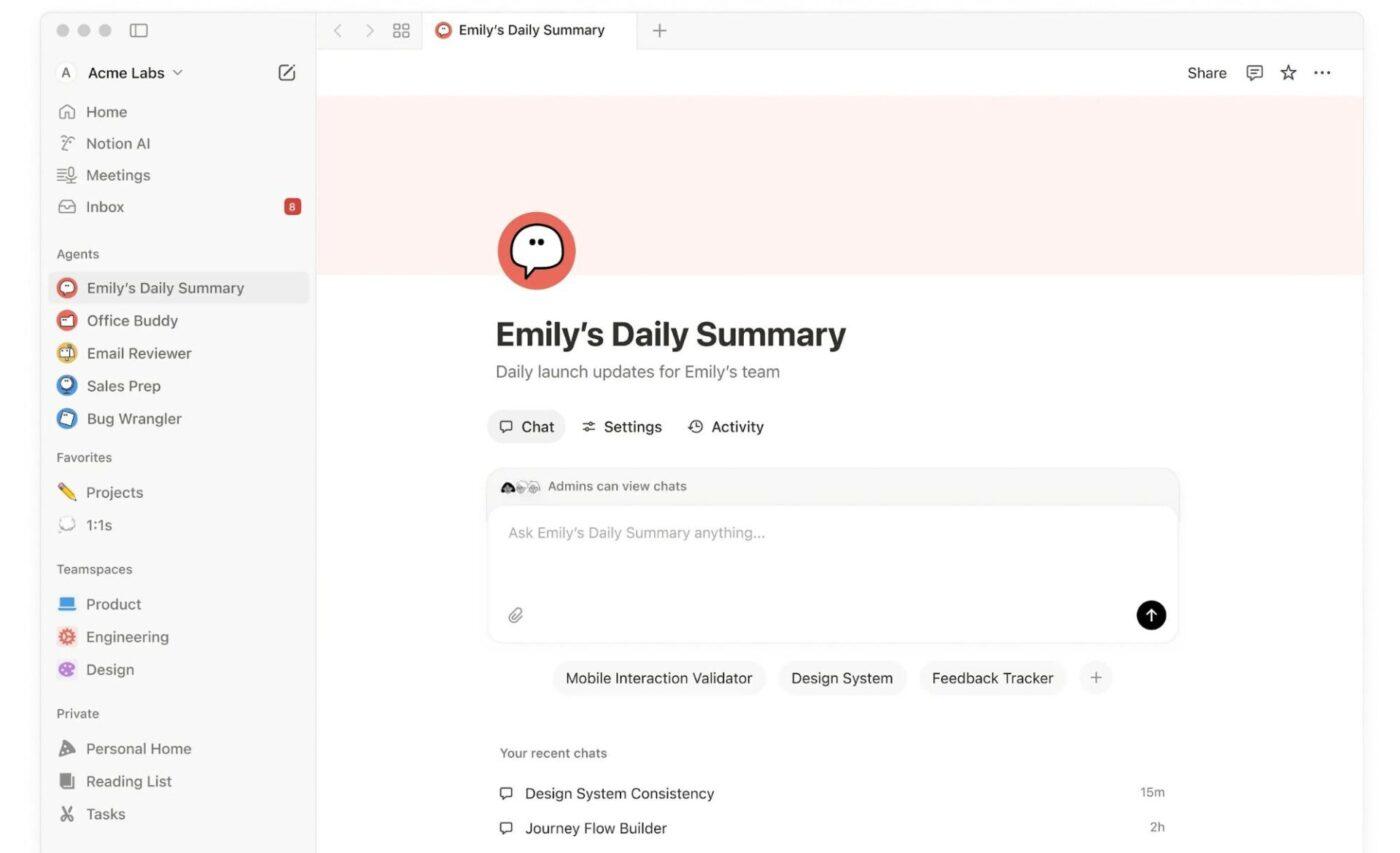
Notion isn’t a scheduling app in the traditional sense. Rather, it’s a flexible knowledge management software that lets you design your own planning system.
Instead of pre-defined rules like FlowSavvy, it gives you building blocks using databases, pages, calendars, and now AI agents. With the launch of Notion Calendar, tasks, deadlines, and meetings can live side by side. It works especially well if your schedule is tied to larger systems such as content pipelines, study plans, client work, or long-term projects.
From a user review:
The best feature is I like notion projects because while creating a project I can set the status of the project then the project deadline details then the project is priority or not. Then the project is how much is pending in percentage…In the beginning notion is quite complicated because there is lot of features so we want to build one by one. Then notion have some paid service but in my experience in it is not worth to pay the free version is enough.
🚀 ClickUp Advantage: Take scheduling beyond basic auto-planning by adding real intelligence to how work gets created, adjusted, and followed up with ClickUp BrainGPT. Instead of just placing tasks on a calendar, it understands context, your priorities, meetings, dependencies, and workload, so plans stay realistic even as your week changes.
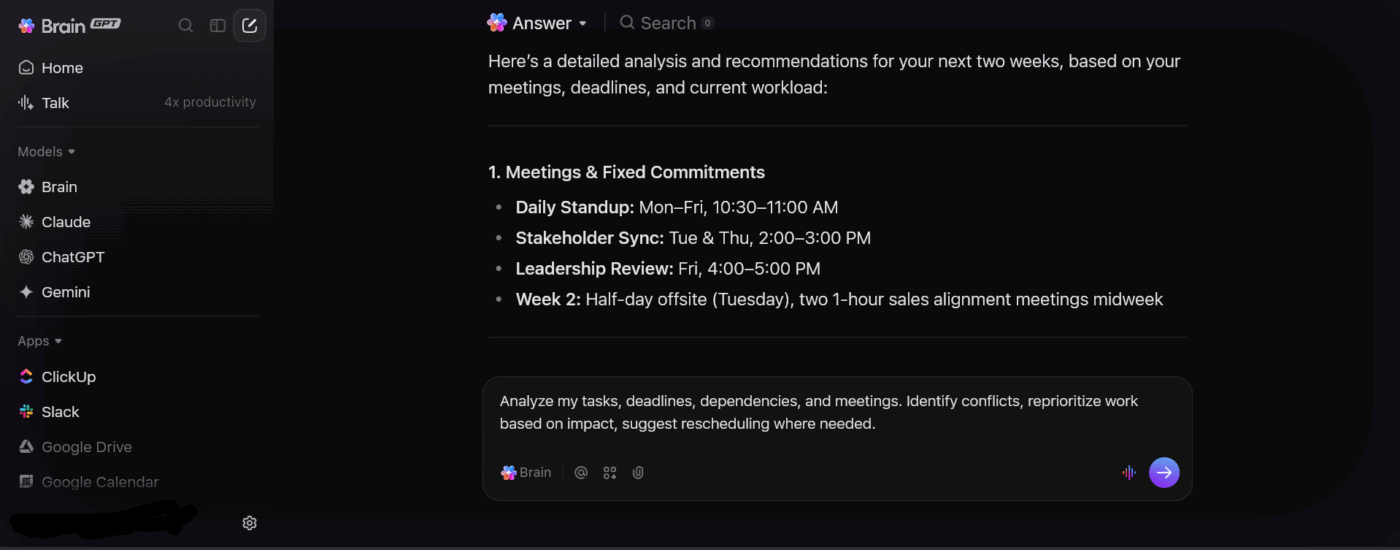
Here’s how it helps:
📌 Try this prompt: Analyze my tasks, deadlines, dependencies, and meetings. Identify conflicts, reprioritize work based on impact, and suggest rescheduling where needed.
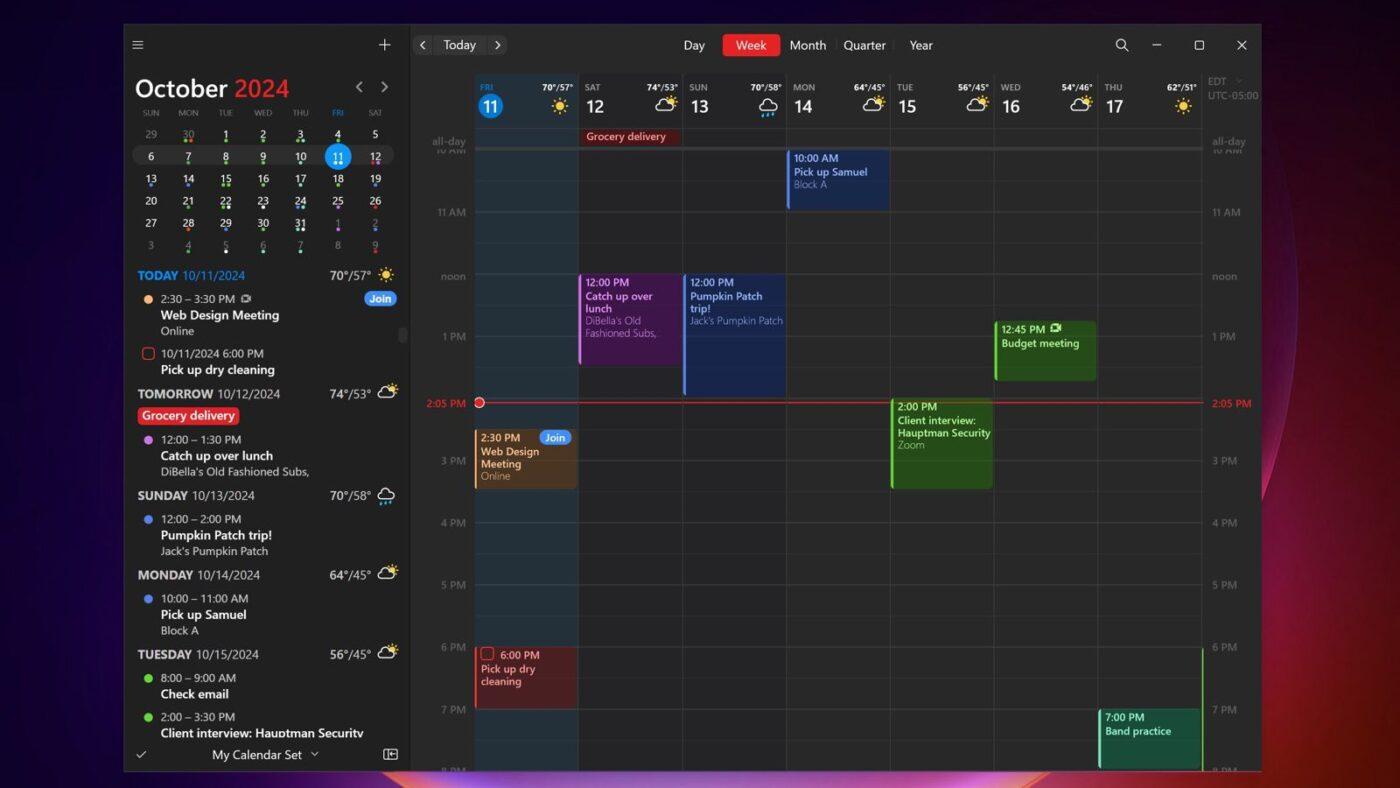
Fantastical is a premium calendar and tasks app that focuses on speed, clarity, and design. It sits on top of the other tools you already use, such as iCloud, Google, or Exchange, and gives you a cleaner way to add and view events.
Everything syncs across Mac, iPhone, iPad, Apple Watch, and even Apple Vision Pro.
As a FlowSavvy alternative, Fantastical suits people who want control with convenience, not automated rescheduling. It won’t rearrange your day for you, but it makes planning, sharing availability, and coordinating with others feel effortless. It works especially well for professionals, creatives, and Apple-first users.
Real users share their experience:
I love that I can manage all my calendars from one tool at the same time. And I love that I can create new events and new tasks by typing with natural language…For some reason my watch will only sync with updates done on my phone and not on my iPad which means when I mark tasks as complete on my iPad. They don’t show up as complete on my watch until I’ve marked them as completed on my phone as well.
🧠 Fun Fact: Long before calendars or apps, ancient philosophers like the Stoics emphasized time as a discipline. Seneca wrote about mastering time to live with purpose, underscoring that time not actively guided is time wasted.
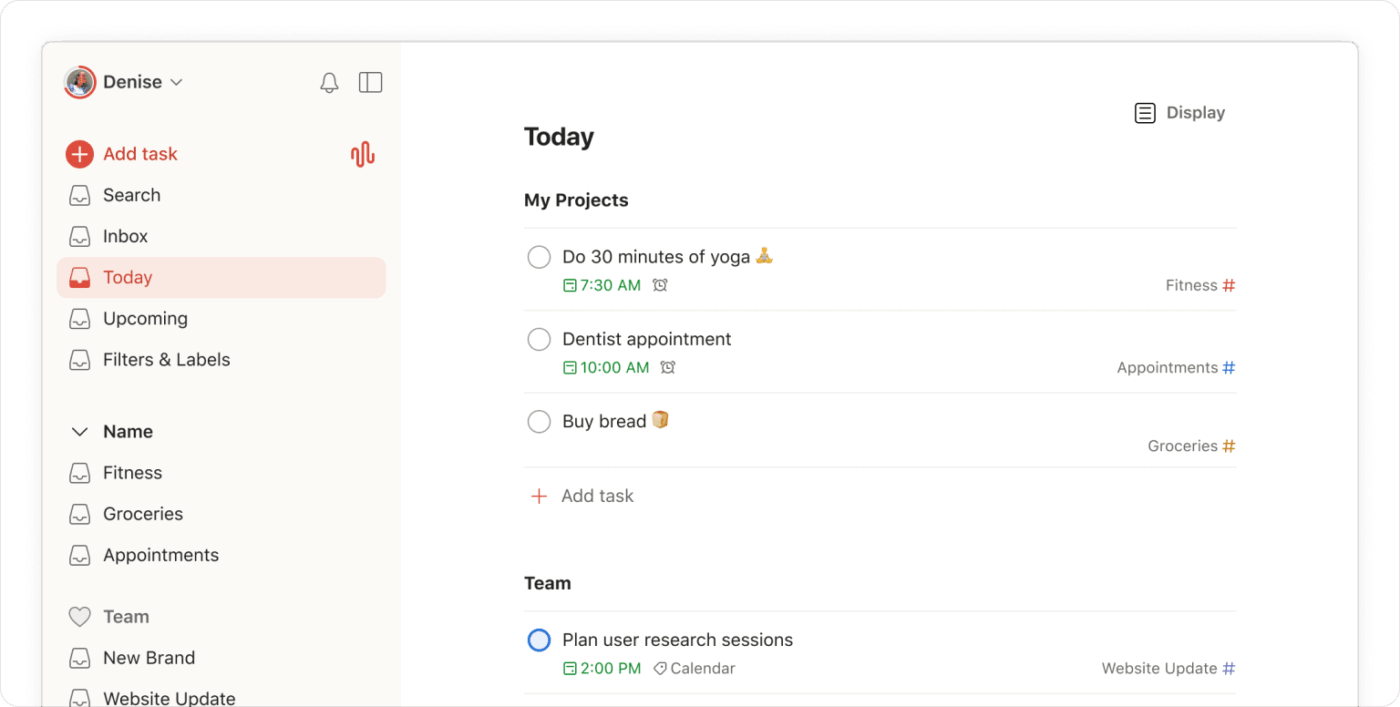
Todoist is a clean, reliable daily planner app that emphasizes simplicity and consistency over complex scheduling logic. Its task-first approach lets you quickly capture ideas, reminders, and action items the moment they come up. This way, you can organize tasks by priority, due dates, labels, and projects.
Features like recurring tasks, priority levels, and natural language input make planning fast and low-friction, while views like Today and Upcoming provide a clear snapshot of what’s ahead.
Light team collaboration features, such as shared projects and comments, make it suitable for small teams without introducing the overhead of full project management software.
A user sums it up like this:
The best product I have come across in this category. It offers task management, to-do listing, and reminder setting. Its user-interface is quite interactive, and is super-easy to navigate. Besides these, it also ensures data secrecy and privacy. Customer support is also quick and quite helpful…The software could be provided with better integration with other tools. Also, the product is a bit costly. Otherwise, it is a great and useful product.
📖 Also Read: Free Project To Do List Templates for Tasks
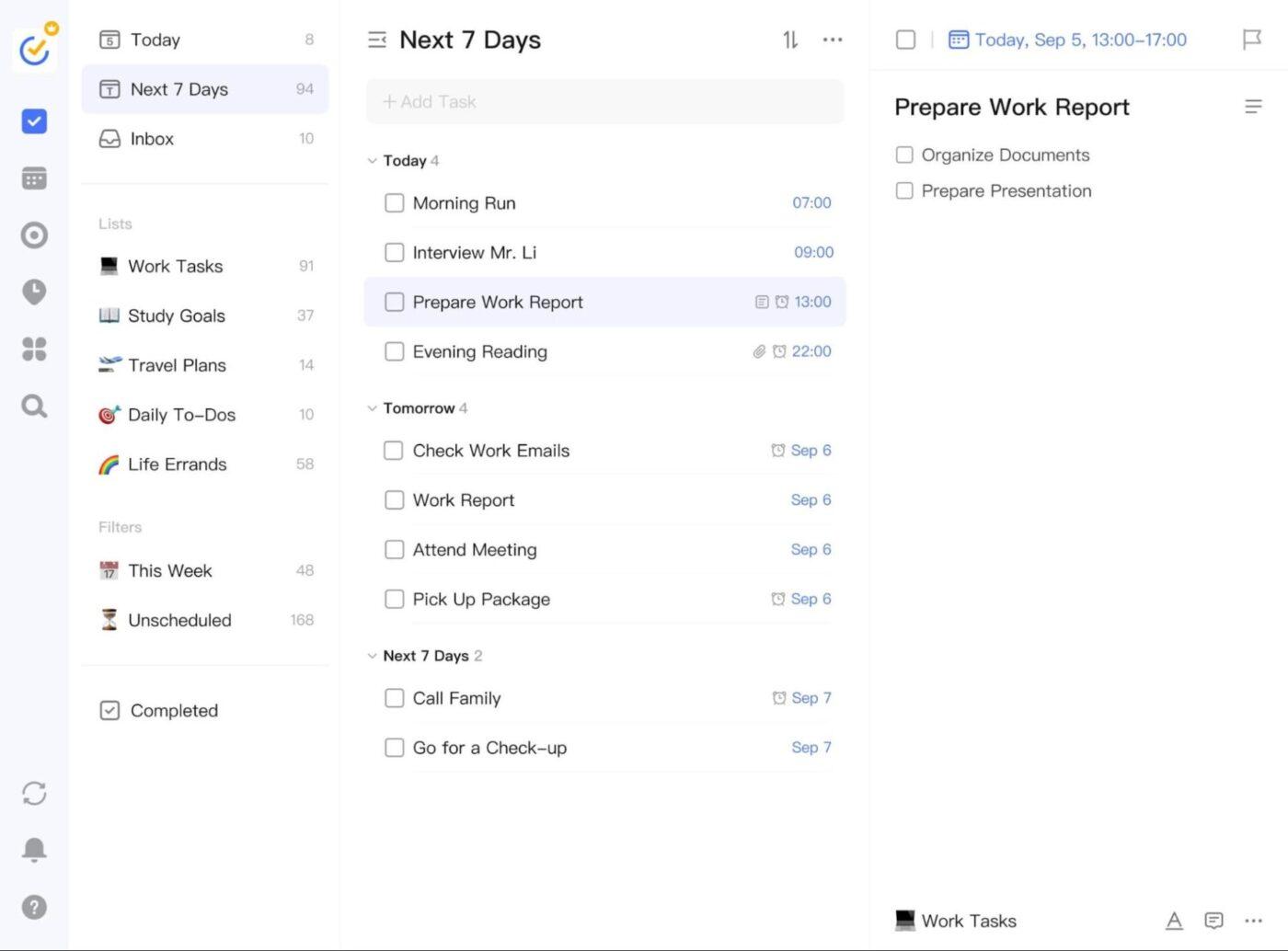
TickTick is a versatile productivity app that combines task management, calendar planning, habit tracking, and focus tools. This makes it easier to manage both daily to-dos and long-term routines.
Tasks can be captured quickly using natural language input or voice, and then organized with priorities, tags, lists, and due dates to keep everything actionable.
The platform blends tasks with time awareness. You can visualize your work in multiple calendar views, timelines, or agenda-style layouts. Smart and recurring reminders ensure important tasks don’t get missed, even when schedules shift. Its built-in Pomodoro timers, focus statistics, and habit tracking encourage deep work and consistency.
A user explains like this:
It includes user-friendly features that support us in test cases. For example, the subtasks function is particularly helpful in breaking down complex cases into smaller, more manageable steps, which makes them easier to track and execute efficiently. We may also keep track of pertinent documents and proof of test results by attaching files and booking links to each task…It is a great application for managing daily tasks, but one drawback is that it doesn’t have any sophisticated data analysis features to provide in-depth information on the productivity of the team.
🧠 Fun Fact: Anthropologists distinguish monochronic cultures (that schedule and segment time tightly) from polychronic ones (that see time as more fluid and relational).
📖 Also Read: Best Time Attendance Software
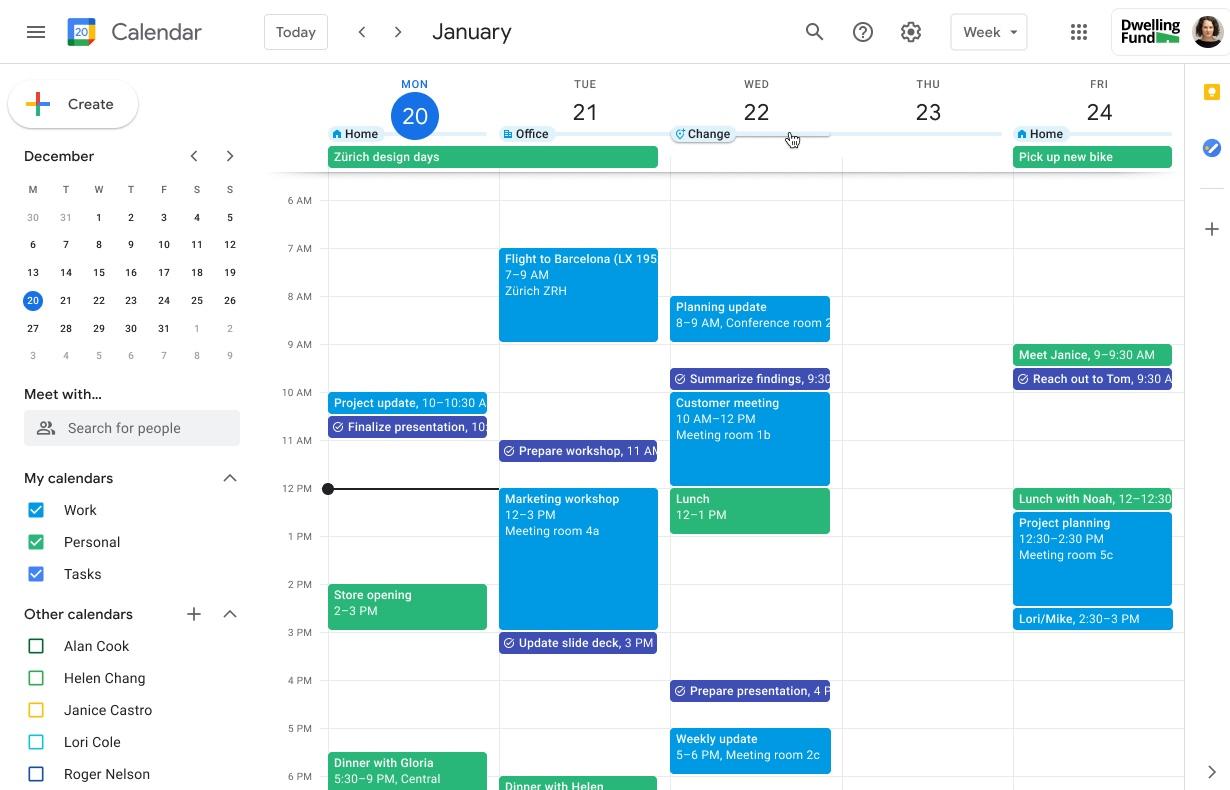
Google Calendar is a no-frills meeting management software designed to help you manage time without overthinking it. It lets you create events, set reminders, invite people, add locations, and manage recurring meetings, synced instantly across web and mobile.
Because it’s deeply integrated with Gmail and Google Workspace, events like flights, meetings, and reservations can appear automatically, reducing manual entry and missed details.
It’s especially useful for individuals and teams who already live in Google Workspace and want a dependable calendar optimization tool that plays nicely with email, meetings, and shared availability.
Here’s a snippet of what users has to say:
It is easy and free to use it also integrates with a ton of other apps and platforms making it easier to schedule and remember to schedule appointments. I have never had an issue with it crashing or failing even if my system needed to be updated it’s a true trooper!…Google calendar is great for simple day to day scheduling but it lacks any component that would make it a true project managment app. Also, if your account gets hacked there goes your whole schedule.
🔍 Did You Know? Research in consumer behavior shows that scheduling leisure activities, like a movie or coffee break, can make them feel more like work and less like spontaneous enjoyment, highlighting an interesting psychological cost of over-structuring time.
Finding the right scheduling tool can transform how you plan your day.
Each of these tools is strong on its own, but many people switch from Flowsavvy to find an all-in-one project management solution. It’s meant to handle tasks, projects, scheduling, and automation without switching between apps. That’s exactly what ClickUp provides.
ClickUp Brain gives you intelligent task suggestions and rescheduling, while ClickUp Automations help you create custom AI workflows. Plus, ClickUp Calendar visualizes and adjusts your schedule in one place, giving you a connected system that adapts to real work.
Sign up to ClickUp for free today! ✅

© 2026 ClickUp

There’s an easier way. Try a free AI Agent in ClickUp that actually does the work for you—set up in minutes, save hours every week.