


Sorry, there were no results found for “”
Sorry, there were no results found for “”
Sorry, there were no results found for “”
Success!
You’ve signed a new client to your agency. And now you’re ready to show why they made the best decision investing in your team.
Even though you’ve got them to sign the agreement, you’re still not done winning over these new clients. After the paperwork, you have to ensure the new client onboarding process goes one step further to instill trust in your agency by showing them everything (and every step) they can expect.
A Wyzowl survey found 88% of respondents say they’ll be more loyal to a business that prioritizes onboarding and educational content.
In fact, while agencies will invest countless hours in pre-onboarding initiatives, it’s equally essential to nurture the client relationship afterward by providing a complete client onboarding experience.
Client onboarding is the process of integrating new clients into a business and establishing a strong and productive working relationship. It is a crucial step in the client-business relationship as it sets the tone for future interactions and helps build trust and mutual understanding.
This process helps clients learn all the product’s features and benefits so they get the total value, reducing the chance of churn.
To ensure long-term success with clients, be as invested in onboarding clients as you are in lead generation.
First impressions matter. A good onboarding process will set expectations, prevent scope creep, and create a positive client experience, which will strengthen your brand and increase profitability.
Depending on the client’s needs and the nature of the services you are providing, you can choose from three types of client onboarding process can be of three types:
Whether you’re setting up new customers, transitioning existing ones, or simply revamping your entire customer onboarding system, ClickUp’s Customer Onboarding Template has everything you need! This onboarding template helps you understand client needs and provide them with a tailored onboarding experience.
Client onboarding is a vital step in the client-business relationship that helps to establish mutual understanding, improve client satisfaction, increase efficiency, and strengthen the relationship for a successful and long-lasting partnership.
Here are some key reasons why client onboarding is important:
To help you improve or scale your client onboarding process, we put together the steps—along with some helpful templates—that are sure to impress your new clients right from the start.
Let’s get started!
You did it! It’s time to celebrate those weeks or months you spent building a relationship with a prospect who has finally become a customer. They’ve felt it, you’ve felt it, and it’s a bright and shiny new opportunity to endear yourself to them.
A proper onboarding experience should do two things:
The former is the fun part and is traditionally done by sending your new customer a welcome letter or email and a token of your appreciation. Depending on the tone your agency wants to set, this can be a bundle of branded swag or some treats.
These goodwill gestures elevate your agency to be seen as a partner rather than just another vendor to new clients. The little touches also do wonders to improve your Net Promoter Score (NPS).
Also Read: Our list of the best vendor management software!
The second part—setting expectations—is best done in an introduction email that clearly outlines what the client can expect from you. It should define the client onboarding process, introduce your points of contact, include a clear timeline of the next steps, and provide a client onboarding checklist.
This transparency reassures your new clients they made a good investment and bridges the gap between conversion and the onboarding process so they don’t feel like they’re left in limbo.
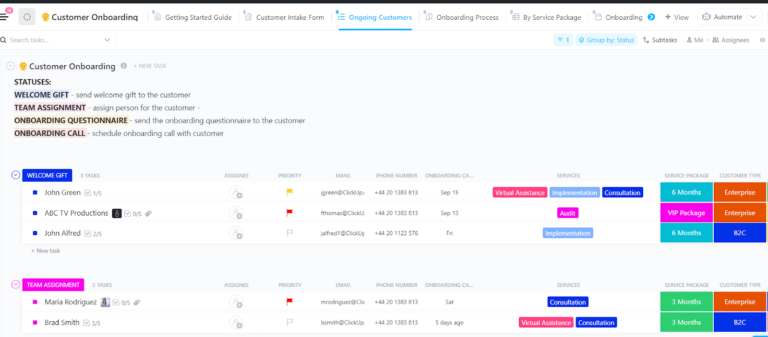
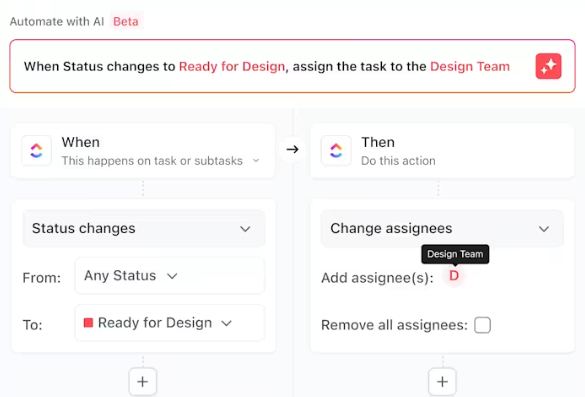
💡 Pro Tip: Use ClickUp Automations to track clients’ progress in the onboarding process, celebrate milestones, and keep them moving forward. For example, your customer ops team should be automatically tagged when you change a lead’s status from “prospect” to “new customer” as a reminder to send a welcome gift.
You probably conducted a preliminary assessment of the customer during your sales process to ensure you were a good match. Now that the client has signed, it’s time to delve deeper into what they’re looking for. It’s time for a client onboarding questionnaire.
An onboarding questionnaire is a crucial step in a good client onboarding process. It helps you understand the client’s expectations and what existing assets can help you achieve them.
For example, customer onboarding questionnaires vary based on the product or service you provide, but a few questions you could include are:
These questions will help you determine how you can quickly show value based on the customer’s specific needs and goals for the best customer onboarding process.
💡 Pro Tip: With ClickUp Forms, you can turn survey responses directly into tasks or simply collect the information you need from a client questionnaire.
If your contract doesn’t specify responsible parties and due dates for work, consider creating a Service Level Agreement. An SLA takes everything you’ve learned from the onboarding questionnaire and applies it to the contracted terms of your engagement with the customer.
If the contract is the What, explaining your future relationship, the SLA is the Who, When, and How.
For example, your contract lays out an agreement to provide a marketing strategy for a certain price. The SLA will define how that strategy will be created and delivered, including task owners, timelines, and specific responsibilities of team members.
This ensures both you and your clients are aligned on expectations and have accountability should any part of the agreement not go as planned in your client onboarding process.
ClickUp’s Services Agreement Template gives you everything you need to create an SLA quickly, including:
At this point, you should start setting up the client’s accounts on the various platforms or software you will be using. This includes setting up accounts and admin rules, setting up payments, and sharing login credentials and training material.
If you have a client portal, you must set them up on it and give them the necessary walk-through.
💡 Pro Tip: Create a shared list of things to do at this point using ClickUp Docs or even a simple to-do list.
A kickoff meeting solidifies your working relationship. Sure, you may have spent some time getting to know each other prior to this, but your client onboarding process is your opportunity to define how you will function together. During this client onboarding call, you should:
The kickoff call should reinforce expectations set during the contracting and client onboarding process so you start off on the right foot. This creates an opportunity to confirm both teams are aligned on the strategy and service goals before you start digging into projects.
Plan your client meetings efficiently with the ClickUp Meeting Agenda Template. This meeting template helps keep everyone on the same page and accountable for their work, so that every meeting is successful and productive.
💡 Pro Tip: With ClickUp’s AI Notetaker, you can stop stressing about meeting notes and focus on what’s being discussed. Try it today.
The post-kickoff internal meeting helps surface any takeaways from the kickoff call, work through foreseeable roadblocks, and answer questions. Just like the project kickoff meeting aligns your team with your client’s, the post-kickoff internal meeting aligns your different internal teams on the project.
Use this meeting to brief your internal team on the SLA and project scope and assign each task. Set internal expectations and roles so you can consistently and effectively deliver to your client.
💡 Pro Tip: Use ClickUp’s Table view feature to log client requirements and connect ClickUp Tasks to them.
The onboarding process should feel like a dual effort. Aligned team members with clear deliverables and expectations provide the best possible outcomes and transfer that energy to positive client experiences.
The easiest way to align teams is through a centralized productivity platform like ClickUp. Teams can easily collaborate on every aspect of a project—without ever needing to hop between tools and platforms.
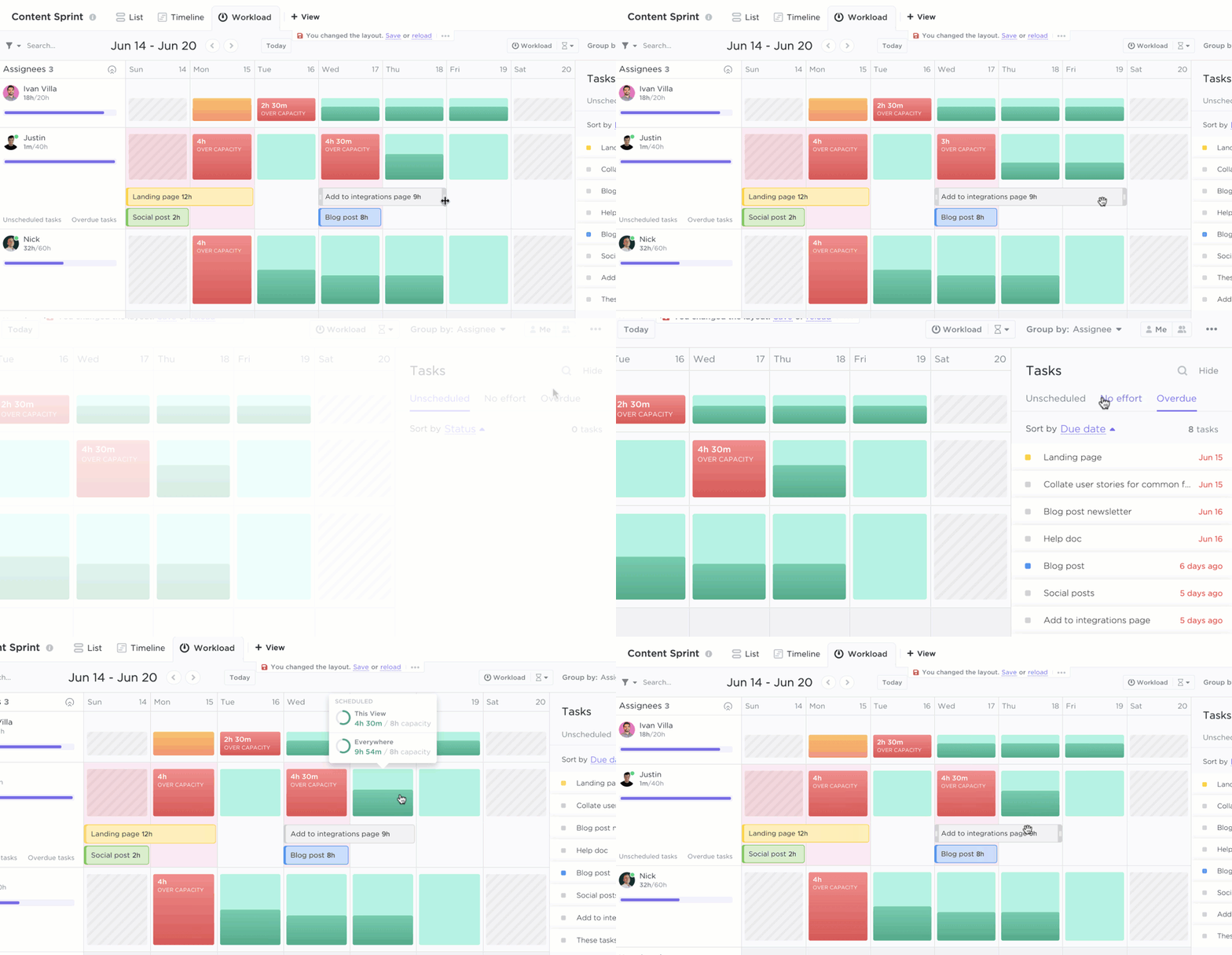
💡 Pro Tip: The Workload View in ClickUp helps you track each team member’s workload and realign activities when needed.
Regular client communications are part of a healthy and productive relationship—especially in the client onboarding process. However, these communications need to serve a clear purpose; either to make your client’s life easier or your project more valuable.
Scheduling regular monthly client meetings as part of your onboarding process will help your team address any concerns upfront as you work together.
In these meetings, update clients on strategy developments and report on service outcomes to reinforce your value. This helps you stay top of mind for your clients, increasing referrals, providing more opportunities for upsells, and ultimately producing more profits.
ClickUp’s Professional Services Project Update Template helps you quickly and easily create comprehensive project updates that keep your client in the loop.
Send a follow-up email summarizing what was discussed and action items for each team so the customer has a concrete takeaway from your meeting in the onboarding process.
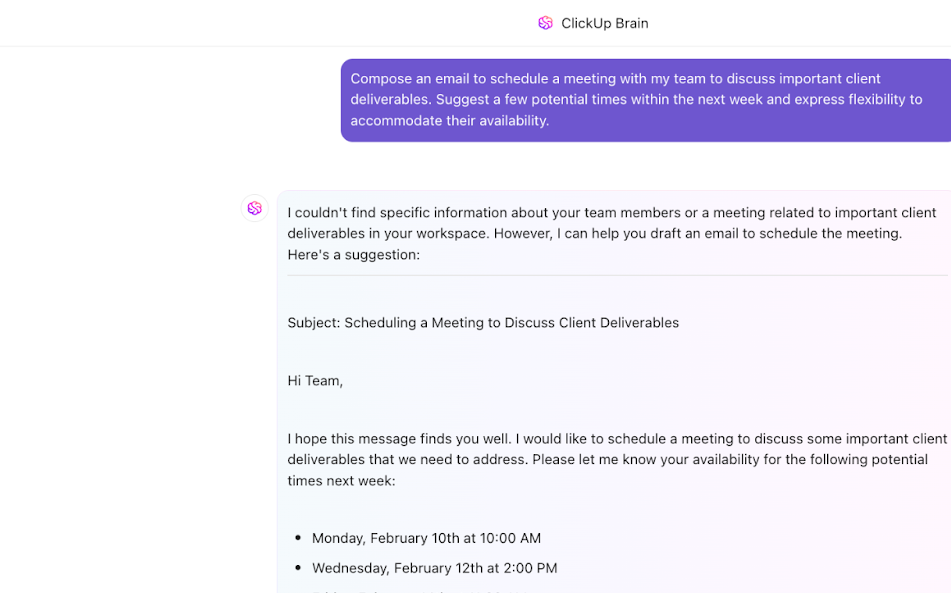
💡 Pro Tip: ClickUp Brain can help you summarize meeting notes and write emails in your preferred tone of voice.
In addition to monthly meetings, provide weekly written updates via Slack, email, or the client’s preferred channel. These updates should include planned project deliverables and any outstanding action items from the previous week.
For example, a content marketing firm might include the following items in its weekly update after the initial onboarding process:
These updates provide an opportunity to lean into customer questions and get ahead of any potential roadblocks for the coming week, as well as reinforce your value.
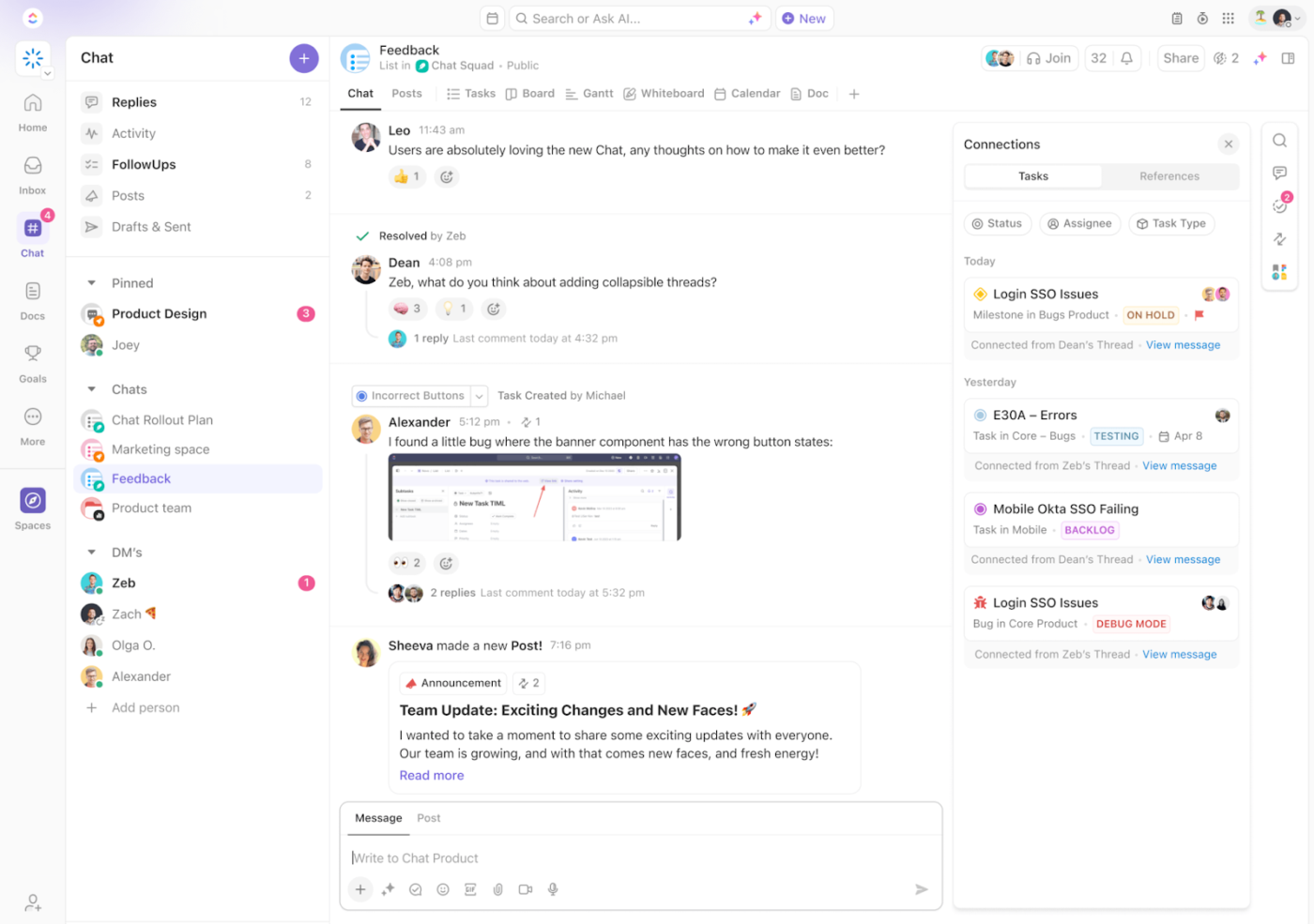
💡 Pro Tip: Channels in ClickUp Chat help you and your team stay connected with every client within ClickUp; no more toggling between task management tools, email, and chat software, and all your other tools!
As companies scale, expect some gaps in the onboarding experience. It’s essential to proactively identify these gaps and optimize accordingly. There are two steps to optimizing your onboarding; gathering feedback and collaborating internally to address the feedback.
Start by gathering new client feedback both formally and informally. A successful client onboarding process will ask clients in each follow-up meeting if they have any questions or concerns and note what types of questions are surfacing on a regular basis.
Collect these notes in a collaborative space where your team can sort and analyze them at a later date.
ClickUp’s Meeting Minutes Template includes simple, pre-built pages for organizing teams, individual meeting notes, and instructions for getting the most out of your feedback sessions. This collaborative template is a ClickUp Doc designed to provide the perfect outline for a successful meeting summation.
Next, ask for direct feedback by sending out a new-customer onboarding experience questionnaire after each customer has completed onboarding (typically 120 days after signing).
These two forms of feedback will help you uncover what your new client needs and where you’re not meeting the mark in your existing customer success workflow.
Client feedback will tell you where the breakdowns are happening, but now it’s up to your team to come up with a solution. The easiest way to do this is to brainstorm with your team on a ClickUp Whiteboard.
Work collaboratively with your internal onboarding team to group responses and identify themes. Once themes are identified, think about where in the customer journey you can provide solutions to these gaps.
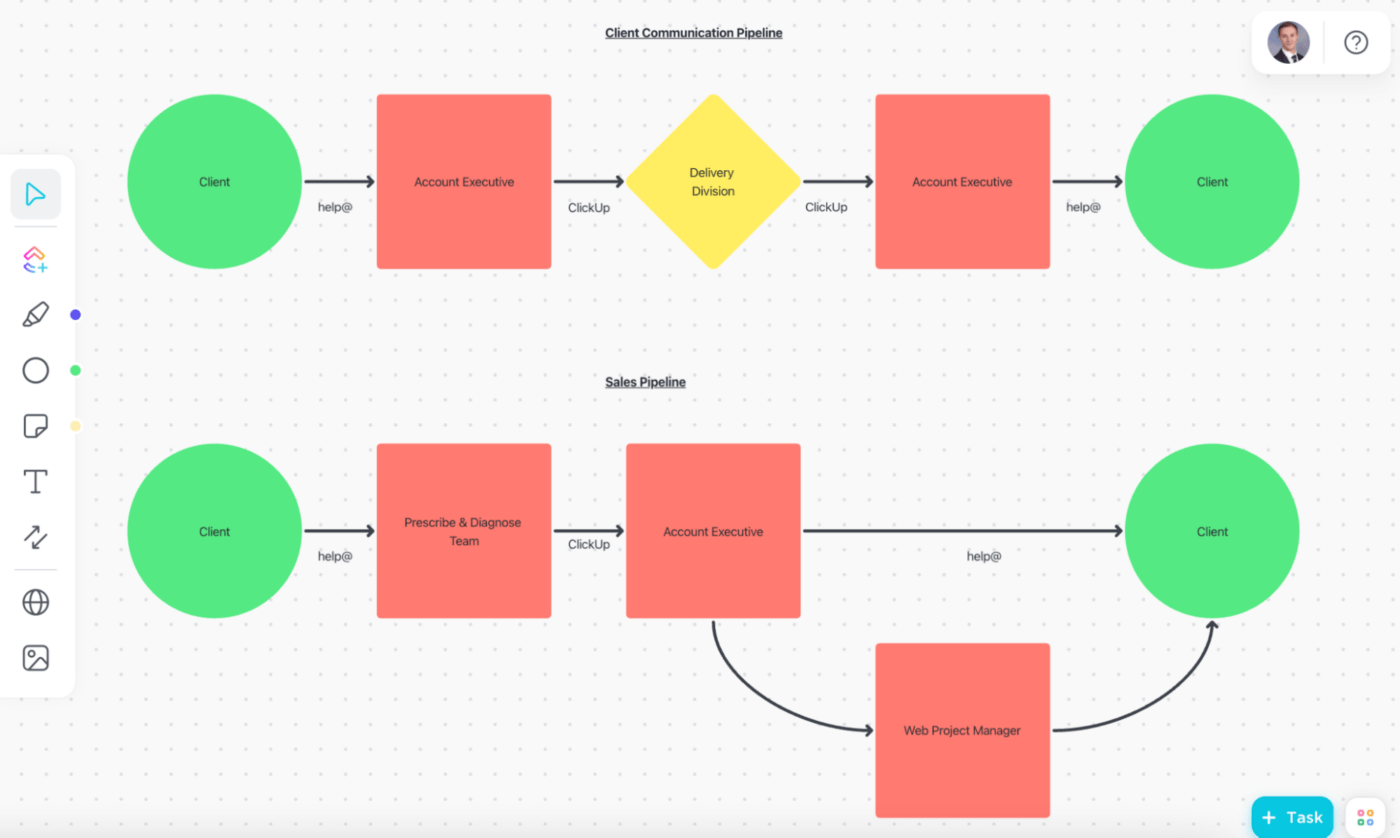
Lewis Norwood, head of client relations at Pharmacy Mentor, explained how his team used ClickUp Whiteboards to successfully identify and solve client onboarding gaps.
We literally talked through it, each stage of it we spoke about. By the end, we had agreement and alignment on the customer journey and even identified a big gap we never realized.
Effective client onboarding is crucial for setting the stage for a strong, long-term relationship. Here are the best practices for a smooth and successful onboarding process:
Additional resources to manage clients effectively and get outstanding results:
Imagine a world where you no longer have to toggle between multiple platforms for your CRM, client project management, corresponding documents, and team communications. ClickUp makes that possible.
Effortlessly manage your clients, deliverables, and teams all in one place. ClickUp centralizes your entire workflow into one AI-powered CRM and project management platform, from customer onboarding to project completion.
We believe the most effective client onboarding software and the sales process is one that works across teams and encompasses the entire client journey. ClickUp is built on the core concept of improving productivity for teams, which is why we made it fully customizable.
Because a platform that doesn’t work for your unique needs only hinders productivity. Experience freedom from context switching today.
Sign up for free today.

Sean Hardy
Max 26min read

Manasi Nair
Max 23min read
Manasi Nair
Max 29min read

© 2026 ClickUp





