






Still downloading templates?
There’s an easier way. Try a free AI Agent in ClickUp that actually does the work for you—set up in minutes, save hours every week.
Sorry, there were no results found for “”
Sorry, there were no results found for “”
Sorry, there were no results found for “”
Monday morning meetings get awkward fast when everyone senses something is happening, but no one can quite pin down what, where it started, or how serious it is.
The social media manager says, “People are talking about us, but not all of it feels right. We need to know what’s being said and why.”
The brand manager adds, “And how it shapes customer trust in our values.”
The PR lead chimes in, “When something unexpected happens, we must respond fast to protect that trust.”
Together, these perspectives shape more than campaigns. They build a reputation strategy rooted in real conversations. With 81% of consumers saying trust is a must before they buy, listening and responding thoughtfully isn’t optional.
In this article, we’ll show you how brand monitoring and real-time alerts help strengthen and humanize your brand.
Brand monitoring is simply paying close attention to what people are saying about your brand online and how you can measure brand awareness through these conversations.
It could be a quick social media post, a detailed review on a shopping site, or even a mention in the news. Listening to these conversations helps you understand how your brand is truly seen in the world, not just how you hope it is.
Here’s how brand management monitoring informs your social strategy and keeps you on the right path:
📌 Example: In August 2025, iconic American restaurant chain Cracker Barrel rolled out a refreshed logo and brand identity as part of a larger modernization effort. The update triggered significant backlash online, especially from portions of its loyal customer base and political commentators. Negative posts spread fast across social media.
Within days, the brand reversed course and reinstated the original logo. The quick response showed customers the brand was listening. It also helped protect trust and avoid further drops in store visits.
It takes 20 years to build a reputation and five minutes to ruin it. If you think about that, you’ll do things differently.
Brand reputation is a little like a dry forest. A single spark, a small comment online, can catch and spread like wildfire before anyone has time to react. The only way to stop it is to know exactly where the flames could start. That’s why watching the right channels matters so much.
But which ones specifically? Let’s see:
🧠 Fun Fact: Tiffany & Co. introduced its now-famous robin-egg blue color in 1845 for its first mail-order catalog. The shade became so synonymous with the luxury brand that it’s now trademarked, ensuring only Tiffany can use that exact hue globally.
Every brand has a story being told across countless corners of the internet, and these smart brand identity strategies help you hear it clearly and respond with purpose.
Want to make it easier to notice when people discuss your brand? Set up an online brand monitoring system that automatically updates in real-time. Brand management software, such as Brand24 or Mention, automates social listening, tracking mentions from social media, review sites, and news articles.
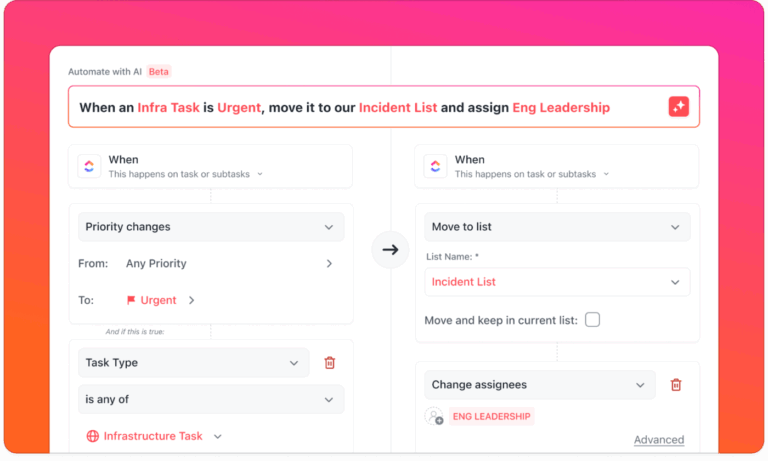
If you already have your branding strategy and campaigns inside ClickUp, you can set up ClickUp Automations and Integrations to connect these tools with your workspace so that every new mention flows straight into a dedicated response channel.
📌 For example, ClickUp Automations can automatically create and assign a task to the appropriate teammate when someone leaves a review or tags your brand online.
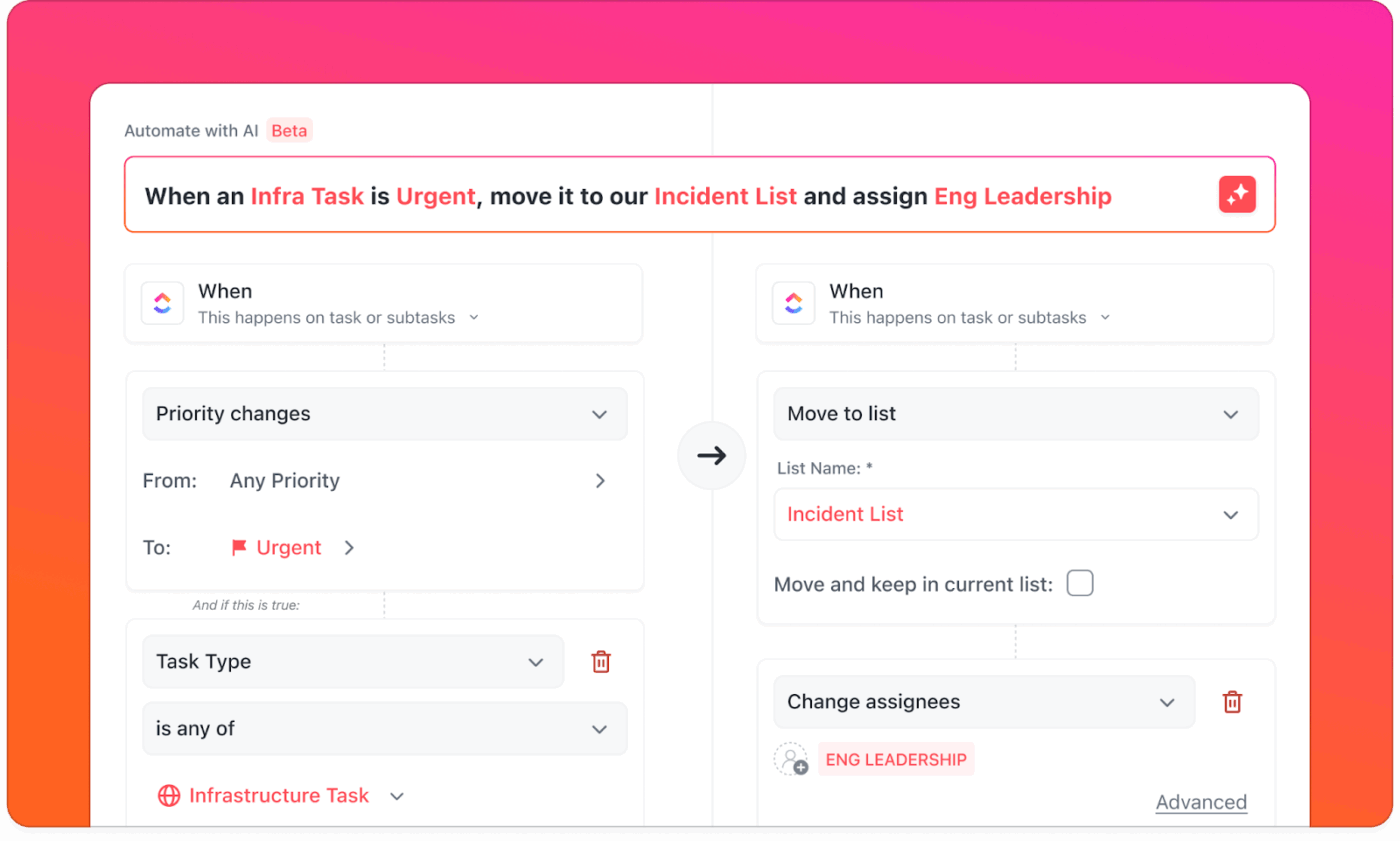
When negative sentiment starts rising, ClickUp can quietly alert your PR or social manager, giving them time to respond thoughtfully. Over time, this setup feels less like chasing notifications and more like having a gentle safety net that helps you keep your brand’s reputation healthy without extra effort.
Here’s a quick video of how AI and ClickUp Automations come together to make task automation as simple as possible:
Keeping an eye on competitors is just as important as watching your own brand mentions. Marketing analytics software can track these competitor mentions across social media and news sites.
With ClickUp Custom Fields and ClickUp’s Task Templates, you can bring all that information into one place. Imagine having a simple template where your team adds each new mention, including details such as the competitor’s name, sentiment, and where it was found.
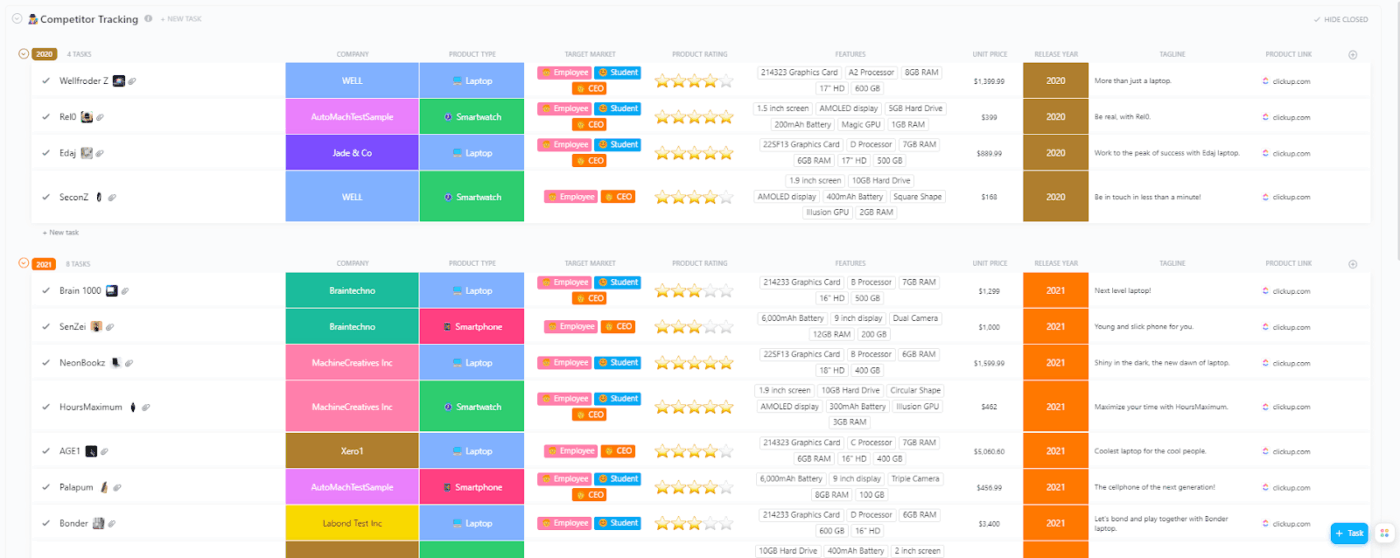
Over time, you can sort and filter this data to see patterns, compare campaigns, and find areas where your brand can shine bright.
Nearly a third of marketers say data is what helps them figure out which strategies work best, and almost the same number believe it’s key to improving ROI.
With ClickUp Dashboards, you can take all that information from social listening tools and see it neatly in one place.
📌 Imagine a marketing dashboard that shows weekly changes in positive and negative sentiment, grouped by the social media platforms or news sites where they appeared. You can add custom cards that track response times or flag sudden spikes in activity.
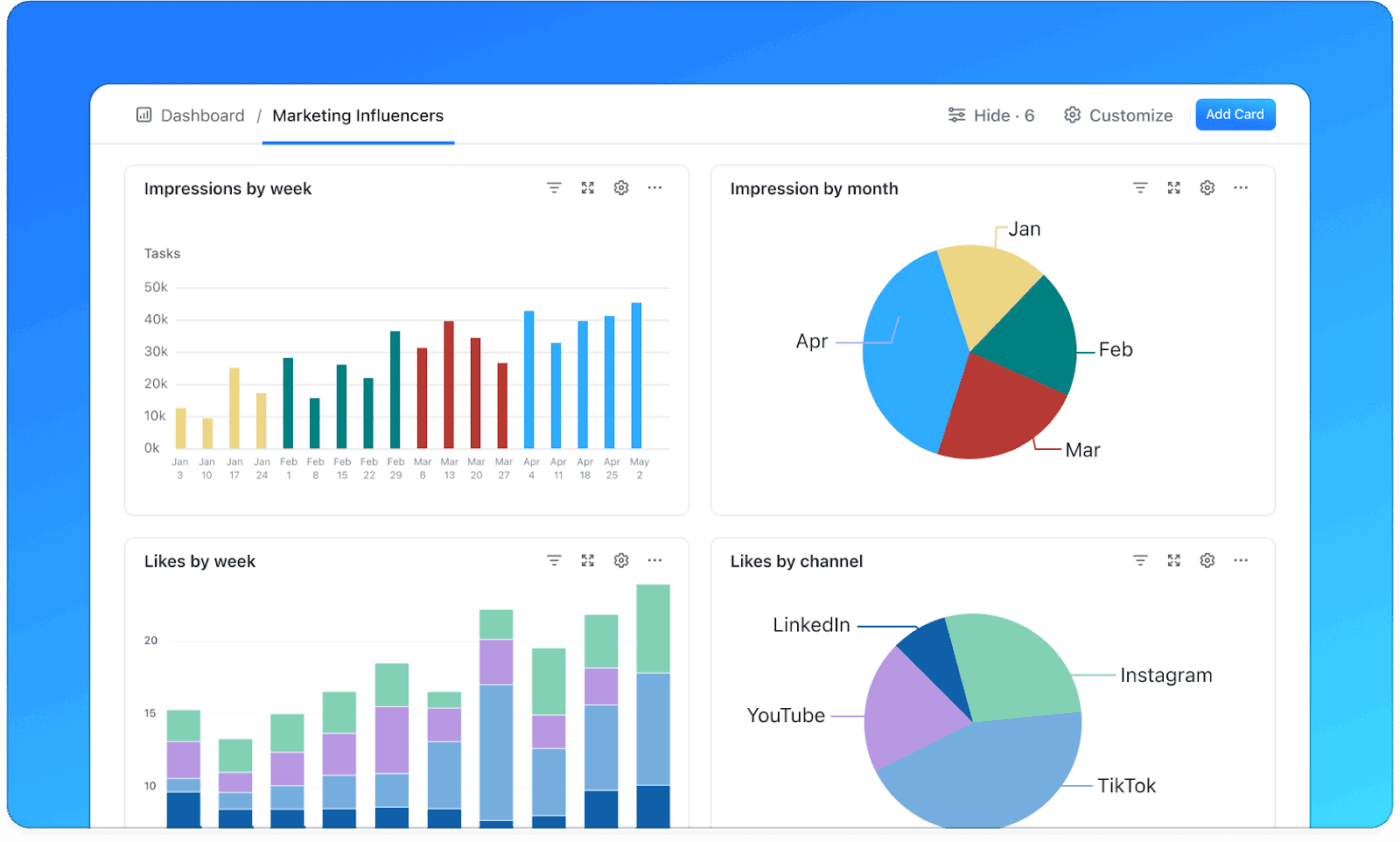
Instead of staring at raw numbers, your team can see patterns forming and know exactly when to celebrate or step in to protect the brand reputation.
📮 ClickUp Insight: Nearly half of workers say they’ve considered automation but haven’t taken the first step. Lack of time, uncertainty about where to start, and too many tool options often get in the way. ⚒️
ClickUp removes these barriers with AI Agents you can set up in minutes using simple, natural language commands. Whether it’s auto-assigning tasks or generating project summaries, you can start automating without a steep learning curve.
💫 Real Results: QubicaAMF cut reporting time by 40% with ClickUp’s dynamic dashboards and automated charts—turning hours of manual work into instant, real-time insights.
When a brand crisis begins to unfold, even the smallest delays can make a big difference. In brand monitoring, this often means spotting a sudden rise in negative sentiment or a viral post gaining unwanted traction.
ClickUp’s Assigned Comments let you tag the right team members to take action quickly, so there’s no confusion about who’s handling what. Combine it with ClickUp’s Task Prioritization, which uses simple priority flags, and your team can instantly see which issues need attention first.

🧠 Fun Fact: In 1915, Coca-Cola commissioned a bottle that would be recognizable even in the dark or shattered on the ground. Inspired by the shape of a cocoa bean, the design became one of the most famous and enduring brand symbols in history.
“I’m tracking my brand mentions, but I need better insight into sentiment and competitor activity.”
You’ll find versions of this question all over marketing forums. It reflects how seriously teams take online reputation—and how quickly basic monitoring can hit its limits.
Social media project management is about more than just catching every mention. It’s about understanding how people feel about your brand, noticing what competitors are doing, and spotting changes in conversations early. Many marketers start with simple tools but later seek options that give clearer insights into sentiment and competitor activity.
For instance, a travel company might see people talking about “hidden fees on flights” without mentioning them by name. Spotting these conversations early lets the team step in, respond, or even change pricing policies before the issue grows.
📌 Example: Samsung’s response to the Galaxy Note 7 battery issue is a classic case in point. Social media monitoring helped them identify early complaints, manage a growing crisis, and release real-time updates that rebuilt trust over time.
Monitoring competitors is also crucial. Tools like Sprinklr or Mentionlytics can show how people react to their campaigns. If a rival brand faces negative feedback for unsustainable practices, a sustainable company can join the conversation by highlighting its eco-friendly approach.
Here are a few extra tips that can make social media brand monitoring even stronger:
📖 Also Read: Best Influencer Marketing Tools for Agencies
Around 60% of consumers change how they interact with a brand based on its actions. When a company slips up, nearly a third of people stop buying its products. But when a brand does the right thing, a similar number can’t wait to tell their friends and coworkers.
This is why real-time brand impact monitoring and swift crisis response matter.
Effective crisis management starts with having systems that detect sentiment shifts early, alert the right people instantly, and bring teams together to plan and act quickly.
ClickUp brings this entire process into one place as the world’s first Converged AI Workspace. With ClickUp Automations linked to third-party monitoring tools, a spike in negative sentiment or a sudden PR issue automatically generates a high-priority task in your workspace, as we explained at the beginning of the post.
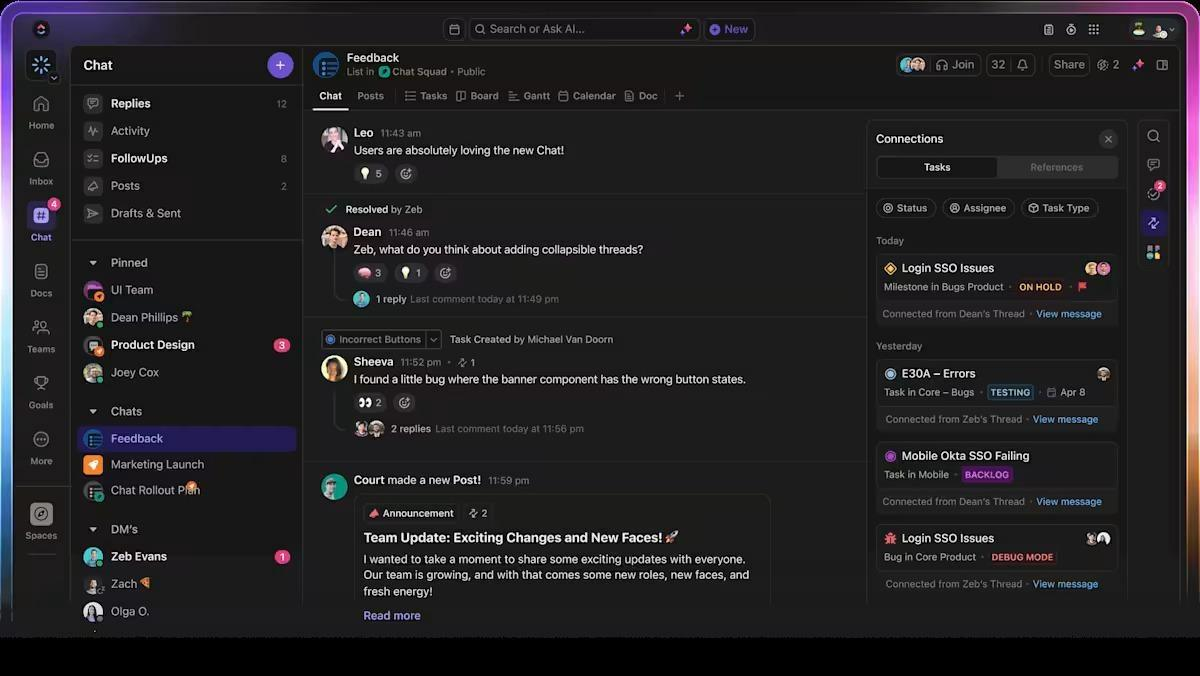
Real-time notifications ensure no alert goes unnoticed, while ClickUp Chat keeps PR, marketing, and leadership in a single, fast-moving conversation thread.
💡 Pro Tip: When brand reputation tracking is manual, the failure point is predictable: someone sees the alert late, assigns it late, and the first response goes out after the conversation has already turned sour.
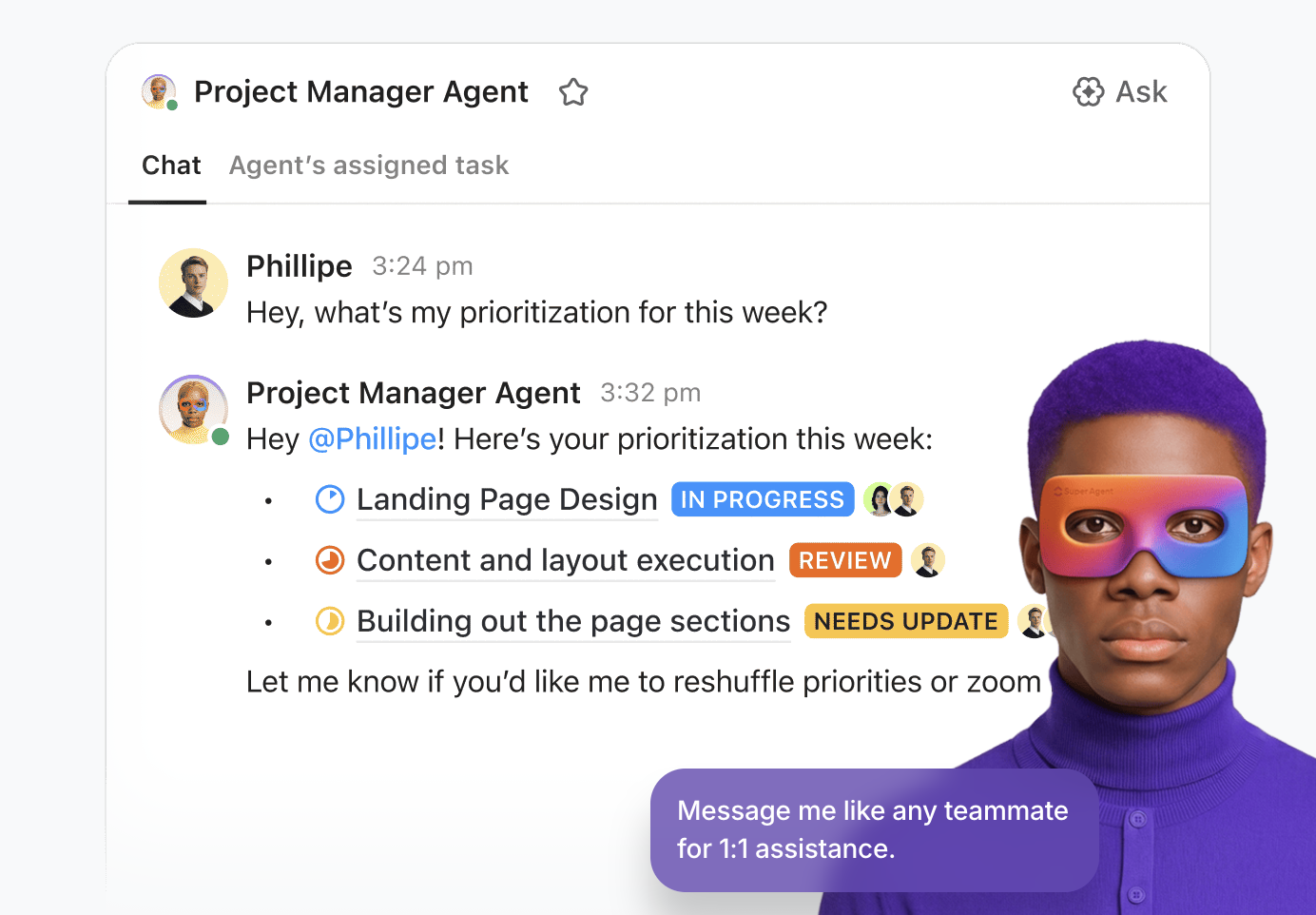
ClickUp AI Agents are designed to prevent that by running repeatable playbooks based on triggers and conditions. ClickUp supports two Agent types:
📌 Here’s a practical setup social media monitoring teams and PR leads can use:
Here are additional practical tips you can use during crisis scenarios and to meet your brand awareness KPIs.
Back in 2013, the Super Bowl was interrupted by a 34-minute power outage that left the stadium in darkness. Oreo saw the moment and quickly posted a simple tweet: “You can still dunk in the dark.”
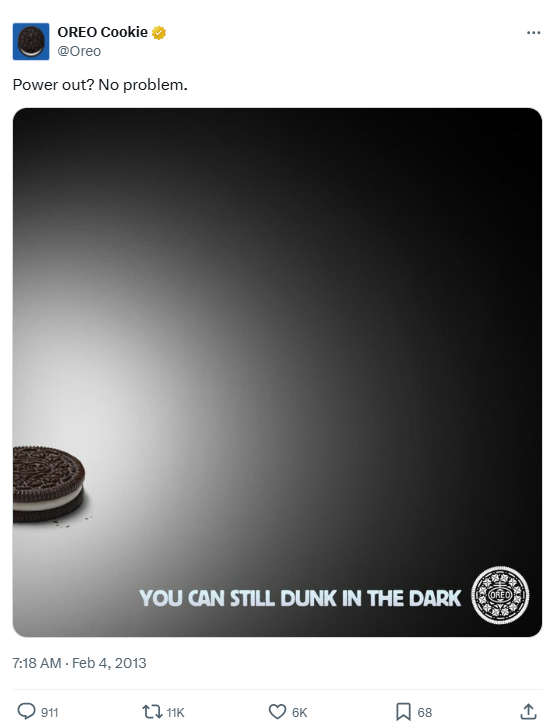
That quick, playful message spread like wildfire, earning over 15,000 retweets and 20,000 likes, and it’s still remembered as one of the smartest real-time marketing moves ever made.
That’s the reality of strong brand monitoring: staying close to what people are saying, noticing the little signs that something’s changing, and being ready to act before it’s too late.
To begin, remember these key tips:
🧠 Fun Fact: Steve Jobs named Apple after visiting an apple orchard and thinking the name sounded “fun, spirited, and not intimidating.” It went on to become one of the most recognizable global brands without needing a complex logo.
When it comes to brand monitoring, there’s no shortage of tools.
Google Alerts helps you spot new mentions online. Hootsuite and Sprout Social let you track conversations on social platforms. Brandwatch digs into sentiment analysis, while Mention captures chatter from blogs, forums, and news sites. Each tool is useful, but there’s a catch. Most of them work in silos.
ClickUp takes a different approach.
Brand monitoring usually breaks down after you spot the mention. The alert lives in one tool, the screenshot is in a chat thread, and the response draft is in a doc. That’s Work Sprawl: critical context scattered across too many apps, which slows down reputation management when speed matters most.
ClickUp also tackles AI Sprawl, where teams bounce between separate AI assistants with inconsistent outputs and no shared context. Instead, it comes with Contextual AI that understands your work.
All your monitoring workflows live in one place inside ClickUp, so your team can track mentions and coordinate response work without losing the thread.
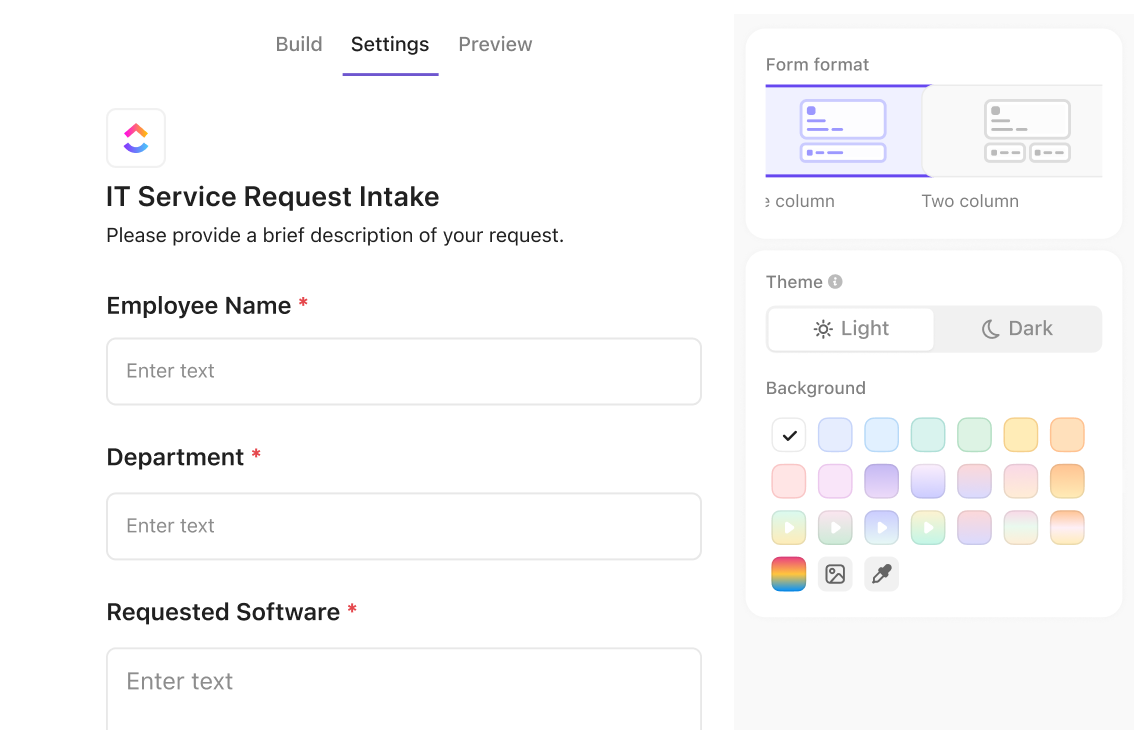
To ensure consistent online brand monitoring, you need a reliable method to capture feedback and mentions. These can come from social media channels, review sites, news sites, or internal teams.
ClickUp Forms work well here because every submission can automatically create a task in the exact List you choose, so nothing gets lost in internal messages or spreadsheets.
Here are a few ways marketing teams typically set this up:
For mentions coming from external monitoring tools, ClickUp supports two common paths:
📌 Example: Your monitoring tool flags a critical mention → Zapier creates a ClickUp Task → the task includes the source URL, channel, keyword that triggered the alert, and an initial sentiment label → ClickUp Automations routes it to the right team.
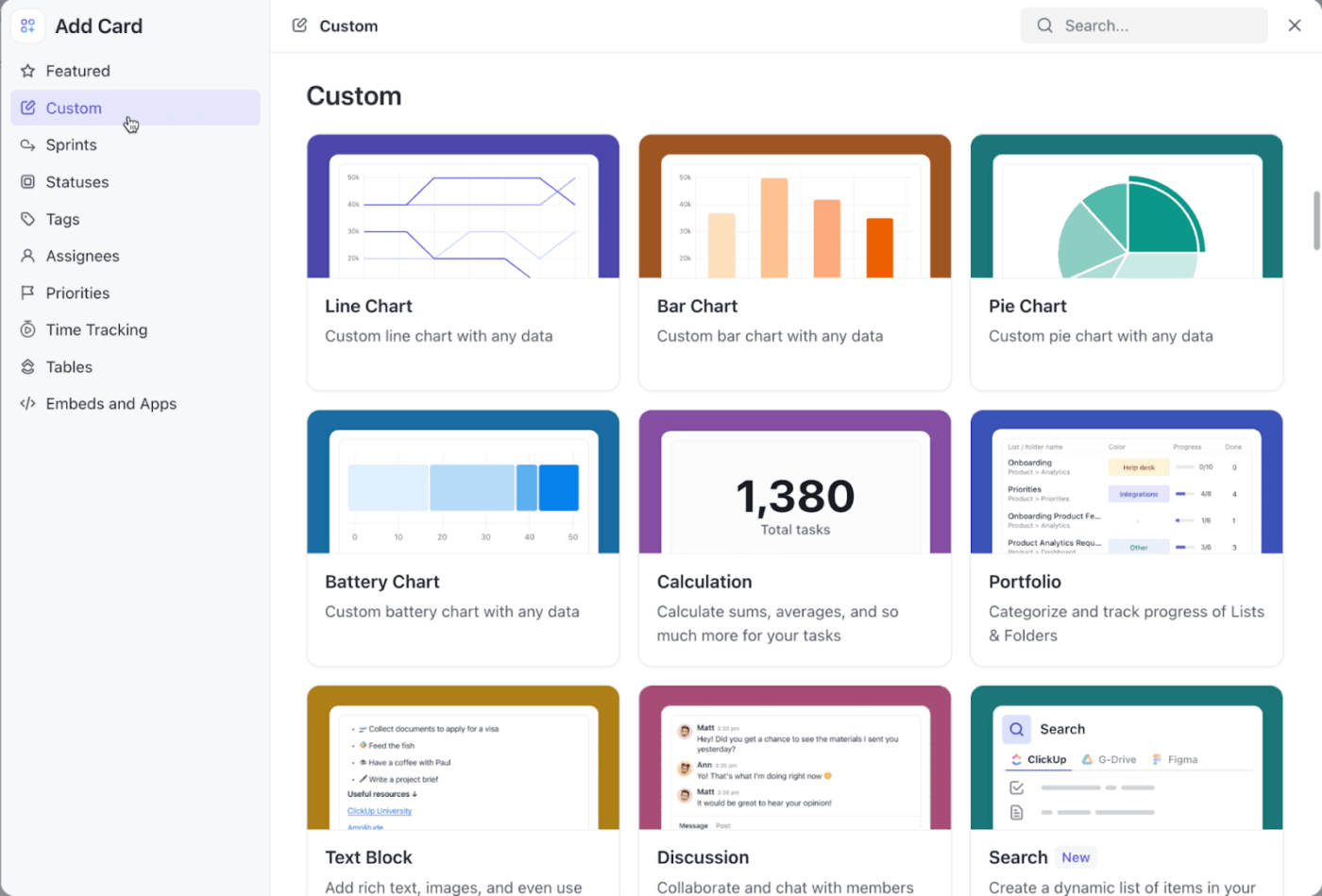
Once brand mentions start landing as tasks in your inbox, ClickUp Dashboards are where brand health becomes visible. ClickUp Dashboards support AI Cards and widgets for charts, calculations, and custom reporting, and you can filter Dashboard data to report only on tasks that match specific criteria.
Here are some widgets marketing teams using ClickUp can build for marketing campaign management and brand monitoring with ClickUp Dashboards:
ClickUp Dashboards are also easy to share with stakeholders. You can share them publicly or with specific people, which helps agencies and internal teams stay aligned on what’s happening without sending daily slide updates.
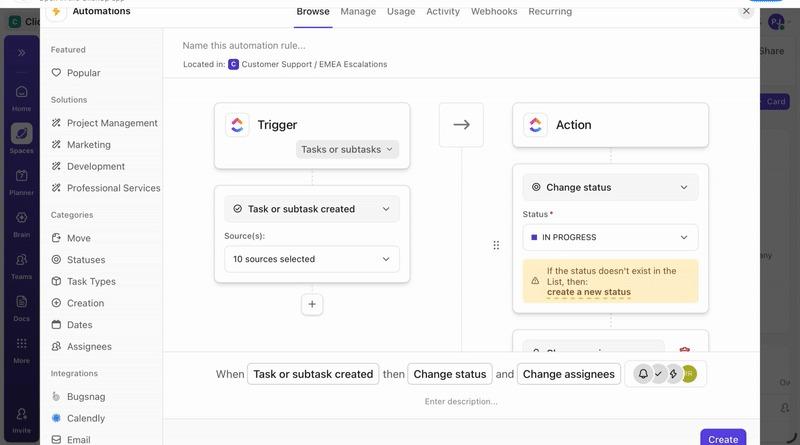
The fastest reputation wins usually come from routing and prioritization, and not writing the world’s best reply. ClickUp Automations help you route brand conversations based on simple triggers and conditions (so only the right issues escalate and routine items don’t interrupt the whole team).
Here’s a clean automation setup you can use for social media monitoring:
If you want the system to help with prioritization and routing based on context (not just rules), ClickUp also supports AI-based autofill like AI Assign and AI Prioritize.
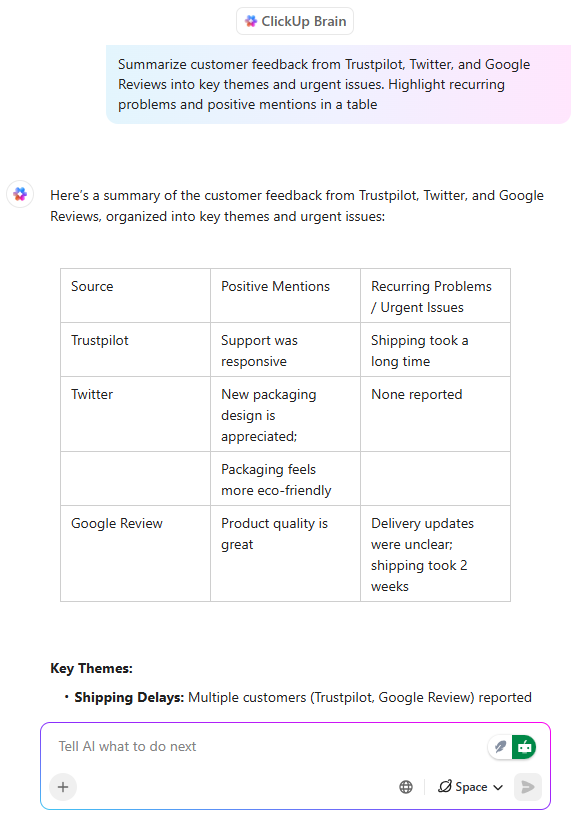
Tracking brand mentions is step one. Step two is extracting meaning from the noise: what changed, what’s recurring, and what needs a response versus a product fix. ClickUp Brain can help you summarize what’s happening without reading every discussion thread.
Here are some practical ways to use AI for branding with ClickUp Brain:
💡 Pro Tip: Use ClickUp BrainGPT to simplify brand monitoring.
Brand monitoring can get complex when you’re pulling context from social media channels and internal notes and summarizing it for marketing and leadership teams. ClickUp BrainGPT, your desktop AI Super App, is built to solve these scenarios.
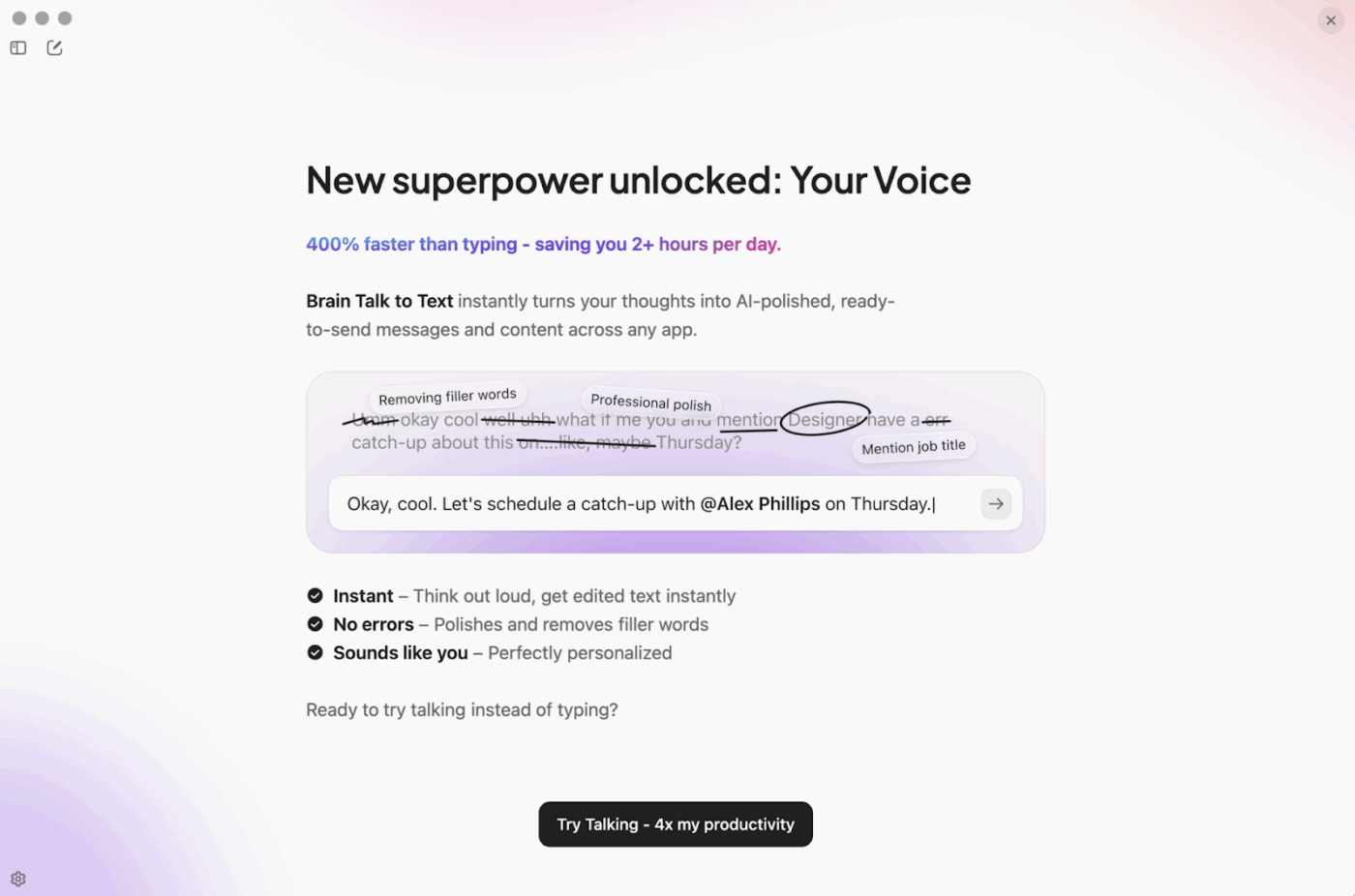
Here’s how to use it for online brand monitoring and brand sentiment analysis:
Brand perception improves when the team can do three things consistently:
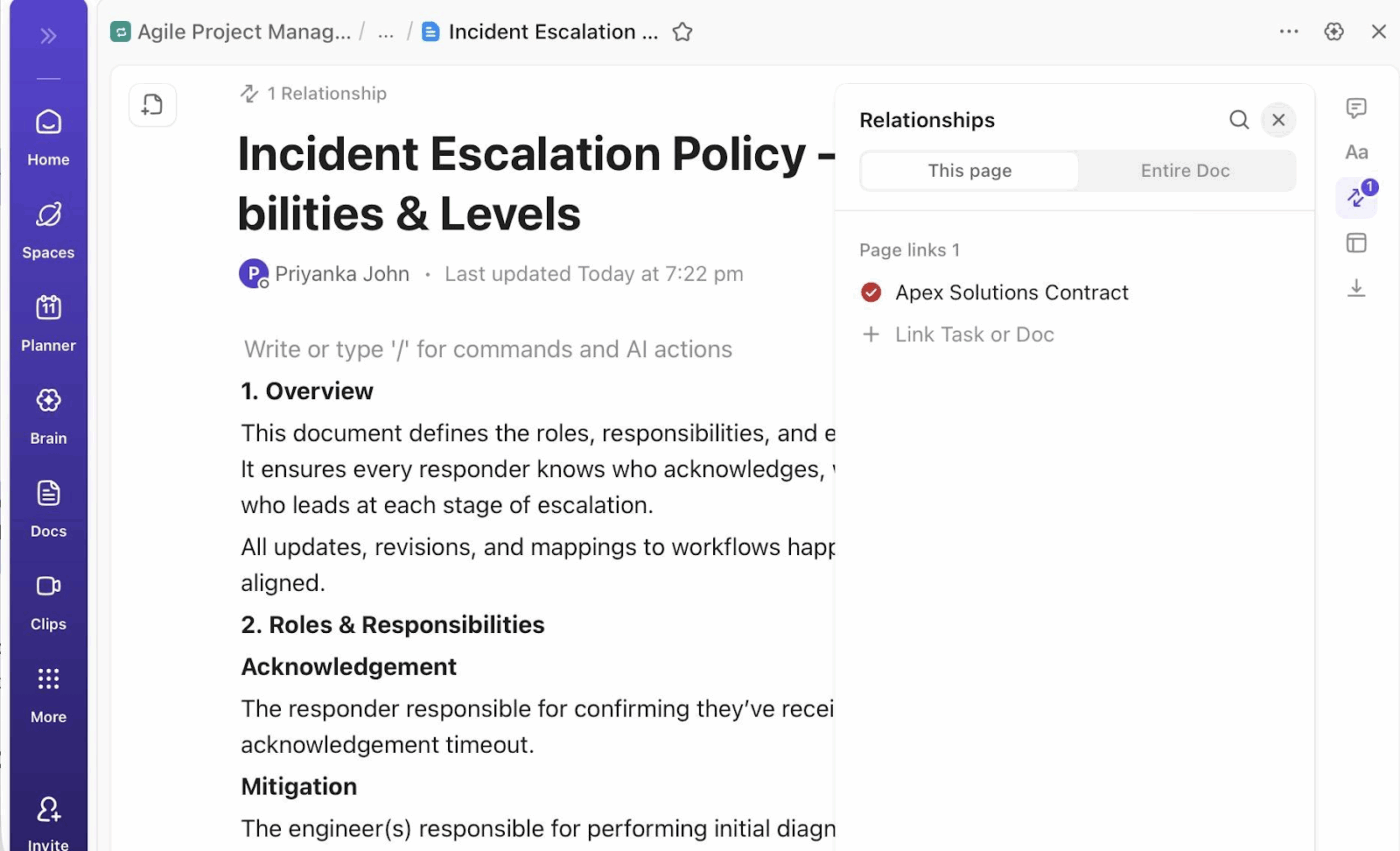
ClickUp Docs help with the first part by supporting real-time collaboration, comments, and the ability to assign action items and convert text into tasks via ClickUp Tasks. This makes it ideal for building a living “brand response playbook” that actually connects to your execution strategies.
How teams like yours structure this process for reputation management:
Sometimes, a single customer review or a sudden spike in online chatter can say more about your brand than a dozen reports. The key is knowing how to turn those signals into meaningful decisions that shape your next move.
📖 Also Read: Branding Templates for Creative Teams
Listening to what people say about your brand is the foundation of brand monitoring. When it’s done well, you catch small signals that matter—a positive comment worth amplifying or a quiet concern you can address before it escalates.
Most teams use analytics tools to understand their audience, measure brand share, and track sentiment. But when listening, analysis, and follow-up live in separate tools, insights get lost. Updates are missed. Teams move more slowly than they should.
ClickUp makes such tasks easier by gathering everything in one space, so you don’t have to chase updates across different tools. It helps you see changes as they happen and work together with your team to respond in ways that feel natural and genuine.
If you want to look after your brand and stay connected to the people who care about it, sign up for ClickUp now!
Brand monitoring examines how your brand is perceived across channels like news, reviews, and forums. Social listening primarily concentrates on the conversations taking place on social media platforms. Both work best when used together to understand sentiment and industry trends.
Costs vary depending on the brand monitoring software and services used. Basic monitoring with free tools like Google Alerts costs nothing, while advanced platforms with sentiment analysis and competitor tracking can range from $100 to several thousand dollars per month.
Most companies review reports weekly or monthly, but in fast-moving industries or during a PR crisis, daily monitoring is essential to react quickly and protect reputation.
Absolutely. Even small brands get helpful insights by monitoring customer feedback and mentions. It helps them respond faster, improve customer experience, and compete with larger players.
The ROI of brand monitoring can be measured through metrics like improved sentiment scores, faster crisis response times, increased positive mentions, and revenue growth linked to reputation improvements or better-informed marketing campaigns.

© 2026 ClickUp

There’s an easier way. Try a free AI Agent in ClickUp that actually does the work for you—set up in minutes, save hours every week.