






Still downloading templates?
There’s an easier way. Try a free AI Agent in ClickUp that actually does the work for you—set up in minutes, save hours every week.
Sorry, there were no results found for “”
Sorry, there were no results found for “”
Sorry, there were no results found for “”
You’re drowning in AI tools right now.
Someone pitches a new content generator every week, your inbox has 17 ‘game-changing’ analytics platforms, and your team can’t agree on which campaign automation tool actually delivers.
Lately, figuring out which AI stack is right for marketing agencies feels like playing Jenga with your budget.
You need tools that work together for content, campaigns, analytics, and client delivery. Bonus points if you don’t need a flowchart to explain it to your team.
In this blog post, we’ll break down what works and how ClickUp fits into the puzzle. 🧩
Think of an AI stack as your agency’s nervous system. Each component needs to talk to the others, or you’re just creating a bigger mess.
Here’s a closer look. 👀
Information flows into your agency from dozens of sources every day. CRM entries, website clicks, email opens, social media engagement—all of it tells a story if you know how to listen.
The right AI infrastructure pulls these scattered data points together and transforms them into something useful. This may include:
🔍 Did You Know? The agency Papert Koenig Lois (PKL), launched in 1960 in Manhattan, became the first U.S. advertising agency to go public when it listed on the stock market.
Your team needs to produce content at volume, but the initial creation process eats up valuable time. AI marketing tools in this category handle the heavy lifting of first drafts and variations.
What you can do with these tools:
Running marketing campaigns across email, social, paid ads, and your website requires constant coordination. AI orchestration tools manage the logic and timing across all these channels.
The system handles tasks like:
Client reporting typically means pulling data from multiple platforms, building spreadsheets, and creating presentations. AI analytics tools automate this entire process and add intelligence on top.
Key capabilities include:
Internal chaos can kill agency efficiency. These tools create structure around how work moves through your team and out to clients.
Look for systems that handle:
This is the foundation that holds everything together. Your AI tools need to talk to each other and scale as you grow your client roster.
Critical elements include:
The right foundation means adding new clients doesn’t require proportional increases in team size or manual effort.
💡 Pro Tip: Separate creative AI from operational AI. Creative AI assists brainstorming and campaign iteration. Operational AI handles internal workflows like time tracking, billing summaries, or resource forecasting. Keeping them separate prevents creative tools from being bogged down by logistics noise.
Here’s how to approach your marketing agency AI stack strategically. 📊
Start by identifying where your AI marketing agency consistently creates the most measurable impact. This ‘value zone’ could be high-converting creative, data-driven performance insights, or full-funnel campaign execution. Clarify this early; it anchors every decision that follows.
To make this tangible:
For instance, if your agency wins on delivering fast-turnaround campaigns, prioritize AI-driven content ideation and review workflows.
🚀 ClickUp Advantage: In ClickUp, you can build Spaces around each core service, like ‘Campaign Strategy’ or ‘Content Production.’ Inside these Spaces, create templates for creative briefs, assign approvals, and track deliverables through ClickUp Tasks.
This setup ensures your strongest delivery area is backed by structured, repeatable workflows.
Before adding anything new, take inventory of what you already have. List every tool your team currently uses, who uses it, what it costs, and which layer of your stack it occupies. Include those ‘shadow tools’ individual team members have adopted without official approval as well.
Next comes the critical part: gather feedback from the people who use these platforms daily. Schedule 15-minute conversations with team members across different roles. Ask specific questions:
These friction points reveal your true gaps.
For example, you might discover that your content team spends five hours weekly reformatting blog posts because your CMS doesn’t integrate with your AI writing tool. Or your paid media specialists are rebuilding reports manually because your ad platforms and analytics dashboard don’t communicate. These are the gaps worth solving.
📮ClickUp Insight: While 34% of users operate with complete confidence in AI systems, a slightly larger group (38%) maintains a “trust but verify” approach. A standalone tool that is unfamiliar with your work context often carries a higher risk of generating inaccurate or unsatisfactory responses.
This is why we built ClickUp Brain, the AI that connects your project management, knowledge management, and collaboration across your workspace and integrates third-party tools. Get contextual responses without the toggle tax and experience a 2-3x increase in work efficiency.
Strong integrations are what turn individual tools into a stack. When evaluating options, look for those that naturally connect to your CRM, ad platforms, and content automation tools.
For instance, if you manage campaigns in ClickUp, integrating it with Google Ads lets your team view campaign status, spend, and performance data without leaving the workspace. This reduces handoffs between marketing, analytics, and client service teams.
To check integration strength, test these:
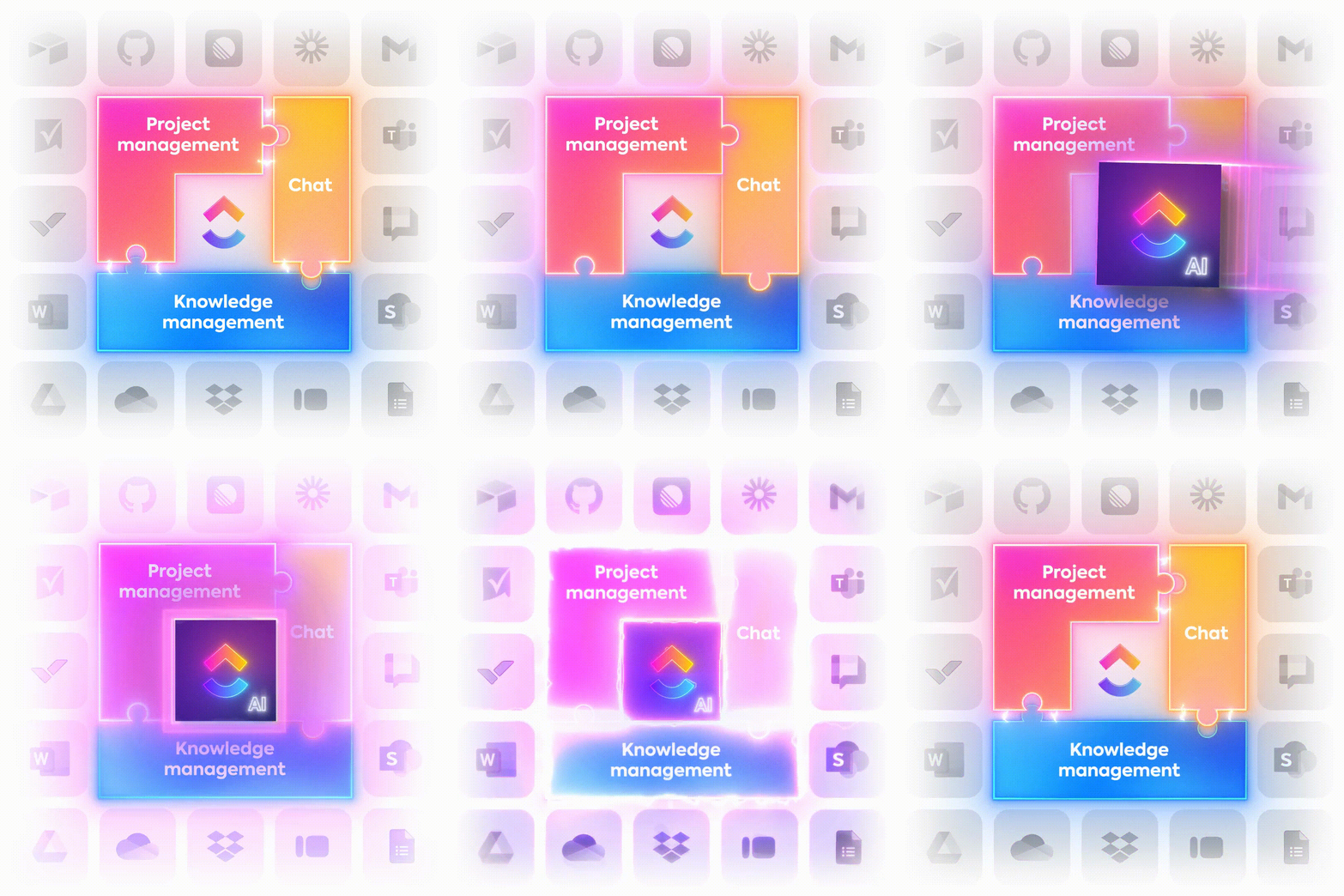
ClickUp serves as the connective tissue for your entire AI stack. Rather than forcing your team to jump between creative generation tools, analytics platforms, and client communication channels, ClickUp creates a converged AI workspace where everything lives together. Your content briefs, performance dashboards, tasks, and client feedback all stay in one place.
Total cost of ownership extends beyond subscription fees. Factor in implementation time, training requirements, and ongoing maintenance.
A sophisticated marketing intelligence platform might cost $500 monthly, but if your team needs 20 hours of training and still only uses 30% of its features, you’re overpaying for complexity you don’t need.
Think ahead to client growth scenarios with specific numbers. Will this tool’s pricing model work when you add 10 more clients? Some platforms charge per user (manageable), while others charge per client account (gets expensive fast) or per data volume (unpredictable).
Run the calculation: if you’re at eight clients today and targeting 20 within 18 months, price out the tool at both volumes. Then stress-test operational capacity by asking current users whether the platform slows down with larger data sets or more complex workflows.
💡 Pro Tip: Treat your AI stack like a client. Give it quarterly reviews, KPIs, and retros. Audit which AI features actually save time or improve campaign ROI, and cut the ones that don’t. If it’s not pulling its weight, it’s scope creep in disguise.
Resist the urge to overhaul your entire stack simultaneously. Instead, implement a structured rollout that minimizes disruption and allows for course correction. This might look like:
Start small by running the new tool with one willing team or client account. Ideally, this group should be curious enough to experiment, yet honest enough to flag real problems.
Narrow the scope to one defined use case, say, using an AI content platform purely for blog outlines for a single client.
Throughout the test period, the focus should stay on capturing what’s effective, where time is saved, and what friction points appear.
💡 Pro Tip: Give your pilot group a shared space to log what’s working and what feels clunky with ClickUp Docs. Writers can leave notes on content quality, while editors highlight recurring issues like tone mismatches. Since everything lives in one place, insights are easier to connect for data-backed calls on what’s worth scaling. Plus, docs can be linked within tasks, so everybody involved in the pilot task will have full context.
Once your pilot team proves the tool’s value, bring more teams on board while keeping the original group as your internal champions.
The goal is to make learning feel guided rather than forced. A quick-start guide built from your pilot’s lessons works far better than vendor documentation, especially when it speaks your team’s language. You’ll also want to keep an eye on engagement patterns to catch drop-offs early.
Once the tool is fully deployed, shift focus to extracting maximum value. Analyze usage patterns to identify underutilized features that could solve existing problems.
For instance, if your team uses an AI content creation platform only for first drafts, but it offers brand voice training, invest time customizing that feature. Integration opportunities you skipped during initial rollout become priorities here.
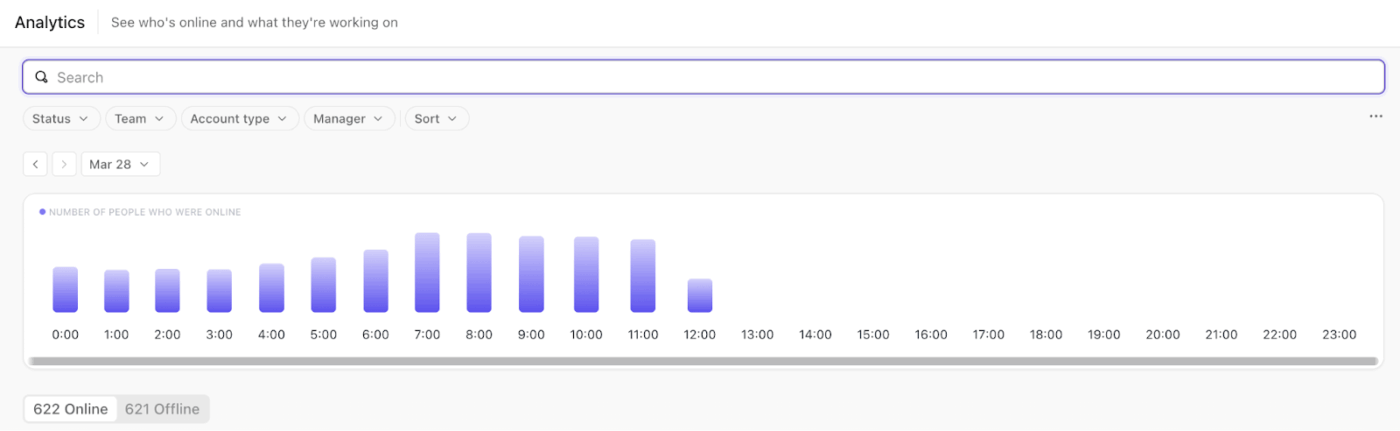
🚀 ClickUp Advantage: For real data on how teams are adjusting, try ClickUp Analytics. You can see who’s engaging with ClickUp’s PM tool daily, which departments explore advanced features, and where logins start to taper off. Those patterns show confidence levels.
For example, a spike in daily activity might mean strong early enthusiasm, while a quick drop could signal confusion or fatigue. When you catch that dip early, you can intervene before disengagement spreads.
Executing AI marketing campaigns is faster when your tools work together. Here’s a sample AI stack that helps marketing teams manage leads, create content, and track results efficiently.
Before we look into each tool in detail, here’s a quick overview of each:
| Tool | Best for | Key features | Pricing* |
| Clearbit | Real-time company data enrichment for B2B marketing teams | Identify anonymous website visitors, intent signals, native CRM integrations (Salesforce, HubSpot, Marketo) | Custom pricing |
| Clay | Multi-source data aggregation and enrichment for lead management at large agencies | 50+ data sources, waterfall enrichment, conditional logic, CRM integrations | Free; Paid plans from $149/month |
| Apollo.io | Sales intelligence and engagement for outbound teams | 270M+ contact database, email sequencing, built-in dialer, CRM sync | Free; Paid plans from $59/month/user |
| AdCreative.ai | Ad variation testing and creative generation for performance marketers | AI ad and copy generation, video ads, engagement prediction, audience insights | Free trial; Paid plans from $39/month |
| Canva | Versatile AI-powered design for small marketing teams | Magic Studio AI tools, Beat Sync, Magic Eraser/Edit, 100+ language support | Free; Paid plans from $15/month/user |
| Jasper AI | Brand voice customization and content consistency for brand marketing teams | AI content generation, brand style guide, 29 languages, Surfer SEO/Copyscape integration | Free trial; Paid plans from $69/month/user |
| Surfer SEO | Content optimization and SEO for marketers and agencies | Real-time Content Score, SERP Analyzer, content outlines, optimization audits | Paid plans from $99/month |
| Claude | Research synthesis and long-form content creation for freelancers and agencies | 200k token context, file uploads, persistent conversation history, response styles | Free; Paid plans from $20/month |
| Zapier | No-code AI automation across 6,000+ apps for agencies | Multi-step Zaps, AI workflow tools, error monitoring, workflow templates | Free; Paid plans from $29.99/month |
| Make | Visual automation and workflow orchestration for agency project managers | Drag-and-drop builder, API connections, scenario scheduling, AI agent support | Free; Paid plans from $10.59/month |
| Looker Studio | Analytics and reporting in the Google ecosystem for agencies with multiple clients | Multi-source data blending, code interpreter, interactive dashboards, sharing controls | Custom pricing |
| Supermetrics | Data pipeline automation for marketing analytics professionals | 150+ data sources, automated refresh, normalization, Supermetrics Agents | Paid plans from $37/month |
| Funnel.io | Marketing data warehousing and reporting for large agencies | 600+ connectors, auto backfill, currency conversion, Data Chat AI insights | Custom pricing |
| ClickUp | End-to-end management of client delivery workflows for agencies | Project/task management, AI-powered docs, dashboards, automations, chat, time tracking | Free Forever; Customization for enterprises |
| Stack AI | AI deployment and workflow automation for enterprises and large agencies | Visual AI workflow builder, RAG support, role-based chatbots, compliance tools | Custom pricing |
| HighLevel | White-label marketing platforms for agencies | White-label CRM, SMS/email/funnel builder, SaaS Mode, AI copy/workflow tools | Free trial; Paid plans from $97/month |
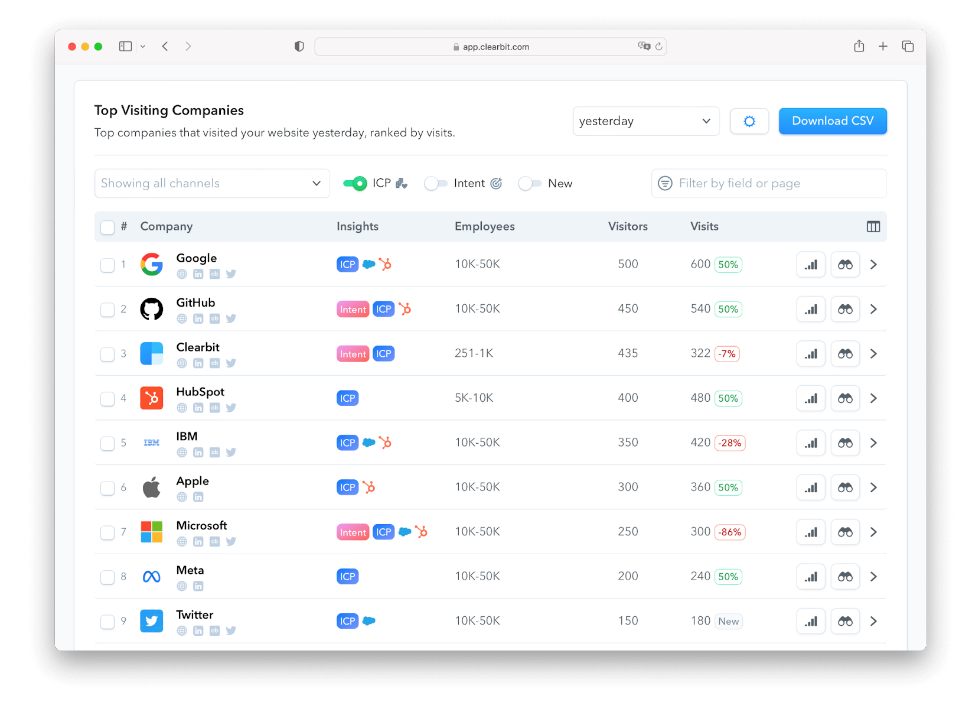
Clearbit (now a part of the HubSpot ecosystem) turns anonymous website visitors into identifiable leads without making you jump through hoops. The platform pulls in over 100 data points about companies and contacts the moment someone lands on your site.
You no longer have to manually research prospects or import stale spreadsheets; Clearbit automatically appends firmographic and technographic data to your CRM database.
🚀 ClickUp Advantage: When new inquiries come in, your team usually doesn’t have time to piece together where they came from or what’s already been done. ClickUp Forms takes care of the intake for you; someone fills out your Work With Us form, and it instantly becomes a task.
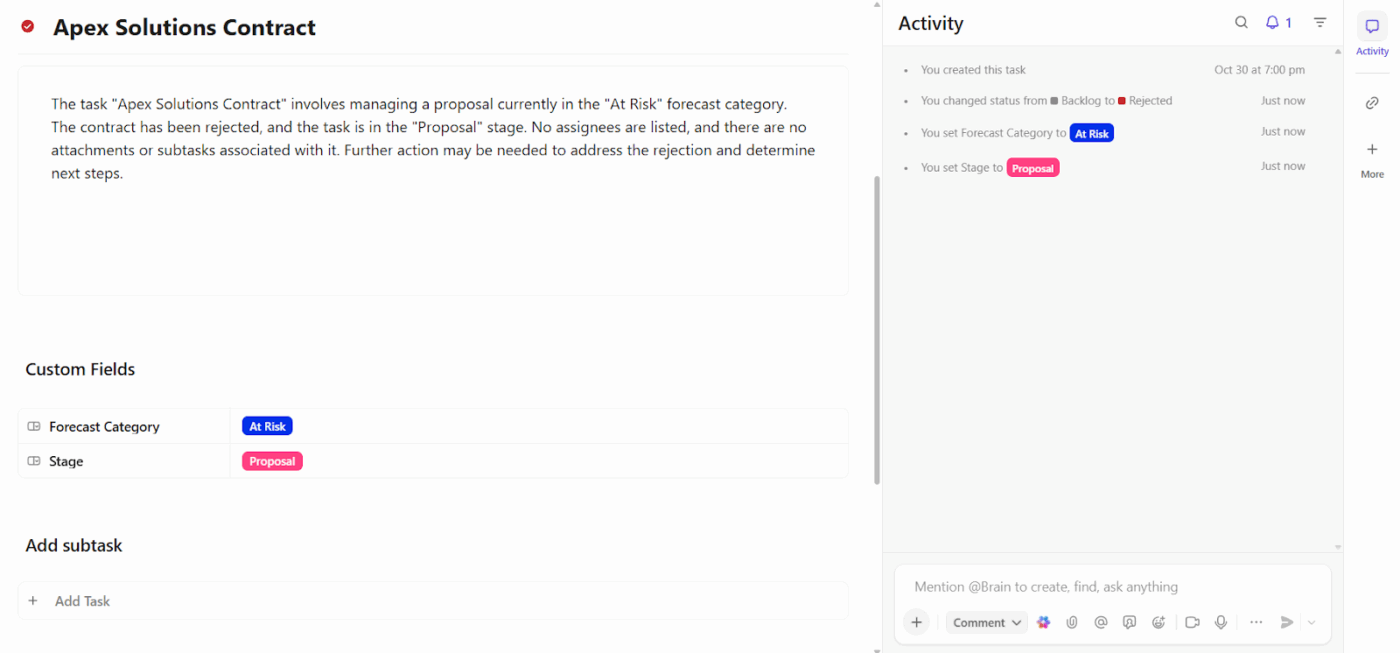
The (relevant) answers drop right into ClickUp Custom Fields like lead source, enrichment status, and outreach stage. So your team opens the task and instantly knows: Instagram lead, enriched, follow-up pending.
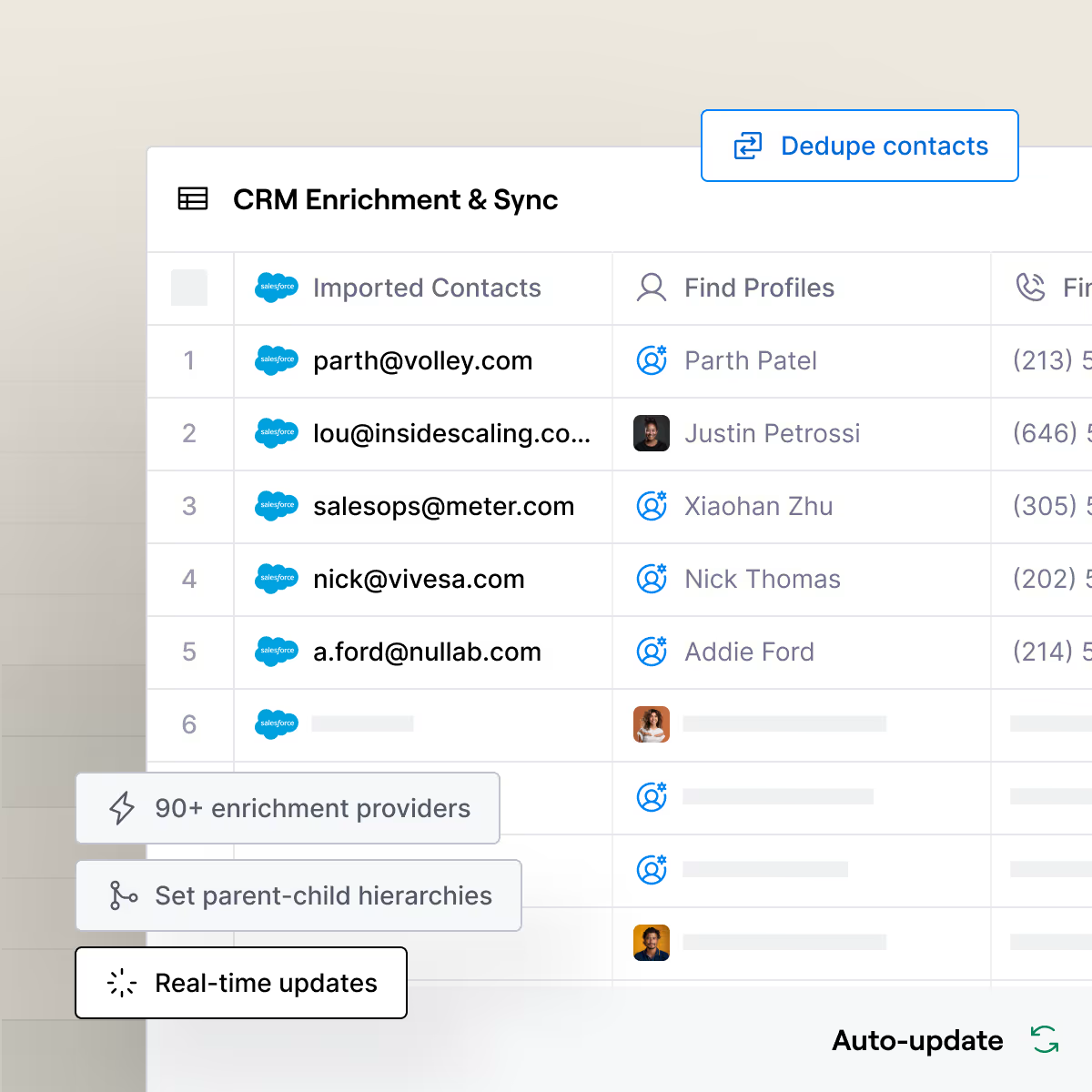
Clay uses waterfall enrichment, which means it automatically tries cheaper data sources first before moving to premium providers.
What’s more, Clay connects to LinkedIn, Apollo, Clearbit, and dozens of other APIs, then lets you build custom workflows using AI to score leads, draft personalized messages, or trigger automations.
📖 Also Read: How to Conduct Effective Market Validation
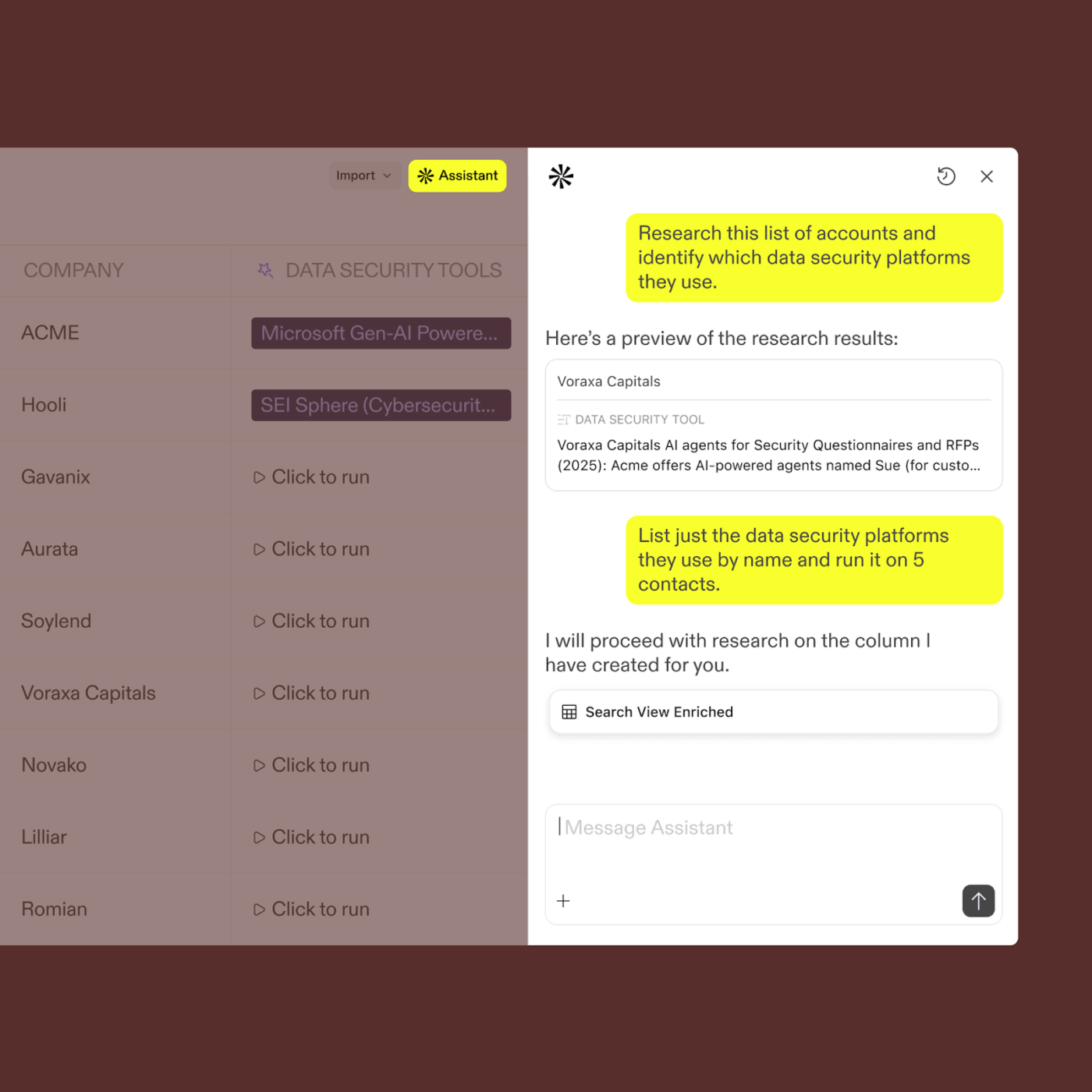
Apollo.io combines a database of 270+ million contacts with built-in email sequencing and dialing capabilities. You can filter prospects using 65+ criteria, including job title, company size, technology stack, and hiring intent.
The platform scores each lead based on engagement signals, which helps your team prioritize whom to contact first. Apollo also tracks email opens, clicks, and replies in real-time, giving you visibility into which messages resonate and which fall flat.
🚀 ClickUp Advantage: Keep momentum moving as leads progress. When enrichment is done, ClickUp Automations updates the linked client or campaign tasks right away.
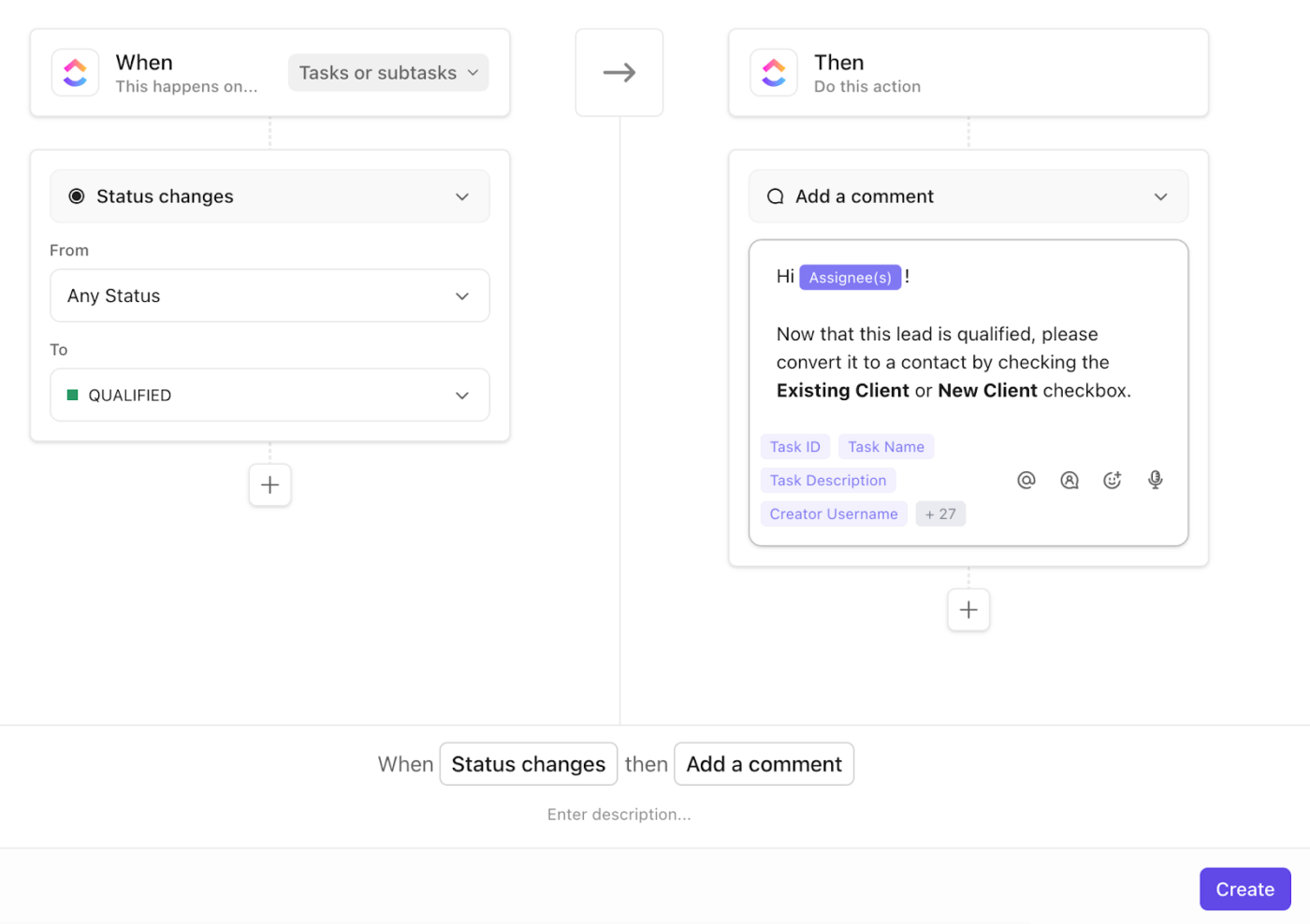
Sales and delivery teams see the latest context the moment it changes, so follow-ups don’t stall, and handoffs stay smooth.
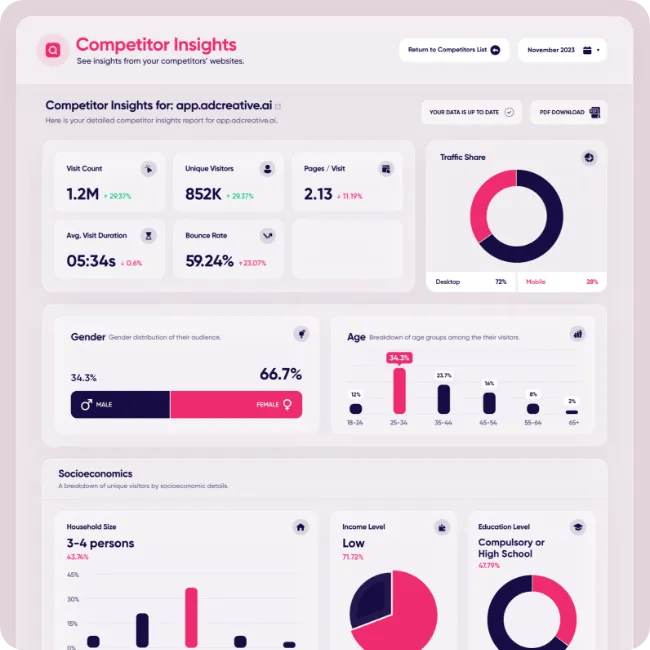
AdCreative.ai generates hundreds of ad variations in minutes based on your campaign goals and brand guidelines. The platform analyzes millions of high-performing ads across industries to understand what design elements drive conversions.
Beyond static images, AdCreative.ai generates ad copy variations and can create video ads from your existing visual assets.
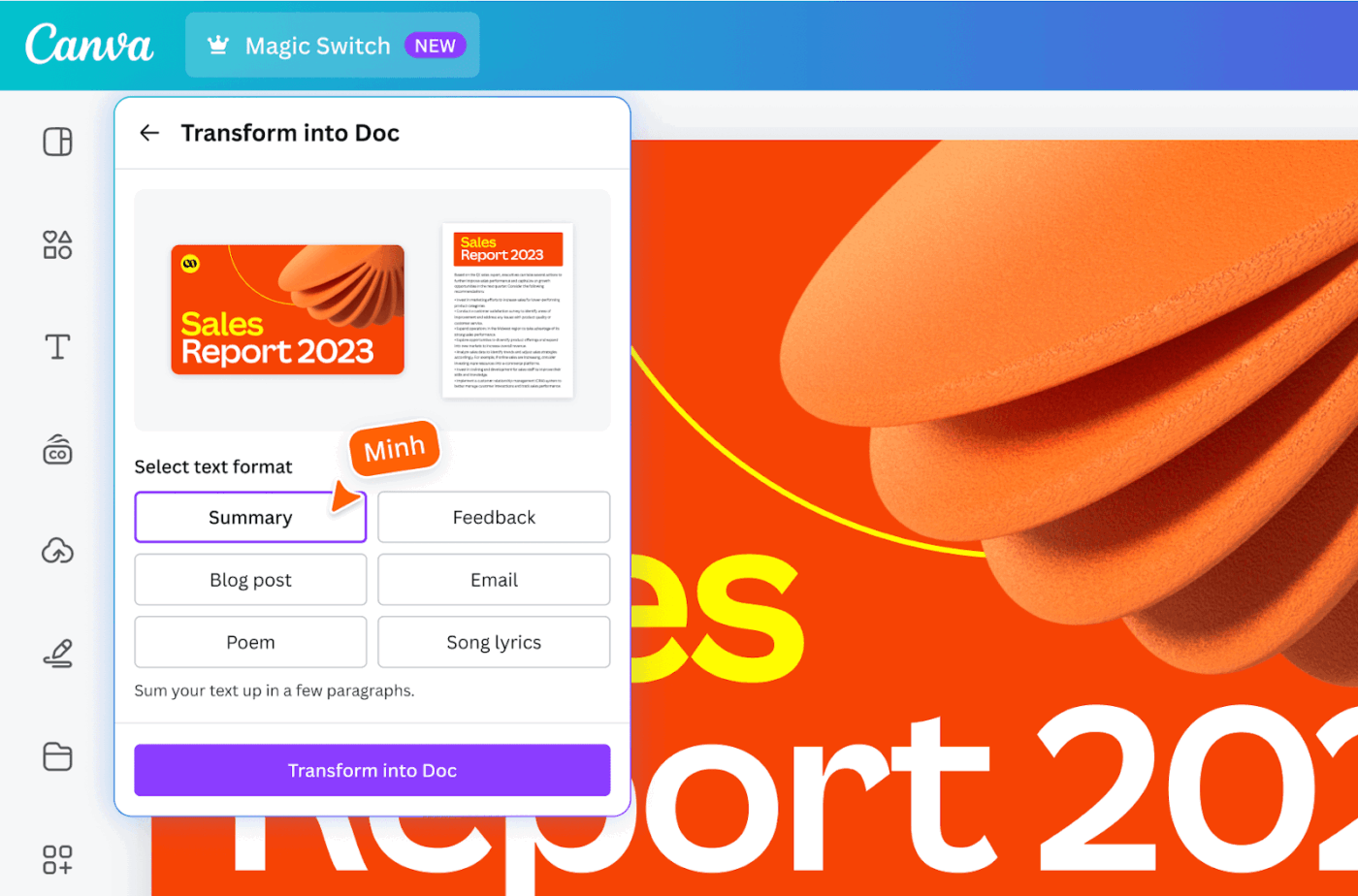
Canva’s Magic Studio brings AI directly into the design workflow most marketers already use daily.
Magic Design generates complete presentation decks, social media posts, or marketing materials from a simple text prompt. Magic Eraser removes unwanted objects from photos without leaving obvious editing marks, while Magic Edit lets you add or replace elements in images through text descriptions.
🚀 ClickUp Advantage: Keep your ad concepts aligned from the first brainstorm.
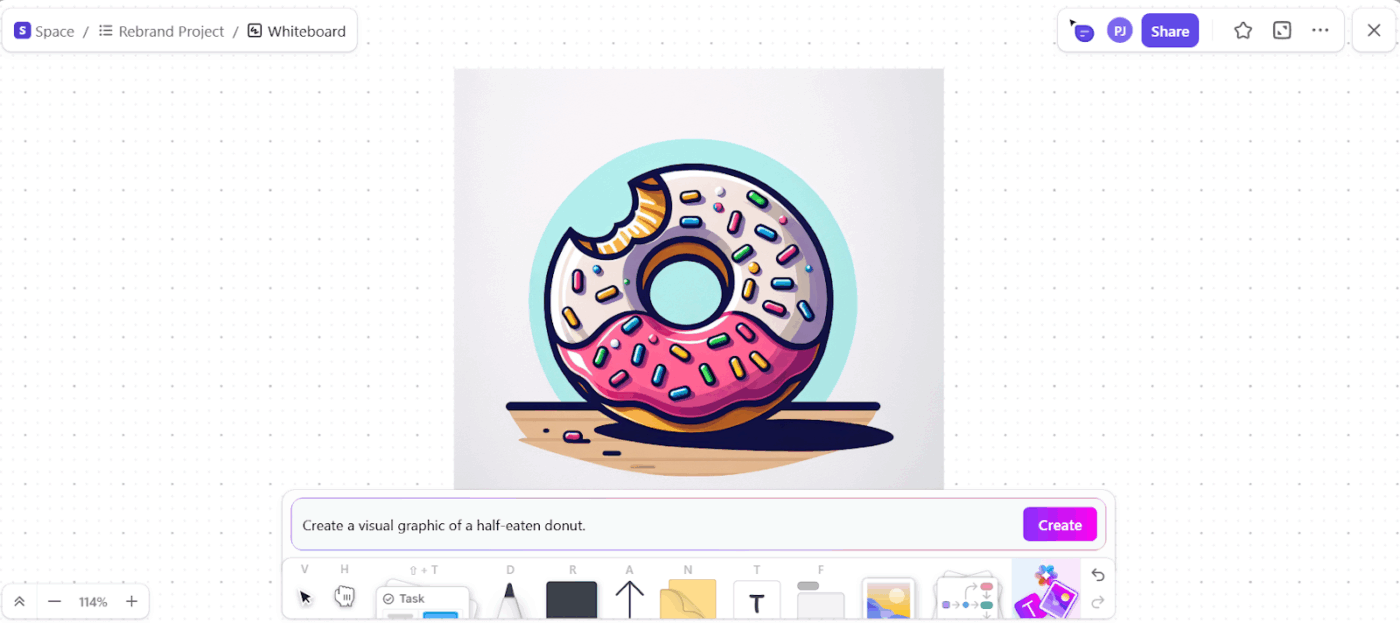
Whiteboards in ClickUp let your creative team map ideas and collect visual references in one place that your account team already checks. And if you need new directions mid-discussion, use ClickUp Brain, your integrated AI assistant, to generate images directly on the board.
Everyone sees the same direction, and your team moves faster from idea to draft.
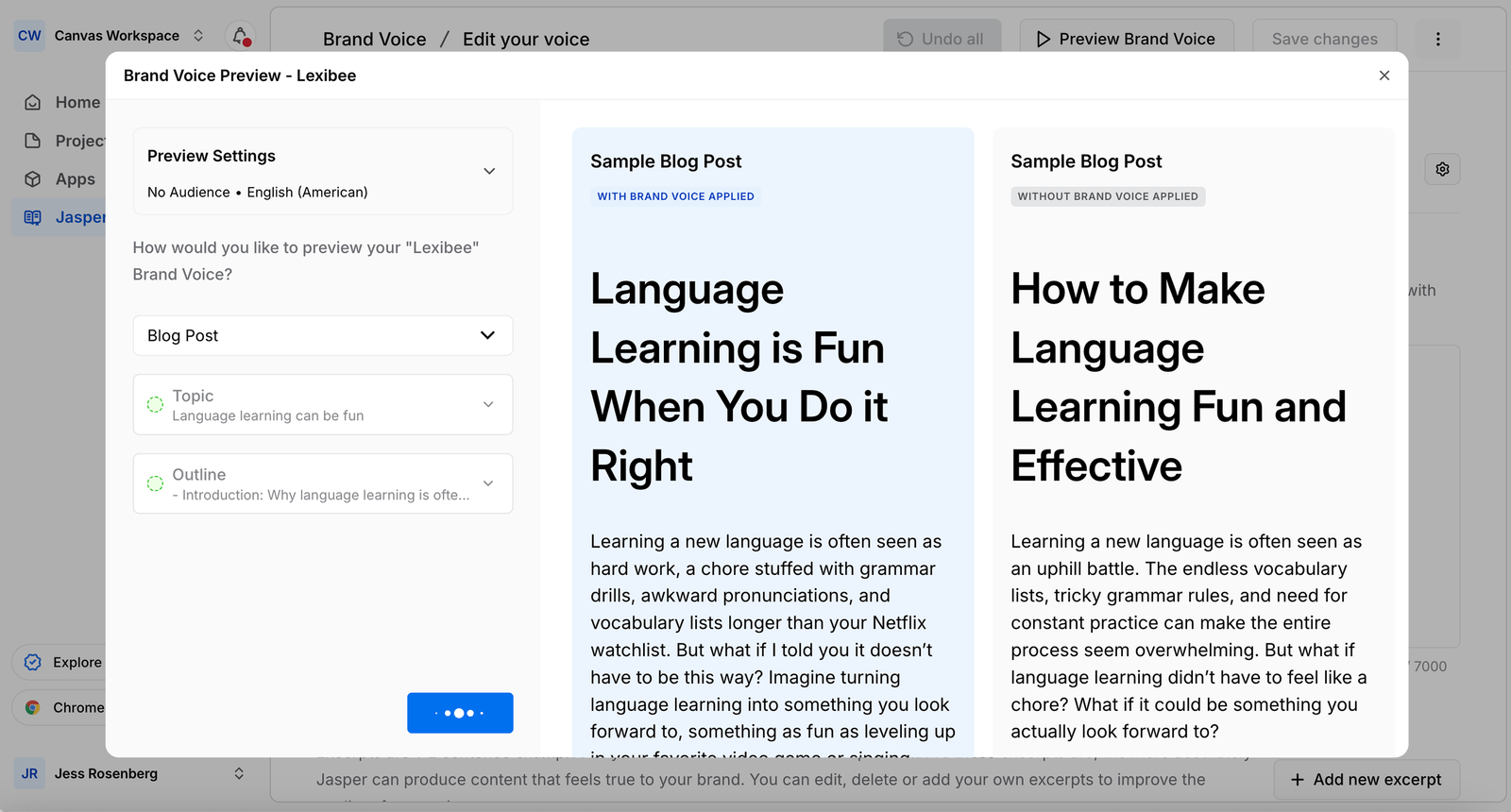
Jasper AI generates marketing content that sounds like your brand. The tool learns your brand voice through a custom style guide where you define tone, vocabulary preferences, and messaging pillars. It then applies those guidelines across blog posts, social media captions, email campaigns, and ad copy.
Plus, it integrates with Surfer SEO and Copyscape to ensure content is original and ranks well.
🚀 ClickUp Advantage: You shouldn’t need four open tabs just to get one piece of copy out the door. When writers draft in ClickUp Docs, everything from brainstorming notes to final copy stays tied to the client task it belongs to.
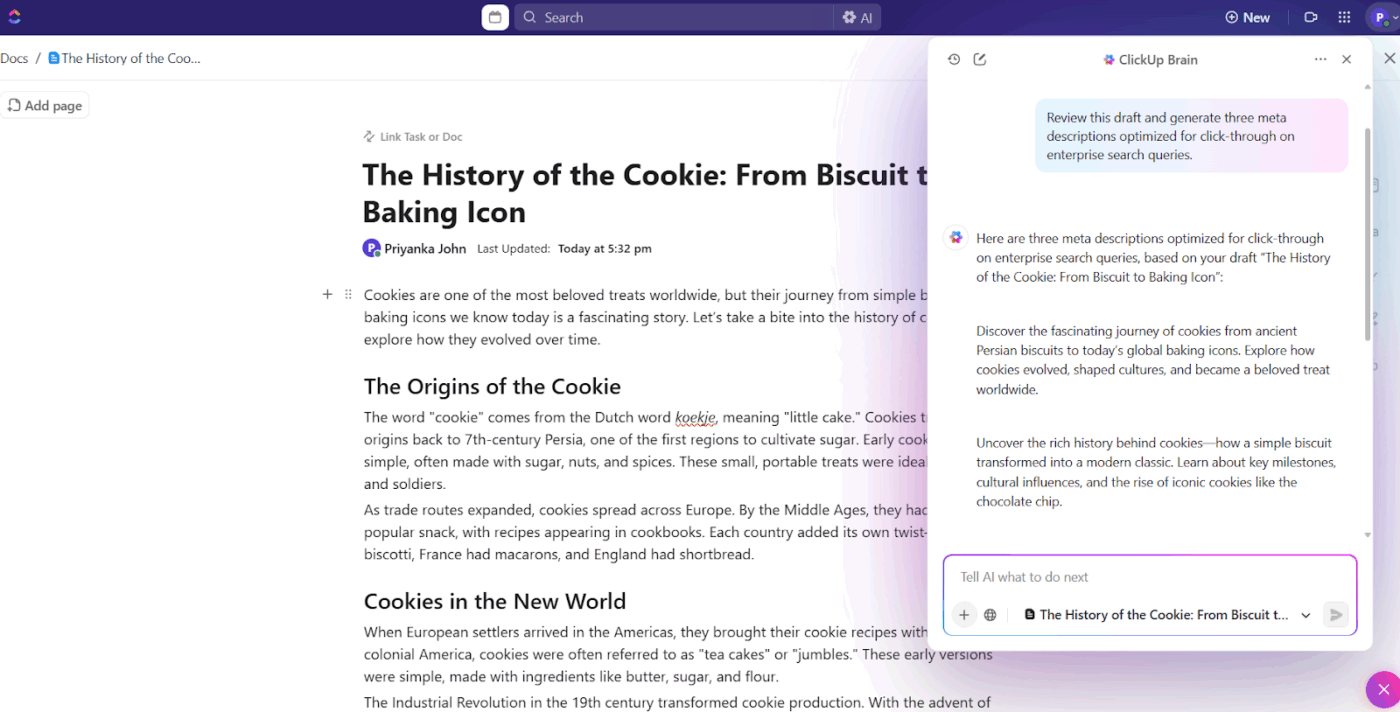
And with ClickUp Brain built in, writers can develop first-pass copy, tighten tone, or spin a long idea into short campaign snippets without losing flow. It keeps your creative workflow moving and cuts down on the work sprawl that slows teams down.
✅ Try these prompts:
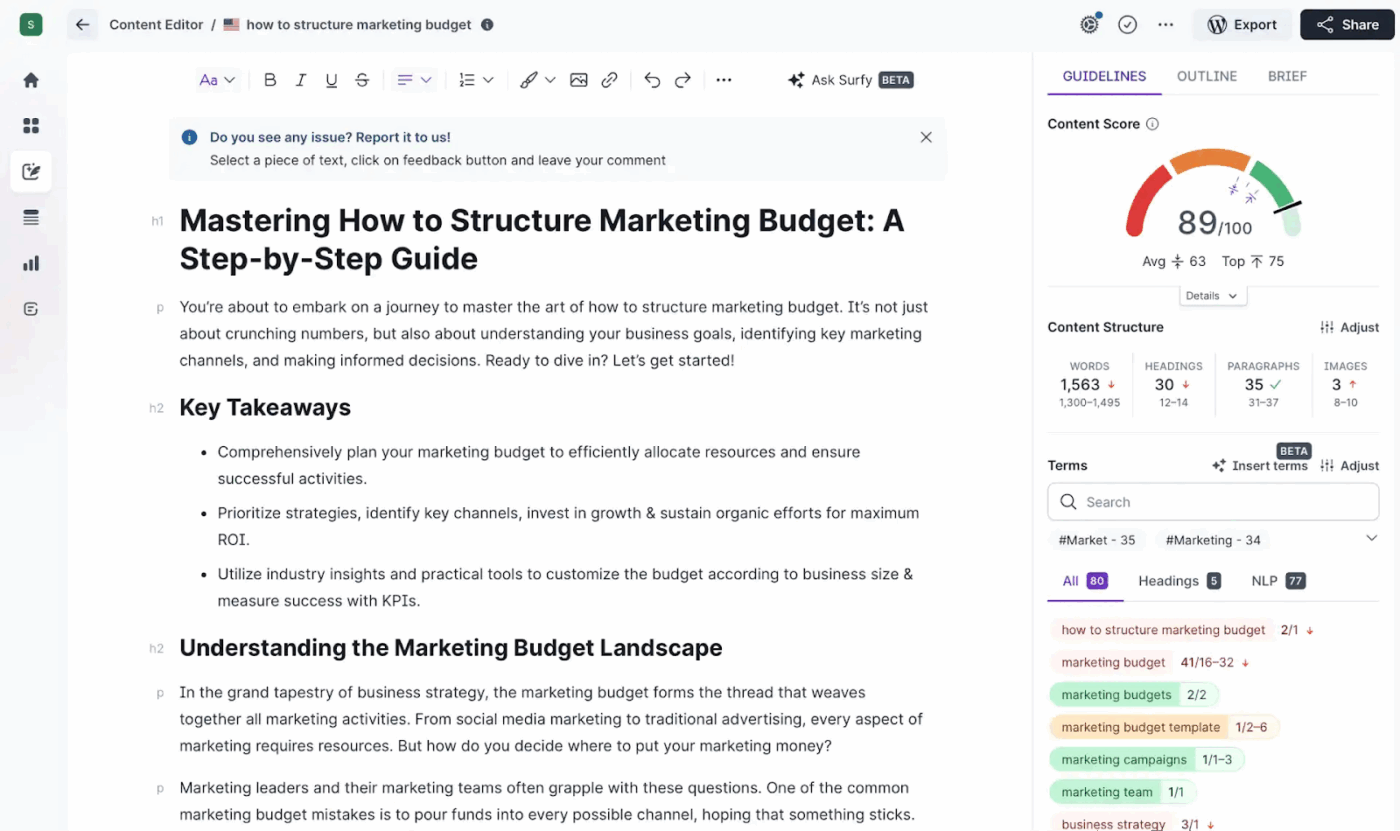
Surfer SEO analyzes top-ranking pages for your target keyword and tells you exactly what to include in your content. Instead of guessing which topics to cover, Surfer shows you relevant terms and questions that high-ranking competitors discuss.
The platform also audits existing content and identifies optimization opportunities that could boost rankings in alignment with your marketing plan.
Watch this video to see how you can create a marketing plan in ClickUp
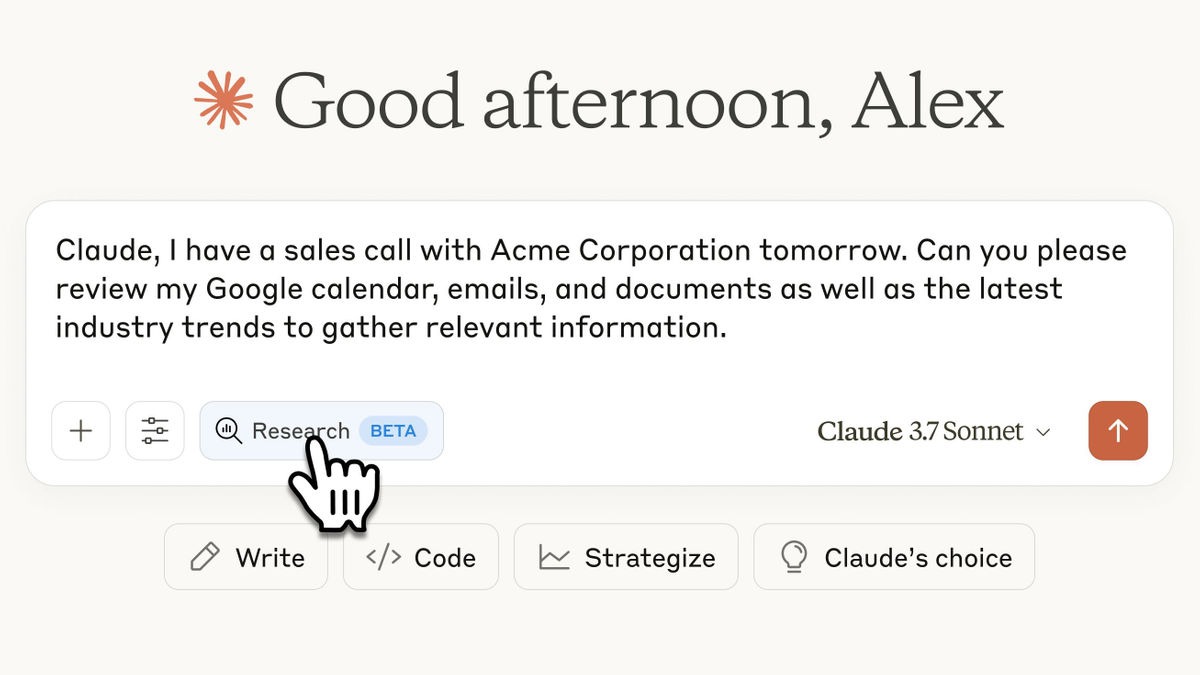
Claude handles context differently from most conversational AI assistants. The platform processes up to 200,000 tokens in a single conversation, which translates to roughly 150,000 words or an entire book.
Marketing teams upload research reports, competitor analyses, and customer interview transcripts, then ask Claude to identify patterns, extract quotes, or draft content informed by all those sources simultaneously.
The AI tool is ideal for drafting long-form content, analyzing datasets, and creating documentation that needs to reference multiple source materials.
🚀 ClickUp Advantage: When your team is jumping between AI tools, tabs, and shared drives just to move one campaign forward, the work slows down. ClickUp BrainGPT gives you one dedicated space to think, search, and create with Contextual AI that already understands your client context, campaign history, and brand voice.
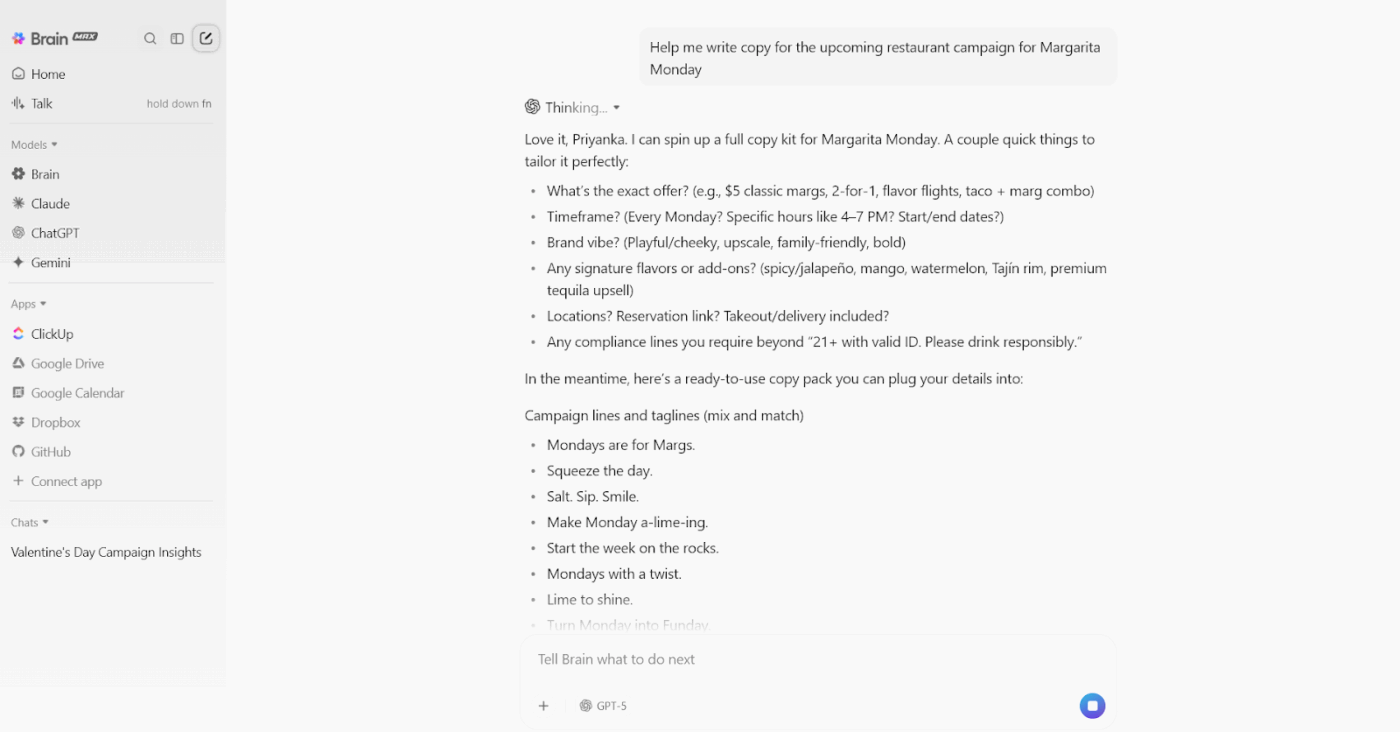
It brings ChatGPT, Claude, and Gemini together in a single desktop app, allowing you to switch based on your needs in the moment. So instead of re-explaining context again and again, your AI already gets it.
This is how you solve AI sprawl while reducing cognitive load, speeding up decision-making, and keeping everyone moving in the same direction.
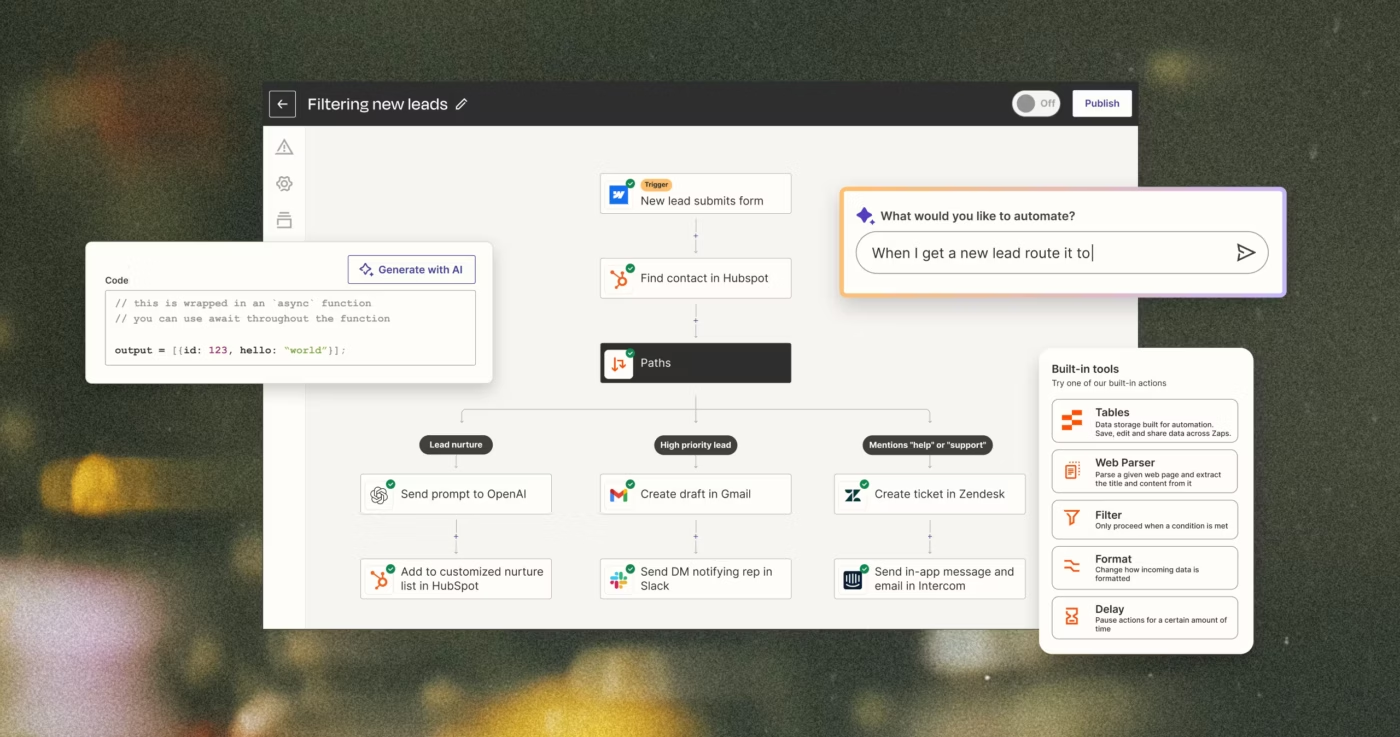
Zapier connects over 6,000 apps without requiring any coding skills or technical knowledge.
The workflow orchestration platform uses ‘Zaps’ that trigger actions in one app based on events in another. When a lead fills out a Facebook Lead Ad, Zapier can add them to your CRM, send a welcome email, create a task for your sales team, and log the activity in a Google Sheet automatically.
Agencies can save hours daily by eliminating manual data entry and ensuring information flows seamlessly between client tools.
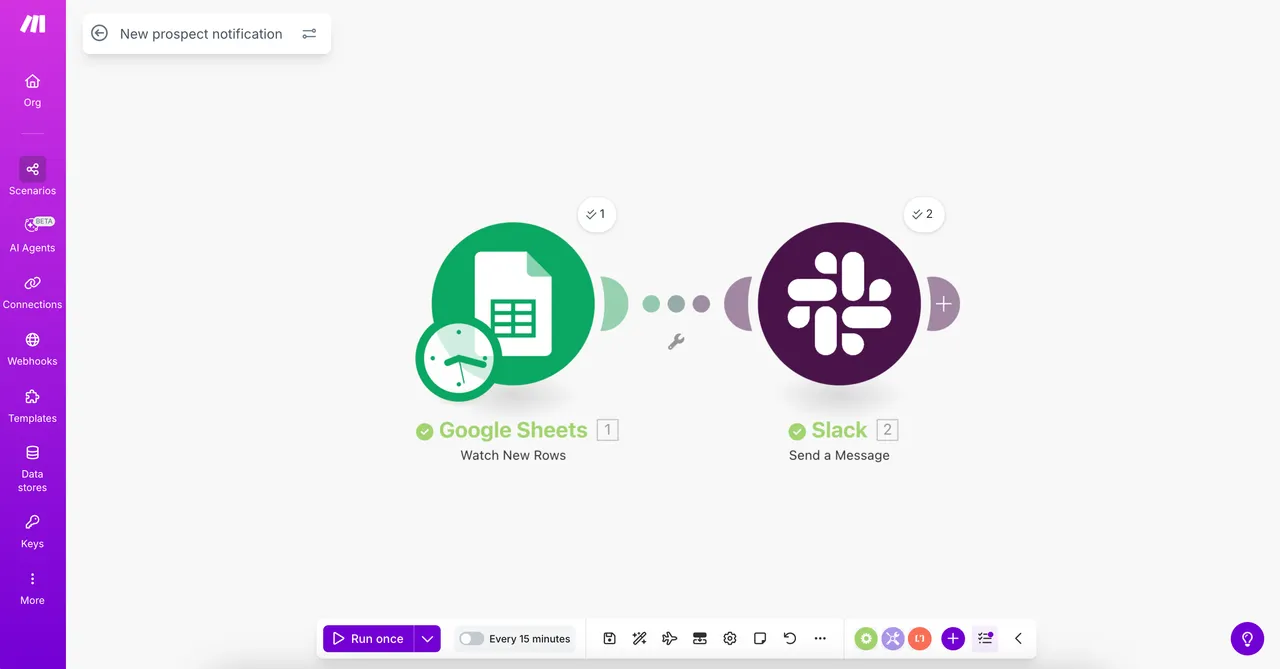
Make approaches workflow automation like a flowchart. The visual interface shows exactly how data moves between apps, which helps teams understand and troubleshoot workflows faster than text-based alternatives.
You drag modules onto a canvas, connect them, and watch data flow through branches, loops, and conditional paths in real time. Teams managing complex, logic-heavy workflows appreciate how Make reveals the entire automation structure at a glance instead of hiding it behind tabs and dropdowns.
🚀 ClickUp Advantage: Think of all the small follow-ups your team does every day: checking status, chasing updates, reminding someone to review a draft, gathering files for a kickoff.
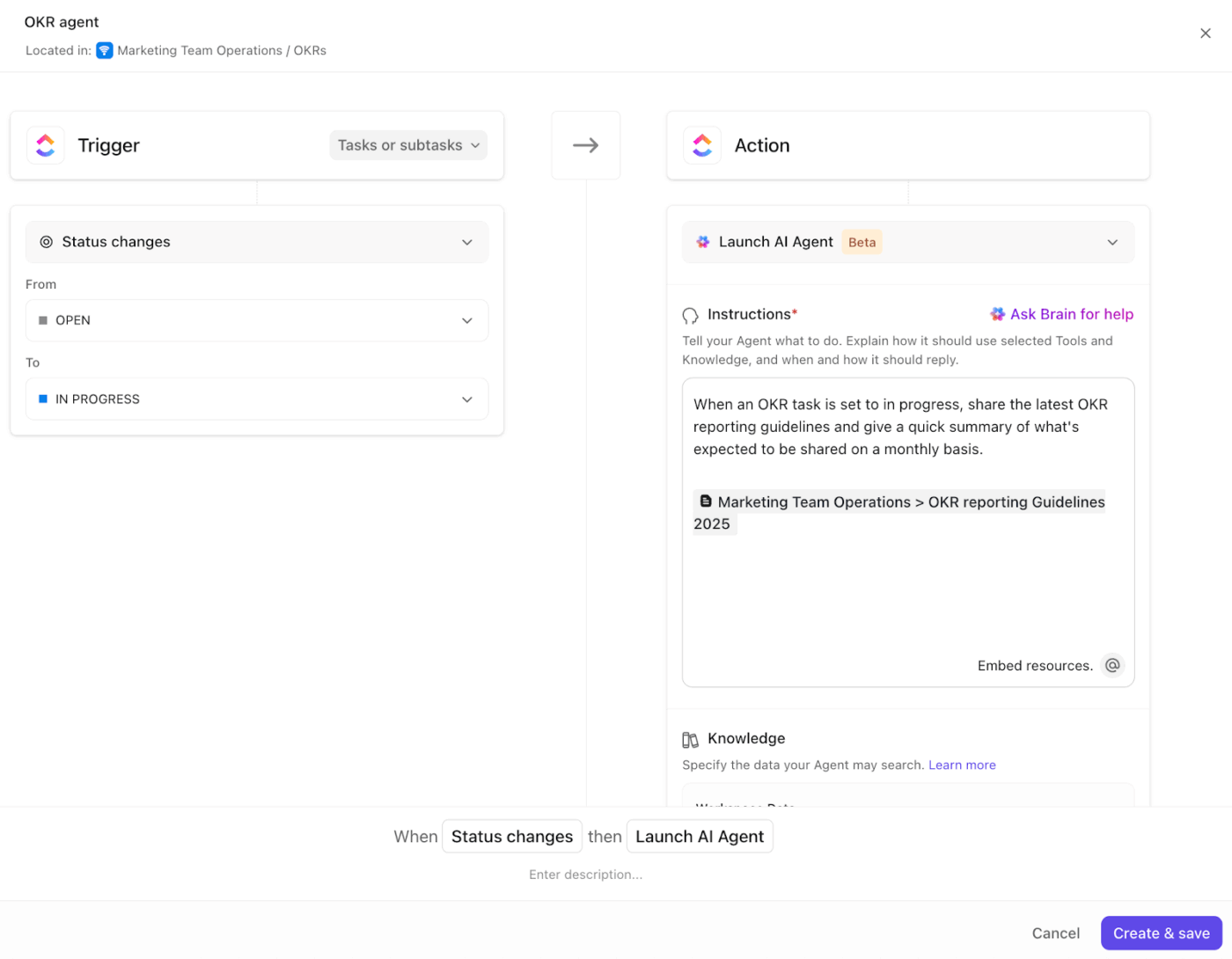
ClickUp Ambient Agents handle those pieces automatically. They watch your tasks, docs, and workflows, and step in when something needs to move.
Let’s suppose a copy draft is marked Ready for Review. An Ambient Agent:
The work moves on its own.
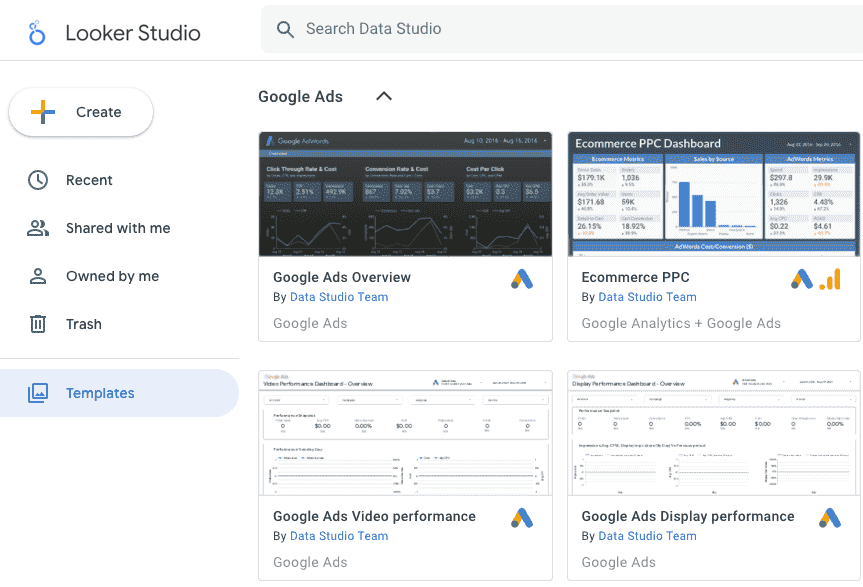
Looker Studio (formerly Google Data Studio) pulls data from Google Analytics, Google Ads, Search Console, and YouTube without paid connectors or technical setup.
The drag-and-drop interface lets you build interactive dashboards in minutes using pre-configured charts, tables, and scorecards. Reports update automatically as new data arrives, which means stakeholders always see current numbers without manual refreshes.
📮 ClickUp Insight: 43% of people say repetitive tasks provide helpful structure to their workday, but 48% find them draining and a distraction from meaningful work.
While routine can offer a sense of productivity, it often limits creativity and holds you back from making meaningful progress.
ClickUp helps you break free from this cycle by automating routine tasks via intelligent AI Agents, so you can focus on deep work. Automate reminders, updates, and task assignments, and let features like Automated Time Blocking and Task Priorities protect your power hours.
💫 Real Results: Lulu Press saves 1 hour per day, per employee using ClickUp Automations—leading to a 12% increase in work efficiency.
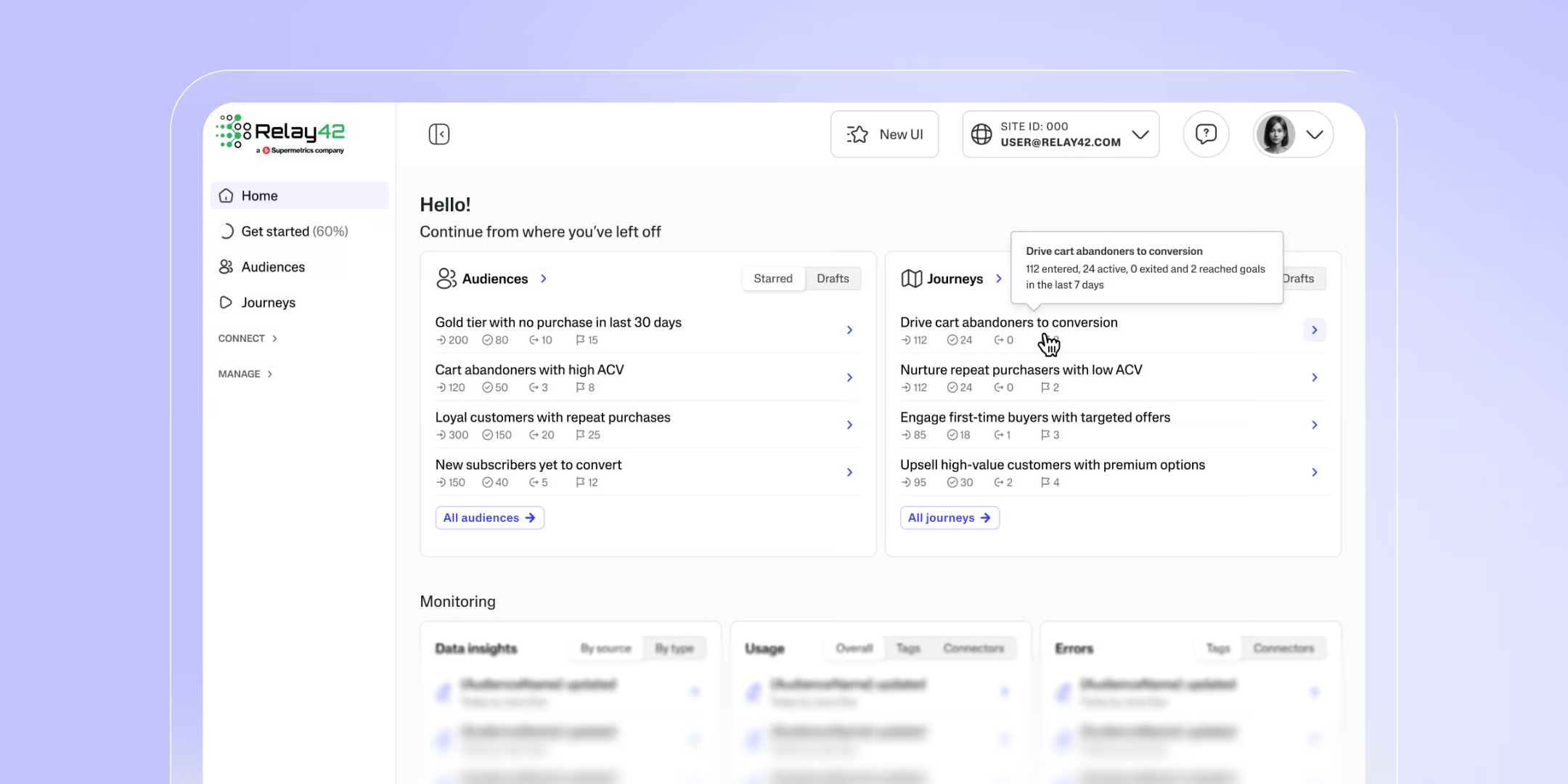
Supermetrics moves marketing data from advertising platforms to wherever your team works. So instead of manually downloading CSV files from Facebook Ads, Google Analytics, and LinkedIn, Supermetrics automatically transfers that data into Google Sheets, Looker Studio, Power BI, or your data warehouse.
Furthermore, the platform supports 150+ data sources and processes over 15% of global marketing data.
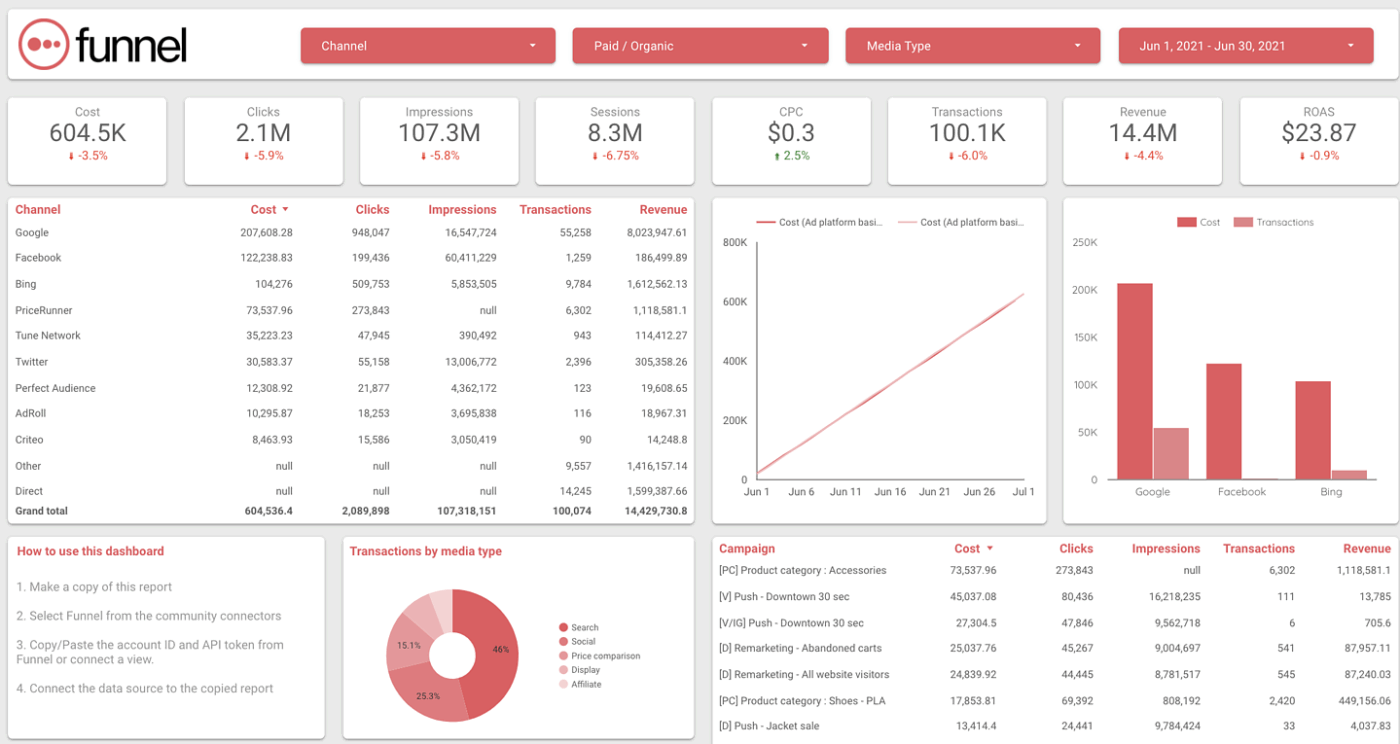
Funnel.io connects to 600+ data sources and automatically backfills historical data, so you never lose access to past performance even if an API changes. Its data model understands marketing concepts; it knows what impressions, clicks, and conversions mean across different platforms and normalizes them automatically.
The system decodes campaign naming conventions, splitting ‘Q1_2025_Facebook_Retargeting’ into separate fields for quarter, year, platform, and campaign type. Funnel AI works to speed up your workflows.
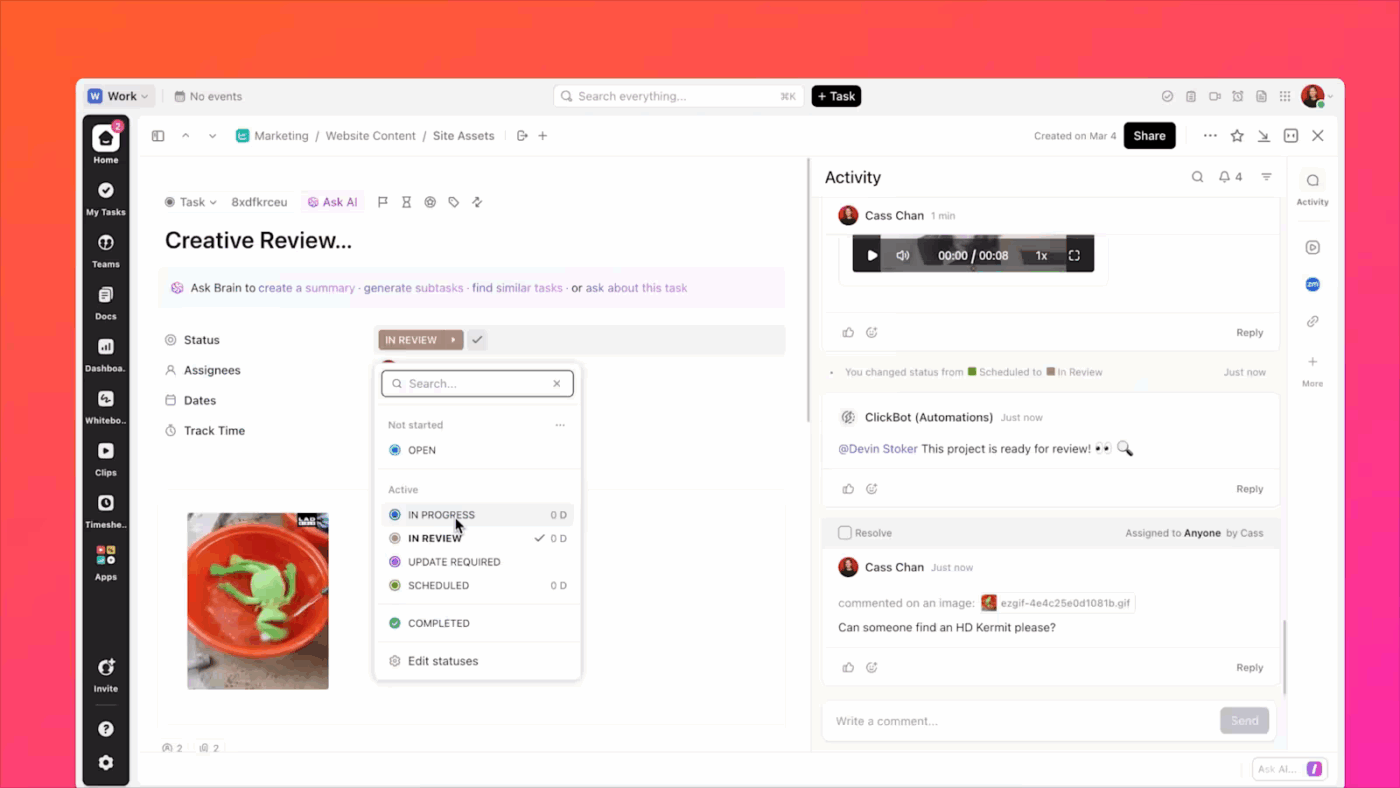
ClickUp is the everything app for work that combines project management, knowledge management, and chat, all powered through AI that helps you work faster and smarter.
What’s more, ClickUp’s Creative Agency Project Management Software becomes the base for your entire client workflow. Here’s how it supports your marketing strategies. 👇
Let’s say you’re producing a social campaign for a retainer client. You create a ClickUp Task for the entire weekly campaign set. Inside that task, you:
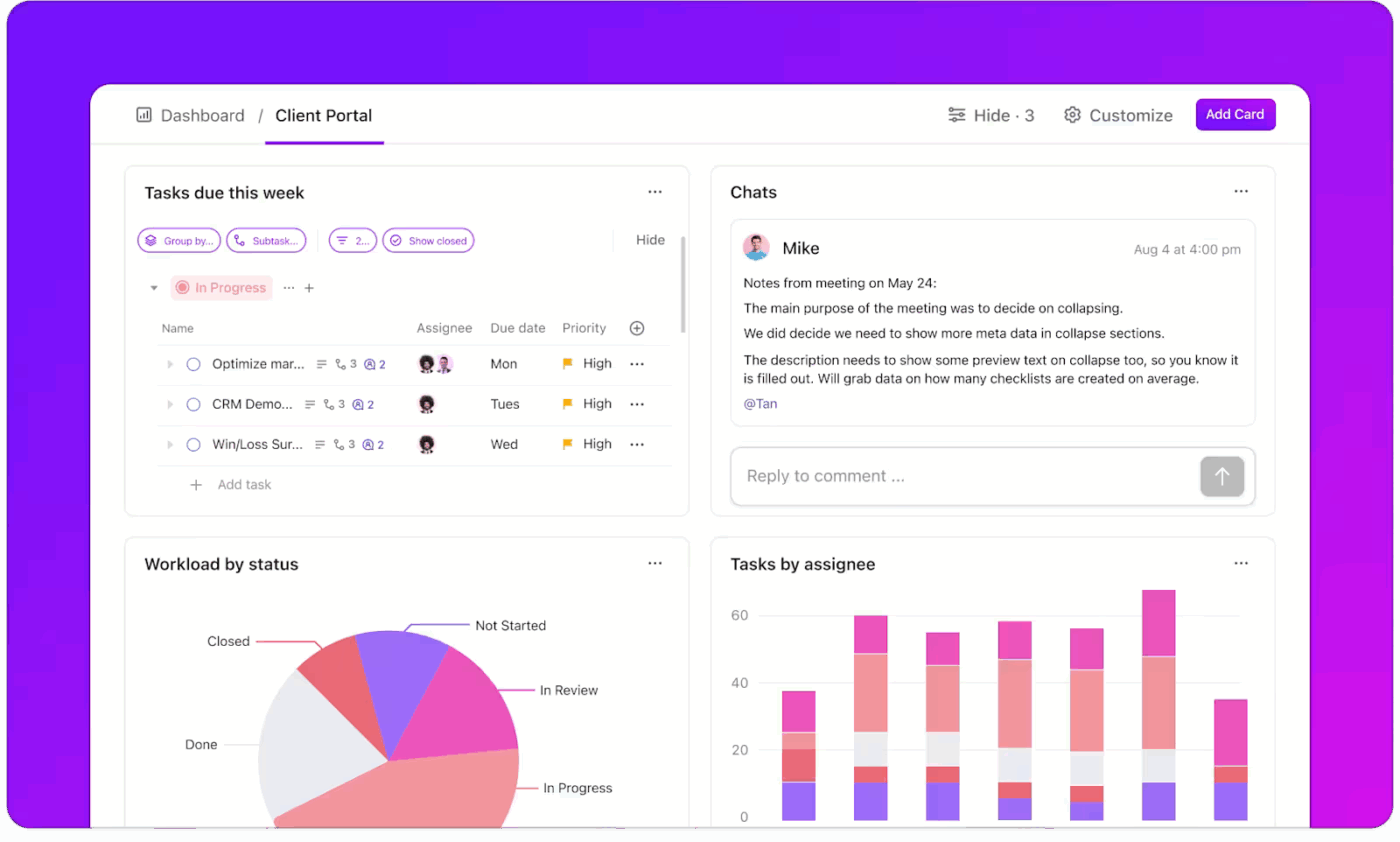
ClickUp Dashboards help you present work status, timelines, and progress through a client-facing dashboard. Your client dashboard can display:
Suppose a client runs a weekly video series. Your dashboard shows scripts drafted, recordings completed, edits in progress, and episodes ready to publish. They instantly understand where the work stands.
You can also create internal dashboards for your team to track workload distribution and bottlenecks.
Project discussions stay where the work lives with ClickUp Chat.
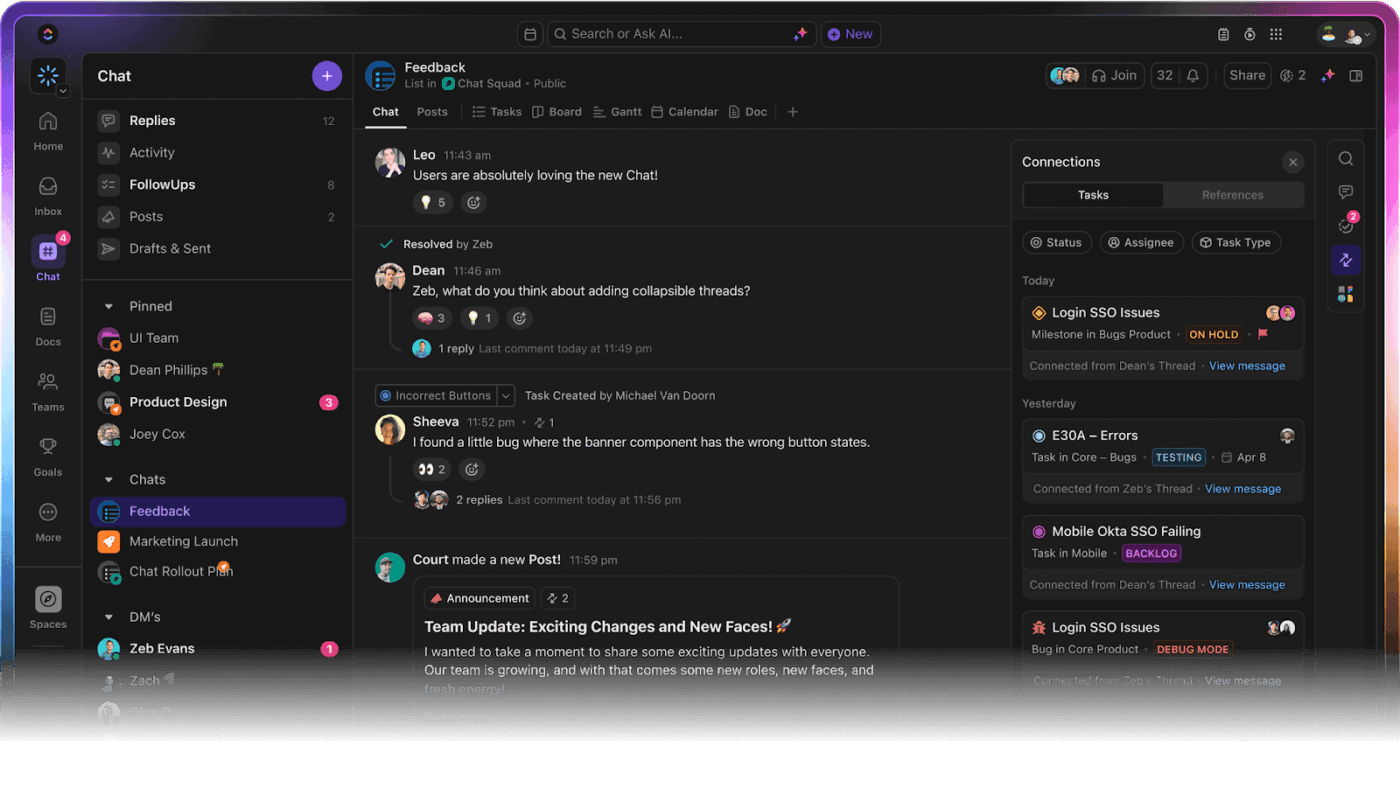
Let’s say your strategist refines messaging for a performance marketing campaign during a feedback call. They drop notes directly into the project Chat channel. Then, the designer responds inside the same thread and attaches the updated visual. The agreed direction converts into a task in one click.
Finally, everyone continues working without switching platforms or re-explaining the rationale.
Your team does great work. The slowdown usually occurs around work: the updates, the follow-ups, the alignment checks, and the ‘Wait, where are we on this?’ moments.
ClickUp Brain removes that load so your team keeps moving without you having to manage every micro-handoff.
Think about your weekly client updates.
You open tasks, scroll through chats, try to remember what changed, pull highlights, rewrite everything in clean language, and double-check that nothing’s missing. It’s not hard work, but it’s time-consuming, and it repeats every single week.
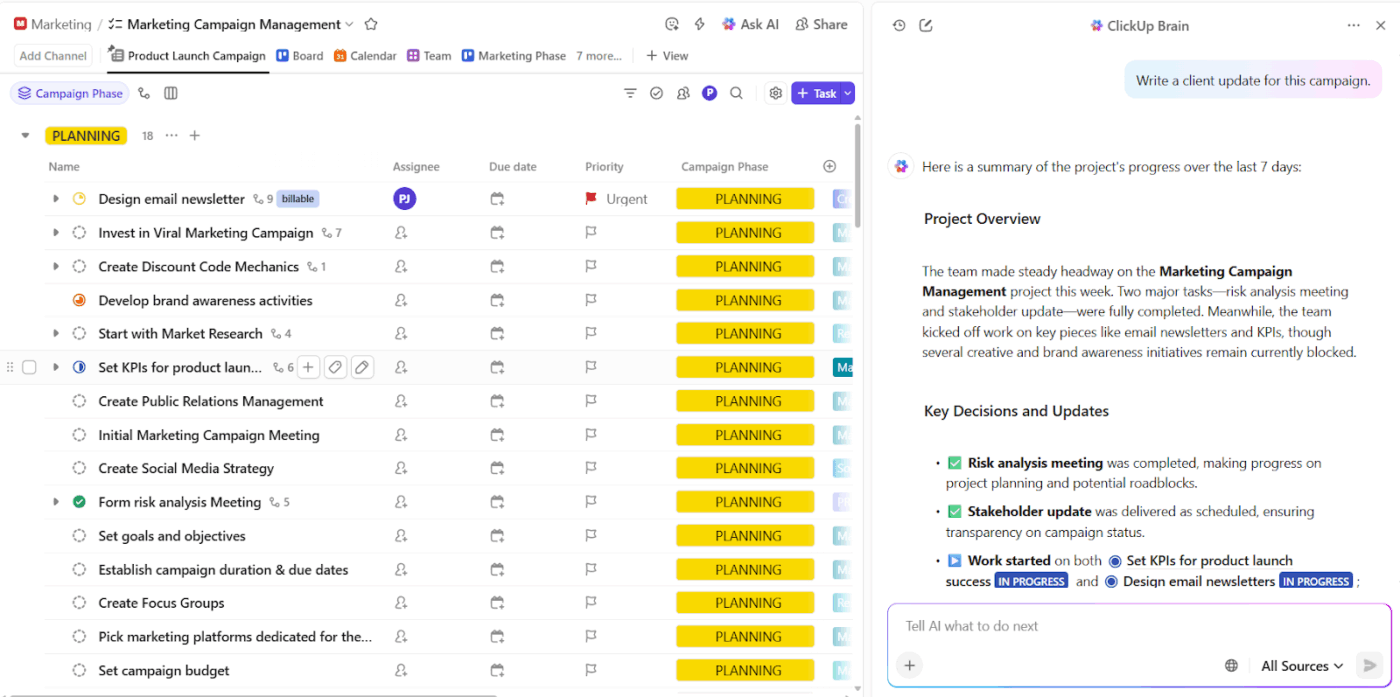
Now imagine this instead: You ask ClickUp Brain for the update.
It reads the actual task progress, decisions, comments, approvals, and pending items, and generates a clear, structured status summary you can send immediately.
Teams that adopt ClickUp finish work 3x faster, free up 1.1 workdays every week, and reduce operational overhead by 88%.
Learn more about using AI in project management:
A marketing agency owner shares their experience using ClickUp on Reddit:
We’ve been running our agency on ClickUp for about half a year now, and honestly, it’s changed how we work in ways I didn’t expect. […] Their Docs system has quietly replaced most of our Google Docs work. Everything just flows better when our documentation lives in the same place as our projects. The team adapted to it faster than I thought they would.
I was on the fence about ClickUp Brain at first, just seemed like another AI gimmick. But it’s saved me from some tedious writing tasks, especially when I need to summarize lengthy client emails or get a draft started. […]
The AI notetaker feature was the real surprise. We used to lose so many action items after meetings, but now it catches everything and assigns tasks automatically. Follow-through has gotten noticeably better.
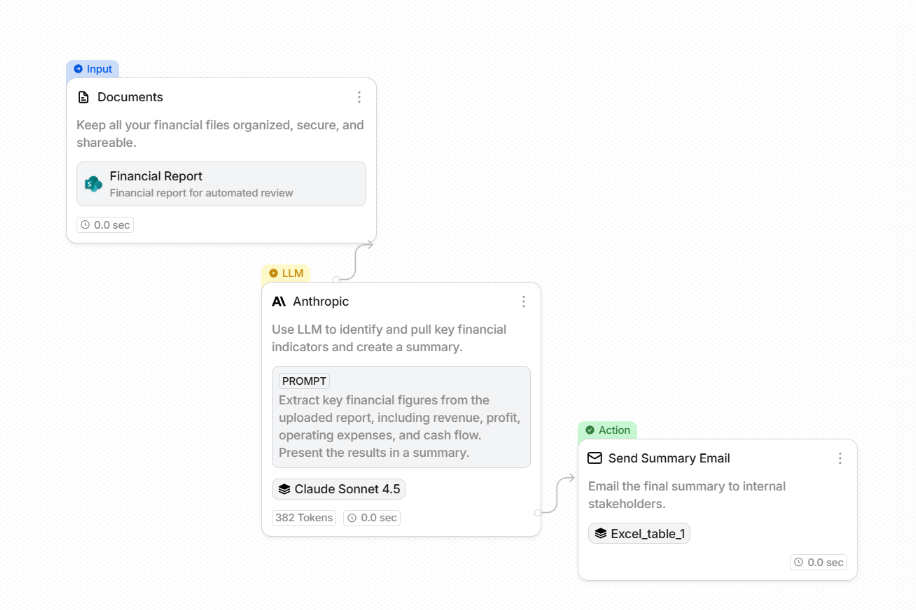
Stack AI lets teams build production-ready AI assistants and workflows without writing code. The visual builder connects components to handle tasks like support triage, document analysis, or proposal generation.
You select from large language models (LLMs), such as ChatGPT, Claude, or Gemini, based on the specific task, then deploy the AI assistant as an internal app or expose it via API for broader integration.
🔍 Did You Know? Most smaller/specialist agencies are still quite lean and client-centred. In a benchmark report covering 251 agencies, the majority reported having just 11-20 clients, and often ranked ‘SEO & website maintenance’ as their top services (77% of agencies).
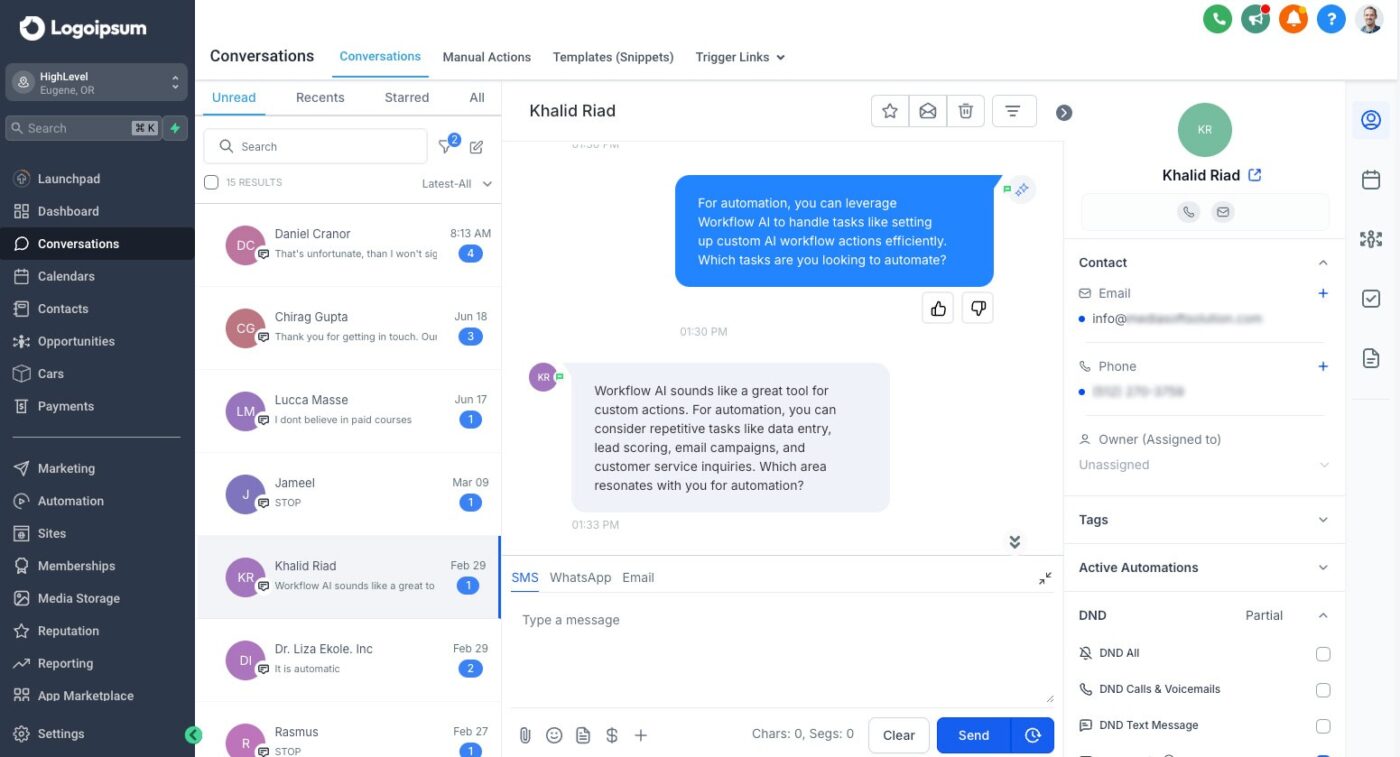
HighLevel combines CRM, email marketing, SMS, and funnel building into a solution that agencies can white-label and resell. You brand the entire system, from login URLs to mobile apps, so clients see your logo instead of HighLevel’s.
The platform includes two-way SMS, call tracking, voicemail drops, and Facebook Messenger integration to centralize client comms.
Even better, HighLevel’s AI tools generate funnel copy, create review responses, and build workflows through conversational prompts.
💡 Pro Tip: Train AI in marketing to flag underperforming channels in real time. For example, if TikTok ads are converting poorly mid-week, your AI can alert the team to reallocate budget or tweak creatives immediately.
A robust AI stack enables agencies to cut through AI sprawl and build systems that drive performance. Here’s how a well-built stack adds real value:
🧠 Fun Fact: For about a century (roughly from the late 19th century well into the 20th century), many advertising agencies were paid a standard ~15% commission on the cost of the media they bought for clients. Even after agencies shifted toward executing creative campaigns for advertisers (rather than for publishers), they managed to retain that commission model.
Here’s where most agencies go wrong when building their AI stack and how to avoid repeating the same mistakes.
| Mistake | Why it hurts | What to do instead |
| Treating tools as a strategy | Teams expect tech to fix process issues, leading to clutter and confusion | Map your workflow first, then use tools to strengthen what’s already working |
| Using AI without context | AI outputs lack relevance when teams don’t provide clear data or direction | Feed tools high-quality prompts, client insights, and campaign data for accurate results |
| Skipping cross-team alignment | Disconnected creative, analytics, and strategy teams cause duplication and delays | Set up shared dashboards or centralized workspaces to keep everyone aligned |
| Relying only on AI features | Shiny AI add-ons often distract from missing core capabilities | Evaluate whether the tool enhances strategy, collaboration, or measurable outcomes |
🧠 Fun Fact: Some agencies were pioneers in media types: for example, one early U.S. agency leveraged the first TV-commercial environment in 1941 (for a watch), and billboard growth exploded once automobiles became common on U.S. roads.
Building an AI-driven marketing agency shouldn’t mean wrestling with disconnected systems. The smartest teams streamline, connect, and scale their workflows to make every project run like a well-oiled campaign machine.
ClickUp brings all your agency workflows together in one powerful workspace, so strategy, creativity, execution, and reporting all live under one roof.
Plan campaigns in ClickUp Tasks, track performance with Dashboards, centralize your playbooks in Docs, and brainstorm fresh ideas with ClickUp Brain. What’s more, ClickUp BrainGPT unifies your entire workflow. This means you’ll spend less time switching between platforms and more time building campaigns that actually move the needle.
Ready to connect your agency’s entire AI ecosystem? Sign up for ClickUp today! ✅
Agencies need tools that help with content creation, campaign management, analytics, and client reporting. ClickUp brings these together by offering AI-powered writing, task tracking, and performance dashboards in one platform, so teams can manage campaigns and generate content without switching between tools.
Most agencies spend around 10-20% of their total tech budget on AI marketing tools. The exact amount depends on team size, clients served, and the complexity of campaigns.
Small agencies can absolutely adopt artificial intelligence (AI) stacks. Many AI platforms now offer affordable plans, free tiers, or pay-per-use models, allowing small teams to automate routine work and compete effectively without heavy investment.
Track metrics like time saved on repetitive tasks, campaign performance improvements, lead conversion rates, and cost per acquisition. Comparing pre- and post-AI performance for activities like ad targeting helps quantify value and justify further investment.
Agencies should review their stack every 6-12 months. This ensures they stay current with new features, security updates, and evolving client needs while removing redundant or underused tools.

© 2026 ClickUp

There’s an easier way. Try a free AI Agent in ClickUp that actually does the work for you—set up in minutes, save hours every week.