






Still downloading templates?
There’s an easier way. Try a free AI Agent in ClickUp that actually does the work for you—set up in minutes, save hours every week.
Sorry, there were no results found for “”
Sorry, there were no results found for “”
Sorry, there were no results found for “”

The sun’s barely up, your crew is on site, and everyone’s waiting for direction. You open Workmax, pull up the timesheets, check the forms, and start sorting through asset logs. But the small things slow you down.
These could be geofence issues, clunky time sheets, limited job-code filters, and insufficient automation. And soon these long, those “small things,” become real problems. Imagine higher costs, frustrated crews, delayed payroll, and hours of admin work you never planned on doing.
In this blog post, we’ll explore some of the best WorkMax alternatives for your field workforce management needs that solve these pain points head-on. Let’s get started! 🎯
Here’s a table comparing all WorkMax alternatives in this blog. 📊
| Tool | Best for | Best features | Pricing* |
| ClickUp | All-in-one project management, task execution, and field coordination for small teams, mid-sized firms, and large enterprises | Custom tasks and fields, flexible views (List, Board, Gantt, Calendar), Whiteboards, Docs, Dashboards, built-in time tracking, workload and resource planning, native chat and Clips, built-in AI, and strong workflow automations | Free forever; Customizations available for enterprises |
| Connecteam | Mobile workforce scheduling, communication, and daily operations for small field teams | Mobile-first tools, including quick tasks, job scheduling, a time clock with geofence, and shift templates | Free; Paid plan starts $35/month for 30 users |
| Clockify | Simple time tracking, activity logs, and billable-hour reporting for teams that want accurate timesheets | Easy time capture with time tracker, timesheet mode, kiosk, GPS tracking, projects and tasks, and calendar time-blocking | Free; Paid plan starts at $4.99/month per user |
| Bitrix24 | Built-in CRM, task management, and communication hubs for mid-sized businesses | A suite of tools offering CRM pipelines, workgroups, task templates, time and attendance, activity stream, and telephony | Paid plan starts at $61/month for five users |
| Wrike | Workflow automation, structured project tracking, and cross-team coordination for organizations managing high-volume work and approvals | Advanced project tools like custom workflows, blueprints, time tracking, real-time reports, request forms, and approvals | 14-day free trial, Paid plan starts at $10/month per user |
| Jibble | Facial recognition attendance, GPS tracking, and automated timesheets for companies requiring precise clock-ins and enterprise operations teams | Precise attendance tracking using a face recognition time clock, GPS location capture, timesheets, activity tracking, work schedules, overtime settings, and exports | Free; Paid plan starts at $4.99/month per user |
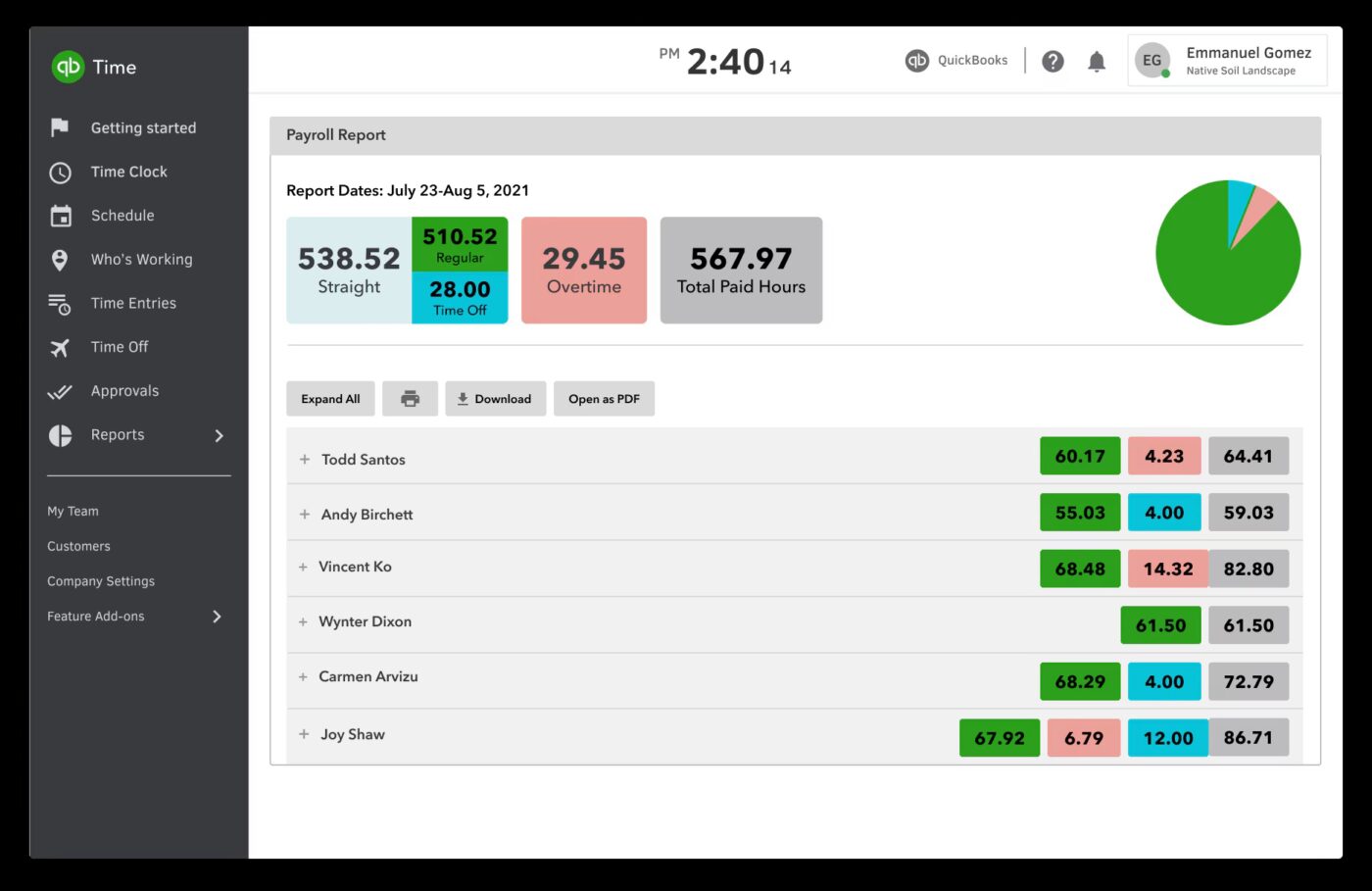
| QuickBooks Time | Location-based time capture, payroll syncing, and job costing for teams that rely on QuickBooks for accounting and labor tracking | Job costing and payroll tools, including GPS time tracker, timesheet editor, overtime alerts, payroll sync, and crew-based tracking | Paid plans start at $14/month per user |
| Buddy Patch | Web-based punch-in tools, customizable rules, and PTO management for teams wanting attendance tracking | Flexible attendance tools with punch rounding, webcam photos, PTO accrual tracking, automatic breaks, and department codes | 14 day free trial, Paid plan starts at 5.49/month per user |
| Rippling | Unified HR, payroll, device, and workforce administration for organizations seeking a system that handles employees | Integrated workforce platform combining unified employee profiles, time and attendance, payroll, policies, and permissions | Custom pricing |
| ClockShark | GPS-enabled time tracking, job costing, and routes for construction and field service teams | Field-focused features like GPS time tracking, KioskClock, crew tracking, timesheet review, and job cost reports | 14-day free trial, Paid plans start at $49/month per user |
Our editorial team follows a transparent, research-backed, and vendor-neutral process, so you can trust that our recommendations are based on real product value.
Here’s a detailed rundown of how we review software at ClickUp.
When you’re searching for a WorkMax alternative, the goal is to fix daily operational gaps that slow down field teams. Here’s what matters most:
📮 ClickUp Insight: While 40% of employees spend less than an hour weekly on invisible tasks at work, a shocking 15% are losing 5+ hours a week, equivalent to 2.5 days a month!
This seemingly insignificant but invisible time drain could be slowly eroding your productivity. ⏱️
Put ClickUp’s Time Tracking and AI assistant to work and find out precisely where those unseen hours are disappearing. Pinpoint inefficiencies, let AI automate repetitive tasks, and win back critical time!
Here’s a curated list of the top WorkMax alternatives that improve automated scheduling, resource planning, and operational efficiency. 🎯
Teams outgrow WorkMax for different reasons. Some need better integrations with accounting or CRM systems. Others want more flexibility in tracking employee hours across job sites.
And to be honest, the challenge isn’t just finding another time-tracking tool—it’s finding a platform that connects workforce management to the rest of your operations.
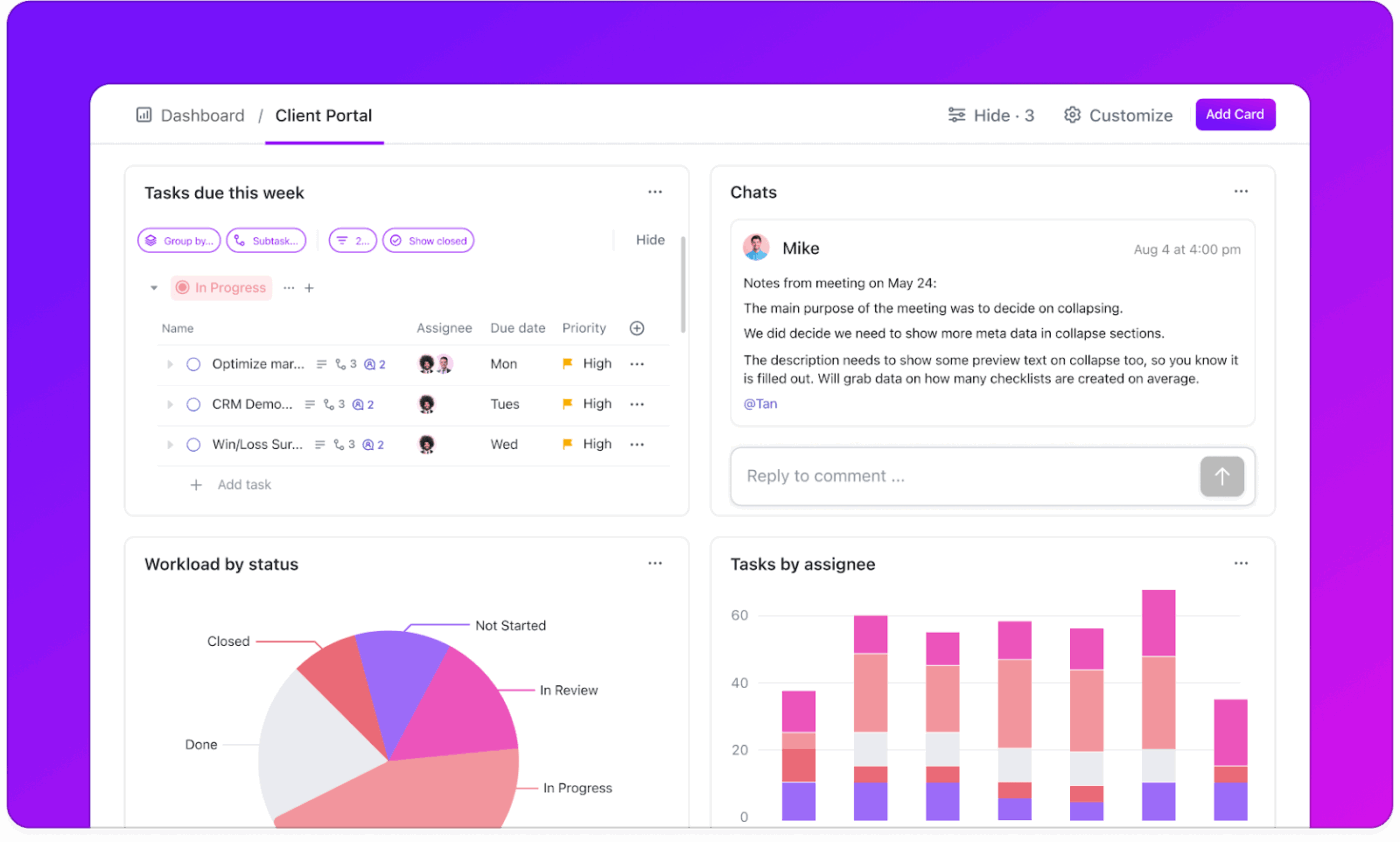
ClickUp for Constructions teams consolidates these workflows as the world’s first Converged AI Workspace, bringing together all work apps, data, and workflows.
Time tracking is directly connected to tasks and projects, so employee hours are tied to specific jobs and clients.
ClickUp eliminates Work Sprawl by providing 100% context in a single cloud-based platform where managers can see real-time workforce allocation, project progress, and resource availability.
Here’s how your workflow can look with ClickUp:
ClickUp Forms let you capture field data in real time, centralize feedback, and route responses to the right teams, all connected to your workflow. You can customize every part of your form with Required Fields, Conditional Logic, and File Uploads to ensure accurate data collection, perfect for:
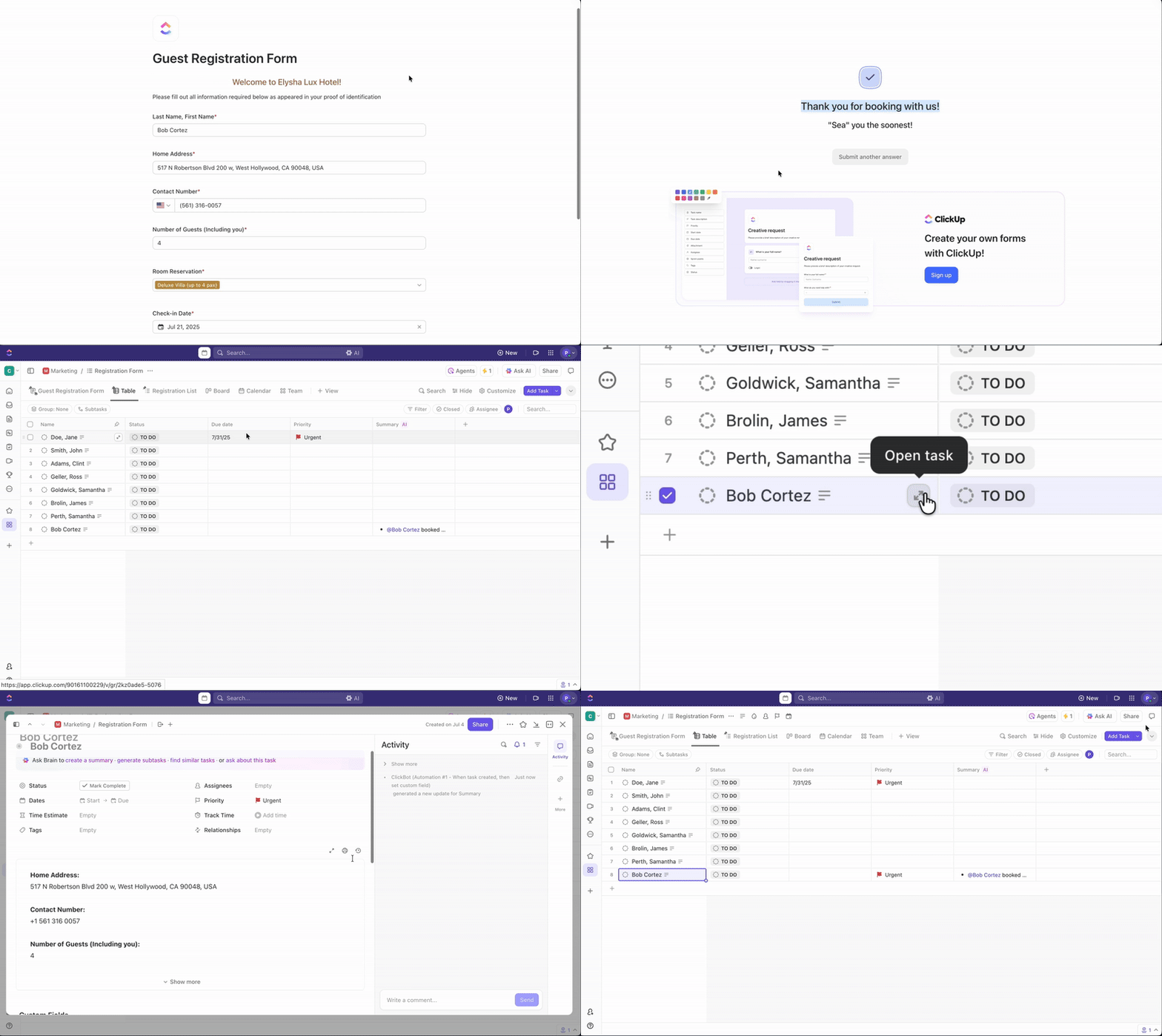
Every form submission instantly becomes a ClickUp Task, complete with attachments, comments, and assignee details for instant action. You can even drag and drop ClickUp Custom Fields to add text, dropdowns, checkboxes, attachments, and more to collect precise data every time.
With ClickUp’s Project Time Tracking, you can accurately capture every minute spent on work, whether your team is in the field, at their desk, or switching between tasks.
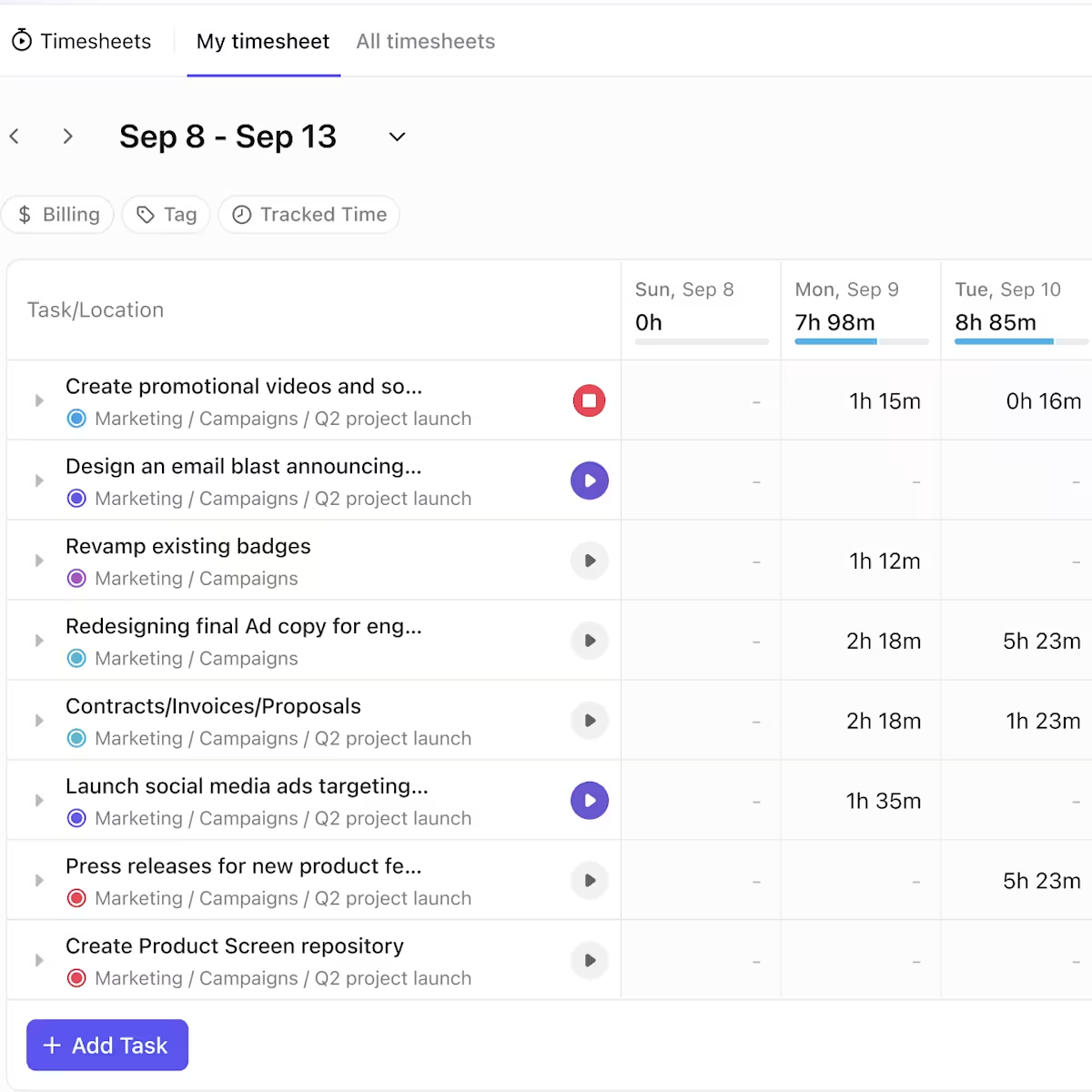
Record time directly from your desktop, mobile app, or web browser using ClickUp’s Chrome extension. You can start or stop timers from any device with ClickUp’s Global Timer, or log time manually after a shift.
Once you have logged your time, keep it structured and easy to read:
The ClickUp Mobile App extends all these capabilities to the field, allowing agency time tracking to be done directly from phones and even offline, with automatic sync when back online.
ClickUp Brain, the platform’s AI-powered assistant, connects every layer of your workspace. It understands your ongoing work and helps you manage projects, summarize updates, and surface insights.
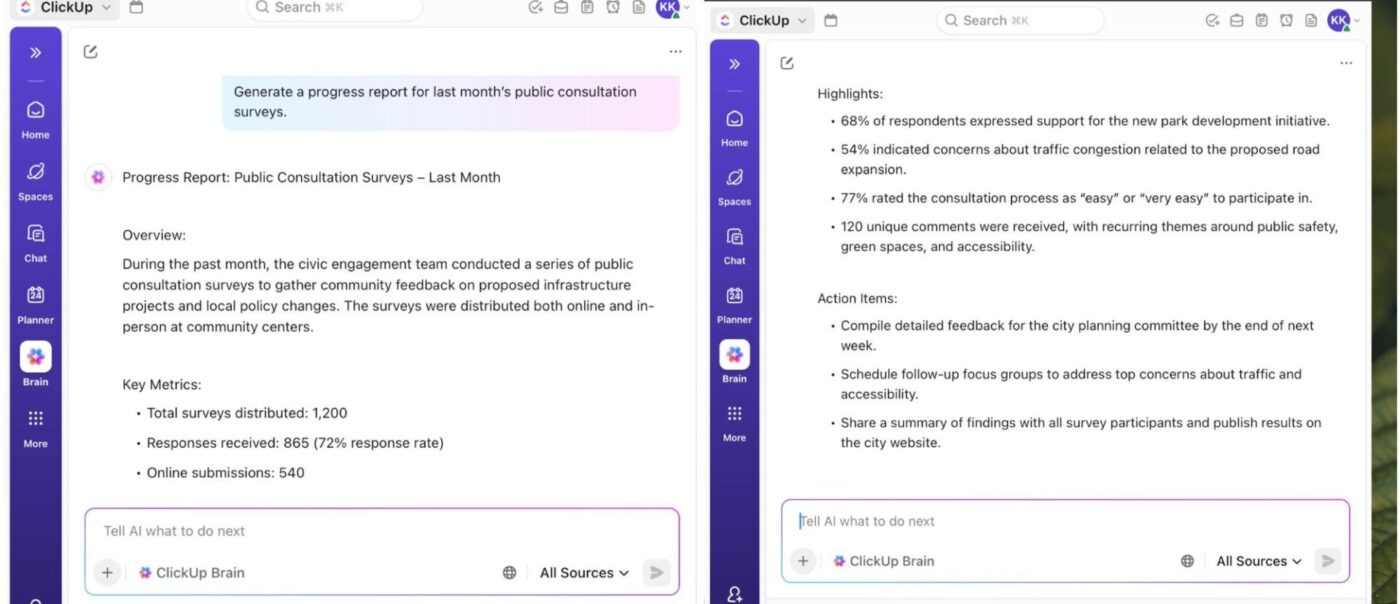
Here’s what you can do with ClickUp Brain:
For instance, if you’re managing three active job sites this week. Instead of waiting for end-of-day check-ins, you just ask ClickUp Brain, ‘What’s delaying Site A’s progress?’ It’ll scan every task, field note, and crew update to tell you exactly where approvals are pending.
And when two teams log similar equipment repairs, the AI tool spots the overlap, helping you eliminate duplicate entries.
When you need an up-to-date snapshot of what’s happening across your job sites, ClickUp Dashboards pull your labor, assets, progress, delays, and field reports into one place.
Each dashboard auto-refreshes every 30 minutes, ensuring that supervisors and field agents always view the latest data. This is especially useful when decisions need to be made quickly on active sites.
Here are some data dashboard examples that you can build:
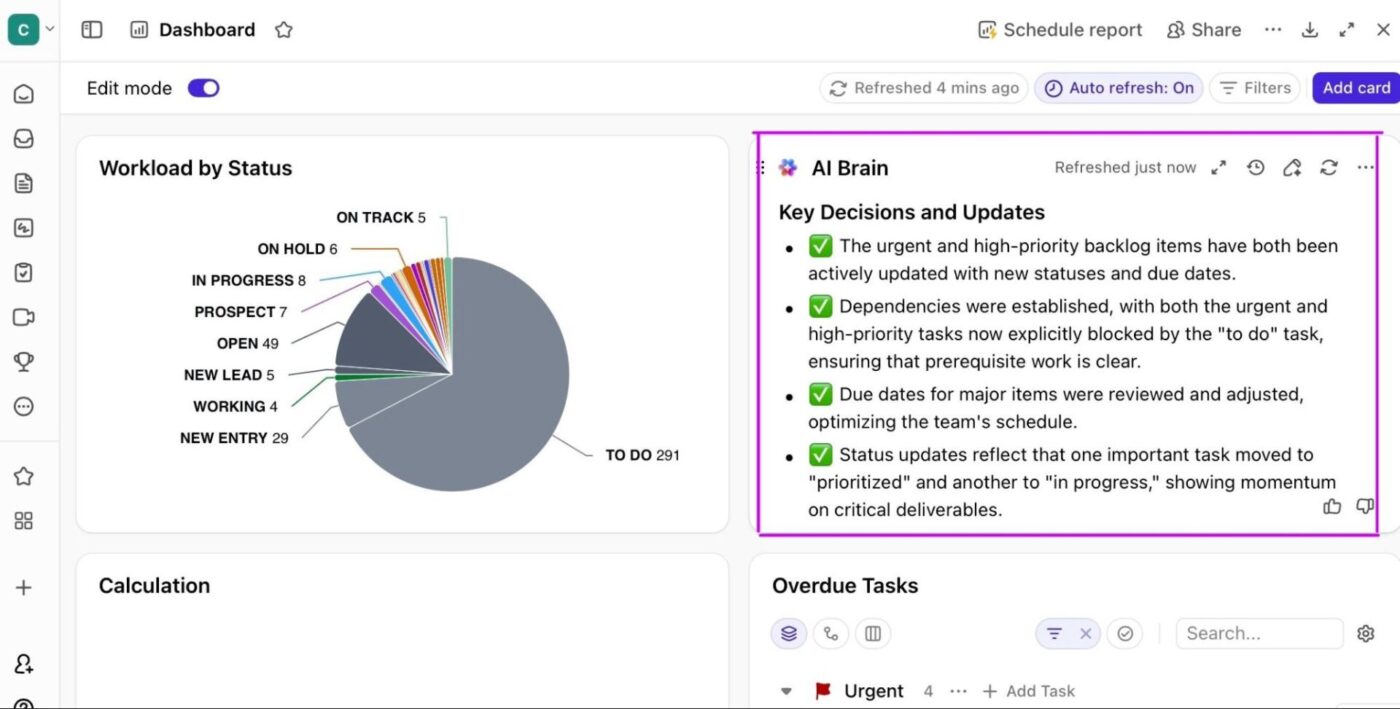
Integrated within ClickUp Dashboards, ClickUp Brain gives you a quick update on labor hours, helps verify task statuses, and lets you monitor urgent updates while moving between sites. Field crews can prompt it to see priority tasks or scheduled changes without waiting for office updates.
💡 Pro Tip: Within ClickUp Tasks, you can add comments, tag your team, and chat in real-time from your desktop, mobile, or browser. This way, everyone has context on the task as well, and communication remains specific.
This G2 review captures it well:
ClickUp is hands-down the most flexible and powerful project management tool I’ve worked with. As the founder of WRKSTN, I help agencies and creative teams streamline operations—and ClickUp is central to that. The ability to customize everything from task types to automations, combined with tools like dashboards, forms, and now ClickUp Brain, means I can build scalable, efficient systems for any workflow. Plus, I love how fast the platform continues to evolve.
💡 Pro Tip: ClickUp Automations eliminate repetitive admin work that pulls you away from actual field oversight. Set up triggers that automatically notify supervisors when employee hours exceed the scheduled time, route time-off requests to the correct approver, or move tasks to “Complete” when crews log their final hours.
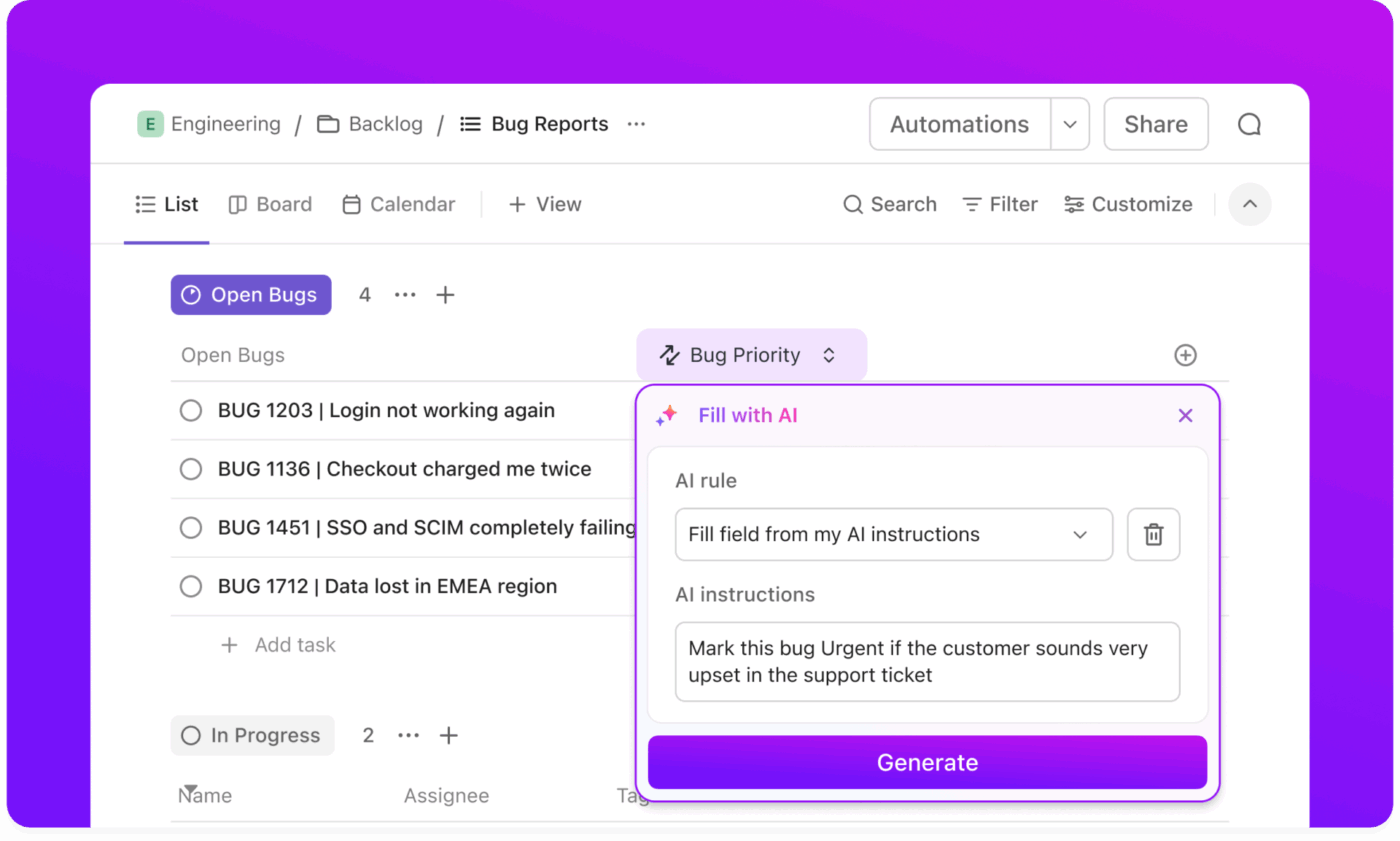
You can also create automations that assign follow-up tasks when safety incidents are reported or trigger invoice creation when jobs reach certain statuses—all with simple if-this-then-that logic that doesn’t require IT support.
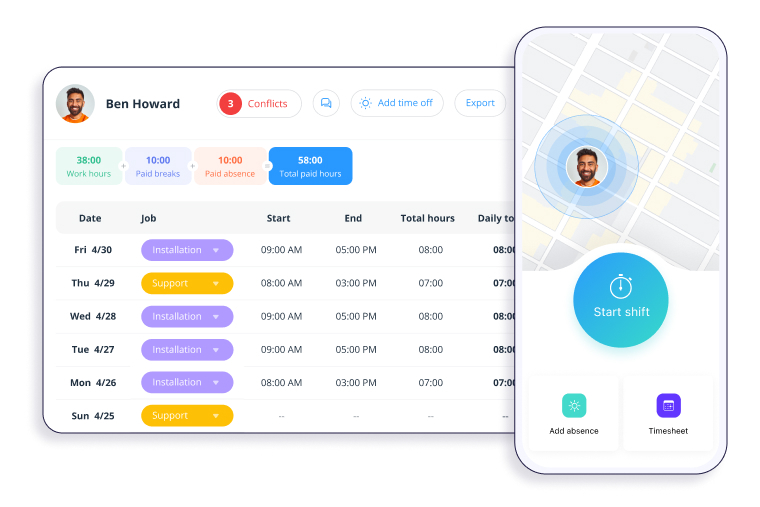
Connecteam is a workforce management solution built for ‘deskless’ teams. It combines time tracking, scheduling, task management, and digital checklists. Crews can clock in, check job details, submit forms, review safety procedures, and receive shift updates directly from their phones.
The platform allows you to build shifts with time tracking templates, and field workers can complete forms with voice input, translate updates into their preferred language, or access training modules mid-shift without leaving the app.
Communication also happens in the same app; you get group chat, company feeds, surveys, and more.
A review sums it up like this:
Having everything within arm’s reach and consolidated in one location makes it incredibly convenient. The platform feels very professional and is straightforward to manage […] The processes sometimes feel compromised because we are unable to mirror our existing operations completely, which to be honest not a big deal at all.
🧠 Fun Fact: Researchers found that simply being aware of a timer increases focus and accuracy. This phenomenon is called the temporal landmark effect.
Watch: In this video, we review the best construction project management software to help you stay on track, on budget, and on schedule.
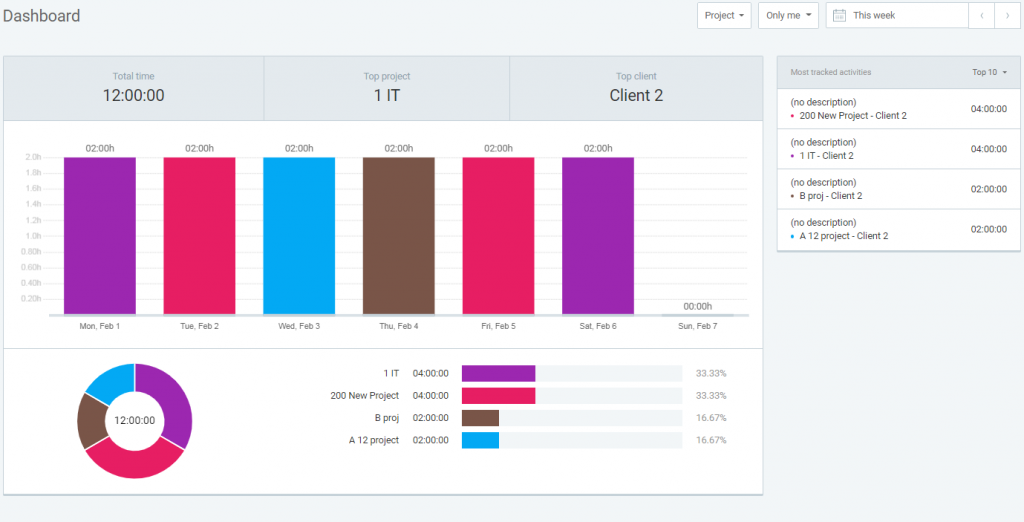
Clockify is a cloud-based platform designed for professionals in construction, field services, and other industries with time-intensive operations. It offers a timer, kiosk mode, and offline tracking. Workers can clock in from shared devices, track their work on mobile devices, or fill out weekly timesheets as needed.
Beyond basic employee time tracking, it offers operational workflows like project budgeting, cost coding, scheduling, and time-off management.
And because it syncs across devices, including web, mobile applications, desktop, and browser extensions, Clockify remains reliable for teams working in remote areas or switching between office and field environments.
From a verified user:
What I liked best about Clockify was how simple and convenient it made time tracking. I used it daily, and it quickly became a natural part of my routine. The interface is clean and easy to navigate, so logging hours or switching between tasks took just a few clicks. […] The mobile app can feel buggy at times. Also, customizing and exporting detailed reports isn’t always intuitive and could have been designed better.
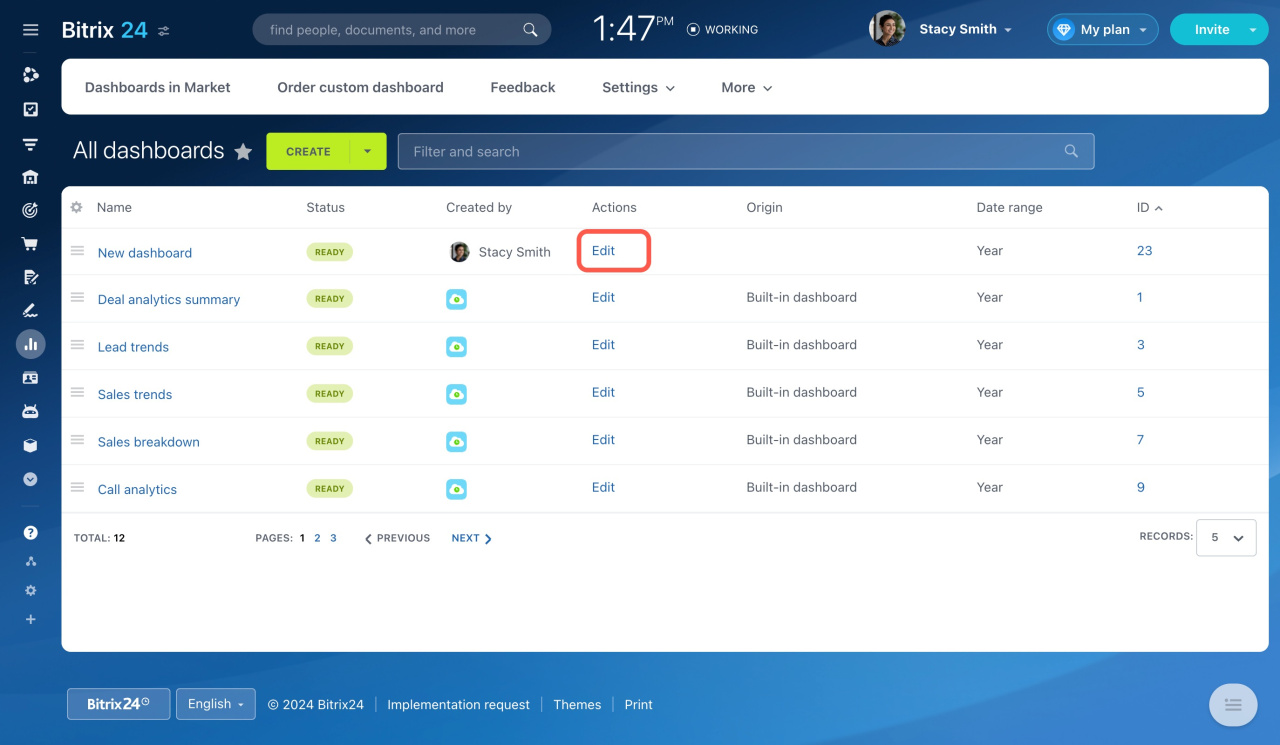
Bitrix24 offers a suite of tools for CRM, task management, team communication, and workflow automation. For field service supervisors and construction managers, it provides access to customer conversations, job updates, work documents, and task progress.
Its built-in no-code workflow automation tools help move leads through different stages. For instance, create tasks when customer updates are received, and notify staff when work progresses.
Its Robotic Process Automation (RPA) allows you to streamline routine, non-technical tasks, like automatically approving documents, generating tasks, and triggering emails.
According to a Capterra review:
It’s a very good task management, team communication and project tracking tool. It offers a lot of good features like chats & video calls, meetings, calendar, time tracking, task reminders, document sharing. […] It has a complex user interface that for a newbie is difficult to understand. It is a costly program with limited customization options.
🔍 Did You Know? The concept of ‘billable hours’ dates back to the early 1900s in law firms. It was originally seen as a fairness system, charging clients only for time worked, but later became a productivity metric across industries.
📖 Also Read: Top Bitrix24 Alternatives & Competitors
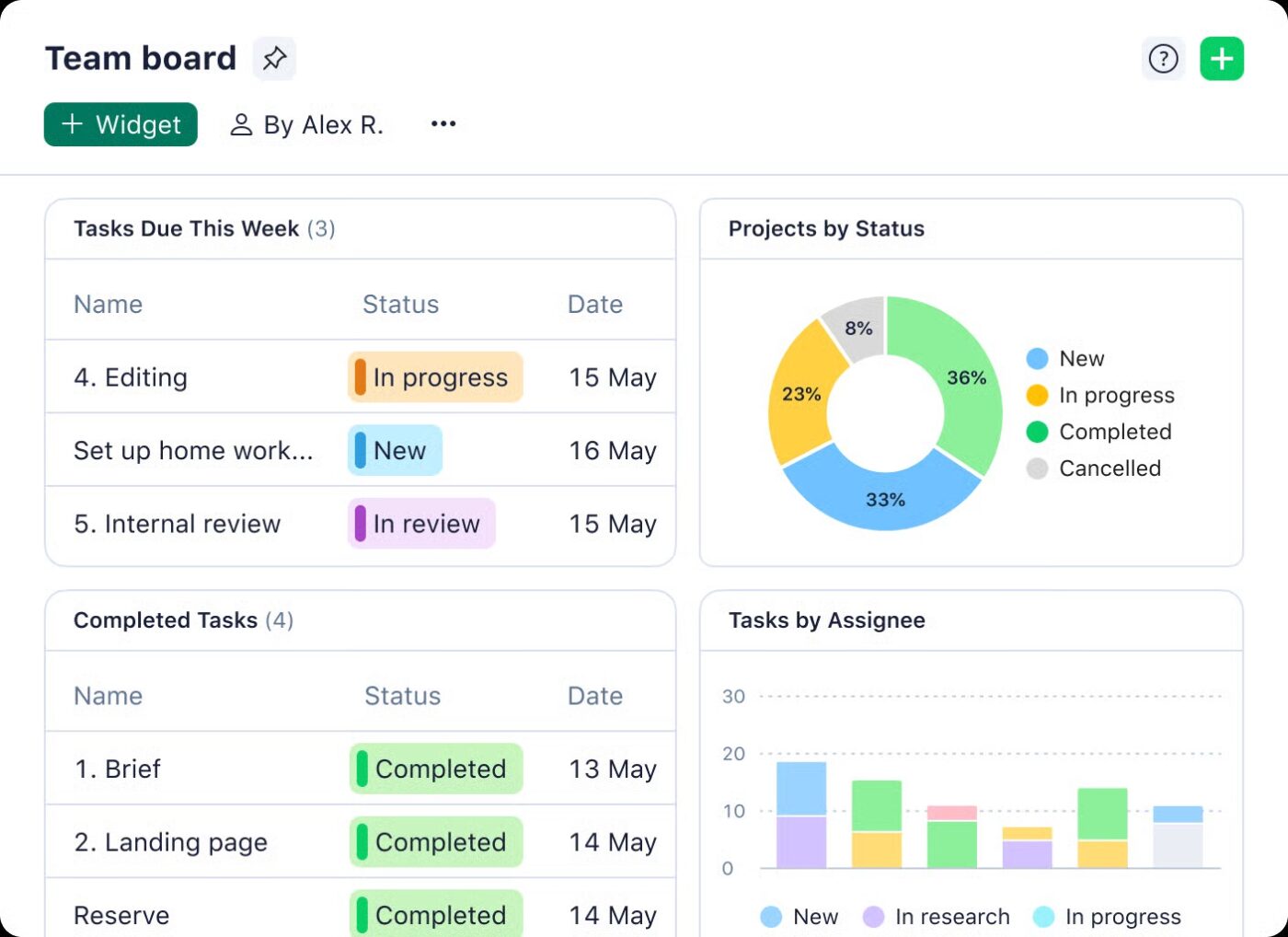
Wrike positions itself as a work management platform built for planning, execution, and reporting across fast-moving teams. Field teams can capture incoming work through detailed request forms, route tasks using automated rules, and rely on Wrike Spaces for centralized configurations.
Its dashboards, complete with widgets, charts, and real-time data, surface progress, workload patterns, and safety-critical delays immediately.
While Gantt charts and resource management tools provide clarity on sequencing and capacity. Mobile device access ensures field supervisors can update tasks, review timelines, and approve documentation on the go.
According to a verified user:
Wrike is one of the easiest project management platforms to set up and get started. It helps us to organize projects by their deadline, clients, subject, and customize our workflow. […] Wrike gets the job done but the interface seems too complex for a small team looking for a simple platform. Some features such as changing timelines and setting up dependencies, take time and might confuse beginners.
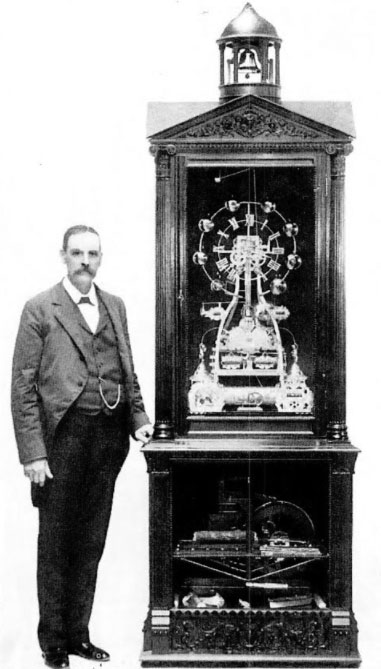
🧠 Fun Fact: The first mechanical time clock was invented in 1888 by Willard Bundy, a jeweler from New York. His ‘punch clock’ marked the start of automated timekeeping. Here’s him with it!
📚 Also Read: Best Crew Scheduling Software
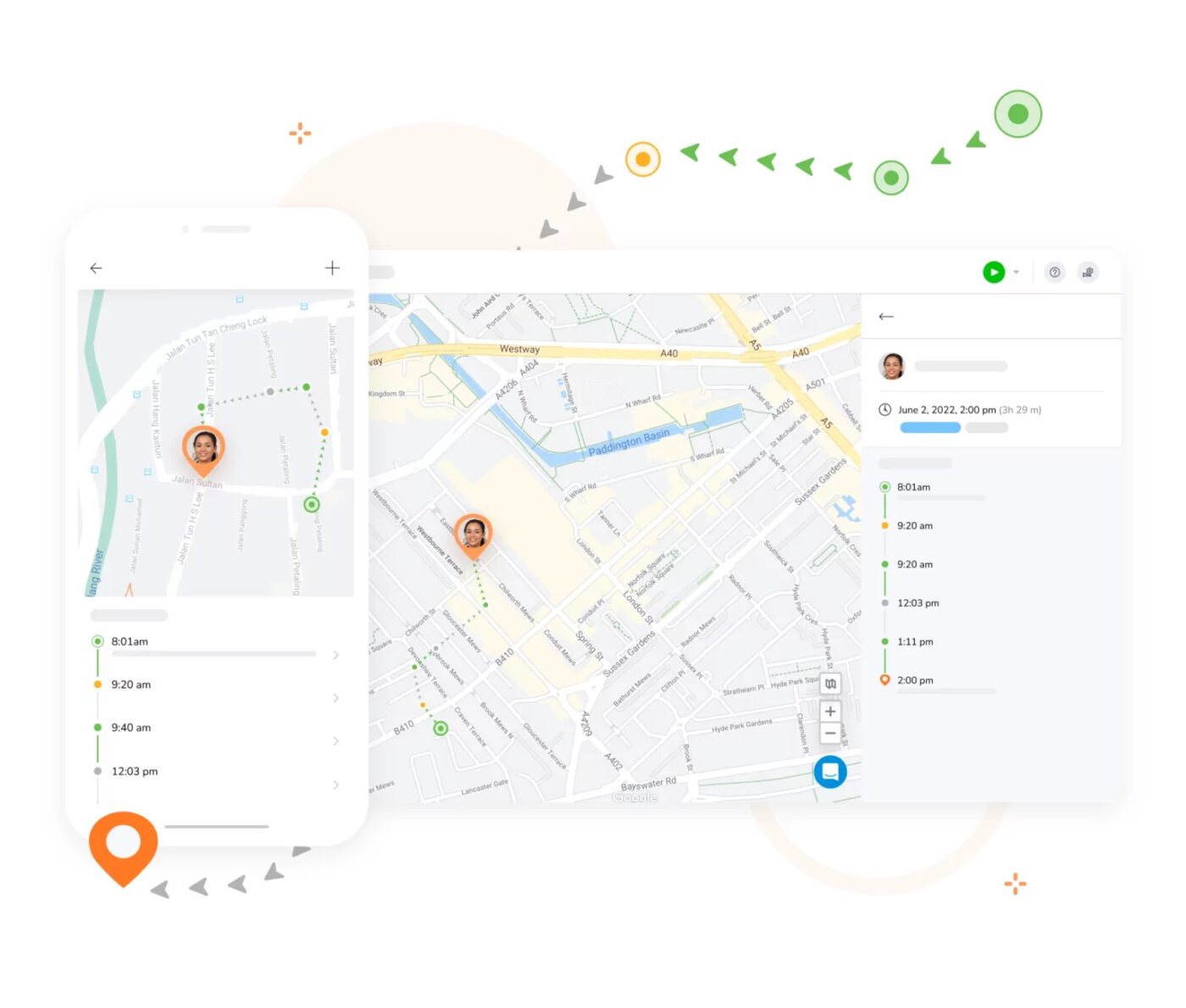
Jibble positions is a time-tracking platform built for crews that move from site to site. It captures work hours directly from the field through mobile devices, tablets, or desktops. It syncs everything automatically when the connection is restored.
The platform combines simple clock-ins with advanced verification layers, such as facial recognition and GPS capture. This way, you can ensure that every log accurately reflects who was onsite, when they arrived, and where the work occurred.
Jibble also calculates overtime according to your rules, tags hours to specific projects or clients, and generates payroll-ready timesheets.
As one user puts it:
Jibble offers a clean, intuitive interface that makes clocking in and out incredibly easy, whether you’re at a desk or on the go. The mobile app is responsive and reliable, which is crucial for our remote teams or those working in the field. […] While the core functionality is strong, the customization options are somewhat limited, especially when it comes to reporting filters and exporting formats.
👀 Did You Know: Over a three-year period, organizations using ClickUp achieved an estimated 384% return on investment (ROI), according to Forrester Research. These organizations generated about US $3.9 million in incremental revenue through projects enabled or improved by ClickUp.
📖 Also Read: Best Timely Alternatives & Competitors
QuickBooks Time is a good pick for small businesses already running payroll or invoicing inside QuickBooks. It eliminates one of the biggest pain points you might face: manually entering hours.
With automated timesheets, GPS capture, time tracking tools, and built-in approvals, you spend less time collecting hours. The Elite plan includes mileage tracking, project estimates versus actuals, geofencing, and detailed activity feeds.
This provides a clear view of how time translates into budgets and deadlines. And because it’s part of the broader QuickBooks ecosystem, businesses get one connected workflow to track hours, run payroll, invoice clients, and stay compliant.
Here’s one user’s take on the platform:
Love that QB Time integrates with our practice management software and QBO. That being said, there are some missing features which may be more impactful for those tracking time to specific jobs. […] I don’t like that jobs cannot be archived in quickbooks. We then have to scroll through years of old work items to track time.
📖 Also Read: Google Docs Timesheet Templates
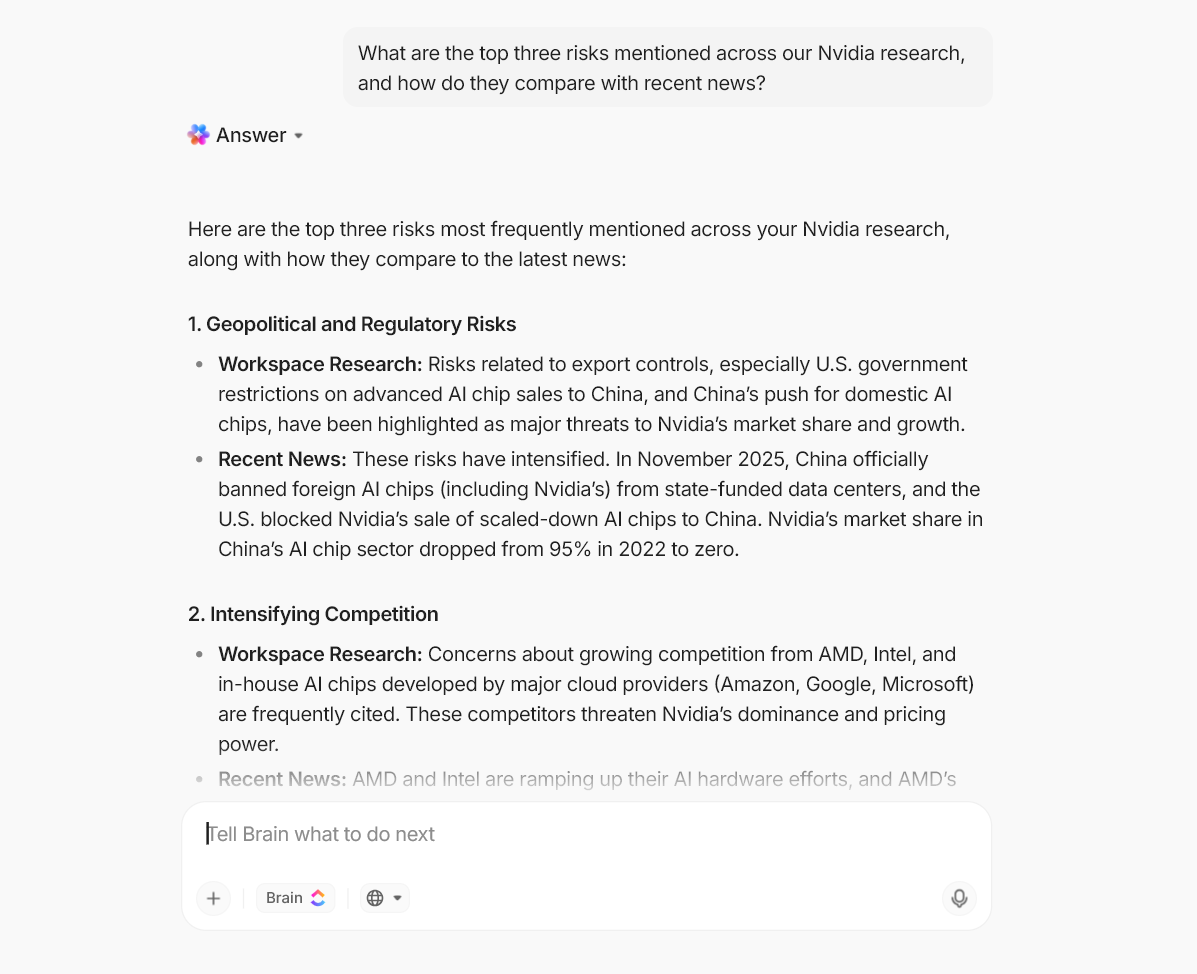
💡 Pro Tip: Field service operations generate massive amounts of data, which adds up quickly. Making sense of it all while coordinating crews across multiple locations is overwhelming. ClickUp Brain MAX turns that data into actionable intelligence. Here’s how:
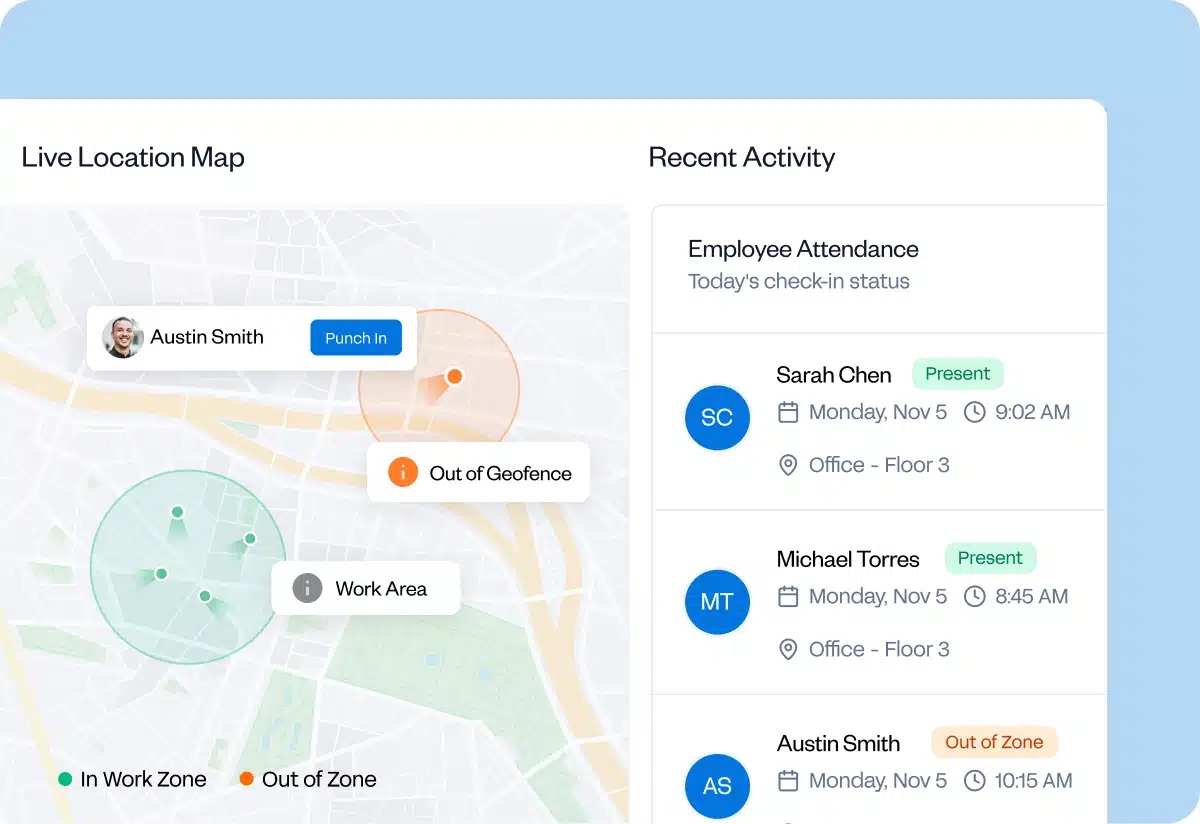
Buddy Punch is a time tracking software built for consultants. It gives you a user-friendly interface to clock in from the field, office, or a shared kiosk. Then, it layers on tools to prevent time theft, enforce schedules, and ensure accurate employee hours.
Features like facial recognition, photo-on-punch, GPS stamps, geofencing, and IP locks eliminate guesswork around attendance. Real-time alerts help supervisors catch late arrivals, missed punches, and early clock-outs before they become payroll issues.
According to a user’s feedback:
The software is quite user-friendly. I appreciate how it notifies us about late, early, or missed shifts, and I also like that there is an option to disable all alerts if needed. […] I wish the computer version made it easier to fill in the blanks when scheduling. While I do like the drag-and-drop feature, it ends up being quite slow and time-consuming when I need to move shifts to the right staff member.
🧠 Fun Fact: The ‘geofence’ concept appeared as early as the 1990s in animal tracking and logistics systems before it became mainstream in workforce apps. It was first used to create virtual fences for livestock.
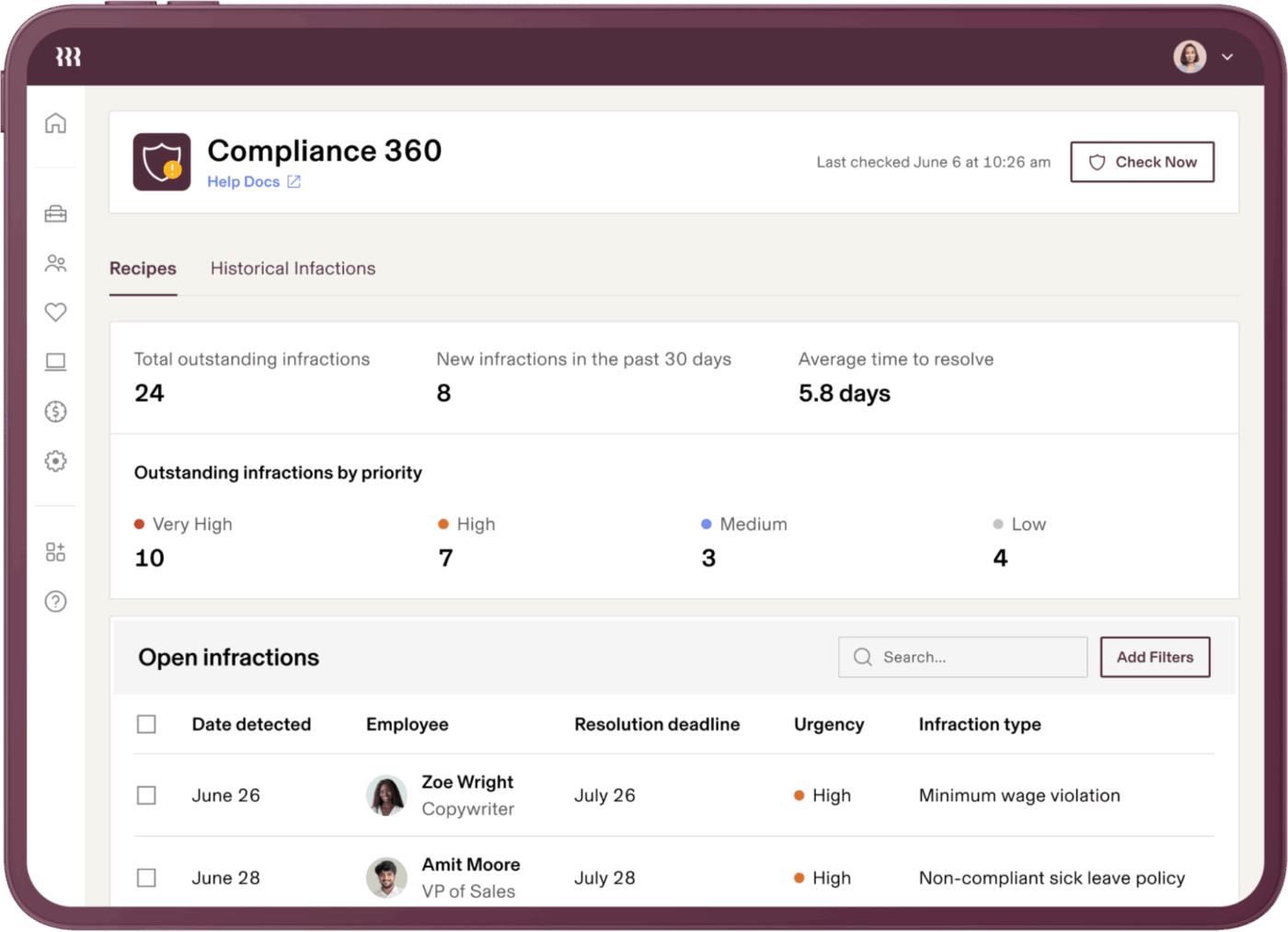
Rippling is a field service management platform designed to run HR, payroll, IT, finance, and compliance together. Its Employee Graph data model ties everything together, from schedules and location data to job codes, pay rates, and org structures.
This way, time, attendance, and payroll systems sync automatically. Time tracking connects directly to company policies, letting you automate overtime calculations, geolocation checks, onboarding, audits, and more. Managers get real-time visibility into who’s on-site, who’s late, and whether hours align with staffing plans.
Here’s what a G2 review says:
I love the help and chat feature, I think even the AI option is super comprehensive, but then to be able to chat with an agent, fairly quickly, with really helpful people. There is always a follow up to the support feature. […] I wish there was an integration with docusign so the offer letters we send could integrate. I also don’t love the amount of emails per day, floods my inbox.
🔍 Did You Know? Humans are famously bad at judging how long things will take. The planning fallacy explains this quirk. Our brains tend to assume that everything will go smoothly, ignoring delays, distractions, and the numerous small tasks that creep in. We imagine the ideal version of a project, not the real one.
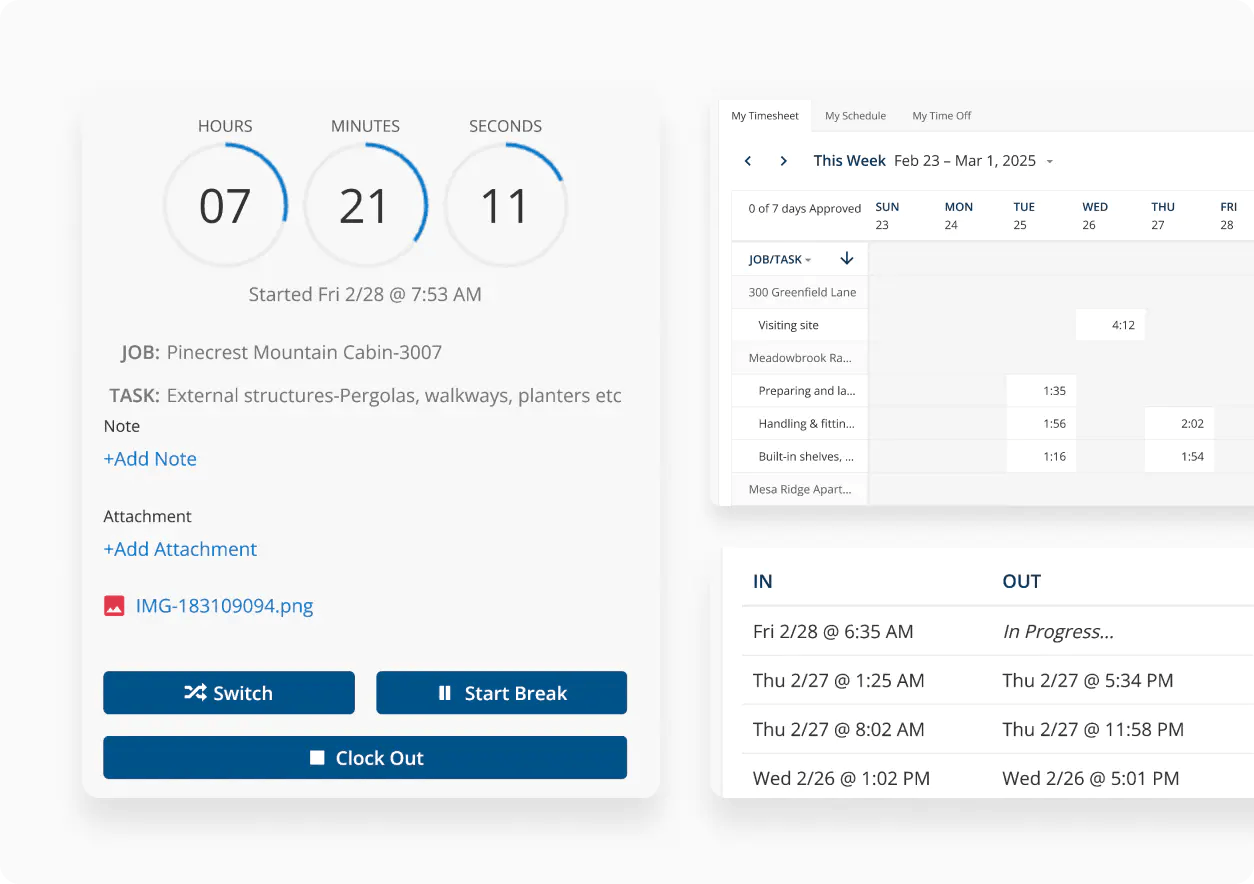
ClockShark is a time billing software for crews who work on the move. Instead of relying on end-of-day memory, the mobile app prompts workers to select the job and task as soon as they clock in.
Every minute tracked automatically syncs to the correct labor cost code, giving you clean job costing, accurate payroll data, and a clear record of who worked where.
The Crew Clock makes it easy for supervisors to clock in entire teams, while scheduling tools allow you to assign jobs, add directions, and instantly notify crews about changes. With offline support, geofenced reminders, and deep integrations with QuickBooks, Sage, Xero, ADP, and Paychex, ClockShark keeps your operations running smoothly.
This reviewer captures it well:
All of my employees are in one app. I can see their schedules, add appointments, see where they are at and have been for the day, and my employees can send me notes. […] I wish there was a timestamp feature to track when an appointment was originally made, or when a note was entered.
📖 Also Read: Efficient Workflows: In-Depth TimeCamp Review
Some days, it’s not the big issues that slow your crews down; it’s the constant friction. If everyday frustrations with WorkMax are becoming routine, it’s a sign your next platform needs to give you cleaner data, smoother processes, and better visibility across every job site.
The tools in this list address WorkMax’s gaps in different ways.
But if you’re looking for a solution that unifies your entire field operation, including tasks, time tracking, forms, communication, and AI support, ClickUp stands out.
With ClickUp Time Tracking for precise job logging, ClickUp Forms for mobile-friendly field data collection, and ClickUp Brain for contextual answers, you get a single workspace that eliminates all silos.
Sign up to ClickUp for free today! ⚓

© 2026 ClickUp

There’s an easier way. Try a free AI Agent in ClickUp that actually does the work for you—set up in minutes, save hours every week.