






Still downloading templates?
There’s an easier way. Try a free AI Agent in ClickUp that actually does the work for you—set up in minutes, save hours every week.
Sorry, there were no results found for “”
Sorry, there were no results found for “”
Sorry, there were no results found for “”

Scope creep. These two words can turn a well-planned project into a mess. What started as clear project deliverables often grows into a never-ending list of changes. You miss deadlines, and your team feels overwhelmed.
With hybrid teams and high stakeholder expectations, staying on track is essential. But, without the right tools, requirements slip in unnoticed, and your teams end up working overtime just to catch up.
To help you stay in control, we’ve curated a list of top scope management tools. These tools help teams create a centralized project scope statement, prevent scope creep, and stay on track from start to finish. 🚀
What is scope creep?
Scope creep refers to the gradual, uncontrolled expansion of a project’s goals, tasks, or deliverables without corresponding adjustments to time, budget, or resources. It often occurs when new features or requests are added without going through a formal approval process. Managing project scope effectively and proactively keeps scope creep at bay.
Here’s a quick comparison of the top tools’ key features and pricing structures.
| Tool name | Key features | Best for | Pricing* |
| ClickUp | ClickUp Brain, AI Agents, team collaboration, templates, 15+ Custom Views, real-time dashboards, workflow automation | Startups to large enterprises looking for an all-in-one project and productivity platform | Free plan available; Customization available for enterprises |
| Jira | Schedule view, scope table, filters, custom queries, task views, Atlassian AI | Tech teams, developers, and mid to large software companies that need Agile project management and issue tracking | Free plan available; Paid plans start from $8.60 per user/month |
| Asana | Multiple views, Asana AI, labels and custom fields, task automation, reports | Small to mid-sized businesses and cross-functional teams looking for a work management and task coordination tool | Free plan available; Paid plans start from $13.49 per user/month |
| Smartsheet | WBS, roll-up reports, critical path analysis, AI assistance, templates | Mid to large enterprises with structured, data-heavy processes for spreadsheet-style project and resource management | No free plan; Paid plans start from $12 per user/month |
| Wrike | Automated alerts, approval workflows, Gantt charts, Kanban boards | Mid-sized teams looking for project and work management software with advanced reporting | Free plan available; Paid plans start from $10 per user/month |
| Monday.com | Color-coded boards, Gantt charts, AI assistance, automation, flexible workflows | SMBs to enterprises looking for a visual project and workflow management platform | Free plan available; Paid plans start from $12 per user/month |
| Microsoft Project | Task history, views, grids, Kanban boards, project health tracking, Copilot, Microsoft ecosystem | Enterprises and PMOs with certified project managers looking for an advanced project planning and scheduling tool | Free plan available; Paid plans start from $10 per user/month |
| Teamwork | Customizable forms, privacy settings, approval workflows, time tracking, AI assistance | Agencies and client service teams that need a client and service-focused project management platform | Free plan available; Paid plans start from $13.99 per user/month |
| Basecamp | Hill Charts, mission control, team communication tools, grouped to-do lists | Small teams, startups, and non-tech teams looking for a simple project collaboration tool | Free plan available; Paid plans start from $15 per user/month |
| OpenProject | List view, EVA analysis, parent-child boards, AI assistance | Government agencies, nonprofits, and tech-savvy teams looking for open-source project management software | Free plan available; Paid plans start from $7.25 per user/month |
The best project scope management tool must align with your project’s complexity and fit your organizational workflows while enabling effective scope management.
Here’s what it can do for you:
📖 Read More: Learn how to create and manage a scope baseline in project management to keep your projects on track.
Below, we have compiled a list of the best scope management tools you can use:
Our editorial team follows a transparent, research-backed, and vendor-neutral process, so you can trust that our recommendations are based on real product value.
Here’s a detailed rundown of how we review software at ClickUp.
ClickUp is a feature-rich platform that helps teams plan and execute projects with ease and complete visibility.
With AI-powered task management and built-in automation, you can effectively manage scope, set clear expectations with project stakeholders, outline how changes will be handled, and ensure any adjustments undergo a proper review.
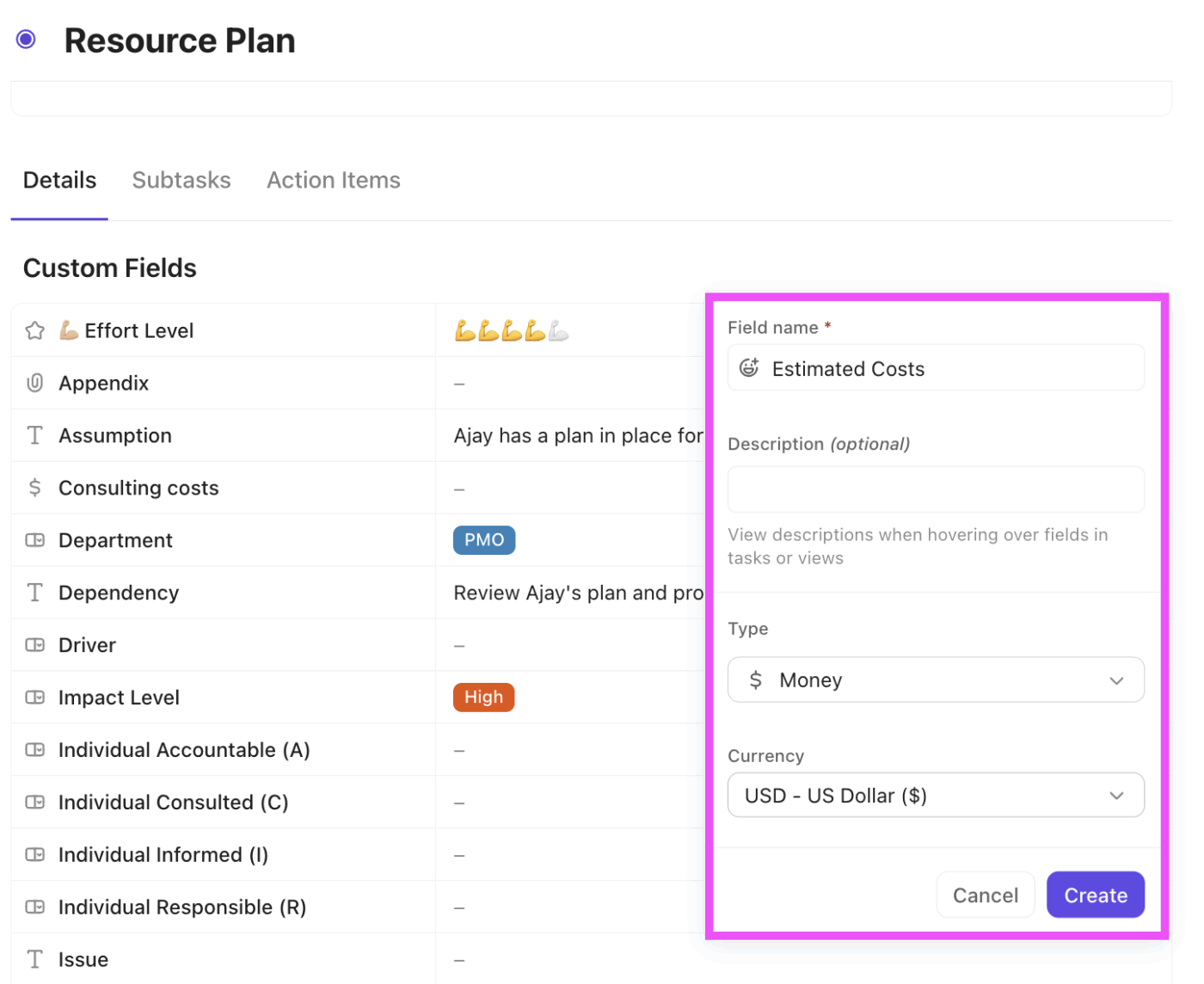
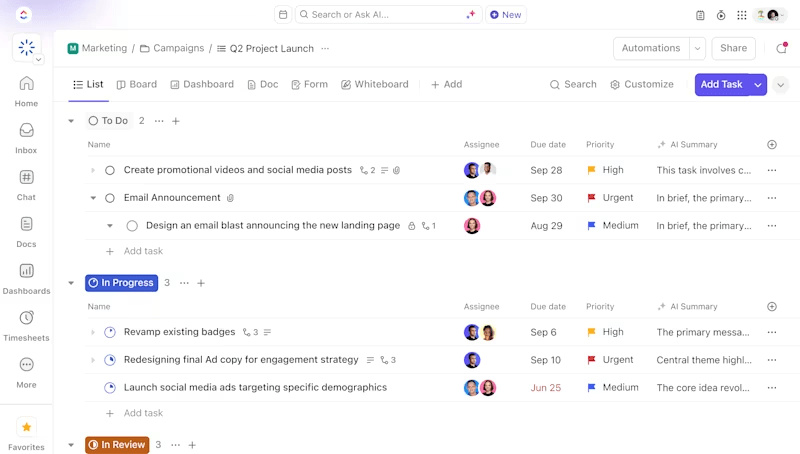
With ClickUp’s Project Management Software, teams can divide projects into manageable phases, tasks, subtasks, and sprints for structured planning and execution.
To control project scope effectively, you can add more details to each task using Custom Fields that fit your workflow and categorize project deliverables by priority or department.
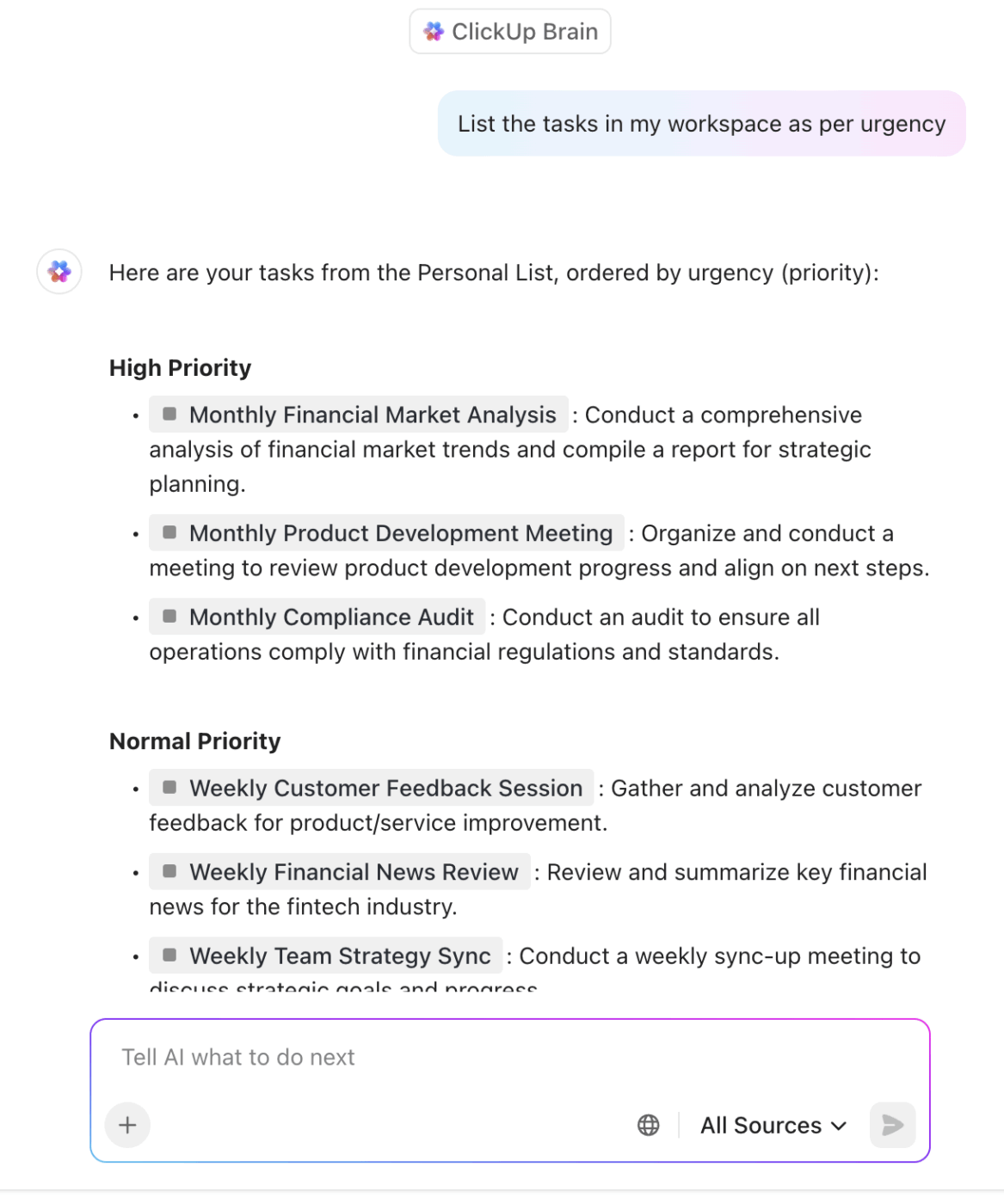
The integrated AI assistant, ClickUp Brain, connects your tasks, documents, people, and knowledge in one place. It simplifies project scope management for project managers with:
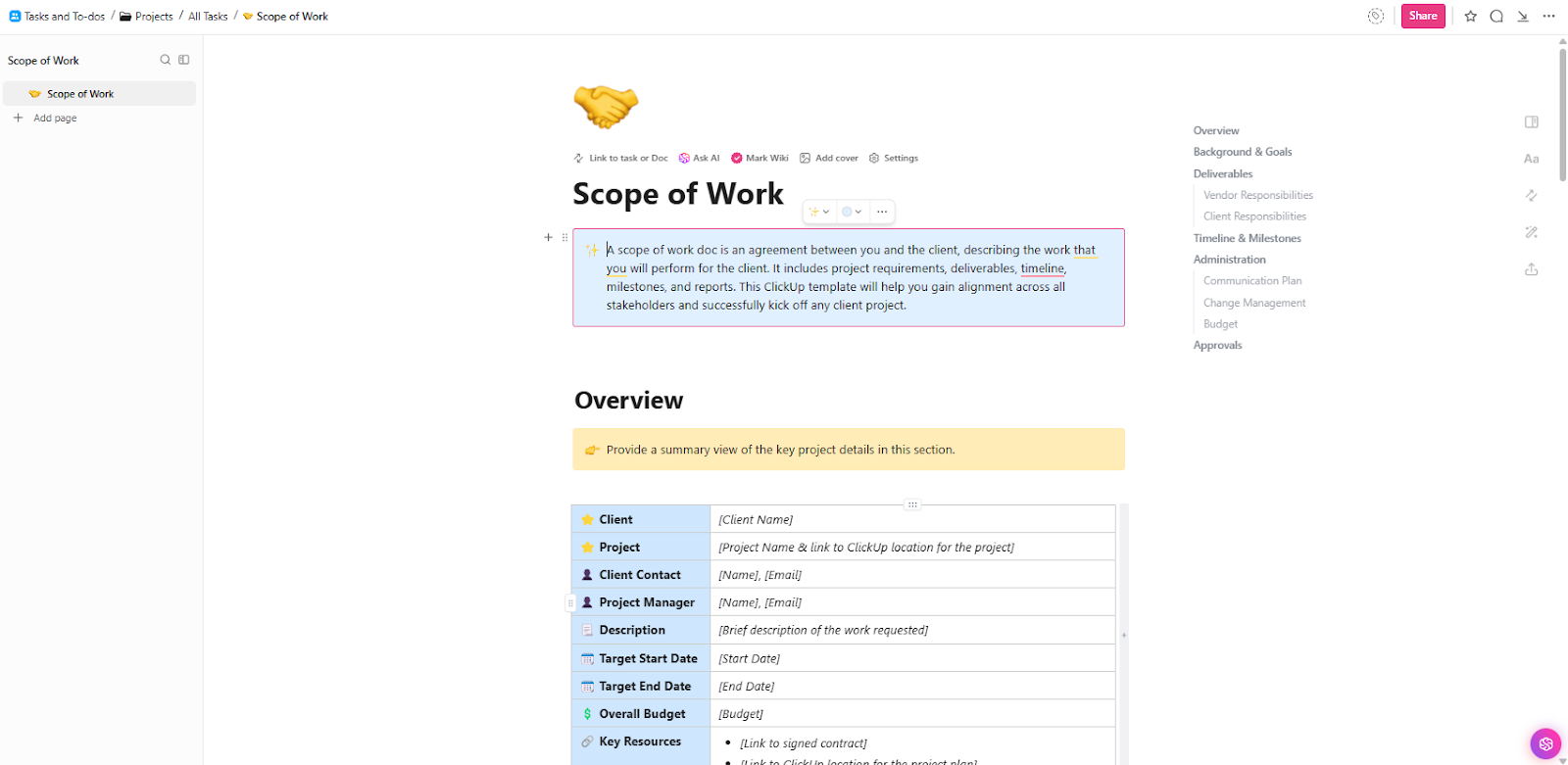
ClickUp’s dedicated project scope templates provide a clear framework for defining project boundaries, deliverables, timelines, and responsibilities from the start. This sets expectations, keeps everyone on the same page, and aids collaboration.
For example, the ClickUp Scope of Work Template outlines the communication plan, change management process, budget details, and approval steps needed to ensure project success.
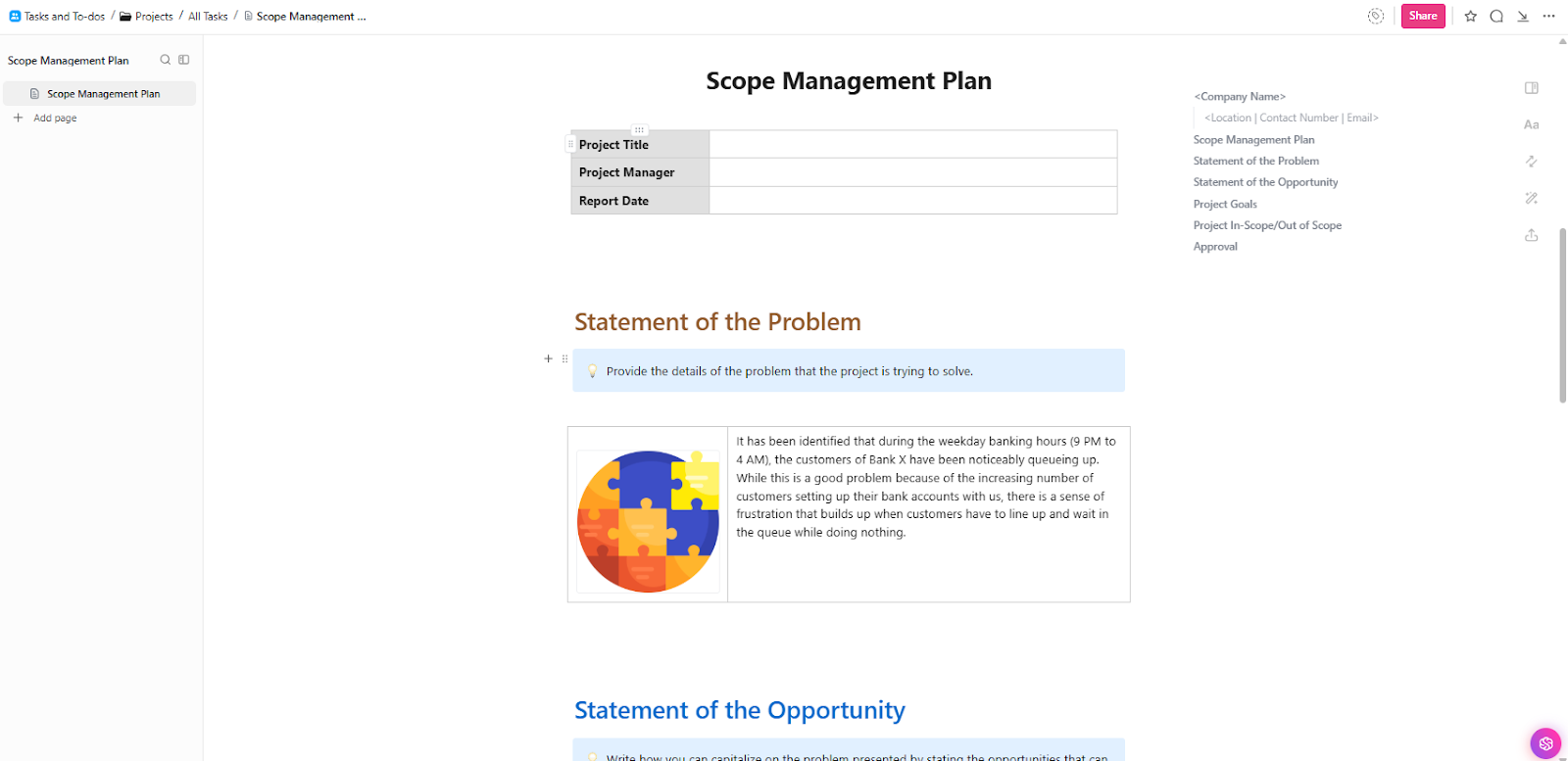
In the same way, the ClickUp Scope Management Plan Template defines project goals during the planning phase and outlines the controls used to manage changes throughout the project’s lifecycle.
This document is a shared agreement to keep the project focused, on track, and free from surprises.
Want to eliminate confusion about priorities, progress, or who owns what? Watch this video to learn how to create a shareable dashboard that gives teams and clients a clear status snapshot without sending long update reports.
Here’s a G2 review:
Every campaign, escalation, process improvement, and task lives in one place—connected through custom views, automations, docs, and dashboards. It replaces scattered spreadsheets, endless Slack threads, and siloed tools. I can easily monitor task ownership, SLA performance, and cross-functional workflows without leaving the platform. Simply put, ClickUp gives me full visibility and control across multiple teams and functions.
📚 Also Read: How to Develop a Project Scope Checklist
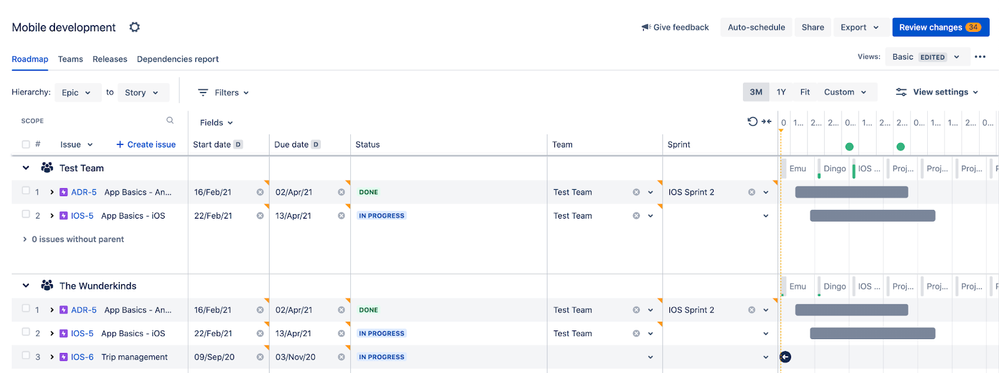
Jira is a scope management tool that helps teams plan, track, and manage simple task lists to complex Agile software development projects.
The scope views give you an overview of the work in your plan. For example, the Schedule View shows a visual roadmap of all tasks, while the Scope Table View works as your to-do list. You can view all information through epics, stories, and sub-tasks, making it easier to define what needs to be done and what can wait.
Filters and custom queries help adjust a project’s scope and monitor what’s in or out of scope at any time.
Here’s a G2 review:
The most helpful thing about Jira is its ability to adapt to various project management needs. It supports detailed reporting and integrations with many third-party tools, and it helps ensure accountability through clear task assignments and tracking.
📚 Read More: Best Jira Alternatives & Competitors for Agile Teams
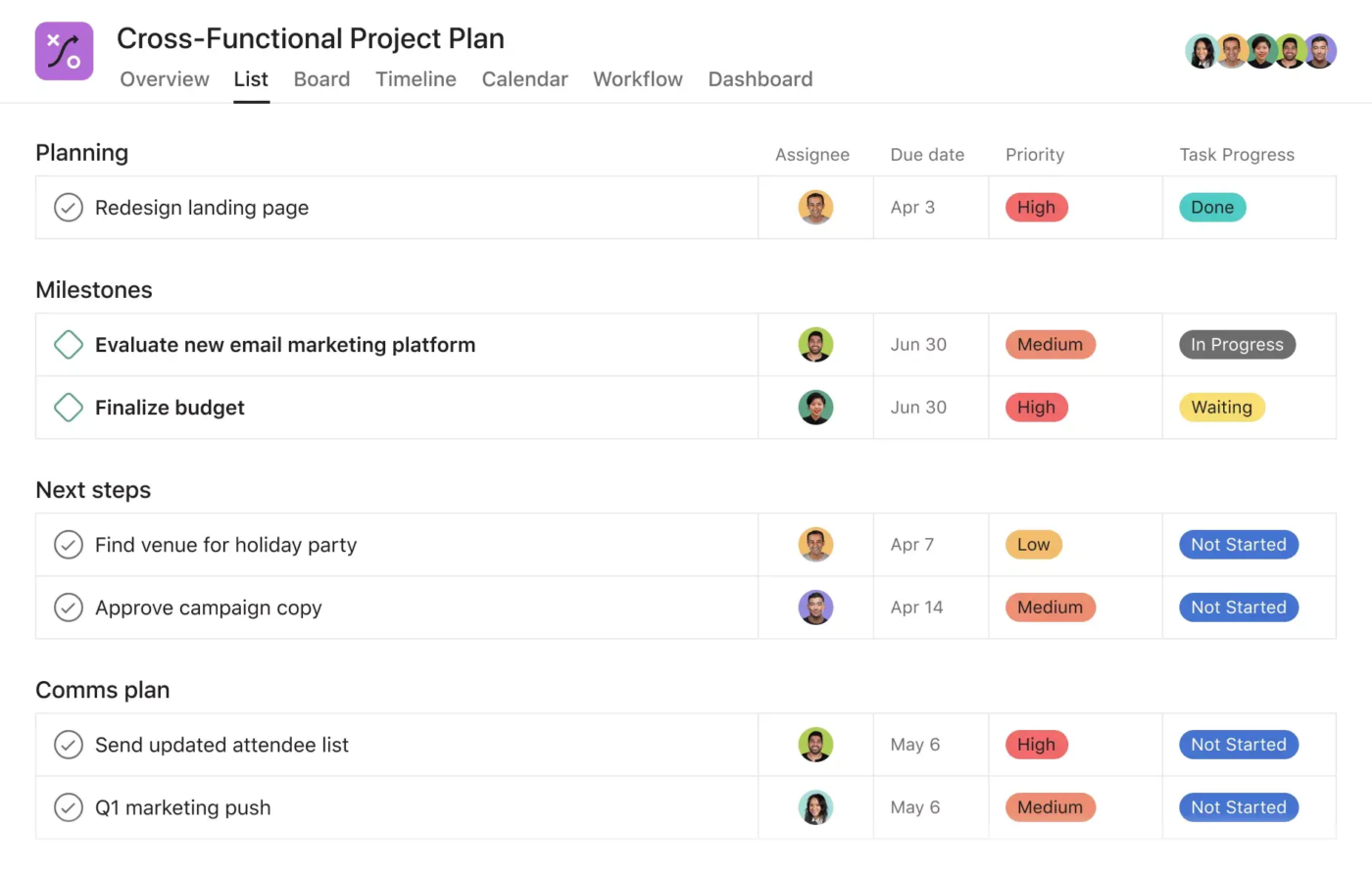
Asana is a project management software that offers advanced scheduling tools that help you allocate resources, check action items, track progress, and manage projects.
With project templates and customizable fields, you can break down all details so everyone knows what’s in and out of scope. When you need to make changes, you can use task dependencies and built-in approval workflows to review and control them.
Track each change request, get sign-off, and audit effectively as part of managing scope creep.
Here’s a G2 review:
I really enjoy using Asanas app. The process to setup a project was pretty simple; templates are helpful. Task templates have made life even easier. I like the rules and workflows I can set up that has made automation of some tasks really easy to use.
📚 Read More: Best Asana Alternatives and Competitors
📮 ClickUp Insight: Think your to-do list is working? Think again. Our survey shows that 76% of professionals use their own prioritization system for task management. However, recent research confirms that 65% of workers tend to focus on easy wins over high-value tasks without effective prioritization.
ClickUp’s Task Priorities transform how you visualize and tackle complex projects, highlighting critical tasks easily. With ClickUp’s AI-powered workflows and custom priority flags, you’ll always know what to tackle first.
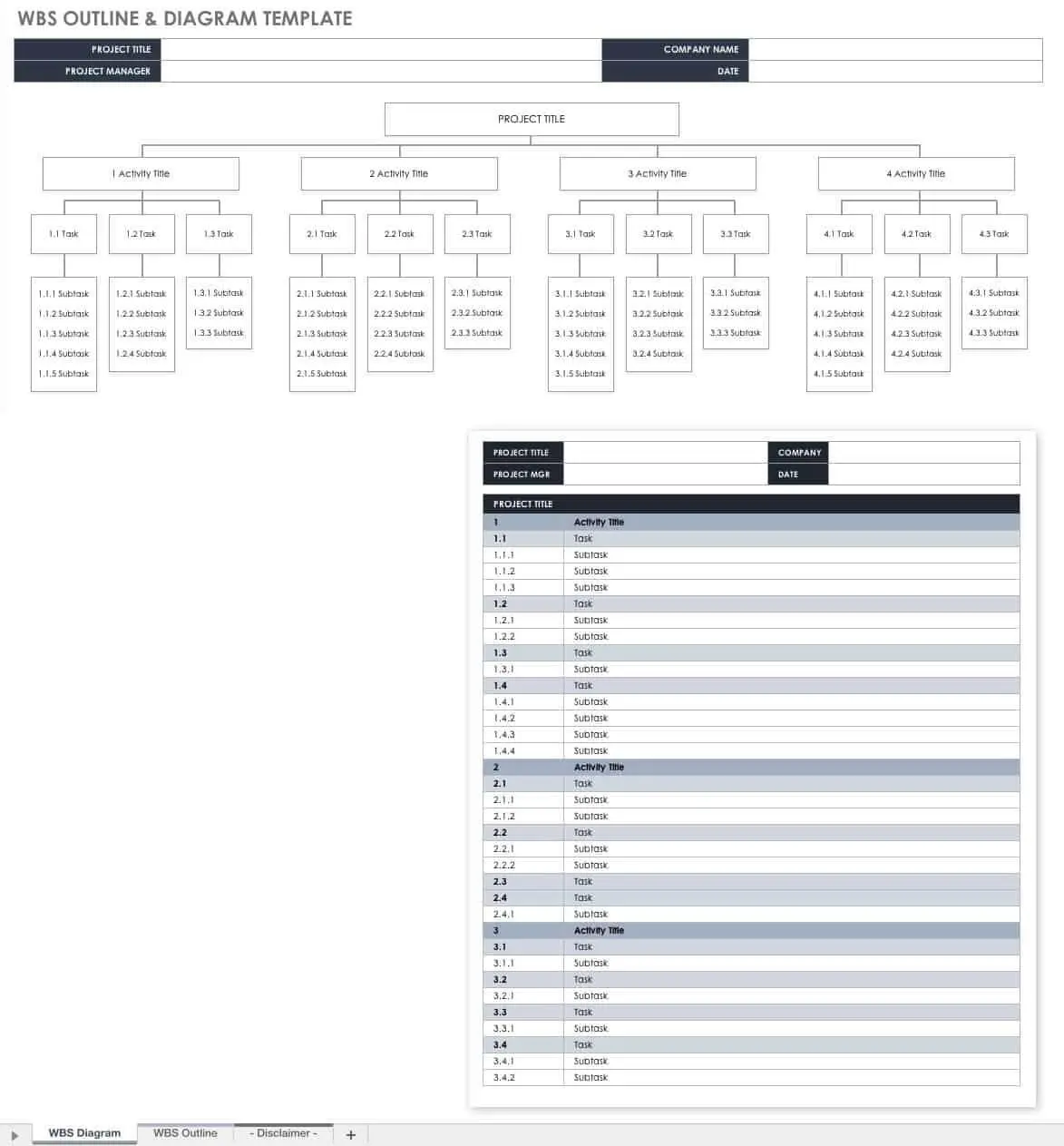
Smartsheet allows teams to clearly define the project scope by creating a detailed project plan with tasks, subtasks, dependencies, and deadlines laid out in a grid view.
Its library of ready-made project scope templates helps teams document project scope, deliverables, timelines, and exclusions in a structured format. Roll-up reports provide consolidated views of scope status, deliverable progress, and key metrics across multiple projects.
The tool also helps teams visualize dependencies and measure progress against the project baseline using Gantt charts and critical path analysis. This makes it easier to see how scope changes impact timelines or resource allocation.
Here’s a G2 review:
My company uses Smartsheet to house useful information from fuel pricing to IT requests to tracking progress on c-store conversions. There really is no limit on the number of ways Smartsheet can help. You can create workflow and automations to save yourself from all the follow-up emails. It holds all the information in one place for our whole corporation to access and you get real time updates across all departments.
📚 Read More: Best Smartsheet Alternatives & Competitors
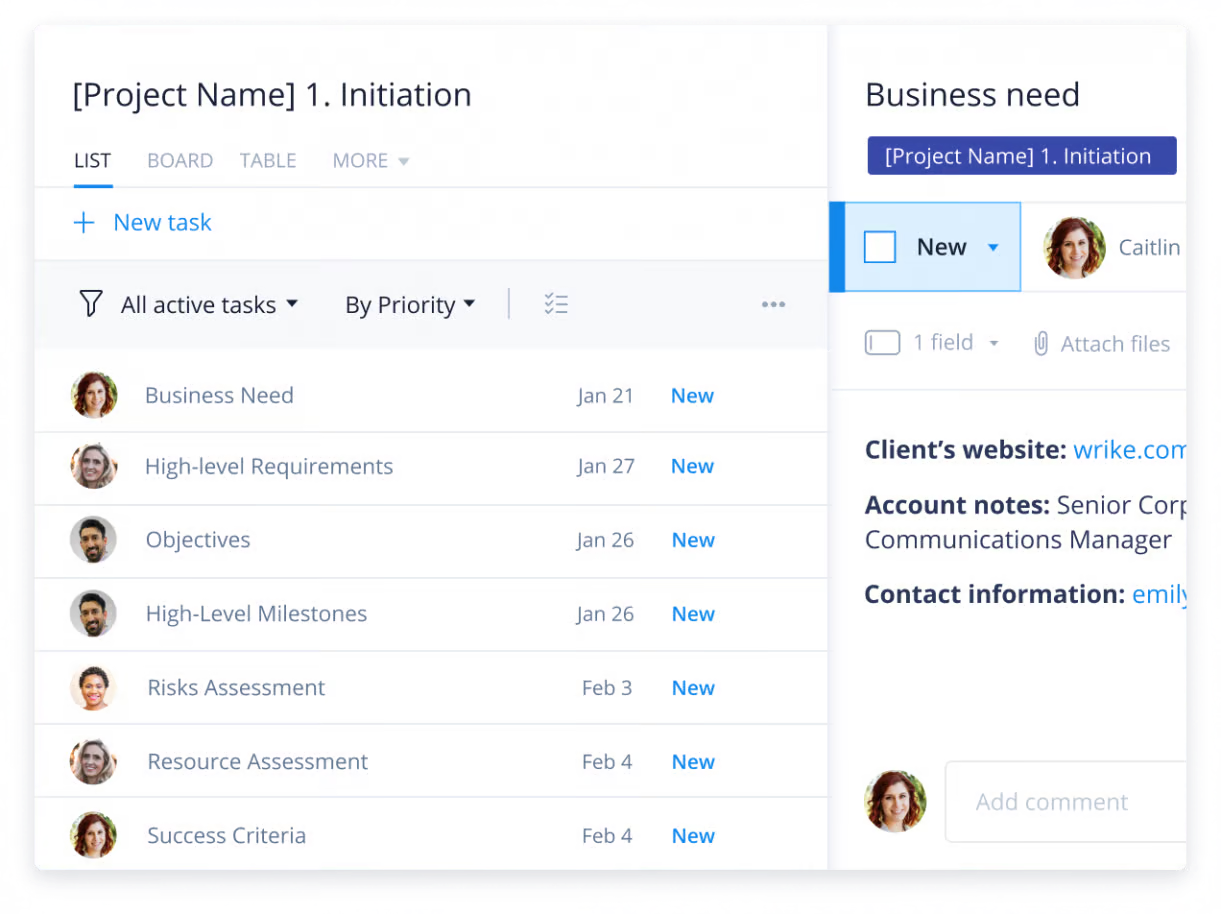
Wrike uses AI to improve your scope management plan by identifying potential risks, highlighting areas of improvement, and suggesting automation rules to ensure projects remain within scope.
Robust tracking tools such as Gantt charts and Kanban boards help teams visualize progress against the original scope baseline, making it simple to spot any unexpected changes or delays before they get out of hand.
Wrike’s custom request forms are handy for standardizing the intake of new work. This helps control scope by ensuring all new requests undergo a formal review and approval process before being added to the project.
Here’s a G2 review:
I really like how Wrike helps our team stay aligned across multiple projects and deadlines. The customizable dashboards and task views make it easy to see who’s working on what, and the built-in collaboration tools (like comments and file sharing) reduce the need for endless email threads.
📚 Read More: Top Change Management KPIs and Metrics to Track
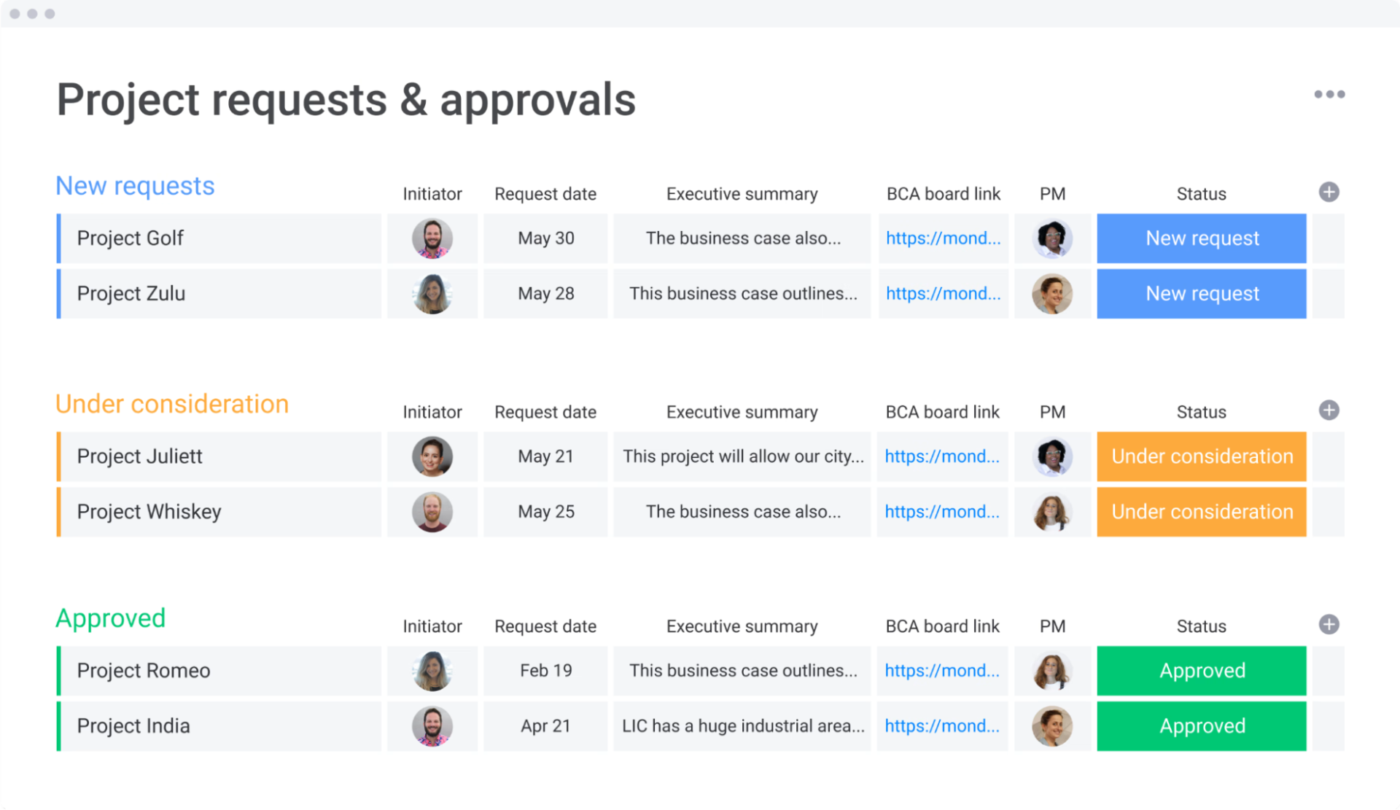
Monday.com helps teams to define, document, and manage project scope with clarity by outlining project objectives, deliverables, exclusions, constraints, assumptions, stakeholder analysis, and timelines.
You can convert scope elements into customizable boards, allowing teams to assign owners, set due dates, track status, and visualize progress using multiple views, including Kanban, Gantt, and Timeline.
Customizable dashboards pull information from multiple project boards into a single, high-level view, allowing managers to monitor progress, track KPIs, and spot potential scope creep and budget overruns before they become an issue.
It helps prevent gold plating by ensuring all work strictly aligns with the documented project scope and needs formal approval for any changes or additions.
Here’s a G2 review:
I like how customizable the boards and automations are, which makes it easy to adapt the system to our workflow. The integrations with tools like Slack and Google Drive are seamless.
📚 Read More: Best monday.com Alternatives & Competitors
Microsoft Project is a planning software that provides a centralized workspace for managing projects, tasks, and to-do lists across Microsoft 365 apps. It offers features such as agile sprint planning, custom fields, and task history.
Microsoft Project’s core strength in scope management lies in its rigorous planning and tracking capabilities. Once the initial plan (the scope baseline) is set, any deviation can be easily identified by comparing current progress against it.
Moreover, Copilot’s AI can help generate project plans, identify cost overruns and risks, draft status reports, and suggest goals based on the scope of a project.
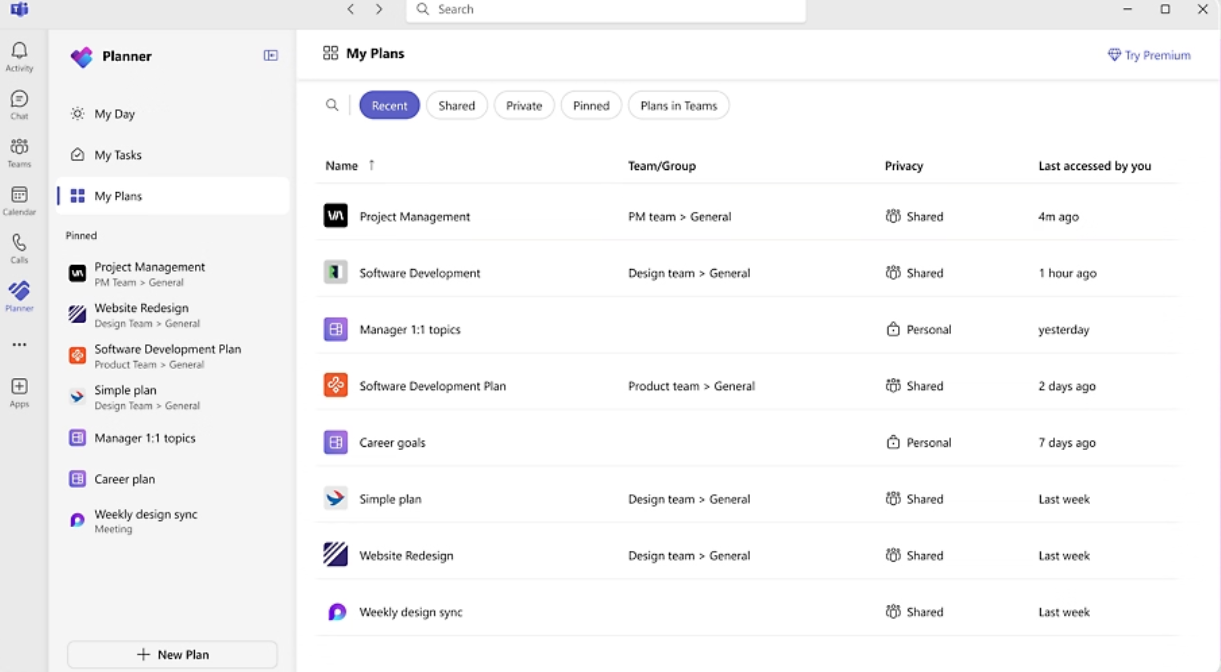
The tool has an intuitive layout with views like My Day, My Tasks, and My Plans, so you always know what to focus on next. You can map out projects with views like Gantt charts, grids, and Kanban boards.
Here’s a G2 review:
Their neat feature of capacity planning simplifies our work in allocating resources efficiently. Also, the scheduling and planning tools are outstanding – visual timeline (Gantt charts) and dependency tracking, which help us monitor the project’s progression.
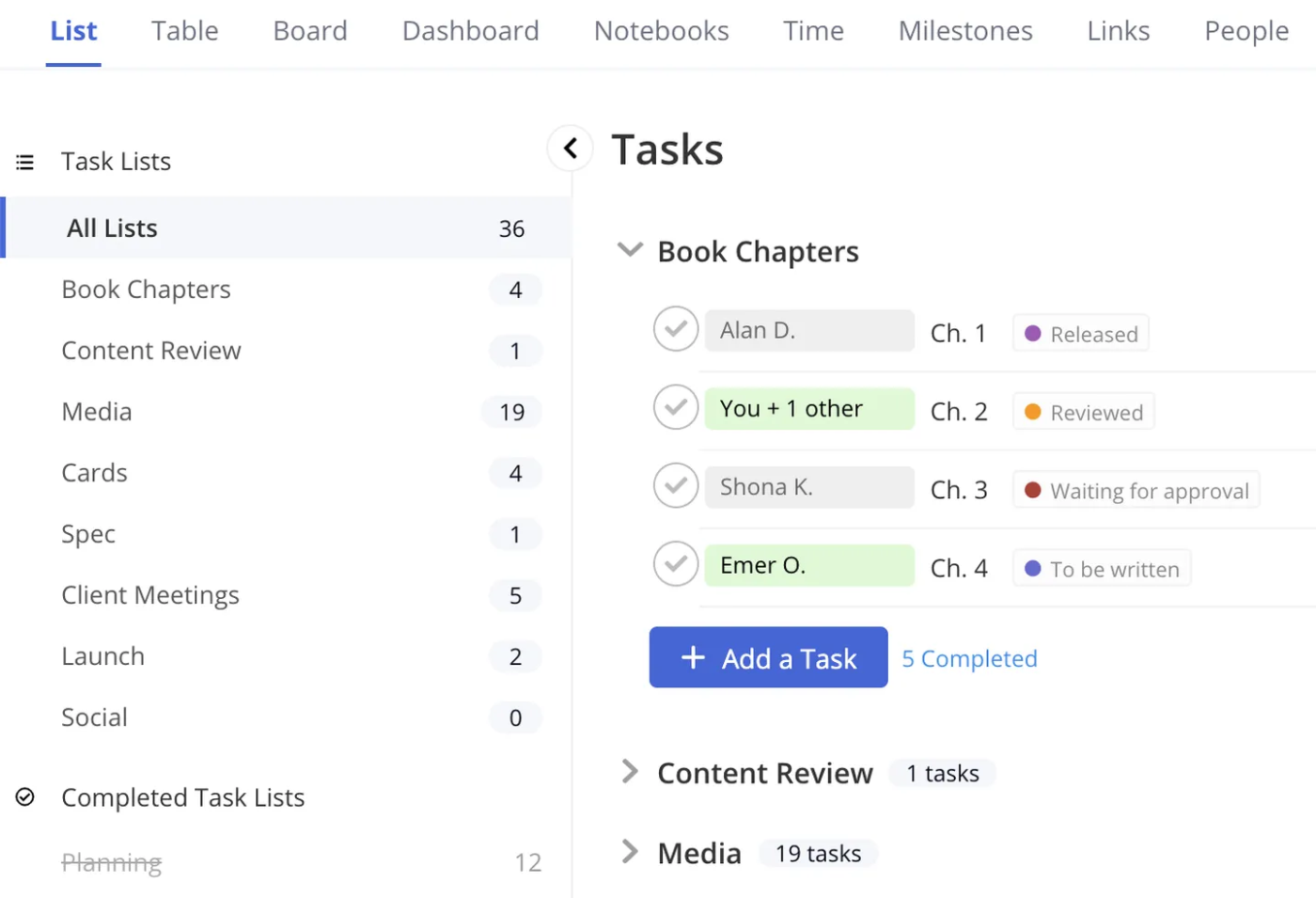
Teamwork is a comprehensive project management platform built to handle client work, making it highly suitable for managing project scope.
It simplifies the scope management process by allowing you to define goals and checkpoints. You can also set milestones, track project progress, and offer clients real-time visibility at every project stage.
By using customizable forms, you can collect requests and feedback, which are automatically converted into actionable tasks. With flexible permissions and privacy settings, teams can allow clients to collaborate directly while you maintain control over what they see.
Teamwork AI helps teams synthesize information, get quick insights into capacity, and autofill expense logs.
Here’s a G2 review:
Teamwork has a super intuitive interface; I didn’t have to get lost in a sea of settings to get started. I was able to create projects, assign tasks, and set deadlines without feeling like I was cracking secret code. One thing that really made a difference was the way it allows you to organize your work with dependencies and subtasks.
📚 Read More: Best Teamwork Alternatives and Competitors
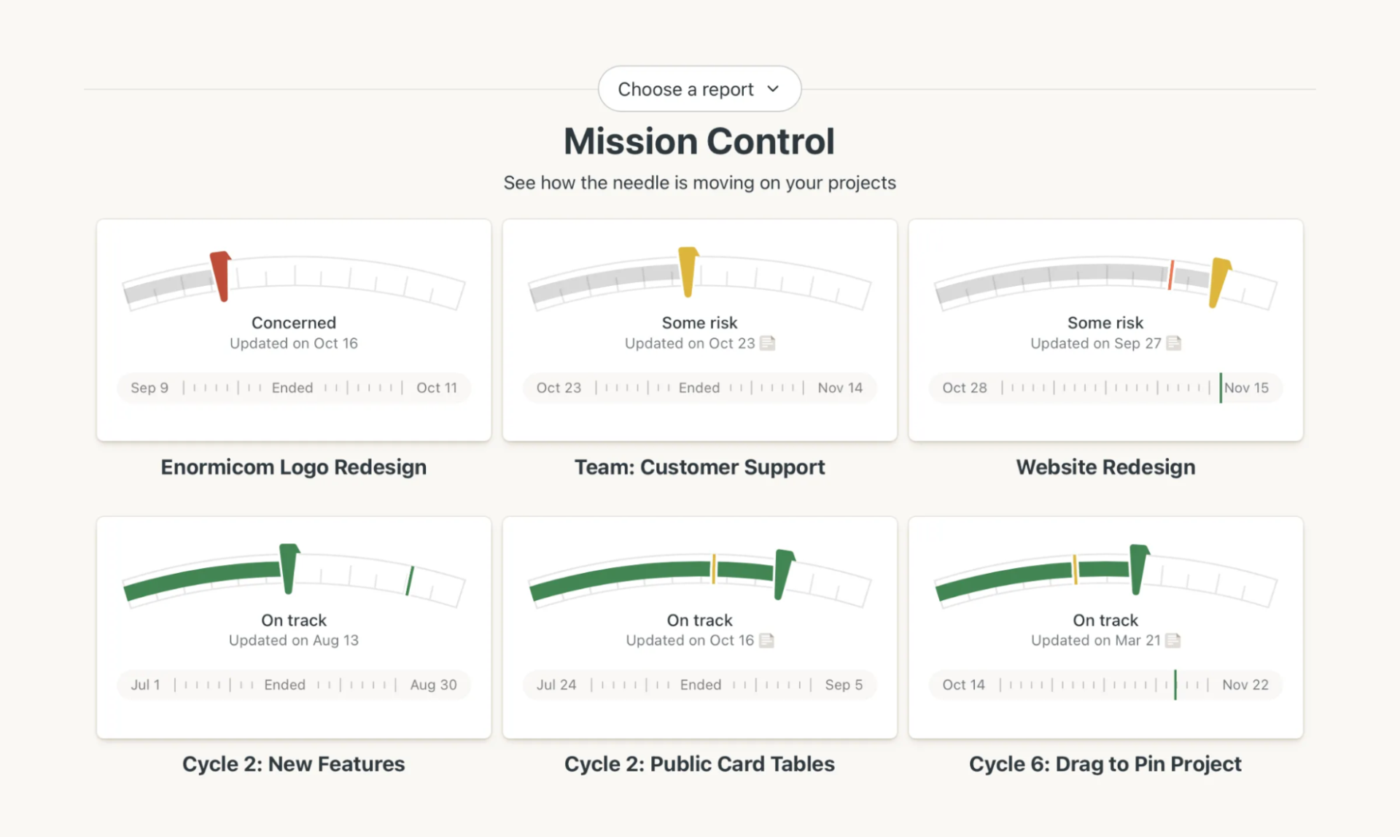
Basecamp is a project management and team communication tool known for its simplicity. It breaks down project scopes into to-do lists so everyone knows what tasks need to be done and what’s part of the project.
The platform’s clear, chronological layout and communication tools are assets for scope management. The Message Board centralizes project-wide announcements and scope discussions, while To-Do Lists allow for the clear assignment and tracking of specific deliverables. The Schedule keeps all key dates and deadlines visible to everyone.
Here’s a G2 review:
I was very relieved when Basecamp came into my working life; the intuitive interface ensures that even those with no knowledge can understand it. Making to-do lists allows me to organize my day, delegate work to my team, and check items when they are finished. Crossing those items off the list is a wonderful sensation!
📚 Read More: Top Basecamp Alternatives
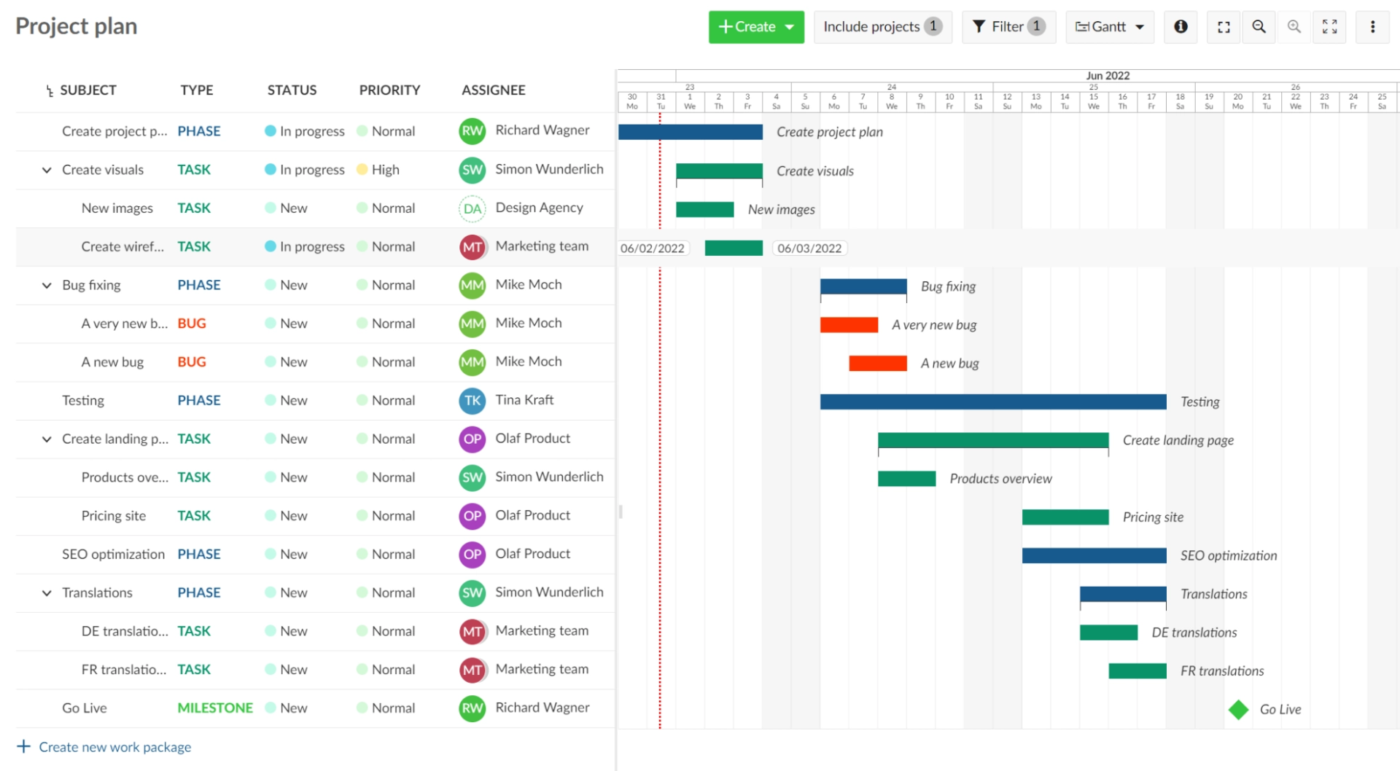
OpenProject is an open-source project management software that helps teams stay organized and in control throughout the project lifecycle. You can easily collect ideas and define your project’s scope and deliverables. Further, you can break them down into structured work packages using a list view.
Teams can track the time and cost spent on each work package, comparing it against the initial budget to prevent scope creep and ensure financial control. Any changes to the scope can be formally managed through workflows and status updates.
Additionally, EVA (Earned Value Analysis) enables you to monitor progress against actual time and costs.
Here’s a G2 review:
OpenProject is an all-in-one tool with wide project management capabilities. The tool even allows one to manage task timelines and track issues. Additionally, the team members can customize the workflow and set up a detailed project roadmap using its intuitive interface.
A clear scope control shapes your project’s journey. By managing project scope carefully, you’re not only preventing chaos but making room to deliver exactly what’s needed, on schedule.
With ClickUp, you can spot scope issues early, pivot, and keep your project moving smoothly. The AI-powered platform integrates all your project tasks, documents, conversations, and reports in one shared workspace, making project scope management stress-free for teams.
Ready to convert scope creep into scope control? Sign up on ClickUp for free.

© 2026 ClickUp

There’s an easier way. Try a free AI Agent in ClickUp that actually does the work for you—set up in minutes, save hours every week.