







Still downloading templates?
There’s an easier way. Try a free AI Agent in ClickUp that actually does the work for you—set up in minutes, save hours every week.
Sorry, there were no results found for “”
Sorry, there were no results found for “”
Sorry, there were no results found for “”

Every construction project lives in a constant tug-of-war between control and chaos. Subcontractors interpret drawings differently. Field teams capture updates in whatever format is most convenient at the time.
Adding to the woes, every team in the construction firm might be tracking costs differently or via shared spreadsheets.
Construction management software addresses and resolves this very issue. As more industries become digitized, construction companies also need a single system that integrates plans, costs, and updates.
Why so? A centralized platform ensures that every stakeholder, from the office to the job site, works with the same information in real time.
So, how do you choose a construction project management software that fits your needs? We answer the question below.
Plan and visualize everything from sales to final project handoff with the ClickUp Construction Management Template. Build out your entire project lifecycle, from pre-sales and concept to project timelines and the final delivery.
With this template, you can:
Construction management software is a digital platform built specifically for the construction industry. It helps teams plan, coordinate, and control every phase of a construction project, from estimates and schedules to daily field reports and final handover.
👀 Did You Know? The construction industry accounts for nearly 8% of the global workforce. Yet it’s also one of the hardest hit by labor shortages worldwide!
The most important question when choosing construction management software is: Will it help you deliver projects faster, safer, and with fewer cost overruns?
Good construction management software reduces miscommunication between office and field teams. Project managers, supervisors, and subcontractors all work with the same drawings, updated schedules, and approved RFIs.
It also prevents budget overruns with real-time visibility. How so?
Firstly, it tracks budgets, change orders, labor hours, material costs, etc. So when the field team updates the progress or quantities, the budgets adjust automatically, and project managers can spot variances straight off.
Every update is synced automatically across all stakeholders. It improves collaboration, and everyone is aligned without endless email threads or communication gaps.
Evaluating construction project management tools for the first time? Here’s a list of the top 5 contenders:
The right project management software becomes a backbone for delivering projects on time and within budget. Here’s what modern construction project management demands:
Most delays don’t start on the job site—they come from missing updates and slow approvals. Modern construction tools must sync field inputs, design changes, and management decisions instantly so everyone stays on the same page.
From bids and procurement to handover, construction project managers need a unified view of progress. Tools like Gantt charts, milestone trackers, and scope-change logs help teams understand exactly where each project stands in the construction management plan.
Late inspections, missing materials, or weather disruptions can derail timelines. Smart software surfaces potential risks early through alerts, dashboards, and automated tracking.
Regulatory requirements and compliance cannot be an afterthought anymore. The right system embeds safety forms, inspection logs, and required documentation directly into daily workflows.
📚 Also Read: Best Construction Scheduling Software Contractors Use to Keep Their Projects Running Smoothly
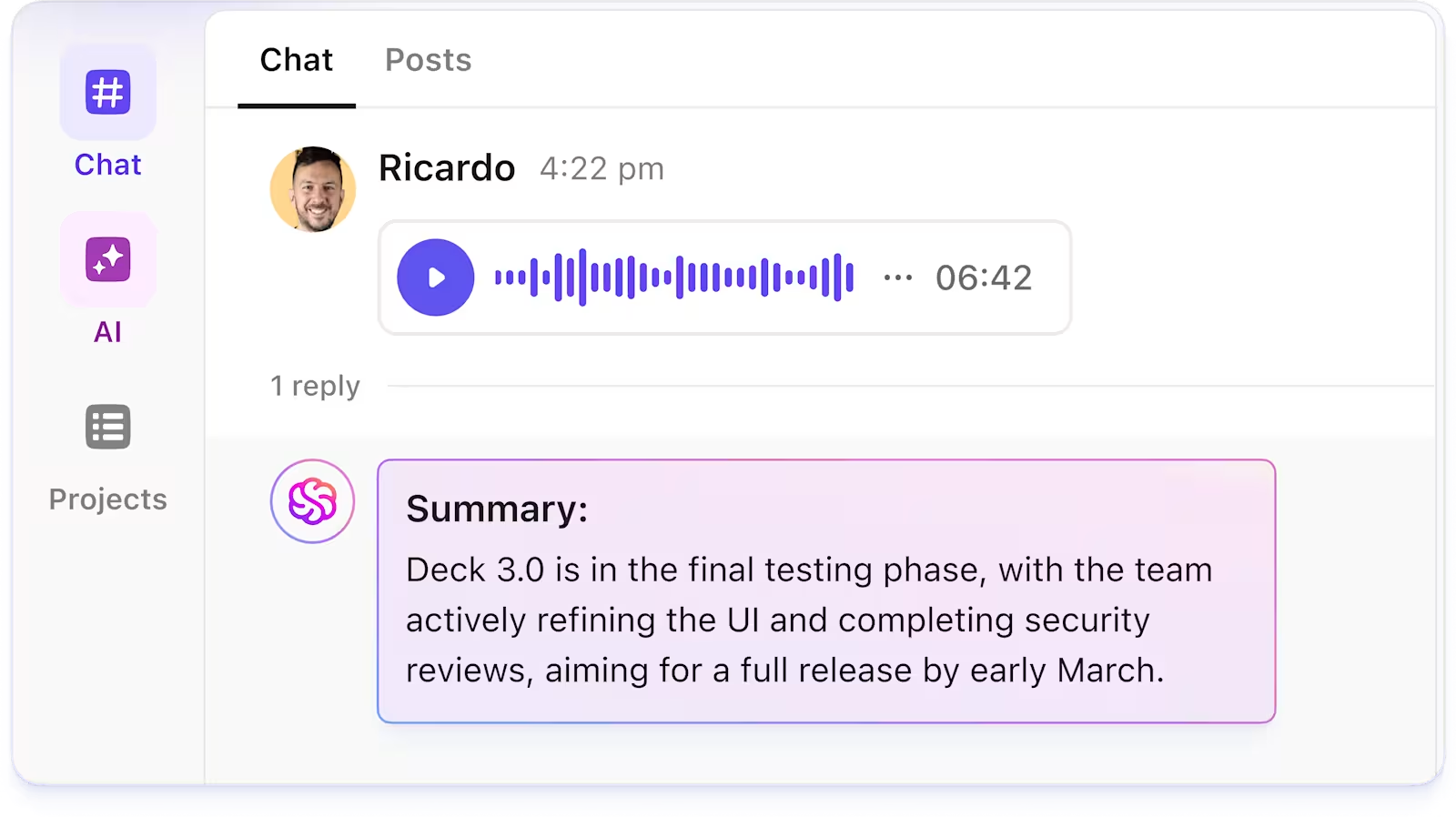
Look for mobile-first features like digital checklists, photo updates, voice-to-task capture, and real-time collaboration on RFIs and punch lists. Whether your team is in the office or out in the field, they can always enter the right information and keep the project moving forward.
Platforms that offer reusable construction management templates for kickoff processes, RFIs, submittals, scope reviews, and closeout reports help you replicate best practices across projects and teams.
👀 What’s the Cost of Scope Creep in Construction? Take the Sydney Opera House as a cautionary example. It was originally estimated at $7 million and scheduled for completion in 4 years. It ultimately cost more than $102 million and took 14 years to finish, a cost overrun of over 14× the budget.
Choosing the right construction management software involves weighing numerous features. To make your decision easier, here’s what you need to do:
Map your biggest project challenges.
Do delays happen because drawings get outdated? Is cost tracking inconsistent across contractors? Do field teams rely on WhatsApp photos or manual logs?
Create a list of non-negotiables. They could be mobile reporting, budgeting, scheduling, or drawing versioning. And nice-to-have features such as procurement integration and advanced AI-powered reporting.
This step helps you shortlist tools that solve your workflow gaps.
Additionally, consider how your choice aligns with your preferred construction project delivery method, whether it’s Design‑Build, Design‑Bid‑Build, or Integrated Project Delivery.
Each method has different stages of responsibility and collaboration. Your software must support how work gets handed off, how teams interact, and where risk lies.
📮 ClickUp Insight: More than half of respondents type into three or more tools daily, battling “app sprawl” and scattered workflows.
While it may feel productive and busy, your context is simply getting lost across apps, not to mention the energy drain from typing. Brain MAX brings it all together: speak once, and your updates, tasks, and notes land exactly where they belong in ClickUp. No more toggling, no more chaos—just seamless, centralized productivity.
Ask vendors to walk you through a live demo using a sample project from your domain. See how they handle real-world workflows, including change orders, RFIs, site updates, and budgets.
Ask for a free or paid trial where you will plug and play real data, upload drawings and documents, and generate weekly reports. This way, you’ll get to see how the software handles the complexity of your work and the day-to-day decisions your project managers make on-site and in the office.
Also, check the integration capabilities of the construction project management software. See if it integrates with your existing tech stack or requires you to purchase new tools, adjust workflows, or migrate data. This will influence both the total cost and the ease of onboarding.
Lastly, evaluate the total cost of ownership (TCO). Factor in setup, implementation, and migration costs, along with any customization or add-on modules you may need. Don’t forget ongoing support or maintenance fees, and how costs scale as you add more users or manage larger, more complex projects.
After you have a list of features ready, dive deep into researching. See what people are saying and the tools that solve niche problems.
At a glance, this table sums up the considerations for a comparative analysis:
| Criterion | Why it matters | Shortlist tool A | Tool B | Tool C |
| Ease of use / UI | Poor UX kills adoption | N | Y | N |
| Mobile/offline use | Field teams need access | Y | N | Y |
| Integration with accounting | Prevents duplicate work | Y | Y | N |
| Support and training quality | Reduces friction | N | Y | N |
| Walkthrough of sample workflow | Confirms real use | (vendor demo) | (trial) | (pilot) |
| TCO (5 years) | Cost over lifetime | $X | $Y | $Z |
| Security and reliability | Protects data & continuity | Meets ISO standards | — | Meets standards |
💡 Pro Tip: Build a vendor comparison scorecard directly inside ClickUp using Custom Fields. Create fields for criteria like ease of use, mobile performance, integration depth, cost, support quality, and scheduling features.
Assign numerical scores or dropdown ratings to each vendor, upload demo notes as task comments, and attach trial files or screenshots. Use the Table View in ClickUp to get a single-screen overview of the comparison.
Put the shortlisted software solutions to the test.
Choose an ongoing project as your pilot. Aim for something with enough moving parts to push the software, but not so large that it becomes impossible to track results.
Involve both office staff and site crews, asking them to handle day-to-day tasks within the platform, such as scheduling, document sharing, RFIs, and budget updates.
When you run the pilot, see if you can get answers to questions like:
For example, when it comes to using ClickUp for construction project management, a user says:
From the base layout creation to volumetric proposals and construction designs, I have to track every aspect of creation, from flooring options and landscape design to lighting production and structural compatibilization. There is NO WAY I can work as fast and focused without Clickup to help me create structured and neatly organized lists. I know which tasks were executed and what is yet to be performed; I can append comments, reminders and documents to each task and track the time I take to complete single tasks and full projects. I could go on and on and on. I LOVE Clickup. And Honestly, I’m not even using 30% of what the tool is capable of. It has a GANTT feature which I have played with a little, and I loved MINDMAPS, which are just delicious, and more…
👀 Did You Know? More than half of all the world’s steel goes into construction. Out of the 1.8 billion metric tons of steel produced annually, approximately 52% is used to construct our buildings and infrastructure.
Construction teams rarely ever operate from the same place. The flow of communication and documentation between these groups isn’t always consistent because some teams sit in the office while others are on-site.
And that inconsistency has a cost. 50% of contractors report that their crews lose 1–3 hours every week on non-productive tasks, such as waiting for assets, searching for information, or dealing with communication breakdowns. Scattered tools and misplaced documentation are a part of the problem.
ClickUp, the everything app for work, is a unified operational backbone for effective construction project management. It brings planning, scheduling, cost tracking, documentation, team communication, and field reporting into one connected workspace.
Let’s see how ClickUp for Construction Teams makes your life (and job) easier.
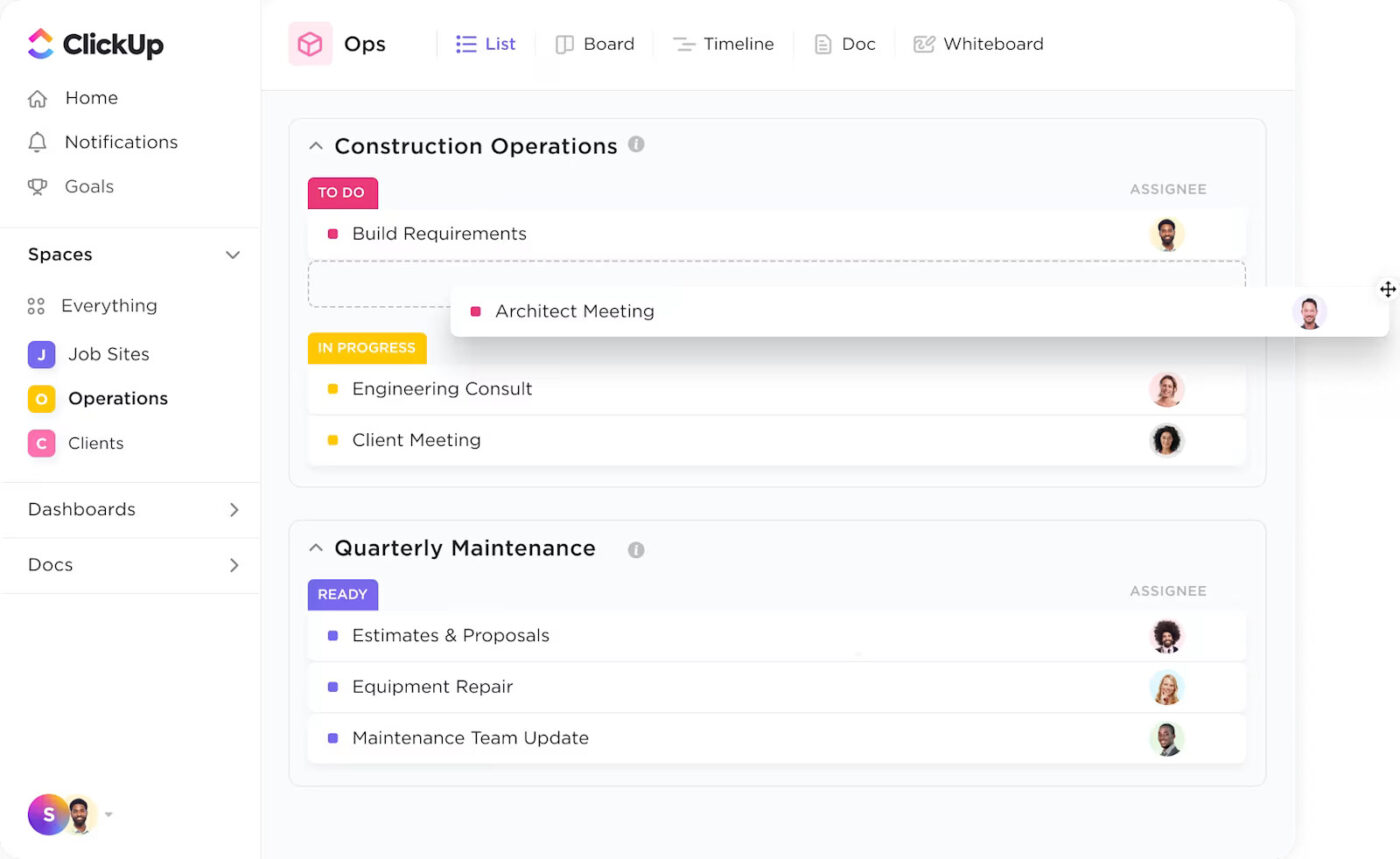
ClickUp Brain is your always-on project assistant, built right into the ClickUp workspace.
Here’s how ClickUp Brain supports workflows as an AI tool for construction:
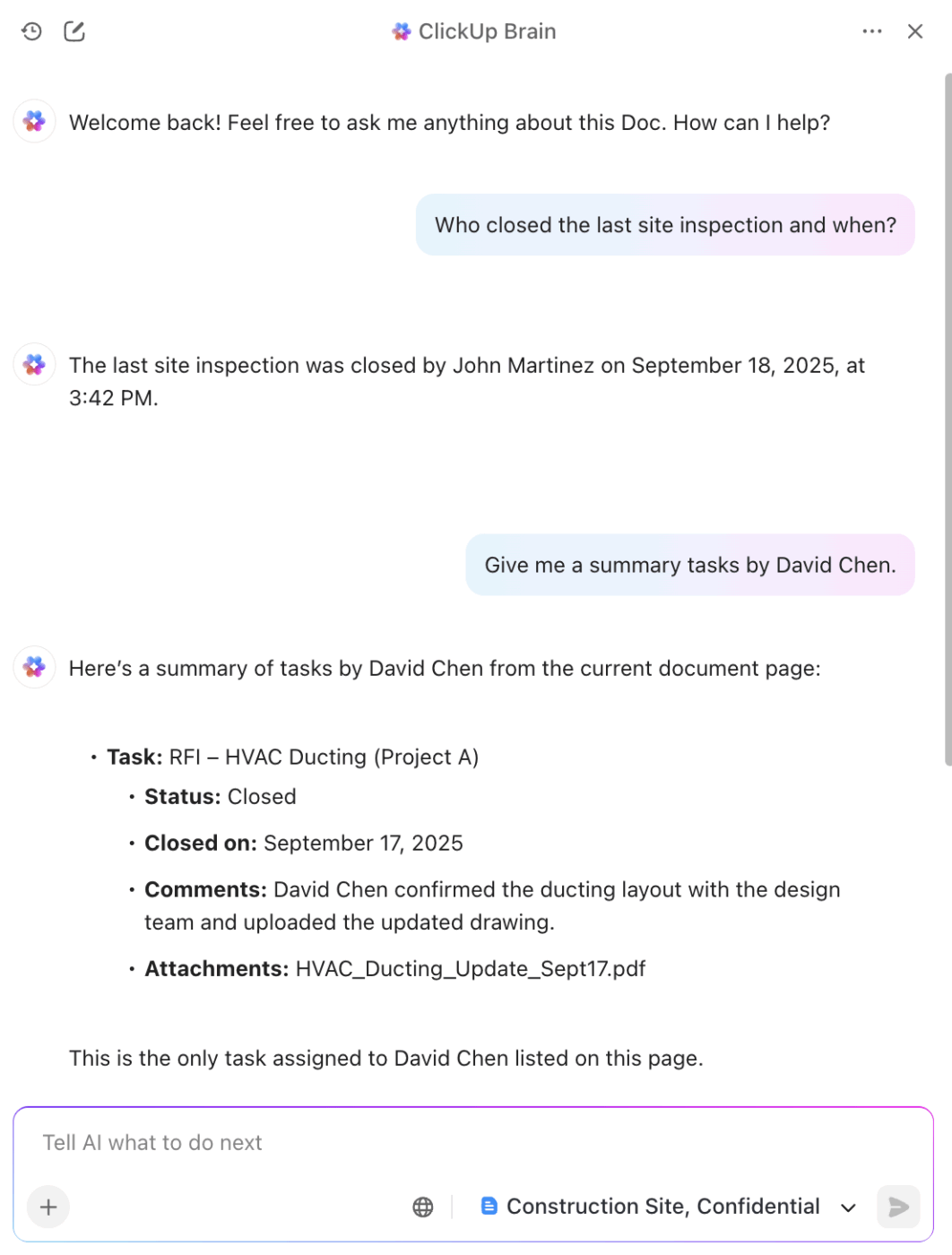
⭐ Bonus: If you’re exploring how AI can streamline construction workflows, Brain MAX gives your team a desktop AI companion.
Here’s what Brain MAX has to offer:
Within the workspace, ClickUp Tasks gives construction teams a single platform to track the various components of ongoing projects. Each task can hold details such as assignees, due dates, tags, attachments, and comments.
With dependencies clearly highlighted, there’s no risk of important steps in the process getting missed.
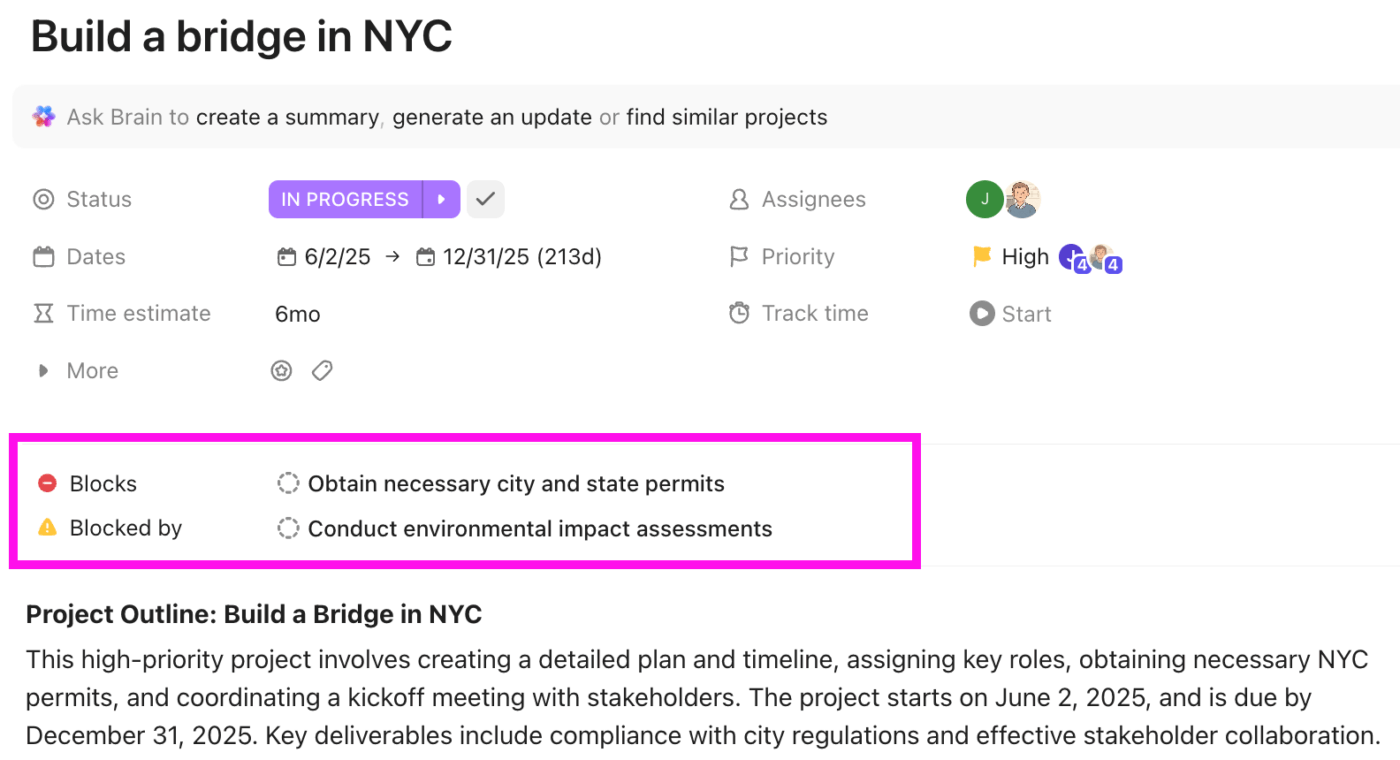
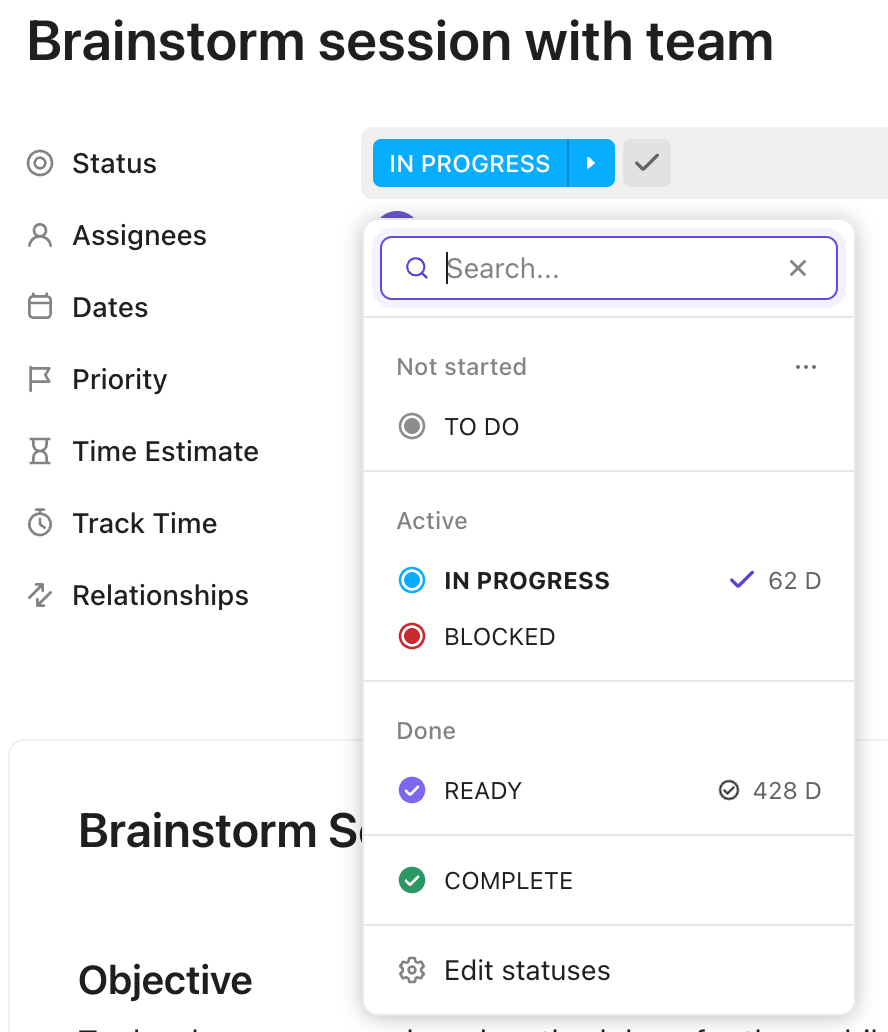
One of the biggest advantages of Tasks is that you can create ClickUp Custom Statuses that match your process. You can design stages that reflect how construction projects progress, such as Submitted for Review, Approved, In Progress, Inspection Scheduled, and Completed.
⌛ Time Saver: Connect ClickUp with tools like QuickBooks, Slack, Google Drive, and AutoCAD to keep your construction workflows centralized. With everything synced in one place via ClickUp Integrations, teams spend less time switching between apps and more time moving the project forward.
Choose from 15+ Custom Views to visualize work in the way that makes sense for you.
When you want to see how all these pieces fit together, the ClickUp Gantt Chart View ushers in a holistic view of your timelines.
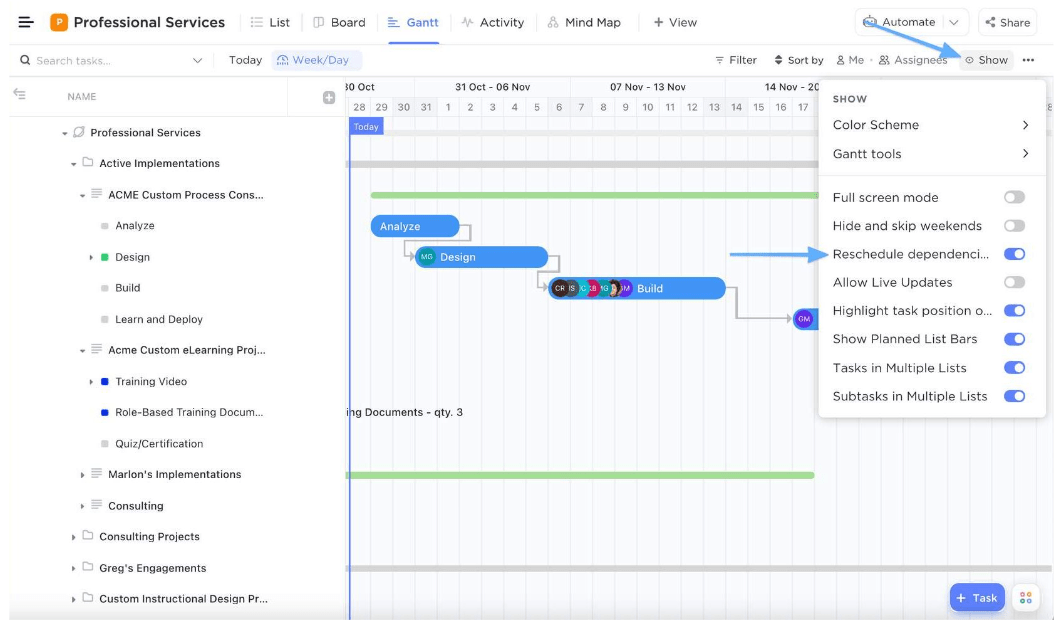
ClickUp’s Board View lets your construction teams manage task tracking like a Kanban workflow—perfect for tracking work across crews and subcontractors.
⭐ Bonus: Use ClickUp Time Tracking to log hours on-site or in the office, right from any task. For better visibility, group time entries by contractor, project phase, or task type, so you can identify where time is actually going and optimize your crew’s productivity.
Use ClickUp Docs to store your documentation. From permits to daily reports, everything is organized by project phase and linked directly to the parent task.
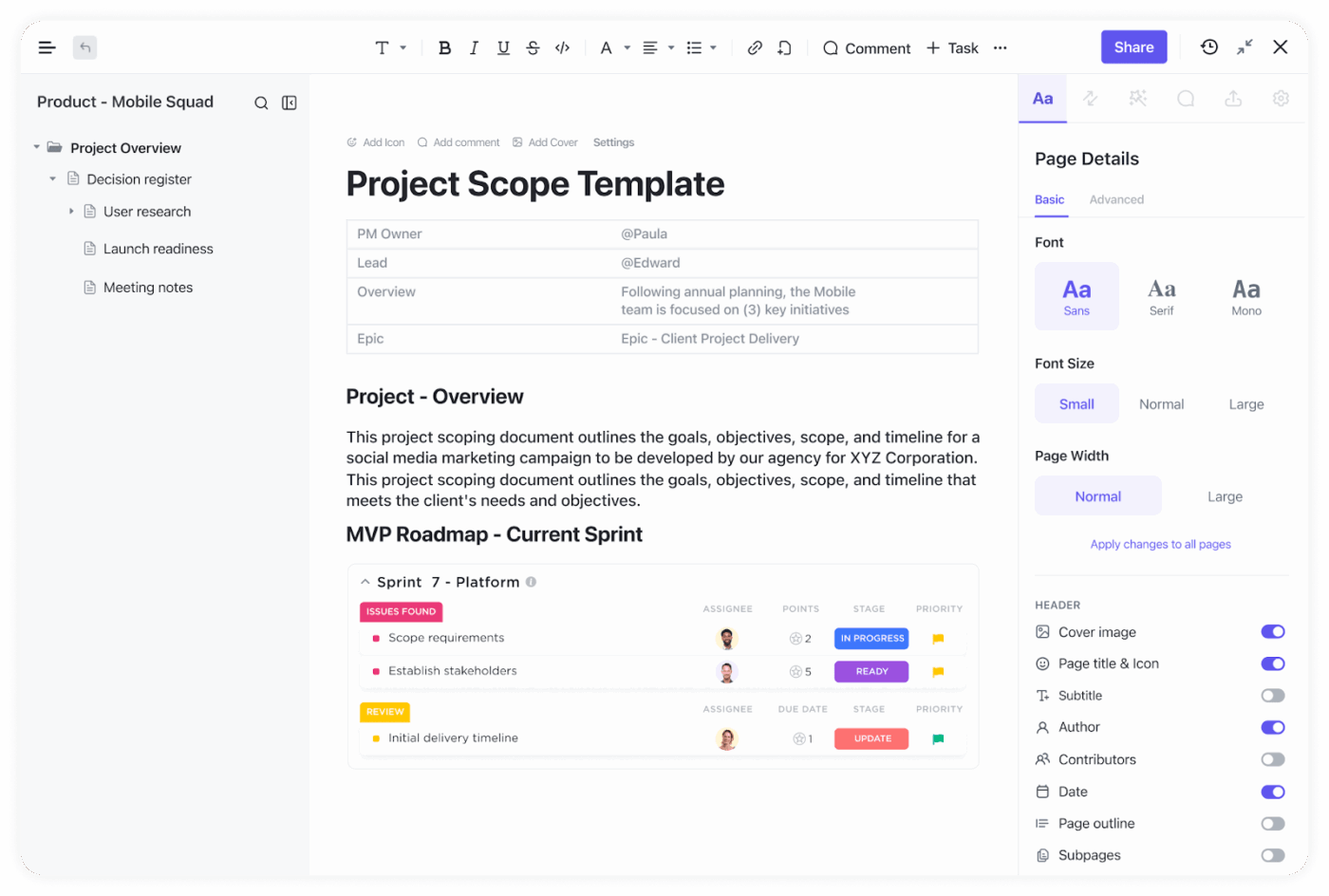
Docs are editable, shareable, and collaborative.
Your team can easily collaborate by commenting on drawings or updating specs in real time, and everyone in the building project has access to the latest version.
ClickUp helps streamline real-time collaboration and ensures everyone stays connected in real-time with the following features:
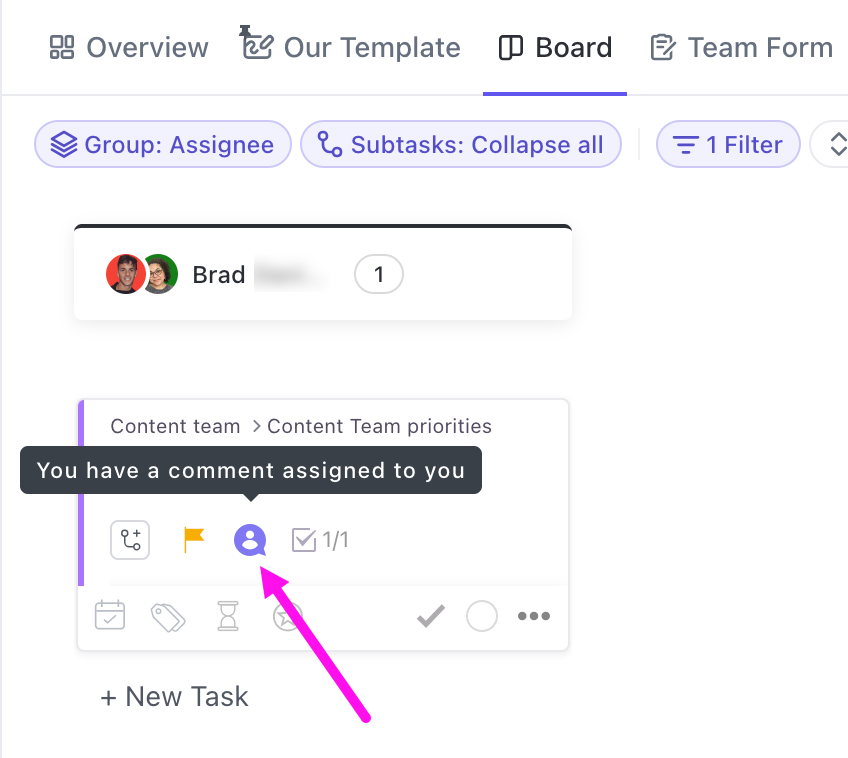
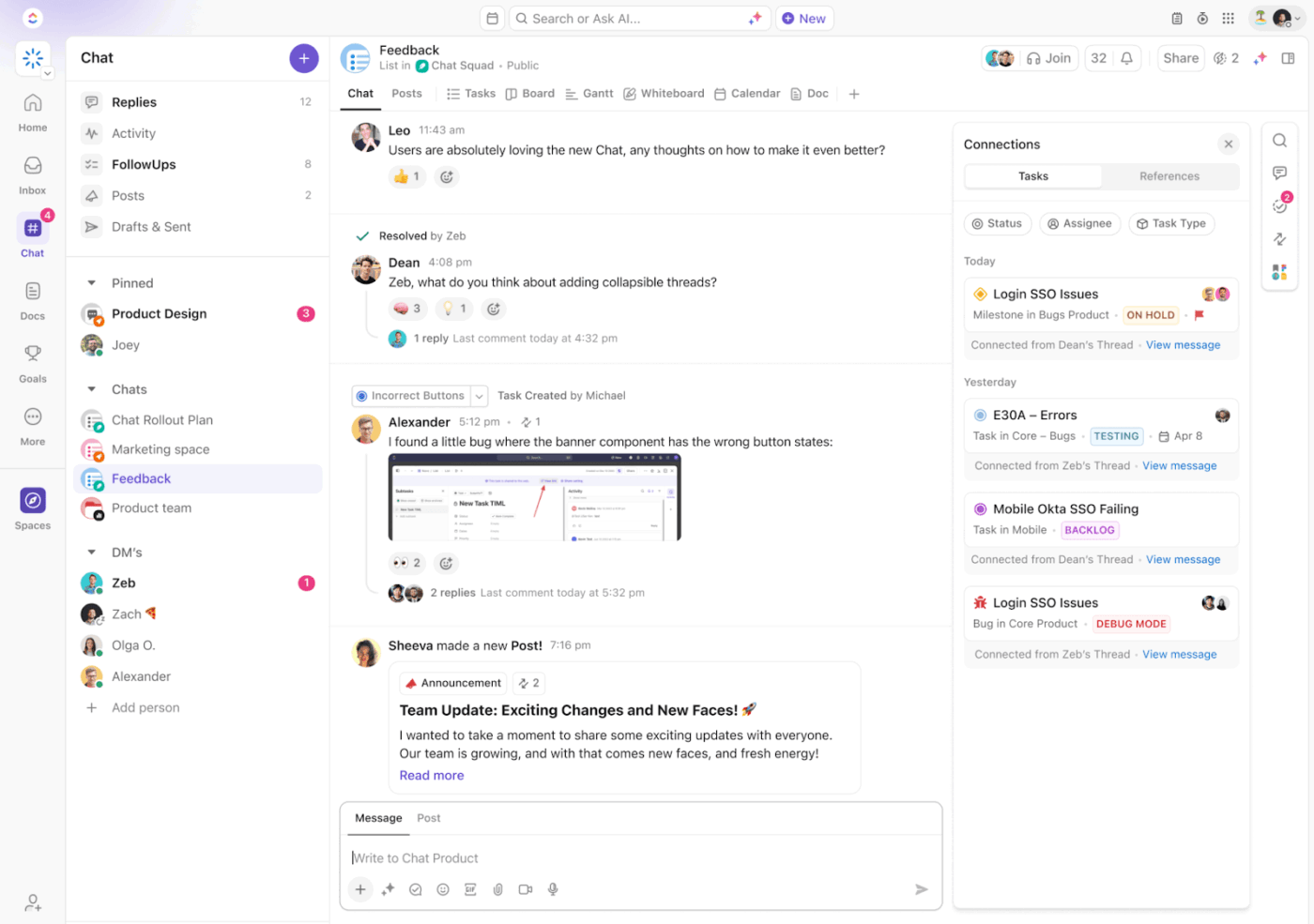
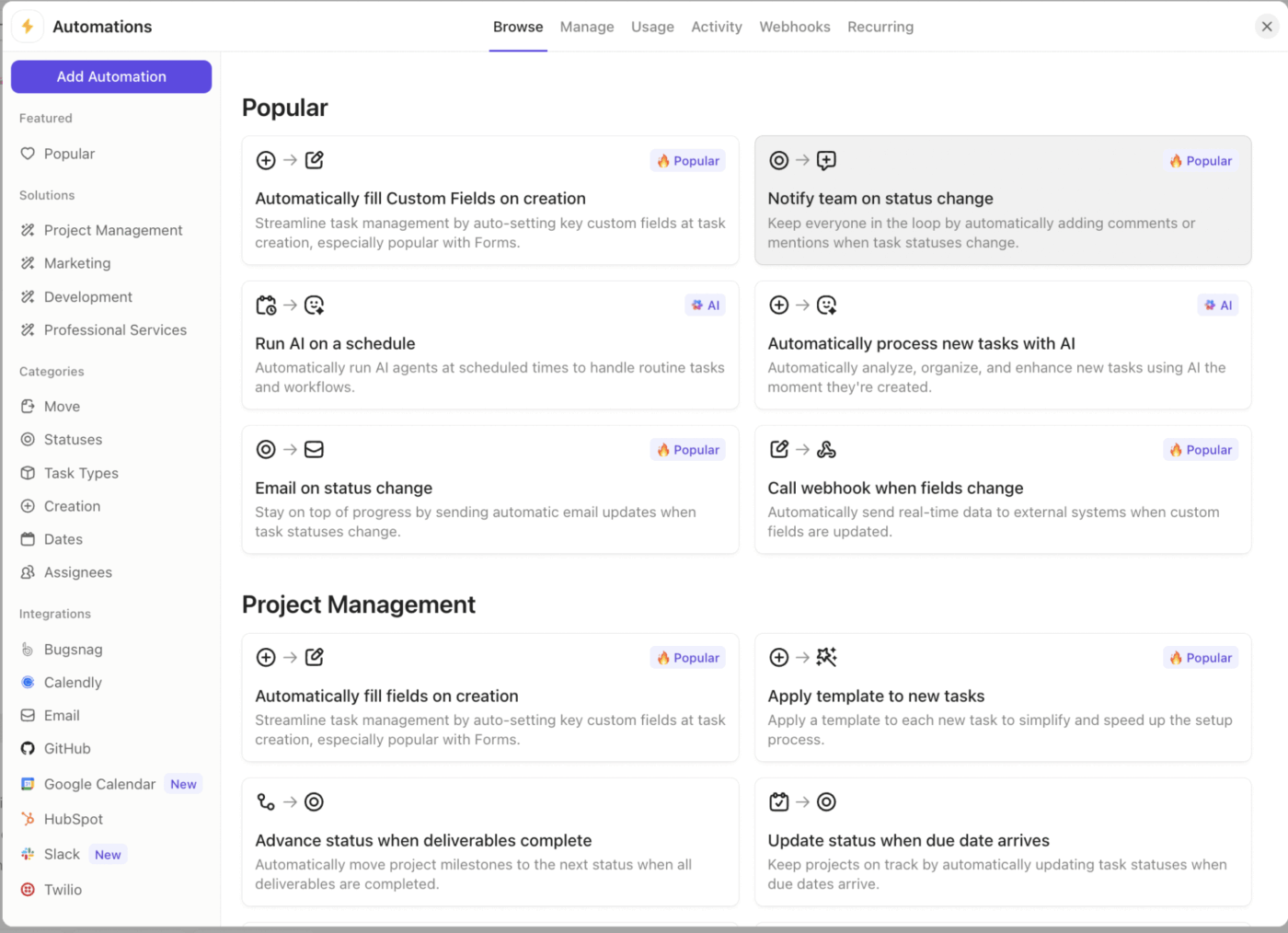
In construction, staying on top of every small task, such as checking if today’s report has arrived or whether a permit has been approved, is time-consuming.
Enter: ClickUp Automations.
This is ClickUp’s no-code automation engine that automates manual tasks—sending reminders, updating statuses, assigning tasks, and routing approvals automatically.
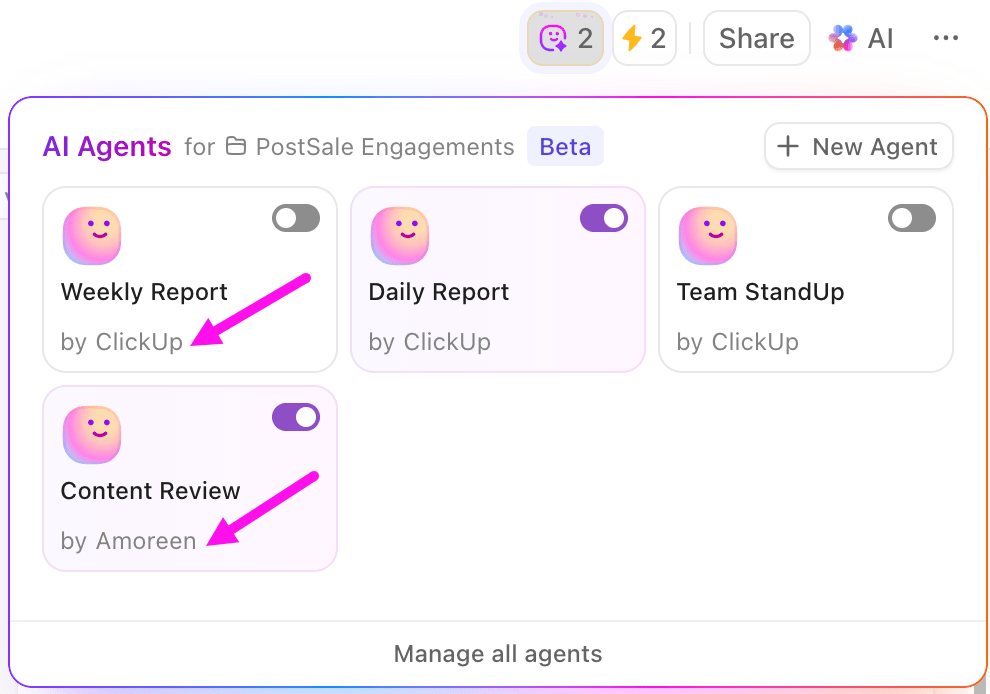
🚀 ClickUp Advantage: ClickUp Agents can run your daily standups for you—pulling task updates, surfacing blockers, summarizing progress, and tagging owners automatically. Instead of chasing updates across crews or job sites, your team gets an instant snapshot of what’s moving and what needs attention.
Before making a final decision, it’s equally important to know what not to do. Here are the most common mistakes teams make when choosing construction project management software:
Many platforms have fixed budget categories that don’t align with how your finance team codes projects. The mismatch creates hours of manual reconciliation later because project costs and accounting ledgers never fully match.
✅ Solution: The right software lets you customize cost codes, tie them to your chart of accounts, and push data directly into your accounting software without translation errors.
Most buyers assume ‘the software handles RFIs’ but don’t check how. In some systems, RFIs end up as generic tasks with no clear linkage to drawings, contracts, or responses. This leads to missing context and duplicated approvals.
✅ Solution: During trials, run a live RFI through the system—from creation on site, through attachments, approvals, and closeout. Ensure the workflow captures the full audit trail without requiring additional steps.
⚡ Template Archive: Free Construction Bid Templates
Some project management software buries change orders inside documents or email threads. It means nobody sees the budget or schedule impact until weeks later, when it’s too late to adjust.
✅ Solution: Look for construction software with robust document management. Change orders are their own object type with linked costs, updated timelines, and approval history that can be tracked alongside the main project plan.
Construction software may seem fine when a consistent crew uses it, but many subcontractors leave before the project is completed. If the tool doesn’t handle onboarding and offboarding cleanly, access becomes messy, and critical records disappear when a subcontractor exits.
✅ Solution: Choose a project management tool with granular permission controls, guest roles, and easy reassignment of tasks or files when subcontractors change.
What if the real challenge in the construction business isn’t the scale of the project, but the way information moves through it? Plans shift, costs change, and updates come from everywhere.
Without a construction management platform, work slows down long before the first delay appears on site. ClickUp changes that (for good).
It brings schedules, costs, RFIs, and daily updates into one place where teams can actually stay aligned.
Views and dashboards provide clarity from the field to the office. Task dependencies and Gantt charts maintain timelines. ClickUp Brain adds an AI layer that finds answers from your project data and delivers insights when you need them most.
🦾 Now it’s your time to see a construction project management platform in action.

© 2026 ClickUp

There’s an easier way. Try a free AI Agent in ClickUp that actually does the work for you—set up in minutes, save hours every week.