






Still downloading templates?
There’s an easier way. Try a free AI Agent in ClickUp that actually does the work for you—set up in minutes, save hours every week.
Sorry, there were no results found for “”
Sorry, there were no results found for “”
Sorry, there were no results found for “”

Most content teams blow their AI writing budget on tools they abandon within three months.
Ask us, and we’d say the devil is in the details.
A startup founder doesn’t need the same AI writing setup as a 50-person marketing team. A freelance copywriter has different priorities than an agency managing 12 clients. Yet most people pick AI tools like they pick Netflix shows—based on what everyone else is talking about.
This guide breaks down how to choose AI writing assistants based on your workload, team size, and content goals. We’ll also walk through the pricing models that make sense for different scenarios and highlight the top options (such as ClickUp!). 🤩
AI writing assistants are smart tools that help you write better and faster. They can check your grammar, suggest word choices, help you brainstorm ideas, and even write full sentences or paragraphs based on what you tell them.
These tools use artificial intelligence to understand what you’re trying to say and offer helpful suggestions to improve your writing. They work with all kinds of content, whether you’re writing emails for work, blog posts, or social media updates.
Most AI writing assistants learn from your writing style over time, making more useful suggestions the more you use them.
🔍 Did You Know? An experiment with over 5,000 customer support workers showed that when people had access to an AI writing assistant, their productivity jumped by around 14% on average. Interestingly, the most significant gains came from the least experienced workers, since AI helped them sound more professional and confident.
Your choice of an AI writing tool directly impacts your content creation workflow and writing results. Here’s what you need to consider:
🧠 Fun Fact: The idea of machines helping with text dates back to the 1950s. One of the first big breakthroughs was the Georgetown-IBM experiment in 1954, where an IBM computer translated 60 Russian sentences into English.
Before you commit to any AI content creation tool, evaluate these factors:
💡 Pro Tip: Evaluate how the AI tool for writing handles context over long-form content. Can it maintain consistent messaging and style across a 3,000-word article or multiple linked pieces? This is crucial for campaigns or guides where continuity matters.
Your budget should match how much content you create and how much bad writing costs your business.
Start here to test different AI models and find what writing style fits your brand. Free versions typically allow 2,000-10,000 words per month, which covers occasional social posts, email drafts, and basic content experimentation without any financial commitment.
💡 Pro Tip: Analyze the AI writing improver’s edit footprint.’ Some tools make it easy to track which suggestions came from AI vs. humans. This transparency helps teams refine content without losing oversight.
Pay this range when you need consistent daily content creation.
You’ll get unlimited word counts, AI models that better understand context, and basic brand voice training. This works for solo marketers creating 2-3 blog posts weekly or small teams managing multiple social accounts.
📮 ClickUp Insight: 37% of our respondents use AI for content creation, including writing, editing, and emails. However, this process usually involves switching between different tools, such as a content generation tool and your workspace. With ClickUp, you get AI-powered writing assistance across the workspace, including emails, comments, chats, Docs, and more—all while maintaining context from your entire workspace.
Invest this amount when content creation directly drives your revenue. You’ll typically access team collaboration features, bulk content generation for campaign launches, advanced editing tools, and integrations with your existing marketing stack. It’s perfect for agencies or growing marketing teams.
Spend this much only when you’re managing a large-scale content production process or need white-label solutions for clients. The extra cost gets you custom AI training, priority technical support, and advanced team management features.
Let’s explore some of the most popular AI content writing tools available today to help you make an informed decision.
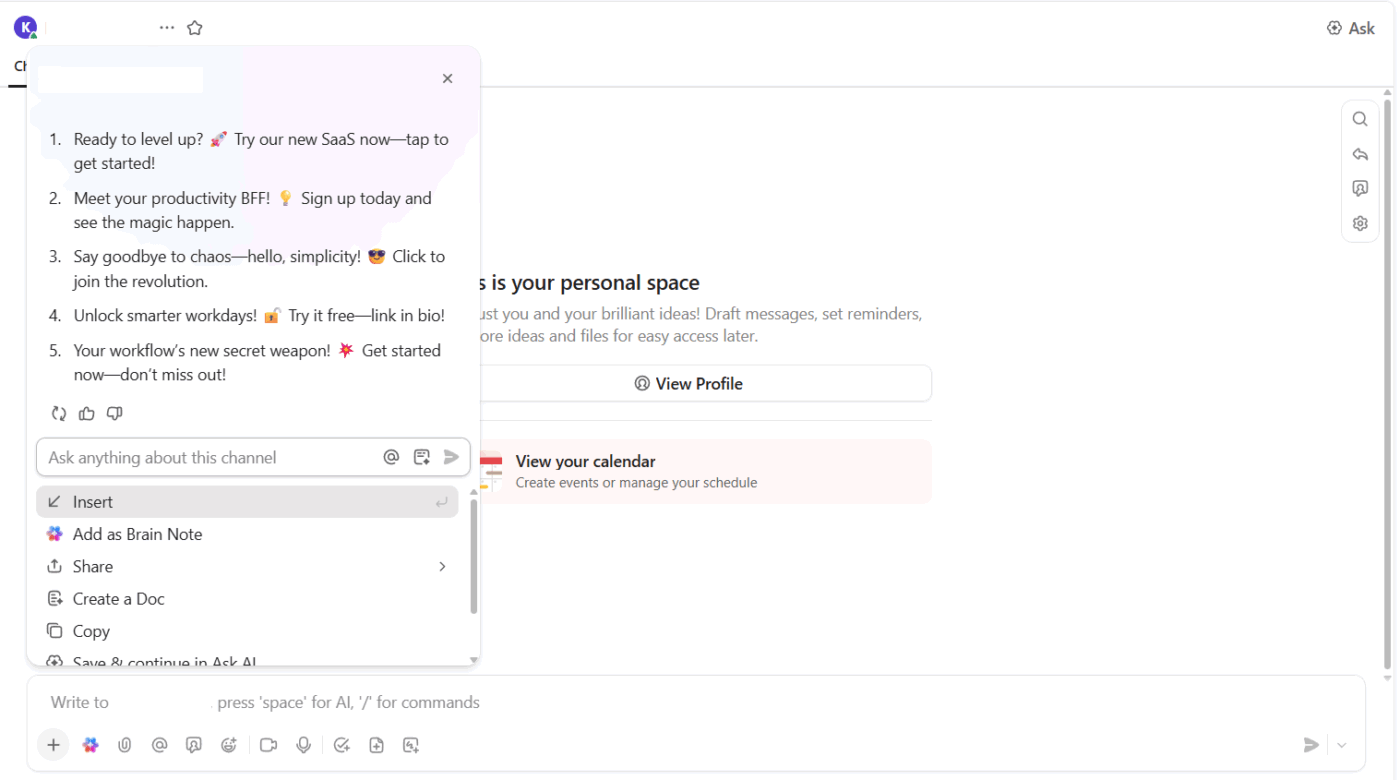
When campaigns pile up and deadlines feel too close for comfort, you don’t want to deal with AI sprawl across a dozen apps. ClickUp keeps everything in one place so you can brainstorm, draft, and polish content without losing momentum.
ClickUp Brain works wherever your team communicates and plans. That means you can generate content while discussing campaigns, reviewing briefs, or brainstorming ideas.
Suppose your director drops a message in ClickUp Chat asking for Instagram caption ideas for a new product launch. You can prompt ClickUp Brain right inside the conversation and get multiple caption options ready to share in seconds.
📌 Try this prompt: Write five Instagram captions for a financial SaaS product launch campaign. Keep them under 15 words each, add a playful tone, and include a clear CTA.
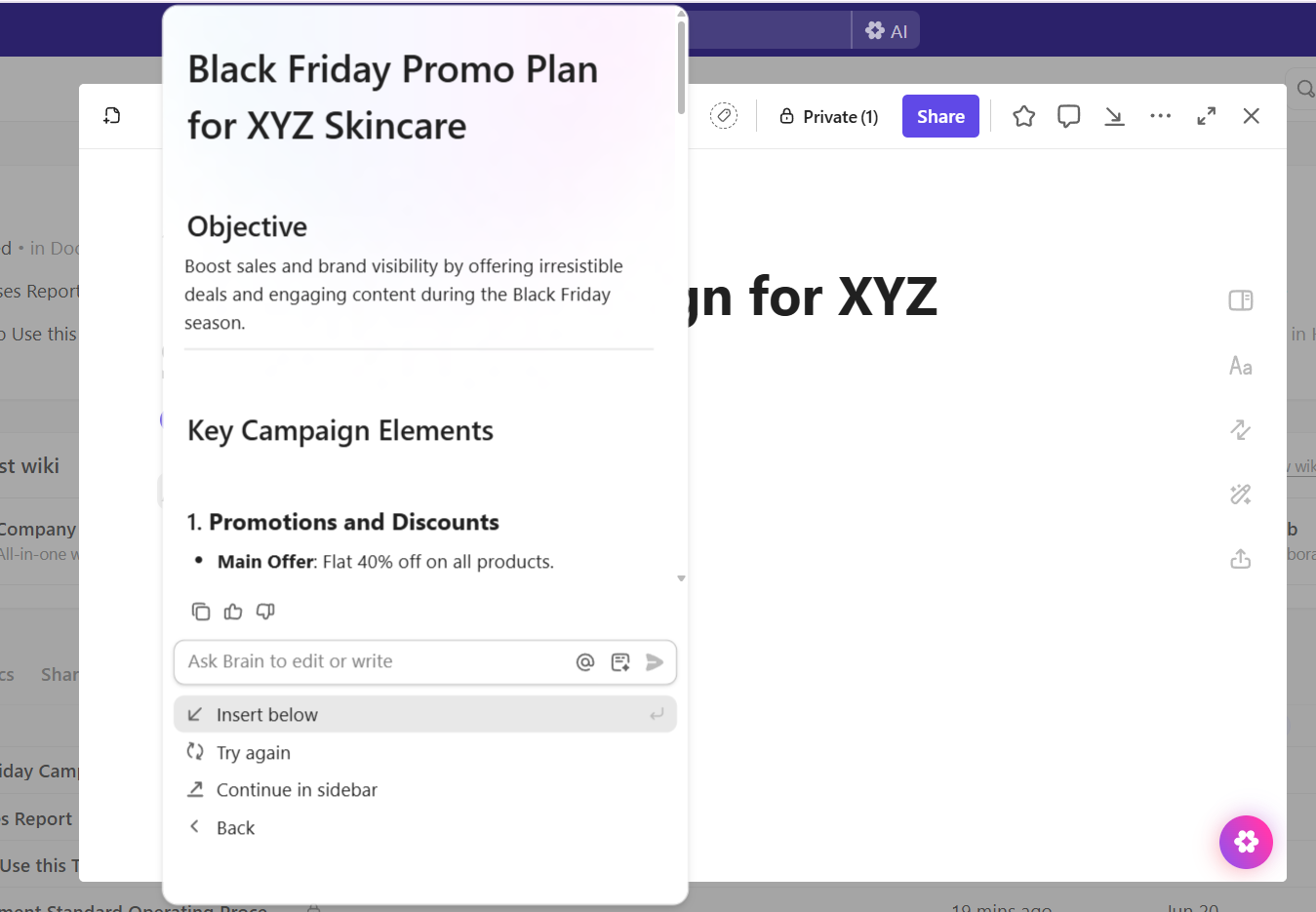
ClickUp Docs gives you a collaborative space to shape blogs, whitepapers, or landing pages, with the added power of ClickUp Brain’s writing tools.
Your team can work together in real time, leave comments, and refine content in the same doc. Every change is tracked with version history, so you can see previous drafts, compare edits, or restore content whenever needed.
The AI Writer gives you flexibility at every stage of content creation. You can:
📌 Try this prompt: Write a webinar landing page for marketing managers keen to understand the role of AI tools in marketing. Keep it under 200 words, highlight the outcome they’ll gain from attending, and make the tone conversational.
ClickUp Brain MAX adds another layer with its dedicated desktop AI companion. You can tap into ChatGPT, Gemini, and Claude side by side, keeping research and writing tied back to your projects.
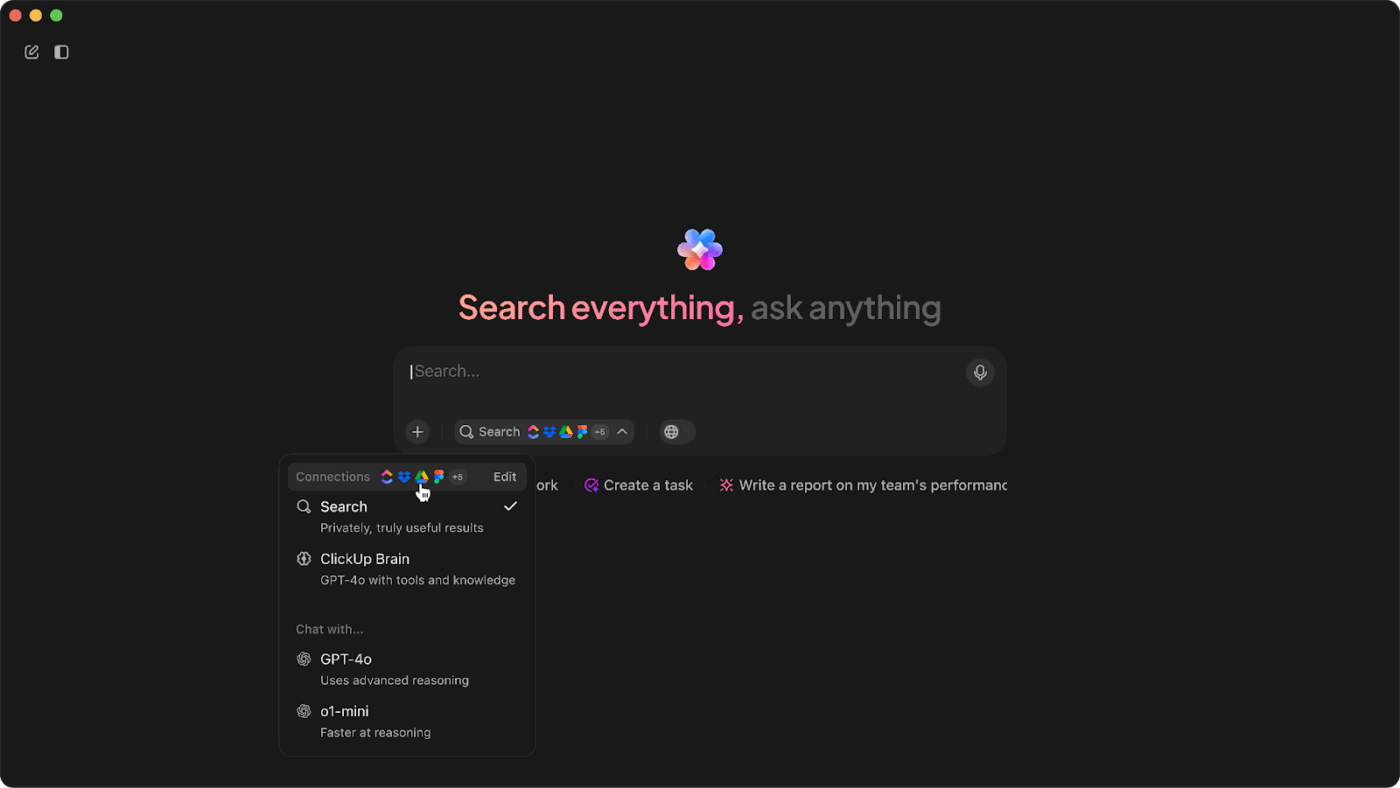
For instance, if you’re researching SEO trends, ask ClickUp Brain MAX the same question across different models and pull the best points directly into a doc, shaping your strategy faster and with better input.
📌 Try this prompt: Summarize the top five SEO trends for B2B SaaS. For each trend, give one supporting stat and suggest two practical content ideas for marketing teams.
🔍 Did You Know? In one experiment, people who used AI to practice writing improved more on follow-up tests than those who wrote without AI, even though they spent less time typing.
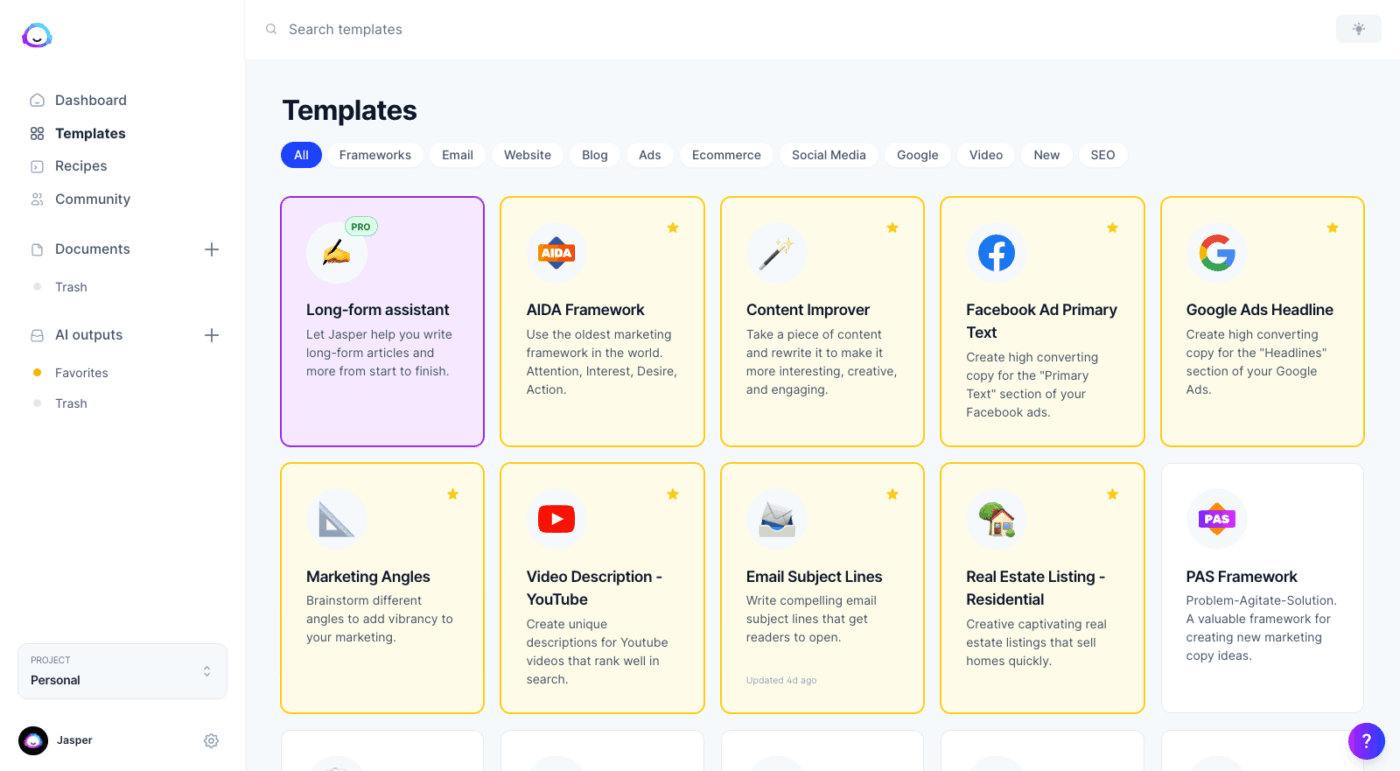
Jasper uses Intelligent Agents to handle workflows like social media campaigns and email sequences. You train the tool on your brand voice, and it will maintain that tone across different content types.
Its Canvas works like a shared workspace where teams can collaborate on content creation and campaign planning. The AI writer also includes content writing templates for different marketing needs, such as YouTube video descriptions and Google Ads headlines.
📖 Also Read: Best Jasper Alternatives and Competitors
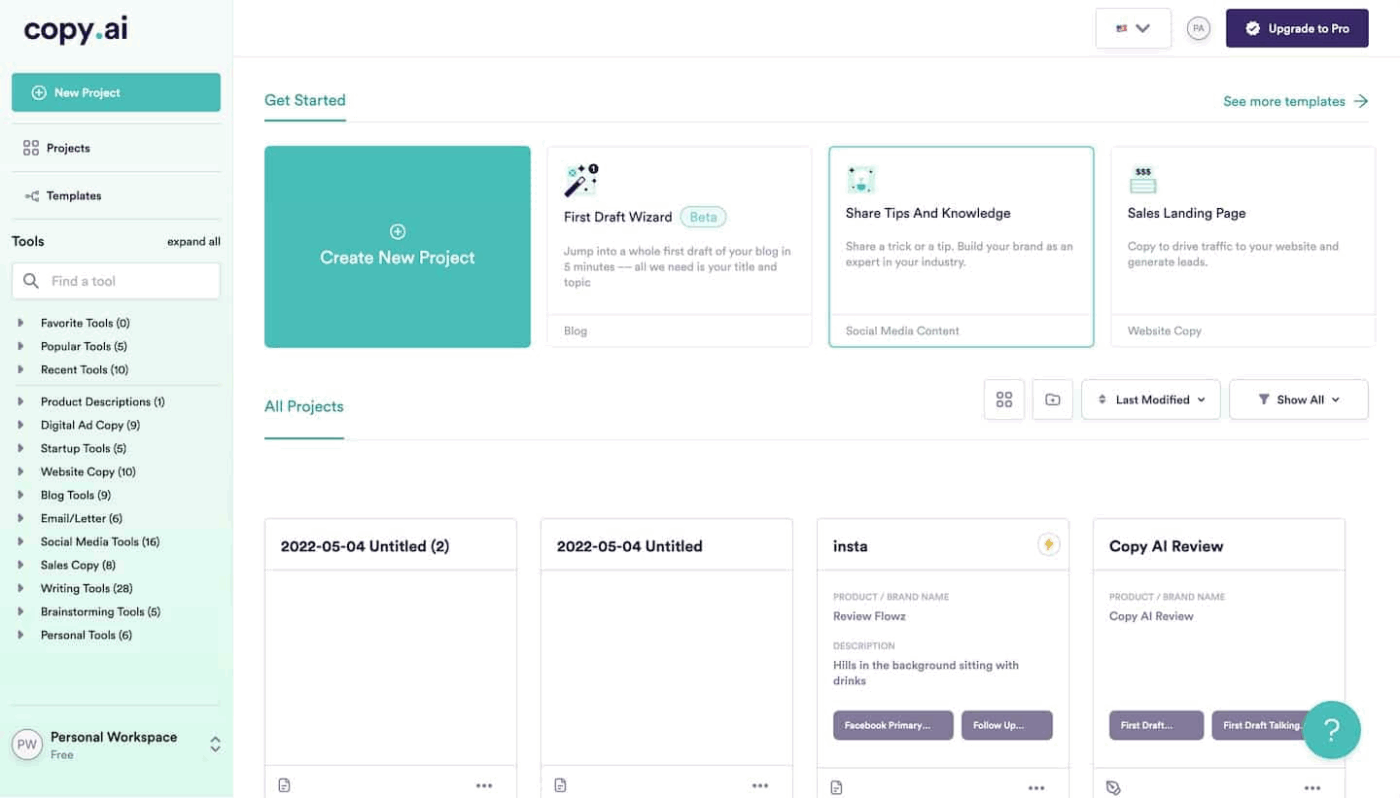
Copy.ai is a GTM Agent Platform that connects sales, marketing, and operations. You can build Workflows that chain together tasks, like turning prospect research into personalized outreach and follow-up sequences.
The Infobase stores your company information so the artificial intelligence references consistent details across projects. The platform also connects to over 2,000 tools, including Salesforce, HubSpot, and Gong.
📖 Also Read: Best Copy.ai Alternatives and Competitors
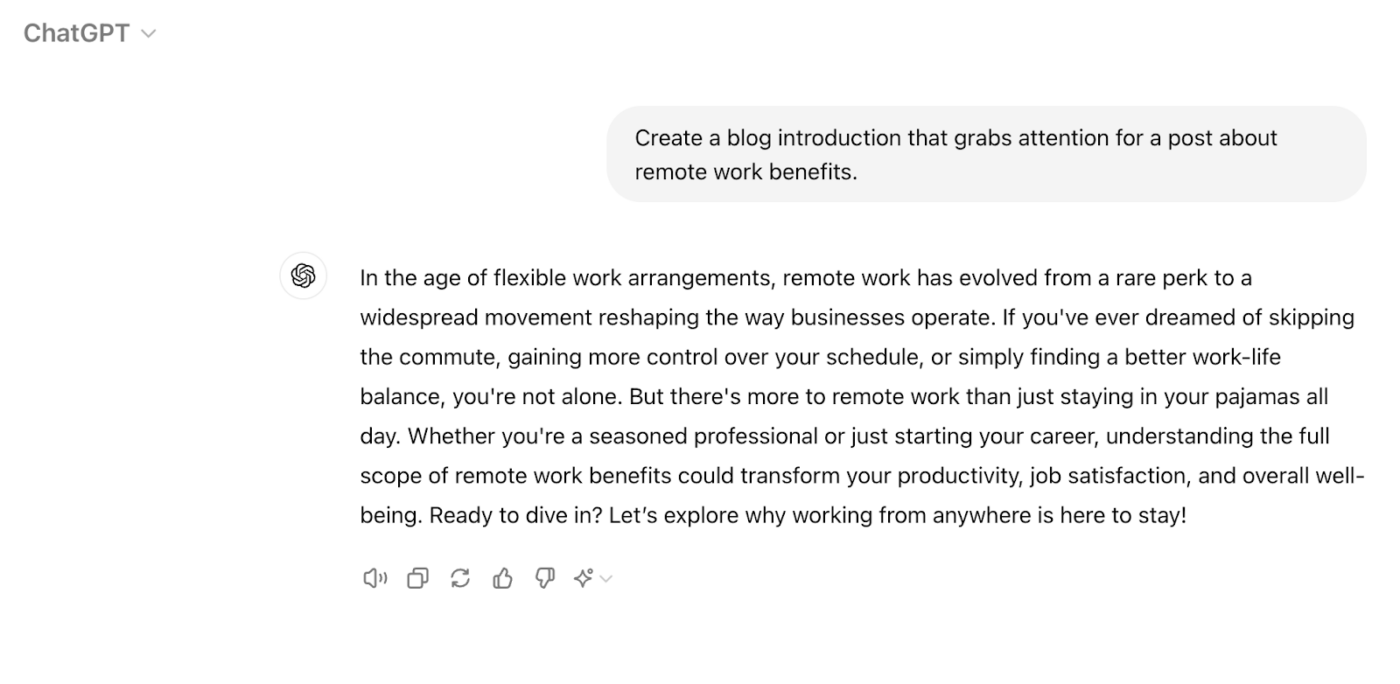
ChatGPT handles writing through natural conversation rather than templates or workflows. You can brainstorm ideas, iterate on content, and refine drafts through back-and-forth dialogue.
Set Custom Instructions to carry preferences across conversations, while Custom GPTs create specialized versions for specific tasks. The Memory function remembers details from your chats to personalize future responses.
In addition, you can use ChatGPT for content creation to organize conversations, files, and context around specific objectives.
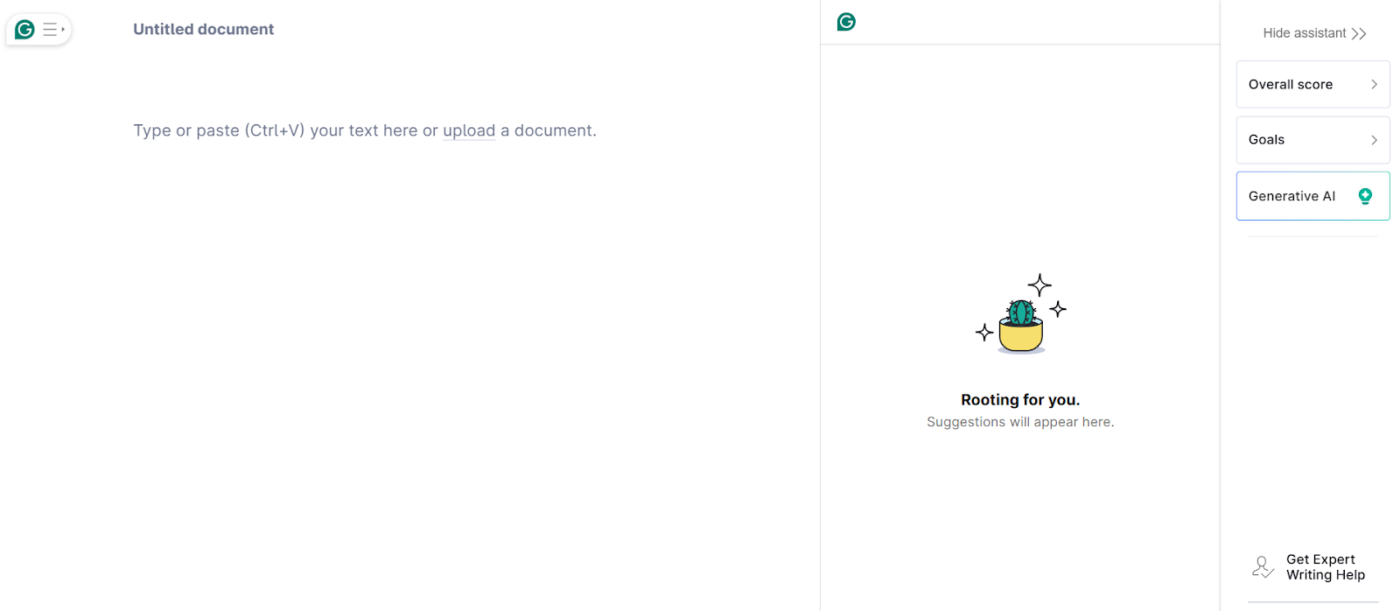
Grammarly works across 500,000+ apps and websites, providing real-time suggestions wherever you write.
Beyond grammar and spell-check, Grammarly offers full-paragraph rewrites, tone adjustments, and personalized suggestions based on your audience and goals.
Its Docs feature creates a writing workspace that supports you from initial draft to final version. Additionally, Knowledge Share explains company jargon automatically when team members hover over terms.
🧠 Fun Fact: In 2014, researchers released SciGen, a program that automatically generated gibberish research papers. It fooled some conferences into accepting the papers for presentation, sparking global debates about peer review and automation in academia.
Every team has a different writing challenge.
For some, it’s producing research-heavy content that ranks. For others, it’s writing quick campaign copy that converts. AI writing assistant tools can speed up each of these workflows. Let’s understand this better. 🎯
Writers and editors working on long-form content have two requirements: depth and discoverability. Blogs and whitepapers need reliable research, structured outlines, and SEO baked in from the start. Doing this manually takes hours—finding stats, shaping a flow, and stitching keywords into the right places.
AI writing assistants make this faster by generating outlines, pulling examples, and suggesting keyword placements that strengthen ranking potential.
📌 Try these prompts:
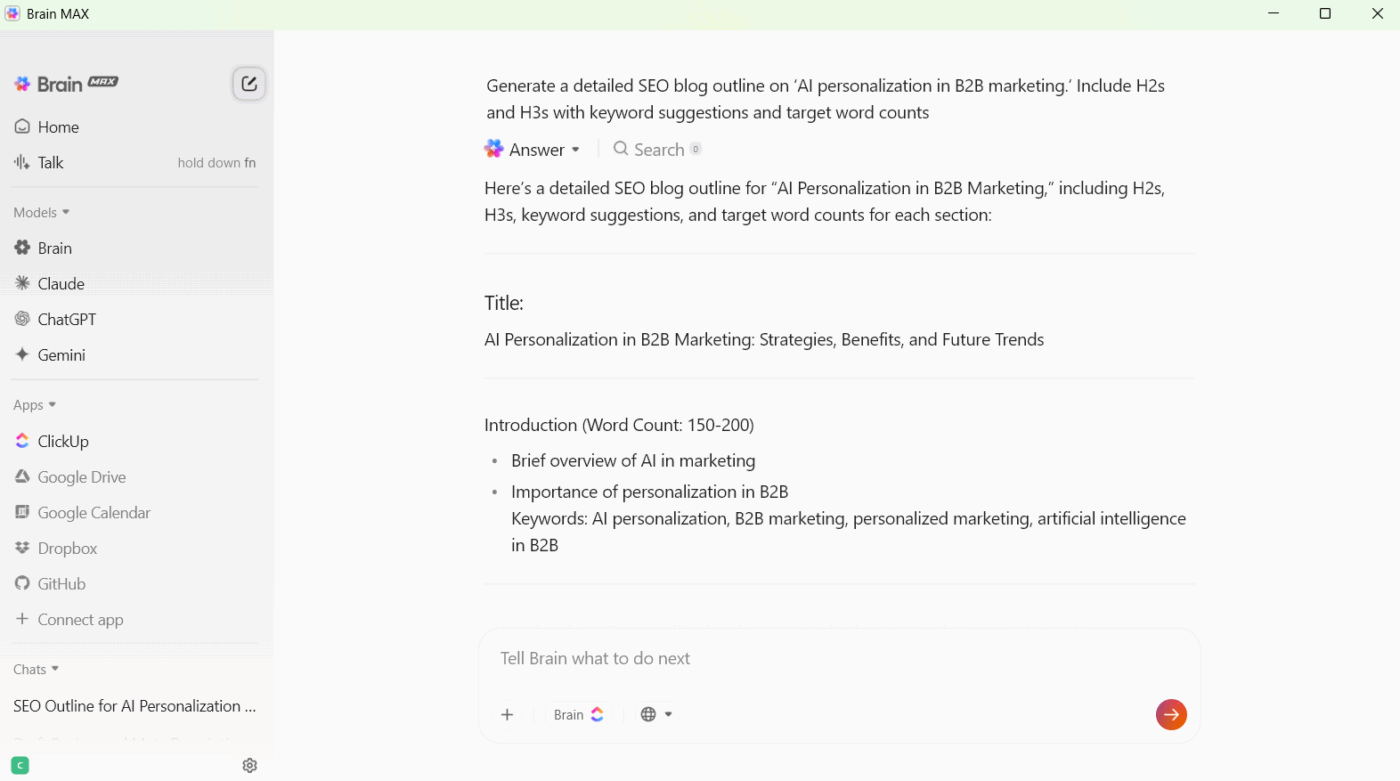
ClickUp Brain MAX makes this even more effective by letting content teams compare responses across multiple AI models in its desktop app. For example, when preparing a whitepaper on AI in B2B marketing, you could:
Marketing teams live on tight turnarounds.
When a product launch hits the calendar, you suddenly need a landing page, three email variations, and ad copy. The hardest part is making every asset feel sharp and on-message without spending hours polishing lines.
AI writing assistants help by generating multiple variations quickly, so teams can test angles and focus on strategy.
📌 Try these prompts:
ClickUp Brain and Docs bring this right into the campaign workflow. Drafts can be refined in real time, and teams can generate headlines, emails, and ad snippets from the same place where they’re reviewing creative.
Say you’re launching a new SaaS feature. You can:
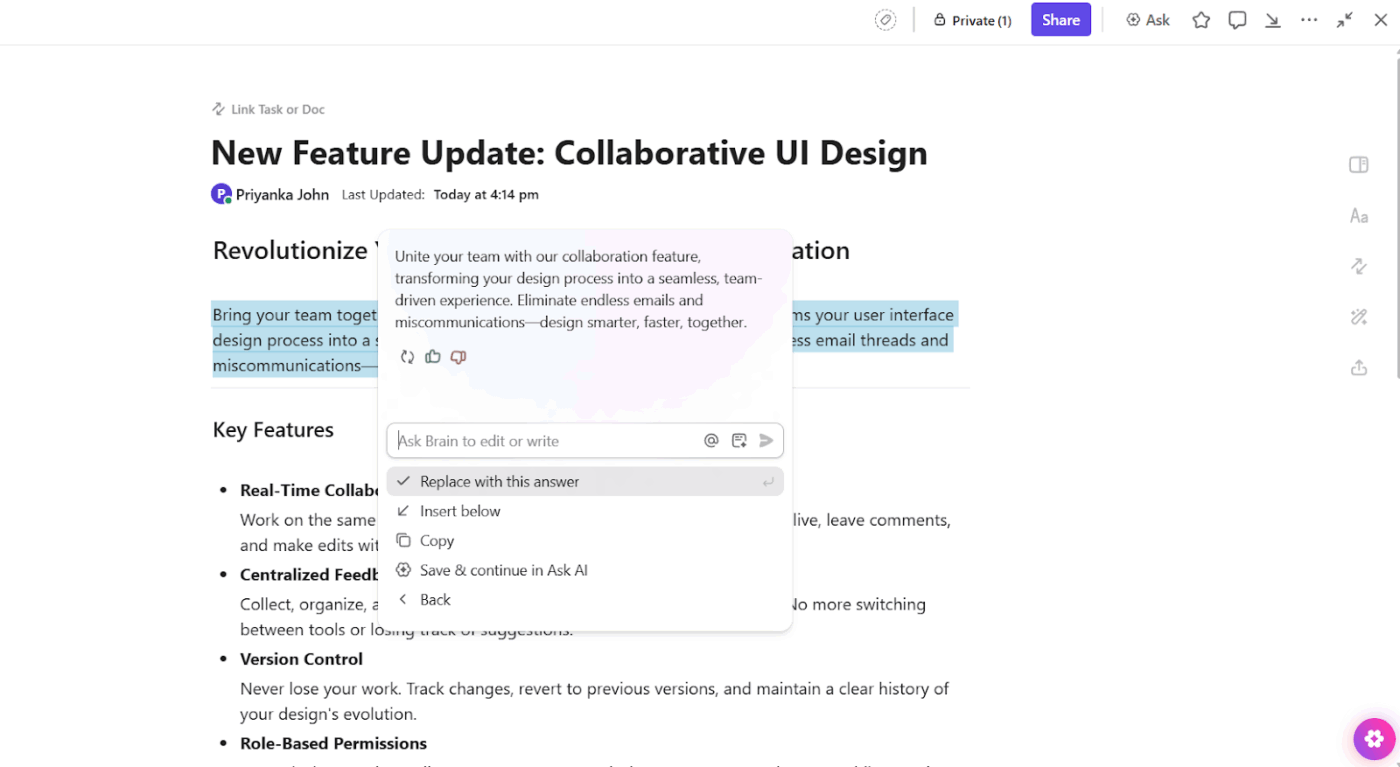
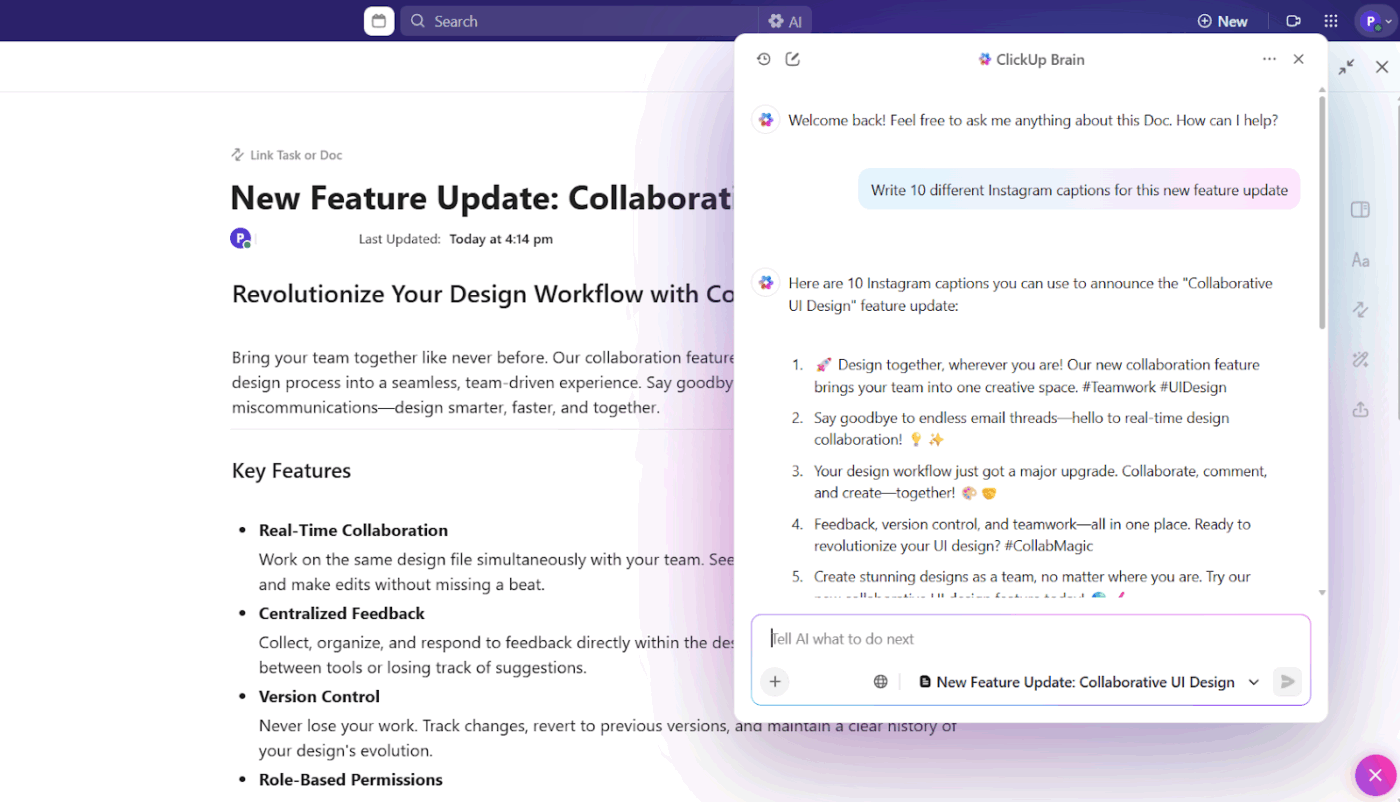
Social media managers need a constant stream of engaging content: captions that feel fresh, threads that tell a story, and quick replies to keep the community active. The pace is relentless, and writer’s block can be a daily reality.
AI writing assistants lighten that load by suggesting new ideas, repurposing campaign content into social formats, and creating ready-to-use variations.
For a product launch, you might:
🧠 Fun Fact: Alison Knowles used the FORTRAN programming language to compose poems, marking one of the earliest instances of AI-generated creative writing.
Product updates often start as raw technical specs—packed with details, but unreadable for customers. The challenge is turning them into clear knowledge base articles, release notes, and step-by-step guides.
Doing this manually can result in dense copy that confuses users instead of helping them. AI writing assistants simplify and format technical material into clear, customer-ready content.
ClickUp Docs makes this process straightforward. You paste in the technical draft, then prompt ClickUp Brain to simplify, structure, and polish it into release notes or a how-to guide.
Alternatively, you can open the relevant task in ClickUp and ask ClickUp Brain to write release notes with complete context.
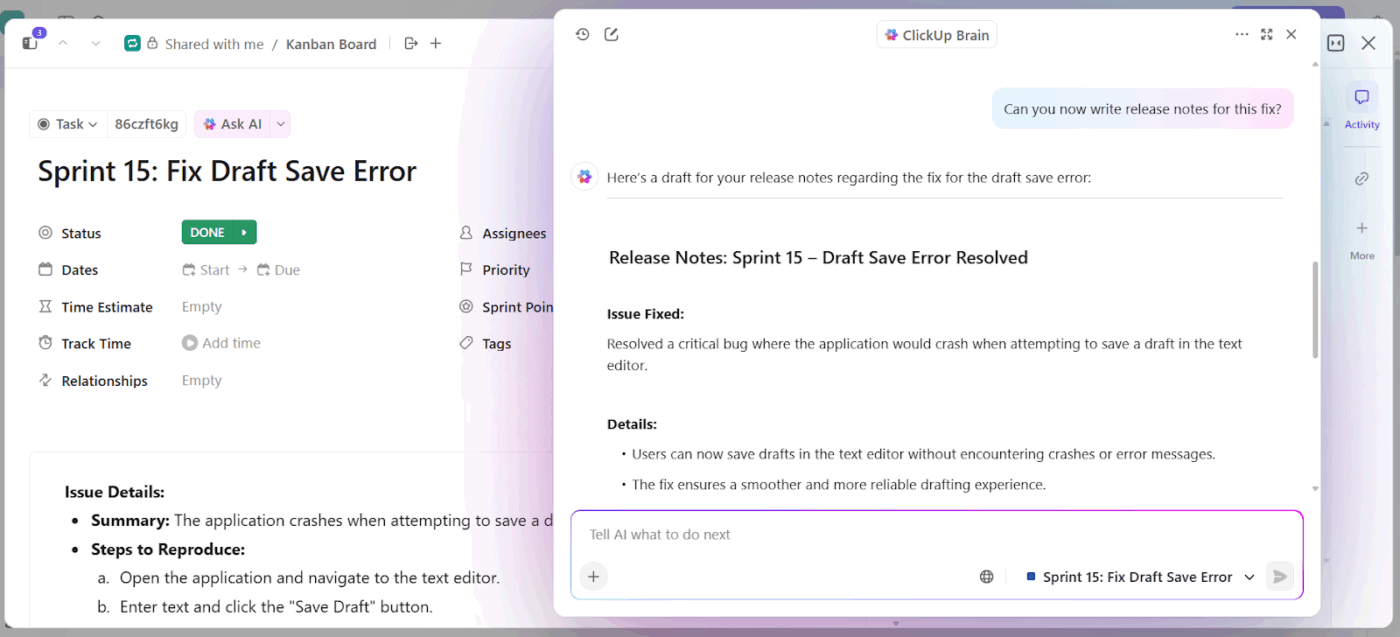
📌 Try these prompts:
The challenge for sales teams is balancing personalization with speed. Crafting outreach that feels tailored often takes too long, and rushing it risks sounding generic.
AI writing assistants help by generating draft emails, call scripts, and proposal summaries that reps can quickly adapt for each prospect.
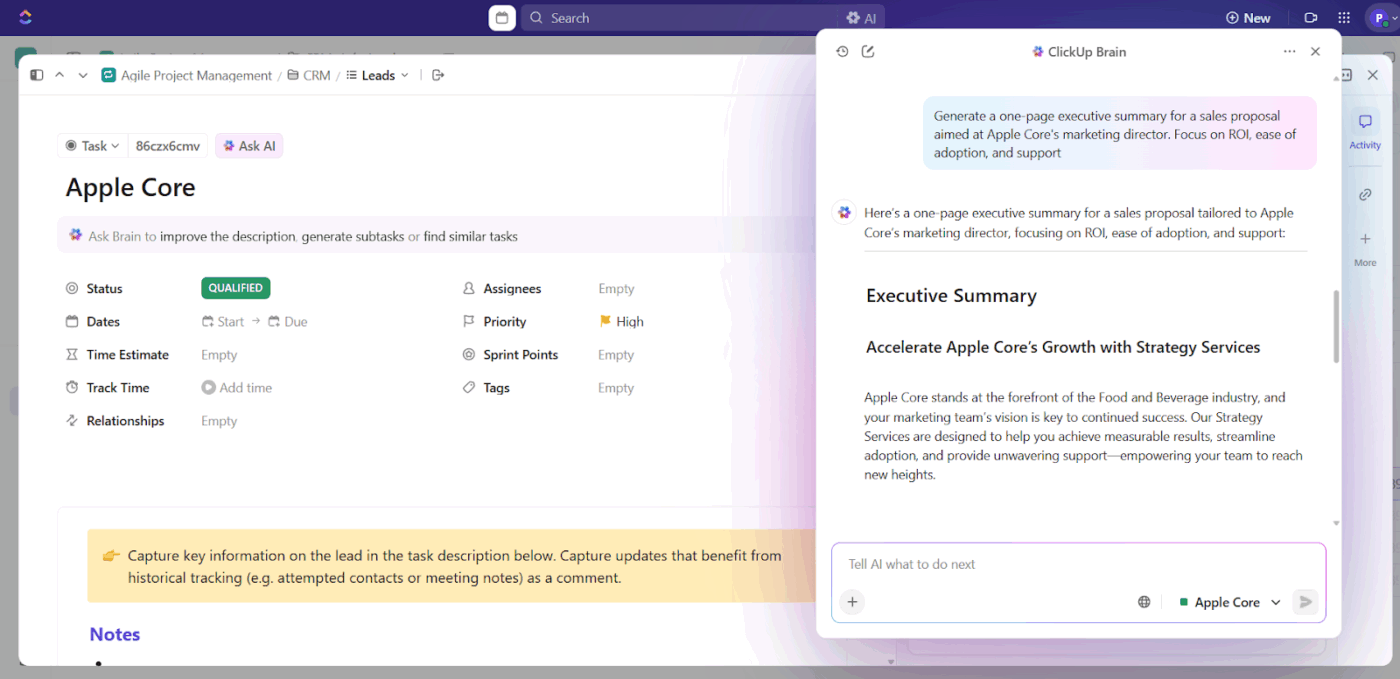
ClickUp Brain makes this workflow seamless inside your sales tasks. You can generate outreach, scripts, or summaries directly in the same place you track pipeline activity.
📌 Try these prompts:
📖 Also Read: Best AI Productivity Tools to Use
Marketing teams often use AI writing tools like magic wands—give it a vague command and expect perfection. Here’s where they go wrong:
🔍 Did You Know? A paper titled Value, Benefits, and Concerns of Generative AI-Powered Assistance in Writing found that people prefer using AI help as long as the task is creative and AI helps generate content. It also found that AI helps boost confidence in writing.
📣 Customer Spotlight: Marketing agency Hawke Media reduced project management time by 30% with ClickUp, freeing up more time to focus on delivering results for their clients.
I tried ClickUp and fell in love with it. The platform has become a favorite part of my workday. I’m an unapologetic evangelist—I tell everybody about ClickUp.
Watch this video to understand how their team used ClickUp:
Apply these tips to use AI writing assistants efficiently. 👇
AI marketing tools need context to avoid generic writing.
📌 Try this: Write a 500-word article for burned-out marketing managers about productivity hacks that don’t require new apps or systems. Use a sympathetic but practical tone, and include at least two specific examples they can try tomorrow morning.
This works because you’ve defined the audience (burned-out marketing managers), the constraint (no new tools), the tone (sympathetic but practical), and given specific requirements (2 actionable examples).
The AI content generator now has guardrails to prevent it from wandering into generic advice territory.
Develop a systematic workflow for content ideation. Begin by asking, ‘What are 10 unique angles on [topic] that haven’t been extensively covered?’
Select the most compelling angle, then request ‘What are five specific examples or case studies that support this perspective?’ Finally, ask ‘What objections might skeptics raise, and how would you address them?’
This process transforms hours of research and brainstorming into a focused 10-minute session inside a content workflow software.
🧠 Fun Fact: A research paper on ‘human-AI co-writing’ found that getting AI assistants to suggest next paragraphs instead of just next sentences helped people write both faster and better. People who don’t write every day saw especially big gains.
When results don’t meet expectations, stay within the same conversation and give precise direction.
📌 Try this: ‘The tone is too formal for our audience. Adjust it to sound more conversational while maintaining professionalism, or ‘Add concrete examples with specific metrics or company names to support each main point.’
The AI learns from your feedback during the conversation, so subsequent iterations will show improvement over initial attempts.
Reserve AI for research synthesis, outline creation, and content reformatting rather than creative work.
📌 Try this: ‘Convert this 2000-word article into five platform-specific social media posts, each highlighting different key insights’ or ‘Transform these customer testimonials into a cohesive case study showing how our solution addresses a specific business challenge.’
You can maximize efficiency by letting AI handle systematic tasks while preserving your creative energy for strategy and original thinking.
🚀 ClickUp Advantage: Talk to Text in ClickUp helps you get ideas on the page the moment they come to mind. Hold down your shortcut key, start speaking, and watch your words appear in real time.
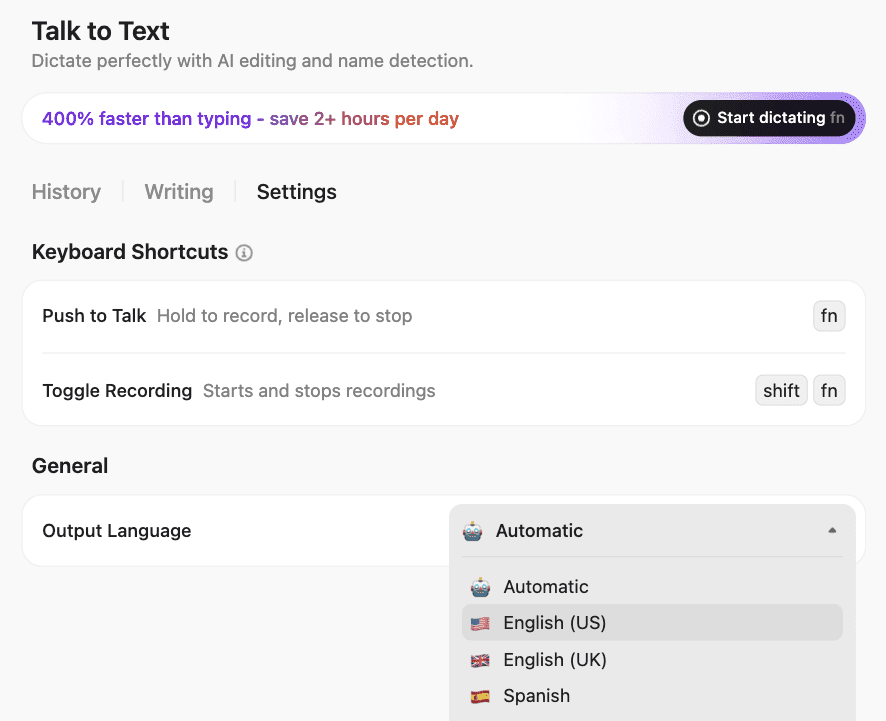
For example, after a client call, you could speak out ten headline ideas for a new ad campaign. ClickUp Brain MAX captures them instantly in a doc. From there, you can refine the best ones into polished copy and share them with your team for feedback.
Learn more here:
You’ve got countless apps offering to write your blogs, polish your emails, or brainstorm captions. The trick lies in knowing how to choose AI writing assistants that make your work easier without piling on another layer of complexity.
Now with ClickUp, you get ClickUp Brain and Brain MAX right inside the platform where your projects, campaigns, and docs already live. Marketing teams can refine landing pages in seconds, social managers can draft captions without leaving their workspace, and product or sales teams can turn dry notes into content that connects.
If you’re ready to skip the app overload and put all your writing in one place, sign up for ClickUp today! ✅
A. ClickUp Brain is the top choice for long-form content, especially if you’re already managing projects in ClickUp. It integrates seamlessly with your workflow, letting you create and edit long articles directly within your project management system.
A. No, AI writing assistants can’t fully replace human writers. AI excels at research, first drafts, and routine content, but it lacks genuine creativity, personal experience, and emotional intelligence. It also can’t conduct original interviews, develop unique insights, or understand complex brand nuances.
A. ClickUp offers AI writing as part of its paid plans, making it extremely cost-effective compared to standalone tools. ChatGPT Plus costs $20/month, Jasper starts at $69/month, and Copy.ai begins at $29/month.
A. To ensure content quality with AI writing, fact-check statistics and claims. Provide detailed prompts with context, audience, and tone specifications. Use AI output as a first draft, then edit for your brand voice and add personal insights.
A. ClickUp is the best choice for marketing teams because it combines AI writing with project management, keeping all your campaigns organized in one place. You can create content briefs, generate copy, and manage approval workflows without switching between other tools.

© 2026 ClickUp

There’s an easier way. Try a free AI Agent in ClickUp that actually does the work for you—set up in minutes, save hours every week.