Sorry, there were no results found for “”
Sorry, there were no results found for “”
Sorry, there were no results found for “”
Engaging content can promote your product/service, entice readers to purchase, and make you their go-to brand. But is creating content as fun as its results sound? YES!
Technology is here to help, and ChatGPT is your new best friend. Whether you’re battling writer’s block, brainstorming ideas, or polishing a tricky paragraph, we have the best tips and tricks to help you set up your content creation process using artificial intelligence.
Find out how to use ChatGPT for content creation, discover its potential, and let us introduce you to another, more powerful AI content generator.
ChatGPT,created by OpenAI, is a large language model conversational chatbot that answers user queries by responding to writing prompts. The tool learns from huge amounts of training data and uses natural language processing capabilities to generate contextual answers.
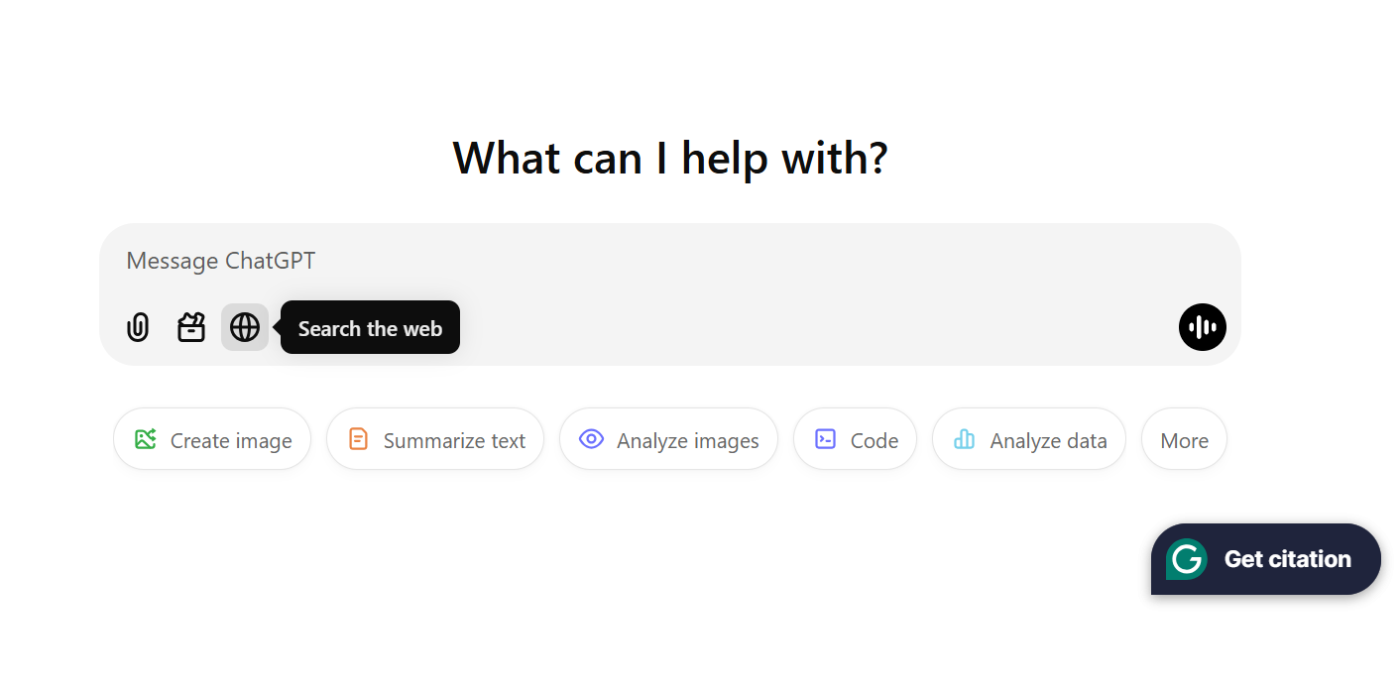
Here are the latest versions of ChatGPT to help you with your various content creation needs:
🧠 Fun Fact: As of 2023, American companies saved up to $50,000 to $70,000 by using ChatGPT.
Knowing how much you will spend on your natural language processing model is ideal before deciding how to use ChatGPT for content. Most of your needs may be met by a free version, but paid versions may yield better outcomes for specialized content.
👀 Did You Know? KPMG India’s CEO, Yezdi Nagporewalla, challenged the famous narrative that AI tools will replace humans. Instead, he encouraged a human-AI hybrid approach to increase productivity and shared that CEOs will continue to hire year after year.
From creative writing to optimizing existing assets for performance, here are six ways to use ChatGPT for content creation:
ChatGPT can take your ideas and create structured drafts of a blog or product descriptions, saving you from staring at a blank page, endlessly.
Whether you need to develop a unique introduction, generate detailed explanations for concepts, or write sensible conclusions, tailor the tool to your needs and draft long-form content in seconds.
📌 Example: If you’re a marketer writing a blog post about eco-friendly packaging trends, you can ask ChatGPT to draft an informative and engaging piece.
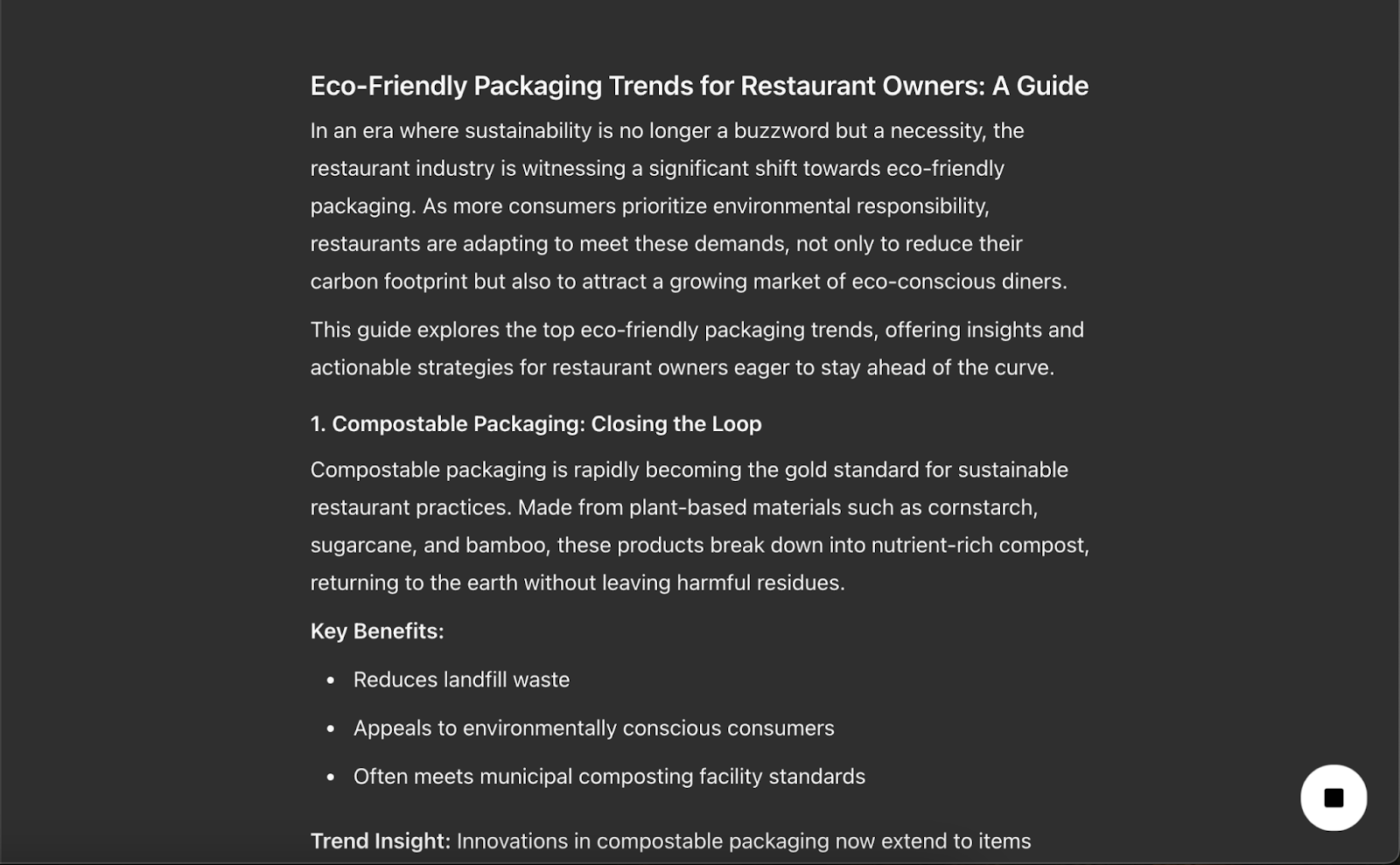
👀 Did You Know? ChatGPT amassed 57 million active users in its first month. Google Translate took six and a half years to reach this milestone.
Headlines and meta descriptions are necessary to rank in search engines. They are also the trickiest to write sometimes.
ChatGPT can help you be creative by suggesting headline ideas and SEO-friendly meta descriptions. Achieving the perfect balance between creativity and optimization can be tough, but the AI tool makes it easier.
However, do not forget to add a word limit in the prompts.
📌 Example: While generating a headline and meta description for a blog post about the benefits of prompt engineering, remember to include how many suggestions you require for each and their character limit.
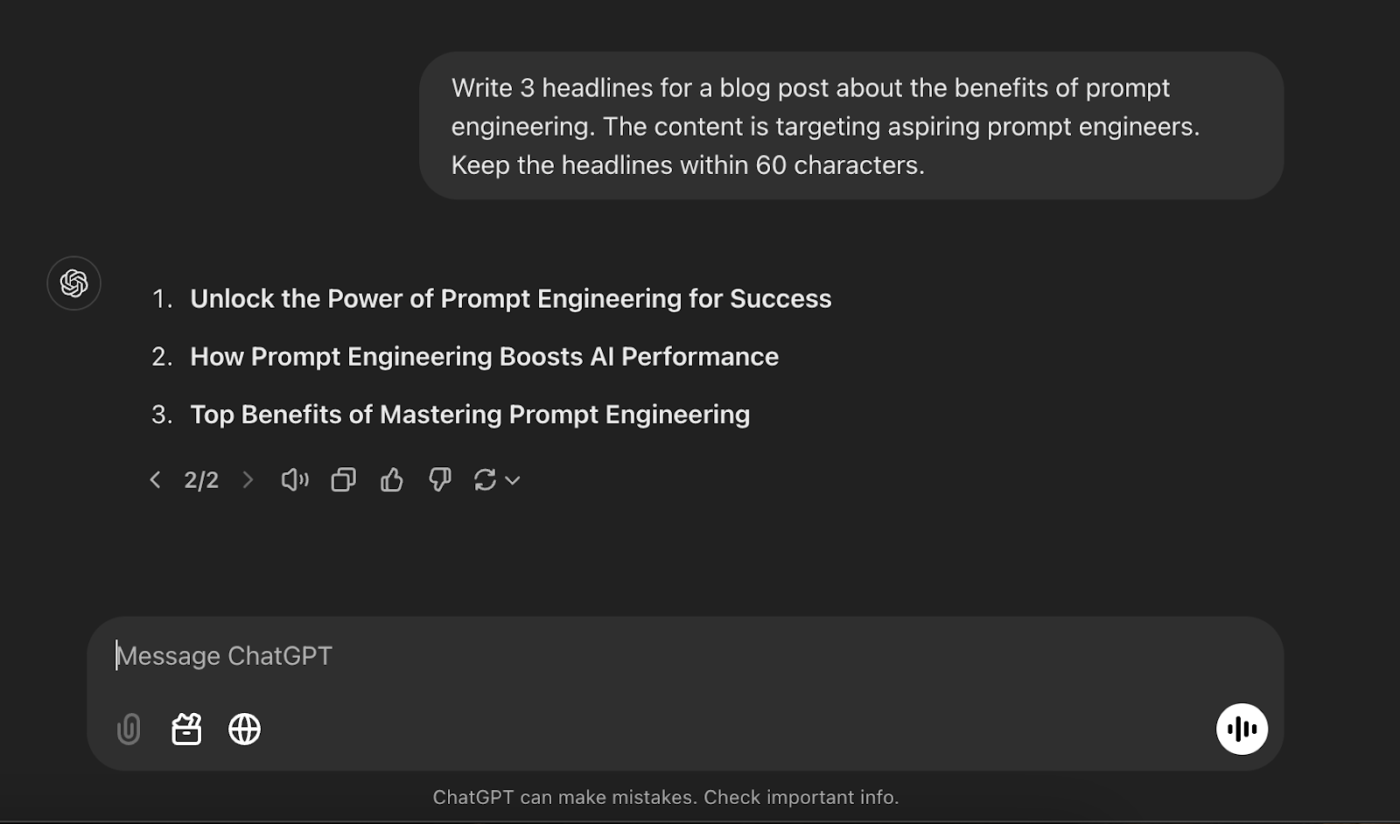
💡 Pro Tip: Want to uncover gaps in existing content on search engines so you can fill them with your own piece? Paste the existing, incomplete content into ChatGPT and prompt it to ask questions, identify gaps, and suggest ways to add value.
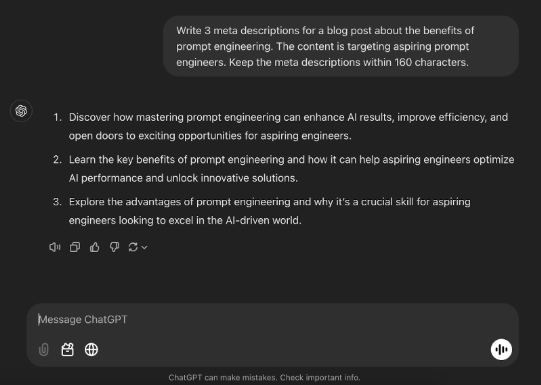
Repeat the similar process for meta descriptions using the following prompt:
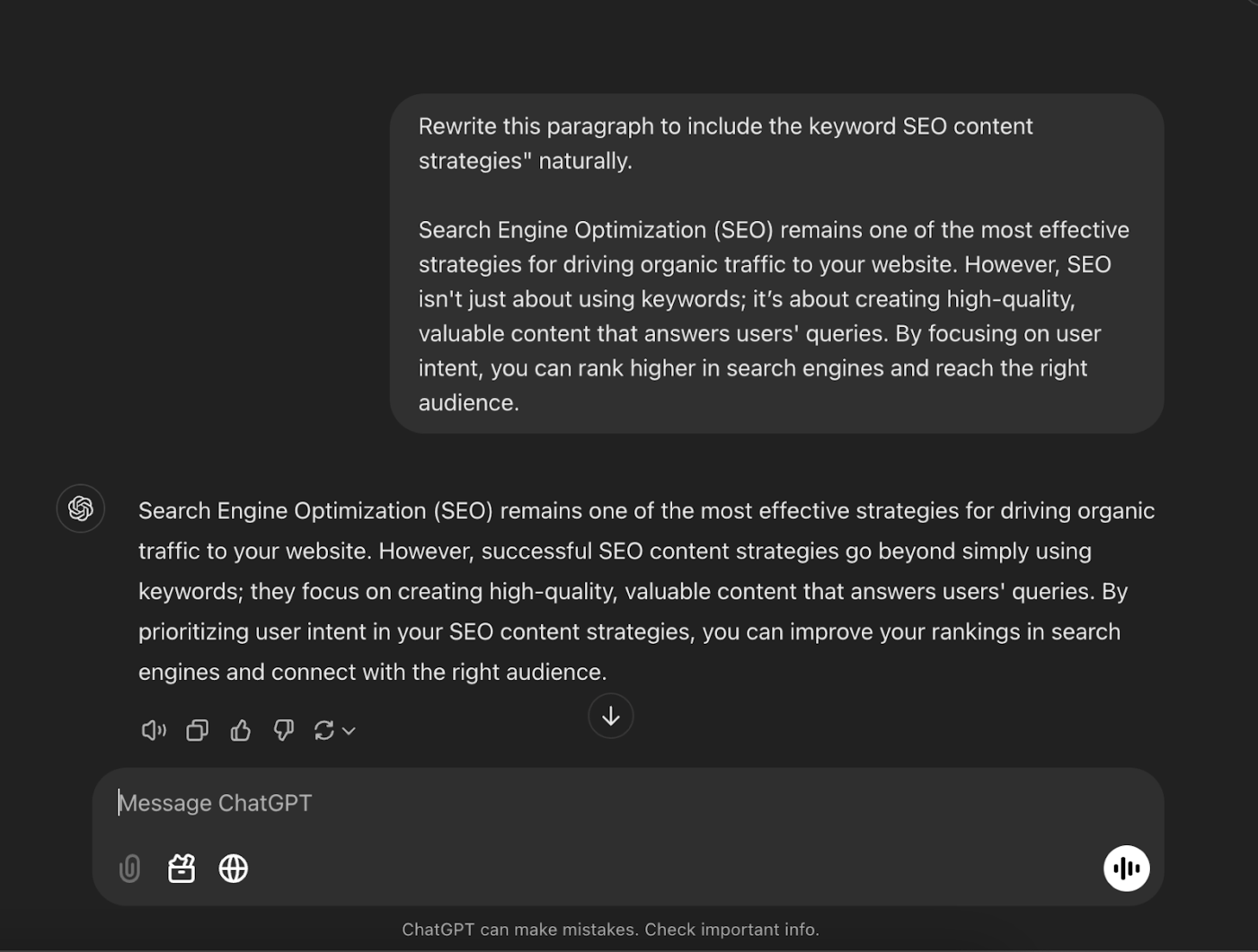
ChatGPT can even tackle content optimization. Use it to weave in relevant keywords without sounding forced to boost your rankings and readability. It simplifies complex sentences without losing depth or rewrites sections to engage different audience segments. Plus, it can generate compelling CTAs and even identify opportunities for internal and external linking to enhance SEO further.
📌 Example: When writing a blog post about content marketing strategies, ask ChatGPT to suggest ways to include related keywords like ‘SEO content strategies’ naturally.
It’s a simple way to ensure your content gets noticed without losing quality.
Also Read: A Guide to Using AI in Content Marketing
Social media posts are quirky, conversational, informative, and memorable—all at once. That’s a milestone to achieve when you first begin writing or have a super-specific agenda with short-form content.
AI writing tools can create ad copy (like Google ads), draft a whole post, and even write social media captions while experimenting with different writing styles.
⚠️ Remember: Your prompts must be specific and descriptive to prevent ChatGPT from delivering generic output.
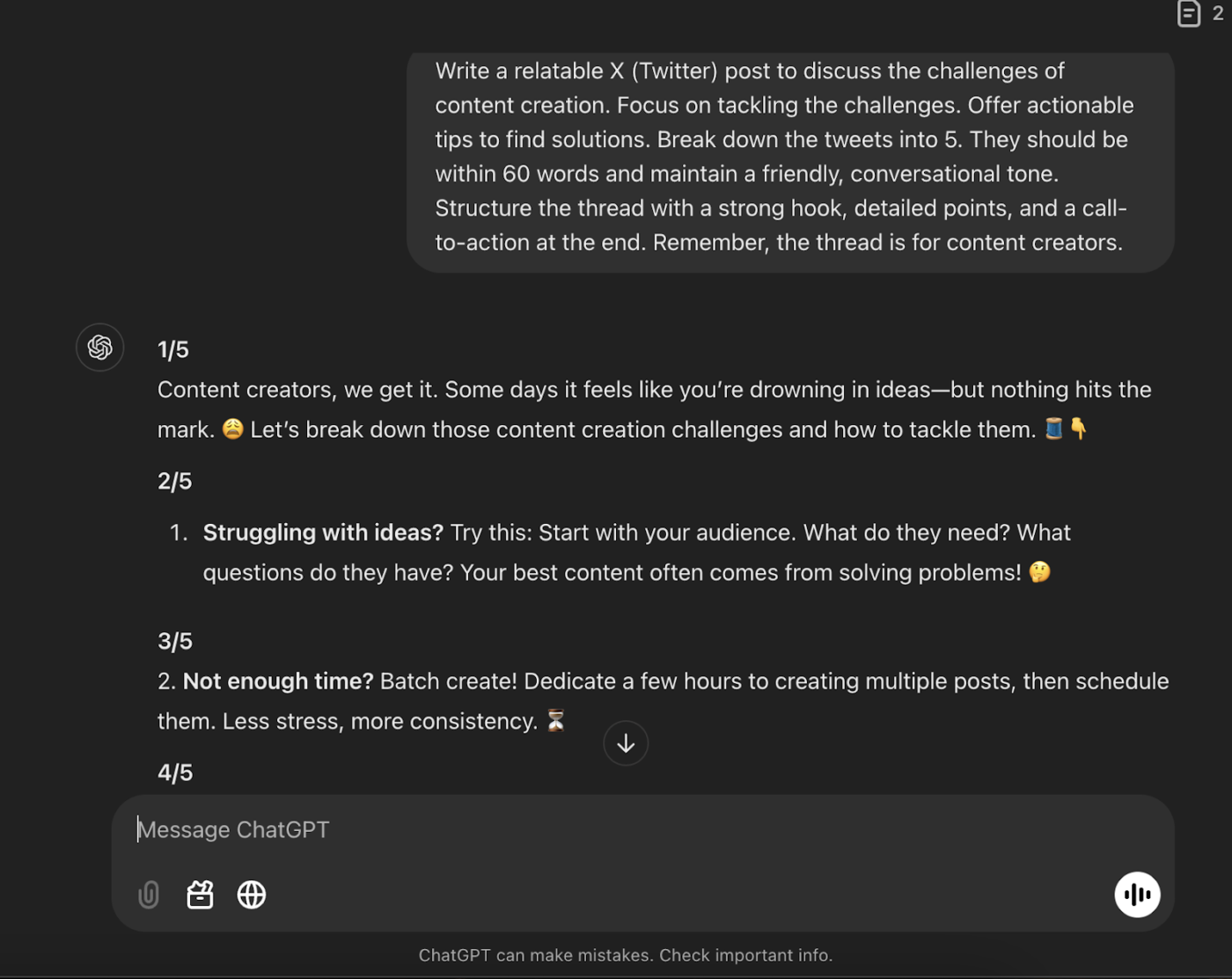
📌 Example: You want to start a Twitter (or X) thread to discuss the challenges of content creation. You can use ChatGPT to generate content about the same by giving it a relevant prompt, instructions for tonality, and a word limit.
🎯Also Read: How to Use ChatGPT Tasks
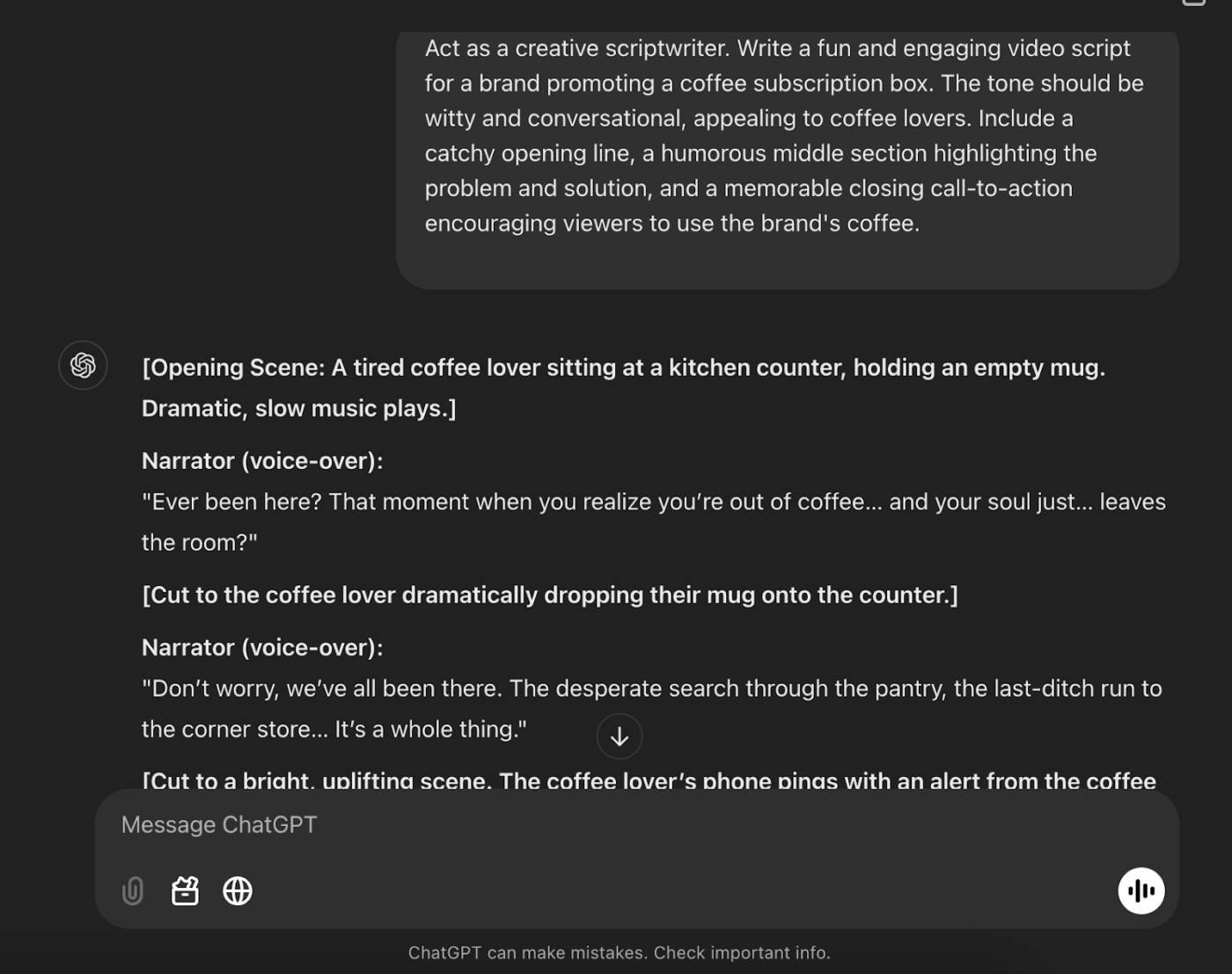
Scriptwriting is a different school of content creation. Writing video scripts can feel like performing a high-stakes juggling act—balancing creativity and timing while keeping your audience awake (and entertained).
Enter AI content creation tools, your scriptwriting sidekicks! Whether you need a snappy intro, a cliffhanger for the middle, or a mic-drop outro, they have your back.
They can even work with a prompt like, “Write a fun 2-minute video script for a brand promoting a coffee subscription box.”
📌 Example:
💡Pro Tip: You can control data sharing in ChatGPT. Open the AI tool and click your profile icon at the top-right corner. Go to Settings and select Data Controls in the menu. Toggle the first setting, ‘Improve the model for everyone,’ to Off. This will prevent the model from using your inputs as training data.
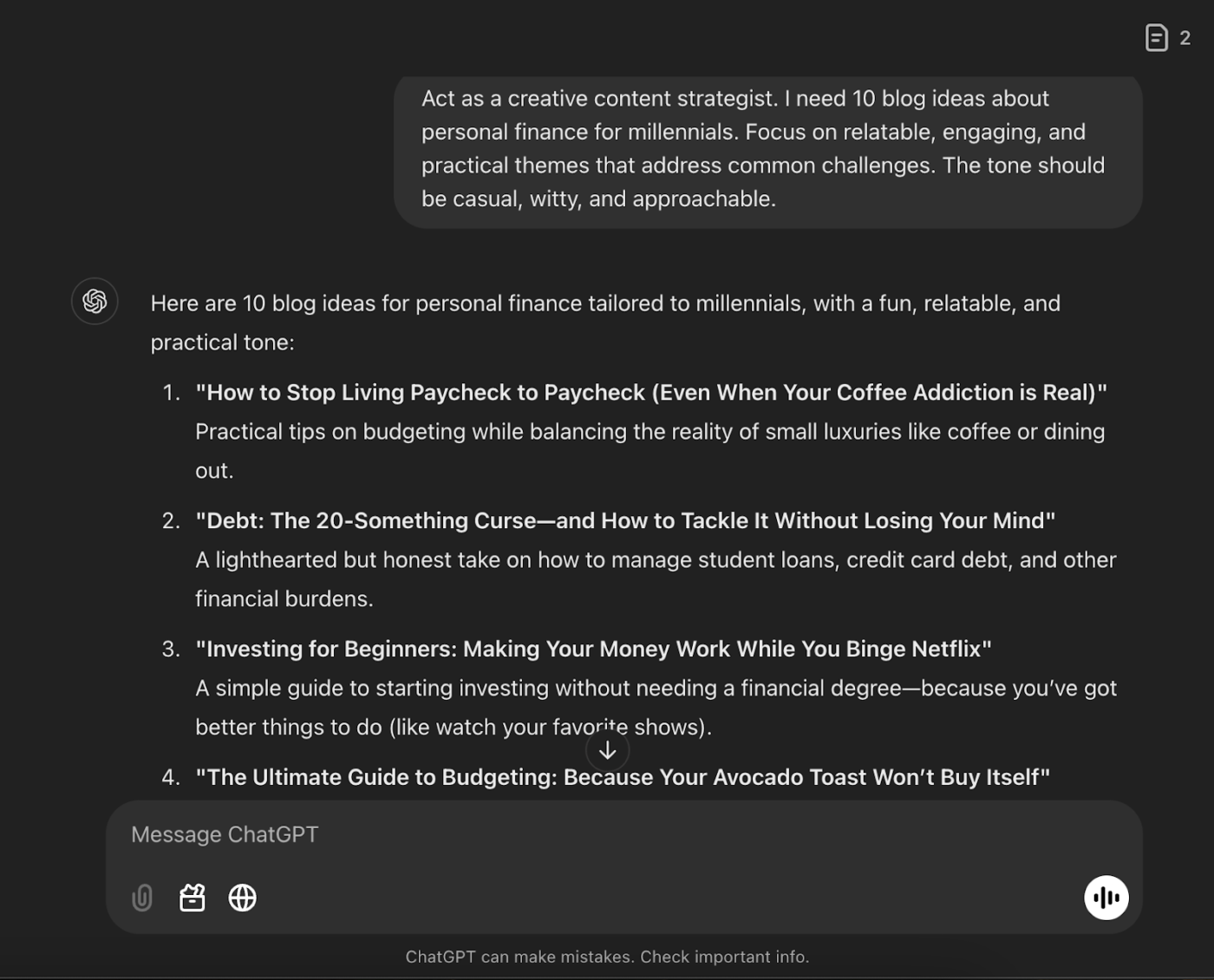
Brainstorm blog topics, create a content strategy, or discover a campaign theme by throwing in a hint, and ChatGPT will deliver.
It’s brainstorming without the blank stares and awkward silences—perfect for when you need ideas, fast and fun!
📌 Example: If you say, “Suggest 10 blog ideas about personal finance for millennials,” ChatGPT will create topics like ‘How to Crush Student Loans Without Crying’ or ‘Side Hustles That Actually Pay the Bills.’
👀Did You Know? While ChatGPT is active in 161 countries across the globe, some are yet to adopt the natural language processing model. A few of them are China, Russia, Venezuela, and Afghanistan.
While ChatGPT has the potential to become your go-to tool for creating high-quality content, without detailed information in the prompts, it might be difficult to work with it.
The more context you can give ChatGPT, the better the content it may deliver. But then there’s another roadblock—it repeats its writing patterns for different topics, prompting writers to learn how to edit AI content.
Therefore, using ChatGPT without knowing its limitations can lead to subpar AI-generated content. If you don’t want that, keep these limitations in mind:
If consistently editing AI text or the limited character limit of the free version of the large language model bothers you, then you can look for ChatGPT alternatives, such as ClickUp.
While ChatGPT is great at brainstorming, it sometimes needs too much information to respond. Because it’s not aware of your work context, you’ve to feed every detail into the prompt, making it a time-consuming exercise.
ClickUp, on the other hand, is your know-it-all companion. As the everything app for work, it centralizes all your project and workspace data and enhances actions with AI, so you’re always at the top of your productivity game!
Let’s take a day in the life of a content marketer, for example.
They start their morning by brainstorming blog ideas with ClickUp’s AI assistant, ClickUp Brain. Then, they create separate Tasks in ClickUp for each blog post and assign it to the right writers. They use ClickUp Docs to review the drafted posts and collaborate seamlessly on feedback with in-line comments, mentions, and real-time editing.
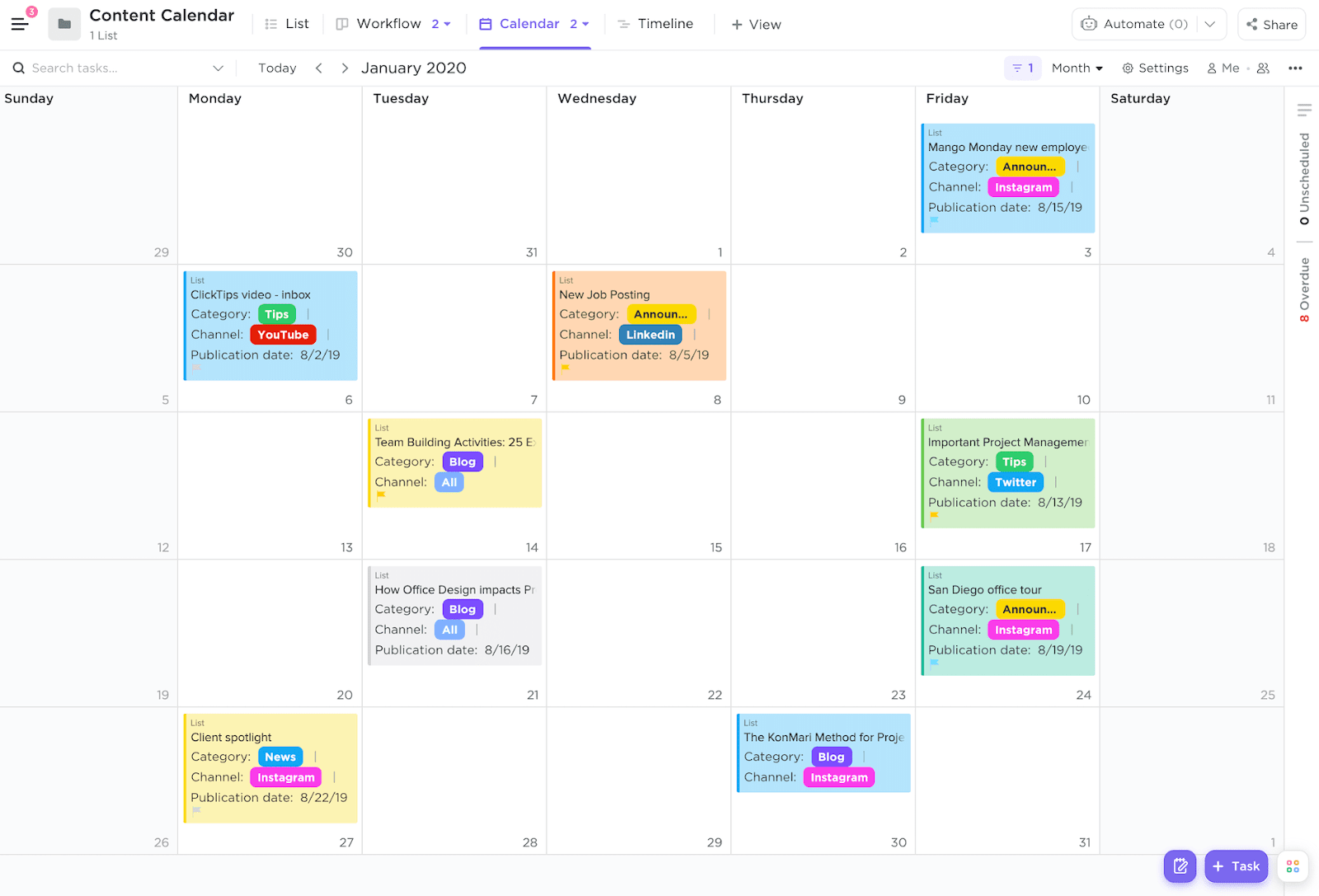
By afternoon, they’re tracking campaign timelines in ClickUp’s Calendar View, and before they log off, they review the automated task updates to stay aligned without lifting a finger.
ClickUp can easily become your content workflow software, especially with its AI and automation features working on your side.
ClickUp Brain is designed to be your companion for connecting tasks, documents, people, and your company’s knowledge base. It’s like having a super-organized, ultra-smart colleague who is never on a holiday!
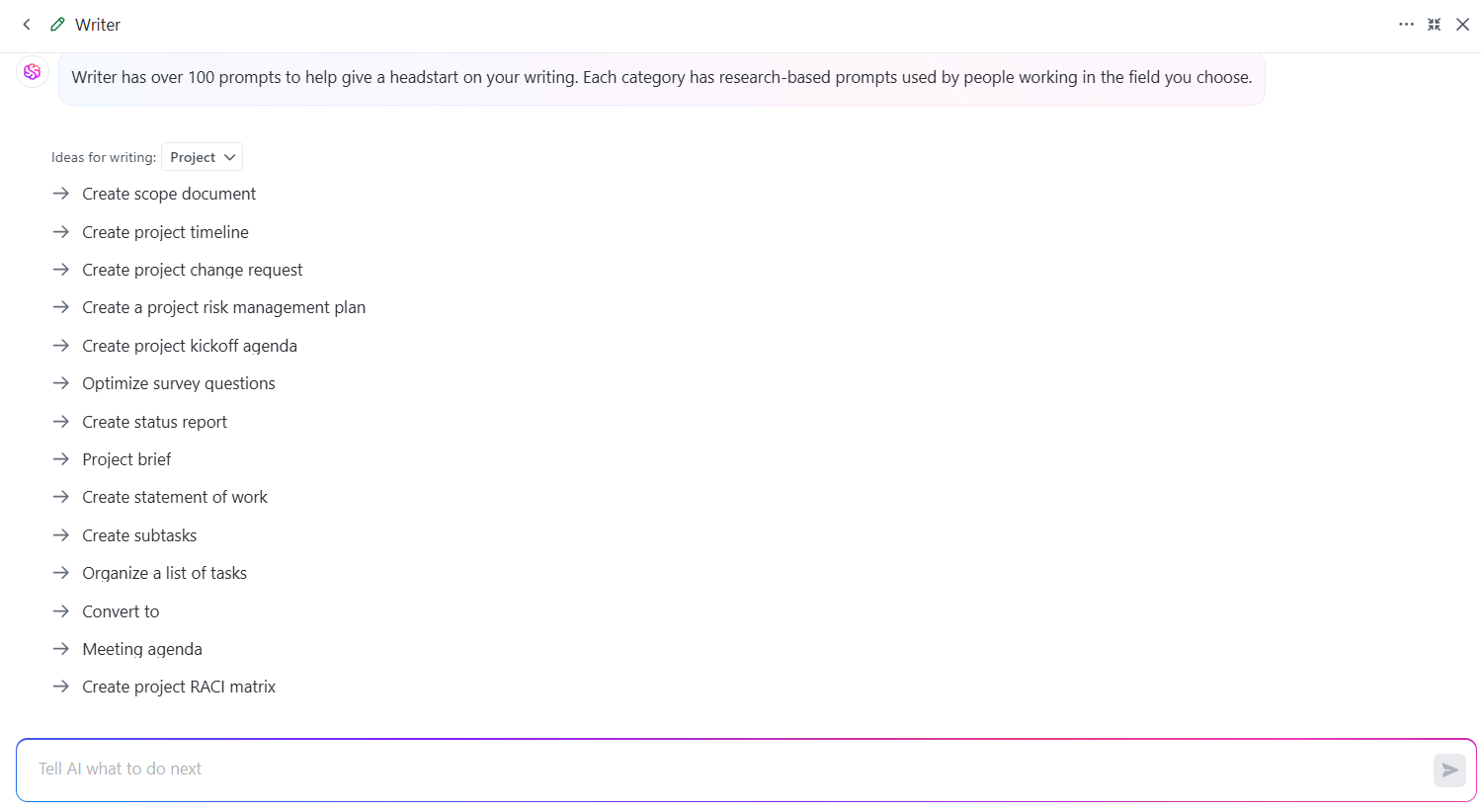
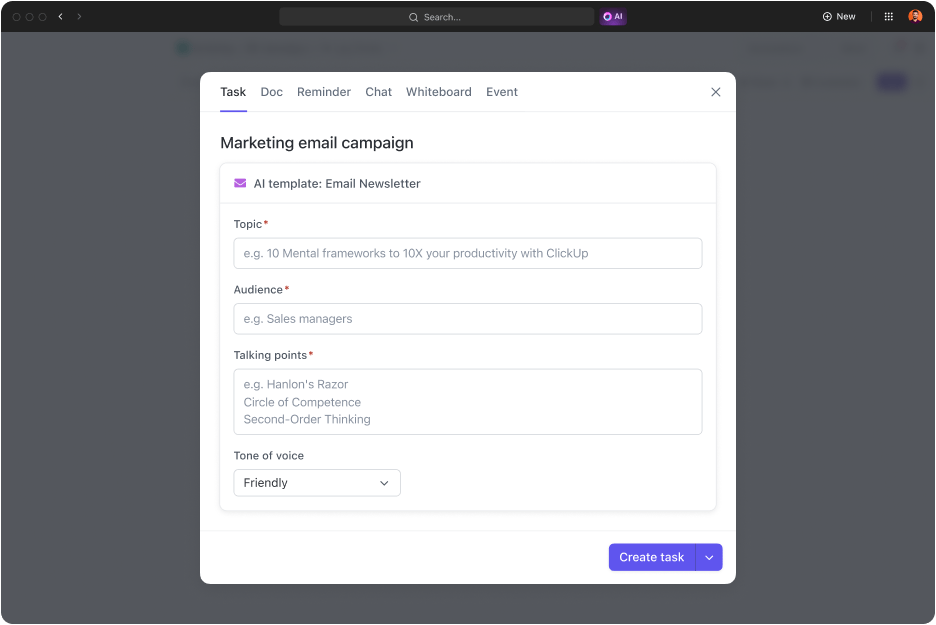
Brain’s AI Writer for Work is your go-to for crafting quick and top-notch content within the tool. It pulls insights from all your connected apps, so it won’t suggest writing about dogs when your company sells cat food.
It’s got some neat tricks up its sleeve:
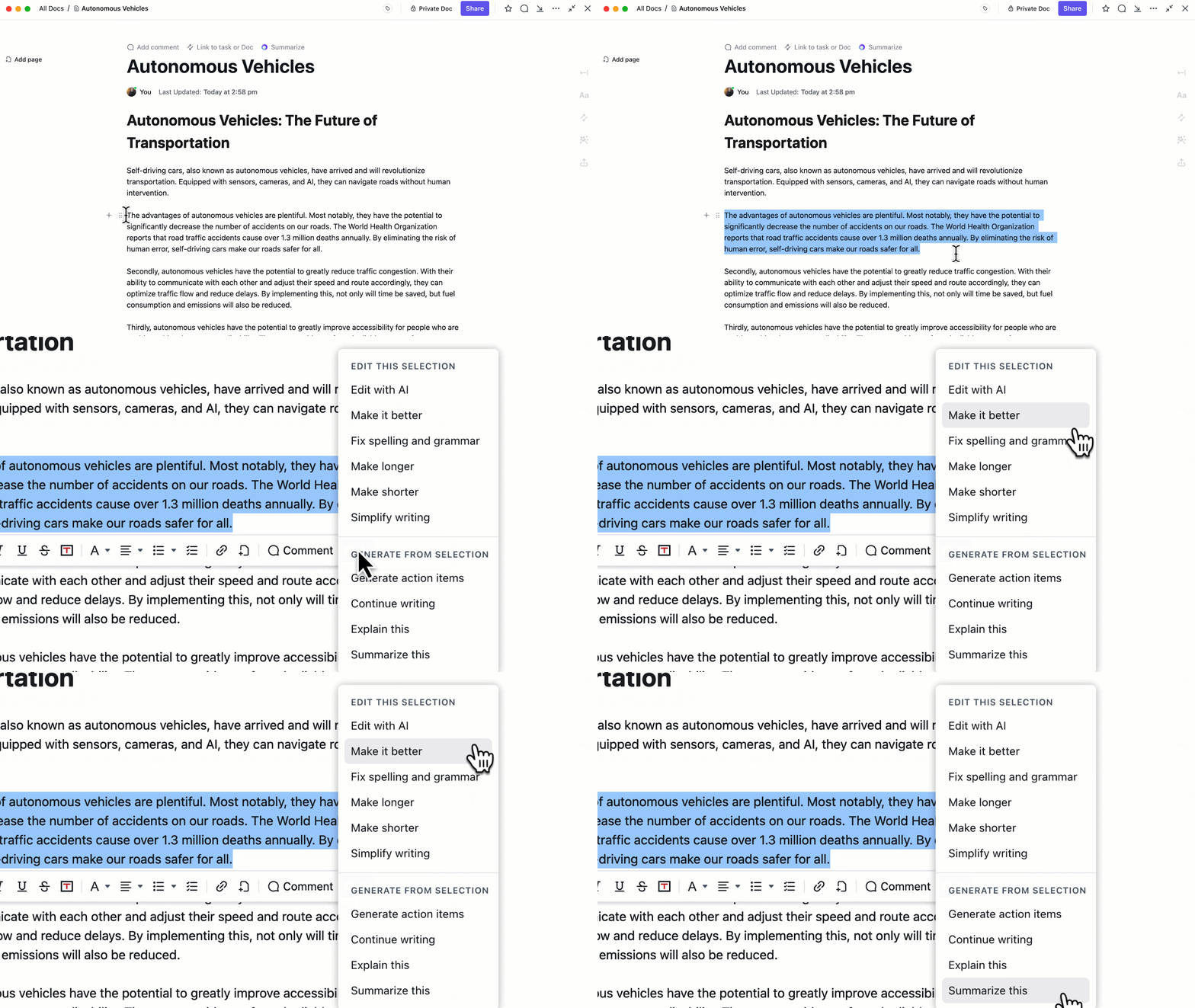
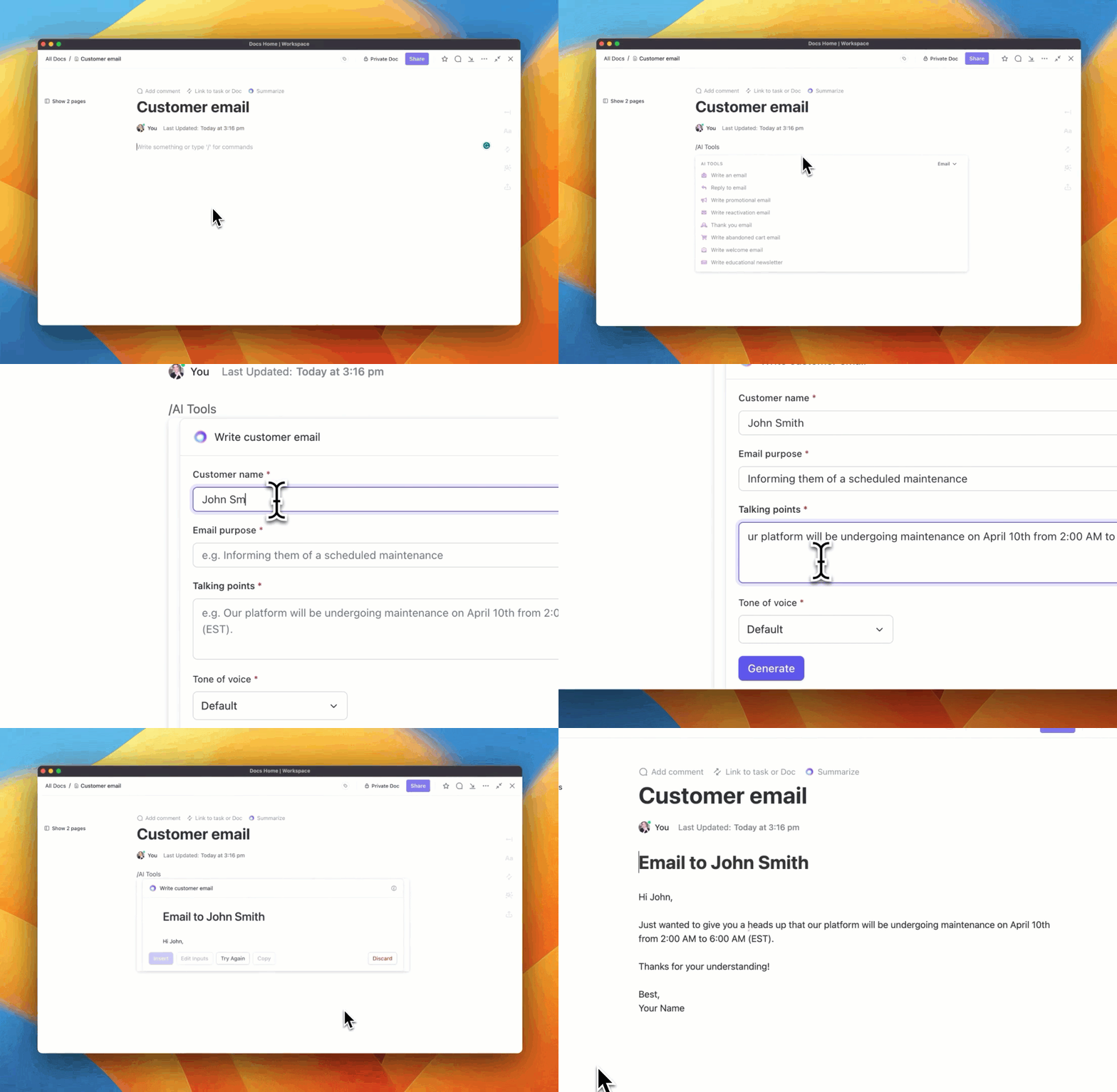
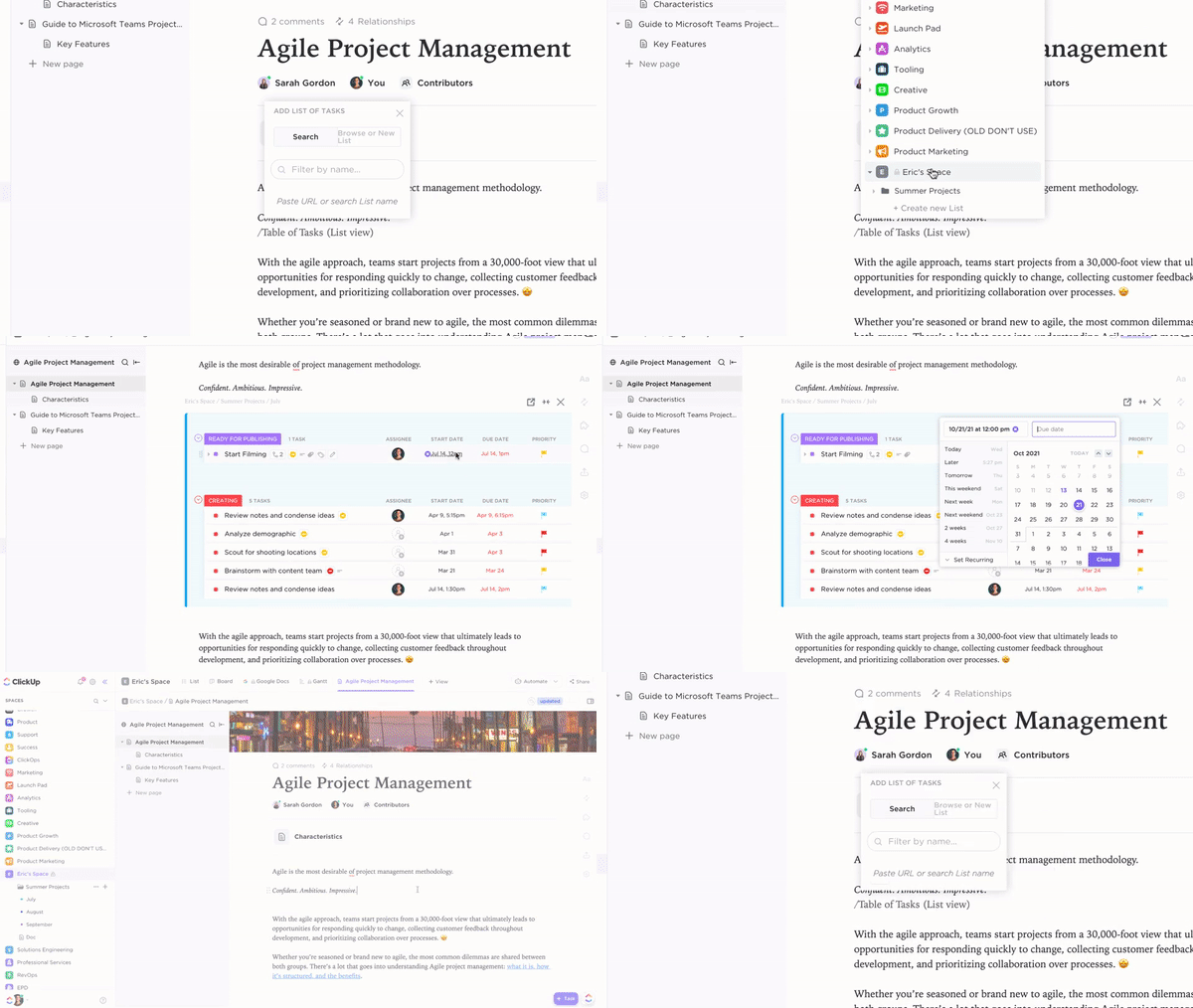
ClickUp Docs is a versatile feature that allows you to create, edit, and share documents within your workflow. Your digital notebook is always organized and integrated with your projects.
So, how does ClickUp Docs improve content creation?
Imagine collaboratively drafting a blog post with your team, linking it to your content calendar, assigning graphics and SEO optimization tasks, and tracking the progress—all within the same platform. ClickUp Docs make this possible, reducing the need to switch between multiple tools and keeping everything together.
ClickUp Docs offer several advantages:

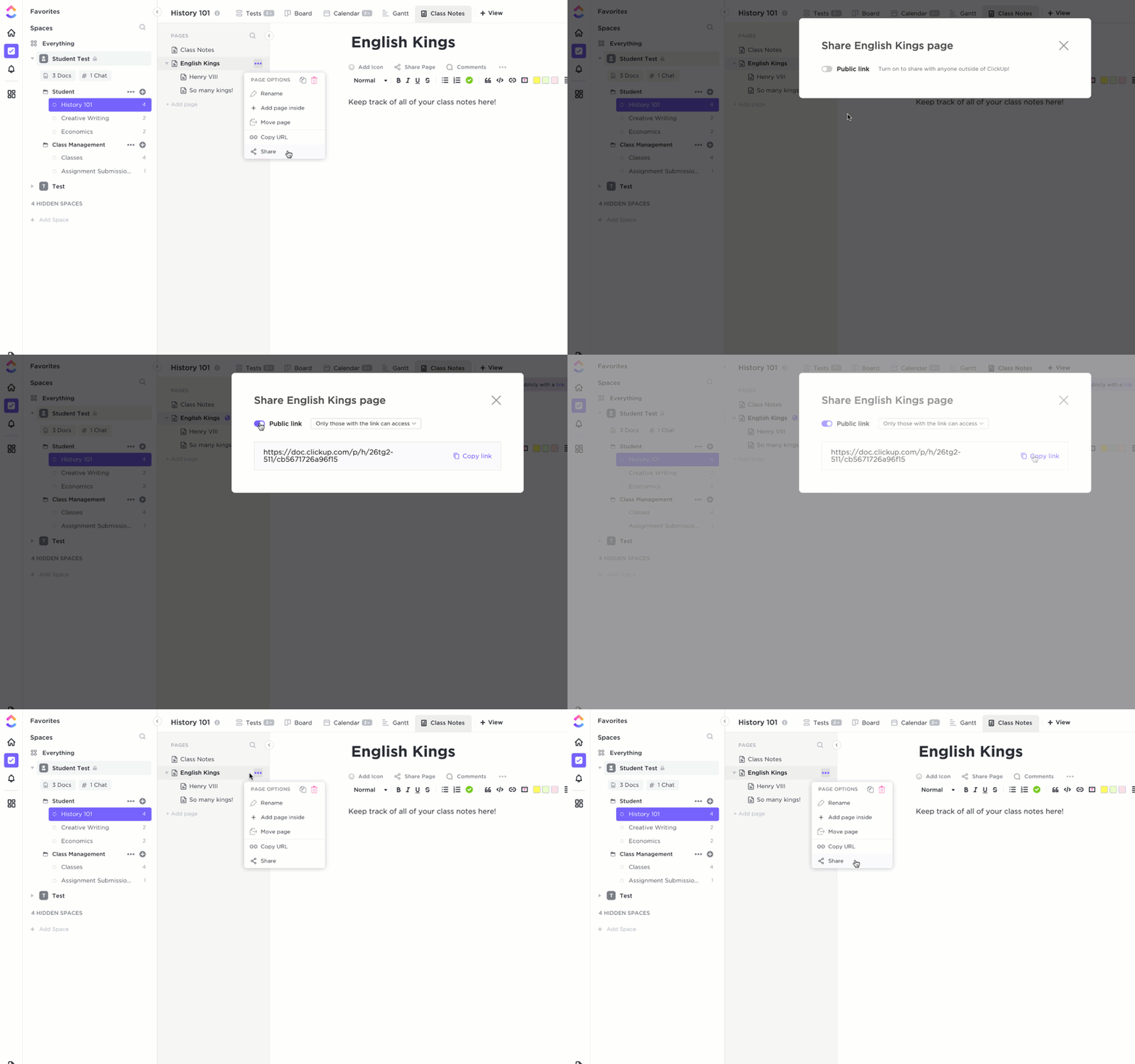
ClickUp is also an all-in-one productivity platform for marketing teams to brainstorm, plan, and execute their programs. From multi-channel campaigns to global events, ClickUp Marketing Project Management Software provides a flexible workspace that adapts to your team’s needs.
Here’s how ClickUp’s Marketing can help you:


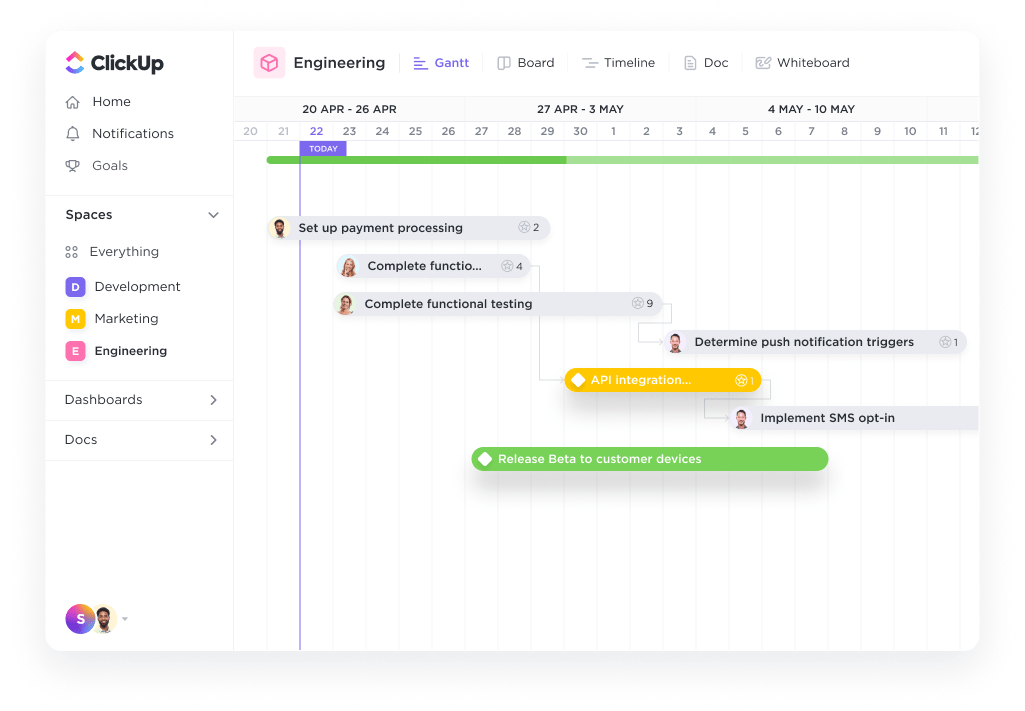

Beyond these tools, you can also use content calendar templates by ClickUp to eliminate the hassle of starting from scratch. Let’s explore a few of them!
The ClickUp Content Calendar Template is a ready-to-use, fully customizable template that helps you plan, organize, and track your content throughout the year. Use it to maintain a consistent posting schedule and collaborate with your team.
This template lets you:
Another fantastic planner is the ClickUp Content Production Scaling Template. It offers a structured workflow that mirrors ClickUp’s internal content scaling process, enabling you to increase your content output without compromising quality.
Implementing this template can improve your content production, reduce publishing time, and maintain high-quality standards, which are crucial for effective content marketing strategies.
Key features of this template are:
Additionally, the following templates make your content creation process easier.
Create weekly content plans and nail distribution with ClickUp’s Content Calendar Template. It’s ideal for determining exactly where, when, and how your content will be shown to your target audience. And the best part? It lets you centralize client approvals and content assets in one place to minimize the back-and-forth and get content out faster.
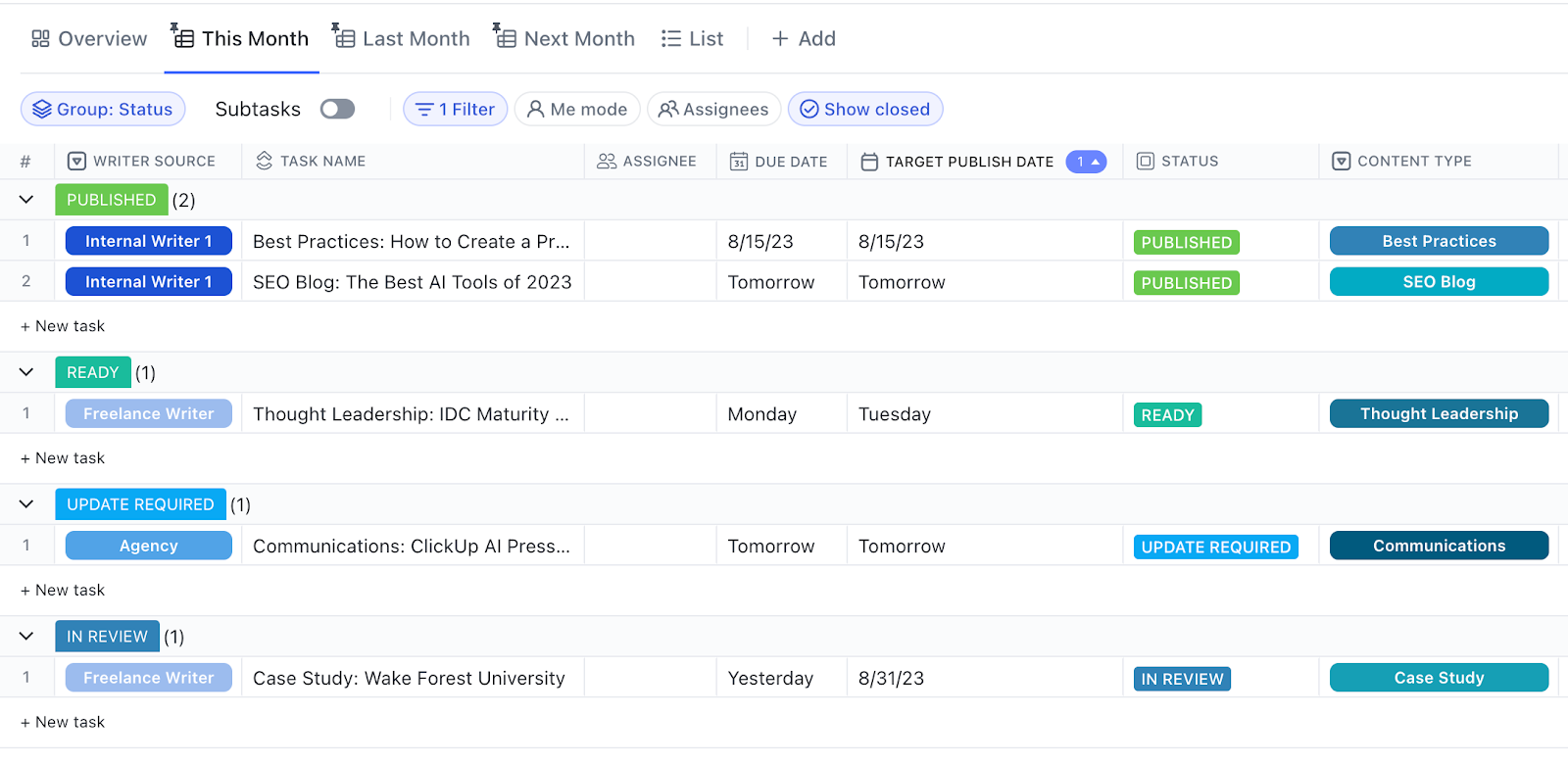
Elevate your content strategy with ClickUp’s Content Plan Template, which offers a structured approach to organizing your content initiatives. It includes Custom Statuses to monitor progress across various stages, Custom Fields for capturing vital information (like Content Type, Purpose, and more), and dynamic views (Board, Calendar) for comprehensive oversight. This template promotes collaboration among team members, ensuring that all tasks are clearly assigned and deadlines are met efficiently.
Streamline your content operations with ClickUp’s Content Management Template, tailored for teams aiming to optimize their workflow. This template features Custom Statuses to track content from inception to publication. You also get project management capabilities such as time tracking and task dependencies to manage large amounts of content easily.
ClickUp’s customer, Sid Babla, a Wellbeing Program Coordinator at Dartmouth College – Student Wellness Center, shared their thoughts about using ClickUp to create content:
We use ClickUp to manage and track our social and digital media content creation pipeline. This allows us to see the status of each content piece (in progress, needs edits, scheduled, etc.) along with who is the lead designer. It also eliminates all the back-and-forth email communication as the comments section for each task can be used to deliberate and delegate tasks/next steps (serving the need for tracking and following up on our content creation cycle).
ChatGPT is fast, creative, and can help you brainstorm.
But let’s be real: it’s not perfect.
The free version has a character limit, so you’re constantly writing bite-sized prompts which aren’t the best at delivering the right output. It can also fumble with facts and has potential plagiarism pitfalls. You have to be extremely careful while using it and verify each thing. Plus, writing detailed prompts to provide context is very time-consuming.
ClickUp Brain solves these challenges with its contextual understanding of your role, project, and team requirements. It doesn’t need lengthy prompts because it can fetch the right details from within your ClickUp workspace and adapt its writing style to yours effortlessly.
It’s complemented by templates, automations, and document management that lets you manage your entire content production pipeline and workflow in one place.
Whether you need help tracking deadlines, collaborating with your team, or ensuring your content strategy is on point, ClickUp helps you confidently produce work that you can be proud of.
Sign up for ClickUp for free and experiment with it yourself!

Manasi Nair
Max 24min read
Manasi Nair
Max 18min read

Arya P Dinesh
Max 26min read

© 2026 ClickUp