







Still downloading templates?
There’s an easier way. Try a free AI Agent in ClickUp that actually does the work for you—set up in minutes, save hours every week.
Sorry, there were no results found for “”
Sorry, there were no results found for “”
Sorry, there were no results found for “”

Teams outgrowing Google Workspace Studio often want more than what Gemini and basic collaboration tools provide. Many IT decision-makers, founders, and operations managers want tools with deeper customization. They also seek stronger privacy options and pricing that suits fast-growing teams.
In this guide, we break down 10 Google Workspace Studio alternatives worth considering—from platforms like ClickUp that offer AI-powered agents and structured task management, to tools like ONLYOFFICE and Proton that focus on self-hosted privacy and compliance.
Whether you’re scaling operations or rethinking how work gets done, these options help you go further than Studio alone.
Here’s a quick overview of the top Google Workspace Studio alternatives. 👇
| Tool | Best for | Best features | Pricing* |
| ClickUp | Structured, AI-powered workflow automation for cross-functional teams, fast-scaling companies, and enterprise operations | ClickUp Brain for contextual recommendations, ClickUp Agents for automated oversight, ClickUp Automations for dependable workflow execution, Brain MAX for cross-app support, Talk to Text for instant idea capture | Free forever; customizations available for enterprises |
| Microsoft 365 | Enterprise-grade productivity ecosystems for organizations standardized on Windows infrastructure | Contextual Copilot assistance, cross-app workflow automation via Power Automate, autonomous Agents 365, and visual document comparison | Free trial; Starts at $7.20/month per user |
| Zoho Workplace | Budget-conscious teams seeking an integrated productivity suite with strong native automation | Zia AI Agents for anomaly detection, email cleanup, and document classification, plus tight CRM and ecosystem integrations | Free trial; Starts at $4/month per user |
| ONLYOFFICE Workspace | Self-hosted, privacy-controlled document environments for security-focused organizations | Custom AI agents with granular access rights, multilingual document translation, Result Storage for AI output, and certified digital signatures | Free; Starts at $30/month per admin |
| Proton Suite | Privacy-critical operations such as legal teams, healthcare groups, journalists, and security-sensitive organizations | Zero-access encrypted mail, Drive, and Docs; Lumo AI with no data logging; expiring links; and encrypted email with expiration controls | Starts at $14.99/month per user |
| Notion | Highly adaptable workspaces for teams that blend documents, databases, wikis, and AI-assisted knowledge hubs | AI-powered data extraction, workspace-wide knowledge search, automated policy updates, and multi-view database structures | Free; Starts at $12/month per user |
| Coda | Interactive document systems for teams building data-driven workflows and app-like documents | AI columns for bulk data enrichment, scheduled automations, connected Packs ecosystem, and version history controls | Free; Starts at $12/month per Doc Maker |
| LibreOffice Online | Open-source document collaboration for teams avoiding vendor lock-in or proprietary cloud suites | Browser-based editing for Writer/Calc/Impress, master document capabilities, mail merge, and vector drawing tools | Free (open-source) |
| Bitrix24 | All-in-one business management for SMEs combining CRM, team communication, tasks, and automation | CoPilot AI for call transcription, structured task generation, content rewriting, and automated CRM updates | Free trial; Starts at $61/month per organization |
| Polaris Office | Device-agnostic document workflows for teams working across desktop, mobile, and web | AI Write for automated content creation, Ask Doc for PDF insights, auto-generated presentations, and mobile OCR scanning | Free trial; Starts at $7.99/month per user |
📖 Also Read: Google Workspace Alternatives: Tools Like G Suite
Before comparing AI productivity tools, know what’s essential for your team’s workflows. A good alternative should help you collaborate, create content, and automate daily tasks. It should do this without making things more complicated.
Here’s what to keep an eye on when evaluating Google Workspace Studio alternatives:
📮 ClickUp Insight: Only 10% of our survey respondents use voice assistants (4%) or automated agents (6%) for AI applications, while 62% prefer conversational AI tools like ChatGPT and Claude. The lower adoption of assistants and agents could be because these tools are often optimized for specific tasks, like hands-free operation or specific workflows.
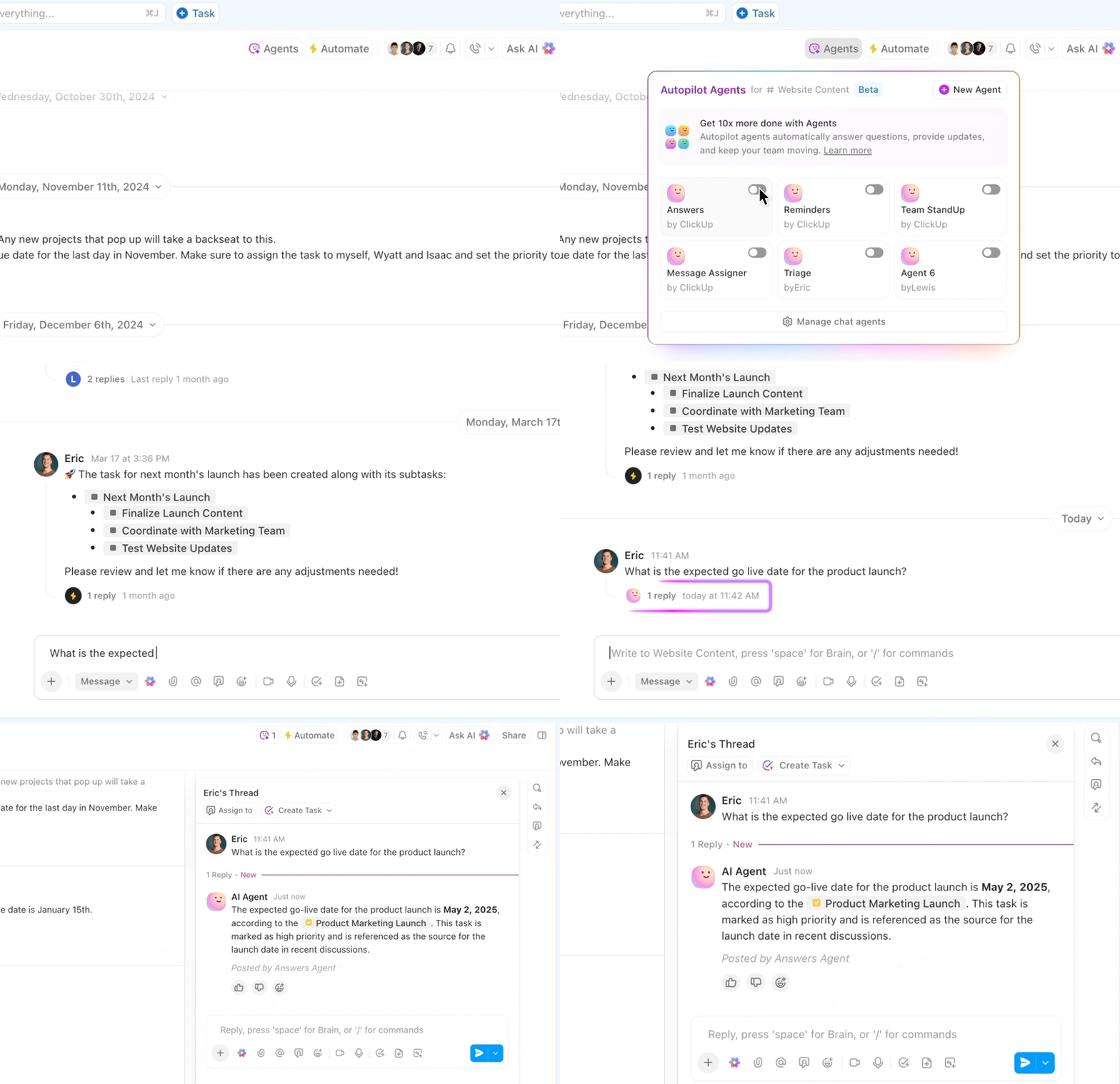
ClickUp brings you the best of both worlds. ClickUp Brain serves as a conversational AI assistant that can help you with a wide range of use cases. On the other hand, AI-powered agents within ClickUp Chat channels can answer questions, triage issues, or even handle specific tasks!
Now, here’s a detailed look at our picks for the best Google Workspace Studio alternatives. 🎯
Our editorial team follows a transparent, research-backed, and vendor-neutral process, so you can trust that our recommendations are based on real product value.
Here’s a detailed rundown of how we review software at ClickUp.
ClickUp’s Project Management Software is central to your work system. It brings together tasks, projects, docs, AI, and automation in the first-ever Converged AI Workspace.
This replaces scattered workflows in Google Workspace Studio. Now, you have a single, organized system. Accountability scales easily.
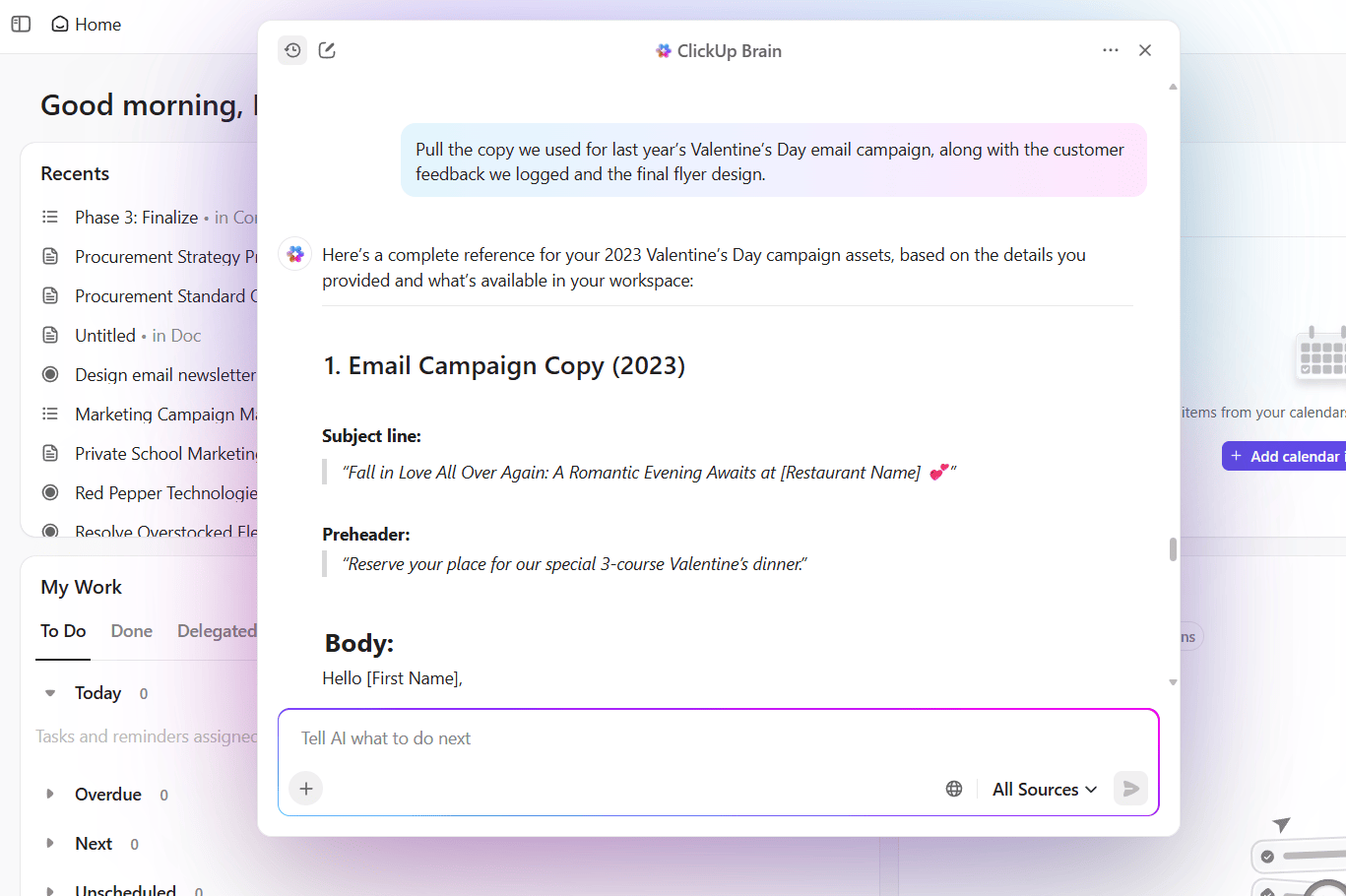
ClickUp Brain doesn’t guess—it reads your workspace and understands your projects. This provides guidance rooted in a real-world context, rather than surface-level suggestions.
Suppose you manage many onboarding journeys for new customer segments.
You ask ClickUp Brain to review updates across tasks, linked docs, and recent comments in your onboarding workspace. It identifies gaps across segments, highlights owners who need support, and provides a clear sequence of next steps. You walk into your review meeting aligned and ready to assign work.
Here’s how to use AI for daily tasks:
📌 Try this prompt: Review our onboarding workspace. Summarize gaps across segments and list the follow-up actions I should assign today.

ClickUp Agents help your team scale operational work without adding extra tools. They read workspace activity, interpret patterns, and carry out routine actions so your workflows move forward reliably.
For instance, suppose your PMO team tracks several parallel implementation projects. You build a Custom Agent that reviews project dashboards each morning, identifies tasks that slipped, and posts a short update inside your weekly planning task.
Watch this video to build your own:
Moreover, it’s easy to get started with Prebuilt Agents:
🔍 Did You Know? 79% of companies say they’re already adopting AI agents—66% of those report measurable productivity improvements.
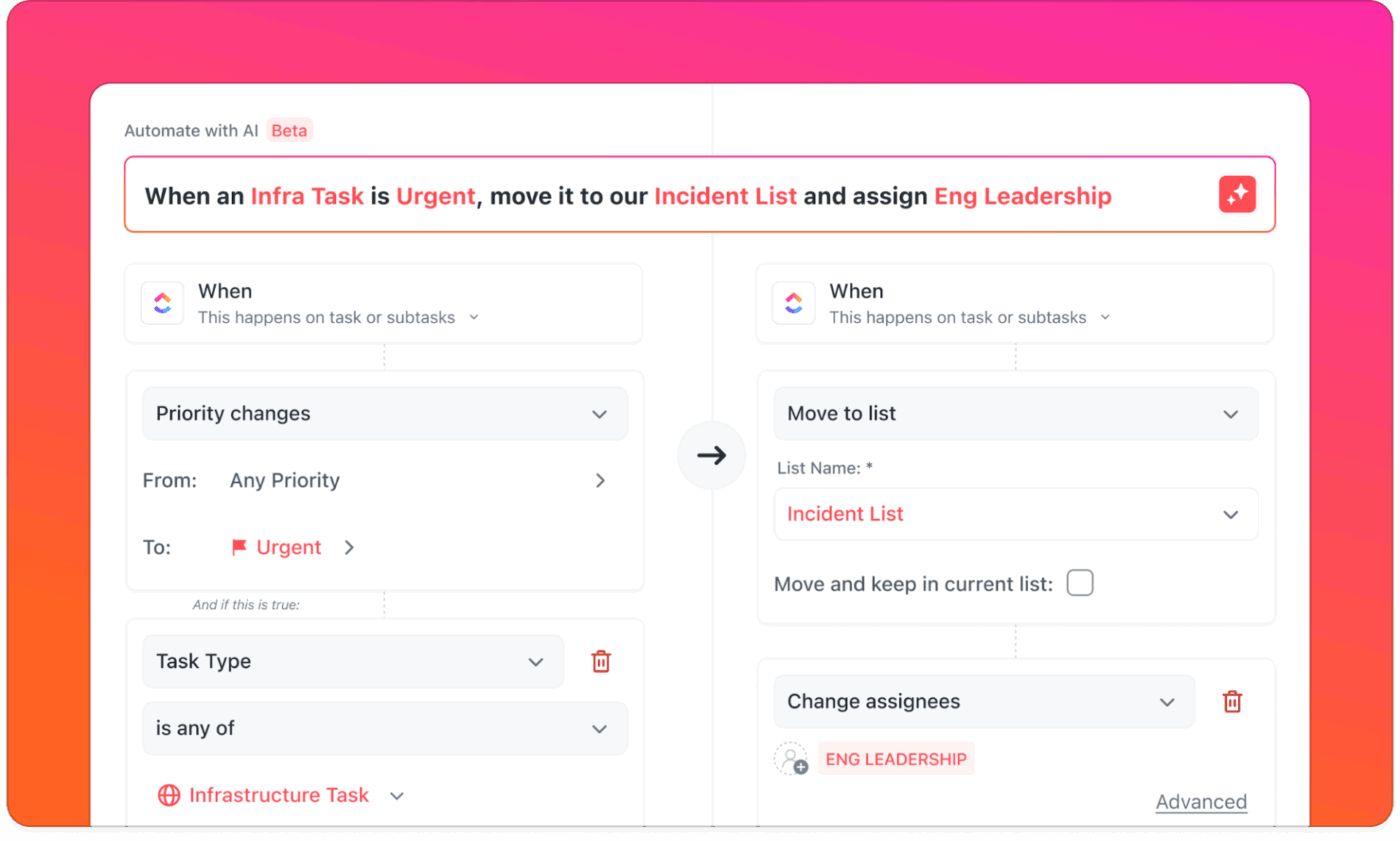
ClickUp Automation helps you design structured workflows that run on their own.
By removing manual checkpoints, your workspace automates repetitive actions. This way, your team can focus on strategy instead of status updates.
For example, a marketing team managing campaign execution from planning to reporting can:
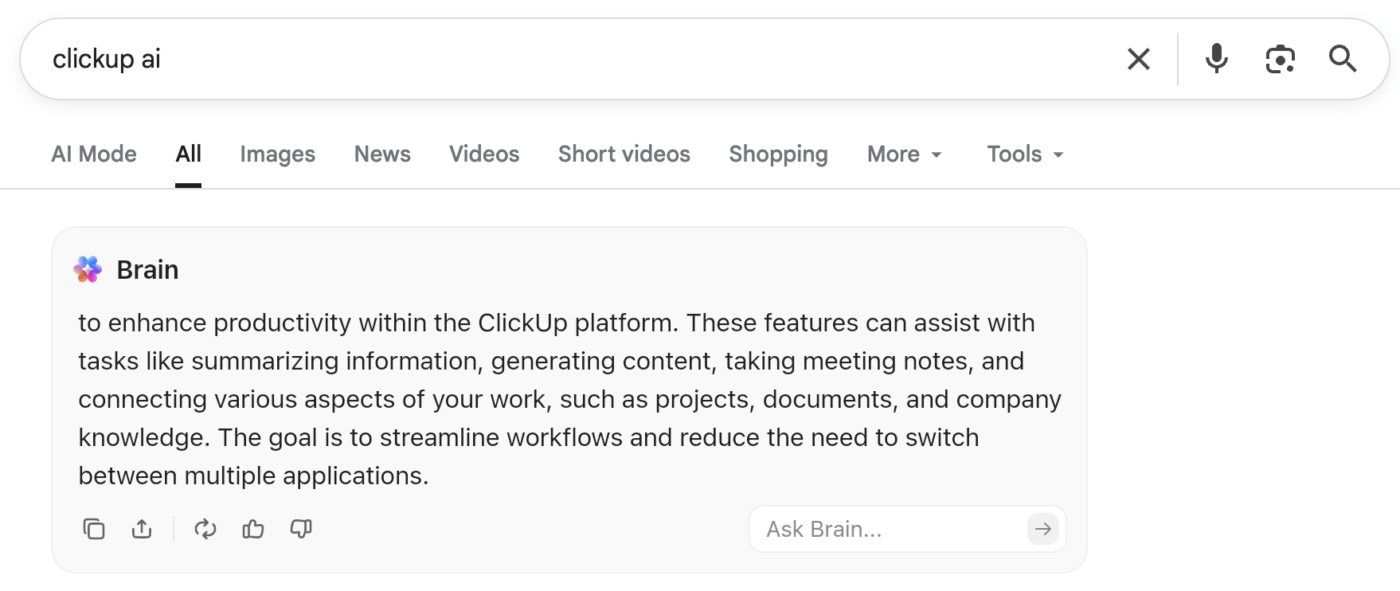
ClickUp BrainGPT acts as your AI companion across desktop and browser.
You open the sidebar, ask a question, and BrainGPT uses the context from your workspace to support the work you do outside ClickUp.
For example, suppose you refine a quarterly strategy deck in another tool. You open BrainGPT and ask it to summarize progress across your roadmap. It reads your tasks and docs, identifies completed initiatives and unresolved risks, and generates the narrative for your slide.
You stay focused because your AI follows your real work.
A happy user shared this review on G2:
I find ClickUp incredibly valuable as it consolidates functions into a single platform, which ensures that all work and communication are gathered into one place, providing me with 100% context. This integration simplifies project management for me, enhancing efficiency and clarity. I particularly like the Brain AI feature, as it functions as an AI agent that executes my commands, effectively performing tasks on my behalf.
This automation aspect is very helpful because it streamlines my workflow and reduces manual effort. Additionally, the initial setup of ClickUp was very easy to navigate, which made transitioning from other tools seamless. I also appreciate that ClickUp integrates with other tools I use, such as Slack, Open AI, and GitHub, creating a cohesive work environment. Overall, for these reasons, I would highly recommend ClickUp to others.
🔍 Did You Know? Interest in AI agents is exploding. 62% of organizations say they’re already experimenting with them, treating agents as the next big lever for smarter, faster work.

Microsoft 365 connects Word, Excel, PowerPoint, Outlook, and Teams through Copilot AI, which operates contextually within whichever app you’re using. Power Automate stitches workflows across applications through visual builders, extracting email data into spreadsheets, triggering approval chains in Teams, or syncing SharePoint documents.
The Google Workspace Studio alternative runs naturally for organizations already on Windows infrastructure, creating interconnected systems that feel native rather than bolted together.
The autonomous agents take the internal communication software further by letting users create autonomous AI agents to monitor specific business processes, respond to triggers, and execute workflows across the entire ecosystem without constant human oversight.
According to a G2 review:
What I like best about Microsoft Copilot is how seamlessly it integrates with Microsoft 365 applications such as Word, Excel, and Outlook. It saves time by generating drafts, analyzing data, and summarizing long threads or documents within seconds. The natural language prompts make it very easy to use, even for someone who is not highly technical. For repetitive or research-heavy tasks, it feels like having a personal assistant built into my workspace, which improves both productivity and focus.
🧠 Fun Fact: An experiment at Harvard created a swarm of tiny robots called Kilobots. One robot is clumsy and slow, but a thousand of them together can form shapes, patterns, and coordinated behaviour that looks almost alive. It’s one of the clearest demonstrations of simple agents producing complex intelligence.
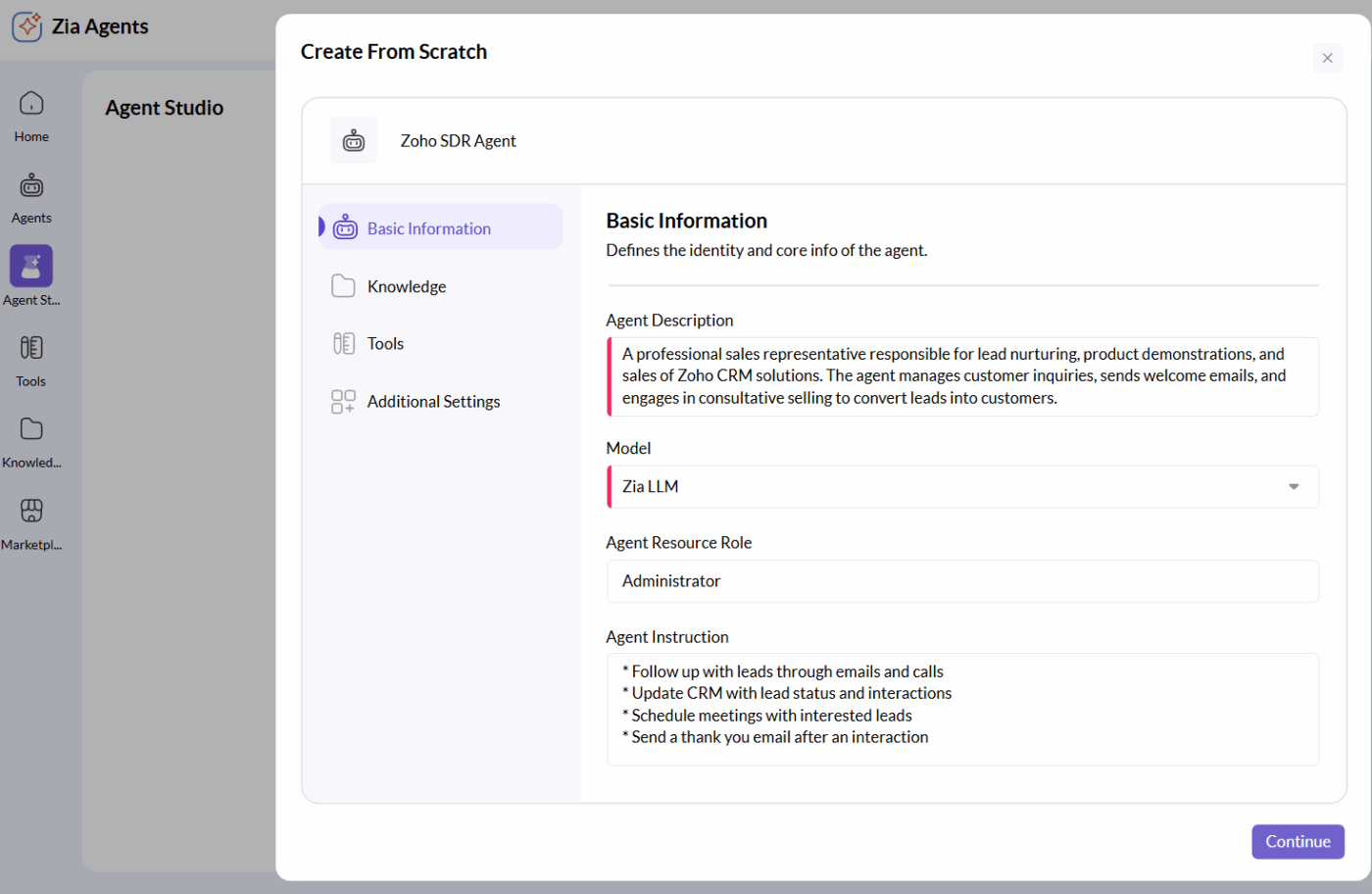
Zoho Workplace bundles email, documents, spreadsheets, presentations, chat, and video conferencing into a single platform.
Zia AI operates as an intelligent assistant across the entire remote work tool, scanning patterns and automating repetitive workflows autonomously. Administrators can connect third-party models like ChatGPT, Gemini, Claude, or Cohere to power Zia’s features, assigning different models to different tasks based on their strengths.
The broader Zoho ecosystem creates natural bridges between customer data and productivity tools, allowing sales inquiries to flow directly into the CRM without manual transfers. Zia can scan emails, identify potential leads, and automatically create or update CRM entries based on the content it analyzes.
5 GB
10 GB
A G2 reviewer shares:
I love Zoho CRM’s robust automation features, which streamline repetitive tasks like lead follow-ups and workflow management, saving me tons of time. The AI assistant, Zia, is a standout, offering predictive insights and anomaly detection that help me prioritize high-potential leads. Its seamless integration with over 1,000 apps, including Google Workspace and Mailchimp, makes it incredibly versatile. Plus, the customizable dashboards and advanced analytics provide real-time insights that drive smarter decisions.
ONLYOFFICE Workspace runs on your own servers, eliminating reliance on external cloud providers.
It has AI agents for document analysis, content generation, web searches, and workspace management tasks. They can organize files and invite team members. You can connect AI providers like OpenAI, Anthropic, TogetherAI, or OpenRouter to these agents. Then, enable the MCP server to let them interact with DocSpace elements directly.
The agents can search through your knowledge base (indexed from your own documents) or pull information from the web when needed. Room types include team collaboration spaces for co-authoring, custom rooms for specific workflows, public rooms for external sharing, form-filling rooms for data collection, and virtual data rooms for secure management.
DocSpace
Docs Enterprise: Starts at $1,500
As shared on G2:
One of the things I like most about OnlyOffice is its wide range of features and tools that allow me to create and edit documents, spreadsheets, and presentations efficiently and effectively. Another outstanding feature of OnlyOffice is its intuitive and user-friendly interface, which makes working on documents very easy. Additionally, the software works seamlessly across different platforms and devices, allowing me to work from anywhere and at any time.
🔍 Did You Know? Although 57% of leaders expect measurable ROI within the next year, most say the benefits have already started showing up. 97% are seeing productivity lift, 94% report stronger profitability, and 91% say work quality has improved.
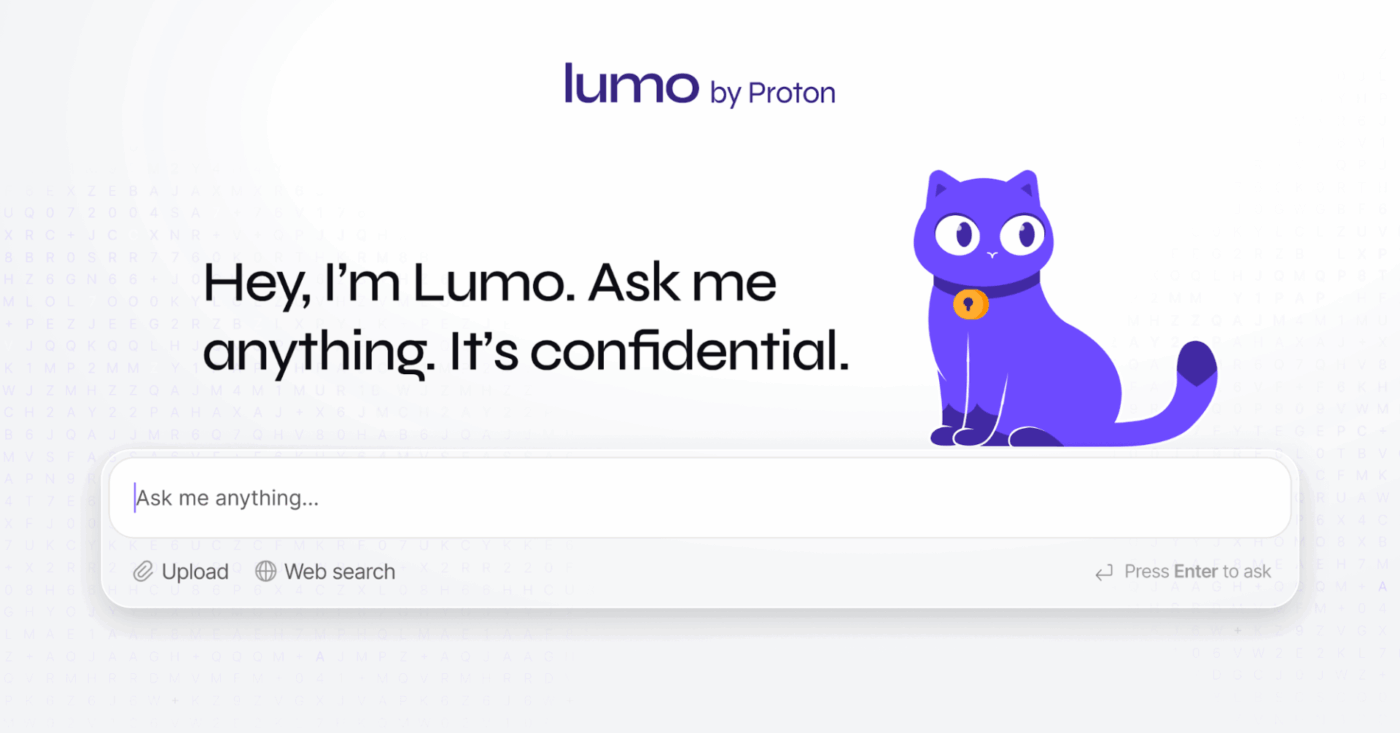
Proton Suite focuses on zero-access encryption. This means your data is encrypted on your device before it goes to Proton’s servers. Mail, Drive, Calendar, and Docs all use this encryption system.
They are protected by Swiss privacy laws, not US surveillance rules. Proton adds Lumo, an AI assistant that does not log conversations and encrypts saved chats so nobody can read them. It’s built on open-source large language models (LLMs). It runs from Proton’s European datacenters and does not use third-party providers like OpenAI.
You can upload documents directly from Proton Drive for analysis without leaving a trace on remote servers. Healthcare providers, legal professionals, journalists, and activists rely on real confidentiality. Still, search features are restricted. This happens because server-side indexing can’t function while the content is encrypted.
Based on a G2 review:
Protonmail enables end-to-end encryption for emails sent through its platform. Encryption also works for other mail services at the receiver’s end. It easily supports the integration of a Gmail inbox for simple access in one platform. It is used for sending and receiving attachment files securely via emails.
📖 Also Read: Top-Rated Proton Drive Alternatives for Teams

Notion offers building blocks like text, databases, galleries, boards, and calendars.
You can arrange these into custom workspaces instead of using fixed document types. Pages can hold databases that filter and display information in various ways simultaneously. The same data can appear as a task list, kanban board, calendar, or table view.
Also, Notion AI works throughout the platform. It answers questions by pulling information from properties and notes inside database pages. Links between pages create knowledge graphs where internal documentation, meeting notes, task trackers, and wikis connect easily.
The AI can connect to external tools, such as Mail, Box, Outlook, Slack, Google Drive, and GitHub, to provide answers from those services.
According to a G2 review:
Notion is incredibly flexible and lets me bring together documents, notes, tasks, and databases all in one clean workspace. The interface is intuitive, the drag-and-drop structure makes reorganizing content effortless, and the ability to embed different types of media or link related pages is a big productivity boost. I especially appreciate how it allows me to keep everything—project briefs, task lists, and research—visually organized and easy to navigate. It’s also very customizable, so it can adapt to different workflows without forcing you into a rigid structure.
📖 Also Read: Best Notion Alternatives & Competitors
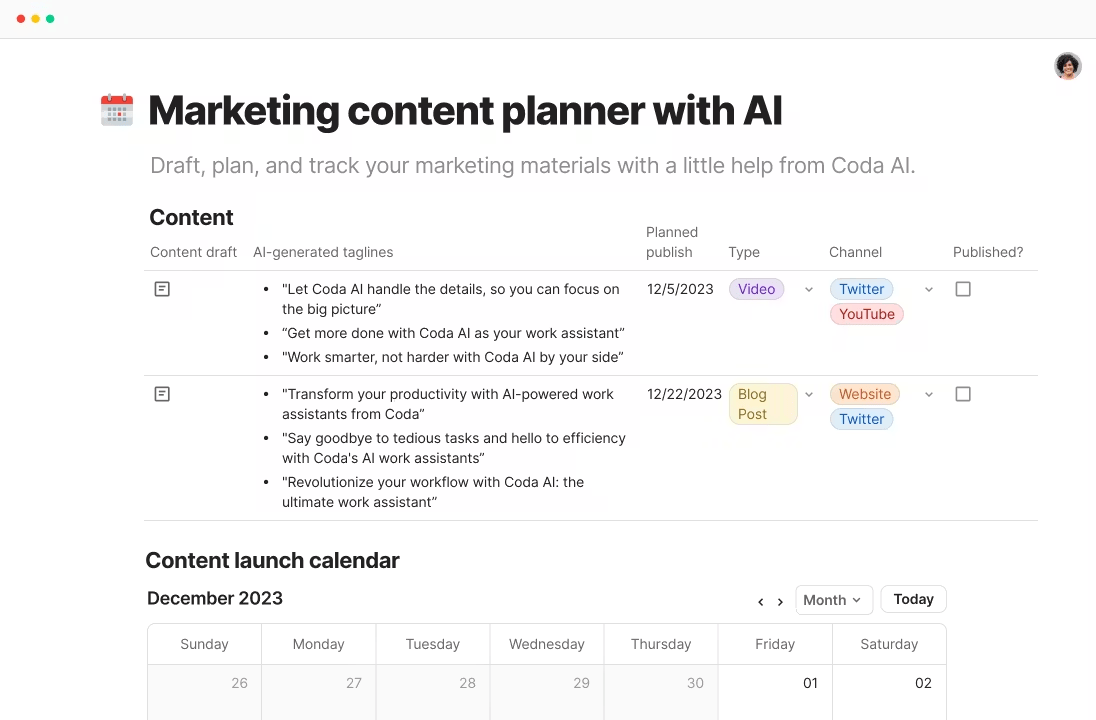
Coda’s knowledge management software transforms documents into functional applications. Here, tables connect to external APIs, buttons trigger multi-step actions, and formulas execute calculations spanning multiple pages.
The Packs ecosystem connects over 600 connected services directly into documents, including Slack, Google Calendar, GitHub, Jira, and Salesforce.
Coda AI operates as a connected work assistant that takes action directly within documents. The AI can reference data across all connected apps, summarize information, generate content, and automate repetitive tasks at scale. And with Formulas, reach beyond simple spreadsheet functions: they send Slack messages, create calendar events, or update external systems when specific conditions are triggered.
Per a G2 review:
Coda brings flexibility and structure together – docs, data, and workflows all in one place. I like how it replaces multiple tools while staying intuitive. Real-time collaboration, automations, and connected tables make organizing and executing projects seamless and efficient. It also allows users to connect data and make interactive charts.
🧠 Fun Fact: Researchers created RoboBee, a robotic insect that weighs less than a paperclip. It can fly, perch, and respond to environmental changes, making it one of the smallest functional agent systems ever created.
LibreOffice Online takes its desktop engine to browsers with help from services like OffiDocs. This lets users edit documents freely, without vendor lock-in or proprietary restrictions. It uses browser extensions and web services that allow users to create, edit, and view documents in DOC, XLS, and PPT formats.
The editor allows for simultaneous editing, commenting, and basic formatting. They also work well with Microsoft Office and OpenDocument formats. The experience feels more utilitarian than modern cloud suites, delivering reliable document editing.
A review on Capterra reads:
LibreOffice is a powerful, free office suite with strong file compatibility. However, its interface could be more polished, and performance may lag with larger documents.
📖 Also Read: LibreOffice Alternatives for Document Creation
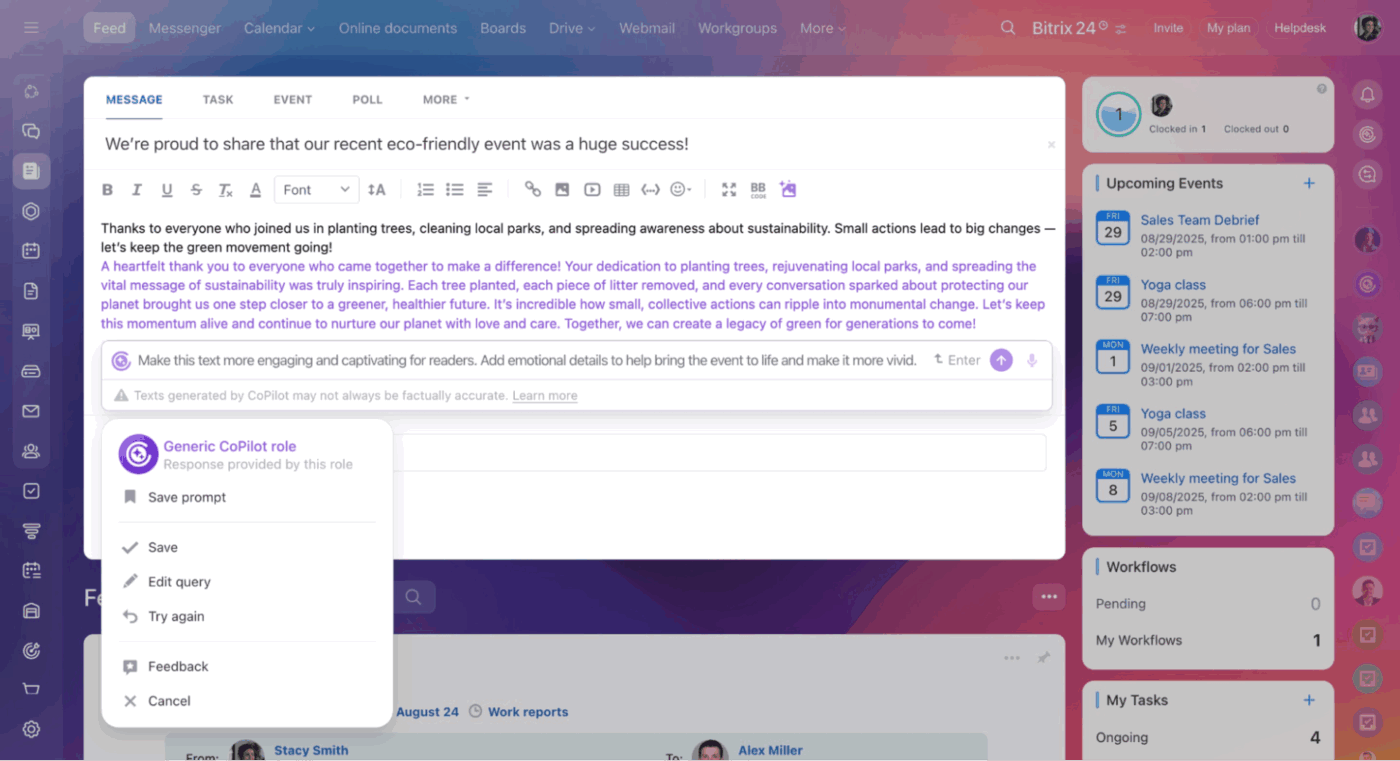
Bitrix24 gives you the usual productivity tools like documents, tasks, chat, and video calls, but it also leans heavily into business operations. You get deal pipelines, lead tracking, and automated sales workflows all in the same place. CoPilot works inside these modules to generate content, analyze information, and take care of routine processes so teams can move faster.
Its visual workflow builder ties different parts of the platform together. You can create automated sequences that cover everything from the first customer inquiry to the final invoice.
This all-in-one approach is appealing to small and medium-sized businesses that want to reduce the number of tools they rely on. The tradeoff is that Bitrix24 can feel crowded. With so much available in one place, the interface can be confusing during everyday work.
A user wrote on Capterra:
It is amazing because it has AI-assistant which makes work more simple. Am able to have video conferences with my colleagues to communicate on sustain things at ease. [sic] This platform is always helpful to me.
🧠 Fun Fact: A real multi-agent simulation called Boids, created in the 1980s, showed that bird flocking behaviour emerges from three tiny rules: keep distance, match speed, and steer toward neighbours. This model is still used today to teach the fundamentals of agent coordination.
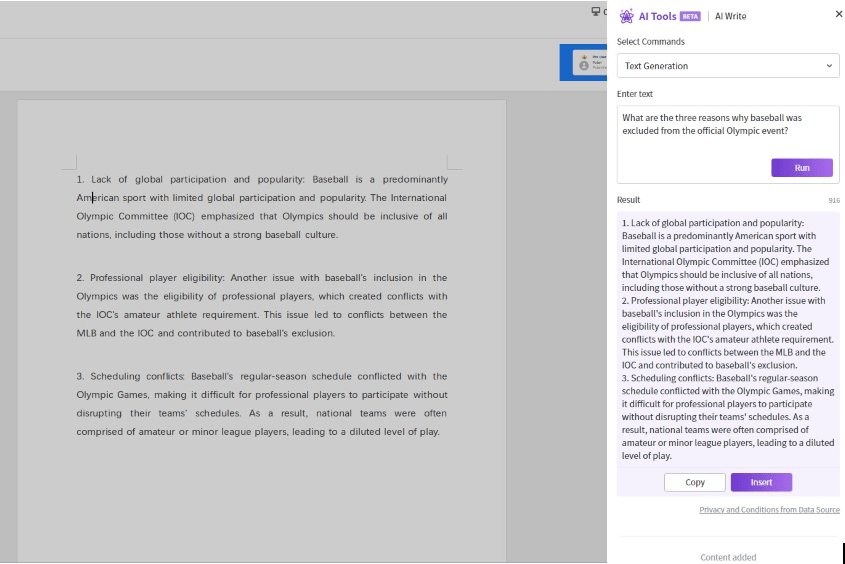
Polaris Office gives you a consistent experience across every device you use. Whether you’re working on Windows, Mac, Linux, iOS, Android, or just in a browser, the interface feels familiar. It also handles Microsoft Office files smoothly, so you can collaborate with clients or teammates without wrestling with formatting issues or conversions.
Its PDF tools go beyond simple viewing. You can edit PDFs directly, convert them between formats, and store everything in Polaris Drive, which keeps your files synced across devices.
Polaris Office also includes an AI workspace that’s easy to navigate. It offers enough power for long reports or presentations without overwhelming people who just need to get everyday tasks done.
Per a G2 review:
Plain simple and perfect to work with is the best thing that I like about this suite. It is affordable and offers all one ever needs in just one package and as such makes one comfortable as everything one might ever require from a suite is available at their disposal from word, to sheets, to slides and PDF. I like the fact that the suite caters for collaboration of several persons on the same project and as such it comes with that added advantage.
🔍 Did You Know? 84% of desk workers say they’re eager to use AI agents in their day-to-day work. This signals a real shift toward AI-powered roles that feel more supported.
A privacy-first, self-hosted alternative that gives organizations full control over files, docs, calendars, and collaboration tools. Ideal for teams that can’t store data on third-party servers and need enterprise-grade encryption with open-source flexibility.
A communication powerhouse built for fast, searchable team messaging. While not a full workspace suite, its deep integrations and channel-based workflows make it a strong companion or alternative for teams whose work revolves around real-time collaboration.
A visual work management platform that excels at structured project planning and automation. Best for teams who need customizable boards, timelines, and workflows—not necessarily full document creation or communication tools.
A streamlined project and task management system designed for clarity, accountability, and cross-team coordination. Asana shines when teams want structured workflows, goal tracking, and automation beyond what Google Workspace Studio provides.
A powerful duo for engineering and technical teams. Confluence handles documentation and knowledge sharing, while Jira supports issue tracking, agile workflows, and complex project execution—ideal for teams needing deeper structure than Google Workspace Studio offers.
Exploring Google Workspace Studio alternatives gives you room to rethink how your team collaborates and how your systems should operate as the work evolves.
ClickUp gives you that room and adds structure where most tools stop. Tasks, docs, automations, agents, dashboards, and AI sit together in a single workflow engine, so your team plans, executes, and communicates without losing context.
BrainGPT, AI Agents, and Automations support daily operations with real workspace awareness, giving your team the visibility and momentum that fast-growing environments demand.
If you’re ready to streamline how your team works and build a setup that scales with you, sign up for ClickUp today! ✅
Google Workspace Studio is a productivity suite for document creation, collaboration, and team communication. It includes Gmail, Docs, Sheets, Drive, and more—commonly used by teams to manage work in a cloud environment.
Teams switch to alternatives when they need deeper customization, advanced AI capabilities, stronger privacy controls, and automation that spans tools. ClickUp addresses all of these with its unified platform, ClickUp Brain, and flexible AI agents.
ClickUp offers a free forever plan with AI and automation capabilities that other tools charge extra for. Its unified workspace eliminates the need for multiple subscriptions, making it a cost-efficient solution as teams scale.
While Zoho Workplace offers low entry pricing, ClickUp provides significantly more AI, automation, and project management value per dollar—especially as needs grow. It’s designed to scale with fast-moving teams without jumping through pricing tiers.
ClickUp leads in structured AI-powered automation with tools like ClickUp Brain, custom agents, and no-code automations that connect tasks, docs, and dashboards. It’s built for teams who want speed and context.
Yes. ClickUp and Microsoft 365 both offer enterprise-grade controls, including SSO, audit trails, and role-based permissions. ClickUp stands out for combining this with customizable workflows and AI agents in one ecosystem.

© 2026 ClickUp

There’s an easier way. Try a free AI Agent in ClickUp that actually does the work for you—set up in minutes, save hours every week.