






Still downloading templates?
There’s an easier way. Try a free AI Agent in ClickUp that actually does the work for you—set up in minutes, save hours every week.
Sorry, there were no results found for “”
Sorry, there were no results found for “”
Sorry, there were no results found for “”
Choosing between Focalboard and ClickUp is basically deciding how much you enjoy server maintenance. If your team has the IT bandwidth to handle the operational burden of self-hosting, Focalboard is ideal.
But if you’d rather invest that energy into actual work, ClickUp is the plug-and-play alternative.
This guide explores Focalboard vs. ClickUp, examining how each platform handles AI capabilities and collaboration tools to help you find the best fit for your needs.
| Feature / Category | ClickUp | Focalboard |
| Core approach | Converged AI Workspace combining tasks, docs, and chat in one AI-powered platform | Open-source Kanban board tool focused on task and project tracking |
| AI capabilities | ClickUp Brain for writing, summarization, task creation, and knowledge retrieval; ClickUp Super Agents and Certified Agents for automating complex workflows end-to-end | No native AI features; relies on integrations via Mattermost for AI add-ons |
| Hosting model | Cloud-hosted SaaS with enterprise security | Self-hosted or Mattermost-integrated deployment |
| Team size | Best for teams of all sizes: individuals, small teams, and mid-market to enterprise organizations | Best for small to mid-sized technical teams comfortable with self-hosting |
| Maintenance | Handled entirely by ClickUp (updates, security, and backups) | Handled by your internal IT (server patches, uptime, and database management) |
| Pricing | Scalable plans for teams of all sizes | Open source (MIT license) |
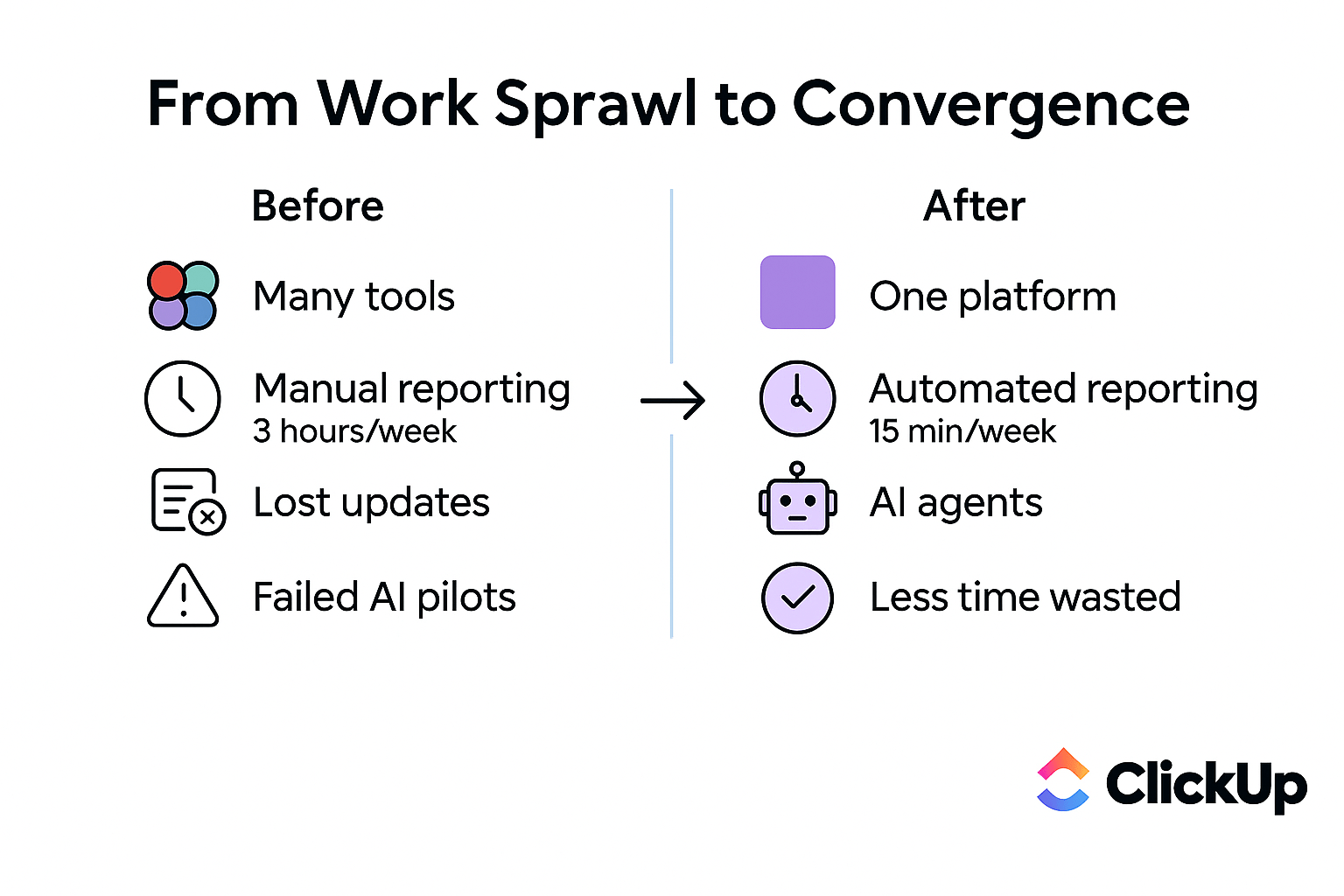
ClickUp is the world’s first Converged AI Workspace designed to eliminate tool sprawl. How does it do that? Instead of maintaining separate apps for documentation, chat, and goal-setting, you use ClickUp to manage every stage of project planning and execution in a single place.
This consolidation allows teams to write documentation and communicate in the same view where they track their work. Thus, the context of your project exists where execution occurs.
And what makes it so much more powerful than any collaborative work management platform? It’s the Contextual AI that draws on your tasks, docs, chats, and projects together to bring you the right answers at the right time.
📮ClickUp Insight: What’s the ideal solution for dealing with too many tabs? 33% of our survey respondents want an AI that remembers everything and resurfaces it on demand.
Our craving for cognitive offloading at work is evident here: imagine being able to trust a system to hold knowledge so our brains don’t have to. ✨
ClickUp Brain delivers exactly that, letting you capture, store, and recall ideas from anywhere in your workspace or connected apps whenever you need them. It’s your second brain and sounding board!
Focalboard provides a straightforward, lightweight interface with Kanban boards, tables, and gallery views. It appeals to teams that prioritize data sovereignty above all else, but that ‘free’ tag can also be misleading.
While the software itself is open-source, your highest cost lies in the technical debt of self-hosting. Since you’re running Focalboard on your own servers via Docker or local installs, your team is now in charge of server maintenance, security patches, and backups. This can drain technical resources.
Its main appeal is for developers and teams who want complete control over their data and infrastructure. But this control comes with significant overhead, since the standalone project is now largely community-supported. This makes the official updates infrequent, outweighing the privacy benefits.
To understand where each platform truly excels and which one aligns with your workflow, pay close attention to the feature comparison below. We’ll evaluate how each tool handles the core project management needs your team faces every day.
If your team is spending hours on manual busywork, such as status updates and recurring subtasks, you’re losing time to administrative friction.
And the cost of distracting your team from their expected high-impact, strategic work? Companies with just 100 employees lose around $420,000 annually due to miscommunication and disconnected tools!
So, what could prevent this?
We found that 30% of workers believe automation could save them 1–2 hours per week, while 19% estimate it could unlock 3–5 hours for deep, focused work.
ClickUp handles this through ClickUp Brain, the built-in AI layer that spans your tasks, docs, and chats to automate repetitive tasks. Instead of manually drafting project plans or summarizing long comment threads, you can use ClickUp Brain to automate these tasks instantly.
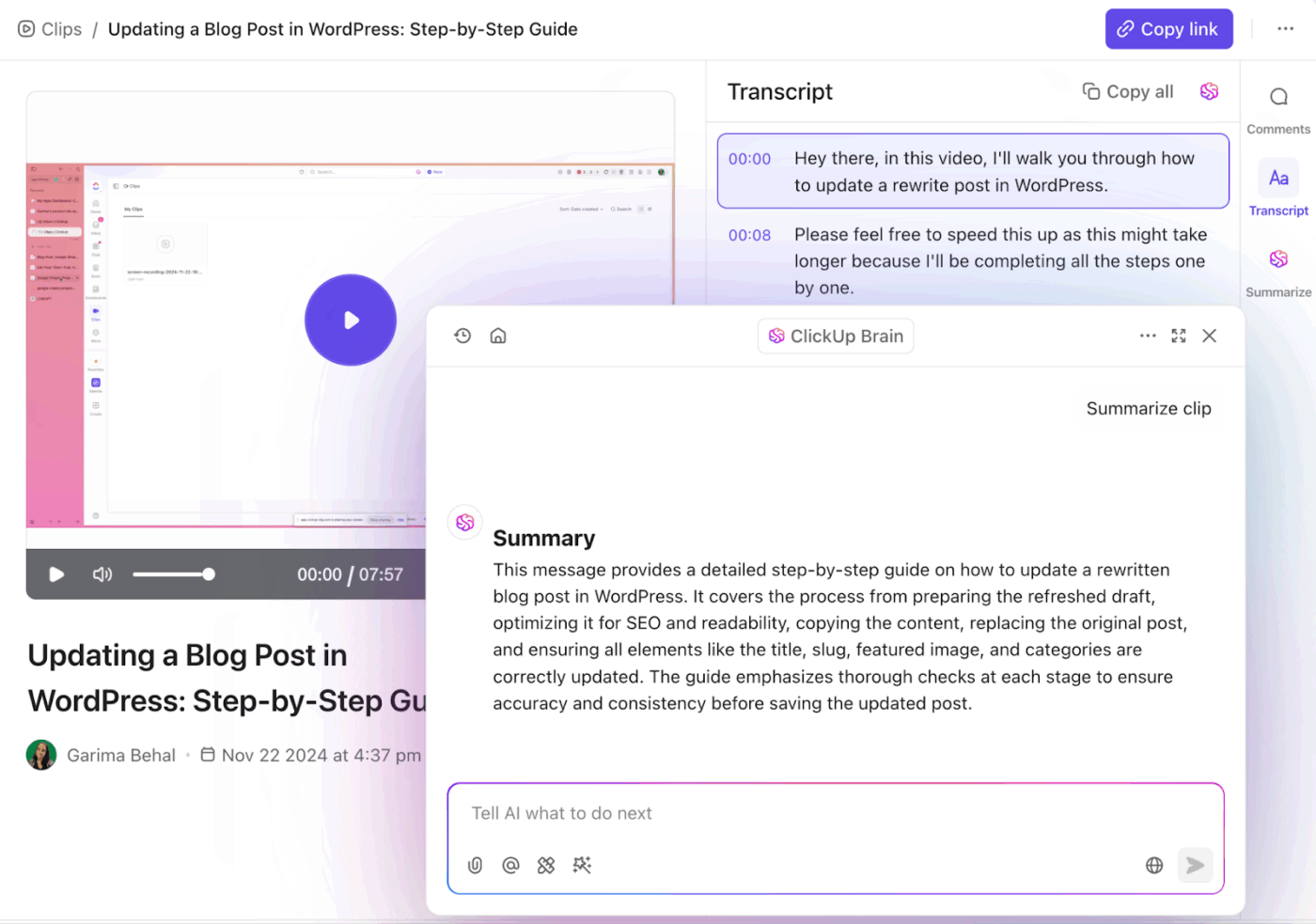
Here’s a sneak peek into different actions you can perform with the ClickUp AI:
💡Pro Tip: Use ClickUp Brain to toggle between models like ChatGPT and Claude without leaving your workspace. This allows you to match the right reasoning engine to the task, like using Claude for nuanced writing or GPT for complex logic, without paying for separate AI subscriptions.
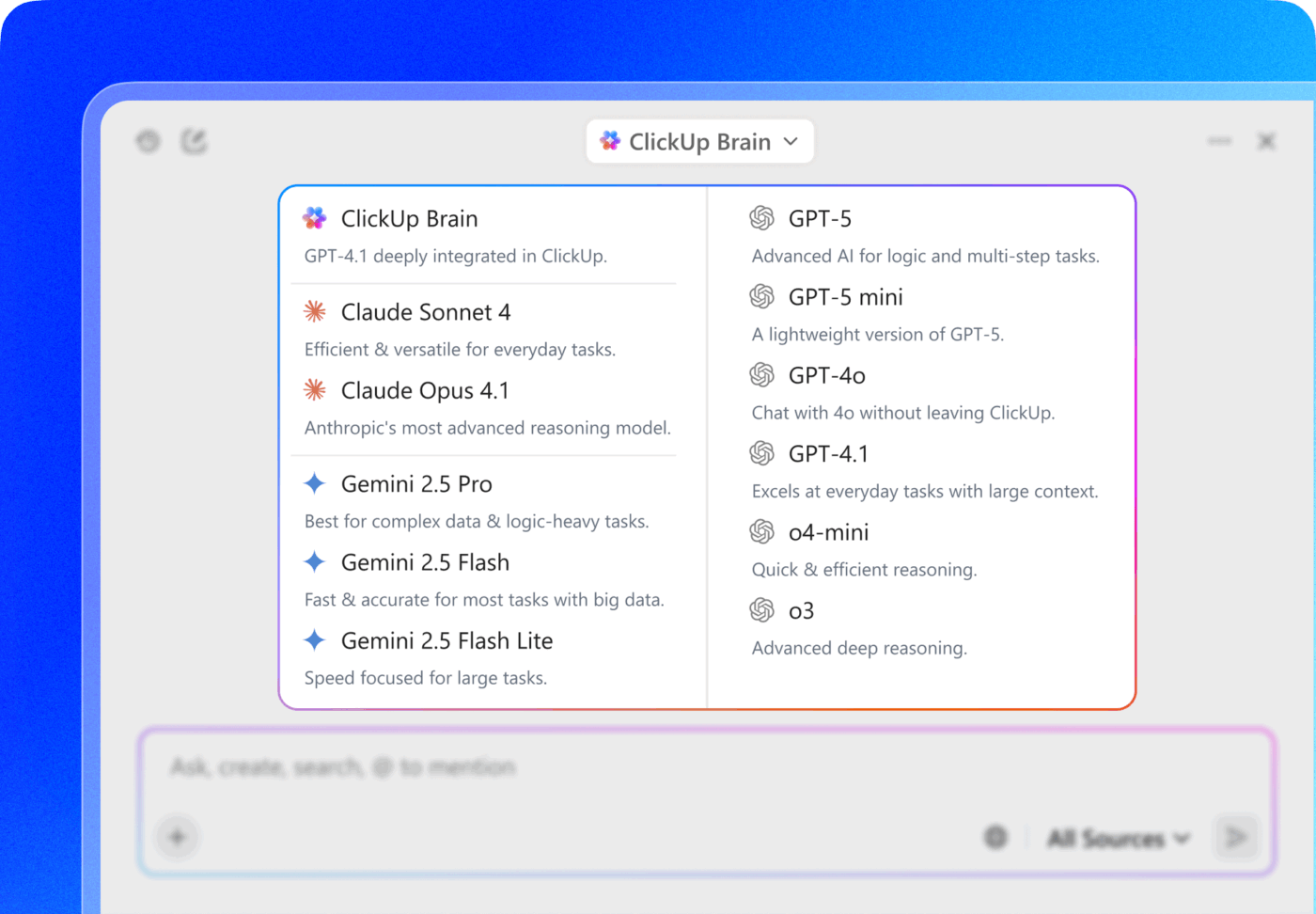
And when you want to automate not just one step, but your entire workflow, try ClickUp Super Agents.
Instead of triggering a single AI action, Super Agents coordinate multiple steps across your workspace. Think of them as AI teammates that understand your workspace context and do more than humanly possible. Once configured, they can watch for specific triggers (like a meeting ending, a form submission, or a task status change) and instantly execute the next set of actions.
📌 For example, imagine a Project Manager Super Agent running inside your workspace.
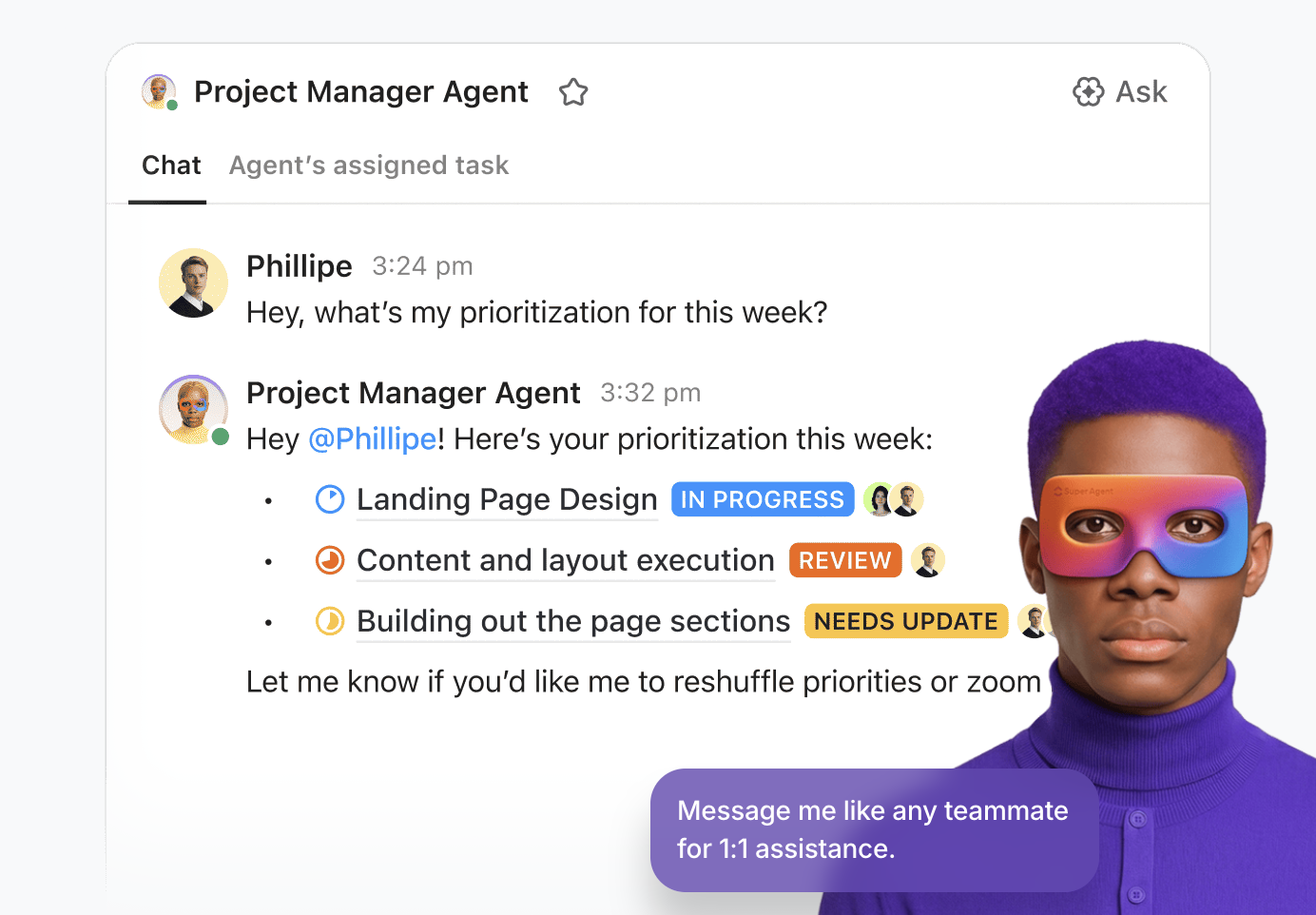
When you add a new project brief to a Doc, the Agent reads it and creates a project plan.
It generates ClickUp Tasks, Subtasks, and deadlines automatically. Then, it assigns work to designers, writers, and developers based on roles. It also links tasks to the relevant Docs and assets.
As work progresses, the Agent monitors task updates. If something is late, it flags the delay and notifies the owner. It auto-posts weekly progress summaries in the project channel.
Finally, when the project finishes, it compiles a final report.
🌟 Real Results: Companies like Bell Direct have used Super Agents to triage 800+ emails a day, resulting in a 20% increase in operational efficiency!
🔎 Did You Know? 40% of enterprise apps will soon feature task-specific AI agents. It will improve teamwork and workflow efficiency, making ‘right now’ a good time to prepare so you don’t fall behind your peers.
🎥 Watch this video to experience what Super Agents can do for you:
Beyond AI assistance, you can build rule-based workflows with ClickUp Automations. These automations trigger actions when specific conditions are met, such as when a status changes, a due date arrives, or a new assignee is added. This ensures processes run smoothly in the background, so your team can focus on what matters.
Don’t know where to start and what to automate? Pick a recipe from the library of over 100 prebuilt automation templates in ClickUp. Or build an automation using natural language prompts with ClickUp Brain!
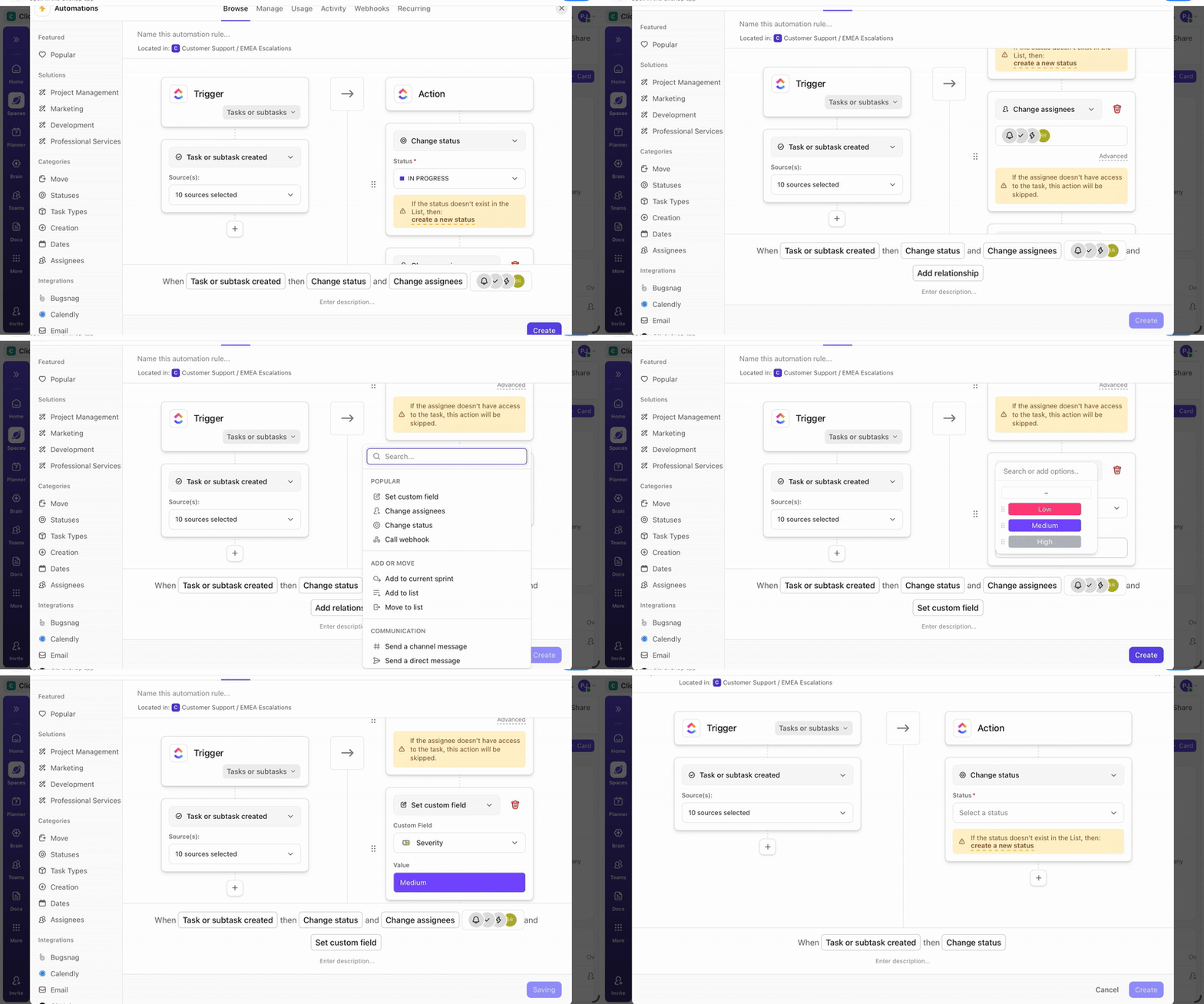
Focalboard, on the other hand, does not include any native AI features or built-in automation. Because it is a lightweight, open-source tool, you’ll need to do all of your task management (from updating statuses to creating recurring workflows) manually.
⚠️You can try building custom automation in Focalboard via its API. However, the platform provides no out-of-the-box intelligence to help reduce your team’s operational load.
🏆 The verdict: ClickUp gives teams looking to be more productive a clear edge with built-in AI and automation. Focalboard is ideal for teams who are comfortable with manual processes or have the resources to build their own custom workflow automation solutions.
📮ClickUp Insight: 88% of our survey respondents use AI for their personal tasks, yet over 50% shy away from using it at work. The three main barriers? Lack of seamless integration, knowledge gaps, or security concerns.
But what if AI is built into your workspace and is already secure? ClickUp Brain, ClickUp’s built-in AI assistant, makes this a reality. It understands prompts in plain language, solving all three AI adoption concerns while connecting your chat, tasks, docs, and knowledge across the workspace. Find answers and insights with a single click!
A one-size-fits-all view doesn’t work for everyone. Your engineers might prefer simple lists, while your project managers would probably need Gantt Charts for timeline planning. This forces everyone into frustrating workarounds with spreadsheets and other tools.
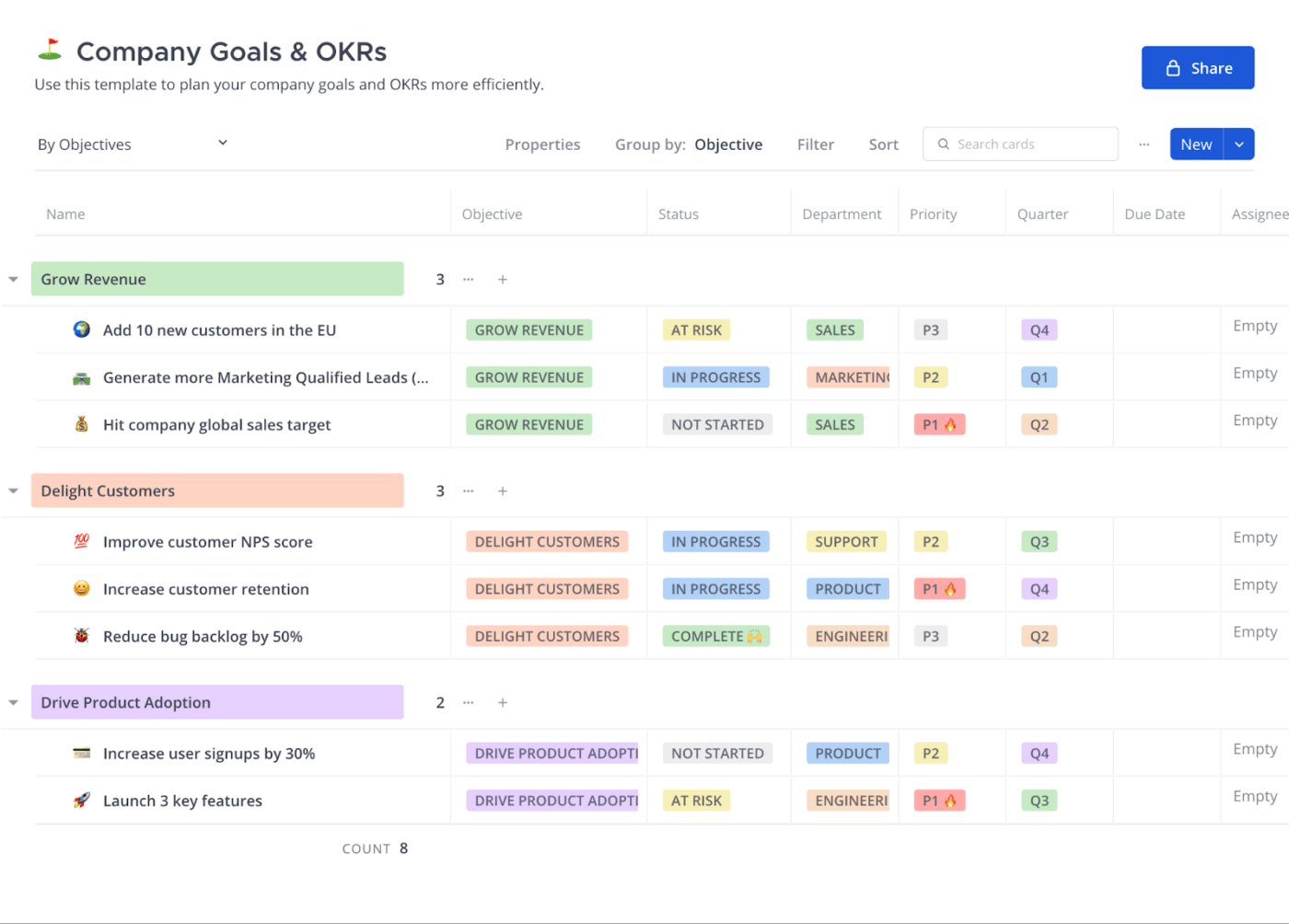
ClickUp Views solve this by allowing you to visualize the same data across multiple formats without restructuring your projects. You can switch between a high-level resource management view or a simple checklist to fit your specific role.
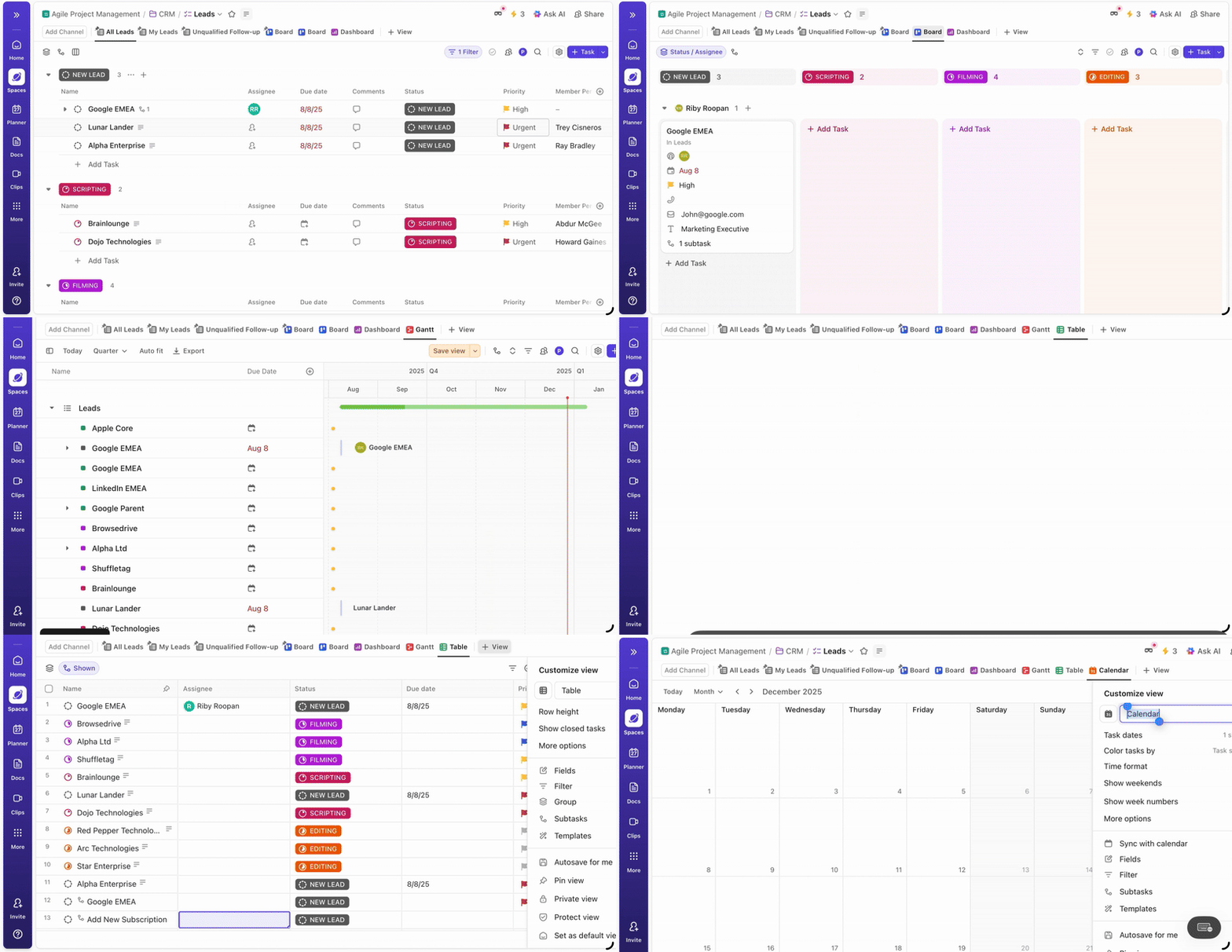
Feel free to choose between 15+ different views. Here’s an understanding of a few of them:
ClickUp allows you to save and share custom configurations with your team. It ensures everyone accesses the same filtered data without having to set it up from scratch. Each view includes granular filtering, sorting, and grouping options, so you can zero in on specific project details.
Custom Fields support this flexibility. They let you track data points specific to your workflow directly within any view you choose.
ClickUp Tasks are your go-to for breaking bigger, complex projects down into manageable action items. Subtasks and ClickUp Task Checklists let you track even the tiniest details. At the same time, you can use Custom Statuses to monitor the exact stage every deliverable is in: To-do, in progress, done…and everything else in between.
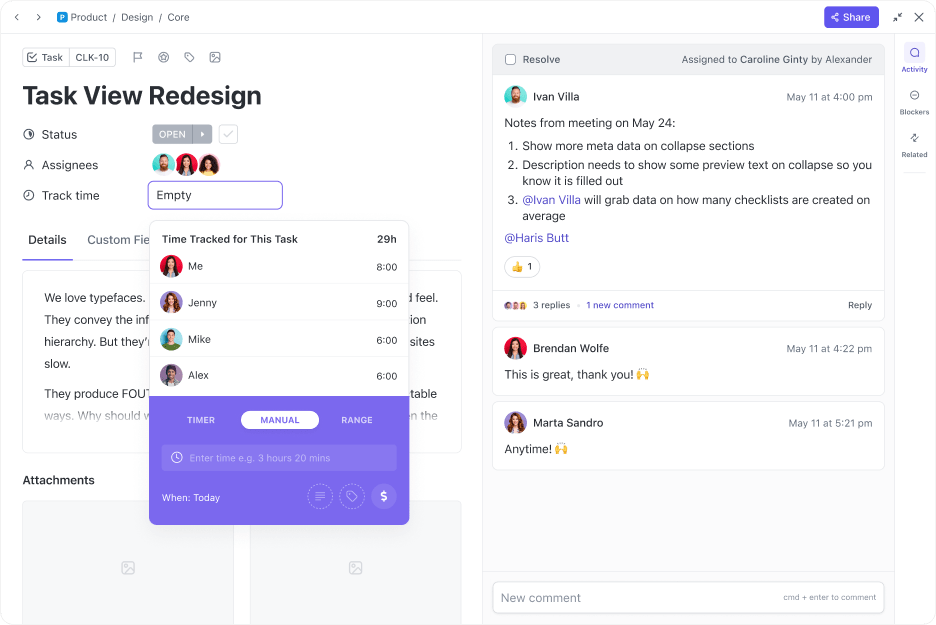
For time-sensitive work, integrated Time Tracking and a drag-and-drop Gantt View let you map out Task Dependencies and adjust timelines on the fly. This ensures that whether you’re managing a simple to-do list or a multi-departmental product launch, the context remains unified and accessible.
In contrast to ClickUp’s expansive views, Focalboard focuses on four core views: Kanban, table, calendar, and gallery. As you might expect, these views are better suited to straightforward project tracking than to complex resource management.
The Kanban board serves as the primary workspace, where cards include standard properties, checklists, and comments.
🏆 The verdict: ClickUp provides the architectural depth needed for multi-departmental projects that require different perspectives on the same data. Focalboard is a better fit for smaller technical teams that want a lightweight, open-source board and don’t require advanced layers like Gantt charts or workload management.
When project conversations are scattered across Slack, email threads, and random task comments, decisions inevitably get lost. For example, an average worker toggles between apps 1,200 times a day—nearly 4 hours a week spent in attention reset. This kind of Work Sprawl makes it nearly impossible to keep everyone aligned or get new members up to speed.
ClickUp addresses this by consolidating your team’s collaboration into a single workspace where communication remains connected to the actual work, thanks to:
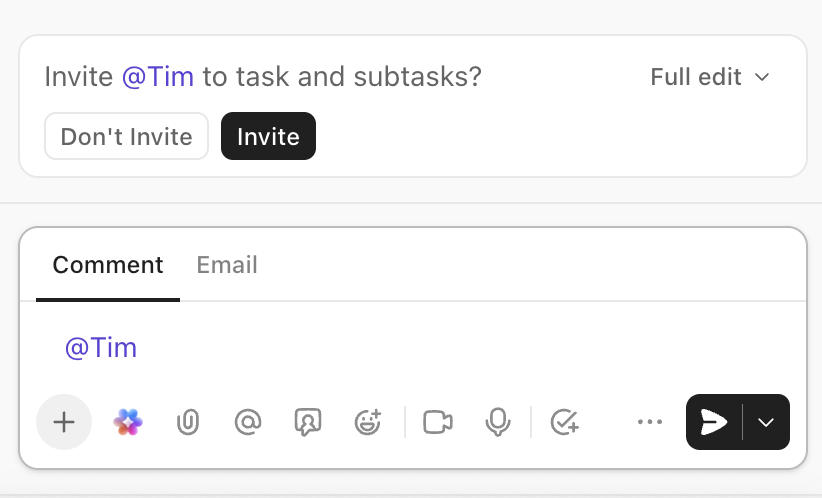
Focalboard, in comparison, provides basic task-level collaboration through card comments and file attachments. However, it lacks built-in tools for broader team communication, real-time document editing, or visual brainstorming.
To achieve the same level of connectivity, Focalboard relies on its integration with Mattermost or other external tools. It’s often at the risk of reintroducing the very silos ClickUp is designed to eliminate.
🏆 The verdict: ClickUp is built for teams that want to stop the constant app-switching and keep their conversations and execution in one view. Focalboard is a functional choice for basic task-level updates, but it requires you to manage a separate tech stack for any meaningful team-wide collaboration.
When your project management tool doesn’t integrate with the rest of your tech stack, your team ends up stuck in a cycle of manual data entry. For example, copying information between GitHub, Figma, or Salesforce invites version-control errors and missed updates.
🧠 Fun Fact: Manual data entry and administrative tasks cost U.S. companies an average of $28,500 per employee annually. This highlights that the ‘manual process’ isn’t just a slow workflow—it’s a massive profit leak.
ClickUp Integrations eliminate this friction by serving as a central command center for your entire workflow. With over 1,000 easy-to-use integrations, you can sync development progress from GitHub, embed interactive Figma prototypes, or automatically turn Salesforce opportunities into actionable tasks.
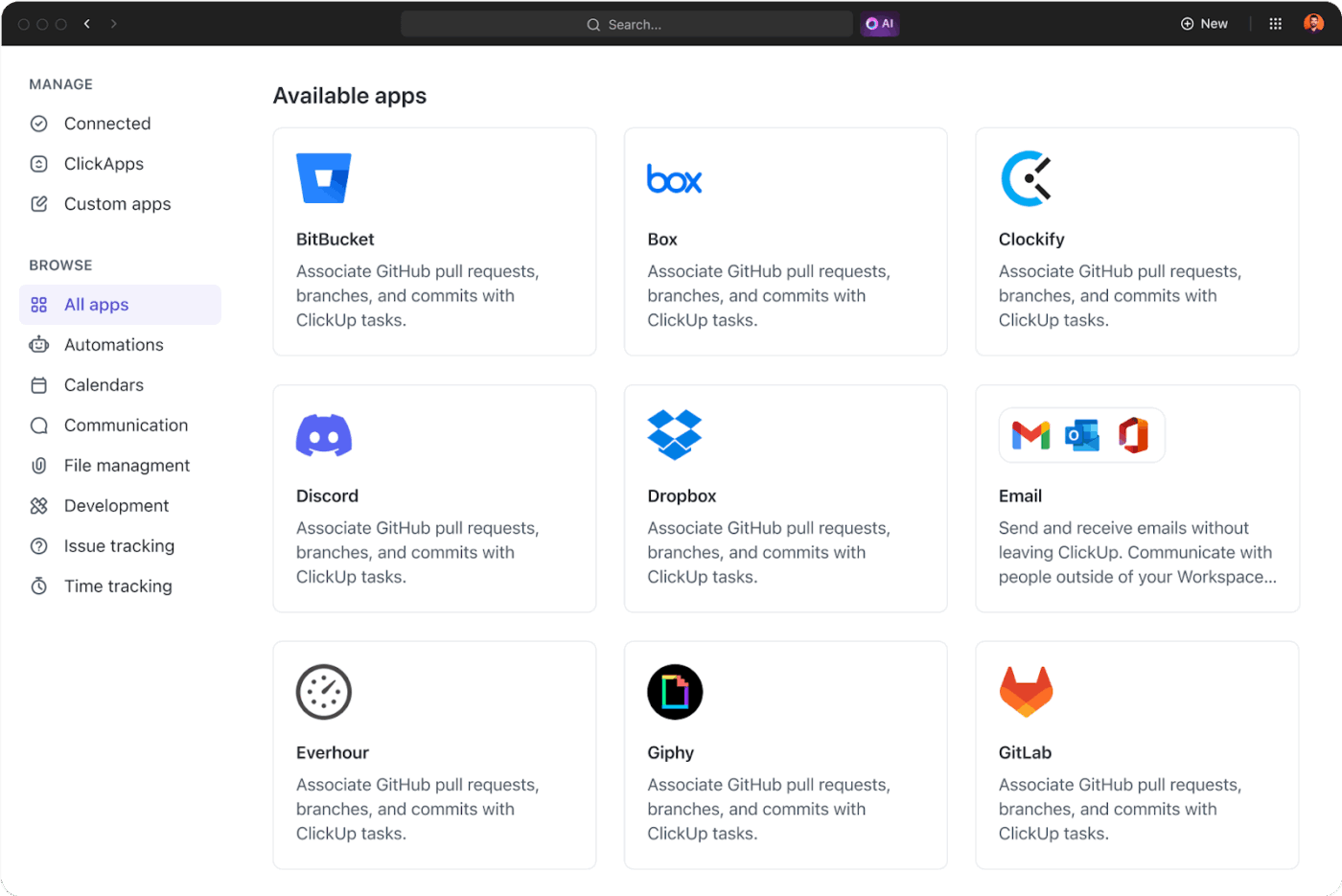
The result? Information flows across your apps without anyone having to manually bridge the gap. And if you need to build custom automations or data sync pipelines, your developers can always use the ClickUp API.
Focalboard has a much smaller integration ecosystem, with its primary focus on native connectivity with Mattermost. Its open-source nature and public API technically allow a development team to build any connection they need. But doing so requires substantial internal resources and ongoing maintenance.
🏆 The verdict: ClickUp is the better fit for teams that rely on a diverse set of commercial apps and want to automate data flow immediately. Focalboard offers a high degree of extensibility for technical teams who prefer to build and maintain their own private integration ecosystem.
In many organizations, collaboration and security often pull in opposite directions. Teams want shared docs, faster updates, and real-time coordination. Security teams ask different questions: Can this run in an air-gapped environment? Where does the data live?
The real challenge isn’t adopting a new tool. It’s finding one that enables modern collaboration without compromising data sovereignty.
ClickUp saves you from the high operational costs of self-hosting. It provides enterprise-grade security without the maintenance overhead of managing a server. The platform is hosted on Amazon Web Services (AWS) and is SOC 2 compliant. Your data is protected with end-to-end encryption.
This allows you to deploy a highly capable SaaS workspace while meeting stringent security standards. You can offload responsibility for patches, performance, and infrastructure stability to a dedicated security team.
However, for teams where self-hosting is non-negotiable, Focalboard offers complete data ownership. It’s designed for self-hosted deployment using Docker or other methods, giving you complete control over your data and infrastructure. This is a critical advantage for organizations with strict data residency requirements.
The trade-off, however, is a significant increase in internal responsibility; your team becomes the sole provider for every security update, database backup, and infrastructure patch.
🏆 The verdict: This is the clearest trade-off between the two tools. Choose ClickUp if you need a secure, compliant cloud infrastructure that automatically stays up to date. Choose Focalboard if your priority is absolute data sovereignty and you have the technical resources to manage your own server environment.
Making the wrong choice could mean a painful migration process in six months, so let’s make it simple. The right tool depends entirely on your team’s priorities and technical capabilities.
Here’s a quick list to help you decide:
Choose Focalboard if:
Choose ClickUp if:
The decision comes down to a fundamental trade-off: Do you value absolute data control and open-source flexibility above all else? Or do you prefer a unified AI workspace that handles everything from project management to team communication?
If you are inclined towards the latter, then try ClickUp for free today. ✨
Mattermost acquired Focalboard and integrated its functionality into the Mattermost platform, rebranding it as “Mattermost Boards.” The original standalone Focalboard project is still available as open source, but active development has largely shifted to the integrated Mattermost experience.
ClickUp offers limited offline mode in its mobile and desktop apps, allowing you to view tasks and create new ones that sync once you’re back online. However, in fully offline or air-gapped environments, a self-hosted solution like Focalboard is a better choice.
Besides Focalboard, other popular open source Kanban tools include Kanboard, Wekan, and Taiga. While they offer self-hosting and basic board functionalities, none provide the all-in-one workspace approach or advanced AI capabilities found in ClickUp.
Focalboard is best suited for small to mid-sized technical teams that are comfortable with managing their own infrastructure. It lacks the enterprise-grade features that large organizations typically require, such as advanced user permissions, audit logs, single sign-on (SSO), and dedicated support.

© 2026 ClickUp

There’s an easier way. Try a free AI Agent in ClickUp that actually does the work for you—set up in minutes, save hours every week.