


Looking for the best Todoist alternatives?
Todoist is no stranger to project management; it’s been alive and kicking since 2007!
…But as one of the veteran organizational apps, wouldn’t it be a little rusty by now?
While its to-do list feature has been updated to accommodate our modern (and frantic) work pace, its age still shows.
Overall, Todoist’s project management software features are pretty basic compared to other tools and it requires a lot of add-ons to keep up with daily processes. And since Todoist is better suited for simple to-do lists rather than managing projects, tasks, and workflows, it’s not uncommon for teams to seek out more dynamic and fresher Todoist alternatives.
Read along for a deep dive into the limitations of Todoist. Plus, a breakdown of its 15 best alternatives including pros, cons, pricing, reviews, and more!

 Summarize this article for me please
What Is Todoist?
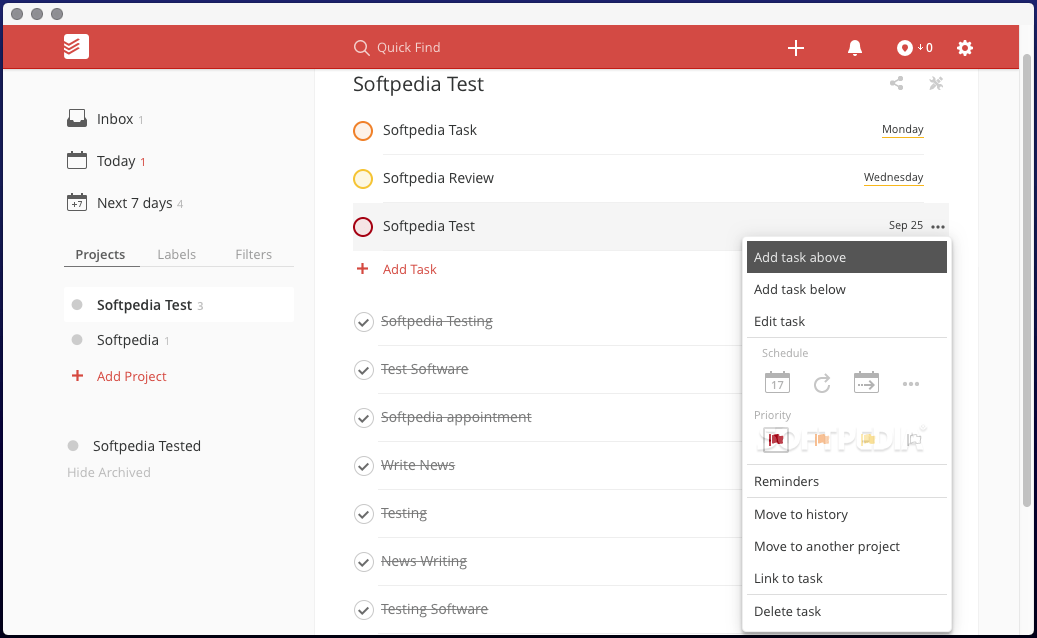
Todoist is a task management tool that allows you to organize, plan, and collaborate on lists and projects. Its clean and intuitive interface makes it an attractive software option for individuals and small teams alike. Some of its best features include:
- Assign tasks to yourself or your team
- Recurring task due dates
- Deadline reminders
- Progress tracking
Plus, Todoist is relatively affordable, especially for personal use. 💸
In addition to a free version for basic use, Todoist offers two paid plans for additional functionality:
- Todoist Pro: $4 per month for individual users
- Todoist Business: $6 per user, per month for teams
Doesn’t sound too bad, right? But when the going gets rough—AKA, when you’re dealing with more complex projects—Todoist might not cut it, and you’ll be back looking for a solution with features that go beyond general task management.
Summarize this article for me pleaseWhy Do You Need a Todoist Alternative?
Todoist is a good task management app—but not great. 👀
Here are a few big reasons why:
- There’s no built-in time-tracking feature to manage your productivity while completing tasks.
- You can’t create custom statuses to align with and manage your workflows.
- Many features in Todoist’s paid plans are offered for free with other software.
- It’s not as effective for work that requires more than a set of lists to complete.
- The free version is now limited to 5 active projects…the old limit was 80. 😐
…and more. 😳
No need to panic though—we come bearing good news!
We’ve carefully curated a list of the top Todoist alternatives for any team! Let this list guide you on your search for the best and most productive project management app for any team. 🙌🏼
Summarize this article for me pleaseTop 15 Todoist Alternatives & Competitors
Luckily, there are a ton of project management and collaboration tools on the market these days—it’s a huge industry. So it’s not a matter of if you’ll find a Todoist alternative, but when.
With so many options to pick from, the search for your team’s best solution can be time-consuming, to say the least. Rather than getting bogged down by decision fatigue or cross-referencing software features over your lunch break—let us handle the heavy lifting for you.
Here are the best 15 Todoist alternatives for teams of any size, budget, or industry.
1. ClickUp
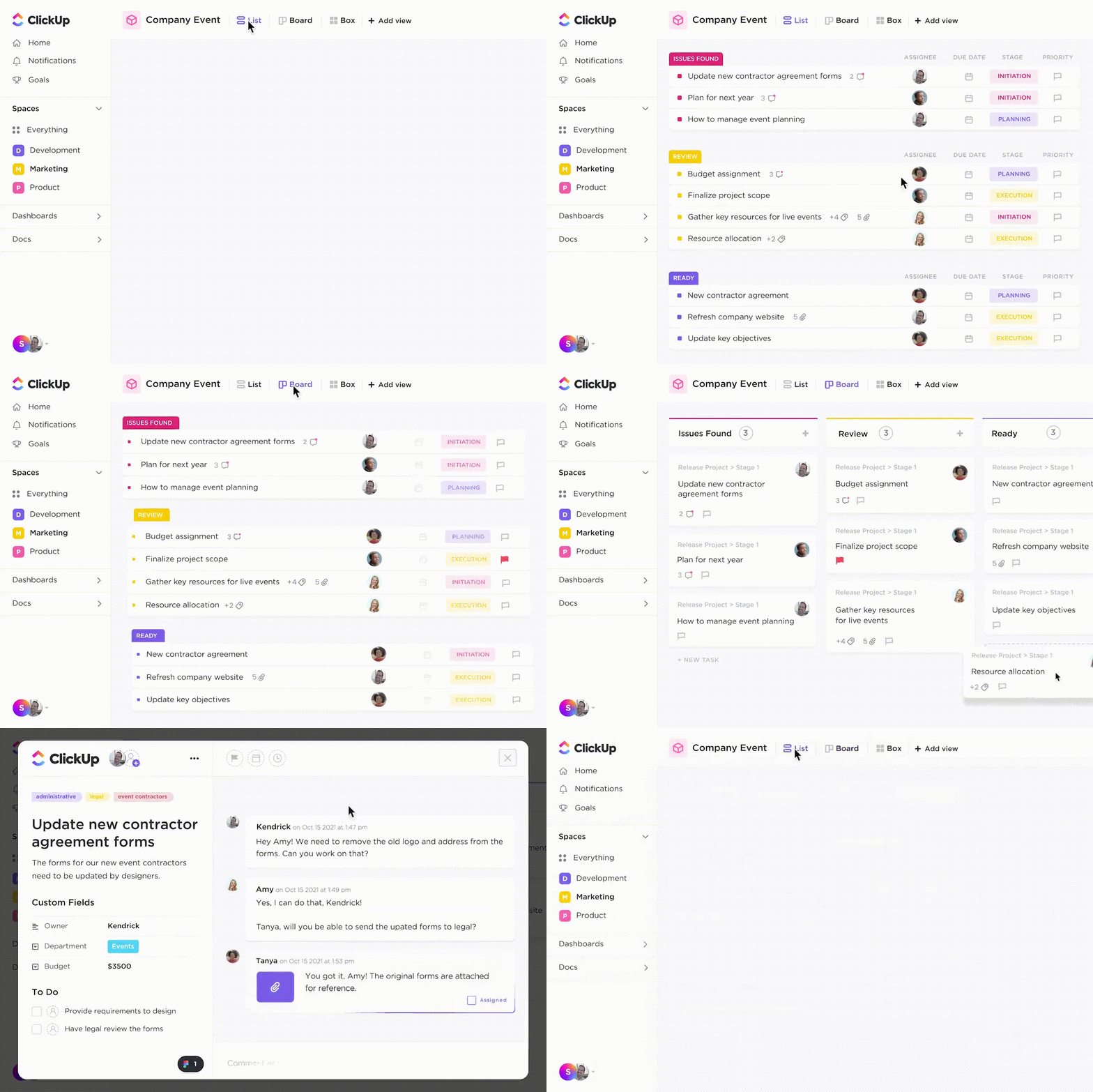
Organize and visualize tasks your way in ClickUp—a task management platform designed to bring teams and work together in one place. Use ClickUp Reminders to create notifications for your team in seconds. Reminders in ClickUp are easy to change, attach files, comment, update, and customize.
Additionally, ClickUp makes it easy to manage your notifications so you can view, clear, react, and reply from any device!
Features
- To-Do List Templates: ClickUp’s ready-to-use templates can be personalized to streamline your workflow. Whether it’s a straightforward project plan or a comprehensive task list, or even an onboarding checklist for team members, our templates facilitate a quick start.
- ClickUp Docs: Create organized, collaborative, and easily manageable to-do lists.
- ClickUp Tasks: With our robust task management tool, planning, organizing, and collaborating on any project becomes effortless and can be tailored to suit every requirement.
- List View: Develop concise, multi-purpose to-do lists to conveniently manage your thoughts and tasks from any location, ensuring you never miss a thing.
- Bi-directional Linking: Use ClickUp’s bidirectional linking function to interlink all your Tasks for easy navigation between them.
- ClickUp Notepad: Instantly note down your tasks, format with rich editing tools, and convert notes into trackable tasks accessible from any place.
- ClickUp Brain: Use ClickUp’s AI assistant to generate tasks, summarize notes, and craft to-do lists.
- Available Platforms: (Android, iPhone, iPad, Windows, macOS, Linux, Web)
Pros
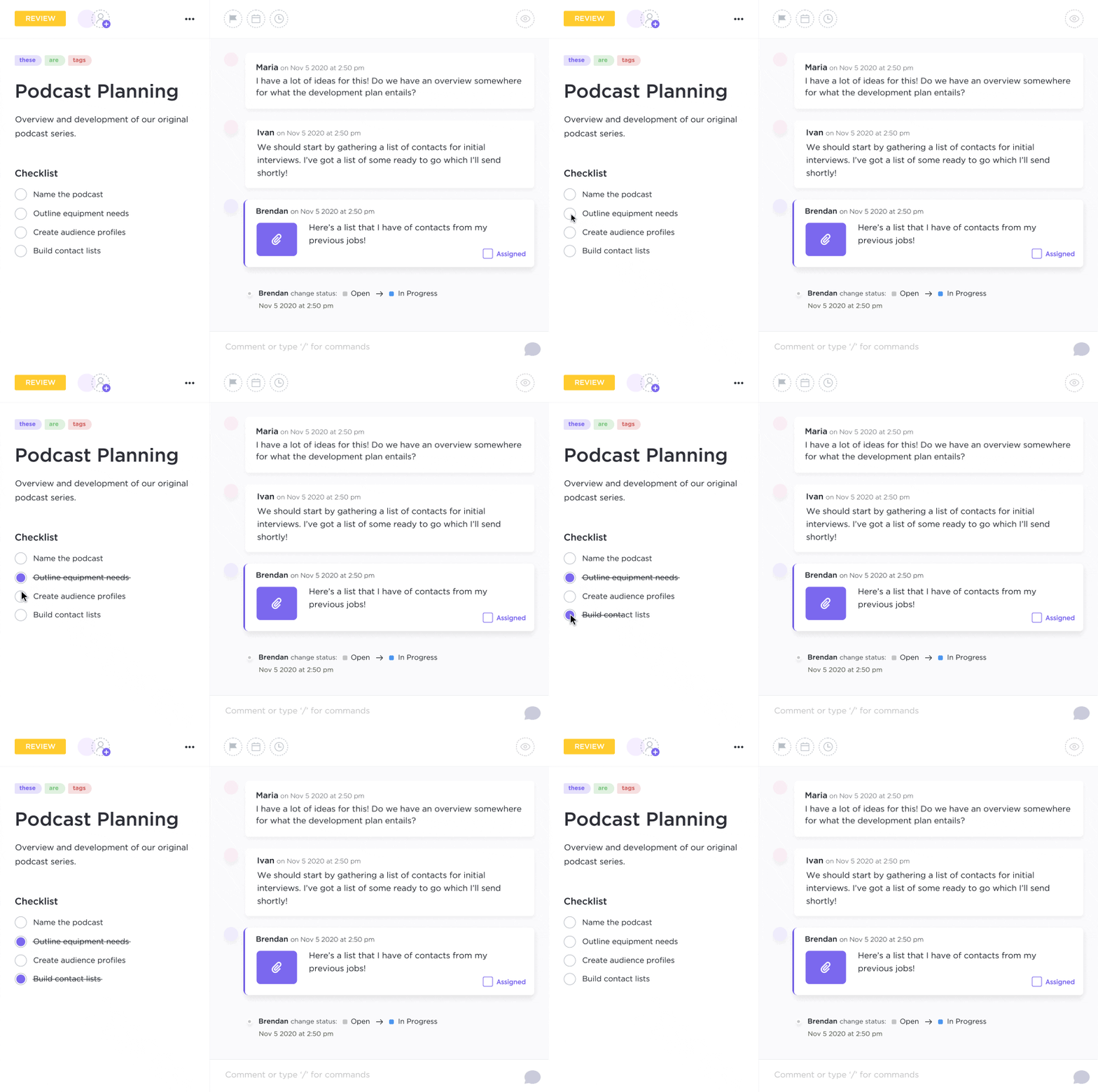
- Using AI text can be converted into trackable tasks in ClickUp Docs
- Over 1,000 integrations with other work tools and apps
- Available on the ClickUp mobile app
Cons
- The level of customizability and the number of features available may lead to a learning curve
Pricing
ClickUp has multiple pricing plans:
- Free Forever
- Unlimited: $7 per user per month
- Business: $12 per user per month
- Enterprise: Contact ClickUp for custom pricing
- ClickUp AI is available on all paid plans for $5 per Workspace member per month
Ratings and reviews
- G2: 4.7/5 (1,400+reviews)
- Capterra: 4.7/5 (2,000+ reviews)
2. Tick Tick
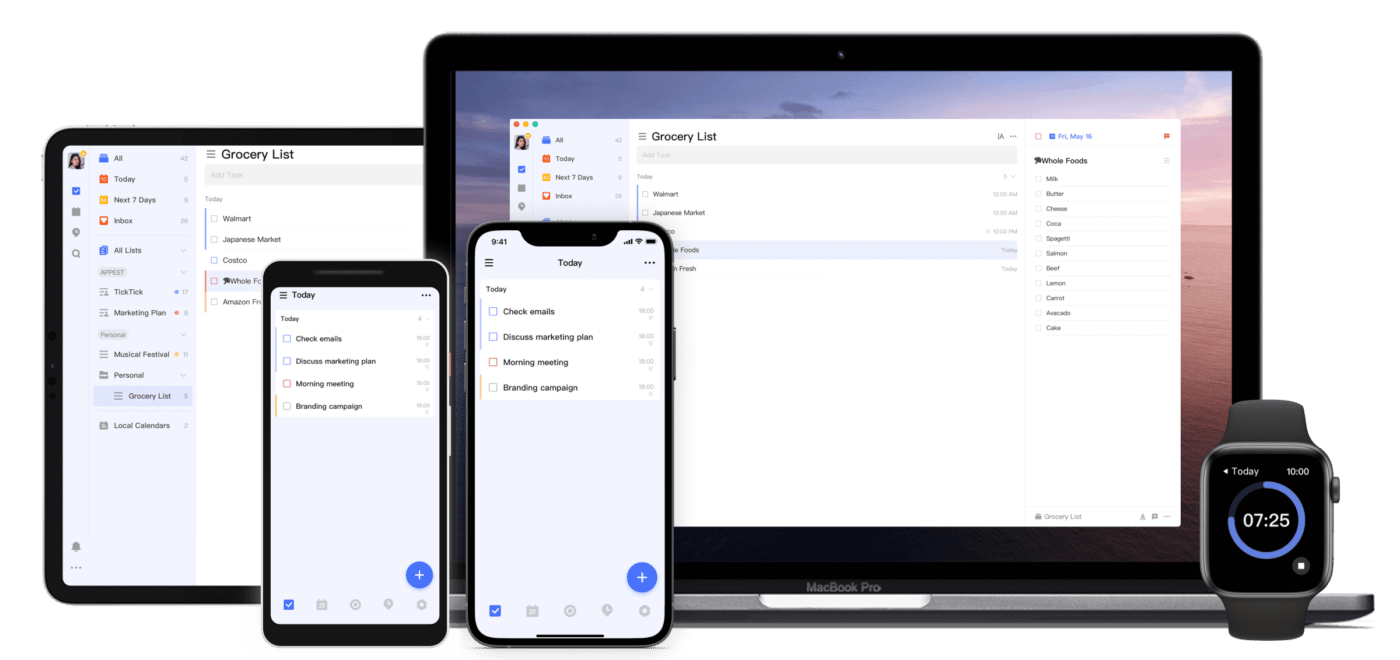
Tick Tick has a few powerful task management abilities, which make it a quality contender as a Todoist alternative.
But if you’re looking for a tool that offers a free version with many useful features, you may have to look elsewhere.
Compare TickTick Vs Todoist!
Features
- Built-in Pomodoro timer
- Convert emails into tasks
- “Plan my day” to help prioritize tasks for the day
Pros
- Reminders for schedules along with location-based alerts
- Various calendar views
- Available for iOS (iPhone & iPad)and Android
Cons
- No native calendar sync
- Limited integration options
- The free version is limited to only 99 tasks (we wish it was at least a round number 😏)
Pricing
- Basic Plan can be upgraded to Premium Plan at $27.99 per year
Customer ratings
- Capterra: 4.8/5 (80+ reviews)
- G2: 4.5/5 (80+ reviews)
Check out these TickTick alternatives!
3. Trello

Trello is a project management software that’s famous for its unique Kanban Boards.
However, just like a pop star in the 90s, Trello is a bit of a one-hit-wonder:
The entire tool revolves around Kanban.
All your tasks are cards that can be dragged and dropped into different project stages.
And using a Kanban board for the entire project management life cycle can be quite challenging as you need to take a look at the project timeline, schedule, and reports too.
Compare Trello Vs Todoist!
Features
- Easy to use drag-and-drop interface
- Advanced checklists to create more detailed tasks
- Trello Power-Ups can help you add tons of functionality
Pros
- Great team collaboration features
- Minimal learning curve
- Checklists within tasks allow for prompt feedback
Cons
- Doesn’t show task dependencies
- Limited to a Kanban board view
- Not suited for large organizations
Pricing
- Free Forever: Unlimited cards and lists
- Business Class ($12.50 per user/month): Advanced checklists and board collection with power-ups
Customer ratings
- Capterra: 4.5/5 (22,200+ reviews)
- G2: 4.4/5 (13,000+ reviews)
Check out these Trello alternatives!
4. nTask
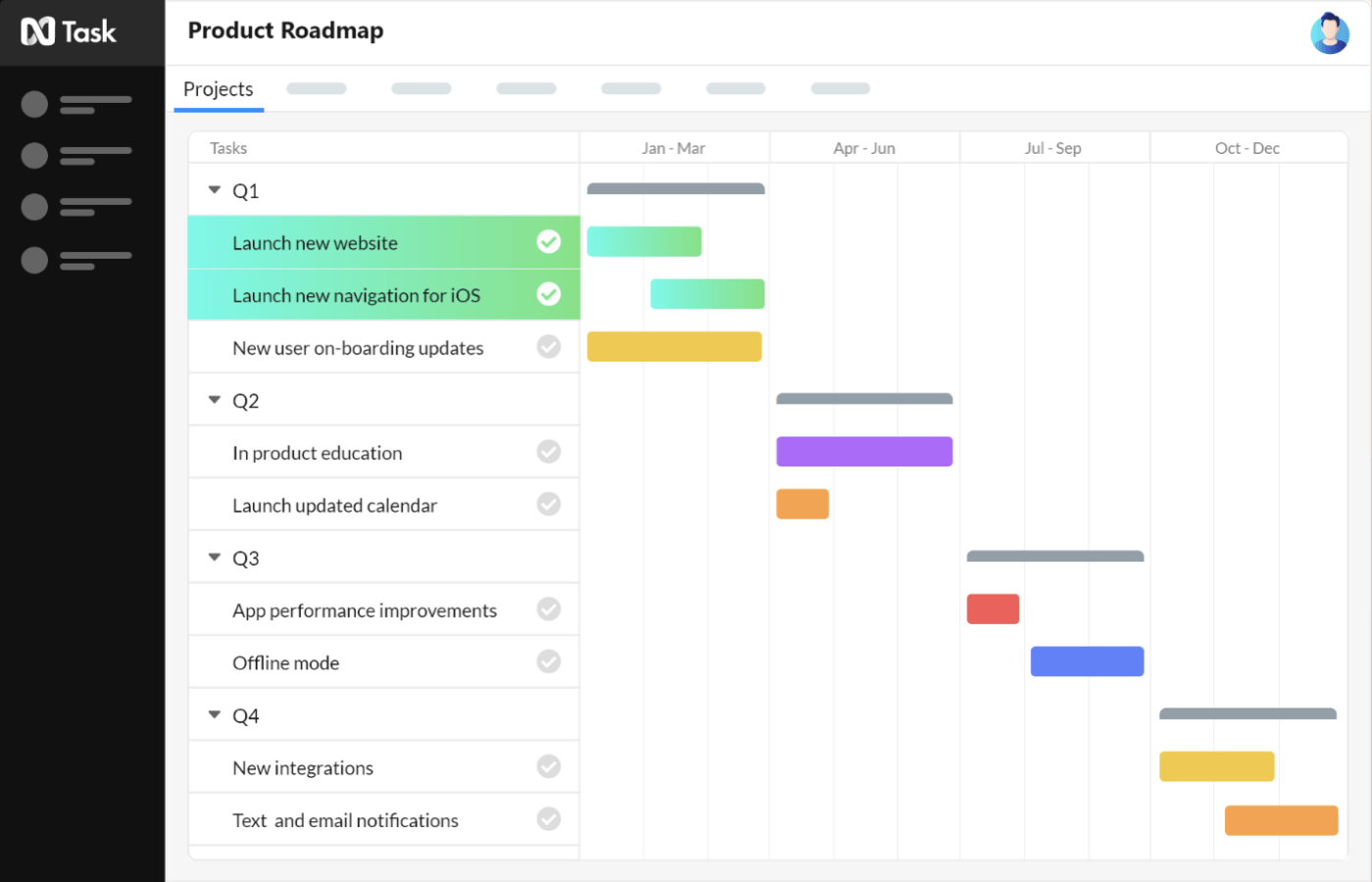
nTask is a cloud-based task manager and project management tool that focuses on risk management and efficient collaboration. However, a productivity tool dedicated to risk management can also be a risk too!
What, why?
That’s because you need a tool to do a whole lot more, like monitoring your team, generating reports, and connecting to other work tools.
Unfortunately, nTask can do neither of these things.
Features
- Native meeting management tool for organizing, managing, and scheduling meetings
- Issue management module for identifying and tackling issues
- Converts comments into tasks using Slack
Pros
- Create unlimited tasks and to-do list items for free
- Prompt notifications, alerts, and reminders
- Compatible with your iPhone and iPad
Cons
- No email task management features
- Limited storage in the free version
- Limited integration options
Pricing
- Basic Free Plan: includes meetings, timesheets, and issues tracking
- Premium Plan ($3.99 per user/month): Basic plan features and bulk actions, custom filters, and 5GB storage
- Business Plan ($11.99 per user/month): includes premium features along with risk management, custom permissions, and 10GB storage
Customer Ratings
- Capterra: 4.1/5 (90+ reviews)
- G2: 4.4/5 (10+ reviews)
5. Asana

Asana is another great (and free) alternative to Todoist.
Whether you’re managing a large or a small team, Asana can help you.
However, many of their more useful features including unlimited tasks, timelines, and dashboards require you to pay up.
Features
- Powerful timelines for scheduling tasks
- Reminders and due dates
- Task milestones to track significant achievements and events
- Four project views including Kanban (similar to Trello)
Pros
- Real-time collaboration features
- Supports tons of third-party integrations
- Available on the iOS app store (for iPhone & iPad) and Google Play Store
Cons
- No offline mode
- Multiple assignees for a single task aren’t possible
- The mobile app isn’t on par with the web app
Pricing
- Basic Free Plan: basic features including board view, 100MB storage, and list view
- Premium Plan ($10.99 per user/month): includes extra features like custom fields and milestones
- Business Plan ($24.99 per user/month): includes extra features like goals and integrations
Customer ratings
- Capterra: 4.5/5 (11,800+ reviews)
- G2: 4.3/5 (9,100+ reviews)
Deciding between Asana and Todoist? Check out these no-brainer reasons to choose ClickUp as your Asana alternative.
6. Notion
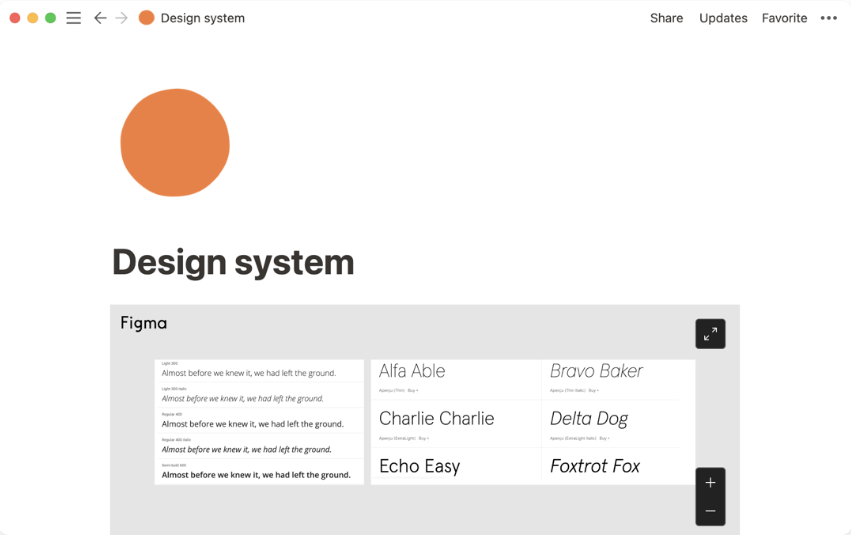
More than a digital note-taking application, Notion is a collaboration platform that helps users manage multiple projects, organize their workflows, and collaborate with others. It offers a suite of powerful tools to help users stay on top of their projects, tasks, notes, and more.
With Notion, users can quickly create checklists, assign tasks to team members, set due dates, embed media and documents, and more. Notion even offers its own database feature for teams to store data in an organized way.
This makes it easy for users to quickly find the information they need without having to search through multiple files or folders.
Features
- Quick Find search function to move through your information and easily find what you need
- Customization capabilities for role permissions and notifications
- Multiple workspaces to separate different types of content
- Task dependencies, subtasks, and prioritization
- Notion AI for summarizing notes and other AI writing assistant needs
Pros
- Recurring tasks with pre-defined intervals
- Drag-and-drop interface
- Powerful document sharing
Cons
- Lack of connectivity between workspaces
- Advanced customization is limited compared to other tools on this list
Pricing
Notion has four pricing options:
- Free plan: Collaborative workspace, basic page analytics, 7-day page history, and more
- Plus plan ($8 per user/month): Unlimited blocks for teams, 30-day page history, 100 guest invites, and more
- Business plan ($15 per user/month): Private team spaces, 90-day page history, 250 guest invites, and more
- Enterprise plan (Contact Notion for details): Advanced workspace analytics and controls, Customer Success Manager, 500 guest invites, and more
Customer ratings
- Capterra: 4.7/5 (1,000+ reviews)
- G2: 4.6/5 (1,000+ reviews)
Compare Notion Vs Todoist!
7. OmniFocus
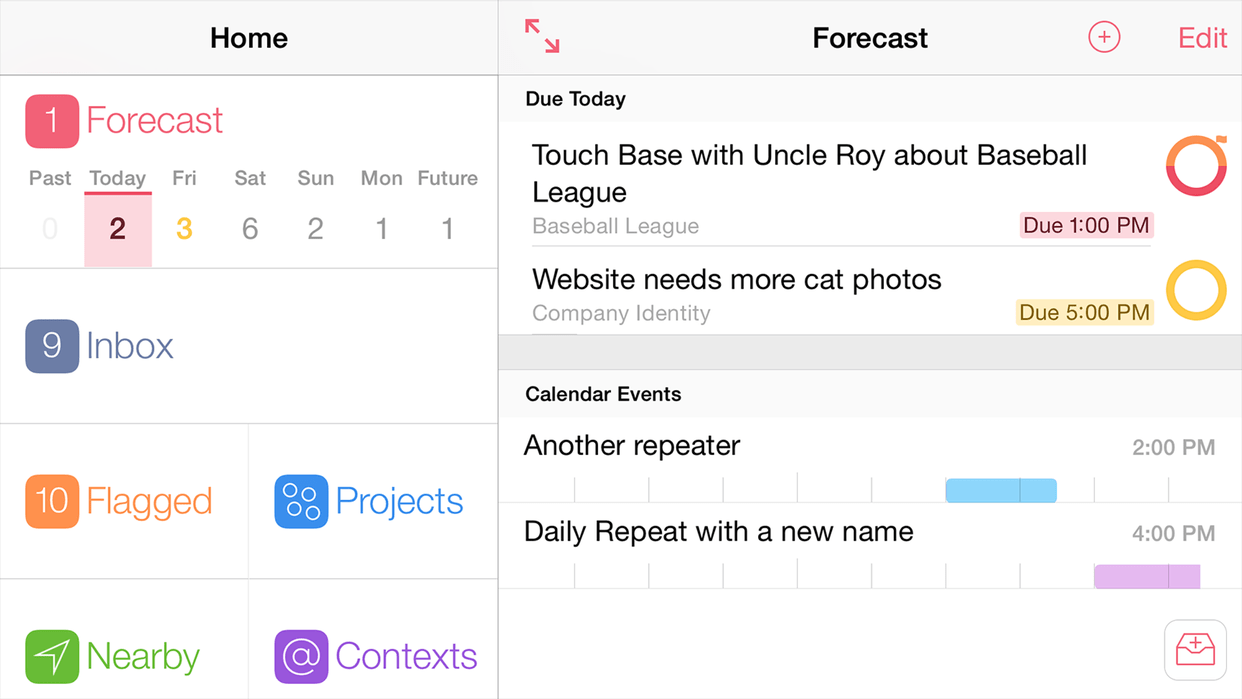
OmniFocus is a popular task management tool, built by The Omni Group, to help you keep track of your work, projects, and more. It’s designed to be user-friendly, providing an intuitive interface that enables users to quickly and easily organize their tasks and activities.
By allowing users to break projects down into simpler actions with the use of folders, contexts and tags, OmniFocus makes sure that tasks are always tracked and organized. It can also be used to set reminders so you never miss a deadline or forget an important assignment.
Features
- Free, encrypted syncing to keep data on multiple devices
- Forecast shows actions and calendar events in order
- Batch editing to select multiple actions and edit at once
- Custom sidebar to organize perspectives
Pros
- The user interface is modern and intuitive
- Custom Home Screen for paid users
- Light and dark backgrounds
Cons
- Does not have visualization tools like Gantt charts
- The platform is not optimized for a Windows operating system
Pricing
- Depending on your operating system and use case, OmniFocus has multiple pricing options. Contact OmniFocus for more details
Customer ratings
- Capterra: 4.7/5 (60+ reviews)
- G2: 4.6/5 (50+ reviews)
Check out these top OmniFocus alternatives!
8. Any.do
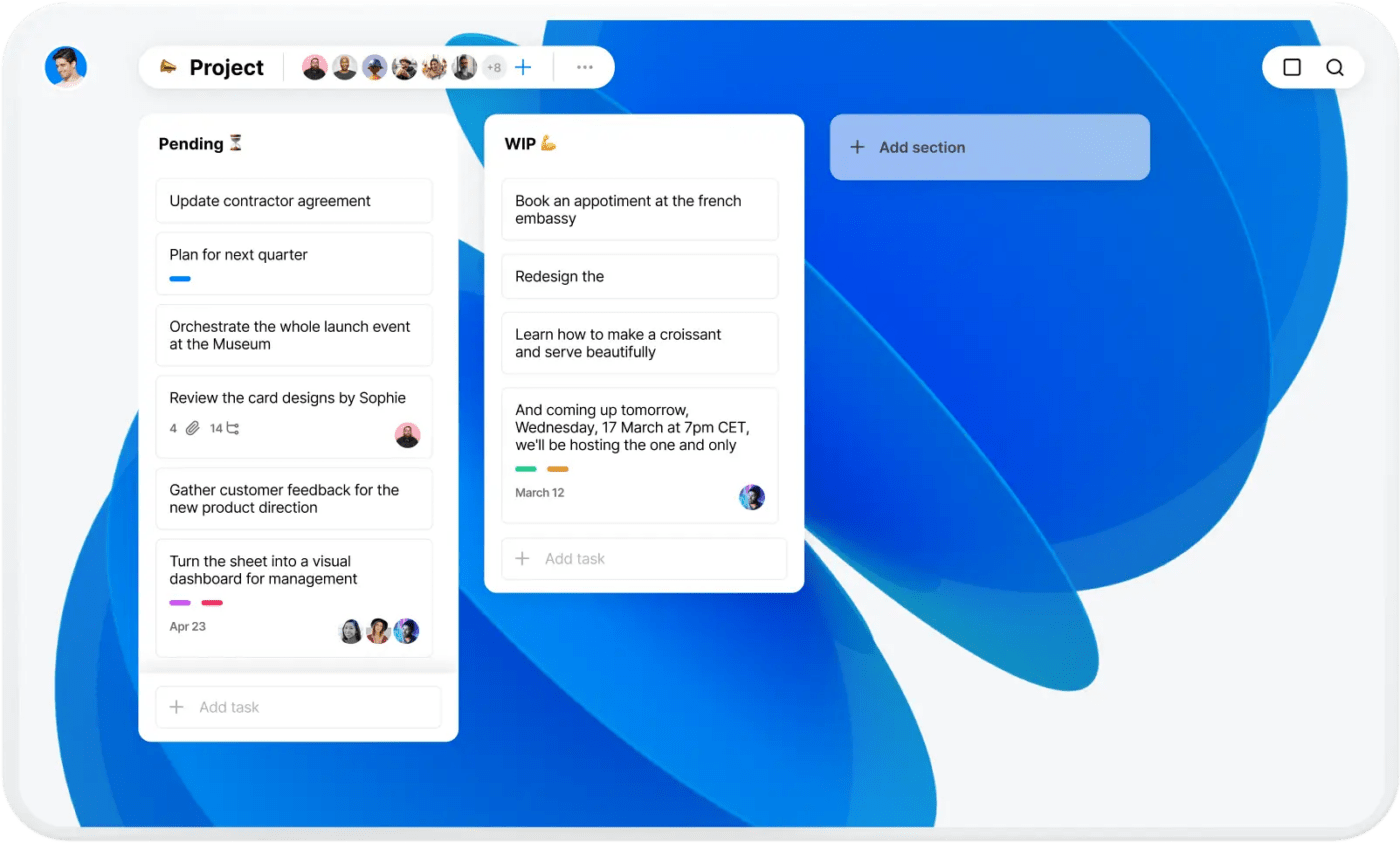
Any.do is a task management app with a simple, intuitive design that helps you get more done. It’s perfect for busy professionals, students, and anyone who wants to be more productive. With Any.do, you can easily create tasks, set Due Dates and reminders, and make lists of what you need to do.
You can also share tasks with others and collaborate on projects. Plus, the app’s built-in location-based reminder feature will remind you when you’re near a task’s location so you never forget an important errand again!
Features
- Board activity to see who works on when, when and what has changed
- Multi-platform support to chat with multiple team members
- Easy-to-use templates to get started
- One-time, recurring, and location reminders
Pros
- Main organizer for personal schedule and events
- Support portal to assist with platform questions
- Smart Grocery Lists for Free and Premium users
Cons
- Not suitable for Microsoft 365 users because it doesn’t integrate with Microsoft Calendar
- Limited free version for basic project management needs
Pricing
Any.do has three pricing options:
- Free plan: Reminders, Calendar, device syncing, and more
- Premium plan ($3/month annually): Recurring tasks, color tags, location reminders, and more
- Teams plan ($5/month annually): Collaborative workspace, Unlimited project boards, +100 workflow templates, and more
Customer ratings
- Capterra: 4.4/5 (150+ reviews)
- G2: 4.1/5 (180+ reviews)
Check out these Any.do alternatives!
9. Google Keep
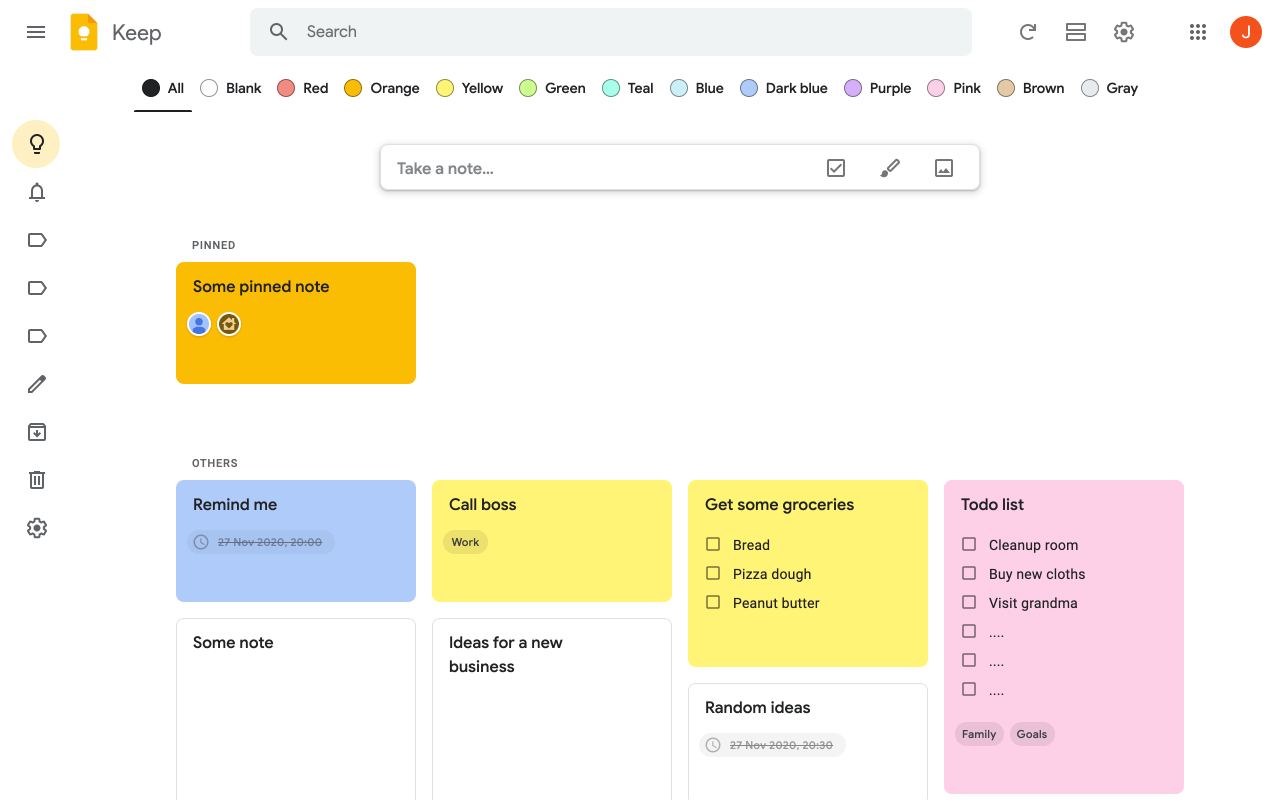
Google Keep is a free note-taking and list-making tool developed by Google that makes it easy to capture, store, and share ideas on the go. It allows users to quickly jot down notes, create lists and checklists, set reminders, upload photos, collaborate with friends and family, save web pages for later reading, and more.
The app also offers a range of customization options, including the ability to change fonts and colors, add images and audio clips, create labels for categories, and more. It is available on both iOS and Android devices.
Features
- Image recognition capabilities to turn photos into text notes
- Syncing across different devices
- Drag-and-drop lists to prioritize tasks
- Labeling system for categorizing tasks
Pros
- Simple and intuitive user interface
- Integrates with Google Suite apps
- Share notes and lists with others
Cons
- Space can be limited depending on your Google account storage
- Limited task collaboration features
Pricing
- Google Keep is free with a Google account
Customer ratings
- Capterra: 4.7/5 (100+ reviews)
- G2: N/A
10. Meistertask
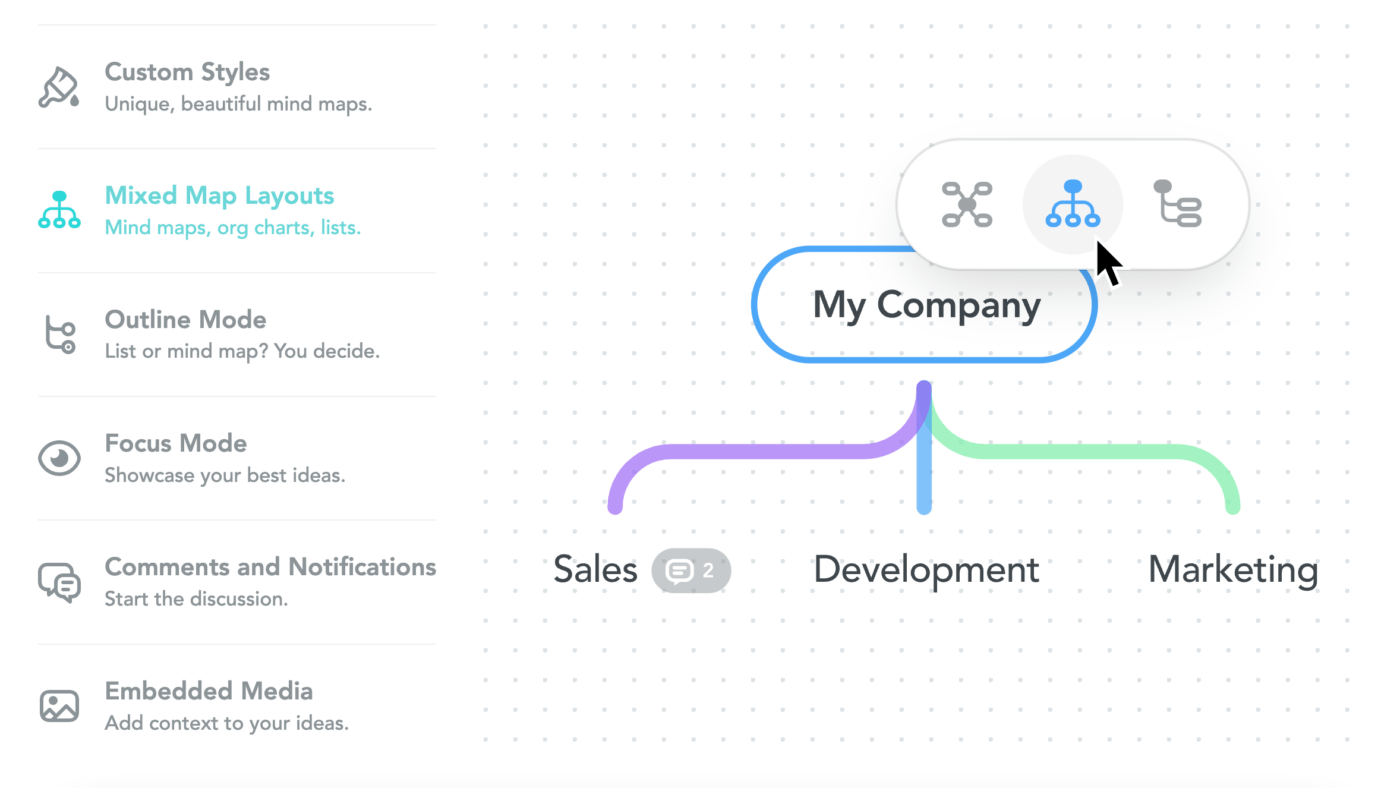
Meistertask is a project management software designed to streamline all your team communication. With Meistertask, you can create projects, tasks, and folders to keep your work organized and easy to find. The app also offers a variety of features to help you get the most out of your task management, including labels, due dates, notifications, and more.
You can also collaborate with team members on tasks and projects for greater efficiency. Meistertask is a great choice for freelancers, teams, and businesses of all sizes.
Features
- Visual task boards to track progress
- Real-time collaboration capabilities
- Integration with Slack and other apps
- Customizable workflows
Pros
- Easy-to-use interface for both individuals and teams
- Detailed reports to track task progress
- Integrates with popular productivity apps like Trello and Slack
Cons
- Limited integration possibilities in the free plan
- Recurring tasks are a paid feature
Pricing
- Basic plan (free): Up to three projects, unlimited project members, customizable project boards, and more
- Pro plan ($8.25/month: Unlimited projects, automations, WIP limits, and more
- Business plan: ($20.75/month): Activity reports, roles and permissions, custom fields, and more
Customer ratings
- Capterra: 4.7/5 (1,000+ reviews)
- G2: 4.6/5 (160+ reviews)
Check out these MeisterTask Alternatives!
11. Azendoo

Azendoo is a project management tool that provides users with an efficient way to organize, track, and collaborate on projects. It helps teams stay focused on the tasks at hand and manage their workloads in an organized way. Azendoo’s user-friendly interface allows users to quickly create tasks, assign them to members of their team, and set deadlines.
Its intuitive drag-and-drop task boards help users track progress at a glance and keep up with their team’s performance. It also offers powerful reporting capabilities so that teams can get insights into how well they are working together.
Features
- Robust search to find tasks, conversations, documents, subjects, and people
- ‘Add a Poll’ button to get your team’s opinion on a topic
- Cisco Spark integration for voice, video calling, and screen sharing
- Pinned conversations at the top of a subject activity view
Pros
- Email conversations can turn into an Evernote note
- Direct messaging
- Recurring tasks
Cons
- Project templates are a paid feature
- Limited task collaboration features
Pricing
- Contact Azendoo for pricing
Customer ratings
- Capterra: 4.6/5 (60+ reviews)
- G2: 4.2/5 (50+ reviews)
12. Zoho Projects
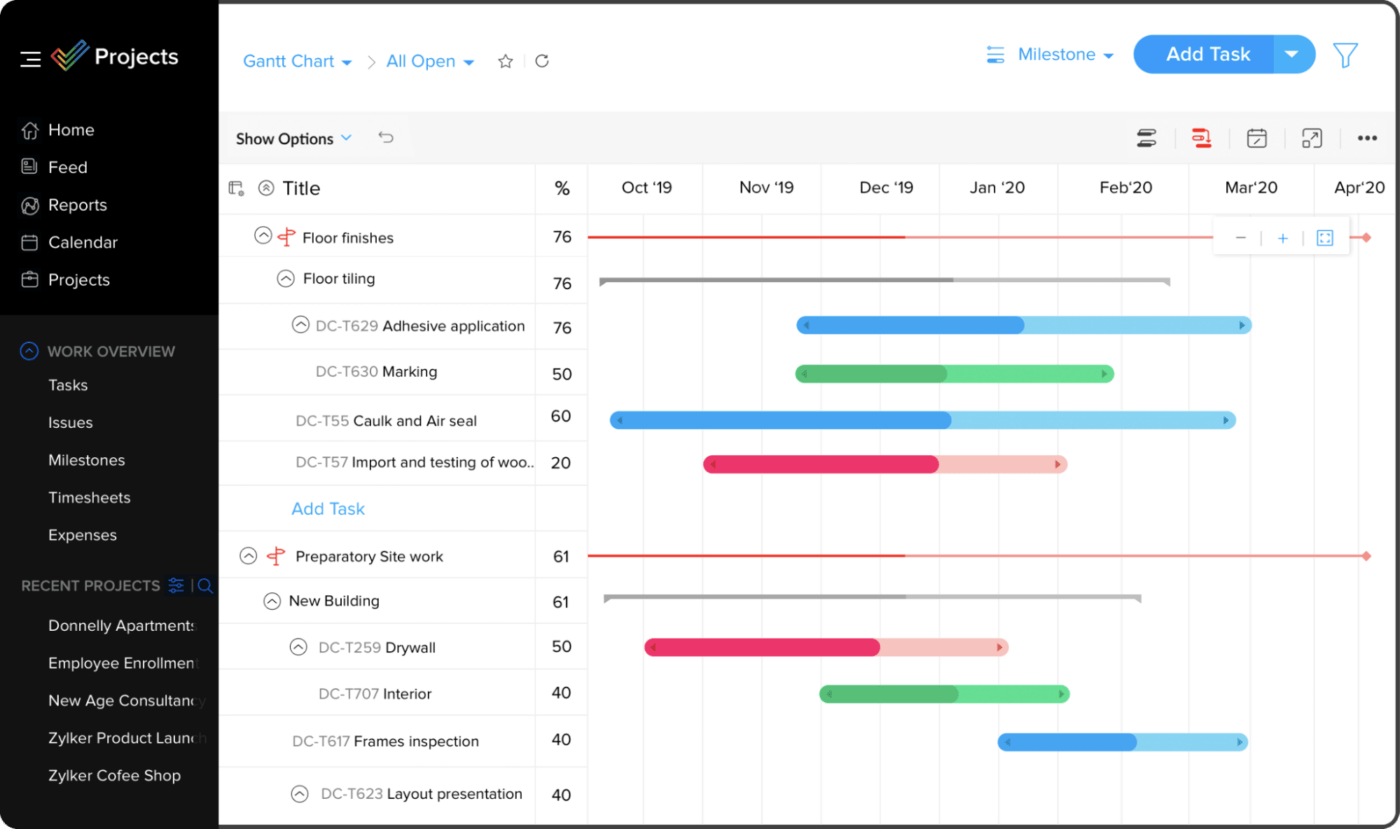
Zoho Projects is an online project management tool from Zoho, a globally renowned leader in business software. It helps teams to effectively manage their projects and resources through features like task lists, Gantt charts, timesheets, and more.
With Zoho Projects, users can easily collaborate with other teams or individuals, track progress on tasks, prioritize tasks, and get real-time insights into how the project is progressing. The interface is highly intuitive and allows for project workflow customization. Plus, with its mobile app, users can access their projects from anywhere.
Features
- Task boards, custom workflows, and real-time notifications
- Automatic bug-tracking software
- Planning and tracking tool for Scrum teams
- Custom reports from any data set
Pros
- Designed for teams of any size
- Multiple apps and extensions to use for an enhanced experience
- Seamless integration with other Zoho products
Cons
- Lacks offline access
- Steep learning curve to fully customize workspaces
Pricing
- Free plan (up to 3 users): Two projects, limited storage space, task management, and more
- Premium plan ($5 user/month): Unlimited projects, Gantt charts, subtasks, and more
- Enterprise plan ($10 user/month): 120GB of storage space, portfolio dashboard, task workflow rules, and more
Customer ratings
- Capterra: 4.2/5 (200+ reviews)
- G2: 4.3/5 (300+ reviews)
13. Teamwork Projects
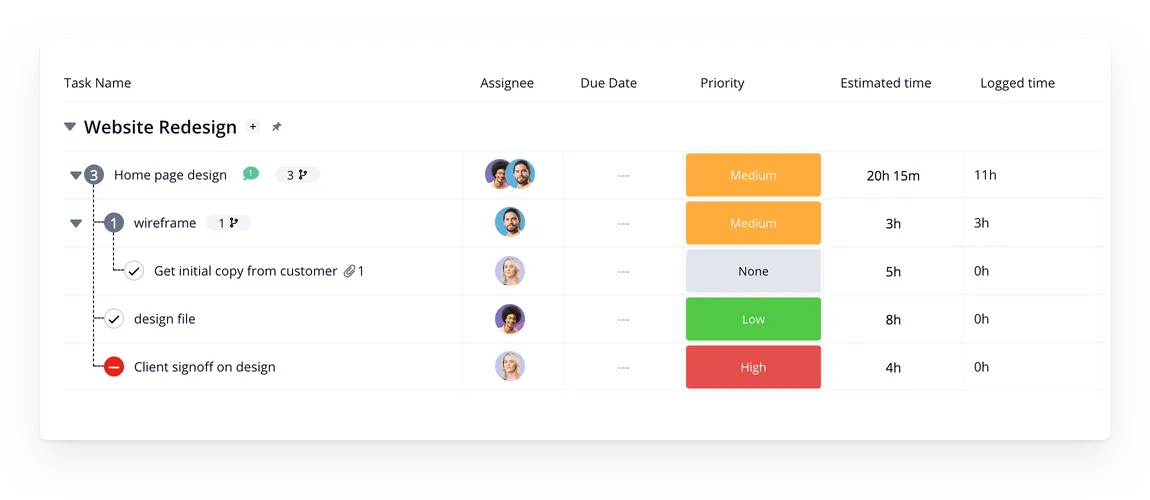
Teamwork Projects is a powerful and intuitive project management tool enabling teams of all sizes to efficiently organize tasks and manage projects from start to finish. It provides a comprehensive set of tools for team collaboration, resource management, automation, and reporting.
With Teamwork Projects, users can track deadlines and progress in real-time, assign tasks to team members, collaborate with external stakeholders, and integrate with various third-party tools.
Features
- Simple drag-and-drop function to re-prioritize work
- Planned vs Actual Report function to plan work better
- Board view to automate repetitive workflows and visualize project tasks
Pros
- Highly customizable and user friendly
- Integrations with popular third-party tools
- Time tracking capabilities
Cons
- Burndown reports and integrated team chat are paid features
- Doesn’t offer an offline mode on the desktop app
Pricing
- Free Forever plan (up to 5 users/plan): Time tracking, limited workload capacity view, limited teams creation, and more
- Deliver plan ($9.99 user/month): Intake forms, invoicing, project-level teams, and more
- Grow plan ($17.99 user/month): Kanban board view, integrated team chat, task-level tags, and more
- Scale plan (Contact Teamwork for details): Custom reports, 10k automation actions/month, unlimited projects, and more
Customer ratings
- Capterra: 4.5/5 (700+ reviews)
- G2: 4.4/5 (1,000+ reviews)
Check out these Teamwork alternatives!
14. Redbooth
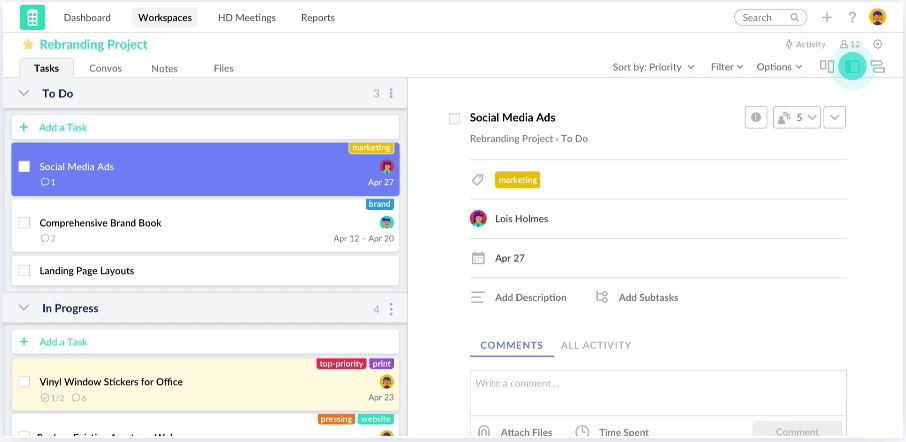
Redbooth is a cloud-based task management tool designed to help teams collaborate and get things done. It’s a platform that enables organizations of all sizes to easily manage projects, tasks, communication, and documents in one central place.
With Redbooth, teams can easily assign tasks, receive updates in real-time, track progress, and measure success. Additionally, Redbooth integrates with popular tools like Slack, Dropbox, and Google Apps to make collaboration even easier.
Features
- Gantt charts and task lists
- Customizable workspaces
- Reporting and analytics
Pros
- Kanban boards to plan and track all your tasks
- Detailed productivity reports to dive into task status and time spent
- Better transparency to delegate assignments across your team
Cons
- Steep learning curve for more complex features
- No goals, smart notifications, or assigned comments features
Pricing
- Free plan: Assign users and due dates, 2GB storage, exportable Gantt charts, and more
- Pro plan ($9 user/month): Task dependencies, time tracking, HD video meetings, and more
- Business plan ($9 user/month): Advanced subtasks, Redbooth for Outlook, trend reports, and more
- Enterprise plan (Contact Redbooth for details): Phone support, timeline overview, unlimited workspaces, and more
Customer ratings
- Capterra: 4.4/5 (80+ reviews)
- G2: 4.4/5 (90+ reviews)
15. Microsoft Planner

Microsoft Planner is a task and project management tool developed by Microsoft, available on the Microsoft 365 platform. It allows you to create plans, assign tasks, share files, communicate and collaborate with other users and track progress. With this easy-to-use tool, teams can manage their work more efficiently and effectively.
To ensure that everyone is on the same page, Planner’s group chat feature allows you to communicate and collaborate with other users in real time. You can also post updates, share files, upload images or videos and create polls to get feedback from your team.
Features
- Calendar event syncing with Microsoft Outlook
- Files, checklists, and label features in Kanban boards
- Email notifications to keep everyone updated about tasks and deadlines
- Schedule review available in calendars
Pros
- Seamless integration with the Microsoft suite of tools like Teams
- Clear and intuitive interface for a smoother experience
- Mobile app available for on-the-go access
Cons
- No in-app notifications
- Limited customization for notification alerts
Pricing
- Depending on your use case (home or business), Microsoft Planner has multiple plan options available
Customer ratings
- Capterra: 3.9/5 (80+ reviews)
- G2: 4.2/5 (100+ reviews)
Summarize this article for me pleaseManage Tasks with Todoist Alternatives!
Finding a decent Todoist alternative doesn’t have to be a chore. 🧹
Any of these 15 Todoist alternatives will offer the support, features, and functionality your team has been dreaming of. Especially one in particular—ClickUp. 🙂
Why? Tons of powerful project management features including unlimited tasks, multiple project views, Checklists, automations, time-tracking, and more, all on ClickUp’s Free Forever Plan! 🤯
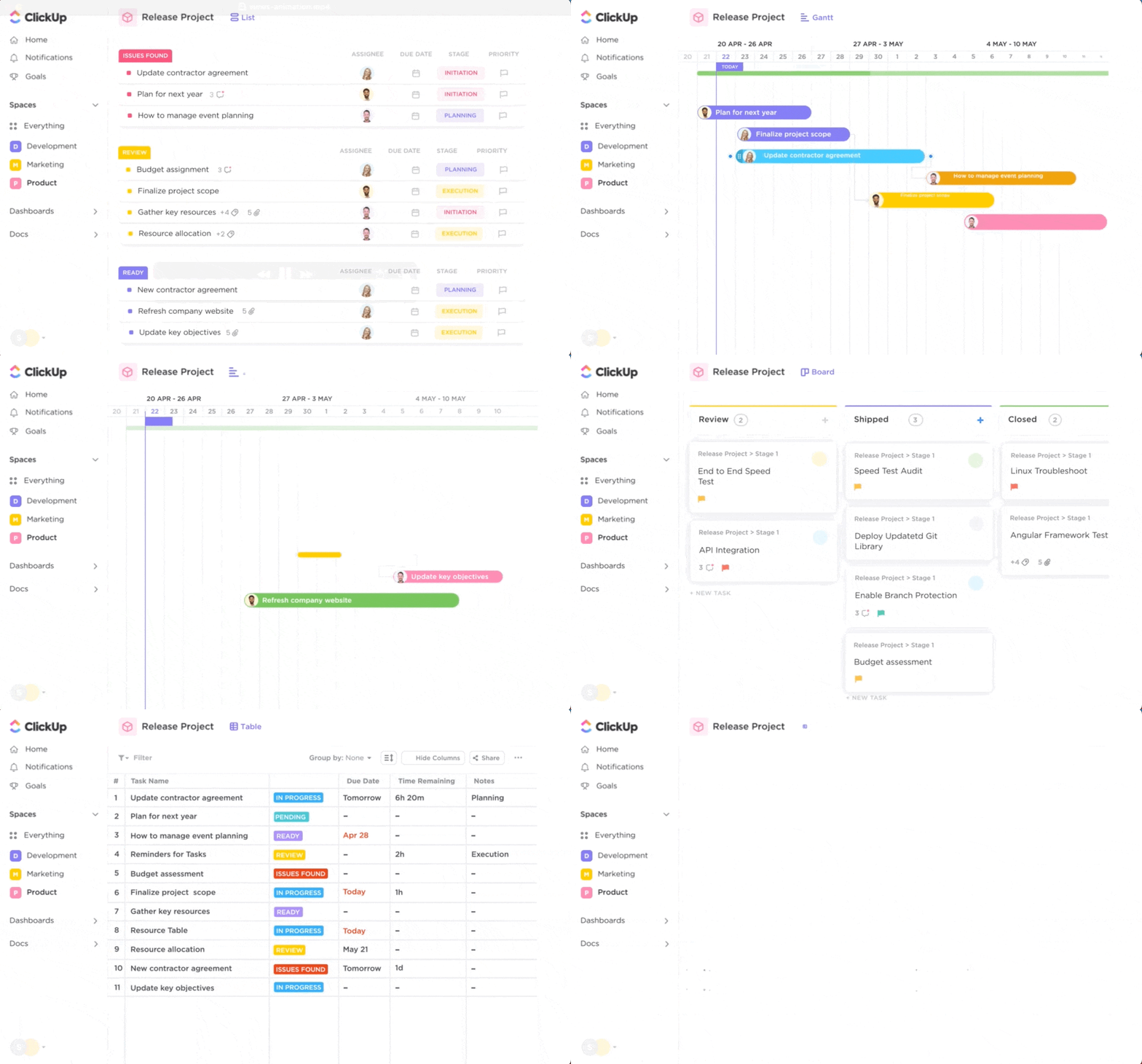
Plus, ClickUp is there for you every step of the way with hundreds of pre-built templates for every use case, over 1,000 integrations, and comprehensive support to help you use the platform in the most productive way possible.
Sign up for ClickUp today to take your to-dos to the next level!


Everything you need to stay organized and get work done.

Recent Articles
Confluence vs. Google Docs: Which Should Your Team Use in 2026? 
Confluence vs. Google Docs: Which Should Your Team Use in 2026?
Linear vs. Jira: Is Linear Just Jira Before the Mess? 
Linear vs. Jira: Is Linear Just Jira Before the Mess?
