


When it comes to task management apps created for MacOS and iOS devices, one name comes to mind: OmniFocus.
It’s fine if you’re exclusively a Mac user, but what if you’re an Android user? Or maybe you need a task management solution with features that OmniFocus doesn’t offer.
While OmniFocus is one of the more popular to-do list apps for Mac users, it doesn’t tick all of the boxes in terms of functionality and device compatibility.
If you want the same (or better) functionality and benefits of OmniFocus but need a little more, you’ve come to the right place. ?
Our list of the 10 best OmniFocus alternatives gives a rundown of each option plus a few tips to help you master your to-do list.
10 Best OmniFocus Alternatives and Competitors in 2024

 Summarize this article for me please
What Should You Look For in Alternatives to OmniFocus?
With are so many task managers and to-do list apps out there, it can be challenging to differentiate between all of these alternatives to OmniFocus.
In our opinion, it’s best to go for tools that offer:
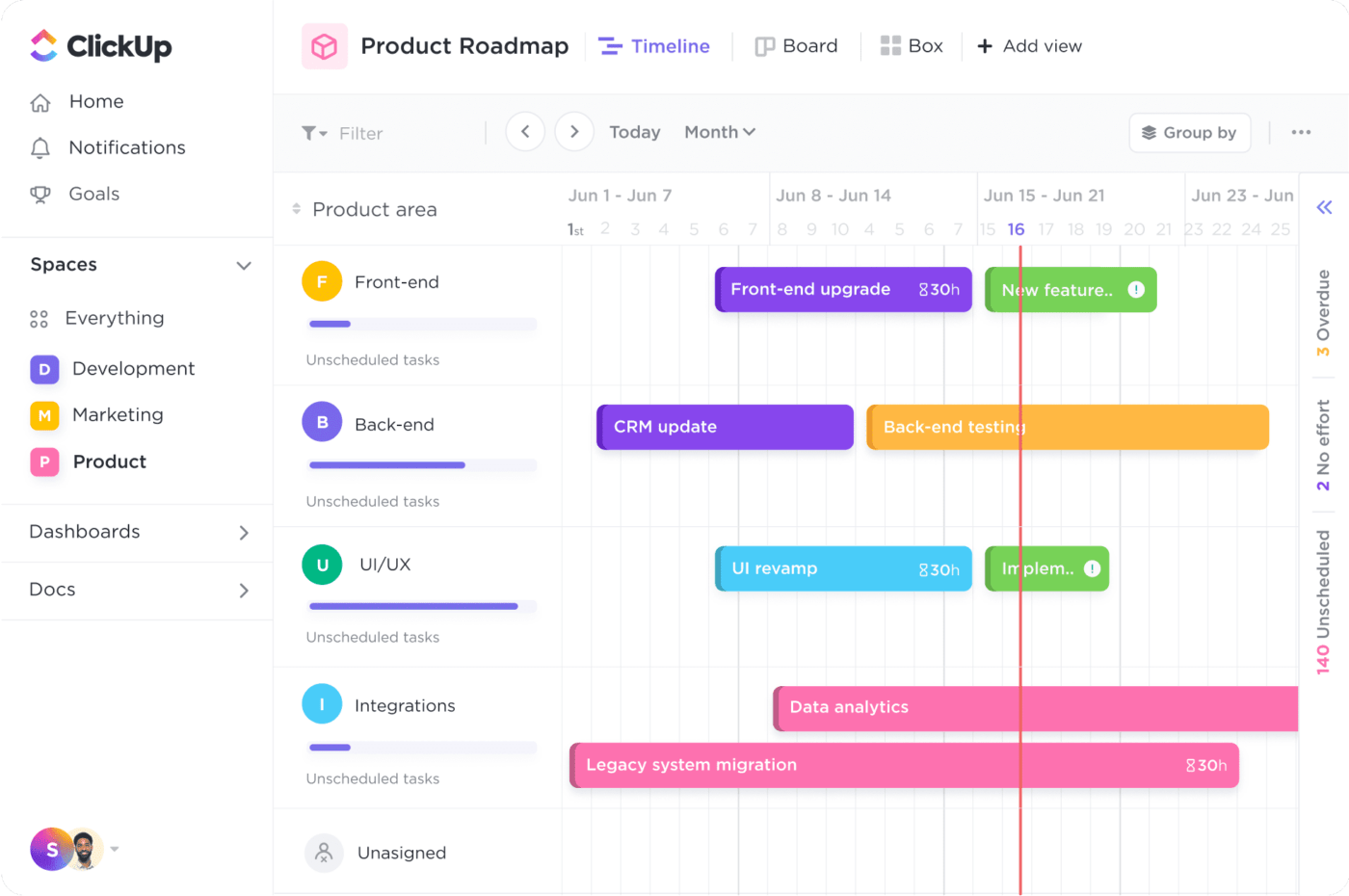
- Multiple views: Task lists are great, but sometimes you need something more visual. Look for a to-do list app that comes with Kanban boards or Gantt charts to visualize your workflows, timelines, and more.
- A sleek mobile app: Sure, web-based tools are great, but you need something more than that. Instead of cloud-based solutions, go for OmniFocus alternatives that offer a great mobile app. Look for options with a sleek user interface that’s both intuitive and easy on the eyes
- Helpful templates: Who wants to build lists from scratch? Quality to-do list apps save time thanks to templates for checklists, note-taking, mind mapping, and more.
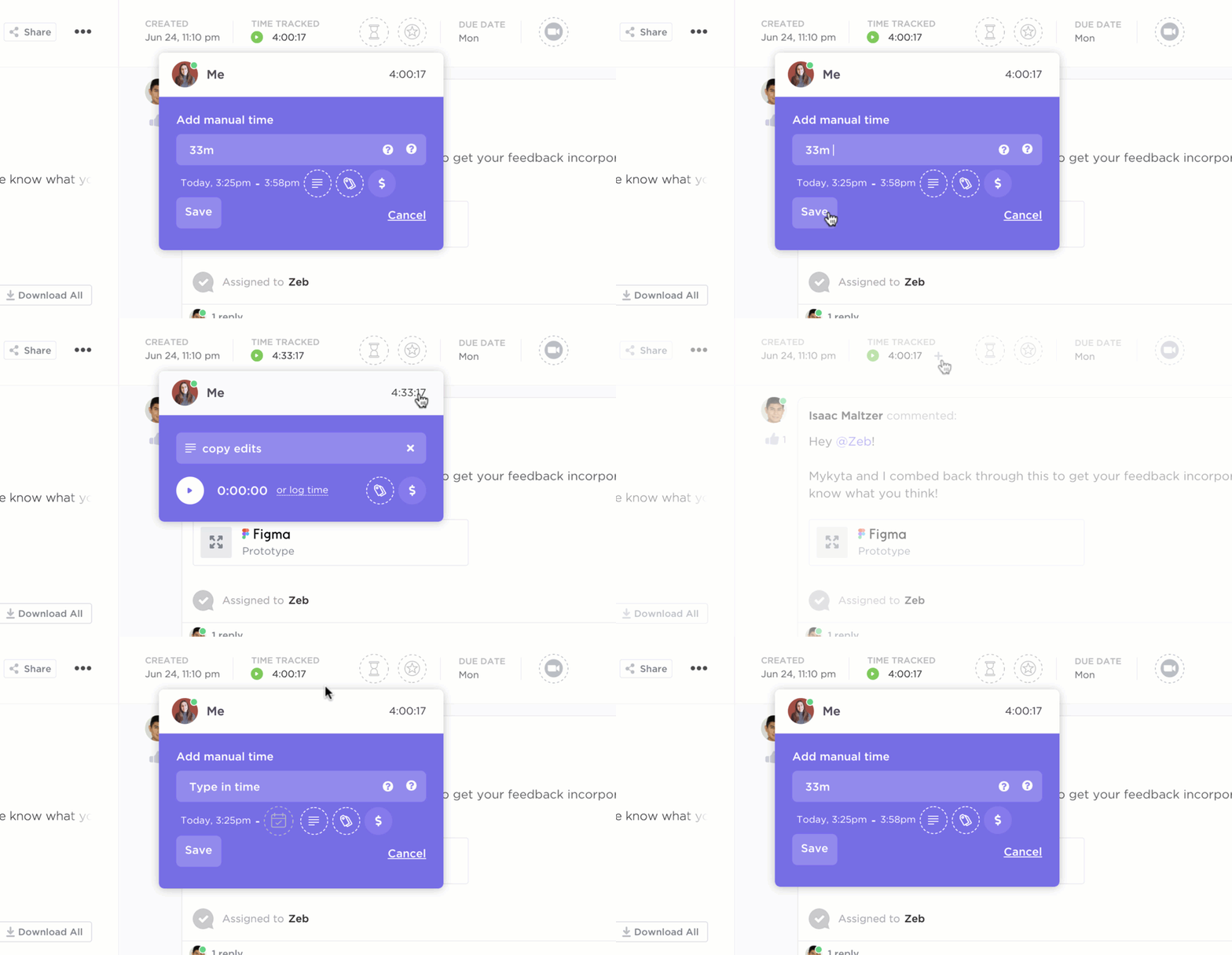
- Time tracking: Whether you need help organizing your personal life or you need a project management tool to get ahead of your crazy to-do list at work, look for an app that offers time tracking. Track how much time you spend doing dishes or how long it takes you to compile reports at work. These insights might help you find ways to save time
Summarize this article for me pleaseThe 10 Best OmniFocus Alternatives to Use
We get it. You need something similar to OmniFocus but don’t have the time to sift through the bazillion to-do list apps out there. That’s where this list comes in.
Here are the best alternatives to OmniFocus:
1. ClickUp
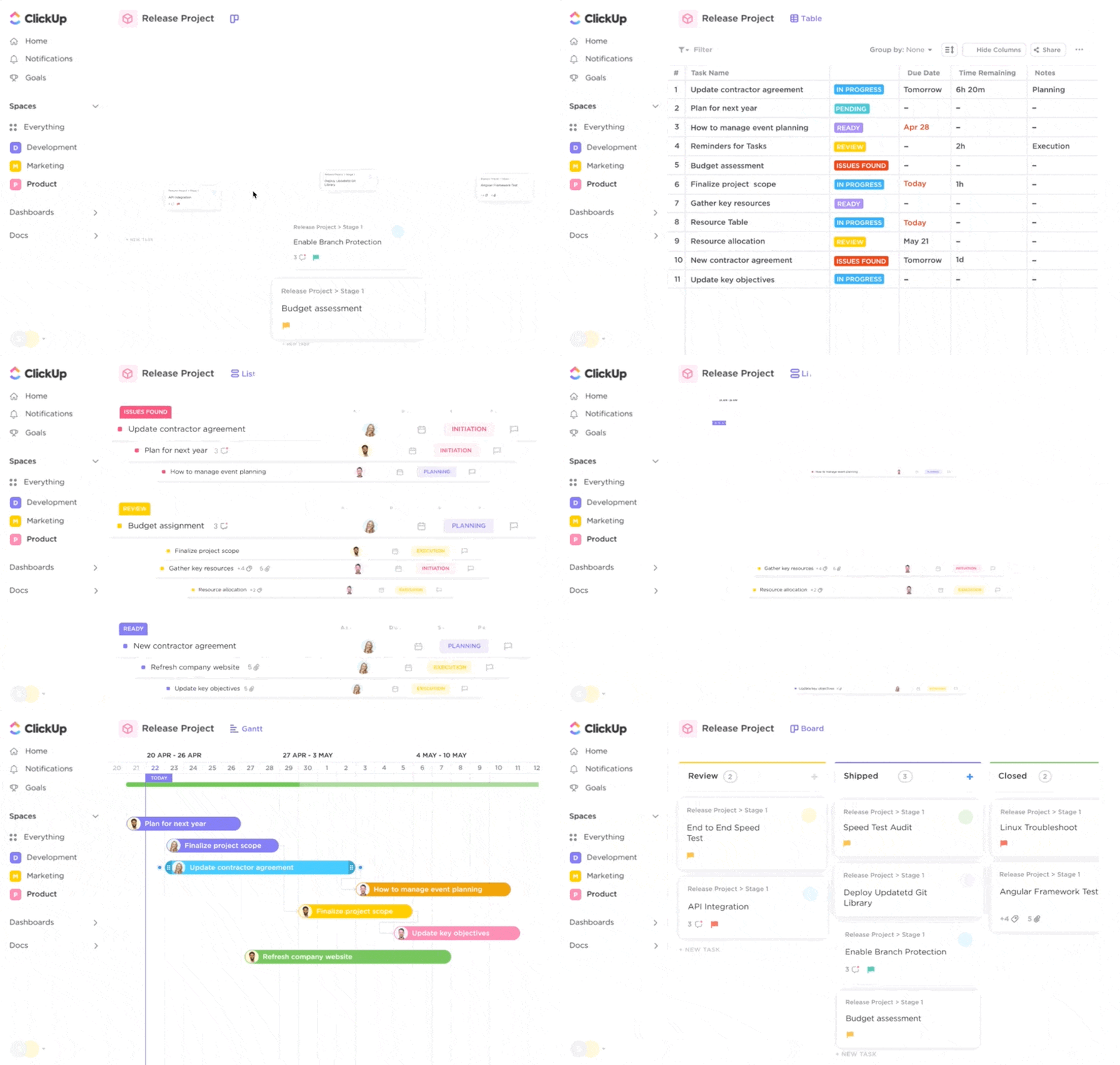
Sure, ClickUp handles Docs, Projects, and Goals, but did you know we’re also a robust task-scheduling app? Whether you’re tracking tasks for the biggest project of your life or you’re planning a family vacay, ClickUp Tasks is up for the challenge. ?
Create tasks and subtasks within projects of your choosing. Flag important tasks, add due dates, and invite collaborators.
Team members in tow, you’re able to collaborate and delegate tasks at the speed of a click. There are multiple comment threads on every task, so you keep all conversations where they belong—next to your work. Using automation and rules, ClickUp passes tasks between members of your team to keep the ball moving at all times.
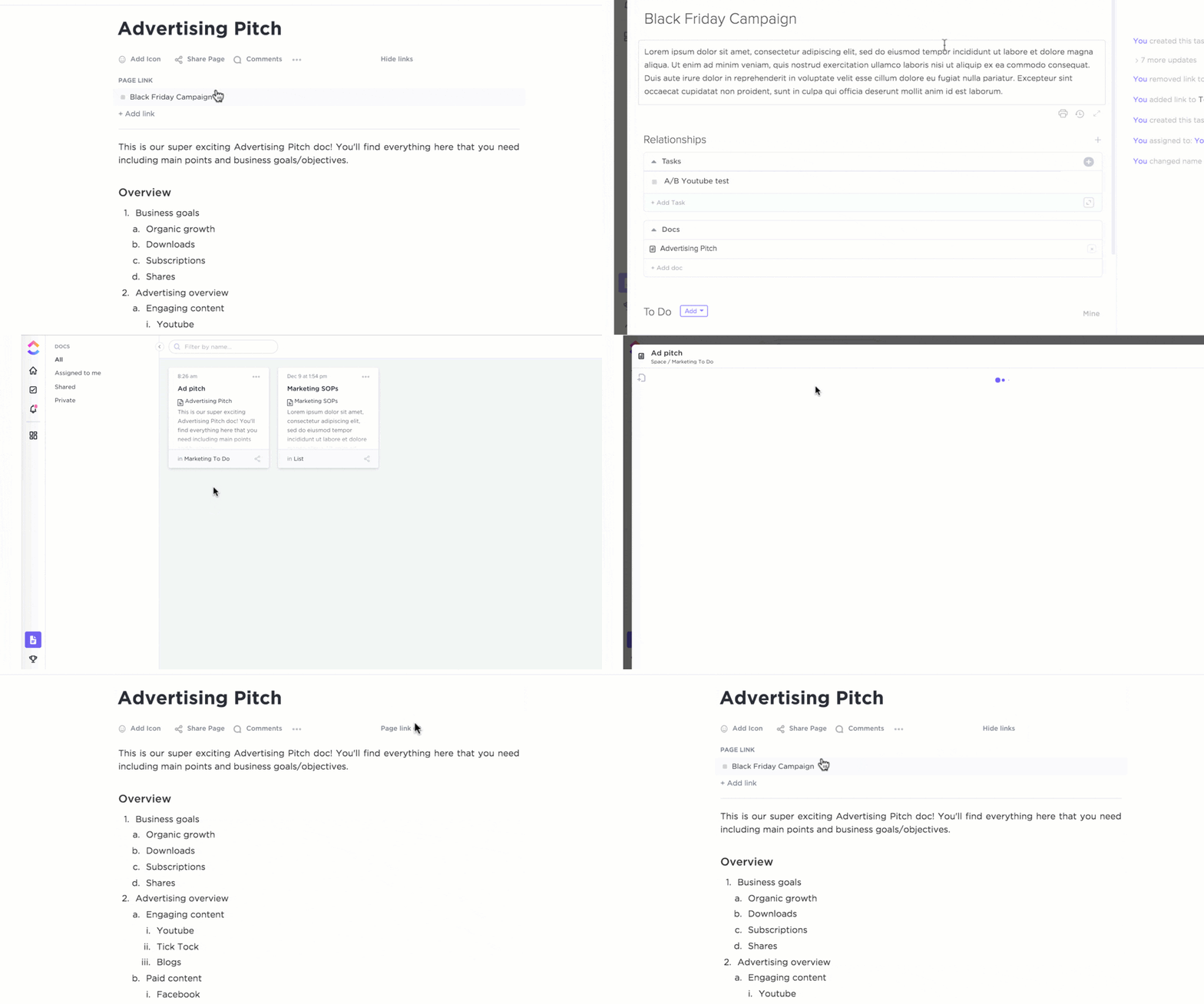
Do you do a task on a daily, weekly, or monthly schedule? We’ve got you. Just set up a recurring task once and ClickUp will automatically populate your calendar in seconds.
ClickUp best features
- Streamline task creation with the ClickUp Task Management Template
- Break big tasks into small, bite-sized to-dos
- Customize project tasks with over 35 ClickApps
- Build a task database to quickly sift through the hundreds of tasks in your business
- Integrate Docs, Dashboards, Whiteboards, Goals, and Chats in one platform
ClickUp limitations
- Some features, like ClickUp AI, are only available to paid accounts
ClickUp pricing
- Free Forever
- Unlimited: $7/month per user, paid annually; $10/month per user, paid monthly
- Business: $12/month per user, billed annually; $19/month per user, paid monthly
- Enterprise: Contact for pricing
ClickUp ratings and reviews
- G2: 4.7/5 (8,300+ reviews)
- Capterra: 4.7/5 (3,700+ reviews)
2. Workflowy

Workflowy is equal parts task management software, brain dump tool, and file storage. It bills itself as an alternative to Evernote and DropBox.
Worflowy has a simple task list view, although you can convert it into a Kanban board if needed.
Use Workflowy to upload files and images to save for later. You can keep these to yourself or quickly share a link to these files with collaborators. Workflowy doesn’t require collaborators to have an account, making on-the-go collaboration a cinch.
Workflowy best features
- Workflowy has both an iOS and Android app
- Organize your notes with Workflowy tags
- Convert lists into Kanban boards
- Collapse certain details or lists so you only see the information that matters right now
Workflowy limitations
- The free version limits file storage, collaboration, and bullets
Workflowy pricing
- Free Forever
- Pro: $4.99/month
Workflowy ratings and reviews
- G2: 4.4/5 (20+ reviews)
- Capterra: 4.6/5 (10 reviews)
3. Remember the Milk
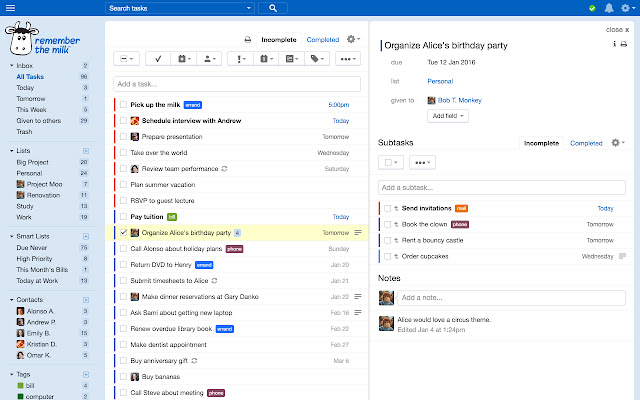
Remember the Milk is an adorable but surprisingly robust task management system for both your personal and professional life. ?
The Smart Add feature allows you to quickly add a task’s details on just one line with details on due dates, recurring tasks, tags, and more. While most task manager apps will send you reminders, we like that Remember the Milk offers not just app reminders, but also reminders via email, text, IM, and even X (the platform formerly known as Twitter).
Remember the Milk best features
- Integrates with Google Assistant, Alexa, Siri, and more
- “The Dairy” provides community-created apps to extend the functionality of Remember the Milk
- Organize tasks with color-coded tags and subtasks
- Connect to DropBox or Google Drive to attach files to tasks
Remember the Milk limitations
- You need to use “Milkscript” (JavaScript) to create custom automations in the project management tool
- The $40 annual subscription is a hefty price tag for the premium version
Remember the Milk pricing
- Free
- $39.99/year for upgraded features
Remember the Milk ratings and reviews
- G2: 4.4/5 (16 reviews)
- Capterra: 4.4/5 (50+ reviews)
4. Google Tasks
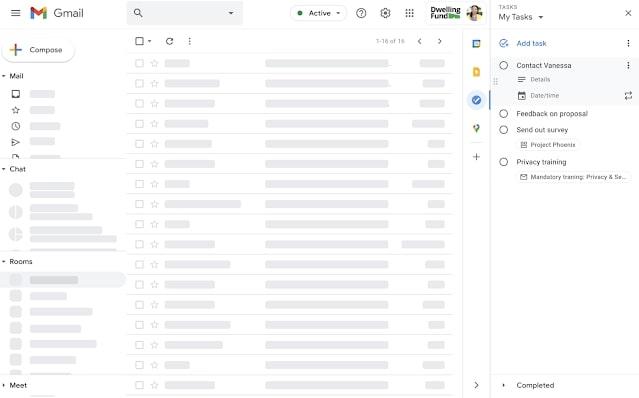
Google Tasks is Google’s version of a to-do list app. It isn’t a standalone app, though. You need to log into Gmail, Google Calendar, or Google Drive to access your Tasks.
The big benefit of Tasks is how integrated it is with other Google products. If you’re a Google organization, this to-do list app is a no-brainer. Access your Tasks from your email, presentation slides, calendar, and more without flipping between different platforms. ?
Now, is Tasks the most robust OmniFocus alternative out there? No, but its simplicity and integration with Google products make it a viable option for folks who need a simple task manager.
While Google Tasks is technically free, most businesses get access to it by subscribing to Google Workspace.
Google Tasks best features
- Google Tasks integrates seamlessly with Google Assistant for hands-free reminders
- Tasks syncs with other devices in near real-time
- The streamlined interface is easy to understand and navigate
Google Tasks limitations
- Lacks the advanced features of other OmniFocus alternatives
- You can’t tag other collaborators or use it as a a true project management tool
- There’s no standalone web app, which is a bummer for desktop users wanting a more inclusive task management solution
Google Tasks pricing
- Free
Google Tasks ratings and reviews
- G2: 4.7/5 (14,700+ reviews)
- Capterra: 4.6/5 (40,500+ reviews)
5. 2Do
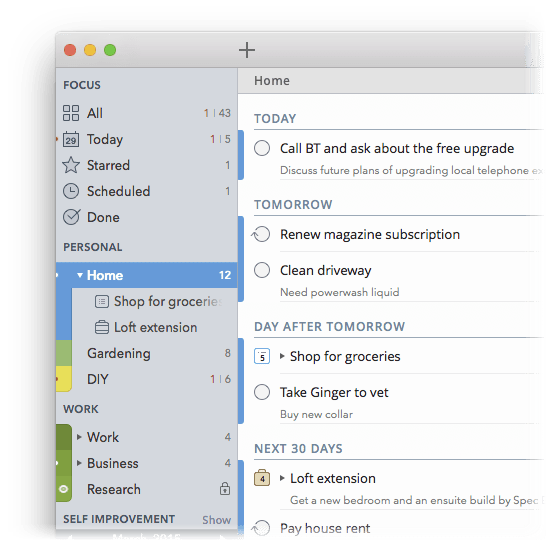
2Do bills itself as a fully-featured “getting things done” (GTD) tool. While it’s primarily for iPhone, iPad, and Mac, it also offers an app for Android phones and tablets for simple task management.
Don’t let the simple user interface fool you, though. 2Do might not look like it can do too much, but this platform has a lot of bells and whistles. Group tasks together for easy organization and filter through tasks by tag, location, and date range to find what you’re looking for.
While not available on Android, Quick Add (iOS) and Quick Entry (Mac) make it possible to add multiple task entries in just a few taps.
By the way, 2Do is unique because it offers a one-time licensing fee instead of a SaaS subscription. If you like the idea of paying for software outright, this could be a good OmniFocus alternative for your team.
2Do best features
- Enjoy greater peace of mind with automatic backups
- Batch-edit tasks with just a few taps
- Smart Scheduling hides tasks until it’s showtime, so you see less clutter in your feed
2Do limitations
- 2Do is more iOS-friendly, so Android users might not have access to all features
- It’s deceptively complex and has a learning curve for task management software
2Do pricing
- Single user license: $49.99 for up to five personal MacOS devices
- Multi-user licence: $149.99 for up to five individuals with four MacOS devices each
2Do ratings and reviews
- G2: 3.5/5 (2 reviews)
- Capterra: N/A
6. Hitask
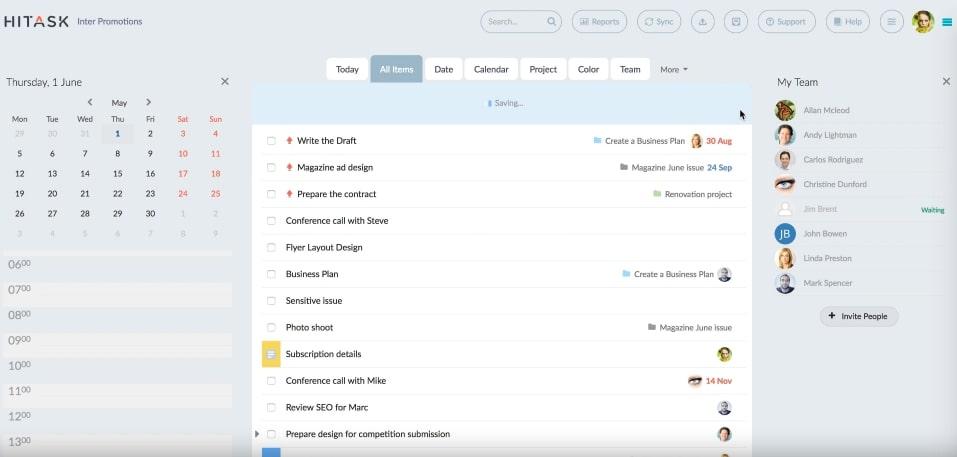
Hitask is a robust alternative to OmniFocus. It stores not only your tasks, but also the projects and events in your queue. ?
Hitask comes with great organization features: sort through your tasks and projects with tags and color tagging. Easily collaborate with team members through a shared team calendar and document storage.
Oh, and the best part? Hitask offers time tracking for each task and even generates time reports.
Hitask integrates with Google Calendar and Google Tasks, making it a helpful tool for extending the functionality of your existing Google assets.
It’s also available on the web, Mac, Windows, Android, iPhone, and iPad, so chances are good that everyone on your team will be able to use Hitask.
Hitask best features
- Choose who can see your stuff with selective permissions
- Access via iPhone, iPad, and Android devices
- Create tasks by emailing your Hitask account
Hitask limitations
- Some users report issues with customer support
- Other users report slow performance and glitches
Hitask pricing
- Free
- Business: $5/month per user
- Enterprise: $20/month per user
Hitask ratings and reviews
- G2: 4.4/5 (96+ reviews)
- Capterra: 4.0/5 (40+ reviews)
7. Nozbe
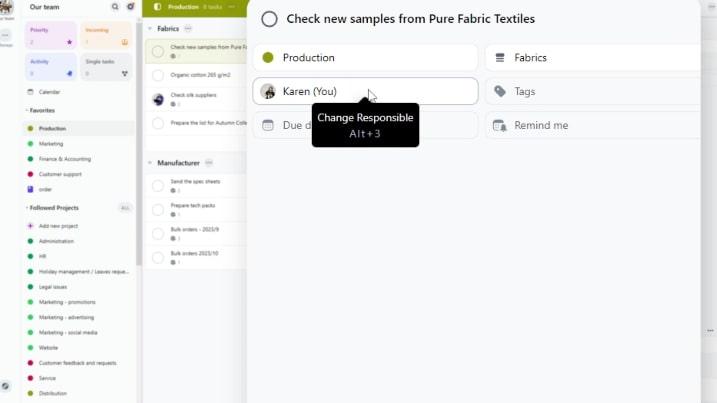
Nozbe is made specifically for business owners who want an OmniFocus alternative for both business and personal tasks. It’s organized by Projects, Tasks, and Comments to give you control over your daily tasks.
You can also favorite certain projects so they’re at the top of your app at all times. Either keep tasks to yourself or share them with your team to keep the ball rolling.
Nozbe works on Mac, Windows, Android, iPad, iPhone, and even offline for when you’re traveling. You can sign in with either a Google or Apple login, so there’s no need to create yet another login.
Nozbe best features
- The Incoming feature highlights today’s tasks, overdue tasks, and notifications about anything that needs your attention
- Project management calendars give you the power to decide what’s most important
- Create separate Spaces for your personal and business tasks (so employees don’t accidentally see personal tasks like “Book colonoscopy”)
Nozbe limitations
- Nozbe doesn’t include time tracking
- Some users report syncing issues
Nozbe pricing
- Free
- Premium: $10/month per user
Nozbe ratings and reviews
- G2: 4.5/5 (30+ reviews)
- Capterra: 4.5/5 (20+ reviews)
8. Quire
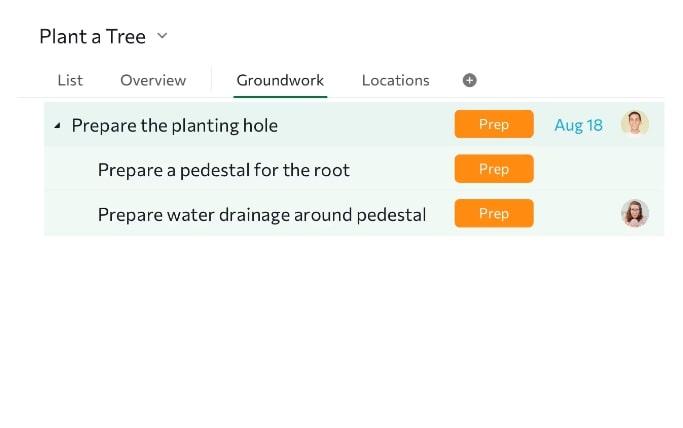
Quire is one of the best OmniFocus alternatives designed for team collaboration. Its drag-and-drop features and multiple views are perfect for any team, but they’re ideal for Agile and Scrum specifically.
Quire believes in the power of the subtask so much that it allows you to create sub-subtasks. And sub-sub-subtasks. You get the idea. This breaks big projects into small, achievable tasks. ✅
Use the Kanban board view to see your team’s workload in one place. Timeline view (aka Gantt chart view) visualizes milestones to hold your team accountable. The Calendar view is also great for organizing your team’s schedule and meeting agendas.
Quire best features
- Quire includes reusable templates
- Share links to clients or external teams for quicker team collaboration
- Health Stats monitors the overall health of each team member and project
Quire limitations
- Some users report issues navigating Workspaces
- Other users say they want a way to set task reminders
Quire pricing
- Free
- Professional: $7.65/month per user
- Premium: $13.95/month per user
- Enterprise: $19.95/month per user
Quire ratings and reviews
- G2: 4.6/5 (60+ reviews)
- Capterra: 4.7/5 (110+ reviews)
9. Akiflow
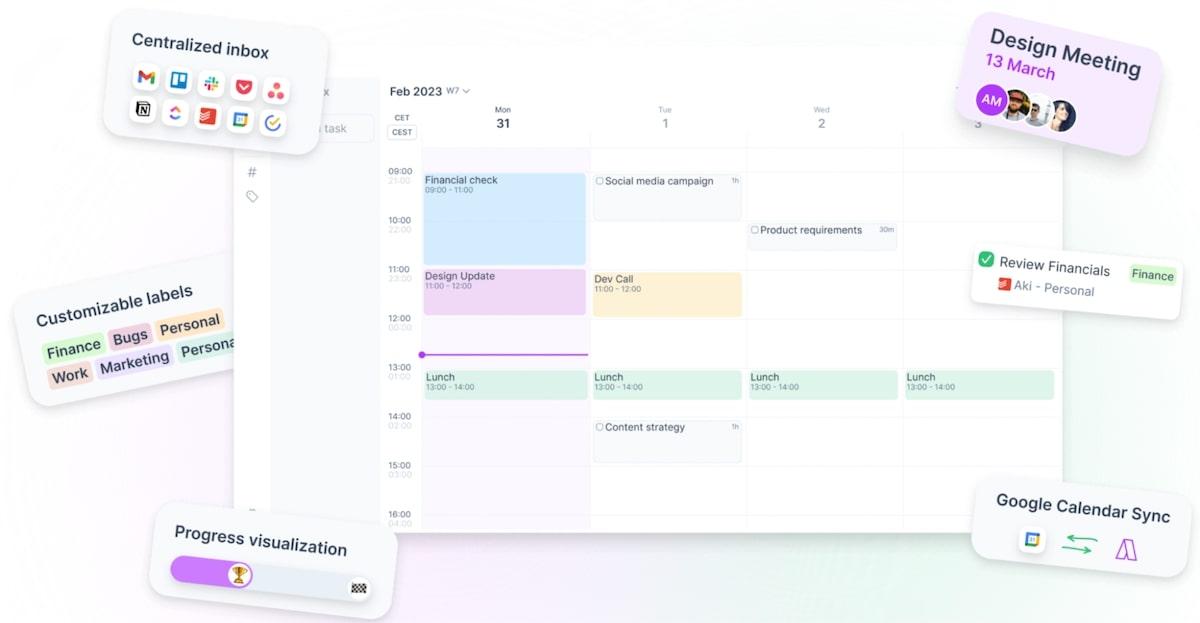
Akiflow is a consolidated task management tool that combines tasks from other collaboration tools to streamline your workflow. Import tasks from Outlook, Asana, Todoist, and countless other platforms to Akiflow for a unified view of everything.
This is a total timesaver if you work with teams or clients that use different task management apps—and you’re sick of logging into five task managers every day.
We like how meeting-focused Akiflow is. It connects with your calendar to simplify availability, and it even accounts for time zones. You can also block out time on your calendar to handle certain tasks, which gives you uninterrupted time to focus on actual work. ?
Akiflow best features
- Block time on your calendar for the tasks that matter most
- Use smart keyboard shortcuts to Prioritize, Plan, or Snooze tasks
- Selectively share your availability for meetings
Akiflow limitations
- The $25 monthly price is pretty steep
- Some users report glitchy third-party integrations
Akiflow pricing
- $24.99/month per user
Akiflow ratings and reviews
- G2: 5/5 (30+ reviews)
- Capterra: 4.8/5 (50+ reviews)
Check out our list of tools similar to Akiflow
10. Todoist
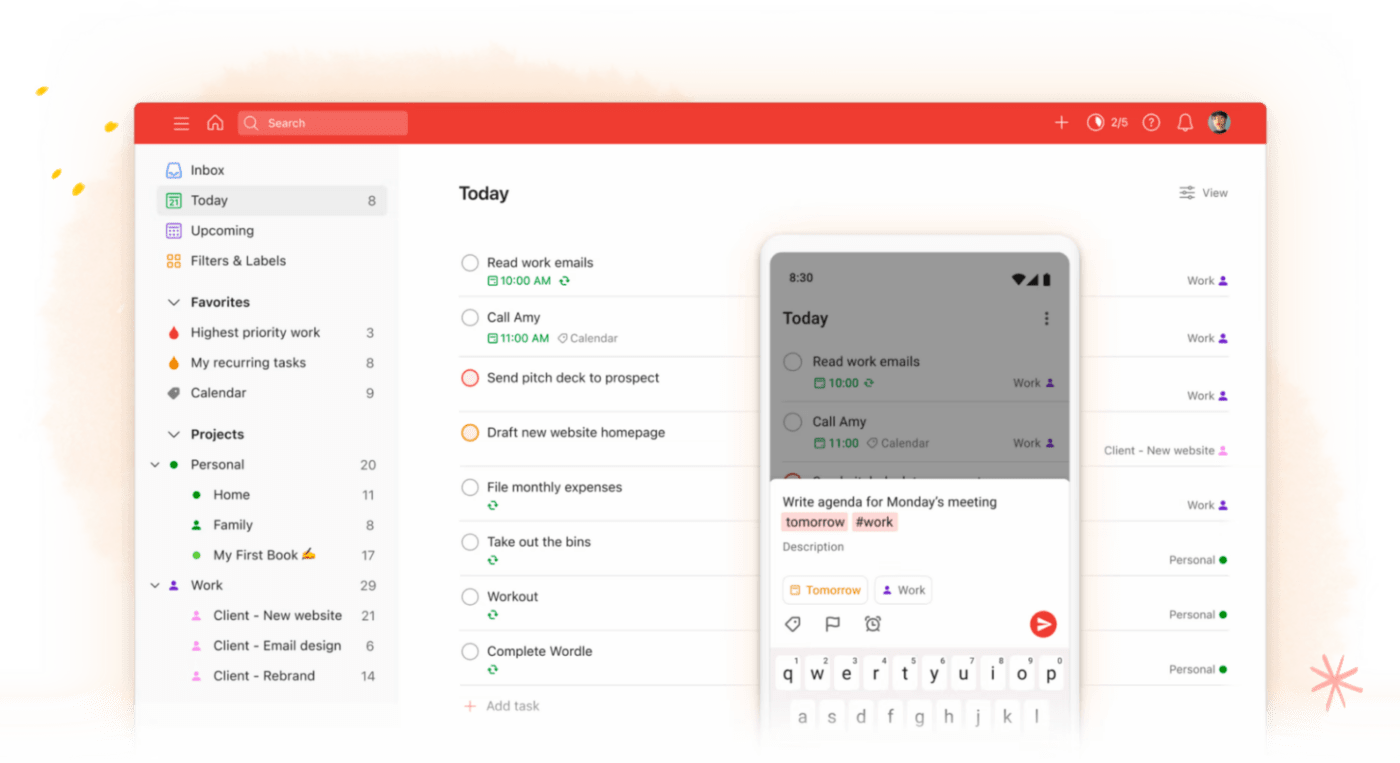
Todoist bills itself as a combined task manager and to-do list app. It’s a serious time-saver for folks who want an OmniFocus alternative that works at the office and at home. Just set up separate workspaces and you’ll easily keep your work to-dos separate from personal tasks like “Take Fluffy to the vet.”
Todoist automatically organizes tasks by due date. See what’s on your plate for Today or check out Upcoming tasks to see what’s ahead. But don’t worry; you can also set up custom filters to view your most pressing tasks.
Todoist best features
- Natural language recognition quickly fills out the details for your to-do list
- Share projects with family or coworkers
- Use the template gallery for project tracking, meeting agendas, and more
Todoist limitations
- Task reminders are only available on Pro plans
Todoist pricing
- Beginner: Free
- Pro: $4/month per user, billed annually
Todoist ratings and reviews
- G2: 4.4/5 (760 reviews)
- Capterra: 4.6/5 (2,250+ reviews)
Check out these Todoist alternatives!
Summarize this article for me pleaseGo With the To-Do App That Does Everything
OmniFocus is a solid work management tool in its own right, but it isn’t the be-all, end-all. Whether you want a more flexible platform or you just need more features, the OmniFocus alternatives in this guide will get you where you need to go. ?
Feel free to do your own research, but when you want to hit the ground running, go with ClickUp. We’re so much more than a to-do list app. Our integrated project management software is a true time-saver for project managers and business owners.
ClickUp Tasks integrate with Docs, Whiteboards, and even ClickUp AI to help you do better work in less time. Try it for free to see the difference and sign up for ClickUp now!


Everything you need to stay organized and get work done.

Recent Articles
Notion vs. Google Docs: Which One Actually Helps You Write in 2026? 
Notion vs. Google Docs: Which One Actually Helps You Write in 2026?
10 Best ChatGPT Alternatives We Tested for Work in 2026 
10 Best ChatGPT Alternatives We Tested for Work in 2026
