Every team has that moment when someone asks a question, and you know the answer lives somewhere, like a meeting note, a chat thread, or a buried doc.
Tools like Tanka AI promise to solve this. However, as teams grow, they can run into performance bottlenecks when retrieving knowledge at scale.
Although its long-term memory is impressive, the system has occasional hallucinations, gaps in context across platforms, and technical hurdles with real-time syncing that can frustrate users.
If you’re weighing your options, there are several Tanka AI alternatives designed to handle knowledge and collaboration. Let’s take a closer look at 11 of them that might fit your team’s style of working. 💎
Top 11 Tanka AI Alternatives for Smart Team Collaboration
Summarize this article with AI
ClickUp Brain not only saves you precious time by instantly summarizing articles, it also leverages AI to connect your tasks, docs, people, and more, streamlining your workflow like never before.
Summarize this article for me please
Top Tanka AI Alternatives at a Glance
Let’s look at a brief comparison of the top AI communication tools, such as Tanka. 🧑💻
On-premise team messaging and file sharing for secure internal communication
Team size: Mid-size businesses
Self-hosted messaging, encrypted data, role-based access controls, file server
Custom pricing
TwinMind
AI-powered conversation recall and collaboration
Team size: Agile teams and consultants
Contextual summaries, thread-based Q&A, memory surfacing AI, dialogue history clustering
Free; Paid plans start at $15/month
Mem AI
Passive knowledge capture and recall
Team size: Individual users and small collaborative teams
Auto-context recall, flow-based memory mapping, and an integrated workspace memory
Free; Paid plans start at $10/month
Slack (AI)
Enterprise-grade team communication with smart recall
Team size: Distributed and cross-functional large teams
AI summaries, smart reminders, memory-aware interactions, thread auto-capture
Free trial; Paid plans start at $7.25/month per user
*Please check the tool’s website for the latest pricing.
How we review software at ClickUp
Our editorial team follows a transparent, research-backed, and vendor-neutral process, so you can trust that our recommendations are based on real product value.
Summarize this article with AI
ClickUp Brain not only saves you precious time by instantly summarizing articles, it also leverages AI to connect your tasks, docs, people, and more, streamlining your workflow like never before.
Summarize this article for me please
Why Look for Tanka AI Alternatives?
While Tanka AI offers strong features for memory and collaboration, it might not be the perfect fit for every team. Some reasons include:
Limited customization options for specific team needs
Gaps in integrations with your existing tech stack
A preference for different AI models or approaches
🔍 Did You Know? The evolution of natural language processing (NLP) laid the groundwork for today’s AI-driven knowledge management systems. Early research in the 1940s and 1950s struggled with the complexity of language. Researchers like Noam Chomsky highlighted the limits of machine understanding.
However, breakthroughs in logic-based paradigms, programs like SHRDLU, and eventually probabilistic models shifted the field toward practical applications.
Summarize this article with AI
ClickUp Brain not only saves you precious time by instantly summarizing articles, it also leverages AI to connect your tasks, docs, people, and more, streamlining your workflow like never before.
Summarize this article for me please
What Should You Look for In Tanka AI Alternatives?
The ideal alternative should encompass what Tanka AI does and provide value in areas that matter most to your team. Keep an eye out for:
Long-term memory: Ability to recall past conversations, decisions, and business context so your team doesn’t waste time repeating information
Smart automation: Features that draft responses, summarize threads, and handle repetitive communication tasks to lighten the workload
Seamless integrations: Compatibility with tools like Slack, Teams, or project management platforms to keep workflows connected
Scalable pricing: Plans that fit smaller teams while offering room to grow without steep jumps in cost
Workflow flexibility: Options to customize processes, permissions, and views so the tool adapts to how your team works
Data security: Built-in safeguards and compliance standards to protect sensitive business information
Ease of adoption: A clean interface and simple onboarding that help teammates start using it effectively from day one
Summarize this article with AI
ClickUp Brain not only saves you precious time by instantly summarizing articles, it also leverages AI to connect your tasks, docs, people, and more, streamlining your workflow like never before.
Summarize this article for me please
The Best Tanka AI Alternatives
Here are our top picks for the best Tanka AI alternatives! 👇
1. ClickUp (Best for streamlining communication and boosting productivity in an all-in-one solution)
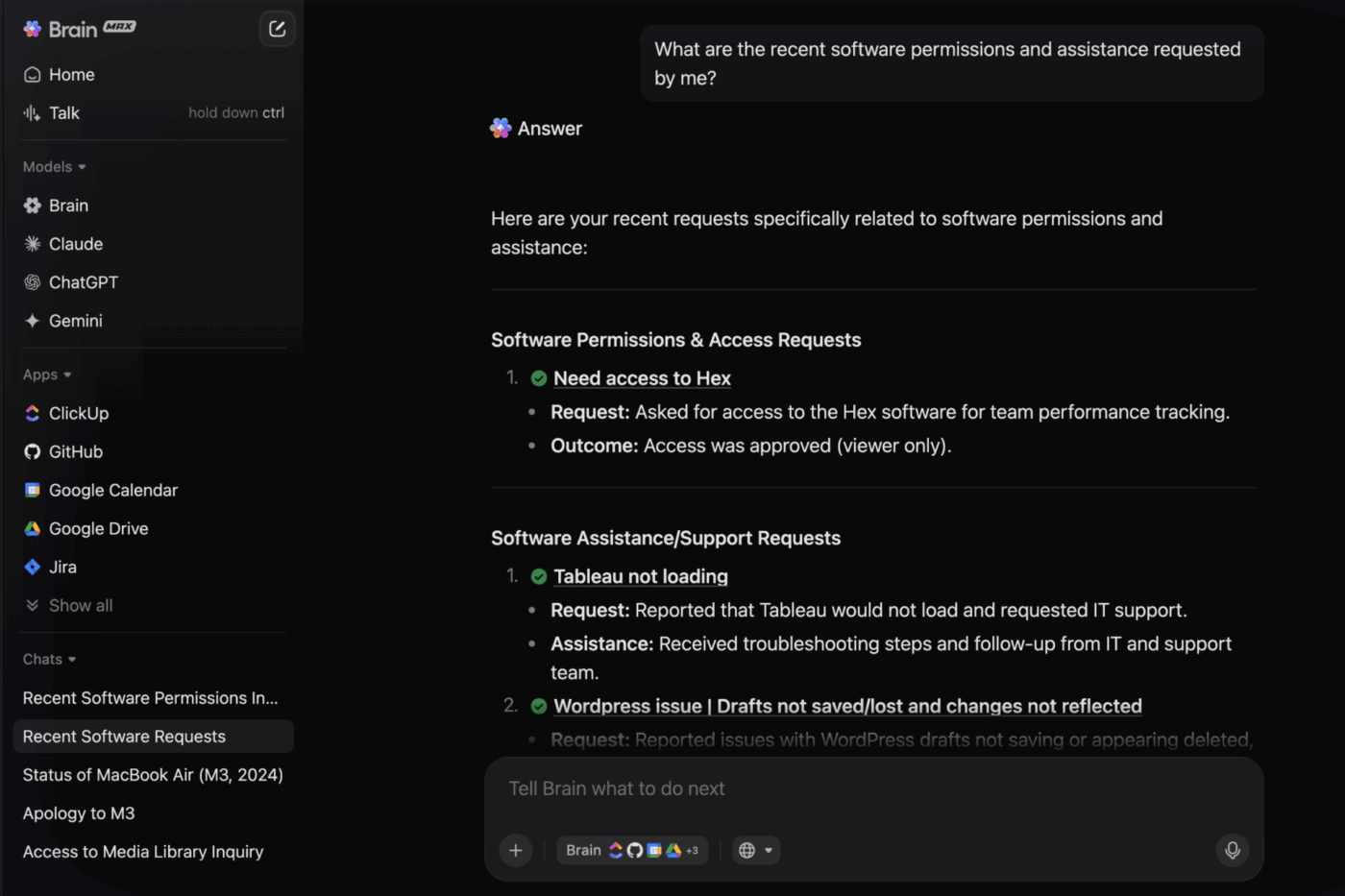
Surface project context instantly using ClickUp Brain across your workspace
ClickUp brings together all your work apps, data, communication, and workflows into one fully connected epicenter for your work. Forget about hopping between apps, pages, and chat, i.e., Work Sprawl, just to get your work done.
As a Converged AI Workspace, ClickUp eliminates context switching by providing 100% context and a central, intelligent place for humans and agents to work together.
Because it keeps memory, automation, and communication tied to your work, you don’t need to invest in multiple AI tools and tackle AI sprawl, a growing challenge among fast-moving organizations. This makes it one of the strongest Tanka AI alternatives for teams that can’t afford to lose context.
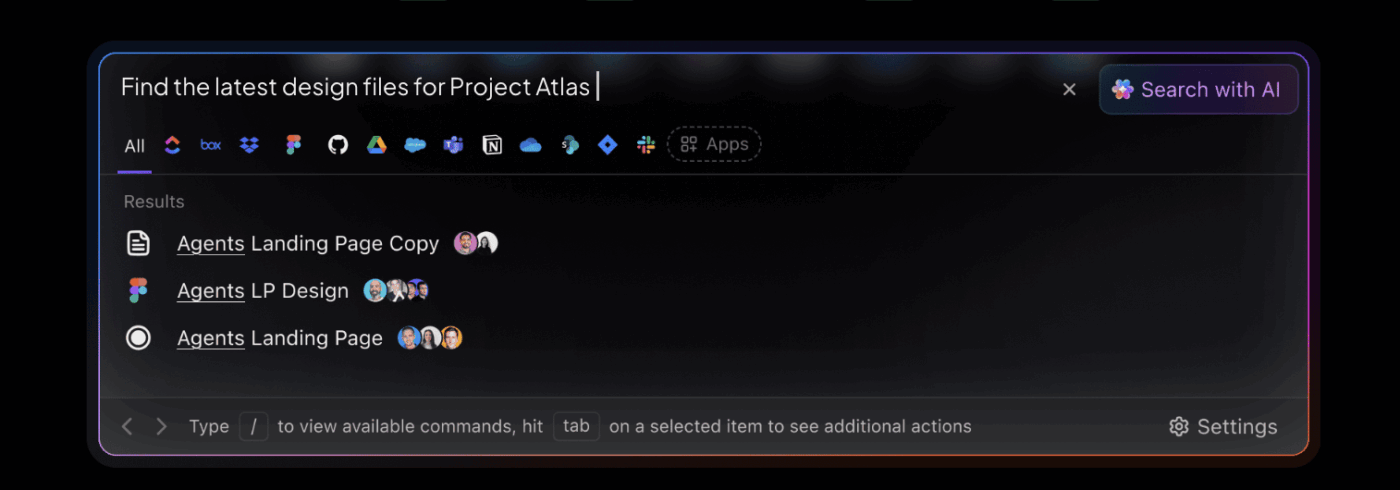
Find what you need without a hunt with Enterprise Search
Use ClickUp Enterprise Search to search for tasks, meeting notes, files, data and more
Next, ClickUp Enterprise Search gives teams the ability to ask and retrieve context across their workspace. For instance, when a marketing manager searches ‘Q3 campaign budget,’ the tool surfaces the budget spreadsheet, the approval task, and the related campaign doc. A new teammate onboarding to the campaign instantly sees the entire picture without back-and-forth questions.
Together, these features give teams what they struggle to build on their own: connected memory, automated workflows, and conversations tied to delivery.
Recall project history without rehashing
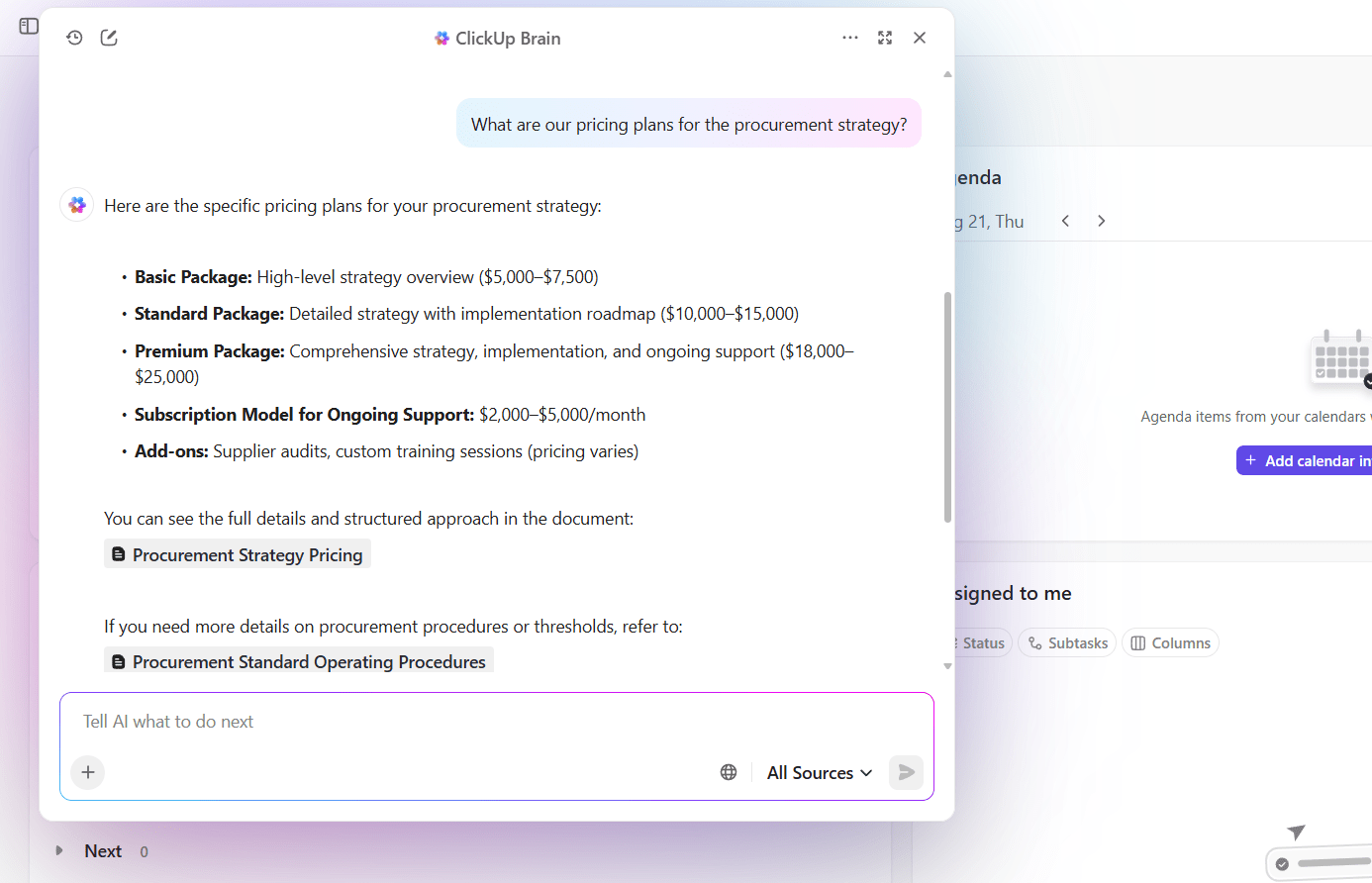
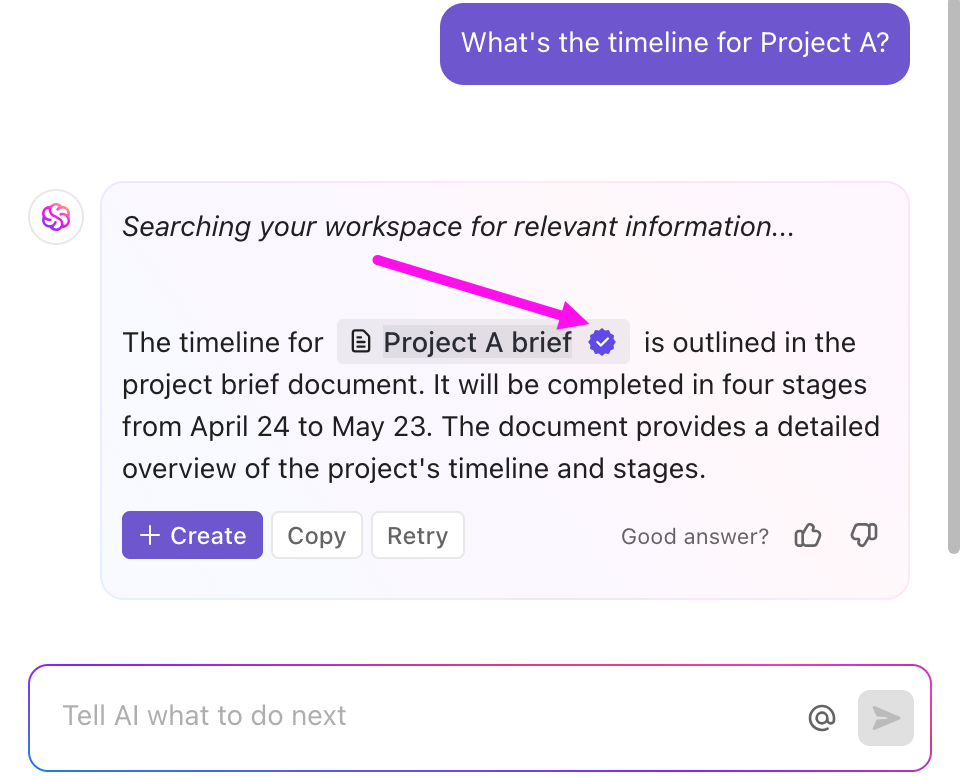
ClickUp Brain connects conversations, docs, and tasks so you can pull up answers instantly.
Find relevant answers quickly from your workspace using ClickUp Brain
Suppose a product manager gets asked, ‘What’s the status of the mobile onboarding flow?’ ClickUp Brain retrieves the latest task updates, past feedback, and the doc where changes were finalized. This way, the PM can reply with confidence in seconds, rather than digging through old updates.
Watch this clip to understand how ClickUp Brain helps you navigate your workspace better:
Brain MAX takes things further by delivering a unified platform dedicated to boosting enterprise productivity. It lets you instantly search across all your connected apps—like ClickUp, Google Drive, GitHub, OneDrive, SharePoint, and even the web—so you can quickly find files, documents, and attachments without switching between platforms.
With its advanced Talk to Text capability, you can ask questions, dictate notes, and command your work completely hands-free, wherever you are.
Unlike other fragmented tools, Brain MAX replaces dozens of disconnected AI platforms and leverages premium AI tools like ChatGPT, Claude, and Gemini with one powerful, enterprise-ready solution that’s deeply contextual and tailored to your specific workflows. Ditch the AI tool sprawl, use your voice to get work done, create documents, assign tasks to team members, and more.
Let AI Agents handle the busywork
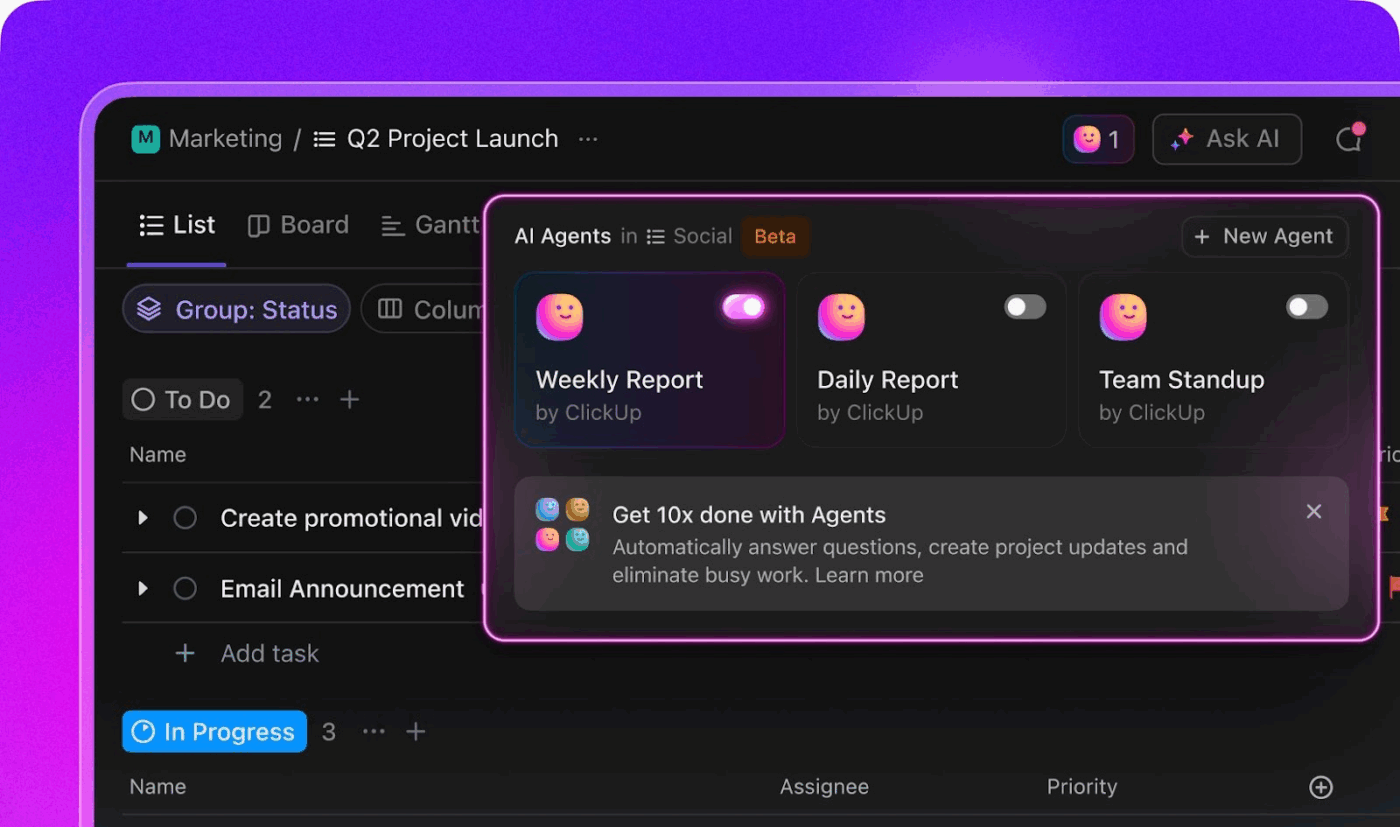
Explore ClickUp Agents to automate manual work, and share information even when you are away
ClickUp Agents reduce the manual work that eats into a manager’s day. Prebuilt Agents handle routine actions, while custom ones adapt to your workflows. For example:
Daily recap agent: Gathers updates from all active tasks and sends a morning summary to the team
Ticket triage agent: Scans new requests, labels them by urgency, and assigns them automatically
Take the ticket triage agent, for example. Support managers no longer have to manually assign every issue. Critical requests get routed to the right owner immediately, keeping response times sharp.
Keep feedback tied to delivery with Chat
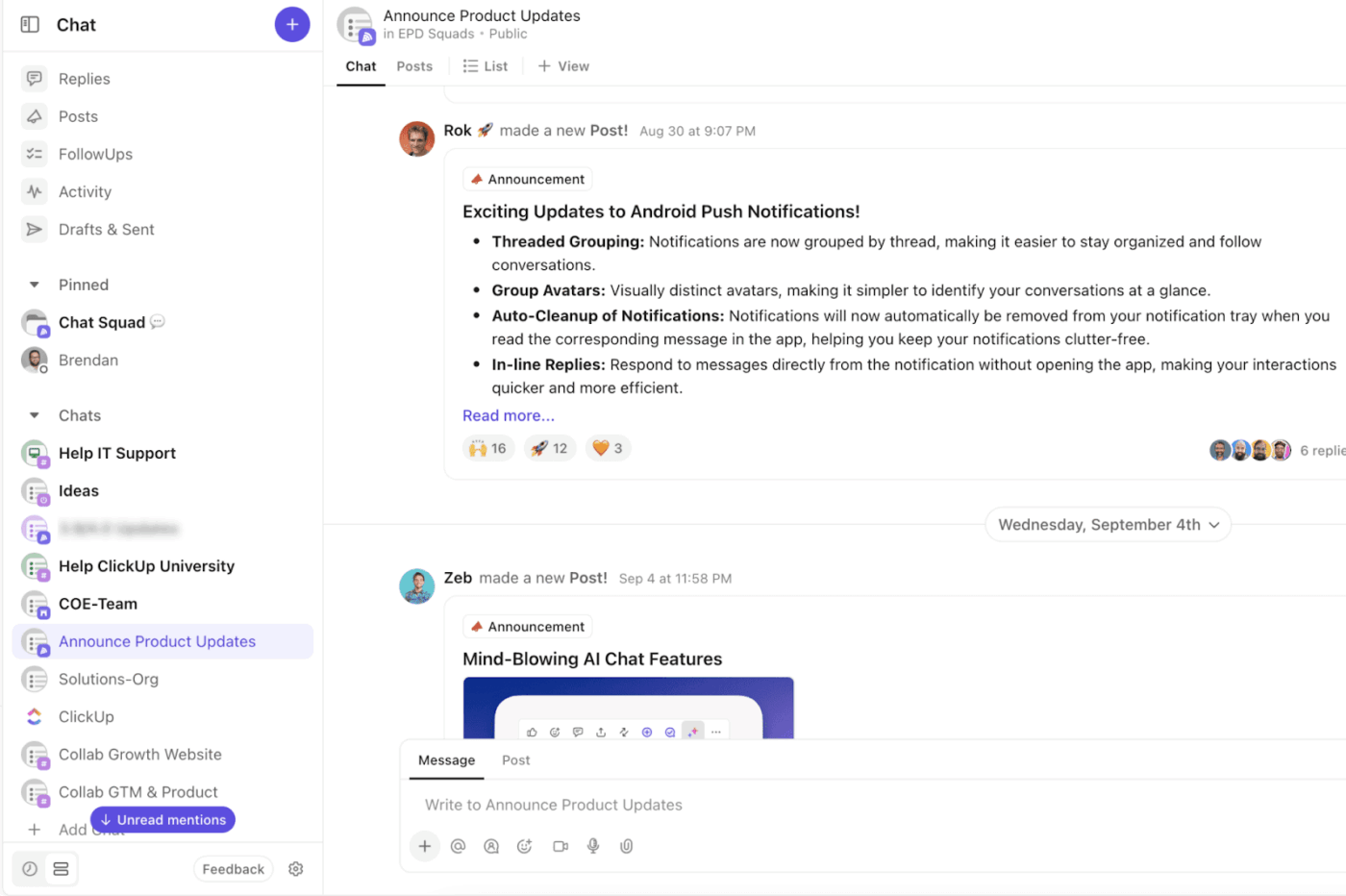
Feedback often gets lost when it lives in separate apps. ClickUp Chat solves this by keeping conversations close to the work.
Turn design feedback into tasks inside ClickUp Chat
For instance, during a design review, a teammate comments, ‘The signup button needs to move above the fold.’ That comment is converted directly into a ClickUp Task linked to the design, ensuring it won’t be overlooked during implementation.
ClickUp best features
Switch between AI models: Use ClickUp Brain MAX to choose the right AI model (ChatGPT, Claude, or Gemini) for research, writing, or task updates
Capture meeting context: Generate transcripts, summaries, and action items automatically with ClickUp’s AI Notetaker
Turn speech into tasks: Convert voice notes into structured updates, tasks, or docs using Talk-to-Text in ClickUp
Keep writing connected: Link content directly to tasks, feedback, and project updates in ClickUp Docs
Find documents quickly: Store and search all notes, transcripts, and docs in one place through Docs Hub
Write without starting from scratch: Transform prompts or rough notes into drafts, outlines, or updates using ClickUp Brain
ClickUp limitations
Teams often need to invest time in setup and customization before workflows run smoothly
The new Brain MAX has greatly enhanced my productivity. The ability to use multiple AI models, including advanced reasoning models, for an affordable price makes it easy to centralize everything in one platform. Features like voice-to-text, task automation, and integration with other apps make the workflow much smoother and smarter.
G2 review
📮 ClickUp Insight: 34% of employees don’t feel comfortable asking questions at work, and 14% mostly try to find answers on their own.
When people hesitate to seek help, it is often a signal that they don’t feel fully accepted or included in the team’s learning process. The solution? Building a judgment-free pathway for people to learn from existing knowledge bases and figure out processes at their own pace.
ClickUp’s Knowledge Management, made up of ClickUp Brain and Connected Search, helps employees get their questions answered and search across the workspace, as well as integrated third-party apps. No more worrying about asking “obvious” questions or interrupting others.
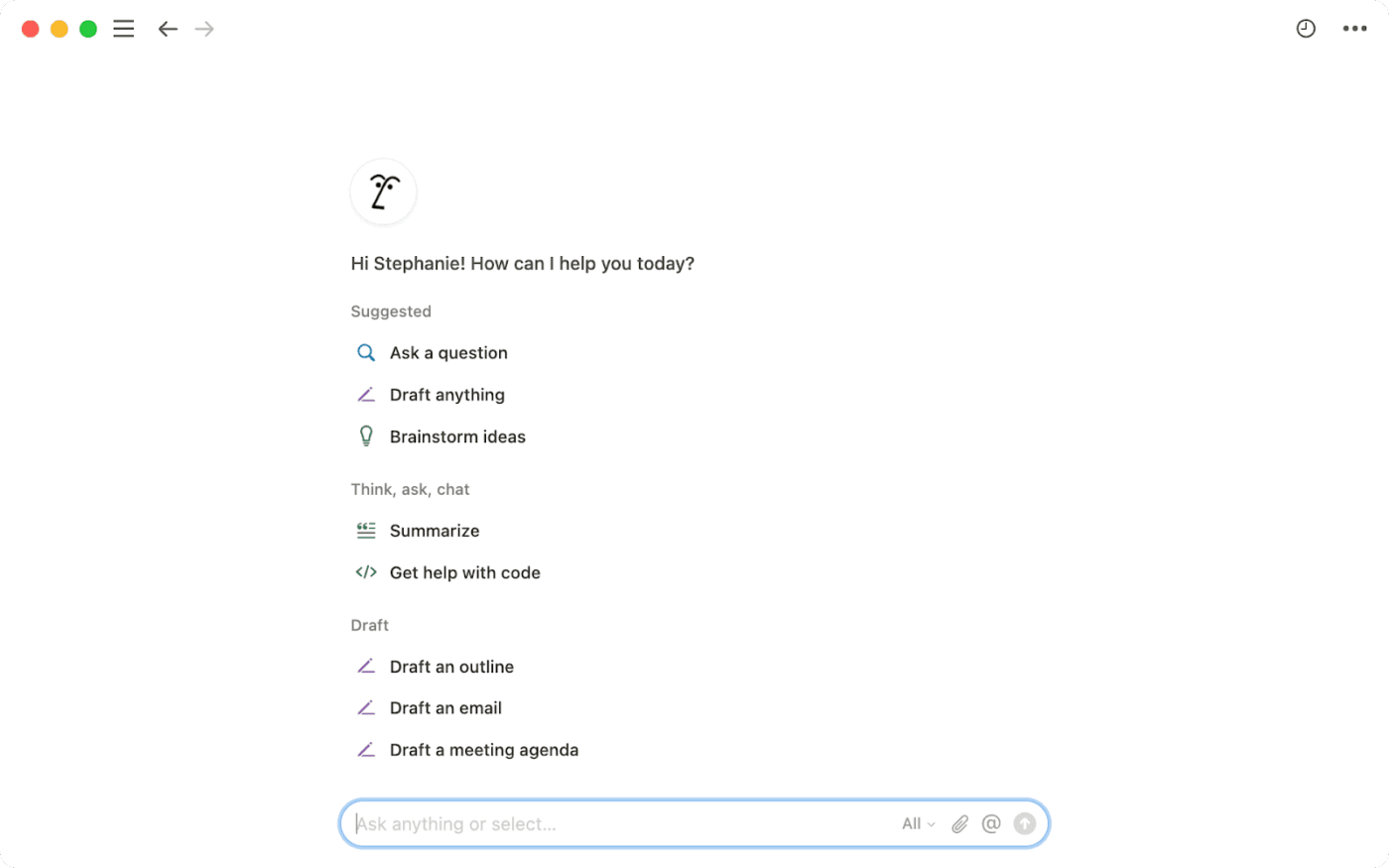
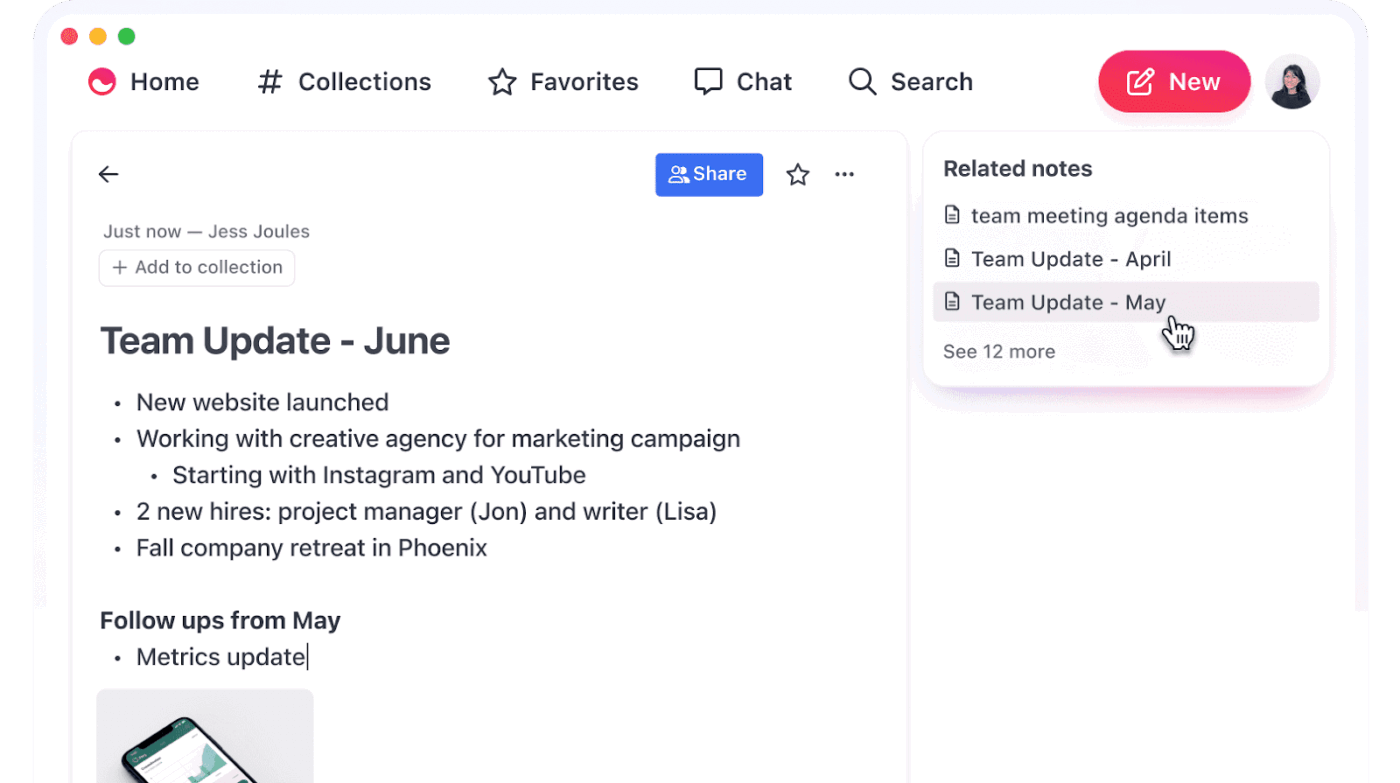
Notion AI transforms your existing workspace into a memory-powered assistant that remembers every document, meeting note, and project detail you’ve stored. Unlike basic chat tools, it maintains context across your entire knowledge base, making connections between old project notes and current discussions.
The knowledge base chatbot responds to queries while actively surfacing relevant information from documents that are months old and directly relate to your current conversation. This creates a continuously learning workspace where past insights automatically inform present decisions.
Notion AI best features
Query your entire workspace history using natural language questions
Generate project summaries that reference previous meeting notes and decisions
Create content that maintains consistency with your existing documentation style
Transform scattered notes into structured action plans with historical context
Notion AI limitations
Requires an existing Notion workspace setup before AI features become truly valuable
Memory functionality depends heavily on how well you organize your initial data
Notion AI pricing
Free trial
Plus: $12 per member/month (only trial of Notion AI)
I created a big Notion setup with project timelines, interdependencies, minutes, things to discuss, tasks etc. and Notion AI is just super helpful. Just an example: I record a team meeting and get a pretty good summary and follow up action items all generated automatically. I tell the AI to add those action items to my task table, add the due dates and responsibilities based on what was discussed during the call and make suggestions on the projects this is referring to…
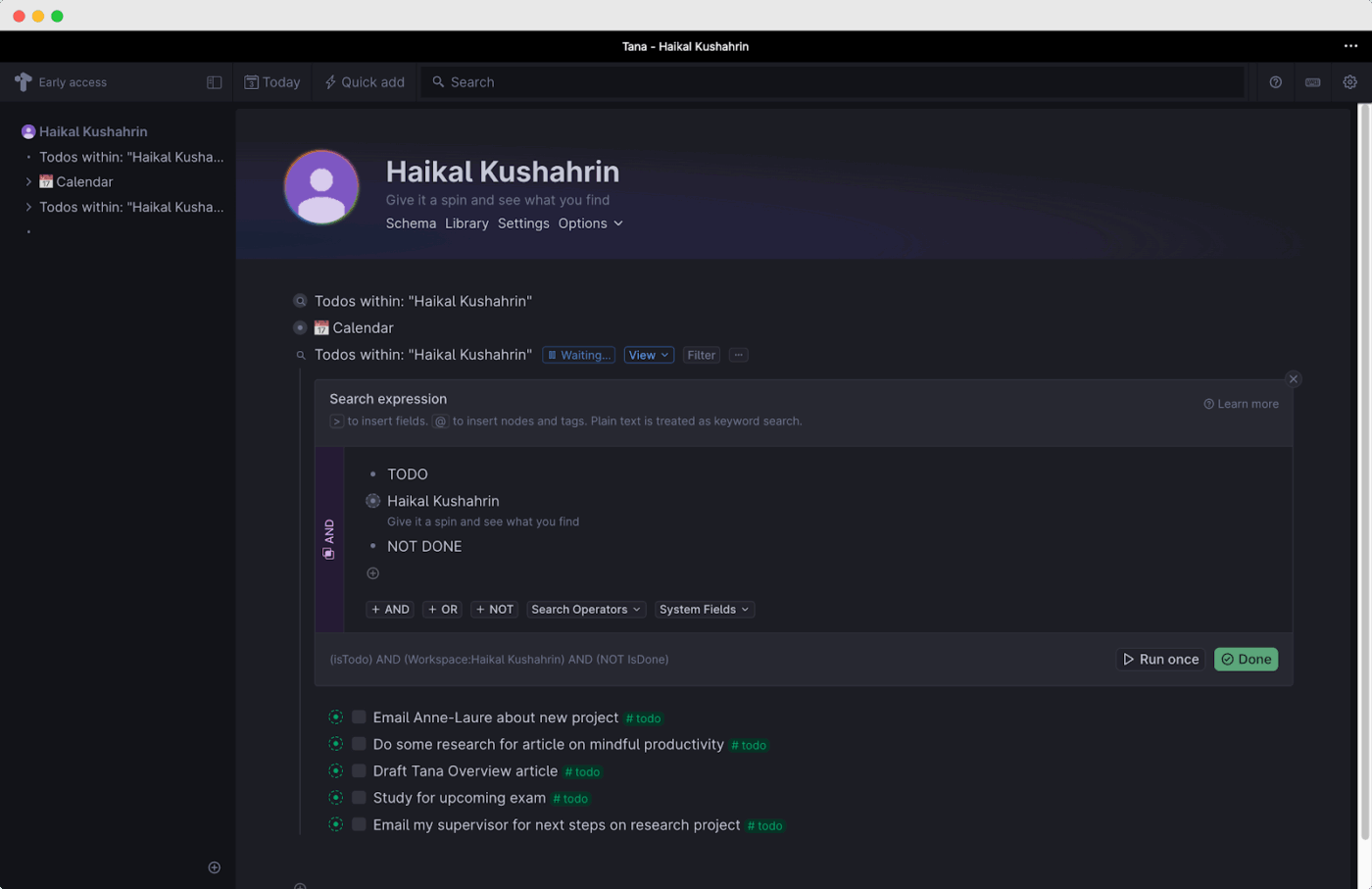
Tana operates on a fundamentally different principle than linear chat tools. Every piece of information becomes a connected node that builds relationships over time. It creates persistent memory through supertags and bidirectional linking.
When you mention a project, client, or idea, the system automatically surfaces all related discussions, decisions, and documents from any time period. This approach mimics how human memory actually works, where mentioning one concept triggers recall of related experiences and knowledge.
Tana best features
Create automatic connections between conversations and related knowledge nodes
Build custom supertags that capture context for recurring topics and projects
Access an AI assistant that understands relationships between different information types
Generate insights by analyzing patterns across connected conversations and documents
Tana limitations
Requires consistent tagging and organization to maximize memory effectiveness
Limited integration with existing email and messaging platforms
Tana allows me to just write content and apply a tag. I don’t have to think about folders or structure. I just apply a tag, and know that the information can be resurfaced easily! The biggest drawback for me currently is the absence of a true read/write mobile app. Don’t get me wrong, Tana Capture is great. But I’m always on the move and need to reference my content, too.
🧠 Fun Fact: The roots of knowledge management go back over 5000 years. From Sumerian tablets to the pyramids of Giza, built in 2560 BC, meticulous records guided construction.
4. Otter.ai (Best for conversational memory retention)
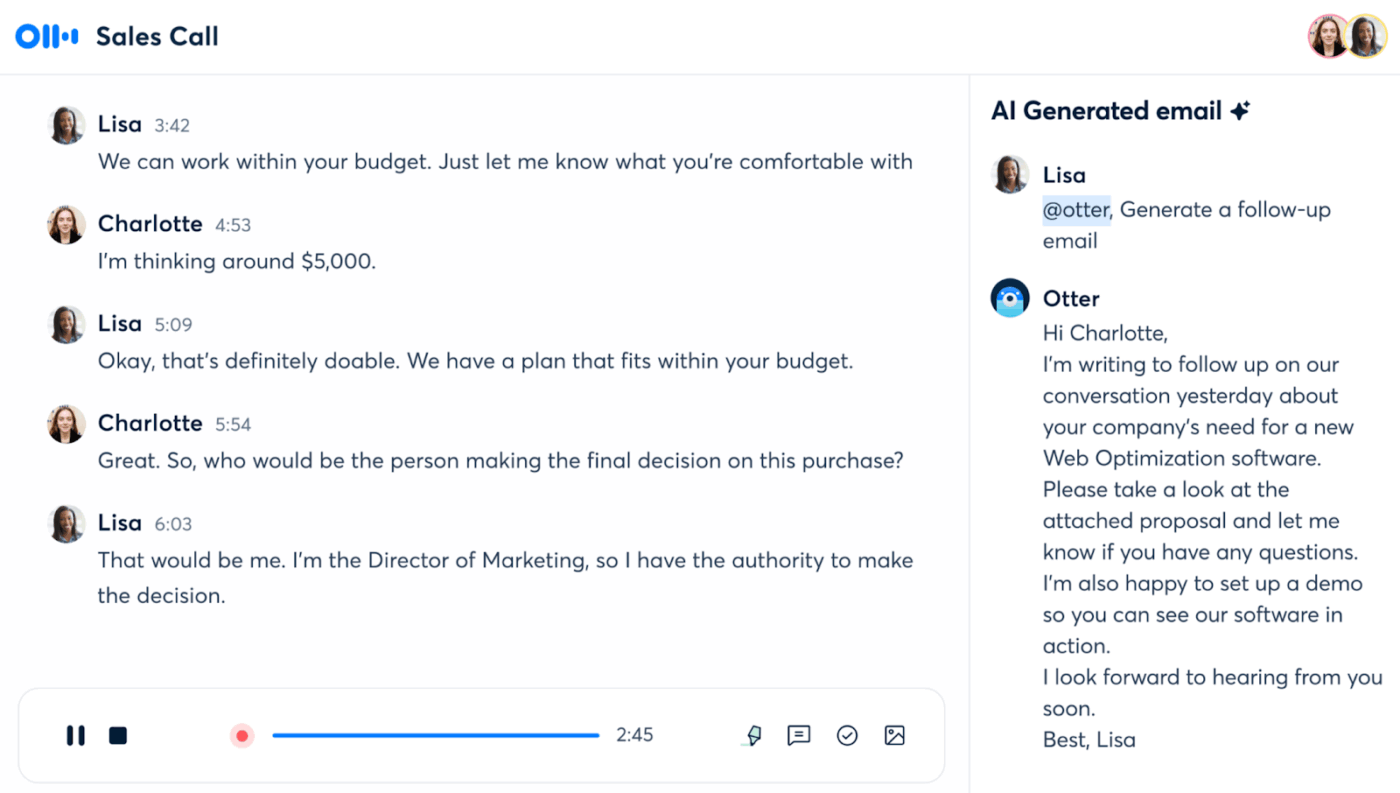
Otter.ai solves the fundamental problem of losing important information during spoken conversations. While most messaging tools only capture written text, this tool creates searchable memory from verbal discussions, team meetings, and phone calls.
This Tanka AI alternative uses AI for note-taking, identifying key decisions, action items, and important context. With OtterPilot, it can even join Zoom, Google Meet, or Microsoft Teams on your behalf, capture slides, and deliver notes automatically.
Otter.ai best features
Identify and extract action items automatically from recorded discussions
Use AI for meeting notes with summaries that highlight key decisions and important context
Search through months of conversation history using specific keywords or topics
Share conversation memory with team members who missed the original discussions
Otter.ai limitations
Limited to audio-based conversations, does not integrate with text messaging platforms
Accuracy drops significantly in noisy environments or with multiple speakers
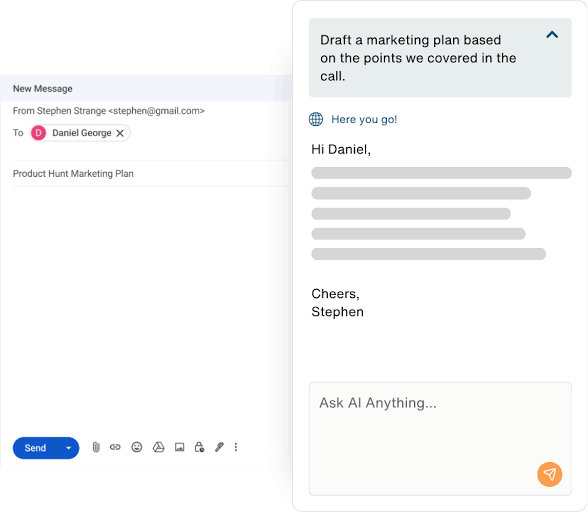
Love it. My daily driver for meetings. The transcripts require a little bit of tweaking after recording to fix jargon, mumblers and some mispronunciations but once I do that, Otter bot is great. I ask it to summarize stuff for me, create draft emails for follow ups, even analyze convos for stuff like root causes and stuff.
👀 Did You Know: Over a three-year period, organizations using ClickUp achieved an estimated 384% return on investment (ROI), according to Forrester Research. These organizations generated about US $3.9 million in incremental revenue through projects enabled or improved by ClickUp.
5. Perfect Memory (Best for comprehensive digital memory)
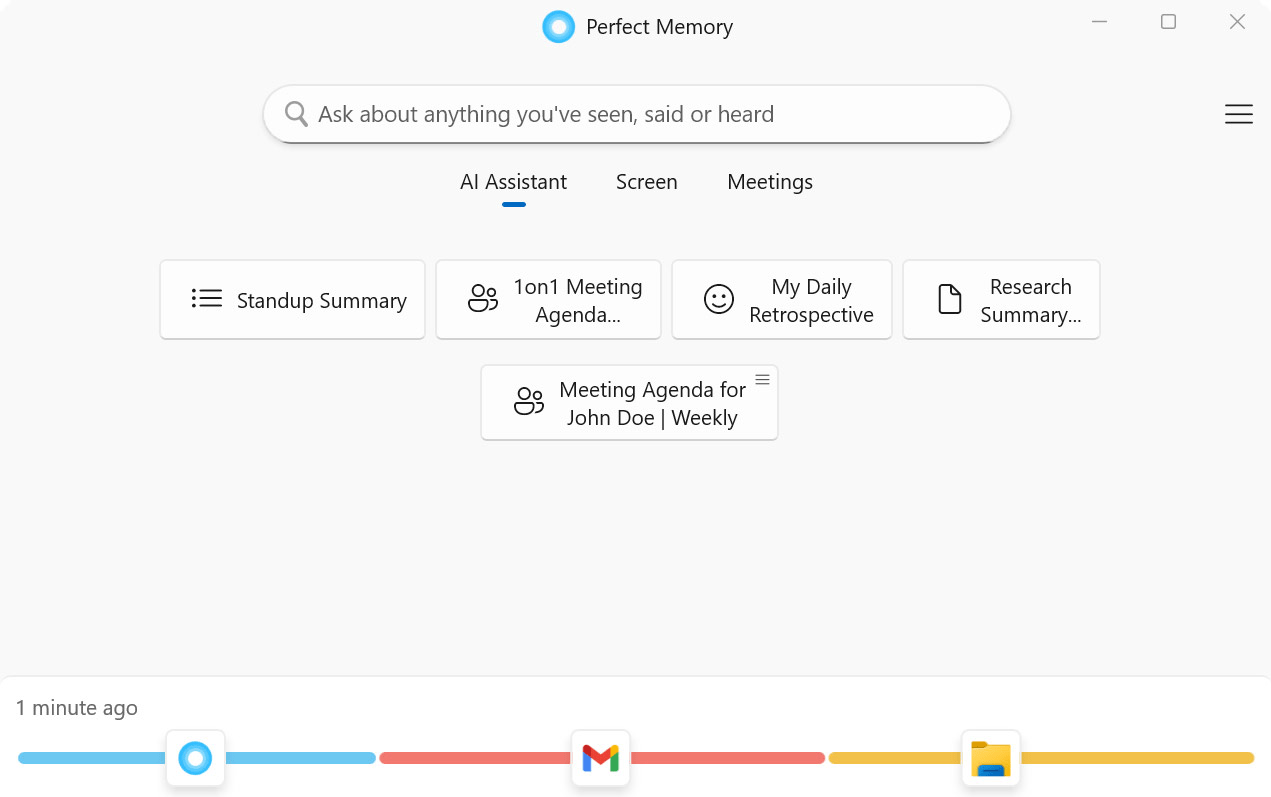
Perfect Memory takes a radical approach to conversation memory. It automatically captures and indexes everything you interact with digitally. Every email, document, web page, and conversation becomes part of a searchable memory bank that the AI can reference during future discussions.
With this passive approach, you don’t have to organize or tag your content manually; the digital assistant knows your history. Powered by GPT-4 and other models, it can also summarize your day, draft responses, or prep you with reminders from past conversations.
Perfect Memory best features
Generate insights by connecting information across different time periods and platforms
Ensure privacy with encryption and the option to pause recording in incognito or private browsing modes
Let it read all on-screen text using OCR and store it locally on your device
Perfect Memory limitations
Requires significant setup time to connect and index all information sources
Limited control over what information gets prioritized in memory recall
Perfect Memory pricing
Free
Pro: $19/month per user
Perfect Memory ratings and reviews
G2: Not enough reviews
Capterra: Not enough reviews
🔍 Did You Know? Following Alexander the Great’s death in 323 B.C., Ptolemy I Soter, his successor, aimed to establish a center of learning in the city of Alexandria. The Library of Alexandria was constructed to house over 500,000 papyrus scrolls with works of literature and texts on history, law, mathematics, and science.
⚙️ Bonus: Get your hands on these communication plan templates to streamline messaging, keep stakeholders aligned, and save time with ready-to-use structures.
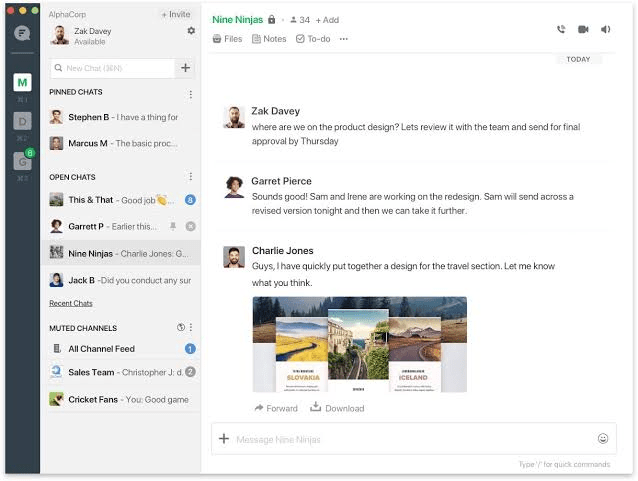
Flock approaches team memory through structured conversation organization rather than AI-powered recall. While it lacks the proactive memory features of Tanka AI, Flock excels at preserving team knowledge through organized discussions and file sharing that can be easily retrieved later.
The platform enables organization of discussions through private and public channels, letting teams segment topics into focused spaces. You can drag and drop multiple documents, images, or code snippets into messages.
It also lets you quickly locate shared content later via a centralized Files app that highlights both pinned messages and shared content.
Flock best features
Maintain a complete message history that team members can reference anytime
Share files and documents directly within the conversation context
Set up automated reminders and workflows that reference previous conversations
Flock limitations
Relies on manual organization rather than AI-powered memory and context recognition
Cannot analyze conversation patterns or generate insights like AI-powered alternatives
During my time using Flock, the biggest achievement is time management. Flock saves time and gets work done in the simplest way. Instant messaging has enhanced clarity in every exercise and projects. Again, integration in this software is quite effective. Flock is easy to use and it’s application is based on the field. Quite impressive tool.
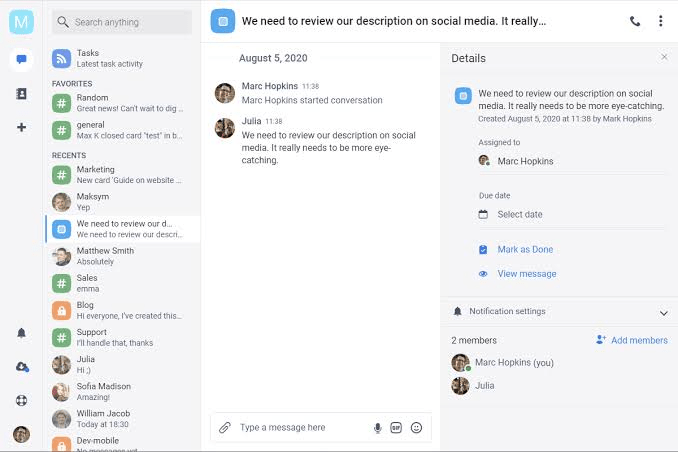
Chanty focuses on maintaining conversation continuity through persistent chat threads rather than complex memory systems. It ensures team discussions maintain context over time through unlimited message history (even on free plans!) and straightforward search functionality.
While it does not offer Tanka AI’s sophisticated memory features, the team communication app lets team members pick up discussions exactly where they left off. The ‘Teambook’ is a centralized hub that brings together conversations, tasks, pinned messages, files, and links.
Chanty best features
Convert important messages into persistent tasks that maintain context
Share conversation history easily with new team members who need background context
Integrate with other tools in your tech stack, like Google Drive, Trello, GitHub, and Dropbox
Chanty limitations
No AI-powered memory features or proactive context suggestions
Limited ability to connect conversations across different topics or time periods
Chanty offers the great possibility of transforming conversations into assignments and following–up on them without getting lost among messages, it’s very easy to consult past references due to the unlimited access to chat history; I also find the fluidity of the connection, the quality of the audio video in both group and individual meetings, and the possibility of showing my screen to share collaborative documents very useful.
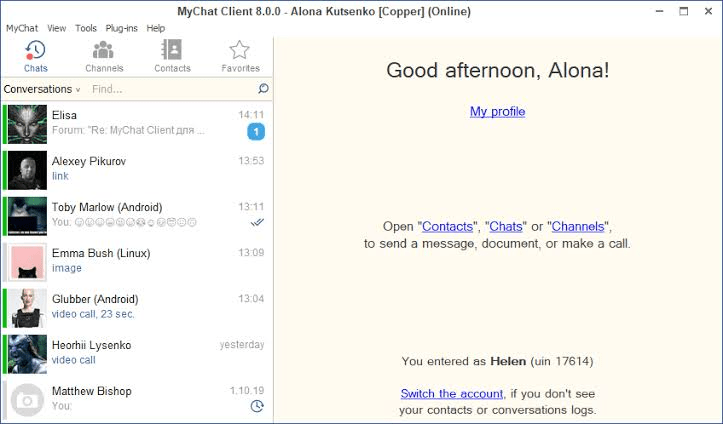
MyChat addresses conversation memory security by giving organizations full ownership of their communication data. Unlike cloud-based Tanka AI alternatives, it’s entirely self-hosted. This ensures that sensitive discussions and accumulated knowledge never leave your internal servers.
With role-based permissions, only authorized team members can access conversation history, keeping context both private and organized. Additionally, MyChat supports threaded conversations, file sharing, and searchable history.
It also offers features like presence status, message delivery confirmations, spell checking, and website-embedded chat.
MyChat best features
Get threaded group and private chats, file and folder transfers, a built-in Kanban board for project planning, and a bulletin board for company-wide announcements
Access high-quality, low-latency voice and video calls, with screen sharing powered by WebRTC
Integrate with Active Directory for user management, drag-and-drop file sharing, and contact lists (including personal and company-wide structures)
MyChat limitations
The interface is outdated and difficult to navigate
Limited mobile access to conversation history compared to cloud-based alternatives
Sharing the files is very easy and secure to use. The whole UI interface is very easy to navigate and will work in a slow internet connection. I have been using these tools since so long and I notice the quality of video messaging is very smooth and works perfectly. Screen sharing option is also very easy to use…I am facing a slowness issue while sharing the screen with teams and the prices are little costly.
G2 review
9. TwinMind (Best for conversational memory exploration)
TwinMind runs discreetly on your smartphone or within your browser, capturing audio in real time (without ever storing raw recordings) and transcribing everything into a searchable memory vault. The workplace AI tool provides summaries, real-time AI suggestions, and tools to draft emails or follow-ups from your conversations.
All of this happens locally, safeguarding your privacy while minimizing battery drain, even when running continuously for over 12 hours. The free plan is especially generous: unlimited transcription hours and unlimited AI chats, with support for over 100 languages and encryption-backed optional cloud backups.
TwinMind best features
Ask follow-up questions to dig deeper into specific conversation contexts
Generate summaries of conversation themes and patterns through dialogue
Let it learn your communication preferences and adapt memory recall accordingly
TwinMind limitations
Still developing comprehensive conversation memory features
Limited integration with existing messaging platforms and email systems
TwinMind pricing
Free
Pro: $15/month
Enterprise: Custom pricing
TwinMind ratings and reviews
G2: Not enough reviews
Capterra: Not enough reviews
🧠 Fun Fact: Knowledge management was formalized after Peter Drucker, often called the ‘Father of Modern Management,’ coined the term ‘knowledge worker.’ He defined them as individuals whose primary job was to work with information, use it creatively, and apply it to solve problems.
10. MemAI (Best for passive conversation memory building)
MemAI observes communication patterns, project discussions, and decision-making processes to create a comprehensive memory of organizational knowledge. This background approach means your conversational assistant becomes more intelligent over time without adding work to your daily routine.
What sets the platform apart is its ability to identify recurring themes and insights across conversations, helping teams spot trends that might otherwise go unnoticed. Instead of just recalling facts, it synthesizes knowledge into actionable takeaways, making organizational memory strategically useful.
MemAI best features
Connect conversations across different platforms and time periods without manual linking
Generate proactive suggestions based on accumulated conversation memory and patterns
Highlight past decisions, similar conversations, or related documents to avoid duplication
MemAI limitations
Privacy concerns around automatic monitoring and analysis of all communications
Limited transparency concerning how conversation data is processed and stored
MemAI pricing
Free
Mem Pro: $14.99/month
MemAI ratings and reviews
G2: Not enough reviews
Capterra: Not enough reviews
🔍 Did You Know? By the 1990s, Fortune editor Tom Stewart popularized the value of ‘brainpower,’ pushing KM into the business spotlight.
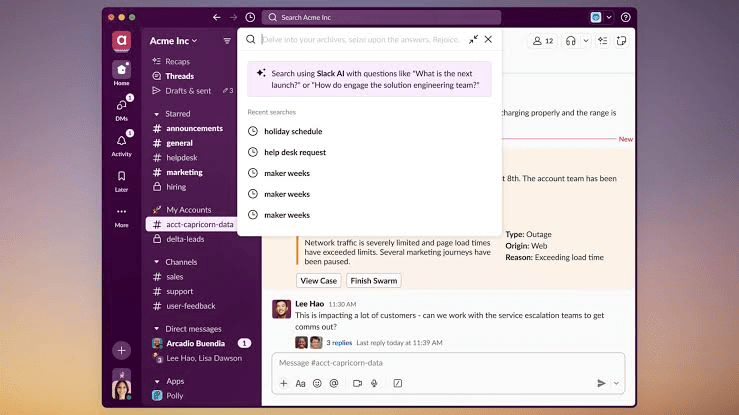
Slack has evolved its platform to include AI features that enhance context awareness. The AI analyzes conversation patterns, surfaces relevant historical discussions, and provides intelligent summaries of important decisions.
While not as specialized, Slack’s AI helps teams maintain better context continuity by automatically highlighting relevant past conversations when similar topics arise. This creates a more intelligent team workspace that learns from accumulated conversation history.
Slack (with AI) best features
Create intelligent search results that understand conversation context and intent
Get AI-suggested responses based on previous conversation patterns and team communication style
Get workflow automation, file summaries, message explanations for internal jargon, and translations with its Business+ and Enterprise+ plans
Slack (with AI) limitations
AI features require expensive premium subscriptions for full functionality
Cannot unify external communications like email and WhatsApp, as Tanka AI does
Slack (with AI) pricing
Free
Pro: $8.75/month per user
Business: $18/month per user
Enterprise: Custom pricing
Slack (with AI) ratings and reviews
G2: 4.5/5 (35,725+ reviews)
Capterra: 4.7/5 (24,080+ reviews)
What are real-life users saying about Slack (with AI)?
Summarize this article with AI
ClickUp Brain not only saves you precious time by instantly summarizing articles, it also leverages AI to connect your tasks, docs, people, and more, streamlining your workflow like never before.
Summarize this article for me please
The Endless Search Ends with ClickUp
Most Tanka AI alternatives capture information, but very few know how to resurface it when it actually matters.
ClickUp solves for it. It keeps memory connected to action. A conversation in ClickUp Chat becomes a task in seconds. Feedback lives right next to the doc it came from.
And ClickUp Brain pulls up what was said, when it was said, and what changed because of it. Now’s the time to switch. Sign up for ClickUp today! ✅
Everything you need to stay organized and get work done.