






Still downloading templates?
There’s an easier way. Try a free AI Agent in ClickUp that actually does the work for you—set up in minutes, save hours every week.
Sorry, there were no results found for “”
Sorry, there were no results found for “”
Sorry, there were no results found for “”


Team leads often struggle toggling between tools, IT admins are overwhelmed with integration requests, and even productivity pros battle app overload and clunky workflows.
You know the right Slack apps could seriously improve your team’s performance, but who has time to test them one by one?
We’re here to make it easier. We’ve done the heavy lifting and handpicked popular Slack apps that actually make your workflows smoother, communication faster, and your team a lot more intentional at work.
From Slack project management to polls, and automation, this list has it all.
⭐️ Bonus: Tired of paying the toogle tax that costs businesses nearly $2.5 trillion a year in lost productivity? Try the world’s first Converged AI Workspace, ClickUp. Here, your Chats, workflows, lists, knowledge, integrated apps, and AI tools all live in one centralized location. Make Work Sprawl a thing of the past.
Here’s a side-by-side comparison that makes it easy to find the best Slack app from the app directory so that you can use Slack effectively.
| Tool | Key features | Best for | Pricing* |
| ClickUp | Automatically pair teammates for virtual meetups, onboard new hires through Slack, schedule recurring intros, and team rituals | Project & task management, startups, remote teams, enterprises, | Free plan available; Custom pricing for enterprises |
| Donut | Launch programs and journeys within Slack, build internal networks, and communities | Employee engagement & culture | Free forever; Paid plans start at $74/user/month |
| Polly | Create Slack-native polls in seconds, gather anonymous team feedback, and get instant results without leaving Slack | Surveys & team polls | Free; Paid plans start at $12/month |
| Loom | Record and share video updates in Slack, embed videos directly in Slack threads, and use Slack to request or comment on Loom videos | Async communication | Free; Paid plans start at $15/month |
| GitHub | Get alerts on pull requests and commits, subscribe to repo updates, and get notified of issues assigned to you | Dev teams | 30-day free trial; Paid plans start at $4/month |
| Jira | Create new tickets from Slack, get real-time updates on issue status, and link Slack threads to Jira issues | Issue tracking and dev teams | Free forever; Paid plans start at $7.53/month |
| Zapier | Trigger workflows from Slack messages, connect Slack to 5,000+ apps, and automate manual tasks without coding | Automation | Free forever; Paid plans start at $20.99/month |
| Simple Poll | Build quick, lightweight polls directly in Slack, enable anonymous responses, and set recurring polls | Quick team decisions | Free; Paid plans start at $59/month |
| Postman | Get API test results in Slack, receive Postman monitor alerts, collaborate on API collections and changes | API & DevOps teams | Free; Paid plans start at $19/month |
| Google Calendar | Receive upcoming meeting reminders, auto-update Slack status during meetings, and instantly join Zoom/Meet calls from Slack | Meeting management | Free forever |
| Deel | Notify Slack when contracts are signed, get alerts for new invoices, track payroll, and onboarding activity | HR, payroll & compliance | Free; Paid plans start at $49/month |
| Stripe | Real-time Slack alerts for payments, track failed charges or refunds, and monitor new subscriptions | Finance and SaaS billing | Custom pricing |
| Figma | Preview designs inside Slack, get notifications for new comments or edits, and stay updated on design progress | Design and product teams | Free; Paid plans start at $5/month |
| HubSpot | Get lead or ticket updates in Slack, assign contacts to team members, and view CRM activity summaries | Sales and CRM | Paid plans start at $890/month for three seats |
| Box | Upload files to Box via Slack, preview shared Box files, and get notified about file activity | File management | Paid plans start at $18/user/month |
| MailChimp | Get campaign status updates in Slack, view automation completions, and track subscriber list changes | Email marketing teams | Free; Paid plans start at $13/month |
| Intercom | Get pinged when new leads/chat messages arrive, reply to customers via Slack, and see conversation summaries after resolution | Support and sales teams | 14-day free trial; Paid plans start at $39/seat/month |
| Greetbot | Auto-welcome new Slack members, customize onboarding messages, send reminders or nudges in follow-up | Onboarding and culture | Free; Paid plans start at $49/month |
| Otter.ai | Auto-transcribe Zoom/Teams/Slack meetings, deliver summaries in Slack, and set keyword alerts to get notified when specific terms are mentioned | Meeting notes and docs | Free; Paid plans start at $16.99/month |
| Typeform | Send responses and lead info to Slack, customize message content and formatting, and notify sales or support teams instantly | Forms and lead gen | Paid plans start at $29/month |
The Slack App Directory (also known as the Slack Marketplace) is a central hub where users can discover, install, and manage a wide range of apps and integrations that extend Slack’s functionality.
Launched in December 2015 with over 150 integrations, it has since grown to 2,600+ ready-to-use apps.
Adding apps is super simple. Open the Slack interface or head to Slack’s App Directory in your browser. With a few clicks, you’re all set.
You’ll find Slack integrations for:
No matter your team size or focus, there’s an app that fits right in.
📮 Why Some Teams Are Rethinking Slack: ClickUp surveyed 4,000+ professionals and found a common issue: when chat lives separately from work, alignment suffers. Check how ClickUp Chat offers a more connected approach.
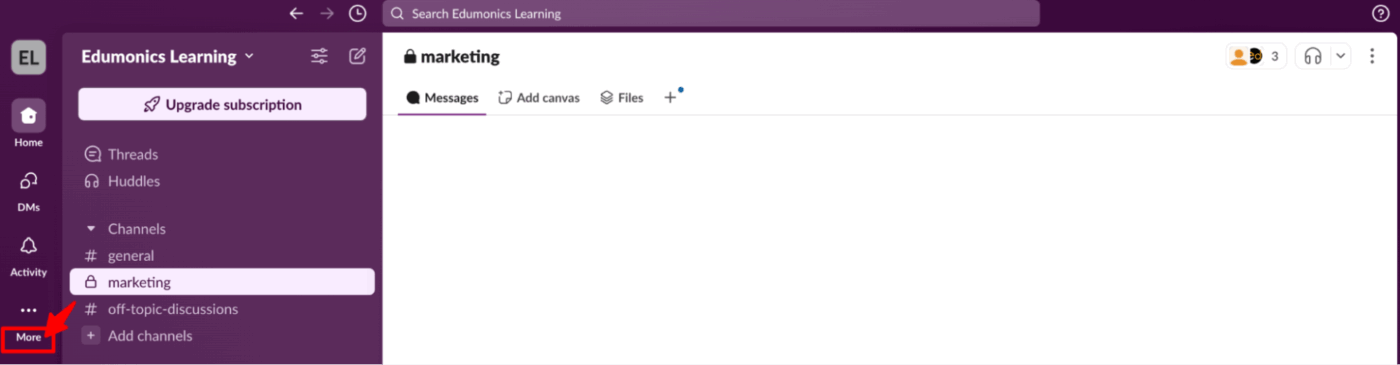
You can boost productivity by adding apps directly to your Slack workspace. Here’s a simple guide to help you find and install apps right inside Slack:
1. Open Slack on your desktop or browser
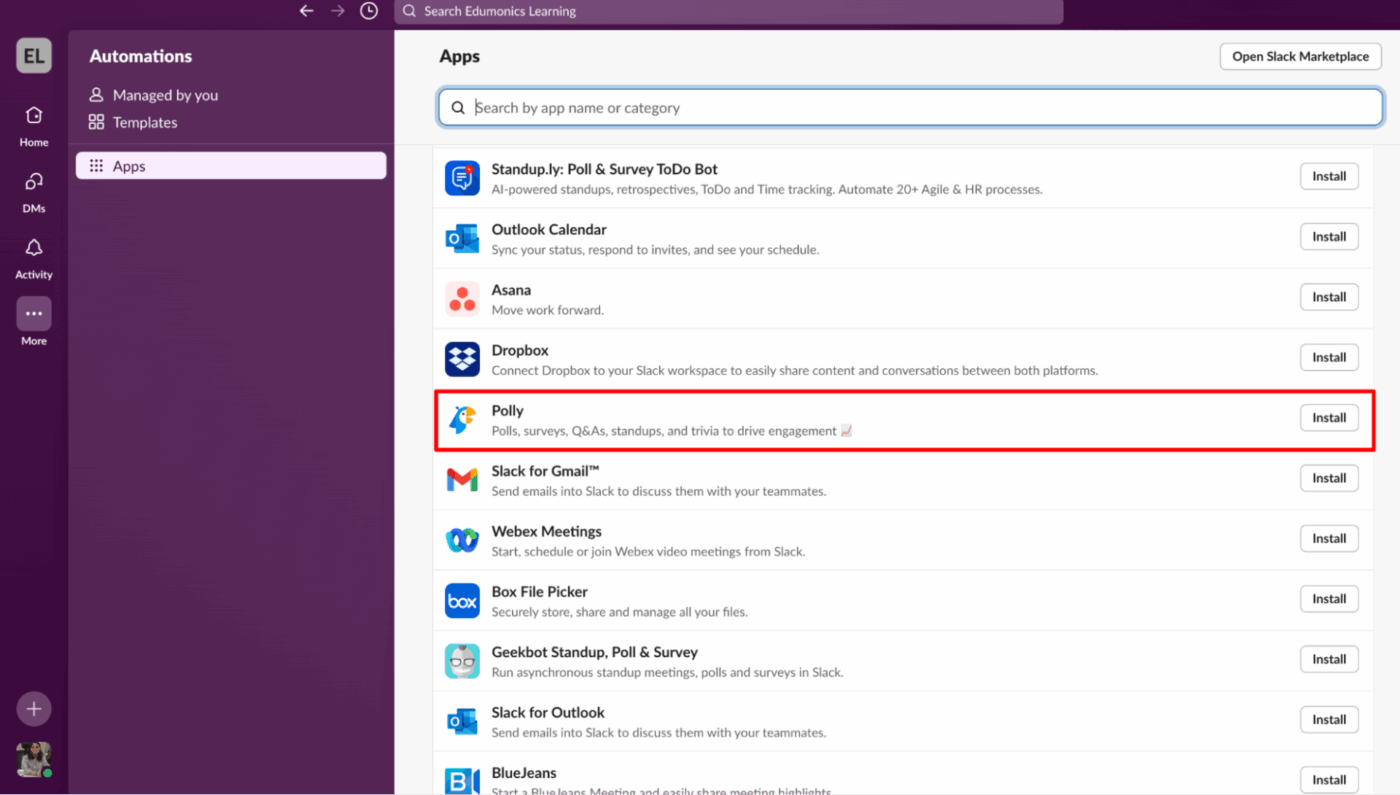
2. Click on ‘More’ in the left sidebar
3. Select ‘Automations’ and then click on ‘Apps’
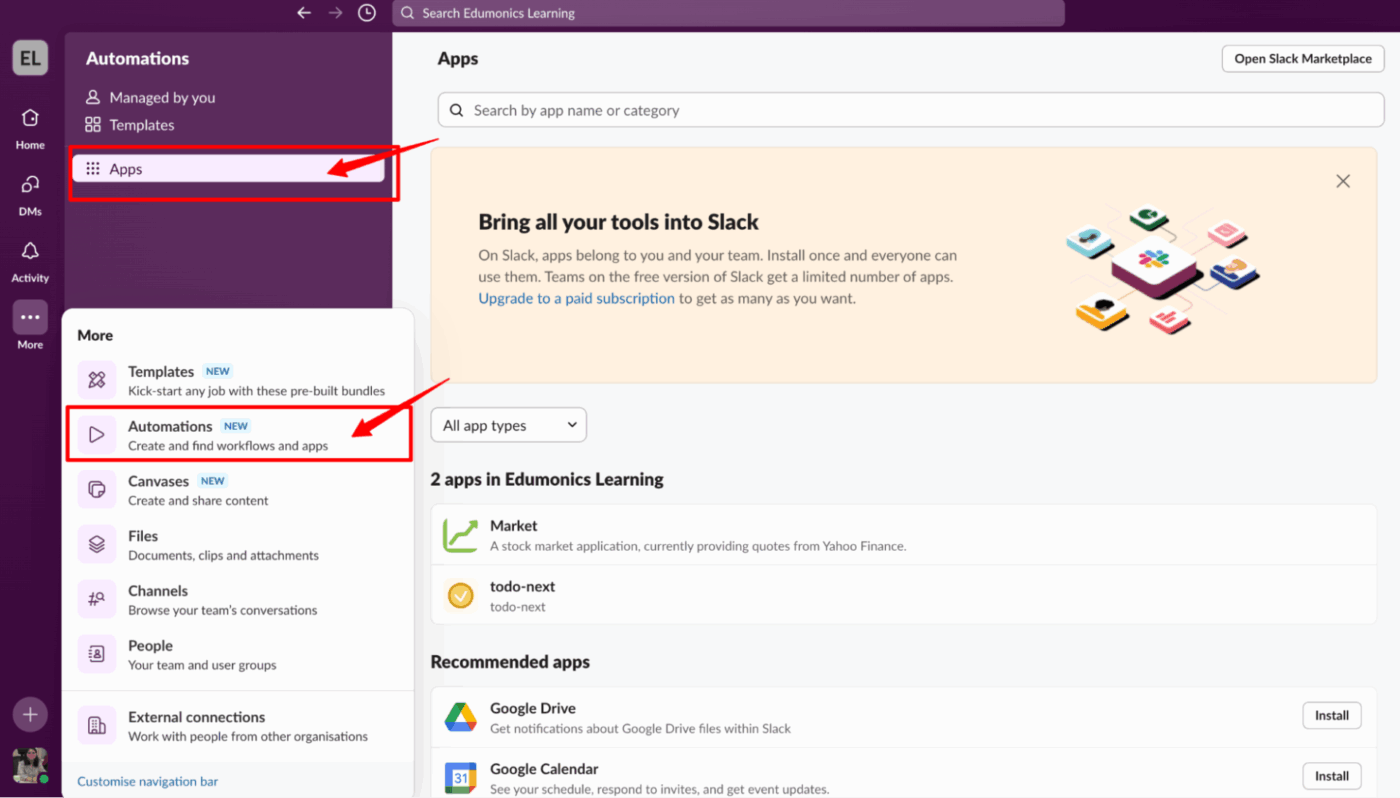
4. This opens the App Directory inside Slack. You can also visit slack.com/apps directly
5. Use the search bar to look for a specific app or browse by category
6. Click on the app you want to install
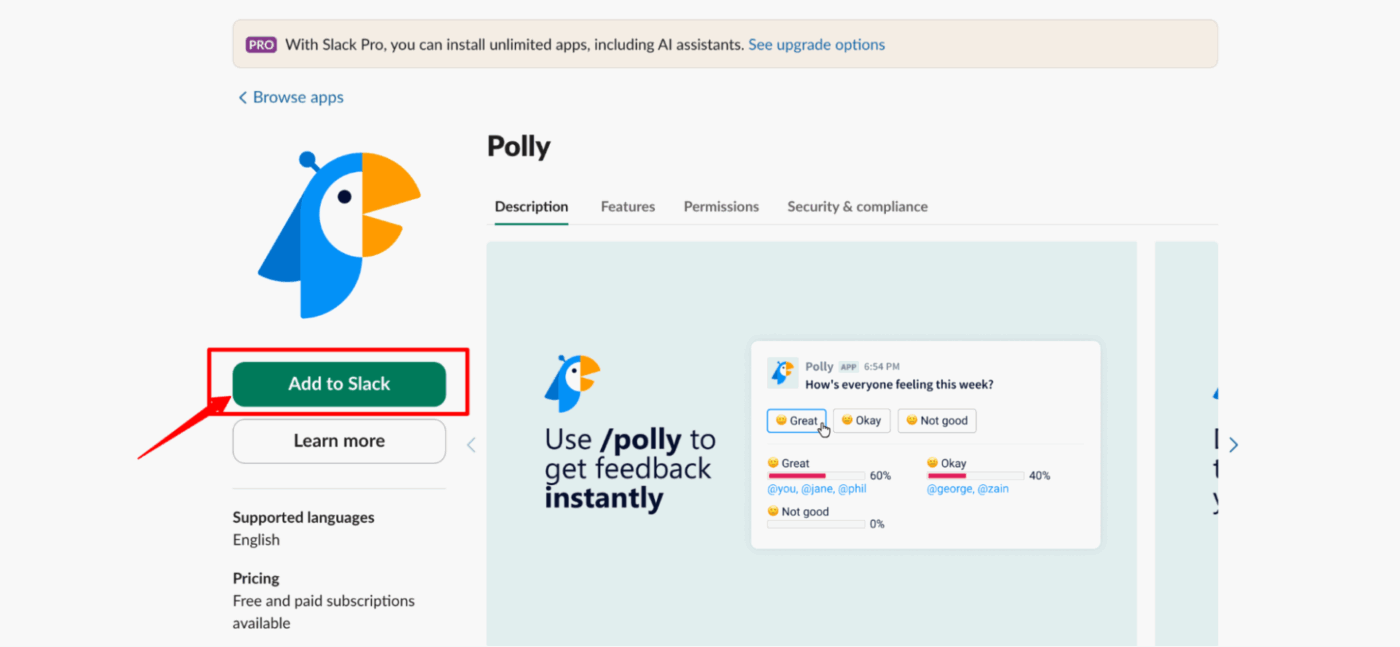
7. Hit the ‘Add to Slack’ button
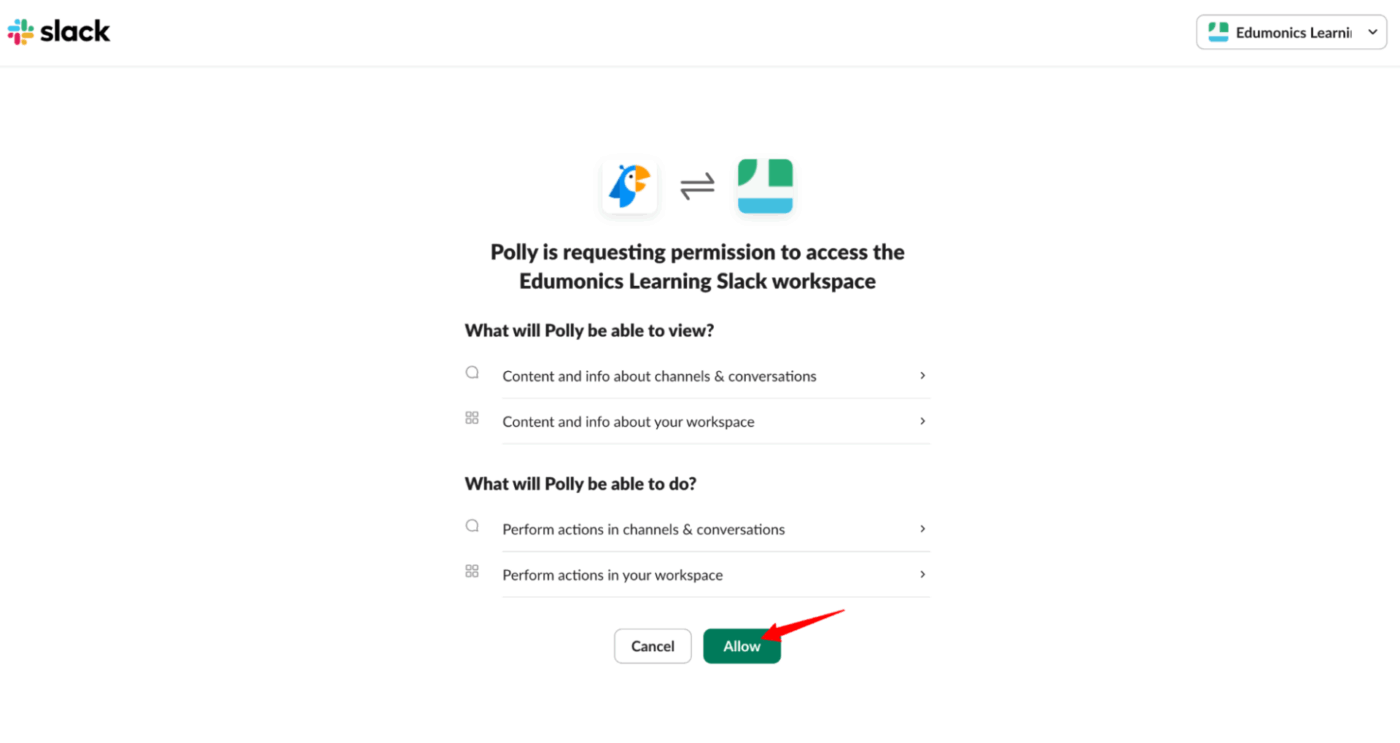
8. Review the permissions the app is requesting
9. Click ‘Allow’ to complete the installation
10. If installation is restricted, click ‘Request Approval’ and send a note to your admin
11. Once added, go back to Slack and start using it directly in your channels or messages
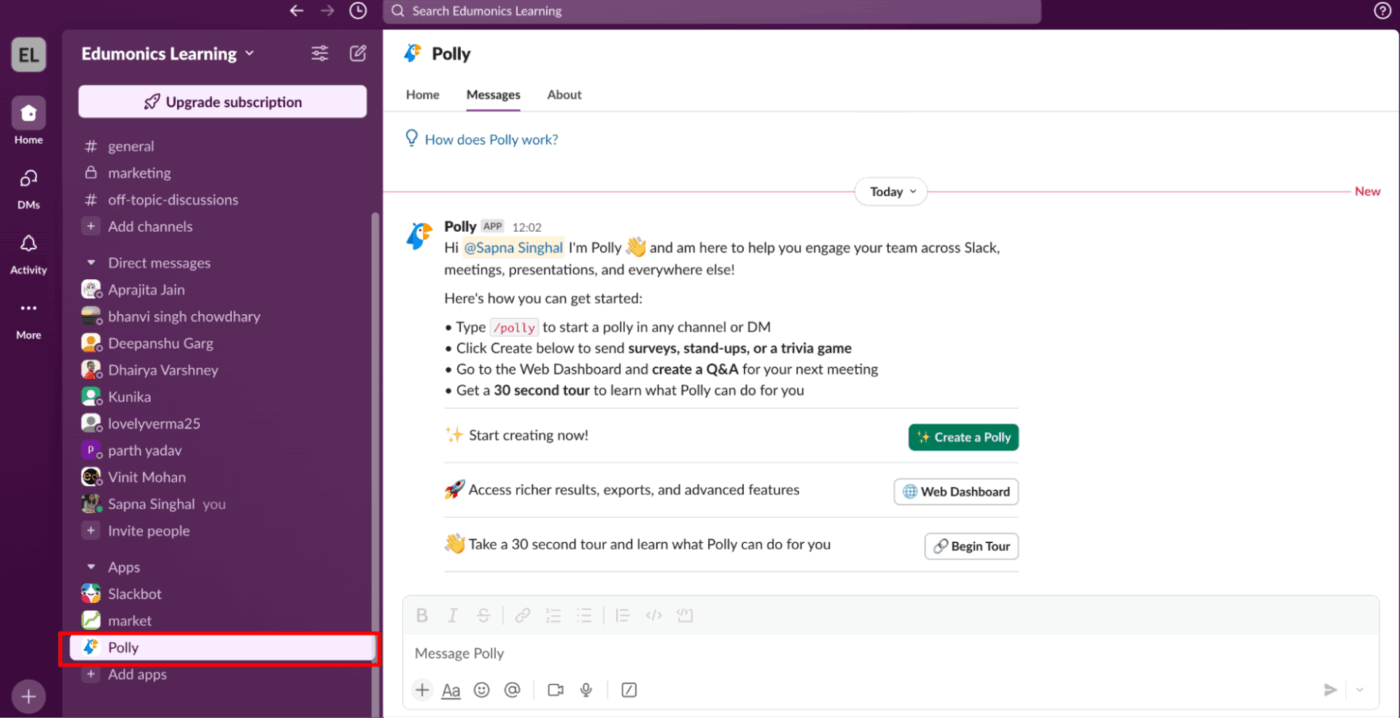
Some apps may ask for extra setup, like account linking or custom configurations. Just follow the prompts and you’ll be good to go.
🤟 OpenAI hearts Slack: Even the creators of ChatGPT are Slack power users. OpenAI’s team has sent over 5 million Slack messages and hooked up 70+ integrations in their workspace. They rely on Slack Connect channels and Huddles daily to collaborate with customers and colleagues.
📚 Read More: How to Create a Slack Bot From Scratch
Our editorial team follows a transparent, research-backed, and vendor-neutral process, so you can trust that our recommendations are based on real product value.
Here’s a detailed rundown of how we review software at ClickUp.
Now that you know how to use the Slack app directory, let’s help you find the most popular apps that are just right for you.
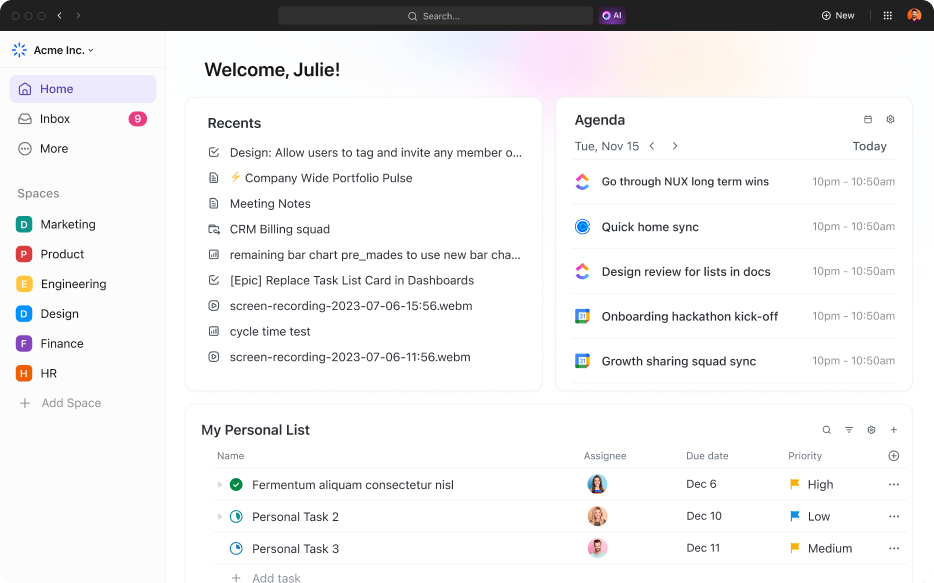
ClickUp, the everything app for work, makes it super easy to stay on top of work by integrating ClickUp with Slack.
You can create tasks, check updates, or even drop quick comments using simple /ClickUp slash commands. It’s like having your whole project workspace right inside your Slack chats.
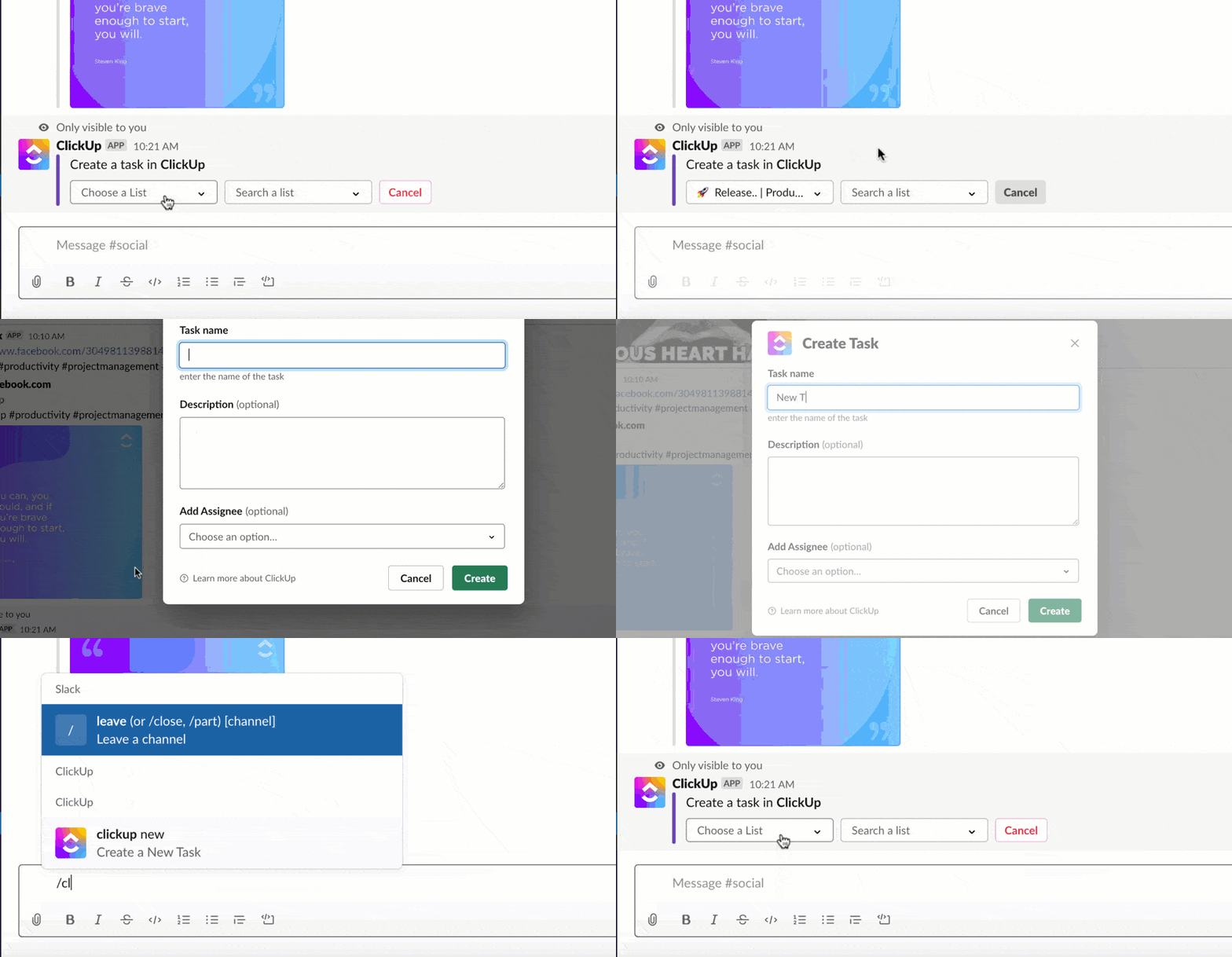
You can turn any Slack message into a task with due dates, priorities, and assignees. This is a simple way to turn quick ideas or casual requests into action items without interrupting the flow of your conversation.
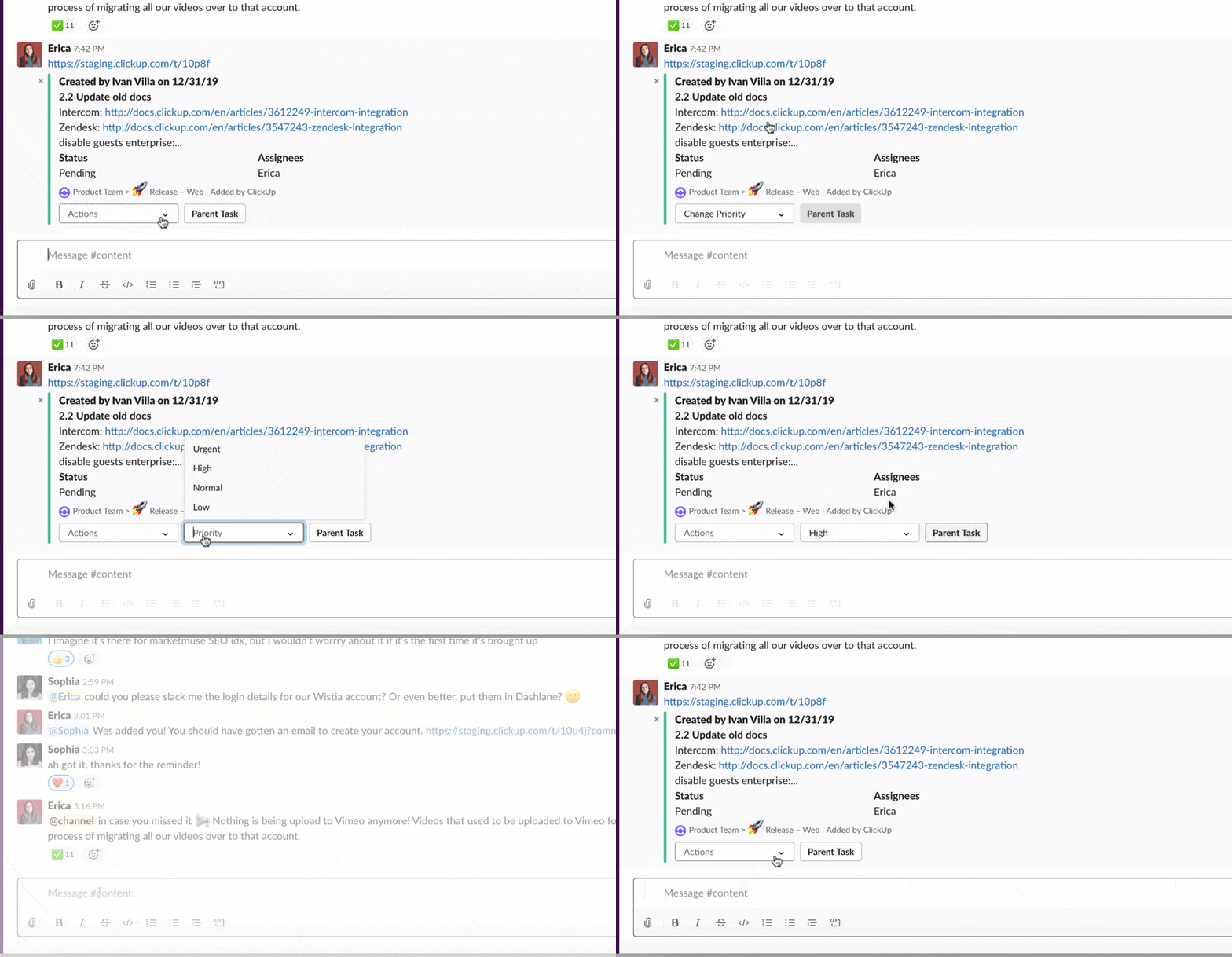
Once your tasks are live, ClickUp keeps your team in sync with real-time notifications. You’ll get Slack alerts the moment a task is updated, whether it’s a status change, a new comment, or an assignment update.
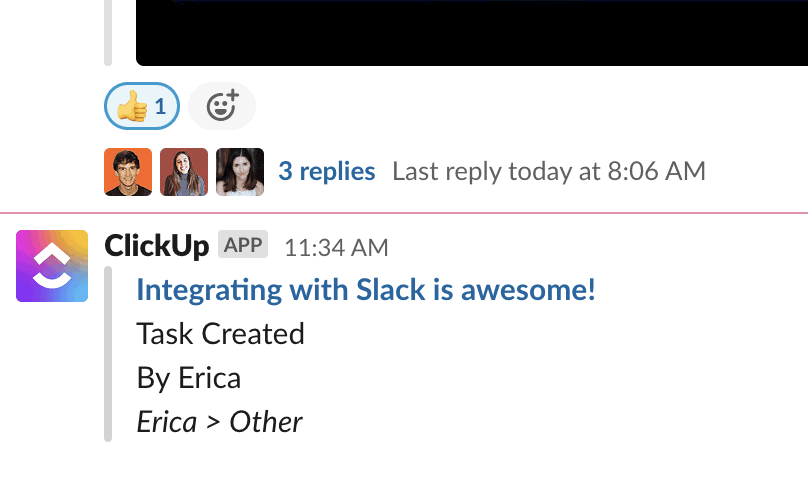
These updates land directly in your chosen Slack channels, so everyone stays in the loop without constantly checking ClickUp. The integration also plays well with ClickUp Automations. You can trigger workflows, like moving a task to “In Progress” or assigning it to a teammate.
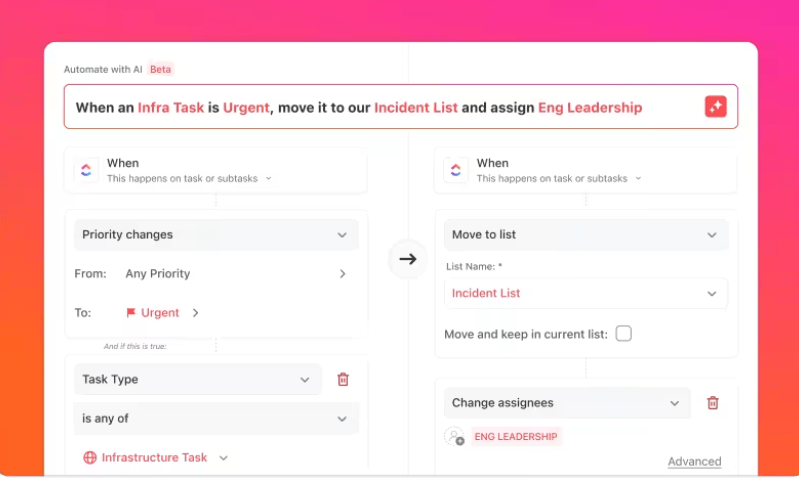
Automations ensure routine steps happen faster, reducing manual updates and keeping your workspace moving smoothly. It’s a great way to keep your team aligned and cut down on repetitive admin work.
Wondering how? Watch this video 🔽
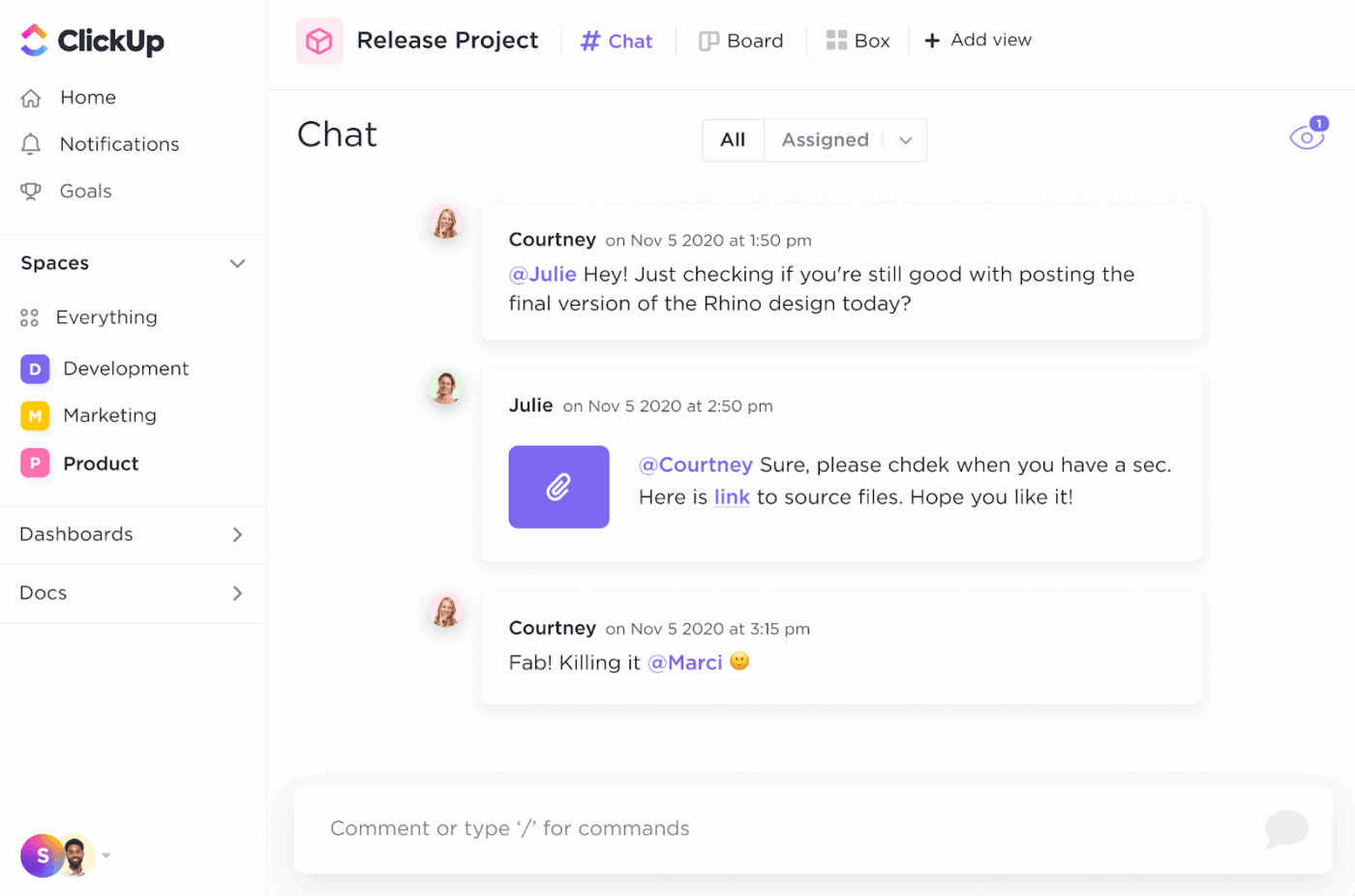
Communication today is utterly broken. And one of ClickUp’s standout features is ClickUp Chat. It is your team’s internal messaging space, where conversations stay tied to work.
ClickUp Chat is excellent because it brings all your conversations to your workspace. Your Docs, Whiteboards, Chat, AI Agents, and more are all within the ClickUp universe. No more context switching!
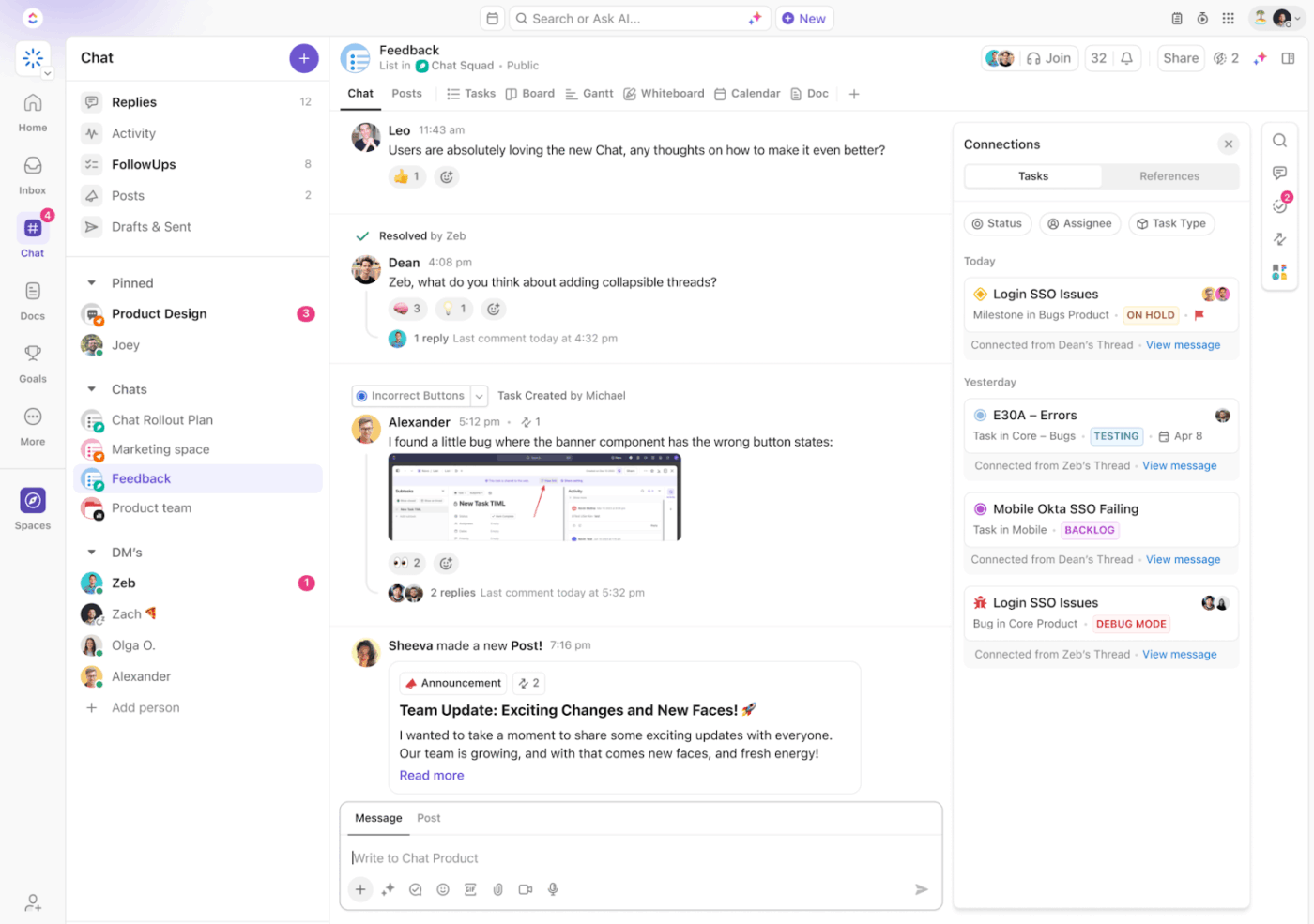
ClickUp has all the power of Slack, and so much more. It is deeply tied to tasks, documents, and goals inside ClickUp. You can drop Chat links back into Slack so everyone sees the bigger picture with full context.
ClickUp Chat becomes even more powerful when paired with ClickUp Brain. You can ask the AI personal assistant to summarize discussions, generate task lists, or pull key decisions from long threads.
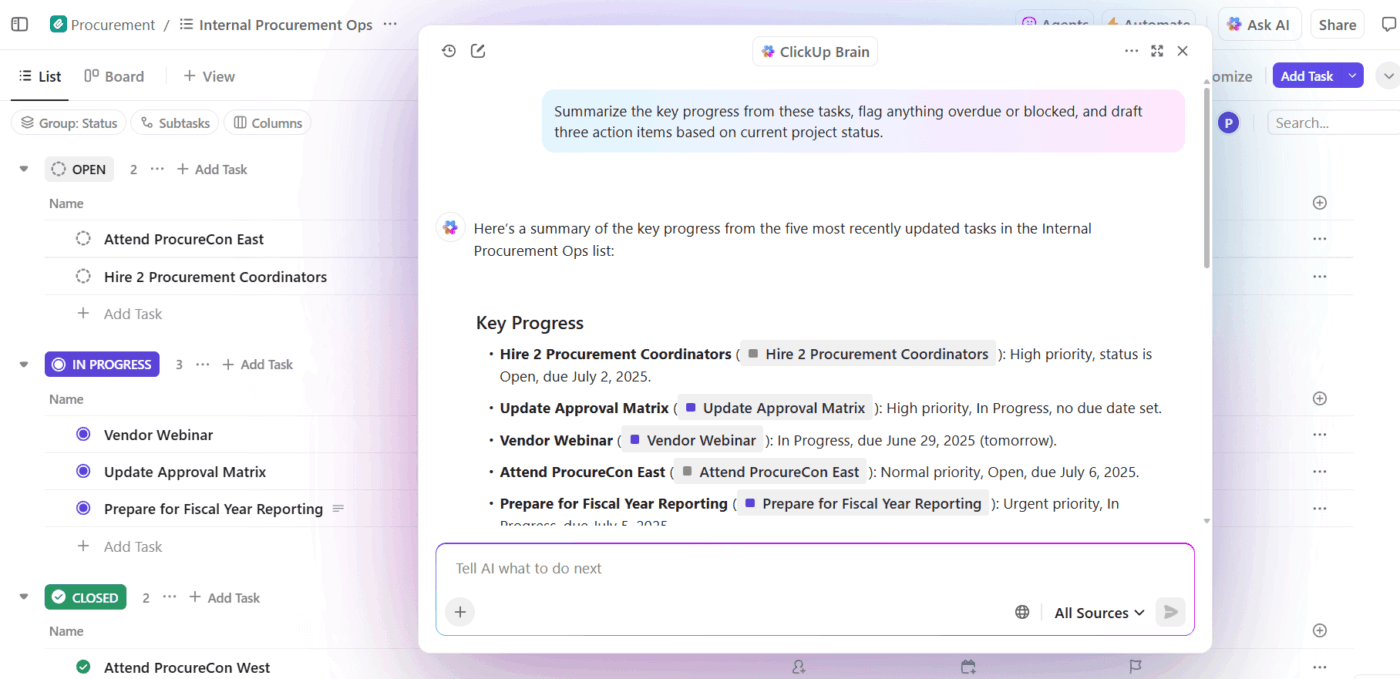
For busy Slack users, this means you can drop a message into Chat, use AI to turn it into a clear task or summary, and easily link that back into Slack channels using rich previews.
So when it comes to Slack vs. ClickUp, the integration turns it into Slack and ClickUp. You don’t lose out on conversations or task execution; you get the best of both worlds.
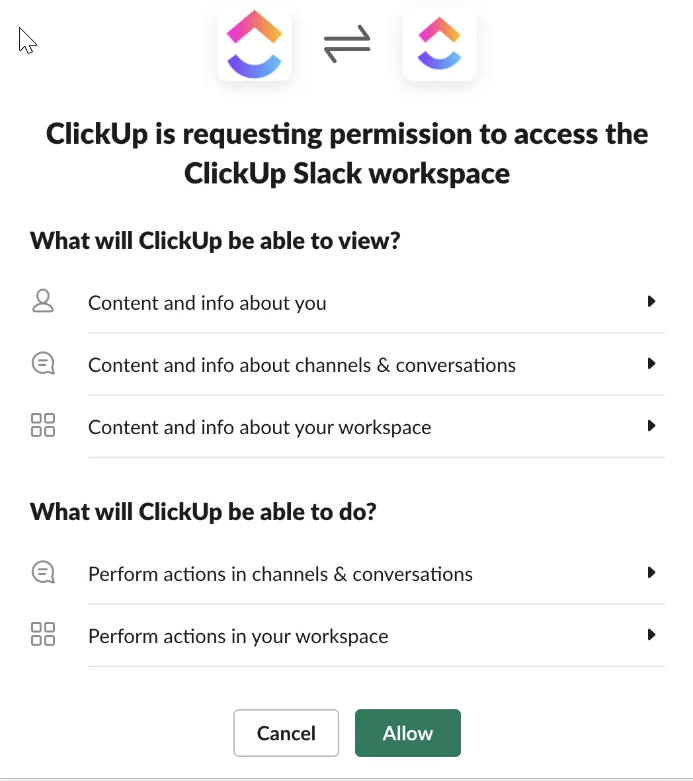
Creating tasks, automating workflows, or accessing AI-generated insights, everything syncs elegantly between Slack and ClickUp.
The integration also supports Slack APIs and actions, so your Slack workspace becomes a central hub where task creation, updates, comments, and chat flow naturally, boosting productivity across entire teams.
💡 Bonus: If you want to speak your workflows to life AND:
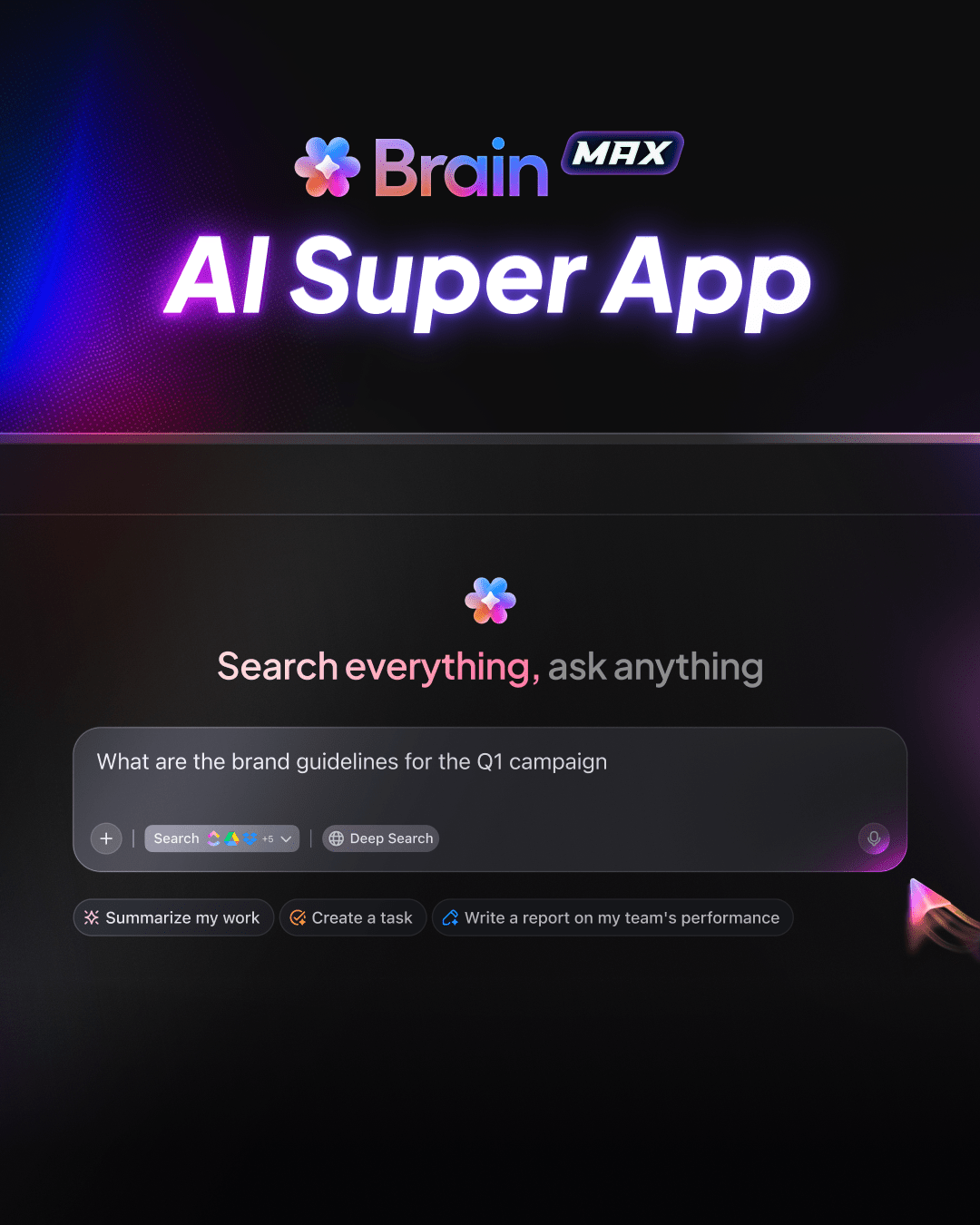
Try ClickUp Brain MAX—the AI Super App that truly understands you, because it knows your work. Ditch the AI tool sprawl, use your voice to get work done, create policy documents, assign tasks to team members, and more.
As said by a G2 reviewer:
It serves as our all-in-one control center. Every campaign, escalation, process improvement, and task lives in one place—connected through custom views, automations, docs, and dashboards. It replaces scattered spreadsheets, endless Slack threads, and siloed tools. I can easily monitor task ownership, SLA performance, and cross-functional workflows without leaving the platform. Simply put, ClickUp gives me full visibility and control across multiple teams and functions.
💡 Pro Tip: Make the most of ClickUp on Slack with these handy shortcuts:
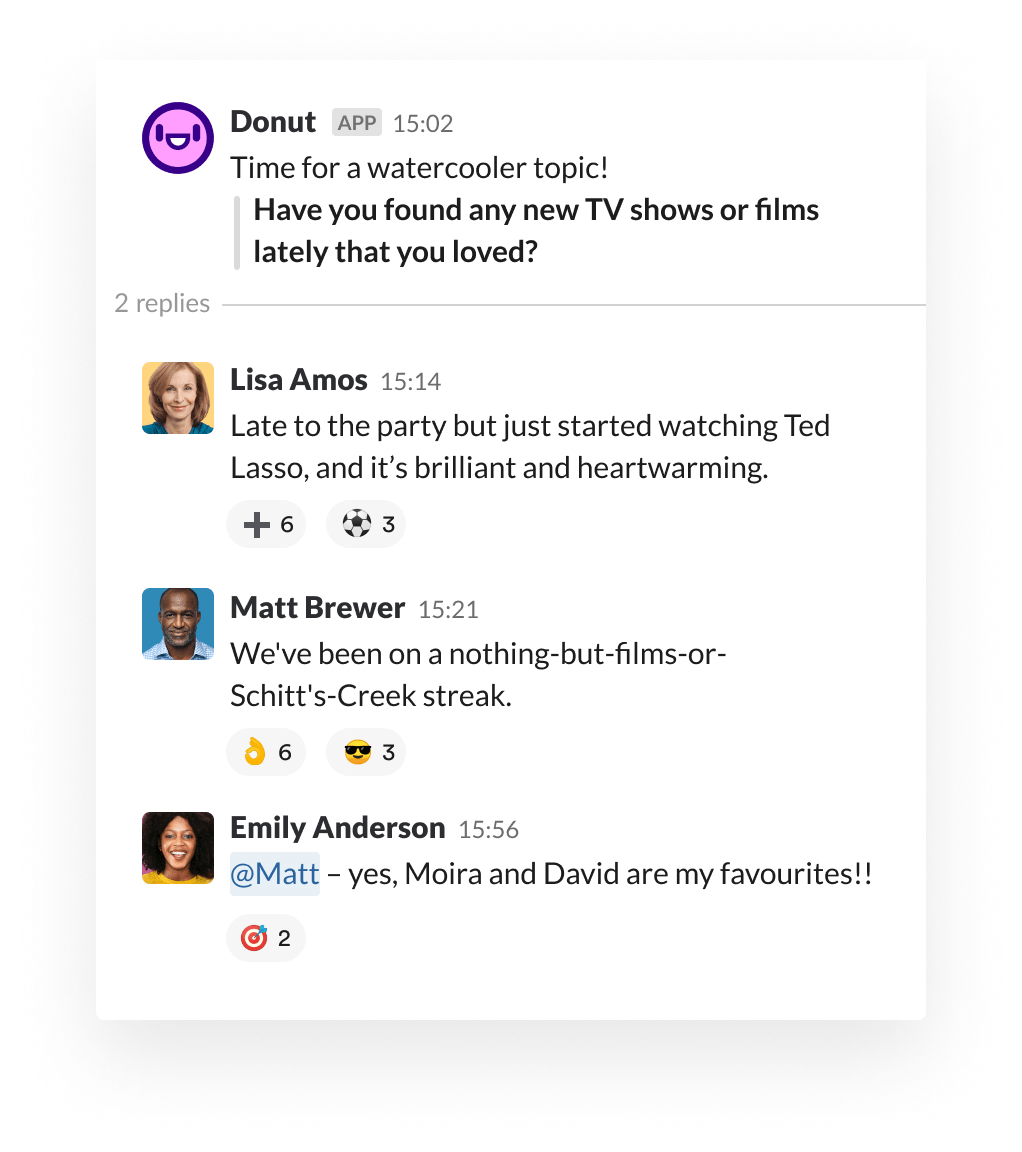
Donut is a lightweight Slack app that sparks real human connection across distributed teams. Be it welcoming new hires or encouraging casual check-ins across departments, Donut helps build a stronger company culture.
Its core strength is automating relationship-building activities like automated intros, peer mentorship programs, and check-ins.
For HR and team leads, Donut doubles as an intelligent onboarding assistant, timing intros, nudges, and checklists based on employee roles and start dates. With everything happening behind the scenes, this messaging app ensures no one feels like a stranger, even in a fully remote setup.
As said by a G2 reviewer:
The app is easy to use as a Slack installation and provides prompts to set up a meeting / interaction with another co-worker. The app also gives you summaries about how many pairs met and who initiated the conversation.
🎉 Fun Fact: Donut’s founders built the app in 2016 after realizing firsthand that “Slack kept coming up as the place where culture happened”, so they made it where team-building actually lived
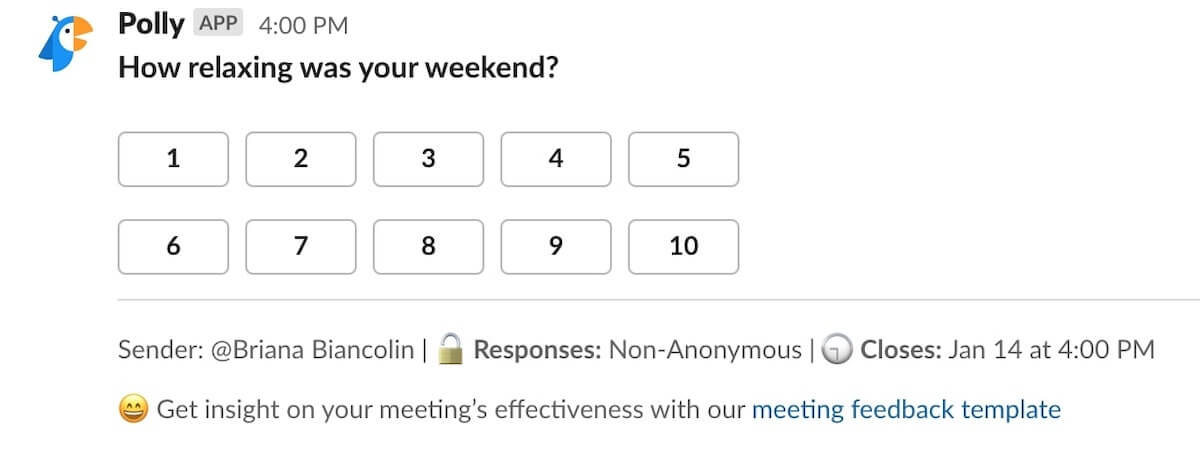
Polly is a handy Slack app for collecting instant feedback without interrupting the team’s workflow. It allows you to run quick pulse checks, post-meeting surveys, or team sentiment polls.
With support for anonymous responses and multiple question formats, Polly encourages open, honest input and helps teams make data-backed decisions.
From onboarding to retrospectives and regular team check-ins, you can turn feedback into a natural part of your workflow. Features such as smart reminders and automation boost survey participation.
As said by a G2 reviewer:
Love that it integrates so seamlessly with Slack. I can create a question bank and share it with certain channels. The options for questions are great, making surveys as complete as possible in order to get the most feedback. Super easy to use and implements so well. I use on a case to case basis but slowly making part of my weekly use.
📮 ClickUp Insight: Our survey found that knowledge workers maintain an average of 6 daily connections at their workplace. This probably entails multiple pings back and forth across emails, Chat, and project management tools.
What if you could converge all these conversations in one place? With ClickUp, you can! It’s the everything app for work that combines projects, knowledge, and chat in one place—all powered by AI that helps you and your team work faster and smarter.
👀 Did You Know? Slack’s name is actually an acronym for “Searchable Log of All Communication and Knowledge,” reflecting its core purpose of archiving team conversations.
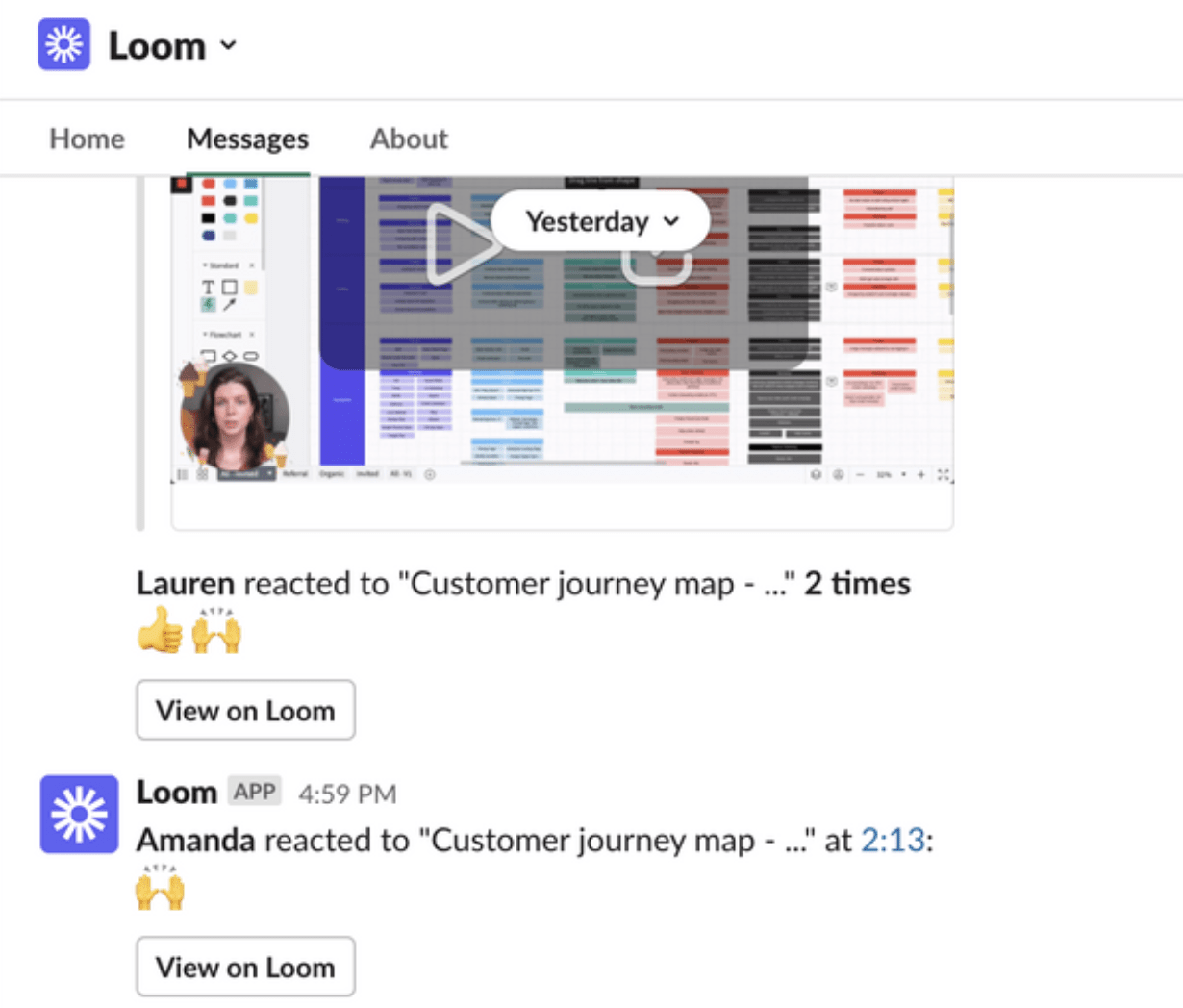
Loom makes it easy for teams to communicate complex ideas visually without the need for live meetings. By letting users instantly record their screen, voice, and camera, it turns static Slack messages into dynamic video explanations.
Here’s how you can simplify business messaging with Loom in your Slack toolkit. Instead of typing long message threads, record a video to convey a message, SOP, or anything else.
And since videos can be viewed at any time, it supports async workflows that suit different time zones and work styles.
As said by a G2 reviewer:
When working in a remote environment it can be time consuming to write emails or slack messages trying to explain a problem you are having. Loom allows me to record a video in just a few seconds explaining my problem, and even showing the problem on the screen. From there, someone can actually record an answer back. Such a time saver!
💡 Pro Tip: Leave a reaction or comment at a specific point in a Loom video (e.g., “1:23”) and share that time-stamped note directly in Slack. This is a helpful hack for feedback clarity!
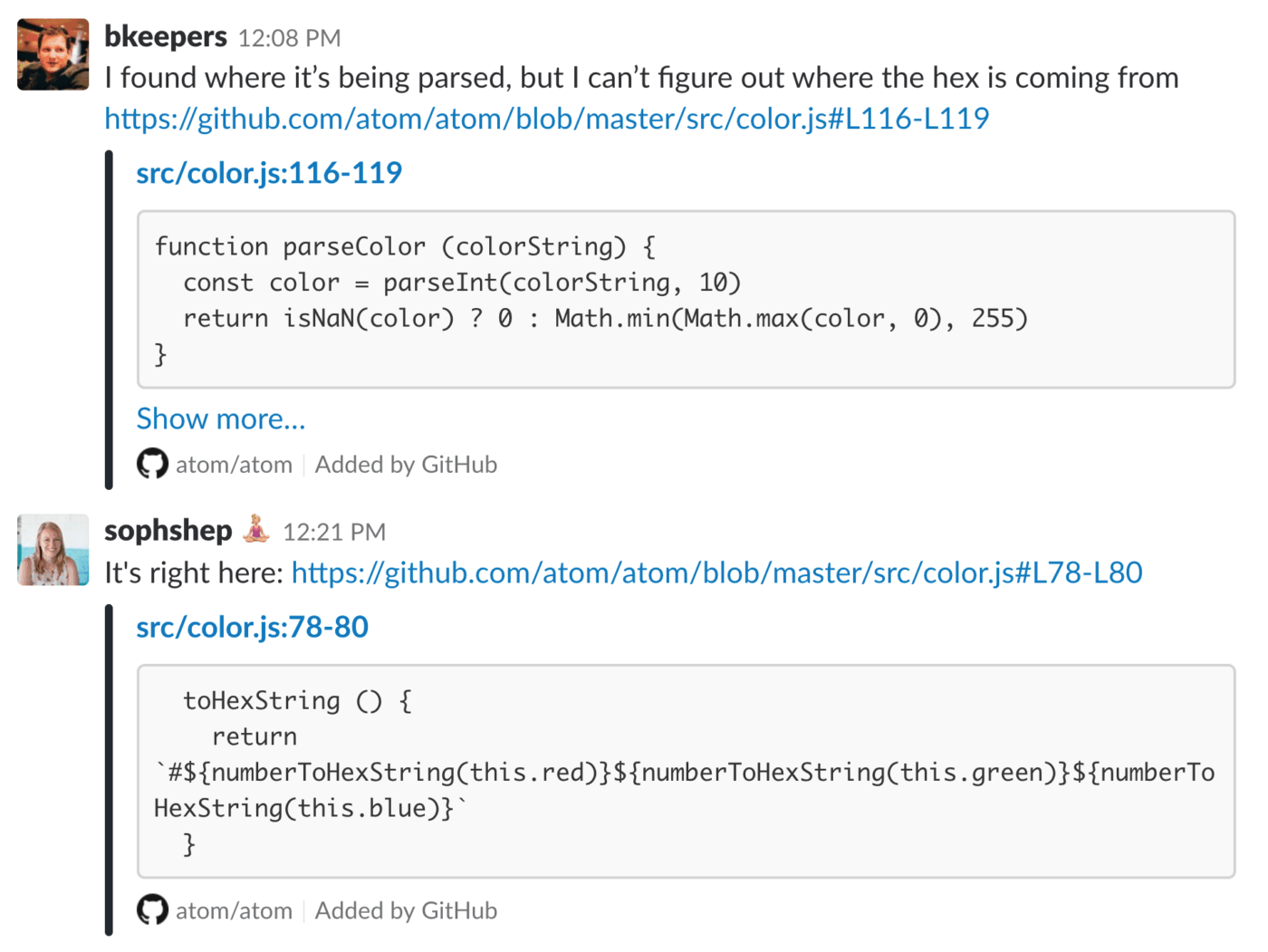
GitHub keeps your development team informed and aligned by bringing code updates, conversations, and actions right into your Slack workspace. With repository subscriptions, you can follow specific GitHub repos and control what events get posted, like only pull requests or issues, so your Slack channels remain focused and noise-free.
When someone shares a GitHub link in Slack, it automatically displays essential information such as status, comments, or diffs. This is a major benefit of GitHub and Slack project management.
The integration also supports rich link previews, multi-repo visibility, and issue linking to receive updates from different projects in one place.
As said by a G2 reviewer:
We have integrated GitHub with Slack, so we get all updates about new Pull Requests on slack
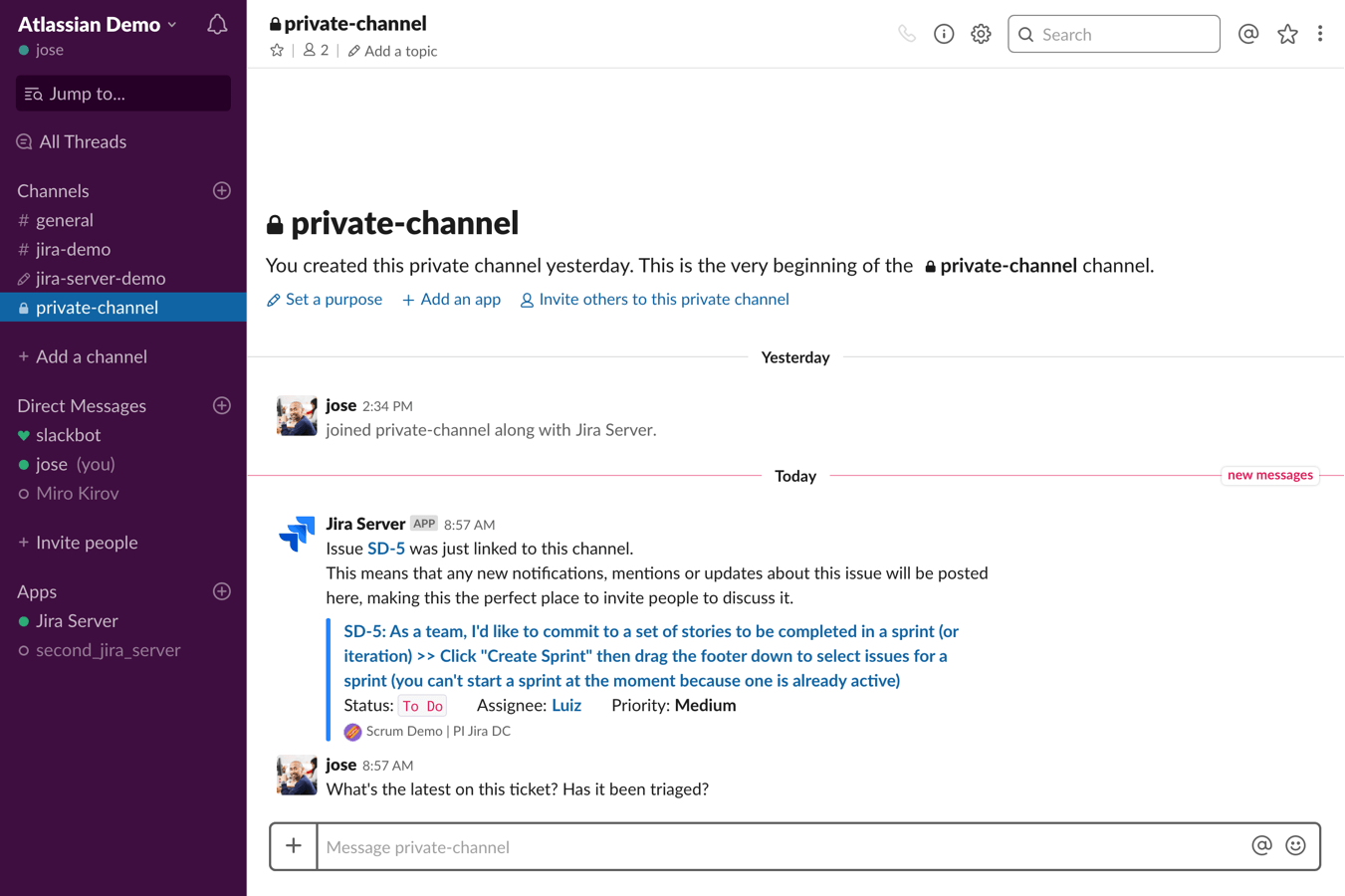
Jira is a team communication app for developers and tech teams. It keeps everyone in sync with real-time issue alerts, project updates, and the ability to create tickets directly in Slack. With customizable alerts and project-level subscriptions, teams receive only the most relevant updates.
Users can also mention Jira issue IDs in Slack and instantly preview issue details like status, assignee, and title.
Also, with built-in Jira templates in Slack’s Workflow Builder, even non-technical teammates can submit issues through simple forms, streamlining requests across the team.
As said by a G2 reviewer:
The Slack Connector for Jira significantly improves workflow efficiency by delivering real-time updates on Jira issues directly into relevant Slack channels. It helps our team stay informed without needing to constantly check Jira.
💡 Pro Tip: Keep Jira Comments Organized in Slack Threads
Instead of sending every Jira update as a separate message in Slack, you can use automation rules to capture Slack thread timestamps (thread_ts) and post subsequent Jira comments directly into the same thread.
For example:
On “Issue Created”, use an automation rule to send a direct message to a Slack webhook and store {{webResponse.body.ts}} in a custom Jira field
On “Comment Added”, have another rule use that timestamp to post the update in the original thread
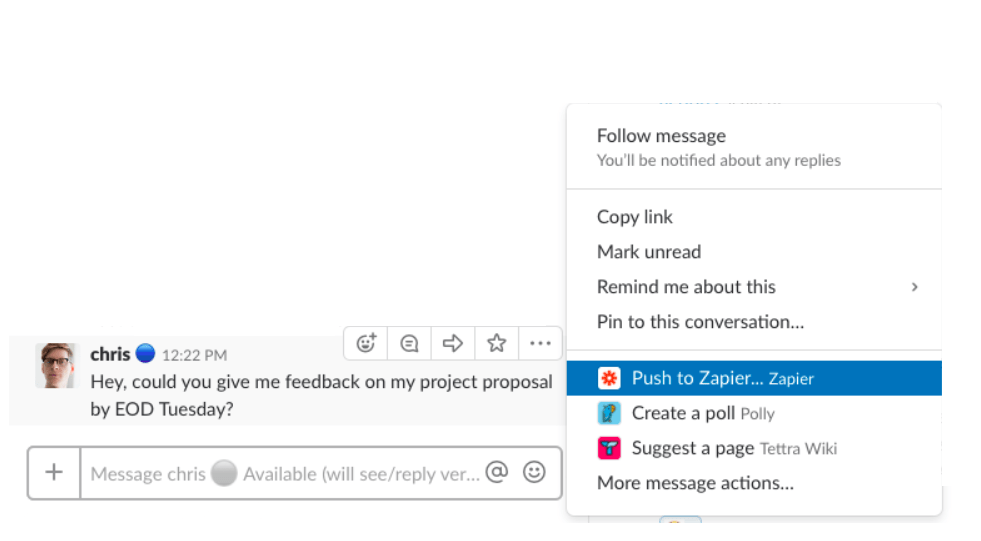
Zapier is an automation app that extends Slack’s functionality by enabling it to communicate with over 5,000 apps, including CRMs, project management tools, databases, and spreadsheets.
For teams using Slack for project management, this integration allows you to automate posting calendar reminders, alerting about new CRM leads, or logging customer form submissions into spreadsheets.
This way, you have Slack as a control center for diverse workflows without writing code.
As said by a G2 reviewer:
I have been able to get more work done in less time utilizing Zapier, I am also able to send slack reminders and emails to staff about their individual campaigns without having to do it manually.
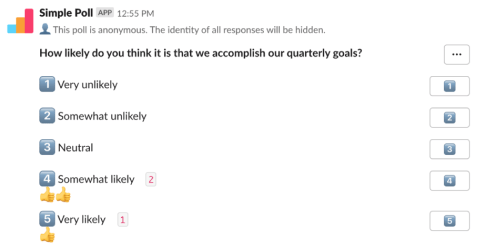
Simple Poll makes team feedback seamless by enabling you to run native polls inside Slack by using the simple /poll command. As colleagues vote, Simple Poll updates the message with the latest totals, giving everyone real-time visibility into the outcome.
Polls run smoothly within your chosen Slack channel or group DM, preserving context and relevance. Optional features like anonymous voting allow for more honest input, especially on sensitive matters, while instant result updates keep everyone in the loop.
As said by a G2 reviewer:
I like how quickly and easily I can create and send a poll to different teams within Slack. Whether it be planning a team event, gather project inputs, or asking who has experience with a certain software – Simple Poll allows me to customize an effective poll or survey to engage my team and gather their inputs
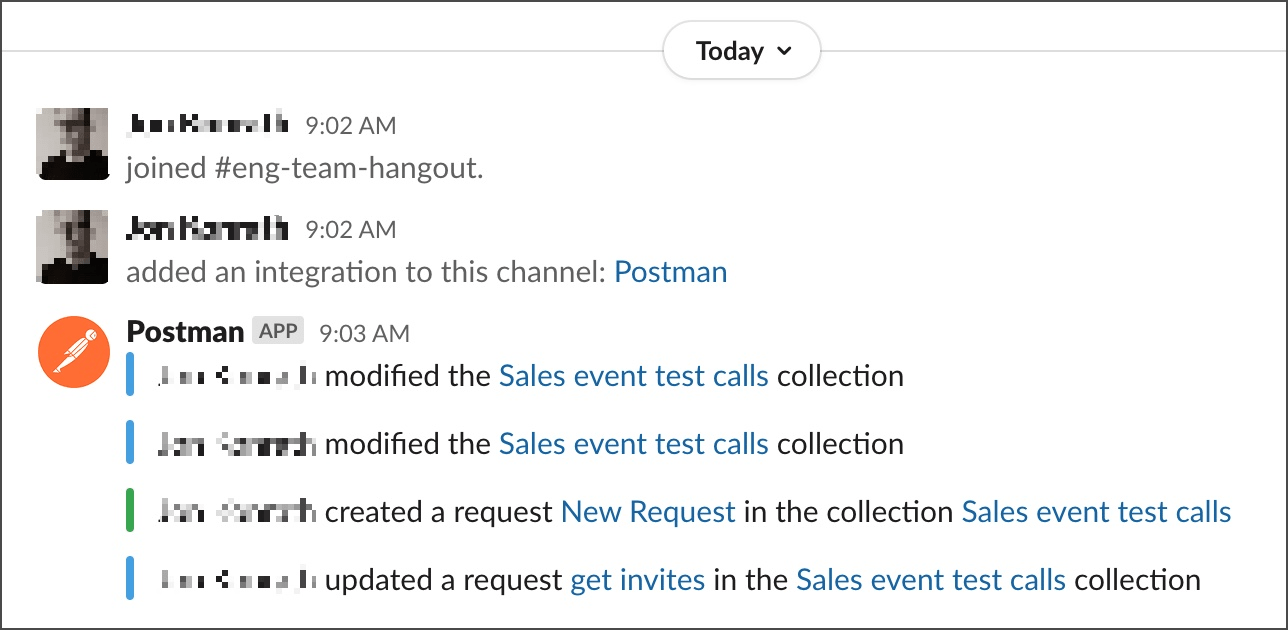
Postman integrates your API workflows with Slack, helping developers, QA, and support teams stay aligned. It also sends real-time alerts whenever an API monitor fails or performance dips so your team can take immediate action.
With native Slack unfurls, teammates can share requests or collections and instantly preview endpoints and descriptions, removing the need to dig through documentation. You can also run Postman collections straight from Slack using Newman or slash commands, perfect for on-demand testing or CI-triggered workflows.
As said by a G2 reviewer:
The interface is very intuitive and powerful at the same time (usually a difficult task). The Monitoring tool is very handy, and in addition to the slack connection you don’t miss anything
🎉 Fun Fact: Postman’s “Echo” service lets you send any request and get the same data returned instantly. It’s basically a REST echo-booth for debugging!
📚 Read More: How to Schedule Messages on Slack
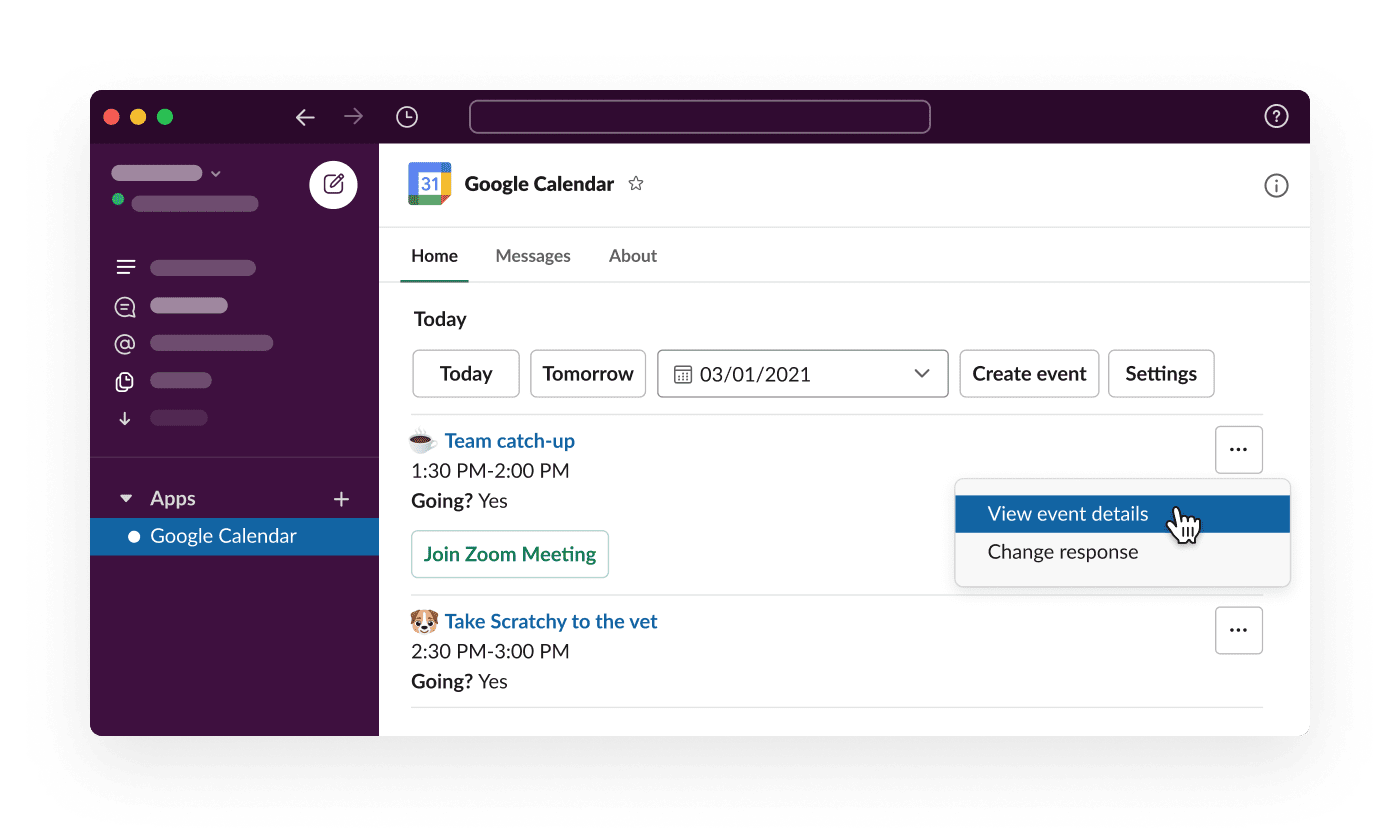
Google Calendar’s Slack integration simplifies daily scheduling. Instead of flipping between tabs, your entire day’s agenda is sent straight to your Slack DMs every morning, so you know what’s ahead before the coffee even kicks in.
Beyond reminders, it automatically updates your Slack status based on your calendar. When it’s time to hop on a call, just click “Join” right from Slack. You can even invite whole channels to events in one go.
As said by a G2 reviewer:
Slack-Google Calendar integration can automatically notify the team if a member is in a meeting, thus optimizing time management and coordination. It also has features like “save for later,” ideal for those who need to revisit a message or file later
📚 Read More: Slack Pros and Cons
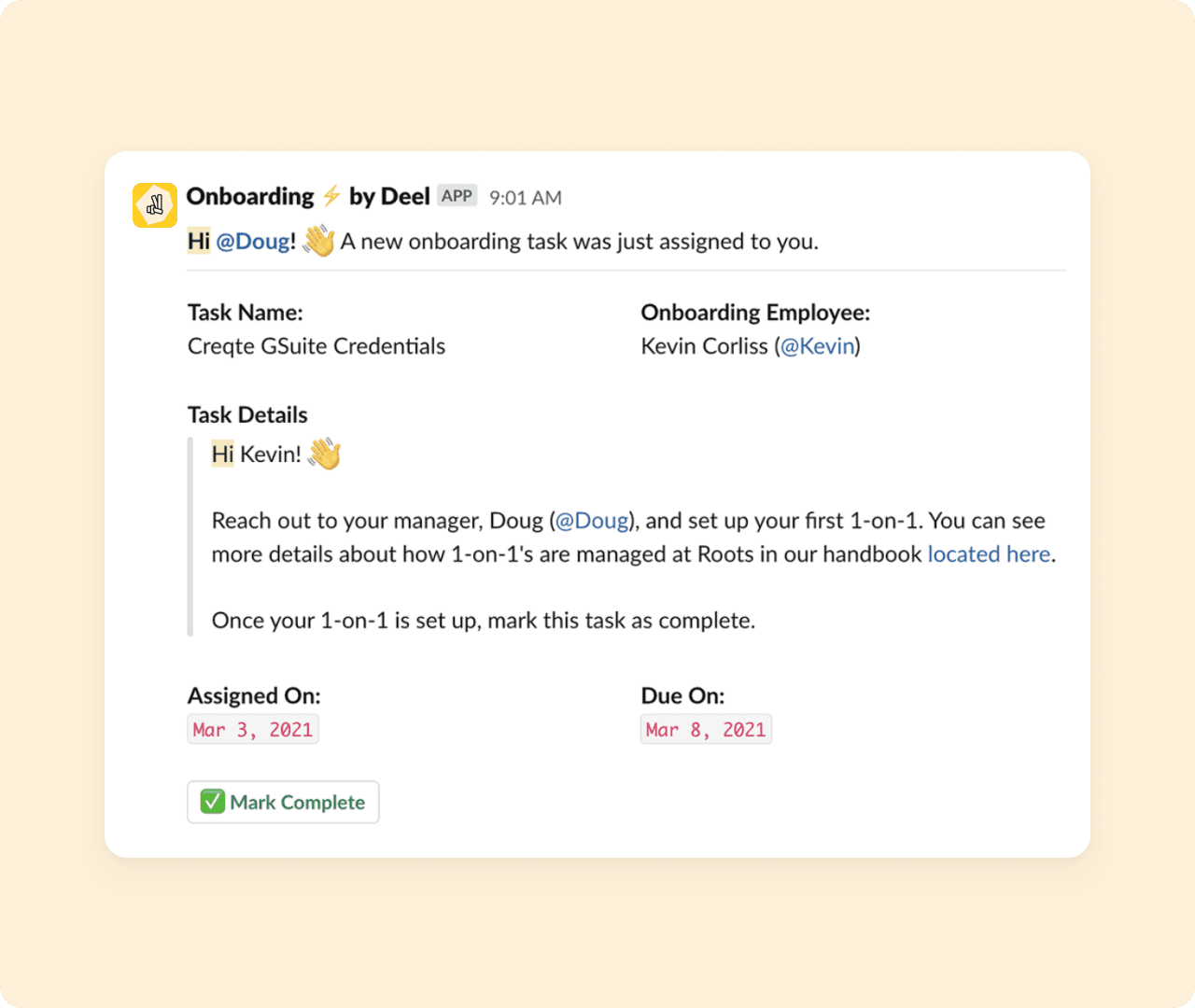
Deel takes the stress out of managing a global team by bringing key HR workflows (onboarding, communication, and team management) straight into Slack. From day one, new hires get automated welcome messages, onboarding checklists, and updates right where the team already communicates.
Managers can instantly access team hierarchies via the org Chart or boost morale with Slack-integrated kudos.
Deel also allows HR to trigger Slack updates based on actions within their platform, such as contract changes or local policy reminders.
As said by a G2 reviewer:
We absolutely love the Deel Assemble product because it has given me full confidence that our compensation structure is both competitive and equitable. Also, it’s daily, around-the-clock support via Slack is commendable.
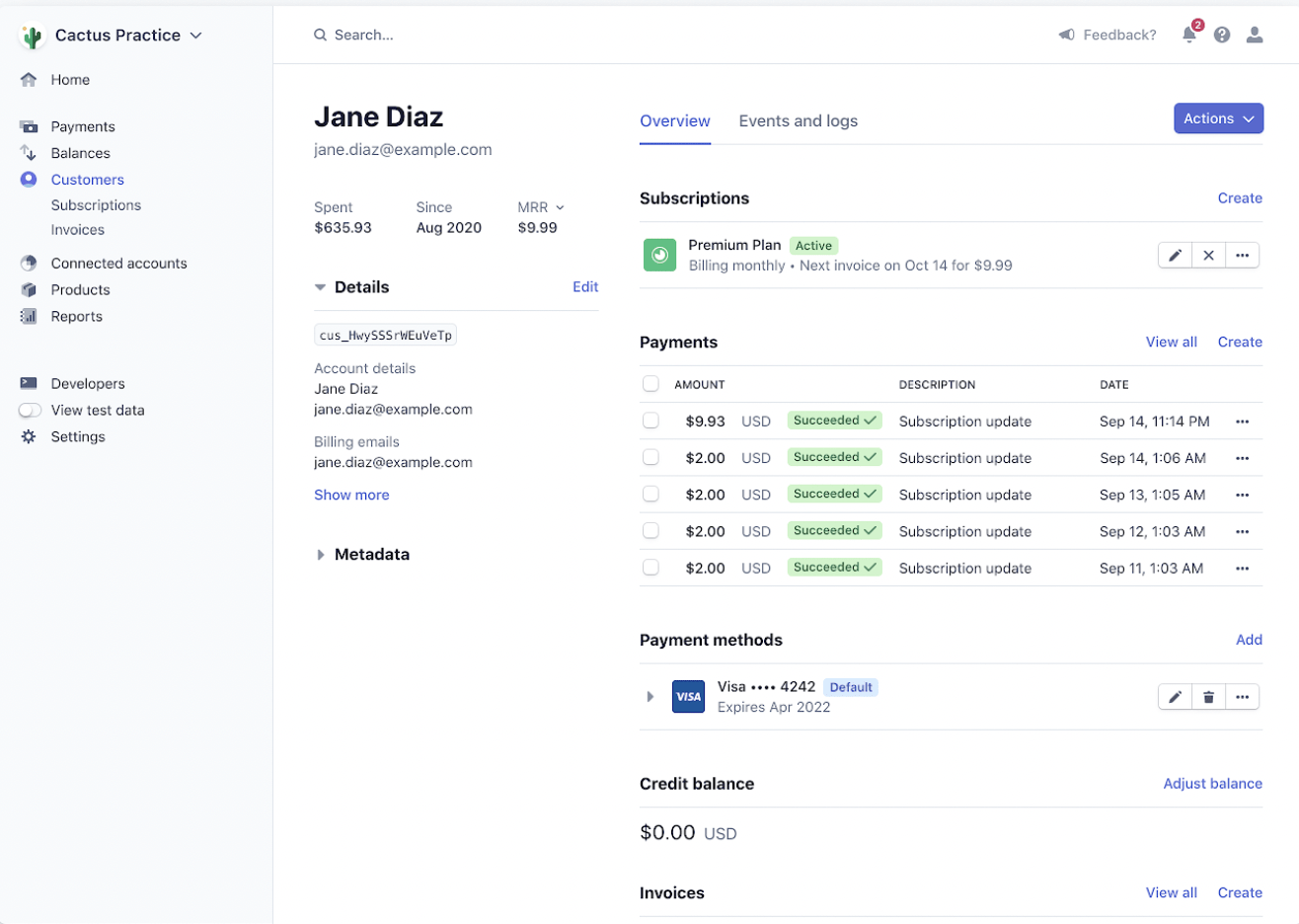
Stripe’s Slack integration ensures your team never misses critical payment-related updates. Be it a new subscription, a failed charge, or a refund processed, real-time notifications in Slack ensure that the right people are alerted without delay.
To facilitate daily planning, Stripe can also send a morning snapshot of key revenue metrics, such as total sales, new subscriptions, and refunds.
As said by a G2 reviewer:
I’ve been using Stripe Payments for a while now, and what really stands out is the simplicity. The setup was quick, the interface is clean and intuitive, and everything just works. I can track payments, issue refunds, and manage everything from one central dashboard without needing to dig through layers of menus or support articles
⚡ Template Archive: Free Project Communication Plan Templates
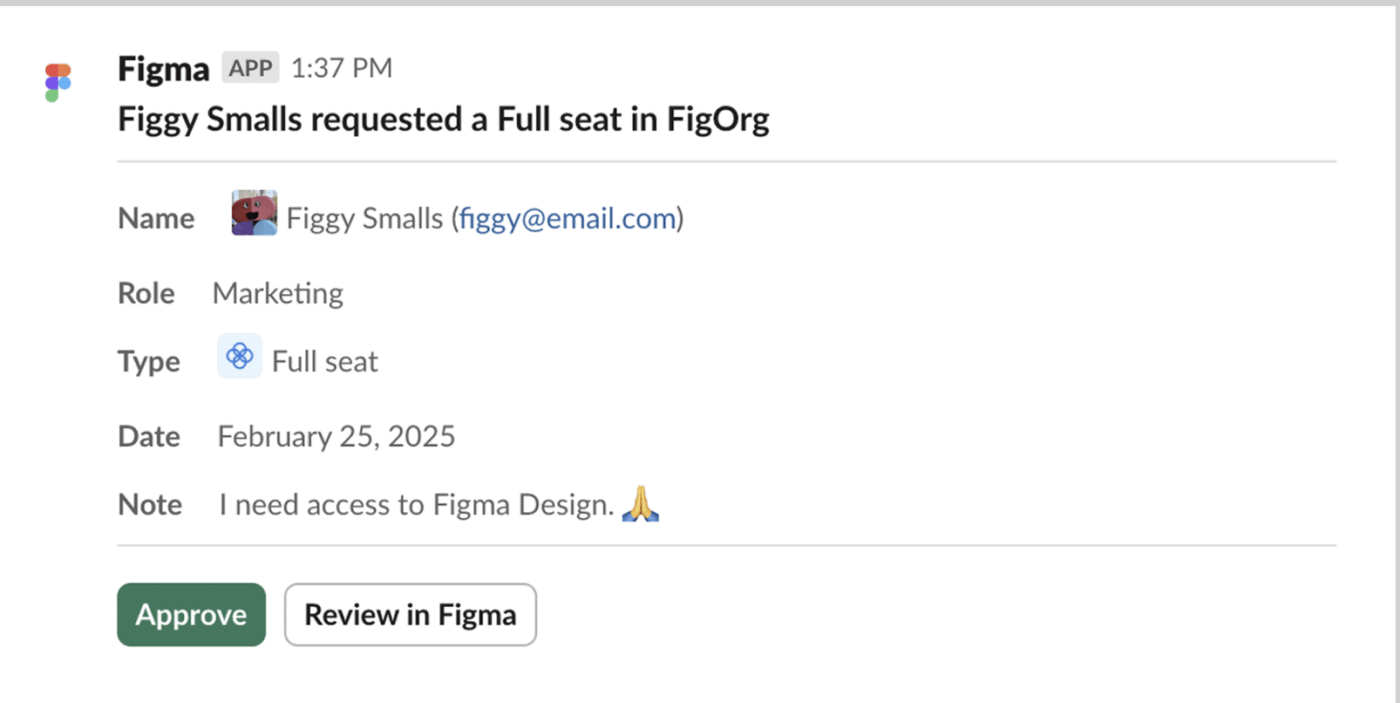
Figma brings design collaboration into your daily workflows by automatically pushing updates to the channels that matter most. Your design team can subscribe to Slack channels for specific files or projects, making it easier to manage projects and stay aligned.
Beyond updates, Slack’s search feature makes it easier to find past conversations related to Figma files, whether it’s earlier feedback or a design decision thread.
If your team is using Figma plugins (like design-to-code or spec generators), they can directly send outputs to Slack for developers to pick up for coding.
As said by a G2 reviewer:
Figma helps us a lot to work on UI design, live prototypes and to organize the UX research process. Integration with Slack does a nice job to be in touch with all comments and suggestions from the design team
👀 Did You Know? Figma originally aimed to be a photo-editing tool, and the design filters you use today are a callback to those beginnings.
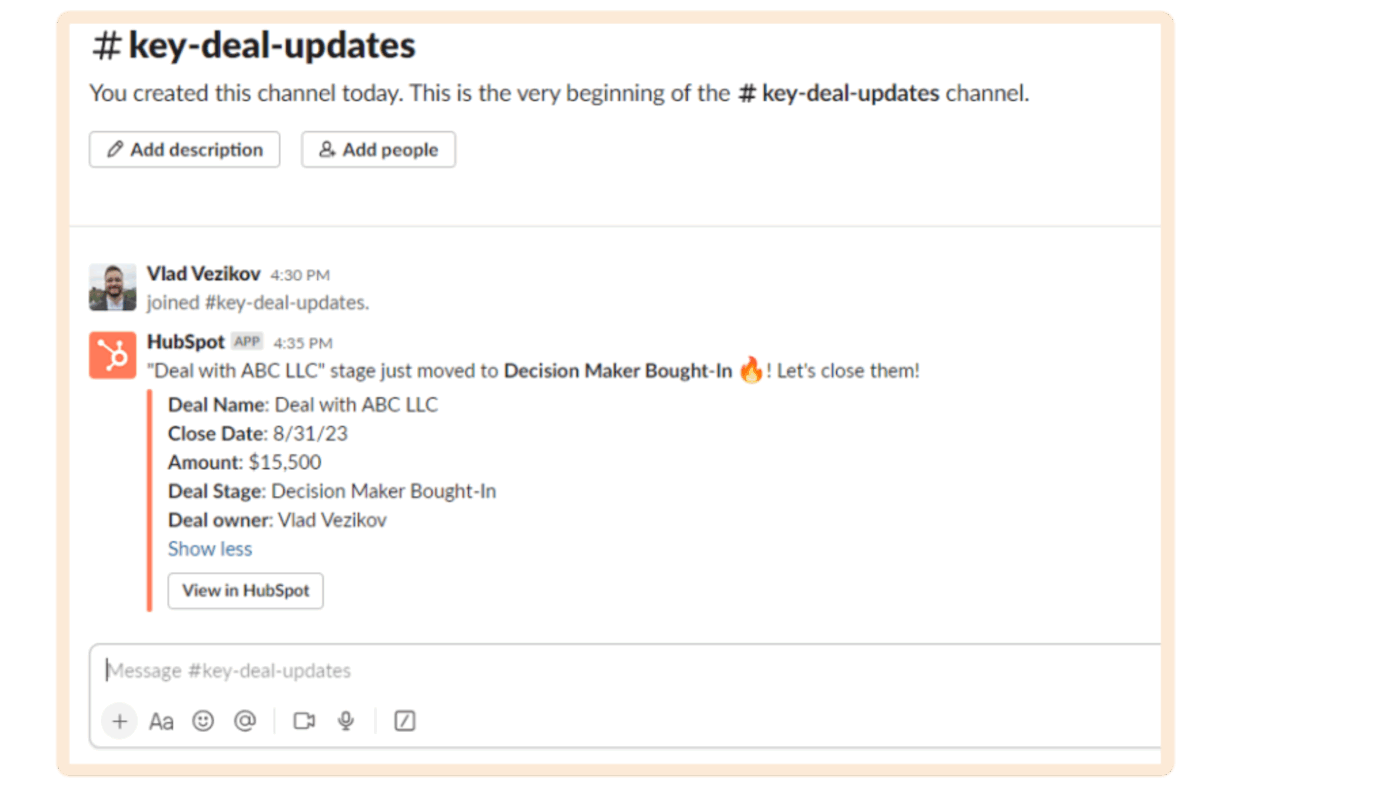
The HubSpot-Slack integration is built to keep sales and marketing teams in sync by delivering real-time CRM updates right where collaboration happens. Teams get real-time visibility into deal progress, lead activity, and customer updates.
The integration blends automated nudges with human collaboration. HubSpot bots can prompt reps to update deals that need further steps, while pre-configured workflow triggers can celebrate wins or escalate issues without manual effort.
It also supports teams via ticket updates, and lets sales managers instantly pull up contact or deal info mid-conversation using simple Slack commands.
As said by a Reddit reviewer:
It’s really simple to configure and I’ve never run into any problems using it. I think the only time you’re going to run into a problem is if you’re trying to build something more complex.
📚 Read More: What are The Pros and Cons of Slack at Work
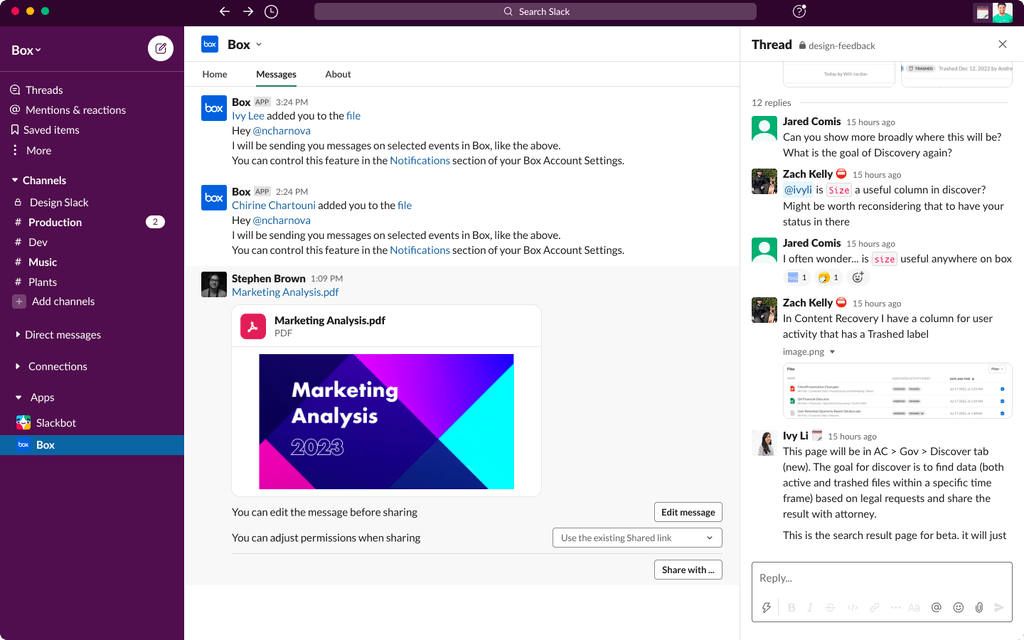
Box simplifies file management and sharing for Slack-first teams by bringing rich previews, quick access, and traceable activity into the chat interface.
Drop a Box link in any channel or DM, and Slack shows a live preview so teammates know exactly what they’re opening (think the first page of a doc or a thumbnail of an image). If someone shares a file in Slack, Box can save it securely.
Plus, you can track where and how your files are being shared with Box’s built-in activity log.
As said by a G2 reviewer:
It can easily be integrated with other software like slack, making collaboration faster and seamless. Users can interact and collaborate on documents in real time. Has a user friendly interface
🎉 Fun Fact: Aaron Levie, founder of Box, cold-emailed Mark Cuban via his blog’s contact email, even before pitching Box publicly. Despite never meeting in person, Cuban was so intrigued that he ended up investing in Box as an angel investor. Their first meeting happened courtside at a Dallas Mavericks game. It’s proof that bold outreach (and a bit of serendipity) can pay off big!
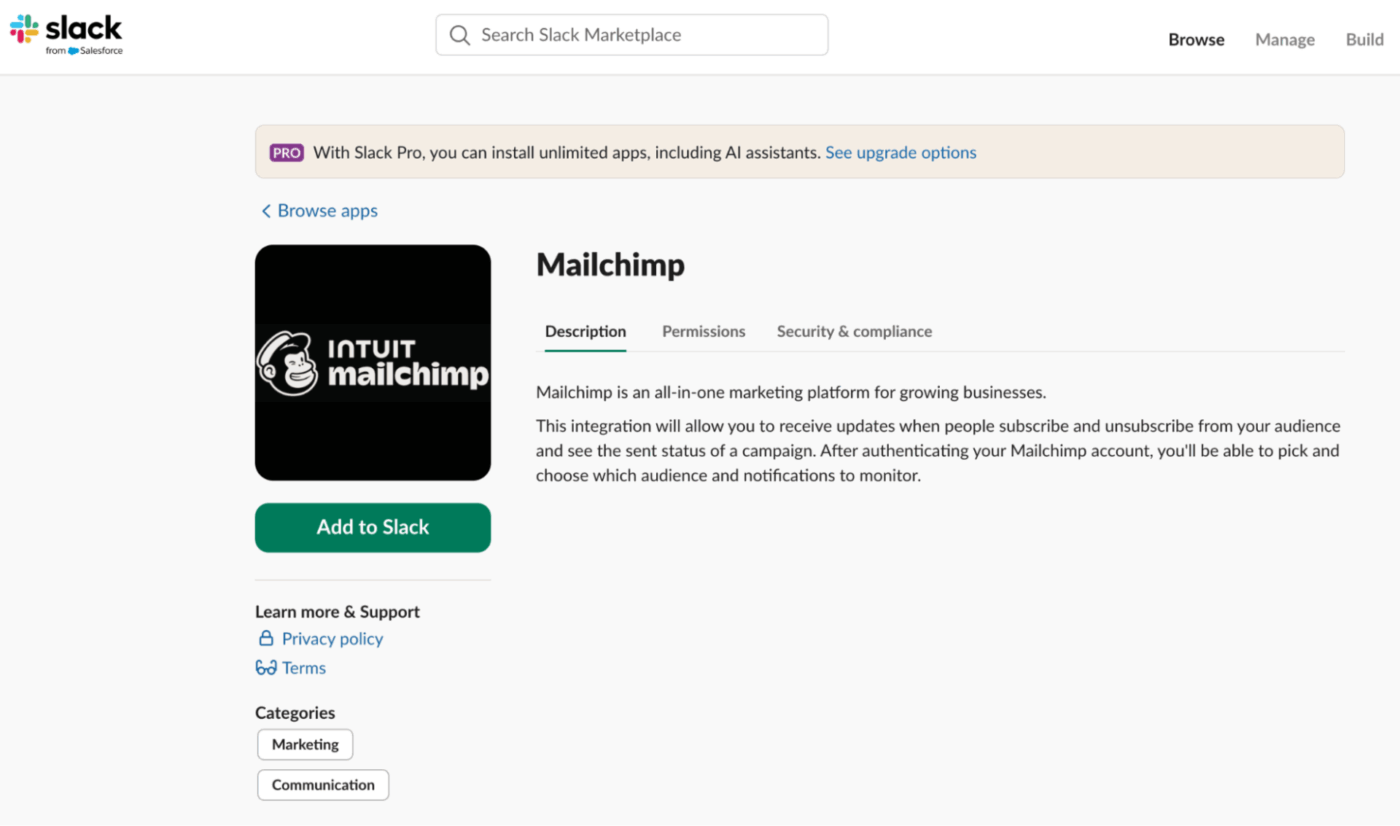
Mailchimp is an email marketing Slack app to keep your team updated on campaign activity. You’ll get instant visibility when an email campaign goes out, when someone completes a drip sequence, or even when there’s customer feedback from a Mailchimp email.
If you’re collecting survey replies or responses, those can be pushed into Slack, too. It also makes tracking audience behaviour easy. You can monitor subscriber list activity or quickly pull up contact details using simple Slack commands.
And when automations trigger, like sending a welcome email or initiating a cart recovery sequence, Slack delivers real-time alerts so you can track leads moving through your funnel and celebrate wins immediately.
As said by a G2 reviewer:
For me, Mailchimp is more than just a Gmail campaign manager. It’s a powerful tool for connecting with your consumers while segmenting and using hyper-personalized communications. You can also create landing pages and SMS communications. All of this makes it a super powerful tool.
📚 Read More: Best Slack Competitors
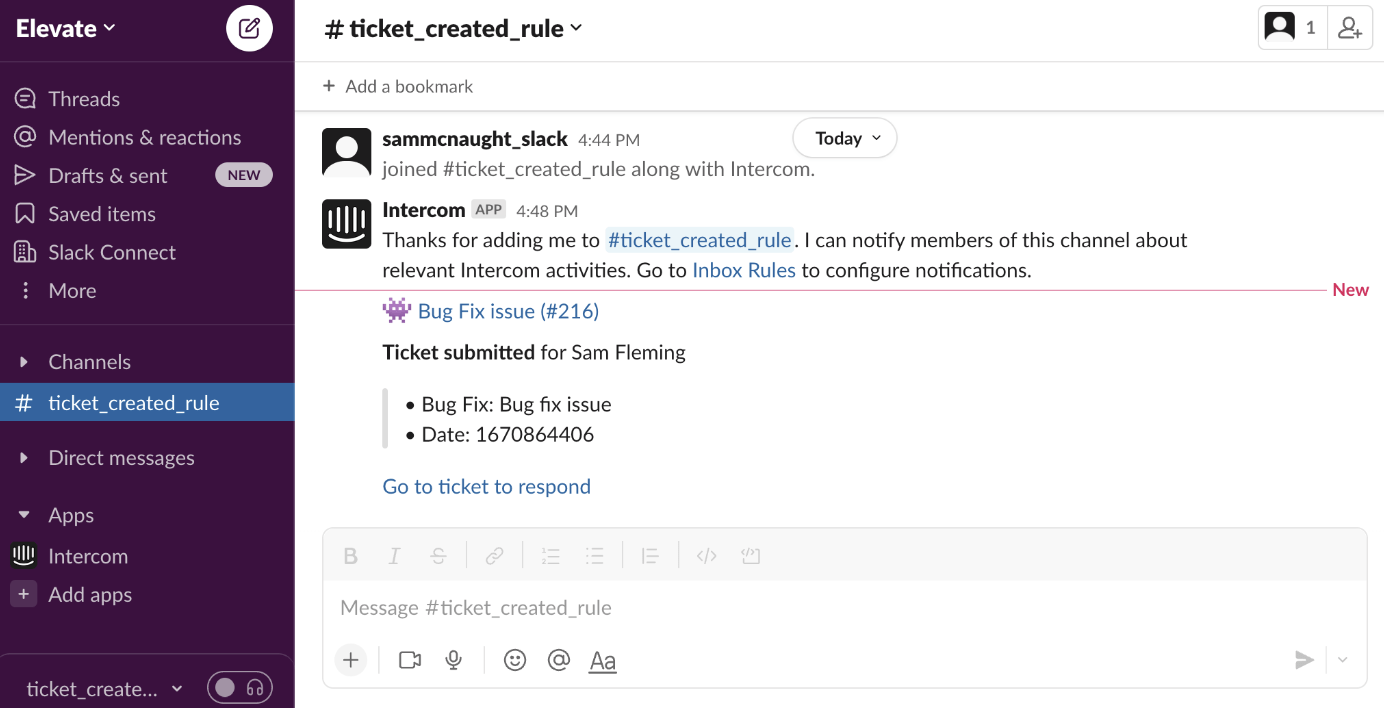
If your support or sales team uses Slack, Intercom’s integration streamlines your workflow. You’ll receive real-time alerts the moment a new lead or customer message arrives, so you can jump into the conversation immediately.
In some setups, agents can even reply to customers directly from Slack. With this integration, there’s another benefit. If a teammate tags you in an Intercom note or conversation, you’ll get a Slack DM with the full context and a link to respond.
And once a support ticket is resolved, Slack can automatically share a closure summary, providing everyone with visibility into issue types and team performance.
As said by a G2 reviewer:
Intercom is fantastic for both a lead generation tool and customer support tool. The journeys created unique on every page mean we can customize the messaging in chat pop ups on our website as well as new intercom messages come through to our designated Slack channel so we never miss a message. It’s also super beneficial on the support side – we’re always just a chat away.
📚 Read More: Slack Problems Worth Noting
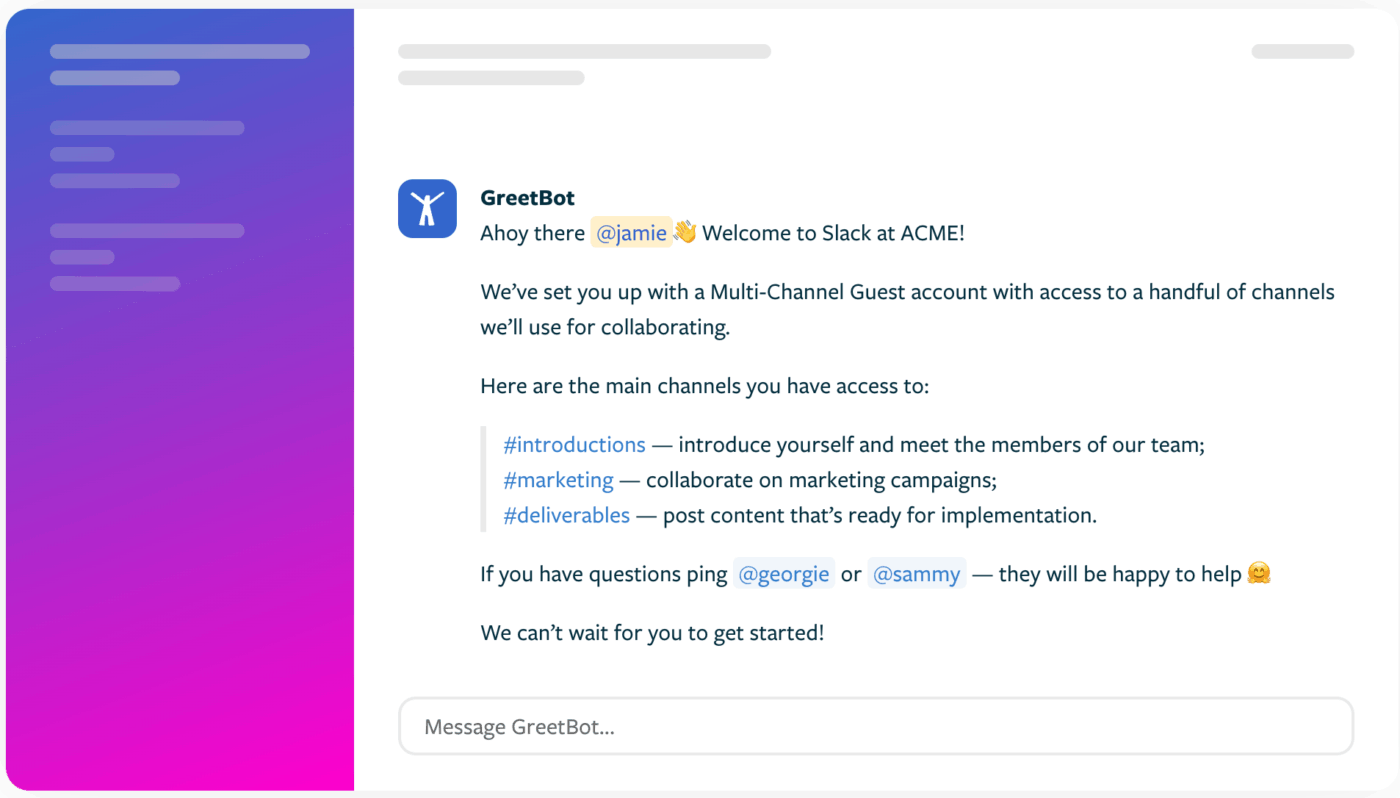
When someone new joins your Slack workspace or a specific channel, GreetBot becomes your virtual office greeter. You can customize the message to include onboarding links, documents, or even friendly prompts to break the ice.
You can also use GreetBot to drip-feed important onboarding information. For example, on Day 1, it can send a checklist, on Day 3 a feedback survey, and on Day 5 a Slack tips guide, all on autopilot.
Plus, teams use it for internal FAQs, nudging new folks to set up their profiles, and even birthday or work anniversary shoutouts.
As said by a Product Hunt reviewer:
I run a group of 1400+ womxn in tech and Greetbot has helped us dramatically welcome new members and provide information on our group with ease. Also love when new features are added, I get a ping from GreetBot with the new additions. Thanks so much, this is a great product.

If your team regularly holds meetings on Zoom, Teams, or Slack, Otter.ai can be your go-to transcription tool. It transcribes meetings in real time and can automatically post transcripts or summaries to a Slack channel once the meeting wraps up.
You can also get smart with Otter’s keyword alerts. Set it to listen for terms like “budget,” “timeline,” and “snippet.” Whenever those terms come up, Otter drops a Slack message with a snippet and a direct link to that part of the meeting.
And if you’re ever looking for that one line someone said weeks ago, you can simply run /otter search “Q3 roadmap” in Slack and find the exact timestamp in seconds.
As said by a G2 reviewer:
Otter is easy to implement, sign up is quick and it starts working right away. I use it for every meeting I have unless requested by participants and I can send the summaries automatically to different Slack channels based on who was in the meeting, etc. Integrating with Slack was also quite simple to do which is always great.
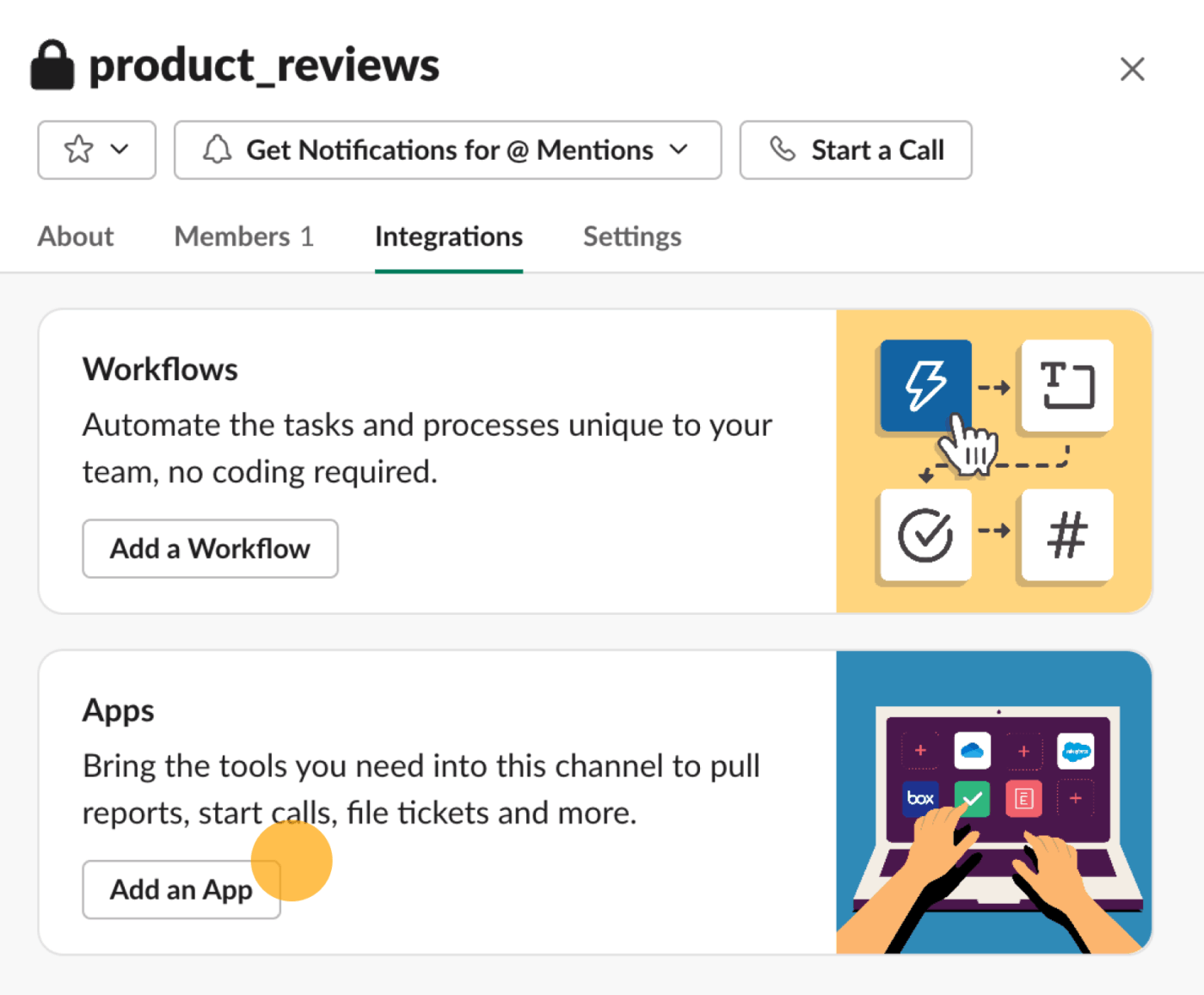
Typeform’s integration with Slack makes it effortless to keep your team in the loop every time someone submits a form or survey. You can customize what appears in Slack, like usernames, issue descriptions, or categories.
If you run an internal poll or survey via Typeform (like a team feedback questionnaire), you can choose to summarize results periodically or post each response anonymously in a shared channel.
For marketing and sales teams, new leads or demo requests are pushed directly into Slack so reps can act quickly. Every notification also includes a direct link to the full Typeform entry or editing view, in case the message is truncated or the team member needs to dive deeper or add notes in Typeform.
As said by a G2 reviewer:
Helped us to gather information needed to perform our job to the best of our ability. Easy for clients to use and links to slack to push information to us. We use it everyday both internally and externally. Really easy to use and customer support always there if needed.
Slack becomes your team’s real-time command center when you plug-in apps from the Slack app directory. From Polly helping you run quick polls to Zapier automating repetitive stuff and Otter.ai transcribing your meetings, each app offers productivity and other benefits.
Still, many teams face common Slack problems, like scattered updates, missed messages, or tool-switching fatigue.
That’s where ClickUp shines. It doesn’t just plug into Slack. It brings your tasks, docs, reminders, and updates into one place to keep everything organized and actionable. Instead of switching tabs or chasing updates, you can manage work right where conversations happen.
If you want to turn all that real-time chatter into real progress, ClickUp is the smarter way to go. Sign up for ClickUp today!

© 2026 ClickUp

There’s an easier way. Try a free AI Agent in ClickUp that actually does the work for you—set up in minutes, save hours every week.