







Still downloading templates?
There’s an easier way. Try a free AI Agent in ClickUp that actually does the work for you—set up in minutes, save hours every week.
Sorry, there were no results found for “”
Sorry, there were no results found for “”
Sorry, there were no results found for “”
52% of businesses said they don’t have a specific QA process for experiments before launch.
You can feel that in how hypotheses are treated day to day. Someone spots an idea, spins up a test, and the team only realizes the gaps once it’s live.
By the time those questions get answered, you’ve already spent traffic, time, and trust. It doesn’t help that only half of experimentation teams keep a centralized knowledge base for test plans and learnings.
With hypothesis tracking templates, you start with a structure that forces clarity up front and makes outcomes easy to reuse.
In this blog post, we’ll share nine hypothesis tracking templates you can copy and use right away, plus tips for choosing the right format for how your team experiments.
Here’s a quick overview of the hypothesis tracking templates covered in this guide and the type of experiment workflow each one supports:
| Template | Download Link | Ideal For | Key Features |
|---|---|---|---|
| Experiment Plan and Results Template by ClickUp | Get free template | Tracking hypotheses from plan to outcome | Hypothesis sections, experiment setup, results logging |
| Growth Experiments Whiteboard Template by ClickUp | Get free template | Managing high-volume experiment pipelines | Growth stage mapping, visual ideation, idea-to-task conversion |
| Innovation Idea Management Template by ClickUp | Get free template | Turning ideas into testable hypotheses | Idea intake forms, scoring criteria, review workflows |
| User Studies Template by ClickUp | Get free template | Validating hypotheses through user feedback | Participant tracking, session notes, qualitative insights |
| User Research Plan Template by ClickUp | Get free template | Planning structured hypothesis-led research | Hypothesis definition, study design, approval workflows |
| Test Management Template by ClickUp | Get free template | Running structured hypothesis validation tests | Test case tracking, execution stages, pass/fail logging |
| Brainstorming Template by ClickUp | Get free template | Shaping early ideas into hypotheses | Idea grouping, collaboration tools, prioritization voting |
| A/B Test Tracking Template by HubSpot | Download template | Running controlled A/B experiments | Hypothesis logging, control vs. variant tracking, significance thresholds |
| Multiple Project Tracking Template by Project Manager | Download template | Tracking experiments across teams and projects | Portfolio tracking, dependencies, timelines and cost visibility |
A hypothesis tracking template is a structured format for documenting assumptions, experiments, outcomes, and next steps so teams can test ideas and learn from the results.
Every solid hypothesis tracking template includes these core components:
It helps answer four simple questions:
📌 For example, a team might believe that changing a homepage headline will increase signups. Instead of guessing, they log the idea in a hypothesis tracking template, define the test, measure the results, and record whether the idea was right or wrong.
👀 Did You Know? Bing’s best-known experimentation story was not a giant redesign. It was a change in how ad headlines were displayed. The test produced a 12% revenue increase, which HBR said translated to more than $100 million annually in the U.S. alone.
Product, engineering, and marketing teams often run parallel experiments without informing one another. This lack of visibility causes duplicate work, conflicting tests, and massive data silos. When you track a hypothesis in one tool but execute the work in another, you waste hours just trying to reconcile the information.
Here’s why hypothesis tracking is essential:
💡 Pro Tip: Before logging a new hypothesis, run a quick search in ClickUp. Its Enterprise AI Search scans across ClickUp tasks, Docs, and connected apps (Google Drive, GitHub, etc.) so you can instantly find whether a similar experiment was already run, what the outcome was, and who owned it. It’s the fastest way to answer “have we tried this before?” without digging through old lists.

Forcing every type of experiment into the exact same generic document creates messy, unhelpful data. Rather, use these purpose-built templates:
A hypothesis is only useful if your team can follow it from idea to evidence. But that usually breaks down in one of two places. Either the test is run without a clear written plan, or the result gets buried in scattered notes after the experiment is over.
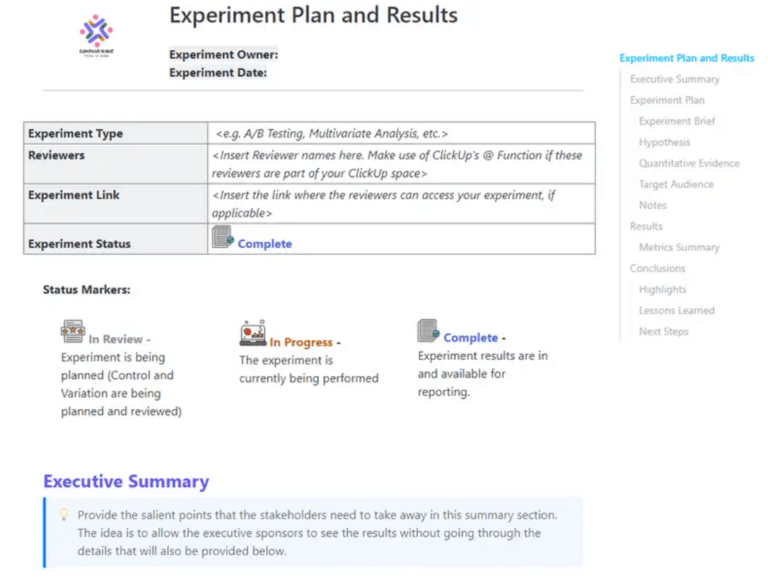
The Experiment Plan and Results Template by ClickUp keeps both parts together in one ClickUp Doc. You can define the hypothesis, document the experiment setup, track progress through each stage, and record the outcome in the same place.
✅ Ideal for: Growth teams, product managers, and marketing teams running structured tests and tracking what each hypothesis actually proved.
🧠 Fun Fact: Google’s first famous A/B test was almost comically small. In 2000, it tested how many search results to display per page. One of the biggest product disciplines in tech started with, essentially, “Should we show 10 blue links or something else?”
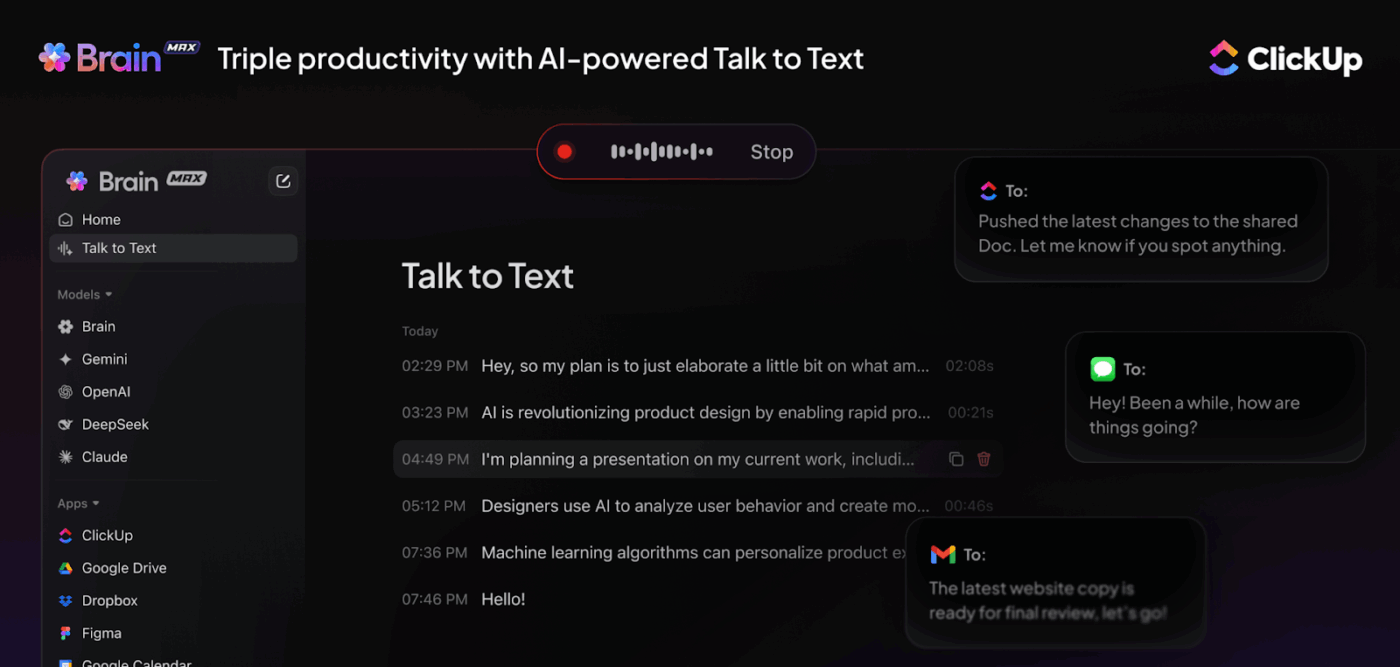
💡 Pro Tip: Don’t type your hypothesis from scratch. Open ClickUp Brain MAX and use Talk to Text to dictate your raw thinking. Brain MAX transcribes, cleans up your phrasing, and you can immediately ask it to reformat your spoken notes into a structured if/then hypothesis statement. It works in any text field across your desktop, so you can capture experiment ideas the moment they hit you, even mid-meeting.
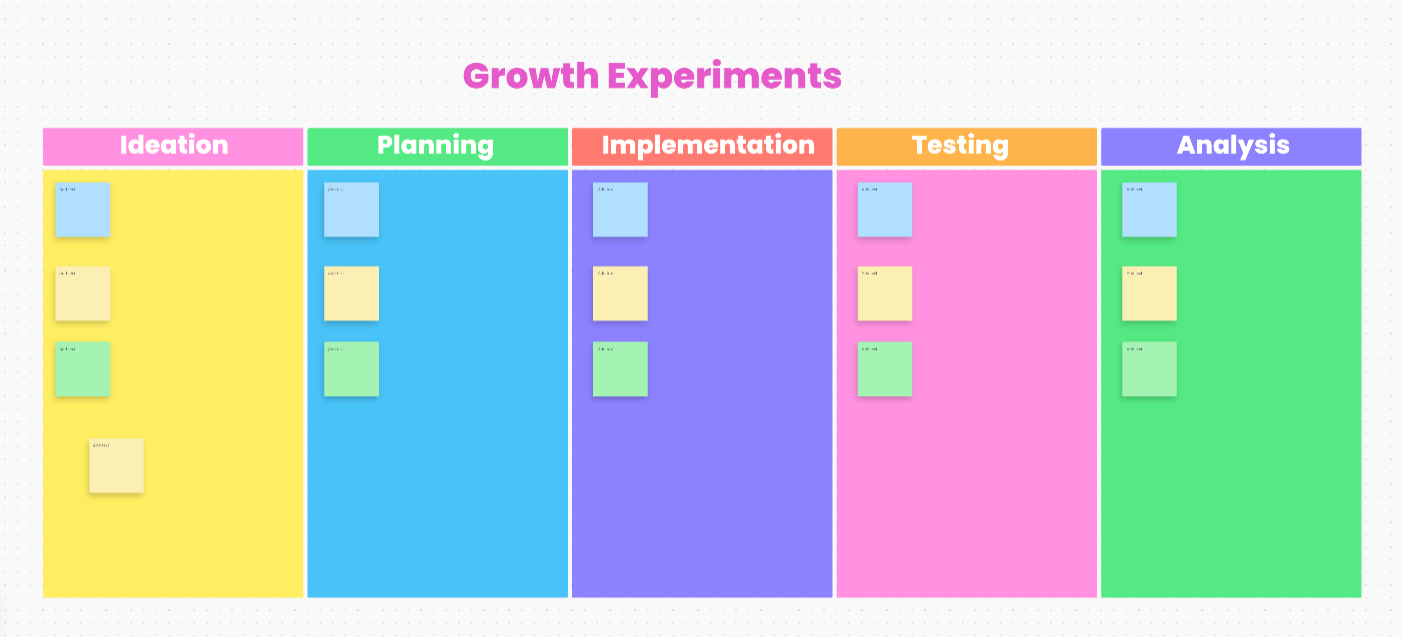
Growth and marketing teams generate dozens of ideas per sprint that easily get lost in text-heavy docs. Growth Experiments Whiteboard Template by ClickUp lets you map out high-volume experiment ideas by specific growth levers before formalizing them.
Built on ClickUp Whiteboards, it helps teams move ideas through stages like ideation, planning, implementation, testing, and analysis. That helps see where each hypothesis sits and which ones are ready to move forward.
✅ Ideal for: Growth marketers and product growth teams managing high-volume experiment pipelines across acquisition, conversion, and retention.
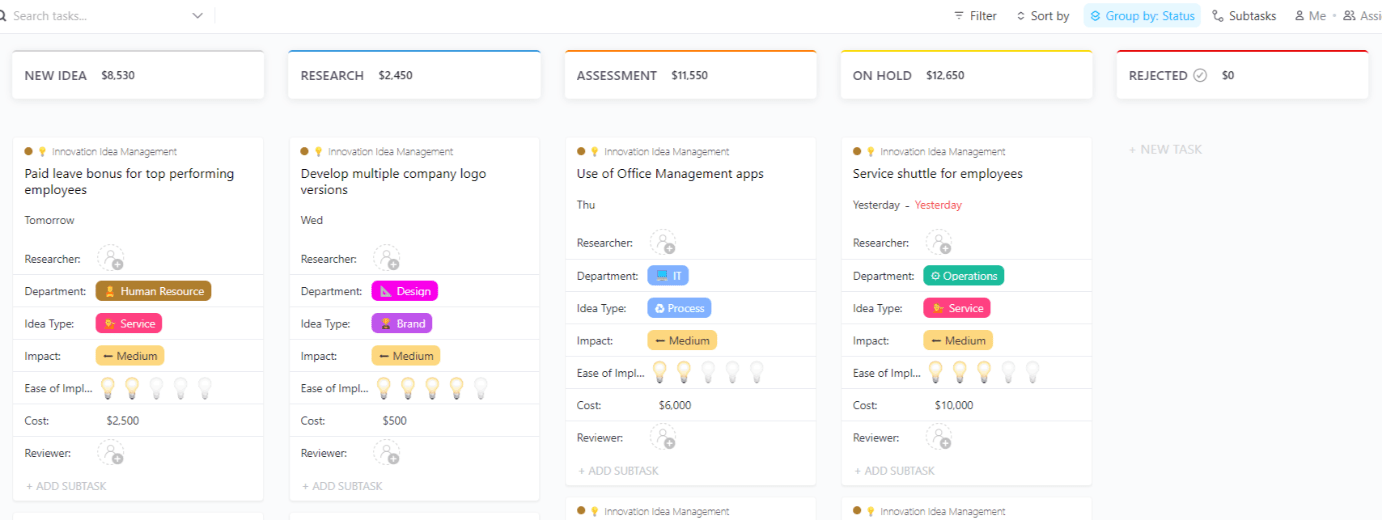
A lot of hypotheses never fail. What they do is disappear. Someone submits an interesting idea, it gets quick attention, then vanishes into a vague “we should revisit this” pile with no clear owner, score, or next step.
The Innovation Idea Management Template by ClickUp helps you build a visible path from raw idea to testable hypothesis. You can collect ideas, evaluate them against defined criteria, move them through review stages, and route stronger concepts to the right team for validation. That way, the funnel stays active instead of becoming a graveyard of half-explored ideas.
✅ Ideal for: Innovation teams and product strategy leads managing idea pipelines before turning shortlisted concepts into formal experiments.
💡 Pro Tip: Don’t make every submitter fill out the same long form. With ClickUp Forms’ conditional logic, you can guide people down different paths based on their answers. This helps stronger ideas come in with better context from the start.

📚 Also Read: Innovation Management Process
Hypotheses can often sound solid until you put them in front of real users. What looked obvious internally can break down once people start clicking, reacting, or getting confused in places your team did not expect.
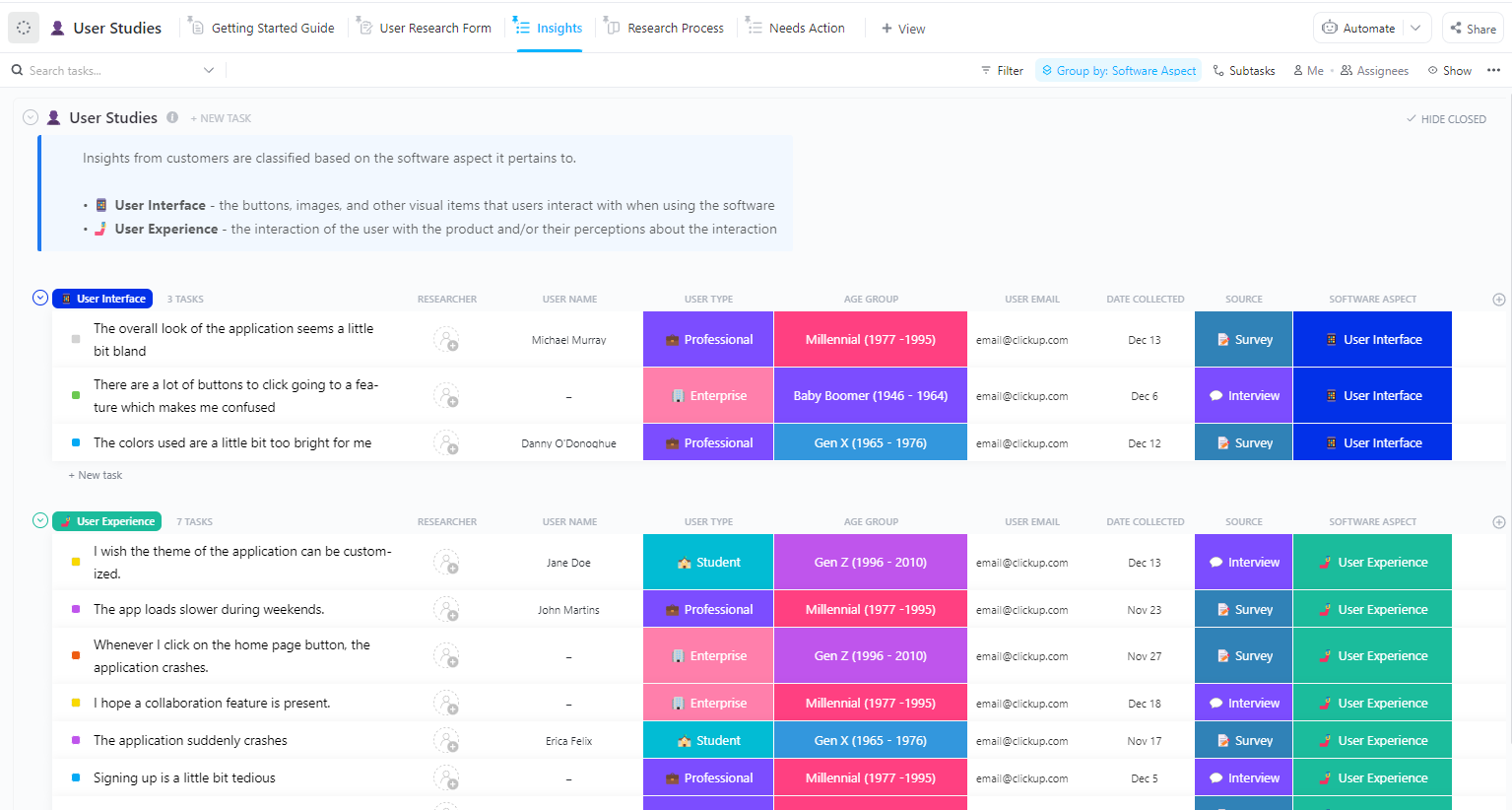
The User Studies Template by ClickUp helps you capture that evidence in an organized format. It gives you one place to track participants, organize feedback, and sort insights by product area. So instead of ending with a pile of raw notes, you get a clearer view of what users are actually telling you and which hypotheses still hold up.
✅ Ideal for: UX researchers validating usability, feature, and experience hypotheses with qualitative research.
📮 ClickUp Insight: 44% of our survey respondents use spreadsheets to manage their projects and tasks. But spreadsheets were never designed for evolving workflows.
As your projects grow more complex, keeping statuses, timelines, and assignments up to date becomes a manual, time-consuming task.
A converged AI Platform like ClickUp solves this problem with purpose-built Views like List, Table, Calendar, and Gantt. That means, you get to visualize tasks in a way that makes sense for you and your team.
Set up trigger-based Automations to update fields and statuses as work moves forward, and suddenly, manual updates become a thing of the past.
It is easy to say you are “doing user research” when what you really have is a loose question and a calendar invite. The harder part is being specific. What exactly are you trying to validate? Which assumption is under pressure? And what kind of user evidence would change your mind?
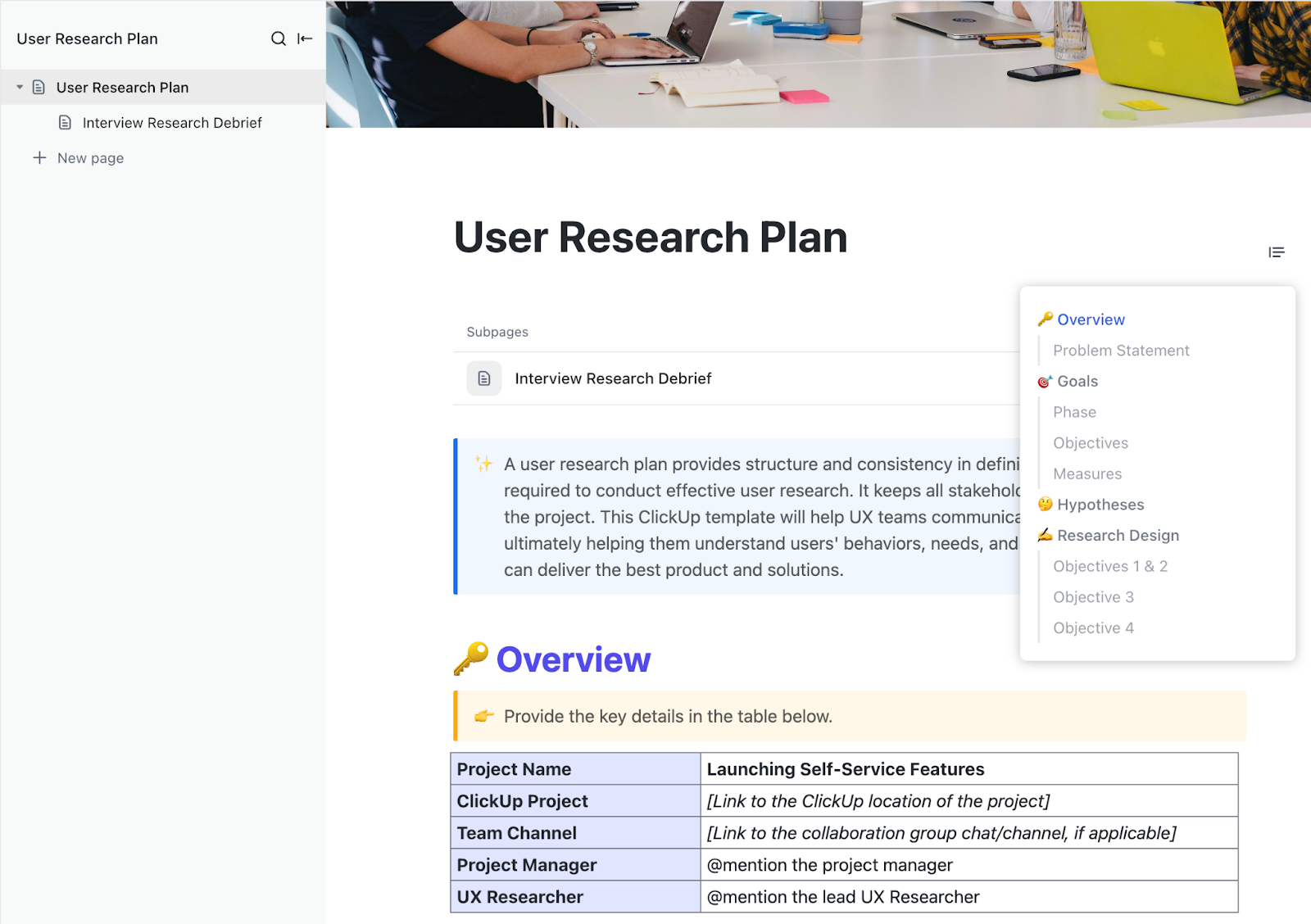
The User Research Plan Template by ClickUp helps you answer those questions before the study begins. It lets you define the objective, spell out the hypothesis, document participant criteria, and map the research approach.
✅ Ideal for: UX researchers and product managers planning hypothesis-led user studies before interviews or usability testing.
💡 Pro Tip: Stuck framing your research hypothesis? ClickUp Brain MAX gives you access to multiple AI models (ChatGPT, Claude, Gemini, and ClickUp Brain) in one place. Use one model to stress-test your hypothesis wording, another to suggest confounding variables you haven’t considered, and a third to draft participant screener questions. You get multiple expert perspectives without leaving ClickUp.

⚙️ Bonus: A research plan is only as powerful as the product system it feeds into. Download the ClickUp Guide for Product Managers to see how teams connect user research findings directly to roadmap priorities, sprint planning, and goal tracking—all inside one workspace.
A hypothesis is easy to write and much harder to pressure-test. The real work starts when your team has to prove whether a feature, flow, or product change actually behaves as the hypothesis predicts.
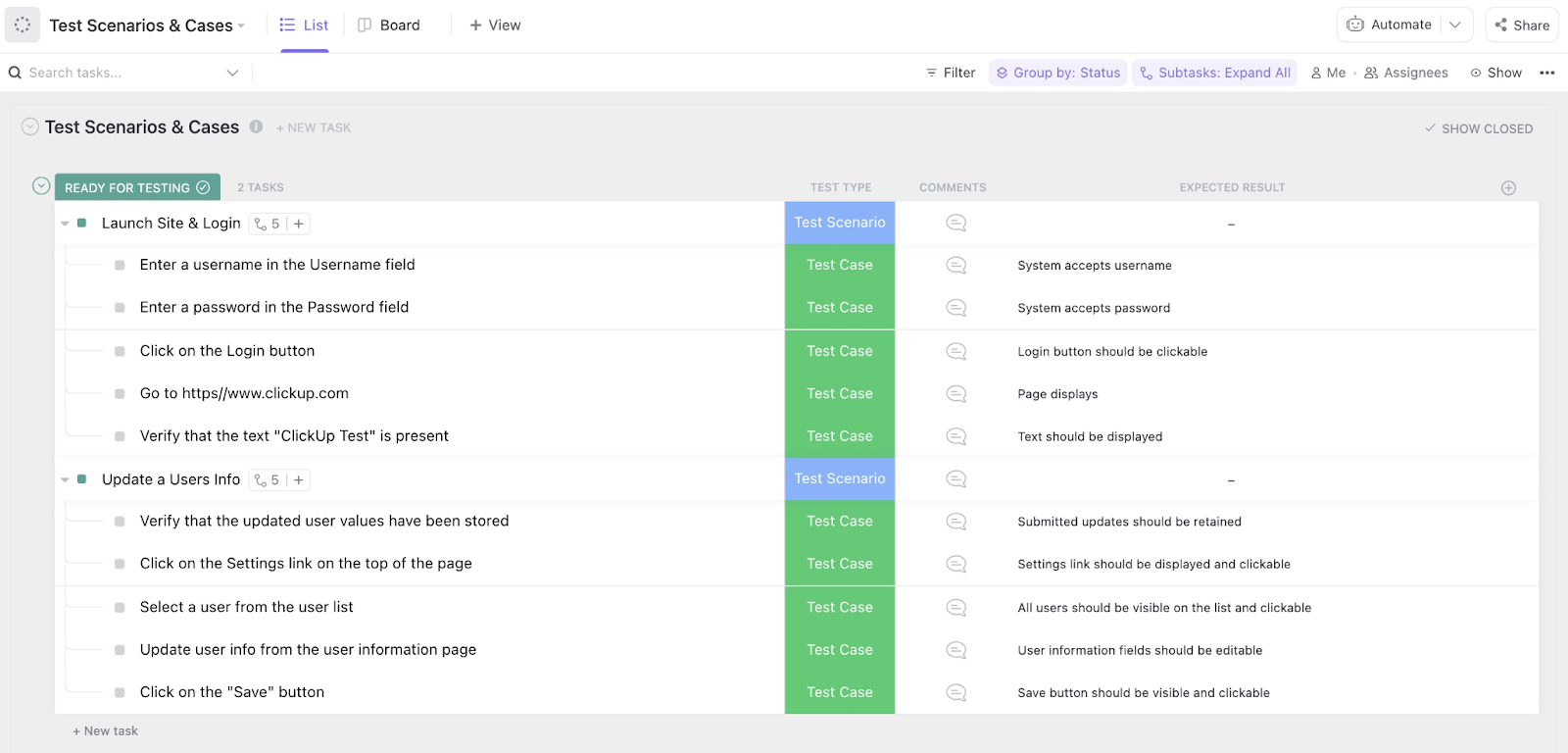
The Test Management Template by ClickUp helps teams run that validation in a visible, structured way. It gives you a place to organize test cases, define expected results, track outcomes, and monitor progress as cases move through execution. So when a hypothesis fails, you can see exactly where it broke and what that means for the product.
✅ Ideal for: QA teams and product managers validating product hypotheses through structured test execution.
💡 Pro Tip: Running the test is only half the job. ClickUp’s Experimentation Agent can help you design experiment parameters, monitor traffic allocation, calculate confidence intervals, and document learnings.
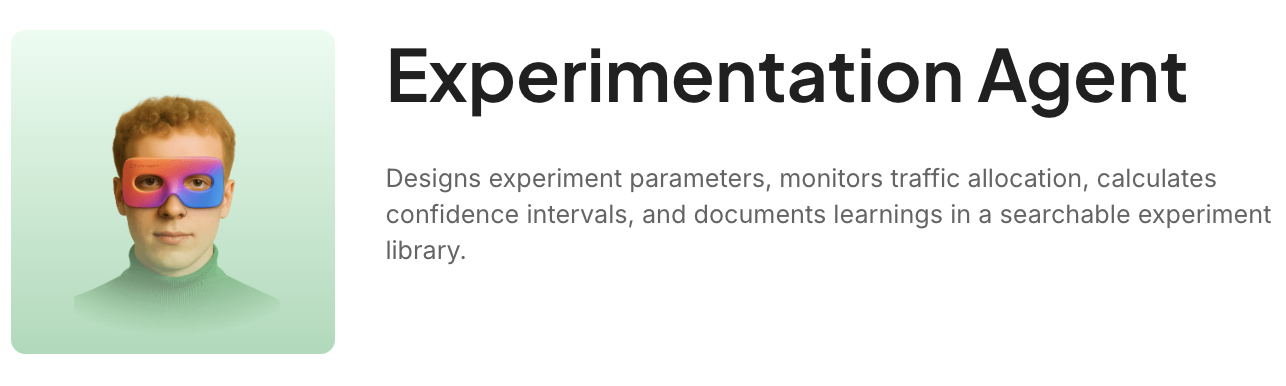
It is one of ClickUp’s 500+ pre-built Super Agents—AI-powered teammates that can be assigned work, messaged directly, or triggered with automations to work around the clock. They also come with controlled permissions, audit logs, and strong AI data protections.
All hypotheses start as rough observations, half-formed ideas, and questions your team cannot answer yet. The challenge isn’t coming up with possibilities, but capturing that messy thinking to organize, revisit, and turn it into something testable.
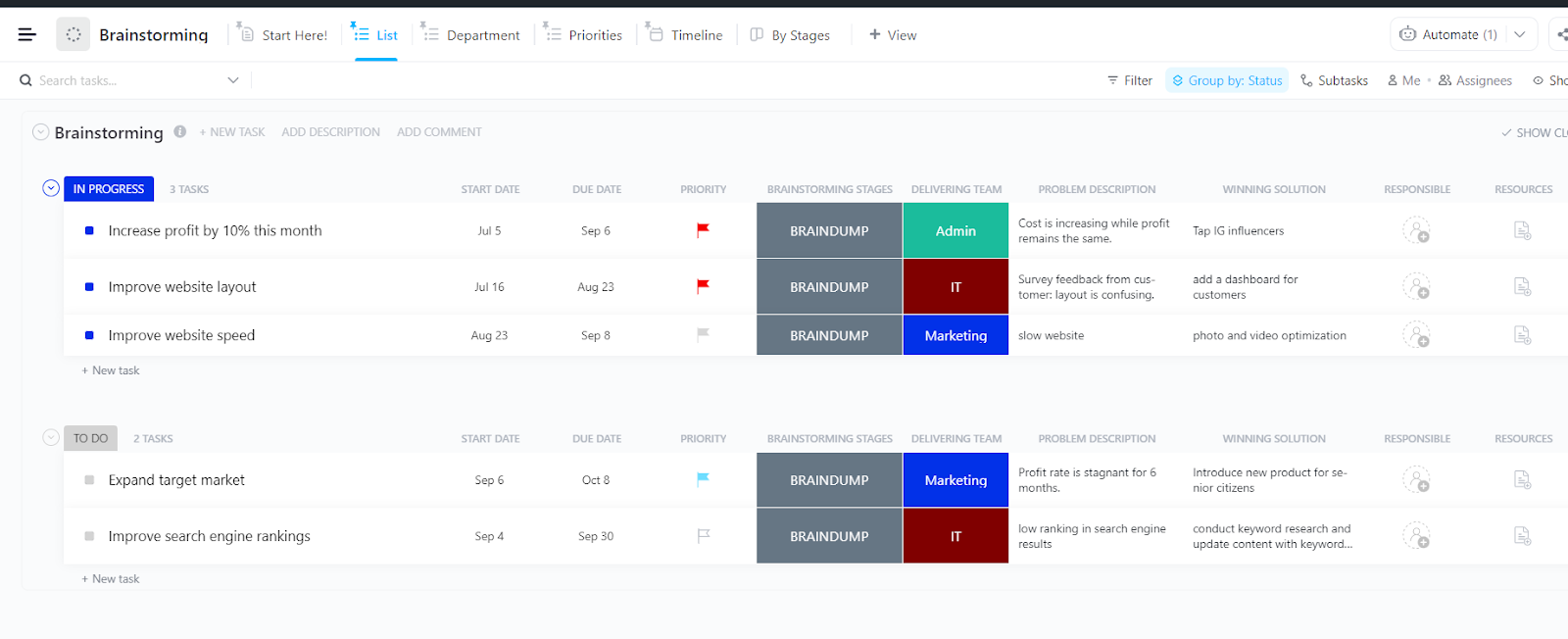
The Brainstorming Template by ClickUp helps you do that without flattening the creative part too early. You can collect ideas, group them by theme, connect them to the problem they aim to solve, and surface the strongest direction before moving into formal testing.
✅ Ideal for: Product teams and innovation teams shaping early-stage ideas into testable hypotheses.
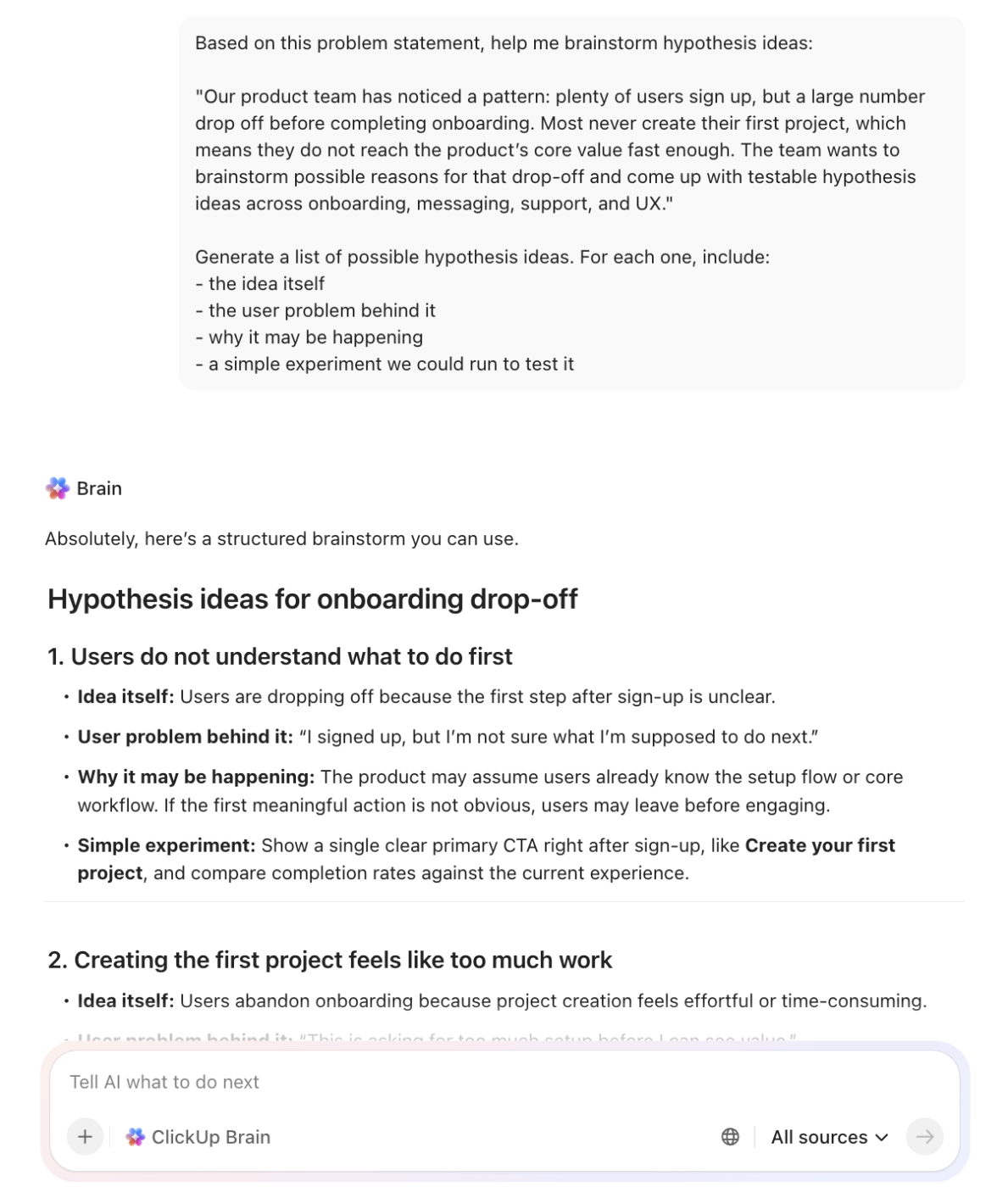
⭐️ Bonus Hack: Don’t wait for the team to come up with every angle from scratch. Use ClickUp Brain to spark fresh directions, expand rough observations into stronger ideas, and help organize the mess before you start narrowing. Then pull the best concepts into ClickUp Whiteboards, Docs, or tasks so the brainstorm moves forward.
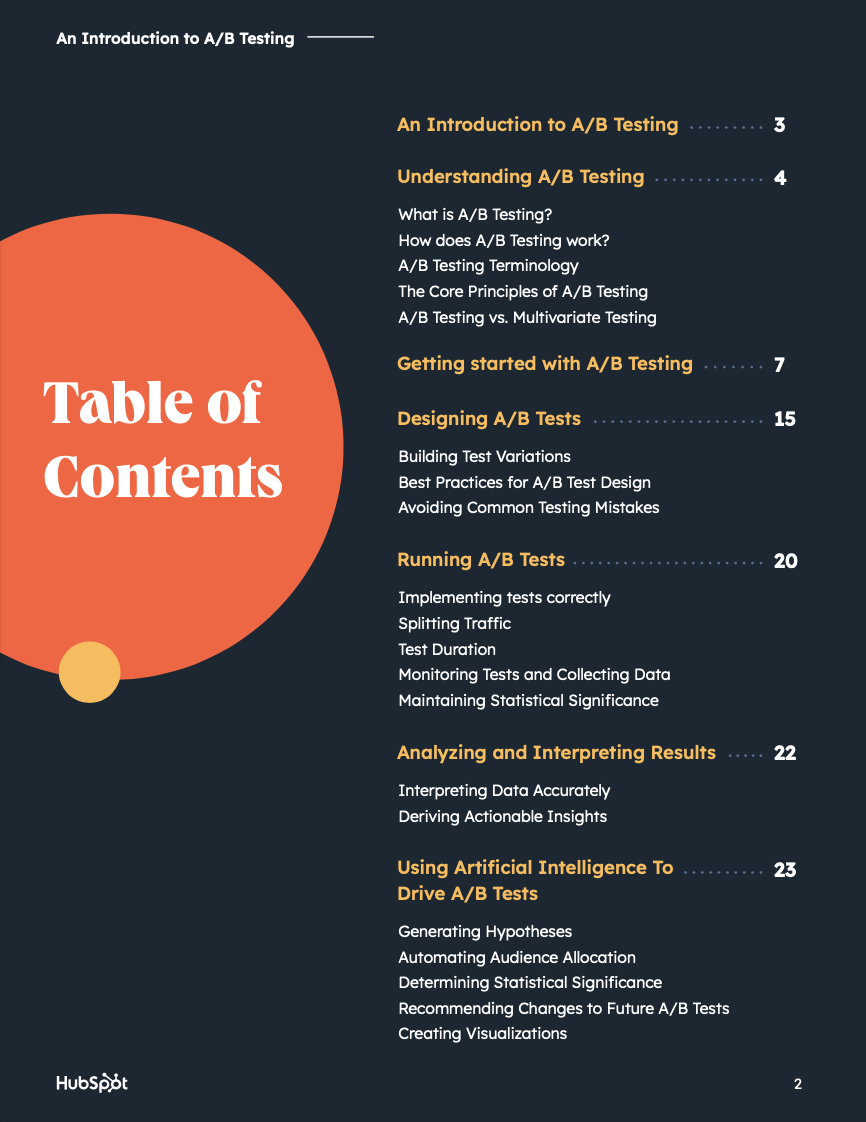
A/B tests can get messy when the setup is not documented properly. The hypothesis is vague, the success metric shifts halfway through, or the team reaches a conclusion without first agreeing on the confidence threshold. That makes the result harder to trust.
The A/B Test Tracking Template by HubSpot helps you record the core parts of a test. You can document the hypothesis, control, variant, target metric, significance threshold, and final result in one place. That helps teams track what was tested, how the decision was made, and what the outcome actually means.
✅ Ideal for: Growth marketers and CRO teams running structured A/B tests across landing pages, emails, or signup flows.
🎥 Want to know more about running A/B tests? We have a video for you:
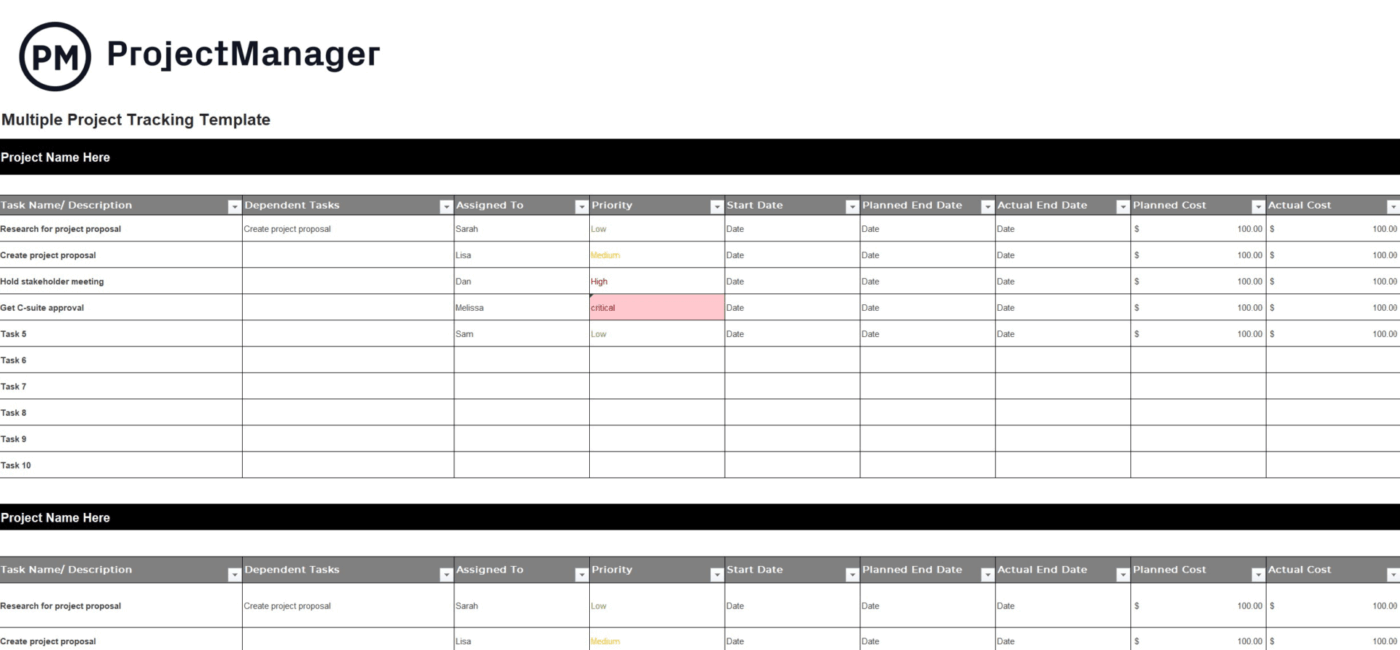
A single hypothesis is easy enough to follow. The real challenge begins when multiple experiments run simultaneously across different teams, timelines, and owners. At that point, it gets harder to see which tests are active, which ones are stuck, and where the bigger patterns are emerging.
The Multiple Project Tracking Template by Project Manager provides a high-level way to track activity across projects. You can log task descriptions, dependencies, owners, dates, priority, and planned versus actual costs in one place.
✅ Ideal for: Program managers and portfolio leads tracking hypothesis-driven work across multiple teams or departments.
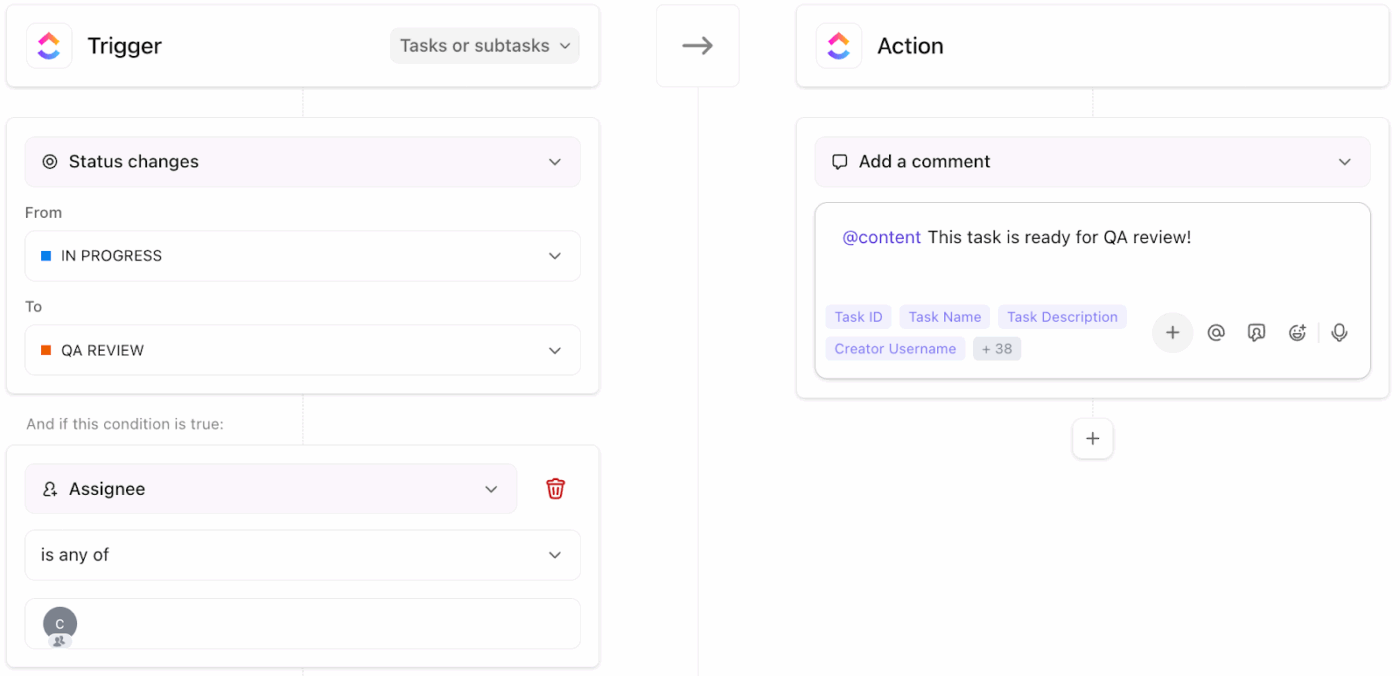
💡 Pro Tip: Set up an automated workflow with ClickUp Automations so that when an experiment task moves to “Results Ready,” it automatically posts a comment @mentioning the hypothesis owner and the data analyst, assigns a “Document Learnings” subtask, and changes the priority to Urgent. This kills the most common failure mode in hypothesis tracking: the experiment finishes, but nobody writes down what happened.
Hypothesis tracking templates bring structure to a process that gets messy fast. They help teams agree on success criteria upfront and capture outcomes that stick till the end. Over time, that consistency is what stops the repeat debates and keeps learning building on itself.
However, structure breaks down when your plan lives in a doc, the experiment runs in a project tool, results get discussed in chat, and learnings end up nowhere. ClickUp eliminates that fragmentation by keeping the hypothesis statement, experiment tasks, success criteria, team discussion, and final outcome in one converged AI workspace.
With ClickUp, run hypothesis tracking as a connected workflow, with templates your team can use from day one, and AI agents that keep results, decisions, and next steps tied to the real work.
Get started for free with ClickUp. ✨
At minimum, include a clear hypothesis statement, the metric you’ll measure, success criteria, experiment status, and a results section. Bonus fields like confidence level, owner, and timeline make prioritization and accountability much easier.
Use a shared workspace, like ClickUp, with a portfolio-level dashboard that rolls up status, owners, and outcomes from every team’s individual tracker. This gives leadership full visibility without forcing every department into a single rigid workflow.
A hypothesis template is perfect when you’re logging ideas, prioritizing your backlog, or running lightweight tests. Switch to a full experiment plan when the test involves multiple teams, significant resources, or requires formal stakeholder sign-off before execution.

© 2026 ClickUp

There’s an easier way. Try a free AI Agent in ClickUp that actually does the work for you—set up in minutes, save hours every week.