






Still downloading templates?
There’s an easier way. Try a free AI Agent in ClickUp that actually does the work for you—set up in minutes, save hours every week.
Sorry, there were no results found for “”
Sorry, there were no results found for “”
Sorry, there were no results found for “”
You set up a CRM template in an online tool, and for a week, it feels perfect. Then real work kicks in.
A lead asks for a revised quote, and someone logs meeting notes on a different page. The next step gets discussed in cha,t but never becomes an assigned task. Suddenly, your pipeline looks “green,” but the next steps are missing, stale, or stuck in chat.
That gap is more common than most teams think.
Salesforce’s latest State of Sales research found reps spend only about 28% of their week actively selling, with the rest going to admin and other work. This is where a good CRM template can help you maximize your productivity and save time across projects.
In this guide, we’ll compare Asana vs. Notion for CRM templates based on what actually makes a lightweight CRM usable day to day and what works best for your team.
A CRM system helps you manage interactions with current and potential customers. It keeps customer info, activity history, and follow-ups in one place.
If you want a lightweight CRM inside project management software, you need a few non-negotiables:
If you get these basics right, you can run a lightweight CRM in the same tool you use to manage projects. You also reduce the learning curve because the workflow fits how your team already manages tasks and tracks project progress.
📖 Also Read: Free CRM Templates: Excel, Google Sheets, & ClickUp
Here’s a quick overview of Notion and Asana through a CRM template lens. These are the exact criteria we compare in the later sections.
| Comparison Criteria | Asana for CRM Templates | Notion for CRM Templates |
| Pipeline tracking that stays accurate week to week | Treats deals like tasks, so owners, due dates, and next steps stay visible | Treats deals like database records with pages, so notes and context stay close to the pipeline |
| Contact and deal records that don’t turn messy | Stores deal/account info in task fields and comments, but long threads can bury context | Builds structured databases for deals, contacts, and accounts with relationships |
| Follow-ups and workflow hygiene inside CRM templates | Uses tasks, due dates, recurring tasks, and rules to keep follow-ups visible | Works well when properties stay maintained, but can become manual if updates slip |
| Lead intake that keeps your CRM template consistent | Uses Forms to capture structured lead info and route it into the pipeline project (paid plans) | Uses database templates and properties, but intake is often more manual unless you build a dedicated flow |
| Scaling a template-based CRM without constant babysitting | Holds structure through ownership, due dates, and rules as more teammates join | Depends more on team discipline to keep the database accurate over time |
📖 Also Read: Must-Have CRM Features to Look for
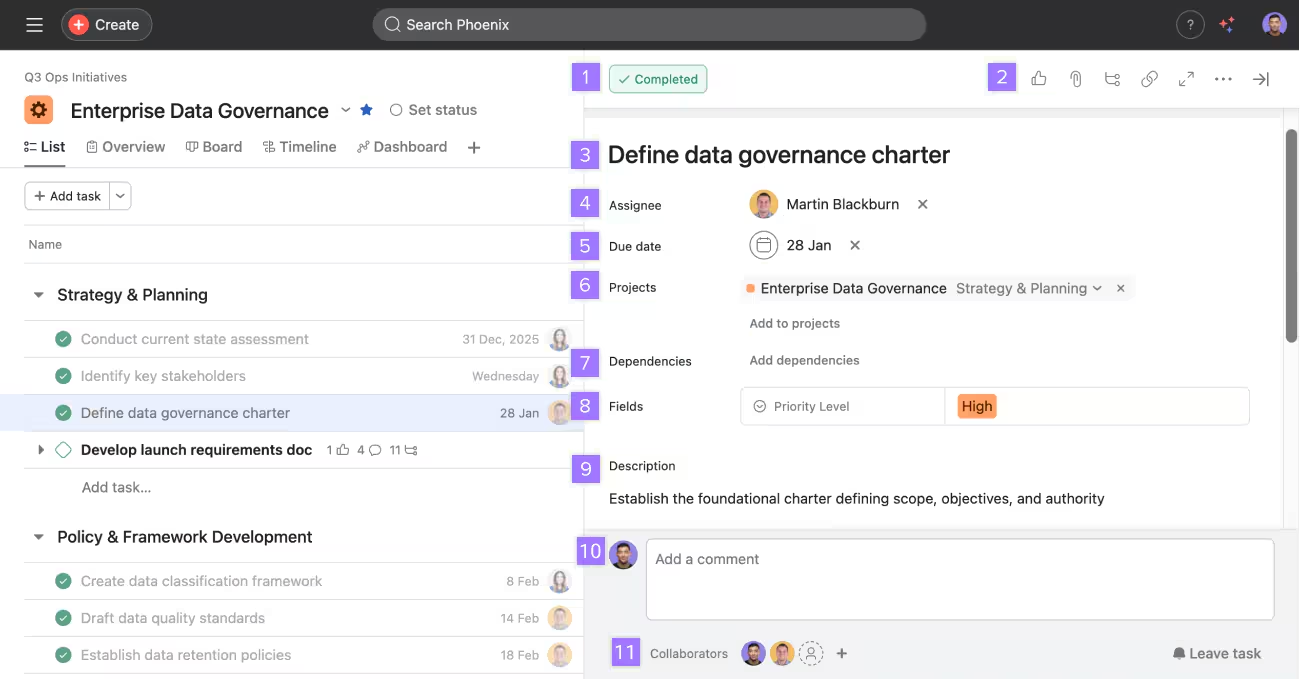
Asana is a structured project management tool, so its CRM templates work best when your “CRM” is really a repeatable workflow for managing team tasks.
That makes Asana a strong fit when your team cares most about consistent follow-ups, clear ownership, and project tracking as deals move toward close.
Asana also gives you multiple project views, like lists, boards, calendars, and timelines. You can start on the free plan, but paid plans unlock more advanced features that help with structured projects and resource management.
Asana isn’t a dedicated CRM system, but you can build a lightweight CRM system with project templates using a simple model:
✅ Here’s what that looks like in practice:
📮ClickUp Insight: 35% of respondents switched from spreadsheets to another tool and stayed with it, and another 25% are actively considering switching.
That level of movement suggests teams aren’t tied to spreadsheets as much as they’re tied to familiarity. Many seem to be looking for systems that offer more support as work becomes more complex.
ClickUp gives teams a way to make that transition without losing momentum. The platform includes ready-made templates for project tracking, CRM, inventory, time management, and hundreds of other use cases, allowing teams to start with a structured approach instead of recreating them from scratch.
ClickUp Views like List, Table, Board, and Gantt feel familiar to spreadsheet users, while Automations, AI assistance, and integrated, no-code ClickUp Dashboards help teams grow beyond manual updates.
Asana doesn’t ship as a full CRM, so templates do most of the heavy lifting. A good Asana CRM template gives you:
Below are five strong options from Asana’s template gallery:
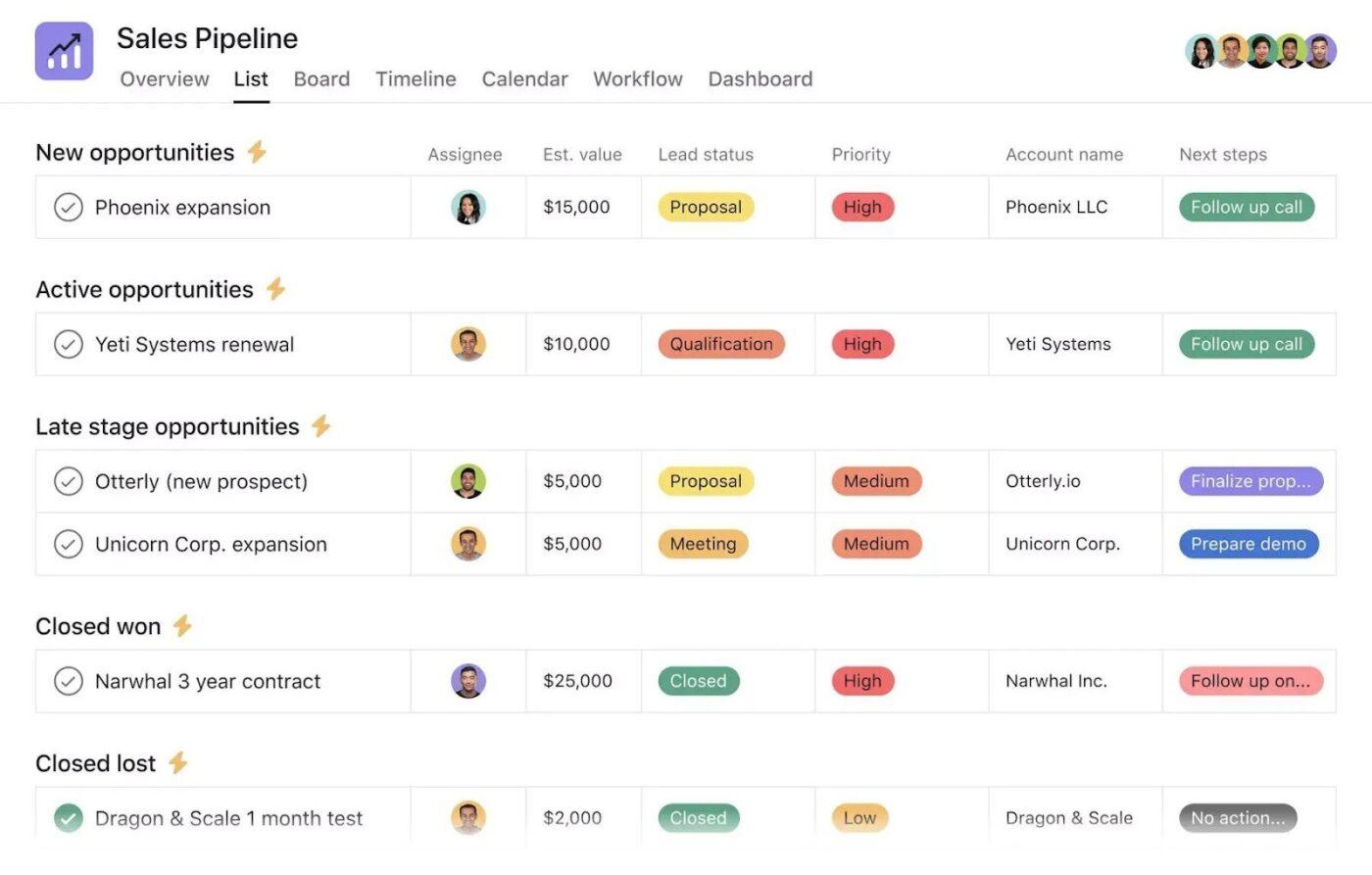
The Sales Pipeline Template by Asana gives you one place to track leads from first touch to close. Instead of updating scattered sheets and message threads, you move each deal through stages and keep the latest context for the task itself.
You can log key details like deal value and owner, add next-step tasks, and switch views to match how you work. Views like List, Board, Calendar, and Timeline help you track progress and see what needs attention this week versus what is coming up next.
✨️ Ideal for: Sales teams that want a simple way to track pipeline progress and action items on specific accounts inside Asana.
📖 Also Read: Best Task Management Software
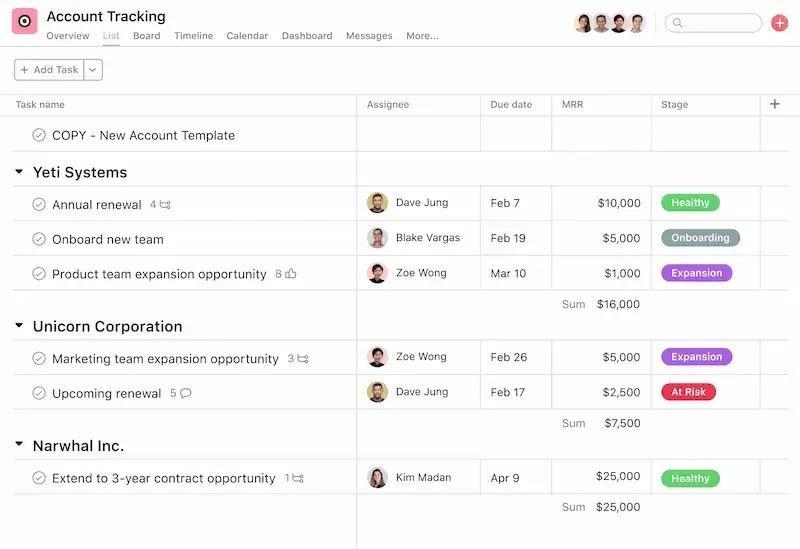
The Account Tracking Template by Asana helps you run your accounts like a repeatable process. You store account details, owners, and next steps in one place, so renewals and upsell conversations do not rely on memory.
You can group accounts by tier, lifecycle stage, or region, then use tasks to plan check-ins, QBRs, and onboarding milestones. This template keeps customer work visible for the whole team, even when you are handling multiple accounts at once.
✨️ Ideal for: Customer Success teams that want a lightweight way to track accounts and action items in Asana.
🤔 Did You Know Asana caps rules at 50 per project. The limit applies regardless of plan tier, so very rule-heavy CRM templates may need simplification or split workflows.
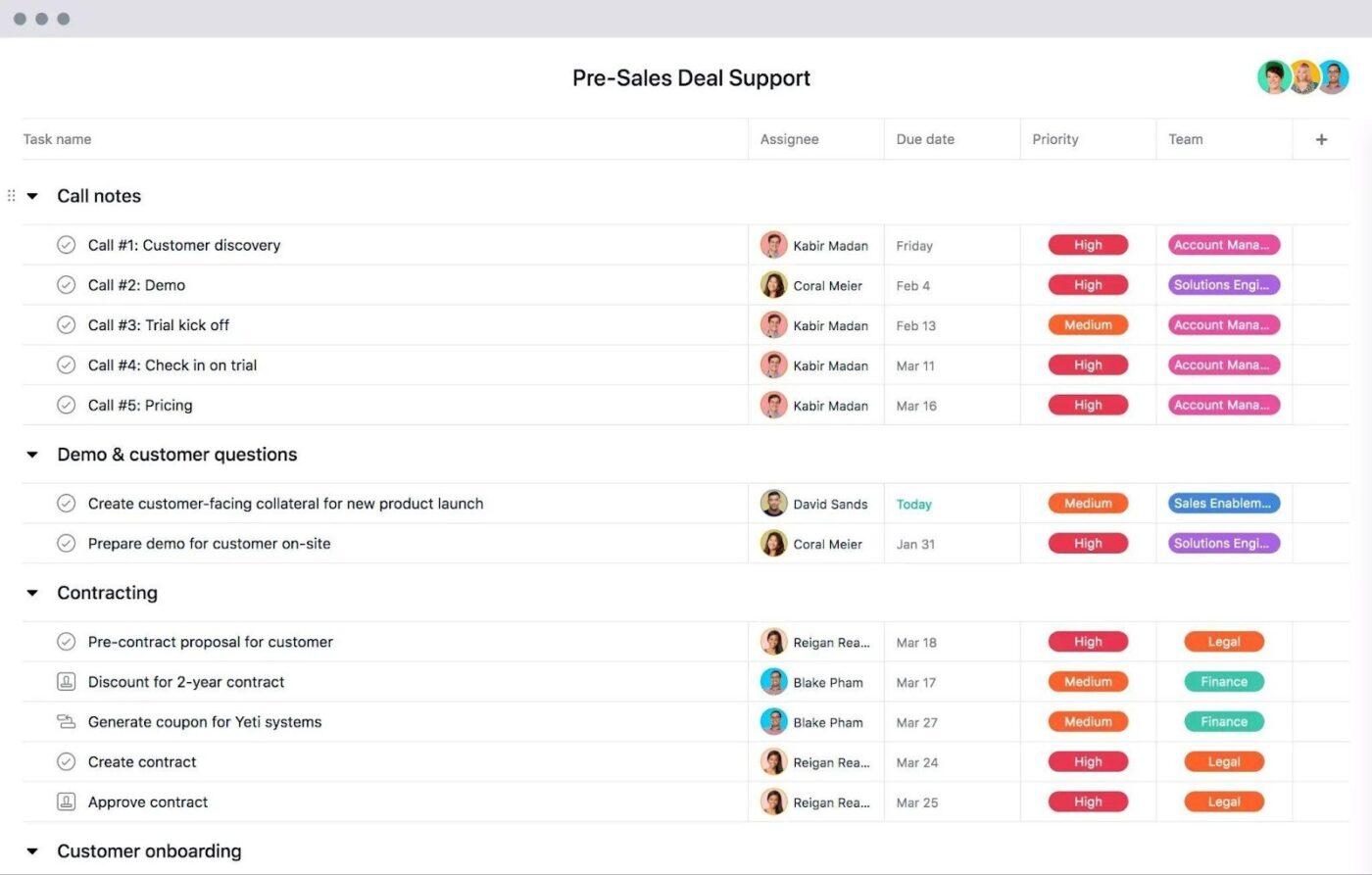
The Pre-Sales Deal Support Template by Asana helps you organize everything that happens before a deal is ready to close. You can capture requests like security reviews, custom demos, pricing approvals, and proposal inputs in one place so the work does not get lost across messages.
You can break each request into tasks, assign them to the right owners, and set due dates that match your deal timeline. This gives you a clear view of what is done, what is waiting, and what is blocking the next step, especially when multiple teams support the same opportunity.
✨️ Ideal for: Sales teams that need structured pre-sales support across stakeholders while keeping timelines and action items clear.
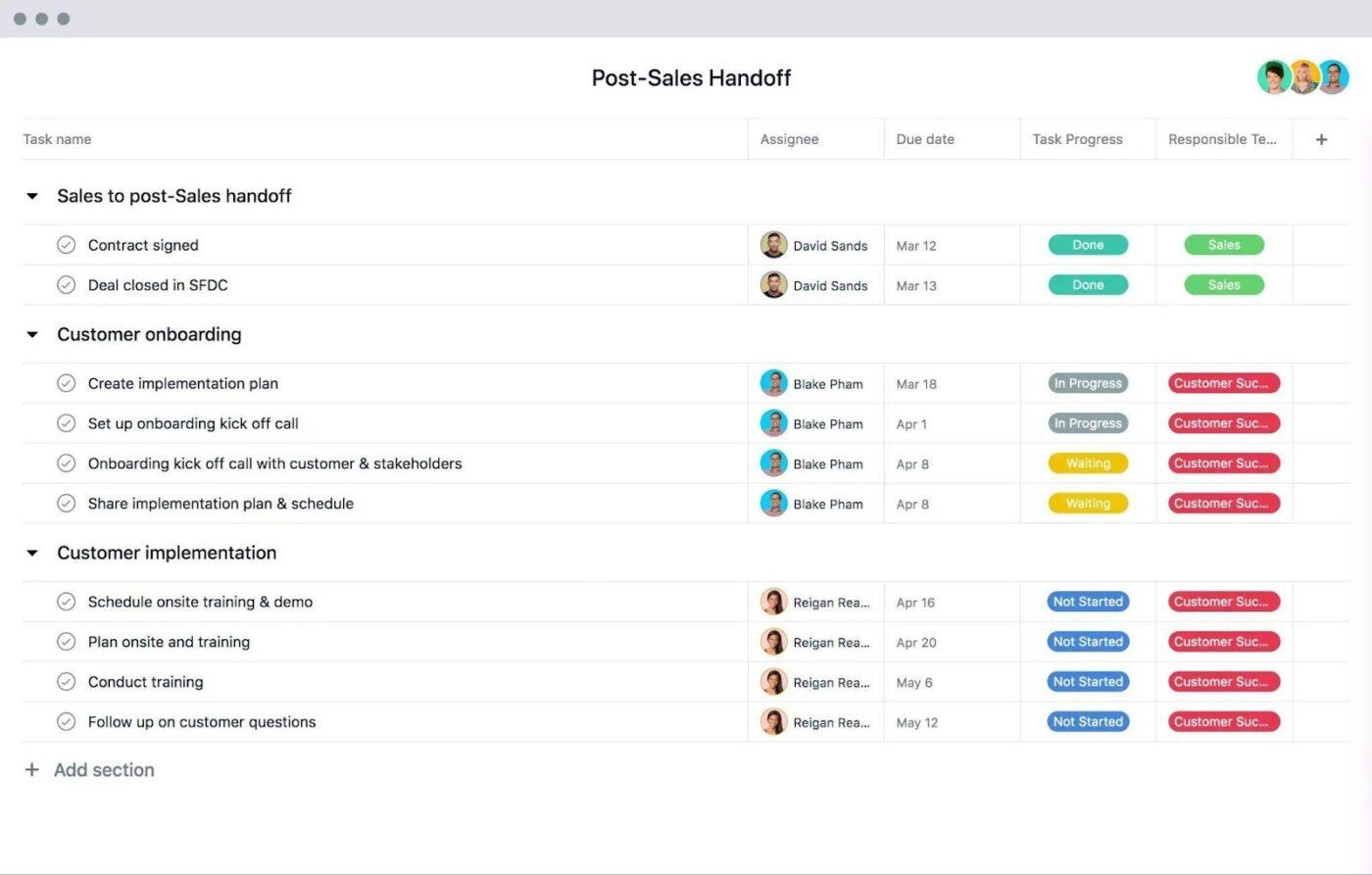
The Post-Sales Handoff Template by Asana is built for the moment most lightweight CRMs struggle with: switching from “we won the deal” to “we’re delivering on what we promised” without losing details.
It gives you a structured handoff workflow where responsibilities are clear, key context stays attached to the work, and onboarding steps don’t get missed.
✨️ Ideal for: Sales and customer teams that want clean handoffs into onboarding with clear ownership and timelines.
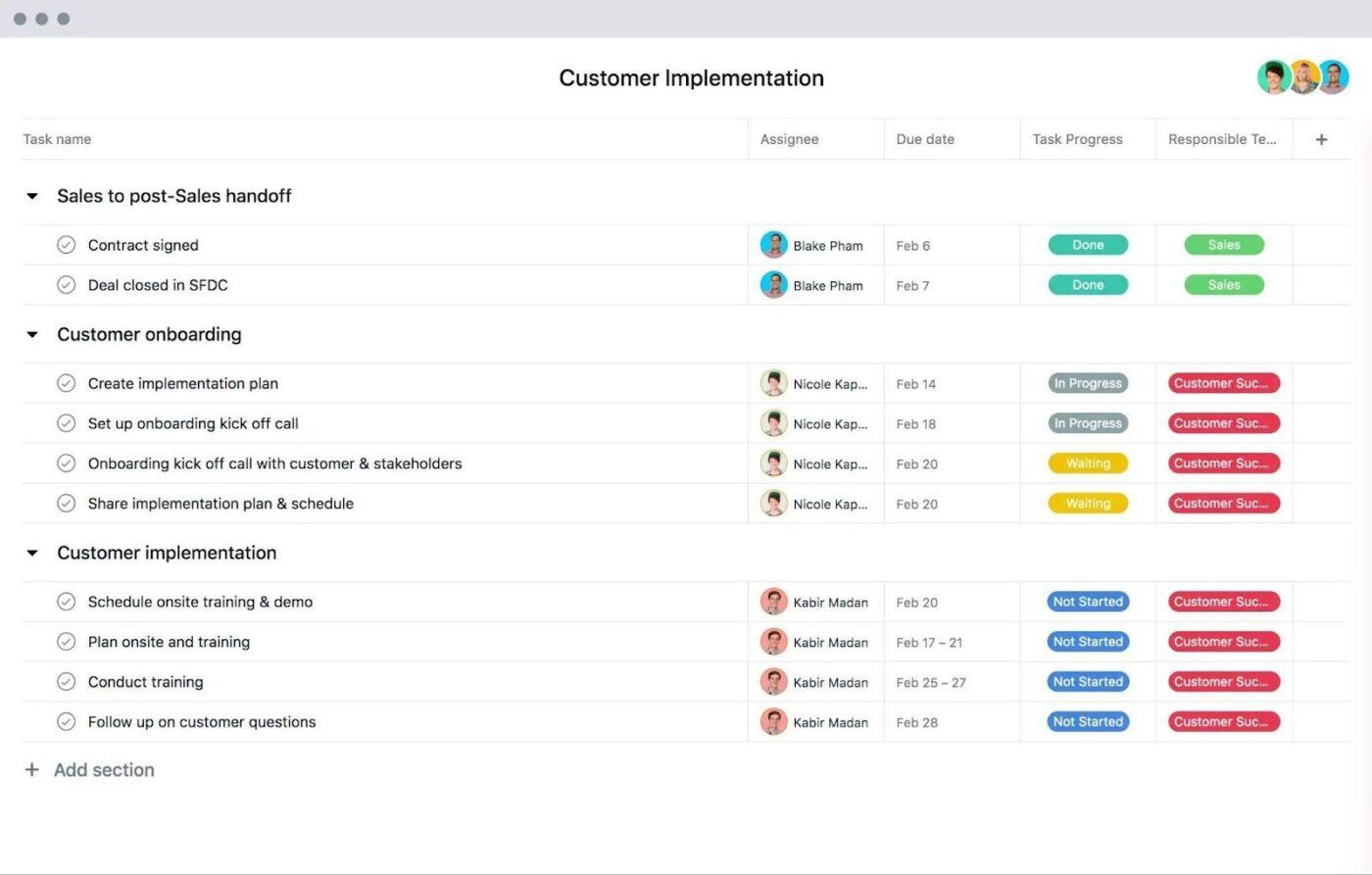
The Customer Implementation Template by Asana helps you run onboarding like a structured rollout. You can map the full implementation into tasks, so every step is clear from kickoff to go live. This is useful when you manage multiple projects and need a repeatable process for each new customer.
You can assign tasks to internal owners, set due dates, and track progress as work moves through phases. You can also keep key resources, notes, and updates tied to the same plan so the team stays aligned, and the customer experience stays consistent.
✨️ Ideal for: Customer success and implementation teams that need a repeatable onboarding plan for every new customer project.
Asana can work well as a lightweight CRM when your sales process is execution-first. If you want deals to behave like work items, Asana’s task management model makes follow-ups easier to enforce across a team
Here’s where Asana CRM templates tend to shine:
📖 Also Read: How to Use a CRM Effectively
Asana is still project management software first. So while it can support CRM-style work, some parts of a “true CRM” experience require extra setup, stricter habits, or upgrades to paid plans
Key limitations to keep in mind:
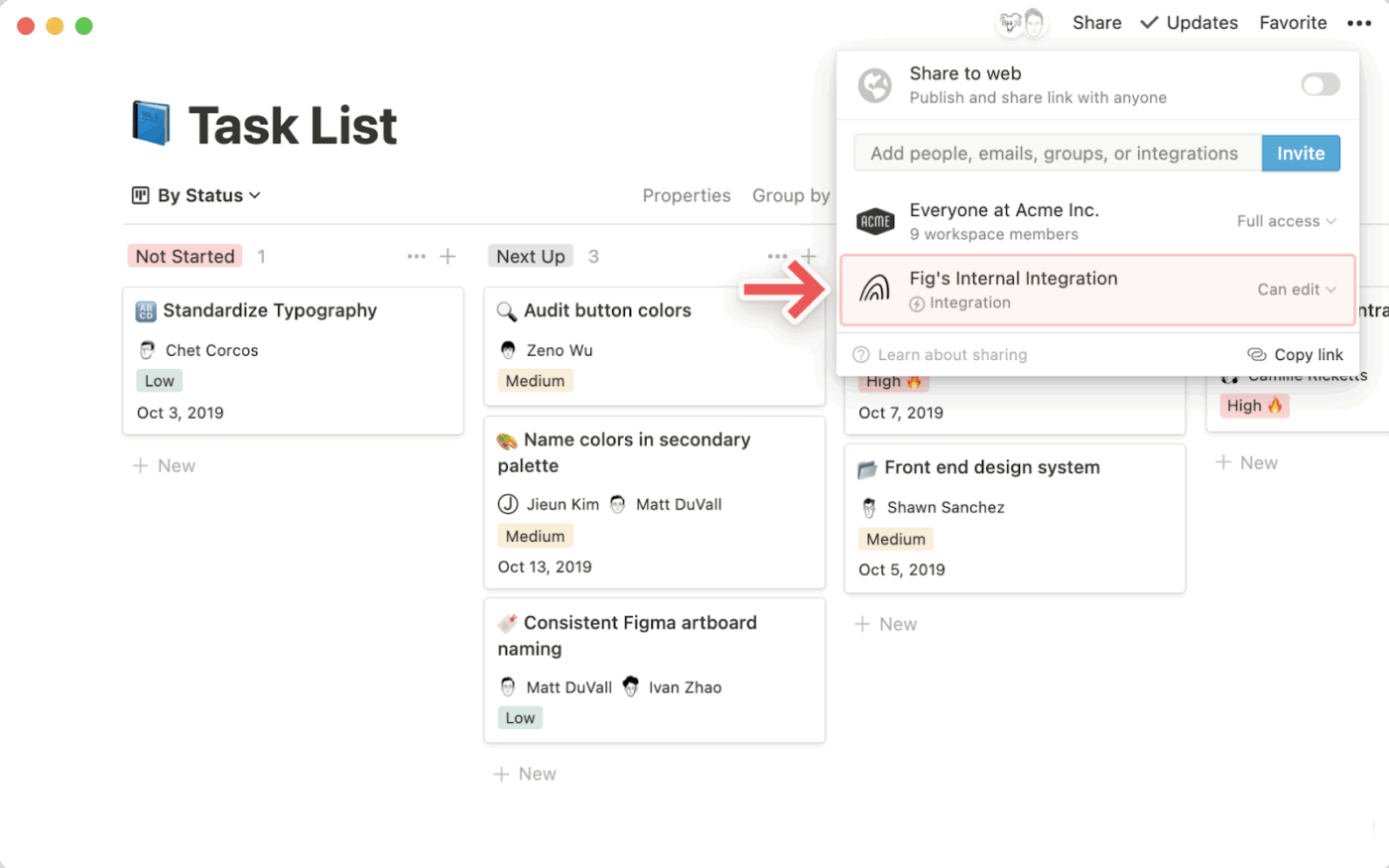
Notion is a knowledge management workspace centered on databases. That matters for CRM templates because your “CRM” doesn’t have to behave like a project full of tasks. Instead, it can behave like a set of connected records
In a Notion CRM template, each deal is usually a database item. You can view those items as a table for fast edits, a board for pipeline stages, or a timeline when dates drive your week.
This approach works well for small businesses, startups, agencies, and sales or ops teams that want deal context close to the pipeline. Your meeting notes, docs, links, and internal documentation ends up together inside the same deal page, instead of being scattered across separate project templates.
Notion isn’t a traditional CRM. You build CRM templates by turning your pipeline into a database and then deciding what “good data” looks like for your team
Here’s the common setup pattern:
If you already use Notion and want an all-in-one workspace for both documentation and lightweight deal tracking, this database-first approach can be a good fit. The trade-off is that your pipeline stays accurate only if the team keeps properties updated.
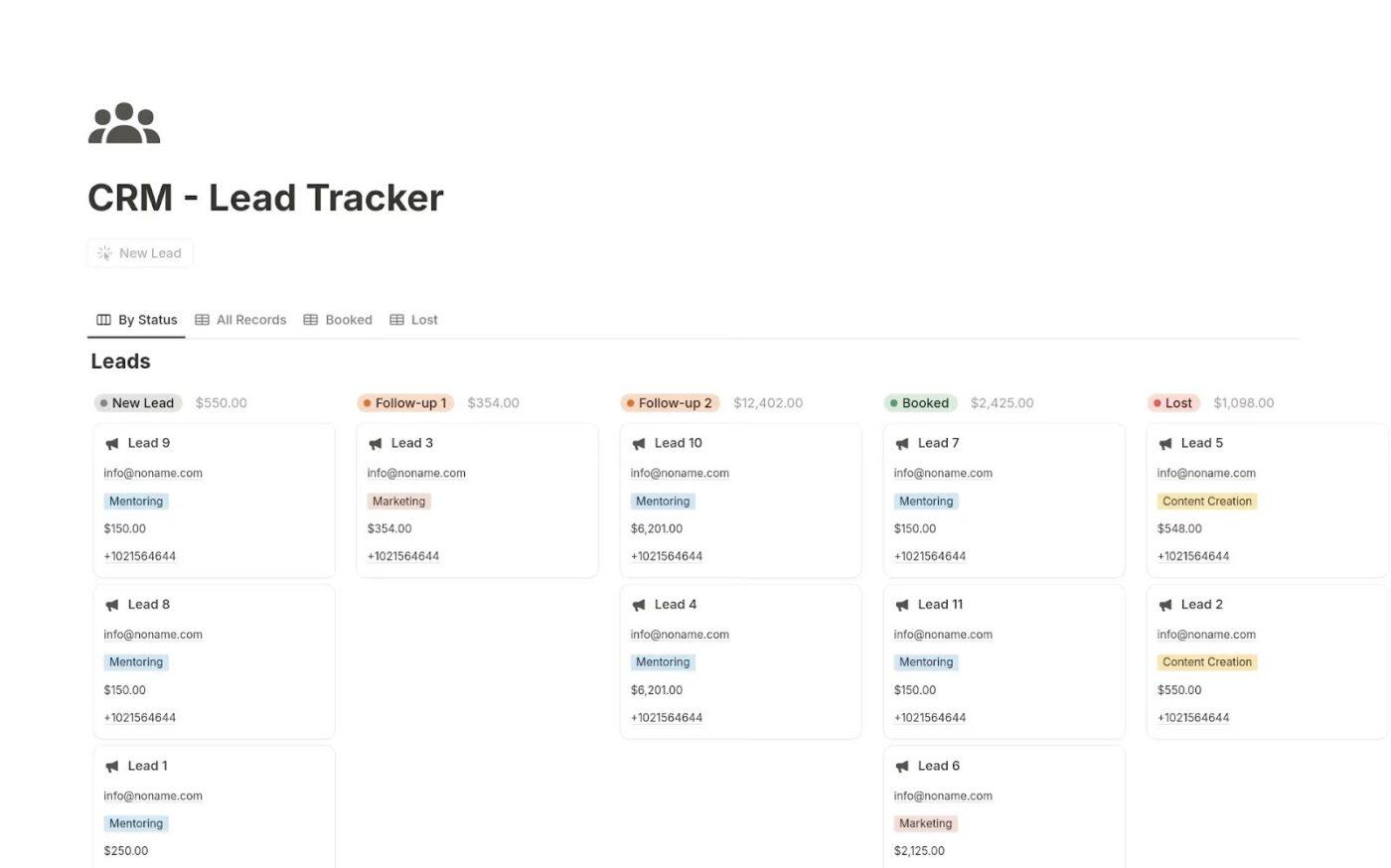
Notion templates do most of the heavy lifting, provided their use cases match your requirements. A solid Notion CRM template gives you:
If you don’t want to build from scratch, you can check out the following customizable CRM templates from Notion:
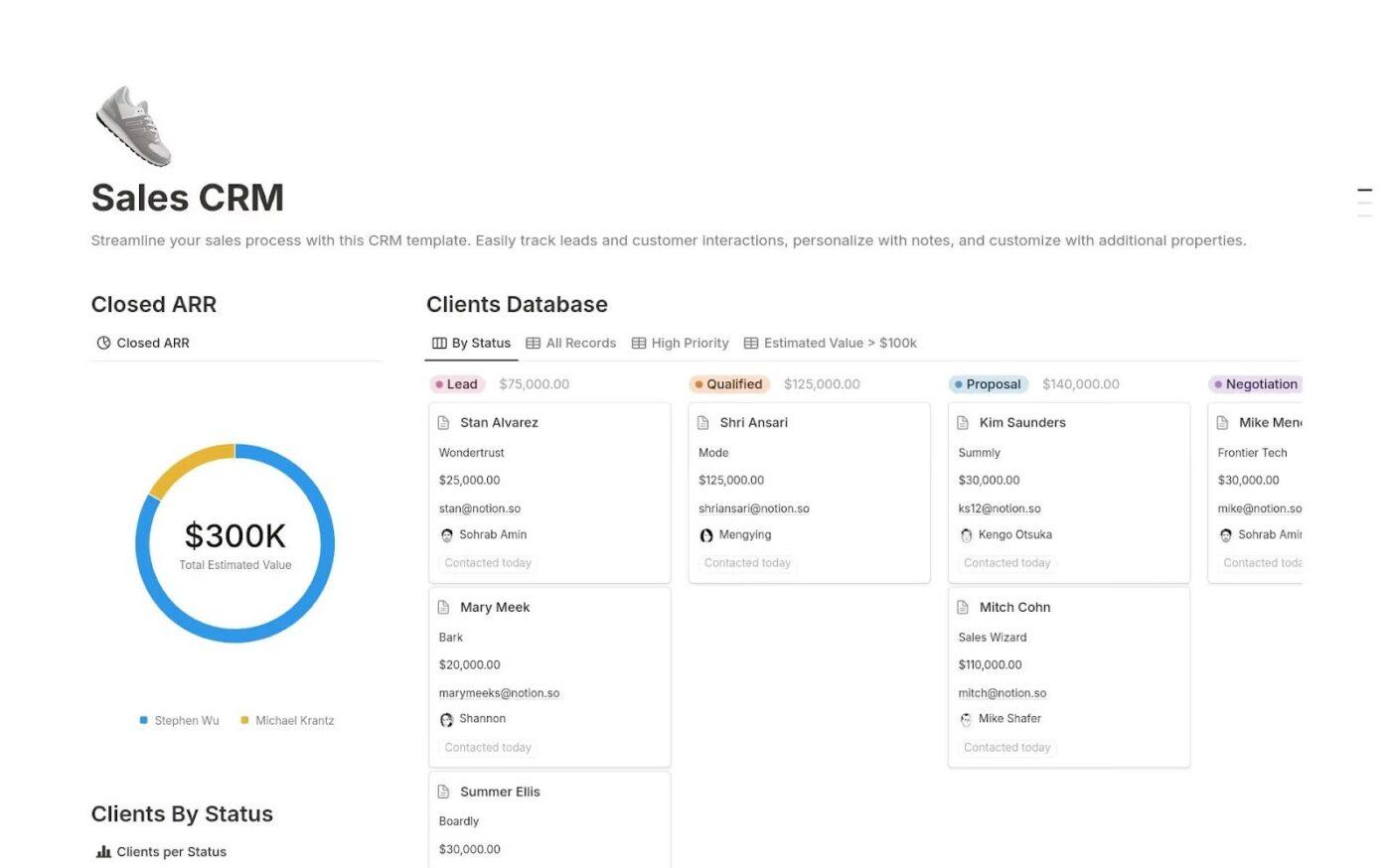
If your sales tracking currently lives across a spreadsheet, a few messy notes pages, and someone’s memory, this template gives you a cleaner starting point. The Sales CRM Template by Notion positions it as a way to run your sales funnel without the “heavy SaaS” feel while still keeping the basics in one place.
You get a simple structure to track leads with only the fields you care about, and each record can live as its Notion page for notes and deal context. It’s also a popular pick in the Notion marketplace, which is reassuring when you want a template you can adopt fast and tweak later.
✨️ Ideal for: Small teams that want a simple Notion-based CRM without extra tooling.
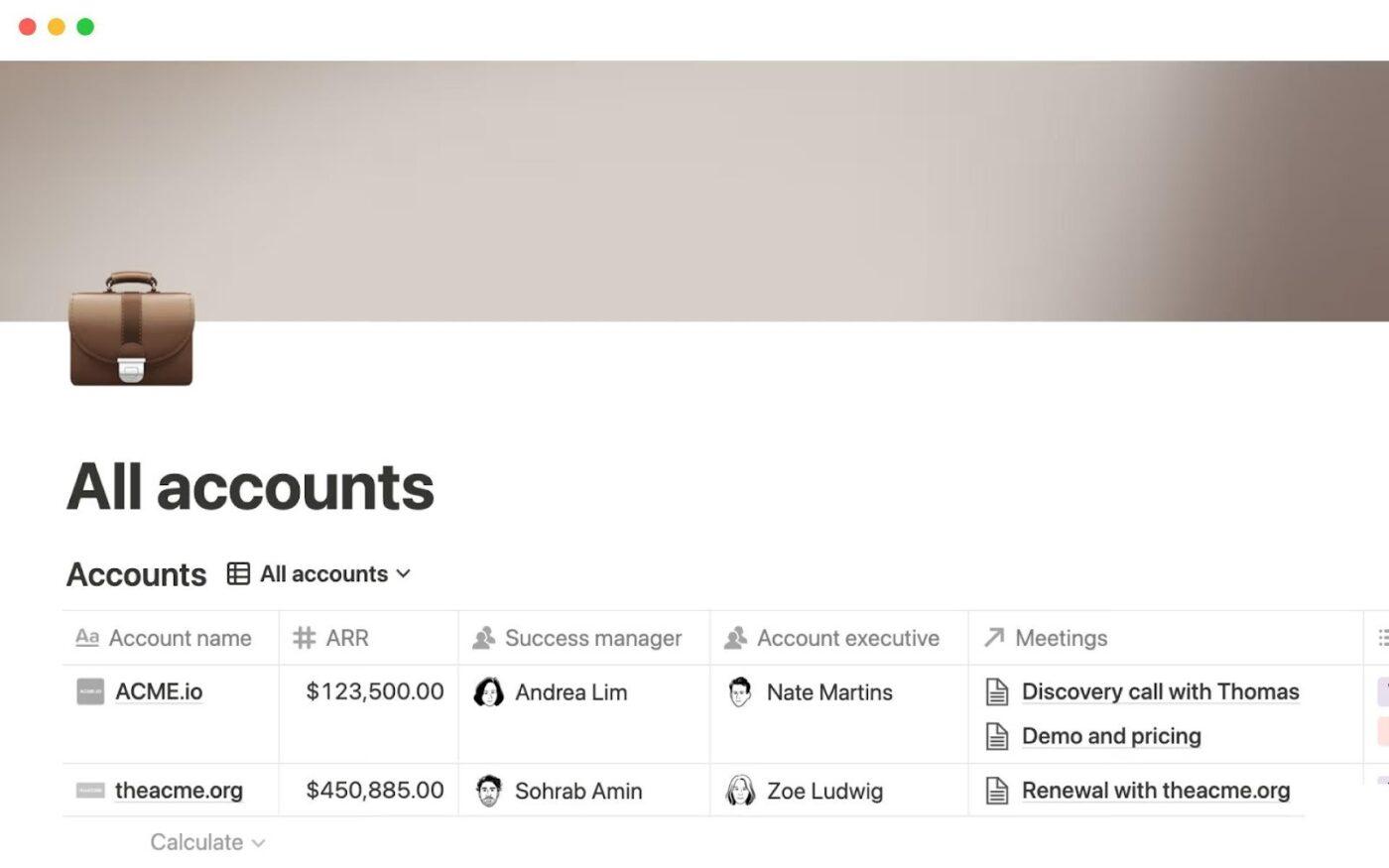
Notion’s All Accounts Template gives you a simple way to keep every customer account in one place. Instead of bouncing between pages and tabs to find the latest context, you can centralize key account details so it’s easier to stay consistent.
For small businesses, startups, and agencies, it’s a practical alternative to a full CRM tool when you just need visibility. You can track ownership, status, and ongoing work, then keep notes and updates tied to the same account record as things change.
✨️ Ideal for: Small teams, startups, and agencies managing multiple customer accounts and ongoing relationships.
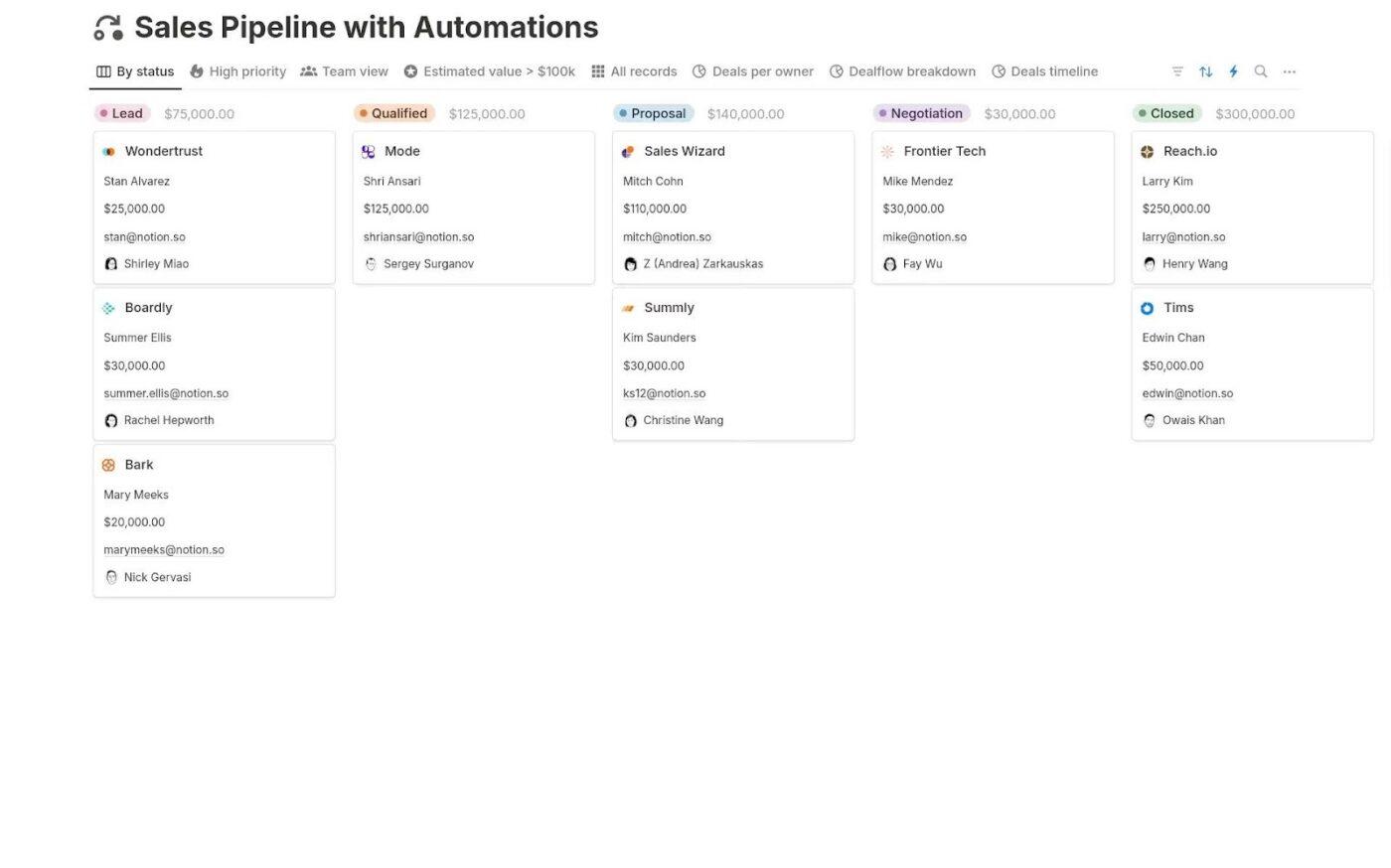
The Sales Pipeline with Automations by Notion is a template for those weeks when your pipeline looks fine, but follow-ups slip because nobody wants to do manual updates. It gives you a ready-made sales pipeline inside Notion, with database automations baked into the setup so routine steps feel less “admin-heavy.”
For small businesses, startups, and agencies, this is a practical way to keep deals moving without adopting a full CRM tool. You can track stages in a pipeline view, keep deal context inside each record, and rely on automations to keep the system cleaner as your team gets busier.
✨️ Ideal for: Sales and ops teams that want a lightweight pipeline with automations to reduce manual updates.
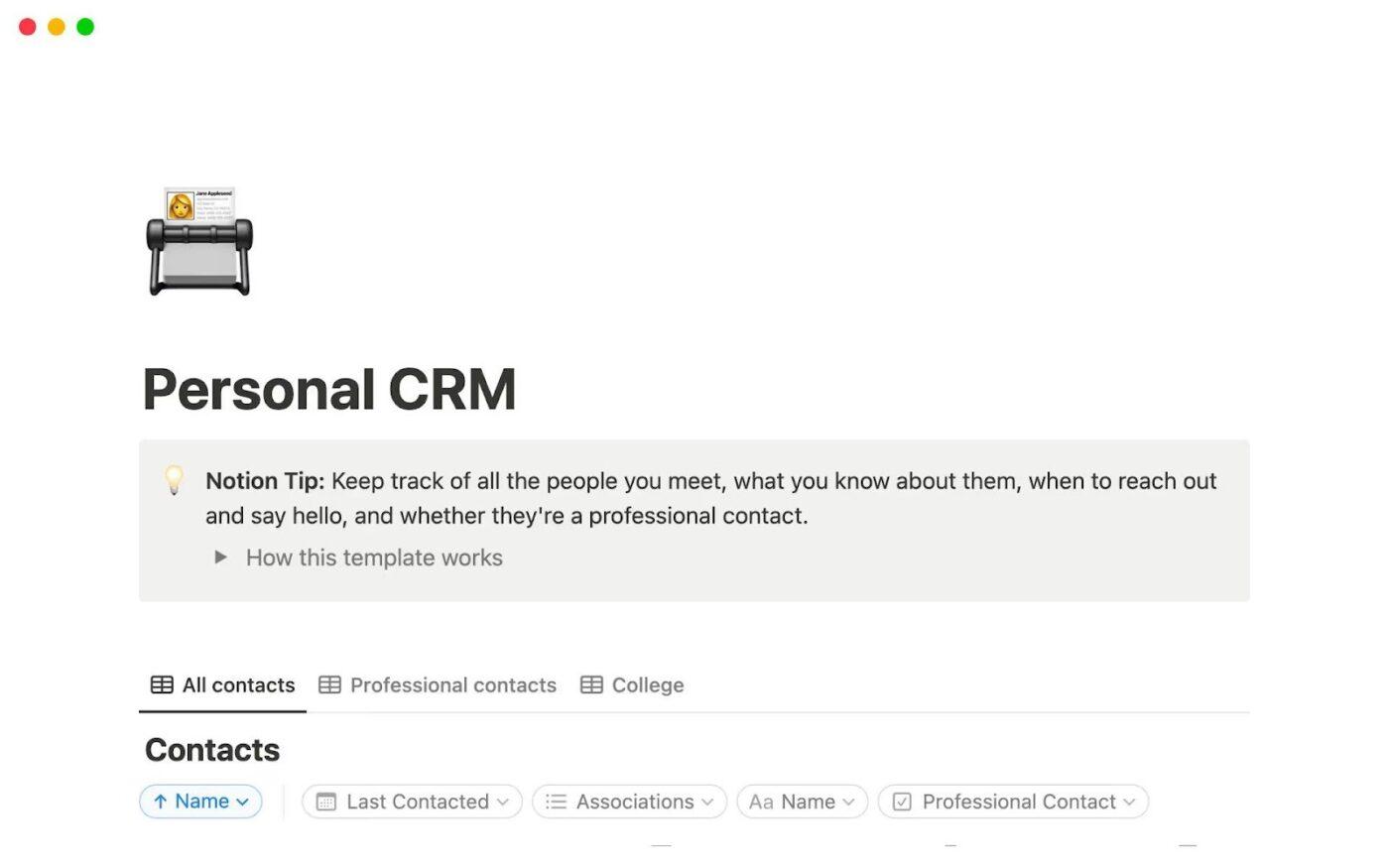
The Personal CRM 2026 by Notion is a template that focuses on the aspect of “CRM” that most lightweight setups overlook: remembering who someone is, what you last discussed, and when you should follow up. Instead of juggling scattered notes, you get one place to track people and your ongoing interactions with them.
For small businesses, startups, agencies, and sales or ops teams, it’s a helpful add-on to a pipeline template. You can use it to manage partners, warm leads, and client stakeholders when you do not need a full sales inbox, but you still want follow-ups to stay consistent.
✨️ Ideal for: Teams that want a lightweight relationship tracker for partners, prospects, and clients inside Notion quickly.
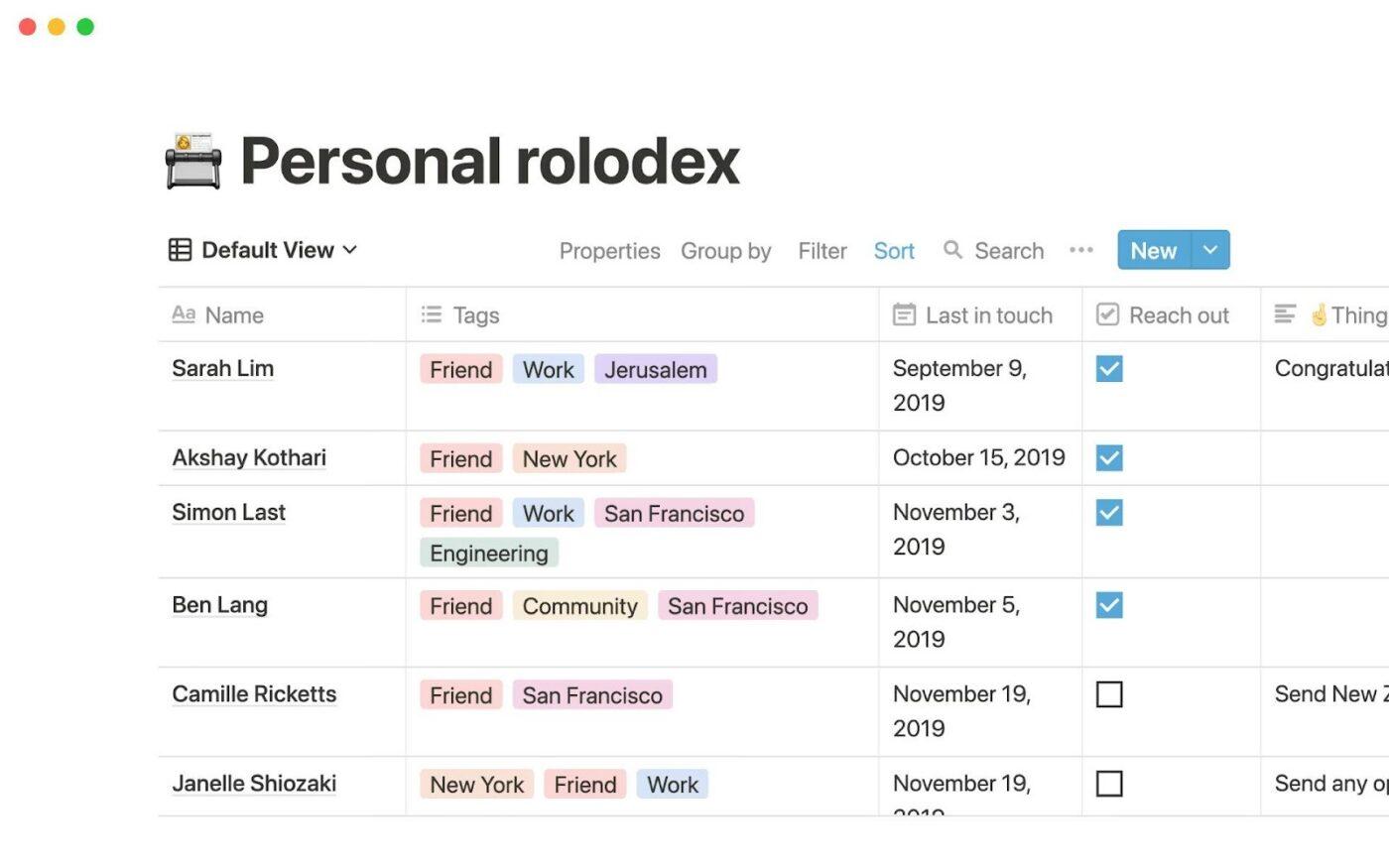
The Personal Rolodex by Notion is a simple template that helps you to stop losing track of people you meet, work with, or plan to pitch. The template is designed to keep contact details and context in one place, so you’re not scrambling through old emails and scattered notes before a follow-up.
For small businesses and agencies, this template works nicely alongside your deal pipeline. You can use it to track client stakeholders, partner contacts, and warm leads, then keep quick notes on where the relationship stands without needing a full CRM tool.
✨️ Ideal for: Small teams tracking key relationships and contact context in Notion without a full CRM tool.
Notion works well as a lightweight CRM when you want the pipeline and the context in the same place. Instead of forcing deals into a task manager, you can treat each deal as a database record, then open it like a page for meeting notes, links, files, and internal documentation
Where Notion CRM templates usually feel strongest:
Notion can be a good option for CRM templates, but it’s still not a dedicated CRM. Your setup depends on how well you design the database, how consistently the team updates it, and which pricing plans you’re on
Here are the main limitations to consider:
🤔 Did You Know? HubSpot benchmarks put the average sales close rate in 2024 at 29% Which makes pipeline hygiene all the more important to avoid missing out on potential deals.
📖 Also Read: Best Notion Alternatives
By now, you’ve seen the big difference in how these tools “do CRM.”
Next, let’s compare Notion vs Asana on the parts that make or break a lightweight CRM system once more people start using it
Asana works best when your pipeline is driven by action. Each deal is a task, so you can assign tasks, set due dates, and keep next steps visible in the same view your team uses to manage tasks and manage projects. It’s harder for follow-ups to disappear when ownership and timing are always attached to the deal.
Notion works best when your pipeline needs context, not just a stage. Each deal is a database record that opens into a page, so your team can keep meeting notes, internal documentation, and key links close to the pipeline. The trade-off is that pipeline accuracy depends on people updating the right properties consistently.
🏆 Winner: Tie.
Choose Asana if you want pipeline tracking that feels like task management.
Choose Notion if you want pipeline tracking plus richer deal pages for documentation.
In Asana, a “deal” or “account” is usually a task. You can store structured details using custom fields on paid plans and keep updates in comments. It stays clean when your team treats the task as the source of truth, but long comment threads can bury important context over time.
Notion is built for structured records. You can keep deals, contacts, and accounts as separate databases, then connect them with relations and rollups so the same contact context can show up across multiple projects. That gives you a more CRM-like model, especially if your team also uses Notion as a knowledge base.
🏆 Winner: Notion, since it generally does a better job of keeping CRM records structured
Asana is strong here because follow-ups are native to how the tool works. You assign tasks, add subtasks, set due dates, and use recurring tasks for repeat touchpoints. On paid plans, you can also add rules that trigger actions like assigning owners or updating fields when something changes.
Notion can support follow-ups, but the system stays healthy only if your team keeps properties updated. Database automations can reduce some manual upkeep, but they’re only available on paid plans. Free Plan users can create Slack notification automations but not other types.
🏆 Winner: Asana, because task-based follow-ups stay visible and are easier to enforce.
Asana is stronger when you want lead intake to stay structured from the start. With Asana Forms, you can collect the same fields every time (name, company, deal size, source, urgency) and create a task directly in your pipeline project so the CRM template stays consistent across team members. Forms are available on paid plans like Starter and above.
Notion can standardize lead intake, but it usually takes more setup. You can create a “New lead” database template with required properties and a consistent page layout. The challenge is getting leads into that database without extra steps. Notion’s automations can help, but database automations are primarily a paid-plan feature, with free plan limits.
🏆 Winner: Asana, because forms make lead intake more consistent inside a CRM template workflow.
Asana tends to scale more smoothly when more people touch the pipeline. Deals behave like tasks, so ownership and notifying team members are built into the workflow. Rules can also enforce basic hygiene, like assigning owners or updating fields when a deal moves stages, although rules have practical caps per project.
Notion scales well when your team is disciplined about maintaining database properties and views. But as more people join, it’s easier for the database to drift, especially if different teammates create their own views, naming conventions, or shortcuts.
🏆 Winner: Asana, because it’s easier to keep CRM templates operational as more teammates get involved.
📖 Also Read: Best Project Management Tools
If you’re trying to run a CRM with templates, the hardest part usually isn’t the template; it’s work sprawl. A lead gets discussed in chat, and the next steps sit in someone’s inbox while the latest notes live in a doc.
Then comes AI sprawl. You end up paying for one AI tool to write, another to summarize, and another to organize. But they don’t share context, so you still spend time cleaning things up and re-entering the same details across tools.
ClickUp, a converged AI workspace, is built to run sales workflows and delivery workflows in the same place. That matters when you want a lightweight CRM system that stays accurate without extra cleanup.
And when you want to start fast, ClickUp also gives you ready-to-use CRM templates you can adapt for leads, deals, and account tracking, plus a full Sales & CRM template library to choose those templates from.
📖 Also Read: Best AI Tools for Project Management
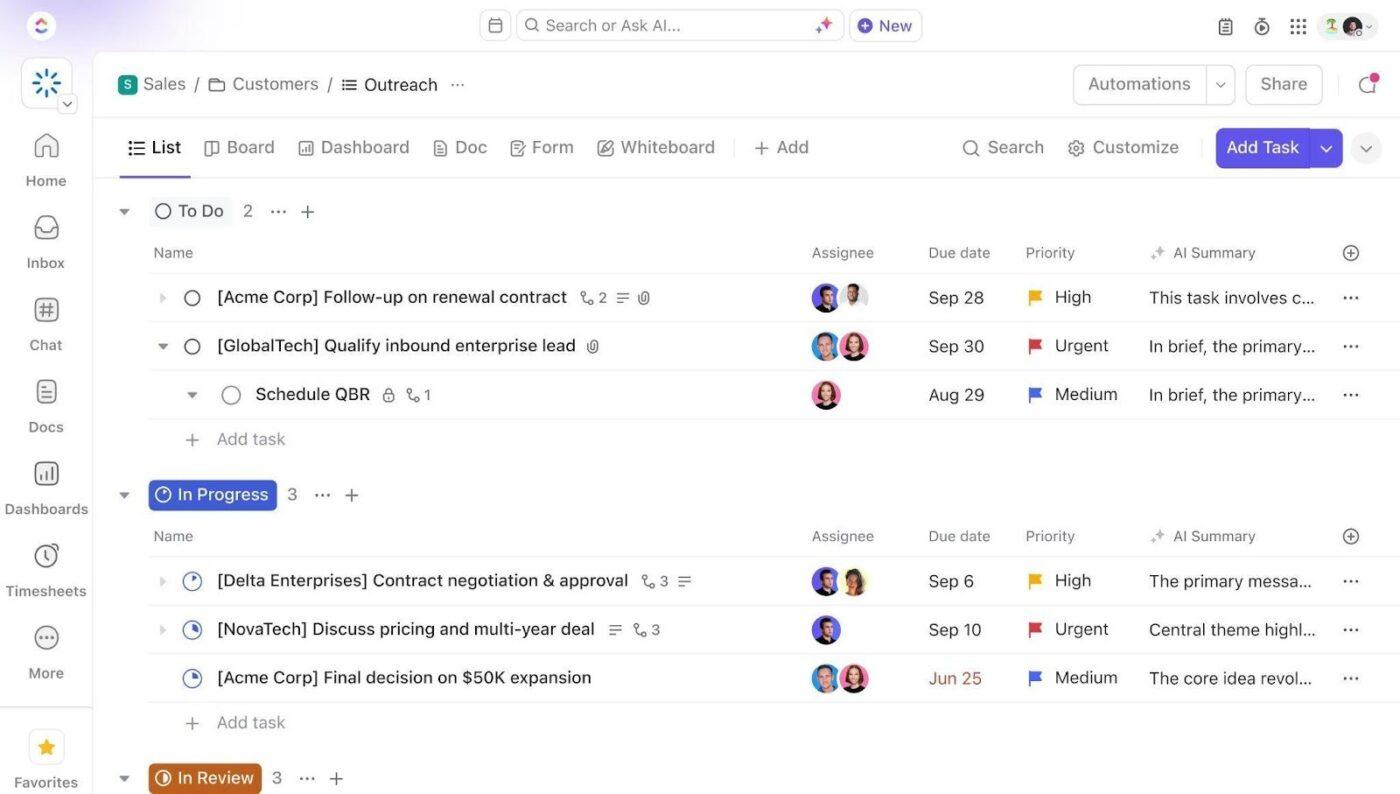
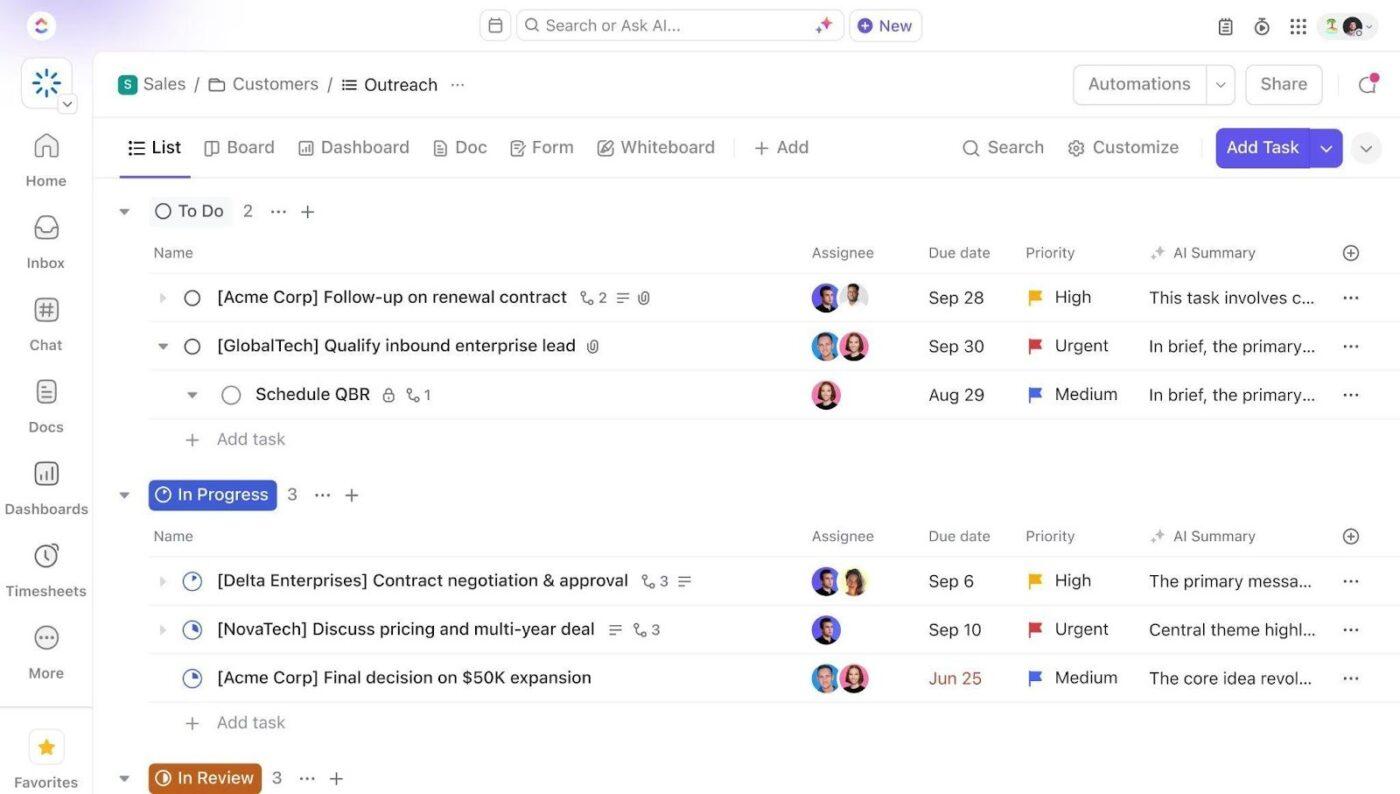
Your CRM template can fall apart when the pipeline lives in one place, and the work that moves deals forward lives somewhere else. ClickUp CRM for Teams is meant to keep pipeline tracking and execution together, so you don’t have to maintain a “CRM world” that’s separate from the actual tasks.
You also get 10+ flexible views for CRM use cases, including List, Kanban Board, and Table, which helps when different people need different project views for the same pipeline.
💡 Pro Tip: Capture Leads With ClickUp Forms, Then Route the Work Automatically.
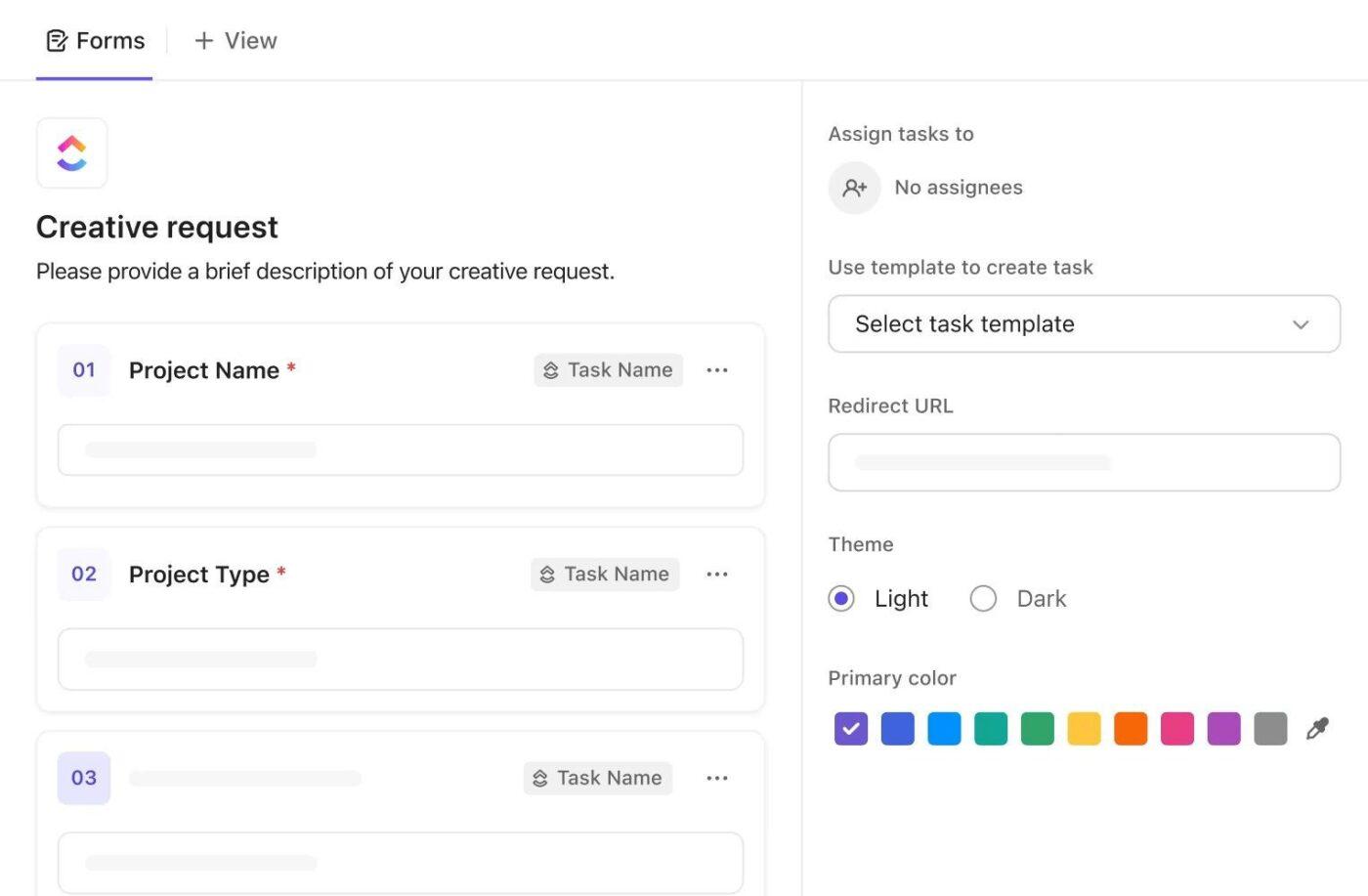
Use ClickUp Forms to capture leads with the exact fields you need (like deal size, source, and priority), then automatically send them into the right pipeline list so your CRM stays clean from day one.
You can then pair that with ClickUp Automations to assign the right owner and create the next-step task when a deal hits a specific stage, so follow-ups happen even during busy weeks.
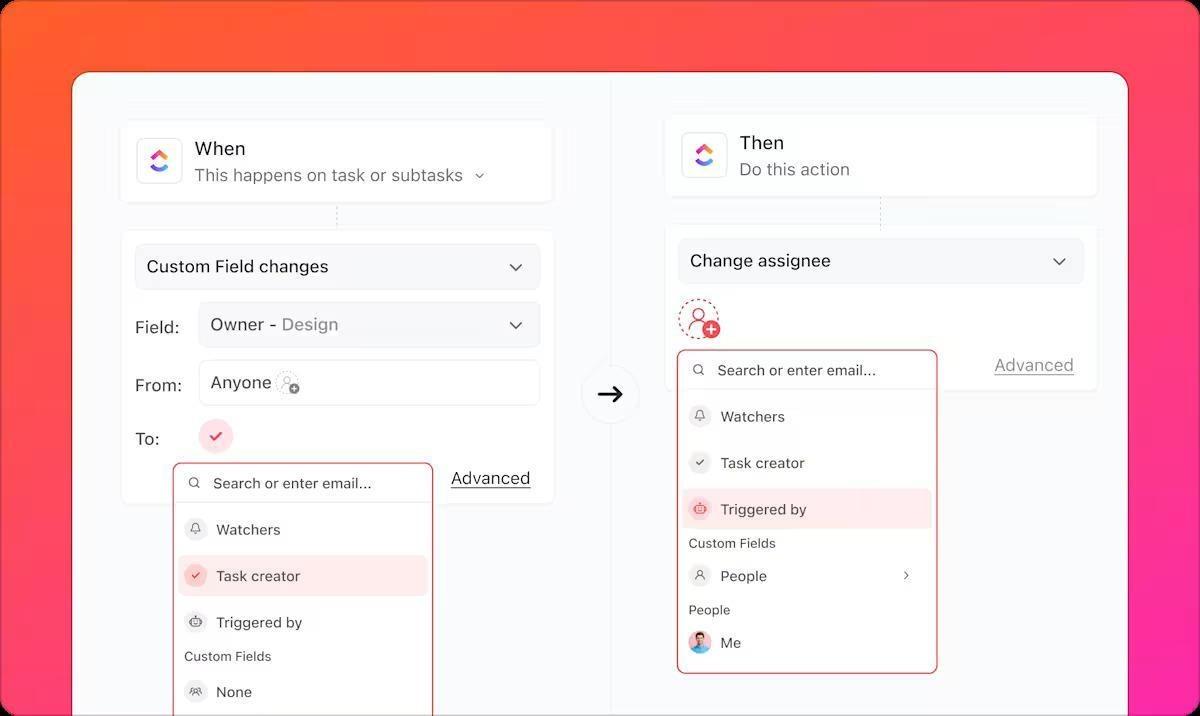
Asana and Notion can both run CRM templates, but teams often hit the same issue: follow-ups are easy to discuss and easy to forget.
ClickUp pushes follow-through into the workflow itself:
Then ClickUp Automations helps reduce repetitive admin by automating repetitive actions like automatically assigning tasks, posting comments, and changing statuses, plus options like dynamic assignees.
📖 Also Read: Workflow Automation Examples and Use Cases
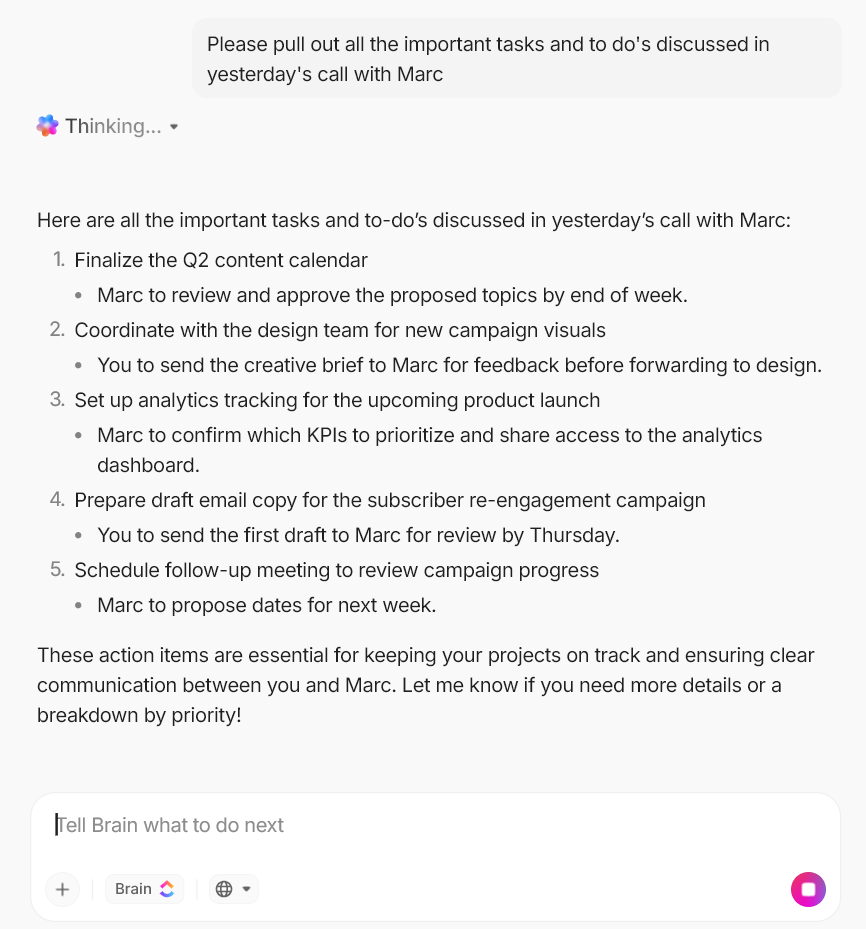
A CRM template gets messy when the most important details live in scattered notes. You remember a call had a key requirement or a pricing constraint, but you can’t find it when you need it. ClickUp Brain helps by bringing AI into your workspace so you can find answers and turn information into next steps without digging through long pages and threads.
📖 Also Read: Best AI Productivity Tools to Use
After organizing the information, it’s crucial to have a swift view of the pipeline’s progress. ClickUp Dashboards help you monitor deals, follow-ups, and performance at a glance, so you’re not relying on gut feelings or last week’s updates.
For small businesses, startups, agencies, and sales or ops teams, this means you can keep CRM reporting lightweight while still getting visibility into what’s moving, what’s stalled, and what needs attention next.
💡 Pro Tip: Use ClickUp Brain MAX to keep your CRM template clean, searchable, and action-ready.
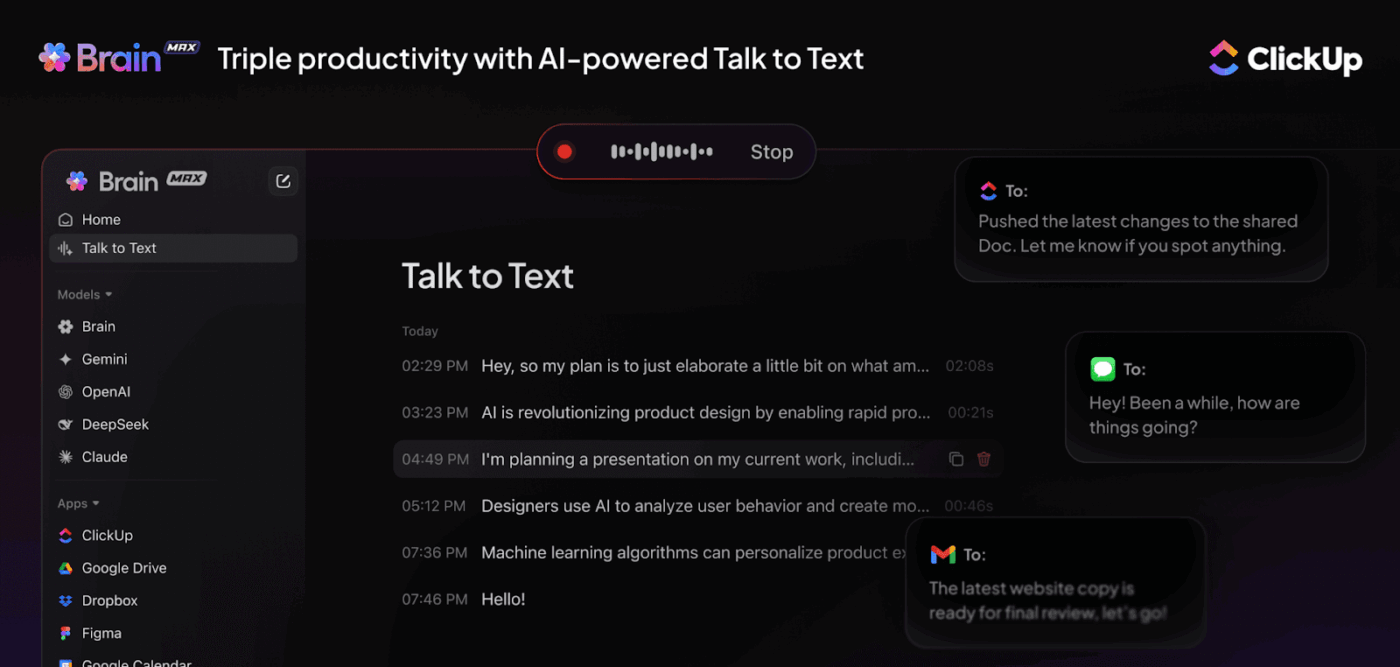
ClickUp Brain MAX helps you stay on top of CRM updates without turning every follow-up into busywork. Instead of digging through scattered notes or rewriting the same context in multiple places, you can capture, find, and act on deal info faster.
If you want a faster setup than building from scratch, ClickUp’s templates give you a structured starting point for a CRM workflow. You can pick a template that matches your workflow, then customize it as your pipeline gets clearer.
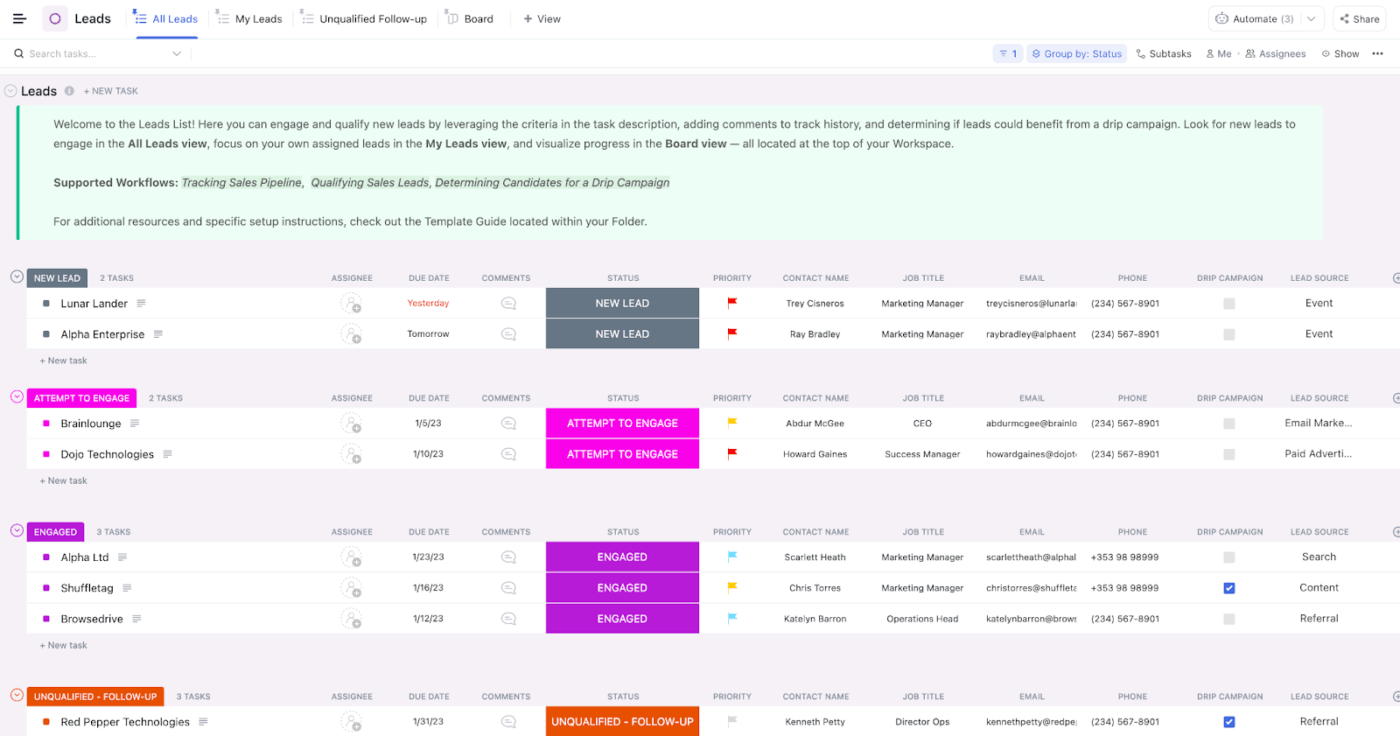
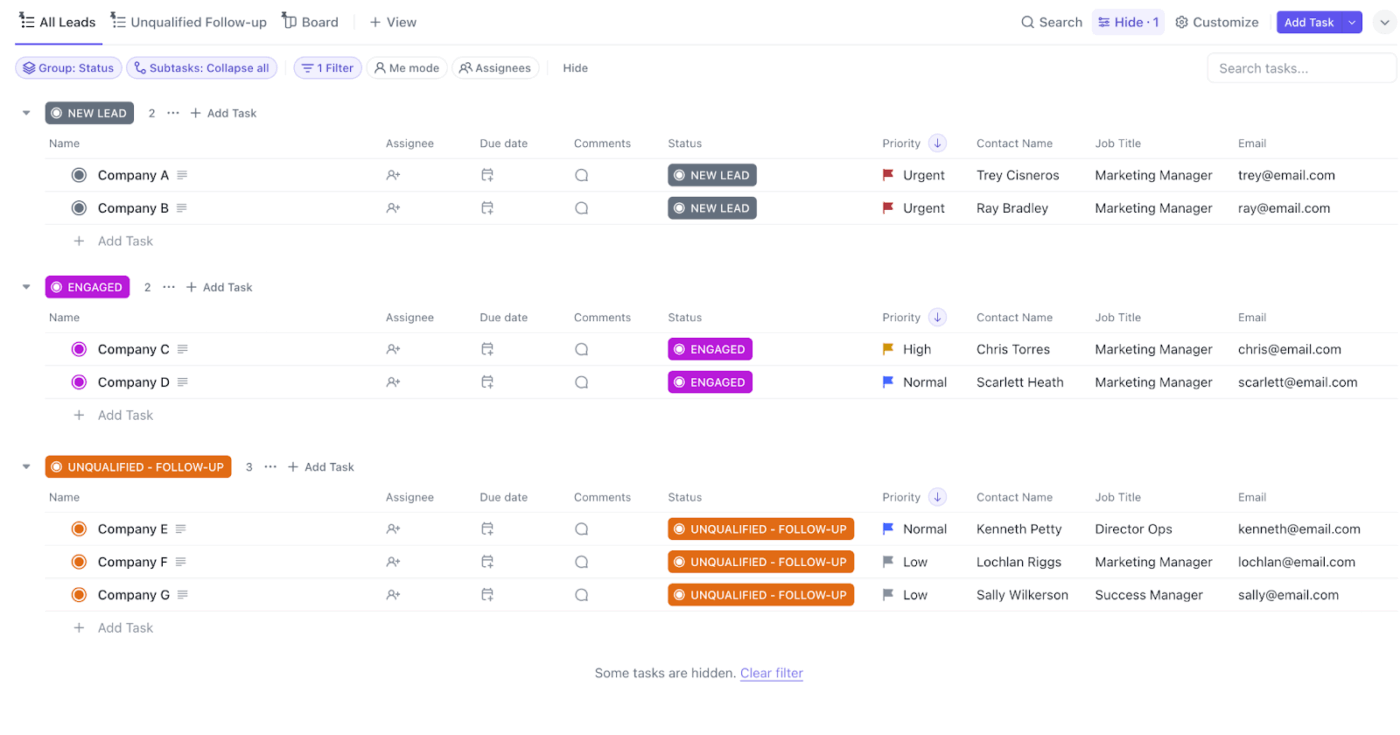
ClickUp’s CRM Template gives you a ready-made folder to manage leads, deals, and customer relationships in one place. Instead of building a CRM from scratch, you get a structured setup with Custom Statuses, Custom Fields, and multiple views so you can start organizing your pipeline right away.
For small businesses, startups, agencies, and sales or ops teams, this template makes it easier to stay consistent. You can keep contact details centralized, prioritize follow-ups by stage, and use views like Sales Process and My Assignments to keep next steps visible across the team.
✨️ Ideal for: Teams that want a structured, template-based CRM they can run daily inside ClickUp.
💡 Pro Tip: Use ClickUp Super Agents to keep your CRM template clean without chasing updates.
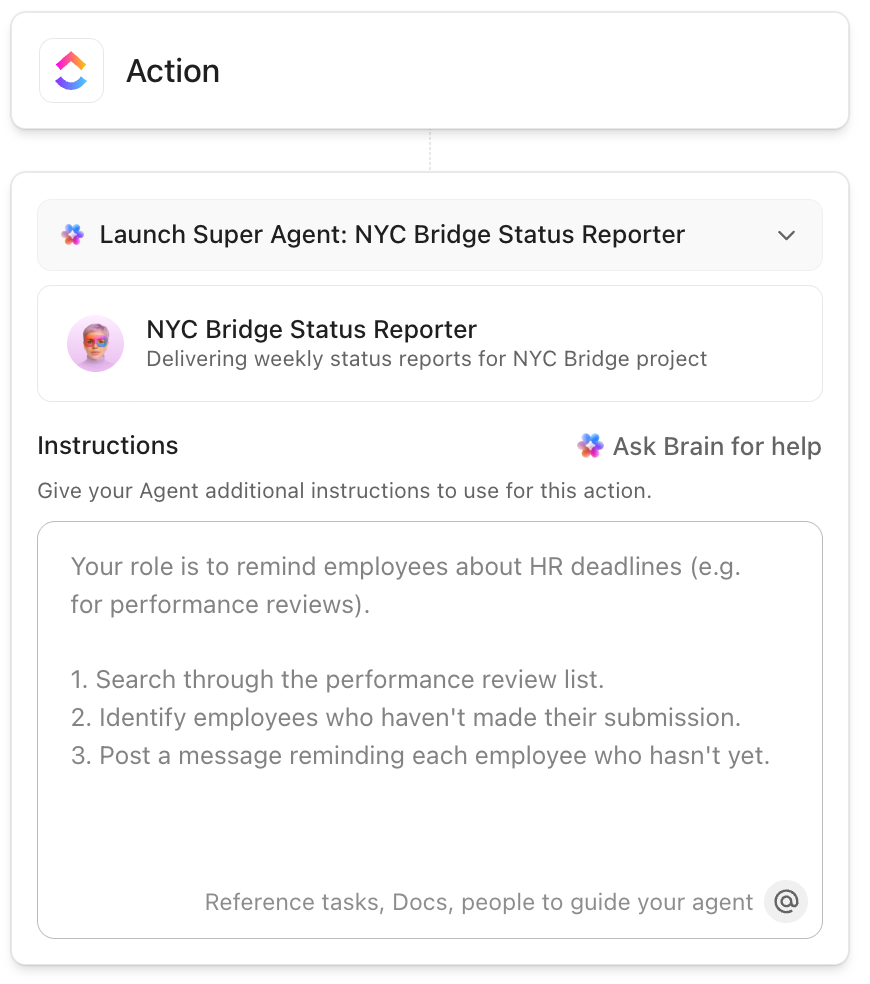
ClickUp Super Agents are designed to act like AI-powered teammates inside your Workspace, with access controlled through ClickUp permissions and configuration.
Here’s a CRM-friendly way to use them in an all-in-one workspace:
This is helpful when your team is running multiple projects and you want the CRM template to stay accurate without relying on people to remember every update
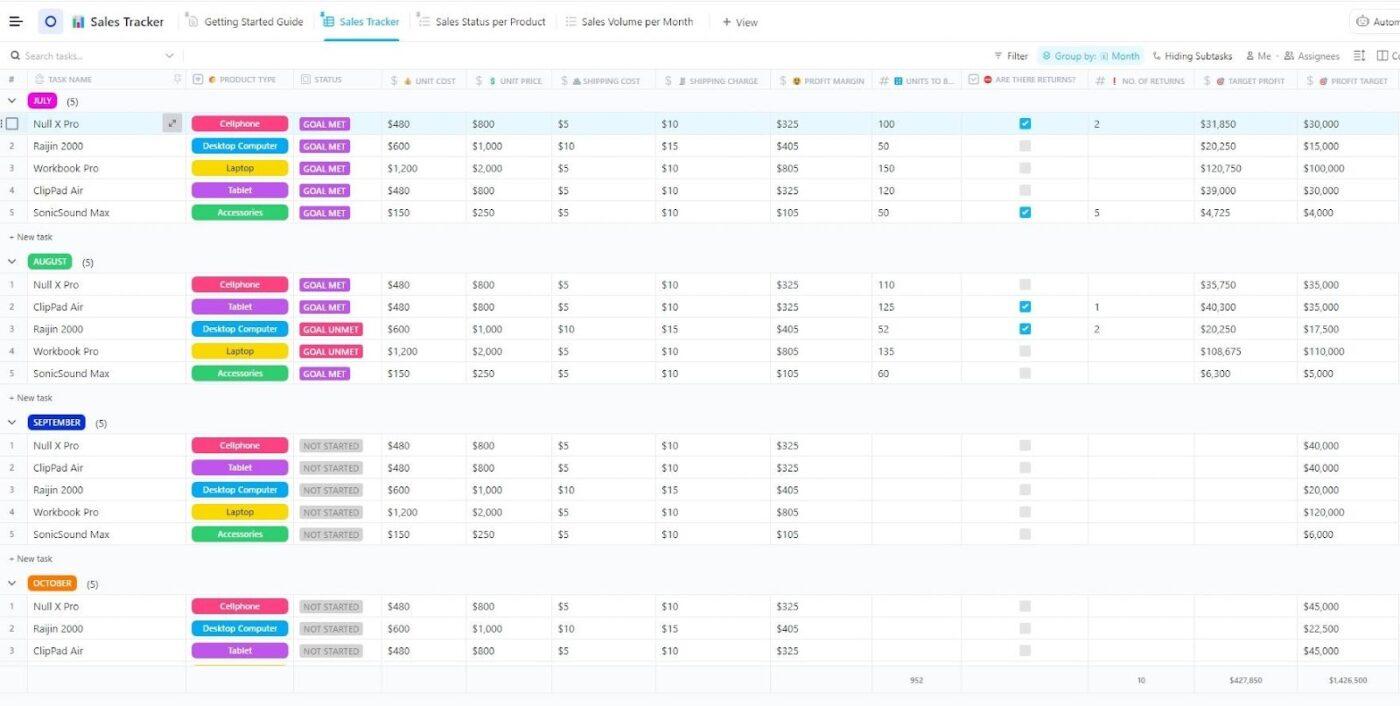
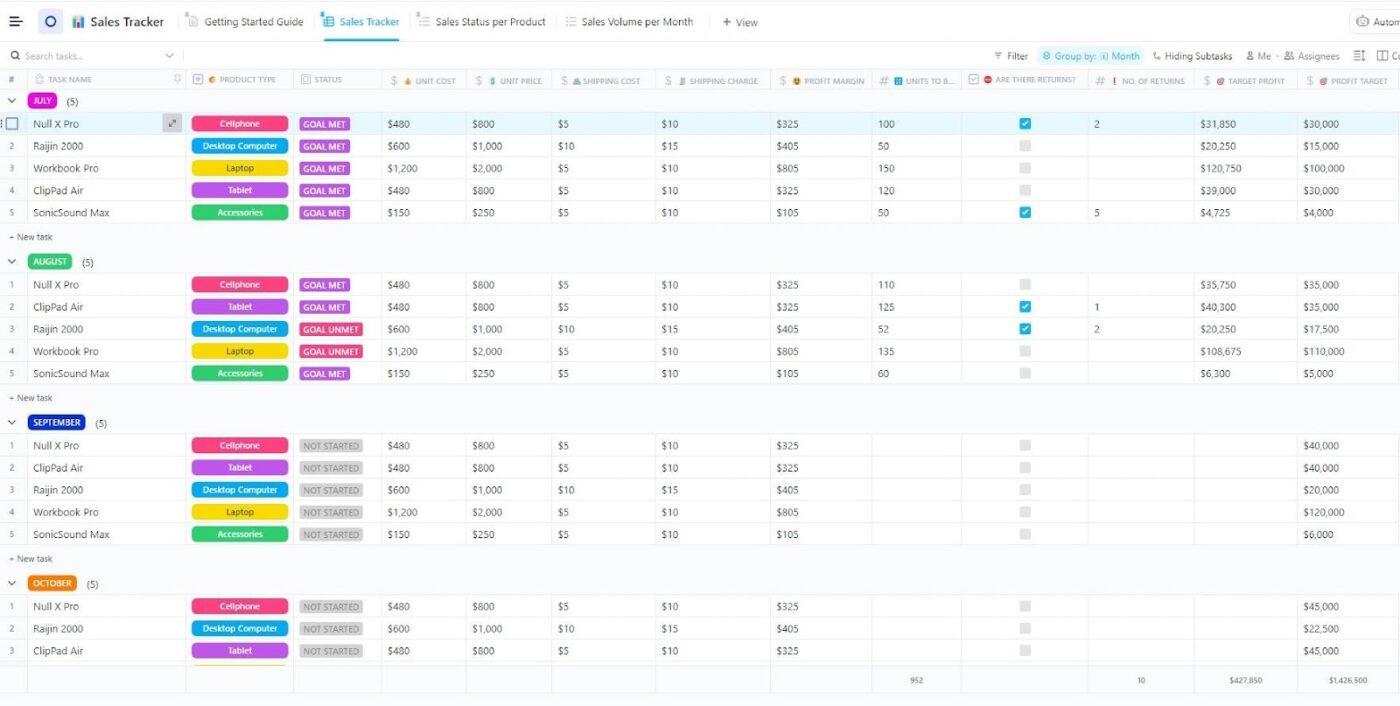
ClickUp’s Sales Tracker Template helps you track sales team activity without turning reporting into a weekly headache. You get a ready-made list to log sales progress, monitor targets, and keep key sales data organized using Custom Task Statuses, Custom Fields, and multiple views built for tracking performance.
For small businesses, startups, agencies, and sales or ops teams, this template makes pipeline decisions easier to justify. You can spot what’s working, see where effort is being wasted, and track individual or team performance in one place, so you’re not pulling numbers from five different tools before every review.
✨️ Ideal for: Teams that want a simple system to track sales performance and pipeline progress inside ClickUp.
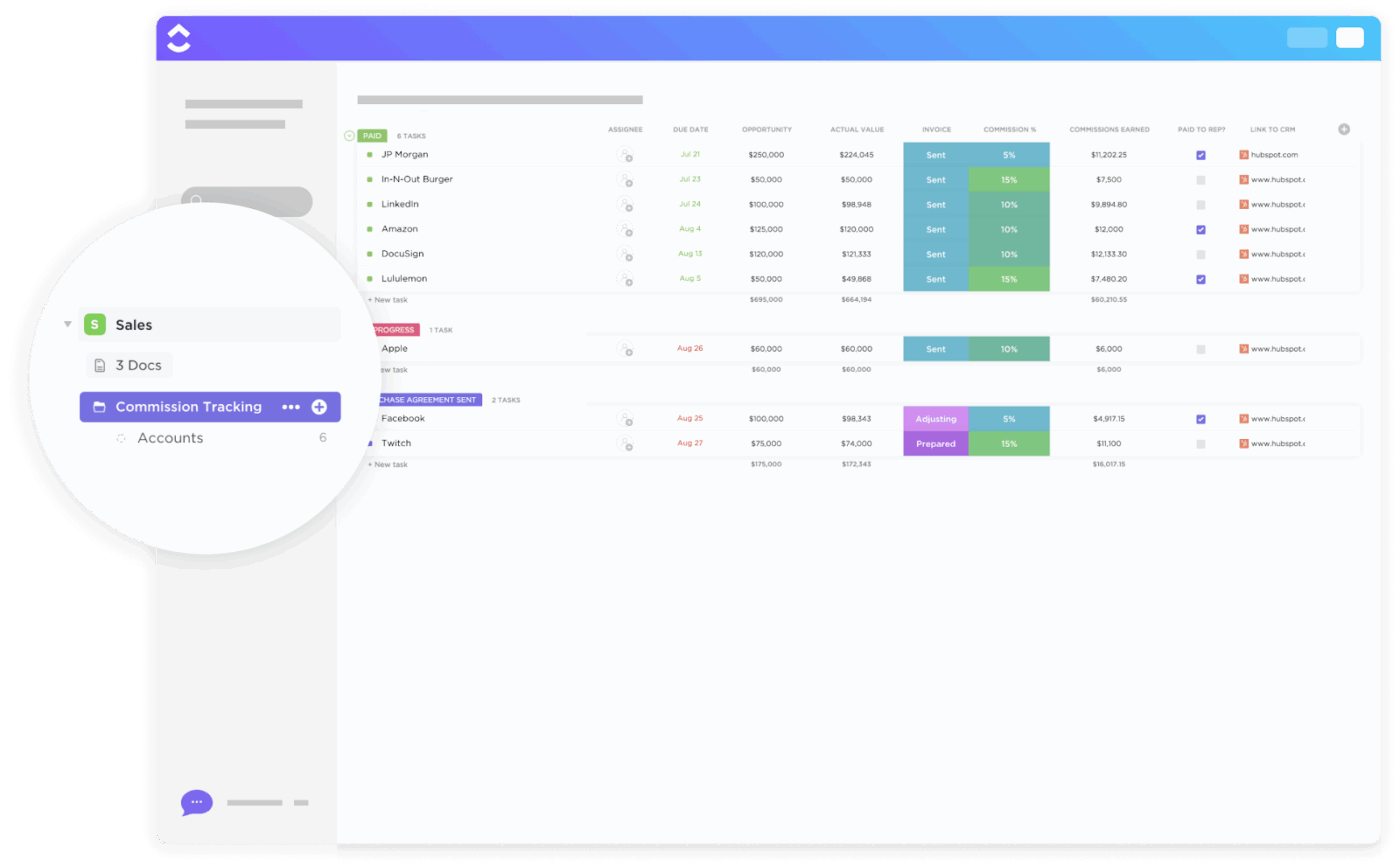
ClickUp Commission Tracking Template helps you track commissions from lead to close without building a complicated spreadsheet. You can log deal details, calculate commissions more accurately, and keep every payout tied to the right rep and timeline.
For small businesses, startups, agencies, and sales or ops teams, this template makes performance tracking feel less chaotic. You can monitor progress toward goals, spot gaps in the pipeline, and keep commission conversations transparent, so nobody has to chase numbers at month-end.
✨️ Ideal for: Sales teams that need a clear, repeatable way to track commissions and performance in ClickUp.
📖 Also Read: How to Improve Project Collaboration at Any Scale
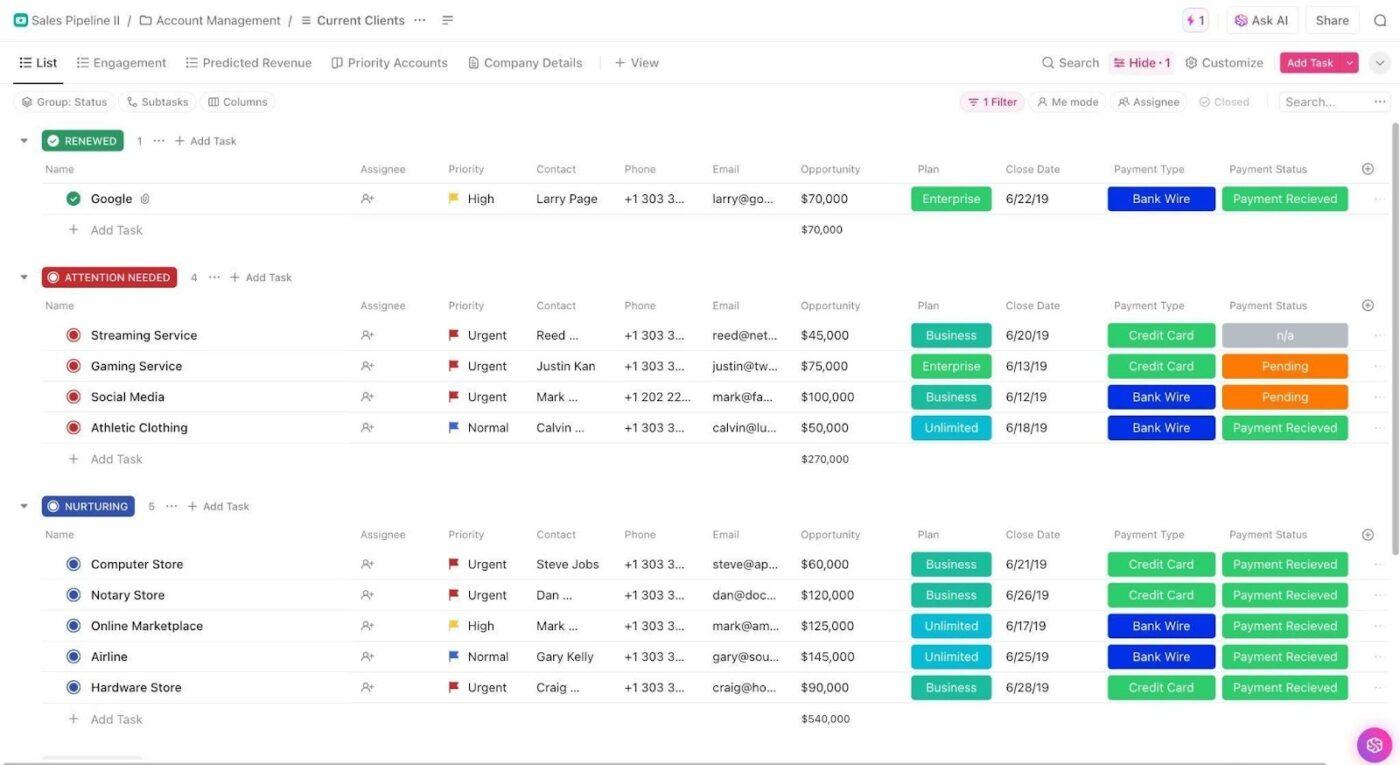
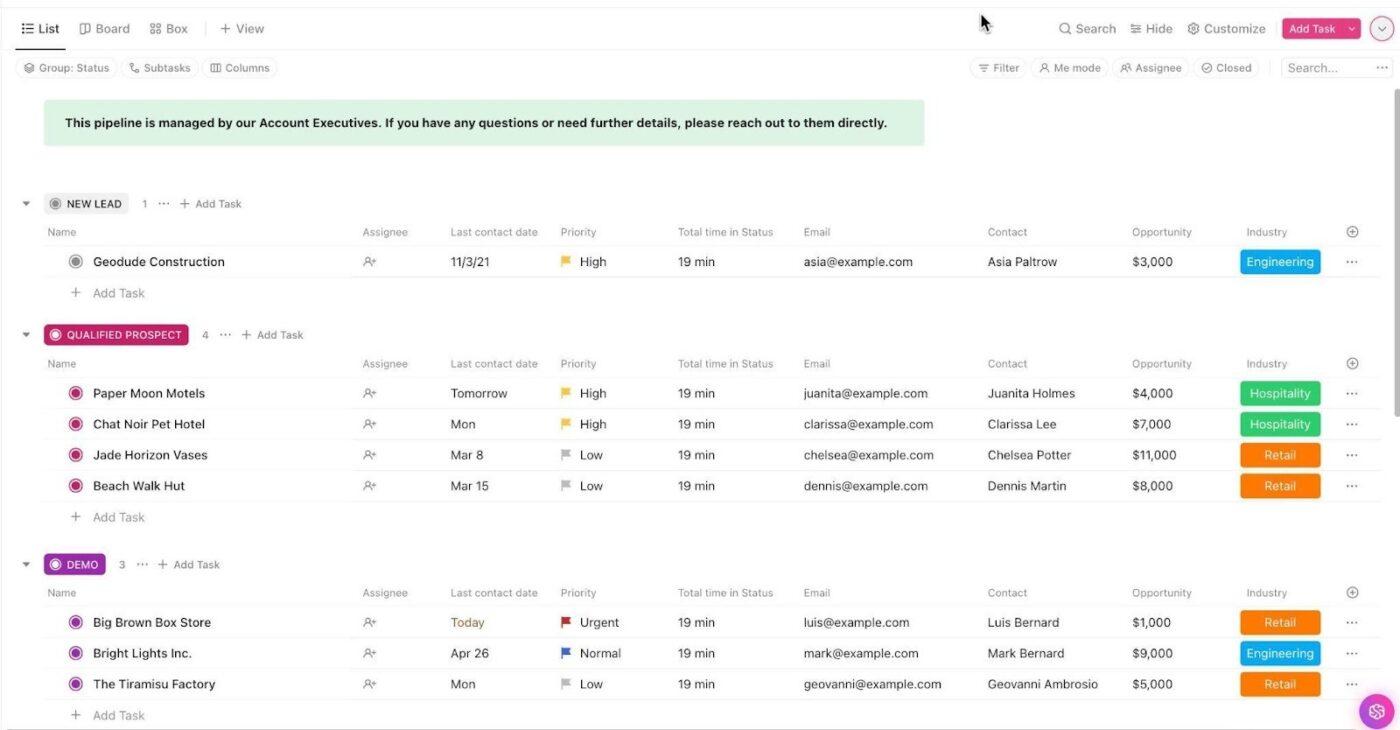
The ClickUp Sales Pipeline Template gives you a ready-made workspace to run your pipeline like an actual system. You can visualize your funnel in one place and keep customer data close to the work with a drag-and-drop flow.
If you’re a small business, startup, or agency juggling multiple deals at once, this template helps you stay consistent without extra admin. You can prioritize leads by urgency or value, see what needs attention this week, and keep follow-ups tied to the right owner so your pipeline doesn’t stall in silence.
✨️ Ideal for: Teams that want a structured pipeline view inside ClickUp, with clear stages and ownership.
The ClickUp Sales CRM Template is for the part of selling that usually gets messy: tracking conversations and keeping deal context easy to find. It gives you a no-code database-style setup, plus views that help you manage both pipeline movement and day-to-day sales actions.
If you’re trying to run a lightweight CRM without buying a full CRM platform, this template helps you stay organized and avoid scattered updates. You can keep customer details in one place, track the progress of each sale with structured statuses, and use different views for quick pipeline reviews or deeper deal check-ins.
✨️ Ideal for: Sales and ops teams that want a CRM-style workflow in ClickUp, without extra tools.
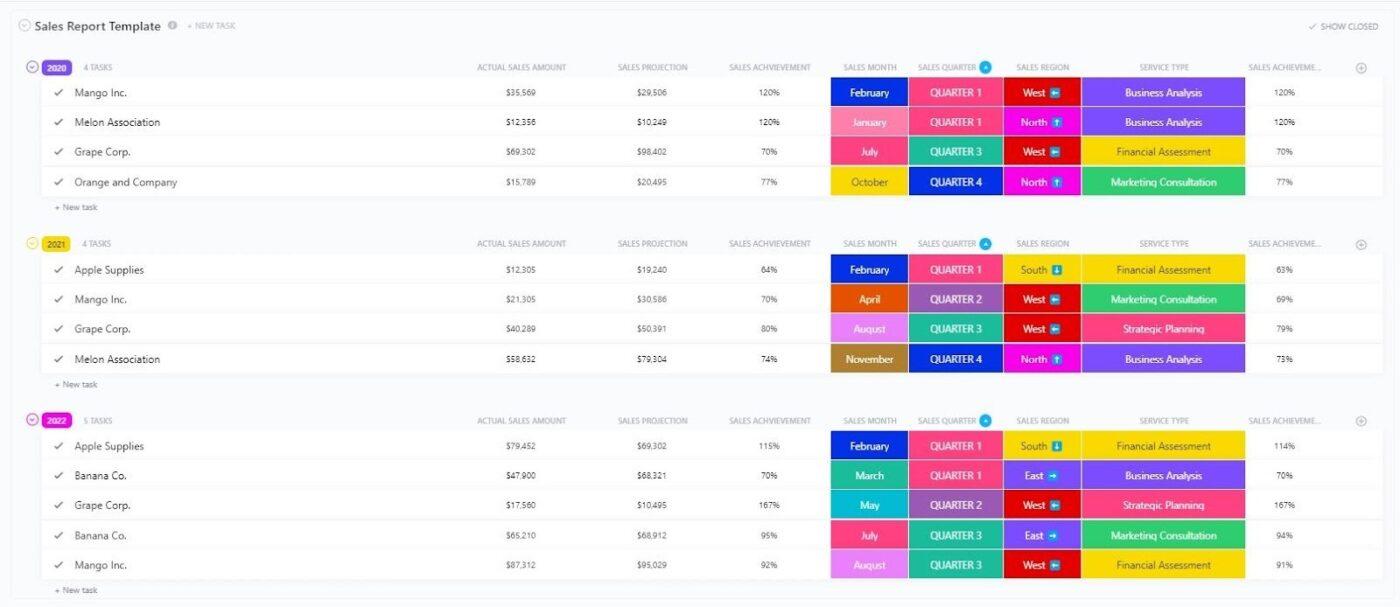
The ClickUp Sales Report Template helps you turn pipeline activity into something you can actually review and act on. Instead of chasing numbers across tabs, you can gather key sales metrics in one report, visualize trends with charts, and spot opportunities or gaps faster.
If you manage client work and sales in the same week, reporting is often where things fall apart. This template keeps reporting simple and repeatable, so you can track performance over time and share updates with stakeholders without rebuilding a report from scratch every month.
✨️ Ideal for: Teams that want quick sales reporting inside ClickUp, without living in spreadsheets.
The ClickUp Sales Process Template helps you define the steps of your sales motion and then actually follow them. It’s built to track progress through stages, store lead and customer data in a collaborative no-code database, and keep the process visible so nothing gets skipped.
If you’re a startup or small team building consistency, this template gives you structure without adding friction. You can use it to onboard new reps faster, make handoffs clearer, and spot where deals slow down because each stage has tasks and data attached to it.
✨️ Ideal for: Teams that want a repeatable sales process template they can refine as they grow.
📹️ Watch a video: Curious about AI in sales, but tired of vague advice that doesn’t change your day-to-day?
This video walks you through practical ClickUp workflows using ClickUp Brain, ClickUp CRM, AI Notetaker, ClickUp Docs, and Dashboards, plus plug-and-play templates like the Daily Sales Report and Sales Forecast, so you can keep pipeline health, follow-ups, and reporting in one place.
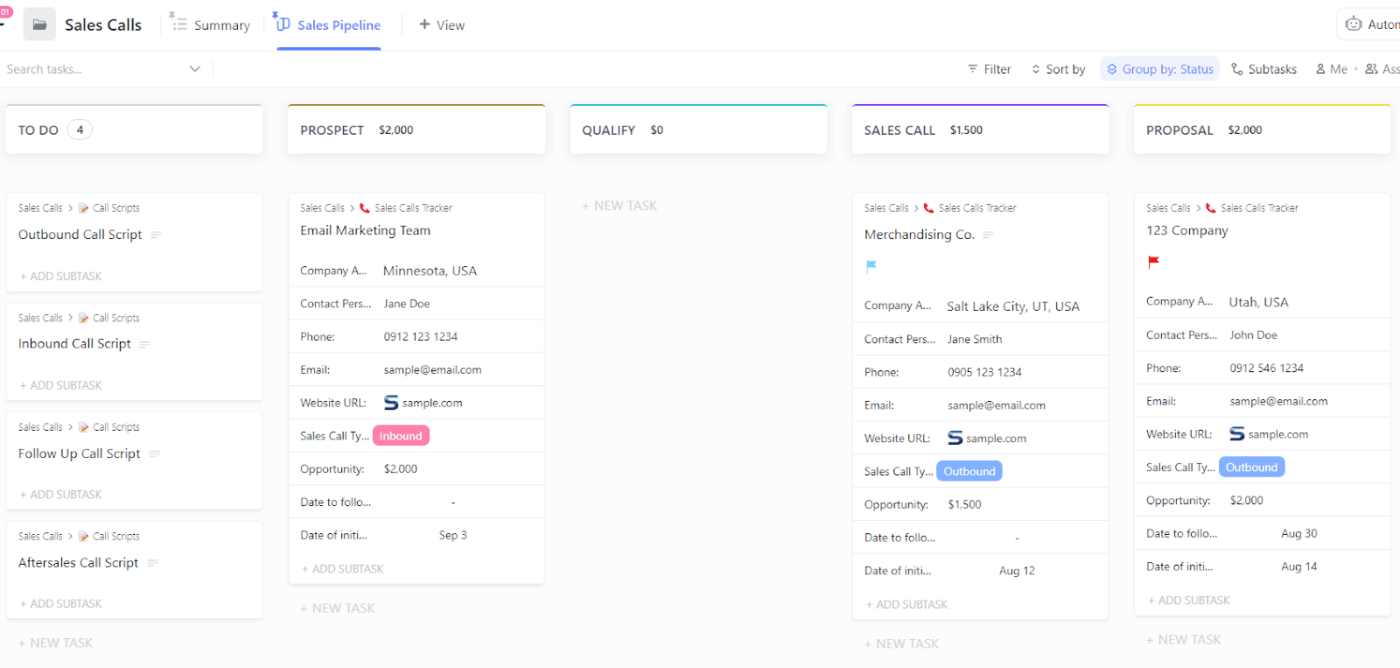
The ClickUp Sales Calls Template is built for teams that do a lot of outreach and need call tracking to stay clean. It helps you log contacts, track calls, and connect each conversation to follow-up tasks so call outcomes don’t vanish into someone’s notes.
If you’re trying to use templates as a lightweight CRM, call tracking is often the missing link. This template keeps your call activity and next steps organized in one place so you can follow up faster, keep deals moving, and stay consistent across reps.
✨️ Ideal for: Teams that want call tracking and follow-ups connected to a simple CRM workflow in ClickUp.
The ClickUp Sales Tracker Template helps you track sales activity and performance in a straightforward way, without turning it into a reporting project. It’s designed as a list-based tracker with clear statuses, structured fields, and multiple views so you can monitor progress and spot trends quickly.
If you’re a small business, startup, or agency that needs visibility but doesn’t want a heavy CRM setup, this template keeps your tracking simple. You can see where sales effort is paying off, measure performance over time, and make better pipeline decisions using the same workspace you already use to manage work.
✨️ Ideal for: Teams that want lightweight sales tracking inside ClickUp, with clear views and simple performance visibility.
Track and manage incoming opportunities, handled by AEs and BDRs, with the ClickUp Sales Pipeline Management Template
The ClickUp Sales Pipeline Management Template is built for managing incoming opportunities when multiple people touch the pipeline. It’s a ready-to-use folder that helps AEs and BDRs stay aligned on what’s coming in, what’s being worked on, and what needs the next push.
If your pipeline gets busy fast, this template gives you structure without slowing you down. You get a predefined setup with plenty of pipeline stages, built-in fields for deal data, and an included automation, so the workflow feels organized from day one.
✨️ Ideal for: Sales teams routing inbound opportunities between BDRs and AEs who need shared pipeline visibility.
If you’re choosing between Asana vs Notion for CRM templates, both can work, but they work for different reasons.
Asana feels stronger when your CRM is really a follow-up engine. Deals behave like tasks, so it’s easier to assign tasks, set due dates, and keep team tasks visible as you manage projects.
Notion feels stronger when your CRM needs a richer context. Deals behave like records, so your pipeline can sit next to internal documentation, meeting notes, and a lightweight knowledge base.
The catch is consistency. With a template-based setup, your pipeline only stays accurate if people update it, week after week, across multiple projects. ClickUp is a better fit when you want your CRM workflow tied directly to execution inside one all-in-one workspace.
Sign up on ClickUp now for a more organized workflow!
Asana works like a task-first CRM template. A deal becomes a task, and follow-ups live in assignments, due dates, and project views. Notion works like a database-first CRM template. A deal becomes a record, and the context lives inside the page.
If you want both action tracking and deal context together, ClickUp CRM templates combine task execution and CRM-style tracking in one place.
If your team already runs structured projects in a task manager, Asana is usually quicker to set up with a board, a few fields, and clear stages. Notion takes more design work because you build the database structure, views, and properties. ClickUp is often fastest if you want project templates you can launch and adjust without building the system from scratch.
Yes. Asana includes CRM-style project templates like Sales Pipeline and Account Tracking templates. They work by mapping deals and accounts to tasks inside a project. If you want a larger library of sales and CRM templates built for pipeline tracking, follow-ups, and reporting, ClickUp offers more options in that format.
Yes, especially if your sales team wants deal pages with notes, links, and a connected knowledge management setup. The key is process hygiene. Notion lets you build a clean database, but accuracy depends on consistent updates to properties and stages. ClickUp can be a stronger choice when you want those notes plus tighter task management for follow-ups.
Asana generally wins for task-based automation because rules are built around task movement, assignments, and stage changes. Notion offers database automations, but the depth depends on your pricing plans and how you structure your database. ClickUp is a strong alternative when you want automated workflows tied directly to tasks, statuses, and follow-up steps inside your CRM workspace.
If your client work depends on execution, deadlines, and clear ownership, Asana can be easier to run because it’s a structured project management tool at the core.
If your client work depends on rich context and internal documentation, Notion can be a better match. If you want to manage clients and CRM tracking in the same tool, ClickUp is often the simplest way to keep everything connected.

© 2026 ClickUp

There’s an easier way. Try a free AI Agent in ClickUp that actually does the work for you—set up in minutes, save hours every week.