









Still downloading templates?
There’s an easier way. Try a free AI Agent in ClickUp that actually does the work for you—set up in minutes, save hours every week.
Sorry, there were no results found for “”
Sorry, there were no results found for “”
Sorry, there were no results found for “”

Meetings seem like the necessary evil of every team, remote or hybrid. But what if they didn’t have to be energy-draining calendar black holes?
Enter Asana’s meeting agenda templates. Whether you’re hosting a weekly team sync, a project kickoff, or a one-on-one check-in, these templates help you plan ahead, assign owners, and track action items.
No more awkward silences, forgotten follow-ups, or “What was this meeting about again?” moments.
In this post, we’ll explore free meeting agenda templates from Asana that actually get stuff done (and maybe even impress your boss while you’re at it). Let’s make meetings productive again—one template at a time. 🤩 💪
An Asana meeting agenda template is a structured framework that helps teams organize, plan, and conduct meetings effectively. These templates include preset sections for meeting date, objectives, discussion topics, time allocations, and action items to help you prepare for a meeting.
Great for when you don’t want to start from scratch, these pre-built agendas offer a clear path, helping you plan in advance, share what’s on deck, facilitate the meeting in real time, and convert decisions into tasks.
A good Asana meeting agenda template sets the stage for focused meetings, outlining goals, prioritizing topics, and assigning responsibilities.
Here’s what to look for. 💁
Below is a curated selection of free Asana meeting agenda templates designed to suit various meeting styles and needs.
Each template provides a solid foundation for various types of meeting agendas, helping your team stay aligned and have productive meetings.

via Asana
The Asana Meeting Agenda Template provides a reusable structure for planning and running focused, time-boxed, and easy-to-follow client meetings. The spreadsheet-style project view presents everything in a list format, making it easy to map out discussion points, assign owners, and allot time for each topic.
This template helps teams run focused meetings with clearly outlined discussion points and time slots. It’s especially useful for recurring syncs that need consistency and time management.
📌 Ideal for: Team leads and project managers who want to keep recurring meetings focused, on schedule, and free of unnecessary tangents.
💡 Pro Tip: Assign roles for each meeting: one person to guide (facilitator), one to watch the clock (timekeeper), and one to take notes.

via Asana
This Kickoff Meeting Template’s structure aligns your team from day one, organizing agenda items, defining meeting roles, and assigning admin tasks.
Use the List View to lay out and assign your talking points to attendees in a meeting preparation checklist. Then, assign deadlines to each topic to ensure clarity. With built-in integrations and apps like Zoom and Google Drive, you can attach decks, take notes live, and sync recordings right inside Asana.
It’s perfect for launching projects with clarity and shared expectations.
📌 Ideal for: Product marketers, program managers, and cross-functional launch teams prepping to align fast and hit the ground running.
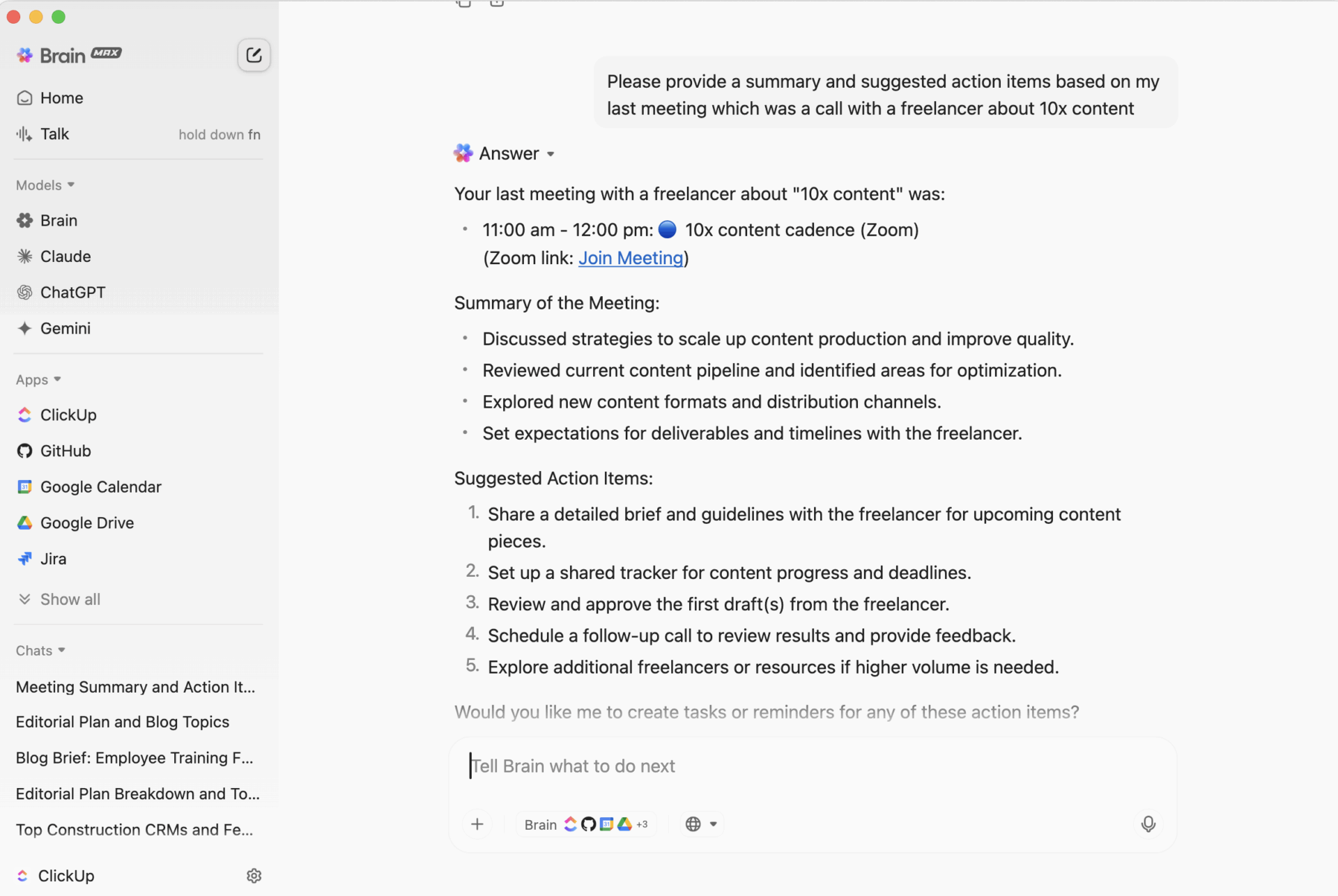
💡 Bonus: Make every meeting seamless and more productive with the power of ClickUp Brain Max. Here’s how:
ClickUp Brain MAX is the AI Super App that truly understands you because it knows your work. Ditch the AI tool sprawl, use your voice to get work done, create documents, assign tasks to team members, and more.

via Asana
Unstructured 1:1s often lead to missed updates, vague feedback, and wasted time. This Asana 1:1 template provides both parties with a shared workspace to prepare in advance, align priorities, and follow through on action items. Plus, you can even embed videos via Loom or Vimeo for clearer context.
Use this template to guide meaningful one-on-one conversations with team members. It supports shared preparation, priority tracking, and long-term development follow-ups.
📌 Ideal for: People managers looking to build accountability, document growth, and foster meaningful conversations with their direct reports.
⚙️ Bonus: Not getting what you need from the Asana meeting agenda template? Check out this video on how to write a meeting agenda that actually keeps things organized and action-focused with ClickUp.

via Asana
The Asana QBR Meeting Agenda Template gives you a ready-made structure for gathering input in advance using connected forms or surveys. Then, shape your agenda around what matters most to your audience.
Before the project meeting starts, it makes everything accessible: the agenda, supporting docs, and clear time slots for each speaker. During the session, you can use built-in task tracking to capture action items and open questions in real time. This QBR template is ideal for performance reviews and customer success alignment.
📌 Ideal for: Customer success teams and executive stakeholders who need to review performance, share insights, and realign on strategy.

via Asana
This Asana Team Brainstorm Template helps capture every idea with full context, organizing them by theme and preparing them for the next steps. You can create a shared board where contributors can add their thoughts either asynchronously or in real time during meetings. Use tags to categorize ideas, making it easy to spot trends or duplicates at a glance.
With this template, gathering and organizing ideas is seamless, whether live or asynchronously. To move forward efficiently, try to group similar ideas and prioritize action items.
📌 Ideal for: Creative teams, marketers, and product folks wanting structured group ideation sessions.
📚 Also Read: Free Asana To-Do List Templates to Organize Tasks

via Asana
Board meetings often cover complex topics involving multiple stakeholders. The Asana Board Meeting Agenda Template helps structure and clarify high-stakes conversations by letting you send the agenda to team members in advance.
During the meeting, facilitators can take notes directly within the template, keeping everything organized under each agenda section.
Designed for leadership or investor meetings, this template ensures key topics are covered and outcomes documented. It supports agenda distribution, note-taking, and structured follow-ups.
📌 Ideal for: Founders, CEOs, and executive assistants prepping for high-stakes board meetings where clarity and coverage are everything.
💡 Pro Tip: Don’t know all the useful Asana shortcuts? Click Ctrl + / to access them instantly.

via Asana
The Asana Conference Agenda Template lets you map out every session, assign tasks with start and due dates, use dependencies to flag interlinked sessions, and track it all with built-in time tracking.
With List View and Board View built in, you can switch between spreadsheet-style layouts and Kanban boards depending on how you like to manage timelines and logistics. Set up custom fields for speaker details, room assignments, and AV needs.
You can easily plan and manage conferences or company off-sites with this template. It maps sessions, logistics, and speaker coordination from start to finish.
📌 Ideal for: Event coordinators, ops teams, or marketing leads planning multi-track events or internal summits with moving parts.

via Asana
This Asana Meeting Minutes Template covers all essential details, including the meeting title, purpose, date, attendees, and logistics. It allows you to track meeting agenda items as they are addressed and document discussions, decisions, and assigned action items with deadlines.
Additionally, it provides space to record upcoming meeting dates for effective planning. This template ensures clear, organized records to support alignment and accountability following each meeting.
📌 Ideal for: Project coordinators and ops team members who want a simple way to log updates, decisions, and next steps.
While Asana is a popular project management tool, it has certain limitations that you might face, making you consider Asana alternatives.
Let’s look at a few. 👇
⚙️ Bonus: Frustrated by these gaps? Compare how ClickUp vs. Asana stack up against each other and see why more teams are making the switch for greater flexibility and control.
If you find Asana’s templates restrictive or want more flexibility and advanced features, ClickUp, the everything app for work, offers a powerful alternative.
Here’s what a real-life user had to say:
I have biweekly meetings with my supervisor and we use ClickUp for our agenda. I feel more on top of my game because all of my event and presentation requests live here, along with an up-to-date status indicator that she can check out.
Let’s look at some free meeting agenda templates that this meeting management software offers. 🎯
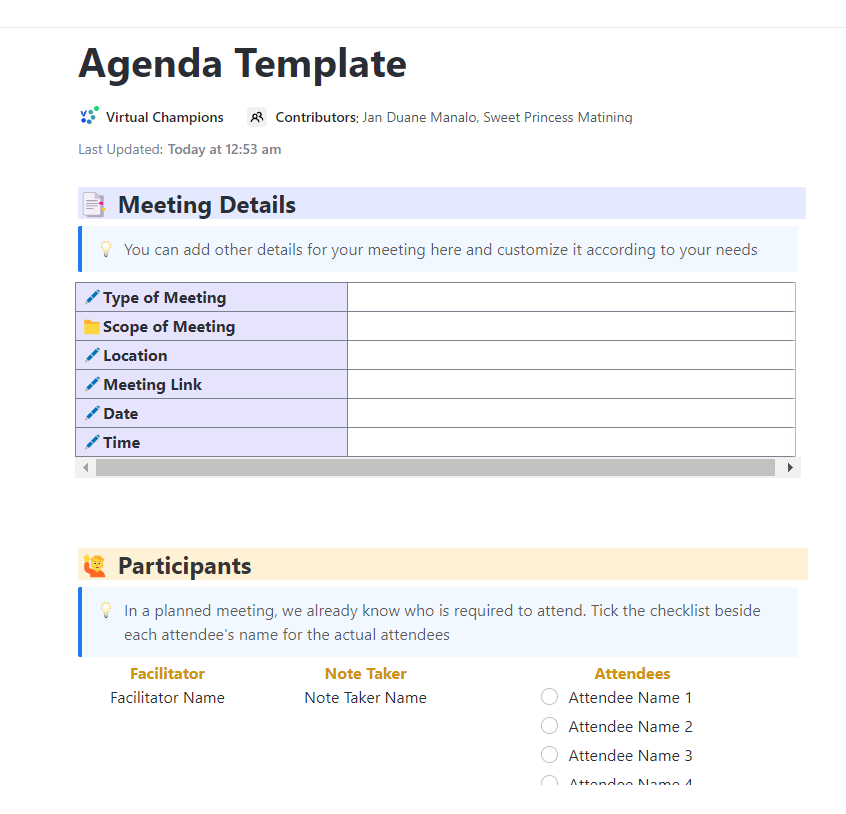
The ClickUp Agenda Template gives you a ready-to-use ClickUp Doc layout that organizes every moving piece of a meeting. The Meeting Details table lets you quickly map out your structure: set your meeting type, define the scope, and plug in your date, time, and location.
Then there’s the Participants section, which doubles as a lightweight attendance tracker. Paired with the new ClickUp Calendar, it gets even better.
You can instantly sync all your calendars, join Zoom, Google Meet, or Teams calls, and view your day in formats like daily, weekly, or monthly. It uses AI for meeting notes and feeds them directly into Docs for reference.
📌 Ideal for: Team leads and project coordinators who need a clear, role-defined meeting framework in one customizable agenda doc.
📮 ClickUp Insight: According to our meeting effectiveness survey, nearly 40% of respondents attend between 4 to 8+ meetings per week, with each meeting lasting up to an hour. This translates to a staggering amount of collective time dedicated to meetings across your organization.
What if you could reclaim that time? ClickUp’s integrated AI Notetaker can help you boost productivity by up to 30% through instant meeting summaries—while ClickUp Brain helps with automated task creation and streamlined workflows—turning hours of meetings into actionable insights.
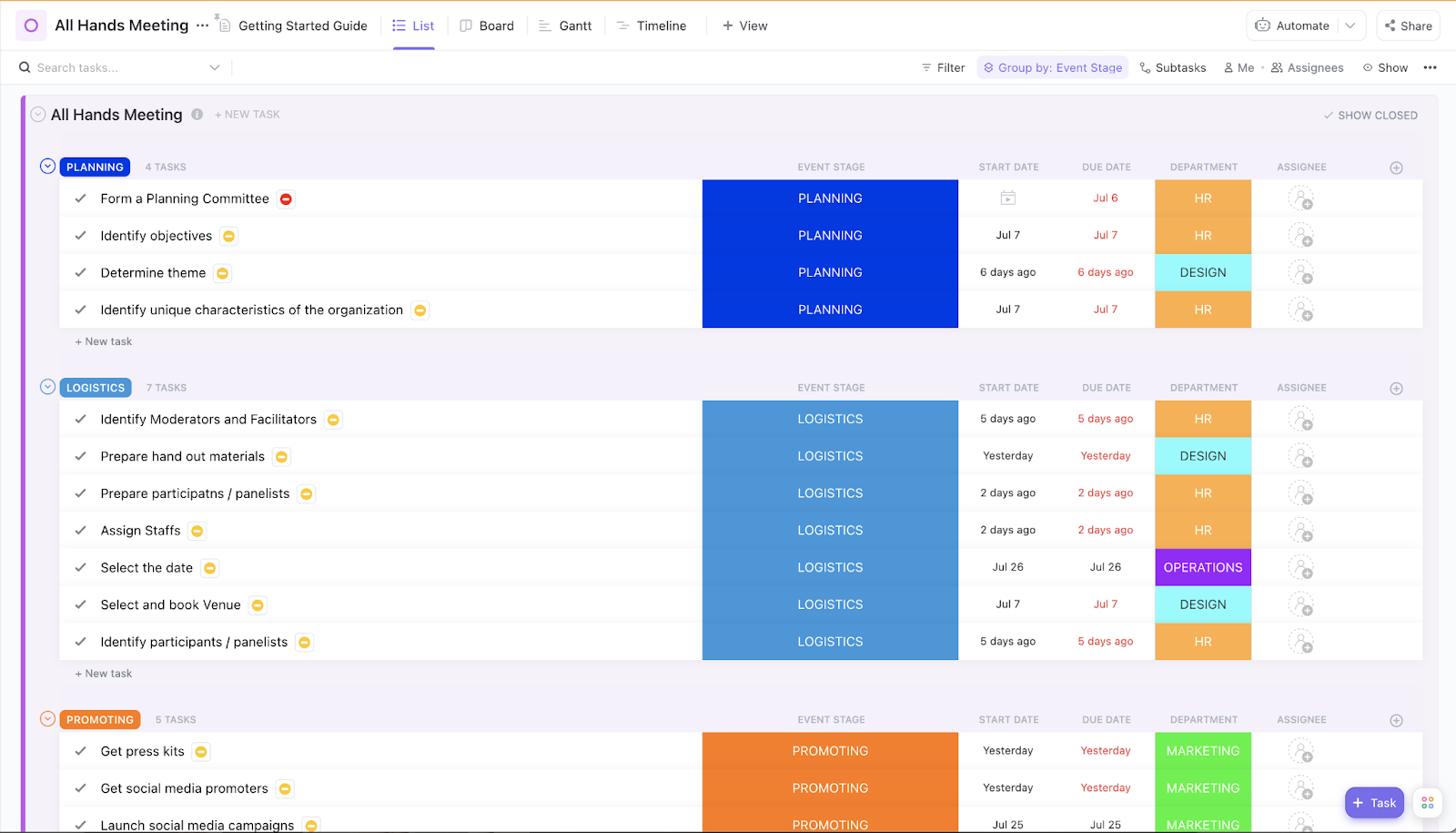
The ClickUp All-Hands Meeting Template acts like a real project plan, where every agenda item is a task and every update is traceable. Thus, all-hands prep is collaborative and trackable.
It’s a List template structured into clear phases like Planning, Logistics, and Promoting, each with its own timeline, owners, and Custom Fields like Event Stage and Department.
The biggest win? The Grouped Event Stage view turns your meeting prep into a mini project with deadlines. Want to know which team owns which piece? Just glance at the Department custom field. Thanks to visual due date alerts, you’ll know if HR, Design, or Marketing is on the hook and who’s falling behind.
📌 Ideal for: Executives or department heads running company-wide syncs with tight timelines.
🎥 Watch: Learn how to maximize meeting productivity with ClickUp’s AI Notetaker:
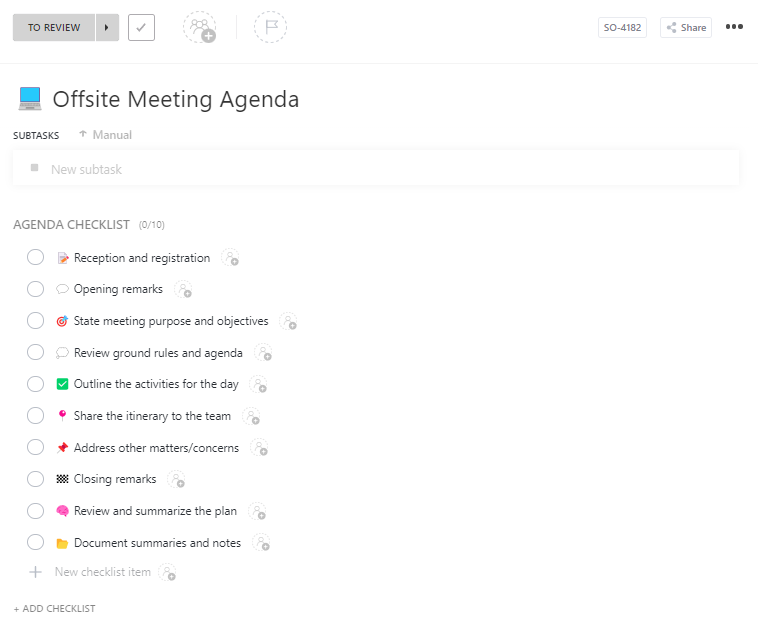
Off-site meetings are meant to spark strategy, connection, and clarity. The ClickUp Offsite Meeting Agenda Template is a task-based template that turns your offsite planning into a tracked process.
It offers five unique Custom Fields designed for off-site execution: Notetaker, Scribe, Facilitator, Notes Link, and Timekeeper. Every agenda item gets a dedicated point person, a place for linked documentation, and a timestamp anchor.
It ensures structured discussions and effective documentation during strategic sessions.
📌 Ideal for: Retreat planners or strategy facilitators who need roles, timing, and note capture all anchored in one offsite-ready checklist.
💡 Pro Tip: ClickUp AI Notetaker automatically captures meeting discussions, action items, and key decisions in real time, so you never miss important details. By pairing it with meeting agenda templates, you can ensure every meeting follows a clear structure, keeps participants focused, and results in organized, actionable notes that are easy to review and share.

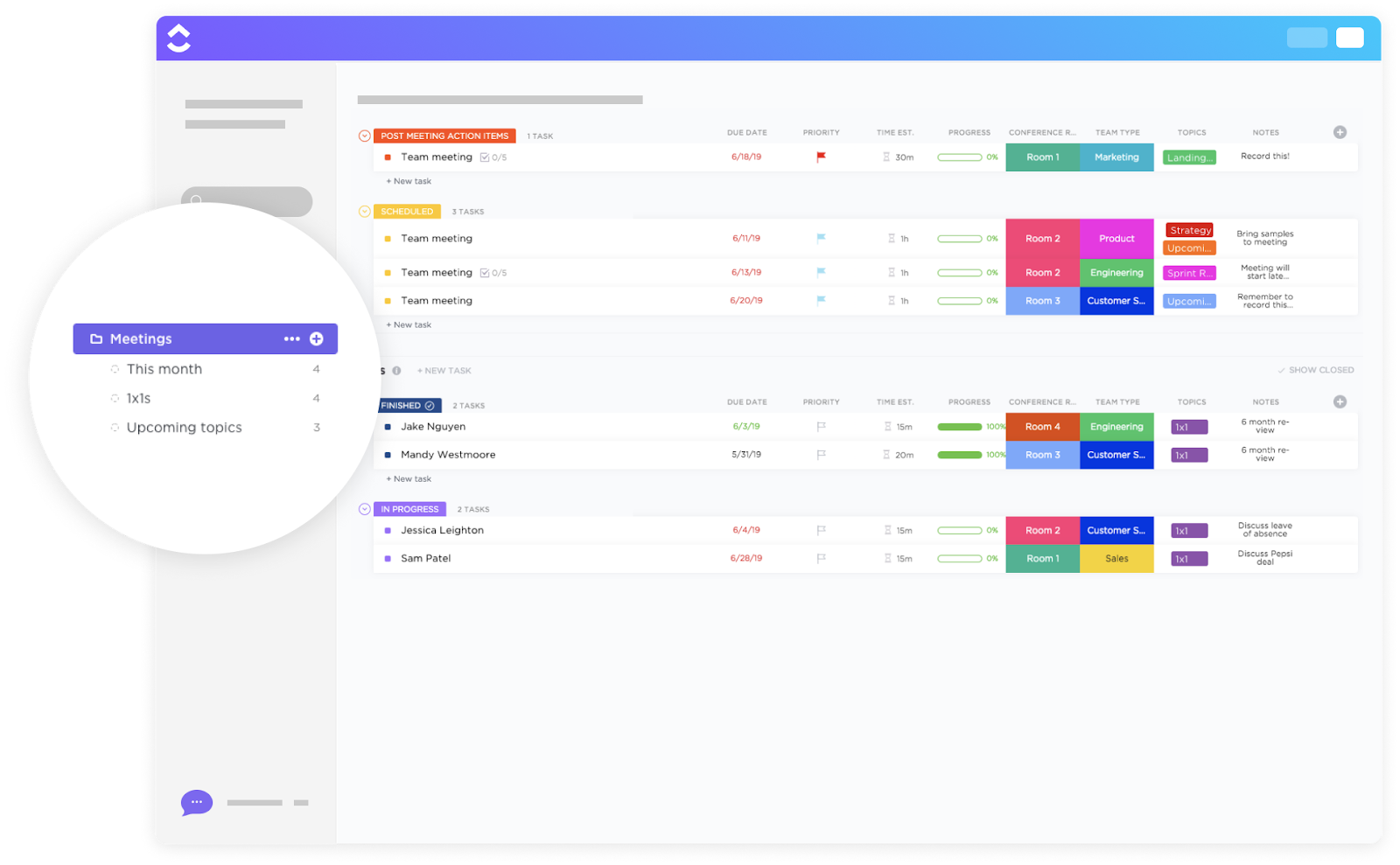
The ClickUp Meetings Template converts each meeting into a trackable workflow, rather than a standalone conversation. It links every part of the meeting lifecycle, from agenda items and real-time updates to ownership and follow-through.
For fast-paced sales teams, this sales meeting agenda template makes switching between planned calls and impromptu syncs painless. It seamlessly connects with ClickUp Meetings, the meetings hub that allows you to create recurring weekly team meeting tasks.
📌 Ideal for: Sales teams or ops groups running rapid, mixed-format meetups.
💡 Pro Tip: Use ClickUp Automations to send a summary or reminder. For example, when a task in the ‘Meetings’ list is marked as complete, send a comment to assignees: ‘Reminder to check follow-up tasks.’
The ClickUp Meeting Roster Template acts like your command center for recurring check-ins or larger team syncs. It allows you to instantly identify details like the Project, Facilitator, Notetaker, Timekeeper, and Meeting Date.
The built-in To Do Section connects straight to your workflows, so you can drop in action items as they come up. It’s especially useful when you’re managing rotating roles or pulling reports for team engagement.
🌼 Why you’ll love this template
📌 Ideal for: Leaders responsible for recurring check-ins or standups where tracking attendee roles and attendance patterns is key.
The ClickUp Meeting Checklist Template gives you a ready-to-use checklist you can fill out in seconds during every meeting. A standout feature? You can add Nested Subtasks within the checklist to break significant discussion points into micro-tasks and assign and prioritize them.
And if something’s time-sensitive? Comment reactions and status updates make it easy to flag what needs attention. It also allows a detailed breakdown of discussion points with subtasks and priority assignments.
📌 Ideal for: Teams handling mid-week syncs and recurring updates to nest subtasks, assign multiple owners, and tick off agenda items.
The ClickUp Meeting Tracker Template is your go-to tool for organizing every detail across meetings. Built as a List View template, it gives you a centralized way to organize agendas, capture notes, and track follow-ups.
Custom Fields, including Meeting Type, Location, Timekeeper, Notetaker, and Leader, ensure that recurring operational meetings and client onboarding are properly categorized.
📌 Ideal for: Project managers or ops teams needing a centralized log of all meetings, types, participants, and progress in one searchable list.
📮 ClickUp Insight: ClickUp found that 27% of respondents struggle with meetings that lack follow-through, leading to lost action items, unresolved tasks, and ultimately, subpar productivity.
This issue is compounded by how teams track their work. Our team communication survey reveals that nearly 40% of professionals manually track action items, a time-consuming and error-prone process, while 38% rely on inconsistent methods that increase the risk of miscommunication and missed deadlines.
ClickUp eliminates this action item chaos! Instantly convert meeting decisions into assigned tasks—all in the same platform where work happens.
The ClickUp Project Kick-Off Meeting Template is perfect for aligning teams on what matters most: who’s doing what, when, and why. It comes with a built-in meeting framework complete with Custom Fields like Project Manager, Location, Timekeeper, Attendees, and Note taker, so nothing gets left out in introductions.
Built within the task management software, you can turn the session into an actionable checklist with nested subtasks, assign items instantly using multiple assignees, and add priority tags to keep everyone aligned.
📌 Ideal for: Project leads who want to set clear goals, assign ownership, and capture key kickoff decisions.
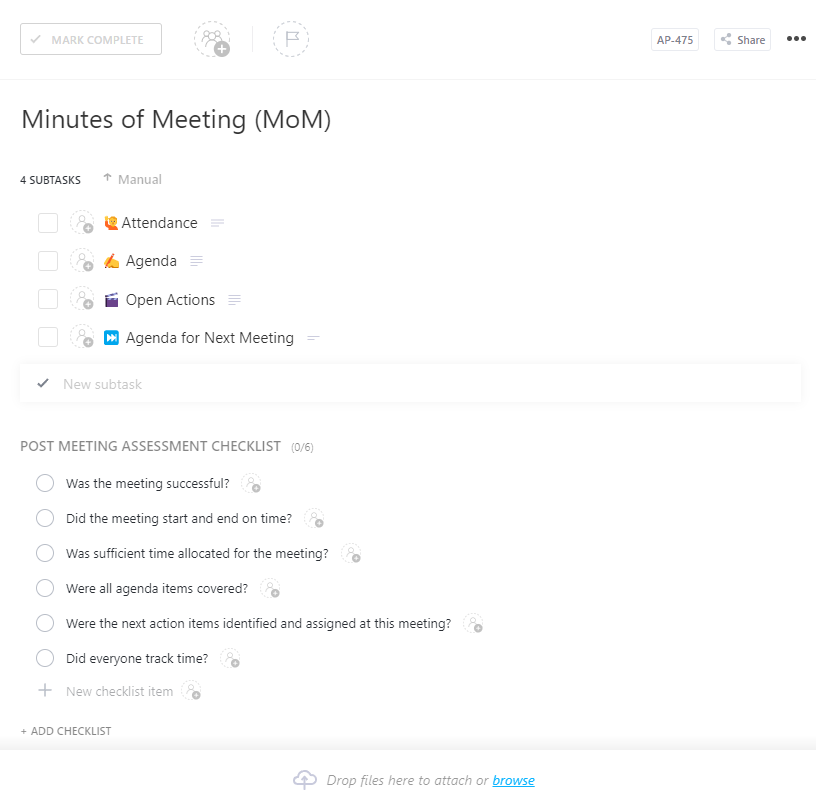
The ClickUp Minutes of Meeting (MoM) Template offers a no-nonsense structure for documenting everything that matters. Use the Custom Fields built into the template, like Meeting Date, Time, Attendees, Agenda Topics, and Action Items, to capture the whole picture as you go.
It’s structured to match real-world team workflows, making it easier to maintain accountability and transparency, especially in high-stakes or cross-functional meetings. A standout feature is the ability to track attendee sign-off using verification fields, ensuring that decisions are discussed and acknowledged.
📌 Ideal for: Teams needing formal sign-off and auditable records to capture key decisions, attendees, and actions.
💡 Pro Tip: Try the Lean Coffee method: everyone pitches topics, votes on what matters most, and talks it out in timed chunks. Super democratic, super focused.
The ClickUp Meeting Notes Template is designed for teams that need a consistent format to quickly document what’s discussed, especially when meetings are fast-paced or recurring. Unlike a generic notes doc, this meeting notes template offers adjustable sections that match the flow of different meeting types, from daily standups to client reviews.
What makes this one stand out is its recurring meeting support. You can clone previous notes, keep a consistent format, and build a searchable archive of all past meetings.
📌 Ideal for: Teams running frequent standups or client calls to structure notes quickly.
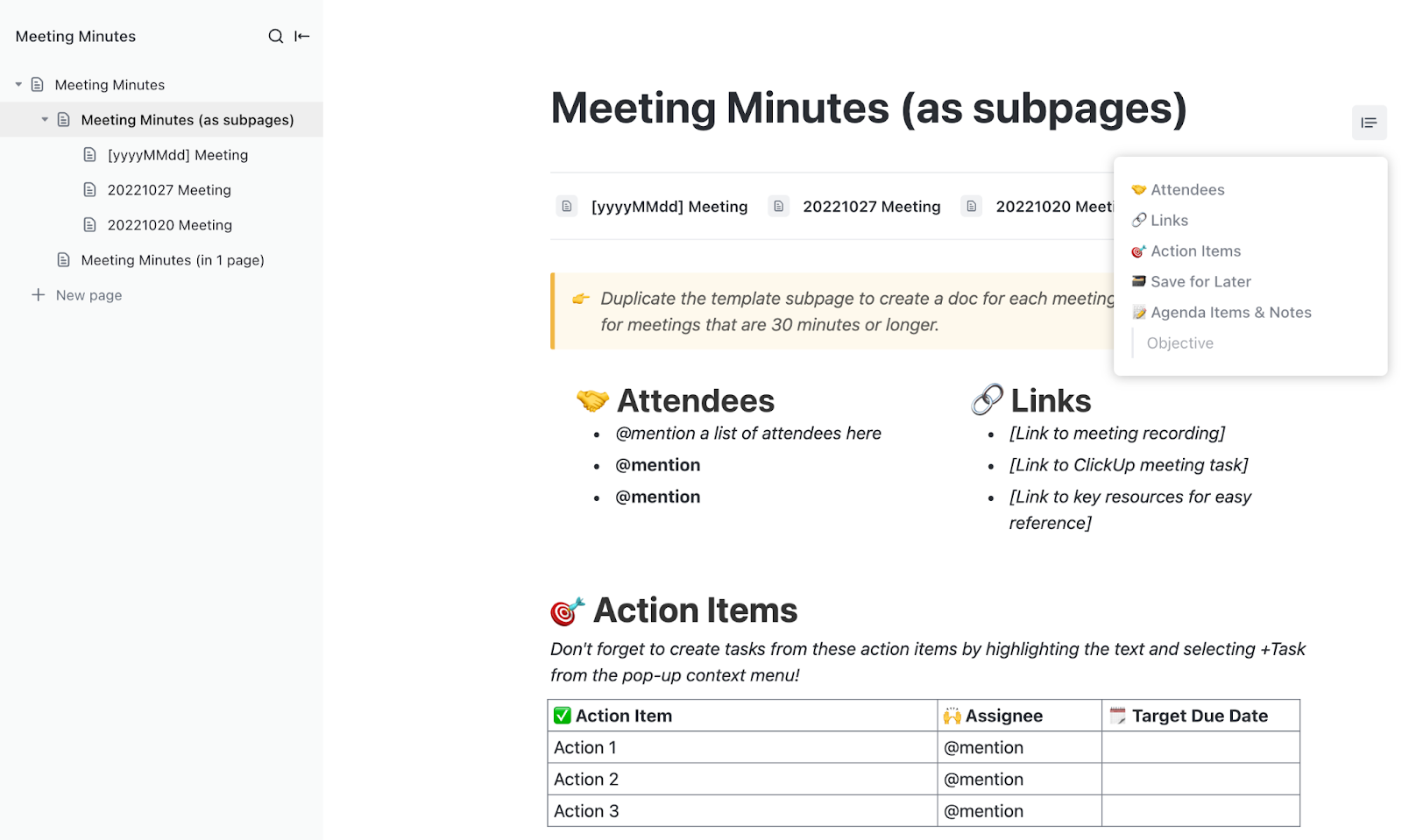
The ClickUp Meeting Minutes Template offers custom instructions pages to standardize note-taking across the team.
Unlike the ClickUp MoM Template, which is more structured for formal approvals and tracking action timelines, this one gives you a flexible doc format that you can open, update, and share in real time. Pre-loaded with sections for Attendees, Agenda Items, Discussion Points, and Action Items, it avoids the hassle of organizing notes.
📌 Ideal for: Anyone wanting a ready-to-share meeting summary in Doc form that captures attendees, decisions, and next steps with minimal setup.
💡 Pro Tip: Here are some keyboard shortcuts you can use within your ClickUp Doc:
The ClickUp Team Communication and Meeting Matrix Template helps you bring structure to who talks to whom, when, and why. It’s a List-style template with pre-built views, giving you a 360° view of which conversations need to happen and when.
You can plan recurring syncs, map communication touchpoints, and track each discussion’s progress with custom statuses like In Progress, Done, or Cancelled. It facilitates scheduling, tracking, and managing conversations within distributed teams.
📌 Ideal for: Distributed teams needing a strategic communication blueprint.
Asana’s meeting agenda templates offer a structured starting point, but ClickUp goes several steps further. It combines agenda planning, real-time collaboration, documentation, and follow-ups in a single space.
From one-on-ones to sprint reviews, each template is designed to keep conversations structured, tasks documented, and follow-ups crystal clear.
Everything stays connected: templates link directly to tasks, docs, and calendars, so nothing gets lost after the call. With built-in AI scheduling, synced calendars, and editable docs, it’s easy to prep, run, and track meetings without context switching.
Sign up to ClickUp for free today! ✅

© 2026 ClickUp

There’s an easier way. Try a free AI Agent in ClickUp that actually does the work for you—set up in minutes, save hours every week.