



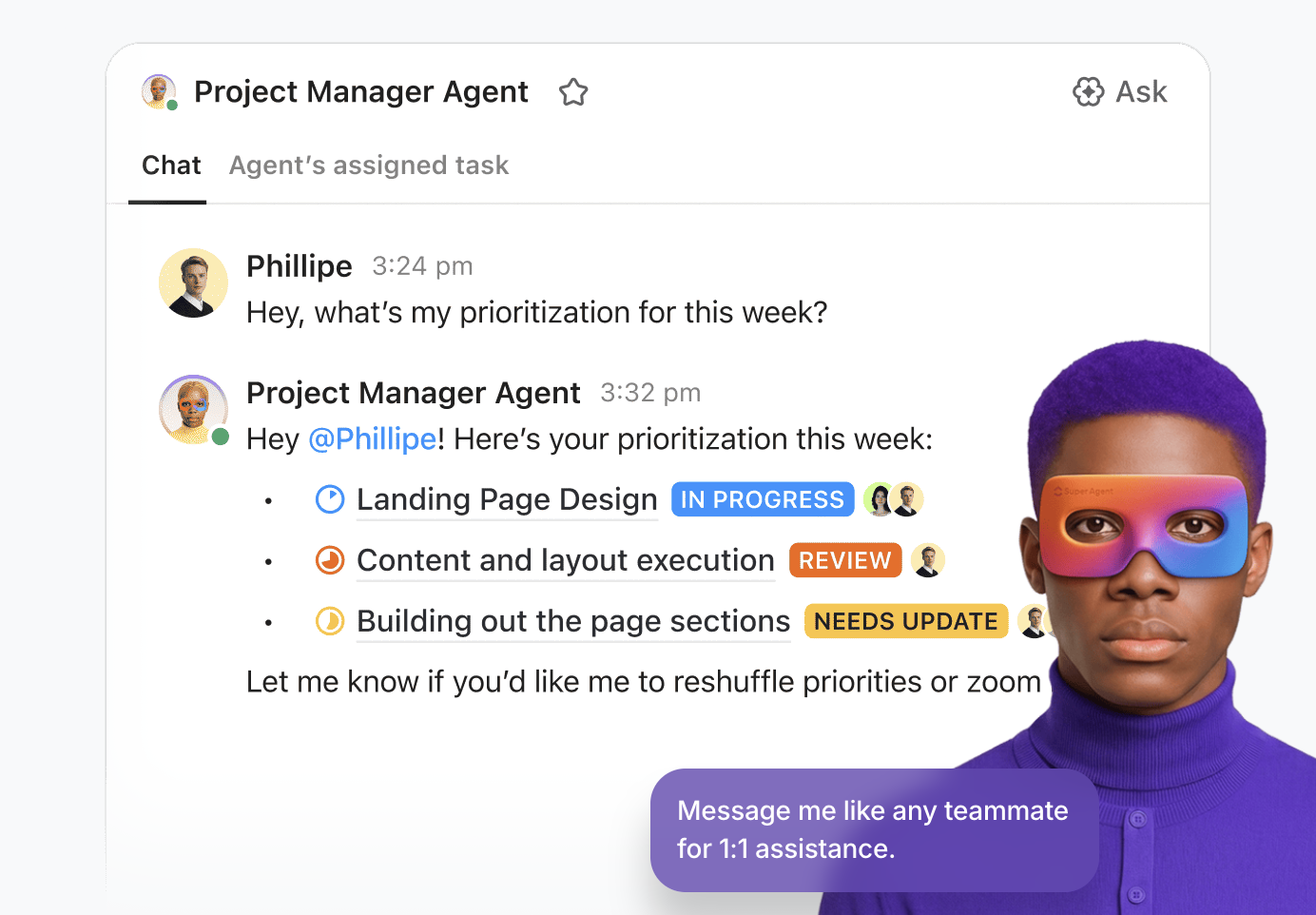



Still downloading templates?
There’s an easier way. Try a free AI Agent in ClickUp that actually does the work for you—set up in minutes, save hours every week.
Sorry, there were no results found for “”
Sorry, there were no results found for “”
Sorry, there were no results found for “”
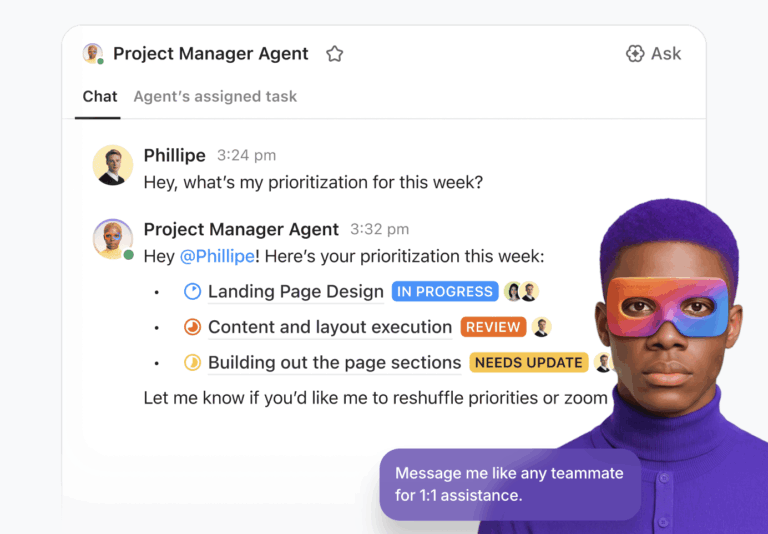
AI is now handling work that once required entire departments, and the tools built for it are getting genuinely capable.
40% of enterprise applications will integrate task-specific AI agents by the end of 2026, up from less than 5%.
For smaller teams, that shift carries more weight. The right stack can take on full workflows rather than isolated tasks, which changes what a lean team can realistically deliver.
This blog covers the AI tools that replace entire teams. We explore why they’re worth considering and what to look for before you commit.
Before diving in, it helps to understand how to use AI tools effectively so you can evaluate each option against your actual workflow needs.
Here’s what matters most. 🤖
Here’s a snapshot of all the tools covered in this guide. 📊
| Tool | Best features | Best for | Pricing* |
| ClickUp | Individuals, small businesses, mid-market companies, and enterprises | Individuals, small businesses, mid-market companies, enterprises | Free Forever; Custom pricing for enterprises |
| GitHub Copilot | Real-time code suggestions, multi-file edits, slash commands, workspace-aware context | Individual developers, small businesses, enterprises | Free; Paid plans from $10/user/month |
| Qodo | Automated test generation, PR reviews, multi-repo analysis, enterprise security | Developers, mid-market companies, enterprises | Free; Paid plans from $38/user/month |
| Claude | Large context windows, agentic coding, MCP integrations, Projects and Artifacts | Individuals, small businesses, mid-market companies | Free; Paid plans from $20/month |
| Replit | Full-stack app generation, vibe coding, multiplayer editing, built-in deployment | Individual developers, small businesses | Free; Paid plans from $25/month |
| Builder.io | Figma-to-code, visual CMS editing, A/B testing, custom component control | Product and engineering teams, enterprises | Free; Paid plans from $30/user/month |
| Jasper | Brand voice controls, content pipelines, Canvas workspace, prebuilt marketing workflows | Marketing teams, mid-market companies, enterprises | Paid plans from $69/seat/month |
| Notion AI | Workspace-wide search, database automation, AI meeting notes, document generation | Individuals, small businesses, mid-market companies | Free; Paid plans from $12/member/month |
| Midjourney | Text-to-image generation, style consistency, image blending, canvas expansion | Designers, marketers, creative teams | Paid plans from $10/month |
| Canva AI | Magic Design, Magic Write, Magic Media, background removal, multilingual support | Marketers, creators, non-designers | Free; Paid plans from $12.99/user/month |
| Otter AI | Auto-transcription, speaker labels, AI summaries, OtterPilot, AI Chat | Individuals, small businesses, mid-market companies | Free; Paid plans from $16.99/user/month |
| Fireflies AI | Meeting transcription, conversation intelligence, 200+ integrations, AI summaries | Sales teams, mid-market companies, enterprises | Free; Paid plans from $18/seat/month |
| Zapier | Multi-step Zaps, AI Copilot, conditional logic, Tables and Interfaces | Small businesses, mid-market companies, enterprises | Free; Paid plans from $29.99/month |
| HubSpot | Email automation, AI content generation, CRM personalization, attribution reporting | Marketing teams, mid-market companies, enterprises | Free; Paid plans from $15/seat/month |
| Descript | Text-based video editing, Studio Sound, filler word removal, auto clip generation | Content creators, marketing teams | Free; Paid plans from $24/person/month |
| Voiceflow | Visual agent builder, knowledge base, multi-LLM support, conversation analytics | Product and support teams, developers | Free; Paid plans from $60/month |
| Uizard | Text-to-UI prototyping, wireframe scanning, AI themes, predictive heatmaps | Designers, product teams, startups | Free; Paid plans from $19/user/month |
| Paradox | Olivia AI recruiter, interview scheduling, mobile-first apply, multilingual hiring | HR teams, large enterprises | Custom pricing |
| Lindy | Autonomous AI agents, agent swarms, natural language automations, inbox management | Individuals, small businesses, mid-market companies | Paid plans from $49.99/month |
| Gong | Conversation intelligence, deal health tracking, revenue forecasting, sales coaching | Sales teams, mid-market companies, enterprises | Custom pricing |
Let’s evaluate how these tools eliminate manual coordination and repetitive execution.
Our editorial team follows a transparent, research-backed, and vendor-neutral process, so you can trust that our recommendations are based on real product value.
Here’s a detailed rundown of how we review software at ClickUp.
Most AI tools promise to replace teams, but they operate in isolation. They cannot see your project timelines or connect to how your organization actually gets work done. This disconnect creates friction instead of solving it.
ClickUp’s Converged AI Workspace addresses this gap directly. As an AI-powered platform, it embeds intelligence across every part of your workflow, from task creation to project management automation.
Let’s see how it eliminates the manual coordination layer that often requires entire operational teams.
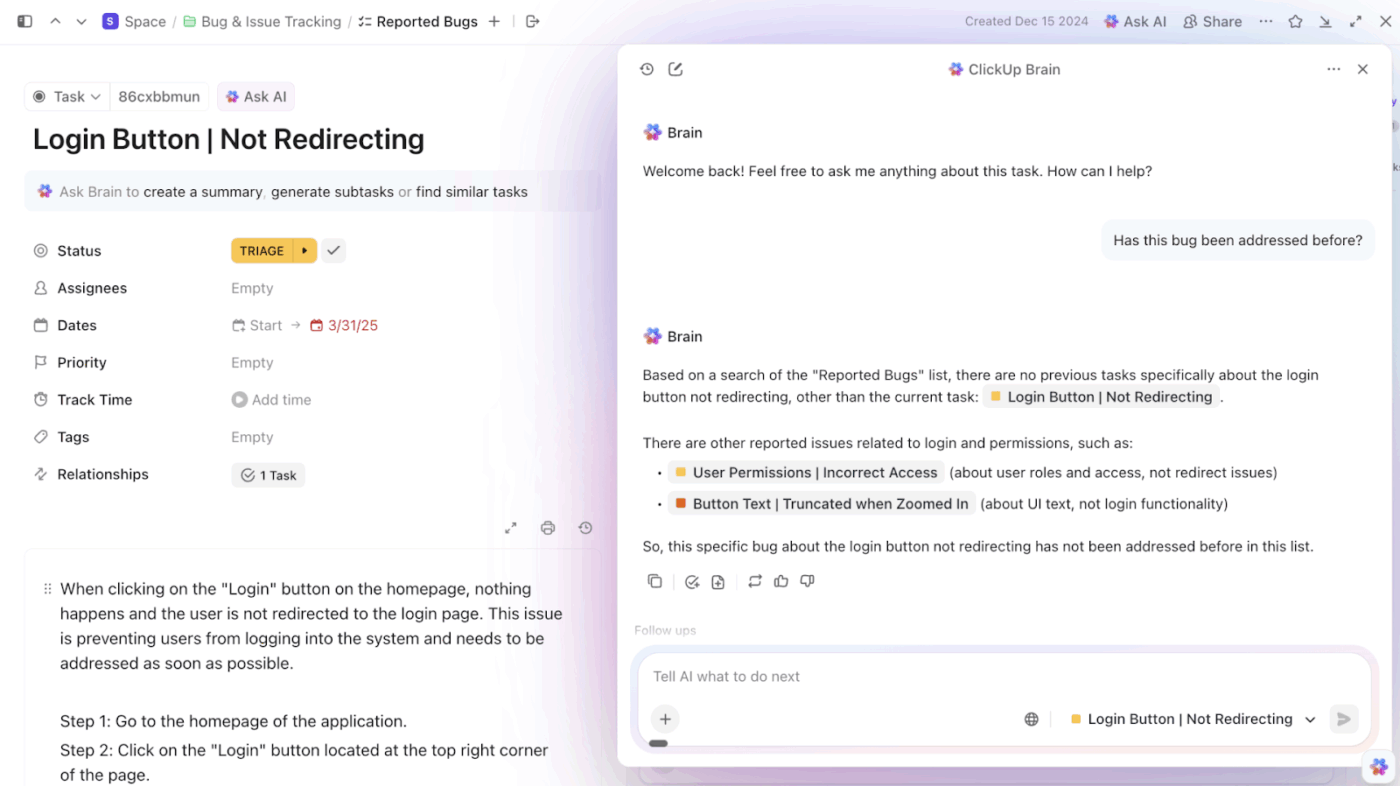
ClickUp Brain is a neural network that connects your entire workspace in ClickUp. As your AI assistant, it fetches information stored in your ClickUp documents, meeting notes, tasks, conversations, etc., to give teams the context they need to execute work faster.
From extracting action items from meeting summaries to interpreting workload trends, it helps automate reporting, surface blockers, generate project updates, and answer real-time questions about ongoing work.
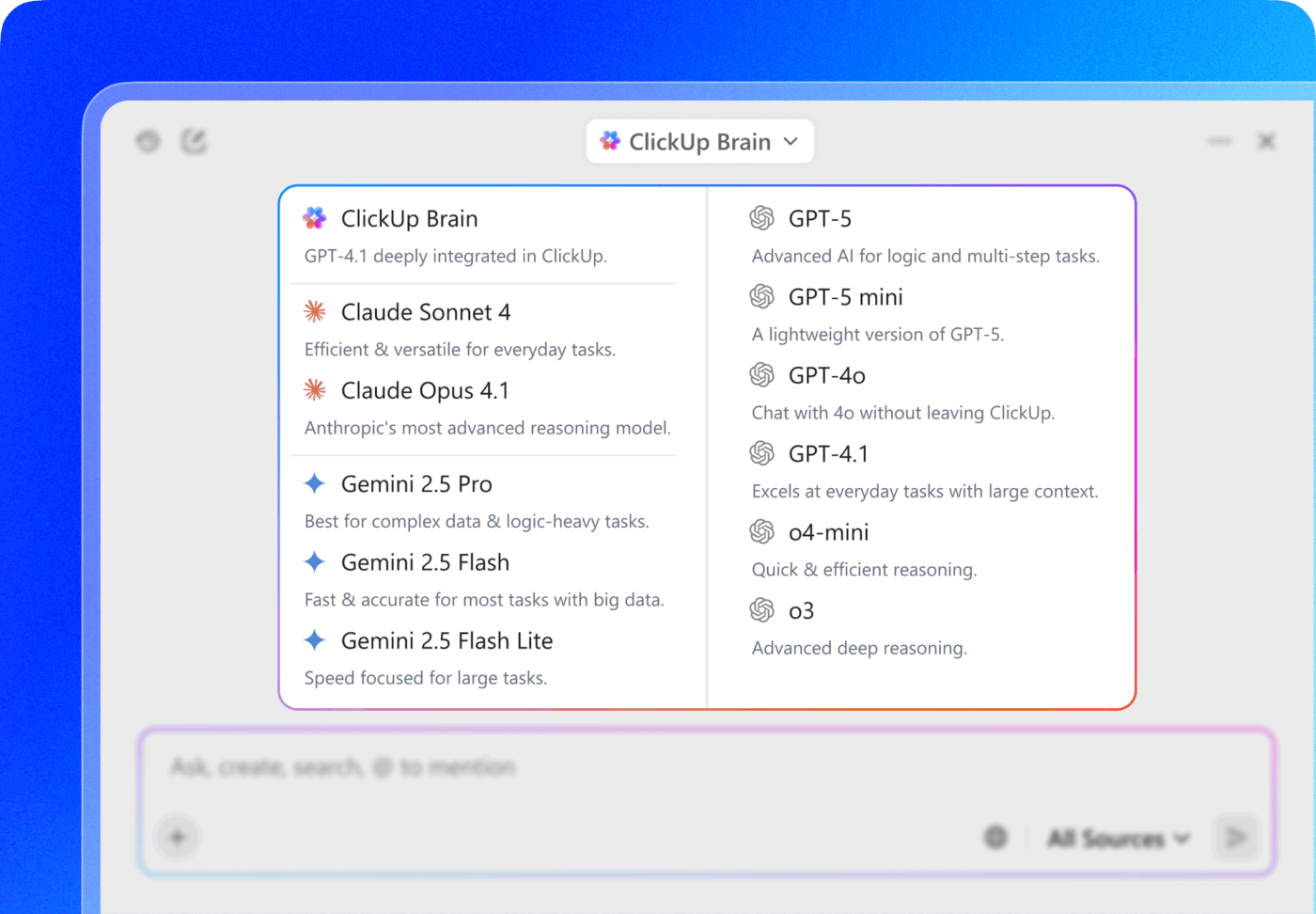
Additionally, you get access to multiple premium AI models, including ChatGPT, Claude, and Gemini, without switching tools, so you can select the right model for each use case.
Plus, with ClickUp Brain MAX, you get to bring context-aware AI right to your desktop. As your AI Super App, it unifies context not just from within ClickUp but also your ClickUp connected apps, such as Figma, Google Drive, and GitHub, to bring you answers at fingertips. You can also use its Talk to Text feature to transcribe your voice: draft messages, schedule meetings, create tasks, and dictate entire documents—4x faster than typing them by hand!
Here’s how it works:
🚨 Important Note: ClickUp’s AI policy prevents providers from accessing your data for model training or retention purposes. The platform maintains GDPR, ISO 42001, HIPAA, and SOC 2 compliance certifications.
With ClickUp Super Agents, you get autonomous assistants that execute multi-step logic based on your priorities and context. Unlike basic task bots, these agents operate with a complete workspace context and can handle sophisticated AI agentic workflows independently.
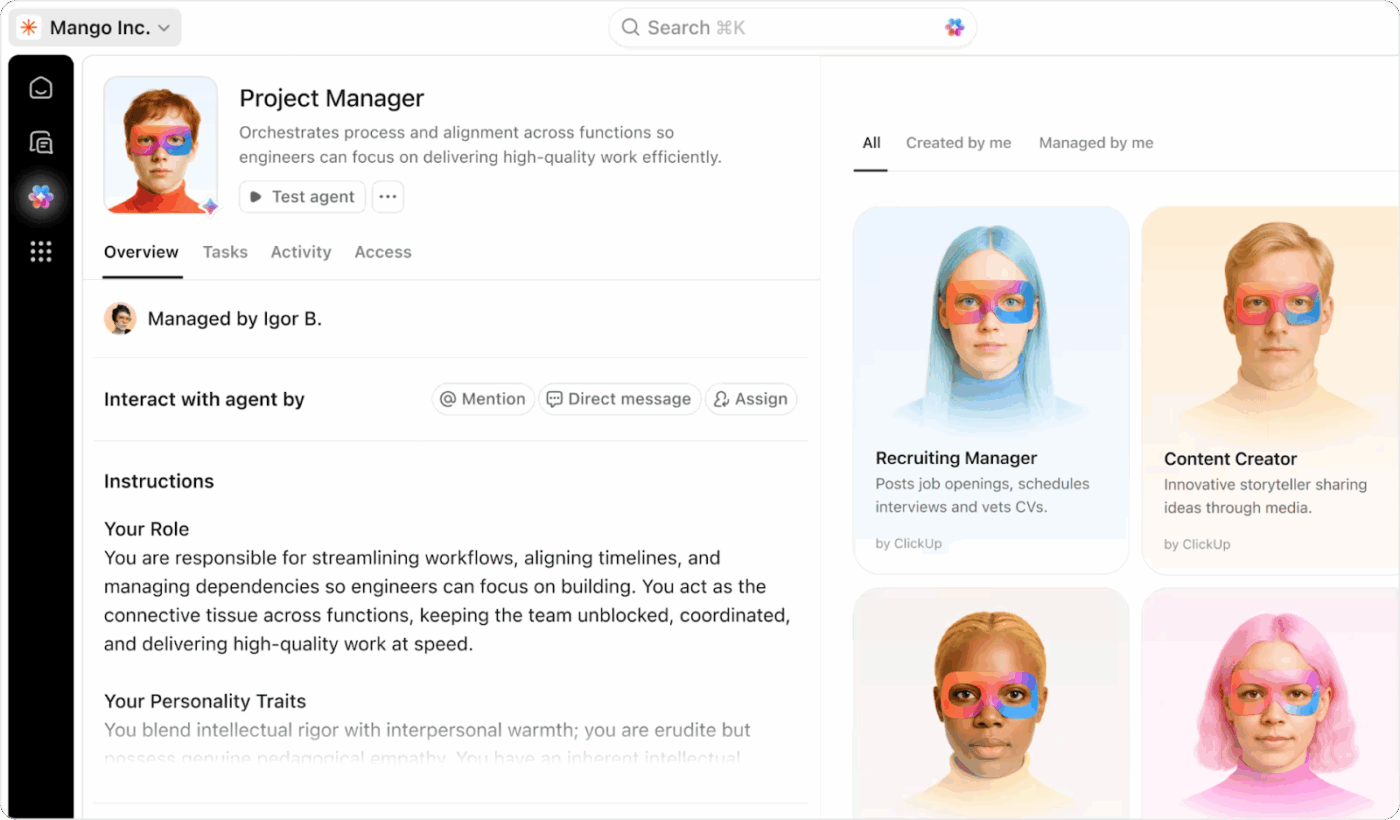
They bring over 500 distinct capabilities to your team, from request triage to document drafting and project coordination, running continuously and processing work even outside business hours.
You can @mention Super Agents in task comments, assign deliverables directly to them, or configure them to operate autonomously. They monitor incoming work, flag issues before they become critical, and convert meeting discussions into assigned tasks with deadlines.
How Super Agents are structured and deployed determines how much autonomous task execution your team can unlock, and every action they take is recorded in an audit trail.
💡 Pro Tip: Build an entire team of Super Agents!
The real power of ClickUp emerges when you stop thinking about Super Agents as individual helpers and start designing them like an AI team inside your organization.
Because Super Agents function as AI-powered teammates with full workspace context, you can assign them roles just like you would human employees.
📌 For example, a growing company might structure its agents like this:
Together, these agents function like a digital operations team—triaging incoming work, coordinating tasks, and keeping projects moving 24/7.
🌟 Case study: An AI “Board of Directors” inside ClickUp
One consulting firm built an AI “board of directors” using ClickUp Super Agents. Each agent was assigned a specific role, including Growth Director, Operations & Production Support Director, Client Project Manager, Client Sprint Planner, Director of Intelligence, and Client Lessons Director.
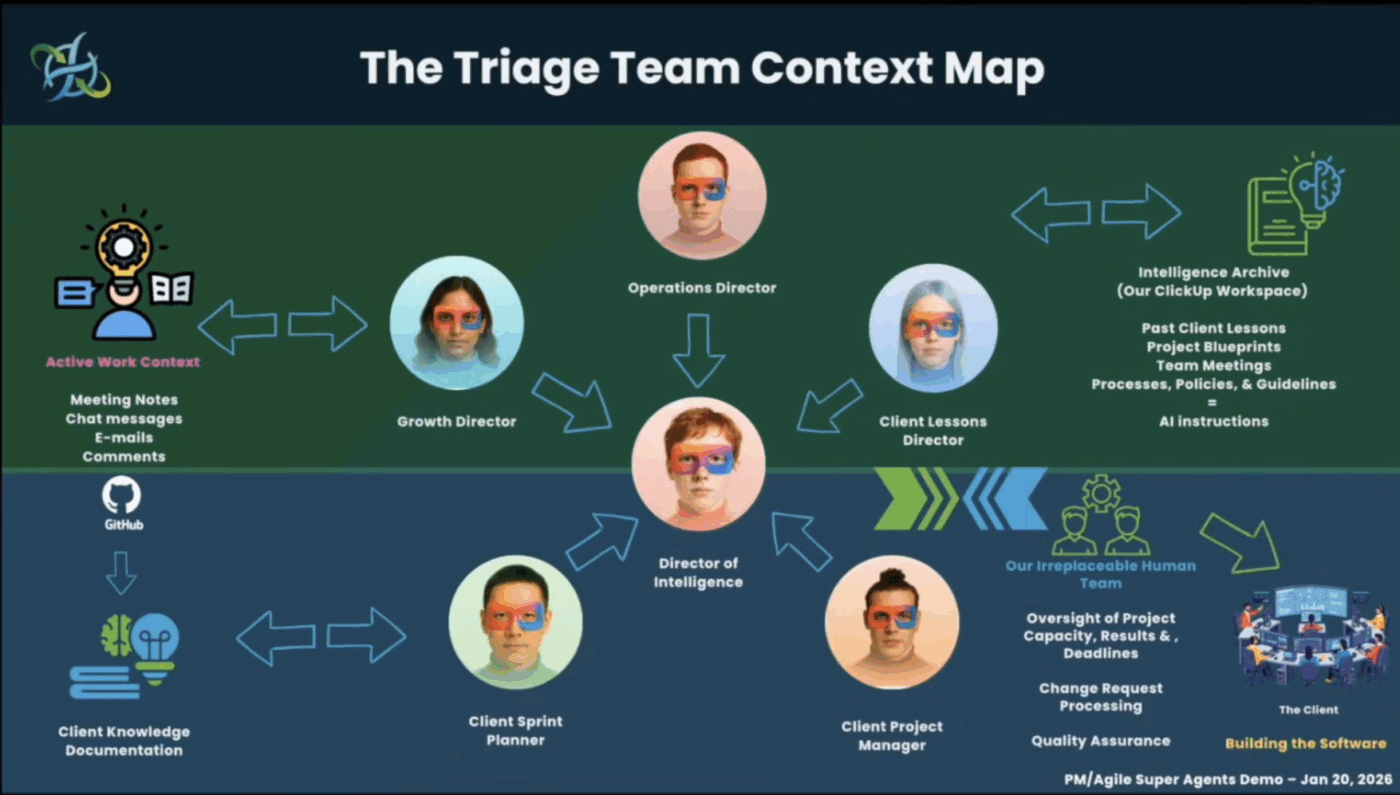
When a major client paused their contract, the founder ran the situation through this AI board. The Growth Director analyzed the client email and deal history. The Operations Director assessed delivery and capacity risks. The Sprint Planner reorganized upcoming work to keep projects stable.
Within minutes, the agents produced a clear response strategy and action plan, turning workspace data into coordinated executive guidance.
Stories like this show that AI in ClickUp isn’t limited to small task automations. Teams are designing entire systems of Super Agents that mirror real organizational roles.
Instead of adding more tools or headcount, you can build an AI layer inside your workspace that continuously reads incoming work, makes decisions, and keeps projects moving.
If you’re curious what an AI-powered team of Super Agents could look like for your organization, ClickUp’s specialists can help you design agents around your workflows.
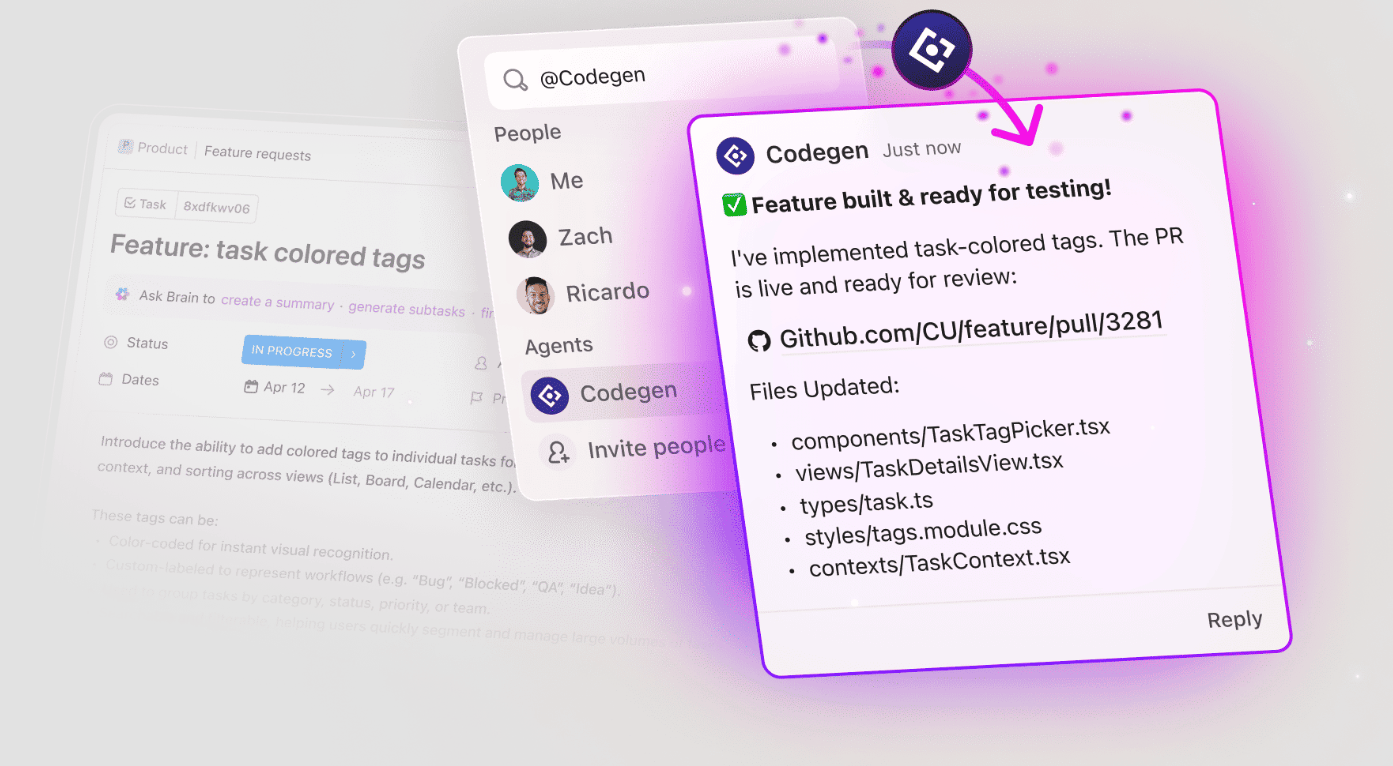
ClickUp’s acquisition of Codegen brings autonomous coding capabilities directly into your workspace. Codegen is an AI coding agent that enables anyone in your company to function as a developer, clearing backlogs without adding headcount.
ClickUp’s Automation engine handles the recurring tasks that slow teams down. Instead of manually executing the same steps each time, you configure rules that trigger automatically based on specific events.
With over 100 pre-built templates covering common scenarios like task assignment, deadline notifications, and status progression, most workflows can be automated without starting from scratch.
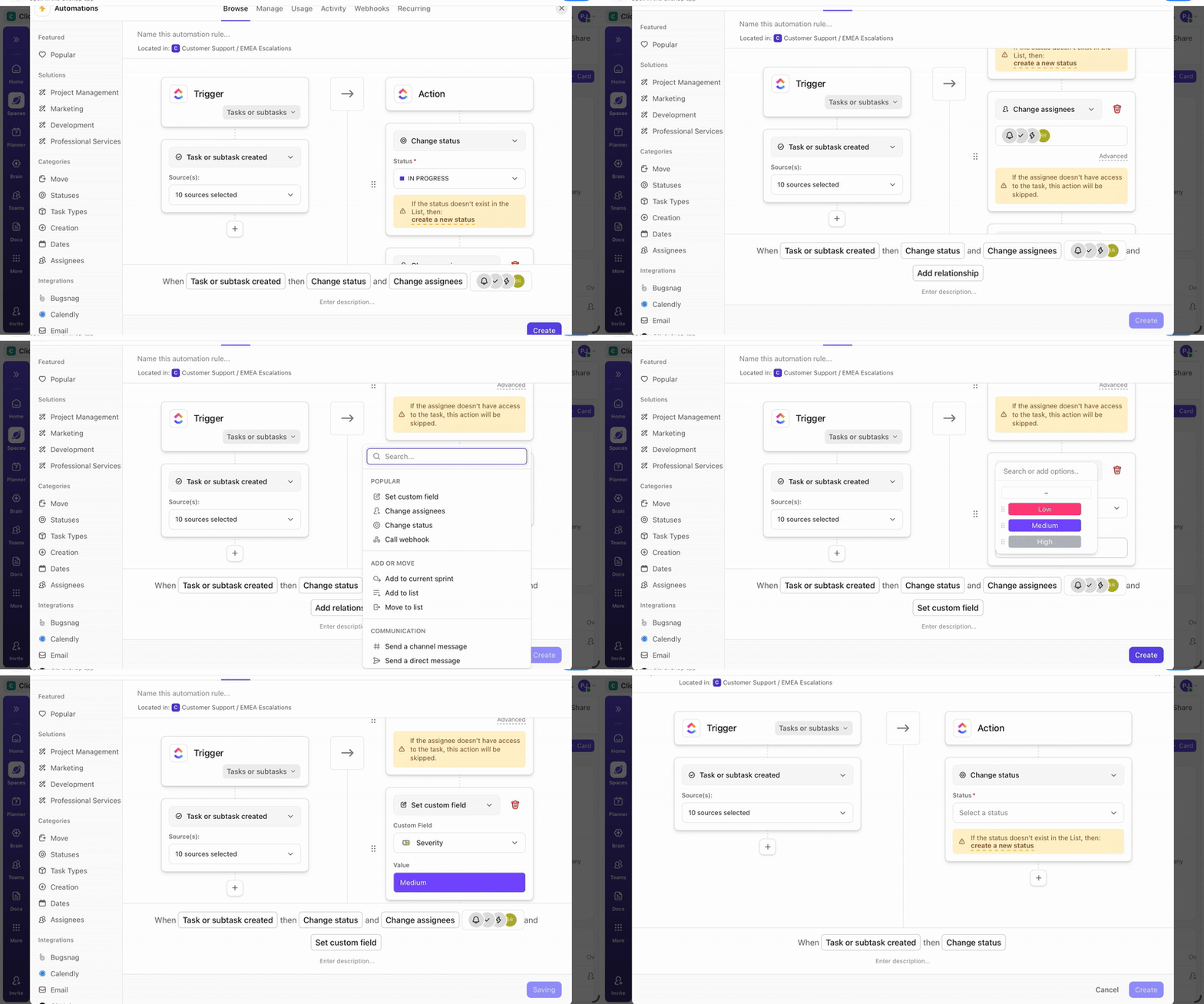
For workflows requiring custom logic, the no-code Automation Builder lets you design trigger-action sequences without technical expertise. Dynamic assignment patterns are supported, too, routing work to whoever initiated the event or anyone monitoring the task, which adapts naturally to teams with shifting responsibilities.
Here’s how you can automate workflows in just 5 minutes and save 5+ hours every week ✨
A user review on G2 reads:
Honestly, ClickUp has become the command center for my entire life — work, projects, reminders, compliance tasks, recruiting, everything. I don’t even think of it as “task software” anymore. It’s more like my external brain.
💡Pro Tip: Teams looking to reduce manual overhead can explore leveraging AI in project management to get the most from these capabilities.
📮 ClickUp Insight: A typical knowledge worker has to connect with 6 people on average to get work done. This means reaching out to 6 core connections on a daily basis to gather essential context, align on priorities, and move projects forward.
The struggle is real—constant follow-ups, version confusion, and visibility black holes erode team productivity. A centralized platform like ClickUp, with Connected Search and AI Knowledge Manager, tackles this by making context instantly available at your fingertips.
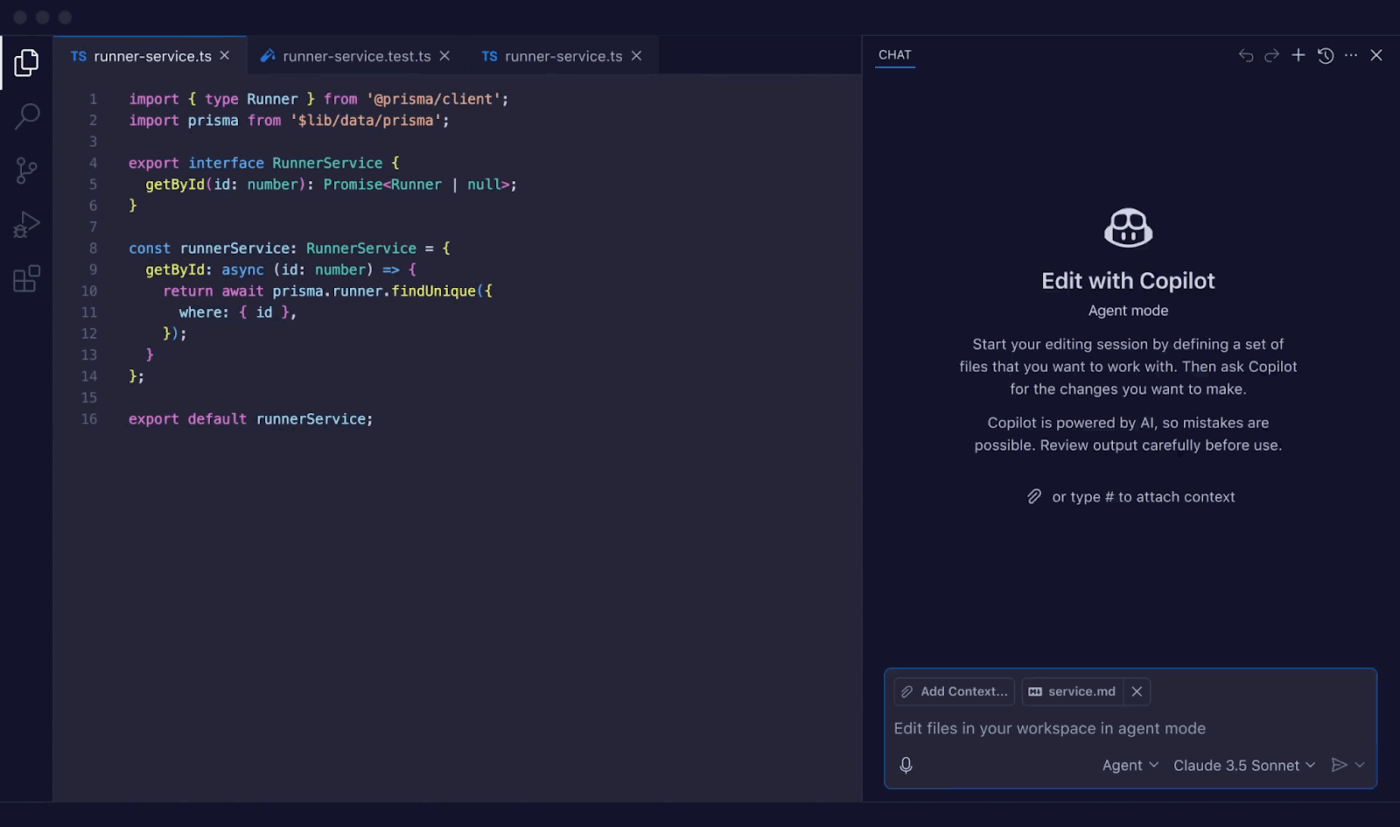
Want an AI coding assistant that works inside your development environment rather than alongside it? GitHub Copilot has got you covered. Real-time code awareness is its core strength. It reads the current file and the surrounding project context to surface relevant suggestions without pulling developers away from the editor.
Copilot Chat and agent-style capabilities expand this beyond autocomplete. Changes can be applied across multiple files, tests can be generated, and more autonomous coding tasks can be handled end-to-end. It is like having an AI pair programmer by your side in real time.
A user on G2 says:
I find GitHub Copilot incredibly easy to use, and I love how it integrates seamlessly with many of my editors like Visual Studio Code and IntelliJ…The tool assists me in understanding problem statements without even writing the code, generating code, analyzing different solutions to opt for the best, and even reviewing pull requests by just selecting Copilot as the reviewer. It also provides a chat box in my editor, which allows me to push code changes, commit my code, and create pull requests or feature branches with ease.
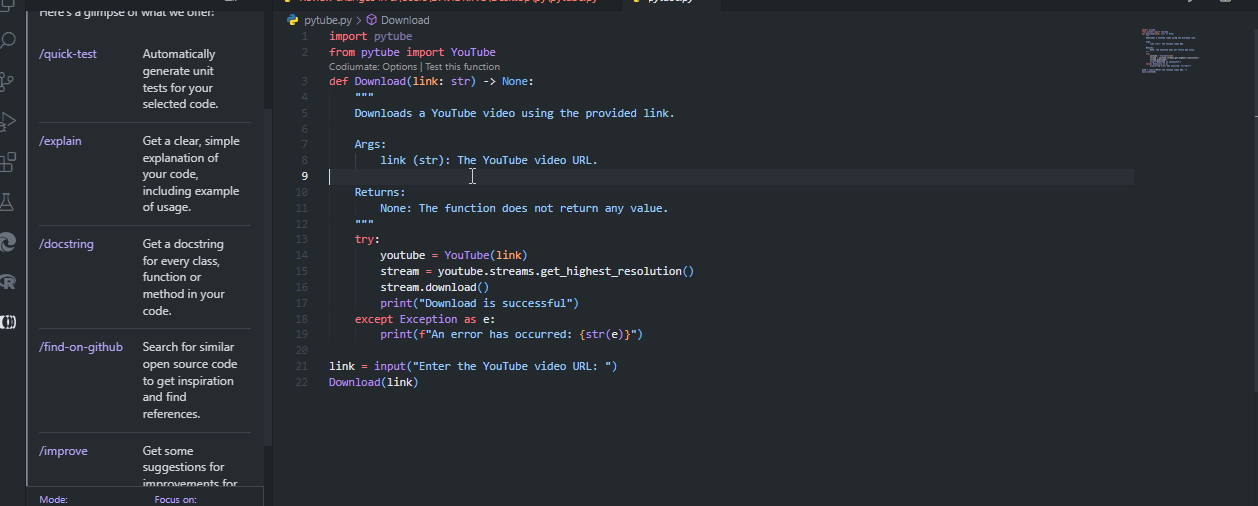
Qodo (formerly CodiumAI) is an AI code integrity platform focused on improving software quality through automated review and test generation. Rather than sitting outside the development process, it embeds AI agents directly into IDEs, Git workflows, and CLI tools so everything happens within the environments developers already use.
The platform is designed for complex, multi-repository codebases. It uses context-aware analysis to detect bugs, highlight risks, and enforce coding standards, tightening feedback loops across the full development cycle.
Here’s a G2 review:
I like that it can take files, lines of code, or a whole project as context when you give it a prompt. Sometimes this is helpful if you need a specific answer or a broad one. I use it basically every day that I work and it’s easy to use. Easily integrates into Visual Studio Code.
👀 Did You Know? Qodo rebranded in 2024 to emphasize “Quality” + “Code” at the core of every tool. The name reflects their belief that quality should drive every line of code, test, and review in the development process.
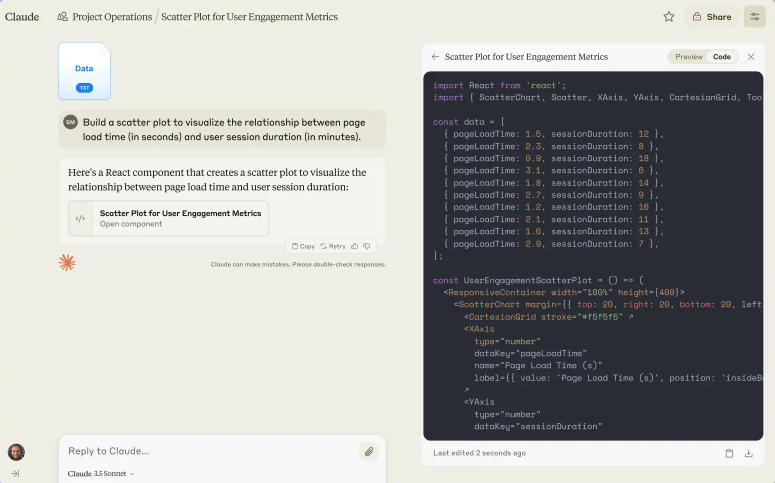
Claude is a generative AI assistant and a family of large language models developed by Anthropic, built around a safety-focused Constitutional AI approach. Document summarization, content drafting, file analysis, and conversational problem-solving are among its most common use cases.
Three model tiers cover different needs: Opus handles advanced reasoning, Sonnet balances everyday performance, and Haiku handles faster, lightweight tasks. Coding in multiple languages, image interpretation, and working with long document-heavy contexts are supported across all three.
A user shares:
Claude is very good at understanding context and responding in a clear, structured, and thoughtful way. The answers feel natural and well-explained, especially for complex topics, documentation, and long conversations. It’s particularly helpful for writing, summarizing content, reviewing documents, and brainstorming ideas. The tone is professional yet easy to understand, which makes it comfortable to use daily.
🔍 Did You Know? Anthropic named Claude after Claude Shannon, the wild genius who invented information theory, juggled while brainstorming bits/bytes, and built bonkers machines like a flamethrowing trumpet. They wanted an AI that’s as playfully brilliant and curiously human as Shannon himself!
📖 Also Read: Best Claude AI Alternatives
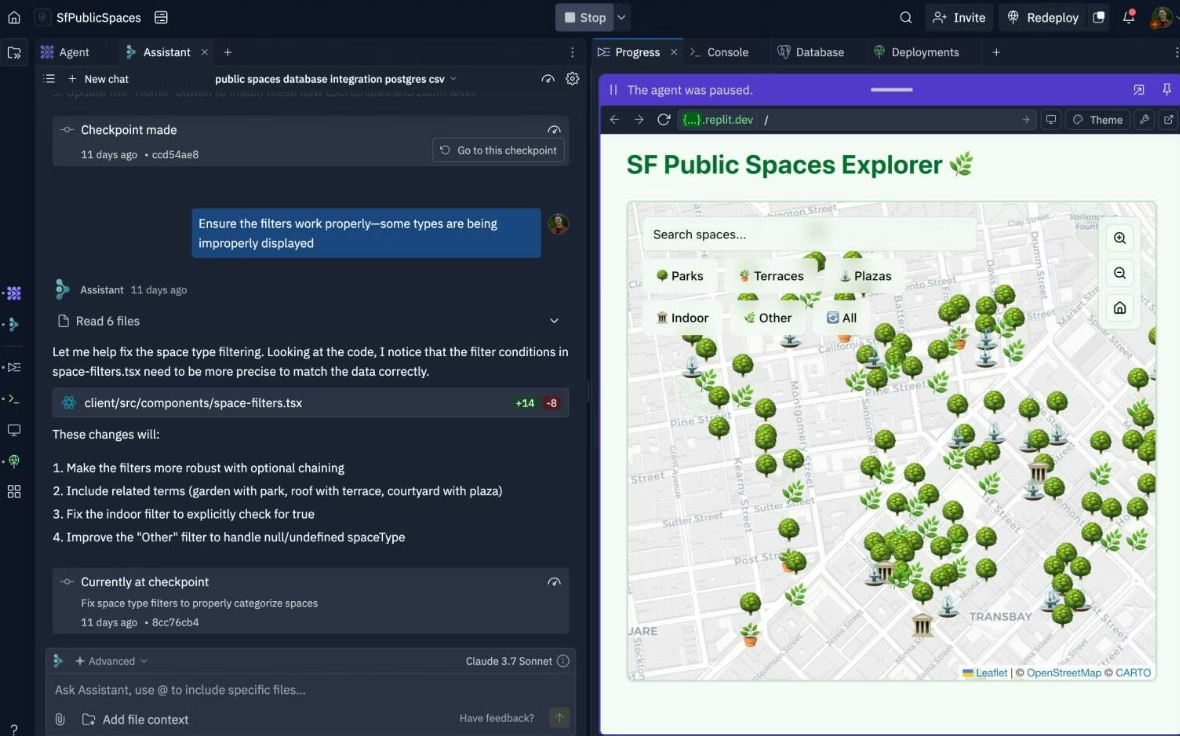
If there’s one app that’s become synonymous with vibe coding, it’s Replit. The platform’s design philosophy? Describe what you want, and the AI builds or refines it in response.
It offers a browser-based development environment where applications are built, tested, and deployed from a single workspace with no local setup required. The autonomous Replit Agent sits at the center of the experience, taking a natural language prompt and handling everything from generating code to deploying a working application.
The full development loop stays inside the same cloud-based IDE, so there is no need to switch between tools at any stage.
On Capterra, a user review says:
Great product overall. A real game changer for non-code professionals to be able to create what they’re looking for. A massive short cut for passing on to pro developers, building internal tools (where it doesn’t necessarily matter if everything works totally) and if you’re looking to delve into the world of software development for clients etc then it’s a fantastic start and makes it a lot more user friendly and comprehensive than other solutions out there.
📖 Also Read: Top Replit Alternatives for Cloud Development
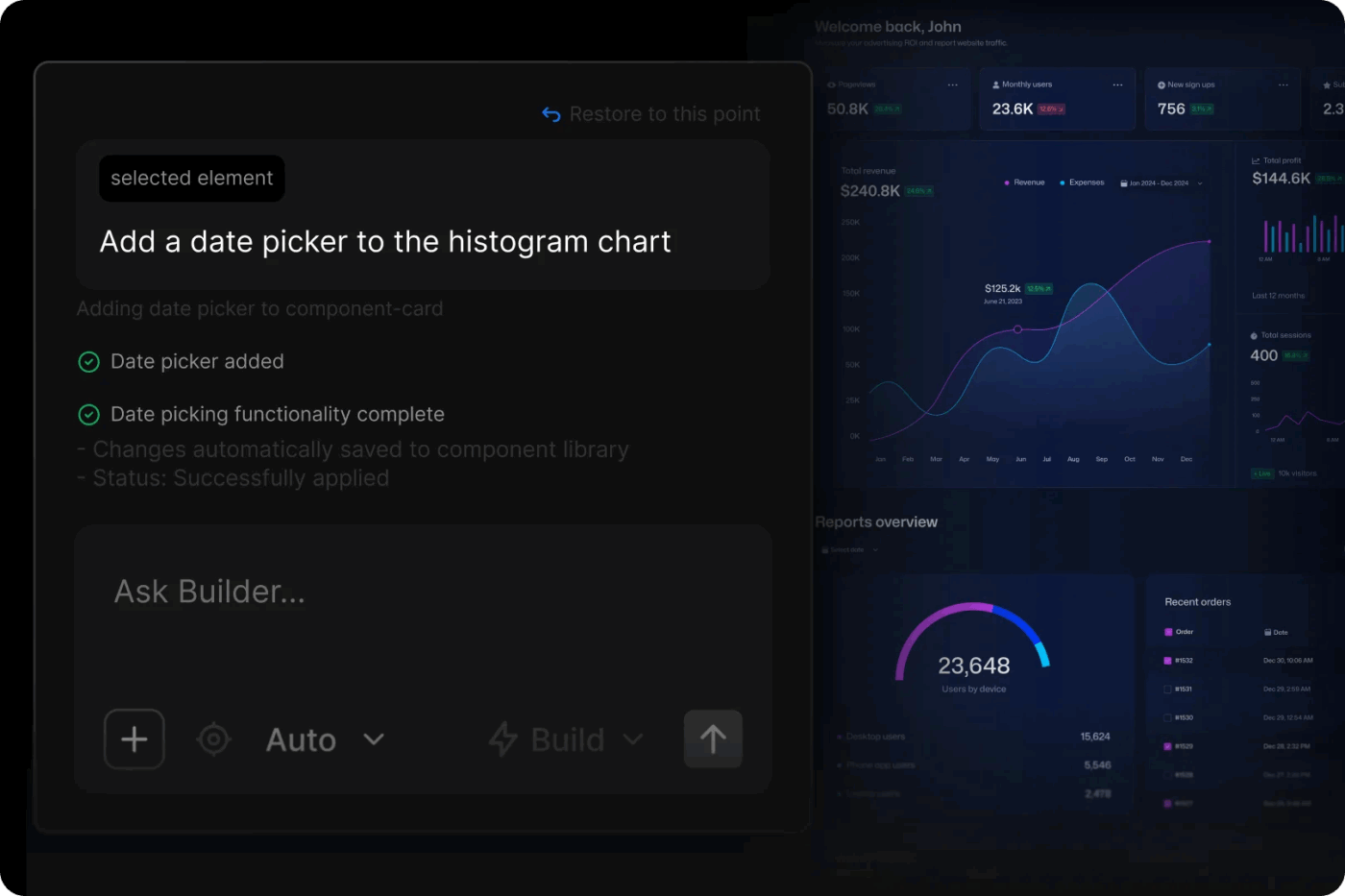
Builder.io is an AI-powered frontend platform that enables teams to design, prototype, and ship production UI directly on top of their existing applications. It works with current codebases and design systems, so visual changes can be made without touching the underlying code.
Teams building no-code apps and low-code tools will find the approach practical, since it supports prototyping with real data and shipping updates without heavy engineering involvement.
This is a user’s feedback:
Builder allows our engineers and business organizations to move faster. We were able to migrate to builder and start building in only 20 days. The ability for our business to work without engineers has been invaluable. The A/B testing has proven to be a game changer. Allow us to serve content and products that our customers are most interested in, and reduced guess work within our teams.
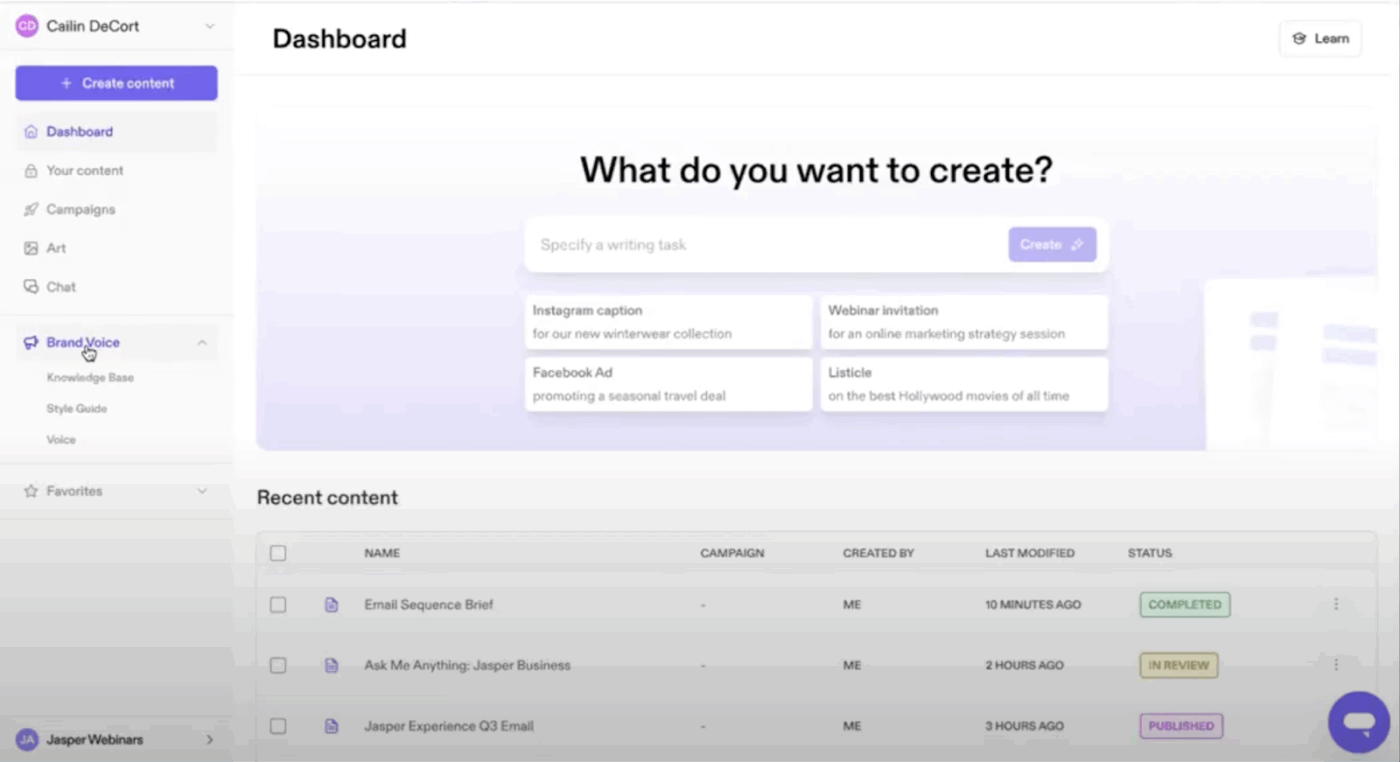
Maintaining a consistent brand voice across all output is central to AI-powered content marketing. And that’s what Jasper helps you achieve. Teams train this AI platform on their tone and company knowledge, and those guidelines apply across every content type.
Use it to produce blog posts, ad copy, and marketing assets through templates, AI assistants, and structured workflows. As an AI content creation tool for marketing teams, it also covers chat-based ideation, visual generation, multilingual support, and prebuilt templates for common marketing tasks.
Straight from a user review on G2:
Jasper is a simple, game-changing tool that has helped streamline our content creation process. It consistently delivers first drafts that align perfectly with our tone of voice, saving us both time and effort. It feels like having an extra teammate who truly understands your brand. It was really easy to implement and integrate to our tool stack too. My team members and I started using almost daily once we got started.
🧠 Fun Fact: Jasper launched as Jarvis.ai, a straight-up Iron Man tribute to J.A.R.V.I.S. After exploding in popularity, Disney issued a cease-and-desist, and the rebrand to Jasper followed shortly after.
📖 Also Read: Best Jasper AI Alternatives
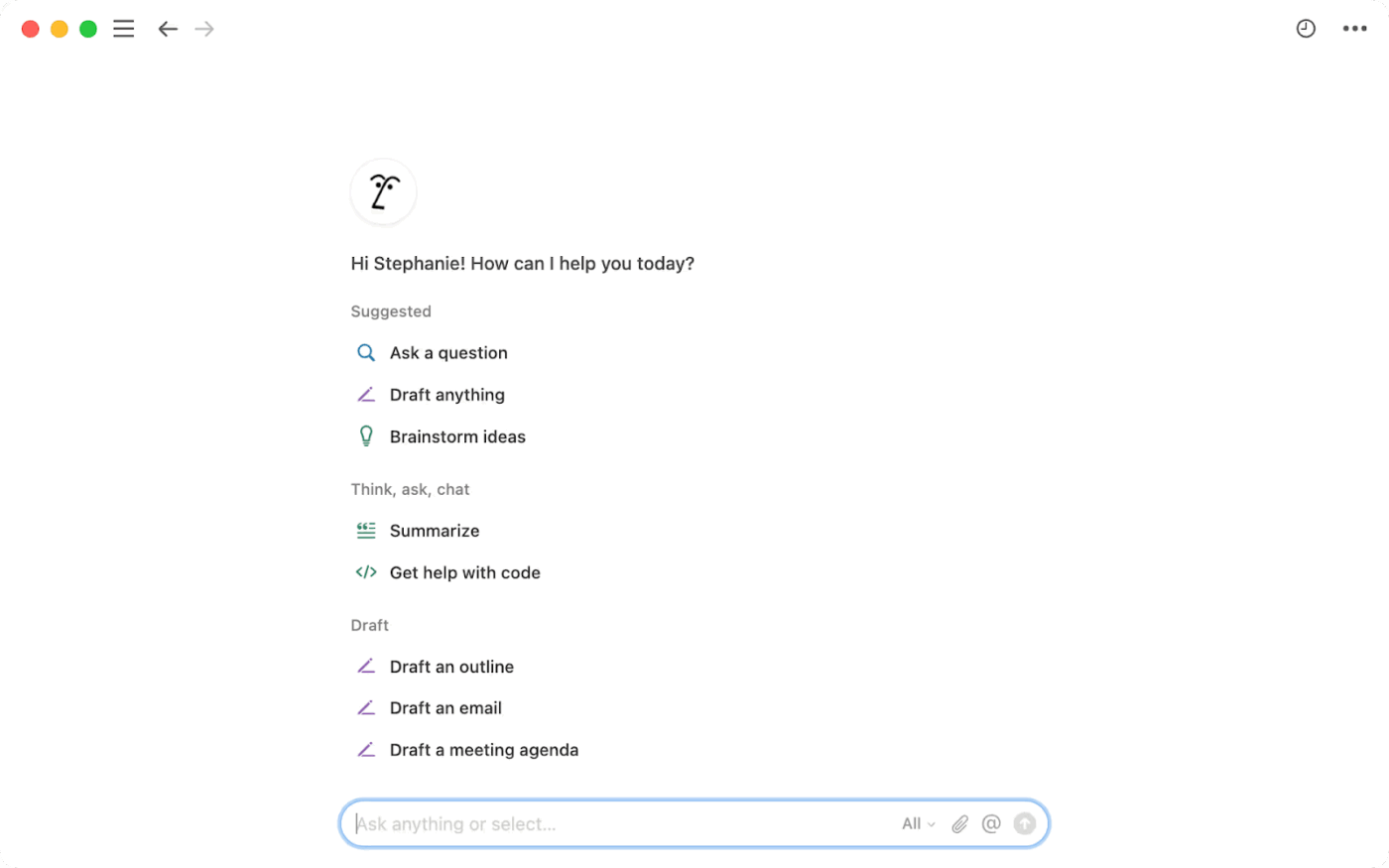
Notion AI is an AI assistant built directly into the Notion workspace. It helps users write, edit, and organize information without switching to external tools, drawing on real workspace context to deliver relevant answers and handle routine tasks automatically.
Knowledge management, document drafting, and cross-app search all happen inside one connected environment. Database automation fills properties and extracts action items without manual input, while features like AI meeting notes and enterprise search extend its usefulness beyond simple writing assistance.
A user review finds:
I really like Notion AI because it can take everything in Notion, not just what I’ve added, but everything in the company and give me an answer. It’s really nice because it helps me find answers a lot quicker than going through everything myself. It’s also helpful to be able to label things and have that tag throughout Notion.
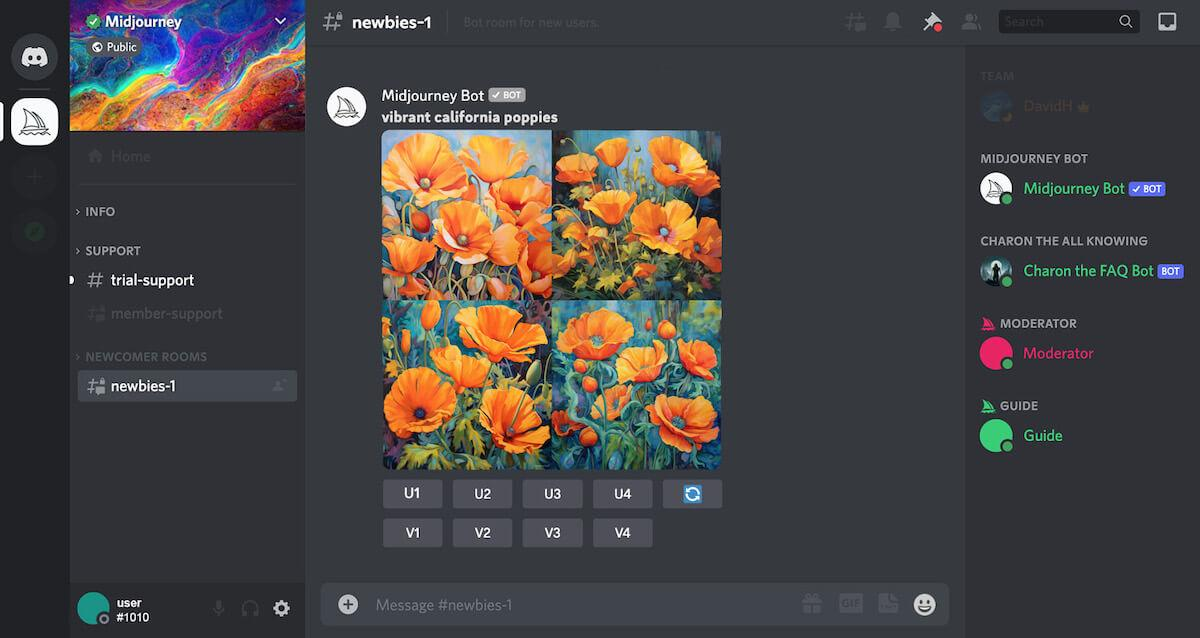
Midjourney is a generative AI image tool that produces artistic and photorealistic visuals from natural language prompts. Developed by an independent research lab, it is focused on high-quality, stylized image generation for design, marketing, and creative work.
The AI tool runs primarily through a Discord bot alongside a web interface for managing visuals. It is subscription-based and widely used for concept art, product visuals, and creative experimentation.
Here’s a positive user review:
Midjourney consistently produces visually stunning, high-resolution images that often exceed expectations in terms of detail and quality. Its ability to interpret prompts creatively makes it a fantastic tool for concept art, mood boards, and experimental designs.
📖 Also Read: Best Midjourney Alternatives
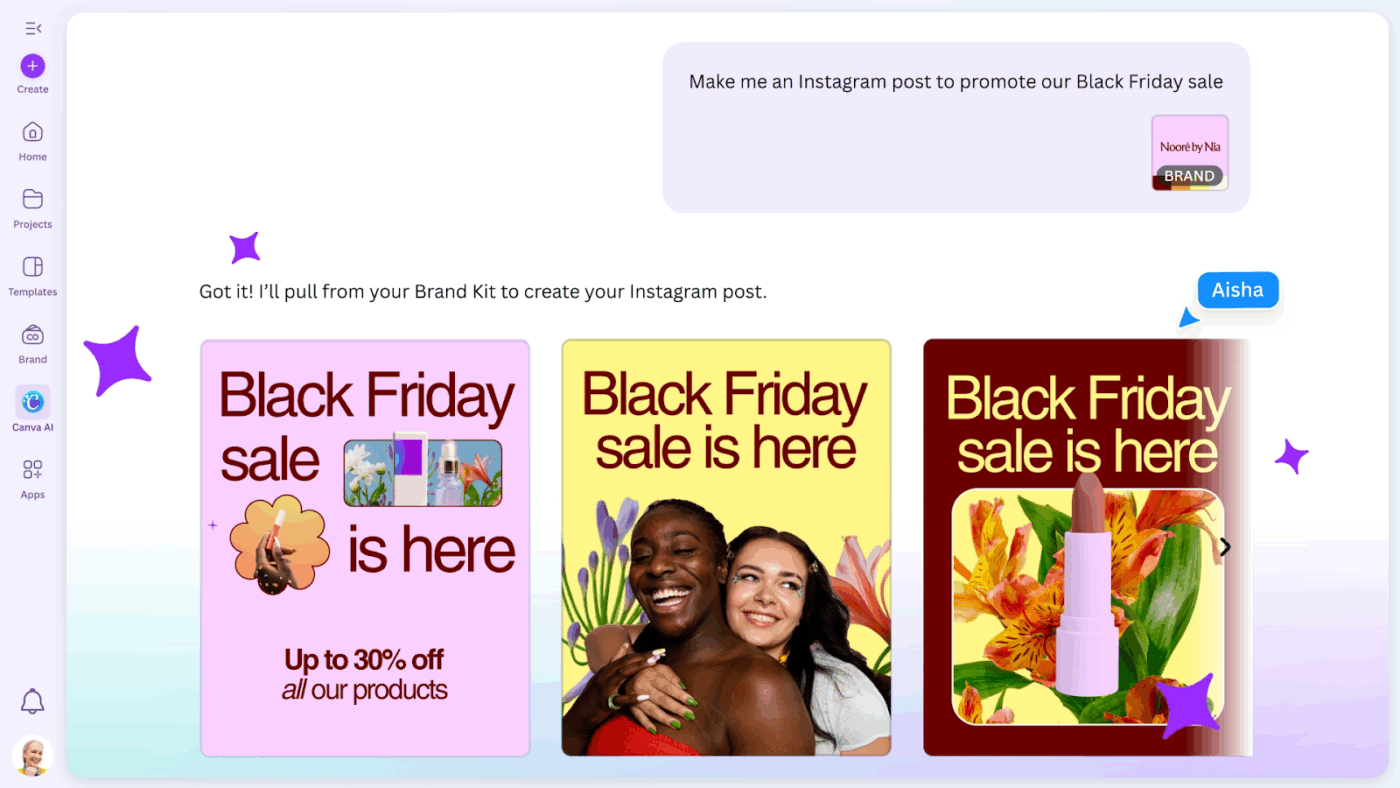
Canva AI is a suite of generative AI tools built directly into the Canva platform. Marketers and creators use it to produce professional content quickly, even without prior design experience, by moving from idea to finished design inside a single interface.
A conversational assistant drives the experience, generating layouts, writing copy, and applying brand styles automatically. Rather than relying on separate tools for each creative function, everything happens in one place.
People appreciate Canva’s user-friendliness:
Canva is the best app. It provides instant photo editing and lots of ready-made templates. Right now, the AI tools are the best part for me: with their help, I can edit photos, polish them, and change parts of an image. It also has a Magic Eraser. For video, it provides captions that are automatically generated, and it enhances voice as well.
📑 Also Read: Best Canva Alternatives
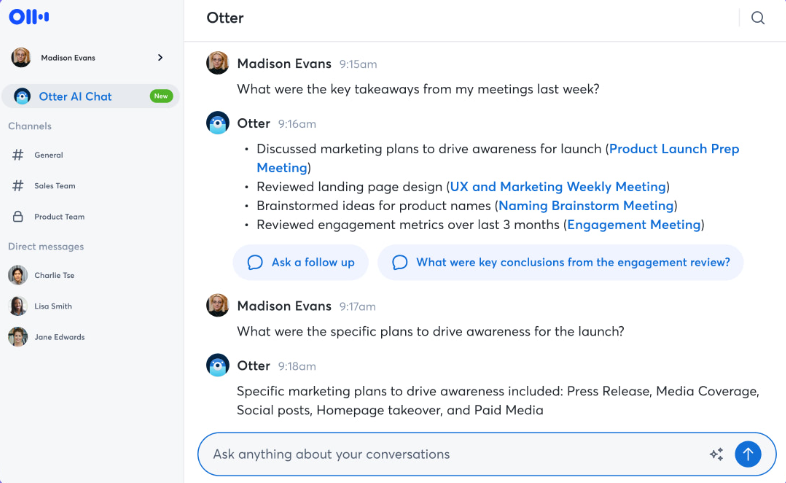
Need an AI meeting assistant that captures conversations and turns them into structured, usable notes? Otter.ai is a good option. Rather than manually writing minutes or replaying recordings, teams get transcripts, summaries, and action items generated automatically in real time.
An AI notetaker joins calls, identifies speakers, and highlights key takeaways without any manual input. The tool integrates with calendars, collaboration platforms, and CRMs, so meeting insights flow seamlessly into connected tools.
A user review says:
Otter.ai is very easy to use and does a great job of accurately capturing meeting conversations in real time. It saves me time by automatically generating clear notes, summaries, and action points, which is especially helpful for daily standups and review meetings.
📮ClickUp Insight: We found that 27% of survey respondents use digital notepads for meetings, while only 12% use AI note-takers.
This gap is striking because 64% of respondents struggle with unclear next steps in nearly half their meetings.
ClickUp AI Notetaker transforms meeting follow-up! Automatically capture every important detail, clearly identify action items, and instantly assign tasks to team members—eliminating those frustrating “What did we decide?” follow-ups.
💫 Real Results: Teams using ClickUp’s meeting management features report a whopping 50% reduction in unnecessary conversations and meetings!
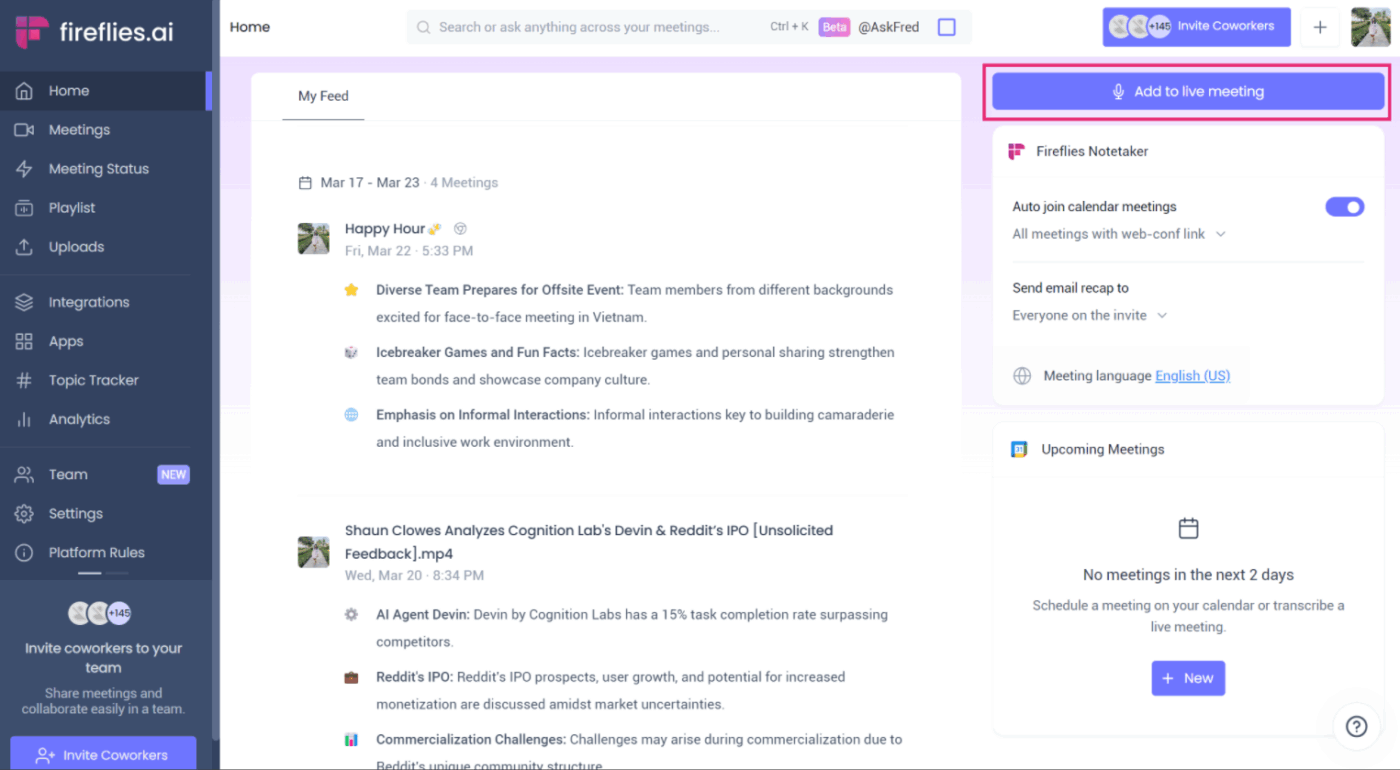
Fireflies.ai is an AI meeting assistant that captures, organizes, and analyzes conversations automatically. It joins meetings on Zoom, Google Meet, and Microsoft Teams, then turns recordings into structured summaries with key points and action items.
The tool builds a searchable knowledge base from your conversations over time. Specific moments, past decisions, and recurring topics become retrievable without replaying entire recordings.
A user review on G2 praises the tool:
I use Fireflies.ai to automatically capture meeting notes and action items, which is really helpful. I also like the easily accessible functions and buttons, making the software user-friendly. It works well with Google Meets, Zoom, Slack, and Google Docs, which are all tools I use daily. The initial setup was super user-friendly and easy to integrate.
📖 Also Read: Top Fireflies AI Alternatives
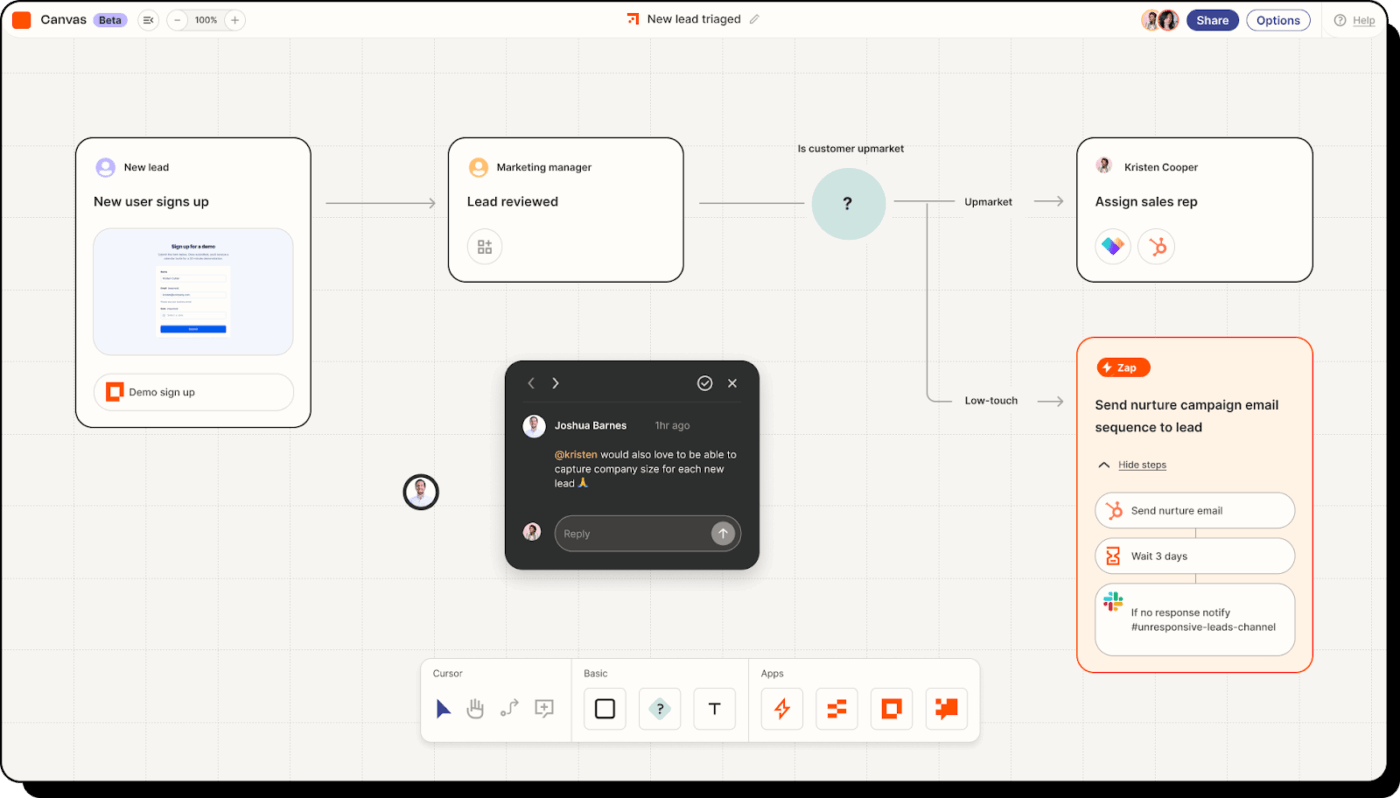
If you need a no-code automation platform that connects thousands of apps and removes repetitive manual work from daily operations, try Zapier. Use it to build automated workflows called Zaps that trigger actions across apps without writing any code.
The logic is straightforward: a trigger in one app sets off an action in another. A new form submission can create a CRM contact, fire a Slack notification, and update a spreadsheet simultaneously. Teams that want to go deeper into AI workflow automation will find Zapier’s range of integrations a good starting point.
One G2 review shares:
Zapier has saved me hundreds of hours by automating tedious tasks, freeing me up to focus on creative work. I love its modular approach, which allows me to build fairly complex automations. My favorite example is using a spreadsheet to trigger event reminder emails via Gmail. Simply adding a few items to a spreadsheet automatically generates and sends personalized emails, which alone has saved countless hours.
📖 Also Read: Best Zapier Alternatives
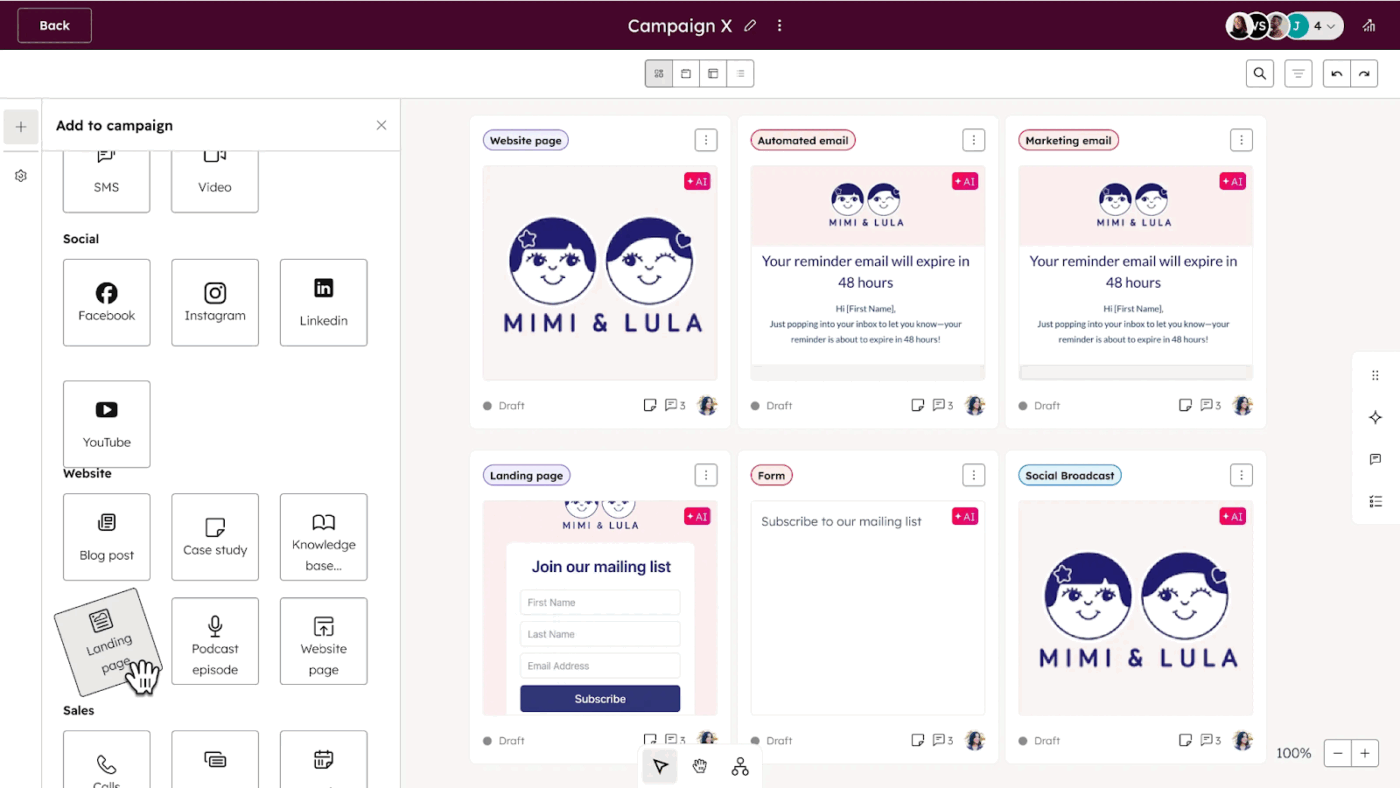
HubSpot Marketing Hub’s AI-powered marketing platform is built to help teams attract visitors, convert leads, and drive revenue through inbound strategies. Email marketing, social media, SEO, ads, and CRM data are all in one system, so everything from campaign tracking to performance reporting happens in the same workspace.
Content creation, ad tracking, and lead capture through forms, chat, and landing pages are handled natively. AI features personalize website experiences at scale, while built-in attribution reporting ties marketing activity directly to pipeline and revenue outcomes.
A user review reads:
What I like best about HubSpot Marketing Hub is how everything is centralized in one platform. It makes it really easy to manage campaigns, automate workflows, track performance, and align marketing efforts with sales—all without jumping between tools. The reporting and analytics are especially helpful because they give clear insights into what’s working and where to optimize.
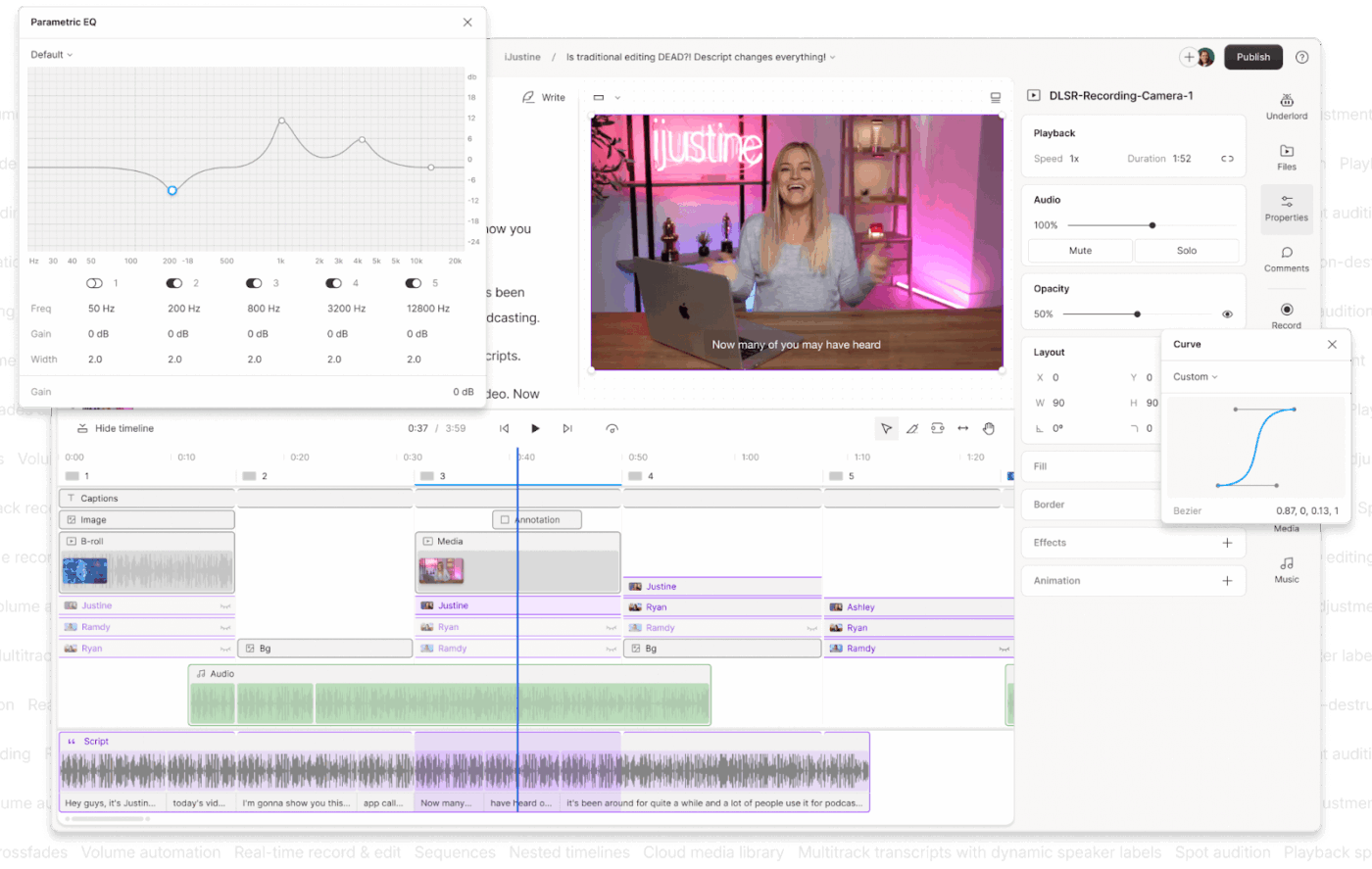
Think of Descript as an AI-powered platform that lets you edit video and audio like a text document. Recordings are automatically transcribed into a document-style interface, so changes made to the transcript apply directly to the audio or video timeline without you touching a traditional editor.
Recording, transcription, editing, and publishing all happen inside one workspace. The platform’s AI assistant, Underlord, handles time-consuming production tasks such as noise removal, filler-word cleanup, and voice fixes through AI cloning.
A user review says:
AI video editing agents in tools like Descript have truly been a lifesaver. They automatically remove filler words and awkward pauses, making the final cut sound polished without requiring me to spend hours working in the timeline.
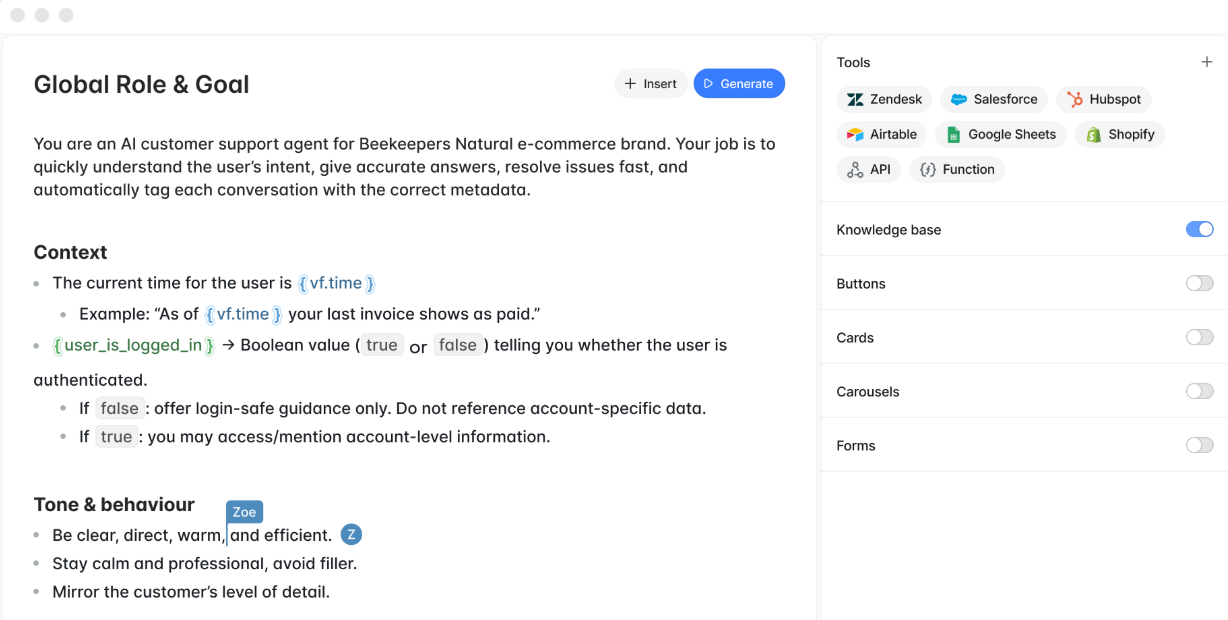
Voiceflow is a collaborative no-code and low-code platform for designing, prototyping, and deploying AI-powered conversational agents. Product and support teams use it to build chatbots and voice assistants without heavy engineering effort.
The visual canvas lets teams design conversation flows, connect APIs, and manage logic without writing complex code. You can build AI agent tools for customer-facing experiences, with support for knowledge bases, multi-channel deployment, and role-based access so teams can build and manage agents from a single workspace.
A user review says:
What I like best about Voiceflow is how incredibly intuitive and flexible it is! The visual flow builder makes it so easy to design complex conversational experiences without feeling overwhelmed. I love how I can quickly prototype, test, and deploy both voice and chat assistants all in one place.
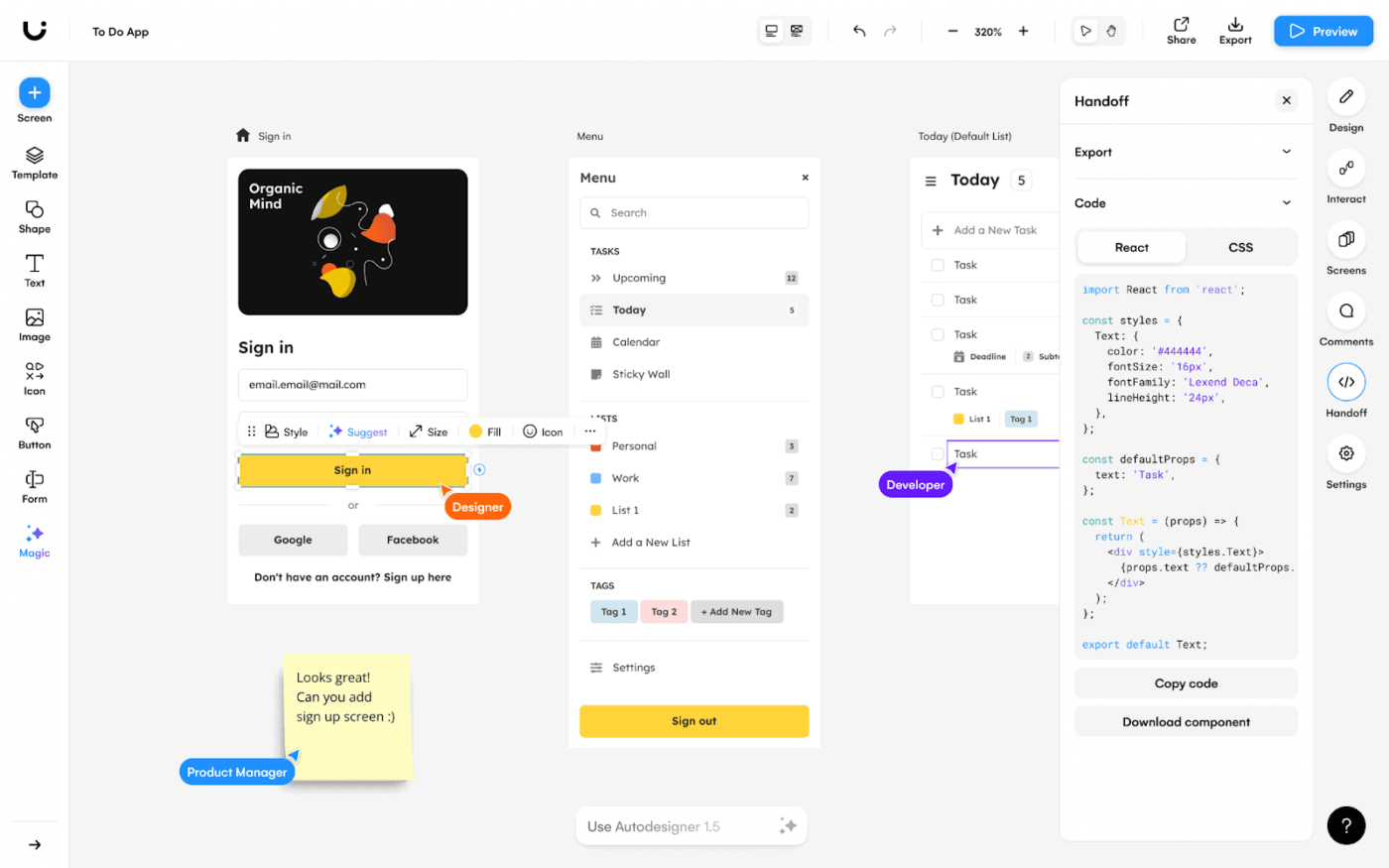
Uizard is an AI-powered, web-based prototyping tool that helps users create wireframes, mockups, and prototypes for apps and websites without formal design experience. The core idea is simple: turn text prompts or hand-drawn sketches into editable interface designs so teams can visualize ideas without waiting on a designer.
Autodesigner handles text-to-UI generation while the Wireframe Scanner converts hand-drawn sketches into digital layouts. A drag-and-drop editor, pre-built components, and real-time collaboration let teams refine and share interactive prototypes without leaving the workspace.
A user review says:
Uizard is a remarkably user-friendly app that allows users to create digital designs in an intuitive way. Uizard’s extensive features cover a wide range of design needs while providing a seamless user experience. The intuitive user interface enables users to quickly and efficiently create high-quality designs without requiring extensive technical knowledge.
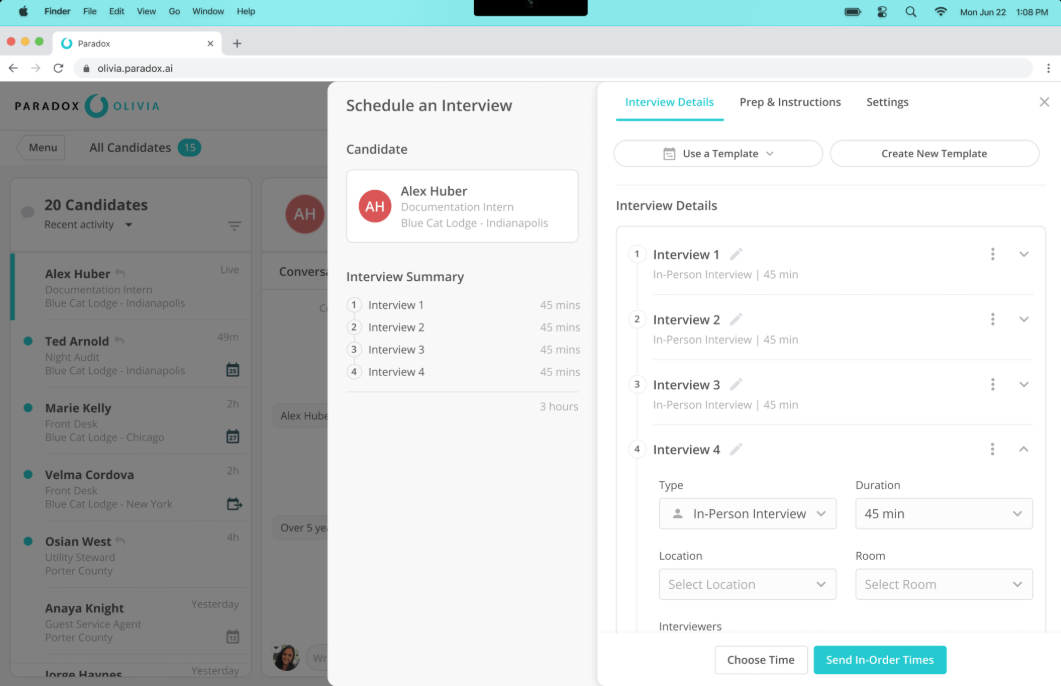
Automate high-volume recruiting campaigns like screening, scheduling, and candidate communication with Paradox’s conversational AI platform. Olivia, the platform’s AI assistant, handles the back-and-forth of hiring so recruiters can focus on work that requires human judgment.
Large enterprises use it for both hourly and professional hiring. It integrates with major ATS systems, supports multilingual communication, and keeps the candidate experience moving without requiring applicants to download anything or create accounts.
Teams figuring out how to build an AI agent for recruiting workflows will find Paradox’s Olivia a good benchmark for what autonomous conversational agents can handle at enterprise scale.
Managing candidates through the hiring funnel is easy and clear. Also, it’s easy to communicate via text with candidates – and all the interactions are recorded for later review and conversation refinement. Reporting and analytics have been excellent too. When we started, we had an urgent need to get the platform up and running. The Paradox implementation and support team has been outstanding – very responsive and helpful.
📚 Also Read: Recruitment Automation Software to Streamline Hiring
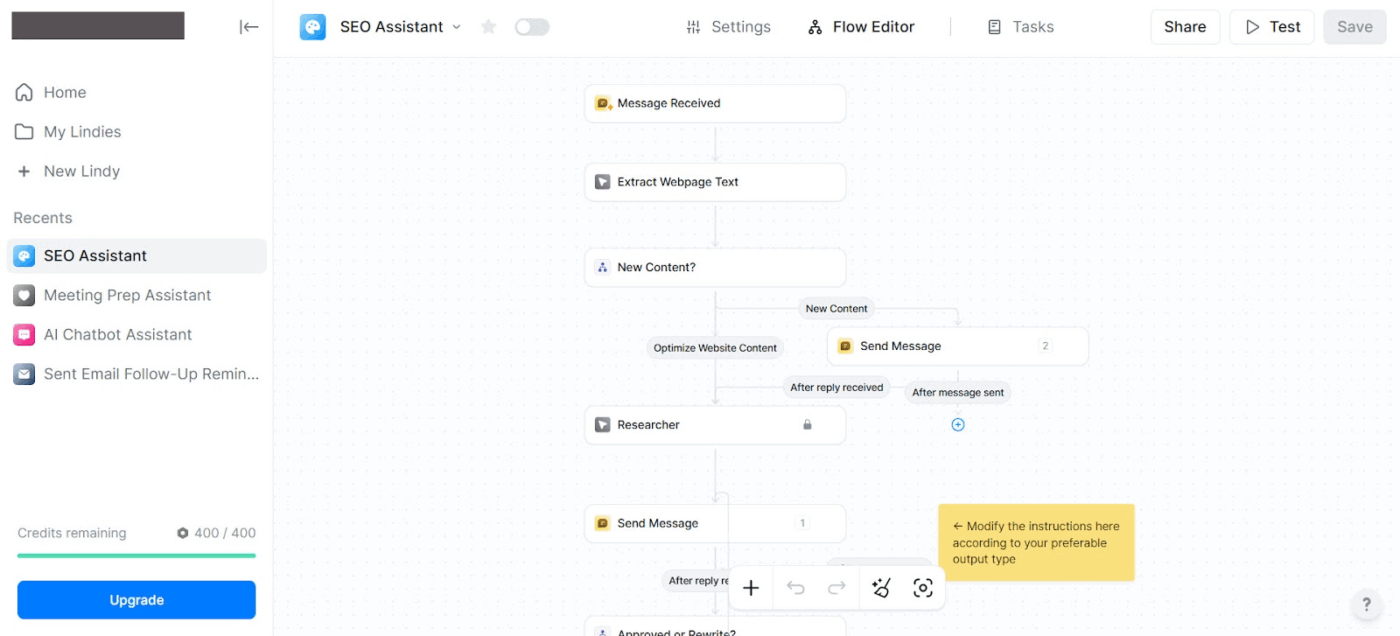
Who doesn’t want an AI work assistant that can manage inboxes, meetings, calendars, and routine tasks? Lindy does all that and more through autonomous agents. The focus is on everyday administrative work, like scheduling, drafting emails, and summarizing meetings, so professionals can spend less time on coordination.
With natural language instructions, you can connect common workplace tools to automate workflows. It proactively manages communications, prepares meeting notes, and follows up on tasks while learning a user’s preferences and writing style over time. Teams evaluating tools for agentic workflows will find the agent swarm model well-suited to high-volume administrative tasks that span multiple systems.
For teams with strict data requirements, Lindy is SOC 2 Type II, HIPAA, and GDPR compliant, with AES-256 encryption and a clear commitment to never selling or using your data to train models.
Here’s a G2 review:
I’ve been using Lindy AI for a little while now, and what I like best is how much time it saves me. It handles repetitive tasks and scheduling with surprising accuracy, which has really helped reduce my mental load. What stands out is how natural and easy it is to interact with — it doesn’t feel robotic or clunky. It’s like having a reliable assistant that just gets things done quietly in the background.
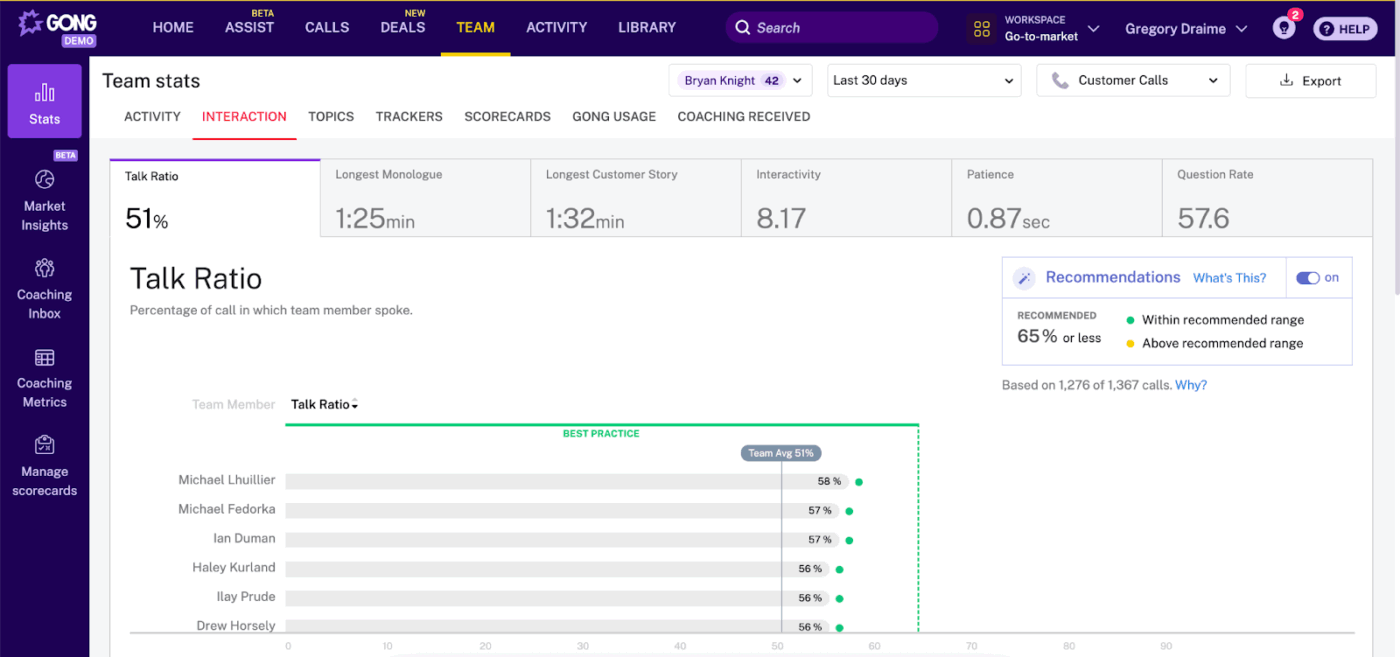
Gong is a revenue intelligence platform that captures how AI in the workplace can turn everyday customer conversations into structured pipeline insights. Sales teams use it to improve performance, track deal health, and get clearer visibility into pipeline activity.
Throughout the sales cycle, the platform captures interaction data and runs it through AI models trained on revenue signals. The result is a clearer picture of where deals stand, which risks need attention, and what follow-up content to generate. Teams can coach reps and forecast revenue using real conversation data rather than estimates.
A user review summarizes:
I find Gong extremely user-friendly, which is really important for me. I love how it integrates well with all of our systems through the Gong Everywhere extension. The call recording with AI note-taking and automating follow-ups are made so easy. These features shave time off the administrative tasks in my day-to-day activities, allowing me to focus more on selling and talking to customers.
📚 Also Read: Best Gong Alternatives
Replacing a team doesn’t mean removing the human element; it means removing the repetitive flows that prevent your best people from doing their best work.
By unifying your tech stack inside ClickUp, you reduce AI Sprawl—one of the biggest hidden productivity drains in growing businesses. Projects, docs, chat, automation, and AI agents are consolidated into a single workspace to keep execution aligned with context.
Ready to empower your team with AI? Sign up for ClickUp today! ✅

© 2026 ClickUp

There’s an easier way. Try a free AI Agent in ClickUp that actually does the work for you—set up in minutes, save hours every week.